
Meeting Intelligence & Notes Tools
These are the specialized categories within Meeting Intelligence & Notes Tools. Looking for something broader? See all Project Management & Productivity Tools categories.

How big is your team?
What's your budget situation?
What's your team's technical comfort level?
What's the ONE thing this tool must do well?

Sembly AI is a powerful meeting intelligence tool designed specifically for sales teams and professionals. It's an automated notetaker that silently attends your meetings, accurately captures the discussions, and delivers reliable summaries. This tool addresses the need of sales teams to focus on the meeting rather than note-taking, ensuring nothing crucial is missed.
Best for Meeting Intelligence Tools for Sales Teams
Expert Take
Sembly AI Notetaker excels in providing automated meeting intelligence specifically for sales teams, offering accurate transcriptions and summaries. It is recognized for its integration capabilities and market credibility, though it may present pricing challenges for smaller teams.
Pros
- Generates structured artifacts like project plans
- Proxy attendance records meetings without you
- Enterprise-grade security (SOC 2, HIPAA)
- Strong multilingual support (48+ languages)
- Deep integration with HubSpot and Jira
Cons
- Free plan limited to 60 mins/month
- Speaker ID struggles with similar voices
- Team plan pricing is relatively high
- Requires stable internet connection
- No offline recording capability
Best for teams that are
- Project managers and executives with double-booked schedules needing proxy attendance.
- Global teams requiring transcription and summaries in over 48 languages.
- Professionals wanting a generous free tier for basic meeting notes and tasks.
Skip if
- Sales teams needing deep deal intelligence, pipeline analytics, or coaching scorecards.
- Users requiring a mobile app for on-the-go recording and management.
- Teams needing real-time battle cards or objection handling assistance.
Best for teams that are
- Project managers and executives with double-booked schedules needing proxy attendance.
- Global teams requiring transcription and summaries in over 48 languages.
- Professionals wanting a generous free tier for basic meeting notes and tasks.
Skip if
- Sales teams needing deep deal intelligence, pipeline analytics, or coaching scorecards.
- Users requiring a mobile app for on-the-go recording and management.
- Teams needing real-time battle cards or objection handling assistance.
Pros
- Generates structured artifacts like project plans
- Proxy attendance records meetings without you
- Enterprise-grade security (SOC 2, HIPAA)
- Strong multilingual support (48+ languages)
- Deep integration with HubSpot and Jira
Cons
- Free plan limited to 60 mins/month
- Speaker ID struggles with similar voices
- Team plan pricing is relatively high
- Requires stable internet connection
- No offline recording capability
Expert Take
Sembly AI Notetaker excels in providing automated meeting intelligence specifically for sales teams, offering accurate transcriptions and summaries. It is recognized for its integration capabilities and market credibility, though it may present pricing challenges for smaller teams.

Fellow.ai is a game-changer for product teams, offering an AI-powered meeting assistant that handles note-taking tasks with high accuracy. It transcribes and summarizes discussions, freeing up team members to focus on strategic discussions, decision making, and creative brainstorming.
Best for Meeting Notes Tools for Product Teams
Expert Take
Fellow.ai excels as a meeting notes tool for product teams, offering AI-driven transcription and summarization capabilities that enhance productivity. Its market credibility is supported by third-party recognitions, and it integrates well within the ecosystem of productivity tools. While pricing transparency is limited, the product's value is evident in its capabilities.
Pros
- Botless recording via desktop app
- Zoom Native Capture (no bot needed)
- Strict 'no AI training on data' policy
- Bi-directional sync with Asana/Jira
- SOC 2 Type II & HIPAA compliant
Cons
- Free plan limited to 5 lifetime notes
- Mobile app cannot record meetings
- CRM sync requires Business plan ($15/mo)
- Web recording requires bot participant
- No monthly free AI credits
Best for teams that are
- Mid-to-large enterprises needing a complete meeting management system.
- Managers focusing on structured 1:1s and team accountability.
Skip if
- Individuals seeking only a simple transcription tool.
- Teams with a very limited budget for meeting tools.
Best for teams that are
- Mid-to-large enterprises needing a complete meeting management system.
- Managers focusing on structured 1:1s and team accountability.
Skip if
- Individuals seeking only a simple transcription tool.
- Teams with a very limited budget for meeting tools.
Pros
- Botless recording via desktop app
- Zoom Native Capture (no bot needed)
- Strict 'no AI training on data' policy
- Bi-directional sync with Asana/Jira
- SOC 2 Type II & HIPAA compliant
Cons
- Free plan limited to 5 lifetime notes
- Mobile app cannot record meetings
- CRM sync requires Business plan ($15/mo)
- Web recording requires bot participant
- No monthly free AI credits
Expert Take
Fellow.ai excels as a meeting notes tool for product teams, offering AI-driven transcription and summarization capabilities that enhance productivity. Its market credibility is supported by third-party recognitions, and it integrates well within the ecosystem of productivity tools. While pricing transparency is limited, the product's value is evident in its capabilities.
MeetGeek is an AI-powered note-taking and meeting assistant designed to streamline workflows for professionals who use platforms like Slack, Notion, HubSpot, and ClickUp. This tool simplifies the meeting process by producing accurate summaries, triggering tasks, and enabling automation directly from chat.
Best for Meeting Notes Tools with Task Integration
Expert Take
MeetGeek AI Meeting Assistant excels as a meeting notes tool with task integration, offering robust capabilities in automation and integration with popular platforms. While pricing transparency is limited, the product's strong feature set and market credibility make it a top choice in its category.
Pros
- SOC 2 Type 2 and HIPAA compliant (via BAA)
- Native integrations with HubSpot and Salesforce
- Sentiment analysis tracks meeting tone
- Generous free plan (3 hours/month)
- Mobile app for in-person recording
Cons
- Bot occasionally fails to join meetings
- Struggles with heavy accents
- Support response times can be slow
- Limited video storage on lower plans
- Manual invite needed for instant meetings
Best for teams that are
- Sales and Customer Success teams needing revenue intelligence
- Users wanting automated follow-up emails sent to clients
- Teams analyzing meeting sentiment and engagement metrics
Skip if
- Users needing real-time transcription during calls
- Teams requiring support for obscure languages (limited count)
- Individuals wanting a generous free tier with high limits
Best for teams that are
- Sales and Customer Success teams needing revenue intelligence
- Users wanting automated follow-up emails sent to clients
- Teams analyzing meeting sentiment and engagement metrics
Skip if
- Users needing real-time transcription during calls
- Teams requiring support for obscure languages (limited count)
- Individuals wanting a generous free tier with high limits
Pros
- SOC 2 Type 2 and HIPAA compliant (via BAA)
- Native integrations with HubSpot and Salesforce
- Sentiment analysis tracks meeting tone
- Generous free plan (3 hours/month)
- Mobile app for in-person recording
Cons
- Bot occasionally fails to join meetings
- Struggles with heavy accents
- Support response times can be slow
- Limited video storage on lower plans
- Manual invite needed for instant meetings
Expert Take
MeetGeek AI Meeting Assistant excels as a meeting notes tool with task integration, offering robust capabilities in automation and integration with popular platforms. While pricing transparency is limited, the product's strong feature set and market credibility make it a top choice in its category.

Tactiq.io is a game-changing solution for professionals seeking efficient meeting management. It offers powerful features such as live transcription, AI summaries, action items, and custom AI prompts, addressing the industry needs for accurate record-keeping, actionable insights, and improved productivity during meetings.
Best for Meeting Notes Tools with Transcript Generation
Expert Take
Tactiq.io excels in providing AI-driven meeting transcription and summarization, enhancing productivity and record-keeping. Its integration with popular platforms like Google Meet and Zoom, along with a freemium pricing model, makes it accessible and valuable for professionals seeking efficient meeting management.
Pros
- Bot-free, non-intrusive transcription
- SOC 2 Type II & HIPAA compliant
- Supports 60+ languages
- Real-time transcription sidebar
- Integrates with 8,000+ apps via Zapier
Cons
- Pro plan limits AI credits to 10/mo
- No native mobile app for meetings
- Requires Chrome or Edge browser
- Accuracy struggles with strong accents
- Web UI can be sluggish
Best for teams that are
- Users preferring a browser extension over a bot joining calls
- Google Meet and Zoom users wanting real-time in-meeting transcripts
- Remote workers who want to tag action items during the call
Skip if
- Users needing a standalone desktop app outside the browser
- Teams requiring video recording playback features
- Users who need to record meetings on mobile devices
Best for teams that are
- Users preferring a browser extension over a bot joining calls
- Google Meet and Zoom users wanting real-time in-meeting transcripts
- Remote workers who want to tag action items during the call
Skip if
- Users needing a standalone desktop app outside the browser
- Teams requiring video recording playback features
- Users who need to record meetings on mobile devices
Pros
- Bot-free, non-intrusive transcription
- SOC 2 Type II & HIPAA compliant
- Supports 60+ languages
- Real-time transcription sidebar
- Integrates with 8,000+ apps via Zapier
Cons
- Pro plan limits AI credits to 10/mo
- No native mobile app for meetings
- Requires Chrome or Edge browser
- Accuracy struggles with strong accents
- Web UI can be sluggish
Expert Take
Tactiq.io excels in providing AI-driven meeting transcription and summarization, enhancing productivity and record-keeping. Its integration with popular platforms like Google Meet and Zoom, along with a freemium pricing model, makes it accessible and valuable for professionals seeking efficient meeting management.

Read AI is a must-have SaaS solution for product teams. It provides AI-generated meeting notes, topics, and action items, helping teams to stay organized and informed. The Search Copilot feature allows users to quickly find answers across meetings, emails, and messages, enhancing productivity and reducing time spent on administrative tasks. Now available on desktop version without requiring internet service for Windows, PC, and Android.
Best for Meeting Notes Tools for Product Teams
Expert Take
Read AI excels in providing AI-driven meeting notes and action items, enhancing productivity for product teams. Its Search Copilot feature is a standout, allowing efficient information retrieval across platforms. The product is well-regarded for its usability and integration capabilities, though its reliance on AI accuracy is a noted tradeoff.
Pros
- SOC 2 Type 2 & HIPAA compliant
- Creates Jira tickets from action items
- Syncs summaries to Confluence
- Search Copilot queries across apps
- Real-time engagement & sentiment metrics
Cons
- Intrusive 'auto-join' bot behavior
- Video playback locked to Enterprise
- Free plan limited to 5 reports/mo
- Poor customer support reputation
- Negative Trustpilot sentiment
Best for teams that are
- Leaders seeking engagement metrics like sentiment and talk-time ratios.
- Teams needing a cross-platform tool with a decent free tier.
Skip if
- Privacy-conscious users concerned about aggressive bot behavior.
- Teams discussing highly technical topics where jargon accuracy is key.
- Organizations requiring strict GDPR compliance regarding US servers.
Best for teams that are
- Leaders seeking engagement metrics like sentiment and talk-time ratios.
- Teams needing a cross-platform tool with a decent free tier.
Skip if
- Privacy-conscious users concerned about aggressive bot behavior.
- Teams discussing highly technical topics where jargon accuracy is key.
- Organizations requiring strict GDPR compliance regarding US servers.
Pros
- SOC 2 Type 2 & HIPAA compliant
- Creates Jira tickets from action items
- Syncs summaries to Confluence
- Search Copilot queries across apps
- Real-time engagement & sentiment metrics
Cons
- Intrusive 'auto-join' bot behavior
- Video playback locked to Enterprise
- Free plan limited to 5 reports/mo
- Poor customer support reputation
- Negative Trustpilot sentiment
Expert Take
Read AI excels in providing AI-driven meeting notes and action items, enhancing productivity for product teams. Its Search Copilot feature is a standout, allowing efficient information retrieval across platforms. The product is well-regarded for its usability and integration capabilities, though its reliance on AI accuracy is a noted tradeoff.

Instantly.ai is an AI-powered software specifically designed for sales teams. It facilitates the discovery of warm leads, optimization of email campaigns, smarter engagement, and an increased win rate. Leveraging artificial intelligence, it addresses industry needs by ensuring emails reach primary inboxes, thus enhancing communication and sales conversion rates.
Best for Meeting Intelligence Tools for Sales Teams
Expert Take
Instantly.ai is a premium tool for sales teams, leveraging AI to enhance lead generation and email campaign effectiveness. Its capabilities are well-documented, and it has received recognition for its innovative approach to sales intelligence. Despite some limitations in pricing transparency, it remains a top choice for sales professionals.
Pros
- Unlimited email sending accounts included
- Automated warm-up for all accounts
- Unified inbox (Unibox) for managing replies
- Flat-fee pricing model (no per-seat costs)
- Large B2B database (450M+ contacts)
Cons
- No dedicated mobile application available
- Lead data accuracy reportedly inconsistent
- Support quality varies significantly by user
- Lacks native multi-channel automation
- Advanced features locked behind higher tiers
Best for teams that are
- Cold email marketers and agencies scaling outbound campaigns.
- Teams needing unlimited email accounts and warm-up tools for deliverability.
- Users focused on lead generation and initial outreach rather than closing calls.
Skip if
- Sales teams looking for meeting recording, transcription, or conversation analytics.
- Managers needing to coach reps on verbal objection handling or call performance.
- Teams needing deep integration with enterprise CRMs for deal forecasting.
Best for teams that are
- Cold email marketers and agencies scaling outbound campaigns.
- Teams needing unlimited email accounts and warm-up tools for deliverability.
- Users focused on lead generation and initial outreach rather than closing calls.
Skip if
- Sales teams looking for meeting recording, transcription, or conversation analytics.
- Managers needing to coach reps on verbal objection handling or call performance.
- Teams needing deep integration with enterprise CRMs for deal forecasting.
Pros
- Unlimited email sending accounts included
- Automated warm-up for all accounts
- Unified inbox (Unibox) for managing replies
- Flat-fee pricing model (no per-seat costs)
- Large B2B database (450M+ contacts)
Cons
- No dedicated mobile application available
- Lead data accuracy reportedly inconsistent
- Support quality varies significantly by user
- Lacks native multi-channel automation
- Advanced features locked behind higher tiers
Expert Take
Instantly.ai is a premium tool for sales teams, leveraging AI to enhance lead generation and email campaign effectiveness. Its capabilities are well-documented, and it has received recognition for its innovative approach to sales intelligence. Despite some limitations in pricing transparency, it remains a top choice for sales professionals.
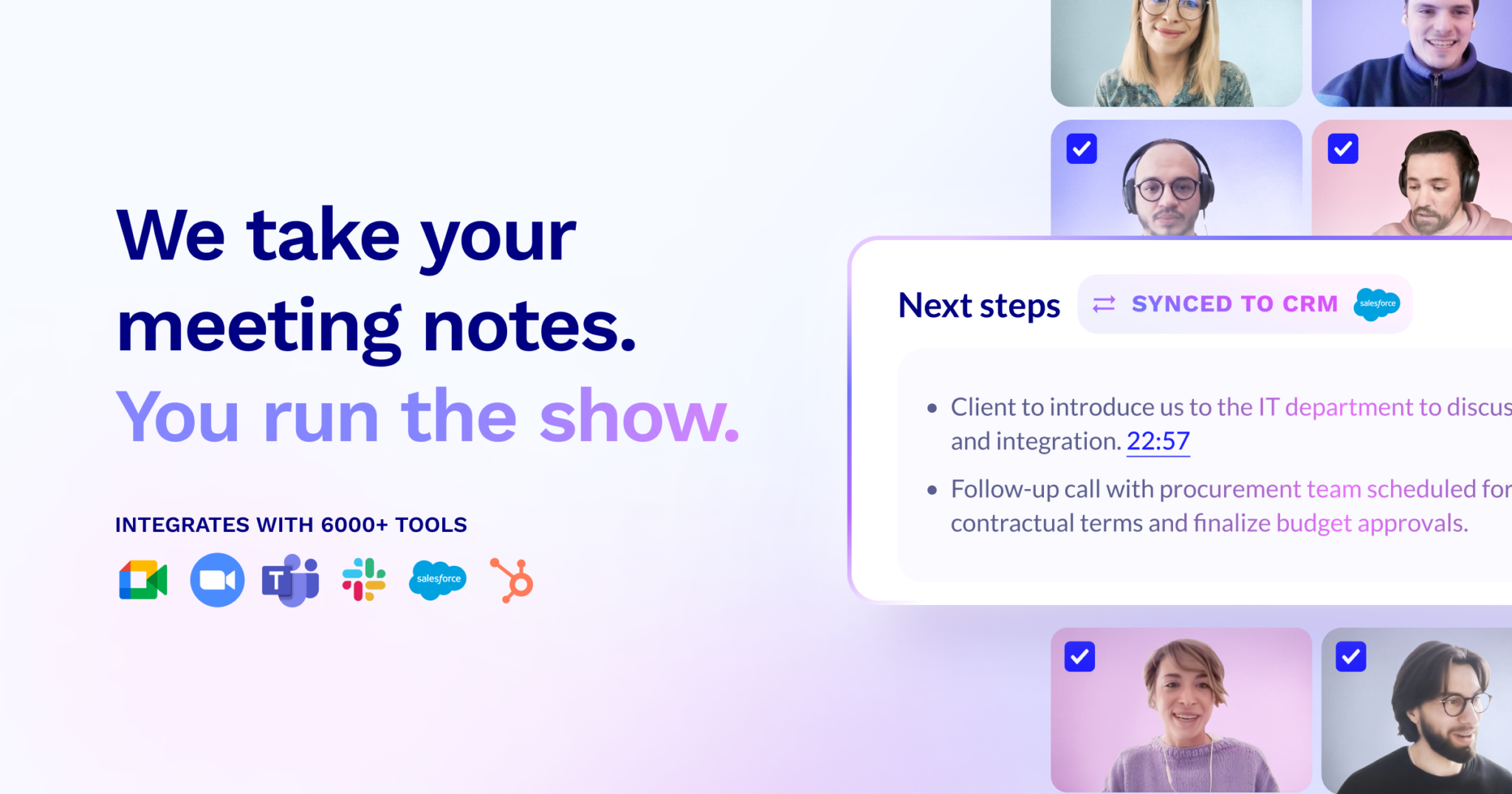
tl;dv.io's AI Notetaker provides an efficient solution for product teams who conduct numerous meetings through platforms like Zoom, MS Teams, and Google Meet. The software generates intelligent meeting notes in 30 languages, updates your CRM automatically, drafts follow-up emails, and sends AI-generated summaries - streamlining communication and ensuring nothing gets lost in translation.
Best for Meeting Notes Tools for Product Teams
Expert Take
The tl;dv.io AI Notetaker excels in providing multilingual meeting notes and seamless integration with popular platforms, making it an essential tool for product teams. Its ability to automate CRM updates and draft follow-up emails enhances productivity. While it offers a free plan, premium features come at an additional cost, which is a common tradeoff in this category.
Pros
- Unlimited free recordings and transcripts
- Supports transcription in 30+ languages
- SOC 2 and GDPR compliant
- No AI training on user data
- Automated AI summaries and clips
Cons
- Free recordings deleted after 3 months
- No custom vocabulary for jargon
- No native mobile recording app
- Occasional bot joining failures
- Advanced coaching features cost extra
Best for teams that are
- Async-first remote teams who rely on watching meeting highlights.
- Product researchers wanting to create and share video clips.
Skip if
- Teams requiring strict enterprise-grade security controls.
- Users who find visible meeting bots intrusive.
Best for teams that are
- Async-first remote teams who rely on watching meeting highlights.
- Product researchers wanting to create and share video clips.
Skip if
- Teams requiring strict enterprise-grade security controls.
- Users who find visible meeting bots intrusive.
Pros
- Unlimited free recordings and transcripts
- Supports transcription in 30+ languages
- SOC 2 and GDPR compliant
- No AI training on user data
- Automated AI summaries and clips
Cons
- Free recordings deleted after 3 months
- No custom vocabulary for jargon
- No native mobile recording app
- Occasional bot joining failures
- Advanced coaching features cost extra
Expert Take
The tl;dv.io AI Notetaker excels in providing multilingual meeting notes and seamless integration with popular platforms, making it an essential tool for product teams. Its ability to automate CRM updates and draft follow-up emails enhances productivity. While it offers a free plan, premium features come at an additional cost, which is a common tradeoff in this category.
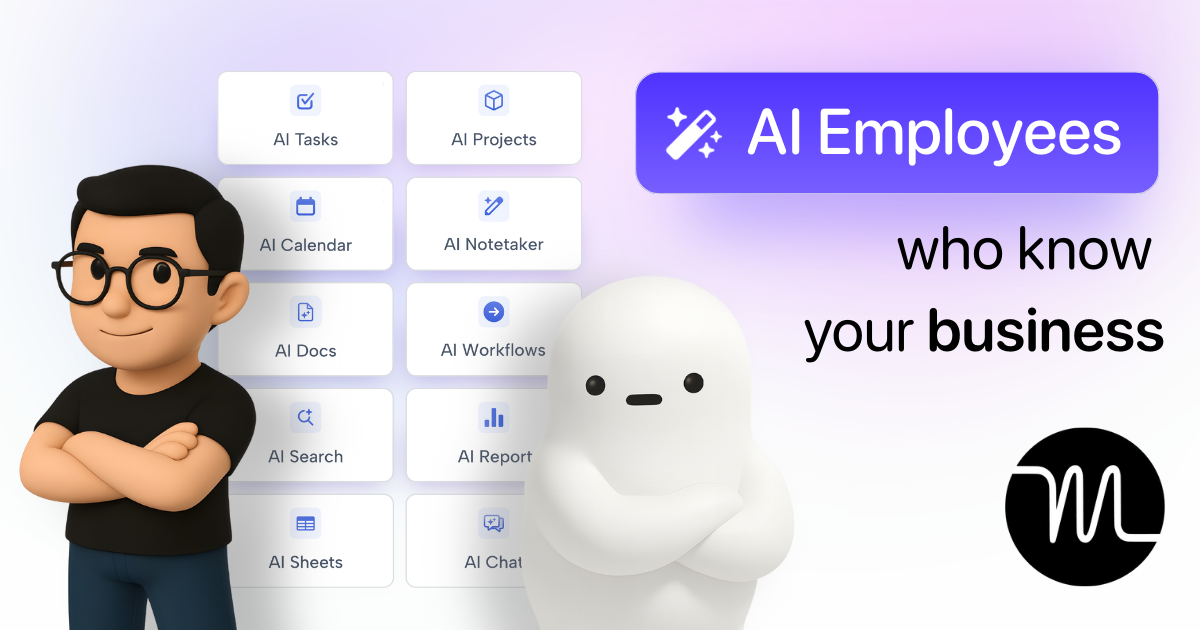
Motion is an AI-powered superapp designed to enhance productivity and streamline work processes. With features such as AI Projects, AI Tasks, AI Calendar, AI Notes, AI Docs, AI SOPs, AI Search, and AI Reports, it specifically caters to industry professionals seeking an all-in-one tool to manage their work efficiently and stay organized.
Best for Meeting Notes Tools with Task Integration
Expert Take
Motion excels as a comprehensive productivity tool with AI-driven features that enhance task management and collaboration. Its integration capabilities and user-friendly interface make it suitable for a wide range of industries. While it offers robust functionality, some limitations exist in offline use and customization.
Pros
- AI auto-scheduling optimizes daily planning
- SOC 2 Type II certified security
- Unified calendar and project management
- Native Google and Outlook integration
- AI Employees for specialized workflows
Cons
- Mobile app lacks full functionality
- No permanent free plan available
- High monthly cost for individuals
- Steep learning curve for some
- Limited advanced project views
Best for teams that are
- Busy executives needing auto-scheduling and task management
- Teams wanting an all-in-one productivity suite
- Project managers prone to missing deadlines
Skip if
- Users seeking a standalone transcription tool
- Price-sensitive individuals (expensive full suite)
- Those not using Motion for task management
Best for teams that are
- Busy executives needing auto-scheduling and task management
- Teams wanting an all-in-one productivity suite
- Project managers prone to missing deadlines
Skip if
- Users seeking a standalone transcription tool
- Price-sensitive individuals (expensive full suite)
- Those not using Motion for task management
Pros
- AI auto-scheduling optimizes daily planning
- SOC 2 Type II certified security
- Unified calendar and project management
- Native Google and Outlook integration
- AI Employees for specialized workflows
Cons
- Mobile app lacks full functionality
- No permanent free plan available
- High monthly cost for individuals
- Steep learning curve for some
- Limited advanced project views
Expert Take
Motion excels as a comprehensive productivity tool with AI-driven features that enhance task management and collaboration. Its integration capabilities and user-friendly interface make it suitable for a wide range of industries. While it offers robust functionality, some limitations exist in offline use and customization.

Krisp AI Meeting Transcription is an advanced SaaS solution that expertly addresses the need for high-quality, accurate transcription in collaborative environments. It uses artificial intelligence to transcribe meetings with exceptional accuracy, making it perfect for professionals who need to track and record detailed discussions during virtual collaborations.
Best for Meeting Notes Tools with Transcript Generation
Expert Take
Krisp AI Meeting Transcription excels in providing accurate and efficient transcription services for meetings, leveraging AI technology. It is recognized for its ease of use and integration capabilities, making it a valuable tool for professionals in collaborative environments. The product's affordability and secure cloud-based operation further enhance its appeal.
Pros
- Bot-free recording via virtual device
- On-device transcription for privacy
- Real-time accent conversion
- Industry-leading noise cancellation
- Affordable $8/mo Pro plan
Cons
- Mobile app lacks noise cancellation
- No real-time sales coaching
- Free plan limits summaries (2/day)
- Speech clipping in extreme noise
- Desktop-centric feature set
Best for teams that are
- Remote workers in noisy environments needing noise cancellation
- Privacy-conscious users preferring on-device processing
- Users wanting a passive tool that runs in the background
Skip if
- Teams needing deep meeting analytics or CRM integrations
- Users wanting a searchable database of past meeting videos
- Sales teams needing conversation intelligence features
Best for teams that are
- Remote workers in noisy environments needing noise cancellation
- Privacy-conscious users preferring on-device processing
- Users wanting a passive tool that runs in the background
Skip if
- Teams needing deep meeting analytics or CRM integrations
- Users wanting a searchable database of past meeting videos
- Sales teams needing conversation intelligence features
Pros
- Bot-free recording via virtual device
- On-device transcription for privacy
- Real-time accent conversion
- Industry-leading noise cancellation
- Affordable $8/mo Pro plan
Cons
- Mobile app lacks noise cancellation
- No real-time sales coaching
- Free plan limits summaries (2/day)
- Speech clipping in extreme noise
- Desktop-centric feature set
Expert Take
Krisp AI Meeting Transcription excels in providing accurate and efficient transcription services for meetings, leveraging AI technology. It is recognized for its ease of use and integration capabilities, making it a valuable tool for professionals in collaborative environments. The product's affordability and secure cloud-based operation further enhance its appeal.
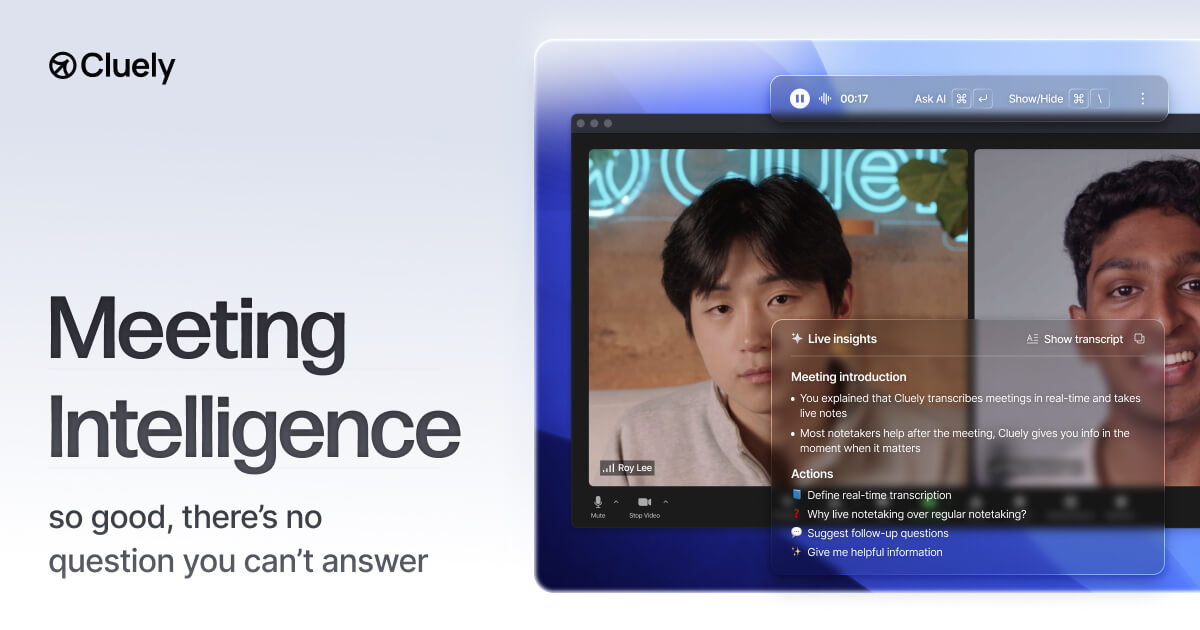
Cluely is a real-time AI meeting assistant designed for professionals who need dynamic insights during calls. It sets itself apart in the meeting intelligence industry by providing live, instant responses and insights, which can be invaluable for decision-making and productivity during meetings.
Best for Meeting Intelligence Tools with AI Insights
Expert Take
Cluely excels in providing real-time AI insights and live meeting notes, making it a standout in the meeting intelligence tools category. Its unique capabilities support dynamic decision-making and productivity, although pricing transparency is limited.
Pros
- Invisible overlay does not appear in screen shares
- Backed by Andreessen Horowitz (a16z)
- Real-time answers based on screen and audio
- Does not join meetings as a bot
- Supports technical coding interview questions
Cons
- Ethical risks associated with 'cheating' use case
- Desktop application only (no mobile support)
- Occasional latency in real-time responses
- Free plan has limited AI interactions
- Generic responses for complex niche topics
Best for teams that are
- Job seekers or sales reps needing real-time, invisible coaching
- Individuals wanting live prompts during high-stakes calls
Skip if
- Teams needing a searchable archive of past meeting notes
- Organizations with strict compliance against undisclosed recording
Best for teams that are
- Job seekers or sales reps needing real-time, invisible coaching
- Individuals wanting live prompts during high-stakes calls
Skip if
- Teams needing a searchable archive of past meeting notes
- Organizations with strict compliance against undisclosed recording
Pros
- Invisible overlay does not appear in screen shares
- Backed by Andreessen Horowitz (a16z)
- Real-time answers based on screen and audio
- Does not join meetings as a bot
- Supports technical coding interview questions
Cons
- Ethical risks associated with 'cheating' use case
- Desktop application only (no mobile support)
- Occasional latency in real-time responses
- Free plan has limited AI interactions
- Generic responses for complex niche topics
Expert Take
Cluely excels in providing real-time AI insights and live meeting notes, making it a standout in the meeting intelligence tools category. Its unique capabilities support dynamic decision-making and productivity, although pricing transparency is limited.





Loading comparison data…