
In-App Survey & User Feedback Tools
These are the specialized categories within In-App Survey & User Feedback Tools. Looking for something broader? See all Project Management & Productivity Tools categories.

How big is your team?
What's your budget situation?
What's your team's technical comfort level?
What's the ONE thing this tool must do well?

SurveySparrow is a user feedback tool designed for businesses seeking engaging, conversational surveys. Ideal for field data collection, it offers offline capabilities with a kiosk mode that auto-syncs data securely and maintains logic routing even without internet.
Best for User Feedback Tools with NPS and CSAT
Expert Take
SurveySparrow transforms dry, static forms into engaging conversational experiences that respondents actually want to complete. Its offline app is a lifesaver for field data collection, featuring a kiosk mode that auto-syncs securely once reconnected. With enterprise-grade compliance and advanced logic available even without the internet, it perfectly bridges the gap between high-end research functionality and modern, user-friendly design.
Pros
- Boosts completion rates by 40%
- Auto-syncs offline data seamlessly
- Conversational chat-like UI
- Maintains logic routing offline
- Robust SOC 2 compliance
Cons
- Hidden enterprise pricing tiers
- Strict limits on lower plans
- Preview mode forces full restart
- API access is restricted
Best for teams that are
- Field researchers and event marketers.
- Retail, hotels, and healthcare using kiosk mode.
- Teams needing offline data collection with auto-sync.
Skip if
- SaaS teams needing attribute-based in-app targeting.
- Businesses looking for flexible monthly billing.
Best for teams that are
- Field researchers and event marketers.
- Retail, hotels, and healthcare using kiosk mode.
- Teams needing offline data collection with auto-sync.
Skip if
- SaaS teams needing attribute-based in-app targeting.
- Businesses looking for flexible monthly billing.
Pros
- Boosts completion rates by 40%
- Auto-syncs offline data seamlessly
- Conversational chat-like UI
- Maintains logic routing offline
- Robust SOC 2 compliance
Cons
- Hidden enterprise pricing tiers
- Strict limits on lower plans
- Preview mode forces full restart
- API access is restricted
Expert Take
SurveySparrow transforms dry, static forms into engaging conversational experiences that respondents actually want to complete. Its offline app is a lifesaver for field data collection, featuring a kiosk mode that auto-syncs securely once reconnected. With enterprise-grade compliance and advanced logic available even without the internet, it perfectly bridges the gap between high-end research functionality and modern, user-friendly design.

SimpleSat is a powerful CSAT and NPS tool designed for MSPs and service-oriented professionals. Besides delivering one-click surveys, it integrates seamlessly with popular platforms like ConnectWise, Autotask, and Zendesk, addressing the immediate need in the industry for easy-to-use, efficient feedback tools.
Best for User Feedback Tools with NPS and CSAT
Expert Take
SimpleSat excels as a user feedback tool with its seamless integration capabilities and robust reporting features. Its focus on MSPs and service-oriented professionals, combined with ease of use, positions it as a top choice in its category. Despite some limitations in support and pricing transparency, it remains a highly credible and effective solution.
Pros
- SOC 2 Type II Certified
- Deep MSP tool integrations
- AI-driven sentiment analysis
- High G2 user rating (4.8/5)
- Responsive customer support
Cons
- Entry price ($109/mo) is high
- Recent pricing increases noted
- Occasional integration disconnects
- Custom dashboards gated on Pro
- Setup complexity for some
Best for teams that are
- Small to mid-sized IT and support teams.
- Helpdesk users needing easy Zendesk/Freshdesk sync.
- Businesses wanting quick, post-ticket CSAT surveys.
Skip if
- Teams needing complex CX analysis or multi-path flows.
- Product teams running in-app eNPS or product NPS.
- Users wanting deep survey design flexibility.
Best for teams that are
- Small to mid-sized IT and support teams.
- Helpdesk users needing easy Zendesk/Freshdesk sync.
- Businesses wanting quick, post-ticket CSAT surveys.
Skip if
- Teams needing complex CX analysis or multi-path flows.
- Product teams running in-app eNPS or product NPS.
- Users wanting deep survey design flexibility.
Pros
- SOC 2 Type II Certified
- Deep MSP tool integrations
- AI-driven sentiment analysis
- High G2 user rating (4.8/5)
- Responsive customer support
Cons
- Entry price ($109/mo) is high
- Recent pricing increases noted
- Occasional integration disconnects
- Custom dashboards gated on Pro
- Setup complexity for some
Expert Take
SimpleSat excels as a user feedback tool with its seamless integration capabilities and robust reporting features. Its focus on MSPs and service-oriented professionals, combined with ease of use, positions it as a top choice in its category. Despite some limitations in support and pricing transparency, it remains a highly credible and effective solution.

Delighted provides a streamlined solution for soliciting and managing customer feedback using popular CX metrics like NPS, CSAT, and CES. This SaaS tool is ideal for the industry as it allows businesses to automate their feedback programs, providing real-time insights into customer satisfaction and enabling timely action on feedback data.
Best for User Feedback Tools with NPS and CSAT
Expert Take
Delighted excels in providing a comprehensive feedback solution with strong integration capabilities and real-time insights. Its user-friendly design and support for multiple CX metrics make it a top choice for businesses seeking to enhance customer satisfaction. While pricing may be a consideration for smaller businesses, the tool's overall value and functionality position it as a leading product in its category.
Pros
- Extremely intuitive 'set-and-forget' interface
- High response rates due to simplicity
- SOC 2 Type II and GDPR compliant
- Strong Shopify and Slack integrations
- Transparent pricing with free tier
Cons
- Product sunsetting in June 2026
- No new features being developed
- Limited branching logic for surveys
- Premium integrations require $249/mo plan
- Annual renewals ending July 2025
Best for teams that are
- High-growth ecommerce, tech, and retail brands.
- CX teams needing fast, turnkey NPS/CSAT surveys.
- Users wanting simple setup without technical skills.
Skip if
- Researchers needing deep, custom-coded logic flows.
- Teams requiring highly complex enterprise analytics.
Best for teams that are
- High-growth ecommerce, tech, and retail brands.
- CX teams needing fast, turnkey NPS/CSAT surveys.
- Users wanting simple setup without technical skills.
Skip if
- Researchers needing deep, custom-coded logic flows.
- Teams requiring highly complex enterprise analytics.
Pros
- Extremely intuitive 'set-and-forget' interface
- High response rates due to simplicity
- SOC 2 Type II and GDPR compliant
- Strong Shopify and Slack integrations
- Transparent pricing with free tier
Cons
- Product sunsetting in June 2026
- No new features being developed
- Limited branching logic for surveys
- Premium integrations require $249/mo plan
- Annual renewals ending July 2025
Expert Take
Delighted excels in providing a comprehensive feedback solution with strong integration capabilities and real-time insights. Its user-friendly design and support for multiple CX metrics make it a top choice for businesses seeking to enhance customer satisfaction. While pricing may be a consideration for smaller businesses, the tool's overall value and functionality position it as a leading product in its category.

Mentimeter's Interactive Survey Maker is a robust SaaS solution designed for professionals who require efficient user targeting and segmentation. It allows you to create live, interactive surveys to gather real-time feedback from your audience, thereby addressing the need for immediate customer insights and data analysis in the industry.
Best for User Survey Tools with Targeting and Segmentation
Expert Take
Mentimeter Interactive Survey Maker excels in providing real-time feedback and interactive presentations, making it a valuable tool for professionals requiring immediate insights. Its audience segmentation capabilities enhance its utility in targeted survey distribution. However, limitations in the free plan and lack of offline mode are noted tradeoffs.
Pros
- Engaging 'Survey Mode' for asynchronous use
- ISO 27001:2022 certified security
- Unlimited slides on free plan
- Integrates with Teams and Zoom
- High ease of use ratings
Cons
- No advanced branching/skip logic
- Strict 50-participant limit on free plan
- PowerPoint integration can be glitchy
- Annual billing only for paid plans
- No SOC 2 report for app itself
Best for teams that are
- Educators and trainers seeking to boost live audience engagement and participation
- Presenters wanting real-time feedback via polls and word clouds during meetings
- Facilitators looking for anonymous, instant feedback tools for workshops
Skip if
- Researchers requiring deep data analysis, complex logic, or detailed segmentation
- Users looking for lead generation tools to collect detailed participant contact info
- Budget-conscious users needing unlimited questions or participants for free
Best for teams that are
- Educators and trainers seeking to boost live audience engagement and participation
- Presenters wanting real-time feedback via polls and word clouds during meetings
- Facilitators looking for anonymous, instant feedback tools for workshops
Skip if
- Researchers requiring deep data analysis, complex logic, or detailed segmentation
- Users looking for lead generation tools to collect detailed participant contact info
- Budget-conscious users needing unlimited questions or participants for free
Pros
- Engaging 'Survey Mode' for asynchronous use
- ISO 27001:2022 certified security
- Unlimited slides on free plan
- Integrates with Teams and Zoom
- High ease of use ratings
Cons
- No advanced branching/skip logic
- Strict 50-participant limit on free plan
- PowerPoint integration can be glitchy
- Annual billing only for paid plans
- No SOC 2 report for app itself
Expert Take
Mentimeter Interactive Survey Maker excels in providing real-time feedback and interactive presentations, making it a valuable tool for professionals requiring immediate insights. Its audience segmentation capabilities enhance its utility in targeted survey distribution. However, limitations in the free plan and lack of offline mode are noted tradeoffs.

SurveySparrow transforms survey experiences with a chat-like, mobile-first interface, boosting completion rates by up to 40%. Ideal for enterprises needing comprehensive VoC solutions, it offers omnichannel distribution and robust AI analytics.
Best for In App Survey Tools for SaaS Products
Expert Take
SurveySparrow transforms the traditionally rigid survey experience into a highly engaging, chat-like conversation that feels natural to respondents. By optimizing for a mobile-first interface, the platform consistently drives up to 40% higher completion rates. Coupled with robust AI-powered analytics, an omnichannel distribution network, and enterprise-grade security, it serves as a comprehensive Voice of the Customer (VoC) solution rather than just a simple form builder. We love how it balances
Pros
- Conversational UI boosts response rates by up to 40 percent
- Omnichannel distribution includes WhatsApp, email, SMS, and offline support
- Enterprise-grade security with HIPAA, SOC 2 Type II, and GDPR
- AI-powered text and sentiment analytics via CogniVue engine
Cons
- Opaque pricing for higher-tier Business and Enterprise plans
- No self-hosted option for organizations requiring strict data sovereignty
- Mandatory quarterly or annual billing minimums reduce flexibility
- Advanced integration and compliance features locked behind expensive tiers
Best for teams that are
- Small to mid-sized businesses wanting chat-like surveys.
- HR teams conducting 360-degree employee assessments.
- B2C marketers focusing on high survey completion rates.
Skip if
- Complex B2B brands needing to link NPS to account revenue.
- Teams requiring sophisticated attribute-based segmentation.
- Buyers strictly seeking monthly billing on lower-tier plans.
Best for teams that are
- Small to mid-sized businesses wanting chat-like surveys.
- HR teams conducting 360-degree employee assessments.
- B2C marketers focusing on high survey completion rates.
Skip if
- Complex B2B brands needing to link NPS to account revenue.
- Teams requiring sophisticated attribute-based segmentation.
- Buyers strictly seeking monthly billing on lower-tier plans.
Pros
- Conversational UI boosts response rates by up to 40 percent
- Omnichannel distribution includes WhatsApp, email, SMS, and offline support
- Enterprise-grade security with HIPAA, SOC 2 Type II, and GDPR
- AI-powered text and sentiment analytics via CogniVue engine
Cons
- Opaque pricing for higher-tier Business and Enterprise plans
- No self-hosted option for organizations requiring strict data sovereignty
- Mandatory quarterly or annual billing minimums reduce flexibility
- Advanced integration and compliance features locked behind expensive tiers
Expert Take
SurveySparrow transforms the traditionally rigid survey experience into a highly engaging, chat-like conversation that feels natural to respondents. By optimizing for a mobile-first interface, the platform consistently drives up to 40% higher completion rates. Coupled with robust AI-powered analytics, an omnichannel distribution network, and enterprise-grade security, it serves as a comprehensive Voice of the Customer (VoC) solution rather than just a simple form builder. We love how it balances

Refiner is a dedicated in-app survey tool designed to meet the needs of SaaS and mobile app companies. It allows product and Customer Experience (CX) teams to gather contextual user feedback efficiently, aiding in product improvement and user experience enhancement.
Best for In App Survey Tools for SaaS Products
Expert Take
Refiner excels as a specialized tool for SaaS and mobile app companies seeking in-app user feedback. Its customizable surveys and real-time analytics provide valuable insights for product teams. While it offers strong capabilities, limitations such as language options and offline mode are noted.
Pros
- Two-way data sync with Segment/HubSpot
- SOC 2 Type II & HIPAA compliant
- Native Mobile SDKs (iOS/Android/Flutter)
- Intuitive no-code survey builder
- Hosted in EU (GDPR friendly)
Cons
- Starting price ($99/mo) is high
- Free plan limited to 25 responses
- Advanced logic can be complex
- Limited design customization options
- Lower review volume vs competitors
Best for teams that are
- B2B SaaS companies needing behavioral microsurveys.
- Product teams using Segment or Rudderstack for data sync.
- Growth teams wanting in-app surveys based on CDP events.
Skip if
- Users needing extensive out-of-the-box multilingual support.
- Non-technical users seeking simple, standalone surveys.
Best for teams that are
- B2B SaaS companies needing behavioral microsurveys.
- Product teams using Segment or Rudderstack for data sync.
- Growth teams wanting in-app surveys based on CDP events.
Skip if
- Users needing extensive out-of-the-box multilingual support.
- Non-technical users seeking simple, standalone surveys.
Pros
- Two-way data sync with Segment/HubSpot
- SOC 2 Type II & HIPAA compliant
- Native Mobile SDKs (iOS/Android/Flutter)
- Intuitive no-code survey builder
- Hosted in EU (GDPR friendly)
Cons
- Starting price ($99/mo) is high
- Free plan limited to 25 responses
- Advanced logic can be complex
- Limited design customization options
- Lower review volume vs competitors
Expert Take
Refiner excels as a specialized tool for SaaS and mobile app companies seeking in-app user feedback. Its customizable surveys and real-time analytics provide valuable insights for product teams. While it offers strong capabilities, limitations such as language options and offline mode are noted.
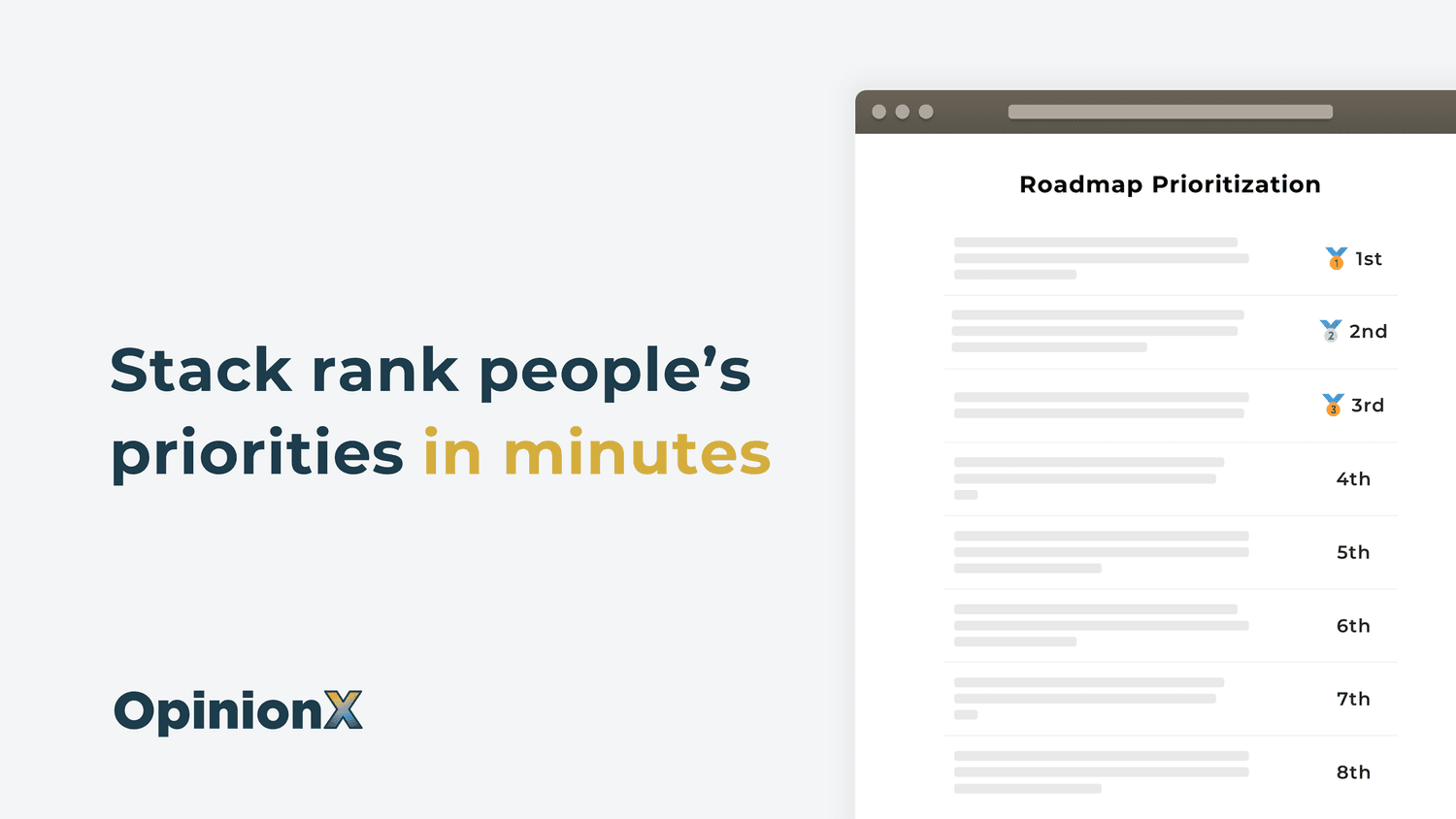
OpinionX is a potent tool specifically designed to help industry professionals understand their target market better. It addresses the crucial need to identify who your biggest fans are and why, letting you make more informed decisions when developing or enhancing products.
Best for User Survey Tools with Targeting and Segmentation
Expert Take
OpinionX PMF Surveys excels in providing targeted user feedback and segmentation capabilities, crucial for understanding product/market fit. While it offers a user-friendly interface and a free plan, its relatively new market presence and limited customization options slightly impact its overall score. Its focus on preference ranking and segmentation makes it a valuable tool for startups and small businesses.
Pros
- Unlimited surveys and participants on free tier
- Specialized 'Pair Rank' and 'Order Rank' methods
- Flexible 'Pay Per Survey' pricing option
- Automated segmentation and PMF score calculation
- Used by 13,000+ teams including Google
Cons
- No monthly subscription option available
- Analysis limited to 10 participants on free plan
- SSO and 2FA locked to Enterprise tier
- Limited native integrations (relies on Zapier)
- Advanced analysis features require paid upgrade
Best for teams that are
- Product teams and founders validating product-market fit or prioritizing roadmaps
- Researchers requiring comparative ranking data like stack ranking or pair comparisons
- Startups needing a free tool with unlimited participants for voting surveys
Skip if
- Users seeking simple standard forms or quizzes without ranking features
- Live presentation hosts prioritizing visual engagement over deep research data
- Users needing advanced segmentation analysis on a strictly free budget
Best for teams that are
- Product teams and founders validating product-market fit or prioritizing roadmaps
- Researchers requiring comparative ranking data like stack ranking or pair comparisons
- Startups needing a free tool with unlimited participants for voting surveys
Skip if
- Users seeking simple standard forms or quizzes without ranking features
- Live presentation hosts prioritizing visual engagement over deep research data
- Users needing advanced segmentation analysis on a strictly free budget
Pros
- Unlimited surveys and participants on free tier
- Specialized 'Pair Rank' and 'Order Rank' methods
- Flexible 'Pay Per Survey' pricing option
- Automated segmentation and PMF score calculation
- Used by 13,000+ teams including Google
Cons
- No monthly subscription option available
- Analysis limited to 10 participants on free plan
- SSO and 2FA locked to Enterprise tier
- Limited native integrations (relies on Zapier)
- Advanced analysis features require paid upgrade
Expert Take
OpinionX PMF Surveys excels in providing targeted user feedback and segmentation capabilities, crucial for understanding product/market fit. While it offers a user-friendly interface and a free plan, its relatively new market presence and limited customization options slightly impact its overall score. Its focus on preference ranking and segmentation makes it a valuable tool for startups and small businesses.

Qualtrics Website & App Insights is an excellent tool for businesses that need to gauge their website and mobile app performance. It specifically addresses the industry's need for real-time user feedback and behavior analysis, offering insights that can enhance user experience and overall product quality.
Best for In App Feedback Widgets for Web Apps
Expert Take
Qualtrics Website & App Insights excels in providing real-time user feedback and behavioral analytics, crucial for enhancing user experience. Its integration capabilities and advanced reporting make it a top choice for enterprises. While it requires some technical knowledge, its comprehensive features justify its premium positioning.
Pros
- FedRAMP High and HITRUST certified security
- Integrated session replay and frustration detection
- Advanced targeting logic for feedback intercepts
- Used by 85% of Fortune 500 companies
- Seamless integration with broader XM platform
Cons
- Expensive and opaque pricing model
- Steep learning curve for new users
- Complex user interface can be overwhelming
- Performance lags with large datasets
- Requires sales contact for pricing
Best for teams that are
- Enterprise CX professionals analyzing digital journeys [cite: 12].
- Organizations needing AI-driven conversational surveys [cite: 12].
Skip if
- Startups seeking simple feature voting boards [cite: 7, 12].
- Small teams without dedicated research professionals [cite: 12].
Best for teams that are
- Enterprise CX professionals analyzing digital journeys [cite: 12].
- Organizations needing AI-driven conversational surveys [cite: 12].
Skip if
- Startups seeking simple feature voting boards [cite: 7, 12].
- Small teams without dedicated research professionals [cite: 12].
Pros
- FedRAMP High and HITRUST certified security
- Integrated session replay and frustration detection
- Advanced targeting logic for feedback intercepts
- Used by 85% of Fortune 500 companies
- Seamless integration with broader XM platform
Cons
- Expensive and opaque pricing model
- Steep learning curve for new users
- Complex user interface can be overwhelming
- Performance lags with large datasets
- Requires sales contact for pricing
Expert Take
Qualtrics Website & App Insights excels in providing real-time user feedback and behavioral analytics, crucial for enhancing user experience. Its integration capabilities and advanced reporting make it a top choice for enterprises. While it requires some technical knowledge, its comprehensive features justify its premium positioning.
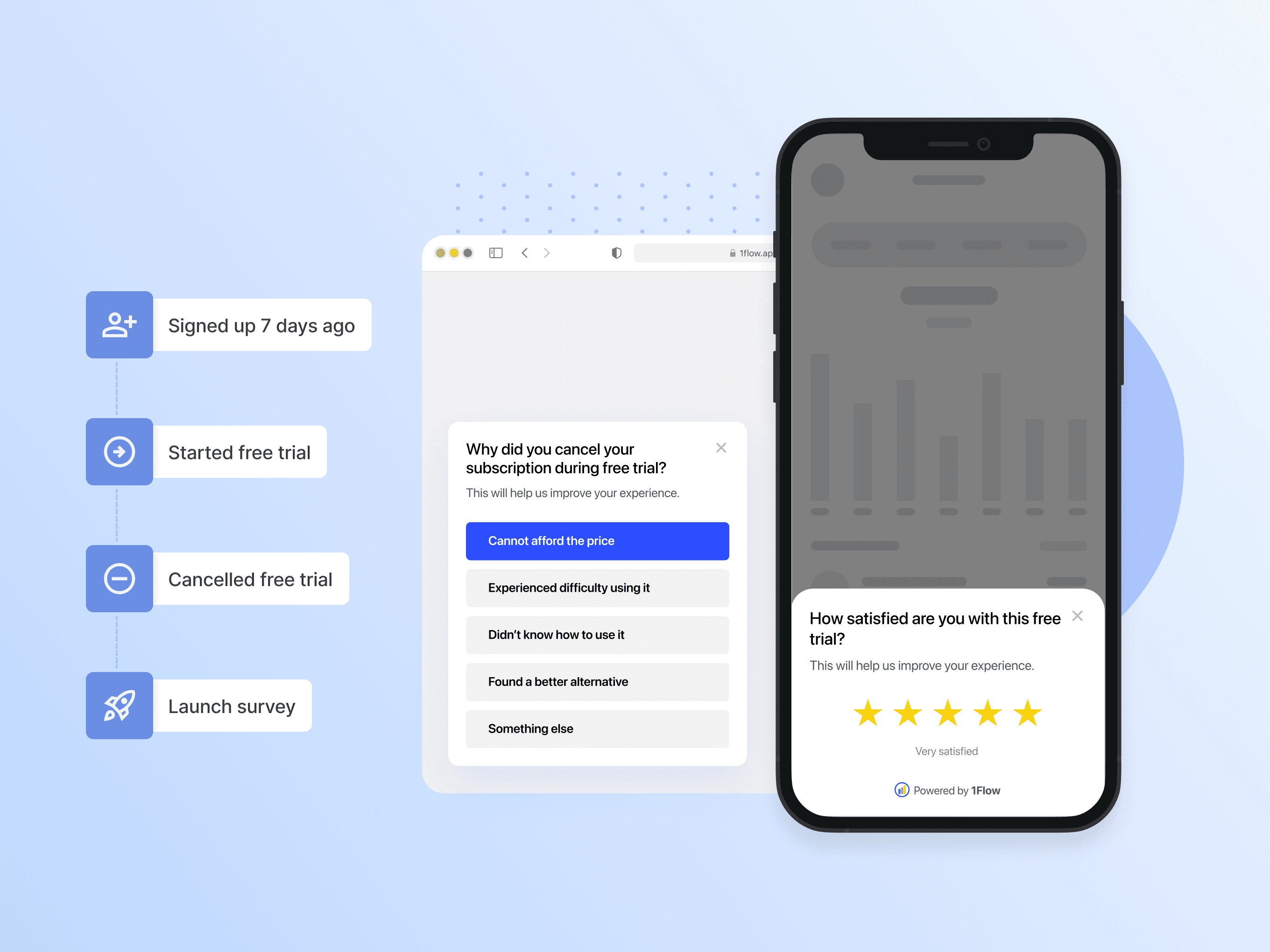
1Flow's in-app survey solution is a powerful tool for SaaS and mobile app businesses. It allows you to create contextually relevant surveys, targeting specific users at the right time, leading to an impressive 38% average response rate. This aspect is particularly critical in the SaaS industry, where user feedback and insights drive product development and improvements.
Best for In App Survey Tools for SaaS Products
Expert Take
1Flow In-App Surveys stands out in the SaaS industry for its ability to capture real-time user feedback with high response rates. Its contextual survey capabilities and integration options make it a valuable tool for product development. However, the lack of transparent pricing and potential technical integration challenges slightly impact its overall usability.
Pros
- AI-generated surveys in 5 seconds
- Unlimited surveys, responses, and seats
- Native iOS, Android, Flutter SDKs
- Two-way sync with Amplitude/Mixpanel
- GDPR compliant with EU hosting
Cons
- High starting price ($150/mo)
- Steep upgrade cost to Pro plan
- Low public review volume
- SOC 2 limited to Enterprise
- No free permanent plan (trial only)
Best for teams that are
- Product teams needing AI-generated in-app surveys quickly.
- B2B and B2C mobile and web app developers.
- Teams wanting deep integration with Mixpanel or Amplitude.
Skip if
- Organizations requiring extensive offline survey capabilities.
- Teams wanting traditional, long-form email questionnaires.
Best for teams that are
- Product teams needing AI-generated in-app surveys quickly.
- B2B and B2C mobile and web app developers.
- Teams wanting deep integration with Mixpanel or Amplitude.
Skip if
- Organizations requiring extensive offline survey capabilities.
- Teams wanting traditional, long-form email questionnaires.
Pros
- AI-generated surveys in 5 seconds
- Unlimited surveys, responses, and seats
- Native iOS, Android, Flutter SDKs
- Two-way sync with Amplitude/Mixpanel
- GDPR compliant with EU hosting
Cons
- High starting price ($150/mo)
- Steep upgrade cost to Pro plan
- Low public review volume
- SOC 2 limited to Enterprise
- No free permanent plan (trial only)
Expert Take
1Flow In-App Surveys stands out in the SaaS industry for its ability to capture real-time user feedback with high response rates. Its contextual survey capabilities and integration options make it a valuable tool for product development. However, the lack of transparent pricing and potential technical integration challenges slightly impact its overall usability.

Alchemer is a powerful SaaS solution specifically tailored for the needs of industry professionals seeking robust and versatile in-app survey tools. It offers user-friendly ways to collect and analyze feedback during crucial moments, be they in a survey or directly on your app or website, enabling you to improve product development and user experience.
Best for In App Survey Tools for SaaS Products
Expert Take
Alchemer excels in providing a versatile and robust platform for in-app surveys, supported by strong integration capabilities and comprehensive data analysis tools. Its market credibility is reinforced by third-party recognitions and a user-friendly interface, making it a top choice for industry professionals.
Pros
- Includes Conjoint and MaxDiff analysis
- ISO 27001 and HIPAA compliant
- 43+ diverse question types
- Responsive customer support team
- Regional data residency options
Cons
- Steep learning curve for beginners
- Interface feels outdated to some
- API access restricted to high tiers
- Mobile survey creation can be difficult
- Phone support only on premium plans
Best for teams that are
- Enterprise teams requiring complex logic and branching.
- Serious market researchers needing advanced statistical tools.
- Organizations needing deep CRM and customized workflows.
Skip if
- Beginners looking for a simple, intuitive interface.
- Small businesses with limited budgets for survey tools.
Best for teams that are
- Enterprise teams requiring complex logic and branching.
- Serious market researchers needing advanced statistical tools.
- Organizations needing deep CRM and customized workflows.
Skip if
- Beginners looking for a simple, intuitive interface.
- Small businesses with limited budgets for survey tools.
Pros
- Includes Conjoint and MaxDiff analysis
- ISO 27001 and HIPAA compliant
- 43+ diverse question types
- Responsive customer support team
- Regional data residency options
Cons
- Steep learning curve for beginners
- Interface feels outdated to some
- API access restricted to high tiers
- Mobile survey creation can be difficult
- Phone support only on premium plans
Expert Take
Alchemer excels in providing a versatile and robust platform for in-app surveys, supported by strong integration capabilities and comprehensive data analysis tools. Its market credibility is reinforced by third-party recognitions and a user-friendly interface, making it a top choice for industry professionals.




Loading comparison data…