
Enterprise File Sharing & Storage Platforms
These are the specialized categories within Enterprise File Sharing & Storage Platforms. Looking for something broader? See all Project Management & Productivity Tools categories.

How big is your team?
What's your budget situation?
What's your team's technical comfort level?
What's the ONE thing this tool must do well?
ownCloud is a robust SaaS solution for enterprise data teams, offering high-grade file sync and share capabilities. It's built to address the unique needs of large-scale collaboration, ensuring optimal security and control over proprietary data.
Best for File Sharing Tools for Enterprise Data Teams
Expert Take
ownCloud Enterprise File Sharing is a premium solution for enterprise data teams, offering robust security, flexible deployment, and extensive file synchronization capabilities. Its focus on security and control, combined with a user-friendly interface, positions it as a leader in the file sharing tools category.
Pros
- Revolutionary Go-based 'Infinite Scale' architecture
- Trusted by CERN and European Commission
- Strict GDPR and data sovereignty compliance
- Advanced File Firewall and Ransomware Protection
- No central database bottleneck in OCIS
Cons
- Enterprise plan requires minimum 25 users
- Advanced security features locked behind paywall
- Android app 'scoped storage' usability issues
- Smaller app ecosystem than Nextcloud
- Complex migration between PHP and Go versions
Best for teams that are
- Enterprises prioritizing stability and strict SLAs over rapid feature releases.
- Organizations requiring a self-hosted solution with deep IT stack integration.
- Regulated industries needing granular control over data residency and compliance.
Skip if
- Teams wanting the latest cutting-edge collaboration features found in Nextcloud.
- Small teams preferring a fully free, feature-rich open-source community edition.
Best for teams that are
- Enterprises prioritizing stability and strict SLAs over rapid feature releases.
- Organizations requiring a self-hosted solution with deep IT stack integration.
- Regulated industries needing granular control over data residency and compliance.
Skip if
- Teams wanting the latest cutting-edge collaboration features found in Nextcloud.
- Small teams preferring a fully free, feature-rich open-source community edition.
Pros
- Revolutionary Go-based 'Infinite Scale' architecture
- Trusted by CERN and European Commission
- Strict GDPR and data sovereignty compliance
- Advanced File Firewall and Ransomware Protection
- No central database bottleneck in OCIS
Cons
- Enterprise plan requires minimum 25 users
- Advanced security features locked behind paywall
- Android app 'scoped storage' usability issues
- Smaller app ecosystem than Nextcloud
- Complex migration between PHP and Go versions
Expert Take
ownCloud Enterprise File Sharing is a premium solution for enterprise data teams, offering robust security, flexible deployment, and extensive file synchronization capabilities. Its focus on security and control, combined with a user-friendly interface, positions it as a leader in the file sharing tools category.

Egnyte's file sharing solution is tailored to meet the needs of enterprise data teams, providing a secure platform for seamless collaboration. With robust security and compliance features, it addresses the industry's need for secure data transfer and regulatory adherence, making it a top choice for data-sensitive sectors.
Best for File Sharing Tools for Enterprise Data Teams
Expert Take
Egnyte Enterprise File Sharing excels in providing secure and compliant file sharing solutions tailored for enterprise data teams. Its robust security features, seamless integration capabilities, and strong market credibility make it a top choice in its category.
Pros
- Hybrid Smart Cache technology
- CMMC & FedRAMP compliance support
- Granular NTFS-like permissions
- Global file locking capability
- Behavioral ransomware detection
Cons
- Expensive add-on features
- Sync speed issues with large files
- Complex admin interface
- Annual contracts only (Business)
- Steep learning curve for setup
Best for teams that are
- Mid-to-large enterprises needing hybrid cloud and on-premise data governance.
- Highly regulated industries like finance and construction requiring strict compliance.
- Teams needing to replace legacy file servers with a cloud-native solution.
Skip if
- Small teams or individuals seeking a low-cost, simple cloud storage solution.
- Users wanting a purely free plan or a fully self-hosted open-source tool.
Best for teams that are
- Mid-to-large enterprises needing hybrid cloud and on-premise data governance.
- Highly regulated industries like finance and construction requiring strict compliance.
- Teams needing to replace legacy file servers with a cloud-native solution.
Skip if
- Small teams or individuals seeking a low-cost, simple cloud storage solution.
- Users wanting a purely free plan or a fully self-hosted open-source tool.
Pros
- Hybrid Smart Cache technology
- CMMC & FedRAMP compliance support
- Granular NTFS-like permissions
- Global file locking capability
- Behavioral ransomware detection
Cons
- Expensive add-on features
- Sync speed issues with large files
- Complex admin interface
- Annual contracts only (Business)
- Steep learning curve for setup
Expert Take
Egnyte Enterprise File Sharing excels in providing secure and compliant file sharing solutions tailored for enterprise data teams. Its robust security features, seamless integration capabilities, and strong market credibility make it a top choice in its category.

ShareTru provides a secure medium for defense, healthcare, and finance industries to share sensitive data such as intellectual property, contracts, and financial information. The tool is designed to ensure that there's no dependence on email attachments or unapproved tools, and it adheres to the strict compliance guidelines in these sectors.
Best for Secure File Sharing Tools for Legal & Finance
Expert Take
ShareTru Secure File Sharing excels in providing robust security features and compliance with industry regulations, making it a top choice for sectors handling sensitive data. While it offers high-level data protection and user-friendly interfaces, its limited integrations and learning curve for advanced features are notable tradeoffs.
Pros
- FedRAMP Moderate JAB-ATO Authorized
- Unlimited users on Complete plan
- No bandwidth or file size limits
- Native SFTP/FTPS/HTTPS support
- US-based support and infrastructure
Cons
- No native mobile app (web only)
- Hard storage limits block uploads
- API access gated to higher tiers
- Storage costs can accrue
- Security warnings can confuse users
Best for teams that are
- Government contractors and aerospace firms needing ITAR/CMMC compliance
- Organizations needing a secure, managed Cloud FTP/SFTP solution
Skip if
- Standard law firms not dealing with federal or defense contracts
- Teams seeking a collaborative workspace rather than file transfer
Best for teams that are
- Government contractors and aerospace firms needing ITAR/CMMC compliance
- Organizations needing a secure, managed Cloud FTP/SFTP solution
Skip if
- Standard law firms not dealing with federal or defense contracts
- Teams seeking a collaborative workspace rather than file transfer
Pros
- FedRAMP Moderate JAB-ATO Authorized
- Unlimited users on Complete plan
- No bandwidth or file size limits
- Native SFTP/FTPS/HTTPS support
- US-based support and infrastructure
Cons
- No native mobile app (web only)
- Hard storage limits block uploads
- API access gated to higher tiers
- Storage costs can accrue
- Security warnings can confuse users
Expert Take
ShareTru Secure File Sharing excels in providing robust security features and compliance with industry regulations, making it a top choice for sectors handling sensitive data. While it offers high-level data protection and user-friendly interfaces, its limited integrations and learning curve for advanced features are notable tradeoffs.
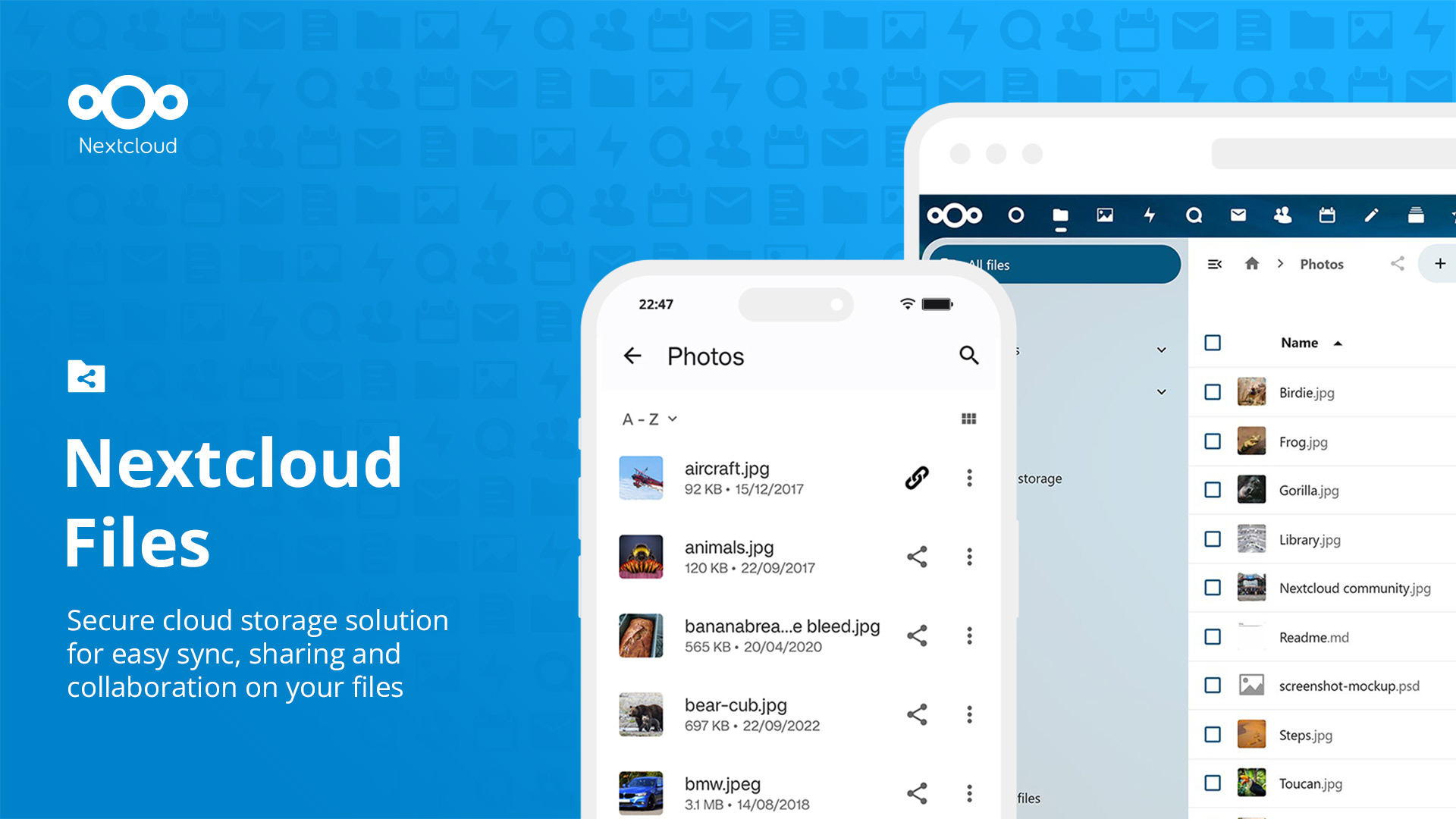
Nextcloud Files is a prime choice for remote teams in need of cloud file sharing solutions. It offers open-source, easy-to-use file synchronization and sharing capabilities, enabling teams to work collaboratively from any location and at any time. Its robust feature set caters specifically to the dynamic needs of remote teams, ensuring secure, efficient, and seamless file management.
Best for Cloud File Sharing Tools for Remote Teams
Expert Take
Nextcloud Files stands out as a top-tier cloud file sharing tool for remote teams due to its open-source flexibility, strong security features, and real-time collaboration capabilities. Its adaptability and comprehensive feature set make it a preferred choice for businesses seeking a customizable and secure file management solution.
Pros
- Complete data sovereignty and control
- Massive ecosystem with 200+ apps
- Free open-source Community Edition
- HIPAA and GDPR compliance ready
- Deep integration with Office suites
Cons
- High technical barrier for self-hosting
- Performance issues with large files
- Enterprise support requires 100+ users
- Sync client occasionally buggy
Best for teams that are
- Organizations wanting a self-hosted, all-in-one digital office suite
- Privacy-focused teams requiring complete control over data and code
- Governments and universities needing strict data compliance
Skip if
- Teams prioritizing raw file transfer speed over collaboration features
- Users unwilling to manage server maintenance or updates
- Small teams wanting a set-and-forget consumer cloud experience
Best for teams that are
- Organizations wanting a self-hosted, all-in-one digital office suite
- Privacy-focused teams requiring complete control over data and code
- Governments and universities needing strict data compliance
Skip if
- Teams prioritizing raw file transfer speed over collaboration features
- Users unwilling to manage server maintenance or updates
- Small teams wanting a set-and-forget consumer cloud experience
Pros
- Complete data sovereignty and control
- Massive ecosystem with 200+ apps
- Free open-source Community Edition
- HIPAA and GDPR compliance ready
- Deep integration with Office suites
Cons
- High technical barrier for self-hosting
- Performance issues with large files
- Enterprise support requires 100+ users
- Sync client occasionally buggy
Expert Take
Nextcloud Files stands out as a top-tier cloud file sharing tool for remote teams due to its open-source flexibility, strong security features, and real-time collaboration capabilities. Its adaptability and comprehensive feature set make it a preferred choice for businesses seeking a customizable and secure file management solution.
Backblaze is a powerful SaaS solution perfect for media and creative agencies. With features like simple upload, always-active access, and seamless workflow integration, it effectively addresses the industry's need for cost-effectiveness, quick access, and efficient file management.
Best for Cloud Storage for Media and Creative Agencies
Expert Take
Backblaze Media Cloud Storage excels in providing cost-effective and efficient cloud storage solutions tailored for media and creative agencies. Its strong product capabilities, market credibility, and customer experience are supported by robust documentation and third-party validations. While it has some limitations in integrations, its overall offering remains highly competitive.
Pros
- "Live Read" allows editing during upload
- Free egress up to 3x storage
- TPN Blue Shield security status
- No minimum retention or file size
- Seamless iconik and LucidLink integration
Cons
- Phone support costs $400/mo extra
- Single-thread uploads can be slow
- No native AI media tagging
- Egress fees apply after 3x limit
- Limited native region selection
Best for teams that are
- Agencies needing affordable, always-hot cloud storage for active archives [cite: 13, 14]
- Teams using MAMs or NAS devices that need an S3-compatible tier [cite: 14, 15]
- Developers or IT teams comfortable configuring S3-compatible clients [cite: 14]
Skip if
- Non-technical creative teams wanting a plug-and-play 'Dropbox' style app [cite: 13, 16]
- Users needing built-in video playback, transcoding, or commenting tools [cite: 13]
- Teams requiring instant, low-latency access for high-performance editing [cite: 13]
Best for teams that are
- Agencies needing affordable, always-hot cloud storage for active archives [cite: 13, 14]
- Teams using MAMs or NAS devices that need an S3-compatible tier [cite: 14, 15]
- Developers or IT teams comfortable configuring S3-compatible clients [cite: 14]
Skip if
- Non-technical creative teams wanting a plug-and-play 'Dropbox' style app [cite: 13, 16]
- Users needing built-in video playback, transcoding, or commenting tools [cite: 13]
- Teams requiring instant, low-latency access for high-performance editing [cite: 13]
Pros
- "Live Read" allows editing during upload
- Free egress up to 3x storage
- TPN Blue Shield security status
- No minimum retention or file size
- Seamless iconik and LucidLink integration
Cons
- Phone support costs $400/mo extra
- Single-thread uploads can be slow
- No native AI media tagging
- Egress fees apply after 3x limit
- Limited native region selection
Expert Take
Backblaze Media Cloud Storage excels in providing cost-effective and efficient cloud storage solutions tailored for media and creative agencies. Its strong product capabilities, market credibility, and customer experience are supported by robust documentation and third-party validations. While it has some limitations in integrations, its overall offering remains highly competitive.
FileCloud is specifically designed for large businesses needing a reliable, secure, and compliant file sharing solution. It boasts advanced security measures, industry-leading compliance, and features that enhance productivity, thus addressing the critical needs of large enterprises dealing with sensitive data.
Best for File Sharing Tools for Enterprise Data Teams
Expert Take
FileCloud stands out as a top-tier solution for enterprise file sharing due to its strong security features, compliance with industry regulations, and productivity-enhancing capabilities. It is particularly suited for large businesses handling sensitive data, offering a reliable and secure platform.
Pros
- Unlimited free external users reduces costs
- FIPS 140-2 and ITAR compliance support
- Flexible deployment: On-prem, Cloud, or Hybrid
- Zero Trust File Sharing with encrypted zips
- Granular DRM and access controls
Cons
- Occasional sync latency with large files
- Complex setup for self-hosted versions
- Windows file path character limits (256 chars)
- Support response times can vary
- UI performance issues reported after some updates
Best for teams that are
- Enterprises requiring full data sovereignty with self-hosted or hybrid options.
- Organizations needing unlimited external user accounts for client collaboration.
- Government and regulated industries needing strict compliance (ITAR, HIPAA).
Skip if
- Small teams wanting a simple, zero-configuration SaaS tool.
- Users preferring a purely open-source community model without enterprise licensing.
Best for teams that are
- Enterprises requiring full data sovereignty with self-hosted or hybrid options.
- Organizations needing unlimited external user accounts for client collaboration.
- Government and regulated industries needing strict compliance (ITAR, HIPAA).
Skip if
- Small teams wanting a simple, zero-configuration SaaS tool.
- Users preferring a purely open-source community model without enterprise licensing.
Pros
- Unlimited free external users reduces costs
- FIPS 140-2 and ITAR compliance support
- Flexible deployment: On-prem, Cloud, or Hybrid
- Zero Trust File Sharing with encrypted zips
- Granular DRM and access controls
Cons
- Occasional sync latency with large files
- Complex setup for self-hosted versions
- Windows file path character limits (256 chars)
- Support response times can vary
- UI performance issues reported after some updates
Expert Take
FileCloud stands out as a top-tier solution for enterprise file sharing due to its strong security features, compliance with industry regulations, and productivity-enhancing capabilities. It is particularly suited for large businesses handling sensitive data, offering a reliable and secure platform.
FileCloud offers an ultra-secure file sharing platform tailored for digital marketing, advertising, and design agencies. It enables seamless collaboration, secure file exchange, and ensures that critical data is always accessible and protected, addressing the specific needs of creative agencies.
Best for Cloud Storage for Media and Creative Agencies
Expert Take
FileCloud excels as a secure file sharing platform tailored for creative agencies, offering robust security and collaboration features. It is recognized for its adaptability to the needs of digital marketing and advertising professionals, ensuring data protection and accessibility. Despite a potentially complex interface for beginners, its strengths in security and collaboration make it a leading choice in its category.
Pros
- Unlimited free external client accounts
- No file size limits for sharing
- Full white-label custom branding
- Built-in ransomware protection
- Granular sub-folder access permissions
Cons
- Steep setup learning curve
- Minimum 10-20 user requirement
- Mobile app lacks desktop features
- Self-hosted requires IT expertise
- Complex configuration for non-techs
Best for teams that are
- Agencies requiring a fully branded client portal to maintain professional identity [cite: 27]
- Organizations with strict data sovereignty or compliance needs [cite: 28]
- Teams needing unlimited free external accounts for sharing with clients [cite: 27]
Skip if
- Small teams wanting a zero-configuration, instant-setup public cloud service [cite: 28]
- Users heavily invested in Google/Microsoft ecosystems avoiding custom branding [cite: 25]
- Freelancers with minimal budget who don't need advanced compliance features [cite: 28]
Best for teams that are
- Agencies requiring a fully branded client portal to maintain professional identity [cite: 27]
- Organizations with strict data sovereignty or compliance needs [cite: 28]
- Teams needing unlimited free external accounts for sharing with clients [cite: 27]
Skip if
- Small teams wanting a zero-configuration, instant-setup public cloud service [cite: 28]
- Users heavily invested in Google/Microsoft ecosystems avoiding custom branding [cite: 25]
- Freelancers with minimal budget who don't need advanced compliance features [cite: 28]
Pros
- Unlimited free external client accounts
- No file size limits for sharing
- Full white-label custom branding
- Built-in ransomware protection
- Granular sub-folder access permissions
Cons
- Steep setup learning curve
- Minimum 10-20 user requirement
- Mobile app lacks desktop features
- Self-hosted requires IT expertise
- Complex configuration for non-techs
Expert Take
FileCloud excels as a secure file sharing platform tailored for creative agencies, offering robust security and collaboration features. It is recognized for its adaptability to the needs of digital marketing and advertising professionals, ensuring data protection and accessibility. Despite a potentially complex interface for beginners, its strengths in security and collaboration make it a leading choice in its category.
FileCloud is a secure file sharing solution designed specifically for lawyers, attorneys, and law firms. It addresses the unique needs of the legal industry by providing robust encryption, compliance tools, and full control over data, enabling secure sharing and management of sensitive client data.
Best for Secure File Sharing Tools for Legal & Finance
Expert Take
FileCloud for Legal Firms excels in providing secure file sharing tailored for the legal industry, with strong encryption and compliance features. Its market credibility is supported by third-party certifications and industry recognition. While its interface may be complex for non-tech users, it remains a top choice for legal professionals prioritizing data security.
Pros
- Unlimited free external client accounts
- Dedicated Compliance Center (HIPAA/GDPR)
- Legal Hold & e-Discovery support
- Deep Microsoft Outlook/Office integration
- Granular permissions & audit trails
Cons
- Slow sync with large network folders
- Complex initial setup process
- Mobile app less feature-rich
- Minimum user requirement (10-20 users)
- Steeper learning curve for admins
Best for teams that are
- Law firms requiring on-premise or hybrid hosting for data sovereignty
- Organizations needing granular audit trails and zero-trust security
Skip if
- Small teams wanting a simple, zero-configuration cloud tool
- Users requiring broad Linux support beyond Ubuntu or Red Hat
Best for teams that are
- Law firms requiring on-premise or hybrid hosting for data sovereignty
- Organizations needing granular audit trails and zero-trust security
Skip if
- Small teams wanting a simple, zero-configuration cloud tool
- Users requiring broad Linux support beyond Ubuntu or Red Hat
Pros
- Unlimited free external client accounts
- Dedicated Compliance Center (HIPAA/GDPR)
- Legal Hold & e-Discovery support
- Deep Microsoft Outlook/Office integration
- Granular permissions & audit trails
Cons
- Slow sync with large network folders
- Complex initial setup process
- Mobile app less feature-rich
- Minimum user requirement (10-20 users)
- Steeper learning curve for admins
Expert Take
FileCloud for Legal Firms excels in providing secure file sharing tailored for the legal industry, with strong encryption and compliance features. Its market credibility is supported by third-party certifications and industry recognition. While its interface may be complex for non-tech users, it remains a top choice for legal professionals prioritizing data security.

Wasabi Cloud Storage is an affordable and highly accessible cloud storage solution, specifically tailored for media and entertainment industries. It securely archives content while ensuring immediate accessibility, thus addressing the industry's need for secure, scalable, and instant access to large media files.
Best for Cloud Storage for Media and Creative Agencies
Expert Take
Wasabi Cloud Storage excels in providing affordable, scalable, and secure cloud storage solutions tailored for media and entertainment industries. Its high-speed data transfer and flat-rate pricing make it a preferred choice for agencies handling large media files, supported by strong data durability and integration capabilities.
Pros
- No fees for egress or API requests
- 100% AWS S3 bit-compatible API
- Flat rate pricing ($6.99/TB/month)
- Immutable buckets for ransomware protection
- Compliant with HIPAA, SOC 2, ISO 27001
Cons
- 90-day minimum retention policy (Pay-Go)
- 1 TB minimum monthly charge
- 4 KB minimum billable object size
- History of rare but impactful outages
- No cold/archive storage tiers available
Best for teams that are
- Budget-conscious agencies needing deep archive or backup storage [cite: 1, 2]
- Teams with large video libraries requiring predictable costs (no egress fees) [cite: 2, 3]
- Organizations using S3-compatible tools like MAMs or backup software [cite: 2]
Skip if
- Teams needing built-in collaboration or media review tools [cite: 4]
- Workflows with short-lived data due to 90-day minimum retention policy [cite: 5, 6]
- Users wanting a turnkey experience without setting up third-party clients [cite: 1]
Best for teams that are
- Budget-conscious agencies needing deep archive or backup storage [cite: 1, 2]
- Teams with large video libraries requiring predictable costs (no egress fees) [cite: 2, 3]
- Organizations using S3-compatible tools like MAMs or backup software [cite: 2]
Skip if
- Teams needing built-in collaboration or media review tools [cite: 4]
- Workflows with short-lived data due to 90-day minimum retention policy [cite: 5, 6]
- Users wanting a turnkey experience without setting up third-party clients [cite: 1]
Pros
- No fees for egress or API requests
- 100% AWS S3 bit-compatible API
- Flat rate pricing ($6.99/TB/month)
- Immutable buckets for ransomware protection
- Compliant with HIPAA, SOC 2, ISO 27001
Cons
- 90-day minimum retention policy (Pay-Go)
- 1 TB minimum monthly charge
- 4 KB minimum billable object size
- History of rare but impactful outages
- No cold/archive storage tiers available
Expert Take
Wasabi Cloud Storage excels in providing affordable, scalable, and secure cloud storage solutions tailored for media and entertainment industries. Its high-speed data transfer and flat-rate pricing make it a preferred choice for agencies handling large media files, supported by strong data durability and integration capabilities.
FileCloud's collaboration software is perfect for remote teams, offering secure and simple file sharing across different locations and offices. It's designed to streamline project coordination and enhance productivity, addressing the need for seamless communication and data accessibility in the remote working environment.
Best for Cloud File Sharing Tools for Remote Teams
Expert Take
FileCloud Collaboration File Sharing excels in providing secure and efficient file sharing solutions for remote teams. It is recognized for its robust security features, real-time collaboration capabilities, and user-friendly interface, making it a top choice for businesses prioritizing data protection and seamless remote work integration.
Pros
- FIPS 140-2 & ITAR compliance
- Flexible hybrid & on-premise deployment
- Zero Trust File Sharing features
- Unlimited free external client accounts
- Granular DRM & access controls
Cons
- Minimum 10-20 user requirement
- Mobile app performance issues
- 24/7 support costs extra
- Steep entry cost for small teams
- Complex setup for self-hosted
Best for teams that are
- Enterprises needing strict compliance (GDPR, HIPAA) and audit logs
- Organizations requiring hybrid or on-premise deployment options
- Admins needing granular data governance and device management
Skip if
- Small teams or individuals with limited IT budgets
- Users seeking a simple, consumer-grade interface
- Startups needing a quick, zero-configuration setup
Best for teams that are
- Enterprises needing strict compliance (GDPR, HIPAA) and audit logs
- Organizations requiring hybrid or on-premise deployment options
- Admins needing granular data governance and device management
Skip if
- Small teams or individuals with limited IT budgets
- Users seeking a simple, consumer-grade interface
- Startups needing a quick, zero-configuration setup
Pros
- FIPS 140-2 & ITAR compliance
- Flexible hybrid & on-premise deployment
- Zero Trust File Sharing features
- Unlimited free external client accounts
- Granular DRM & access controls
Cons
- Minimum 10-20 user requirement
- Mobile app performance issues
- 24/7 support costs extra
- Steep entry cost for small teams
- Complex setup for self-hosted
Expert Take
FileCloud Collaboration File Sharing excels in providing secure and efficient file sharing solutions for remote teams. It is recognized for its robust security features, real-time collaboration capabilities, and user-friendly interface, making it a top choice for businesses prioritizing data protection and seamless remote work integration.




Loading comparison data…