Beta Testing & Feature Rollout Platforms

These are the specialized categories within Beta Testing & Feature Rollout Platforms. Looking for something broader? See all Project Management & Productivity Tools categories.

Not sure which one is right for you?

Answer 4 quick questions and we'll match you with your best options

Find Your Best Match

How big is your team?

Just me
2 - 10
11 - 50
51 - 200
201 - 1,000
1,000+

What's your budget situation?

Free or open-source only
Free to start, pay later
Best value for money
Price isn't the main factor

What's your team's technical comfort level?

We want it to just work
We can handle some setup
We have developers who'll customize it

What's the ONE thing this tool must do well?

Step 1 of 4
Applivery Beta Testing

Applivery is a versatile SaaS solution that simplifies app distribution and beta testing for developers. Its customizable, web-based app store allows for efficient dissemination of apps, while its built-in feedback mechanism provides crucial insights. Ideal for both desktop and mobile apps, it caters to industry needs for a straightforward and effective distribution system.

Best for Beta Distribution Tools for Desktop & Mobile Apps

Expert Take

Applivery Beta Testing excels in providing a comprehensive platform for app distribution and beta testing, with strong capabilities in both desktop and mobile environments. Its market credibility is supported by its integration capabilities and user-friendly interface, although it faces some limitations in customer support response times and feature availability in its free plan.
Pros

  • ISO 27001 & GDPR certified security
  • Seamless CI/CD integration (Bitrise, Fastlane)
  • In-app feedback with screenshot annotation
  • Customizable Enterprise App Store
  • Granular update management (forced/suggested)

Cons

  • Complexity for non-technical users
  • Limited Windows beta testing support
  • Higher cost than free alternatives
  • Steep learning curve for advanced features
  • Limited deep analytics features

Best for teams that are

  • Enterprises requiring a combined Mobile Device Management (MDM) and app distribution tool
  • Companies wanting a fully customizable, white-labeled corporate app store
  • Teams migrating from App Center needing robust private beta distribution features

Skip if

  • Small startups or hobbyists with zero budget as plans start at €49/month
  • Teams only needing simple link sharing without complex device management features

Best for teams that are

  • Enterprises requiring a combined Mobile Device Management (MDM) and app distribution tool
  • Companies wanting a fully customizable, white-labeled corporate app store
  • Teams migrating from App Center needing robust private beta distribution features

Skip if

  • Small startups or hobbyists with zero budget as plans start at €49/month
  • Teams only needing simple link sharing without complex device management features

Pros

  • ISO 27001 & GDPR certified security
  • Seamless CI/CD integration (Bitrise, Fastlane)
  • In-app feedback with screenshot annotation
  • Customizable Enterprise App Store
  • Granular update management (forced/suggested)

Cons

  • Complexity for non-technical users
  • Limited Windows beta testing support
  • Higher cost than free alternatives
  • Steep learning curve for advanced features
  • Limited deep analytics features

Expert Take

Applivery Beta Testing excels in providing a comprehensive platform for app distribution and beta testing, with strong capabilities in both desktop and mobile environments. Its market credibility is supported by its integration capabilities and user-friendly interface, although it faces some limitations in customer support response times and feature availability in its free plan.

Beta Family Closed Beta Testing

Beta Family provides a robust and efficient platform for beta testing iOS and Android apps. Its crowdtesting community provides real, honest feedback from actual users, thereby helping developers to fine-tune their apps before release. It's a highly valuable tool for professionals in the software development industry who are seeking a reliable platform to conduct closed beta testing.

Best for Closed Beta Testing Platforms

Expert Take

Beta Family excels in providing a comprehensive platform for closed beta testing with a large community of testers, supporting both iOS and Android apps. It offers efficient bug reporting and simple integration, making it a top choice for developers seeking detailed feedback. However, the freemium model and limited customization options present some tradeoffs.
Pros

  • Pay-what-you-want tester rewards
  • Free plan for own testers
  • SuperSend ad-hoc distribution
  • Granular demographic filtering
  • Trusted by King (Candy Crush)

Cons

  • Mobile apps only (no web)
  • No native video recording
  • Smaller active tester pool
  • Limited project management integrations
  • Manual invite for free tier

Best for teams that are

  • Mobile app developers seeking affordable crowdtesting solutions
  • Indie developers and small businesses with limited budgets
  • Teams wanting to filter testers by specific demographics

Skip if

  • Desktop or web application testing projects
  • Enterprises requiring high-security, fully managed QA workflows
  • Teams needing deep integration with automated testing pipelines

Best for teams that are

  • Mobile app developers seeking affordable crowdtesting solutions
  • Indie developers and small businesses with limited budgets
  • Teams wanting to filter testers by specific demographics

Skip if

  • Desktop or web application testing projects
  • Enterprises requiring high-security, fully managed QA workflows
  • Teams needing deep integration with automated testing pipelines

Pros

  • Pay-what-you-want tester rewards
  • Free plan for own testers
  • SuperSend ad-hoc distribution
  • Granular demographic filtering
  • Trusted by King (Candy Crush)

Cons

  • Mobile apps only (no web)
  • No native video recording
  • Smaller active tester pool
  • Limited project management integrations
  • Manual invite for free tier

Expert Take

Beta Family excels in providing a comprehensive platform for closed beta testing with a large community of testers, supporting both iOS and Android apps. It offers efficient bug reporting and simple integration, making it a top choice for developers seeking detailed feedback. However, the freemium model and limited customization options present some tradeoffs.

Userback Feedback Software

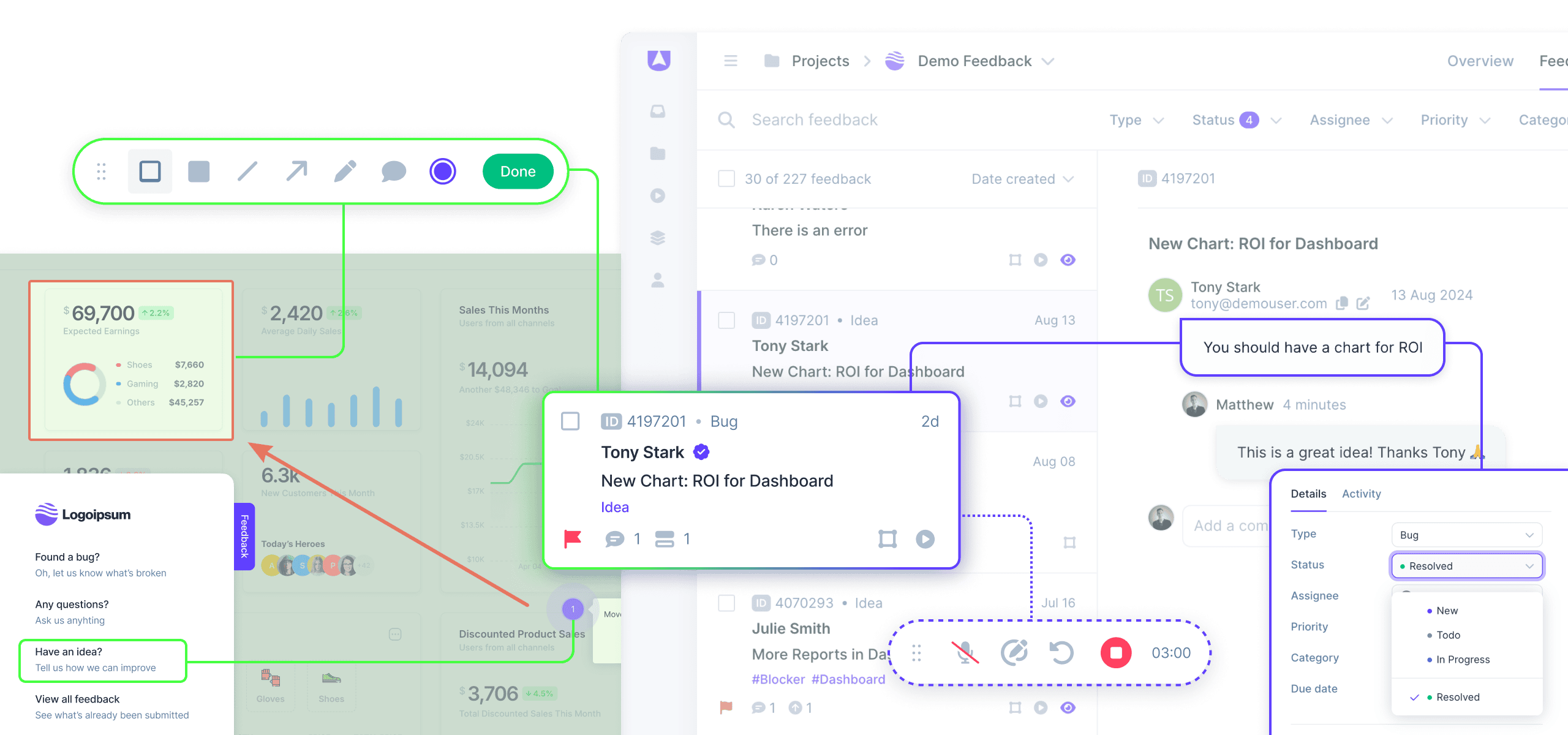
Userback is a SaaS solution that allows beta testers and early access users to provide real-time, visual feedback on your product. It's specifically designed for the needs of product management and development teams, offering immediate insights that help to streamline the product refinement process.

Best for User Feedback Tools for Beta Releases

Expert Take

Userback excels in providing real-time, visual feedback tools tailored for product management teams during beta releases. Its integration capabilities with popular project management tools enhance its usability, while its pricing model offers transparency. Despite some limitations in the free plan and support options, it remains a top choice for its category.

Pros

  • SOC 2 Type II compliant security
  • 2-way sync with Jira and ClickUp
  • Session replay with console logs
  • High quality of support (9.5 G2 score)
  • Affordable entry price at $7/seat

Cons

  • Free plan locks data after 7 days
  • No freehand drawing for annotations
  • ClickUp sync lacks custom status support
  • Session replay limited to <5MB pages
  • Interface load times noted by some users

Best for teams that are

  • SaaS product teams needing visual feedback and annotated bug reports
  • Developers conducting User Acceptance Testing (UAT) on live applications
  • Agencies managing feedback across multiple client web projects

Skip if

  • Teams looking for a dedicated A/B testing or feature flagging platform
  • Non-technical teams wanting only a simple text-based suggestion box
  • Users needing deep statistical analysis of feature usage

Best for teams that are

  • SaaS product teams needing visual feedback and annotated bug reports
  • Developers conducting User Acceptance Testing (UAT) on live applications
  • Agencies managing feedback across multiple client web projects

Skip if

  • Teams looking for a dedicated A/B testing or feature flagging platform
  • Non-technical teams wanting only a simple text-based suggestion box
  • Users needing deep statistical analysis of feature usage

Pros

  • SOC 2 Type II compliant security
  • 2-way sync with Jira and ClickUp
  • Session replay with console logs
  • High quality of support (9.5 G2 score)
  • Affordable entry price at $7/seat

Cons

  • Free plan locks data after 7 days
  • No freehand drawing for annotations
  • ClickUp sync lacks custom status support
  • Session replay limited to <5MB pages
  • Interface load times noted by some users

Expert Take

Userback excels in providing real-time, visual feedback tools tailored for product management teams during beta releases. Its integration capabilities with popular project management tools enhance its usability, while its pricing model offers transparency. Despite some limitations in the free plan and support options, it remains a top choice for its category.

Appaloosa Beta App Deployment

Appaloosa is designed specifically for the needs of mobile app developers and testers. It simplifies the process of beta app deployment by offering a private store format, making it easier to distribute and test apps on a large scale. The instant availability of apps via email and a web or native store addresses the industry's need for swift and seamless distribution.

Best for Beta Distribution Tools for Desktop & Mobile Apps

Expert Take

Appaloosa excels in simplifying beta app deployment with its private store format and instant availability features, making it a standout tool for mobile app developers. While pricing transparency is limited, the product's capabilities and usability are well-documented, supporting its position as a best-of-the-best solution in beta distribution tools.

Pros

  • Private enterprise app store creation
  • Seamless Over-the-Air (OTA) distribution
  • Instant version rollback capability
  • Native CI/CD integrations (Jenkins, Bitrise)
  • Remote wipe for corporate data

Cons

  • No built-in crash reporting tools
  • User interface described as obsolete
  • Costs scale linearly with users
  • Manual certificate installation friction
  • Separate stores require separate certificates

Best for teams that are

  • Large enterprises requiring a private, branded corporate app store
  • Companies needing strict access control via SAML and SSO integrations

Skip if

  • Small teams or individual developers due to its enterprise-focused pricing
  • Teams needing built-in crash reporting or in-app bug feedback tools

Best for teams that are

  • Large enterprises requiring a private, branded corporate app store
  • Companies needing strict access control via SAML and SSO integrations

Skip if

  • Small teams or individual developers due to its enterprise-focused pricing
  • Teams needing built-in crash reporting or in-app bug feedback tools

Pros

  • Private enterprise app store creation
  • Seamless Over-the-Air (OTA) distribution
  • Instant version rollback capability
  • Native CI/CD integrations (Jenkins, Bitrise)
  • Remote wipe for corporate data

Cons

  • No built-in crash reporting tools
  • User interface described as obsolete
  • Costs scale linearly with users
  • Manual certificate installation friction
  • Separate stores require separate certificates

Expert Take

Appaloosa excels in simplifying beta app deployment with its private store format and instant availability features, making it a standout tool for mobile app developers. While pricing transparency is limited, the product's capabilities and usability are well-documented, supporting its position as a best-of-the-best solution in beta distribution tools.

Statsig Beta Feature Testing

Statsig offers a robust and automated flag management system, specifically tailored for user testing and focused feedback collection for beta releases. This tool is ideal for professionals in the SaaS industry, as it allows them to control and validate their software's beta features before a full-scale release.

Best for User Feedback Tools for Beta Releases

Expert Take

Statsig Beta Feature Testing excels in providing automated flag management and focused feedback collection, crucial for SaaS beta testing. Its real-time data analysis and industry-specific design make it a top choice for professionals seeking to refine software before full release. Despite some limitations in customization and pricing transparency, its capabilities and market credibility position it as a best-of-the-best product.

Pros

  • Unlimited free feature flags
  • Advanced stats engine (CUPED, Sequential)
  • Warehouse-native deployment keeps data secure
  • Unified analytics and feature management
  • Used by OpenAI and Microsoft

Cons

  • Documentation lacks detail in some areas
  • Steep learning curve for non-experts
  • Sidecar feature issues with SPAs
  • UI can feel cluttered at scale
  • Debugging can be challenging

Best for teams that are

  • Engineering teams managing controlled feature rollouts via feature flags
  • Data-driven companies needing statistical analysis of beta feature performance
  • Developers wanting to run A/B tests on new features before full release

Skip if

  • Product managers seeking a qualitative feedback board or community forum
  • Non-technical teams unable to implement code-based SDKs
  • Teams looking for visual bug tracking or screenshot tools

Best for teams that are

  • Engineering teams managing controlled feature rollouts via feature flags
  • Data-driven companies needing statistical analysis of beta feature performance
  • Developers wanting to run A/B tests on new features before full release

Skip if

  • Product managers seeking a qualitative feedback board or community forum
  • Non-technical teams unable to implement code-based SDKs
  • Teams looking for visual bug tracking or screenshot tools

Pros

  • Unlimited free feature flags
  • Advanced stats engine (CUPED, Sequential)
  • Warehouse-native deployment keeps data secure
  • Unified analytics and feature management
  • Used by OpenAI and Microsoft

Cons

  • Documentation lacks detail in some areas
  • Steep learning curve for non-experts
  • Sidecar feature issues with SPAs
  • UI can feel cluttered at scale
  • Debugging can be challenging

Expert Take

Statsig Beta Feature Testing excels in providing automated flag management and focused feedback collection, crucial for SaaS beta testing. Its real-time data analysis and industry-specific design make it a top choice for professionals seeking to refine software before full release. Despite some limitations in customization and pricing transparency, its capabilities and market credibility position it as a best-of-the-best product.

Sauce Labs Mobile App Distribution

Sauce Labs Mobile App Distribution is a cutting-edge SaaS solution designed to streamline app distribution for iOS and Android beta and UAT testing. With its robust security features and seamless distribution control, it effectively addresses the needs of professionals in the beta distribution industry looking for a reliable all-in-one platform.

Best for Beta Distribution Tools for Desktop & Mobile Apps

Expert Take

Sauce Labs Mobile App Distribution excels in providing a comprehensive solution for beta distribution with strong security features and support for both iOS and Android platforms. Its market credibility is supported by its integration within the Sauce Labs ecosystem, a recognized leader in testing solutions. While pricing transparency is limited, the product's capabilities and usability make it a top choice for professionals in the beta distribution industry.

Pros

  • Video recording of every user session
  • End-to-end encryption with private keys
  • Shake-to-report feedback for testers
  • Private cloud and on-premise options
  • Seamless Fastlane and Jira integration

Cons

  • Expensive for small teams/startups
  • Initial setup can be time-consuming
  • Documentation can be fragmented
  • 30-day video retention limit
  • Complex pricing structure

Best for teams that are

  • Large enterprises needing high-security private cloud storage and SSO
  • Teams already using Sauce Labs for automated real-device testing
  • Organizations requiring scalable management for thousands of beta testers

Skip if

  • Small startups with limited budgets due to its enterprise-grade focus
  • Teams not needing the broader Sauce Labs automated testing ecosystem

Best for teams that are

  • Large enterprises needing high-security private cloud storage and SSO
  • Teams already using Sauce Labs for automated real-device testing
  • Organizations requiring scalable management for thousands of beta testers

Skip if

  • Small startups with limited budgets due to its enterprise-grade focus
  • Teams not needing the broader Sauce Labs automated testing ecosystem

Pros

  • Video recording of every user session
  • End-to-end encryption with private keys
  • Shake-to-report feedback for testers
  • Private cloud and on-premise options
  • Seamless Fastlane and Jira integration

Cons

  • Expensive for small teams/startups
  • Initial setup can be time-consuming
  • Documentation can be fragmented
  • 30-day video retention limit
  • Complex pricing structure

Expert Take

Sauce Labs Mobile App Distribution excels in providing a comprehensive solution for beta distribution with strong security features and support for both iOS and Android platforms. Its market credibility is supported by its integration within the Sauce Labs ecosystem, a recognized leader in testing solutions. While pricing transparency is limited, the product's capabilities and usability make it a top choice for professionals in the beta distribution industry.

7
Score
9.5 / 10
7
9.5 / 10
BetaTesting

BetaTesting provides a comprehensive solution for beta testing of apps, websites, and digital products. It offers access to a vast pool of real-world beta testers including consumers, professionals, and QA testers. It is tailored to the needs of product management and development teams that require extensive user research and testing before launch.

Best for Closed Beta Testing Platforms

Expert Take

BetaTesting stands out as a leading platform in the closed beta testing space due to its extensive pool of real-world testers and tailored testing criteria. While it offers significant value in user research and product refinement, the lack of transparent pricing and customization options are notable tradeoffs.

Pros

  • 450,000+ ID-verified tester community
  • Tester incentives included in pricing
  • SOC2 Type 2 & GDPR compliant
  • Supports hardware & in-home usage testing
  • LinkedIn validation for professional testers

Cons

  • Steep learning curve for advanced features
  • UX interface could be improved
  • Credits expire after subscription cancellation
  • Enterprise pricing requires sales contact
  • Advanced targeting costs extra credits

Best for teams that are

  • Companies needing targeted real-world feedback from diverse demographics
  • Teams requiring managed services for bug hunts or usability testing
  • Enterprises seeking validation from a pool of 450,000+ testers

Skip if

  • Developers seeking purely automated testing solutions
  • Small projects looking for a completely free testing platform
  • Teams that do not need external recruitment services

Best for teams that are

  • Companies needing targeted real-world feedback from diverse demographics
  • Teams requiring managed services for bug hunts or usability testing
  • Enterprises seeking validation from a pool of 450,000+ testers

Skip if

  • Developers seeking purely automated testing solutions
  • Small projects looking for a completely free testing platform
  • Teams that do not need external recruitment services

Pros

  • 450,000+ ID-verified tester community
  • Tester incentives included in pricing
  • SOC2 Type 2 & GDPR compliant
  • Supports hardware & in-home usage testing
  • LinkedIn validation for professional testers

Cons

  • Steep learning curve for advanced features
  • UX interface could be improved
  • Credits expire after subscription cancellation
  • Enterprise pricing requires sales contact
  • Advanced targeting costs extra credits

Expert Take

BetaTesting stands out as a leading platform in the closed beta testing space due to its extensive pool of real-world testers and tailored testing criteria. While it offers significant value in user research and product refinement, the lack of transparent pricing and customization options are notable tradeoffs.

8
9.5 / 10
Hexnode MDM

Hexnode MDM, a SaaS solution, is a game-changer for app developers and businesses looking to bypass traditional app stores for distribution. The software offers targeted app distribution to specific user groups and facilitates silent installation through VPP, making it a perfect fit for the industries requiring controlled app deployment without the constraints of app stores.

Best for Beta Distribution Tools for Desktop & Mobile Apps

Expert Take

Hexnode MDM is recognized for its robust capabilities in app distribution and mobile device management, offering targeted distribution and silent installation features. It has strong market credibility with external validation and provides comprehensive security settings. While it requires technical expertise for setup, its value proposition remains high for enterprises seeking controlled app deployment.

Pros

  • Broad OS support (incl. Fire OS)
  • Robust Kiosk & Digital Signage
  • SOC 2 Type 2 Certified
  • Affordable starting price ($1/device)
  • Intuitive Zero-Touch Enrollment

Cons

  • 15-device minimum purchase
  • Extra fees for technicians
  • Linux remote control limitations
  • BitLocker requires top tier
  • Mixed support reviews

Best for teams that are

  • IT administrators managing corporate device fleets requiring silent app installation
  • Companies needing to lock down devices or enforce kiosk modes while distributing apps

Skip if

  • Developers looking for simple public beta testing links for external users
  • Teams only needing app distribution without full mobile device management (MDM)

Best for teams that are

  • IT administrators managing corporate device fleets requiring silent app installation
  • Companies needing to lock down devices or enforce kiosk modes while distributing apps

Skip if

  • Developers looking for simple public beta testing links for external users
  • Teams only needing app distribution without full mobile device management (MDM)

Pros

  • Broad OS support (incl. Fire OS)
  • Robust Kiosk & Digital Signage
  • SOC 2 Type 2 Certified
  • Affordable starting price ($1/device)
  • Intuitive Zero-Touch Enrollment

Cons

  • 15-device minimum purchase
  • Extra fees for technicians
  • Linux remote control limitations
  • BitLocker requires top tier
  • Mixed support reviews

Expert Take

Hexnode MDM is recognized for its robust capabilities in app distribution and mobile device management, offering targeted distribution and silent installation features. It has strong market credibility with external validation and provides comprehensive security settings. While it requires technical expertise for setup, its value proposition remains high for enterprises seeking controlled app deployment.

Updraft – App Distribution Tool

Updraft specifically caters to developers, project managers, QA staff, and communications personnel who need a streamlined, effective means of distributing their apps. Its rich feature set and robust capabilities facilitate hassle-free app distribution and beta testing, addressing key industry needs such as speed, dependability, and user experience.

Best for Beta Distribution Tools for Desktop & Mobile Apps

Expert Take

Updraft excels as a specialized tool for app distribution and beta testing, offering a streamlined experience for developers and project managers. Its focus on speed and reliability makes it a valuable asset in the app development process, though it may lack some advanced customization options.

Pros

  • Swiss-hosted, ISO 27001 & GDPR compliant
  • Built-in iOS & Android app resigning
  • Supports Windows (.msix) & macOS apps
  • Flexible Pay-as-you-go pricing model
  • Customizable Enterprise App Store

Cons

  • Free plan limited to 1 project
  • Storage costs extra on paid plans
  • Manual setup for first Play Store upload
  • Android icon issues with minified builds
  • Smaller ecosystem than Firebase

Best for teams that are

  • Teams needing a secure alternative to Microsoft App Center with easy migration
  • Developers requiring automated resigning of iOS apps in the cloud

Skip if

  • Teams that only need simple iOS testing as TestFlight is free and native
  • Users who prefer flat-rate pricing over storage-based pay-as-you-go models

Best for teams that are

  • Teams needing a secure alternative to Microsoft App Center with easy migration
  • Developers requiring automated resigning of iOS apps in the cloud

Skip if

  • Teams that only need simple iOS testing as TestFlight is free and native
  • Users who prefer flat-rate pricing over storage-based pay-as-you-go models

Pros

  • Swiss-hosted, ISO 27001 & GDPR compliant
  • Built-in iOS & Android app resigning
  • Supports Windows (.msix) & macOS apps
  • Flexible Pay-as-you-go pricing model
  • Customizable Enterprise App Store

Cons

  • Free plan limited to 1 project
  • Storage costs extra on paid plans
  • Manual setup for first Play Store upload
  • Android icon issues with minified builds
  • Smaller ecosystem than Firebase

Expert Take

Updraft excels as a specialized tool for app distribution and beta testing, offering a streamlined experience for developers and project managers. Its focus on speed and reliability makes it a valuable asset in the app development process, though it may lack some advanced customization options.

UserVoice Feedback and Roadmap

UserVoice is a potent tool for beta releases, designed to help businesses listen, understand, and act on customer feedback. This platform prioritizes features that resonate with users, fostering efficient innovation and product development, crucial in the fast-paced beta testing industry.

Best for User Feedback Tools for Beta Releases

Expert Take

UserVoice excels in capturing and managing user feedback, crucial for beta releases. Its integration capabilities and focus on user-centric development make it a top choice in its category. However, the lack of transparent pricing and potential complexity for beginners are notable considerations.


Pros

  • Bidirectional Jira & Azure DevOps sync
  • SOC 2 Type II certified
  • Revenue-based feedback prioritization
  • AI-powered feedback theme analysis
  • Enterprise-grade Salesforce integration

Cons

  • High starting price (~$899/mo)
  • Quarterly billing minimum required
  • Steep learning curve for admins
  • Interface feels dated to some
  • Strict API rate limits

Best for teams that are

  • Large enterprises requiring strict compliance, security, and SLA standards
  • Teams needing deep integrations with Salesforce and Gainsight
  • Organizations managing high volumes of feedback across multiple complex products

Skip if

  • Startups and small businesses due to high monthly costs (starts ~$799/mo)
  • Teams seeking a modern, fast, and lightweight user interface
  • Companies wanting a simple, self-serve setup without sales engagement

Best for teams that are

  • Large enterprises requiring strict compliance, security, and SLA standards
  • Teams needing deep integrations with Salesforce and Gainsight
  • Organizations managing high volumes of feedback across multiple complex products

Skip if

  • Startups and small businesses due to high monthly costs (starts ~$799/mo)
  • Teams seeking a modern, fast, and lightweight user interface
  • Companies wanting a simple, self-serve setup without sales engagement

Pros

  • Bidirectional Jira & Azure DevOps sync
  • SOC 2 Type II certified
  • Revenue-based feedback prioritization
  • AI-powered feedback theme analysis
  • Enterprise-grade Salesforce integration

Cons

  • High starting price (~$899/mo)
  • Quarterly billing minimum required
  • Steep learning curve for admins
  • Interface feels dated to some
  • Strict API rate limits

Expert Take

UserVoice excels in capturing and managing user feedback, crucial for beta releases. Its integration capabilities and focus on user-centric development make it a top choice in its category. However, the lack of transparent pricing and potential complexity for beginners are notable considerations.

Loading comparison data…

How We Rank Products

Our Evaluation Process

Products in the Beta Testing & Early Access Management category are evaluated based on their documented features, such as user feedback collection mechanisms and issue tracking capabilities. Pricing transparency is also considered, allowing buyers to understand the cost implications of scaling their beta programs. Compatibility with other software and potential integrations with existing workflows are key factors. Evaluations may reference third-party customer feedback to provide insights into the user experience and effectiveness of the tools in varied business contexts.

Verification

  • Products evaluated through comprehensive research and analysis of user feedback and expert insights.
  • Selection criteria focus on feature comparisons and market trends in beta testing and early access management.
  • Rankings based on a thorough analysis of customer reviews and product specifications in the early access space.

Score Breakdown

0.0 / 10

About Beta Testing & Feature Rollout Platforms

What Are Beta Testing & Feature Rollout Platforms?

Beta Testing and Feature Rollout Platforms represent the specialized software infrastructure used to validate product functionality, usability, and market fit in real-world environments before a full-scale public release. This category covers the critical transition phase between internal quality assurance (QA) and general availability (GA). Unlike internal testing tools which focus on code stability and bug detection within controlled environments, these platforms are designed to manage the "human variable"—how actual users interact with software on their own devices, in their own networks, and within their unpredictable daily workflows.

In terms of positioning, this category sits distinctly downstream from automated testing suites and upstream from customer success or marketing analytics tools. It is broader than simple bug tracking, as it encompasses the recruitment of testers, the distribution of binaries or access rights, the segmentation of user cohorts, and the quantitative and qualitative analysis of user feedback. Conversely, it is narrower than Product Lifecycle Management (PLM) or Application Lifecycle Management (ALM) suites, as it focuses specifically on the validation and release phases.

The category includes two primary architectural approaches that often converge in enterprise environments: Beta Management Platforms, which focus on the logistical management of tester communities, agreements, and feedback loops; and Feature Management Platforms, which utilize feature flags (toggles) to control the visibility of code blocks to specific user segments in production. This dual scope allows organizations to decouple code deployment from feature release, enabling teams to test code in production safely ("shift right") while managing the administrative burden of coordinating hundreds or thousands of external participants. The solutions range from general-purpose platforms suitable for mobile apps and SaaS products to highly vertical-specific tools designed for complex hardware/software integrations in industries like IoT and telecommunications.

History of the Category

The evolution of Beta Testing and Feature Rollout Platforms mirrors the software industry's shift from monolithic, physical shipments to continuous, cloud-based delivery. In the 1990s, "beta testing" was largely a logistical nightmare managed via spreadsheets and email lists. Software was delivered on physical media—floppy disks or CD-ROMs—meaning a "Gold Master" release was final. The cost of a bug found after distribution was astronomical, often requiring a physical recall or the shipping of patch disks. During this era, beta testing was less about iterative feedback and more about catastrophic failure prevention. The tools were rudimentary, often consisting of homegrown databases or generic bug trackers that lacked any concept of user segmentation or community management.

The early 2000s and the rise of the consumer web began to shift this paradigm. As internet speeds increased, the "Web 2.0" era introduced the concept of the "perpetual beta," a term popularized by Google's years-long beta labels. This period saw the emergence of the first dedicated tools for managing external testers, driven by the need to gather feedback faster than a spreadsheet could handle. However, the true catalyst for the modern category arrived with the mobile revolution in the late 2000s. The fragmentation of devices (iOS vs. Android, various screen sizes) made internal device labs insufficient. Developers needed a way to distribute pre-release binaries to thousands of distinct devices over the air. This necessity birthed the first generation of mobile-specific beta distribution tools, many of which were later acquired and integrated into the major mobile OS ecosystems.

By the mid-2010s, the rise of DevOps and Agile methodologies fundamentally altered the landscape again. "Move fast and break things" became untenable for enterprise companies, leading to the adoption of "Progressive Delivery." This created a gap for Feature Management platforms—tools that allowed developers to wrap code in flags and toggle it on or off for specific users. This shifted the market from "beta testing as a distinct phase" to "beta testing as a continuous state," where features could be tested in production with limited blast radiuses. Today, the market has consolidated around platforms that offer actionable intelligence rather than just data collection. Modern buyers no longer accept a list of bugs; they demand sentiment analysis, session replay integration, and automated impact scoring, driving vendors to incorporate machine learning and deep analytics into their stacks.

What to Look For

Evaluating Beta Testing and Feature Rollout Platforms requires a rigorous assessment of how a tool handles the friction between developer efficiency and tester engagement. The most critical evaluation criterion is frictionless participation. High-quality platforms minimize the steps required for a tester to install a build or provide feedback. If a tool requires testers to create complex accounts, manually find device identifiers (UDIDs), or jump through multiple login hoops, participation rates will plummet. Look for SDKs (Software Development Kits) that offer "shake-to-report" functionality or automatic screenshot capturing, which dramatically increase the volume and quality of feedback.

Another pivotal factor is segmentation and targeting granularity. A robust platform must allow you to slice your user base by attributes such as device type, geography, tenure, or custom behavioral traits. This capability is essential for A/B testing and phased rollouts. Red flags include platforms that treat all testers as a monolith or lack the ability to exclude specific high-risk segments (e.g., enterprise VIP clients) from early beta waves. Furthermore, examine the auditability and compliance features. In an era of GDPR and CCPA, the platform must provide tools to anonymize tester data, manage Non-Disclosure Agreements (NDAs) digitally, and purge user data upon request.

When interviewing vendors, prioritize questions about integration depth. Ask: "Does your two-way sync with our issue tracker (e.g., Jira, Azure DevOps) reflect status changes in both directions?" A one-way sync creates data silos where product managers are unsure if an issue has been resolved. Additionally, inquire about "SDK weight" and performance impact. For mobile and web applications, adding a beta testing SDK should not noticeably degrade app performance or increase launch times. Ask for benchmarks on how their SDK impacts battery life and memory usage, as a laggy beta tool can skew performance feedback and lead to false negatives regarding the app's stability.

Industry-Specific Use Cases

Retail & E-commerce

In the retail and e-commerce sector, the primary driver for beta testing platforms is high-traffic load simulation and seasonal feature validation. Unlike B2B software, e-commerce platforms experience massive, predictable spikes in traffic (e.g., Black Friday). Beta tools here are used to roll out new checkout flows or recommendation engines to a small percentage of live traffic to monitor conversion rates and server load before a general release. Evaluation priorities focus heavily on performance analytics and multivariate testing capabilities. Retailers often require tools that can integrate with customer data platforms (CDPs) to target specific loyalty tiers—for example, testing a new "early access" sales feature only with Gold-tier members to ensure exclusivity and functionality work as intended.

Healthcare

For healthcare organizations, the non-negotiable requirement is HIPAA compliance and patient data security. Beta testing in this vertical often involves software as a medical device (SaMD) or patient portals where data privacy is paramount. These buyers need platforms that offer on-premise deployment options or single-tenant cloud environments to ensure Patient Health Information (PHI) is never commingled or exposed. A unique workflow in this sector is the management of clinical validation alongside software testing. Tools must support strict role-based access control (RBAC) to differentiate between clinician testers and patient testers, often requiring distinct feedback forms and legal agreements (NDAs/BAAs) for each group.

Financial Services

Financial services firms utilize these platforms to manage risk and regulatory compliance during digital transformation initiatives. The focus here is on audit trails and governance. Every feature flag change or beta invitation must be logged to satisfy regulators that software changes are controlled and traceable. Financial institutions often use feature flagging to test trading algorithms or banking interface updates with internal employees ("dogfooding") before exposing them to external retail clients. Evaluation criteria heavily weigh security integrations (SSO, MFA) and the ability to define "kill switches" that can instantly disable a feature if it triggers a compliance violation or financial error.

Manufacturing

In manufacturing, the use case extends beyond pure software to IoT and firmware validation. Beta testing platforms in this sector must handle the complexities of hardware-software dependency. Manufacturers need tools that can track which version of firmware is running on a specific physical device serial number. This "fleet management" aspect is unique; a tester might report a bug that only exists on a specific revision of a circuit board running a specific beta firmware. Consequently, these buyers prioritize platforms that allow for custom metadata tracking and can ingest telemetry data directly from connected devices to correlate user reports with hardware performance logs.

Professional Services

Professional services firms (agencies, consultancies) use these platforms to facilitate Client User Acceptance Testing (UAT). Their primary pain point is managing multiple distinct client environments without cross-contamination. They require "white-label" capabilities to brand the testing portal with their client's logo, reinforcing a professional image. The workflow here is less about mass data collection and more about approval workflows and sign-offs. The tool must allow a client stakeholder to view a build, mark specific requirements as "passed" or "failed," and formally sign off on the release. Evaluation priorities include multi-tenancy support and ease of access for non-technical stakeholders (e.g., no command-line installations).

Subcategory Overview

Feature Rollout & Experimentation Tools This subcategory represents the convergence of engineering risk reduction and product experimentation. Unlike generic beta platforms that focus on distributing binaries, Feature Rollout & Experimentation Tools specialize in managing "feature flags"—conditional code branches that allow developers to toggle functionality on or off for specific users in real-time. A workflow unique to this niche is "canary releases," where a new feature is automatically rolled out to incrementally larger percentages of users (e.g., 1%, 5%, 20%) based on health metrics like error rates or latency. Buyers gravitate toward this niche when their primary pain point is deployment anxiety; they want to decouple the act of deploying code (technical task) from releasing a feature (business decision), allowing for instant rollbacks without redeploying binaries.

Closed Beta Testing Platforms These platforms are the digital gatekeepers designed to manage exclusive, invitation-only testing phases. They differ from generic tools by focusing heavily on recruitment, vetting, and community management. A distinct workflow handled well here is the "applicant funnel": creating landing pages to capture potential testers, filtering them based on demographic or technographic criteria (e.g., "must own a VR headset"), and automating the distribution of NDAs before granting access. Buyers choose Closed Beta Testing Platforms when their pain point is feedback noise. They do not want feedback from random users; they need high-quality, structured insights from a curated group of testers who match their ideal customer profile (ICP).

User Feedback Tools for Beta Releases While other tools focus on distribution or control, this subcategory is laser-focused on the collection and triage of qualitative data. These tools often exist as lightweight overlays or widgets embedded directly within a beta product. A workflow unique to User Feedback Tools for Beta Releases is "in-context annotation," where a tester can highlight a specific element on a webpage or app screen, record a voice note, or annotate a screenshot without leaving the application. This addresses the pain point of context switching; generic tools force users to leave the app to report a bug, often leading to forgotten details or abandoned reports. These tools bridge the gap by making the feedback loop seamless and visually rich.

Beta Distribution Tools for Desktop & Mobile Apps This niche tackles the specific technical challenge of getting pre-release software onto physical devices, bypassing standard app store restrictions. Unlike general platforms, Beta Distribution Tools for Desktop & Mobile Apps excel at managing provisioning profiles, UDIDs, and certificates, particularly for iOS environments. A critical workflow here is Over-the-Air (OTA) installation management, ensuring that testers always have the latest build without connecting to a computer. Buyers are driven to this niche by the fragmentation of device ecosystems; they need a unified dashboard to deploy binaries to a fleet of heterogeneous devices (Android, iOS, Windows, macOS) and ensure version control compliance across a distributed testing team.

Deep Dive: Integration & API Ecosystem

In the modern software delivery chain, a Beta Testing platform cannot exist as an island. The robustness of its API ecosystem determines whether it accelerates development or becomes an administrative bottleneck. High-performing organizations integrate these tools directly into their CI/CD pipelines (e.g., Jenkins, CircleCI) and issue tracking systems (e.g., Jira, Linear). A study by Forrester Consulting on the economic impact of integrated DevOps tools found that seamless integration can lead to a 20% improvement in developer productivity by eliminating manual data entry and context switching [1].

Consider a scenario involving a 50-person professional services firm developing a custom fintech app. They connect their beta feedback tool to Jira. In a well-designed integration, when a tester reports a "critical crash" via the beta app, a Jira ticket is automatically created with the device logs, user ID, and screenshot attached. Crucially, the sync is bi-directional: when the developer moves the Jira ticket to "Done," the beta platform automatically notifies the tester that the bug is fixed in the next build. In a poorly designed integration, the data flows one way or relies on manual CSV exports. The result is a "black hole" of feedback where testers feel ignored, and developers waste hours requesting logs that should have been captured automatically. Expert analysis from Gartner emphasizes that "advanced software engineering organizations... must establish feedback loops from production to feature design," a feat impossible without tight API integration [2].

Deep Dive: Security & Compliance

Security in beta testing is often underestimated, yet it represents a significant vector for data leakage. Beta builds often contain debug symbols, unencrypted endpoints, or future IP that must be protected. Evaluating security requires looking beyond basic encryption. SOC 2 Type II certification is the baseline expectation for any enterprise-grade tool. According to the 2022 Cost of a Data Breach Report by IBM and the Ponemon Institute, the average cost of a data breach in the U.S. reached $9.44 million, highlighting the catastrophic financial risk of insecure third-party tools [3].

For a real-world buyer, imagine a healthcare SaaS provider running a beta for a new patient intake form. If their beta platform is not HIPAA compliant, any Patient Health Information (PHI) entered by testers—even in a test environment—could constitute a violation if that data is stored on non-compliant servers. A robust platform allows for PII masking (automatically blurring text fields in screenshots) and data residency controls (ensuring EU tester data never leaves EU servers). Furthermore, "processing integrity" is a critical component of SOC 2, ensuring that the feedback data itself is not altered or corrupted, which is vital for maintaining audit trails in regulated industries like finance [4].

Deep Dive: Pricing Models & TCO

Pricing in this category is shifting rapidly from flat-rate subscriptions to consumption-based models, creating complexity in calculating Total Cost of Ownership (TCO). The two dominant models are Seat-Based (charging per internal admin/developer) and Usage-Based (charging per Monthly Active User or MAU/tester). OpenView Partners research indicates that three out of five SaaS companies are now utilizing usage-based pricing, driven by the need to align cost with value derived [5].

Let's calculate the TCO for a hypothetical mid-market company with a 25-person product team running a beta with 5,000 external users.

  • Scenario A (Seat-Based): The vendor charges $99/seat/month. Cost = 25 * $99 * 12 = $29,700/year. This model is predictable but punishes the company for involving more developers or stakeholders in the feedback process.
  • Scenario B (MAU-Based): The vendor charges $500/month for the platform fee + $0.10 per active monthly tester. If the beta is active for only 6 months with 5,000 users, the cost is ($500 * 12) + (5,000 * $0.10 * 6) = $9,000/year.
However, if that company suddenly needs to scale to 50,000 testers for a massive open beta, Scenario B's costs balloon to $36,000 for just that period. Buyers must model their peak usage scenarios, not just their average usage. Hidden costs often lurk in "data retention" fees—vendors may charge extra to keep video feedback or logs for more than 30 days.

Deep Dive: Implementation & Change Management

The technical installation of a beta platform (often just adding a few lines of code) is deceptively simple; the organizational implementation is where failure occurs. Successful implementation requires a cultural shift from "testing is QA's job" to "quality is everyone's job." The "Cost of Poor Software Quality" (CPSQ) in the U.S. was estimated at $2.41 trillion in 2022, largely due to operational failures and technical debt that accumulate when testing processes are siloed or poorly adopted [6].

Consider a scenario where a company implements a feature flagging platform to enable progressive delivery. Technically, the SDK is installed in a day. However, without a governance framework, developers start wrapping every minor change in a flag. Six months later, the codebase is littered with stale flags, creating a maintenance nightmare known as feature flag debt. A proper implementation plan must include lifecycle management rules—for example, mandating that a temporary flag must be removed or converted to a permanent configuration setting within 30 days of 100% rollout. Without this process, the tool meant to increase velocity eventually slows it down due to increased code complexity and testing permutations.

Deep Dive: Vendor Evaluation Criteria

When creating a shortlist, buyers must weigh "must-haves" against "nice-to-haves" based on their specific maturity level. A critical, often overlooked criterion is the viability of the vendor's ecosystem. In a fragmented market, utilizing a vendor that integrates natively with your existing stack (e.g., Slack, Jira, GitHub, Zendesk) is paramount. Gartner notes that "feature management enables the value of features to be monitored, tracked and compared," implying that the tool's ability to ingest data from analytics platforms (like Amplitude or Mixpanel) is as important as its ability to control features [2].

For a concrete scenario, take an enterprise buyer evaluating vendors for a global mobile app launch.

  • Vendor A offers superior UI and cheaper pricing but lacks Single Sign-On (SSO) and has servers only in the US.
  • Vendor B is expensive and has a steeper learning curve but supports SAML 2.0 SSO, has EU data residency, and offers an SLA (Service Level Agreement) of 99.99% uptime.
For a global enterprise, Vendor A is a non-starter despite the cost savings. The evaluation criteria must prioritize enterprise readiness (SSO, SLAs, Role-Based Access Control) over feature count. If the platform goes down during a critical beta launch, the reputational damage far outweighs the software subscription savings.

Emerging Trends and Contrarian Take

Looking toward 2025-2026, the dominant trend is the rise of Agentic AI in Testing. Gartner predicts that by 2028, significantly more work decisions will be made autonomously by AI agents [7]. In the context of beta testing, this means platforms will evolve from passive collection tools to active participants. Imagine an AI agent that not only collects a bug report but automatically attempts to reproduce it, correlates it with backend logs, and assigns a severity score before a human ever sees it. Another trend is Platform Engineering Convergence, where standalone beta tools are increasingly being absorbed into broader internal developer platforms (IDPs), reducing tool sprawl.

Contrarian Take: The obsession with "more feedback" is killing product velocity. Most mid-market companies are over-recruiting testers and drowning in noise. You do not need 1,000 beta testers; you need 10 who actually fit your ICP and are incentivized correctly. The industry pushes "crowdtesting" and massive pools because it sells subscriptions, but for 90% of B2B SaaS, the ROI of managing 500 validated reports is lower than having deep, qualitative interviews with 5 key accounts. Software cannot fix a broken recruitment strategy; paying for a larger tier of testers often just buys you more work, not more insight.

Common Mistakes

One of the most pervasive mistakes is treating beta testing as a marketing activity rather than a product validation exercise. Companies often announce a "Public Beta" as a hype-generation tool without the infrastructure to handle the influx of feedback. This leads to the "black hole" effect where users submit bugs that are never acknowledged, permanently damaging brand trust. Effective beta testing requires a dedicated resource—a "Beta Program Manager"—even if it's a part-time role, to close the loop with testers.

Another critical error is ignoring "silent" users. In any beta program, the vocal minority (often power users) dominates the feedback channels. However, the silent majority who log in once, get confused, and leave without reporting a bug are the ones who reveal true usability issues. Failing to rely on passive telemetry (session duration, feature adoption rates, drop-off points) and relying solely on active reports leads to a product optimized for power users but impenetrable to the average customer.

Questions to Ask in a Demo

  • Regarding Data Rights: "Do we own the tester data and the feedback unconditionally? If we leave your platform, can we export the entire history of user interactions and bug reports in a structured format (JSON/CSV)?"
  • Regarding Technical Debt: "What features do you have to help us manage stale feature flags? Do you offer automated scanning to identify flags that have been served 100% of the time for more than 30 days?"
  • Regarding the Tester Experience: "Walk me through the exact onboarding flow for a non-technical tester. How many clicks does it take from receiving the invite email to reporting their first bug?"
  • Regarding SDK Impact: "What is the binary size overhead of your SDK, and do you have performance benchmarks for how it affects app startup time on older devices?"
  • Regarding Segmentation: "Can I target a feature rollout based on custom user attributes passing from my own database (e.g., 'Lifetime Value > $10k'), or am I limited to your default fields?"

Before Signing the Contract

Before committing to a contract, verify the Service Level Agreement (SLA). For feature management platforms, uptime is critical; if the platform fails, your application might default to a state that hides features or breaks functionality. Ensure the contract specifies what the "default" behavior is during an outage (usually "default to off" or "default to last known state").

Negotiate "true-up" provisions for tester limits. If you have a seasonal business, you don't want to be forced into a higher annual tier just because you exceeded your user cap during a one-month peak. Ask for a quarterly true-up or a flexible overage rate. Finally, check for Data Processing Addendums (DPAs). If you have users in Europe or California, ensure the vendor creates a compliant DPA that shields you from liability regarding the processing of your testers' personal data.

Closing

If you have further questions or need help navigating the complexities of selecting the right platform for your stack, feel free to reach out.

Email: albert@whatarethebest.com