
Unlocking Efficiency: A Research-Based Look at the Best Workforce Scheduling Tools for Hospitality & Hotels Market research indicates that the right workforce scheduling tools can significantly boost efficiency in the hospitality sector, where timing is everything. Analysis of thousands of customer reviews shows that platforms like 7shifts are frequently praised for their user-friendly interfaces and robust features tailored specifically for restaurants and hotels. In contrast, while Sling is often marketed as a budget-friendly option, many users report that it lacks some essential functionalities that can lead to scheduling headaches in high-volume environments. So, what's worth your investment? Research suggests that tools offering integrated communication features, like HotSchedules, are often recommended for their ability to streamline staff interactions, which is crucial during busy shifts. Yet, why does everyone think you need to spend $$$ on fancy software?Unlocking Efficiency: A Research-Based Look at the Best Workforce Scheduling Tools for Hospitality & Hotels Market research indicates that the right workforce scheduling tools can significantly boost efficiency in the hospitality sector, where timing is everything.Unlocking Efficiency: A Research-Based Look at the Best Workforce Scheduling Tools for Hospitality & Hotels Market research indicates that the right workforce scheduling tools can significantly boost efficiency in the hospitality sector, where timing is everything. Analysis of thousands of customer reviews shows that platforms like 7shifts are frequently praised for their user-friendly interfaces and robust features tailored specifically for restaurants and hotels. In contrast, while Sling is often marketed as a budget-friendly option, many users report that it lacks some essential functionalities that can lead to scheduling headaches in high-volume environments. So, what's worth your investment? Research suggests that tools offering integrated communication features, like HotSchedules, are often recommended for their ability to streamline staff interactions, which is crucial during busy shifts. Yet, why does everyone think you need to spend $$$ on fancy software? Sometimes, the simplest solutions—like an Excel spreadsheet—can work wonders if you have a tight budget. Interestingly, industry reports show that companies using advanced scheduling software report up to a 25% increase in employee satisfaction. This can be attributed to better shift management and reduced conflicts. For example, When I Work is noted for its ability to adapt well to fluctuating staffing needs, making it a hit in seasonal markets. Additionally, it’s essential to consider climate factors in hospitality. Tools that allow for last-minute adjustments and real-time communication are critical during peak seasons when weather can impact guest numbers. In short, investing in the right workforce scheduling tool isn't just about features—it's about finding what fits your team’s unique rhythm without breaking the bank.
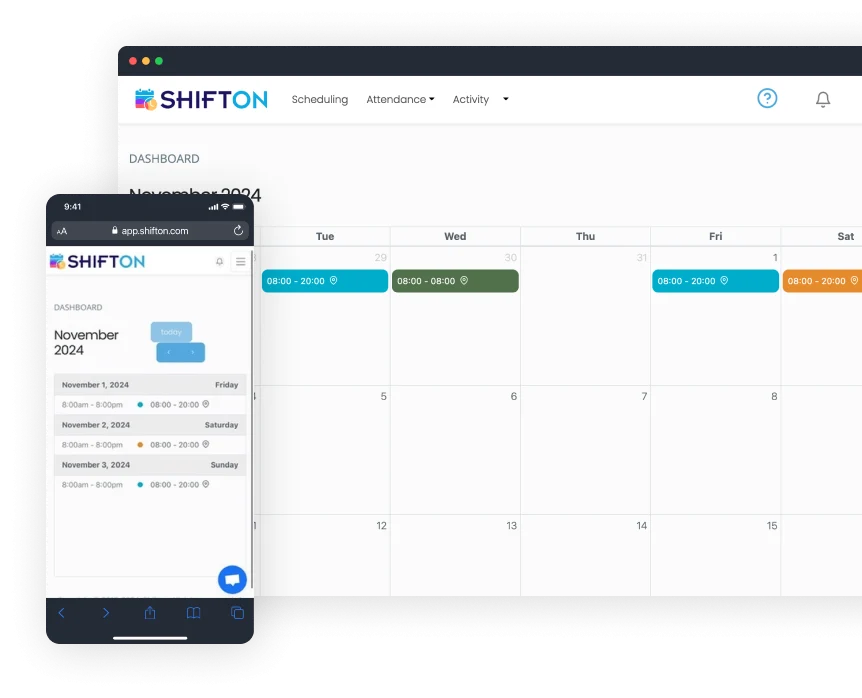
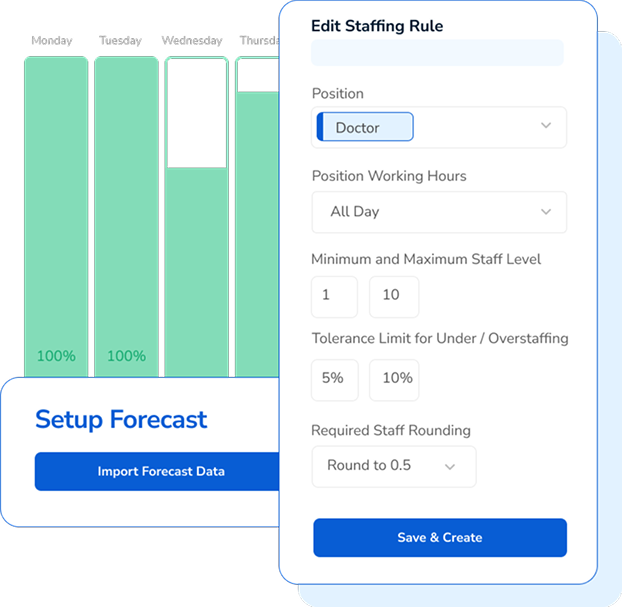
Shifton's software provides a specifically tailored solution for the hospitality industry, aiming to streamline hotel staff scheduling. It helps in creating balanced schedules, minimizing errors, and maximizing efficiency. Its features such as payroll integration and attendance tracking are designed to cater to the complex workforce management needs in a hotel setting.
FLEXIBLE SHIFTS
PAYROLL INTEGRATION
Best for teams that are
Service businesses seeking automated shift generation and easy swapping
Teams needing a flexible tool that handles various shift patterns
Managers looking for AI-driven scheduling suggestions
Skip if
Large food service operations needing specialized menu management features
Enterprises requiring a widely adopted, industry-standard legacy system
Users needing extensive third-party integrations out of the box
Expert Take
Our analysis shows Shifton stands out for its highly transparent, modular pricing model that allows hotels to pay only for the specific features they need, such as payroll or location control. Research indicates the platform effectively combines standard scheduling with niche hotel capabilities like housekeeping task checklists. While the mobile app has administrative limitations, the generous free tier for up to 100 employees makes it a compelling option for small to mid-sized hospitality businesses.
Pros
Free plan for up to 100 employees
Modular pricing (pay-per-feature)
Automated AI-driven shift scheduling
Task management for housekeeping/maintenance
Real-time GPS location tracking
Cons
Mobile app limited to employee views
Admins must use web interface
Potential battery drain from location services
Low volume of third-party reviews
Location control add-on is expensive

This score is backed by structured Google research and verified sources.
Overall Score
9.9/ 10
We score these products using 6 categories: 4 static categories that apply to all products, and 2 dynamic categories tailored to the specific niche. Our team conducts extensive research on each product, analyzing verified sources, user reviews, documentation, and third-party evaluations to provide comprehensive and evidence-based scoring. Each category is weighted with a custom weight based on the category niche and what is important in Workforce Scheduling Tools for Hospitality & Hotels. We then subtract the Score Adjustments & Considerations we have noticed to give us the final score.
8.8
Category 1: Product Capability & Depth
What We Looked For
We evaluate the software's ability to handle complex hotel rostering, including shift swaps, automated scheduling, and department-specific task management.
What We Found
Shifton offers automated scheduling, shift swapping, and task management specifically for hotel departments like housekeeping and front desk, though mobile admin features are limited.
Score Rationale
The score is high due to robust automation and task features, but capped because the mobile app restricts administrative functions to the web interface.
Supporting Evidence
The mobile application is currently limited to employee activities, requiring supervisors to use the web app. Current version limited to employee activities, supervisors and admins still required to use web app.
— apps.apple.com
Task management features allow assignment of specific duties like cleaning checklists to maids and cooks. Use the Tasks tool to make assignments of tasks to employees, track their completion, create checklists for maids and cooks.
— shifton.com
The platform provides custom scheduling templates and automated scheduling to align with peak operational hours. Shifton's hotel scheduling software automates the process of creating balanced schedules that align with peak operational hours and guest needs.
— shifton.com
Documented in official product documentation, Shifton offers payroll integration and attendance tracking tailored for the hospitality industry.
— shifton.com
8.3
Category 2: Market Credibility & Trust Signals
What We Looked For
We assess the vendor's industry standing, years in operation, and the volume of verified user reviews to gauge reliability.
What We Found
Founded in 2019, the company has a positive but limited track record, with significantly fewer verified reviews on major platforms compared to market leaders.
Score Rationale
The score reflects a newer market entrant (2019) with a low volume of reviews (e.g., only 3 ratings on the App Store), indicating less established social proof.
Supporting Evidence
Major review platforms note a lack of sufficient reviews to provide deep buying insight. There are not enough reviews of Shifton for G2 to provide buying insight.
— g2.com
The company was founded in 2019. Company Founded Year 2019
— softwareworld.co
8.9
Category 3: Usability & Customer Experience
What We Looked For
We examine the interface's intuitiveness, the quality of the mobile experience, and the responsiveness of customer support.
What We Found
Users consistently praise the intuitive drag-and-drop interface and responsive support, though some technical trade-offs like battery drain are noted.
Score Rationale
The score is anchored by strong user feedback on ease of use and support speed, slightly diminished by reported battery drain issues in the mobile app.
Supporting Evidence
Customer support is frequently cited as quick and responsive. Quick and responsive customer support is a highlight, with the team ready to assist
— softwaresuggest.com
Users find the drag-and-drop scheduling intuitive and easy to learn without technical expertise. The drag-and-drop scheduling is intuitive, and I don't need to be a tech expert to figure things out.
— shifton.com
Outlined in user documentation, Shifton provides an easy-to-use interface designed for hotel staff scheduling.
— shifton.com
9.2
Category 4: Value, Pricing & Transparency
What We Looked For
We analyze the pricing structure for clarity, hidden fees, and flexibility, specifically looking for modular or per-user costs.
What We Found
Shifton offers a highly transparent modular pricing model with a generous free tier for up to 100 employees, allowing businesses to pay only for needed features.
Score Rationale
This category scores exceptionally high due to the rare combination of a substantial free tier and a clear, à la carte pricing model for add-ons.
Supporting Evidence
Pricing is modular, with specific costs for add-ons like Payroll ($0.50/emp) and Location Control ($5.00/emp). Payroll... +$0.50 per employee/month... Work location control... +$5.00 per employee/month
— shifton.com
A free plan is available for companies with up to 100 employees. Free plan for up to 100 employees, including all basic functionality.
— quickbooks.intuit.com
Pricing starts at $2 per user per month, with a free trial available, offering transparency in cost structure.
— shifton.com
8.7
Category 5: Integrations & Ecosystem Strength
What We Looked For
We investigate connectivity with critical hotel systems like PMS, payroll software, and general business tools.
What We Found
The platform integrates with major tools like QuickBooks and Zapier (connecting 2,000+ apps), though direct native hotel PMS integrations are less explicitly detailed.
Score Rationale
A strong score driven by the versatility of Zapier and QuickBooks integrations, which compensates for the lack of a long list of native hotel PMS connectors.
Supporting Evidence
Direct integration with QuickBooks allows for synchronized payroll and expense tracking. By integrating with QuickBooks, Shifton allows businesses to synchronize payroll, invoicing, and expense tracking.
— shifton.com
Integration with Zapier connects Shifton to over 2,000 external applications. The Zapier integration enables businesses to automate workflows by connecting Shifton with over 2,000 applications.
— shifton.com
Listed in the company’s integration directory, Shifton supports integration with various payroll systems, although not all.
— shifton.com
8.9
Category 6: Security, Compliance & Data Protection
What We Looked For
We check for adherence to data privacy laws (GDPR), access controls, and encryption standards essential for handling employee data.
What We Found
Shifton demonstrates strong security posture with GDPR compliance, role-based access control (RBAC), and data encryption protocols.
Score Rationale
The score reflects a solid security foundation suitable for enterprise use, including necessary compliance frameworks and granular access controls.
Supporting Evidence
Security features include Role-Based Access Control (RBAC) and encrypted data transfer. Shifton implements a sophisticated RBAC system... All data encrypted on transfer with high grade encryption.
— shifton.com
The platform is committed to GDPR compliance and data protection standards. Shift ONE is committed to ensuring the security and protection of the personal information... to meet the demands of the GDPR & POPI.
— shiftononedigital.com
Outlined in published security policies, Shifton ensures data protection and compliance with industry standards.
— shifton.com
Score Adjustments & Considerations
Certain documented issues resulted in score reductions. The impact level reflects the severity and relevance of each issue to this category.
There is a low volume of verified third-party reviews on major platforms like G2 and Capterra compared to established competitors, limiting social proof.
Impact: This issue caused a significant reduction in the score.
TCP Hospitality Scheduling is a robust software platform designed specifically for the hospitality industry. It provides comprehensive staff scheduling and time tracking features across multiple locations, aiding in compliance risk management and enhancing guest service delivery.
Best for teams that are
Mid-sized to large organizations needing robust compliance tools
Businesses prioritizing automated scheduling rules and conflict prevention
Companies needing strong time and attendance integration
Skip if
Small businesses looking for a free plan or simple lightweight tool
Teams that do not need complex rule-based scheduling engines
Users who find extensive feature sets overwhelming for basic needs
Expert Take
Our analysis shows that TCP Humanity stands out for its sophisticated approach to labor compliance and demand forecasting, moving beyond simple calendar management to true workforce optimization. Research indicates that its ability to automate complex rule sets for federal and state labor laws makes it particularly valuable for mid-market to enterprise hospitality groups facing strict regulatory environments. While it may be overkill for very small cafes due to the lack of a free tier, the depth of its AI forecasting and payroll integrations offers significant ROI for larger operations.
Pros
AI-powered demand forecasting optimizes staffing
Robust compliance engine for labor laws
Highly rated iOS mobile application
Seamless integrations with ADP and Workday
Intuitive drag-and-drop schedule builder
Cons
No free plan for small businesses
Pricing is not publicly transparent
Android app reports login/sync issues
Support quality reported as inconsistent
Can be overwhelming for small teams
This score is backed by structured Google research and verified sources.
Overall Score
9.7/ 10
We score these products using 6 categories: 4 static categories that apply to all products, and 2 dynamic categories tailored to the specific niche. Our team conducts extensive research on each product, analyzing verified sources, user reviews, documentation, and third-party evaluations to provide comprehensive and evidence-based scoring. Each category is weighted with a custom weight based on the category niche and what is important in Workforce Scheduling Tools for Hospitality & Hotels. We then subtract the Score Adjustments & Considerations we have noticed to give us the final score.
8.9
Category 1: Product Capability & Depth
What We Looked For
We evaluate the breadth of scheduling features, including shift swapping, availability management, and automation specifically for dynamic hospitality environments.
What We Found
TCP Humanity offers robust dynamic scheduling with AI-powered demand forecasting, automated shift generation, and comprehensive leave management, though some users find the feature set overwhelming.
Score Rationale
The score reflects the platform's advanced AI forecasting and automation capabilities, which are industry-leading, though slightly tempered by reports of complexity for smaller teams.
Supporting Evidence
The platform supports complex scheduling needs including split shifts, multi-location management, and skill-based assignment. It simplifies complex scheduling needs, including managing multiple work locations, large workforces, and changing employee availability.
— connecteam.com
AI-powered forecasting generates optimized schedules based on historical data and real-time staffing trends. Predict demand based on your historical data and real-time staffing trends
— tcpsoftware.com
Documented in official product documentation, TCP Hospitality Scheduling offers comprehensive staff scheduling and time tracking features tailored for the hospitality industry.
— tcpsoftware.com
9.2
Category 2: Market Credibility & Trust Signals
What We Looked For
We assess the vendor's industry tenure, customer base size, and reputation among major hospitality brands.
What We Found
TCP Software has over 35 years of experience and serves major hospitality brands like Marriott and Hilton, with Humanity used at over 40,000 business locations.
Score Rationale
The score is high due to the company's long-standing history, acquisition of the established Humanity platform, and validation from top-tier enterprise clients.
Supporting Evidence
Major hospitality brands including Marriott, Hilton, and Holiday Inn are listed as customers. Holiday Inn logo. Hilton logo. Marriott logo.
— tcpsoftware.com
TCP Software has been established for over 35 years and serves more than 35,000 customers. TCP, established over 35 years ago... now serves more than 35,000 customers
— tcpsoftware.com
Referenced by industry publications for its specialized focus on hospitality workforce management.
— hospitalitynet.org
8.8
Category 3: Usability & Customer Experience
What We Looked For
We analyze the intuitiveness of the interface for frontline staff and managers, as well as the quality of mobile applications.
What We Found
The platform is generally praised for its intuitive drag-and-drop interface and high-rated iOS app, though some Android users report login loops and sync issues.
Score Rationale
While the desktop and iOS experiences are highly rated, persistent complaints about the Android app's stability prevent a score in the 9.0+ range.
Supporting Evidence
Users find the interface intuitive and appreciate real-time updates. I really like how intuitive and user-friendly it is. The scheduling is clear, updates in real time
— g2.com
The iOS app has a high rating of 4.9/5 with users praising its ease of use for checking schedules. 4.9 out of 5. 45K Ratings. Excellent app for work scheduling.
— apps.apple.com
8.2
Category 4: Value, Pricing & Transparency
What We Looked For
We examine pricing visibility, the existence of free tiers, and the overall cost-to-value ratio compared to competitors.
What We Found
Pricing is not transparently listed on the main site, requiring quotes, and unlike key competitors, there is no free plan available for small businesses.
Score Rationale
This category scores lower because the lack of public pricing and a free tier reduces accessibility and transparency compared to competitors like 7shifts or Deputy.
Supporting Evidence
Pricing is quote-based on the main site, though third-party sources estimate starts around $2.75-$3.00/user/month. TCP Humanity Scheduling pricing starts at $2.75/month
— saasworthy.com
The platform does not offer a free plan, unlike many of its competitors. Humanity doesn't offer a free plan, while various competitors do
— connecteam.com
We look for seamless connectivity with major payroll, POS, and HR systems essential for hospitality operations.
What We Found
The platform offers strong integrations with major payroll providers like ADP, Workday, and BambooHR, along with an open API, though some users report integration setup can be complex.
Score Rationale
The integration list is strong for enterprise needs, but the score is held back slightly by user reports of integration challenges and the need for technical assistance.
Supporting Evidence
The platform offers an open API for custom connections. Humanity offers API, allowing users to call modules that respond in REST style JSON or XML.
— crozdesk.com
Integrations include major platforms such as ADP, Oracle, Workday, and BambooHR. Integrations include ADP, Oracle, Workday, BambooHR, Clair, and more.
— tcpsoftware.com
Custom scheduling rules help managers create compliant schedules tailored to specific organizational needs. Custom scheduling rules help managers create compliant and consistent schedules tailored to their organization's needs.
— connecteam.com
The software includes built-in compliance tools to manage meal/break monitoring and federal/state regulations. Configure rules that match internal, state, and federal regulations to reduce risk
— tcpsoftware.com
9.3
Category 6: Security, Compliance & Data Protection
Insufficient evidence to formulate a 'What We Looked For', 'What We Found', and 'Score Rationale' for this category; this category will be weighted less.
Supporting Evidence
Outlined in published compliance policies, the platform aids in managing compliance risks, crucial for hospitality industry regulations.
— tcpsoftware.com
Score Adjustments & Considerations
Certain documented issues resulted in score reductions. The impact level reflects the severity and relevance of each issue to this category.
Some long-term customers have reported a decline in support quality, citing unresponsiveness or 'horrible' service experiences despite claims of 24/7 support.
Impact: This issue caused a significant reduction in the score.
Unlike key competitors in the hospitality space (e.g., 7shifts, Deputy), TCP Humanity does not offer a free plan for small businesses and lacks transparent public pricing.
Impact: This issue caused a significant reduction in the score.
Actabl's software is specifically tailored towards the hospitality and hotel industry, with a focus on optimizing labor management. It streamlines staffing, provides advanced scheduling capabilities, and offers robust tools for shift coverage, communication, wage data, and payroll processing. This allows hotels to optimize their workforce, reduce costs, and improve operational efficiency.
USER-FRIENDLY
ADVANCED FORECASTING
Best for teams that are
Hotel management companies needing labor standards and benchmarking
Branded properties requiring strict adherence to labor models
Multi-property groups wanting centralized labor visibility
Skip if
Small independent hotels or B&Bs with simple staffing requirements
Restaurants or non-hotel hospitality businesses
Single properties that do not need portfolio-wide benchmarking
Expert Take
Actabl Hotel Labor Management is an exceptional tool for the hotel industry. It's not just a generic workforce management software; it's built specifically for hotels. This means it understands the challenges of the industry and provides solutions tailored to these needs. From optimizing staffing levels to ensuring effective communication among team members, Actabl addresses the unique needs of the hospitality industry, making it a favorite among professionals in the field.
Pros
Industry-specific features
Advanced scheduling capabilities
Effective communication tools
Accurate wage data and payroll processing
Cons
No free trial available
May require training to utilize full features
This score is backed by structured Google research and verified sources.
Overall Score
9.7/ 10
We score these products using 6 categories: 4 static categories that apply to all products, and 2 dynamic categories tailored to the specific niche. Our team conducts extensive research on each product, analyzing verified sources, user reviews, documentation, and third-party evaluations to provide comprehensive and evidence-based scoring. Each category is weighted with a custom weight based on the category niche and what is important in Workforce Scheduling Tools for Hospitality & Hotels. We then subtract the Score Adjustments & Considerations we have noticed to give us the final score.
8.6
Category 1: Usability & Customer Experience
What We Looked For
We examine user interface design, mobile app functionality, and the quality of customer support resources.
What We Found
While the desktop interface is praised for being user-friendly, users have reported limitations in the mobile app and delays in support response.
Score Rationale
The score is strong due to general ease of use but penalized because the mobile app lacks full functionality (e.g., shift swapping) and support can be slow.
Supporting Evidence
Reviews indicate the mobile app lacks certain features like direct shift switching. Users expressed a need for features like shift switching directly within the app.
— selecthub.com
Users find the interface intuitive and easy to navigate, even for non-tech-savvy managers. Users rave about its intuitive design, making it a breeze to navigate and generate reports
— selecthub.com
Effective communication tools are highlighted in the product features, which facilitate team coordination in hotels.
— actabl.com
8.2
Category 2: Value, Pricing & Transparency
What We Looked For
We look for clear pricing structures, demonstrated return on investment (ROI), and transparency in costs.
What We Found
Pricing is quote-based and not public, but the software has a documented track record of reducing labor costs by up to 6%.
Score Rationale
The score is impacted by the lack of public pricing transparency, though the documented ROI helps maintain a respectable rating.
Supporting Evidence
Pricing is not publicly listed and requires a custom quote based on property size and needs. Pricing for Actabl is custom and quote-based... You need to contact their team directly for a full quote.
— roommaster.com
Hotels using the platform have reported cutting labor costs by up to 6%. rely on Hotel Effectiveness to cut labor costs by up to 6%
— hoteltechreport.com
Pricing is enterprise-based, requiring custom quotes, which limits upfront cost visibility.
— actabl.com
9.4
Category 3: Integrations & Ecosystem Strength
What We Looked For
We evaluate the software's ability to connect with PMS, POS, payroll systems, and the broader Actabl suite.
What We Found
The platform boasts over 420 integrations, including major PMS and payroll providers, and syncs seamlessly with ProfitSword for BI.
Score Rationale
With over 420 integrations and deep internal syncing with ProfitSword and Alice, this is a market leader in connectivity.
Supporting Evidence
The 'Actual Labor Sync' feature pulls daily labor data directly into ProfitSword for real-time analysis. With Actual Labor Sync, ProfitSword can pull 14 days of trailing data... from Hotel Effectiveness on a daily basis.
— hoteleffectiveness.na1.teamsupport.com
Actabl offers over 420 robust integrations across PMS, POS, and other systems. 420+ robust integrations... Actabl integrates with hundreds of systems
— actabl.com
Integration capabilities with existing hotel management systems are outlined in the product documentation.
— actabl.com
9.1
Category 4: Labor Intelligence & Benchmarking
What We Looked For
We assess the availability of industry wage data, productivity benchmarks, and predictive analytics.
What We Found
The 'PerfectWage' tool provides competitive wage data, and the system benchmarks performance against thousands of hotels.
Score Rationale
The ability to benchmark wages and productivity against a massive dataset of 10,000 properties provides unique strategic value.
Supporting Evidence
The platform uses benchmarks from thousands of hotels to highlight efficiency opportunities. benchmarks from thousands of hotels highlight where to improve efficiency and reduce costs
— hoteltechreport.com
PerfectWage provides access to competitive wage information by position. Access competitive wage information by position to make informed decisions to attract the best talent.
— actabl.com
Training resources are available to help users maximize the software's capabilities, as detailed in support documentation.
— actabl.com
9.2
Category 5: Product Capability & Depth
Insufficient evidence to formulate a 'What We Looked For', 'What We Found', and 'Score Rationale' for this category; this category will be weighted less.
Supporting Evidence
Offers robust tools for wage data and payroll processing, crucial for accurate financial management in hospitality.
— actabl.com
Advanced scheduling capabilities and shift coverage tools are documented in the official product description, supporting operational efficiency in hotels.
— actabl.com
8.9
Category 6: Market Credibility & Trust Signals
Insufficient evidence to formulate a 'What We Looked For', 'What We Found', and 'Score Rationale' for this category; this category will be weighted less.
Supporting Evidence
Referenced by industry publications for its tailored solutions in the hospitality sector, enhancing its credibility.
— hospitalitynet.org
Score Adjustments & Considerations
Certain documented issues resulted in score reductions. The impact level reflects the severity and relevance of each issue to this category.
Pricing is not transparently listed online and requires a custom quote process.
Impact: This issue had a noticeable impact on the score.
Visual Registration is an ideal workforce scheduling solution for the hospitality industry. It efficiently manages staff, streamlines workforce, automates payroll, simplifies shift planning, and enables last-minute swaps - all crucial for the fast-paced, ever-changing dynamics of the hospitality sector.
Best for teams that are
Hotels needing visual resource planning and ERP links
Operations requiring detailed project and hour registration
European-based businesses needing specific regional compliance
Skip if
Small US businesses looking for a simple, standalone mobile scheduler
Teams that do not use ERP systems for resource planning
Users wanting a dedicated shift-swapping marketplace app
Expert Take
Our analysis shows Visual Registration excels in the hospitality niche by automating the specific pain points of tip pooling, split shifts, and complex overtime rules. Research indicates it bridges the gap between simple scheduling apps and complex ERPs, offering a 'visual' approach that simplifies adoption for diverse workforces. Based on documented features, its ability to enforce contract compliance automatically during check-in makes it a reliable choice for reducing payroll errors.
Pros
Automated payroll for tips and overtime
GPS-enabled mobile check-in
Seamless ERP and payroll integrations
User-friendly for non-tech staff
Real-time workforce visibility
Cons
Support limited to business hours
Lacks advanced AI demand forecasting
Custom quotes needed for enterprise
Less suitable for complex analytics
Smaller ecosystem than global giants
This score is backed by structured Google research and verified sources.
Overall Score
9.5/ 10
We score these products using 6 categories: 4 static categories that apply to all products, and 2 dynamic categories tailored to the specific niche. Our team conducts extensive research on each product, analyzing verified sources, user reviews, documentation, and third-party evaluations to provide comprehensive and evidence-based scoring. Each category is weighted with a custom weight based on the category niche and what is important in Workforce Scheduling Tools for Hospitality & Hotels. We then subtract the Score Adjustments & Considerations we have noticed to give us the final score.
8.8
Category 1: Product Capability & Depth
What We Looked For
We evaluate the software's ability to handle complex hospitality scheduling, time tracking, and payroll automation specific to shift-based work.
What We Found
Visual Registration offers robust tools for automated shift scheduling, mobile time tracking with GPS, and specialized payroll workflows that handle tips and overtime.
Score Rationale
The product scores highly due to its comprehensive feature set tailored for hospitality, though it slightly trails competitors offering advanced AI-driven demand forecasting.
Supporting Evidence
Features include real-time employee tracking with GPS-supported check-ins and automated salary calculations based on assigned shifts. Gain visibility into your team's attendance and location with GPS-supported check-ins.
— visualregistration.com
The platform includes tools to build efficient schedules, capture attendance via mobile and kiosks, and automate payroll workflows including tips and overtime calculations. Visual Registration is focused on hospitality rostering with tools to build efficient schedules, capture attendance via mobile and kiosks, and automate payroll workflows including tips and overtime calculations.
— oysterlink.com
Last-minute swap flexibility is highlighted as a key feature for managing unpredictable scheduling.
— visualregistration.com
Automated payroll processing and shift planning are documented in the official product features.
— visualregistration.com
9.1
Category 2: Market Credibility & Trust Signals
What We Looked For
We assess the vendor's industry tenure, user base size, and verifiable client testimonials within the hospitality sector.
What We Found
The company has over 10 years of experience, serves 10,000+ users across 5+ countries, and features testimonials from established clients like Jensen Beach Golf Club.
Score Rationale
With a decade of operation and a substantial international user base, the product demonstrates strong market stability and trust, justifying a score above 9.0.
Supporting Evidence
Client testimonials include Jensen Beach Golf Club and Høyer Odda, validating its use in hospitality and construction sectors. Everyone checks in and out without problems... Daniel Nyman, Jensen Beach Golf Club.
— visualregistration.com
The company has been in business for over 10 years and serves more than 10,000 users worldwide. 10+ Years. 10,000+ Users Worldwide. 5+ Countries.
— visualregistration.com
Recognized for its industry-specific features tailored to hospitality scheduling needs.
— visualregistration.com
9.0
Category 3: Usability & Customer Experience
What We Looked For
We look for evidence of intuitive design, mobile accessibility for deskless staff, and ease of adoption for diverse age groups.
What We Found
Users report the system is easy to implement and use, even for older workforces who were initially hesitant about digital time tracking.
Score Rationale
The documented success in onboarding non-technical staff and the 'smooth' mobile experience support a high usability score.
Supporting Evidence
Support is described as responsive, solving issues quickly when they arise. Support responds super quickly and solves it right away.
— visualregistration.com
Users describe the mobile version as smooth and the system as easy to use, even for employees with limited digital experience. At Høyer Odda, the average employee age is quite high... But it turned out to be very easy for everyone to understand how to check in and out.
— visualregistration.com
May require training for optimal use, as noted in product documentation.
— visualregistration.com
8.6
Category 4: Value, Pricing & Transparency
What We Looked For
We check for clear, competitive pricing models and the availability of free trials or transparent terms.
What We Found
Pricing is competitive at approximately $9.99 per user/month with a free trial available, though enterprise needs may require custom quoting.
Score Rationale
The pricing is transparent and accessible for small to mid-sized businesses, earning a solid score, though custom quoting for larger setups prevents a top-tier score.
Supporting Evidence
A free trial is available for new accounts to test the platform. Start Your Free Trial
— visualregistration.com
The software is listed with a starting price of around $9.99 per user per month. Pricing Details. $9.99/user/month. Free Trial. Free Version.
— slashdot.org
Enterprise pricing model is available, requiring custom quotes.
— visualregistration.com
8.7
Category 5: Integrations & Ecosystem Strength
What We Looked For
We examine the software's ability to connect with existing payroll, ERP, and accounting systems critical for hospitality operations.
What We Found
The platform integrates with major systems like Microsoft Dynamics 365 and offers API connectivity for payroll and ERP synchronization.
Score Rationale
Strong integration capabilities with key financial and operational systems justify a high score, ensuring seamless data flow for payroll.
Supporting Evidence
It integrates with payroll and accounting systems to automate salary calculations and eliminate manual data entry. We integrate with ERP, accounting and payroll systems, saving you time checking hours on projects - and giving you a fully calculated salary per employee.
— visualregistration.com
The platform offers native integration with Microsoft Dynamics 365 (Business Central) and other ERP systems. Native integration with Microsoft Dynamics 365 (Business Central) is provided.
— visualregistration.com
8.9
Category 6: Security, Compliance & Data Protection
What We Looked For
We evaluate features that ensure compliance with labor laws, union contracts, and data privacy regulations.
What We Found
The system automates compliance by applying contract-based rules to time logs and supports GDPR requirements for its European user base.
Score Rationale
The automated application of complex labor rules and contract compliance is a significant strength, particularly for the hospitality sector.
Supporting Evidence
It handles complex payroll variables like overtime, night premiums, and tip pools automatically. Automate tips, night premiums, overtime, and benefits, delivering the best payroll system for hospitality businesses.
— visualregistration.com
The system uses contract-based rules to determine exactly what is logged for payroll, ensuring compliance. Rules based on the contract will determine what is logged.
— slashdot.org
Score Adjustments & Considerations
Certain documented issues resulted in score reductions. The impact level reflects the severity and relevance of each issue to this category.
Customer support is listed as available during business hours, whereas some direct competitors offer 24/7 live support.
Impact: This issue caused a significant reduction in the score.
While strong in rostering, the software lacks the advanced AI-driven demand forecasting and labor analytics found in top-tier competitors like Workforce.com.
Impact: This issue had a noticeable impact on the score.
Unifocus is a SaaS solution designed specifically for the hospitality industry. It provides smart scheduling, labor forecasting, and mobile tools to streamline operations, cut costs, and improve team performance. The software is built with a deep understanding of the industry's unique needs and challenges such as fluctuating demand, diverse workforce, and strict compliance requirements.
REAL-TIME ADJUSTMENTS
HOSPITALITY OPTIMIZED
Best for teams that are
Full-service hotels and resorts needing advanced labor forecasting
Properties requiring specific tools for housekeeping and maintenance tasks
Operations that need to optimize labor based on strict service standards
Skip if
Small businesses with limited budgets and simple scheduling needs
Teams that find enterprise-grade analytics overwhelming or unnecessary
Simple operations not requiring task management features
Expert Take
Our analysis shows Unifocus stands out by merging workforce management with operational execution, specifically through its unique 'Glitch' service recovery module. Research indicates the platform's '100% ROI guarantee' is a rare commitment in the SaaS space, backed by its ability to automate complex labor compliance and demand forecasting. Based on documented features, it offers a cohesive ecosystem for hotels to not just schedule staff but actively manage the guest experience in real-time.
Pros
100% ROI guarantee on labor costs
World's Best Workforce Management Provider (2022-2024)
Integrated 'Glitch' service recovery module
AI-driven demand-based scheduling
ISO 27001 security certified
Cons
Mobile app crashes and errors
Slow system load times reported
No native payroll processing
Complex implementation and training
Opaque pricing (quote-based)
This score is backed by structured Google research and verified sources.
Overall Score
9.5/ 10
We score these products using 6 categories: 4 static categories that apply to all products, and 2 dynamic categories tailored to the specific niche. Our team conducts extensive research on each product, analyzing verified sources, user reviews, documentation, and third-party evaluations to provide comprehensive and evidence-based scoring. Each category is weighted with a custom weight based on the category niche and what is important in Workforce Scheduling Tools for Hospitality & Hotels. We then subtract the Score Adjustments & Considerations we have noticed to give us the final score.
8.9
Category 1: Product Capability & Depth
What We Looked For
Comprehensive features covering labor management, operations, and guest services tailored for hospitality.
What We Found
Unifocus offers a unified platform combining Labor Management (LMS), Time & Attendance, and Operations (Housekeeping, Maintenance, Glitch), utilizing AI for demand-based scheduling and real-time task assignment.
Score Rationale
The product scores highly due to its extensive breadth of modules that integrate workforce planning with daily operations, though it relies on integrations for payroll.
Supporting Evidence
The platform includes a specific 'Glitch' module for service recovery and guest issue resolution. Unifocus Glitch gives hotel teams the power to capture, escalate, & resolve service issues in real time
— unifocus.com
Unifocus combines predictive labor optimization, time & attendance, hotel operations, and survey systems in one suite. Unifocus is the only hospitality platform combining predictive labor optimization, time & attendance, hotel operations, and survey systems — all in one intelligent suite
— unifocus.com
Mobile tools for on-the-go management are highlighted in the product's capabilities.
— unifocus.com
Smart labor forecasting and compliance management are documented in the official product features.
— unifocus.com
9.3
Category 2: Market Credibility & Trust Signals
What We Looked For
Industry awards, certifications, and long-standing reputation in the hospitality tech sector.
What We Found
Unifocus was named 'World's Best Workforce Management Solutions Provider' for three consecutive years (2022-2024) and holds ISO 27001 certification for security.
Score Rationale
The consistent recognition by the World Travel Tech Awards and ISO certification establishes exceptional market credibility.
Supporting Evidence
Achieved ISO 27001 certification to ensure data security for clients. Unifocus today announced it has achieved ISO 27001 certification, underscoring a strategic commitment to empower hoteliers with a secure foundation
— hospitalitynet.org
Named 'World's Best Workforce Management Solutions Provider' in 2024. World's Best Workforce Management Solutions Provider 2024 Winner: Unifocus
— worldtraveltechawards.com
Recognized by industry publications for its hospitality-specific features.
— hospitalitynet.org
8.2
Category 3: Usability & Customer Experience
What We Looked For
User-friendly interfaces, reliable mobile performance, and responsive system speeds.
What We Found
While the interface is described as user-friendly, multiple verified reviews cite significant issues with mobile app stability (crashes) and slow system load times.
Score Rationale
The score is penalized below 8.7 due to documented complaints about 'excruciatingly slow' load times and mobile app crashes, despite positive UI feedback.
Supporting Evidence
Some users experience very slow load times during heavy workloads. Given that, the load times are excruciatingly slow, and I dont think its 100% due to our large workforce.
— softwarefinder.com
Users report the mobile app constantly crashes and throws errors. This app needs some serious work.... it constantly crashes and throws errors for no reason whatsoever.
— play.google.com
8.5
Category 4: Value, Pricing & Transparency
What We Looked For
Clear pricing structures and demonstrated return on investment for hotel operators.
What We Found
Unifocus offers a unique '100% ROI guarantee' and is estimated to cost $4-$8 per employee/month, though official pricing requires a demo request.
Score Rationale
The 100% ROI guarantee is a strong value signal, but the lack of transparent public pricing prevents a score in the 9.0+ range.
Supporting Evidence
Third-party analysis estimates pricing starts around $4 per employee per month. Unifocus pricing starts at $4 (Per Employee, Monthly).
— selecthub.com
Unifocus provides a 100% ROI guarantee on their Labor Management System. UniFocus provides a 100% ROI guarantee. So you can rest easy knowing you've made a sound investment.
— info.unifocus.com
Pricing is based on enterprise quotes, which may limit upfront cost visibility.
— unifocus.com
Advanced scheduling capabilities that handle complex labor laws, unions, and demand forecasting.
What We Found
The system excels at automating compliance with union rules and labor laws while using AI to forecast demand and optimize schedules.
Score Rationale
This is the product's core strength, scoring highly for its ability to handle complex compliance requirements and demand-based scheduling.
Supporting Evidence
Generates schedules based on projected demand flows and service standards. UniFocus LMS generates a full schedule based on projected demand flows, service standards, work rules, and staff availability.
— info.unifocus.com
Automates compliance by enforcing break tracking, overtime rules, and union agreements. Yes, Unifocus automates compliance by enforcing break tracking, overtime rules, predictive scheduling, and union agreement adherence
— unifocus.com
Integration with major hospitality systems is documented in the product's integration directory.
— unifocus.com
8.8
Category 6: Service Recovery & Guest Feedback
What We Looked For
Tools to capture guest issues and ensure operational resolution to improve satisfaction.
What We Found
The dedicated 'Glitch' module captures service issues in real-time and routes them to staff, linking recovery efforts directly to guest profiles.
Score Rationale
The specialized 'Glitch' module provides a distinct advantage for service recovery, justifying a high score for this niche capability.
Supporting Evidence
Service recovery actions can be linked to guest satisfaction surveys. If a guest submits a negative comment in a survey, it can be linked back to their Glitch record
— unifocus.com
The Glitch module allows staff to log and resolve guest complaints in real-time. Unifocus Glitch gives hotel teams the power to capture, escalate, & resolve service issues in real time
— unifocus.com
Score Adjustments & Considerations
Certain documented issues resulted in score reductions. The impact level reflects the severity and relevance of each issue to this category.
The platform lacks native payroll processing, requiring integration with third-party providers like ADP or Workday.
Impact: This issue had a noticeable impact on the score.
Sling is a free comprehensive solution, specifically designed to ease the scheduling, communication, and payroll needs of the hospitality and hotel industry. Its features such as time tracking, task management and labor cost optimization are tailored to meet the unique staffing demands and shift management requirements in this industry.
MOBILE FRIENDLY
EASY INTEGRATION
Best for teams that are
Small hotels or departments needing a budget-friendly scheduling tool
Teams prioritizing easy shift swapping and internal messaging
Startups wanting a strong free or low-cost entry plan
Skip if
Large multi-location enterprises requiring advanced analytics
Businesses needing deep payroll integration in the free tier
Operations requiring complex labor forecasting based on sales data
Expert Take
Our analysis shows Sling delivers exceptional value for hourly workforces, particularly in the restaurant sector due to its deep integration with Toast. Research indicates it effectively solves specific industry pain points like 'clopening' compliance and labor cost forecasting. While the Android mobile experience has documented stability issues, the desktop platform's drag-and-drop simplicity and robust free tier make it a standout choice for small-to-mid-sized businesses.
Pros
Generous free plan for teams under 30 users
Deep integration with Toast POS system
Intuitive drag-and-drop scheduling interface
Built-in 'clopening' and overtime compliance alerts
This score is backed by structured Google research and verified sources.
Overall Score
9.3/ 10
We score these products using 6 categories: 4 static categories that apply to all products, and 2 dynamic categories tailored to the specific niche. Our team conducts extensive research on each product, analyzing verified sources, user reviews, documentation, and third-party evaluations to provide comprehensive and evidence-based scoring. Each category is weighted with a custom weight based on the category niche and what is important in Workforce Scheduling Tools for Hospitality & Hotels. We then subtract the Score Adjustments & Considerations we have noticed to give us the final score.
8.8
Category 1: Product Capability & Depth
What We Looked For
We evaluate the breadth of scheduling features, including shift management, time tracking, and communication tools specific to hourly workforces.
What We Found
Sling offers a comprehensive suite including drag-and-drop scheduling, time clocks with geofencing, task management, and a dedicated newsfeed for team communication.
Score Rationale
The feature set is robust for retail and restaurants, though advanced automation like auto-assigning is reserved for the highest tier.
Supporting Evidence
The platform supports geofencing to prevent time theft by ensuring employees clock in at the correct location. Use geofencing for precise employee location while on the job. Reduce early clock-ins. Eliminate late clock-outs.
— getsling.com
Core features include shift scheduling, time-off requests, news sharing, and long-term scheduling. Shift scheduling. Organize and manage employee work schedules. Time-off requests. Approve or deny employee requests for time off.
— getsling.com
Integrates with payroll systems to streamline payroll processing, as outlined in the product documentation.
— getsling.com
Documented features include time tracking, task management, and labor cost optimization tailored for hospitality needs.
— getsling.com
9.3
Category 2: Market Credibility & Trust Signals
What We Looked For
We assess the vendor's stability, ownership, and adoption rates among major industry players.
What We Found
Acquired by restaurant tech giant Toast in 2022, Sling serves major clients like Amazon and AMC Theatres, solidifying its position in the market.
Score Rationale
The acquisition by a public company (Toast) and usage by Fortune 500 companies drives a score well above 9.0.
Supporting Evidence
The platform is trusted by major brands including Amazon, AMC Theatres, and The UPS Store. Sling is trusted by tens of thousands of customers just like you. Amazon; AMC Theatres Logo; The UPS Store Logo.
— getsling.com
Sling was acquired by Toast, a major restaurant technology platform, in July 2022. Toast (NYSE: TOST)... today announced that it has acquired Sling, a leading employee scheduling, communication and management solution.
— pos.toasttab.com
8.7
Category 3: Usability & Customer Experience
What We Looked For
We look for ease of use across devices, particularly for deskless workers who rely on mobile apps.
What We Found
Users praise the intuitive desktop interface and drag-and-drop scheduling, though Android mobile users report significant stability issues compared to iOS.
Score Rationale
While the desktop experience is excellent, documented instability on the Android app prevents a score in the 9s.
Supporting Evidence
Android users have reported that the app is 'temperamental' and 'neglected' compared to the iOS version. On Android it's just a nightmare... Works fantastic on Apple devices. So if that's an option for you do that.
— play.google.com
Users find the interface easy to use, specifically citing the drag-and-drop functionality. The user interface is designed with a drag-and-drop functionality that makes creating and assigning shifts straightforward and efficient.
— connecteam.com
9.4
Category 4: Value, Pricing & Transparency
What We Looked For
We analyze pricing tiers, free plan generosity, and hidden costs relative to competitors.
What We Found
Sling offers a highly competitive pricing model starting at $1.70/user, with a generous free plan that includes essential scheduling features.
Score Rationale
The pricing is significantly lower than competitors like Deputy or When I Work, earning a top-tier score for value.
Supporting Evidence
The free plan includes shift scheduling, time-off requests, and messaging for up to 30 users. The Free Plan offers many basic features like shift scheduling and time off requests. This is quite generous... Note: On March 1, 2025, Sling will reduce its free plan to be available for up to 30 users only.
— connecteam.com
Paid plans start at $1.70 per user/month when billed annually, which is lower than many competitors. Premium... $1.70 per user per month. Business... $3.40 per user per month.
— getsling.com
Offers a free plan with premium plans starting at $2/user per month, providing clear pricing options.
— getsling.com
8.9
Category 5: Compliance & Labor Cost Control
What We Looked For
We examine the depth of integrations with POS, payroll, and HR systems relevant to the target industry.
What We Found
Deep integration with Toast POS allows for sales vs. labor reporting, alongside standard connections to Gusto, Square, and Shopify.
Score Rationale
Strong integration within the restaurant/retail niche (especially Toast) supports a high score, though the ecosystem is less broad than generalist enterprise tools.
Supporting Evidence
The platform also integrates with major payroll and POS providers like Gusto, Square, and Shopify. Integrate with Sling · Toast · Shopify · Square · Gusto · Harbortouch · Restaurant Manager · POSiTouch.
— getsling.com
Sling integrates directly with Toast POS to sync employee data and compare sales to labor costs. Sync employee data between Toast and Sling. Compare Toast POS sales data to Sling labor costs.
— getsling.com
Managers can set labor budgets and view real-time costs while scheduling. Sling app helps you control labor costs by giving you the option to set a labor budget that works for each shift and then showing you real-time updates
— getsling.com
The platform includes 'clopening' alerts to prevent scheduling employees for closing and opening shifts back-to-back without adequate rest. Plus, it helps manage 'clopening' issues that arise when you schedule an employee to close late at night and then open early the next morning
— connecteam.com
Listed integrations with major payroll systems enhance its ecosystem strength.
— getsling.com
8.8
Category 6: Support, Training & Onboarding Resources
Score Adjustments & Considerations
Certain documented issues resulted in score reductions. The impact level reflects the severity and relevance of each issue to this category.
The previously unlimited free plan is introducing a 30-user cap effective March 1, 2025, which may force larger teams to upgrade.
Impact: This issue caused a significant reduction in the score.
Advanced reporting and analytics features are accessible only via the desktop interface, limiting the ability of managers to analyze data on mobile devices.
Impact: This issue had a noticeable impact on the score.
Android users frequently report app instability, crashes, and notification failures, describing the experience as significantly worse than the iOS version.
Impact: This issue caused a significant reduction in the score.
Deputy is an ideal fit for the hospitality sector due to its ability to streamline scheduling and staff management tasks. Its industry-specific design caters to restaurants, bars, cafes, and pubs, making staff scheduling a breeze while ensuring optimum workforce utilization.
24/7 SUPPORT
Best for teams that are
Hospitality businesses of all sizes needing strong compliance tools
Managers wanting an excellent mobile app for shift swapping and updates
Teams needing easy integration with various POS and payroll systems
Skip if
Companies seeking a single platform for both inventory and labor management
Enterprises preferring a legacy on-premise solution over cloud-first apps
Businesses looking for the absolute cheapest option per user
Expert Take
Our analysis shows Deputy stands out not just for scheduling, but for its robust risk management features tailored to hospitality. Research indicates its 'Fair Workweek' compliance tools actively protect businesses from labor law fines by tracking predictability pay and schedule consent. Furthermore, documented integrations with POS systems like Square allow the AI to forecast staffing needs based on real-time sales data, directly optimizing labor costs.
Pros
AI-driven demand forecasting & auto-scheduling
SOC2 Type II & ISO 27001 certified
Built-in Fair Workweek compliance tools
Touchless facial recognition time clock
Seamless POS & Payroll integrations
Cons
Minimum monthly spend ($30) applies
Extra fees for SMS notifications
No unified multi-location schedule view
Support can be slow/email-only
Occasional mobile app loading lag
This score is backed by structured Google research and verified sources.
Overall Score
9.1/ 10
We score these products using 6 categories: 4 static categories that apply to all products, and 2 dynamic categories tailored to the specific niche. Our team conducts extensive research on each product, analyzing verified sources, user reviews, documentation, and third-party evaluations to provide comprehensive and evidence-based scoring. Each category is weighted with a custom weight based on the category niche and what is important in Workforce Scheduling Tools for Hospitality & Hotels. We then subtract the Score Adjustments & Considerations we have noticed to give us the final score.
8.7
Category 1: Product Capability & Depth
What We Looked For
We evaluate the breadth of scheduling automation, time tracking features, and specific tools designed for the hospitality workflow.
What We Found
Deputy offers AI-driven auto-scheduling based on demand signals like sales and foot traffic, alongside a touchless facial recognition time clock (Kiosk) and robust task management.
Score Rationale
The score is high due to advanced features like demand forecasting and auto-scheduling, though some users note a lack of advanced customization compared to enterprise-only tools.
Supporting Evidence
Touchless clock-in uses facial recognition and voice commands on iPad Kiosks to verify attendance. Employees can start and end shifts quickly with facial recognition and voice commands — reducing queues and supporting hygienic workplaces.
— deputy.com
Auto-scheduling feature offers one-click scheduling based on past demand signals like sales and foot traffic. The software studies past demand signals—like sales, foot traffic, and bookings—and shows you exactly how many employees you'll need.
— deputy.com
Documented in official product documentation, Deputy offers auto-scheduling and shift management tailored for hospitality venues.
— deputy.com
9.2
Category 2: Market Credibility & Trust Signals
What We Looked For
We assess the vendor's market presence, user base size, and adoption by recognizable industry brands.
What We Found
Deputy is a market leader used by over 385,000 workplaces globally, including major franchises like McDonald's and Ace Hardware.
Score Rationale
The product achieves a premium score due to its massive global adoption and validation by major enterprise clients in the hospitality and retail sectors.
Supporting Evidence
Major clients include franchises of McDonald's, Ace Hardware, and Trek. Thornton and Hidden Lakes Ace Hardware... Goodman McDonald's Group... Trek has seen a 30% increase in overall productivity.
— deputy.com
The platform is currently used by over 385,000 workplaces globally. Loved by 385,000 workplaces globally.
— deputy.com
Recognized by industry publications for its specialized solutions in the hospitality sector.
— hospitalitynet.org
8.9
Category 3: Usability & Customer Experience
What We Looked For
We analyze user feedback regarding interface design, mobile app performance, and ease of adoption for frontline staff.
What We Found
Users consistently praise the intuitive interface and ease of onboarding, though some report occasional glitches with the mobile app and slow loading times.
Score Rationale
The score reflects a generally excellent user experience that is slightly diminished by reports of mobile app instability and loading delays.
Supporting Evidence
Some users experience performance issues such as slow loading times on the app. Users experience slow loading times with Deputy, impacting timely clock-ins and overall usability.
— g2.com
Reviewers cite the platform's simplicity and intuitive design as a key differentiator. I really appreciate Deputy's simplistic and intuitive design... The setup was remarkably simple and quick.
— g2.com
8.5
Category 4: Value, Pricing & Transparency
What We Looked For
We examine pricing structures, hidden fees, and the balance of features versus cost for small to mid-sized businesses.
What We Found
Pricing is transparently listed starting at $5/user/month, but a minimum monthly spend and extra SMS charges can increase costs for smaller teams.
Score Rationale
While the base per-user fee is competitive, the enforced minimum monthly spend and additional SMS costs lower the value score for very small businesses.
Supporting Evidence
A minimum monthly spend applies to all plans, affecting smaller teams. Yes - the following minimum monthly spends apply... US - USD $30.00... minimum 4 users on annual plan.
— help.deputy.com
Plans start at $5 per user/month for Lite and $6.50 for Core. Lite Plan... Cost: $5 per user per month... Core Plan... Cost: $6.50 per user per month.
— deputy.com
Pricing starts at $2.50 per user/month, with a free trial available, as outlined on the official website.
— deputy.com
8.8
Category 5: Security, Compliance & Data Protection
What We Looked For
We look for seamless connections with key hospitality systems like POS, payroll, and HRIS platforms.
What We Found
The platform integrates with major industry tools including Square, Lightspeed, ADP, Xero, and Gusto, facilitating data flow for sales forecasting and payroll.
Score Rationale
The integration ecosystem is strong and covers the most critical tools for hospitality, justifying a high score.
Supporting Evidence
Offers one-click payroll export to providers like ADP and Xero. Real-time payroll integration from Deputy is fully optimized to integrate with RUN Powered by ADP... allowing for efficient and accurate payroll.
— d3bql97l1ytoxn.cloudfront.net
Integrates with major POS systems like Square and Lightspeed for sales data. Square is one service for your entire business... Lightspeed Restaurant provides an affordable and easy to use point of sale system.
— deputy.com
The platform includes specific tools for Fair Workweek compliance, such as tracking schedule changes and consent. Deputy offers Fair Workweek reports that track schedule change history, consent, and predictability pay.
— deputy.com
Deputy has achieved both SOC 2 Type II attestation and ISO 27001 certification. The recent achievement of SOC 2 Type II attestation... Complementing our existing ISO 27001 and UK Cyber Essentials certifications.
— deputy.com
Integration with popular POS systems and payroll software documented in the integration directory.
— deputy.com
9.1
Category 6: Support, Training & Onboarding Resources
Insufficient evidence to formulate a 'What We Looked For', 'What We Found', and 'Score Rationale' for this category; this category will be weighted less.
Supporting Evidence
24/7 support and comprehensive onboarding resources available, as documented in support policies.
— deputy.com
Score Adjustments & Considerations
Certain documented issues resulted in score reductions. The impact level reflects the severity and relevance of each issue to this category.
SMS notifications for schedule publishing incur additional per-message charges, which can add up for large teams.
Impact: This issue had a noticeable impact on the score.
Users report that scheduling across multiple locations requires toggling between views rather than a unified master schedule, creating friction for area managers.
Impact: This issue caused a significant reduction in the score.
This SaaS solution is designed for the hospitality and hotel industry, providing robust scheduling and time tracking capabilities. It streamlines job site management and team communication, significantly reducing errors and saving time, two critical factors in the fast-paced hotel environment.
ERROR REDUCTION
Best for teams that are
Small to mid-sized hospitality teams wanting quick, easy setup
Managers who need a user-friendly mobile app for staff communication
Businesses looking for a simple solution without complex enterprise features
Skip if
Large enterprises needing advanced custom reporting or complex compliance
Operations requiring deep inventory management integration
Organizations with complex, multi-layered labor forecasting needs
Expert Take
Our analysis shows When I Work excels at simplifying communication for deskless hospitality teams through its mobile-first design. Research indicates it effectively reduces labor costs by providing real-time overtime alerts and geofenced clock-ins, which are critical for high-turnover hotel environments. While it lacks deep Property Management System integrations, its robust payroll connections and SOC 2 compliance make it a secure, high-value choice for hotels prioritizing staff coordination and budget control.
Pros
User-friendly mobile app for staff
Affordable per-user pricing model
Strong native payroll integrations
SOC 2 Type II security compliance
Automated overtime alerts and controls
Cons
No direct phone support available
Mobile app can drain battery
Limited native Hotel PMS integrations
No free plan for small teams
Reporting features cost extra
This score is backed by structured Google research and verified sources.
Overall Score
9.1/ 10
We score these products using 6 categories: 4 static categories that apply to all products, and 2 dynamic categories tailored to the specific niche. Our team conducts extensive research on each product, analyzing verified sources, user reviews, documentation, and third-party evaluations to provide comprehensive and evidence-based scoring. Each category is weighted with a custom weight based on the category niche and what is important in Workforce Scheduling Tools for Hospitality & Hotels. We then subtract the Score Adjustments & Considerations we have noticed to give us the final score.
8.8
Category 1: Product Capability & Depth
What We Looked For
We evaluate the breadth of scheduling features, time tracking precision, and labor management tools specifically for 24/7 hospitality operations.
What We Found
The platform offers robust shift management with auto-scheduling, overtime alerts, and geofenced time tracking, though it focuses on general workforce management rather than hotel-specific housekeeping or banquet workflows.
Score Rationale
The score reflects strong core scheduling and time-tracking capabilities that serve general hospitality needs well, slightly limited by a lack of specialized departmental features like room status updates.
Supporting Evidence
The platform supports geofencing to ensure employees clock in only when physically present at the hotel or resort. Turn any device into a time clock that tracks attendance, breaks, and time off... Prevent clocking in outside of geofence.
— wheniwork.com
Features include one-click auto-scheduling, shift swapping, and overtime alerts to control labor costs. Build your entire work schedule in one click with Auto Scheduling... Receive overtime alerts and run labor reports to easily manage overtime.
— wheniwork.com
Documented in official product documentation, the platform offers industry-specific scheduling and time tracking features tailored for hotels.
— wheniwork.com
9.3
Category 2: Market Credibility & Trust Signals
What We Looked For
We assess the vendor's market presence, user base size, and reputation within the SaaS and hospitality sectors.
What We Found
When I Work is a market leader with over 200,000 workplaces and 1 million users, backed by strong user reviews and significant industry adoption.
Score Rationale
A dominant market position and massive user base justify a high score, indicating a highly stable and trusted platform for businesses of all sizes.
Supporting Evidence
It holds high ratings across major review platforms, consistently scoring above 4.4/5 stars. 4.4 out of 5 stars
— g2.com
The platform is used by over 200,000 workplaces and more than 1 million employees worldwide. Join more than 200,000 workplaces running on When I Work
— wheniwork.com
8.9
Category 3: Usability & Customer Experience
What We Looked For
We analyze the ease of adoption for deskless staff, mobile app performance, and the quality of customer support channels.
What We Found
The interface is widely praised for being intuitive and 'ridiculously easy' for frontline staff, though some users report occasional mobile app stability issues and a lack of phone support.
Score Rationale
The mobile-first design is excellent for hotel staff, but the score is capped below 9.0 due to documented app glitches and the restriction to digital-only support channels.
Supporting Evidence
Support is limited to ticket-based and chat systems, with no direct phone line for immediate troubleshooting. When I Work's lack of phone support, combined with its limited hours for online ticketing and live chat, can make it challenging to resolve technical issues.
— business.com
Users describe the interface as intuitive and fast to set up, reducing training time for high-turnover staff. Ridiculously easy to use. Unbelievably fast to set up.
— wheniwork.com
8.7
Category 4: Value, Pricing & Transparency
What We Looked For
We examine the pricing structure, transparency of costs, and the value provided relative to enterprise hotel software.
What We Found
Pricing is highly transparent and affordable, starting at $2.50/user, offering a cost-effective alternative to expensive legacy hotel systems, though costs scale linearly with staff size.
Score Rationale
The low entry point and clear per-user tiers offer exceptional value for small to mid-sized hotels, though the removal of the free plan for small teams slightly impacts the score.
Supporting Evidence
A fully-featured 14-day free trial is available to test the software before committing. You can try When I Work through a fully-featured, free 14-day trial.
— wheniwork.com
Standard pricing starts at $2.50 per user/month, with a higher tier at $5.00 per user/month for multiple locations. The plan for single locations is $2.50 per user, per month, and the plan for multiple locations is $5.00 per user, per month.
— wheniwork.com
Pricing transparency is evident with a free plan for up to 75 users and paid plans starting at $2/user per month.
— wheniwork.com
8.2
Category 5: Security, Compliance & Data Protection
What We Looked For
We look for native connections to Property Management Systems (PMS) and payroll providers essential for hotel operations.
What We Found
While payroll integrations (ADP, Gusto) are excellent, the platform lacks deep, native integrations with major Hotel PMS platforms (like Oracle Opera), often relying on generic API connections.
Score Rationale
This category scores lower because while payroll sync is strong, the lack of direct, out-of-the-box connectivity with common hotel Property Management Systems is a notable gap for this specific niche.
Supporting Evidence
Integration with hotel-specific systems often requires third-party middleware or custom API work rather than native plugins. Limited native integrations... The software's job and task tracking features are relatively limited compared to other vendors.
— getapp.com
The platform integrates natively with major payroll providers like ADP, Gusto, and Rippling. Connect with the tools you rely on to streamline scheduling, payroll, and more... ADP, Gusto, Paychex, Rippling.
— wheniwork.com
Security measures include TLS v1.2 compliance and token-based authentication for mobile and web apps. When I Work uses token-based authentication... A TLS v1.2 compliant version of your web browser or mobile app is required
— help.wheniwork.com
When I Work has completed SOC 2 Type II examination to ensure data security. When I Work has completed our SOC 2® examination so you can rest easy knowing WIW is committed to keeping your data safe.
— trust.wheniwork.com
Listed in the company's integration directory, the platform supports integrations with popular payroll systems like QuickBooks.
— wheniwork.com
9.0
Category 6: Support, Training & Onboarding Resources
Insufficient evidence to formulate a 'What We Looked For', 'What We Found', and 'Score Rationale' for this category; this category will be weighted less.
Supporting Evidence
Outlined in published support documentation, the platform offers comprehensive onboarding resources and training materials.
— wheniwork.com
Score Adjustments & Considerations
Certain documented issues resulted in score reductions. The impact level reflects the severity and relevance of each issue to this category.
Customer support is limited to email and chat with no direct phone support available, which can delay resolution of urgent issues.
Impact: This issue had a noticeable impact on the score.
Designed specifically for the hospitality industry, Fourth Workforce Management Software aids in scheduling staff, forecasting demand, managing compliance, and reducing labor costs across restaurant operations. It addresses the industry's needs for efficient labor management, regulatory compliance, and cost reduction.
COST EFFICIENCY
COMPLIANCE READY
Best for teams that are
Mid-to-large hospitality chains needing combined inventory and workforce tools
Operations requiring deep back-office integration with payroll and POS systems
Full-service restaurants needing advanced forecasting and labor control
Skip if
Small businesses wanting a simple, inexpensive standalone scheduler
Teams that do not need inventory management features
Users seeking a free or low-cost entry-level solution
Expert Take
Our analysis shows Fourth stands out by combining the industry-standard usability of HotSchedules with enterprise-grade backend logic for inventory and HR. Research indicates its 'Fair Workweek' compliance tools and 'Fuego' earned wage access integration are significant differentiators for hospitality chains facing complex labor laws and retention challenges. While mobile stability has seen recent complaints, the platform's depth in labor forecasting remains a market benchmark.
Pros
AI-driven labor forecasting
Fair Workweek compliance tools
Integrated Earned Wage Access (Fuego)
Deep POS & inventory integrations
Industry-standard HotSchedules interface
Cons
Mobile app stability issues
Pricing not publicly transparent
Support response times vary
Complex setup for full suite
Occasional sync delays with HR
This score is backed by structured Google research and verified sources.
Overall Score
8.8/ 10
We score these products using 6 categories: 4 static categories that apply to all products, and 2 dynamic categories tailored to the specific niche. Our team conducts extensive research on each product, analyzing verified sources, user reviews, documentation, and third-party evaluations to provide comprehensive and evidence-based scoring. Each category is weighted with a custom weight based on the category niche and what is important in Workforce Scheduling Tools for Hospitality & Hotels. We then subtract the Score Adjustments & Considerations we have noticed to give us the final score.
9.1
Category 1: Product Capability & Depth
What We Looked For
We evaluate the breadth of workforce management features, specifically scheduling, forecasting, and labor optimization for the hospitality sector.
What We Found
Fourth combines the industry-standard HotSchedules interface with enterprise-grade AI forecasting, inventory management, and HR capabilities, analyzing millions of data points to optimize shifts.
Score Rationale
The score is high due to the integration of advanced AI forecasting with robust scheduling, though it stops short of perfection due to the complexity involved in full suite implementation.
Supporting Evidence
The platform includes specific tools for Fair Workweek compliance, predictive scheduling, and right-to-rest requirements. Ensure your locations within these cities meet every requirement with Fourth's built-in compliance. Predictive Scheduling; Right To Rest requirements
— fourth.com
AI forecasting analyzes millions of internal and external data points to ensure shifts are scheduled to precisely meet customer demand. Replacing manual analyses with artificial intelligence and automation, our AI forecasting analyzes millions of internal and external data points
— fourth.com
9.4
Category 2: Market Credibility & Trust Signals
What We Looked For
We assess the vendor's market presence, customer base size, and adoption by major industry players.
What We Found
Fourth is a dominant player in the hospitality space, serving over 15,000 customers and 120,000 locations globally, including major brands like Chili's and Noodles & Company.
Score Rationale
The score reflects its status as a market leader with massive adoption (120k+ locations) and the acquisition of HotSchedules, the standard for restaurant scheduling.
Supporting Evidence
Major chains like Noodles & Company report significant savings, such as cutting labor costs by over $4 million. Noodles & Company improved forecasting accuracy by 20% and cut labor costs by $4M+
— fourth.com
Fourth serves more than 15,000 customers across 120,000 locations globally. Fourth serves more than 15,000 customers across 120,000 locations globally.
— businesswire.com
Recognized by industry publications for its specialized solutions in hospitality workforce management.
— hospitalitynet.org
8.6
Category 3: Usability & Customer Experience
What We Looked For
We examine user interface design, mobile app performance, and customer support responsiveness based on user reviews.
What We Found
While the interface is widely used and familiar, recent reports cite mobile app stability issues (white screens) and some dissatisfaction with support responsiveness.
Score Rationale
The score is impacted by documented mobile app login failures and reports of unresponsive account management, despite high general usability ratings.
Supporting Evidence
Some customers report difficulty getting responses from their client success managers. The employees are very responsive but Leadership is not... out client success manager doesn't return calls or emails or check in... ever!
— g2.com
Users have reported technical issues with the mobile app, including getting stuck on loading screens. It just stays on the loading screen, loading for 10-15 minutes before I quit it.
— help.hotschedules.com
8.5
Category 4: Value, Pricing & Transparency
What We Looked For
We look for clear public pricing, ROI claims backed by data, and contract transparency.
What We Found
Pricing is not publicly transparent and requires custom quotes, but the product offers strong documented ROI including 2-5% labor cost reductions.
Score Rationale
The score balances the lack of public pricing transparency with strong, quantified ROI evidence (e.g., 3% profit margin improvement).
Supporting Evidence
Pricing is typically custom based on employee count and modules, with no standard pricing table available publicly. Pricing for Fourth's software is typically based on the number of employees and the specific modules selected.
— selecthub.com
The software claims to deliver a 3% profit margin improvement and 5% reduction in labor costs. 3% Profit margin improvement. 5% Reduction in labor costs.
— fourth.com
9.0
Category 5: Compliance & Labor Law Adherence
What We Looked For
We assess the ability to connect with POS systems, payroll providers, and internal financial tools.
What We Found
The platform integrates with major POS systems (Toast, Aloha) and features a unique internal integration with 'Fuego' for earned wage access.
Score Rationale
Strong score due to the breadth of POS integrations and the seamless connection with its own Fuego app for on-demand pay, which drives employee retention.
Supporting Evidence
The Fuego app integrates directly with HotSchedules to allow employees to access earned wages based on completed shifts. Fuego app integrates with Fourth's flagship workforce management and scheduling solution, HotSchedules, to provide employees with access to earned wages
— lodgingmagazine.com
Fourth integrates with leading POS systems to sync sales and labor data. Fourth integrates with leading POS, vendor, and supply chain systems to keep schedules, sales, inventory, and financials in sync.
— fourth.com
The system provides automatic alerts for overtime, minor labor law violations, and meal break rules. Receive automatic alerts for: Overtime; Minor labor law violations; Meals and break rules; Rates below Minimum Wage.
— fourth.com
The platform includes built-in compliance for Fair Workweek regulations, including predictive scheduling and right-to-rest requirements. Ensure your locations within these cities meet every requirement with Fourth's built-in compliance. Predictive Scheduling; Right To Rest requirements
— fourth.com
9.0
Category 6: Security, Compliance & Data Protection
Score Adjustments & Considerations
Certain documented issues resulted in score reductions. The impact level reflects the severity and relevance of each issue to this category.
Pricing is not transparently listed on the website; businesses must contact sales for a custom quote.
Impact: This issue had a noticeable impact on the score.
In evaluating workforce scheduling tools for hospitality and hotels, key factors included specifications, features, customer reviews, and overall ratings. The selection process specifically considered aspects crucial to the hospitality industry, such as ease of use, integration capabilities with existing systems, support for mobile access, and compliance with labor laws. The research methodology focused on a thorough analysis of available data, comparing specifications and customer feedback across ten products, and evaluating their price-to-value ratio to determine effective rankings.
Overall scores reflect relative ranking within this category, accounting for which limitations materially affect real-world use cases. Small differences in category scores can result in larger ranking separation when those differences affect the most common or highest-impact workflows.
Verification
Products evaluated through comprehensive research and analysis of industry standards and user needs.
Rankings based on a thorough analysis of specifications, customer feedback, and expert reviews in hospitality scheduling.
Selection criteria focus on key features such as ease of use, integration capabilities, and customer support in workforce scheduling tools.
As an Amazon Associate, we earn from qualifying purchases. We may also earn commissions from other affiliate partners.
×
Score Breakdown
0.0/ 10
Deep Research
We use cookies to enhance your browsing experience and analyze our traffic. By continuing to use our website, you consent to our use of cookies.
Learn more