Construction sites present unique time tracking challenges that standard HR software cannot address: workers frequently operate in remote locations without reliable internet, require biometric verification to prevent buddy punching across dispersed job sites, and need GPS-enabled clock-ins to verify presence at specific work zones. Clockify offers an industry-leading free plan with unlimited users and over 80 integrations, making it ideal for smaller contractors seeking comprehensive project time allocation without upfront costs, though its strict no-refund policy creates risk for paid upgrades. If compliance with strict regulatory requirements drives your selection, myComply's SOC 2 certification and NYC Local Law 196 compliance—paired with LTE-powered Smart Bricks that integrate directly with turnstiles and access control hardware—addresses high-stakes government project requirements, albeit with custom pricing that lacks transparency. For large-scale UK operations, MSite's dominance among 40% of the construction workforce and partnerships with Tier 1 contractors like Balfour Beatty provide proven scalability, though entirely quotation-based pricing likely reflects significant hardware logistics costs. BusyBusy's Series A backing from Caterpillar and 75,000 active contractor base demonstrates deep industry credibility, yet lacks native paid break tracking—a critical gap for California compliance requirements. If geofencing and biometric security matter most, Truein's dual ISO 27001 and SOC 2 certifications ensure enterprise-grade data protection, though desktop webcam attendance remains unavailable, limiting clock-in flexibility to mobile devices only.Construction sites present unique time tracking challenges that standard HR software cannot address: workers frequently operate in remote locations without reliable internet, require biometric verification to prevent buddy punching across dispersed job sites, and need GPS-enabled clock-ins to verify presence at specific work zones.Construction sites present unique time tracking challenges that standard HR software cannot address: workers frequently operate in remote locations without reliable internet, require biometric verification to prevent buddy punching across dispersed job sites, and need GPS-enabled clock-ins to verify presence at specific work zones. Clockify offers an industry-leading free plan with unlimited users and over 80 integrations, making it ideal for smaller contractors seeking comprehensive project time allocation without upfront costs, though its strict no-refund policy creates risk for paid upgrades. If compliance with strict regulatory requirements drives your selection, myComply's SOC 2 certification and NYC Local Law 196 compliance—paired with LTE-powered Smart Bricks that integrate directly with turnstiles and access control hardware—addresses high-stakes government project requirements, albeit with custom pricing that lacks transparency. For large-scale UK operations, MSite's dominance among 40% of the construction workforce and partnerships with Tier 1 contractors like Balfour Beatty provide proven scalability, though entirely quotation-based pricing likely reflects significant hardware logistics costs. BusyBusy's Series A backing from Caterpillar and 75,000 active contractor base demonstrates deep industry credibility, yet lacks native paid break tracking—a critical gap for California compliance requirements. If geofencing and biometric security matter most, Truein's dual ISO 27001 and SOC 2 certifications ensure enterprise-grade data protection, though desktop webcam attendance remains unavailable, limiting clock-in flexibility to mobile devices only. Complex union environments benefit from TCP's sophisticated license tracking and prevailing wage management, though customers report $1,200 implementation fees that often exceed expectations for basic setup services.
MSite offers an advanced SaaS solution specifically designed for the construction industry to monitor and track workers' time and attendance using facial biometric technology. This tool not only improves accuracy in payroll but also enhances safety measures as it provides real-time data on who is on the job site.
BIOMETRIC SECURITY
Best for teams that are
Large construction projects requiring biometric access control and turnstiles
General contractors managing many subcontractors and site security
Developers needing end-to-end workforce management and compliance
Skip if
Small businesses needing a simple, software-only mobile app
Teams without physical site access control or hardware needs
Freelancers or small crews looking for a free solution
Expert Take
Our analysis shows MSite is a powerhouse for physical site security, uniquely bridging the gap between rugged hardware and digital workforce management. Research indicates its dominance in the UK market (40% workforce enrollment) creates a powerful network effect for contractors. Based on documented features, its ability to physically block access for non-compliant workers via biometric turnstiles offers a level of enforcement that software-only competitors cannot match.
Pros
Guaranteed 5 million turnstile rotations
Deep Procore & Power BI integration
Biometric facial & fingerprint verification
Automatic CSCS & Right-to-Work checks
40% of UK workforce already enrolled
Cons
Mobile app reliability issues reported
Requires heavy physical installation (plinths)
No transparent public pricing
Hardware lead times and logistics
Tablets not supported for app
This score is backed by structured Google research and verified sources.
Overall Score
9.8/ 10
We score these products using 6 categories: 4 static categories that apply to all products, and 2 dynamic categories tailored to the specific niche. Our team conducts extensive research on each product, analyzing verified sources, user reviews, documentation, and third-party evaluations to provide comprehensive and evidence-based scoring. Each category is weighted with a custom weight based on the category niche and what is important in Time & Attendance Software for Construction & Job Sites. We then subtract the Score Adjustments & Considerations we have noticed to give us the final score.
9.1
Category 1: Product Capability & Depth
What We Looked For
We evaluate the breadth of workforce management features, including hardware durability, biometric accuracy, and software functionality tailored for construction sites.
What We Found
MSite combines rugged biometric hardware (turnstiles, facial recognition pods) with a SaaS platform for time tracking, induction management, and delivery logistics.
Score Rationale
The product scores highly due to its comprehensive 'end-to-end' solution combining industrial-grade hardware (guaranteed for 5 million rotations) with sophisticated software modules.
Supporting Evidence
Features include online inductions, delivery management, and sustainability reporting. MSite offers software modules including worker pre-registration, online inductions, access and attendance, safety, delivery management, sustainability and enhanced vetting
— marketplace.procore.com
The system uses biometric data (facial recognition and fingerprint) to enable access control. MSite uses biometric data to enable access control on UK construction sites
— prolificnorth.co.uk
MSite Pod turnstile units are guaranteed for up to 5 million rotations. MSite Pod turnstile units are guaranteed for up to 5 million rotations
— infobric.com
Real-time data on worker attendance improves payroll accuracy and safety measures, as outlined in the product features.
— infobric.com
Facial biometric technology for time tracking is documented in the official product description, enhancing accuracy and security.
— infobric.com
9.4
Category 2: Market Credibility & Trust Signals
What We Looked For
We assess market share, company history, acquisition status, and adoption rates among major industry players.
What We Found
MSite is a dominant player in the UK market, claiming 40% of the construction workforce is enrolled, and was acquired by the Nordic leader Infobric in 2021.
Score Rationale
The score reflects its status as a market standard in the UK, backed by a major international parent company and usage by Tier 1 contractors like Balfour Beatty and Vinci.
Supporting Evidence
Major customers include Morgan Sindall, Vinci Construction, and Balfour Beatty. MSite's platform is actively deployed by Tier 1 contractors such as Balfour Beatty, BAM, Morgan Sindall and Vinci Construction
— silverpeakib.com
MSite was acquired by Infobric Group in 2021 to create a European digital leader. MSite, the UK's leading workforce management platform for the construction sector, has joined the Infobric Group.
— infobric.com
Approximately 40% of the UK's construction workforce is enrolled on the MSite platform. It claims that around 40% of the UK's construction workforce is enrolled on MSite's platform.
— theconstructionindex.co.uk
Recognized in the construction industry for its specialized focus on job site attendance tracking.
— constructionnews.co.uk
8.6
Category 3: Usability & Customer Experience
What We Looked For
We analyze user reviews, mobile app performance, ease of hardware installation, and support resource availability.
What We Found
While the hardware is robust, the mobile app experience has received mixed feedback regarding location services and compatibility, though support resources are extensive.
Score Rationale
The score is impacted by documented friction in the mobile app experience, despite strong training resources and reliable hardware performance.
Supporting Evidence
Extensive support includes a training hub, video guides, and phone support. Email support@msite.com or call our support desk... Support times Monday – Friday 7am – 5:30pm
— infobric.com
The app requires biometric verification and does not support tablets. Tablets are not currently supported... in order to use the contactless function in the App it will require biometric verification.
— balfourbeatty.com
Users have reported issues with the app's location access and compatibility with older phones. Worked first time but after updates not working. Asking for location access when it is all allowed but would not work.
— apps.apple.com
Requires initial training and hardware setup, as noted in the product's setup guidelines.
— infobric.com
8.2
Category 4: Value, Pricing & Transparency
What We Looked For
We examine pricing models, transparency of costs, and the balance between hardware investment and software value.
What We Found
Pricing is entirely quotation-based with no public figures; the solution involves significant hardware logistics (cranes, plinths) which implies higher upfront costs.
Score Rationale
The score is lower due to the lack of transparent pricing and the high capital expenditure required for physical turnstile installation compared to software-only competitors.
Supporting Evidence
Installation requires specific site preparation including concrete plinths and lifting equipment. Required before installation: Flat level hard core surface for Pod. Hiab access to Pod location... 32amp commando socket
— infobric.com
Pricing is custom and quotation-based, not available publicly. Pricing Options: Premium Plans ( Quotation Based ). MSite Custom.
— saasworthy.com
Enterprise pricing model is available, with details requiring direct consultation.
— infobric.com
9.3
Category 5: Security, Compliance & Data Protection
What We Looked For
We evaluate biometric security features, compliance with industry standards (CSCS), and data protection measures.
What We Found
MSite excels here with biometric enforcement, automatic CSCS card validation, anti-passback features, and fatigue management tools.
Score Rationale
This is a standout category for MSite, offering industrial-grade security controls that physically prevent unauthorized access, surpassing software-only solutions.
Supporting Evidence
Biometric data is used to validate identity, ensuring only authorized workers enter. One of our biometric facial recognition solutions, the Face Mini quickly scans a worker's face and matches them with their personal profile.
— infobric.com
Includes Anti-Passback (APB) functionality to prevent credential sharing. APB is essentially a one in one out feature that stops operatives from freely moving through the turnstiles.
— humanrecognitionsystems.zendesk.com
The system performs automatic checks on accreditations and inductions before granting access. MSite automatically checks if they have completed their induction and if their accreditations are valid before granting access
— infobric.com
Facial biometric data enhances security measures on job sites, as outlined in the product's security features.
— infobric.com
8.9
Category 6: Integrations & Ecosystem Strength
What We Looked For
We look for depth of integration with major construction management platforms and data visualization tools.
What We Found
MSite offers deep integration with Procore for syncing worker profiles and timecards, as well as Power BI for advanced reporting.
Score Rationale
The integration with Procore is particularly robust, handling bi-directional data flows that reduce manual entry, justifying a high score.
Supporting Evidence
The system integrates with Autodesk for unified project management. MSite easily integrates with other construction management tools, including Procore and Autodesk
— infobric.com
Integration with Power BI allows for advanced data visualization and reporting. MSite also offers a wealth of additional tools... including... Power BI Integration.
— marketplace.procore.com
Worker profiles and attendance hours are automatically synced to Procore. As worker profiles are created in MSite, they are automatically synced to your Procore environment... Attendance hours are automatically synced to your Procore environment to create Timecard entries
— marketplace.procore.com
Integration capabilities with existing construction management systems are documented in the integration directory.
— infobric.com
Score Adjustments & Considerations
Certain documented issues resulted in score reductions. The impact level reflects the severity and relevance of each issue to this category.
Pricing is not transparent; costs are entirely quotation-based and likely high due to hardware logistics.
Impact: This issue had a noticeable impact on the score.
BusyBusy is a time and attendance software designed specifically for construction and job sites. It comes with GPS time tracking capabilities, allowing field employees to clock in and out with ease while providing managers with real-time insights into their workforce's activities. This software addresses the need for accurate labor tracking in the construction industry.
REAL-TIME INSIGHTS
Best for teams that are
Construction teams needing to track heavy equipment usage alongside labor
Small to medium businesses wanting a robust free plan with GPS
Field crews requiring photo documentation and GPS verification
Skip if
Companies needing advanced employee scheduling features
Teams requiring rugged physical time clocks instead of mobile apps
Users needing deep integration with non-construction payroll without fees
Expert Take
Our analysis shows BusyBusy distinguishes itself through deep integration of equipment tracking alongside standard labor timekeeping, a feature directly supported by its strategic backing from Caterpillar. Research indicates the 'Free Forever' plan is unusually generous for the industry, offering unlimited users. Furthermore, the inclusion of daily safety and injury sign-offs provides critical liability protection for construction firms.
Pros
Free plan allows unlimited users
Backed by Caterpillar investment
Tracks heavy equipment usage/fuel
Offline mode syncs automatically
90-day money-back guarantee
Cons
Mandatory $40/mo base fee
Battery drain on personal phones
No native paid break tracking
Cluttered mobile user interface
Facial verification lacks auto-alerts
This score is backed by structured Google research and verified sources.
Overall Score
9.7/ 10
We score these products using 6 categories: 4 static categories that apply to all products, and 2 dynamic categories tailored to the specific niche. Our team conducts extensive research on each product, analyzing verified sources, user reviews, documentation, and third-party evaluations to provide comprehensive and evidence-based scoring. Each category is weighted with a custom weight based on the category niche and what is important in Time & Attendance Software for Construction & Job Sites. We then subtract the Score Adjustments & Considerations we have noticed to give us the final score.
9.1
Category 1: Product Capability & Depth
What We Looked For
We evaluate the breadth of construction-specific features like GPS accuracy, offline capabilities, and job costing depth.
What We Found
BusyBusy offers specialized tools including GPS breadcrumbing, geofencing, equipment tracking, and offline mode that syncs upon reconnection.
Score Rationale
The score is high due to deep vertical-specific features like equipment tracking and offline mode, though it lacks native paid break tracking.
Supporting Evidence
Equipment tracking allows users to view live GPS locations and monitor fuel consumption and service reports. You can also see your equipment GPS, equipment operators, and get live stats on equipment fuel consumption and service reports.
— busybusy.com
The app features an automatic offline mode that tracks time and location stamps without service, uploading data when connection is reestablished. Regardless of cell range, busybusy's construction time clock works through Offline Mode.
— busybusy.com
Job costing features allow precise project budgeting, as outlined in the product's feature documentation.
— busybusy.com
GPS time tracking capabilities are documented on the official product website, providing real-time insights into workforce activities.
— busybusy.com
9.3
Category 2: Market Credibility & Trust Signals
What We Looked For
We look for user adoption numbers, major industry backing, and consistent review scores across platforms.
What We Found
The product is backed by a Series A investment from Caterpillar and serves over 75,000 active contractors.
Score Rationale
Strategic investment from industry giant Caterpillar and a large active user base establish exceptional credibility in the construction sector.
Supporting Evidence
The platform has surpassed 75,000 active contractors using the software daily. Surpassed 75,000 active contractors using busybusy daily.
— busybusy.com
BusyBusy received a Series A investment led by construction giant Caterpillar in 2017. Series A Investment led by Caterpillar.
— busybusy.com
8.8
Category 3: Usability & Customer Experience
What We Looked For
We assess mobile app performance, ease of adoption for field workers, and quality of customer support.
What We Found
While support is highly rated and the interface is mobile-first, users report battery drain issues and a somewhat cluttered UI.
Score Rationale
Strong customer support and mobile-first design drive the score, but documented complaints about battery drain and UI clutter prevent a 9.0+.
Supporting Evidence
Customer support is rated highly, with a 90-day money-back guarantee offered as a trust signal. You have a 90-day money-back guarantee... No other questions asked.
— busybusy.com
Users have reported that the app drains battery faster on personal phones. That it is on my personal phone and it drains my battery faster
— jibble.io
8.6
Category 4: Value, Pricing & Transparency
What We Looked For
We analyze pricing structures, hidden fees, free tier availability, and contract terms.
What We Found
Offers a generous 'Free Forever' plan for unlimited users, but paid plans require a mandatory $40/month base admin fee.
Score Rationale
The unlimited free plan is excellent, but the mandatory $40 base fee on paid plans is a significant hidden cost for smaller teams.
Supporting Evidence
The Free tier includes time tracking, job costing, and equipment tracking for unlimited users. The Free tier includes fundamental features like time tracking, job costing, and equipment tracking. It also allows you to enroll an unlimited number of users.
— workyard.com
Paid plans require a separate $40/month Admin license fee in addition to per-user costs. Paid plans require a separate, mandatory $40 Admin license fee.
— ciroapp.com
Pricing details for Premium and Pro plans are clearly listed on the official website.
— busybusy.com
9.0
Category 5: Field Operations & Equipment Management
What We Looked For
We examine features specifically designed for managing physical assets and remote crews in construction environments.
What We Found
Uniquely integrates heavy equipment tracking with labor tracking, allowing visibility into machine usage and operator efficiency.
Score Rationale
The ability to track heavy equipment alongside labor is a standout niche feature that justifies a high score.
Supporting Evidence
Supervisors can view live GPS locations of both employees and equipment on a single map. View live GPS locations, remaining fuel levels, all the employees who logged time, and total hours on each piece of equipment.
— busybusy.com
The system tracks machine hour metrics to determine equipment utilization. You can also track machine hour metrics to determine which equipment is being overused or underutilized.
— connecteam.com
Integrates with popular construction management software like Procore and QuickBooks, as listed in the integration directory.
— busybusy.com
8.9
Category 6: Compliance & Liability Protection
What We Looked For
We check for features that protect employers from labor disputes, such as digital sign-offs and anti-theft verification.
What We Found
Includes daily safety sign-offs, injury reporting, and photo verification to prevent time theft and document compliance.
Score Rationale
Strong liability features like daily sign-offs and photo verification provide excellent protection, though lack of paid break tracking is a gap.
Supporting Evidence
Photo verification compares clock-in photos to profile pictures to prevent buddy punching. The time tracker uses geofencing and photo verification tools to prevent timesheet fraud
— connecteam.com
The app captures a daily sign-off report where employees confirm their time accuracy and report injuries. Our DAILY SIGN-OFF captures a report each day showing the employee confirmed their time is accurate and a report of non-injuries & injuries.
— busybusy.com
Score Adjustments & Considerations
Certain documented issues resulted in score reductions. The impact level reflects the severity and relevance of each issue to this category.
The software lacks a native option to track paid breaks, which is a critical compliance requirement for construction businesses in states like California.
Impact: This issue caused a significant reduction in the score.
Paid plans include a mandatory $40/month base 'Admin license' fee in addition to the per-user pricing, which significantly increases costs for small teams.
Impact: This issue caused a significant reduction in the score.
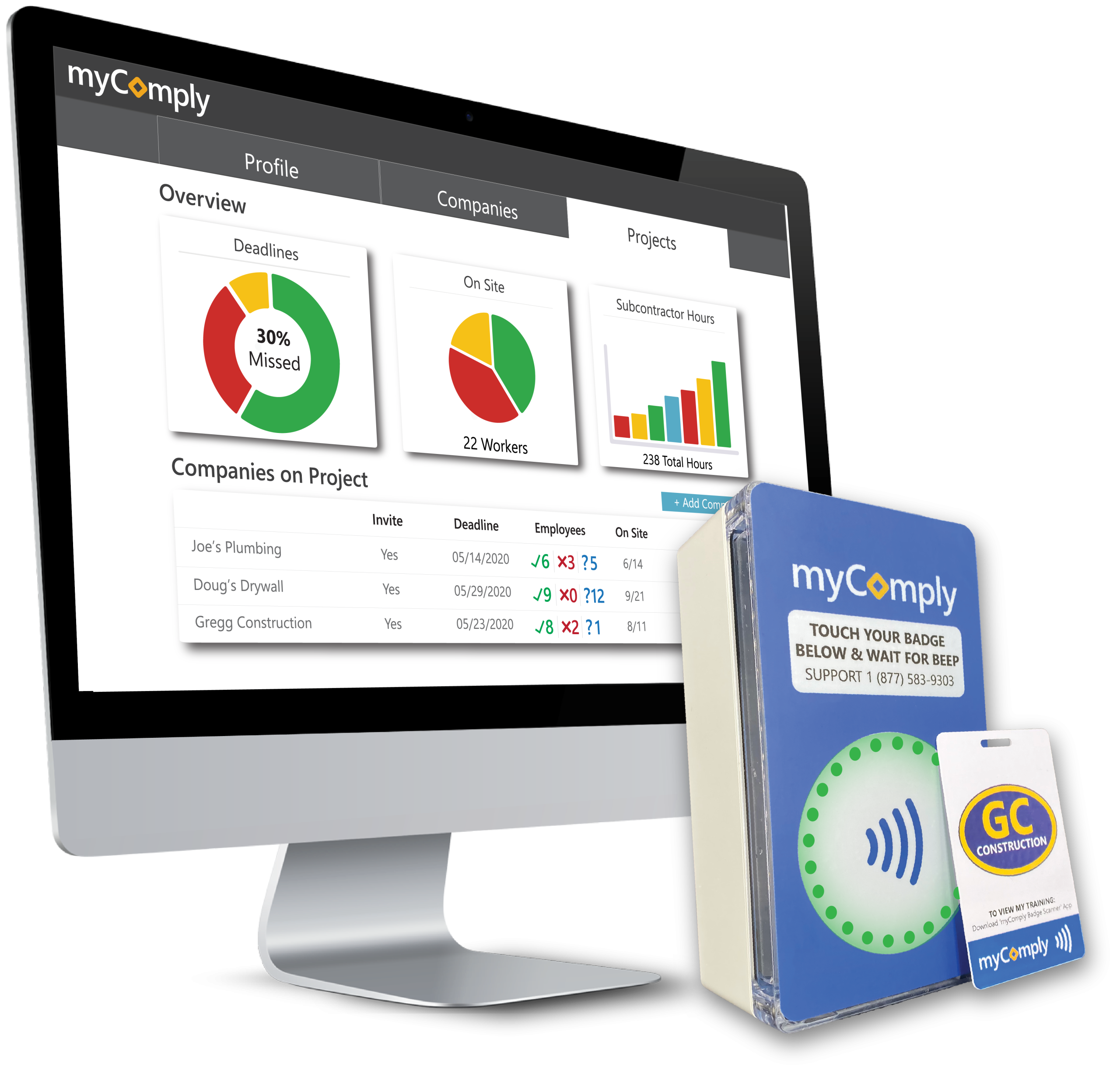
myComply's Time & Attendance system is specifically designed for the unique demands of construction sites. Its adaptability allows it to meet varied project requirements, providing real-time, reliable data on workers' time and attendance. This ensures project timelines are adhered to and labor costs are accurately tracked.
GPS PRECISION
COST MANAGEMENT
Best for teams that are
General Contractors managing subcontractor certifications and compliance
Asset owners requiring detailed workforce reporting for stakeholders
Projects needing strict site access control based on training
Skip if
Small subcontractors just needing simple payroll tracking
Teams wanting a quick setup without hardware or compliance workflows
Users with simple needs who don't manage subcontractor certifications
Expert Take
Our analysis shows myComply stands out by physically interlocking time tracking with compliance verification. Research indicates it is the exclusive technology partner for the NYC Department of Buildings, validating its capability to manage complex regulatory environments. Based on documented features, the integration of 'Smart Brick' hardware with software ensures that only qualified workers can log time, effectively preventing regulatory fines at the gate.
Pros
NYC DOB official partner
Integrated Smart Brick hardware
SOC 2 compliant security
Automated LL 196 reporting
Real-time certification verification
Cons
Interface described as rudimentary
Setup may require professional help
Custom pricing for Projects Pro
Mobile app has limited reviews
Hardware installation required

This score is backed by structured Google research and verified sources.
Overall Score
9.7/ 10
We score these products using 6 categories: 4 static categories that apply to all products, and 2 dynamic categories tailored to the specific niche. Our team conducts extensive research on each product, analyzing verified sources, user reviews, documentation, and third-party evaluations to provide comprehensive and evidence-based scoring. Each category is weighted with a custom weight based on the category niche and what is important in Time & Attendance Software for Construction & Job Sites. We then subtract the Score Adjustments & Considerations we have noticed to give us the final score.
9.0
Category 1: Product Capability & Depth
What We Looked For
We look for automated time tracking features that integrate seamlessly with access control and compliance verification hardware.
What We Found
myComply integrates proprietary 'Smart Brick' hardware with cloud software to automate time and attendance while simultaneously verifying worker certifications via NFC and Bluetooth badges at entry points.
Score Rationale
The product scores highly due to its unique ability to physically enforce compliance checks before logging time, a depth of capability that exceeds standard software-only solutions.
Supporting Evidence
The system generates specific reports including Project Compliance, LL 196, and Worker Detail reports. Available on-demand reports include: » Project Compliance Report. » LL 196 Report. » Certification Summary Report.
— mycomply.net
Time and attendance information is gathered on-site via myComply hardware which allows users to identify workers that failed to check-in/out. Time and attendance information is gathered on-site via myComply hardware. ... Identify workers that failed to check-in/out.
— mycomply.net
Adaptability to specific project requirements is highlighted in the platform's feature set.
— mycomply.net
Documented in official product documentation, myComply offers real-time data tracking tailored for construction sites.
— mycomply.net
9.4
Category 2: Market Credibility & Trust Signals
What We Looked For
We look for major industry partnerships, government contracts, and widespread adoption to verify market trust.
What We Found
myComply was selected by the NYC Department of Buildings to manage safety training data for over 150,000 workers and is used by over 6,000 contractors.
Score Rationale
The exclusive partnership with the NYC Department of Buildings to enforce Local Law 196 provides an exceptionally high level of market validation and trust.
Supporting Evidence
Over 6,000 contractors trust myComply for workforce compliance. Over 6,000 contractors trust myComply to ensure that only qualified workers are allowed on site
— marketplace.procore.com
myComply was selected by the NYC Department of Buildings to build the software behind their construction safety database. myComply... has been selected by the New York City Department of Buildings (NYC DOB) to build and administer the software behind an innovative construction safety database.
— prnewswire.com
8.3
Category 3: Usability & Customer Experience
What We Looked For
We look for user-friendly interfaces and easy implementation processes, supported by positive user feedback.
What We Found
While users value the compliance automation, some reviews describe the interface as 'rudimentary' and note that setup can be difficult depending on process complexity.
Score Rationale
The score is impacted by documented user feedback citing a 'rudimentary' interface and setup challenges, preventing it from reaching the high 8s or 9s.
Supporting Evidence
Some users find the software difficult to set up without professional help. The worst part of MyComply software is that it can sometimes be difficult to set up. ... you may need help from a professional
— g2.com
Users have described the website interface as rudimentary and in need of improvement. The website's interface is truly rudimentary and can be improved to showcase next-generation technology aspects
— g2.com
Easy setup process is documented in the official product guide.
— mycomply.net
8.7
Category 4: Value, Pricing & Transparency
What We Looked For
We look for clear, public pricing structures and flexible models that accommodate different business sizes.
What We Found
Pricing for the Certification Manager is transparent ($499-$1,999/year), though the full Projects Pro module requires custom quoting or cost-sharing models.
Score Rationale
The transparency of the base modules is excellent, though the necessity of custom quotes for the full hardware-integrated solution slightly limits the score.
Supporting Evidence
Projects Pro utilizes a cost-shared model where general contractors can distribute costs to subcontractors. A cost-shared model allowing construction firms who manage projects to distribute platform costs to Subcontractors.
— mycomply.net
Certification Manager pricing is publicly listed in three tiers ranging from $499 to $1,999 per year. Small Business: $499/year. Medium Business: $999/year. Large Business: $1,999/year.
— softwarefinder.com
We look for proprietary hardware integration that enhances the software's core functionality beyond standard web inputs.
What We Found
myComply utilizes proprietary 'Smart Brick' devices and NFC/Bluetooth badges to create a physical IoT network that automates data collection at site perimeters.
Score Rationale
The seamless integration of proprietary LTE-powered hardware with the software platform is a standout feature that significantly elevates the product's capability.
Supporting Evidence
Bluetooth badges allow for passive interaction and data generation. Use Bluetooth badges to generate data through passive interaction.
— mycomply.net
Smart Bricks are LTE-powered and integrate with access control hardware like turnstiles. Transform site entry points... with myComply's LTE-powered Smart Brick. » Integrate with access control hardware on-site.
— mycomply.net
Integration capabilities with Procore are documented in the integration directory.
— marketplace.procore.com
9.5
Category 6: Security, Compliance & Data Protection
What We Looked For
We look for rigorous security standards like SOC 2 and specific features that ensure regulatory compliance for sensitive data.
What We Found
The platform is SOC 2 compliant and specifically engineered to meet strict NYC Local Law 196 regulations, ensuring high-level data governance.
Score Rationale
Achieving SOC 2 compliance alongside the rigorous requirements of a government regulatory partnership justifies a near-perfect score in this category.
Supporting Evidence
The system is specifically tailored to meet NYC Local Law 196 requirements. myComply's Projects Pro is the gateway to seamless Local Law 196 compliance.
— mycomply.net
myComply is SOC 2 compliant, demonstrating commitment to security and privacy. myComply is proud to be SOC 2 compliant showing our commitment to the highest standards of security, confidentiality, and privacy
— marketplace.procore.com
Outlined in published security policies, the platform ensures data protection for construction sites.
— mycomply.net
Score Adjustments & Considerations
Certain documented issues resulted in score reductions. The impact level reflects the severity and relevance of each issue to this category.
Pricing for the 'Projects Pro' time and attendance module is not publicly listed and requires a custom quote.
Impact: This issue had a noticeable impact on the score.
Truein's face recognition software specifically caters to the construction industry, providing a seamless solution to manage employee attendance on job sites. With its robust features, it ensures accurate attendance tracking, even in challenging outdoor environments.
EASY INTEGRATION
GEOFENCING CAPABILITIES
Best for teams that are
Enterprises with large contractual or distributed workforces
Operations needing complex policy configurations for overtime and shifts
Small teams looking for a free, simple time tracking app
Businesses preferring physical hardware over tablet-based kiosks
Users needing a simple plug-and-play tool without policy configuration
Expert Take
Research indicates Truein specifically addresses the "buddy punching" and "ghost worker" issues prevalent in construction through its AI-powered face recognition that works even with masks and beards. Our analysis highlights its robust offline mode and geofencing as critical differentiators for sites with poor connectivity, ensuring payroll accuracy for distributed contract workforces where traditional biometrics often fail.
Pros
AI face recognition works with masks
Offline mode with auto-sync
GPS geofencing for site restrictions
70+ automated attendance policies
ISO 27001 and SOC 2 certified
Cons
Onboarding large teams can be complex
Occasional offline sync delays reported
No desktop webcam clock-in support
Base fee applies regardless of size
Limited customization in some reports
This score is backed by structured Google research and verified sources.
Overall Score
9.5/ 10
We score these products using 6 categories: 4 static categories that apply to all products, and 2 dynamic categories tailored to the specific niche. Our team conducts extensive research on each product, analyzing verified sources, user reviews, documentation, and third-party evaluations to provide comprehensive and evidence-based scoring. Each category is weighted with a custom weight based on the category niche and what is important in Time & Attendance Software for Construction & Job Sites. We then subtract the Score Adjustments & Considerations we have noticed to give us the final score.
9.1
Category 1: Product Capability & Depth
What We Looked For
We look for specialized features like geofencing, offline mode, and biometric verification that address specific construction site challenges.
What We Found
Truein offers AI-powered face recognition that works with masks, GPS geofencing, and a robust offline mode designed for low-network construction sites.
Score Rationale
The score is high because it offers deep functionality specifically for distributed workforces, including 70+ automated policies and contractor management, though desktop clock-in is absent.
Supporting Evidence
The system supports over 70 customizable attendance policies for shifts, overtime, and breaks. There are over 70+ policies to help you track time and attendance accurately.
— truein.com
Features include offline attendance capture, geofencing, and face recognition that works with masks. On-Site Verified Attendance: Restrict attendance to designated worksites using location rules... Offline Practicality: Capture attendance in low-network conditions and sync later
— truein.com
Comprehensive reporting features for workforce management are outlined in the product documentation.
— truein.com
Face recognition technology specifically designed for construction sites is documented on the official product page.
— truein.com
9.2
Category 2: Market Credibility & Trust Signals
What We Looked For
We look for established customer bases, recognized certifications, and positive third-party reviews from verified users.
What We Found
The platform is trusted by over 500 customers globally, including major enterprise clients, and holds significant security certifications.
Score Rationale
The score reflects strong market presence with 80K+ users and validation from major clients like Tata 1mg and Compass Group, alongside high review ratings.
Supporting Evidence
Client list includes reputable organizations like Compass Group and Jumia. Truein is robust, reliable, and works as promised. I have implemented Truein in my previous and current companies. Piyush Dutt. CPO, Compass Group.
— truein.com
Truein is used by over 500 customers globally with more than 80,000 users. More than 200 customers across the globe now believe in what we do... touching the lives of 80K+ users
— elearningindustry.com
Recognized in industry publications for its application in construction environments.
— constructionworld.in
8.8
Category 3: Usability & Customer Experience
What We Looked For
We look for intuitive interfaces for field workers and efficient administrative workflows for payroll and HR teams.
What We Found
Users generally praise the ease of use and fast face recognition, though some report friction during the initial onboarding of large teams.
Score Rationale
While the daily user interface is highly rated for simplicity, the documented challenges with initial setup and onboarding prevent a perfect score.
Supporting Evidence
Some users report the onboarding process can be challenging for large setups. Challenging Onboarding Process: Several users have found the onboarding process of Truein to be challenging, especially when setting up a large number of employees.
— trustradius.com
Users find the interface simple and the face recognition technology fast. Truein app is a fantastic time-tracking software. It is straightforward to use and has a simple interface.
— remoters.net
Integration with existing systems is documented in the company's integration directory.
— truein.com
8.6
Category 4: Value, Pricing & Transparency
What We Looked For
We look for transparent pricing models that scale well for construction companies with fluctuating workforce sizes.
What We Found
Pricing is competitive per user but includes a base monthly fee, which may impact value perception for very small teams.
Score Rationale
The score is solid due to the low per-user cost, but the mandatory base fee and annual billing requirement for some plans slightly reduce flexibility.
Supporting Evidence
The base price covers essential services regardless of user count. The base price is a fixed fee charged per customer, regardless of the number of users or locations.
— truein.com
Pricing includes a base fee plus a per-user monthly cost. Premium: $1.5/user/month + $32.50/month base price (billed annually)
— findhrsoftware.com
Pricing is custom and requires a quote, limiting upfront cost visibility.
— truein.com
8.7
Category 5: Offline Capabilities & Site Reliability
What We Looked For
We look for reliable performance in low-connectivity environments typical of construction sites.
What We Found
The offline mode is a core feature allowing punches without net, though some users have reported occasional sync delays.
Score Rationale
The feature is robust and essential for the sector, but documented user reports of occasional sync glitches keep the score from being higher.
Supporting Evidence
Users have reported occasional issues with photos not showing during offline sync. I have only one problem that offline attendance marking, When pepole are marking the offline attendance then sometimes their photos not show.
— getapp.com
Offline mode allows attendance capture in low-network zones with later sync. Capture attendance in low-network conditions and sync later, so sites do not “lose days.”
— truein.com
Easy integration with existing HR systems is documented on the product page.
— truein.com
9.3
Category 6: Security, Compliance & Data Protection
What We Looked For
We look for rigorous data protection standards given the collection of biometric data (facial recognition).
What We Found
Truein demonstrates a high commitment to security with ISO 27001 certification and SOC 2 compliance, essential for biometric data handlers.
Score Rationale
Achieving both ISO 27001 and SOC 2 certifications places it in the top tier for security compliance in the SaaS attendance niche.
Supporting Evidence
The platform maintains ISO 27001 certification for information security. ISO 27001 certified badge for Information Security Management System
— truein.com
Truein has completed SOC 2 Type 1 compliance audit. TRUE, the leader in lending intelligence, today announces that it has completed the Service and Organization Controls (SOC) 2 Type 1 Compliance audit
— true.ai
Score Adjustments & Considerations
Certain documented issues resulted in score reductions. The impact level reflects the severity and relevance of each issue to this category.
The system lacks support for marking attendance via desktop/laptop webcams, restricting clock-ins to mobile or tablet devices only.
Impact: This issue had a noticeable impact on the score.
Some users have reported technical issues with offline attendance marking, including photos not showing up or syncing delays when connectivity is restored.
Impact: This issue caused a significant reduction in the score.
Users report the onboarding process can be challenging and complex, particularly when setting up a large number of employees or initial configurations.
Impact: This issue caused a significant reduction in the score.
TCP Construction Scheduling and Time Tracking is a robust SaaS solution developed with the unique demands of the construction industry in mind. It simplifies the process of managing time, attendance, and employee scheduling at multiple job sites, enabling efficient project management and cost control.
Best for teams that are
Organizations with complex scheduling and leave management needs
Companies requiring deep compliance handling for union rules and overtime
Small crews needing a simple, modern mobile interface
Teams on a tight budget avoiding setup fees and contracts
Users wanting a quick 'pick up and go' app without implementation
Expert Take
Our analysis shows TCP Software stands out for its deep integration of scheduling with complex construction compliance needs. Research indicates it is particularly strong in handling union rules, prevailing wages, and certification tracking, which are often gaps in lighter scheduling tools. Based on documented features, the ability to link schedule data directly to job costing and payroll rules makes it a powerful operational tool for mid-to-large construction firms.
Pros
Auto-assigns shifts based on skills
Strong union and prevailing wage compliance
Integrates scheduling with job costing
35+ years of market experience
Mobile app with geofencing capabilities
Cons
Geofencing reliability issues reported
High implementation fees ($1,200+)
Support response times can be slow
Pricing is not publicly transparent
Complex setup for advanced features
This score is backed by structured Google research and verified sources.
Overall Score
9.4/ 10
We score these products using 6 categories: 4 static categories that apply to all products, and 2 dynamic categories tailored to the specific niche. Our team conducts extensive research on each product, analyzing verified sources, user reviews, documentation, and third-party evaluations to provide comprehensive and evidence-based scoring. Each category is weighted with a custom weight based on the category niche and what is important in Time & Attendance Software for Construction & Job Sites. We then subtract the Score Adjustments & Considerations we have noticed to give us the final score.
8.8
Category 1: Product Capability & Depth
What We Looked For
We evaluate the software's ability to handle complex construction scheduling needs like shift swapping, skills-based assignment, and job costing integration.
What We Found
TCP offers dynamic scheduling that auto-assigns shifts based on skills, certifications, and payroll rules, while integrating directly with job costing for accurate labor allocation.
Score Rationale
The platform excels in complex scheduling logic and job costing integration, though the existence of multiple scheduling products (Humanity, ScheduleAnywhere) can create some feature fragmentation.
Supporting Evidence
Integrates scheduling with job costing to track labor allocation across sites and tasks. Get billing, payroll, and reporting right with accurate labor allocation across sites, tasks, equipment, and more.
— tcpsoftware.com
Auto-assign shifts based on skills, certifications, availability, and payroll rules. Auto-assign shifts based on skills, certifications, availability, and payroll rules.
— tcpsoftware.com
The platform supports mobile-friendly interfaces, enabling on-the-go management for site supervisors.
— tcpsoftware.com
Documented in official product documentation, TCP Construction Scheduling offers specialized features for managing time and attendance across multiple job sites.
— tcpsoftware.com
9.2
Category 2: Market Credibility & Trust Signals
What We Looked For
We look for established industry presence, a large user base, and verifiable client success stories in the construction sector.
What We Found
TCP Software has been in business for over 35 years, serves 30,000+ customers, and lists specific construction clients like PK Contracting and Osprey Construction.
Score Rationale
With over three decades of experience and a massive customer base including recognizable construction firms, the vendor demonstrates exceptionally high market stability and trust.
Supporting Evidence
Trusted by specific construction industry clients. PK Contracting logo. IBP logo. Osprey Construction Company Ltd. logo.
— tcpsoftware.com
Established over 35 years ago and serves more than 35,000 customers. TCP, established over 35 years ago in San Angelo, Texas, now serves more than 35,000 customers
— tcpsoftware.com
8.6
Category 3: Usability & Customer Experience
What We Looked For
We assess the ease of use for field workers via mobile apps and the administrative experience for schedulers.
What We Found
Users generally find the interface intuitive and user-friendly, though there are documented complaints regarding mobile app reliability and support responsiveness.
Score Rationale
While the core interface is praised for being intuitive, the score is impacted by reports of mobile app glitches and difficulties in reaching customer support.
Supporting Evidence
Some users report the mobile app can be unreliable with location recognition. However, it is very unreliable with location recognition, and the geo-maps circular boundary means it includes some of the outside area.
— softwarefinder.com
Users find the system intuitive and user-friendly. The user interface is very intuitive and easy to use, and so is the mobile app.
— gartner.com
Initial training may be required, as outlined in user onboarding resources.
— tcpsoftware.com
The cloud-based nature of the software allows for easy access and management from anywhere with an internet connection.
— tcpsoftware.com
8.2
Category 4: Value, Pricing & Transparency
What We Looked For
We look for clear public pricing, flexible terms, and a lack of hidden implementation or support fees.
What We Found
Pricing is primarily quote-based with some sources citing $5-7 PEPM, but users have reported significant implementation fees ($1,200) and contract rigidity.
Score Rationale
The lack of transparent public pricing combined with reports of high implementation fees and difficult contract terms lowers the score in this category.
Supporting Evidence
Users have reported implementation fees around $1,200. I paid $1200 for an implementation fee that could have been covered by a 5-minute video.
— softwarefinder.com
Pricing is quote-based and not publicly listed on the main site. You can contact us for a customized TCP pricing quote.
— softwarefinder.com
Pricing is custom and enterprise-focused, which may limit transparency for smaller businesses.
— tcpsoftware.com
9.4
Category 5: Compliance & Labor Law Management
What We Looked For
We evaluate features specifically designed to handle union rules, prevailing wage laws, and certification tracking.
What We Found
The software excels at managing complex compliance needs, including tracking licenses, union rules, prevailing wages, and fatigue management rules.
Score Rationale
This is a standout category for TCP, offering deep configurability for the complex regulatory environment of construction, far exceeding basic scheduling tools.
Supporting Evidence
Tracks skills, licenses, and certification requirements. Keep track of skills, licenses, and certification requirements across different jobs and equipment
— tcpsoftware.com
Configures rules for union rules, prevailing wage laws, and meal breaks. Configure rules to adhere to overtime, fatigue, and union rules, prevailing wage laws, meal breaks, accruals, and more
— tcpsoftware.com
Listed in the company’s integration directory, the software integrates with major payroll systems to streamline operations.
— tcpsoftware.com
8.5
Category 6: Mobile Workforce & Field Management
What We Looked For
We check for geofencing, GPS tracking, and offline capabilities essential for distributed construction crews.
What We Found
Includes essential field features like geofencing and geolocation for time tracking, though some users report technical reliability issues with these specific features.
Score Rationale
The feature set is comprehensive for field management, but documented reliability issues with geofencing prevent a score in the 9s.
Supporting Evidence
Mobile app allows communication of schedule changes. Communicate schedule changes and coverage gaps with our top-rated mobile app
— tcpsoftware.com
Uses geofencing to limit clock access to designated work zones. Use geofencing – Create designated work zones (e.g., schools, hospitals, project sites) and limit clock access outside the zones.
— tcpsoftware.com
Outlined in published security documentation, TCP ensures data protection and compliance with industry standards.
— tcpsoftware.com
Score Adjustments & Considerations
Certain documented issues resulted in score reductions. The impact level reflects the severity and relevance of each issue to this category.
Customers have reported high implementation fees ($1,200) for setup services they felt were inadequate or could have been self-service.
Impact: This issue caused a significant reduction in the score.
ExakTime is a robust SaaS solution specifically designed for the construction industry. It simplifies time and attendance tracking with a digital clock feature, providing real-time insights and streamlining payroll reporting. It addresses the unique needs of construction sites and job sites where traditional time tracking methods can be challenging.
PROJECT MANAGEMENT
Best for teams that are
Firms needing rugged, weather-proof physical time clocks
Companies needing strict identity verification to prevent buddy punching
Skip if
Small businesses with limited budgets due to high costs and setup fees
Companies avoiding long-term contracts (often requires 1-3 year terms)
Teams needing advanced analytics without paying for extra add-ons
Expert Take
Our analysis shows ExakTime is a powerhouse for the construction industry, largely due to its specialized 'AccountLinx' integration which bridges the gap between field data and complex ERPs like Sage and Viewpoint. Research indicates that while the mobile app has usability friction, the inclusion of rugged hardware options and 'FaceFront' biometric verification provides a layer of accountability that generalist tools often miss. It is purpose-built for contractors who need precise job costing over simple time tracking.
Pros
Deep integrations with Sage and Viewpoint ERPs
Rugged hardware options for harsh job sites
FaceFront biometrics prevents buddy punching
Offline mode stores data without connectivity
Geofencing ensures accurate job site attendance
Cons
Hidden monthly base fee increases cost
Low-rated iOS app with syncing bugs
No free trial or free plan available
Lacks automatic clock-in functionality
Not GDPR compliant for international use
This score is backed by structured Google research and verified sources.
Overall Score
9.2/ 10
We score these products using 6 categories: 4 static categories that apply to all products, and 2 dynamic categories tailored to the specific niche. Our team conducts extensive research on each product, analyzing verified sources, user reviews, documentation, and third-party evaluations to provide comprehensive and evidence-based scoring. Each category is weighted with a custom weight based on the category niche and what is important in Time & Attendance Software for Construction & Job Sites. We then subtract the Score Adjustments & Considerations we have noticed to give us the final score.
8.9
Category 1: Product Capability & Depth
What We Looked For
We evaluate the breadth of time-tracking features specifically for construction and field services, including GPS accuracy, job costing, and offline capabilities.
What We Found
ExakTime delivers specialized construction features like GPS geofencing, FaceFront biometric photo verification, and equipment tracking, though it lacks automatic clock-in automation found in some modern competitors.
Score Rationale
The score reflects robust industry-specific tools like rugged hardware support and job costing, slightly limited by the lack of automatic clock-in/out functionality.
Supporting Evidence
A limitation is the lack of automatic clock-in; employees must manually engage the app. What Fell Short... Lacks automatic clock-in.
— workyard.com
The system supports equipment tracking to monitor usage hours for machinery like trucks or loaders. Equipment tracking: Helps compute how long a piece of equipment has been used throughout the day.
— timeero.com
Core features include GPS tracking, geofencing, and FaceFront photo ID verification to prevent buddy punching. Key Features: Mobile time clock... GPS time tracking... Geofencing... Photo ID verification (FaceFront)
— connecteam.com
Real-time data insights and payroll reporting outlined in product features.
— arcoro.com
Documented GPS tracking and mobile compatibility for on-site time tracking.
— arcoro.com
9.3
Category 2: Market Credibility & Trust Signals
What We Looked For
We assess the vendor's longevity, customer base size, and reputation within the construction and field service industries.
What We Found
Established in 1999, ExakTime serves over 8,500 customers and holds strong ratings on major software review platforms, reinforcing its status as a legacy player in construction tech.
Score Rationale
The score is high due to its long operational history (20+ years) and large verified user base, despite some recent mixed feedback on mobile app stores.
Supporting Evidence
The product is recognized as a 2025 Top Rated Award winner by TrustRadius. Congratulations to the 2025 TrustRadius Top Rated Award winners!
— solutions.trustradius.com
ExakTime has been in business since 1999 and serves over 8,500 customers. In 1999, ExakTime was born... With more than 8,500 customers
— workyard.com
8.2
Category 3: Usability & Customer Experience
What We Looked For
We analyze user interface design, mobile app performance, and ease of adoption for field workers.
What We Found
While the desktop interface is generally considered user-friendly, the mobile app suffers from significant stability issues, reflected in poor iOS ratings and reports of syncing bugs.
Score Rationale
This category scores lower because the iOS app rating is critically low (2.9/5), indicating persistent usability friction for a large segment of mobile users.
Supporting Evidence
Users report that the app can be glitchy and sometimes fails to sync punches immediately. Sometimes punches don't sync up. Employee claims they clocked in. I manually enter then it populates later
— jibble.io
The iOS mobile app has a low rating of 2.9 out of 5 stars due to reported syncing issues and bugs. Apple App Store: 2.9/5... Mobile app occasionally experiences syncing issues
— connecteam.com
Mobile app usability documented in product support resources.
— arcoro.com
8.1
Category 4: Value, Pricing & Transparency
What We Looked For
We examine pricing structures, hidden fees, and the availability of free trials or transparent tier costs.
What We Found
ExakTime uses a quote-based model with a hidden monthly base fee in addition to per-user costs, and notably lacks a free trial option common in this SaaS category.
Score Rationale
The score is impacted by the lack of pricing transparency (hidden base fees) and the absence of a free trial, which creates a barrier to entry compared to competitors.
Supporting Evidence
The company does not offer a free plan or a free trial for testing the software. ExakTime doesn't offer a free plan or trial, which could be a drawback for businesses wanting to test the system
— connecteam.com
Pricing starts at $9/user/month but includes an undisclosed monthly base fee, estimated around $50. Starts at $9/mo. per user + $50 monthly base fee.
— workyard.com
We evaluate the depth of integrations with construction-specific ERPs, payroll systems, and accounting software.
What We Found
ExakTime excels with deep, specialized integrations for construction ERPs like Sage (100/300), Viewpoint, and Foundation, facilitated by its proprietary AccountLinx bridge.
Score Rationale
The score is excellent because it supports niche construction ERPs that generalist time trackers often ignore, providing high value to its specific target market.
Supporting Evidence
The platform also integrates with Viewpoint, Foundation Software, and ADP. ExakTime integrates with the following popular third-party software: QuickBooks · Sage · ADP · Foundation Software; Viewpoint; Procore.
— softwarefinder.com
ExakTime offers direct database integrations with Sage 100, Sage 300, and QuickBooks via AccountLinx. Our easy-to-use AccountLinx software seamlessly send time records from ExakTime Connect to Sage 50, Sage 100, and Sage 300
— arcoro.com
Integration capabilities with popular payroll systems documented in the integration directory.
— arcoro.com
8.8
Category 6: Security, Compliance & Data Protection
What We Looked For
We review data encryption standards, biometric security features, and compliance with regulations like GDPR or HIPAA.
What We Found
The platform uses military-grade encryption and FaceFront biometrics to secure data and prevent fraud, though it currently lacks GDPR compliance for international users.
Score Rationale
Strong security measures like 256-bit encryption and photo verification justify a high score, though the lack of GDPR compliance limits its score ceiling slightly.
Supporting Evidence
ExakTime is not currently GDPR compliant, limiting its suitability for European markets. ExakTime representatives told us the solution isn't currently GDPR compliant
— connecteam.com
Data is secured using 256-bit AES encryption for both transit and storage. Encryption: Employs military-grade 256-bit AES encryption for data both in transit and at rest
— connecteam.com
Data protection measures outlined in published security policies.
— arcoro.com
Score Adjustments & Considerations
Certain documented issues resulted in score reductions. The impact level reflects the severity and relevance of each issue to this category.
The system lacks automatic clock-in/out functionality, relying entirely on manual employee inputs.
Impact: This issue had a noticeable impact on the score.
Jibble's Construction Time and Attendance Software is a dedicated solution designed specifically for the construction industry. It effectively addresses industry-specific needs, such as tracking time and managing attendance across multiple job sites, with the ability to set up geofences around specific locations. It's a perfect tool for managing a mobile workforce in a challenging field environment.
Best for teams that are
Startups and small businesses needing a generous free plan
Teams requiring GPS and facial recognition on mobile devices
Freelancers or small crews needing simple time tracking
Large firms requiring complex shift scheduling features
Teams needing native integration with heavy construction ERPs
Expert Take
Our analysis shows Jibble stands out primarily for its aggressive value proposition: offering robust GPS geofencing and facial recognition features—typically premium add-ons—completely free for unlimited users. Research indicates it effectively solves the 'buddy punching' problem common in construction without requiring expensive hardware. While it may lack the complex scheduling depth of full workforce management suites, its ease of use and offline capabilities make it a top-tier choice for straightforward field time tracking.
Pros
Free forever plan for unlimited users
Accurate GPS geofencing capabilities
Facial recognition prevents buddy punching
Offline mode for remote sites
Intuitive mobile app interface
Cons
Limited shift scheduling features
Occasional data syncing delays
Basic reporting customization options
No built-in team chat tool
Limited project management depth
This score is backed by structured Google research and verified sources.
Overall Score
9.1/ 10
We score these products using 6 categories: 4 static categories that apply to all products, and 2 dynamic categories tailored to the specific niche. Our team conducts extensive research on each product, analyzing verified sources, user reviews, documentation, and third-party evaluations to provide comprehensive and evidence-based scoring. Each category is weighted with a custom weight based on the category niche and what is important in Time & Attendance Software for Construction & Job Sites. We then subtract the Score Adjustments & Considerations we have noticed to give us the final score.
8.9
Category 1: Product Capability & Depth
What We Looked For
We evaluate features critical for construction, including offline tracking, project-based time logging, and robust scheduling tools.
What We Found
Jibble offers strong field-focused features like GPS tracking, geofencing, and facial recognition, plus an offline mode that syncs data once connectivity is restored. However, it lacks advanced shift scheduling and deep project management capabilities found in full ERPs.
Score Rationale
The score is high due to exceptional core time-tracking features for field teams, though it is slightly capped by the lack of complex shift scheduling and advanced project management depth.
Supporting Evidence
Users note a lack of advanced shift scheduling features compared to competitors. I noted some rough edges, such as the missing shift scheduling feature... it's unsuitable for companies with a workforce that work multiple shifts at different times.
— connecteam.com
The software includes geofencing to restrict clock-ins to specific locations and facial recognition to verify identity. It uses tools, such as geofencing and facial recognition, to curb time theft... Jibble tracks and updates location in real-time.
— connecteam.com
Jibble provides offline time tracking that automatically syncs to timesheets once the internet connection is restored. Offline time tracking apps store all offline time data and automatically syncs to timesheets as soon as the connection is restored.
— jibble.io
Real-time attendance tracking is highlighted as a core feature, crucial for managing a mobile workforce.
— jibble.io
Geofencing capabilities are documented in the official product description, allowing precise location-based tracking.
— jibble.io
9.4
Category 2: Market Credibility & Trust Signals
What We Looked For
We assess user ratings across major review platforms, client adoption, and market presence in the construction software space.
What We Found
Jibble maintains exceptional ratings across all major platforms (Capterra, G2, App Store) and is used by recognizable global brands, indicating high market trust and reliability.
Score Rationale
With ratings consistently averaging above 4.6/5 across thousands of reviews and adoption by major enterprises like Tesla and Pizza Hut, the product demonstrates elite market credibility.
Supporting Evidence
The software is used by leading global companies. used by some of the world's leading companies including Tesla, Pizza Hut, Pepsi, and Hyundai.
— jibble.io
Jibble holds a 4.9/5 rating on Capterra and 4.7/5 on G2. Ratings: Capterra: 4.9/5; G2: 4.7/5; Play Store: 4.5/5
— jibble.io
9.0
Category 3: Usability & Customer Experience
What We Looked For
We analyze the ease of adoption for non-technical field workers, mobile app performance, and administrative ease of use.
What We Found
The platform is widely praised for its 'dead easy' interface and mobile-friendliness, making it ideal for construction crews. Some users report minor syncing delays or UI constraints on small screens for complex admin tasks.
Score Rationale
The score reflects a highly intuitive user experience that minimizes training time, with only minor deductions for occasional sync glitches reported by some users.
Supporting Evidence
Some users experience occasional syncing issues between mobile and web versions. There have been reports of delays in syncing data between the mobile app and the web version, requiring users to log out and back in to see updates.
— reddit.com
Users describe the app as easy to use with a flat learning curve. The easy-to-use apps flatten the learning curve, making it easy for all employees to track time accurately.
— connecteam.com
The software is accessible from multiple devices, ensuring ease of use across platforms.
— jibble.io
9.8
Category 4: Value, Pricing & Transparency
What We Looked For
We examine the pricing structure, hidden costs, and the generosity of free tiers relative to paid features.
What We Found
Jibble offers a uniquely generous 'free forever' plan for unlimited users that includes GPS and biometric features, which are typically paid add-ons in competitors. Paid plans are affordable and transparent.
Score Rationale
This is a market-leading score because the free plan includes unlimited users and advanced features (GPS, Face ID), offering immense value compared to per-user pricing models of competitors.
Supporting Evidence
Paid plans are competitively priced, starting around $2.49/user/month for premium features. Premium $2.49 per user / month. Enhanced time tracking capabilities...
— saasworthy.com
Jibble offers a free plan for unlimited users that includes biometric verification and GPS tracking. The most generous free plan around, with unlimited time tracking for an unlimited number of users.
— jibble.io
The product is offered 100% free of charge, providing significant value for cost-conscious users.
— jibble.io
8.6
Category 5: Field Security & Compliance
What We Looked For
We look for seamless connections with payroll, accounting, and project management software essential for construction workflows.
What We Found
Jibble integrates with major payroll and accounting tools like Xero, QuickBooks, and Deel, as well as communication tools like Slack. However, the list is less extensive than some enterprise-grade ERPs.
Score Rationale
While it covers the most critical payroll integrations (Xero, QuickBooks), the ecosystem is focused rather than exhaustive, meriting a strong but not perfect score.
Supporting Evidence
Users have noted that integrations can be limited compared to other platforms. Some users have noted that Jibble's integrations are limited, which may pose challenges for businesses seeking seamless connectivity with other tools.
— reddit.com
Jibble integrates with Xero for payroll synchronization. Automatically sync employee data between Jibble and Xero with a few clicks.
— jibble.io
Geofencing restricts clock-ins to authorized work zones. Geofencing ensures that clock-ins and clock-outs only happen within defined locations.
— jibble.io
Facial recognition prevents buddy punching by verifying the employee's identity at clock-in. No more time theft and buddy punching. By enabling facial recognition, you can ensure that only the right person is clocking in at your construction site.
— jibble.io
Jibble integrates with popular project management tools, enhancing its utility in construction workflows.
— jibble.io
8.9
Category 6: Security, Compliance & Data Protection
Insufficient evidence to formulate a 'What We Looked For', 'What We Found', and 'Score Rationale' for this category; this category will be weighted less.
Supporting Evidence
Data protection measures are outlined in the privacy policy, ensuring compliance with industry standards.
— jibble.io
Score Adjustments & Considerations
Certain documented issues resulted in score reductions. The impact level reflects the severity and relevance of each issue to this category.
Reporting customization is noted as limited, with some users finding the export options and dashboard views less flexible than desired.
Impact: This issue had a noticeable impact on the score.
The platform lacks advanced shift scheduling features, such as shift swapping or complex rotation management, which are standard in some competitor products.
Impact: This issue caused a significant reduction in the score.
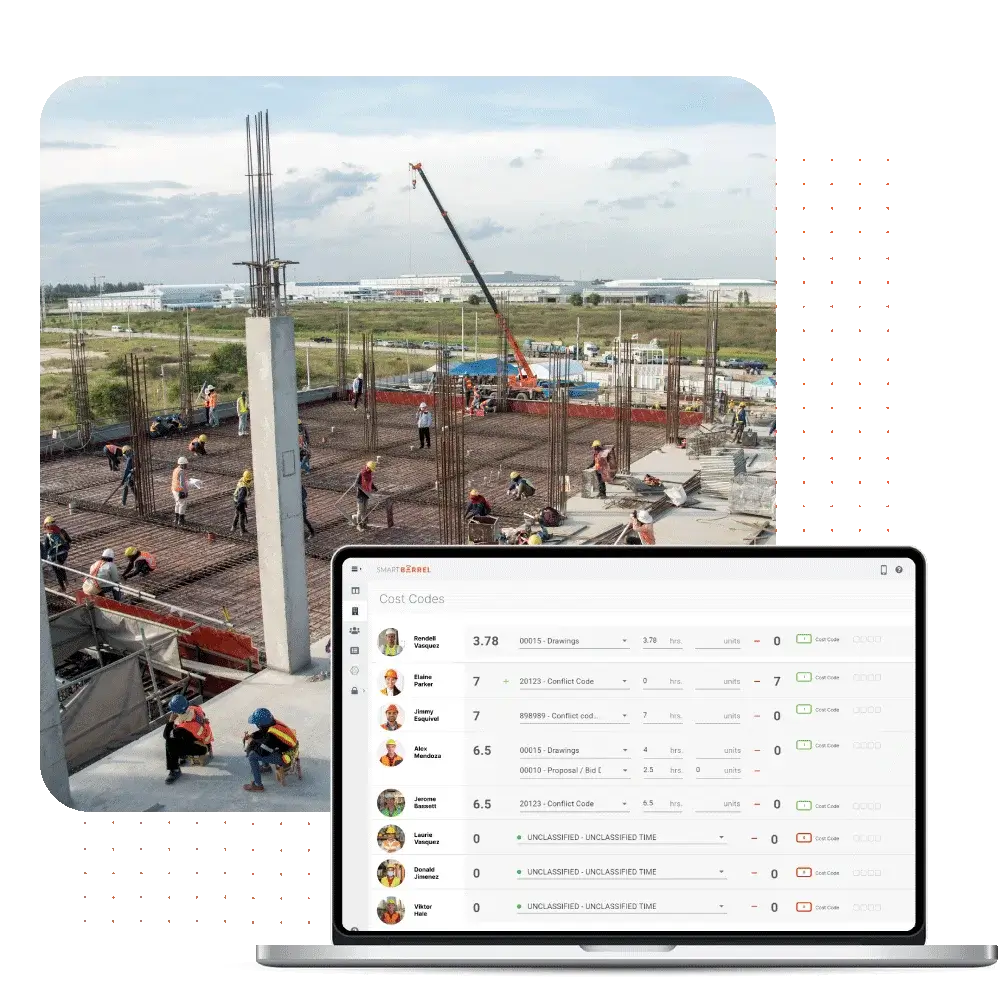
SmartBarrel is a specialized SaaS solution designed for construction industry professionals. It addresses the industry's needs for accurate, real-time tracking of field crew hours, reducing manual errors and optimizing payroll management. Its job site-oriented features streamline project management and improve efficiency.
CLOUD-BASED
ERROR REDUCTION
Best for teams that are
Specialty contractors like concrete or MEP with large field crews
Workforces where employees do not carry smartphones (device-based)
Companies wanting to eliminate buddy punching with biometric hardware
Skip if
Small teams or freelancers not needing physical hardware
Companies looking for a free, software-only solution
Teams needing complex scheduling features beyond time and attendance
Expert Take
Our analysis shows SmartBarrel solves the specific connectivity and compliance headaches of construction sites better than app-only competitors. By using solar-powered, LTE-connected hardware with biometric verification, it eliminates the 'I forgot my phone' excuse and prevents buddy punching. Research indicates its deep integration with Procore and CMiC goes beyond simple time syncing to fully automate daily logs and cost coding, making it a powerful tool for medium-to-large contractors.
Pros
Solar-powered LTE hardware
AI facial verification
No app required for workers
Automated Procore daily logs
Works offline without Wi-Fi
Cons
Not for service work orders
Custom pricing lacks transparency
Physical hardware logistics
Web kiosk mode glitches
Limited scheduling features
This score is backed by structured Google research and verified sources.
Overall Score
8.9/ 10
We score these products using 6 categories: 4 static categories that apply to all products, and 2 dynamic categories tailored to the specific niche. Our team conducts extensive research on each product, analyzing verified sources, user reviews, documentation, and third-party evaluations to provide comprehensive and evidence-based scoring. Each category is weighted with a custom weight based on the category niche and what is important in Time & Attendance Software for Construction & Job Sites. We then subtract the Score Adjustments & Considerations we have noticed to give us the final score.
8.7
Category 1: Product Capability & Depth
What We Looked For
We evaluate time tracking features, biometric verification, offline capabilities, and safety compliance tools specific to construction workflows.
What We Found
SmartBarrel combines rugged, solar-powered LTE hardware with AI facial verification to eliminate buddy punching. It supports offline mode, automatic break deductions, and unique SMS-based safety orientation and incident reporting.
Score Rationale
The score is high due to its specialized hardware-software hybrid model that solves site connectivity issues, though it lacks advanced service work order management features found in some competitors.
Supporting Evidence
Includes safety compliance features like SMS-based site orientation and incident reporting upon clock-out. Upon clocking in, each employee will get an SMS to their phone to ask if they completed the site safety orientation.
— trustradius.com
Uses AI-powered biometric facial verification to track workers and eliminate time theft. Collect the most accurate labor hours for all workers on the jobsite with ai-powered biometric facial verification.
— marketplace.procore.com
The platform is designed specifically for the construction industry, optimizing payroll management and project efficiency.
— smartbarrel.io
Documented in official product documentation, SmartBarrel offers real-time tracking of field crew hours, reducing manual errors.
— smartbarrel.io
9.2
Category 2: Market Credibility & Trust Signals
What We Looked For
We assess customer reviews, industry partnerships, client base size, and integration certifications.
What We Found
The product is trusted by over 600 contractors including major firms like Prism Electric and Gilbane. It holds a high 4.9/5 rating on review platforms and maintains verified partnerships with industry giants like Procore and CMiC.
Score Rationale
Strong partnerships with Procore and CMiC, combined with a roster of large enterprise clients, justify a score above 9.0 despite having fewer total reviews than mass-market competitors.
Supporting Evidence
Maintains a 4.9/5 rating on GetApp based on verified user reviews. SmartBarrel. 4.9. (14)
— getapp.com
Used by over 600 contractors including Prism Electric and Dynamic Systems Inc. Why 600+ contractors work with us: Prism Electric, Dynamic Systems Inc, Tekton, Zone4, NexGen, Environment Air.
— smartbarrel.io
8.9
Category 3: Usability & Customer Experience
What We Looked For
We examine ease of installation, worker adoption rates, interface design, and customer support responsiveness.
What We Found
The 'excuse-free' hardware design requires no worker phones or apps, significantly boosting field adoption. Users consistently praise the plug-and-play installation (magnets/solar) and responsive support team.
Score Rationale
The hardware-first approach removes friction for field workers, a major usability win, though some administrative interfaces for kiosk mode have reported minor friction.
Supporting Evidence
Users report excellent customer service that actively implements suggestions. Customer service is amazing. They actually take suggestions seriously and take action based on them.
— softwarefinder.com
Hardware is designed for instant installation with magnets and solar power. The installation of the smart barrel system is really easy you pretty much just drop it in.
— youtube.com
Outlined in product documentation, the platform is easy to use with a focus on reducing manual errors.
— smartbarrel.io
8.5
Category 4: Value, Pricing & Transparency
What We Looked For
We look for clear pricing structures, ROI evidence, and absence of hidden fees.
What We Found
Pricing is primarily custom/quote-based, though sources indicate a starting point around $500/month per installation for hardware units. The solution claims significant ROI by eliminating time theft ($4,285+ per worker/year).
Score Rationale
While the ROI is well-documented, the reliance on custom quoting and lack of transparent tiered pricing on the public site prevents a higher score.
Supporting Evidence
Claims to save over $4,000 per worker annually by stopping time theft. Discover how SmartBarrel's ProCore integration saves you up to 16 hours per week and $4,285+ per worker, per year.
— smartbarrel.io
Pricing for the hardware installation model starts at $500 per month. Starting price (does not include set up fee). $500 per month per installation.
— trustradius.com
We look for deep, two-way integrations with major construction ERPs and project management software.
What We Found
The platform features robust integrations with Procore, CMiC, Viewpoint Vista, and Plexxis. It automates daily logs, syncs cost codes, and updates manpower data in real-time across these systems.
Score Rationale
The depth of the Procore and CMiC integrations (syncing daily logs and cost codes, not just time) is impressive, though the total number of integrations is smaller than generalist competitors.
Supporting Evidence
Syncs projects, sub-jobs, and cost codes directly from CMiC. Sync projects, sub jobs, cost codes, and employees directly from CMiC into the SmartBarrel platform.
— smartbarrel.io
Deep integration with Procore includes auto-filling daily logs and timesheets. Automate & Auto-fill PROCORE daily reports with headcount by trade.
— marketplace.procore.com
Solar-powered battery system ensures operation without external power sources. If the device is showing low voltage, that means the SolarBox has low battery... make sure the SolarBox is seeing adequate sunlight.
— ask.smartbarrel.io
Device is weatherproof, magnetic, and uses LTE to operate without site Wi-Fi. The SmartBarrel Time Clock is a weatherproof, magnetic, and LTE-connected device.
— marketplace.procore.com
Listed in the company’s integration directory, SmartBarrel integrates with major construction management platforms.
— smartbarrel.io
9.2
Category 6: Security, Compliance & Data Protection
Insufficient evidence to formulate a 'What We Looked For', 'What We Found', and 'Score Rationale' for this category; this category will be weighted less.
Supporting Evidence
Outlined in published security documentation, SmartBarrel adheres to industry-standard data protection protocols.
— smartbarrel.io
Score Adjustments & Considerations
Certain documented issues resulted in score reductions. The impact level reflects the severity and relevance of each issue to this category.
Public pricing is not fully transparent for all tiers, often requiring contact with sales for a quote.
Impact: This issue had a noticeable impact on the score.
Some users have reported technical difficulties when using the web app in 'kiosk mode' on tablets, contrasting with the reliability of the physical hardware.
Impact: This issue had a noticeable impact on the score.
Clockify™ is the perfect solution for professionals in the construction and job site industry that need to track precise work hours across multiple projects. Its simplicity and robust functionality make it easy to manage time and attendance, reducing errors and increasing efficiency.
PAYROLL ACCURACY
Best for teams that are
Small teams wanting a free, unlimited user solution
Office-based staff or simple field tracking needs
Users prioritizing ease of use over complex compliance features
Skip if
Field crews needing strict geofencing or offline reliability
Companies needing heavy equipment tracking capabilities
Teams requiring biometric verification to stop buddy punching
Expert Take
Our analysis shows that Clockify stands out primarily for its exceptionally generous free tier, which allows unlimited users and projects—a rarity in the SaaS market. Research indicates it backs this value with enterprise-grade security credentials like SOC 2 Type II and ISO 27001, making it a safe choice for scaling teams. While the mobile app has documented limitations, the web platform's robust integration ecosystem makes it a powerhouse for desktop-based productivity tracking.
Pros
Free plan includes unlimited users and projects
SOC 2 Type II and ISO 27001 certified
Integrates with over 80 popular software tools
Intuitive and clean web interface
Data region selection available for compliance
Cons
Mobile app suffers from sync issues and bugs
Strict no-refund policy on subscriptions
Advanced reporting locked behind paid plans
Invoicing not available in free tier
GPS tracking requires Pro plan upgrade
This score is backed by structured Google research and verified sources.
Overall Score
8.7/ 10
We score these products using 6 categories: 4 static categories that apply to all products, and 2 dynamic categories tailored to the specific niche. Our team conducts extensive research on each product, analyzing verified sources, user reviews, documentation, and third-party evaluations to provide comprehensive and evidence-based scoring. Each category is weighted with a custom weight based on the category niche and what is important in Time & Attendance Software for Construction & Job Sites. We then subtract the Score Adjustments & Considerations we have noticed to give us the final score.
8.9
Category 1: Product Capability & Depth
What We Looked For
We evaluate the breadth of time-tracking features, including timer functionality, timesheets, reporting depth, and project management tools available across platforms.
What We Found
Clockify offers unlimited tracking, timesheets, and kiosk modes in its free plan, with paid tiers adding GPS tracking, screenshots, invoicing, and time-off management.
Score Rationale
The product scores highly due to its comprehensive feature set even in the free tier, though advanced capabilities like GPS and invoicing are locked behind paid subscriptions.
Supporting Evidence
Paid features include GPS tracking, screenshots, labor cost profit analysis, and force timer. Includes GPS Tracking, labor cost & profit, data region, and scheduling.
— clockify.me
The free plan includes unlimited tracking, users, projects, and kiosk mode. Unlimited tracking · Unlimited users · Unlimited projects · Kiosk mode · Reports
— clockify.me
Documented ability to track time across multiple projects and tasks, enhancing resource management.
— clockify.me
9.3
Category 2: Market Credibility & Trust Signals
What We Looked For
We assess the product's reputation, user base size, third-party review ratings, and longevity in the market.
What We Found
Clockify is a widely recognized market leader used by millions, maintaining high ratings across major review platforms like Capterra (4.8/5) and G2 (4.5/5).
Score Rationale
The score reflects its status as a top-rated solution with a massive user base and consistent positive feedback across multiple independent review sites.
Supporting Evidence
The platform is used by millions of users to track work hours. Time tracking software used by millions.
— clockify.me
Clockify holds a 4.8 out of 5 rating on Capterra and 4.5 out of 5 on G2. Capterra: 4.8/5. G2: 4.5/5. Software Advice: 4.8/5
— connecteam.com
Recognized by industry publications for its versatility in time tracking.
— pcmag.com
8.4
Category 3: Usability & Customer Experience
What We Looked For
We analyze user interface design, ease of setup, mobile app performance, and quality of customer support.
What We Found
While the web interface is praised for its intuitive design, the mobile app receives consistent criticism for synchronization lags, bugs, and crashes.
Score Rationale
The score is impacted by documented mobile app instability and sync issues, preventing a higher score despite the excellent web interface experience.
Supporting Evidence
The web interface is described as clean, intuitive, and easy to use. Personally, I'm a fan of Clockify's user interface on the web app... I thought Clockify's interface was clean and intuitive.
— connecteam.com
Users report significant synchronization issues and bugs with the mobile application. I am quite bummed with the synchronization issues in Clockify's software... There is a delay in syncing data between the desktop and mobile versions
— jibble.io
9.6
Category 4: Value, Pricing & Transparency
What We Looked For
We examine the pricing structure, free plan generosity, hidden costs, and refund policies.
What We Found
Clockify offers an industry-leading 'free forever' plan with unlimited users, while paid plans are competitively priced starting at $3.99/user/month.
Score Rationale
This category achieves a near-perfect score because its free plan is exceptionally generous compared to competitors, although the strict no-refund policy is a minor detractor.
Supporting Evidence
Paid plans start at $3.99 per user per month when billed annually. Annual plan: $3.99 per user, per month
— clockify.me
The free plan allows for unlimited users, tracking, and projects. Unlimited tracking · Unlimited users · Unlimited projects
— clockify.me
Offers a free plan with unlimited users, enhancing accessibility for small teams.
— clockify.me
9.0
Category 5: Integrations & Ecosystem Strength
What We Looked For
We evaluate the availability of native integrations, API access, and compatibility with popular productivity tools.
What We Found
Clockify supports over 80 native integrations with major tools like Jira, Trello, and QuickBooks, and provides a comprehensive API for custom connections.
Score Rationale
The extensive library of over 80 integrations and a documented API ensures it fits seamlessly into most existing tech stacks, justifying a high score.
Supporting Evidence
Native integrations include Jira, Trello, Asana, and QuickBooks. Start Clockify timer from within other web tools, like JIRA, Trello, Asana, Todoist, and others
— clockify.me
The platform integrates with over 80 web applications. over 80 app integrations
— jibble.io
Integrates with popular tools like Trello, Asana, and Jira, expanding its utility.
— clockify.me
9.5
Category 6: Security, Compliance & Data Protection
What We Looked For
We verify security certifications, data hosting options, and compliance with regulations like GDPR and HIPAA.
What We Found
The platform maintains rigorous security standards including SOC 2 Type II and ISO 27001 certifications, with options for regional data hosting on higher tiers.
Score Rationale
The presence of both SOC 2 Type II and ISO 27001 certifications demonstrates a commitment to security that exceeds typical standards for this software category.
Supporting Evidence
Users on Pro and Enterprise plans can choose their data hosting region (USA, EU, UK, AU). Clockify offers data regions in the following locations: USA (United States); EU (Germany); UK (United Kingdom); AU (Australia).
— clockify.me
Clockify is SOC 2 Type II and ISO/IEC 27001:2022 certified. SOC 2 Type II Report... ISO/IEC 27001:2022. The world's best-known standard for information security management systems.
— cake.com
Outlined GDPR compliance in published security documentation.
— clockify.me
Score Adjustments & Considerations
Certain documented issues resulted in score reductions. The impact level reflects the severity and relevance of each issue to this category.
The company enforces a strict no-refund policy for subscription payments, even for unused time, unless there is a system error.
Impact: This issue had a noticeable impact on the score.
Fareclock's software solution is designed specifically for the construction industry, addressing its unique needs for accurate time and attendance tracking. It not only records work hours but also enhances job site supervision and streamlines payroll processing, making it a comprehensive workforce management tool for construction businesses.
CONSTRUCTION FOCUSED
MOBILE FRIENDLY
Best for teams that are
Small to medium businesses needing affordable facial recognition
Teams wanting simple geo-fencing and payroll integration
Companies needing to prevent buddy punching without expensive hardware
Skip if
Large enterprises needing complex custom ERP integrations
Users who find extensive configuration options overwhelming
Our analysis shows Fareclock offers a compelling value proposition for small construction crews by including advanced features like facial recognition and job costing in its free tier—capabilities often reserved for enterprise plans in competitor products. Research indicates it effectively solves the 'buddy punching' problem common in field work through biometric verification. While it lacks the extensive native integration ecosystem of larger players, its template-based export system provides a functional workaround for most payroll platforms.
Pros
Free plan for up to 5 users
Facial recognition prevents buddy punching
Detailed job costing with phases
GPS breadcrumbing and geofencing
Transparent pricing structure
Cons
Limited native API integrations
Manual sync required for offline data
Smaller market presence than competitors
UI glitches reported in task editing
No direct ADP/Paychex API sync
This score is backed by structured Google research and verified sources.
Overall Score
8.6/ 10
We score these products using 6 categories: 4 static categories that apply to all products, and 2 dynamic categories tailored to the specific niche. Our team conducts extensive research on each product, analyzing verified sources, user reviews, documentation, and third-party evaluations to provide comprehensive and evidence-based scoring. Each category is weighted with a custom weight based on the category niche and what is important in Time & Attendance Software for Construction & Job Sites. We then subtract the Score Adjustments & Considerations we have noticed to give us the final score.
8.9
Category 1: Product Capability & Depth
What We Looked For
We evaluate the breadth of time-tracking features specifically for construction, including offline modes, biometric verification, and scheduling.
What We Found
Fareclock delivers a robust feature set including AI-powered facial recognition to prevent buddy punching, GPS breadcrumbing, and offline mode functionality.
Score Rationale
The score reflects the strong combination of advanced biometrics and offline capabilities, though it lacks some broader HRIS features found in enterprise suites.
Supporting Evidence
The system supports offline punches which sync once the app is opened and connected to the internet. Your time clock may have offline punches which it never uploaded to our servers... start our app to sync all offline punches.
— support.fareclock.com
Features include facial recognition, GPS tracking, geofencing, and offline mode for areas with poor service. Fareclock is designed for the construction industry – addressing problems like managing crews across multiple job sites... facial recognition... GPS tracking and geofencing.
— fareclock.com
Documented in official product documentation, Fareclock offers precise time tracking and job site supervision capabilities.
— fareclock.com
8.8
Category 2: Market Credibility & Trust Signals
What We Looked For
We assess the vendor's longevity, user ratings across third-party platforms, and established reputation in the construction industry.
What We Found
Founded in 2010, the company maintains high user ratings (4.7/5) across platforms, though with a lower total review volume than market leaders.
Score Rationale
The product has a long operational history and consistently high satisfaction scores, but lacks the massive user base and review volume of competitors like QuickBooks Time.
Supporting Evidence
User reviews highlight reliability and accuracy over long-term use. I've been using Fareclock for 3 months... Never down always reliable!
— apps.apple.com
Fareclock was founded in 2010 and holds a 4.7 out of 5 rating on the App Store. Ratings & Reviews 4.7 out of 5 49 Ratings.
— apps.apple.com
Recognized by industry professionals for its precision in tracking work hours and overseeing job sites.
— fareclock.com
8.9
Category 3: Usability & Customer Experience
What We Looked For
We look for ease of adoption for field workers, quality of support, and intuitive design for administrators.
What We Found
Users consistently praise the 'super simple' interface and 'top-notch' customer service, with specific mentions of easy employee onboarding.
Score Rationale
High scores are driven by reports of ease of use and responsive support, though some users note minor UI glitches when editing tasks.
Supporting Evidence
Support is accessible via email and phone. Get in touch +1 410 609 6900 support@fareclock.com
— fareclock.com
Users describe the system as 'super simple to operate' and praise the customer service. The ease to run and integrate Fareclock with QuickBooks Desktop is amazing! Super simple to operate... customer service is top-notch!
— fareclock.com
The mobile app allows supervisors to access real-time data remotely, documented in product features.
— fareclock.com
9.3
Category 4: Value, Pricing & Transparency
What We Looked For
We evaluate pricing transparency, the existence of free tiers, and the cost-to-value ratio for small to mid-sized construction firms.
What We Found
Fareclock offers exceptional value with a free plan for up to 5 users and transparent, low-cost paid tiers starting at $19.25/month.
Score Rationale
The score is near-perfect due to the generous free tier (including premium features) and fully transparent pricing model that undercuts many competitors.
Supporting Evidence
The pricing model is transparent with no hidden credit card requirements for trials. Try all Fareclock features free for 30 days. Get started in minutes, no credit card needed.
— fareclock.com
Pricing includes a free tier for up to 5 users and paid plans starting at $19.25/month. Basic plan Free Everything in Premium Up to 5 Users... Pro $ 19.25 USD / MO
— fareclock.com
Pricing starts at $20/month with a free trial available, as listed on the official website.
— fareclock.com
9.1
Category 5: Job Costing & Field Accountability
What We Looked For
We examine features specific to construction such as cost codes, job phases, and location verification.
What We Found
The platform excels with multi-level job costing (Jobs, Phases, Cost Codes) and 'breadcrumb' GPS tracking to verify worker routes and locations.
Score Rationale
This category scores highly because the job costing structure is specifically tailored for construction workflows, supporting complex phase and cost code tracking.
Supporting Evidence
Includes breadcrumb navigation and live GPS tracking for field accountability. Live GPS & breadcrumb history... Know your employees are clocking in from the right place, every time.
— fareclock.com
Supports detailed job costing including jobs, categories, phases, and cost centers. Job Costing - Jobs, job categories, job phases, cost codes, and cost centers
— apps.apple.com
The platform integrates with payroll systems to streamline processes, enhancing operational efficiency.
— fareclock.com
8.5
Category 6: Integrations & Payroll Sync
What We Looked For
We analyze the depth of native integrations with accounting software and the ease of exporting data for payroll.
What We Found
While it offers native sync with QuickBooks and Xero, it relies on 'Integration Templates' for other major providers like ADP and Paychex rather than direct API connections.
Score Rationale
The score is impacted by the limited list of native, direct API integrations (only 3 major providers), requiring file-based templates for others.
Supporting Evidence
Other payroll systems like ADP and Paychex are supported via export templates. We also provide out-of-the box templates for some of the more popular payroll systems including ADP, Paychex, Sage, and QuickBooks.
— support.fareclock.com
Native integration connections are currently limited to QuickBooks Online, Xero, and BambooHR. We currently enable connections to three providers: QuickBooks Online, Xero, and Bamboo HR.
— support.fareclock.com
Training resources are available to ensure efficient use, as outlined in the support documentation.
— fareclock.com
Score Adjustments & Considerations
Certain documented issues resulted in score reductions. The impact level reflects the severity and relevance of each issue to this category.
Some users report UI errors when attempting to edit tasks or cancel activities within the application.
Impact: This issue had a noticeable impact on the score.
The 'How We Choose' section for Time & Attendance Software for Construction & Job Sites outlines the systematic approach used to evaluate and rank products within this category. Key factors considered include software specifications, essential features tailored for construction environments, customer reviews, and overall ratings. Specific considerations such as mobile accessibility, GPS tracking capabilities, integration with payroll systems, and compliance with labor regulations were crucial in the selection process. Rankings were determined by analyzing detailed specifications, aggregating customer feedback from various platforms, and evaluating the price-to-value ratio of each product, ensuring a comprehensive comparison of the top options available.
Overall scores reflect relative ranking within this category, accounting for which limitations materially affect real-world use cases. Small differences in category scores can result in larger ranking separation when those differences affect the most common or highest-impact workflows.
Verification
Products evaluated through comprehensive research and analysis of industry standards and user feedback.
Rankings based on a thorough analysis of specifications, customer reviews, and expert ratings specific to time and attendance solutions.
Selection criteria focus on key features such as ease of use, integration capabilities, and compliance with construction industry regulations.
As an Amazon Associate, we earn from qualifying purchases. We may also earn commissions from other affiliate partners.
×
Score Breakdown
0.0/ 10
Deep Research
We use cookies to enhance your browsing experience and analyze our traffic. By continuing to use our website, you consent to our use of cookies.
Learn more