1. Home
  2. Accounting & Finance
  3. Accounts Receivable & Collections Platforms
  4. Accounts Receivable Platforms for Construction and Contracting

Ranking · Accounts Receivable & Collections Platforms

Best Accounts Receivable Platforms for Construction and Contracting

11 products scored on six criteria. Sage Construction Management leads at 9.1 and the field is tight, with 0.5 points between first and last, so read the catches before you pick. Every product opens to the evidence behind its number.

11 products scored6 criteria111 sources citedUpdated Jul 9, 2026
1 Sage Construction Managementsage.com

50,000 customers back it, but support replies lag.

Read the reviewVisit ↗
2 BILL Spend & Expensebill.com

BILL is free for construction firms, funded by fees

Read the reviewVisit ↗
3 Construction Partnerconstructionpartner.com

Construction Partner charges one flat fee, no per-user cost

Read the reviewVisit ↗
11Products
8.6 to 9.1Score spread
1Free plan or tier
01

The ranking

Order follows the score. Six little boxes show each product's criterion scores: green or red is above or below the category average, grey means too few products share that criterion to compare. The full review sits right under each one.

Nothing matches that filter here. Tap All to see every product.

1

Sage Construction Management

sage.com · scored Apr 2026

50,000 customers back it, but support replies lag.

Best forContractors needing bid management tied tightly to Sage or QuickBooks accounting.

Quote only Sage Intacct syncQuickBooks integrationAIA billing
Top score

Cloud construction suite syncing field data with Sage Intacct, Sage 100/300, and QuickBooks.

Standout factSage backs the platform with over 50,000 customers and the largest partner network in construction software, per Sage's own release.sage.com
Biggest catchUsers report slow customer support responses and glitches during data migration and implementation.softwareconnect.com
50,000+Sage customer basesage.com
78%User satisfaction ratingselecthub.com
0.55 of 1.0Support penalty severitysoftwareconnect.com

Adoption

50,000+customers across Sage's construction and ERP lines

Source: sage.com

Connects to

Sage IntacctSage 100 ContractorSage 300 CREQuickBooksNot published total

Source: compudata.com

Upside

  • Two-way sync with Sage Intacct and QuickBooks
  • Supports AIA billing and certified payroll
  • iOS and Android field apps

Catch

  • Support responses run slow
  • Interface feels clunky at times
  • Migration reports flag glitches
Pick it ifContractors needing bid management tied tightly to Sage or QuickBooks accounting.
Skip it ifFirms wanting built-in time tracking or a fully modern interface.
PricingNot published. Similar Sage Construction plans start near $690-$995 a year, but this listing needs a custom quote.

Editor's takeThe 50,000-customer base and native Sage Intacct sync make this a low-friction choice for firms already inside Sage's accounting line. Support speed is the tradeoff. Firms without in-house help should budget extra time for onboarding.

Does Sage Construction Management sync with Sage Intacct?

Yes. It offers two-way synchronization with Sage Intacct Construction, Sage 100 Contractor, Sage 300 CRE, and QuickBooks, so job cost codes and project data flow into accounting without duplicate entry.

Is customer support reliable?

Reviewers report slow response times and glitches during data migration and implementation, though support staff are described as willing to help once engaged.

The evidence: 6 criteria, 1 penalty (−0.06 points)
9.2
Product Capability & DepthLooked for: Comprehensive end-to-end functionality covering preconstruction bidding, project execution, and specialized construction financial tasks.Offers a robust, all-in-one suite spanning lead tracking, estimating, scheduling, and specialized financial functions like AIA billing and certified payroll.research.comsage.com
9.5
Market Credibility & Trust SignalsLooked for: Strong market presence, industry longevity, and widespread adoption among construction and engineering professionals.Backed by an established legacy in construction tech, a massive 50,000-customer base, and the strategic acquisition of Corecon in 2023.sage.comsoftwareconnect.com
8.9
Usability & Customer ExperienceLooked for: Intuitive interfaces, reliable customer support, and seamless deployment experiences for both field and office teams.Provides convenient cloud and mobile access, but user reviews point to a slightly outdated interface and occasional implementation hurdles.g2.comjibble.io
8.7
Value, Pricing & TransparencyLooked for: Clear, competitive pricing structures that scale predictably without hidden fees tied to project volume.Employs a predictable subscription model that avoids charging a percentage of construction costs, though final prices are gated behind custom quotes.sage.comsoftwareconnect.com
9.4
Accounting & Ecosystem IntegrationsLooked for: Seamless synchronization with leading accounting platforms and extensive third-party construction tech integrations.Features native, two-way synchronization with major accounting systems like Sage Intacct and QuickBooks, plus a large marketplace of ISV partners.sage.commarketplace.intacct.com
8.8
Field & Operations ManagementLooked for: Mobile-friendly tools enabling site teams to log dailies, track RFIs, and manage project compliance remotely.Delivers comprehensive cloud-native mobile access for managing schedules, punch lists, submittals, and RFIs directly from the job site.marketplace.intacct.comsoftwareconnect.com

Score adjustments−0.06 points in total

−0.06Slow customer support responses and reports of software glitches during data migration and implementation.softwareconnect.com · severity 55/100
2

BILL Spend & Expense

bill.com · BILL Construction Expense Management · scored Dec 2025

BILL is free for construction firms, funded by fees

Best forConstruction firms wanting free virtual cards and spend limits

Free plan free softwareunlimited virtual cardsQuickBooks sync
−0.3 vs #1

Free expense management with unlimited virtual cards and real-time job-site receipt capture.

Standout factWestland Construction cut monthly book-closing time from 180 hours to 20 hours using BILL.bill.com
Biggest catchLegacy ERPs like Sage 300 CRE often require manual export instead of native sync.bill.com
180hrs to 20hrs/moWestland Construction time savingsbill.com
4.5/5G2 ratingg2.com

Standout number

180hrs to 20hrsWestland Construction's monthly book-closing time

Source: bill.com

Starting price

$0Free software; revenue comes from merchant interchange fees

Upside

  • Free software, no monthly user fees
  • Unlimited virtual cards per project
  • Native QuickBooks and Sage Intacct sync

Catch

  • Sync errors with accounting software reported
  • Credit limits can fluctuate unexpectedly
  • Legacy ERPs need manual export
Pick it ifConstruction firms wanting free virtual cards and spend limits
Skip it ifGeneral contractors needing multi-tier job costing depth
Pricing100% free software, revenue comes from interchange fees

Editor's takeBILL Spend & Expense costs nothing to use, earning revenue through merchant interchange fees instead. Westland Construction cut its monthly book-closing time from 180 hours to just 20 using the platform's automated tracking. Sync with modern tools like QuickBooks and Sage Intacct works natively, but legacy ERPs often need manual export.

Is BILL Spend & Expense really free?

Yes. There are no monthly subscription fees. BILL earns revenue through interchange fees paid by merchants on card transactions instead.

Does BILL work with Sage 300 CRE?

Not natively. Legacy construction ERPs like Sage 300 CRE typically require file exports or third-party connectors, unlike the native sync with QuickBooks and Sage Intacct.

The evidence: 6 criteria, 3 penalties (−0.20 points)
8.9
Product Capability & DepthLooked for: Comprehensive expense tracking features including virtual cards, receipt capture, and automated categorization tailored for construction workflows.BILL Spend & Expense provides unlimited virtual cards, real-time transaction tracking, and mobile receipt capture that automates expense reporting. It supports project-based budgeting and merchant category controls, allowing construction firms to assign funds to specific job sites or cost codes.bill.combill.combill.com
9.3
Market Credibility & Trust SignalsLooked for: Evidence of industry adoption, verified user reviews, awards, and financial stability signals relevant to construction finance.BILL is a publicly traded company (NYSE: BILL) and a G2 Leader in Expense Management. It features prominent construction industry case studies like Cal Wadsworth Construction and Westland Construction, demonstrating proven reliability in the sector.g2.combill.com
8.8
Usability & Customer ExperienceLooked for: Intuitive interfaces for field teams, mobile app quality, and responsive support for administrative users.Users consistently praise the mobile app for ease of receipt capture in the field. However, some administrative users report frustration with customer support response times and occasional glitches in the web interface.bill.comg2.combill.com
9.5
Value, Pricing & TransparencyLooked for: Clear pricing models, absence of hidden fees, and competitive value proposition for construction firms.The software is free to use with no monthly user fees; revenue is generated through interchange fees paid by merchants. This model offers exceptional value for construction firms compared to subscription-based competitors.bill.combill.combill.com
8.6
Construction Financial ControlsLooked for: Quality of sync with construction accounting software (Sage, QuickBooks, Foundation, etc.) and reliability of data transfer.Native integrations with QuickBooks Online and Sage Intacct are robust. However, integration with legacy construction ERPs like Sage 300 CRE often requires file exports or third-party connectors, and some users report sync errors.bill.comhelp.bill.combill.com
9.1
Security, Compliance & Data Protectionbill.com

Score adjustments−0.20 points in total

−0.09The credit model can result in unexpected credit limit reductions or card declines if the risk algorithm flags the account, causing operational disruption.trustpilot.com · severity 65/100
−0.06Users frequently report sync errors and difficulties with transaction splitting when integrating with accounting software like QuickBooks and Sage Intacct.g2.com · severity 60/100
−0.05Multiple user reviews cite poor customer support experiences, including slow response times and communication challenges.g2.com · severity 50/100
3

Construction Partner

constructionpartner.com · Construction Partner AR Software · scored Dec 2025

Construction Partner charges one flat fee, no per-user cost

Best forSmall to midsize contractors wanting flat pricing and unlimited users.

From $5,995 one-time flat pricingon-premiseconstruction accounting
−0.3 vs #1

On-premise construction accounting software with native AIA billing for a single flat fee.

Standout factConstruction Partner charges a flat $5,995 that includes unlimited networked users.constructionpartner.com
Biggest catchThe software is on-premise only and requires a Windows setup, with no cloud option.constructionpartner.com
$5,995Flat license feeconstructionpartner.com
$895/yrAnnual update costconstructionpartner.com

Starting price

$5,995one-timeunlimited networked users, installation and training included

True monthly cost

Total first-year cost estimate

Flat license fee$5,995
Installation and training$0 (included)
Annual update fee$895
Total$6,890

Vendor pricing page

Upside

  • Flat $5,995 fee, no per-user cost
  • Native AIA billing support included
  • Installation and training included in price

Catch

  • On-premise only, needs Windows setup
  • Interface described as dated
  • Annual updates cost $895 extra
Pick it ifSmall to midsize contractors wanting flat pricing and unlimited users.
Skip it ifLarge enterprises wanting a modern, cloud-based interface.
PricingFlat fee of $5,995, unlimited users included

Editor's takeConstruction Partner charges one flat $5,995 fee for unlimited networked users, unusual in an industry built on per-seat subscriptions. That price also includes installation, data conversion and live training, services many rivals charge separately. The interface, though, is on-premise only, and reviewers call it dated next to cloud-based competitors.

How much does Construction Partner cost?

A flat $5,995 fee covers core accounting modules and unlimited networked users, with installation, training and data conversion included. Annual updates cost $895 separately.

Is Construction Partner cloud-based?

No. It is an on-premise solution that requires a Windows server or workstation setup, so it lacks native cloud mobility that newer competitors offer.

The evidence: 6 criteria, 3 penalties (−0.19 points)
8.9
Product Capability & DepthLooked for: We evaluate the software's ability to handle complex construction billing formats like AIA, progress billing, and retention management.The AR module natively supports four specific billing types: Progress, Unit Cost, Cost Plus, and Lump Sum, along with standard AIA invoicing and joint check handling.constructionpartner.comconstructionpartner.comconstructionpartner.com
8.5
Market Credibility & Trust SignalsLooked for: We look for established industry presence, verified user base size, and third-party validation.Established in 1987, the company has a long tenure but lacks significant volume of recent third-party reviews on major platforms like G2 or Capterra compared to competitors.constructionpartner.comsoftwarefinder.com
8.6
Usability & Customer ExperienceLooked for: We assess the ease of navigation, interface modernity, and user satisfaction with daily workflows.Users report the system is simple and easy to learn, though independent sources note the interface appears dated compared to modern cloud solutions.constructionpartner.comconstructionpartner.comsoftwarefinder.com
9.7
Value, Pricing & TransparencyLooked for: We look for clear, public pricing structures and the absence of hidden fees for users or modules.The product offers exceptional transparency with a flat $5,995 price tag that includes unlimited users, training, and data conversion.constructionpartner.comconstructionpartner.comconstructionpartner.com
9.3
Compliance & Reporting StandardsLooked for: We evaluate tools for managing industry-specific compliance such as certified payroll, audit trails, and tax reporting.The system is built to handle rigorous compliance needs, including certified payroll reports, union reports, and workers' compensation audits.softwarefinder.comconstructionpartner.com
9.1
Support, Training & Onboarding ResourcesLooked for: We assess the availability and cost of training, implementation support, and ongoing technical assistance.The purchase price includes expert installation, setup, and live interactive online training, plus 90 days of free technical support.constructionpartner.comconstructionpartner.com

Score adjustments−0.19 points in total

−0.09The software is an on-premise solution requiring specific Windows server/workstation configurations, lacking native cloud mobility.constructionpartner.com · severity 65/100
−0.05The user interface is described as 'dated' compared to modern SaaS competitors, potentially impacting user adoption.softwarefinder.com · severity 50/100
−0.05There is a significant lack of third-party reviews on major independent platforms like G2 or Capterra.softwarefinder.com · severity 45/100
4

GCPay

ww3.gcpay.com · GCPay Construction Payment Solution · scored Dec 2025

GCPay locks payments in escrow until lien waivers are signed

Best forGeneral contractors managing high volumes of subcontractor pay applications

Quote only SOC 2lien waiver escrowAutodesk
−0.3 vs #1

Construction payment platform automating pay applications, lien waivers, and ERP-connected compliance tracking.

Standout factGCPay has processed over $2.2 billion in value for pay applications this year.ww3.gcpay.com
Biggest catchSubcontractors may be charged $15 per payment application if the general contractor does not cover it.iconmech.com
$2.2B+Value processed this yearww3.gcpay.com
50+ENR Top 400 customersww3.gcpay.ca
$15Subcontractor fee per applicationiconmech.com

Standout number

$2.2B+in pay applications processed this year

Source: ww3.gcpay.com

True monthly cost

Subcontractor cost per application

ePayments and waiver exchange fee$15
Total$15 per paid application

May be covered by the GC

Upside

  • Direct ERP integrations
  • Automated lien waiver escrow
  • Digital notary in 50 states

Catch

  • Subcontractors may pay usage fees
  • Occasional performance slowdowns
  • Steep learning curve for some
Pick it ifGeneral contractors managing high volumes of subcontractor pay applications
Skip it ifSubcontractors who want to edit applications without added usage fees
PricingCustom quote, GC pricing based on annual construction volume

Editor's takeGCPay ranks 3 of 11 among construction accounts receivable platforms with an 8.8 score. Its Autodesk acquisition and $2.2 billion processed in pay applications drive strong credibility. The subcontractor fee model, up to $15 per application, is the main point of friction in reviews.

Who pays GCPay's fees?

General contractors are billed based on annual construction volume. Subcontractors may be charged $15 per payment application if the GC does not cover the fee.

What ERPs does GCPay integrate with?

GCPay connects directly with Sage 300, Sage 100, Sage Intacct, CMiC, and Procore Project Financials, according to its integrations page.

The evidence: 6 criteria, 3 penalties (−0.15 points)
8.7
Product Capability & DepthLooked for: We evaluate the platform's ability to automate complex construction payment workflows, including pay applications, lien waivers, and compliance tracking.GCPay specializes in automating the application for payment process, offering features like digital notary integration, automated lien waiver exchange, and compliance document management.ww3.gcpay.comww3.gcpay.comg2.com
9.4
Market Credibility & Trust SignalsLooked for: We assess the product's industry adoption, financial backing, and reputation among top-tier construction firms.GCPay was acquired by Autodesk in 2024, is used by over 50 ENR Top 400 contractors, and has processed over $2.2 billion in pay applications.enr.comww3.gcpay.caww3.gcpay.com
8.9
Usability & Customer ExperienceLooked for: We analyze user feedback regarding ease of use, onboarding speed, and the quality of customer support.Users consistently praise the 'amazing' customer support and chat functionality, though some report a learning curve and occasional performance slowdowns.ww3.gcpay.comg2.comg2.com
8.5
Value, Pricing & TransparencyLooked for: We examine the pricing model, transparency of costs, and value proposition for both general contractors and subcontractors.Pricing is volume-based for GCs, but a friction point exists where subcontractors may be charged fees (e.g., $15/app) if not covered by the GC.ww3.gcpay.comww3.gcpay.comiconmech.com
9.1
Integrations & Ecosystem StrengthLooked for: We evaluate the depth and breadth of integrations with major construction ERPs and accounting software.GCPay offers robust, direct integrations with industry-standard ERPs like Sage (100/300/Intacct), Viewpoint (Vista/Spectrum), CMiC, and Acumatica.ww3.gcpay.comww3.gcpay.comww3.gcpay.com
8.8
Security, Compliance & Fraud PreventionLooked for: We look for features that mitigate financial risk, such as fraud protection, lien waiver escrow, and secure document handling.The platform reduces risk via lien waiver escrow (payment locked until waiver signed), digital notary, and ACH verification to prevent check fraud.ww3.gcpay.comww3.gcpay.comww3.gcpay.com

Score adjustments−0.15 points in total

−0.05Subcontractors are sometimes required to pay fees (e.g., $15 per application) to submit billings if the General Contractor does not cover the cost, leading to negative user sentiment.g2.com · severity 65/100
−0.05Users have reported slow system performance during busy periods, which impacts efficiency.g2.com · severity 45/100
−0.05Reporting capabilities are described as limited by some users, who express a desire for more customizable inquiry and report features.g2.com · severity 40/100
5

NetSuite

netsuite.com · NetSuite Construction Accounting · scored Dec 2025

NetSuite unifies construction accounting, costs $25K-250K a year

Best forMid-to-large construction firms needing multi-entity ERP consolidation

From $25,000 per year ASC 606 complianceProcore integrationcloud ERP
−0.3 vs #1

Cloud ERP unifying project accounting and ASC 606 compliance for construction firms.

Standout factNetSuite serves over 40,000 customers globally as the world's #1 Cloud ERPanchorgroup.tech
Biggest catchImplementation costs commonly range from $30,000 to over $150,000.techfino.com
40,000+Global customersanchorgroup.tech
$25K-$250K+Annual software cost rangetechfino.com
$30K-$150K+Implementation cost rangetechfino.com

Standout number

40,000+customers globally, world's #1 Cloud ERP

Source: anchorgroup.tech

What it costs as you grow

$25,000Annual software (low end)
$250,000+Annual software (high end)
$30,000-$150,000+Implementation

Source: techfino.com

Upside

  • Unified financial and project accounting
  • Automates ASC 606 revenue recognition
  • Deep Procore integration for field data

Catch

  • Steep learning curve for new users
  • Implementation costs run $30K-$150K+
  • AIA billing often needs extra SuiteApps
Pick it ifMid-to-large construction firms needing multi-entity ERP consolidation
Skip it ifSmall local contractors with simple bookkeeping needs
PricingAnnual costs $25K-$250K+, implementation $30K-$150K+

Editor's takeNetSuite automates ASC 606 revenue recognition and native retainage management, standard requirements for construction accounting that many general-purpose ERPs handle poorly. Procore integrations sync field project data straight into NetSuite's general ledger, and specialized SuiteApps like ScaleNorth add AIA billing and change order management on top. The cost is real. Annual software runs $25,000 to over $250,000, with implementation adding another $30,000 to $150,000-plus, and users consistently describe a steep learning curve that often requires specialized consultants.

How much does NetSuite Construction Accounting cost?

Annual software costs typically land between $25,000 and $250,000-plus, with implementation adding $30,000 to $150,000-plus depending on complexity, according to a third-party pricing guide.

Does NetSuite handle AIA billing natively?

Not entirely out of the box. Generating G702/G703 AIA billing forms typically requires additional SuiteApps like ScaleNorth Construction, according to the SuiteApp marketplace listing.

The evidence: 6 criteria, 3 penalties (−0.16 points)
9.2
Product Capability & Depthnetsuite.comnetsuite.com
9.0
Market Credibility & Trust Signals
8.4
Usability & Customer ExperienceLooked for: We look for intuitive interfaces and manageable learning curves for finance and field teams.While powerful, users frequently report a steep learning curve and a complex interface that requires significant training or external support to master.g2.comg2.com
8.7
Value, Pricing & TransparencyLooked for: We look for clear pricing structures and return on investment for mid-to-large construction firms.Pricing is quote-based and complex, involving subscription, user, and implementation fees. However, the ROI for complex multi-entity firms is substantial.netsuite.comtechfino.comtechfino.com
9.3
Construction Compliance & Job CostingLooked for: We look for seamless connections to field tools like Procore and a rich marketplace of add-ons.NetSuite has a massive ecosystem with deep integrations for Procore and numerous 'SuiteApps' that extend functionality for specific construction needs.cumula3.comnetsuite.alphabold.commarketplace.procore.com
9.3
Security, Compliance & Data Protection

Score adjustments−0.16 points in total

−0.06Users consistently report a steep learning curve and complex implementation process, often requiring specialized consultants.g2.com · severity 60/100
−0.04Implementation costs are high ($30k-$150k+) and pricing is not transparent, often requiring negotiation.techfino.com · severity 50/100
−0.06Native AIA billing generation (G702/G703) often requires additional SuiteApps or bundles rather than being a simple out-of-the-box feature.suiteapp.com · severity 45/100
6

QuickBooks

quickbooks.intuit.com · QuickBooks Construction Accounting · scored Dec 2025

750+ integrations, but no native WIP reports

Best forSelf-employed contractors and small construction companies.

From $38 per month construction accounting750+ integrationsjob costing
−0.3 vs #1

Construction accounting platform with job costing, progress invoicing, and the largest integration ecosystem.

Standout factQuickBooks Online connects with over 750 third-party apps.forbes.com
Biggest catchOnline lacks native WIP reports and a formal change order workflow.fourlane.com
750+Third-party integrationsforbes.com
12%Construction customer shareworkyard.com
75,000+5-star reviewsquickbooks.intuit.com

Standout number

750+third-party integrations

Source: forbes.com

Before choosing QuickBooks for construction

  • Need WIP or committed cost reports
  • Want to plug in Procore or Buildertrend
  • Comfortable with $115/mo Plus plan for job costing

Upside

  • 750+ third-party integrations
  • Industry standard among accountants
  • Strong mobile app for field use

Catch

  • No native WIP reports online
  • No formal change order workflow
  • Retainage needs manual workarounds
Pick it ifSelf-employed contractors and small construction companies.
Skip it ifLarge enterprises needing deep, multi-level job cost tracking.
PricingFrom $38/mo. Plus plan at $115/mo adds job costing.

Editor's takeQuickBooks wins on partner network, not construction depth. Its 750-plus integrations let contractors plug in specialized tools like Buildertrend and Procore. The Online version still lacks native WIP and committed cost reports that Desktop offers out of the box.

Does QuickBooks Online track WIP for construction?

Not natively. Users need Desktop Enterprise or a third-party app for Work-In-Progress and committed cost reports, according to Fourlane's review.

How much does QuickBooks cost for construction?

Online pricing runs $38 to $275 per month. The Plus plan, at $115 per month, is needed for project profitability tracking.

The evidence: 6 criteria, 3 penalties (−0.22 points)
8.8
Product Capability & DepthLooked for: We evaluate the breadth of construction-specific accounting features like progress invoicing, retainage, and change order management.QuickBooks offers a robust accounting foundation with essential construction features like project-based job costing and progress invoicing, though advanced workflows often require the Desktop Enterprise edition or third-party integrations.quickbooks.intuit.comquickbooks.intuit.comredhammer.io
9.6
Market Credibility & Trust SignalsLooked for: We assess the vendor's market share, longevity, user base size, and reputation within the construction industry.QuickBooks is the undisputed market leader in small business accounting, with millions of users and a massive network of certified accountants familiar with the platform.quickbooks.intuit.comworkyard.com
9.0
Usability & Customer ExperienceLooked for: We look for intuitive interface design, ease of navigation, and the quality of mobile access for field teams.QuickBooks Online is widely praised for its user-friendly, modern interface and strong mobile app, making financial data accessible to field staff, whereas the Desktop version is viewed as more complex.g2.comquickbooks.intuit.com
8.7
Value, Pricing & TransparencyLooked for: We analyze pricing structures, hidden costs, and the balance of features provided for the subscription cost.Pricing is transparent and scalable, starting at affordable monthly rates for small businesses, though costs increase significantly for the Advanced and Enterprise tiers needed for full construction functionality.quickbooks.intuit.comnerdwallet.comquickbooks.intuit.com
9.5
Integrations & Ecosystem StrengthLooked for: We evaluate the availability of third-party connections to construction management, payroll, and field service tools.QuickBooks has the most extensive integration ecosystem in the industry, seamlessly connecting with major construction platforms like Procore, Buildertrend, and hundreds of other apps.forbes.combuildertrend.com
8.4
Job Costing & Project ProfitabilityLooked for: We examine the software's ability to track labor, materials, and overhead against specific projects and budgets.While capable of basic project tracking, the Online version lacks native WIP reporting and committed cost tracking without workarounds, whereas the Desktop edition offers these advanced features out of the box.fourlane.combuildern.com

Score adjustments−0.22 points in total

−0.07QuickBooks Online lacks native Work-In-Progress (WIP) and committed cost reporting, forcing users to rely on spreadsheets or third-party apps.crewcost.com · severity 65/100
−0.08There is no dedicated, built-in change order management workflow in QuickBooks Online, requiring manual estimate adjustments.buildern.com · severity 60/100
−0.07Retainage tracking is not a native feature in QuickBooks Online and requires complex accounting workarounds.acecloudhosting.com · severity 50/100
7

EzyCollect

ezycollect.io · EzyCollect for Construction · scored Dec 2025

EzyCollect caps transactions at $25,000, a limit for big claims

Best forConstruction firms with high Days Sales Outstanding needing automated chasing.

From $125 per month SOC 2free trialMYOB integration
−0.4 vs #1

AR automation for construction combining automated payment chasing with a credit risk Riskometer.

Standout factEzyCollect manages over $1 billion in receivables daily for 1,500+ companies.marketplace.microsoft.com
Biggest catchTransactions and refunds are capped at $25,000, restrictive for large progress payments.help.ezycollect.com.au
$1B+Receivables managed dailymarketplace.microsoft.com
1,500+Companies using EzyCollectmarketplace.microsoft.com
$25,000Transaction caphelp.ezycollect.com.au

Standout number

$1B+in receivables managed daily

Source: marketplace.microsoft.com

The thing people get wrong

AR automation tools handle payments of any size

EzyCollect caps transactions and refunds at $25,000 per transaction

Source: help.ezycollect.com.au

Upside

  • Automated multi-channel reminders (email, SMS, post)
  • Deep ERP integration with payment write-back
  • Integrated credit risk Riskometer

Catch

  • Transactions capped at $25,000
  • Mandatory setup fee starts at $900
  • Extra costs for SMS and physical mail
Pick it ifConstruction firms with high Days Sales Outstanding needing automated chasing.
Skip it ifFirms needing a full construction accounting ERP with job costing.
PricingFrom $125/month plus a one-off setup fee starting at $900.

Editor's takeEzyCollect goes beyond chasing invoices by folding credit risk scoring into the AR workflow, so construction firms can vet a client's payment risk before work starts. Write-back to ERPs like MYOB and Pronto cuts reconciliation work. The catch for larger contractors is a hard $25,000 cap on transactions and refunds, which forces big progress payments outside the platform.

Can EzyCollect handle large construction progress payments?

Not directly above a point. The platform enforces a strict $25,000 cap on transactions and refunds, so payments above that amount must be processed outside EzyCollect.

What does EzyCollect cost to set up?

Plans start at $125 a month, plus a mandatory one-off setup, implementation, and training fee starting at $900. Credit card transactions add a 1.75% plus $0.50 fee.

The evidence: 6 criteria, 3 penalties (−0.20 points)
8.7
Product Capability & DepthLooked for: We look for automated accounts receivable features that handle the complex invoicing, progress claims, and communication workflows typical of the construction industry.EzyCollect provides a full-stack AR platform with automated reminders (email, SMS, post), a "late payments riskometer," and digital credit applications. It supports "Pay Now" buttons with installment options (via Cloudfloat) and debt collection escalation. While it automates chasing effectively, it relies on ERP integrations for managing complex construction-specific logic like retentions or progress claim generation.ezycollect.ioezycollect.ioezycollect.io
9.2
Market Credibility & Trust SignalsLooked for: We look for established market presence, verified user reviews, and adoption within the construction and related trades sectors.EzyCollect is trusted by over 1,500 companies globally and manages over $1 billion in receivables daily. It holds a 4.7/5 star rating on G2 and 4.6/5 on Trustpilot, with specific case studies from construction-related businesses like Ultimate Security and Alexander Symonds demonstrating reduced overdue days.marketplace.microsoft.comg2.com
8.9
Usability & Customer ExperienceLooked for: We look for ease of setup, intuitive dashboards for non-technical finance teams, and responsive support channels.Users consistently report that the software is easy to set up and use, highlighting the "set and forget" nature of the automation. The support team is frequently praised for being "impeccable" and "friendly." The dashboard provides a centralized view of debtor communications, though some users noted a desire for more manual task scheduling options.ezycollect.ioezycollect.iog2.com
8.5
Value, Pricing & TransparencyLooked for: We look for transparent pricing models that align with the margins of construction businesses, avoiding hidden transaction or setup fees.Pricing starts at approximately $125/month, but there is a mandatory setup/implementation fee starting from $900. Transaction fees apply for payments (e.g., 1.75% + $0.50 for credit cards). While the base subscription is transparent, the additional costs for setup, SMS, and transactions can add up.ezycollect.iotekpon.comabc9626.sg-host.com
9.0
Integrations & Ecosystem StrengthLooked for: We look for deep two-way sync with construction-standard ERPs like MYOB, Xero, and Pronto to ensure data accuracy.EzyCollect offers seamless integration with major ERPs used in construction, including MYOB (AccountRight, Advanced, Exo), Xero, NetSuite, Pronto, and Sage. Crucially, it supports payment write-back, automatically reconciling payments in the ERP, which saves significant administrative time.ezycollect.ioezycollect.ioyoutube.com
8.8
Credit Risk Management & Data InsightsLooked for: We look for tools that help construction firms assess debtor risk before commencing work, reducing the likelihood of bad debt.Beyond simple AR automation, EzyCollect provides credit risk management tools including a 'Riskometer,' business credit scores (powered by illion), and digital credit applications for onboarding. This allows businesses to assess customer creditworthiness proactively and monitor for adverse changes.ezycollect.iog2.comezycollect.io

Score adjustments−0.20 points in total

−0.10The platform enforces strict transaction and refund limits (capped at $25,000), which may be restrictive for construction businesses handling large progress payments.help.ezycollect.com.au · severity 75/100
−0.04Users are charged a mandatory setup/implementation fee (starting from $900) and additional costs for SMS and physical mail reminders.tekpon.com · severity 50/100
−0.06Some users have noted limitations in manual task scheduling and a desire for more comprehensive follow-up features beyond the automated workflows.tekpon.com · severity 45/100
8

pVault

paperlessenvironments.com · Paperless Environments AR Software · scored Dec 2025

pVault cuts billing cycles from 20 days to 2.

Best forConstruction firms using Sage or Viewpoint ERPs for accounting.

Quote only Sage integrationViewpoint Vistalien waiver tracking
−0.4 vs #1

Construction-focused AR automation and document management tool with deep native Sage and Viewpoint ERP integration.

Standout factOne documented case cut billing cycles from 15-20 days down to two days.enterprisetimes.co.uk
Biggest catchUndoing a mistake during document indexing is possible but not easy, per user reviews.g2.com
1,800+Clients servedyoutube.com
50,000+Active usersyoutube.com
20 days to 2Documented billing cycle cutenterprisetimes.co.uk

Connects to

Sage 100 ContractorSage 300 CRESage IntacctViewpoint VistaConstruction ERP ecosystem total

Source: mycommunity.paperlessenvironments.com

Documented case study, before vs after pVault

Billing cycle

Source: enterprisetimes.co.uk

Upside

  • Deep native Sage ERP integration
  • Automated lien waiver tracking
  • Bi-directional data sync

Catch

  • Pricing not publicly available
  • Indexing mistakes hard to fix
  • Support access reported limited
Pick it ifConstruction firms using Sage or Viewpoint ERPs for accounting.
Skip it ifSmall businesses wanting a basic, standalone accounting system.
PricingQuote-based, typical of enterprise ERP add-ons

Editor's takepVault functions as a document-centric workflow layer built into Sage and Viewpoint construction ERPs, rather than a standalone finance platform. One documented case cut a contractor's billing cycle from 15-20 days down to two, tied to $3-4 million in added annual profit. The Greenlight Compliance Manager module automates lien waiver and certified payroll tracking, though users report indexing errors can be hard to undo.

How much does pVault cost?

Pricing is not publicly listed, which is standard for enterprise ERP add-ons in construction. Buyers need to request a custom quote directly from Paperless Environments.

Does pVault integrate with Sage?

Yes. pVault powers the official Sage Paperless Construction and Sage Intacct Paperless products, with bi-directional attachment sync between the ERP and the document system.

The evidence: 6 criteria, 2 penalties (−0.10 points)
8.7
Product Capability & DepthLooked for: We evaluate the software's ability to automate accounts receivable workflows, manage complex construction documentation, and streamline billing processes.Paperless Environments (pVault) offers specialized AR capabilities focused on reducing Days Sales Outstanding (DSO) by centralizing critical documentation and automating data entry.paperlessenvironments.compaperlessus.compaperlessus.com
9.2
Market Credibility & Trust SignalsLooked for: We look for established industry presence, strategic partnerships with major ERP providers, and longevity in the market.The company is a recognized leader in construction document management since 2005 and powers the official 'Sage Paperless Construction' and 'Sage Intacct Paperless' solutions.marketplace.intacct.comyoutube.com
8.6
Usability & Customer ExperienceLooked for: We assess user interface design, ease of navigation, and the efficiency of common workflows like indexing and retrieval.Users generally find the interface user-friendly and intuitive, though specific workflows like correcting indexing errors can be cumbersome.paperlessenvironments.comtrustradius.comg2.com
8.5
Value, Pricing & TransparencyLooked for: We look for clear pricing structures, ROI evidence, and flexible deployment options suitable for construction firms.Pricing is not publicly listed, which is standard for enterprise ERP add-ons, but the solution offers significant ROI through reduced administrative overhead and billing cycles.paperlessenvironments.comenterprisetimes.co.ukmarketplace.intacct.com
9.3
Integrations & Ecosystem StrengthLooked for: We examine the depth of integration with key construction ERPs and the ability to sync data bi-directionally.The software features deep, native-level integrations with major construction ERPs like Sage 100/300, Sage Intacct, and Viewpoint Vista.paperlessenvironments.commycommunity.paperlessenvironments.commarketplace.intacct.com
9.0
Security, Compliance & Data ProtectionLooked for: We evaluate features specifically designed for construction compliance, such as lien waiver tracking and secure audit trails.The Greenlight Compliance Manager module provides specialized automation for tracking lien waivers, insurance certificates, and certified payroll.marketplace.intacct.comyoutube.com

Score adjustments−0.10 points in total

−0.05Some users have expressed frustration with the accessibility of customer support.trustradius.com · severity 50/100
−0.05Users report difficulty in undoing mistakes during the document indexing process, describing it as 'not super easy'.g2.com · severity 45/100
9

Foundation

foundationsoft.com · Foundation's AR Management Software · scored Dec 2025

Foundation automates AIA billing, had a 2024 credential flaw.

Best forCommercial contractors needing AIA and unit price billing.

From $1,200 per month AIA progress billingretainage trackingjob cost integration
−0.5 vs #1

Construction accounting module automating AIA billing, retainage tracking, and job costing for commercial contractors.

Standout factMore than 43,000 construction professionals nationwide use Foundation, per its own site.foundationsoft.com
Biggest catchSecurity researchers found default credentials in Foundation's MS SQL server being exploited by threat actors in September 2024.huntress.com
43,000+Professionals servedfoundationsoft.com
$1,200-$2,500Reported monthly cost rangeredhammer.io

Standout number

43,000+construction professionals using Foundation

Source: foundationsoft.com

What it costs as you grow

$1,200Typical monthly cost (low)
$2,500Typical monthly cost (high)

Source: redhammer.io

Upside

  • Native AIA G702/G703 billing
  • Automated retainage tracking and release
  • Modular pricing, pay for what you use

Catch

  • 2024 default-credential security flaw reported
  • Interface described as clunky and dated
  • No public pricing
Pick it ifCommercial contractors needing AIA and unit price billing.
Skip it ifNon-construction businesses or firms wanting standalone AR software.
PricingQuote-based, third-party estimates cite $1,200-$2,500/mo

Editor's takeFoundation solves construction-specific billing problems generic accounting tools miss, automating AIA progress billing and retainage calculations while linking every invoice back to job costs. Support gets consistently strong marks from users. A September 2024 report found default credentials in its MS SQL server being exploited, a real mark against a 40-year-old platform serving 43,000 professionals.

Does Foundation handle AIA billing automatically?

Yes. It automates AIA progress billing, including schedule of values and redline corrections, according to its accounts receivable page.

Was Foundation Software affected by a security issue?

Yes. Researchers reported in September 2024 that default credentials in its MS SQL server were being exploited by threat actors, per Huntress.

The evidence: 6 criteria, 3 penalties (−0.19 points)
9.1
Product Capability & DepthLooked for: We evaluate the software's ability to handle complex construction-specific financial workflows like job costing and general ledger integration.Foundation offers deep functionality for construction finance, linking accounts receivable directly to job costing and general ledger to eliminate double entry.foundationsoft.comfoundationsoft.comfoundationsoft.com
8.8
Market Credibility & Trust SignalsLooked for: We assess the vendor's industry tenure, user base size, and reputation among construction professionals.Foundation Software has over 40 years of experience and serves more than 43,000 construction professionals, establishing it as a legacy player in the space.foundationsoft.comsoftwareconnect.com
8.3
Usability & Customer ExperienceLooked for: We look for intuitive interface design, ease of navigation, and quality of customer support resources.While customer support is frequently praised as 'outstanding,' the user interface is often described as 'clunky,' 'dated,' and requiring numerous steps.foundationsoft.comsoftwarefinder.comgetapp.com
8.6
Value, Pricing & TransparencyLooked for: We evaluate pricing models, transparency of costs, and the flexibility of module selection.Foundation uses a modular pricing model allowing contractors to pay only for what they need, with estimated monthly costs ranging from $1,200 to $2,500 depending on configuration.foundationsoft.comfoundationsoft.comredhammer.io
8.9
Construction-Specific Billing & ComplianceLooked for: We assess the availability of third-party integrations and partnerships relevant to the construction industry.Foundation integrates with key industry tools like HCSS for estimating, AvidXchange for AP automation, and ProjectHQ, creating a comprehensive tech stack.foundationsoft.comfoundationsoft.comfoundationsoft.com
9.0
Security, Compliance & Data Protectionfoundationsoft.com

Score adjustments−0.19 points in total

−0.08In September 2024, cybersecurity researchers identified that default credentials in Foundation Software's MS SQL server were being exploited by threat actors.huntress.com · severity 75/100
−0.05Multiple user reviews describe the interface as 'clunky,' 'dated,' and 'antiquated,' noting that simple tasks often require excessive steps.softwarefinder.com · severity 50/100
−0.06Users have reported operational glitches and synchronization issues with the mobile application.softwareconnect.com · severity 45/100
10

JOBPOWER

jobpow.com · JobPOW Accounts Receivable · scored Dec 2025

JOBPOWER handles AIA billing, locks single-user tasks

Best forContractors needing AIA-style billing and retainage tracking.

From $200 per month AIA billingcertified payrollconstruction
−0.5 vs #1

Construction accounting software with native AIA billing, retainage, and certified payroll.

Standout factServing contractors since 1985, acquired by JDM Technology Group in 2018.jdmtechnologygroup.com
Biggest catchOnly one user can perform AP, AR, or job setup tasks at a time.g2.com
1985Serving contractors sincejobpow.com
JDM Technology Group, 2018Acquired byjdmtechnologygroup.com
$200/moEstimated starting priceselecthub.com

Milestones

1985Company founded, serving contractors
2018Acquired by JDM Technology Group

Source: jdmtechnologygroup.com

Before you choose JOBPOWER

  • Need native AIA billing forms
  • Need multiple users in AR at once
  • Need an open API for integrations

Upside

  • Native AIA-style billing generation
  • Integrated retainage tracking
  • Handles certified payroll reporting

Catch

  • Single-user task locking
  • Dated interface
  • No open API
Pick it ifContractors needing AIA-style billing and retainage tracking.
Skip it ifRetail or service businesses with simple monthly billing.
PricingCustom quote, third-party estimates from about $200/month

Editor's takeJOBPOWER handles the specific paperwork construction firms actually deal with, AIA billing forms, lien waivers, and Davis-Bacon certified payroll, natively instead of through workarounds. Backed by JDM Technology Group since 2018, it has real staying power. The tradeoff is a concurrency limit: only one person can work in AP, AR, or job setup at a time, a real friction point for larger back-office teams.

Can multiple users work in JOBPOWER at the same time?

Not fully. Users report that only one person can perform tasks like AP, AR, or job setup at a time.

Does JOBPOWER handle AIA billing natively?

Yes. It generates AIA-compatible G702/G703 billing forms automatically, along with lien waiver tracking and certified payroll reporting.

The evidence: 6 criteria, 3 penalties (−0.18 points)
8.9
Product Capability & DepthLooked for: We evaluate the software's ability to handle complex construction-specific accounting needs like job costing, progress billing, and retainage without third-party workarounds.JOBPOWER provides native support for AIA-style billing (G702/G703), unit billing, and time & material billing, fully integrated with job costing and the general ledger.jobpow.comjobpow.comjobpow.com
9.2
Market Credibility & Trust SignalsLooked for: We look for established industry presence, long-term stability, and backing by reputable parent companies in the construction technology sector.Founded in 1985, JOBPOWER has decades of history and was acquired in 2018 by JDM Technology Group, a major global provider of construction software.jdmtechnologygroup.comjobpow.com
8.4
Usability & Customer ExperienceLooked for: We assess the user interface modernity, ease of learning, and quality of customer support resources available to users.While users praise the responsive support team, the interface is frequently described as dated, and some users report concurrency issues where only one person can perform certain tasks at a time.jobpow.comg2.comthecfoclub.com
8.3
Value, Pricing & TransparencyLooked for: We look for transparent public pricing and competitive value for small-to-mid-sized contractors compared to enterprise ERPs.Pricing is not publicly listed and requires a quote, though third-party sources estimate starting costs around $200/month, positioning it as an affordable mid-market option.jobpow.comjobpow.comselecthub.com
8.5
Construction-Specific Billing & ComplianceLooked for: We look for seamless connections with estimating, time-tracking, and project management tools essential for construction workflows.JOBPOWER integrates with key industry tools like Vision InfoSoft and ConEst but lacks a documented open API for custom connections.jobpow.comjobpow.comjobpow.com
9.1
Security, Compliance & Data Protection

Score adjustments−0.18 points in total

−0.06Users report concurrency limitations where only one user can access specific modules (like AP or AR) at a time, hindering workflow for larger teams.g2.com · severity 60/100
−0.07The software lacks a publicly documented open API, limiting the ability to build custom integrations or connect with unsupported modern software stacks.thecfoclub.com · severity 50/100
−0.05Multiple reviews describe the user interface as dated and less intuitive than modern cloud-native competitors.thecfoclub.com · severity 45/100
11

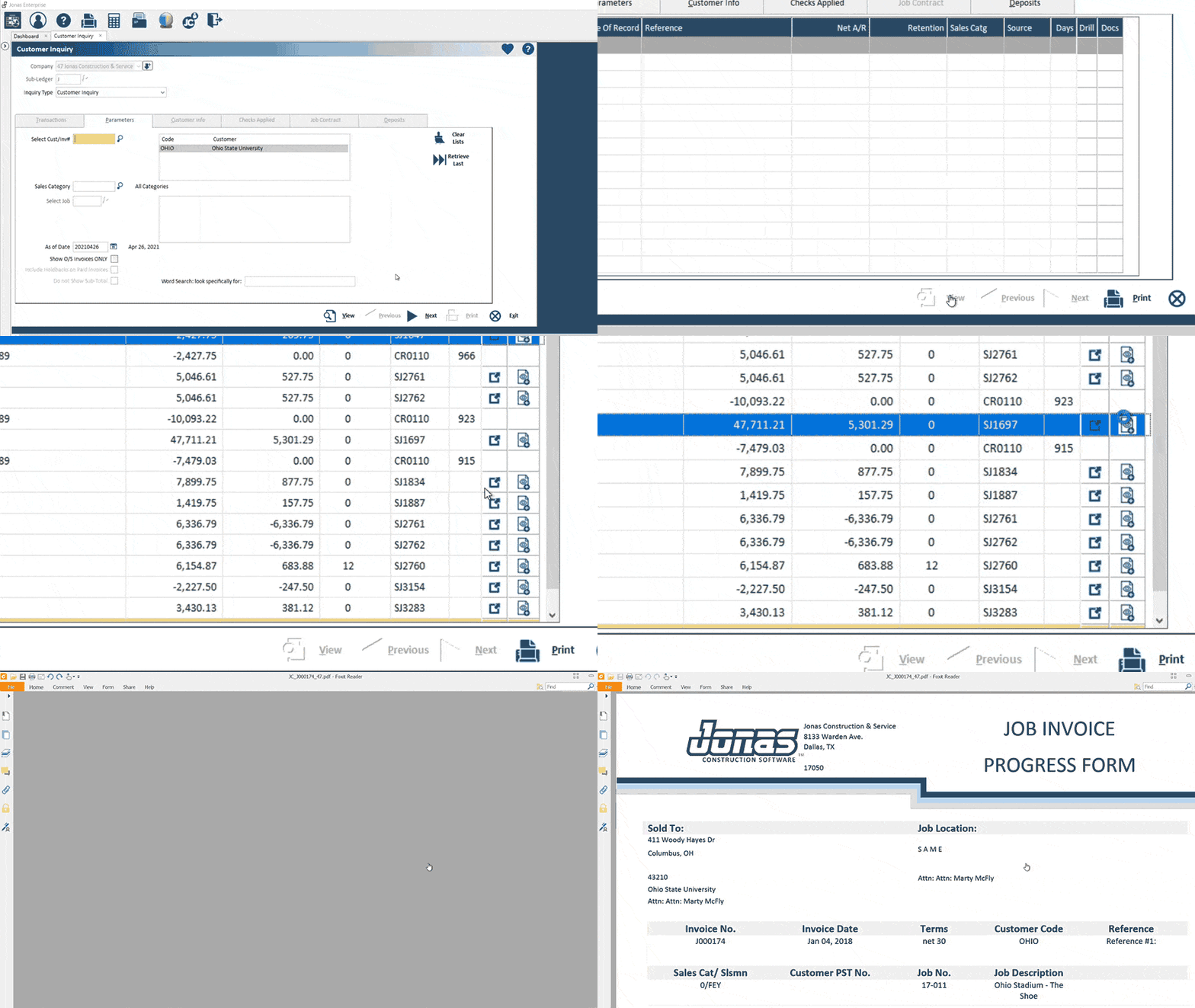
Jonas Construction

jonasconstruction.com · Jonas Construction AR Software · scored Dec 2025

Jonas Construction charges up to $30,000 to implement

Best forMid-to-large contractors needing AIA billing and automatic retainage release.

From $249 per user/mo GAAP compliantProcore integrationno free plan
−0.5 vs #1

GAAP-compliant construction accounting software handling AIA billing and automatic retainage.

Standout factJonas Premier pricing starts at $249 per concurrent user per month.thesmbguide.com
Biggest catchImplementation fees can run $20,000 to $30,000 before subscription costs.softwarefinder.com
14,000+Users servedjonasconstruction.com
4.6 of 5Capterra ratingnextgenconstructionhub.com
$20K-$30KImplementation fee rangesoftwarefinder.com

True monthly cost

First-year cost estimate

Implementation fee$20,000-$30,000
Subscription, from $249/user/mo$2,988+/yr
Total$23,000+

Enterprise edition, one user

Standout number

14,000+Jonas users

Source: jonasconstruction.com

Upside

  • Automated AIA and progress billing
  • Automatic retainage calculation
  • GAAP-compliant audit trails

Catch

  • Implementation fees run $20K-$30K
  • Interface feels cluttered
  • Support response can be slow
Pick it ifMid-to-large contractors needing AIA billing and automatic retainage release.
Skip it ifFirms wanting transparent online pricing without a custom sales quote.
PricingFrom $249/concurrent user/mo, plus a one-time $20,000-$30,000 implementation fee

Editor's takeJonas Construction handles the financial complexity generic accounting tools miss, automating AIA billing, retainage release, and real-time work-in-progress reporting. It has run since 1990 and serves over 14,000 users, with a 4.6 of 5 Capterra rating. The cost of entry is steep, with implementation fees alone reaching $30,000.

How much does Jonas Construction cost to implement?

Subscriptions start near $249 per concurrent user per month, plus a one-time implementation fee that can run $20,000 to $30,000.

Does Jonas Construction handle retainage automatically?

Yes. Retainage, or holdback, is calculated and released automatically within the system, flowing directly to the general ledger.

The evidence: 6 criteria, 3 penalties (−0.14 points)
9.3
Product Capability & DepthLooked for: We look for specialized construction billing features like AIA progress billing, retainage management, and automated general ledger integration.Jonas offers deep functionality for complex construction needs, including automated AIA billing, one-click reversals, and integrated retainage/holdback calculations that flow directly to the General Ledger.jonasconstruction.comjonasconstruction.comconstruction.clubhouseonline-e3.com
9.0
Market Credibility & Trust SignalsLooked for: We look for established industry presence, verified user reviews, and longevity in the construction software market.Founded in 1990, Jonas has over 30 years of experience and serves over 14,000 users, with generally positive ratings across major review platforms.g2.comjonasconstruction.comnextgenconstructionhub.com
8.2
Usability & Customer ExperienceLooked for: We look for intuitive interfaces, ease of navigation, and responsive customer support for complex ERP systems.While powerful, users report the interface can be cluttered and difficult to read on small screens, with a steep learning curve for new users.jonasconstruction.comsoftwareconnect.comgetapp.com
8.0
Value, Pricing & TransparencyLooked for: We look for transparent pricing models and competitive value relative to the feature set.Pricing is generally quote-based for the Enterprise version with significant upfront implementation fees, making it a substantial investment.jonasconstruction.comsoftwarefinder.comthesmbguide.com
8.8
Security, Compliance & Data ProtectionLooked for: We look for seamless connections with major construction project management tools and banking systems.Jonas features a strong, documented integration with Procore and offers over 40 in-house modules, though third-party integrations outside this core are sometimes cited as limited.jonasconstruction.comconstruction.clubhouseonline-e3.comjonasconstruction.com
9.2
Industry Leadership & Innovation

Score adjustments−0.14 points in total

−0.04High upfront implementation fees (approx. $20,000 - $30,000) present a significant barrier to entry.softwarefinder.com · severity 60/100
−0.05Users report the user interface is cluttered and difficult to read on small screens, impacting usability.softwareconnect.com · severity 50/100
−0.05Customer support is frequently cited for slow response times and inconsistent help.getapp.com · severity 45/100
02

Side by side

10 features across 11 products. Green is yes, red is no, grey is not published.

FeatureSage Construction ManagementBILL Spend & ExpenseConstruction PartnerGCPayNetSuiteQuickBooksEzyCollectpVaultFoundationJOBPOWERJonas Construction
Has Mobile App Web-only Web-only Web-only Web-only Web-only
Has Free Plan
Has Free Trial Contact for trial Contact for trial Contact for trial Contact for trial Contact for trial Contact for trial Contact for trial
Integrates With Zapier
Has Public API Enterprise API only Enterprise API only Enterprise API only Enterprise API only Enterprise API only
Live Chat Support Email/Ticket only Email/Ticket only Email/Ticket only Email/Ticket only Email/Ticket only
SOC 2 or ISO Certified
Popular Integrations Procore, Viewpoint, QuickBooks QuickBooks, Sage Intacct, Xero None specified Procore, Viewpoint, Sage 300 Salesforce, HubSpot, Shopify Procore, Buildertrend, TSheets Xero, MYOB, QuickBooks Sage 300, Viewpoint, Procore QuickBooks, Sage 300, Viewpoint None specified QuickBooks, Sage 300, Viewpoint
Supports SSO Enterprise plans only Enterprise plans only Enterprise plans only Enterprise plans only Enterprise plans only Enterprise plans only
Starting Price Contact for pricing Free $5,995 one-time Contact for pricing $25,000 per year $38 per month $125 per month Contact for pricing $1,200 per month $200 per month $249 per user/mo
03

How we chose

Four fixed criteria for every product, plus two chosen for Accounts Receivable Platforms for Construction and Contracting, weighted and reduced by documented penalties.

Full methodology
Criteria set for this categoryProduct Capability & Depth, Market Credibility & Trust Signals, Usability & Customer Experience, Value, Pricing & Transparency, Security, Compliance & Data Protection, Integrations & Ecosystem Strength
Evidence, then a scoreDocumentation, pricing pages, security pages and third-party reviews. Each criterion records what was found and links its sources.
Penalties, then a rankDocumented problems pull the score down with their evidence attached. Rank follows the score. Sponsored rows, where present, are labelled.
iVendors cannot buy a position. Every score rests on published evidence, documented problems pull it down, and a 9.1 here is not a 9.1 in another category.
Albert Richer
Albert RicherFounder · Memphis, TN

Sets the criteria and reviews the evidence before a ranking publishes. Email him if something here looks wrong.

04

Questions people ask

Does Sage Construction Management sync with Sage Intacct?

Yes. It offers two-way synchronization with Sage Intacct Construction, Sage 100 Contractor, Sage 300 CRE, and QuickBooks, so job cost codes and project data flow into accounting without duplicate entry.

Is customer support reliable?

Reviewers report slow response times and glitches during data migration and implementation, though support staff are described as willing to help once engaged.

Is BILL Spend & Expense really free?

Yes. There are no monthly subscription fees. BILL earns revenue through interchange fees paid by merchants on card transactions instead.

Does BILL work with Sage 300 CRE?

Not natively. Legacy construction ERPs like Sage 300 CRE typically require file exports or third-party connectors, unlike the native sync with QuickBooks and Sage Intacct.

How much does Construction Partner cost?

A flat $5,995 fee covers core accounting modules and unlimited networked users, with installation, training and data conversion included. Annual updates cost $895 separately.

Is Construction Partner cloud-based?

No. It is an on-premise solution that requires a Windows server or workstation setup, so it lacks native cloud mobility that newer competitors offer.

Who pays GCPay's fees?

General contractors are billed based on annual construction volume. Subcontractors may be charged $15 per payment application if the GC does not cover the fee.

What ERPs does GCPay integrate with?

GCPay connects directly with Sage 300, Sage 100, Sage Intacct, CMiC, and Procore Project Financials, according to its integrations page.

How is the best Accounts Receivable Platforms for Construction and Contracting decided?

Every product is scored on six criteria for this category, with cited evidence and documented penalties. Rank follows the overall score. Vendors cannot pay for a position.

How often is this ranking updated?

Products are re-scored when pricing, features or evidence change. This ranking was last updated July 9, 2026.

05

More in Accounts Receivable & Collections Platforms

6 related rankings.

All of Accounts Receivable & Collections
Research

The United States lost 340,000 accountants between 2019 and 2024

May 5, 2026

340,000 accountants left the profession between 2019 and 2024

Apr 5, 2026

Involuntary churn accounts for 26% of all subscription cancellations due to payment failures

Feb 11, 2026