
Equipment & Asset Maintenance Software
These are the specialized categories within Equipment & Asset Maintenance Software. Looking for something broader? See all Field Service & Operations Software categories.



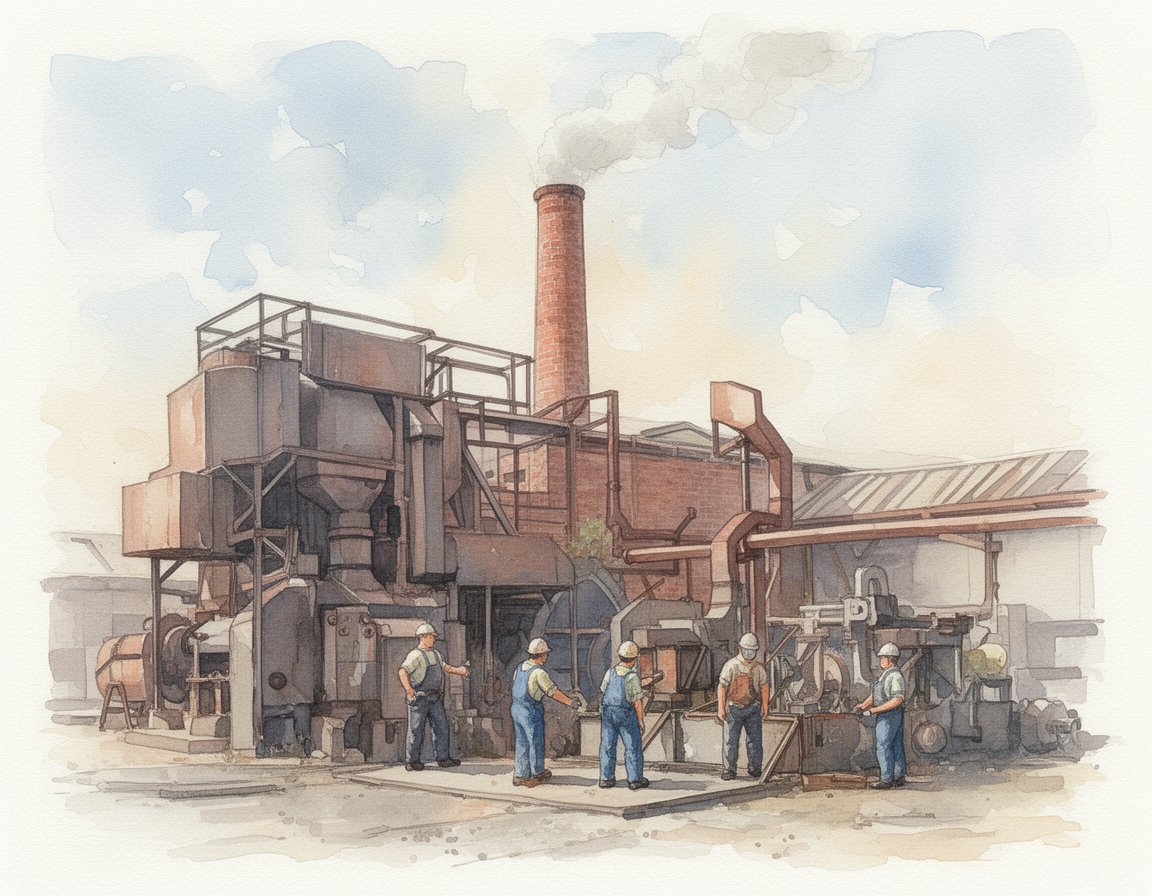

What Is Equipment & Asset Maintenance Software?
Equipment & Asset Maintenance Software covers the digital systems used to track, monitor, and optimize the performance of physical capital assets throughout their entire operational lifecycle. This category spans from the moment an asset is commissioned and installed, through its operational maintenance phase—including preventive scheduling, work order management, and parts inventory—to its eventual decommissioning and disposal. It sits distinctly between Enterprise Resource Planning (ERP), which manages the financial and procurement aspects of the business, and Industrial Control Systems (ICS), which operate the machinery itself. While ERP answers "how much did this cost?", Equipment & Asset Maintenance Software answers "is this running efficiently, and when will it fail?"
This software category includes both Computerized Maintenance Management Systems (CMMS), which primarily focus on maintenance execution and work order workflows, and Enterprise Asset Management (EAM) systems, which offer a broader lifecycle perspective including engineering, design, and reliable-centered maintenance strategies. It encompasses general-purpose platforms suitable for facility management as well as vertical-specific tools purpose-built for asset-intensive industries like manufacturing, energy, and healthcare. For organizations relying on physical infrastructure, this software is the system of record for operational reliability, ensuring that critical machinery delivers value without unexpected interruptions.
History of the Category
The evolution of Equipment & Asset Maintenance Software since the 1990s reflects a shift from simple record-keeping to strategic asset intelligence. In the early 90s, maintenance management was dominated by on-premise, client-server architectures. These early systems were essentially digital card catalogs—relational databases designed to replace paper files and mainframes. They solved the problem of data storage but offered little in the way of analytics. The primary buyers were IT departments and plant managers who needed a repository for asset lists and basic preventive maintenance schedules.
The 2000s marked the first major disruption with the advent of browser-based interfaces and the early Application Service Provider (ASP) models, which were precursors to modern SaaS. This era saw the "democratization" of maintenance software; tools became accessible to mid-sized facilities that could not afford the heavy infrastructure of legacy enterprise systems. However, functionality remained largely reactive—logging failures after they occurred. By the 2010s, the market experienced a significant bifurcation. While cloud-native solutions began aggressively targeting the SMB and mid-market with mobile-first applications, legacy enterprise providers engaged in a wave of market consolidation. Large industrial conglomerates began acquiring standalone asset management vendors to integrate maintenance software directly with industrial hardware and sensors.
A pivotal shift occurred around 2021, driven by the need to connect maintenance data with the Industrial Internet of Things (IIoT). Major acquisitions in this period signaled that the market was moving away from "maintenance management" toward "asset performance management" (APM). For instance, significant consolidation events saw industrial technology giants acquiring specialized EAM software providers to bridge the gap between physical sensor data and software decision-making [1]. Today, buyer expectations have evolved from needing a "system of record" to demanding a "system of intelligence," where the software doesn't just track work orders but actively predicts failures and prescribes interventions.
What to Look For in Equipment & Asset Maintenance Software
When evaluating solutions in this space, buyers must look beyond feature checklists and focus on workflow adaptability and data fidelity. The most critical evaluation criterion is the depth of the asset hierarchy. A robust system must handle complex parent-child relationships—for example, tracking a specific motor within a pump, which is part of a cooling system, located in a specific zone of a facility. If the software forces a flat list of assets, it will fail to provide the granular reporting needed for root cause analysis.
Another non-negotiable is mobile offline capability. In industries like mining, energy, or large-scale campus facilities, technicians often work in dead zones. A "mobile-responsive" web page is insufficient; the mobile app must cache data locally, allowing technicians to view manuals, complete checklists, and upload photos without a signal, syncing automatically when connectivity is restored. Buyers should also scrutinize the spare parts inventory logic. Best-in-class tools support multi-site inventory visibility and "just-in-time" reordering logic based on usage rates, rather than static minimum/maximum levels.
Red flags during evaluation include vendors who cannot demonstrate an open API or pre-built connectors for your specific ERP or financial system. If a vendor promises "custom integration" for a standard accounting platform, expect high services costs and future breaking changes. Additionally, be wary of "all-in-one" claims where a vendor purports to handle IT Asset Management (ITAM) and heavy industrial maintenance with equal proficiency; these disciplines require fundamentally different data models and workflows. Key questions to ask include: "How does your system handle asset depreciation across multiple tax jurisdictions?" and "Can you show me the workflow for a technician to reject a work order due to lack of parts?"
Industry-Specific Use Cases
Retail & E-commerce
In the retail and e-commerce sector, Equipment & Asset Maintenance Software is primarily a tool for brand consistency and inventory protection. Unlike manufacturing, where downtime stops production, downtime in retail—such as a broken HVAC unit or a failing point-of-sale system—directly impacts customer experience and sales revenue. For grocery and cold-chain logistics, the software is critical for monitoring refrigeration units to prevent inventory spoilage. Retailers prioritize multi-site visibility above all else; a facility manager needs to see the status of 500 locations on a single dashboard to benchmark vendor performance and maintenance spend. Evaluation priorities focus heavily on vendor management portals, allowing third-party contractors to log in, accept jobs, and invoice directly within the system, bypassing store managers who should be focused on customers [2].
Healthcare
For healthcare organizations, asset maintenance is a matter of patient safety and strict regulatory compliance. Software here must manage the lifecycle of biomedical engineering equipment—MRI machines, infusion pumps, and ventilators. The unique requirement is compliance tracking for agencies like The Joint Commission (TJC) or the FDA. The system must maintain an immutable audit trail of every calibration, inspection, and repair. Unlike a factory conveyor belt, medical assets often move between rooms; therefore, real-time location system (RTLS) integration is a frequent requirement. Healthcare buyers also look for "Alternative Equipment Maintenance" (AEM) program support, which allows hospitals to deviate from manufacturer recommendations if they can prove safety through historical data—a capability that requires sophisticated analytics [3].
Financial Services
In financial services, the scope of "asset maintenance" is often bifurcated between distributed branch networks and critical data center operations. For branch networks, the focus is on maintaining the physical environment—ATMs, security gates, and HVAC—to ensure security and brand standards. Downtime for a vault or ATM is a security risk. For the data center side, the software manages the critical power and cooling infrastructure that keeps banking systems online. Evaluation priorities here lean heavily toward security and auditability. Financial institutions require on-premise or private cloud deployment options more often than other sectors due to data sovereignty concerns. They also require robust SLA (Service Level Agreement) management features to track the performance of facility service providers against strict contractual penalties [4].
Manufacturing
Manufacturing is the most mature market for this software, where the primary goal is maximizing Overall Equipment Effectiveness (OEE). The software is used to transition from reactive maintenance (fixing broken machines) to reliability-centered maintenance (preventing breaks). Manufacturers need deep integration with PLC (Programmable Logic Controller) and SCADA systems to trigger work orders automatically based on machine cycles or sensor readings (e.g., vibration or temperature). Unique considerations include downtime tracking codes to categorize losses accurately and MRO (Maintenance, Repair, and Operations) inventory optimization to ensure spare parts are available without bloating working capital. The software must support complex lockout/tagout (LOTO) safety procedures to protect workers during repairs [5].
Professional Services
Professional services firms (consultancies, architecture firms, law offices) use this software to manage a highly distributed fleet of IT assets and high-value portable equipment. The challenge is not "maintenance" in the mechanical sense, but chain of custody and lifecycle management of laptops, servers, and specialized field equipment (e.g., surveying tools). The workflow focuses on check-in/check-out processes, software license compliance, and assignment of assets to specific employees or client projects. Evaluation priorities include integration with HR systems (to reclaim assets when employees leave) and barcode/QR code scanning via mobile apps to facilitate rapid audits of dispersed inventory. The "maintenance" aspect often relates to software patching schedules and hardware refresh cycles rather than lubrication or belt changes [6].
Subcategory Overview
Preventive Maintenance Tools for SMBs This niche serves smaller organizations moving away from spreadsheets or paper. Unlike enterprise EAMs, which require dedicated administrators, these tools prioritize usability and speed of deployment. A genuinely different feature here is the "template library"—pre-built maintenance checklists for common assets like forklifts or HVAC units—allowing a small team to start a program in minutes. The specific pain point driving buyers here is the "admin burden"; SMBs cannot afford a tool that takes more time to update than the actual repair work. For a deeper look at these accessible solutions, explore our guide to Preventive Maintenance Tools for SMBs.
Asset Tracking and Maintenance Tools for Warehouses This subcategory is distinct because it marries maintenance with high-velocity location tracking. While generic tools track condition, warehouse-specific tools track location and utilization of mobile assets like forklifts, scanners, and pallets. A unique workflow this niche handles well is the battery rotation schedule for electric fleets, ensuring maximizing lifecycle for expensive power units. Buyers choose this niche because general maintenance tools fail to handle the high churn and movement of assets within a fast-paced logistics environment. To learn more about optimizing logistics assets, read our review of Asset Tracking and Maintenance Tools for Warehouses.
Cloud CMMS Tools for Multi-Location Businesses Designed for franchises, property management firms, and distributed enterprises, these tools differ by decoupling "assets" from "geography." They excel at benchmarking performance across sites—allowing headquarters to see that the Chicago branch spends 20% more on HVAC repairs than the Atlanta branch. The specific workflow they master is the "regional manager approval route," where spending authority is tiered by location and role. Buyers leave generic tools for this niche when they hit the "multi-tenant data silo" wall, needing centralized reporting without sacrificing local autonomy. For details on managing distributed portfolios, see our guide to Cloud CMMS Tools for Multi-Location Businesses.
Asset Maintenance Tools for Facility Managers This category overlaps with Computer-Aided Facility Management (CAFM) but focuses strictly on the maintenance aspect of the built environment. It differs from industrial tools by prioritizing space-centric workflows—linking assets to room numbers and floor plans rather than production lines. A unique workflow is the "tenant request portal," where building occupants can report issues (e.g., "too hot/cold") which automatically convert to work orders linked to specific VAV boxes. The pain point driving this choice is the need to coordinate maintenance with room occupancy and tenant satisfaction, which industrial tools ignore. For more on building-focused solutions, check out Asset Maintenance Tools for Facility Managers.
Equipment Maintenance Software for Manufacturing Plants This is the heavy artillery of the category, often synonymous with "Industrial CMMS." It differs by integrating deeply with production schedules—maintenance is planned around throughput goals, not just calendar dates. A workflow only found here is the integration with condition-monitoring sensors (vibration, heat) to trigger automatic work orders without human intervention (predictive maintenance). Buyers flock here when the cost of downtime exceeds the cost of the software, needing granular OEE calculations that general tools cannot provide. To understand these industrial-grade systems, visit our page on Equipment Maintenance Software for Manufacturing Plants.
Integration & API Ecosystem
In the modern enterprise stack, Equipment & Asset Maintenance Software cannot exist as an island. The robustness of a platform’s API ecosystem is often the deciding factor for technical buyers. A critical friction point is the connection between maintenance execution (CMMS) and financial planning (ERP). According to Gartner, 66% of supply chain and manufacturing leaders cite integrating supply chain and manufacturing applications as their most significant challenge [7]. This statistic underscores that while the software may function well in isolation, its value is often capped by data silos.
Expert consultants warn that "plug-and-play" connectors often fail to account for custom fields and unique business logic. Consider a scenario involving a mid-sized manufacturing firm using Netsuite for ERP and a specialized CMMS for the plant floor. The procurement team issues a purchase order (PO) for spare parts in the ERP. Without a bidirectional integration, the maintenance team receives the parts physically but cannot "receive" them in the CMMS inventory because the systems don't sync. The result? Technicians hoard parts in "shadow inventory" lockers because they don't trust the system counts, leading to massive overspending and stockouts on critical items. A well-designed integration would automatically sync the PO status, update inventory levels upon receipt, and map the cost codes back to the general ledger, preserving the "one source of truth" for finance while giving operations the speed they need.
Security & Compliance
As maintenance software increasingly connects to IoT sensors and operational technology (OT), it becomes a prime vector for cyberattacks. The days of "security through obscurity" for industrial assets are over. A report by Eseye reveals that 75% of businesses suffered an IoT security breach in the last 12 months, highlighting the vulnerability of connected asset ecosystems [8]. This is not just an IT problem; it is an operational risk that can halt production or compromise safety.
For buyers, evaluating security means scrutinizing how the vendor handles "edge" security—the protection of data as it travels from a sensor on a vibrating pump to the cloud database. Imagine a scenario in a pharmaceutical facility where a connected HVAC sensor is compromised. An attacker could theoretically manipulate the temperature readings fed into the maintenance software, causing the system to believe the environment is stable while it is actually fluctuating, potentially ruining millions of dollars of temperature-sensitive inventory. Best-in-class vendors now offer SOC 2 Type II compliance and features like Single Sign-On (SSO) and granular role-based access control (RBAC) to ensure that a third-party HVAC contractor only has access to specific work orders, not the entire asset database.
Pricing Models & TCO
Pricing in this category has largely shifted to a per-user, per-month subscription model, but hidden costs can drastically skew the Total Cost of Ownership (TCO). Industry analysis indicates that while entry-level cloud plans can start around $50 per user/month, enterprise-grade EAM solutions often exceed $150 per user/month once advanced features like predictive analytics and API access are included [9]. However, the sticker price is rarely the final cost.
Buyers must calculate TCO based on "named users" versus "concurrent users." Consider a hypothetical 25-person maintenance team working across three shifts. In a named user model, you pay for 25 licenses, even though only 8 people are logged in at any given time. This could cost $2,500/month (at $100/user). In a concurrent user model, you might only need 10 licenses to cover the peak overlap, costing $1,000/month—a 60% saving. Furthermore, many vendors charge extra for "mobile-only" licenses or "requester" licenses (for staff who just report issues). A common trap is the "storage cap," where vendors charge exorbitant fees once you exceed a certain gigabyte limit for stored photos and manuals. A transparent TCO calculation must include implementation fees, which often run 20-30% of the first year's annual contract value (ACV), and ongoing training costs for inevitable staff turnover.
Implementation & Change Management
The graveyard of failed software projects is particularly crowded in the maintenance sector. Historical industry data suggests that up to 80% of CMMS implementations fail to meet their full ROI potential, often due to poor user adoption rather than technical flaws [10]. Implementation is less about software configuration and more about cultural transformation.
A classic failure scenario involves a facility manager who spends months configuring complex asset hierarchies and mandatory data fields in a vacuum, without consulting the floor technicians. On launch day, technicians find the app requires 15 clicks to close a simple "change lightbulb" work order. The result? They stop using the app entirely, reverting to paper notes or verbal updates. The data in the system becomes stale within weeks, rendering reports useless. Successful implementation requires a "minimum viable data" approach: start with the 20% of assets that cause 80% of the headaches. "Gartner's VP of Research notes that cultural fit is as important as price and performance" in these deployments, emphasizing that the software must align with the digital maturity of the workforce [11]. Effective change management involves identifying "champions" on the shop floor who pilot the mobile app and provide feedback before a full rollout.
Vendor Evaluation Criteria
Evaluating a vendor goes beyond the demo. It requires digging into their support structure and product roadmap. A critical metric to request is the customer retention rate, specifically for customers of your size. A vendor might have 99% retention overall, but if they are churning mid-sized manufacturers while retaining small coffee shops, they are not a fit for your industrial plant. Additionally, inquire about their "product sunset" policy; you need assurance that the version you implement today won't be forced into an expensive migration in two years.
Buyers should also assess the vendor's ecosystem of partners. Do they have a network of certified consultants who can help you if things go wrong, or are you entirely dependent on the vendor's internal professional services team? A specific scenario to test during evaluation is the "Friday afternoon crisis." Ask the vendor: "If our server goes down or a critical sync fails at 4 PM on a Friday, what is the specific SLA for response?" Many generic SaaS contracts offer "best effort" support which might mean a 24-48 hour wait, which is unacceptable for a 24/7 manufacturing operation. Look for vendors who offer tiered support with guaranteed response times for severity-1 issues.
Emerging Trends and Contrarian Take
Emerging Trends 2025-2026: The dominant trend is the shift from "predictive" to "agentic" maintenance workflows. While predictive maintenance alerts a human that a machine might fail, Agentic AI—autonomous software agents—will begin to take action independently. Google Cloud predicts that by 2026, AI agents will fundamentally reshape business processes by semi-autonomously orchestrating complex workflows [12]. In a maintenance context, this means an AI agent won't just flag a vibration anomaly; it will cross-reference the production schedule to find a safe downtime window, check inventory for the spare part, and tentatively book the specific technician certified to fix that asset, presenting the human manager with a "ready to approve" plan rather than a raw data alert.
Contrarian Take: Most organizations are wasting money on "Predictive Maintenance" (PdM) when they haven't even mastered "Preventive Maintenance" (PM). The industry marketing machine is pushing expensive IoT sensors and AI-driven predictive modules as the standard. However, for the vast majority of mid-market buyers, the ROI of predictive maintenance is negative. The infrastructure cost to sensorize aging equipment, clean the data, and train models often exceeds the cost of simply sticking to a rigorous, well-executed preventive schedule. Predictive maintenance is a luxury for the top 5% of mature enterprises; the other 95% would see significantly higher gains by simply ensuring their technicians actually complete the basic PM checklists on time and accurately.
Common Mistakes
Over-Collecting Data: A frequent error is the "vacuum cleaner approach"—trying to track every single variable for every single asset from day one. Buyers often configure the system to require 50 data points for a single motor. This leads to "data fatigue" for technicians who input junk data just to bypass the required fields. Start small: track simply what broke, when, and what it cost to fix. Complexity can be earned later.
Ignoring the "Garbage In, Garbage Out" Reality of Legacy Data: Migrating data from an old system or spreadsheets is rarely a direct mapping exercise. Companies often import thousands of duplicate asset records, obsolete parts, and retired vendors into the new shiny system. This immediately degrades user trust. A successful launch demands a ruthless data cleansing phase before migration, not after.
Underestimating Mobile Training: Assuming that because technicians have smartphones they will intuitively know how to use a complex enterprise mobile app is a fatal mistake. Field apps often have complex sync logic and specific workflow steps. Failing to provide hands-on, device-specific training leads to low adoption and a return to paper notes.
Questions to Ask in a Demo
- "Can you show me the exact number of clicks it takes for a field technician to close a work order and charge a part to it?" (If it’s more than 5, expect pushback from your team).
- "Show me how the system handles an asset that is moved from Location A to Location B—does the history travel with the asset or stay with the location?" (Crucial for medical and fleet use cases).
- "How does your offline mode handle conflict resolution if two technicians edit the same record while offline?"
- "Can I see the backend audit log? Show me exactly what it looks like when a user changes a critical safety field."
- "Do you have a native connector for [Your ERP], or does 'integration' rely on a third-party middleware like Zapier or a custom-built API script?"
Before Signing the Contract
Final Decision Checklist: Ensure you have verified the exit path. If you leave this vendor in three years, in what format do you get your data back? A proprietary SQL dump is useless if you can't decipher the schema. Demand a clause that guarantees data export in a standard, usable format (CSV/Excel) with all attached documents (manuals, photos) mapped correctly.
Common Negotiation Points: Negotiate the sandbox environment. Vendors often charge extra for a test environment, but it is essential for testing workflows and integrations without breaking your live production data. Argue that a sandbox is necessary for you to be a successful client and should be included. Also, negotiate storage limits. Standard contracts often have low caps on file storage; given that modern technicians take high-res photos, you will hit these caps quickly. Pre-negotiate a higher tier or a lower cost-per-GB for overages.
Deal-Breakers: Walk away if the vendor refuses to commit to a Service Level Agreement (SLA) for uptime and support response. If they say, "our cloud never goes down," they are lying or inexperienced. Also, be wary if they cannot provide reference customers in your specific industry. A CMMS that works great for a school district may be completely unsuited for a chemical plant, even if the "features" look the same on paper.
Closing
Selecting the right Equipment & Asset Maintenance Software is a balance between your current operational maturity and your future reliability goals. The best system is not the one with the most features, but the one your technicians will actually use at 3 AM when a critical pump fails. If you need help navigating the nuances of these platforms or validating your shortlist, feel free to reach out.
Email: albert@whatarethebest.com
What Is Equipment & Asset Maintenance Software?
Equipment & Asset Maintenance Software covers the digital systems used to track, monitor, and optimize the performance of physical capital assets throughout their entire operational lifecycle. This category spans from the moment an asset is commissioned and installed, through its operational maintenance phase—including preventive scheduling, work order management, and parts inventory—to its eventual decommissioning and disposal. It sits distinctly between Enterprise Resource Planning (ERP), which manages the financial and procurement aspects of the business, and Industrial Control Systems (ICS), which operate the machinery itself. While ERP answers "how much did this cost?", Equipment & Asset Maintenance Software answers "is this running efficiently, and when will it fail?"
This software category includes both Computerized Maintenance Management Systems (CMMS), which primarily focus on maintenance execution and work order workflows, and Enterprise Asset Management (EAM) systems, which offer a broader lifecycle perspective including engineering, design, and reliable-centered maintenance strategies. It encompasses general-purpose platforms suitable for facility management as well as vertical-specific tools purpose-built for asset-intensive industries like manufacturing, energy, and healthcare. For organizations relying on physical infrastructure, this software is the system of record for operational reliability, ensuring that critical machinery delivers value without unexpected interruptions.
History of the Category
The evolution of Equipment & Asset Maintenance Software since the 1990s reflects a shift from simple record-keeping to strategic asset intelligence. In the early 90s, maintenance management was dominated by on-premise, client-server architectures. These early systems were essentially digital card catalogs—relational databases designed to replace paper files and mainframes. They solved the problem of data storage but offered little in the way of analytics. The primary buyers were IT departments and plant managers who needed a repository for asset lists and basic preventive maintenance schedules.
The 2000s marked the first major disruption with the advent of browser-based interfaces and the early Application Service Provider (ASP) models, which were precursors to modern SaaS. This era saw the "democratization" of maintenance software; tools became accessible to mid-sized facilities that could not afford the heavy infrastructure of legacy enterprise systems. However, functionality remained largely reactive—logging failures after they occurred. By the 2010s, the market experienced a significant bifurcation. While cloud-native solutions began aggressively targeting the SMB and mid-market with mobile-first applications, legacy enterprise providers engaged in a wave of market consolidation. Large industrial conglomerates began acquiring standalone asset management vendors to integrate maintenance software directly with industrial hardware and sensors.
A pivotal shift occurred around 2021, driven by the need to connect maintenance data with the Industrial Internet of Things (IIoT). Major acquisitions in this period signaled that the market was moving away from "maintenance management" toward "asset performance management" (APM). For instance, significant consolidation events saw industrial technology giants acquiring specialized EAM software providers to bridge the gap between physical sensor data and software decision-making [1]. Today, buyer expectations have evolved from needing a "system of record" to demanding a "system of intelligence," where the software doesn't just track work orders but actively predicts failures and prescribes interventions.
What to Look For in Equipment & Asset Maintenance Software
When evaluating solutions in this space, buyers must look beyond feature checklists and focus on workflow adaptability and data fidelity. The most critical evaluation criterion is the depth of the asset hierarchy. A robust system must handle complex parent-child relationships—for example, tracking a specific motor within a pump, which is part of a cooling system, located in a specific zone of a facility. If the software forces a flat list of assets, it will fail to provide the granular reporting needed for root cause analysis.
Another non-negotiable is mobile offline capability. In industries like mining, energy, or large-scale campus facilities, technicians often work in dead zones. A "mobile-responsive" web page is insufficient; the mobile app must cache data locally, allowing technicians to view manuals, complete checklists, and upload photos without a signal, syncing automatically when connectivity is restored. Buyers should also scrutinize the spare parts inventory logic. Best-in-class tools support multi-site inventory visibility and "just-in-time" reordering logic based on usage rates, rather than static minimum/maximum levels.
Red flags during evaluation include vendors who cannot demonstrate an open API or pre-built connectors for your specific ERP or financial system. If a vendor promises "custom integration" for a standard accounting platform, expect high services costs and future breaking changes. Additionally, be wary of "all-in-one" claims where a vendor purports to handle IT Asset Management (ITAM) and heavy industrial maintenance with equal proficiency; these disciplines require fundamentally different data models and workflows. Key questions to ask include: "How does your system handle asset depreciation across multiple tax jurisdictions?" and "Can you show me the workflow for a technician to reject a work order due to lack of parts?"
Industry-Specific Use Cases
Retail & E-commerce
In the retail and e-commerce sector, Equipment & Asset Maintenance Software is primarily a tool for brand consistency and inventory protection. Unlike manufacturing, where downtime stops production, downtime in retail—such as a broken HVAC unit or a failing point-of-sale system—directly impacts customer experience and sales revenue. For grocery and cold-chain logistics, the software is critical for monitoring refrigeration units to prevent inventory spoilage. Retailers prioritize multi-site visibility above all else; a facility manager needs to see the status of 500 locations on a single dashboard to benchmark vendor performance and maintenance spend. Evaluation priorities focus heavily on vendor management portals, allowing third-party contractors to log in, accept jobs, and invoice directly within the system, bypassing store managers who should be focused on customers [2].
Healthcare
For healthcare organizations, asset maintenance is a matter of patient safety and strict regulatory compliance. Software here must manage the lifecycle of biomedical engineering equipment—MRI machines, infusion pumps, and ventilators. The unique requirement is compliance tracking for agencies like The Joint Commission (TJC) or the FDA. The system must maintain an immutable audit trail of every calibration, inspection, and repair. Unlike a factory conveyor belt, medical assets often move between rooms; therefore, real-time location system (RTLS) integration is a frequent requirement. Healthcare buyers also look for "Alternative Equipment Maintenance" (AEM) program support, which allows hospitals to deviate from manufacturer recommendations if they can prove safety through historical data—a capability that requires sophisticated analytics [3].
Financial Services
In financial services, the scope of "asset maintenance" is often bifurcated between distributed branch networks and critical data center operations. For branch networks, the focus is on maintaining the physical environment—ATMs, security gates, and HVAC—to ensure security and brand standards. Downtime for a vault or ATM is a security risk. For the data center side, the software manages the critical power and cooling infrastructure that keeps banking systems online. Evaluation priorities here lean heavily toward security and auditability. Financial institutions require on-premise or private cloud deployment options more often than other sectors due to data sovereignty concerns. They also require robust SLA (Service Level Agreement) management features to track the performance of facility service providers against strict contractual penalties [4].
Manufacturing
Manufacturing is the most mature market for this software, where the primary goal is maximizing Overall Equipment Effectiveness (OEE). The software is used to transition from reactive maintenance (fixing broken machines) to reliability-centered maintenance (preventing breaks). Manufacturers need deep integration with PLC (Programmable Logic Controller) and SCADA systems to trigger work orders automatically based on machine cycles or sensor readings (e.g., vibration or temperature). Unique considerations include downtime tracking codes to categorize losses accurately and MRO (Maintenance, Repair, and Operations) inventory optimization to ensure spare parts are available without bloating working capital. The software must support complex lockout/tagout (LOTO) safety procedures to protect workers during repairs [5].
Professional Services
Professional services firms (consultancies, architecture firms, law offices) use this software to manage a highly distributed fleet of IT assets and high-value portable equipment. The challenge is not "maintenance" in the mechanical sense, but chain of custody and lifecycle management of laptops, servers, and specialized field equipment (e.g., surveying tools). The workflow focuses on check-in/check-out processes, software license compliance, and assignment of assets to specific employees or client projects. Evaluation priorities include integration with HR systems (to reclaim assets when employees leave) and barcode/QR code scanning via mobile apps to facilitate rapid audits of dispersed inventory. The "maintenance" aspect often relates to software patching schedules and hardware refresh cycles rather than lubrication or belt changes [6].
Subcategory Overview
Preventive Maintenance Tools for SMBs This niche serves smaller organizations moving away from spreadsheets or paper. Unlike enterprise EAMs, which require dedicated administrators, these tools prioritize usability and speed of deployment. A genuinely different feature here is the "template library"—pre-built maintenance checklists for common assets like forklifts or HVAC units—allowing a small team to start a program in minutes. The specific pain point driving buyers here is the "admin burden"; SMBs cannot afford a tool that takes more time to update than the actual repair work. For a deeper look at these accessible solutions, explore our guide to Preventive Maintenance Tools for SMBs.
Asset Tracking and Maintenance Tools for Warehouses This subcategory is distinct because it marries maintenance with high-velocity location tracking. While generic tools track condition, warehouse-specific tools track location and utilization of mobile assets like forklifts, scanners, and pallets. A unique workflow this niche handles well is the battery rotation schedule for electric fleets, ensuring maximizing lifecycle for expensive power units. Buyers choose this niche because general maintenance tools fail to handle the high churn and movement of assets within a fast-paced logistics environment. To learn more about optimizing logistics assets, read our review of Asset Tracking and Maintenance Tools for Warehouses.
Cloud CMMS Tools for Multi-Location Businesses Designed for franchises, property management firms, and distributed enterprises, these tools differ by decoupling "assets" from "geography." They excel at benchmarking performance across sites—allowing headquarters to see that the Chicago branch spends 20% more on HVAC repairs than the Atlanta branch. The specific workflow they master is the "regional manager approval route," where spending authority is tiered by location and role. Buyers leave generic tools for this niche when they hit the "multi-tenant data silo" wall, needing centralized reporting without sacrificing local autonomy. For details on managing distributed portfolios, see our guide to Cloud CMMS Tools for Multi-Location Businesses.
Asset Maintenance Tools for Facility Managers This category overlaps with Computer-Aided Facility Management (CAFM) but focuses strictly on the maintenance aspect of the built environment. It differs from industrial tools by prioritizing space-centric workflows—linking assets to room numbers and floor plans rather than production lines. A unique workflow is the "tenant request portal," where building occupants can report issues (e.g., "too hot/cold") which automatically convert to work orders linked to specific VAV boxes. The pain point driving this choice is the need to coordinate maintenance with room occupancy and tenant satisfaction, which industrial tools ignore. For more on building-focused solutions, check out Asset Maintenance Tools for Facility Managers.
Equipment Maintenance Software for Manufacturing Plants This is the heavy artillery of the category, often synonymous with "Industrial CMMS." It differs by integrating deeply with production schedules—maintenance is planned around throughput goals, not just calendar dates. A workflow only found here is the integration with condition-monitoring sensors (vibration, heat) to trigger automatic work orders without human intervention (predictive maintenance). Buyers flock here when the cost of downtime exceeds the cost of the software, needing granular OEE calculations that general tools cannot provide. To understand these industrial-grade systems, visit our page on Equipment Maintenance Software for Manufacturing Plants.
Integration & API Ecosystem
In the modern enterprise stack, Equipment & Asset Maintenance Software cannot exist as an island. The robustness of a platform’s API ecosystem is often the deciding factor for technical buyers. A critical friction point is the connection between maintenance execution (CMMS) and financial planning (ERP). According to Gartner, 66% of supply chain and manufacturing leaders cite integrating supply chain and manufacturing applications as their most significant challenge [7]. This statistic underscores that while the software may function well in isolation, its value is often capped by data silos.
Expert consultants warn that "plug-and-play" connectors often fail to account for custom fields and unique business logic. Consider a scenario involving a mid-sized manufacturing firm using Netsuite for ERP and a specialized CMMS for the plant floor. The procurement team issues a purchase order (PO) for spare parts in the ERP. Without a bidirectional integration, the maintenance team receives the parts physically but cannot "receive" them in the CMMS inventory because the systems don't sync. The result? Technicians hoard parts in "shadow inventory" lockers because they don't trust the system counts, leading to massive overspending and stockouts on critical items. A well-designed integration would automatically sync the PO status, update inventory levels upon receipt, and map the cost codes back to the general ledger, preserving the "one source of truth" for finance while giving operations the speed they need.
Security & Compliance
As maintenance software increasingly connects to IoT sensors and operational technology (OT), it becomes a prime vector for cyberattacks. The days of "security through obscurity" for industrial assets are over. A report by Eseye reveals that 75% of businesses suffered an IoT security breach in the last 12 months, highlighting the vulnerability of connected asset ecosystems [8]. This is not just an IT problem; it is an operational risk that can halt production or compromise safety.
For buyers, evaluating security means scrutinizing how the vendor handles "edge" security—the protection of data as it travels from a sensor on a vibrating pump to the cloud database. Imagine a scenario in a pharmaceutical facility where a connected HVAC sensor is compromised. An attacker could theoretically manipulate the temperature readings fed into the maintenance software, causing the system to believe the environment is stable while it is actually fluctuating, potentially ruining millions of dollars of temperature-sensitive inventory. Best-in-class vendors now offer SOC 2 Type II compliance and features like Single Sign-On (SSO) and granular role-based access control (RBAC) to ensure that a third-party HVAC contractor only has access to specific work orders, not the entire asset database.
Pricing Models & TCO
Pricing in this category has largely shifted to a per-user, per-month subscription model, but hidden costs can drastically skew the Total Cost of Ownership (TCO). Industry analysis indicates that while entry-level cloud plans can start around $50 per user/month, enterprise-grade EAM solutions often exceed $150 per user/month once advanced features like predictive analytics and API access are included [9]. However, the sticker price is rarely the final cost.
Buyers must calculate TCO based on "named users" versus "concurrent users." Consider a hypothetical 25-person maintenance team working across three shifts. In a named user model, you pay for 25 licenses, even though only 8 people are logged in at any given time. This could cost $2,500/month (at $100/user). In a concurrent user model, you might only need 10 licenses to cover the peak overlap, costing $1,000/month—a 60% saving. Furthermore, many vendors charge extra for "mobile-only" licenses or "requester" licenses (for staff who just report issues). A common trap is the "storage cap," where vendors charge exorbitant fees once you exceed a certain gigabyte limit for stored photos and manuals. A transparent TCO calculation must include implementation fees, which often run 20-30% of the first year's annual contract value (ACV), and ongoing training costs for inevitable staff turnover.
Implementation & Change Management
The graveyard of failed software projects is particularly crowded in the maintenance sector. Historical industry data suggests that up to 80% of CMMS implementations fail to meet their full ROI potential, often due to poor user adoption rather than technical flaws [10]. Implementation is less about software configuration and more about cultural transformation.
A classic failure scenario involves a facility manager who spends months configuring complex asset hierarchies and mandatory data fields in a vacuum, without consulting the floor technicians. On launch day, technicians find the app requires 15 clicks to close a simple "change lightbulb" work order. The result? They stop using the app entirely, reverting to paper notes or verbal updates. The data in the system becomes stale within weeks, rendering reports useless. Successful implementation requires a "minimum viable data" approach: start with the 20% of assets that cause 80% of the headaches. "Gartner's VP of Research notes that cultural fit is as important as price and performance" in these deployments, emphasizing that the software must align with the digital maturity of the workforce [11]. Effective change management involves identifying "champions" on the shop floor who pilot the mobile app and provide feedback before a full rollout.
Vendor Evaluation Criteria
Evaluating a vendor goes beyond the demo. It requires digging into their support structure and product roadmap. A critical metric to request is the customer retention rate, specifically for customers of your size. A vendor might have 99% retention overall, but if they are churning mid-sized manufacturers while retaining small coffee shops, they are not a fit for your industrial plant. Additionally, inquire about their "product sunset" policy; you need assurance that the version you implement today won't be forced into an expensive migration in two years.
Buyers should also assess the vendor's ecosystem of partners. Do they have a network of certified consultants who can help you if things go wrong, or are you entirely dependent on the vendor's internal professional services team? A specific scenario to test during evaluation is the "Friday afternoon crisis." Ask the vendor: "If our server goes down or a critical sync fails at 4 PM on a Friday, what is the specific SLA for response?" Many generic SaaS contracts offer "best effort" support which might mean a 24-48 hour wait, which is unacceptable for a 24/7 manufacturing operation. Look for vendors who offer tiered support with guaranteed response times for severity-1 issues.
Emerging Trends and Contrarian Take
Emerging Trends 2025-2026: The dominant trend is the shift from "predictive" to "agentic" maintenance workflows. While predictive maintenance alerts a human that a machine might fail, Agentic AI—autonomous software agents—will begin to take action independently. Google Cloud predicts that by 2026, AI agents will fundamentally reshape business processes by semi-autonomously orchestrating complex workflows [12]. In a maintenance context, this means an AI agent won't just flag a vibration anomaly; it will cross-reference the production schedule to find a safe downtime window, check inventory for the spare part, and tentatively book the specific technician certified to fix that asset, presenting the human manager with a "ready to approve" plan rather than a raw data alert.
Contrarian Take: Most organizations are wasting money on "Predictive Maintenance" (PdM) when they haven't even mastered "Preventive Maintenance" (PM). The industry marketing machine is pushing expensive IoT sensors and AI-driven predictive modules as the standard. However, for the vast majority of mid-market buyers, the ROI of predictive maintenance is negative. The infrastructure cost to sensorize aging equipment, clean the data, and train models often exceeds the cost of simply sticking to a rigorous, well-executed preventive schedule. Predictive maintenance is a luxury for the top 5% of mature enterprises; the other 95% would see significantly higher gains by simply ensuring their technicians actually complete the basic PM checklists on time and accurately.
Common Mistakes
Over-Collecting Data: A frequent error is the "vacuum cleaner approach"—trying to track every single variable for every single asset from day one. Buyers often configure the system to require 50 data points for a single motor. This leads to "data fatigue" for technicians who input junk data just to bypass the required fields. Start small: track simply what broke, when, and what it cost to fix. Complexity can be earned later.
Ignoring the "Garbage In, Garbage Out" Reality of Legacy Data: Migrating data from an old system or spreadsheets is rarely a direct mapping exercise. Companies often import thousands of duplicate asset records, obsolete parts, and retired vendors into the new shiny system. This immediately degrades user trust. A successful launch demands a ruthless data cleansing phase before migration, not after.
Underestimating Mobile Training: Assuming that because technicians have smartphones they will intuitively know how to use a complex enterprise mobile app is a fatal mistake. Field apps often have complex sync logic and specific workflow steps. Failing to provide hands-on, device-specific training leads to low adoption and a return to paper notes.
Questions to Ask in a Demo
- "Can you show me the exact number of clicks it takes for a field technician to close a work order and charge a part to it?" (If it’s more than 5, expect pushback from your team).
- "Show me how the system handles an asset that is moved from Location A to Location B—does the history travel with the asset or stay with the location?" (Crucial for medical and fleet use cases).
- "How does your offline mode handle conflict resolution if two technicians edit the same record while offline?"
- "Can I see the backend audit log? Show me exactly what it looks like when a user changes a critical safety field."
- "Do you have a native connector for [Your ERP], or does 'integration' rely on a third-party middleware like Zapier or a custom-built API script?"
Before Signing the Contract
Final Decision Checklist: Ensure you have verified the exit path. If you leave this vendor in three years, in what format do you get your data back? A proprietary SQL dump is useless if you can't decipher the schema. Demand a clause that guarantees data export in a standard, usable format (CSV/Excel) with all attached documents (manuals, photos) mapped correctly.
Common Negotiation Points: Negotiate the sandbox environment. Vendors often charge extra for a test environment, but it is essential for testing workflows and integrations without breaking your live production data. Argue that a sandbox is necessary for you to be a successful client and should be included. Also, negotiate storage limits. Standard contracts often have low caps on file storage; given that modern technicians take high-res photos, you will hit these caps quickly. Pre-negotiate a higher tier or a lower cost-per-GB for overages.
Deal-Breakers: Walk away if the vendor refuses to commit to a Service Level Agreement (SLA) for uptime and support response. If they say, "our cloud never goes down," they are lying or inexperienced. Also, be wary if they cannot provide reference customers in your specific industry. A CMMS that works great for a school district may be completely unsuited for a chemical plant, even if the "features" look the same on paper.
Closing
Selecting the right Equipment & Asset Maintenance Software is a balance between your current operational maturity and your future reliability goals. The best system is not the one with the most features, but the one your technicians will actually use at 3 AM when a critical pump fails. If you need help navigating the nuances of these platforms or validating your shortlist, feel free to reach out.
Email: albert@whatarethebest.com