1. Home
  2. Design, Creative & Media Production
  3. Podcasting & Audio Editing Tools
  4. Podcasting & Audio Editing Tools for Staffing Agencies

Ranking · Podcasting & Audio Editing Tools

Best Podcasting & Audio Editing Tools for Staffing Agencies

8 products scored on six criteria. Riverside leads at 8.9 and the field is tight, with 0.3 points between first and last, so read the catches before you pick. Every product opens to the evidence behind its number.

8 products scored6 criteria88 sources citedUpdated Sep 3, 2026
1 Riversideriverside.com

Riverside records local 4K, sync drift shows in reviews

Read the reviewVisit ↗
2 Audacityaudacityteam.org

Audacity stays 100% free, but editing cuts remain destructive

Read the reviewVisit ↗
3 Cleanvoicecleanvoice.ai

Unused credits roll over 3x, but pacing can sound robotic

Read the reviewVisit ↗
8Products
8.6 to 8.9Score spread
6Free plan or tier
01

The ranking

Order follows the score. Six little boxes show each product's criterion scores: green or red is above or below the category average, grey means too few products share that criterion to compare. The full review sits right under each one.

Nothing matches that filter here. Tap All to see every product.

1

Riverside

riverside.com · Riverside: Podcast & Video Software · scored Dec 2025

Riverside records local 4K, sync drift shows in reviews

Best forPodcast and video teams needing high-fidelity remote recording without bandwidth issues.

Free tier From $24 per month SOC 2 Type IIISO 27001local 4K recording
Top score

Remote recording studio capturing local 4K video and 48kHz audio, with AI-powered Magic Clips.

Standout factRiverside is trusted by Spotify, NPR, TED, and The New York Times.riverside.com
Biggest catchUsers report audio and video sync drift, particularly in longer recordings.youtube.com
4.8/5G2 ratingriverside.com
$24/monthPro plan priceriverside.com
10 (host + 9 guests)Max participantsriverside.com

Compliance

✓ SOC 2 Type II✓ ISO 27001

Source: riverside.com

Free vs paid

Free plan

$0
  • 720p video
  • Watermarked exports

Pro

$24/mo
  • 4K video
  • 48kHz audio, no watermark

Source: riverside.com

Upside

  • Local 4K video and 48kHz audio
  • Separate tracks for up to 10 people
  • SOC 2 Type II and ISO 27001 certified

Catch

  • Audio and video sync drift reported
  • Requires Chrome or Edge browser
  • 4K video gated to Pro plan
Pick it ifPodcast and video teams needing high-fidelity remote recording without bandwidth issues.
Skip it ifUsers needing advanced video editing beyond basic trimming.
PricingFree plan (720p, watermarked), Pro at $24/month for 4K.

Editor's takeRiverside records locally on each device, capturing up to 4K video and 48kHz audio for up to 10 participants. It holds SOC 2 Type II and ISO 27001 certification, and counts Spotify among its customers. Users report audio and video sync drift in longer recordings, and 4K video stays gated to the Pro plan.

Does Riverside offer 4K video on the free plan?

No. The free plan caps video at 720p and adds a watermark. 4K video and 48kHz audio require the Pro plan, priced at $24 per month.

Does Riverside have sync issues?

Some users report audio and video drifting out of sync, particularly during longer recordings, according to documented reviews.

The evidence: 6 criteria, 3 penalties (−0.20 points)
9.0
Product Capability & DepthLooked for: We assess the platform's ability to record high-fidelity audio and video remotely without internet-induced quality loss.Riverside records locally on each participant's device in up to 4K video and 48kHz uncompressed WAV audio, bypassing bandwidth issues.riverside.comriverside.comriverside.com
9.3
Market Credibility & Trust SignalsLooked for: We look for adoption by major media organizations, verified user reviews, and industry standard certifications.The platform is utilized by major entities like The New York Times and Spotify, and holds significant compliance certifications.riverside.comriverside.com
8.9
Usability & Customer ExperienceLooked for: We evaluate the ease of guest onboarding, interface intuitiveness, and the quality of customer support.The browser-based 'click-to-record' interface is highly praised for guests, though support responsiveness has received mixed feedback.riverside.comriverside.comriverside.com
9.7
Value, Pricing & TransparencyLooked for: We analyze pricing tiers, feature gating, and the availability of a functional free tier.Riverside offers a usable free tier and competitive paid plans starting at $15/mo, though 4K video is gated to the Pro plan.riverside.comriverside.comriverside.com
9.2
AI & Content RepurposingLooked for: We examine AI-driven features that automate post-production, such as transcription, clips, and editing.The platform includes robust AI tools for 99% accurate transcription, silence removal, and automatic 'Magic Clips' generation.riverside.comriverside.comriverside.com
8.8
Security, Compliance & Data ProtectionLooked for: We check for enterprise-grade security standards like SOC 2, ISO certifications, and encryption protocols.Riverside exceeds niche standards with SOC 2 Type II and ISO 27001 certifications, plus SSO for business plans.riverside.comriverside.comriverside.com

Score adjustments−0.20 points in total

−0.09Documented reports of audio/video sync drift issues, particularly in longer recordings where guest tracks may desynchronize.youtube.com · severity 70/100
−0.06Users have reported frustration with customer support responsiveness, citing slow resolution times for technical issues.trustradius.com · severity 60/100
−0.05Strict browser requirement (Google Chrome or Microsoft Edge) limits flexibility for users preferring Safari or Firefox.thepodcasthaven.com · severity 40/100
2

Audacity

audacityteam.org · Audacity Audio Editor · scored Dec 2025

Audacity stays 100% free, but editing cuts remain destructive

Best forBudget-conscious teams needing free multi-track recording and editing

Free plan open sourcefree foreverVST3 plugins
−0.1 vs #1

Free, open-source audio editor with multi-track recording and real-time VST3 effects.

Standout factAudacity is used by at least 100 million people worldwide, and it is free forever.digit.fyi
Biggest catchBasic cuts and trims remain destructive by default, permanently altering audio data.forum.audacityteam.org
100M+Global usersdigit.fyi
3Free cloud project uploadsaudio.com
9.8/10Value scoreaudacityteam.org

Starting price

$0100% free, always

Standout number

100M+global users

Source: digit.fyi

Upside

  • Completely free and open-source
  • Supports VST3 and LADSPA plugins
  • Cross-platform on Windows, macOS, Linux

Catch

  • Destructive editing by default
  • No MIDI or virtual instruments
  • Interface feels dated
Pick it ifBudget-conscious teams needing free multi-track recording and editing
Skip it ifUsers needing MIDI sequencing or non-destructive editing by default
PricingFree, no subscription; optional Audio.com cloud storage paid tiers

Editor's takeAudacity ranks 3 of 8 in podcasting and audio editing tools for staffing agencies with an 8.8 score. Its free, open-source model is unmatched on value, scoring 9.8. Users who need MIDI sequencing or non-destructive editing by default should look at a full DAW instead.

Is Audacity really free?

Yes. Audacity states it is 100% free and will always remain so, with optional paid cloud storage through Audio.com for larger projects.

Does Audacity support VST plugins?

Yes. It supports real-time VST3, LV2, and LADSPA effects, plus Nyquist plugins, extended through the Muse Hub plugin library.

The evidence: 6 criteria, 3 penalties (−0.20 points)
8.7
Product Capability & DepthLooked for: We evaluate audio processing power, multi-track handling, and support for professional standards like VST plugins.Audacity offers robust multi-track recording and editing with recent support for real-time, non-destructive VST3 effects, though it lacks MIDI sequencing and virtual instruments found in full DAWs.audacityteam.orgaudacity.en.softonic.comyoutube.com
9.2
Market Credibility & Trust SignalsLooked for: We assess user adoption, community support, and open-source transparency in the audio industry.As the world's most popular free audio editor with over 100 million users, it maintains strong credibility through its open-source nature and active community development.techradar.comaudacityteam.orgdigit.fyi
8.9
Usability & Customer ExperienceLooked for: We check for ease of onboarding, interface intuitiveness, and availability of learning resources for beginners.The interface is widely considered user-friendly for beginners despite a dated look, with upcoming versions promising a modernized UI and improved workflow.forum.audacityteam.orgreddit.comaudacity.en.softonic.com
9.8
Value, Pricing & TransparencyLooked for: We analyze the cost-to-benefit ratio, hidden fees, and the sustainability of the free model.Audacity remains completely free and open-source, offering professional-grade tools without subscription fees, though optional cloud storage via Audio.com has paid tiers.audacityteam.orgaudio.comaudio.com
9.0
Integrations & Ecosystem StrengthLooked for: We examine plugin compatibility, cloud connectivity, and third-party asset availability.Extensive support for VST3, Nyquist, and LADSPA plugins is enhanced by the new Muse Hub for assets and Audio.com for cloud saving and sharing.manual.audacityteam.orgaudacityteam.orgaudacityteam.org
8.5
Security, Compliance & Data ProtectionLooked for: We review data privacy policies, telemetry practices, and how the software handles user data.After a 2021 controversy regarding privacy policy changes, the team clarified data collection is minimal (hashed IPs) and optional, with code verifiable due to open source.forum.audacityteam.orggithub.comdigit.fyi

Score adjustments−0.20 points in total

−0.08Lacks MIDI sequencing and virtual instrument support found in full DAWs.reddit.com · severity 60/100
−0.07Core editing workflow (cutting/trimming) remains destructive, permanently altering audio data unlike modern non-destructive DAWs.forum.audacityteam.org · severity 50/100
−0.05Faced significant community backlash in 2021 regarding privacy policy updates and data collection concerns.au.pcmag.com · severity 45/100
3

Cleanvoice

cleanvoice.ai · Cleanvoice AI Podcast Editor · scored Dec 2025

Unused credits roll over 3x, but pacing can sound robotic

Best forPodcasters needing a fast AI cleanup pass before final editing.

From $12 per month no free planmulti-language supportDAW export
−0.1 vs #1

AI audio editor removing filler words and mouth sounds, with timeline exports to Audacity and Premiere.

Standout factUnused subscription credits roll over up to three times the plan limit, and pay-as-you-go credits stay valid for 2 years.cleanvoice.ai
Biggest catchFully automated edits can produce unnatural pacing or choppy sentences when words are cut too aggressively.thepodcasthost.com
15,000+Podcasters using Cleanvoicecleanvoice.ai
up to 3x plan limitCredit rollovercleanvoice.ai

Standout number

15,000+podcasters using Cleanvoice

Source: cleanvoice.ai

Starting price

$12/mounused credits roll over up to 3x; pay-as-you-go also available

Upside

  • Unused subscription credits roll over
  • Exports timelines to Audacity/Premiere
  • Supports multiple languages and accents

Catch

  • Can produce unnatural or robotic pacing
  • Support responsiveness issues reported
  • Stutter removal can be inconsistent
Pick it ifPodcasters needing a fast AI cleanup pass before final editing.
Skip it ifUsers needing a full-featured video editor, not just audio cleanup.
PricingFrom $12/month, pay-as-you-go credits also available

Editor's takeCleanvoice's Timeline Export sends edit markers to DAWs like Audacity and Premiere instead of a rendered file. More than 15,000 podcasters use it, and unused subscription credits roll over up to three times the plan limit. Fully automated cuts can sound choppy or unnatural though, and some users report processing lag and slow support.

Do Cleanvoice subscription credits expire?

Unused subscription credits roll over up to three times the plan limit, and pay-as-you-go credits stay valid for 2 years, according to Cleanvoice's pricing page.

Does Cleanvoice work with professional editing software?

Yes. Its Timeline Export feature sends edit markers to DAWs like Audacity, Adobe Premiere and DaVinci Resolve, letting editors fine-tune the AI's suggested cuts.

The evidence: 6 criteria, 3 penalties (−0.20 points)
8.8
Product Capability & DepthLooked for: We evaluate the AI's ability to accurately detect and remove audio artifacts like filler words, mouth sounds, and silence without degrading natural speech flow.Cleanvoice automates the removal of filler words, stutters, and mouth sounds, and uniquely offers a "Timeline Export" feature to export edit markers to DAWs like Audacity and Premiere Pro for manual fine-tuning.cleanvoice.aicleanvoice.ai
8.7
Market Credibility & Trust SignalsLooked for: We look for verified user counts, third-party reviews, and adoption by established brands to gauge market trust.The platform claims over 15,000 podcasters as users and displays logos of 30+ brands, though independent reviews on platforms like G2 are present but lower in volume compared to market leaders.cleanvoice.aig2.com
8.9
Usability & Customer ExperienceLooked for: We assess the ease of onboarding, interface intuitiveness, and the quality of customer support channels.The interface is browser-based and drag-and-drop simple, requiring no installation, though some users have reported delays in processing times and support responses.cleanvoice.aireddit.com
9.3
Value, Pricing & TransparencyLooked for: We analyze pricing flexibility, hidden costs, and policies regarding unused credits or refunds.Cleanvoice offers a highly consumer-friendly model where unused subscription credits roll over (up to 3x limit) and pay-as-you-go credits last for 2 years.cleanvoice.aicleanvoice.ai
9.1
Language Support & LocalizationLooked for: We check for support of non-English languages and the AI's ability to handle various accents.The tool supports multiple languages including German, French, and Romanian, and is explicitly marketed to handle different accents effectively.docs.cleanvoice.aiaitools.neilpatel.com
9.2
Integrations & Workflow FlexibilityLooked for: We examine how well the product fits into professional workflows via APIs or export compatibility with standard DAWs.Cleanvoice stands out by allowing users to export an EDL (Edit Decision List) or timeline markers to professional DAWs like Reaper, Audacity, and Premiere.cleanvoice.aidocs.cleanvoice.ai

Score adjustments−0.20 points in total

−0.09Users have reported that the AI's edits can sometimes result in unnatural pacing or 'choppy' sentences where words are cut too aggressively.thepodcasthost.com · severity 65/100
−0.05Some users have experienced significant lag times in audio processing and reported a lack of responsiveness from support channels.reddit.com · severity 50/100
−0.06Specific user feedback indicates that the tool may struggle to effectively edit out stutters compared to its performance with filler words.reddit.com · severity 45/100
4

Descript

descript.com · Descript – AI Video & Podcast Editor · scored Dec 2025

Descript edits video by editing text, but it crashes

Best forNon-technical teams wanting to edit video like a document

Free tier From $12 per month SOC 2AI editingtext-based editing
−0.1 vs #1

AI video and podcast editor that lets you cut footage by deleting words in a transcript.

Standout factDescript is used by Spotify, The New York Times, and HubSpot.descript.com
Biggest catchUsers report the app is often slow, laggy, and crashes a lot on longer videos.eesel.ai
1 hour/monthFree plan transcription limitjoinsecret.com
$12-$40/monthPaid plan rangecastmagic.io
4.5/5G2 average ratingvideoia.fr

Free vs paid

Free

$0
  • 1 hour transcription/month
  • Most AI features

Paid from

$12/mo
  • More transcription hours
  • Overdub voice cloning
  • Team collaboration

Source: joinsecret.com

In their words

“People report that the app is often slow, laggy, and crashes a lot”

eesel.ai

Upside

  • Edit video by editing a transcript
  • Studio Sound removes noise instantly
  • SOC 2 Type II compliant

Catch

  • Frequent crashes on long projects
  • Multicam export to Premiere is buggy
  • AI credit limits add complexity
Pick it ifNon-technical teams wanting to edit video like a document
Skip it ifProfessional editors needing precise timeline and multicam export control
PricingFree plan with 1 hour of transcription. Paid plans from $12 to $40/month, billed annually.

Editor's takeDescript turns editing into a word-processing task. Delete text and the matching video or audio clip disappears too. It backs that with Studio Sound noise removal and SOC 2 Type II compliance, and counts Spotify and The New York Times as users. The tradeoff is stability. Reviewers on Eesel and Reddit describe frequent crashes on longer projects, and multicam exports to Final Cut or Premiere often lose camera angles.

Is Descript stable for long video projects?

Not always. Reviewers report the app can be slow, laggy, and prone to crashing on longer videos or 4K media, according to independent review site Eesel.ai.

How much does Descript cost?

The Free plan includes 1 hour of transcription a month. Paid plans run from $12 a month (Hobbyist) to $40 a month (Business), billed annually.

The evidence: 6 criteria, 3 penalties (−0.17 points)
9.1
Product Capability & DepthLooked for: We evaluate the breadth of AI-driven editing features, transcription accuracy, and the ability to handle complex audio/video workflows without traditional timeline skills.Descript offers a unique text-based editing workflow where deleting text edits the media, supported by the 'Underlord' AI suite which automates filler word removal, audio enhancement (Studio Sound), and eye contact correction.descript.comdescript.comchasejarvis.com
9.3
Market Credibility & Trust SignalsLooked for: We look for adoption by major media organizations, verified user reviews, and compliance certifications that signal enterprise readiness.Descript is used by major entities like The New York Times and Spotify, holds SOC 2 Type II compliance, and maintains strong ratings across review platforms despite some stability complaints.descript.comdescript.comvideoia.fr
8.4
Usability & Customer ExperienceLooked for: We assess the learning curve for new users, interface intuitiveness, and software stability during complex projects.While the 'doc-style' interface is highly intuitive for beginners, significant stability issues such as crashes and lag on longer projects are frequently reported by users.eesel.aiworkfromyourlaptop.comreddit.com
8.7
Value, Pricing & TransparencyLooked for: We analyze pricing tiers, hidden costs, and the balance of features provided at each price point compared to competitors.Descript offers a generous free tier and scalable paid plans, though recent changes to 'AI credits' and media hour limits have introduced some complexity for heavy users.descript.comjoinsecret.comcastmagic.io
8.8
Security, Compliance & Data ProtectionLooked for: We evaluate the ability to export to professional NLEs (Premiere, Final Cut) and integrate with publishing platforms.Descript integrates with HubSpot, Slack, and major podcast hosts, and supports timeline exports to Premiere and Final Cut, though the latter often requires workarounds.descript.comdescript.comdescript.com
9.3
Support, Training & Onboarding Resources

Score adjustments−0.17 points in total

−0.08Users frequently report software instability, including crashes and lag, particularly when working with longer video files or 4K media.eesel.ai · severity 75/100
−0.06Professional editors report significant issues with multicam timeline exports to Final Cut Pro and Premiere, where camera angles are lost or tracks are flattened incorrectly.descript.canny.io · severity 60/100
−0.03Recent pricing model changes introduced complex 'AI credit' metering and media hour limits that some users find restrictive or confusing compared to previous plans.youtube.com · severity 45/100
5

Podcastle

podcastle.ai · Podcastle: Video & Podcast Tool · scored Dec 2025

Podcastle's user base grew from 150,000 to one million

Best forInternal comms teams and beginners wanting a simple browser-based recording workflow.

Free tier From $12 per month Magic Dust AI cleanupRevoice voice cloning4K local recording
−0.2 vs #1

An AI podcast and video platform combining local 4K recording, text-based editing, and one-click audio cleanup.

Standout factPodcastle raised $13.5 million in Series A funding in February 2024.podnews.net
Biggest catchSome users report storage and recording-hour limits shrank suddenly on lower tiers.reddit.com
$13.5MSeries A raisedpodnews.net
1M+Creator communitypodnews.net

By the numbers

$13.5MSeries A funding
1M+creators on platform
$11.99/moEssentials plan starting price

Source: podnews.net

In their words

“Users find Podcastle's ease of use exceptional, making it perfect for beginners achieving great results quickly.”

g2.com

Upside

  • One-click Magic Dust audio cleanup
  • Local 4K recording for 10 guests
  • Revoice clones your voice for text-to-speech

Catch

  • Occasional audio and video sync drift
  • Works best only in Chrome
  • Storage limits cut on lower tiers
Pick it ifInternal comms teams and beginners wanting a simple browser-based recording workflow.
Skip it ifHigh-volume creators on tight budgets or pros needing advanced color grading.
PricingFrom $11.99/mo (Essentials, billed yearly), 7-day trial

Editor's takePodcastle pairs local 4K recording with one-click Magic Dust cleanup and Revoice voice cloning. A $13.5 million Series A and a million-plus user base back its growth. Some users, though, report sync drift on long recordings and shrinking storage limits.

Does Podcastle work outside Google Chrome?

Podcastle is optimized specifically for Chrome, and reviewers note it is barely usable on Safari or Firefox, despite the interface staying simple and functional overall.

What is Podcastle's Magic Dust feature?

Magic Dust is a one-click AI tool that removes background noise, such as air conditioners or keyboard clicks, and automatically balances audio frequencies.

The evidence: 6 criteria, 3 penalties (−0.17 points)
8.8
Product Capability & DepthLooked for: We evaluate the breadth of recording, editing, and hosting features, specifically looking for multi-track capabilities and local recording quality.Podcastle offers an all-in-one suite with local 4K video recording, multi-track audio, and text-based editing, though it relies heavily on a Chrome-based workflow.podcastle.aipodcastle.ai
9.2
Market Credibility & Trust SignalsLooked for: We assess the company's financial stability, user base size, and investor backing to ensure long-term reliability.The company is well-capitalized with a recent $13.5M Series A led by Mosaic Ventures and reports a user base of over one million creators.podnews.netpodnews.net
8.9
Usability & Customer ExperienceLooked for: We look for an intuitive interface that simplifies complex audio engineering tasks for beginners and professionals alike.Users consistently praise the platform's ease of use and 'Magic Dust' automation, though some report frustration with browser-specific performance issues.g2.compenji.co
8.5
Value, Pricing & TransparencyLooked for: We analyze pricing tiers, feature gating, and historical consistency in plan limits to determine overall value.While entry pricing is competitive, recent changes to storage limits and recording hours on lower tiers have caused friction with the user base.async.comreddit.com
9.1
AI Innovation & Audio EnhancementLooked for: We examine the effectiveness and uniqueness of AI-driven features like noise cancellation, voice cloning, and auto-leveling.Podcastle stands out with 'Magic Dust' for one-click audio cleanup and 'Revoice' for generative voice cloning, offering high-value tools that replace complex engineering.help.podcastle.aipodcastle.ai
8.7
Remote Recording & CollaborationLooked for: We evaluate the reliability of remote guest recording, including sync accuracy and local file management.It supports high-quality local recording for guests, but documented reports of audio drift and sync issues prevent a higher score.podcastle.aireddit.com

Score adjustments−0.17 points in total

−0.07Users have reported audio drift and video stuttering issues during long remote recording sessions, which can require manual resyncing in post-production.reddit.com · severity 65/100
−0.04There are documented complaints regarding unannounced reductions in storage limits and recording hours for existing plans, leading to user frustration.reddit.com · severity 55/100
−0.06The platform has a strict dependency on Google Chrome, with users reporting incompatibility or significant performance degradation on other browsers like Safari.penji.co · severity 45/100
6

Resound

resound.fm · Resound: AI Podcast Editor · scored Dec 2025

Resound polishes podcasts fast, but English-only and glitchy

Best forCreators wanting fast, English-language filler-word removal and clean audio

Free tier From $12 per month free planAAF exportEnglish only
−0.2 vs #1

AI podcast editor that auto-removes filler words and exports AAF files for Pro Tools.

Standout factOffers AAF export so sessions move directly into Logic Pro or Pro Toolshelp.resound.fm
Biggest catchRecent user reports describe uploads hanging during processing and slow customer support responses.appsumo.com
$12/moStarting paid priceresound.fm
7 daysFree trial

Starting price

$12/moFree plan available

In their words

“The UI/UX is near Apple design level in terms of simplicity. I didn't need to read any of your documentations to get started.”

deepgram.com

Upside

  • AI removes filler words automatically
  • AAF export for Pro Tools/Logic
  • Apple-like simple interface

Catch

  • English language only
  • Recent processing hang reports
  • Video export still experimental
Pick it ifCreators wanting fast, English-language filler-word removal and clean audio
Skip it ifProducers of non-English content or complex video editing needs
PricingFree plan available; Pro plan from $12/mo

Editor's takeResound automates the tedious parts of podcast editing, cutting ums and silences with proprietary machine learning models. AAF export is a rare professional touch that lets editors finish sessions in Logic Pro or Pro Tools. Recent reports of processing hangs and English-only support are the main limits.

What file formats does Resound export?

Resound exports WAV, MP3, and AAF files, with AAF letting users continue editing in Logic Pro or Pro Tools, according to the vendor's help center.

Does Resound support languages other than English?

No. The AI editing is currently optimized only for English, which limits its use for non-English podcasts, per Resound's own FAQ.

The evidence: 6 criteria, 3 penalties (−0.23 points)
9.1
Product Capability & Depth
8.8
Market Credibility & Trust Signals
8.9
Usability & Customer ExperienceLooked for: We assess the interface design, ease of workflow, and quality of customer support.Users consistently praise the 'Apple-like' design and intuitive workflow, though recent reports indicate some stability issues with processing.deepgram.comresound.fm
8.5
Value, Pricing & TransparencyLooked for: We analyze pricing tiers, feature inclusion, and transparency regarding usage limits.Resound offers a free tier and clear paid tiers based on processing hours, with transparent limits on track counts and storage.resound.fmdeepgram.comdemandsage.com
9.0
AI Accuracy & Editing PrecisionLooked for: We evaluate the precision of AI models in detecting specific audio artifacts without over-editing.Resound uses proprietary machine learning models specifically trained for podcast editing to detect filler sounds and silences with high accuracy.lifetimo.comdeepgram.com
8.8
Export Flexibility & DAW IntegrationLooked for: We look for export options that support professional post-production workflows.Resound stands out by offering AAF export, allowing users to move sessions into Logic Pro or Pro Tools, alongside standard WAV/MP3 exports.help.resound.fmhelp.resound.fm

Score adjustments−0.23 points in total

−0.08Recent user reports indicate issues with audio uploads hanging during processing and unresponsive customer support.appsumo.com · severity 75/100
−0.08Language support is currently optimized only for English, limiting utility for non-English podcasts.help.resound.fm · severity 60/100
−0.07Video export functionality is reported as experimental or having quality issues compared to audio features.appsumo.com · severity 50/100
7

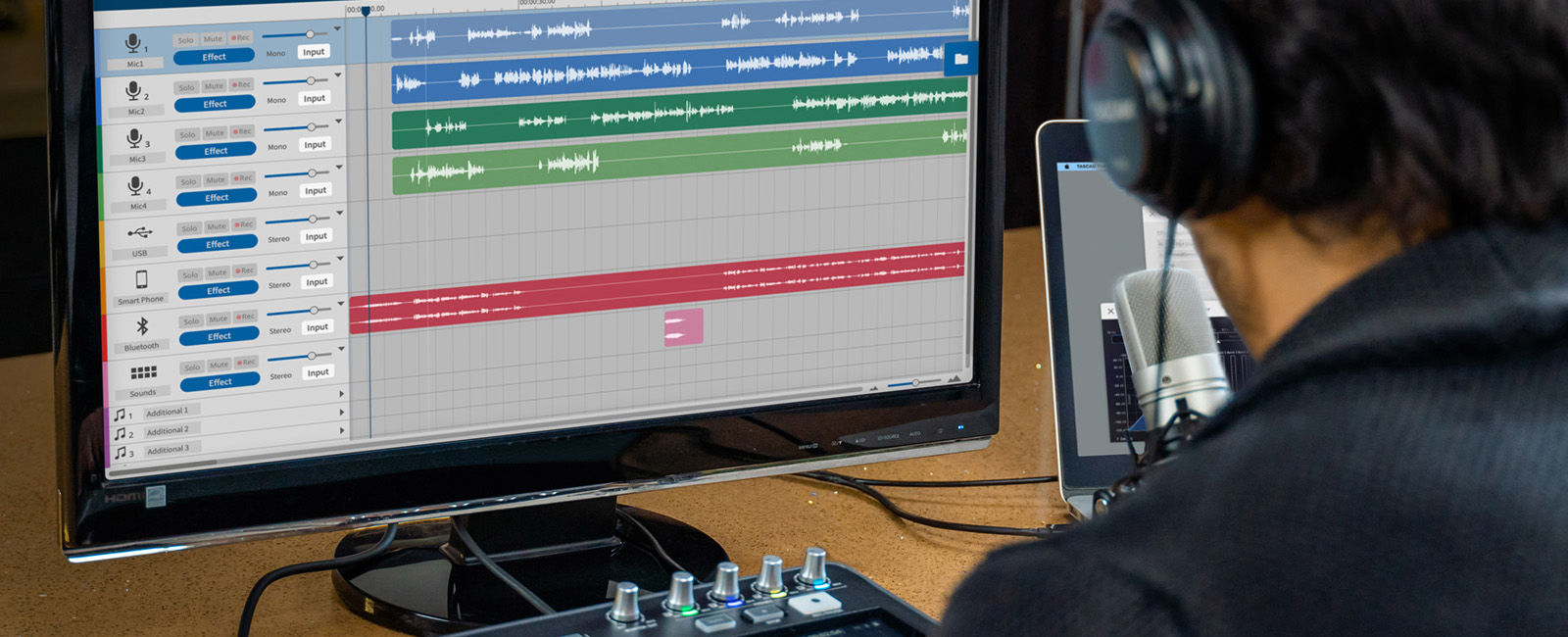
TASCAM Podcast Editor

tascam.com · TASCAM Podcast Editor | Free App for Podcasts, Internet ... · scored Dec 2025

TASCAM's editor is free, iOS can't import outside audio

Best forOwners of the TASCAM Mixcast 4 hardware wanting matched, free editing software.

Free plan freeVST pluginsMixcast 4
−0.2 vs #1

Free podcast editing software built for the TASCAM Mixcast 4, with VST3 plugin support and direct YouTube export.

Standout factSupports up to 12 tracks and 24 channels with VST3/AU plugin compatibility, entirely free.tascam.com
Biggest catchThe iOS app cannot import external audio files, only content created in-app or from a TASCAM device.apps.apple.com
12 tracks / 24 channelsMax trackstascam.com
2Android input channelstascam.eu

Starting price

$0free on all platforms with TASCAM ID

The thing people get wrong

The mobile apps work the same as the desktop editor

iOS cannot import external audio files and Android is limited to 2 input channels with no MP4 export

Source: tascam.eu

Upside

  • Completely free to use
  • Supports VST3/AU plugins
  • Seamless Mixcast 4 hardware integration

Catch

  • iOS app cannot import external audio files
  • Android limited to 2-channel input
  • iPadOS 17 playback bugs reported
Pick it ifOwners of the TASCAM Mixcast 4 hardware wanting matched, free editing software.
Skip it ifAdvanced editors needing complex multi-track capabilities without the hardware.
PricingFree on all platforms, requires TASCAM ID registration

Editor's takeTASCAM built this editor as the software half of the Mixcast 4 hardware, and it shows: direct recording without track routing and sound pad configuration work smoothly together. VST3/AU plugin support at zero cost is unusual for a bundled tool. Mobile is where it falls short: the iOS app can only edit files created in-app or pulled from a TASCAM device, so it isn't a general-purpose mobile editor.

Is TASCAM Podcast Editor free?

Yes, completely free on Windows, macOS, iOS, and Android, requiring only a free TASCAM ID registration to use.

Can the iOS app import audio files recorded elsewhere?

No. The iOS version only works with files created inside the app or recorded from a TASCAM device, so external WAV or MP3 files cannot be imported.

The evidence: 6 criteria, 3 penalties (−0.23 points)
8.7
Product Capability & DepthLooked for: We evaluate the software's audio editing features, track limits, and plugin support relative to industry standards.The software supports up to 12 tracks (24 channels), VST3/AU plugins, and specialized voice tools like 'Time Adjust' and 'Automatic Cleanup', though Android functionality is restricted.tascam.comtascam.comtascam.eu
9.2
Market Credibility & Trust SignalsLooked for: We assess the brand's reputation, history in the audio industry, and the software's adoption stability.TASCAM is a legendary audio brand under TEAC Corporation, and this software is the official companion to their hardware, ensuring long-term support and reliability.manuals.plustascam.com
8.8
Usability & Customer ExperienceLooked for: We look for ease of use, interface design, and the smoothness of the workflow for both beginners and pros.The interface is designed to be intuitive for non-engineers with waveform editing and drag-and-drop functionality, though mobile users report specific workflow-breaking bugs.tascam.comapps.apple.com
9.4
Value, Pricing & TransparencyLooked for: We evaluate the cost-to-feature ratio and the clarity of pricing models or hidden requirements.The software is completely free to download and use on all platforms, requiring only a TASCAM ID registration, offering exceptional value for a VST-capable editor.tascam.eutascam.com
9.3
Hardware Integration & EcosystemLooked for: We examine how well the software integrates with proprietary hardware and the broader audio ecosystem.The editor offers deep integration with the Mixcast 4, allowing direct recording without routing, SD card import, and sound pad configuration.tascam.comtascam.com
8.1
Cross-Platform Consistency & Mobile SupportLooked for: We assess the consistency of features across different operating systems and the viability of mobile workflows.While available on major platforms, the mobile versions suffer from significant limitations, including file import restrictions on iOS and export limits on Android.apps.apple.comtascam.eu

Score adjustments−0.23 points in total

−0.08The iOS application restricts users from importing external audio files (WAV/MP3) that were not created within the app or by a TASCAM device, significantly limiting its utility as a general editor.apps.apple.com · severity 75/100
−0.09The Android version is functionally limited compared to other platforms, supporting only 2 input channels (stereo mix) instead of 14 multi-track channels, and lacks MP4 export capability.tascam.eu · severity 65/100
−0.06Users have reported significant bugs on iPadOS 17, specifically where recorded tracks fail to play back during the editing process.apps.apple.com · severity 60/100
8

Adobe Audition

adobe.com · scored Dec 2025

Adobe faces an FTC lawsuit over Audition's cancellation terms

Best forVideo editors needing dialogue cleanup and Premiere Pro round-trip workflows.

From $21 per month Premiere Pro integrationno MIDI supportsubscription only
−0.3 vs #1

Professional audio workstation for post-production, restoration and Dynamic Link with Premiere Pro.

Standout factDynamic Link moves sequences between Premiere Pro and Audition without rendering intermediate files.blog.adobe.com
Biggest catchThe FTC sued Adobe in 2024 for allegedly hiding early termination fees and blocking easy cancellation.ftc.gov
$20.99/moStarting priceadobe.com
2003 (from Cool Edit Pro)Origin yearen.wikipedia.org
2024FTC lawsuit filedftc.gov

The thing people get wrong

Audition is a general-purpose DAW for music production

It has no MIDI or VST instrument support and is built for audio-for-video work

Source: community.adobe.com

Starting price

$20.99/moCreative Cloud subscription; FTC lawsuit over cancellation terms pending

Upside

  • Best-in-class Spectral Frequency Display
  • Seamless Dynamic Link with Premiere
  • Deep audio restoration tools

Catch

  • No MIDI or virtual instruments
  • FTC lawsuit over cancellation terms
  • Stability issues in recent versions
Pick it ifVideo editors needing dialogue cleanup and Premiere Pro round-trip workflows.
Skip it ifMusicians needing MIDI sequencing or virtual instrument support.
PricingFrom $20.99/month, Creative Cloud subscription only, 7-day free trial.

Editor's takeAudition's Spectral Frequency Display and Dynamic Link into Premiere Pro make it the standard tool for cleaning dialogue and mixing video soundtracks. It has no MIDI sequencing or virtual instrument support, so it cannot replace a music production DAW. Adobe faces an active FTC lawsuit over allegedly hidden early termination fees and difficult cancellation, and some users report stability issues in the 2024 and 2025 versions.

Does Adobe Audition support MIDI?

No. Audition does not support MIDI sequencing or VST instruments, so it cannot run virtual instruments, according to Adobe's own community forum.

Is there a legal issue with Adobe subscriptions?

Yes. The FTC sued Adobe in 2024, alleging it hid early termination fees and made cancellation difficult across its Creative Cloud subscriptions, which include Audition.

The evidence: 6 criteria, 3 penalties (−0.20 points)
8.9
Product Capability & DepthLooked for: We evaluate the software's ability to handle complex audio post-production tasks, including multitrack mixing and waveform editing.Audition excels as a dedicated audio post-production tool with a dual-mode environment: a destructive Waveform view for surgical editing and a non-destructive Multitrack view for mixing. However, it explicitly lacks MIDI sequencing and virtual instrument (VSTi) support, limiting its use for music creation.adobe.comhelpx.adobe.comblog.adobe.com
9.3
Market Credibility & Trust SignalsLooked for: We assess the product's industry standing, history, and adoption rate among professionals.Adobe Audition is an industry-standard tool for video post-production and podcasting, with a lineage tracing back to Cool Edit Pro. It is widely adopted in professional broadcast and film workflows, particularly due to its integration with the Creative Cloud ecosystem.en.wikipedia.orgyoutube.com
8.6
Usability & Customer ExperienceLooked for: We examine the learning curve, user interface design, and reported stability or support issues.The interface is professional but dense, presenting a steep learning curve for beginners. While the 'Essential Sound' panel simplifies common tasks, users have reported stability issues and crashes in the 2024/2025 versions, and customer support experiences are mixed.helpx.adobe.comadobe.comtrustradius.com
7.2
Value, Pricing & TransparencyLooked for: We evaluate the pricing model, contract terms, and transparency regarding cancellation fees.Audition is only available via subscription (approx. $22.99/mo). Adobe is currently facing a lawsuit from the FTC regarding 'hidden' early termination fees and difficult cancellation processes, which significantly damages its score in transparency and consumer trust.adobe.comftc.govtopclassactions.com
9.4
Audio Restoration & Precision EditingLooked for: We assess how well the software integrates with video editing platforms and other creative tools.The 'Dynamic Link' integration with Premiere Pro is a standout feature, allowing users to send sequences to Audition and back without rendering intermediate files. This seamless round-trip workflow is a critical advantage for video editors.helpx.adobe.comyoutube.compremiumbeat.com
9.0
Support, Training & Onboarding Resourceshelpx.adobe.com

Score adjustments−0.20 points in total

−0.06Adobe is facing a federal lawsuit (FTC) for allegedly hiding early termination fees (ETFs) and making the cancellation process intentionally difficult.ftc.gov · severity 90/100
−0.09The software completely lacks MIDI sequencing and virtual instrument (VSTi) support, rendering it unusable for music production workflows that require composition.community.adobe.com · severity 65/100
−0.05Users have reported significant stability issues and crashes in the 2024 and 2025 versions, particularly during multitrack editing.community.adobe.com · severity 50/100
02

Side by side

10 features across 8 products. Green is yes, red is no, grey is not published.

FeatureRiversideAudacityCleanvoiceDescriptPodcastleResoundTASCAM Podcast EditorAdobe Audition
Has Mobile App Web-only
Has Free Plan
Has Free Trial Contact for trial
Integrates With Zapier
Has Public API
Live Chat Support Email/Ticket only Email/Ticket only Email/Ticket only Email/Ticket only Email/Ticket only
SOC 2 or ISO Certified
Popular Integrations Limited integrations Slack, Zoom, Google Drive Adobe Creative Cloud, Adobe Premiere Pro
Supports SSO Enterprise plans only Enterprise plans only
Starting Price $24 per month Free $12 per month $12 per month $12 per month $12 per month Free $21 per month
03

How we chose

Four fixed criteria for every product, plus two chosen for Podcasting & Audio Editing Tools for Staffing Agencies, weighted and reduced by documented penalties.

Full methodology
Criteria set for this categoryProduct Capability & Depth, Market Credibility & Trust Signals, Usability & Customer Experience, Value, Pricing & Transparency, Security, Compliance & Data Protection, Support, Training & Onboarding Resources
Evidence, then a scoreDocumentation, pricing pages, security pages and third-party reviews. Each criterion records what was found and links its sources.
Penalties, then a rankDocumented problems pull the score down with their evidence attached. Rank follows the score. Sponsored rows, where present, are labelled.
iVendors cannot buy a position. Every score rests on published evidence, documented problems pull it down, and a 9.1 here is not a 9.1 in another category.
Albert Richer
Albert RicherFounder · Memphis, TN

Sets the criteria and reviews the evidence before a ranking publishes. Email him if something here looks wrong.

04

Questions people ask

Does Riverside offer 4K video on the free plan?

No. The free plan caps video at 720p and adds a watermark. 4K video and 48kHz audio require the Pro plan, priced at $24 per month.

Does Riverside have sync issues?

Some users report audio and video drifting out of sync, particularly during longer recordings, according to documented reviews.

Is Audacity really free?

Yes. Audacity states it is 100% free and will always remain so, with optional paid cloud storage through Audio.com for larger projects.

Does Audacity support VST plugins?

Yes. It supports real-time VST3, LV2, and LADSPA effects, plus Nyquist plugins, extended through the Muse Hub plugin library.

Do Cleanvoice subscription credits expire?

Unused subscription credits roll over up to three times the plan limit, and pay-as-you-go credits stay valid for 2 years, according to Cleanvoice's pricing page.

Does Cleanvoice work with professional editing software?

Yes. Its Timeline Export feature sends edit markers to DAWs like Audacity, Adobe Premiere and DaVinci Resolve, letting editors fine-tune the AI's suggested cuts.

Is Descript stable for long video projects?

Not always. Reviewers report the app can be slow, laggy, and prone to crashing on longer videos or 4K media, according to independent review site Eesel.ai.

How much does Descript cost?

The Free plan includes 1 hour of transcription a month. Paid plans run from $12 a month (Hobbyist) to $40 a month (Business), billed annually.

How is the best Podcasting & Audio Editing Tools for Staffing Agencies decided?

Every product is scored on six criteria for this category, with cited evidence and documented penalties. Rank follows the overall score. Vendors cannot pay for a position.

How often is this ranking updated?

Products are re-scored when pricing, features or evidence change. This ranking was last updated September 3, 2026.

05

More in Podcasting & Audio Editing Tools

3 related rankings.

All of Podcasting & Audio Editing
Research

99% of Fortune 100 companies have used an Adobe AI application

Mar 17, 2026

Desktop publishing jobs face a 12% decline by 2034, with only 400 annual openings expected

May 15, 2026

Infogain migrated 1.8 million files totaling 50 terabytes to cloud-native platforms

May 12, 2026