Online Whiteboard & Brainstorming Tools

These are the specialized categories within Online Whiteboard & Brainstorming Tools. Looking for something broader? See all Project Management & Productivity Tools categories.

Not sure which one is right for you?

Answer 4 quick questions and we'll match you with your best options

Find Your Best Match

How big is your team?

Just me
2 - 10
11 - 50
51 - 200
201 - 1,000
1,000+

What's your budget situation?

Free or open-source only
Free to start, pay later
Best value for money
Price isn't the main factor

What's your team's technical comfort level?

We want it to just work
We can handle some setup
We have developers who'll customize it

What's the ONE thing this tool must do well?

Step 1 of 4
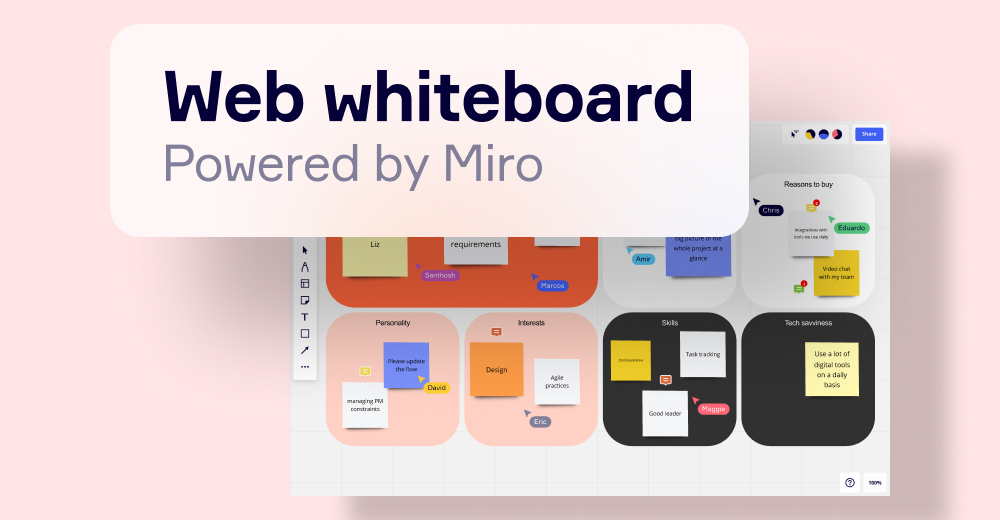
Miro | Collaborative Workspace

Miro is uniquely suited for recruitment agencies due to its innovative workspace that aids in project management, product design, and strategic collaboration. With its comprehensive online whiteboard and brainstorming tools, recruitment agencies can streamline their workflow, manage candidates effectively, and foster remote teamwork.

Best for Online Whiteboard & Brainstorming Tools for Recruitment Agencies

Expert Take

Miro excels as a collaborative workspace tool, particularly for recruitment agencies, by offering extensive integration capabilities and a user-friendly interface. Its market credibility is bolstered by third-party recognitions and a robust ecosystem. While pricing transparency is limited due to custom quotes, the value provided justifies its premium positioning.

Pros

  • Used by 99% of Fortune 100 companies
  • Deep two-way sync with Jira and Azure DevOps
  • ISO 42001 AI safety certification
  • Infinite canvas with 1,000+ templates
  • Generous free plan for small teams

Cons

  • Performance lag on very large boards
  • No full offline editing capabilities
  • Enterprise pricing is not transparent
  • Steep learning curve for advanced features

Best for teams that are

  • Cross-functional product teams needing agile workflows and advanced diagramming.
  • Large enterprises requiring deep software integrations and strict governance.

Skip if

  • Small teams or individuals looking for a simple, fully free sketching tool.
  • Users who find feature-heavy platforms and complex UI overwhelming.

Best for teams that are

  • Cross-functional product teams needing agile workflows and advanced diagramming.
  • Large enterprises requiring deep software integrations and strict governance.

Skip if

  • Small teams or individuals looking for a simple, fully free sketching tool.
  • Users who find feature-heavy platforms and complex UI overwhelming.

Pros

  • Used by 99% of Fortune 100 companies
  • Deep two-way sync with Jira and Azure DevOps
  • ISO 42001 AI safety certification
  • Infinite canvas with 1,000+ templates
  • Generous free plan for small teams

Cons

  • Performance lag on very large boards
  • No full offline editing capabilities
  • Enterprise pricing is not transparent
  • Steep learning curve for advanced features

Expert Take

Miro excels as a collaborative workspace tool, particularly for recruitment agencies, by offering extensive integration capabilities and a user-friendly interface. Its market credibility is bolstered by third-party recognitions and a robust ecosystem. While pricing transparency is limited due to custom quotes, the value provided justifies its premium positioning.

2
9.8 / 10
Lucidspark

Lucidspark is a virtual whiteboard specifically designed for team collaboration within SaaS companies. It provides a seamless platform for brainstorming, sharing and organizing ideas, fostering creativity and facilitating the transition to implementation. Its integration with popular SaaS tools, and robust real-time collaboration features make it a perfect choice for the SaaS industry.

Best for Online Whiteboard & Brainstorming Tools for SaaS Companies

Expert Take

Lucidspark stands out as a leading online whiteboard tool for SaaS companies due to its robust collaboration features and seamless integrations. Its ability to facilitate real-time brainstorming and idea organization makes it an essential tool for teams. Despite some limitations in the free version, its overall capabilities and market credibility position it as a top choice in its category.

Pros

  • FedRAMP Moderate Authorized security
  • Universal Canvas syncs with Lucidchart
  • Breakout boards for group work
  • Deep two-way Jira integration
  • Used by 99% of Fortune 500

Cons

  • Performance lag on large boards
  • Free plan limited to 3 boards
  • Team plan requires 3-user minimum
  • Steep learning curve for advanced features
  • No native video calling (uses integrations)

Best for teams that are

  • Engineering and IT teams already using Lucidchart or Jira.
  • Teams needing structured brainstorming and voting.

Skip if

  • Users requiring offline access or local desktop apps.
  • Solopreneurs wanting completely free, limitless boards.

Best for teams that are

  • Engineering and IT teams already using Lucidchart or Jira.
  • Teams needing structured brainstorming and voting.

Skip if

  • Users requiring offline access or local desktop apps.
  • Solopreneurs wanting completely free, limitless boards.

Pros

  • FedRAMP Moderate Authorized security
  • Universal Canvas syncs with Lucidchart
  • Breakout boards for group work
  • Deep two-way Jira integration
  • Used by 99% of Fortune 500

Cons

  • Performance lag on large boards
  • Free plan limited to 3 boards
  • Team plan requires 3-user minimum
  • Steep learning curve for advanced features
  • No native video calling (uses integrations)

Expert Take

Lucidspark stands out as a leading online whiteboard tool for SaaS companies due to its robust collaboration features and seamless integrations. Its ability to facilitate real-time brainstorming and idea organization makes it an essential tool for teams. Despite some limitations in the free version, its overall capabilities and market credibility position it as a top choice in its category.

3
9.8 / 10
EdrawMind

EdrawMind is designed for recruitment agencies seeking to streamline brainstorming with AI-driven mind mapping. It allows users to create detailed diagrams from text, PDFs, and videos effortlessly. The platform supports multiple viewing modes, making it ideal for collaborative project management.

Best for Online Whiteboard & Brainstorming Tools for Recruitment Agencies

Expert Take

EdrawMind excels at blending traditional mind mapping with cutting-edge AI automation. By treating AI as a core feature rather than an afterthought, it allows users to instantly generate complex diagrams from simple text prompts, PDFs, or even YouTube videos. Its versatility across platforms and seamless integration with multiple viewing modes, like Kanban and Slides, make it a powerhouse for organizing thoughts and managing collaborative projects.

Pros

  • Intuitive interface with zero learning curve
  • Robust AI tools for instant diagram generation
  • Extensive export options including Word and PPT
  • Multiple versatile views like Kanban and Outline

Cons

  • Occasional cloud synchronization failures across devices
  • AI tokens require additional purchases
  • Customer support can be unresponsive

Best for teams that are

  • Students and professionals needing structured, AI-powered mind mapping tools.
  • Users looking to auto-generate visual maps from PDFs, presentations, and documents.

Skip if

  • Teams preferring an unstructured, infinite whiteboard for fluid collaboration.
  • Individual users seeking a completely free tool without premium pricing constraints.

Best for teams that are

  • Students and professionals needing structured, AI-powered mind mapping tools.
  • Users looking to auto-generate visual maps from PDFs, presentations, and documents.

Skip if

  • Teams preferring an unstructured, infinite whiteboard for fluid collaboration.
  • Individual users seeking a completely free tool without premium pricing constraints.

Pros

  • Intuitive interface with zero learning curve
  • Robust AI tools for instant diagram generation
  • Extensive export options including Word and PPT
  • Multiple versatile views like Kanban and Outline

Cons

  • Occasional cloud synchronization failures across devices
  • AI tokens require additional purchases
  • Customer support can be unresponsive

Expert Take

EdrawMind excels at blending traditional mind mapping with cutting-edge AI automation. By treating AI as a core feature rather than an afterthought, it allows users to instantly generate complex diagrams from simple text prompts, PDFs, or even YouTube videos. Its versatility across platforms and seamless integration with multiple viewing modes, like Kanban and Slides, make it a powerhouse for organizing thoughts and managing collaborative projects.

FigJam Brainstorming Tool

FigJam by Figma is a free online brainstorming tool specially tailored for Venture Capital Firms. It facilitates team collaboration and ideation with features like sticky notes, dot votes, and stickers, thereby nurturing innovative ideas and strategies. The software aids in streamlining communication within investment teams and between investors and startups, a critical need in the VC industry.

Best for Online Whiteboard & Brainstorming Tools for Venture Capital Firms

Expert Take

FigJam is a leading tool in the online brainstorming category, particularly for venture capital firms. It excels in product capability and usability, with strong integration features and market credibility. While the free version has limitations, its comprehensive features and integration with Figma make it a top choice for collaborative ideation.

Pros

  • Seamless copy-paste integration with Figma design files
  • Intuitive interface that is easy for non-designers to use
  • Powerful AI widgets like Jambot for brainstorming and summarizing
  • SOC 2 Type II compliance ensures enterprise-grade security
  • Strong ecosystem with Jira, Asana, and Microsoft Teams integrations

Cons

  • Unexpected billing charges from self-upgrading viewers
  • No fully functional offline mode for creating new files
  • Performance lag reported on very large boards
  • Limited Apple Pencil support on iPad compared to competitors
  • Fewer advanced templates than market leaders like Miro

Best for teams that are

  • Product and design teams already working within the Figma ecosystem.
  • Teams needing fast, playful, and simple real-time ideation.

Skip if

  • Teams needing extensive project governance and enterprise security controls.
  • Users who frequently work with large, complex boards that may suffer lag.

Best for teams that are

  • Product and design teams already working within the Figma ecosystem.
  • Teams needing fast, playful, and simple real-time ideation.

Skip if

  • Teams needing extensive project governance and enterprise security controls.
  • Users who frequently work with large, complex boards that may suffer lag.

Pros

  • Seamless copy-paste integration with Figma design files
  • Intuitive interface that is easy for non-designers to use
  • Powerful AI widgets like Jambot for brainstorming and summarizing
  • SOC 2 Type II compliance ensures enterprise-grade security
  • Strong ecosystem with Jira, Asana, and Microsoft Teams integrations

Cons

  • Unexpected billing charges from self-upgrading viewers
  • No fully functional offline mode for creating new files
  • Performance lag reported on very large boards
  • Limited Apple Pencil support on iPad compared to competitors
  • Fewer advanced templates than market leaders like Miro

Expert Take

FigJam is a leading tool in the online brainstorming category, particularly for venture capital firms. It excels in product capability and usability, with strong integration features and market credibility. While the free version has limitations, its comprehensive features and integration with Figma make it a top choice for collaborative ideation.

5
9.7 / 10
Conceptboard

Conceptboard is a digital whiteboard solution specifically designed for SaaS companies. It offers real-time visual collaboration, providing a secure, central platform for brainstorming and decision-making. Given its GDPR-compliance and German hosting, it addresses the data security concerns of SaaS firms.

Best for Online Whiteboard & Brainstorming Tools for SaaS Companies

Expert Take

Conceptboard excels as a digital whiteboard solution tailored for SaaS companies, offering robust real-time collaboration and strong data security measures. Its GDPR compliance and secure hosting in Germany enhance its appeal. While the free plan has limitations, its overall capabilities make it a top choice in its category.

Pros

  • Hosted in Germany with full GDPR compliance
  • ISO 27001, 27017, and 27018 certified
  • Infinite canvas with real-time collaboration
  • Used by high-security clients like U.S. Air Force
  • Competitive pricing with free plan available

Cons

  • No native mobile apps (web-only)
  • Fewer integrations than competitors like Miro
  • No built-in charting or graphing tools
  • Performance lag on very large boards
  • Limited language support (English/German)

Best for teams that are

  • EU organizations requiring GDPR compliance and data sovereignty.
  • Teams blending visual brainstorming with task management.

Skip if

  • Users frustrated by older, occasionally laggy interfaces.
  • Teams looking for robust mobile app experiences.

Best for teams that are

  • EU organizations requiring GDPR compliance and data sovereignty.
  • Teams blending visual brainstorming with task management.

Skip if

  • Users frustrated by older, occasionally laggy interfaces.
  • Teams looking for robust mobile app experiences.

Pros

  • Hosted in Germany with full GDPR compliance
  • ISO 27001, 27017, and 27018 certified
  • Infinite canvas with real-time collaboration
  • Used by high-security clients like U.S. Air Force
  • Competitive pricing with free plan available

Cons

  • No native mobile apps (web-only)
  • Fewer integrations than competitors like Miro
  • No built-in charting or graphing tools
  • Performance lag on very large boards
  • Limited language support (English/German)

Expert Take

Conceptboard excels as a digital whiteboard solution tailored for SaaS companies, offering robust real-time collaboration and strong data security measures. Its GDPR compliance and secure hosting in Germany enhance its appeal. While the free plan has limitations, its overall capabilities make it a top choice in its category.

Excalidraw Online Whiteboard

Excalidraw is perfectly tailored for recruitment agencies seeking a cost-effective and easy-to-use online whiteboard for collaborative brainstorming. With its no-frills, hand-drawn style diagrams and flowcharts, and without having to sign up, recruiters can easily visualize and share candidate evaluation processes, interview strategies, and more.

Best for Online Whiteboard & Brainstorming Tools for Recruitment Agencies

Expert Take

Excalidraw is a highly accessible and user-friendly online whiteboard tool, particularly suited for recruitment agencies due to its simplicity and real-time collaboration features. While it lacks some advanced functionalities, its ease of use and no sign-up requirement make it a standout choice for brainstorming and visualization tasks.

Pros

  • Generous free plan with unlimited collaborators
  • End-to-end encryption for secure sharing
  • Deep integration with Obsidian and VS Code
  • AI-powered Wireframe-to-Code generation
  • Zero learning curve with no sign-up required

Cons

  • Performance lag on tablets with large files
  • Limited editing capabilities for imported SVGs
  • Lacks advanced enterprise data-linking features
  • Text container resizing can be quirky
  • Hand-drawn style may not suit formal reports

Best for teams that are

  • Software developers creating technical flowcharts and architecture diagrams.
  • Teams wanting a lightweight, secure, open-source tool with a hand-drawn aesthetic.

Skip if

  • Users looking for slide-based organization or highly polished corporate graphics.
  • Teams wanting extensive project management and agile workflow features.

Best for teams that are

  • Software developers creating technical flowcharts and architecture diagrams.
  • Teams wanting a lightweight, secure, open-source tool with a hand-drawn aesthetic.

Skip if

  • Users looking for slide-based organization or highly polished corporate graphics.
  • Teams wanting extensive project management and agile workflow features.

Pros

  • Generous free plan with unlimited collaborators
  • End-to-end encryption for secure sharing
  • Deep integration with Obsidian and VS Code
  • AI-powered Wireframe-to-Code generation
  • Zero learning curve with no sign-up required

Cons

  • Performance lag on tablets with large files
  • Limited editing capabilities for imported SVGs
  • Lacks advanced enterprise data-linking features
  • Text container resizing can be quirky
  • Hand-drawn style may not suit formal reports

Expert Take

Excalidraw is a highly accessible and user-friendly online whiteboard tool, particularly suited for recruitment agencies due to its simplicity and real-time collaboration features. While it lacks some advanced functionalities, its ease of use and no sign-up requirement make it a standout choice for brainstorming and visualization tasks.

Miro Lite Online Whiteboard

Miro Lite is a highly effective online whiteboard solution designed to meet the unique needs of contractors. Its real-time collaboration features make it ideal for brainstorming, planning, and executing projects, allowing contractors to sketch ideas, create flowcharts, and discuss plans remotely.

Best for Online Whiteboard & Brainstorming Tools for Contractors

Expert Take

Miro Lite excels in providing a collaborative online whiteboard solution tailored for contractors, with strong integration capabilities and a user-friendly interface. While the free version has limitations, its paid plans offer extensive features that enhance project management and brainstorming.

Pros

  • No sign-up required for immediate use
  • Free access to core whiteboarding tools
  • Real-time collaboration via simple link
  • Supports stylus and tablet input
  • Export to PDF or Image available

Cons

  • Boards deleted automatically after 24 hours
  • Must register to save work permanently
  • Limited to 8 basic templates
  • No advanced third-party integrations
  • Not supported in private/incognito browsers

Best for teams that are

  • Enterprise agile teams managing complex projects [cite: 1].
  • Cross-functional remote teams needing deep integrations [cite: 11].
  • Users requiring advanced diagramming and mapping [cite: 1].

Skip if

  • Non-technical users seeking a simple learning curve [cite: 12].
  • Users who struggle with cluttered infinite canvases [cite: 13].
  • Small teams restricted to the limited free version [cite: 42].

Best for teams that are

  • Enterprise agile teams managing complex projects [cite: 1].
  • Cross-functional remote teams needing deep integrations [cite: 11].
  • Users requiring advanced diagramming and mapping [cite: 1].

Skip if

  • Non-technical users seeking a simple learning curve [cite: 12].
  • Users who struggle with cluttered infinite canvases [cite: 13].
  • Small teams restricted to the limited free version [cite: 42].

Pros

  • No sign-up required for immediate use
  • Free access to core whiteboarding tools
  • Real-time collaboration via simple link
  • Supports stylus and tablet input
  • Export to PDF or Image available

Cons

  • Boards deleted automatically after 24 hours
  • Must register to save work permanently
  • Limited to 8 basic templates
  • No advanced third-party integrations
  • Not supported in private/incognito browsers

Expert Take

Miro Lite excels in providing a collaborative online whiteboard solution tailored for contractors, with strong integration capabilities and a user-friendly interface. While the free version has limitations, its paid plans offer extensive features that enhance project management and brainstorming.

Mural Online Whiteboard

Mural enables contractors to work together on a shared virtual whiteboard, plan projects visually, and run workshops with ease. It caters to the industry-specific needs of visualizing project plans, brainstorming construction ideas, and promoting team collaboration.

Best for Online Whiteboard & Brainstorming Tools for Contractors

Expert Take

Mural Online Whiteboard excels in providing a collaborative platform tailored for contractors, with strong integration capabilities and a user-friendly interface. Its market credibility is supported by external recognitions, and it offers good value with transparent pricing options. The product stands out in its category due to its adaptability and comprehensive feature set.

Pros

  • Trusted by 95% of Fortune 100
  • Microsoft 365 Certified security
  • Unlimited members on Free plan
  • Advanced facilitation tools (Summon, Timer)
  • Intuitive interface for non-technical users

Cons

  • Performance lag on large boards
  • Limited technical diagramming depth
  • Mobile experience needs improvement
  • Fewer templates than main competitor
  • Steep price jump to Business plan

Best for teams that are

  • Enterprise GTM teams needing structured alignment [cite: 2].
  • Facilitators running workshops with advanced tools [cite: 9].
  • Fortune 100 companies requiring strict security [cite: 10].

Skip if

  • Teams needing native high-capacity video calls [cite: 40].
  • Users wanting simple, unstructured freeform boards [cite: 9].
  • Small teams with limited software budgets [cite: 10].

Best for teams that are

  • Enterprise GTM teams needing structured alignment [cite: 2].
  • Facilitators running workshops with advanced tools [cite: 9].
  • Fortune 100 companies requiring strict security [cite: 10].

Skip if

  • Teams needing native high-capacity video calls [cite: 40].
  • Users wanting simple, unstructured freeform boards [cite: 9].
  • Small teams with limited software budgets [cite: 10].

Pros

  • Trusted by 95% of Fortune 100
  • Microsoft 365 Certified security
  • Unlimited members on Free plan
  • Advanced facilitation tools (Summon, Timer)
  • Intuitive interface for non-technical users

Cons

  • Performance lag on large boards
  • Limited technical diagramming depth
  • Mobile experience needs improvement
  • Fewer templates than main competitor
  • Steep price jump to Business plan

Expert Take

Mural Online Whiteboard excels in providing a collaborative platform tailored for contractors, with strong integration capabilities and a user-friendly interface. Its market credibility is supported by external recognitions, and it offers good value with transparent pricing options. The product stands out in its category due to its adaptability and comprehensive feature set.

Miro Brainstorming Tool

Miro’s Brainstorming Tool is designed specifically for Private Equity Firms looking to enhance their collaborative efforts. It provides an interactive and visual platform for teams to ideate, make decisions, and plan strategies, which is crucial in the fast-paced and data-driven world of private equity.

Best for Online Whiteboard & Brainstorming Tools for Private Equity Firms

Expert Take

Miro's Brainstorming Tool excels in providing a collaborative platform tailored for private equity firms, with strong integration capabilities and a user-friendly interface. Its pricing structure is transparent, and it has received industry recognition, making it a top choice in its category.

Pros

  • Infinite canvas with 7,000+ templates
  • ISO 42001 certified for AI safety
  • Private Mode prevents brainstorming groupthink
  • Deep 2-way Jira & Microsoft integrations
  • AI automatically clusters and summarizes ideas

Cons

  • Lag on large, complex boards
  • Free plan limited to 3 boards
  • Steep learning curve for advanced features
  • Limited offline access capabilities
  • Advanced security costs extra (Enterprise Guard)

Best for teams that are

  • Cross-functional teams needing deep software integrations
  • Agile teams tracking sprints and Kanban boards
  • Large organizations using extensive template libraries

Skip if

  • Free users who need more than three actively editable boards
  • Users looking for structured, text-heavy documentation tools

Best for teams that are

  • Cross-functional teams needing deep software integrations
  • Agile teams tracking sprints and Kanban boards
  • Large organizations using extensive template libraries

Skip if

  • Free users who need more than three actively editable boards
  • Users looking for structured, text-heavy documentation tools

Pros

  • Infinite canvas with 7,000+ templates
  • ISO 42001 certified for AI safety
  • Private Mode prevents brainstorming groupthink
  • Deep 2-way Jira & Microsoft integrations
  • AI automatically clusters and summarizes ideas

Cons

  • Lag on large, complex boards
  • Free plan limited to 3 boards
  • Steep learning curve for advanced features
  • Limited offline access capabilities
  • Advanced security costs extra (Enterprise Guard)

Expert Take

Miro's Brainstorming Tool excels in providing a collaborative platform tailored for private equity firms, with strong integration capabilities and a user-friendly interface. Its pricing structure is transparent, and it has received industry recognition, making it a top choice in its category.

10
9.6 / 10
Stormboard

Stormboard is a data-first collaborative workflow platform designed specifically for the SaaS industry. It transforms unstructured interactions into data-rich collaborative workspaces, enabling SaaS companies to brainstorm, plan, and execute projects more effectively.

Best for Online Whiteboard & Brainstorming Tools for SaaS Companies

Expert Take

Stormboard excels as a collaborative platform tailored for SaaS companies, offering data-rich workspaces and seamless integration with popular tools. Its real-time collaboration and powerful reporting capabilities make it a standout choice, though the lack of offline mode and potential complexity for new users are noted tradeoffs.

Pros

  • True two-way sync with Jira and Azure DevOps
  • Exports structured data to Word, Excel, and PPT
  • SOC 2 Type II certified enterprise security
  • Substorms allow nested organization of complex ideas
  • Strong Microsoft 365 and Teams integration

Cons

  • Performance lag with large groups (30+ users)
  • No universal Ctrl-Z undo for all actions
  • UI less fluid than competitors like Miro
  • Free plan limited to 5 open Storms
  • Steeper learning curve for advanced features

Best for teams that are

  • Operationally focused teams organizing structured data and workflows.
  • Solopreneurs managing tasks and visual project plans.

Skip if

  • Design-centric teams needing freeform, unstructured creative canvases.
  • Sales teams wanting a full-fledged CRM replacement.

Best for teams that are

  • Operationally focused teams organizing structured data and workflows.
  • Solopreneurs managing tasks and visual project plans.

Skip if

  • Design-centric teams needing freeform, unstructured creative canvases.
  • Sales teams wanting a full-fledged CRM replacement.

Pros

  • True two-way sync with Jira and Azure DevOps
  • Exports structured data to Word, Excel, and PPT
  • SOC 2 Type II certified enterprise security
  • Substorms allow nested organization of complex ideas
  • Strong Microsoft 365 and Teams integration

Cons

  • Performance lag with large groups (30+ users)
  • No universal Ctrl-Z undo for all actions
  • UI less fluid than competitors like Miro
  • Free plan limited to 5 open Storms
  • Steeper learning curve for advanced features

Expert Take

Stormboard excels as a collaborative platform tailored for SaaS companies, offering data-rich workspaces and seamless integration with popular tools. Its real-time collaboration and powerful reporting capabilities make it a standout choice, though the lack of offline mode and potential complexity for new users are noted tradeoffs.

Loading comparison data…

How We Rank Products

Our Evaluation Process

Evaluation of online whiteboard and brainstorming tools on this platform focuses on documented features such as collaboration capabilities, user interface design, and integration options. Pricing transparency is assessed to ensure clear understanding of cost structures. Compatibility with other business software is a key consideration, along with security compliance. Third-party customer feedback is also analyzed to gauge user satisfaction and performance in real-world scenarios.

Verification

  • Products evaluated through comprehensive research and analysis of user feedback and expert insights.
  • Rankings based on a thorough analysis of features, specifications, and customer satisfaction metrics.
  • Selection criteria focus on collaborative efficiency, user interface design, and integration capabilities within online whiteboard tools.

Score Breakdown

0.0 / 10

About Online Whiteboard & Brainstorming Tools

Defining the Online Whiteboard & Brainstorming Category

The category of Online Whiteboard & Brainstorming Tools encompasses software designed to provide an infinite, persistent digital canvas for synchronous and asynchronous visual collaboration. Unlike linear document editors or rigid project management grids, these platforms facilitate freeform ideation, diagramming, and spatial organization of information. The operational lifecycle covered by this category spans from initial unstructured brainstorming and strategy formulation to structured workshops, system mapping, and low-fidelity prototyping. It acts as the digital equivalent of a physical war room, preserving context that is typically lost when erasing a physical whiteboard.

In the broader software ecosystem, this category sits between presentation software (which is static and presenter-led) and formal diagramming/CAD tools (which are highly structured and technical). While it overlaps with Collaborative Work Management (CWM) tools regarding task tracking, Online Whiteboard solutions prioritize visual flexibility and real-time multiplayer interactivity over Gantt charts or list views. The category includes both general-purpose horizontal platforms used for agile rituals and workshops, as well as vertical-specific solutions tailored for industries such as education, industrial design, and construction plan markup.

History: From Hardware to Infinite Canvas

The lineage of modern online whiteboarding does not begin with software, but with hardware. In the early 1990s, the digitization of collaborative spaces was dominated by interactive whiteboards (IWBs)—physical, touch-sensitive hardware installed in boardrooms and classrooms. These early iterations were effectively input devices for desktop computers, tethered by cables and limited by the physical boundaries of the screen. They solved the problem of digitizing handwritten notes but failed to address the fundamental constraint of location; collaboration required physical presence. Through the 2000s, the market remained hardware-centric, with software acting merely as a driver for expensive peripheral sales.

The shift toward software-as-a-service (SaaS) in the early 2010s marked the first major divergence. As browser technologies advanced—specifically with the adoption of HTML5 and WebGL—developers began creating "headless" whiteboards that lived in the cloud rather than on a specific device. This era addressed a growing gap created by the globalization of teams: the need for a shared visual space that could exist simultaneously in London, New York, and Tokyo. Early adopters were largely agile software development teams who needed to replicate physical "sticky note" ceremonies (like retrospectives and sprint planning) in a distributed environment. The market began to bifurcate into simple, ephemeral drawing tools and persistent, database-backed workspaces.

The profound acceleration of this category occurred in 2020, triggered by the global shift to remote work. What was previously a "nice-to-have" tool for creative teams became critical infrastructure for enterprise continuity. The market saw a Cambrian explosion of adoption, not just for brainstorming, but for complex workflows previously managed in physical meeting rooms. Buyer expectations shifted dramatically from "digital scratchpads" to "visual operating systems." Consequently, the 2023-2025 period has been defined by aggressive market consolidation. Major productivity suites and video conferencing platforms have acquired or built native whiteboarding capabilities, signaling a transition where visual collaboration is becoming a commoditized feature of the broader digital workplace rather than solely a standalone category [1].

What to Look For: Evaluation Criteria

When evaluating Online Whiteboard & Brainstorming Tools, buyers must look beyond basic drawing capabilities. The distinction between an enterprise-grade platform and a simple sketching app lies in object intelligence and canvas performance. High-quality tools treat every item on the board—whether a sticky note, a connector line, or an imported PDF—as a data object with metadata. This allows for advanced functionality like exporting sticky notes directly into Jira tickets or CSV files, transforming unstructured brainstorming into structured data. A critical evaluation metric is the "time-to-load" for heavy boards; inferior engines will lag or crash when a canvas exceeds a few hundred objects, rendering them useless for complex enterprise workshops.

Red flags during evaluation often appear in the details of governance and permissions. Be wary of platforms that lack granular access controls (e.g., the ability to lock specific elements of a board while leaving others editable). This is crucial for facilitated workshops where you do not want participants accidentally deleting the framework. Another warning sign is a lack of "follow-me" or facilitation controls. In a session with 50 participants, the ability for a facilitator to force all users' screens to view a specific area of the canvas is non-negotiable. Without this, remote workshops devolve into chaos.

Buyers should ask vendors specific questions regarding data residency and retention. Many general-purpose tools default to storing data in US-based servers, which can be a deal-breaker for European or highly regulated industries. Furthermore, ask about "canvas sprawl" management. As teams create thousands of boards, the platform must provide robust folder structures, archiving policies, and search capabilities (including OCR for text within images) to prevent the workspace from becoming a digital junkyard. Finally, verify the depth of the template library; the best vendors provide community-sourced, expert-vetted templates for methodologies like SAFE, Design Thinking, and Lean UX, significantly reducing preparation time.

Industry-Specific Use Cases

Retail & E-commerce

In the retail sector, Online Whiteboard tools have evolved into essential platforms for visual merchandising planning and omnichannel assortment strategy. Unlike standard project tools, whiteboards allow merchandising teams to import product imagery and visually arrange SKUs on an infinite canvas to simulate in-store layouts or e-commerce category pages. This visual approach helps buyers and planners identify gaps in collections (e.g., "we have too many neutrals and not enough accent colors in the Summer drop") before committing to inventory orders. These tools often integrate with PLM (Product Lifecycle Management) systems to pull real-time data, ensuring that the image on the board matches the current production reality [2].

Retail teams also utilize these platforms for customer journey mapping. By visualizing the shopper's path from social media ad to checkout, cross-functional teams (marketing, UX, sales) can identify friction points. The ability to overlay quantitative data (like drop-off rates) onto a visual map allows for a more intuitive analysis than spreadsheet rows. Evaluators in this space should prioritize high-resolution image handling and the ability to crop/mask images directly on the canvas, as visual fidelity is paramount for design reviews.

Healthcare

Healthcare organizations leverage Online Whiteboards for clinical workflow mapping and patient care coordination, strictly adhering to privacy regulations. In administrative settings, these tools are used to map complex patient intake processes to identify bottlenecks and improve efficiency (Lean Six Sigma). Because these diagrams often contain sensitive operational data, HIPAA compliance and BAA (Business Associate Agreement) availability are the single most critical evaluation criteria. General-purpose tools without specific healthcare compliance certifications are typically disqualified [3].

On the clinical side, advanced whiteboard solutions are appearing in digital nursing stations and patient rooms. These are not just for brainstorming but serve as dynamic communication hubs, displaying patient status, care team assignments, and discharge plans in a visual format that is easier to digest than text-heavy EMR (Electronic Medical Record) screens. The interoperability with EMR systems is a key differentiator here; the whiteboard must act as a visualization layer on top of the system of record, ensuring that data is never duplicated or out of sync [4].

Financial Services

For financial institutions, the primary use case revolves around secure remote collaboration and complex system architecture planning. Banking and insurance firms use these tools to visualize legacy IT systems and plan modernization roadmaps. Given the sensitivity of financial data, these buyers prioritize "Zero Trust" security models and on-premise or private cloud deployment options. The ability to self-host or control encryption keys (BYOK - Bring Your Own Key) is often a requirement that separates enterprise-grade niche tools from mass-market SaaS solutions [5].

Another specific workflow is agile transformation within large banking enterprises. As traditional banks compete with fintechs, they adopt agile methodologies (SAFe, Scrum). Online whiteboards provide the digital walls for "PI Planning" (Program Increment Planning), where hundreds of developers and stakeholders map dependencies across teams. The critical feature here is the ability to handle massive scale—thousands of active objects and hundreds of concurrent users without latency—while maintaining a rigid audit trail of who changed what and when [6].

Manufacturing

Manufacturing relies on Online Whiteboards for Value Stream Mapping (VSM) and Digital Twin integration. Lean manufacturing principles require visualizing the flow of materials and information to identify waste. Digital whiteboards allow process engineers to create "current state" and "future state" maps that are accessible to global plant managers, replacing the brown paper on gym walls used in the past. Advanced tools in this sector are beginning to integrate with IoT data streams, allowing a static process map to display real-time machine performance data, effectively bridging the gap between a whiteboard and a dashboard [7].

Supply chain visibility is another major use case. Manufacturers map multi-tier supply networks to visualize risks and dependencies. The ability to nest boards (create a board within a board) or create infinite hierarchical drill-downs is valuable here, allowing users to zoom out to a global view and zoom in to a specific factory floor. This visual spatial capability helps identifying single points of failure that rows in a database might obscure.

Professional Services

Consultancies and agencies use Online Whiteboards as their primary client engagement interface. The whiteboard replaces the slide deck for workshops, discovery sessions, and strategy presentations. The unique need here is facilitation prowess and brand control. Agencies require branded templates that look polished and professional, ensuring that a "messy" brainstorm still aligns with client deliverables. Features like "voting," "timers," and "breakout frames" are heavily utilized to manage client energy and attention during multi-hour workshops [8].

Furthermore, the handoff workflow is critical. Consultants need to export the results of a whiteboard session into formats that clients can keep (PDF, PPTX) or invite clients as "guests" without forcing them to create paid accounts. The friction of client access is a major evaluation point; if a client has to struggle to log in, the workshop fails. Therefore, "guest access" with granular permissions (e.g., edit sticky notes but not lock frames) is a priority feature [9].

Subcategory Overview

Online Whiteboard & Brainstorming Tools for Private Equity Firms The private equity sector utilizes specialized whiteboarding solutions to manage and visualize the deal sourcing pipeline and perform commercial due diligence. Unlike generic tools, these platforms are often chosen for their ability to integrate with CRM systems to visualize relationship networks and deal stages in a Kanban or pipeline view. A workflow unique to this niche is the "market map," where associates plot potential targets on a matrix of strategic fit versus financial performance. The specific pain point driving PE firms away from general tools is the need for high-security data rooms and the ability to maintain strict Chinese walls between different deal teams. For a detailed analysis of how these tools accelerate deal velocity, see our guide to Online Whiteboard & Brainstorming Tools for Private Equity Firms.

Online Whiteboard & Brainstorming Tools for SaaS Companies SaaS product teams require whiteboards that specialize in user story mapping and agile product roadmapping. This niche demands deep two-way synchronization with issue trackers (like Jira or Azure DevOps). A generic whiteboard allows you to draw a roadmap; a specialized SaaS whiteboard allows you to convert a sticky note on that roadmap into a Jira epic with a single click, syncing status updates in real-time. This solves the "double entry" pain point where product managers waste hours updating static roadmaps. To explore tools that bridge the gap between vision and execution, read our guide to Online Whiteboard & Brainstorming Tools for SaaS Companies.

Online Whiteboard & Brainstorming Tools for Contractors In the construction domain, whiteboarding tools are repurposed for digital plan markup and site logistics planning. These tools distinguish themselves by handling vector-heavy PDF blueprints and CAD files without performance degradation. A workflow unique to contractors is the "overlay," where users superimpose electrical drawings over structural plans on an infinite canvas to detect clashes before breaking ground. General brainstorming tools often crash when loading 50-page architectural sets, driving contractors toward these specialized, high-performance engines. For solutions that handle heavy technical documentation, visit our guide to Online Whiteboard & Brainstorming Tools for Contractors.

Online Whiteboard & Brainstorming Tools for Recruitment Agencies Recruiters use visual platforms for talent mapping and organizational charting. This niche focuses on visualizing candidate pipelines and mapping competitor org charts to identify headhunting targets. The differentiator here is the ability to parse LinkedIn profiles or resumes into visual cards automatically. The specific pain point is the "list view blindness" of traditional ATS (Applicant Tracking Systems); visual tools allow recruiters to see the entire talent landscape geographically or hierarchically. To find tools that visualize the talent market, check our guide to Online Whiteboard & Brainstorming Tools for Recruitment Agencies.

Online Whiteboard & Brainstorming Tools for Venture Capital Firms Venture Capital firms require tools for portfolio ecosystem mapping and investment thesis visualization. Distinct from PE tools, VC-focused whiteboards emphasize collaboration with portfolio founders, often serving as a shared workspace for strategy sessions between the investor and the startup. A unique workflow is the "network graph," visualizing how different portfolio companies and advisors are connected to leverage warm introductions. The drive toward this niche is fueled by the need to offer "platform services"—value-add strategic support—that goes beyond just capital. For tools that support high-growth portfolio management, see our guide to Online Whiteboard & Brainstorming Tools for Venture Capital Firms.

Deep Dive: Integration & API Ecosystem

The true value of an enterprise whiteboard lies not in its drawing tools, but in its connectivity. Standalone whiteboards create data silos; integrated ones become dashboards for action. According to a 2025 Forrester report, integration capability is a "crucial" differentiator, with organizations prioritizing tools that act as a "system of record for work" rather than just a scratchpad [10]. The gold standard is bi-directional synchronization. This means if a user changes the status of a project card on the whiteboard, it updates in the underlying project management software, and vice versa.

Consider a 50-person professional services firm. They might use a whiteboard to facilitate a "Sprint Planning" workshop. Without integration, a project manager must manually transcribe 100 sticky notes into their task management system—a process prone to human error and data lag. With a robust API integration, the team converts sticky notes into tasks directly on the canvas during the meeting. The "Assignee" and "Due Date" fields sync instantly. If the integration is poorly designed (e.g., one-way sync only), the whiteboard becomes outdated the moment the meeting ends, forcing the team to abandon it until the next session. Buyers must verify API rate limits, as heavy enterprise usage can hit ceilings that break these syncs during critical workflows [11].

Deep Dive: Security & Compliance

Security in visual collaboration is often underestimated until a breach occurs. In 2024, the global average cost of a data breach reached $4.88 million, with third-party software vulnerabilities accounting for a significant percentage of these incidents [12]. Whiteboards are particularly risky because they often contain unstructured, high-value IP—product schematics, strategic roadmaps, and PII (Personally Identifiable Information)—scattered across an infinite canvas. Unlike structured databases, sensitive data on a whiteboard is harder to detect and classify programmatically.

A concrete scenario involves a financial services firm using a whiteboard for "Architecture Review." Engineers paste screenshots of database schemas and API keys onto the board for easy reference. If the vendor lacks granular Object-Level Permissions or robust Data Loss Prevention (DLP) integration, a guest user (e.g., an external contractor) might export the entire board to a PDF, exfiltrating sensitive credentials. Enterprise buyers must demand SSO (Single Sign-On) enforcement, Domain Whitelisting (preventing sharing with @gmail.com addresses), and adherence to SOC 2 Type II and ISO 27001 standards. Furthermore, for European operations, data residency controls (ensuring data stays within the EU) are often a legal necessity to comply with GDPR [1].

Deep Dive: Pricing Models & TCO

The pricing landscape for whiteboarding tools has shifted from simple per-user fees to complex "active user" and consumption-based models. A typical TCO (Total Cost of Ownership) calculation must account for the difference between a "Member" and a "Guest." For example, a "Day Pass" model might charge $3 for a 24-hour access window for occasional collaborators, while a full license costs $16/month. Gartner notes that organizations often overspend by 20-30% on SaaS licenses due to "shelfware"—licenses bought but rarely used.

Example Scenario: A mid-sized company with 200 employees might buy 200 full licenses at $15/month ($36,000/year). However, audit logs reveal that only 40 employees create boards, while 160 only view or comment once a month. By switching to a model that allows free "Commenter" seats or utilizing "Occasional User" pricing (where you only pay if a user logs in that month), the firm could reduce costs to ~$12,000/year. However, buyers must watch for hidden costs in Enterprise plans, such as SSO "taxes" (vendors charging 2x the price just to unlock SSO capabilities) and storage overage fees for heavy users archiving large assets [13].

Deep Dive: Implementation & Change Management

Successful implementation is rarely a technology problem; it is a sociological one. The primary failure mode is "Canvas Sprawl," where users create thousands of "Untitled Boards" that are never referenced again, creating a graveyard of information. Andrew Hewitt, a senior analyst at Forrester, highlights that digital whiteboards act as a bridge for hybrid work friction, but their adoption relies heavily on replacing existing habits rather than just adding a new tool [14].

Implementation Scenario: A global marketing agency rolls out a new whiteboard tool. Without a governance framework, teams create disjointed boards for every client meeting. Six months later, a new Account Director cannot find the "Strategy 2025" board because it is buried under 50 "Brainstorming" files. To prevent this, the implementation team should have established a Template Library and a Folder Taxonomy (Client > Project > Year) from day one. Furthermore, appointing "Whiteboard Champions" in each department to certify "Official Boards" ensures that the platform remains a source of truth rather than a source of noise. Adoption metrics should focus on "Active Editors" rather than just logins to gauge true engagement.

Deep Dive: Vendor Evaluation Criteria

When selecting a vendor, "feature parity" is a trap. Most tools have sticky notes and pens. The critical evaluation criteria should focus on scalability and ecosystem fit. Scalability is tested not by user count, but by object count. How does the browser perform when a board has 5,000 objects? Does panning and zooming remain smooth (60fps), or does it stutter? Latency is the silent killer of collaboration.

Furthermore, consider the ecosystem fit. If your organization is a Microsoft shop, a whiteboard that integrates natively with Teams and outputs to Planner offers significantly higher ROI than a superior standalone tool that sits on an island. Gartner's market analysis emphasizes that "integration is crucial," advising buyers to look beyond surface-level connections to the depth of workflow support [10]. Vendors should be scored on their API documentation quality, the frequency of their release cycles, and the robustness of their mobile app, which is increasingly vital for executive review on the go.

Emerging Trends and Contrarian Take

Emerging Trends (2025-2026): The dominant trend is the infusion of Generative AI as a "co-creator." AI is moving beyond simple text summarization to generating entire board structures, clustering sticky notes by sentiment, and even creating images from text prompts directly on the canvas. Another trend is "Headless Whiteboarding," where the whiteboard engine is embedded inside other applications (like an ERP or CRM) rather than existing as a destination app. This reduces context switching [15].

Contrarian Take: The standalone whiteboard category is dying. While the function of digital whiteboarding is growing, the business model of selling a standalone whiteboard app is becoming obsolete. The major productivity suites (Microsoft, Google, Atlassian) are absorbing whiteboarding as a native feature, effectively "good enough" for 80% of users. Paying a premium for a dedicated whiteboard tool will soon make sense only for power users (designers, facilitators), while the mid-market will simply use the "free" whiteboard included in their existing office suite. The era of the general-purpose whiteboard unicorn is ending; the future belongs to vertical-specific visual tools and massive integrated suites.

Common Mistakes

One of the most pervasive mistakes is treating the online whiteboard as a document repository. Teams often upload 50-page PDFs or heavy slide decks onto a board to "review" them, causing performance issues and navigation nightmares. Whiteboards are for spatial thinking, not linear reading. Another error is ignoring the "guest" experience. Companies lock down security so tight that clients cannot access the board during a workshop, forcing a revert to screen sharing, which kills the interactive benefit. Finally, organizations often fail to archive. They leave every brainstorming session active, which clutters search results and poses a security risk if old boards contain sensitive data that should have been deleted according to retention policies.

Questions to Ask in a Demo

  • "Can you demonstrate the performance of the board with 5,000+ objects and 50 concurrent users live?" (Stress tests the engine).
  • "Does your data retention policy allow us to set automatic deletion for boards inactive for more than X days?" (Addresses digital sprawl and security).
  • "Show me the exact workflow to convert a sticky note into a Jira ticket. Is it bi-directional?" (Verifies integration depth).
  • "How do you handle guest licensing? Do I pay for a client who logs in once to vote on a concept?" (Clarifies hidden costs).
  • "Where exactly is my data stored, and can I choose the geographic region?" (Confirms compliance readiness).

Before Signing the Contract

Before finalizing the agreement, conduct a "Pilot with Power Users." Do not rely on IT's assessment; get your most intensive facilitators to run a real workshop. If the tool glitches during a high-stakes meeting, adoption will evaporate. Check the Service Level Agreement (SLA) specifically for uptime during your core business hours—global tools sometimes schedule maintenance during "off hours" that are actually your "peak hours." Negotiate "True-Up" clauses for licensing; ensure you aren't penalized instantly for adding users during a busy project but can reconcile counts quarterly. Finally, ensure there is an Exit Strategy: can you export your proprietary frameworks and data in a usable format (like vector PDF or CSV) if you leave the platform, or is your intellectual property locked in a proprietary file type?

Closing

The transition to Online Whiteboard & Brainstorming Tools represents a shift in how we define "work." It moves us from static, isolated inputs to dynamic, shared thinking. Mastering this category is not about buying software; it's about enabling a culture of visual collaboration. If you have specific questions about fitting these tools into your unique stack, feel free to reach out.

Email: albert@whatarethebest.com

Quick one question survey

Thanks for your input!
Your response has been recorded.