
Business Intelligence (BI) & Dashboard Tools
These are the specialized categories within Business Intelligence (BI) & Dashboard Tools. Looking for something broader? See all Business Intelligence & Analytics Software categories.
Explore: Insurance BI Software
Best for Business Intelligence & Dashboard Tools for Insurance Agents

Explore is a powerful SaaS solution tailored for insurance agents. It leverages data to provide deep insights for underwriting, claims, sales, and service management decisions. The software's industry-specific features help identify trends, predict outcomes, and drive profitable growth.
Best for Business Intelligence & Dashboard Tools for Insurance Agents
Expert Take
Explore is a specialized business intelligence tool designed for insurance agents, offering deep insights into underwriting, claims, and sales management. Its industry-specific features and data-driven approach make it a valuable asset for insurance professionals. While it excels in functionality, the need for technical expertise and lack of transparent pricing are notable considerations.
Pros
- Business Impact Monitoring for predictive models
- AI-powered 'Spotter' natural language search
- Pre-built Financial Insights for Policy/Claims
- Drastically reduces data preparation time
- Embedded analytics in ClaimCenter workflows
Cons
- Requires Guidewire Cloud Platform
- Complex implementation requiring consultants
- Custom fields need Data Studio config
- Opaque enterprise pricing model
- Not a standalone BI solution
Best for teams that are
- P&C insurers running Guidewire InsuranceSuite (Policy, Claim, Billing)
- Operations teams needing real-time insights embedded in core workflows
- Carriers requiring comprehensive financial and operational intelligence
Skip if
- Small independent agencies or brokerages
- Insurers not using Guidewire's core policy and claims systems
- Life and health insurers (primary focus is P&C)
Best for teams that are
- P&C insurers running Guidewire InsuranceSuite (Policy, Claim, Billing)
- Operations teams needing real-time insights embedded in core workflows
- Carriers requiring comprehensive financial and operational intelligence
Skip if
- Small independent agencies or brokerages
- Insurers not using Guidewire's core policy and claims systems
- Life and health insurers (primary focus is P&C)
Pros
- Business Impact Monitoring for predictive models
- AI-powered 'Spotter' natural language search
- Pre-built Financial Insights for Policy/Claims
- Drastically reduces data preparation time
- Embedded analytics in ClaimCenter workflows
Cons
- Requires Guidewire Cloud Platform
- Complex implementation requiring consultants
- Custom fields need Data Studio config
- Opaque enterprise pricing model
- Not a standalone BI solution
Expert Take
Explore is a specialized business intelligence tool designed for insurance agents, offering deep insights into underwriting, claims, and sales management. Its industry-specific features and data-driven approach make it a valuable asset for insurance professionals. While it excels in functionality, the need for technical expertise and lack of transparent pricing are notable considerations.
Tableau: BI & Analytics
Best for Business Intelligence & Dashboard Tools for Marketing Agencies

Tableau is a powerful Business Intelligence and analytics tool that can help marketing agencies visualize, understand and interpret complex data sets. It's drag-and-drop interface and ability to connect with virtually any database makes it a versatile solution for agencies looking to make data-driven decisions and strategies.
Best for Business Intelligence & Dashboard Tools for Marketing Agencies
Expert Take
Tableau is recognized as a leading tool in the business intelligence space, particularly for marketing agencies due to its robust data visualization capabilities and extensive integration options. Despite a steep learning curve and higher costs, its strengths in real-time analytics and user-friendly interface make it a top choice for data-driven decision-making.
Pros
- Industry-leading visual analytics capabilities
- Massive user community and resource ecosystem
- Deep integration with Salesforce and Slack
- Robust enterprise security and governance
- AI-powered insights via Tableau Pulse
Cons
- Steep learning curve for advanced features
- High cost of ownership for small teams
- Performance lag on large live datasets
- Complex server management for on-premise
- Add-on costs for data management
Best for teams that are
- Large enterprises with dedicated data analyst teams
- Power users requiring deep data exploration and complex visualizations
- Organizations needing to handle very large, complex datasets
Skip if
- Small businesses with limited budgets due to high costs
- Teams needing real-time collaborative editing on dashboards
- Users needing complex statistical calculations without scripting
Best for teams that are
- Large enterprises with dedicated data analyst teams
- Power users requiring deep data exploration and complex visualizations
- Organizations needing to handle very large, complex datasets
Skip if
- Small businesses with limited budgets due to high costs
- Teams needing real-time collaborative editing on dashboards
- Users needing complex statistical calculations without scripting
Pros
- Industry-leading visual analytics capabilities
- Massive user community and resource ecosystem
- Deep integration with Salesforce and Slack
- Robust enterprise security and governance
- AI-powered insights via Tableau Pulse
Cons
- Steep learning curve for advanced features
- High cost of ownership for small teams
- Performance lag on large live datasets
- Complex server management for on-premise
- Add-on costs for data management
Expert Take
Tableau is recognized as a leading tool in the business intelligence space, particularly for marketing agencies due to its robust data visualization capabilities and extensive integration options. Despite a steep learning curve and higher costs, its strengths in real-time analytics and user-friendly interface make it a top choice for data-driven decision-making.
Premium BI for Retail
Best for Business Intelligence & Dashboard Tools for Retail Stores

Premium BI is a retail-centric business intelligence tool that delivers powerful data visualizations, enabling retailers to analyze and optimize sales performance. Its industry-specific features address the unique needs of retail stores, helping them streamline operations, increase productivity, and achieve sales growth.
Best for Business Intelligence & Dashboard Tools for Retail Stores
Expert Take
Premium BI for Retail excels in providing industry-specific business intelligence tools tailored for retail environments. Its strong data visualization capabilities and retail-focused features make it a top choice for retailers looking to optimize operations and boost sales performance. The product's credibility is further supported by third-party recognition and robust support offerings.
Pros
- Real-time dashboard refreshes every 180 seconds
- Powered by robust Sisense analytics engine
- Documented 26% sales increase in case studies
- Predictive modeling for phantom inventory detection
- Geolocated and timestamped field data validation
Cons
- Field data entry tools (Warp) reported as buggy
- Pricing is opaque and likely bundled
- Heavy reliance on manual field input
- Legacy data collection roots (Q-Trax)
- Not available as standalone SaaS for non-clients
Best for teams that are
- Clients of Premium Retail Services (3PL/merchandising agency)
- Brands needing visibility into field execution and merchandising
- Companies outsourcing their retail labor and operations
Skip if
- Retailers seeking standalone BI software for internal data
- Businesses not using Premium's merchandising services
- Small businesses managing their own in-store labor
Best for teams that are
- Clients of Premium Retail Services (3PL/merchandising agency)
- Brands needing visibility into field execution and merchandising
- Companies outsourcing their retail labor and operations
Skip if
- Retailers seeking standalone BI software for internal data
- Businesses not using Premium's merchandising services
- Small businesses managing their own in-store labor
Pros
- Real-time dashboard refreshes every 180 seconds
- Powered by robust Sisense analytics engine
- Documented 26% sales increase in case studies
- Predictive modeling for phantom inventory detection
- Geolocated and timestamped field data validation
Cons
- Field data entry tools (Warp) reported as buggy
- Pricing is opaque and likely bundled
- Heavy reliance on manual field input
- Legacy data collection roots (Q-Trax)
- Not available as standalone SaaS for non-clients
Expert Take
Premium BI for Retail excels in providing industry-specific business intelligence tools tailored for retail environments. Its strong data visualization capabilities and retail-focused features make it a top choice for retailers looking to optimize operations and boost sales performance. The product's credibility is further supported by third-party recognition and robust support offerings.
Omni Analytics
Best for Business Intelligence & Dashboard Tools for Ecommerce Brands
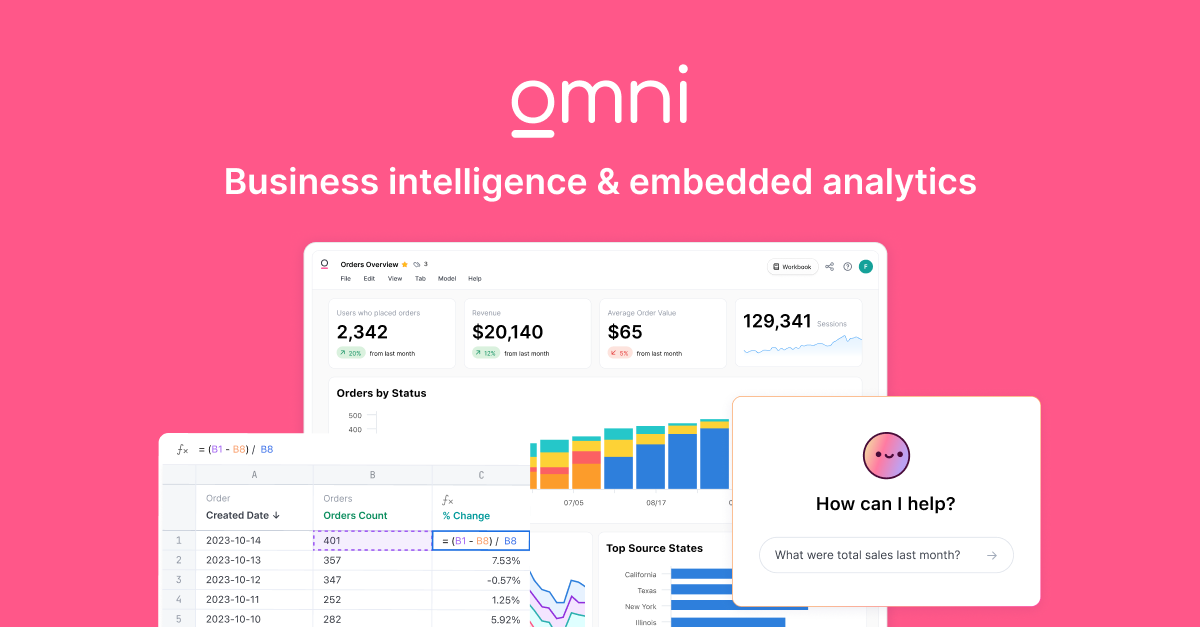
Omni Analytics is a powerful business intelligence tool specifically designed for e-commerce brands. It offers an intuitive platform that allows users to easily analyze data through spreadsheets, SQL, and AI capabilities, enabling fast, precise decisions for increased business growth.
Best for Business Intelligence & Dashboard Tools for Ecommerce Brands
Expert Take
Omni Analytics excels as a business intelligence tool for e-commerce brands due to its AI-driven data analysis capabilities and e-commerce centric features. While it offers comprehensive data handling and insights, its lack of transparent pricing and limited integration options are notable tradeoffs.
Pros
- Bi-directional dbt integration
- Unified SQL and spreadsheet UI
- Just-in-time data modeling
- Exceptional customer support
- Fast iteration speed
Cons
- Visualization options less mature
- Occasional bugs and rough edges
- Opaque pricing structure
- Steep learning curve for modeling
- Limited predictive analytics features
Best for teams that are
- Data teams seeking governed modeling mixed with self-service exploration
- Organizations using modern data stacks like Snowflake or BigQuery
Skip if
- Small businesses without a central data warehouse or SQL capabilities
- Teams looking for a simple, plug-and-play dashboard tool without setup
Best for teams that are
- Data teams seeking governed modeling mixed with self-service exploration
- Organizations using modern data stacks like Snowflake or BigQuery
Skip if
- Small businesses without a central data warehouse or SQL capabilities
- Teams looking for a simple, plug-and-play dashboard tool without setup
Pros
- Bi-directional dbt integration
- Unified SQL and spreadsheet UI
- Just-in-time data modeling
- Exceptional customer support
- Fast iteration speed
Cons
- Visualization options less mature
- Occasional bugs and rough edges
- Opaque pricing structure
- Steep learning curve for modeling
- Limited predictive analytics features
Expert Take
Omni Analytics excels as a business intelligence tool for e-commerce brands due to its AI-driven data analysis capabilities and e-commerce centric features. While it offers comprehensive data handling and insights, its lack of transparent pricing and limited integration options are notable tradeoffs.
RentViewer Multifamily Dashboards
Best for Business Intelligence & Dashboard Tools for Property Managers

RentViewer's Multifamily Dashboards with Power BI is an industry-specific solution that helps property managers track vital KPIs like occupancy, collections, expenses, and more. The software provides detailed visual insights, making data analysis efficient and understandable for property management professionals.
Best for Business Intelligence & Dashboard Tools for Property Managers
Expert Take
RentViewer Multifamily Dashboards excels in providing property managers with tailored business intelligence tools. The integration with Power BI enhances data analysis capabilities, while multifamily-specific features ensure relevance. Despite some complexity for new users, the product's strengths in visualization and real-time tracking establish it as a top-tier solution.
Pros
- Transparent pricing ($150-$400/mo)
- No long-term contracts required
- Builds dedicated SQL data warehouse
- Integrates with Yardi, AppFolio, Entrata
- Allows direct Excel data connection
Cons
- No reviews on G2 or Capterra
- Implementation takes 2-6 weeks
- Starter plan limited to 5 dashboards
- Relies on Power BI or Tableau
Best for teams that are
- Multifamily operators using Yardi, AppFolio, Entrata, or Rent Manager
- Excel power users who want to transition to Power BI or Tableau visualizations
- Asset managers needing custom dashboards without long-term contracts
Skip if
- Small landlords who do not use a major Property Management System
- Users looking for a standalone property management platform
- Companies wanting a strictly out-of-the-box tool without any customization
Best for teams that are
- Multifamily operators using Yardi, AppFolio, Entrata, or Rent Manager
- Excel power users who want to transition to Power BI or Tableau visualizations
- Asset managers needing custom dashboards without long-term contracts
Skip if
- Small landlords who do not use a major Property Management System
- Users looking for a standalone property management platform
- Companies wanting a strictly out-of-the-box tool without any customization
Pros
- Transparent pricing ($150-$400/mo)
- No long-term contracts required
- Builds dedicated SQL data warehouse
- Integrates with Yardi, AppFolio, Entrata
- Allows direct Excel data connection
Cons
- No reviews on G2 or Capterra
- Implementation takes 2-6 weeks
- Starter plan limited to 5 dashboards
- Relies on Power BI or Tableau
Expert Take
RentViewer Multifamily Dashboards excels in providing property managers with tailored business intelligence tools. The integration with Power BI enhances data analysis capabilities, while multifamily-specific features ensure relevance. Despite some complexity for new users, the product's strengths in visualization and real-time tracking establish it as a top-tier solution.
RIB BI+ Construction Analytics
Best for Business Intelligence & Dashboard Tools for Contractors

RIB BI+ is specifically designed for the construction industry, providing a unique solution for visualizing and tracking construction data. It helps industry professionals avoid project delays by offering easily digestible, professional dashboards that allow for quick and efficient decision-making.
Best for Business Intelligence & Dashboard Tools for Contractors
Expert Take
RIB BI+ excels in providing construction-specific analytics with professional dashboards and real-time data visualization. Its focus on the construction industry ensures relevance and depth, while its market credibility is supported by industry-specific features. However, the lack of transparent pricing and potential setup complexity are noted tradeoffs.
Pros
- Intuitive drag-and-drop interface
- AI-based intelligent data alarms
- Backed by Schneider Electric
- 50+ native data connectors
- GDPR compliant enterprise security
Cons
- Strict 4-month cancellation notice
- Mobile app lacks desktop features
- Advanced SQL mode is complex
- Automatic multi-year contract renewal
- Steep pricing for small firms
Best for teams that are
- Large construction enterprises requiring centralized data from multiple sources
- C-suite and operational teams needing real-time, industry-specific KPIs
- Users of RIB Software ecosystem (iTWO, CostX) seeking native integration
Skip if
- Small contractors with simple, single-source data reporting needs
- Non-construction businesses, as the tool is highly specialized for the industry
- Companies looking for a low-cost or free basic reporting tool
Best for teams that are
- Large construction enterprises requiring centralized data from multiple sources
- C-suite and operational teams needing real-time, industry-specific KPIs
- Users of RIB Software ecosystem (iTWO, CostX) seeking native integration
Skip if
- Small contractors with simple, single-source data reporting needs
- Non-construction businesses, as the tool is highly specialized for the industry
- Companies looking for a low-cost or free basic reporting tool
Pros
- Intuitive drag-and-drop interface
- AI-based intelligent data alarms
- Backed by Schneider Electric
- 50+ native data connectors
- GDPR compliant enterprise security
Cons
- Strict 4-month cancellation notice
- Mobile app lacks desktop features
- Advanced SQL mode is complex
- Automatic multi-year contract renewal
- Steep pricing for small firms
Expert Take
RIB BI+ excels in providing construction-specific analytics with professional dashboards and real-time data visualization. Its focus on the construction industry ensures relevance and depth, while its market credibility is supported by industry-specific features. However, the lack of transparent pricing and potential setup complexity are noted tradeoffs.
DashThis: Marketing Reporting Dashboards
Best for Business Intelligence & Dashboard Tools for Marketing Agencies

DashThis is a robust marketing reporting tool designed to meet the specific needs of marketing agencies. It excels at automating reports and analytics, making data-driven decisions more accessible and time-efficient. Its SEM and SEO reporting capabilities are particularly impressive.
Best for Business Intelligence & Dashboard Tools for Marketing Agencies
Expert Take
DashThis is a premium marketing reporting tool tailored for agencies, excelling in automation and data visualization. It integrates with numerous platforms and focuses on SEM and SEO reporting, making it highly relevant for marketing professionals. Despite requiring initial setup and training, its capabilities justify its positioning as a top-tier solution.
Pros
- Unlimited data sources per dashboard
- Unlimited users included in all plans
- High-quality customer support (9.6/10 rating)
- Full white-labeling (domain & email)
- Automated AI insights and summaries
Cons
- Limited native integrations (approx. 34)
- Per-dashboard pricing scales poorly for some
- No bulk widget moving in editor
- Advanced customization requires learning curve
- PIN protection is not true security
Best for teams that are
- Marketing agencies needing quick, automated client reporting
- Non-technical marketers who want simple drag-and-drop dashboards
- Teams focusing on standard digital marketing channels like SEO and PPC
Skip if
- Advanced users needing deep data blending or complex SQL queries
- Agencies requiring hundreds of niche integrations beyond the core 30+
- Freelancers or individuals on a very tight budget
Best for teams that are
- Marketing agencies needing quick, automated client reporting
- Non-technical marketers who want simple drag-and-drop dashboards
- Teams focusing on standard digital marketing channels like SEO and PPC
Skip if
- Advanced users needing deep data blending or complex SQL queries
- Agencies requiring hundreds of niche integrations beyond the core 30+
- Freelancers or individuals on a very tight budget
Pros
- Unlimited data sources per dashboard
- Unlimited users included in all plans
- High-quality customer support (9.6/10 rating)
- Full white-labeling (domain & email)
- Automated AI insights and summaries
Cons
- Limited native integrations (approx. 34)
- Per-dashboard pricing scales poorly for some
- No bulk widget moving in editor
- Advanced customization requires learning curve
- PIN protection is not true security
Expert Take
DashThis is a premium marketing reporting tool tailored for agencies, excelling in automation and data visualization. It integrates with numerous platforms and focuses on SEM and SEO reporting, making it highly relevant for marketing professionals. Despite requiring initial setup and training, its capabilities justify its positioning as a top-tier solution.
AgencyAnalytics
Best for Business Intelligence & Dashboard Tools for Marketing Agencies

AgencyAnalytics is a dashboard and reporting tool designed specifically for marketing agencies. It provides automation for client reporting, enabling agencies to scale effectively. Key features include SEO, PPC, social media reporting, as well as bespoke dashboards, addressing the unique needs of marketing professionals.
Best for Business Intelligence & Dashboard Tools for Marketing Agencies
Expert Take
AgencyAnalytics excels as a specialized tool for marketing agencies, offering robust automated reporting and customizable dashboards. Its wide range of integrations and marketing-specific features make it a top choice in its category, despite a potential learning curve for new users.
Pros
- Automated reporting saves billable hours
- 80+ native integrations with major platforms
- Full white-labeling including mobile app
- Built-in SEO tools (Rank Tracker, Audit)
- Exceptional customer support response times
Cons
- API access locked behind expensive plan
- Cannot edit ad campaigns directly
- Per-client pricing scales costs quickly
- SEO tools less robust than dedicated suites
- Entry plan requires 5-client minimum
Best for teams that are
- Marketing agencies managing multiple clients and campaigns
- Teams needing automated SEO, PPC, and social media reports
- Agencies requiring fully white-labeled client dashboards
Skip if
- Single-product SaaS companies or non-agency businesses
- Users needing highly complex custom data visualization beyond templates
- Teams wanting a free or very low-cost tool for a single user
Best for teams that are
- Marketing agencies managing multiple clients and campaigns
- Teams needing automated SEO, PPC, and social media reports
- Agencies requiring fully white-labeled client dashboards
Skip if
- Single-product SaaS companies or non-agency businesses
- Users needing highly complex custom data visualization beyond templates
- Teams wanting a free or very low-cost tool for a single user
Pros
- Automated reporting saves billable hours
- 80+ native integrations with major platforms
- Full white-labeling including mobile app
- Built-in SEO tools (Rank Tracker, Audit)
- Exceptional customer support response times
Cons
- API access locked behind expensive plan
- Cannot edit ad campaigns directly
- Per-client pricing scales costs quickly
- SEO tools less robust than dedicated suites
- Entry plan requires 5-client minimum
Expert Take
AgencyAnalytics excels as a specialized tool for marketing agencies, offering robust automated reporting and customizable dashboards. Its wide range of integrations and marketing-specific features make it a top choice in its category, despite a potential learning curve for new users.
Insurity BI Software
Best for Business Intelligence & Dashboard Tools for Insurance Agents

Insurity's Business Intelligence Software is designed specifically for the insurance industry, providing comprehensive insights across underwriting, claims, and policy management. The tool offers built-in dashboards and visualizations that enable insurance professionals to enhance product functionality, improve decision-making processes, and gain faster insights to respond to industry changes.
Best for Business Intelligence & Dashboard Tools for Insurance Agents
Expert Take
Insurity BI Software excels in providing industry-specific insights for the insurance sector, with strong capabilities in underwriting, claims, and policy management. Its comprehensive dashboards and real-time analytics enhance decision-making, while its scalability supports both small and large insurance businesses. The product's market credibility is bolstered by its specialized focus and integration capabilities.
Pros
- Trusted by 22 of top 25 carriers
- Embedded Qlik & Snowflake tech
- 100+ pre-built dashboards
- AI-driven predictive analytics
- Cost-effective for mid-market
Cons
- Reports of slow loading times
- Navigation can be time-consuming
- No public pricing transparency
- Reliance on partner tech stack
- Limited public review volume
Best for teams that are
- P&C carriers and MGAs already using Insurity's core platforms
- Users needing embedded analytics without complex third-party integration
- Underwriters requiring data-driven insights within their workflow
Skip if
- Life and health insurance providers (focused on P&C)
- Agencies or carriers not using the Insurity ecosystem
- Organizations seeking a standalone BI tool for non-Insurity data
Best for teams that are
- P&C carriers and MGAs already using Insurity's core platforms
- Users needing embedded analytics without complex third-party integration
- Underwriters requiring data-driven insights within their workflow
Skip if
- Life and health insurance providers (focused on P&C)
- Agencies or carriers not using the Insurity ecosystem
- Organizations seeking a standalone BI tool for non-Insurity data
Pros
- Trusted by 22 of top 25 carriers
- Embedded Qlik & Snowflake tech
- 100+ pre-built dashboards
- AI-driven predictive analytics
- Cost-effective for mid-market
Cons
- Reports of slow loading times
- Navigation can be time-consuming
- No public pricing transparency
- Reliance on partner tech stack
- Limited public review volume
Expert Take
Insurity BI Software excels in providing industry-specific insights for the insurance sector, with strong capabilities in underwriting, claims, and policy management. Its comprehensive dashboards and real-time analytics enhance decision-making, while its scalability supports both small and large insurance businesses. The product's market credibility is bolstered by its specialized focus and integration capabilities.
VCA Insurance BI Tools
Best for Business Intelligence & Dashboard Tools for Insurance Agents

VCA Insurance Business Intelligence tools are specifically designed to address the complex data analysis needs of insurance agents. The software solution offers interactive dashboards showcasing vital KPIs and trends, self-service reporting tools, and data visualization features to make pattern recognition effortless.
Best for Business Intelligence & Dashboard Tools for Insurance Agents
Expert Take
VCA Insurance BI Tools excel in providing tailored business intelligence solutions for the insurance industry. The product's interactive dashboards and self-service reporting tools are well-documented, offering significant value to insurance agents. However, the lack of transparent pricing and potential technical complexity slightly limits its usability score.
Pros
- Automated Lloyd's Bordereau reporting
- Real-time embedded BI dashboards
- Rapid 2-3 week implementation
- SOC II Type 2 compliant
- Integrates with XactAnalysis & CoreLogic
Cons
- Limited document storage space
- Query functions can be limited
- Reports of regular price increases
- Property-centric focus
- Check writing function limitations
Best for teams that are
- Claims adjusters, TPAs, and carriers focused on claims efficiency
- Organizations using VCA's claims management platform
- Managers needing visibility into adjuster workloads and reserve accuracy
Skip if
- Sales teams looking primarily for lead generation analytics
- Agencies focused purely on policy distribution rather than claims
- Users needing a general-purpose BI tool for non-claims data
Best for teams that are
- Claims adjusters, TPAs, and carriers focused on claims efficiency
- Organizations using VCA's claims management platform
- Managers needing visibility into adjuster workloads and reserve accuracy
Skip if
- Sales teams looking primarily for lead generation analytics
- Agencies focused purely on policy distribution rather than claims
- Users needing a general-purpose BI tool for non-claims data
Pros
- Automated Lloyd's Bordereau reporting
- Real-time embedded BI dashboards
- Rapid 2-3 week implementation
- SOC II Type 2 compliant
- Integrates with XactAnalysis & CoreLogic
Cons
- Limited document storage space
- Query functions can be limited
- Reports of regular price increases
- Property-centric focus
- Check writing function limitations
Expert Take
VCA Insurance BI Tools excel in providing tailored business intelligence solutions for the insurance industry. The product's interactive dashboards and self-service reporting tools are well-documented, offering significant value to insurance agents. However, the lack of transparent pricing and potential technical complexity slightly limits its usability score.
Explore Categories
- Business Intelligence & Dashboard Tools for Contractors
- Business Intelligence & Dashboard Tools for Ecommerce Brands
- Business Intelligence & Dashboard Tools for Insurance Agents
- Business Intelligence & Dashboard Tools for Marketing Agencies
- Business Intelligence & Dashboard Tools for Property Managers
- Business Intelligence & Dashboard Tools for Retail Stores