
Video Editing & Production Software
These are the specialized categories within Video Editing & Production Software. Looking for something broader? See all Design, Creative & Media Production Software categories.
Avid Video Post Production
Best for Video Editing & Production Software for Contractors

Avid's Video Post Production solutions are precisely engineered to meet the unique needs of professionals in the film, TV, and broadcast industry. It offers robust editing, coloring, and finishing tools in one platform, thus accelerating the post-production process while maintaining high-quality outputs.
Best for Video Editing & Production Software for Contractors
Expert Take
Avid Video Post Production is recognized for its comprehensive suite of editing, coloring, and finishing tools tailored for film, TV, and broadcast professionals. Its real-time collaboration features and support for modern workflows position it as a leading solution in the industry, despite a steeper learning curve and enterprise pricing.
Pros
- Industry standard for 95% of top-tier film/TV
- Unmatched bin-locking for multi-user collaboration
- Powerful AI ScriptSync and PhraseFind tools
- Rock-solid media management for massive projects
- Seamless audio integration with Pro Tools
Cons
- Steep 'brick wall' learning curve for beginners
- Titler+ tool is buggy and often unusable
- Expensive subscription compared to competitors
- Interface feels dated and rigid
- Requires specific hardware for optimal performance
Best for teams that are
- Professional editors working on long-form film and TV
- Large post-production houses needing robust media management
- Teams requiring shared projects in a server environment
Skip if
- Social media creators needing quick, simple edits
- Beginners intimidated by a steep learning curve
- Solo editors who prefer intuitive, modern interfaces
Best for teams that are
- Professional editors working on long-form film and TV
- Large post-production houses needing robust media management
- Teams requiring shared projects in a server environment
Skip if
- Social media creators needing quick, simple edits
- Beginners intimidated by a steep learning curve
- Solo editors who prefer intuitive, modern interfaces
Pros
- Industry standard for 95% of top-tier film/TV
- Unmatched bin-locking for multi-user collaboration
- Powerful AI ScriptSync and PhraseFind tools
- Rock-solid media management for massive projects
- Seamless audio integration with Pro Tools
Cons
- Steep 'brick wall' learning curve for beginners
- Titler+ tool is buggy and often unusable
- Expensive subscription compared to competitors
- Interface feels dated and rigid
- Requires specific hardware for optimal performance
Expert Take
Avid Video Post Production is recognized for its comprehensive suite of editing, coloring, and finishing tools tailored for film, TV, and broadcast professionals. Its real-time collaboration features and support for modern workflows position it as a leading solution in the industry, despite a steeper learning curve and enterprise pricing.
Autodesk Post-Production
Best for Video Editing & Production Software for Contractors

Autodesk's post-production software suite is a comprehensive solution for professionals in the contractor industry who require robust tools for 3D modeling, animation, video editing, compositing, and color grading. It combines industry-leading tools like Flame, Maya, and Arnold to deliver high-quality results, streamlining the post-production process and enhancing the quality of the final product.
Best for Video Editing & Production Software for Contractors
Expert Take
Autodesk Post-Production is a comprehensive suite tailored for the contractor industry, offering advanced tools like Flame, Maya, and Arnold. Its robust capabilities in 3D modeling, animation, and video editing make it a top choice for professionals. Despite a steep learning curve, its industry-specific features and integration strength justify its premium positioning.
Pros
- Industry-standard high-end finishing toolset
- Emmy-winning production tracking & management
- Advanced AI tools like ML Timewarp
- Deep integration with Maya & 3ds Max
- Generative scheduling for resource optimization
Cons
- High annual subscription cost (~$5,215)
- Steep learning curve for new users
- Complex setup for smaller teams
- Strong competition from lower-cost rivals
- Requires high-end hardware for best performance
Best for teams that are
- High-end VFX artists and finishing editors in advertising
- Post-houses needing advanced 3D compositing and finishing
- Professionals requiring node-based visual effects workflows
Skip if
- Standard video editors needing simple timeline cutting
- Freelancers with limited budgets for software and hardware
- Users not running Linux or high-end Mac workstations
Best for teams that are
- High-end VFX artists and finishing editors in advertising
- Post-houses needing advanced 3D compositing and finishing
- Professionals requiring node-based visual effects workflows
Skip if
- Standard video editors needing simple timeline cutting
- Freelancers with limited budgets for software and hardware
- Users not running Linux or high-end Mac workstations
Pros
- Industry-standard high-end finishing toolset
- Emmy-winning production tracking & management
- Advanced AI tools like ML Timewarp
- Deep integration with Maya & 3ds Max
- Generative scheduling for resource optimization
Cons
- High annual subscription cost (~$5,215)
- Steep learning curve for new users
- Complex setup for smaller teams
- Strong competition from lower-cost rivals
- Requires high-end hardware for best performance
Expert Take
Autodesk Post-Production is a comprehensive suite tailored for the contractor industry, offering advanced tools like Flame, Maya, and Arnold. Its robust capabilities in 3D modeling, animation, and video editing make it a top choice for professionals. Despite a steep learning curve, its industry-specific features and integration strength justify its premium positioning.
DaVinci Resolve 20
Best for Video Editing & Production Software for Photography Studios
DaVinci Resolve 20 is an exceptional video editing software solution designed for photography studios. With its advanced color correction, visual effects, and audio post-production capabilities, it caters to the industry's needs for high-quality video editing and production in one application.
Best for Video Editing & Production Software for Photography Studios
Expert Take
DaVinci Resolve 20 stands out as a leading video editing software for photography studios, offering advanced features in color correction, audio post-production, and visual effects. Its comprehensive capabilities are supported by industry recognition and a robust feature set, making it a top choice for professional-grade video production.
Pros
- Robust free version with few limits
- One-time payment model (no subscription)
- Advanced AI tools run locally
- Industry-standard color grading capabilities
- Integrated VFX and audio post-production
Cons
- Steep learning curve for beginners
- High GPU hardware requirements
- Reports of stability/crashing issues
- IntelliScript struggles with unscripted content
- Complex interface can be overwhelming
Best for teams that are
- Professional colorists and editors needing an all-in-one post-production solution
- Creators wanting the most powerful free video editing software available
- Teams needing simultaneous collaboration on editing, color, and audio
Skip if
- Users with low-spec computers, as it requires substantial GPU and RAM performance
- Casual beginners who may find the professional interface and learning curve overwhelming
- Simple cutters who do not need advanced color grading or node-based compositing
Best for teams that are
- Professional colorists and editors needing an all-in-one post-production solution
- Creators wanting the most powerful free video editing software available
- Teams needing simultaneous collaboration on editing, color, and audio
Skip if
- Users with low-spec computers, as it requires substantial GPU and RAM performance
- Casual beginners who may find the professional interface and learning curve overwhelming
- Simple cutters who do not need advanced color grading or node-based compositing
Pros
- Robust free version with few limits
- One-time payment model (no subscription)
- Advanced AI tools run locally
- Industry-standard color grading capabilities
- Integrated VFX and audio post-production
Cons
- Steep learning curve for beginners
- High GPU hardware requirements
- Reports of stability/crashing issues
- IntelliScript struggles with unscripted content
- Complex interface can be overwhelming
Expert Take
DaVinci Resolve 20 stands out as a leading video editing software for photography studios, offering advanced features in color correction, audio post-production, and visual effects. Its comprehensive capabilities are supported by industry recognition and a robust feature set, making it a top choice for professional-grade video production.
Descript – AI Video & Podcast Editor
Best for Video Editing & Production Software for Staffing Agencies

Descript is a revolutionary SaaS solution designed for staffing agencies, offering a streamlined workflow for video and audio content creation. It allows users to record, transcribe, edit, and publish their content all in one place, making it easier for staffing agencies to engage with potential candidates through captivating video content.
Best for Video Editing & Production Software for Staffing Agencies
Expert Take
Descript excels as a comprehensive tool for video and audio content creation, particularly suited for staffing agencies. Its AI-powered features and transcription services enhance usability and accessibility, while its market credibility is supported by third-party recognitions. The product's pricing is transparent with a clear upgrade path, although the free plan has limited features.
Pros
- Edit video/audio by editing text
- SOC 2 Type II compliant security
- OpenAI-backed 'Underlord' assistant
- Overdub voice cloning with ethics
- Studio Sound removes noise instantly
Cons
- Frequent performance lag/crashes
- Credits do not roll over
- Steep learning curve for advanced tools
- No mobile editing app
- Free plan limited to 1 hour
Best for teams that are
- Podcasters and content creators editing speech-heavy video
- Non-editors who want to edit video by modifying text
- Teams needing fast transcription and filler word removal
Skip if
- Professional editors needing precise timeline or color control
- Users working with action-heavy footage or complex VFX
- Projects requiring high-fidelity audio mixing
Best for teams that are
- Podcasters and content creators editing speech-heavy video
- Non-editors who want to edit video by modifying text
- Teams needing fast transcription and filler word removal
Skip if
- Professional editors needing precise timeline or color control
- Users working with action-heavy footage or complex VFX
- Projects requiring high-fidelity audio mixing
Pros
- Edit video/audio by editing text
- SOC 2 Type II compliant security
- OpenAI-backed 'Underlord' assistant
- Overdub voice cloning with ethics
- Studio Sound removes noise instantly
Cons
- Frequent performance lag/crashes
- Credits do not roll over
- Steep learning curve for advanced tools
- No mobile editing app
- Free plan limited to 1 hour
Expert Take
Descript excels as a comprehensive tool for video and audio content creation, particularly suited for staffing agencies. Its AI-powered features and transcription services enhance usability and accessibility, while its market credibility is supported by third-party recognitions. The product's pricing is transparent with a clear upgrade path, although the free plan has limited features.
ACDSee Photo Studio
Best for Video Editing & Production Software for Photography Studios

ACDSee Photo Studio is a comprehensive SaaS solution for photography studios, offering robust photo editing and video editing software. It caters to the specific needs of the photography industry, providing advanced digital asset management capabilities and a suite of editing tools to enhance creativity and productivity.
Best for Video Editing & Production Software for Photography Studios
Expert Take
ACDSee Photo Studio stands out as a top-tier solution in the photography software industry due to its comprehensive editing tools and advanced digital asset management. Its user-friendly interface and industry-specific features cater to professional needs, while 24/7 support enhances user experience.
Pros
- Perpetual license option available
- No-import Digital Asset Management
- Fast GPU-accelerated performance
- Layered editing capabilities (Windows)
- Cheaper than Adobe subscription
Cons
- Mac version lacks key features
- Interface can be cluttered
- No generative AI fill
- Steeper learning curve
- Lens profiles can be unreliable
Best for teams that are
- Photographers seeking a perpetual license alternative to Adobe Lightroom
- Windows users needing powerful RAW editing and digital asset management in one interface
- Users with large local photo libraries requiring fast, database-free browsing
Skip if
- Video editors, as video features are limited to basic management and conversion
- Mac users wanting the full 'Ultimate' feature set, which is Windows-only
- Professionals needing advanced AI generative fill capabilities found in Photoshop
Best for teams that are
- Photographers seeking a perpetual license alternative to Adobe Lightroom
- Windows users needing powerful RAW editing and digital asset management in one interface
- Users with large local photo libraries requiring fast, database-free browsing
Skip if
- Video editors, as video features are limited to basic management and conversion
- Mac users wanting the full 'Ultimate' feature set, which is Windows-only
- Professionals needing advanced AI generative fill capabilities found in Photoshop
Pros
- Perpetual license option available
- No-import Digital Asset Management
- Fast GPU-accelerated performance
- Layered editing capabilities (Windows)
- Cheaper than Adobe subscription
Cons
- Mac version lacks key features
- Interface can be cluttered
- No generative AI fill
- Steeper learning curve
- Lens profiles can be unreliable
Expert Take
ACDSee Photo Studio stands out as a top-tier solution in the photography software industry due to its comprehensive editing tools and advanced digital asset management. Its user-friendly interface and industry-specific features cater to professional needs, while 24/7 support enhances user experience.
Lightworks Pro Video Editor
Best for Video Editing & Production Software for Photography Studios
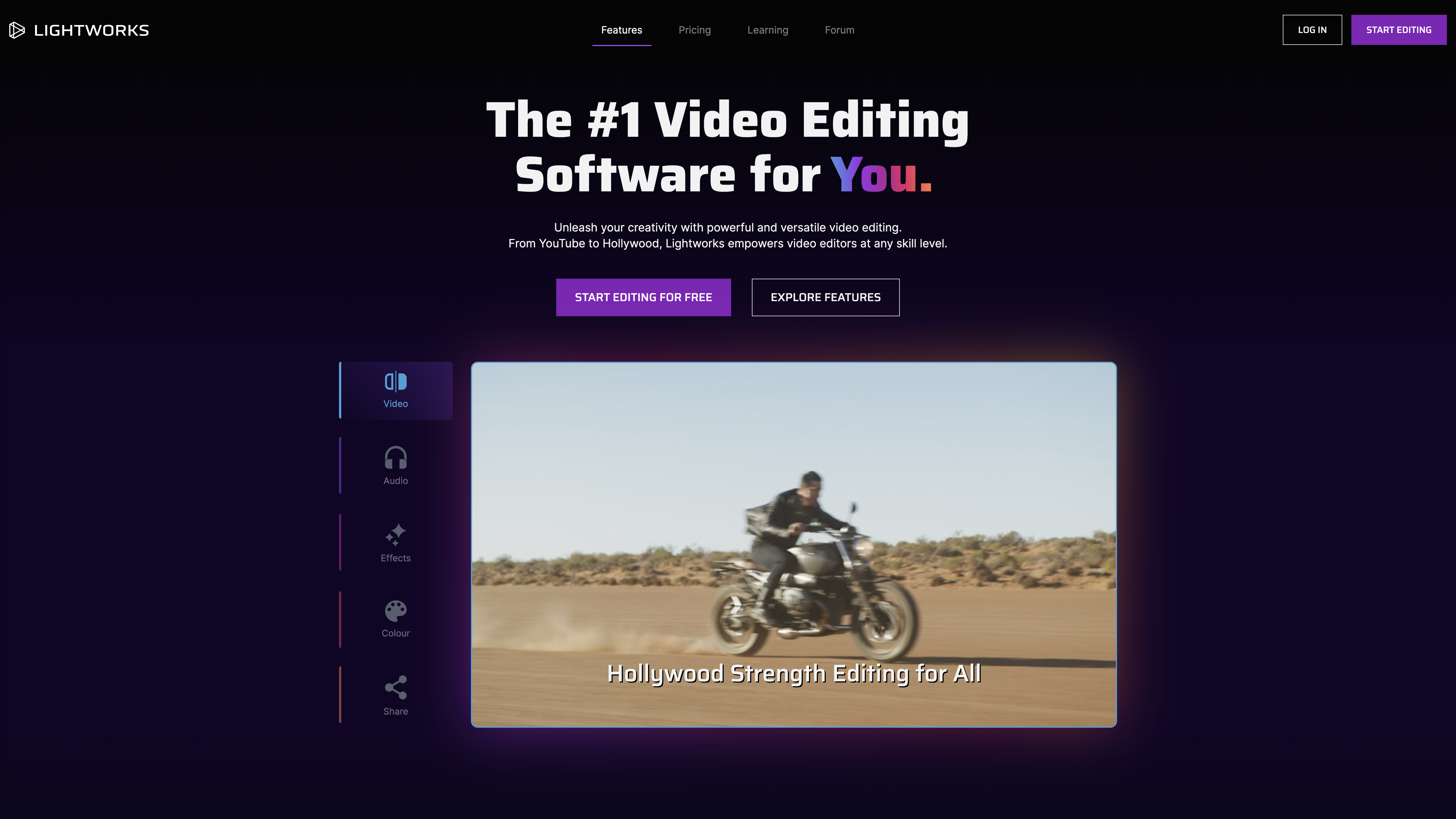
Lightworks is a comprehensive video editing tool designed specifically to cater to the complex needs of photography studios. Its advanced features such as high-quality video and audio editing, vibrant color grading, impressive visual effects, and intuitive interface make it a suitable choice for industry professionals seeking a robust editing solution.
Best for Video Editing & Production Software for Photography Studios
Expert Take
Lightworks Pro Video Editor excels in providing comprehensive video editing capabilities tailored for photography studios. Its robust feature set, including advanced editing tools and real-time collaboration, positions it as a top choice for industry professionals. The product's market credibility is supported by its multi-platform support and flexible pricing model.
Pros
- Used in Academy Award-winning films
- Perpetual license option available
- Advanced multicam editing capabilities
- Runs on Windows, Mac, and Linux
- Optimized for lower-spec hardware
Cons
- Steep learning curve for beginners
- Lacks modern AI features
- Slower rendering than competitors
- No built-in motion tracking
- Free version limited to 720p
Best for teams that are
- Editors needing professional-grade trimming and cutting tools on Linux, Mac, or Windows
- Users wanting a powerful free version with the option to upgrade for high-res export
- Filmmakers who value a flexible, customizable layout over rigid interfaces
Skip if
- Beginners looking for simple, drag-and-drop editors with zero learning curve
- Motion graphics artists needing advanced built-in VFX comparable to After Effects
- Users who rely heavily on third-party plugins, as support can be limited
Best for teams that are
- Editors needing professional-grade trimming and cutting tools on Linux, Mac, or Windows
- Users wanting a powerful free version with the option to upgrade for high-res export
- Filmmakers who value a flexible, customizable layout over rigid interfaces
Skip if
- Beginners looking for simple, drag-and-drop editors with zero learning curve
- Motion graphics artists needing advanced built-in VFX comparable to After Effects
- Users who rely heavily on third-party plugins, as support can be limited
Pros
- Used in Academy Award-winning films
- Perpetual license option available
- Advanced multicam editing capabilities
- Runs on Windows, Mac, and Linux
- Optimized for lower-spec hardware
Cons
- Steep learning curve for beginners
- Lacks modern AI features
- Slower rendering than competitors
- No built-in motion tracking
- Free version limited to 720p
Expert Take
Lightworks Pro Video Editor excels in providing comprehensive video editing capabilities tailored for photography studios. Its robust feature set, including advanced editing tools and real-time collaboration, positions it as a top choice for industry professionals. The product's market credibility is supported by its multi-platform support and flexible pricing model.
StudioBinder Production Management
Best for Video Editing & Production Software for Contractors

StudioBinder is a powerhouse of video production planning, specifically designed for contractors in the TV, film, and video production industry. With its collaborative tools and automated call sheets, it efficiently addresses the challenges of managing complex production schedules and team coordination, all in one place.
Best for Video Editing & Production Software for Contractors
Expert Take
StudioBinder Production Management excels in providing comprehensive tools tailored for video production contractors, with strong collaborative features and automation capabilities. Its industry-specific focus and cloud-based accessibility make it a top choice for managing complex production schedules. While the free version has limitations, its overall offering is robust and well-regarded.
Pros
- All-in-one production management suite
- Sleek, intuitive modern interface
- Seamless script-to-schedule syncing
- Industry-standard call sheet creation
- Robust educational resource library
Cons
- No dedicated mobile application
- Higher price point than competitors
- Strict cancellation/downgrade policy
- No universal 'undo' function
- Limited API integrations
Best for teams that are
- Production companies needing all-in-one scheduling and call sheets
- Teams requiring cloud-based collaboration for pre-production
- Producers managing cast, crew, and scripts in one interface
Skip if
- Hobbyists or students with limited budgets due to high cost
- Users needing offline access or desktop-native applications
- Productions requiring complex budgeting tools within the same app
Best for teams that are
- Production companies needing all-in-one scheduling and call sheets
- Teams requiring cloud-based collaboration for pre-production
- Producers managing cast, crew, and scripts in one interface
Skip if
- Hobbyists or students with limited budgets due to high cost
- Users needing offline access or desktop-native applications
- Productions requiring complex budgeting tools within the same app
Pros
- All-in-one production management suite
- Sleek, intuitive modern interface
- Seamless script-to-schedule syncing
- Industry-standard call sheet creation
- Robust educational resource library
Cons
- No dedicated mobile application
- Higher price point than competitors
- Strict cancellation/downgrade policy
- No universal 'undo' function
- Limited API integrations
Expert Take
StudioBinder Production Management excels in providing comprehensive tools tailored for video production contractors, with strong collaborative features and automation capabilities. Its industry-specific focus and cloud-based accessibility make it a top choice for managing complex production schedules. While the free version has limitations, its overall offering is robust and well-regarded.
Synthesia AI Video Platform
Best for Video Editing & Production Software for Staffing Agencies

Synthesia is a potent tool for staffing agencies seeking to create professional, engaging video content without extensive time or budget investments. The platform's AI avatars and voiceovers, available in 140+ languages, allow agencies to cater to a diverse range of candidates, while the time and cost efficiencies of AI-driven production are particularly useful for agencies operating on tight margins.
Best for Video Editing & Production Software for Staffing Agencies
Expert Take
Synthesia AI Video Platform stands out in the video editing and production software category for staffing agencies due to its AI-driven capabilities, multilingual support, and cost-effective production. The platform's ability to produce professional-quality videos efficiently makes it a valuable tool for agencies with limited resources.
Pros
- 230+ diverse AI avatars & 140+ languages
- First AI video platform with ISO 42001 certification
- New 'Express-2' engine enables full-body gestures
- Strong native integrations with major LMS platforms
- Intuitive interface rated 4.7/5 on G2
Cons
- Custom avatars cost an extra $1,000/year
- Unused credits do not roll over monthly
- SCORM export locked to Enterprise plan
- Strict content moderation can flag valid scripts
- Minor 'uncanny valley' effect in older models
Best for teams that are
- L&D teams creating training videos at scale without actors
- Companies needing multilingual content without re-filming
- Enterprises needing to update video content rapidly
Skip if
- Creators needing authentic human emotion or storytelling
- Filmmakers looking for realistic, cinematic visual quality
- Projects requiring complex physical movement or acting
Best for teams that are
- L&D teams creating training videos at scale without actors
- Companies needing multilingual content without re-filming
- Enterprises needing to update video content rapidly
Skip if
- Creators needing authentic human emotion or storytelling
- Filmmakers looking for realistic, cinematic visual quality
- Projects requiring complex physical movement or acting
Pros
- 230+ diverse AI avatars & 140+ languages
- First AI video platform with ISO 42001 certification
- New 'Express-2' engine enables full-body gestures
- Strong native integrations with major LMS platforms
- Intuitive interface rated 4.7/5 on G2
Cons
- Custom avatars cost an extra $1,000/year
- Unused credits do not roll over monthly
- SCORM export locked to Enterprise plan
- Strict content moderation can flag valid scripts
- Minor 'uncanny valley' effect in older models
Expert Take
Synthesia AI Video Platform stands out in the video editing and production software category for staffing agencies due to its AI-driven capabilities, multilingual support, and cost-effective production. The platform's ability to produce professional-quality videos efficiently makes it a valuable tool for agencies with limited resources.

Camtasia is a powerful SaaS video editing and screen recording software tailored to meet the needs of contractors. Its robust editing features, combined with screen recording capabilities, make it ideal for creating step-by-step instructional videos, showcasing project progress, or pitching ideas to clients.
Best for Video Editing & Production Software for Contractors
Expert Take
Camtasia is a premium video editing and screen recording software tailored for contractors, offering robust features and interactive elements. It excels in capability and usability, with strong market credibility supported by third-party recognition. While pricing is higher, the value proposition is strong for its target audience.
Pros
- Native SCORM export for LMS
- AI-powered dynamic captions
- 4K 60fps screen recording
- Drag-and-drop ease of use
- 100M+ asset library (Pro)
Cons
- Subscription-only model (2025)
- Timeline lag on complex projects
- High system resource usage
- Limited advanced color grading
- Pro plan is expensive ($599/yr)
Best for teams that are
- Educators and trainers creating software tutorials
- Users needing quick screen recording with annotations
- Corporate teams making instructional videos
Skip if
- Filmmakers requiring advanced color grading or VFX
- Hobbyists looking for a cheap or free editing solution
- Editors needing complex audio mixing capabilities
Best for teams that are
- Educators and trainers creating software tutorials
- Users needing quick screen recording with annotations
- Corporate teams making instructional videos
Skip if
- Filmmakers requiring advanced color grading or VFX
- Hobbyists looking for a cheap or free editing solution
- Editors needing complex audio mixing capabilities
Pros
- Native SCORM export for LMS
- AI-powered dynamic captions
- 4K 60fps screen recording
- Drag-and-drop ease of use
- 100M+ asset library (Pro)
Cons
- Subscription-only model (2025)
- Timeline lag on complex projects
- High system resource usage
- Limited advanced color grading
- Pro plan is expensive ($599/yr)
Expert Take
Camtasia is a premium video editing and screen recording software tailored for contractors, offering robust features and interactive elements. It excels in capability and usability, with strong market credibility supported by third-party recognition. While pricing is higher, the value proposition is strong for its target audience.
Productive Video Production Software
Best for Video Editing & Production Software for Staffing Agencies
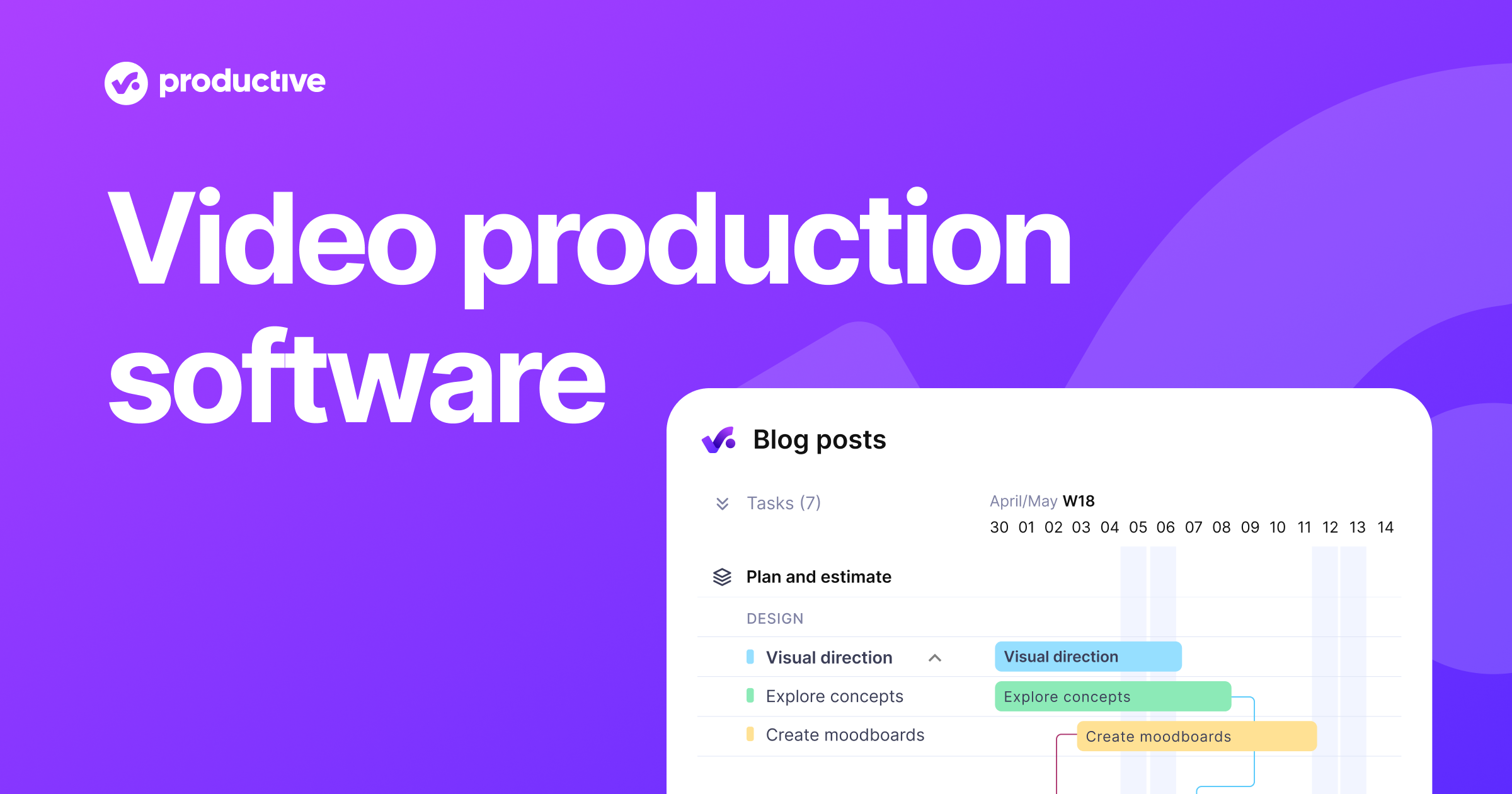
Productive's Video & Film Production Management Software is designed specifically for the needs of video production companies and staffing agencies. It streamlines the entire production process, from pre-production to post-production, providing a clear view of tasks and schedules. This software helps industry professionals manage their projects more effectively, ensuring nothing slips through the cracks.
Best for Video Editing & Production Software for Staffing Agencies
Expert Take
Productive Video Production Software excels in providing industry-specific features tailored for video production companies and staffing agencies. It offers comprehensive project management capabilities and integrates time tracking and profitability analysis, making it highly valuable for managing complex production workflows.
Pros
- Unified project and financial management
- Real-time profitability and revenue forecasting
- Robust resource planning with placeholders
- Transparent and competitive pricing
- Exceptional, highly-rated customer support
Cons
- Steep learning curve for new users
- Reporting customization can be limited
- No built-in client intake forms
- Mobile app functionality is limited
- Lacks native video review tools
Best for teams that are
- Creative agencies needing all-in-one financial and project management
- Operations managers tracking profitability and resource utilization
- Agencies consolidating multiple tools (CRM, time tracking, billing)
Skip if
- Freelancers or small teams not needing complex financial forecasting
- Video editors looking for actual editing or timeline software
- Users wanting a simple, free task management tool
Best for teams that are
- Creative agencies needing all-in-one financial and project management
- Operations managers tracking profitability and resource utilization
- Agencies consolidating multiple tools (CRM, time tracking, billing)
Skip if
- Freelancers or small teams not needing complex financial forecasting
- Video editors looking for actual editing or timeline software
- Users wanting a simple, free task management tool
Pros
- Unified project and financial management
- Real-time profitability and revenue forecasting
- Robust resource planning with placeholders
- Transparent and competitive pricing
- Exceptional, highly-rated customer support
Cons
- Steep learning curve for new users
- Reporting customization can be limited
- No built-in client intake forms
- Mobile app functionality is limited
- Lacks native video review tools
Expert Take
Productive Video Production Software excels in providing industry-specific features tailored for video production companies and staffing agencies. It offers comprehensive project management capabilities and integrates time tracking and profitability analysis, making it highly valuable for managing complex production workflows.