We review products independently. We may earn a commission if you buy through our links, at no extra cost to you. Learn more


This guide focuses on one area — the broader Video Editing & Production Software coverage is here. Other Software products for Photography Professionals.

Other Software products for Photography Professionals.

Video Editing & Production Software for Photography Studios
Albert Richer

Photography studios handling client video deliverables face distinct operational challenges that separate their needs from general video editing workflows. Raw file processing speed becomes critical when managing wedding highlight reels with 4K ceremony footage, while multicam synchronization matters for studio portrait sessions captured from multiple angles. DaVinci Resolve 20 addresses budget-conscious studios through its generous free version and one-time Studio purchase, though users report frequent crashes with Magic Mask 2 that can disrupt client deadline workflows. If you're managing complex pre-production scheduling alongside editing, StudioBinder Production Management integrates script breakdowns with call sheets, though their cancellation process locks data access immediately upon termination. Adobe Premiere Pro's Dynamic Link eliminates render delays when round-tripping to After Effects for motion graphics overlays, but the 2024 updates have introduced stability issues during peak editing sessions. For studios emphasizing film-quality output, Lightworks Pro leverages its Academy Award pedigree from productions like "The Wolf of Wall Street," though rendering speeds lag behind competitors when delivering rushed client projects. Photography studios handling client video deliverables face distinct operational challenges that separate their needs from general video editing workflows. Raw file processing speed becomes critical when managing wedding highlight reels with 4K ceremony footage, while multicam synchronization matters for studio portrait sessions captured from multiple angles.

Similar Categories
1
Expert Score
9.8 / 10
497
111
VISUAL EFFECTS HERO
LIFETIME LICENSE

DaVinci Resolve 20

DaVinci Resolve 20
View Website
DaVinci Resolve 20 is an exceptional video editing software solution designed for photography studios. With its advanced color correction, visual effects, and audio post-production capabilities, it caters to the industry's needs for high-quality video editing and production in one application.
VISUAL EFFECTS HERO
LIFETIME LICENSE

Best for teams that are

  • Professional colorists and editors needing an all-in-one post-production solution
  • Creators wanting the most powerful free video editing software available
  • Teams needing simultaneous collaboration on editing, color, and audio

Skip if

  • Users with low-spec computers, as it requires substantial GPU and RAM performance
  • Casual beginners who may find the professional interface and learning curve overwhelming
  • Simple cutters who do not need advanced color grading or node-based compositing

Expert Take

Our analysis shows DaVinci Resolve 20 continues to disrupt the market by offering Hollywood-grade post-production tools without a subscription model. Research indicates the new DaVinci Neural Engine significantly accelerates workflows through features like Magic Mask v2 and IntelliScript, though these require substantial hardware. It remains the undisputed leader for color grading while becoming an increasingly capable all-in-one editor.

Pros

  • Robust free version with few limits
  • One-time payment model (no subscription)
  • Advanced AI tools run locally
  • Industry-standard color grading capabilities
  • Integrated VFX and audio post-production

Cons

  • Steep learning curve for beginners
  • High GPU hardware requirements
  • Reports of stability/crashing issues
  • IntelliScript struggles with unscripted content
  • Complex interface can be overwhelming
2
Expert Score
9.6 / 10
395
62

Lightworks Pro Video Editor

Lightworks Pro Video Editor
View Website
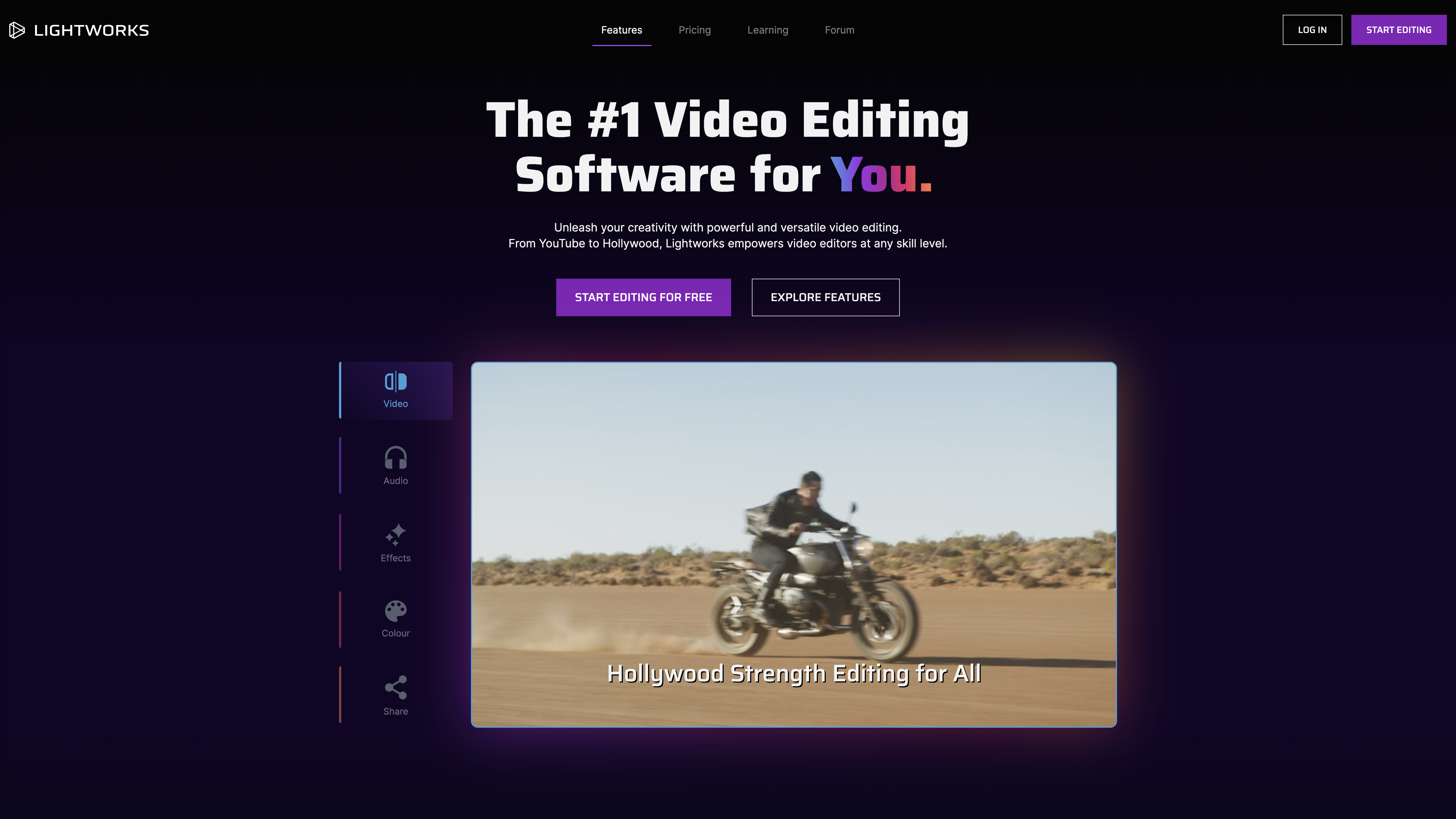
Lightworks is a comprehensive video editing tool designed specifically to cater to the complex needs of photography studios. Its advanced features such as high-quality video and audio editing, vibrant color grading, impressive visual effects, and intuitive interface make it a suitable choice for industry professionals seeking a robust editing solution.

Best for teams that are

  • Editors needing professional-grade trimming and cutting tools on Linux, Mac, or Windows
  • Users wanting a powerful free version with the option to upgrade for high-res export
  • Filmmakers who value a flexible, customizable layout over rigid interfaces

Skip if

  • Beginners looking for simple, drag-and-drop editors with zero learning curve
  • Motion graphics artists needing advanced built-in VFX comparable to After Effects
  • Users who rely heavily on third-party plugins, as support can be limited

Expert Take

Our analysis shows Lightworks Pro stands out for its verified Hollywood pedigree, offering the exact trimming and narrative workflow tools used on films like *The Wolf of Wall Street*. Unlike many SaaS competitors, it provides a perpetual license option and runs efficiently on Linux, Windows, and Mac. While it lacks some modern AI conveniences, its multicam and trimming capabilities remain industry-leading for pure storytelling.

Pros

  • Used in Academy Award-winning films
  • Perpetual license option available
  • Advanced multicam editing capabilities
  • Runs on Windows, Mac, and Linux
  • Optimized for lower-spec hardware

Cons

  • Steep learning curve for beginners
  • Lacks modern AI features
  • Slower rendering than competitors
  • No built-in motion tracking
  • Free version limited to 720p
3
Expert Score
9.6 / 10
567
163
CLOUD COLLABORATOR

StudioBinder Production Management

StudioBinder Production Management
View Website
StudioBinder is a leading production management software solution specifically designed for the video, TV, and film industry. It offers comprehensive tools for planning, visualizing, and executing production projects, enabling industry professionals to streamline their workflow, enhance collaboration, and improve productivity.
CLOUD COLLABORATOR

Best for teams that are

  • Production companies needing centralized call sheets, schedules, and script breakdowns
  • Teams requiring cloud-based collaboration for pre-production logistics
  • Producers who need to manage cast and crew details in a single secure platform

Skip if

  • Screenwriters seeking a dedicated, feature-rich script editor for creative writing
  • Solo creators or students on a tight budget due to high subscription costs
  • Users needing offline access, as it is primarily a cloud-based web application

Expert Take

Our analysis shows StudioBinder excels at unifying the fragmented pre-production workflow into a single, visually stunning cloud platform. Research indicates it is particularly strong for production teams valuing collaboration and UI over budget, with features like auto-generated call sheets and script breakdowns streamlining complex logistics. While it commands a premium price, the integration of scheduling, shot listing, and contact management offers significant efficiency gains for connected teams.

Pros

  • All-in-one production management suite
  • Sleek, intuitive user interface
  • Industry-leading educational resources
  • Seamless script-to-schedule integration
  • Robust cloud collaboration tools

Cons

  • Higher price point than competitors
  • No offline mode available
  • Reports of bugs and glitches
  • Customer support responsiveness issues
  • Cancellation process friction
4
Expert Score
9.6 / 10
436
120
TRIAL AVAILABLE

ACDSee Photo Studio

ACDSee Photo Studio
View Website
ACDSee Photo Studio is a comprehensive SaaS solution for photography studios, offering robust photo editing and video editing software. It caters to the specific needs of the photography industry, providing advanced digital asset management capabilities and a suite of editing tools to enhance creativity and productivity.
TRIAL AVAILABLE

Best for teams that are

  • Photographers seeking a perpetual license alternative to Adobe Lightroom
  • Windows users needing powerful RAW editing and digital asset management in one interface
  • Users with large local photo libraries requiring fast, database-free browsing

Skip if

  • Video editors, as video features are limited to basic management and conversion
  • Mac users wanting the full 'Ultimate' feature set, which is Windows-only
  • Professionals needing advanced AI generative fill capabilities found in Photoshop

Expert Take

Our analysis shows ACDSee Photo Studio remains a steadfast choice for photographers who demand ownership of their software, offering a rare perpetual license in a subscription-dominated market. Research indicates its 'no-import' Digital Asset Management system provides immediate access to files without the cataloging delays found in competitors. While it lacks the generative AI of market leaders, its combination of RAW processing and layered editing makes it a powerful all-in-one workstation.

Pros

  • Perpetual license option available
  • No-import Digital Asset Management
  • Fast GPU-accelerated performance
  • Layered editing capabilities (Windows)
  • Cheaper than Adobe subscription

Cons

  • Mac version lacks key features
  • Interface can be cluttered
  • No generative AI fill
  • Steeper learning curve
  • Lens profiles can be unreliable
5
Expert Score
9.4 / 10
626
65
CREATIVE SUITE
BUDGET-FRIENDLY

VSCO Photo & Video Editor

VSCO Photo & Video Editor
View Website
VSCO is a comprehensive photo and video editing software designed specifically for both mobile and desktop users in the photography industry. The software offers a range of advanced editing tools, customizable filters, and a community platform for sharing work and gaining inspiration. It addresses the industry need for high-quality photo and video editing while providing a platform for creative expression.
CREATIVE SUITE
BUDGET-FRIENDLY

Best for teams that are

  • Social media creators wanting trendy, film-inspired presets for photos and videos
  • Mobile-first users needing quick, aesthetic edits without complex desktop software
  • Influencers looking to maintain a consistent visual style across their feed

Skip if

  • Desktop power users, as the web-based studio lacks the full feature set of the mobile app
  • Editors needing precise timeline control or multi-track video editing capabilities
  • Professionals requiring high-resolution export options for print or broadcast

Expert Take

Research indicates VSCO remains a powerhouse for serious creators by prioritizing high-fidelity film emulation (Film X) over algorithmic engagement. Our analysis shows the recent pivot to profitability via VSCO Hub and Pro subscriptions successfully connects photographers with major brands like Nike. While performance complaints exist, the integration of desktop workflows and Adobe Lightroom support solidifies its position as a professional-grade tool rather than just a filter app.

Pros

  • 200+ professional-grade film emulation presets
  • Distraction-free community without public likes
  • VSCO Hub connects creators with brands
  • Seamless cloud sync across mobile/desktop
  • Advanced HSL and Split Tone tools

Cons

  • No private profile option available
  • Desktop editor lacks video capabilities
  • Significant app performance and lag issues
  • Strict no-refund policy on subscriptions
  • No RAW editing support on desktop
6
Expert Score
9.4 / 10
599
40

Topaz Labs Photo/Video Editing

Topaz Labs Photo/Video Editing
View Website
Topaz Labs offers deep learning-powered photo and video enhancement software, specifically designed for professional photographers and photography studios. It excels in noise reduction, sharpening, and upscaling, ensuring top-notch image and video quality.

Best for teams that are

  • Editors needing to upscale low-resolution footage or restore archival video quality
  • Users looking to fix specific issues like noise, blur, or interlacing in video clips
  • Photographers wanting to sharpen and denoise images with AI-driven tools

Skip if

  • Users seeking a standard video editor (NLE) to cut, arrange, and assemble a story
  • Those on a budget, as it is a specialized enhancement tool rather than a full editor
  • Users needing instant results, as AI processing can be time-consuming

Expert Take

Topaz Labs is tailor-made for professional photographers in photography studios. It offers software solutions that leverage artificial intelligence to enhance the quality of photos and videos. Its powerful algorithms reduce noise, upscale resolution, and sharpen details, making photos and videos look their absolute best. This specialization makes it a preferred choice for professionals who demand pristine image quality.

Pros

  • Deep learning-powered features
  • High-quality noise reduction and sharpening
  • Specialized for professional photographers

Cons

  • Each product priced separately
  • Does not offer cloud storage
  • Limited video editing tools
7
Expert Score
9.1 / 10
697
99
BEGINNER-FRIENDLY
PRO-LEVEL EDITING

MAGIX Video & Photo Suite

MAGIX Video & Photo Suite
View Website
MAGIX is a comprehensive suite tailored for photography studios, offering robust video editing, music production, and photo software. It fills a vital industry need for a one-stop solution for professional production, ranging from basic edits to high-end creative projects.
BEGINNER-FRIENDLY
PRO-LEVEL EDITING

Best for teams that are

  • Windows-based hobbyists wanting an affordable, one-time purchase suite
  • Beginners who prefer automated templates and wizards for quick content creation
  • Users needing a combined solution for basic video editing and photo management

Skip if

  • Mac users, as the software is exclusively for the Windows operating system
  • Professional editors requiring industry-standard collaboration or advanced compositing
  • Users needing advanced color grading tools found in higher-end software

Expert Take

Our analysis shows that MAGIX Movie Studio Suite 2025 offers an impressive array of creative tools, including over 1,500 effects and advanced AI capabilities like text-to-speech, which are rarely found at this price point. Research indicates the INFUSION Engine 3 provides competitive rendering speeds for multicam projects. However, potential buyers must weigh these premium features against documented stability challenges and support limitations.

Pros

  • Over 1,500 effects and templates
  • AI Text-to-Speech in 100+ languages
  • Perpetual license option available
  • Includes Boris FX Chroma Key Studio
  • Fast INFUSION Engine 3 rendering

Cons

  • Frequent crashes and instability reported
  • Intrusive popup ads from background apps
  • Poor customer support accessibility
  • AI features have strict usage limits
  • Steep learning curve for beginners
8
Expert Score
8.8 / 10
727
23
AUDIO ACE

Adobe Premiere Pro

View Website
Adobe Premiere Pro is a leading SaaS video editing software specifically designed to cater to the unique demands of photography studios. Its robust features allow professionals to edit, trim, mix audio, add effects, and extend videos, providing seamless post-production capabilities in a single platform.
AUDIO ACE

Best for teams that are

  • Creative professionals needing deep integration with After Effects and Photoshop
  • Editors requiring industry-standard collaboration tools and cross-platform support
  • Teams working in a shared cloud environment for seamless project management

Skip if

  • Hobbyists or beginners seeking a low-cost or one-time purchase solution
  • Users with older hardware, as it requires significant system resources and RAM
  • Editors who prefer a simple, magnetic timeline over a traditional track-based one

Expert Take

Our analysis shows that Adobe Premiere Pro remains the industry standard largely due to its unmatched ecosystem integration, specifically Dynamic Link which allows seamless round-tripping with After Effects. Research indicates that while stability has been a concern in recent updates, the introduction of Firefly-powered AI tools like Generative Extend and Text-Based Editing significantly accelerates professional workflows.

Pros

  • Industry-standard used in 57% of Sundance films
  • Dynamic Link integrates seamlessly with After Effects
  • Generative Extend AI adds frames to clips
  • Text-Based Editing speeds up rough cuts
  • Built-in Frame.io for remote collaboration

Cons

  • FTC lawsuit regarding hidden cancellation fees
  • Subscription-only model is expensive long-term
  • Stability issues reported in 2024 updates
  • High system resource requirements
  • Steep learning curve for beginners
9
Expert Score
8.8 / 10
650
70

VEGAS Pro Video Editor

VEGAS Pro Video Editor
View Website
VEGAS Pro is a powerful yet intuitive video editing software, specifically designed for professionals in the photography industry. It offers robust video editing, top-notch audio recording/editing/mixing, video compositing, and file delivery features, making it an all-in-one solution for creative professionals seeking to produce high-quality multimedia content.

Best for teams that are

  • Windows editors who prefer a fast, intuitive timeline and audio-centric workflow
  • Users wanting professional features with a perpetual license model instead of subscription
  • Editors who need to mix various file formats on the timeline without transcoding

Skip if

  • Mac users, as the software is not compatible with macOS
  • Professionals needing seamless collaboration with standard Hollywood pipelines
  • Users who require a large ecosystem of third-party tutorials and templates

Expert Take

Our analysis shows VEGAS Pro stands out for its unique 'SmartScription' model, which bridges the gap between subscription and ownership by granting a perpetual license after two years. Research indicates it functions as a 'Swiss Army Knife' for creators, bundling powerful audio tools like SOUND FORGE and industry-standard VFX like Mocha directly into the suite. While stability remains a documented concern, its integration of AI text-based editing and deep audio capabilities makes it a compelling all-in-one production hub.

Pros

  • Flexible SmartScription and perpetual licensing
  • Integrated AI Text-Based Editing tools
  • Bundled Mocha VEGAS planar tracking
  • Includes SOUND FORGE audio editing
  • Intuitive timeline for audio-visual workflow

Cons

  • Frequent stability and crash reports
  • Slow customer support response times
  • Multicam editing bugs reported
  • Interface lacks some modern conveniences
  • Legacy code issues affecting performance

Product Comparison

Product Has Mobile App Has Free Plan Has Free Trial Integrates With Zapier Has Public API Live Chat Support SOC 2 or ISO Certified Popular Integrations Supports SSO Starting Price
1 DaVinci Resolve 20
No Yes No No No No Not specified Adobe Premiere Pro, Final Cut Pro, Avid Media Composer No $295
2 Lightworks Pro Video Editor
No Freemium Yes - 7 days No No No Not specified Limited integrations No $24.99/month
3 StudioBinder Production Management
Web-only Yes No No No No Not specified Google Drive, Dropbox, Slack No $29/month
4 ACDSee Photo Studio
Yes No Yes - 30 days No No Email/Ticket only Not specified Microsoft 365, Adobe Photoshop, Dropbox No $8.90/month
5 VSCO Photo & Video Editor
Yes Yes No No No No Not specified Instagram, Facebook, Twitter No $19.99/year
6 Topaz Labs Photo/Video Editing
No No Yes - 30 days No No No Not specified Adobe Photoshop, Lightroom, Capture One No $59 per product
7 MAGIX Video & Photo Suite
No No Yes - 30 days No No No Not specified Limited integrations No $49.99
8 Adobe Premiere Pro
Yes No Yes - 7 days No No Yes SOC 2 Adobe Creative Cloud, Microsoft 365, Dropbox Yes $20.99/month
9 VEGAS Pro Video Editor
No No Yes - 30 days No No No Not specified Limited integrations No $16.67/month
1

DaVinci Resolve 20

Has Mobile App
No
Has Free Plan
Yes
Has Free Trial
No
Integrates With Zapier
No
Has Public API
No
Live Chat Support
No
SOC 2 or ISO Certified
Not specified
Popular Integrations
Adobe Premiere Pro, Final Cut Pro, Avid Media Composer
Supports SSO
No
Starting Price
$295
2

Lightworks Pro Video Editor

Has Mobile App
No
Has Free Plan
Freemium
Has Free Trial
Yes - 7 days
Integrates With Zapier
No
Has Public API
No
Live Chat Support
No
SOC 2 or ISO Certified
Not specified
Popular Integrations
Limited integrations
Supports SSO
No
Starting Price
$24.99/month
3

StudioBinder Production Management

Has Mobile App
Web-only
Has Free Plan
Yes
Has Free Trial
No
Integrates With Zapier
No
Has Public API
No
Live Chat Support
No
SOC 2 or ISO Certified
Not specified
Popular Integrations
Google Drive, Dropbox, Slack
Supports SSO
No
Starting Price
$29/month
4

ACDSee Photo Studio

Has Mobile App
Yes
Has Free Plan
No
Has Free Trial
Yes - 30 days
Integrates With Zapier
No
Has Public API
No
Live Chat Support
Email/Ticket only
SOC 2 or ISO Certified
Not specified
Popular Integrations
Microsoft 365, Adobe Photoshop, Dropbox
Supports SSO
No
Starting Price
$8.90/month
5

VSCO Photo & Video Editor

Has Mobile App
Yes
Has Free Plan
Yes
Has Free Trial
No
Integrates With Zapier
No
Has Public API
No
Live Chat Support
No
SOC 2 or ISO Certified
Not specified
Popular Integrations
Instagram, Facebook, Twitter
Supports SSO
No
Starting Price
$19.99/year
6

Topaz Labs Photo/Video Editing

Has Mobile App
No
Has Free Plan
No
Has Free Trial
Yes - 30 days
Integrates With Zapier
No
Has Public API
No
Live Chat Support
No
SOC 2 or ISO Certified
Not specified
Popular Integrations
Adobe Photoshop, Lightroom, Capture One
Supports SSO
No
Starting Price
$59 per product
7

MAGIX Video & Photo Suite

Has Mobile App
No
Has Free Plan
No
Has Free Trial
Yes - 30 days
Integrates With Zapier
No
Has Public API
No
Live Chat Support
No
SOC 2 or ISO Certified
Not specified
Popular Integrations
Limited integrations
Supports SSO
No
Starting Price
$49.99
8

Adobe Premiere Pro

Has Mobile App
Yes
Has Free Plan
No
Has Free Trial
Yes - 7 days
Integrates With Zapier
No
Has Public API
No
Live Chat Support
Yes
SOC 2 or ISO Certified
SOC 2
Popular Integrations
Adobe Creative Cloud, Microsoft 365, Dropbox
Supports SSO
Yes
Starting Price
$20.99/month
9

VEGAS Pro Video Editor

Has Mobile App
No
Has Free Plan
No
Has Free Trial
Yes - 30 days
Integrates With Zapier
No
Has Public API
No
Live Chat Support
No
SOC 2 or ISO Certified
Not specified
Popular Integrations
Limited integrations
Supports SSO
No
Starting Price
$16.67/month

Similar Categories

How We Rank Products

Our Evaluation Process

The 'How We Choose' section for video editing and production software for photography studios outlines a rigorous evaluation methodology centered on multiple key factors. Products were analyzed based on specifications, features, customer reviews, ratings, and overall value to ensure a comprehensive comparison. Specific considerations in this category included compatibility with photography workflows, ease of use for editors, and the range of tools available for both video and photo editing. The rankings were determined by comparing specifications and features, analyzing customer feedback and ratings from various sources, and evaluating the price-to-value ratio to identify the best options for photography studios.

Overall scores reflect relative ranking within this category, accounting for which limitations materially affect real-world use cases. Small differences in category scores can result in larger ranking separation when those differences affect the most common or highest-impact workflows.

Verification

  • Products evaluated through comprehensive research and analysis of user feedback and expert reviews.
  • Rankings based on analysis of specifications, customer ratings, and industry benchmarks for video editing software.
  • Selection criteria focus on features specifically designed for photography studios, ensuring optimal performance and usability.

Other Software products for Photography Professionals

As an Amazon Associate, we earn from qualifying purchases. We may also earn commissions from other affiliate partners.

×

Score Breakdown

0.0 / 10

What This Award Means