Transcription & Meeting Notes Tools

These are the specialized categories within Transcription & Meeting Notes Tools. Looking for something broader? See all Project Management & Productivity Tools categories.

Not sure which one is right for you?

Answer 4 quick questions and we'll match you with your best options

Find Your Best Match

How big is your team?

Just me
2 - 10
11 - 50
51 - 200
201 - 1,000
1,000+

What's your budget situation?

Free or open-source only
Free to start, pay later
Best value for money
Price isn't the main factor

What's your team's technical comfort level?

We want it to just work
We can handle some setup
We have developers who'll customize it

What's the ONE thing this tool must do well?

Step 1 of 4
HappyScribe Transcription

Ideal for global staffing agencies, HappyScribe offers fast, affordable AI transcription and optional human accuracy in over 120 languages. Its web editor and robust security ensure seamless, secure operations.

Best for Transcription & Meeting Notes Tools for Staffing Agencies

Expert Take

Happy Scribe bridges the gap between affordable AI speed and professional human accuracy. Its standout feature is its massive linguistic footprint, supporting over 120 languages and dialects, making it an absolute powerhouse for global content creators. Paired with an incredibly intuitive, synchronized web editor and strict SOC 2 Type II security, it is a highly capable tool for teams prioritizing accessibility and international reach.

Pros

  • Supports over 120 languages and dialects
  • SOC 2 Type II and GDPR compliant
  • Interactive web editor with audio highlighting
  • Optional 99% accuracy human transcription

Cons

  • Human transcription is expensive ($2.00/minute)
  • AI accuracy drops with background noise
  • Free trial is highly restrictive

Best for teams that are

  • Journalists and media teams needing highly accurate human transcription [cite: 34, 35].
  • Content creators wanting advanced, customizable subtitles for video [cite: 36, 37].

Skip if

  • Sales teams needing automated CRM updates or AI action item extraction [cite: 5, 35].
  • Individuals seeking a free tool, as the free tier is highly restricted [cite: 34].

Best for teams that are

  • Journalists and media teams needing highly accurate human transcription [cite: 34, 35].
  • Content creators wanting advanced, customizable subtitles for video [cite: 36, 37].

Skip if

  • Sales teams needing automated CRM updates or AI action item extraction [cite: 5, 35].
  • Individuals seeking a free tool, as the free tier is highly restricted [cite: 34].

Pros

  • Supports over 120 languages and dialects
  • SOC 2 Type II and GDPR compliant
  • Interactive web editor with audio highlighting
  • Optional 99% accuracy human transcription

Cons

  • Human transcription is expensive ($2.00/minute)
  • AI accuracy drops with background noise
  • Free trial is highly restrictive

Expert Take

Happy Scribe bridges the gap between affordable AI speed and professional human accuracy. Its standout feature is its massive linguistic footprint, supporting over 120 languages and dialects, making it an absolute powerhouse for global content creators. Paired with an incredibly intuitive, synchronized web editor and strict SOC 2 Type II security, it is a highly capable tool for teams prioritizing accessibility and international reach.

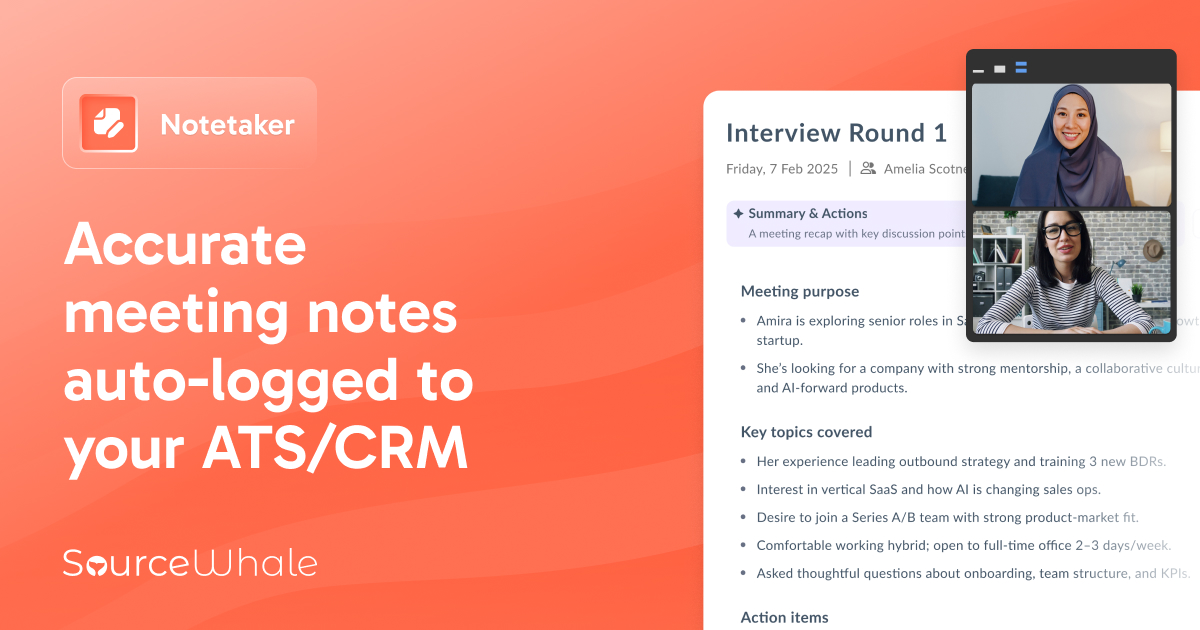
Quil: AI Recruiting Assistant

Quil is an AI-powered tool specifically designed for recruitment agencies. It automates various time-consuming tasks such as interview transcription, ATS updates, and candidate submittals, helping recruiters save significant time and focus on finding the right talent.

Best for Transcription & Meeting Notes Tools for Recruitment Agencies

Expert Take

Quil excels in automating recruitment processes with AI, offering significant time savings and seamless ATS integration. Its market credibility is supported by integration capabilities and industry relevance. While pricing transparency is limited, its value proposition remains strong for recruitment agencies.

Pros

  • Automates ATS data entry with write-back
  • Generates branded candidate submittals instantly
  • Transparent per-user pricing model
  • SOC 2 Type II and GDPR compliant
  • Deep integrations with Bullhorn and JobAdder

Cons

  • Occasional connectivity and call integration glitches
  • Limited support for third-party dialers
  • AI summary quality varies for some users
  • Web interface described as basic by some
  • Cannot add Quil to incoming phone calls

Best for teams that are

  • Recruitment agencies using ATS platforms like Bullhorn.
  • Recruiters taking calls via cell phone, VoIP, or in-person.

Skip if

  • General business users outside the staffing industry.
  • Teams looking for a generic, multi-purpose AI notetaker.

Best for teams that are

  • Recruitment agencies using ATS platforms like Bullhorn.
  • Recruiters taking calls via cell phone, VoIP, or in-person.

Skip if

  • General business users outside the staffing industry.
  • Teams looking for a generic, multi-purpose AI notetaker.

Pros

  • Automates ATS data entry with write-back
  • Generates branded candidate submittals instantly
  • Transparent per-user pricing model
  • SOC 2 Type II and GDPR compliant
  • Deep integrations with Bullhorn and JobAdder

Cons

  • Occasional connectivity and call integration glitches
  • Limited support for third-party dialers
  • AI summary quality varies for some users
  • Web interface described as basic by some
  • Cannot add Quil to incoming phone calls

Expert Take

Quil excels in automating recruitment processes with AI, offering significant time savings and seamless ATS integration. Its market credibility is supported by integration capabilities and industry relevance. While pricing transparency is limited, its value proposition remains strong for recruitment agencies.

Fireflies VC AI Features

Fireflies has introduced AI-enhanced features specifically for Venture Capital (VC) firms. These features provide investment intelligence, not just transcription, saving VC customers over 10 hours each week. This tool is perfect for firms like Khosla Ventures that require efficient notetaking and data analysis during meetings.

Best for Transcription & Meeting Notes Tools for Venture Capital Firms

Expert Take

Fireflies VC AI Features excel in providing tailored AI-enhanced transcription and data analysis for venture capital firms, significantly reducing time spent on notetaking. The product's market credibility is supported by third-party recognition, and its usability is enhanced by intelligent features that improve over time. However, pricing transparency is limited due to enterprise pricing models.

Pros

  • Generates VC-specific investment memos automatically
  • Zero-day data retention policy for security
  • Native integrations with Affinity and Attio
  • Extracts hard metrics like ARR and burn
  • Backed by Khosla Ventures ($1B valuation)

Cons

  • AI credits cost extra on 'unlimited' plans
  • Video recording gated to Business tier
  • Speaker identification can be inconsistent
  • HIPAA compliance requires Enterprise plan
  • Advanced AI features require credit monitoring

Best for teams that are

  • Venture capital analysts creating structured deal memos and scorecards.
  • Investment partners tracking portfolio metrics and founder pitches.

Skip if

  • General business users seeking basic, non-financial transcription.
  • Teams outside of private equity and venture capital workflows.

Best for teams that are

  • Venture capital analysts creating structured deal memos and scorecards.
  • Investment partners tracking portfolio metrics and founder pitches.

Skip if

  • General business users seeking basic, non-financial transcription.
  • Teams outside of private equity and venture capital workflows.

Pros

  • Generates VC-specific investment memos automatically
  • Zero-day data retention policy for security
  • Native integrations with Affinity and Attio
  • Extracts hard metrics like ARR and burn
  • Backed by Khosla Ventures ($1B valuation)

Cons

  • AI credits cost extra on 'unlimited' plans
  • Video recording gated to Business tier
  • Speaker identification can be inconsistent
  • HIPAA compliance requires Enterprise plan
  • Advanced AI features require credit monitoring

Expert Take

Fireflies VC AI Features excel in providing tailored AI-enhanced transcription and data analysis for venture capital firms, significantly reducing time spent on notetaking. The product's market credibility is supported by third-party recognition, and its usability is enhanced by intelligent features that improve over time. However, pricing transparency is limited due to enterprise pricing models.

4
9.8 / 10
Sembly AI Notetaker

Sembly AI is a transcription and meeting notes tool designed specifically for SaaS companies. It automatically generates accurate notes and transcripts from meetings, working silently in the background to deliver summaries that can be trusted. It addresses the industry's need for efficient and accurate record-keeping, particularly in a remote and collaborative working environment.

Best for Transcription & Meeting Notes Tools for SaaS Companies

Expert Take

Sembly AI Notetaker excels in providing automated transcription and meeting notes, crucial for SaaS companies needing efficient record-keeping. It offers strong integration capabilities and a user-friendly experience, though pricing transparency could be improved. It is well-regarded for its accuracy and adaptability in diverse audio environments.

Pros

  • Proxy Attendance records meetings you miss
  • Semblian 2.0 generates structured project artifacts
  • Supports transcription in 48+ languages
  • Enterprise-grade security (SOC 2, HIPAA)
  • Native HubSpot and Slack integrations

Cons

  • Free plan limited to 60 mins/month
  • Bot disconnects if not admitted in 10 mins
  • Video recording only on paid plans
  • Long meetings may be fragmented
  • No native desktop application

Best for teams that are

  • Busy professionals facing meeting conflicts who need a proxy attendance feature.
  • Managers who want detailed reporting and trends on team engagement metrics.

Skip if

  • Free-tier users looking for generous monthly recording limits.
  • Teams prioritizing fast processing, as it has 5-10 minute transcription delays.

Best for teams that are

  • Busy professionals facing meeting conflicts who need a proxy attendance feature.
  • Managers who want detailed reporting and trends on team engagement metrics.

Skip if

  • Free-tier users looking for generous monthly recording limits.
  • Teams prioritizing fast processing, as it has 5-10 minute transcription delays.

Pros

  • Proxy Attendance records meetings you miss
  • Semblian 2.0 generates structured project artifacts
  • Supports transcription in 48+ languages
  • Enterprise-grade security (SOC 2, HIPAA)
  • Native HubSpot and Slack integrations

Cons

  • Free plan limited to 60 mins/month
  • Bot disconnects if not admitted in 10 mins
  • Video recording only on paid plans
  • Long meetings may be fragmented
  • No native desktop application

Expert Take

Sembly AI Notetaker excels in providing automated transcription and meeting notes, crucial for SaaS companies needing efficient record-keeping. It offers strong integration capabilities and a user-friendly experience, though pricing transparency could be improved. It is well-regarded for its accuracy and adaptability in diverse audio environments.

Fellow.ai Meeting Assistant

Fellow.ai is an intelligent meeting assistant specifically useful for private equity firms, where detailed and accurate record-keeping is crucial. The AI not only transcribes meetings but also provides summaries and insights with impressive accuracy, making it an essential tool for busy professionals in the industry.

Best for Transcription & Meeting Notes Tools for Private Equity Firms

Expert Take

Fellow.ai excels in providing accurate transcription and insightful summarization, crucial for private equity firms. It offers a user-friendly interface and cloud-based storage, enhancing usability and accessibility. The product's market credibility is supported by its innovative features and industry-specific relevance.

Pros

  • Zero AI training on customer data
  • 2-way sync with Jira & Asana
  • SOC 2 Type II & HIPAA compliant
  • Collaborative agendas & notes combined
  • Transcription in over 90 languages

Cons

  • Free plan has strict lifetime limits
  • Mobile app less powerful than desktop
  • Enterprise plan requires annual billing
  • Action items may need manual edits
  • No monthly reset for free AI credits

Best for teams that are

  • Teams needing collaborative agendas and action item tracking. [cite: 11]
  • Organizations requiring enterprise security and HIPAA compliance. [cite: 12]
  • Users wanting flexibility between bot and bot-free recording. [cite: 13]

Skip if

  • Solo users looking for a free, basic transcription tool. [cite: 14]
  • Users who prioritize highly accurate offline transcriptions. [cite: 15]

Best for teams that are

  • Teams needing collaborative agendas and action item tracking. [cite: 11]
  • Organizations requiring enterprise security and HIPAA compliance. [cite: 12]
  • Users wanting flexibility between bot and bot-free recording. [cite: 13]

Skip if

  • Solo users looking for a free, basic transcription tool. [cite: 14]
  • Users who prioritize highly accurate offline transcriptions. [cite: 15]

Pros

  • Zero AI training on customer data
  • 2-way sync with Jira & Asana
  • SOC 2 Type II & HIPAA compliant
  • Collaborative agendas & notes combined
  • Transcription in over 90 languages

Cons

  • Free plan has strict lifetime limits
  • Mobile app less powerful than desktop
  • Enterprise plan requires annual billing
  • Action items may need manual edits
  • No monthly reset for free AI credits

Expert Take

Fellow.ai excels in providing accurate transcription and insightful summarization, crucial for private equity firms. It offers a user-friendly interface and cloud-based storage, enhancing usability and accessibility. The product's market credibility is supported by its innovative features and industry-specific relevance.

6
9.7 / 10
Otter Meeting Agent

Otter Meeting Agent is a game-changer for contractors. It provides real-time transcripts and automated summaries of meetings, enabling better communication and collaboration with clients, suppliers, and team members. Its advanced AI templates and AI Chat function help contractors keep track of action items, reducing the chances of miscommunication and ensuring every detail is captured.

Best for Transcription & Meeting Notes Tools for Contractors

Expert Take

Otter Meeting Agent excels in providing real-time transcription and automated summaries, which are crucial for contractors managing multiple projects. Its integration with AI tools enhances productivity, while the availability of a free plan and affordable pricing adds to its value proposition. The product's capabilities and market credibility are supported by its presence in reputable publications.

Pros

  • Real-time transcription with audio sync
  • OtterPilot auto-joins Zoom, Teams, Meet
  • SOC 2 Type II and HIPAA compliant
  • Generous 300 minutes/month free tier
  • Automated slide capture from meetings

Cons

  • Limited to English, French, Spanish
  • Bot can be intrusive/hard to remove
  • 30-minute limit on free recordings
  • No video recording (audio only)
  • Support prioritized for higher tiers

Best for teams that are

  • Sales teams needing CRM integration and automated follow-ups.
  • Students and educators wanting affordable real-time transcripts.

Skip if

  • Teams needing integrated video recording capabilities.
  • Users requiring automatic multi-language detection during calls.

Best for teams that are

  • Sales teams needing CRM integration and automated follow-ups.
  • Students and educators wanting affordable real-time transcripts.

Skip if

  • Teams needing integrated video recording capabilities.
  • Users requiring automatic multi-language detection during calls.

Pros

  • Real-time transcription with audio sync
  • OtterPilot auto-joins Zoom, Teams, Meet
  • SOC 2 Type II and HIPAA compliant
  • Generous 300 minutes/month free tier
  • Automated slide capture from meetings

Cons

  • Limited to English, French, Spanish
  • Bot can be intrusive/hard to remove
  • 30-minute limit on free recordings
  • No video recording (audio only)
  • Support prioritized for higher tiers

Expert Take

Otter Meeting Agent excels in providing real-time transcription and automated summaries, which are crucial for contractors managing multiple projects. Its integration with AI tools enhances productivity, while the availability of a free plan and affordable pricing adds to its value proposition. The product's capabilities and market credibility are supported by its presence in reputable publications.

7
9.7 / 10
Smart Meeting Notes

Smart Meeting Notes is an ideal solution for contractors who require comprehensive documentation of their meetings. The software integrates flawlessly with popular communication tools, transcribes conversations, and provides audio files for future references, ensuring every detail discussed in the meeting is recorded and accessible.

Best for Transcription & Meeting Notes Tools for Contractors

Expert Take

Smart Meeting Notes excels in providing comprehensive meeting documentation for contractors, with strong integration capabilities and automated transcription services. Its usability and market credibility are supported by its seamless integration with major communication platforms and a free plan offering. However, potential compatibility issues with less popular tools and transcription accuracy variability are noted.

Pros

  • Strict GDPR compliance with German hosting
  • On-premise deployment option available
  • Customizable meeting summary templates
  • High accuracy with dialect support
  • Integrates with Teams, Zoom, Webex, Meet

Cons

  • No public pricing for enterprise plans
  • Fewer native CRM integrations listed
  • Editor interface less modern than rivals
  • Fewer supported languages than global leaders
  • Setup may require sales interaction

Best for teams that are

  • Public administration agencies needing strict GDPR compliance.
  • Organizations requiring on-premise server deployment for notes.

Skip if

  • Small commercial teams looking for a cheap, basic cloud notetaker.
  • Users needing seamless integrations with consumer-grade apps.

Best for teams that are

  • Public administration agencies needing strict GDPR compliance.
  • Organizations requiring on-premise server deployment for notes.

Skip if

  • Small commercial teams looking for a cheap, basic cloud notetaker.
  • Users needing seamless integrations with consumer-grade apps.

Pros

  • Strict GDPR compliance with German hosting
  • On-premise deployment option available
  • Customizable meeting summary templates
  • High accuracy with dialect support
  • Integrates with Teams, Zoom, Webex, Meet

Cons

  • No public pricing for enterprise plans
  • Fewer native CRM integrations listed
  • Editor interface less modern than rivals
  • Fewer supported languages than global leaders
  • Setup may require sales interaction

Expert Take

Smart Meeting Notes excels in providing comprehensive meeting documentation for contractors, with strong integration capabilities and automated transcription services. Its usability and market credibility are supported by its seamless integration with major communication platforms and a free plan offering. However, potential compatibility issues with less popular tools and transcription accuracy variability are noted.

MeetGeek AI Meeting Assistant

MeetGeek is a powerful AI-driven tool that automates the process of joining, recording, and transcribing meetings for SaaS companies. This SaaS solution is highly applicable to the industry due to the vast number of remote and virtual meetings conducted. MeetGeek ensures precise record-keeping and allows professionals to focus on discussion rather than note-taking.

Best for Transcription & Meeting Notes Tools for SaaS Companies

Expert Take

MeetGeek AI Meeting Assistant excels in automating meeting transcription and note-taking, crucial for SaaS companies with frequent virtual meetings. Its integration capabilities and AI-driven features enhance productivity, though pricing transparency is limited. The product is well-regarded in its niche for improving meeting efficiency.

Pros

  • 95% transcription accuracy in 60+ languages
  • SOC 2 Type II & HIPAA compliant
  • Generous free plan (3 hours/month)
  • Integrates with 7,000+ apps via Zapier
  • Granular meeting analytics & insights

Cons

  • Bot times out in waiting room
  • Free plan deletes data after 3 months
  • Manual invite needed for ad-hoc calls
  • Mobile transcription less accurate than desktop
  • Enterprise SSO features still developing

Best for teams that are

  • Teams prioritizing structured workflows and deep automation via Zapier or Make.
  • Administrators requiring strict data governance and flexible retention windows.

Skip if

  • Solo users or those needing robust features on a free plan, as limits are strict.
  • Individuals who only need basic transcription without complex app integrations.

Best for teams that are

  • Teams prioritizing structured workflows and deep automation via Zapier or Make.
  • Administrators requiring strict data governance and flexible retention windows.

Skip if

  • Solo users or those needing robust features on a free plan, as limits are strict.
  • Individuals who only need basic transcription without complex app integrations.

Pros

  • 95% transcription accuracy in 60+ languages
  • SOC 2 Type II & HIPAA compliant
  • Generous free plan (3 hours/month)
  • Integrates with 7,000+ apps via Zapier
  • Granular meeting analytics & insights

Cons

  • Bot times out in waiting room
  • Free plan deletes data after 3 months
  • Manual invite needed for ad-hoc calls
  • Mobile transcription less accurate than desktop
  • Enterprise SSO features still developing

Expert Take

MeetGeek AI Meeting Assistant excels in automating meeting transcription and note-taking, crucial for SaaS companies with frequent virtual meetings. Its integration capabilities and AI-driven features enhance productivity, though pricing transparency is limited. The product is well-regarded in its niche for improving meeting efficiency.

9
9.6 / 10
Fireflies.ai

Fireflies.ai is an AI-powered transcription and note-taking tool specifically designed to cater to the needs of marketing agencies. It analyzes and summarizes meetings held over platforms like Zoom, Google Meet, and Microsoft Teams, turning talk into actionable data, which is especially crucial in the fast-paced, data-driven marketing industry.

Best for Transcription & Meeting Notes Tools for Marketing Agencies

Expert Take

Fireflies.ai excels as a transcription and meeting notes tool tailored for marketing agencies. Its integration with popular meeting platforms and AI-driven summaries make it a valuable asset in the fast-paced marketing environment. While its free plan has limitations, the product's capabilities and market credibility are well-documented.

Pros

  • 90-95% transcription accuracy
  • Zero-day data retention policy
  • 60+ native integrations (CRM/Slack)
  • SOC 2 Type II & HIPAA compliant
  • AskFred AI assistant for queries

Cons

  • Video recording locked to Business plan
  • AI credits capped on paid plans
  • Bot can be intrusive in meetings
  • Cancellation process reported as difficult
  • Storage limits on lower tiers

Best for teams that are

  • Sales and marketing teams needing searchable archives and CRM automation.
  • Remote teams wanting automated notes across major meeting platforms.

Skip if

  • Teams requiring HIPAA compliance or strong data privacy controls.
  • Users dealing with heavy accents or noisy environments.

Best for teams that are

  • Sales and marketing teams needing searchable archives and CRM automation.
  • Remote teams wanting automated notes across major meeting platforms.

Skip if

  • Teams requiring HIPAA compliance or strong data privacy controls.
  • Users dealing with heavy accents or noisy environments.

Pros

  • 90-95% transcription accuracy
  • Zero-day data retention policy
  • 60+ native integrations (CRM/Slack)
  • SOC 2 Type II & HIPAA compliant
  • AskFred AI assistant for queries

Cons

  • Video recording locked to Business plan
  • AI credits capped on paid plans
  • Bot can be intrusive in meetings
  • Cancellation process reported as difficult
  • Storage limits on lower tiers

Expert Take

Fireflies.ai excels as a transcription and meeting notes tool tailored for marketing agencies. Its integration with popular meeting platforms and AI-driven summaries make it a valuable asset in the fast-paced marketing environment. While its free plan has limitations, the product's capabilities and market credibility are well-documented.

Tactiq AI Transcription for Recruiters

Tactiq is a cutting-edge tool designed to streamline recruitment processes. By leveraging AI, it transcribes meetings and interviews, freeing up recruiters from the hassle of note-taking. It also generates comprehensive summaries that help recruiters make informed decisions.

Best for Transcription & Meeting Notes Tools for Recruitment Agencies

Expert Take

Tactiq AI Transcription for Recruiters excels in providing AI-driven transcription and summary generation tailored for recruitment agencies. Its integration with video conferencing tools enhances usability, while its pricing model offers transparency. However, limitations such as language support and reliance on audio quality slightly impact its overall score.

Pros

  • Bot-free real-time transcription
  • SOC 2 Type II & GDPR compliant
  • Specialized 'Interview Recap' AI prompts
  • Generous free plan (10 meetings/mo)
  • Integrates with HubSpot & Salesforce

Cons

  • No audio/video playback (text only)
  • Accuracy struggles with strong accents
  • Manual language switching required
  • Lacks native Greenhouse/Lever integration
  • Browser-based only (Chrome extension)

Best for teams that are

  • Recruiters wanting bot-free transcription via Chrome extensions.
  • Global teams needing real-time transcription in 60+ languages.

Skip if

  • Recruiters conducting in-person interviews via mobile apps.
  • Users on unsupported browsers like Safari.

Best for teams that are

  • Recruiters wanting bot-free transcription via Chrome extensions.
  • Global teams needing real-time transcription in 60+ languages.

Skip if

  • Recruiters conducting in-person interviews via mobile apps.
  • Users on unsupported browsers like Safari.

Pros

  • Bot-free real-time transcription
  • SOC 2 Type II & GDPR compliant
  • Specialized 'Interview Recap' AI prompts
  • Generous free plan (10 meetings/mo)
  • Integrates with HubSpot & Salesforce

Cons

  • No audio/video playback (text only)
  • Accuracy struggles with strong accents
  • Manual language switching required
  • Lacks native Greenhouse/Lever integration
  • Browser-based only (Chrome extension)

Expert Take

Tactiq AI Transcription for Recruiters excels in providing AI-driven transcription and summary generation tailored for recruitment agencies. Its integration with video conferencing tools enhances usability, while its pricing model offers transparency. However, limitations such as language support and reliance on audio quality slightly impact its overall score.

Loading comparison data…

How We Rank Products

Our Evaluation Process

Transcription & Meeting Notes Tools are evaluated based on their documented features, such as transcription accuracy and language support. Compatibility with existing software and integration capabilities are crucial for seamless workflow integration. Pricing transparency is assessed to ensure cost-effectiveness. Third-party customer feedback provides insights into real-world performance and user satisfaction, further guiding the evaluation process.

Verification

  • Products evaluated through comprehensive research and analysis of transcription accuracy and user satisfaction.
  • Rankings based on analysis of features, customer reviews, and expert ratings specific to meeting notes tools.
  • Selection criteria focus on efficiency, ease of use, and integration capabilities within transcription software.

Score Breakdown

0.0 / 10

About Transcription & Meeting Notes Tools

What Are Transcription & Meeting Notes Tools?

This category covers software used to capture, convert, and analyze spoken organizational data across its full lifecycle: recording audio and video from meetings or dictations, transcribing speech into text via Automatic Speech Recognition (ASR) or human-in-the-loop services, summarizing key context, and exporting structured data into systems of record. It sits between Communication Platforms (which facilitate the conversation, e.g., VoIP and Video Conferencing) and Systems of Record (which store the final output, e.g., CRM and EHR). It includes both general-purpose meeting assistants designed for broad enterprise productivity and vertical-specific documentation platforms built for highly regulated industries like healthcare, legal, and law enforcement.

The core problem these tools solve is the "dark data" phenomenon of spoken communication. For decades, the vast majority of business intelligence—negotiations, clinical assessments, hiring interviews, and strategic decisions—vanished the moment the meeting ended, surviving only in fragmented human memory or subjective manual notes. Transcription and Meeting Notes Tools transform this ephemeral audio into searchable, verifiable, and actionable assets. By automating the capture and synthesis of dialogue, these tools reduce administrative overhead, mitigate compliance risks associated with poor record-keeping, and provide a single source of truth for dispute resolution.

History of the Category

The trajectory of transcription technology has not been a straight line of innovation but a series of punctuated equilibria driven by hardware limitations and algorithmic breakthroughs. In the 1990s, the market was defined by "discrete dictation" software. Users were required to pause distinctly between words, a constraint necessitated by the limited processing power of personal computers and the reliance on Hidden Markov Models (HMMs) which struggled with continuous speech [1]. These early tools were primarily desktop-based, expensive, and required extensive "training" sessions to recognize a specific user's voice, making them viable only for specialized professionals like radiologists and lawyers who could justify the high time investment.

The shift from on-premise to cloud computing in the late 2000s and early 2010s created the infrastructure necessary for the category to evolve. The cloud allowed vendors to offload the heavy computational lifting of speech processing to remote servers, enabling the shift from local, single-speaker profiles to vast, deep neural networks (DNNs) trained on massive datasets. This transition marked the move from "voice recognition" (identifying the speaker) to true "speech recognition" (understanding the words). By the mid-2010s, the market saw a wave of vertical SaaS emergence, where generic dictation tools were replaced by industry-specific platforms that understood complex taxonomies, such as medical ontologies or legal citations, without user training.

The most recent market consolidation wave, accelerating post-2020, has been driven by the commoditization of basic transcription. As ASR accuracy converged across providers, buyer expectations shifted from "give me a text file" to "give me actionable intelligence." This forced a market correction where standalone transcription utilities were either acquired by larger communication suites or forced to pivot into "Meeting Intelligence" platforms. Today, the category is defined not by the ability to transcribe—which is now a baseline expectation—but by the ability to distinguish signal from noise, extract action items, and integrate seamlessly into complex enterprise workflows.

What to Look For in Transcription & Meeting Notes Tools

Evaluating this software requires moving beyond basic accuracy claims, which are often inflated in marketing materials. Buyers must scrutinize how the tool handles the "last mile" of data processing—what happens after the text is generated. Critical evaluation criteria should focus on Speaker Diarization (the ability to accurately distinguish and label different speakers in a multi-person conversation) and Custom Vocabulary Management. In enterprise environments, a tool that cannot recognize proprietary acronyms, project codes, or industry jargon will fail to deliver value, regardless of its general language capabilities.

A significant red flag is a vendor that obscures their data retention and training policies. Many low-cost tools subsidize their pricing by using client data to train their foundational models. For regulated industries, this is a non-starter. Buyers should specifically ask: "Is our audio and transcript data used to train your global models, and can we opt out without losing functionality?" Additionally, beware of tools that offer only "one-way" integrations—dumping text into a CRM notes field—rather than "two-way" syncs that can update specific fields or map action items to existing tasks.

Key questions to ask vendors include: "What is your Word Error Rate (WER) for [specific accent or dialect] without prior training?" and "How does your pricing model account for storage overages?" Many contracts include hidden caps on audio storage or archival, leading to unexpected costs when historical data needs to be retained for compliance. Finally, inquire about deployment flexibility. While cloud is standard, highly sensitive use cases (e.g., defense, intellectual property development) may still require on-device processing or private cloud deployments to eliminate data egress risks.

Industry-Specific Use Cases

Retail & E-commerce

In the retail and e-commerce sector, the primary driver for transcription tools is Quality Assurance (QA) and Customer Sentiment Analysis. Historically, contact centers could only manually review 1-2% of calls, leaving 98% of customer interactions unanalyzed [2]. Modern tools allow for 100% coverage, transcribing every support interaction to identify patterns in product defects, shipping delays, or agent performance issues. The evaluation priority here is not just text accuracy, but the tool's ability to perform thematic tagging—automatically categorizing calls by "refund request," "sizing issue," or "checkout error."

Unique considerations for this industry include high volumes of short, bursty audio and the need for redaction of PII (Personally Identifiable Information). Retailers processing credit card payments over the phone must ensure that the transcription tool automatically detects and redacts numeric strings associated with PCI-DSS compliance. Furthermore, the ability to analyze tone and sentiment is critical; a transcript that captures the words "I'm fine" but misses the sarcastic or angry tone offers a false positive on customer satisfaction. Tools in this space must effectively bridge the gap between raw text and emotional context.

Healthcare

The healthcare sector utilizes these tools primarily to combat clinical documentation burden, a crisis where physicians spend nearly two hours on EHR tasks for every hour of direct patient care. According to the American Medical Informatics Association (AMIA), nearly 75% of healthcare professionals report that documentation time impedes patient care [3]. Consequently, the evaluation priority is EHR interoperability and medical ontology recognition. A tool that transcribes "hyperlipidemia" as "high lipid anemia" creates clinical risk rather than administrative relief.

Security is the paramount consideration. HIPAA compliance is the baseline, but true enterprise-grade tools must offer Business Associate Agreements (BAAs) and robust audit trails showing exactly who accessed a transcript and when. Unlike general business meetings, healthcare transcription often involves "ambient listening" hardware in exam rooms. Therefore, the software must be optimized to filter out ambient noise (rustling paper, medical devices) while capturing near-field dialogue between provider and patient with high fidelity.

Financial Services

Financial institutions are driven by regulatory compliance and dispute resolution. With the SEC imposing over $2.7 billion in fines for off-channel record-keeping violations since 2021, firms are under immense pressure to capture every interaction that could be construed as investment advice [4]. Transcription tools here are not just about productivity; they are a defensive mechanism. The software must serve as an immutable ledger of what was said, ensuring that if a client claims they were promised a certain return, the transcript exists to prove otherwise.

Evaluation priorities focus on WORM (Write Once, Read Many) compliance and retention policy management. Financial buyers need tools that can automatically classify calls based on the nature of the conversation (e.g., trade execution vs. general inquiry) and apply different retention schedules accordingly. Furthermore, "searchability" is critical for audit readiness. Compliance officers must be able to perform e-discovery across millions of hours of audio to find specific keywords or phrases (e.g., "guaranteed returns") in response to regulatory inquiries.

Manufacturing

Manufacturing environments present the most hostile acoustic conditions for transcription software. The primary use case is safety reporting and shop floor documentation. Workers on a factory floor need to dictate maintenance logs or safety incidents while wearing heavy PPE and standing next to machinery operating at high decibel levels. Standard office-grade transcription tools fail here due to low Signal-to-Noise Ratios (SNR). Therefore, the unique consideration is noise-resilient algorithms capable of isolating speech frequencies from mechanical drone [5].

These tools often integrate with Field Service Management (FSM) software rather than standard CRMs. The workflow involves a technician dictating a defect report which is then transcribed and automatically populated into a maintenance ticket. Speed is less critical than technical vocabulary accuracy; the difference between "Valve A" and "Valve 8" can be catastrophic. Evaluation must involve on-site testing with actual background noise levels to ensure the Automatic Speech Recognition (ASR) engine does not hallucinate words out of machine noise.

Professional Services

For law firms, consultancies, and architectural firms, the dominant pain point is billable hour leakage. It is estimated that professional services firms lose substantial revenue annually due to under-reported time and untracked client consultations [6]. Transcription tools in this sector are used to create an automatic, forensic record of all client interactions, ensuring that every minute spent on a call is accounted for and billed correctly. The transcript serves as proof of work.

The evaluation priority is client-matter mapping. The software must be able to associate a specific recording with a specific client account code automatically. Additionally, confidentiality barriers are crucial. In a large law firm, an M&A partner cannot have their meeting transcripts accessible to the general partnership. Granular permission settings that restrict access based on "need to know" or "ethical wall" policies are a non-negotiable requirement for this sector.

Subcategory Overview

Transcription & Meeting Notes Tools for Staffing Agencies This niche focuses on the high-velocity/high-volume nature of candidate screening. Unlike general tools that prioritize long-form summaries, tools for staffing agencies are optimized to extract specific data points: salary expectations, notice periods, and technical skills. A workflow unique to this subcategory is the "submission write-up," where the tool listens to a candidate screen and automatically generates the standardized blurb recruiters send to hiring managers. The specific pain point driving buyers here is speed-to-submission; generic tools require too much manual editing to format candidate profiles, slowing down the recruiter in a race-against-time market. For more on this, see our guide to Transcription & Meeting Notes Tools for Staffing Agencies.

Transcription & Meeting Notes Tools for Marketing Agencies Marketing agencies operate on client approvals and creative nuance. A generic transcript often fails to capture the sentiment of client feedback on a creative asset (e.g., "Make it pop" vs. "It's too cluttered"). Specialized tools in this space often integrate directly with project management boards to turn client feedback into specific design tasks. The critical workflow is the approval trail—linking specific transcript timestamps to creative deliverables to prove that client requested changes were implemented. The pain point is "scope creep" resulting from vague verbal feedback; these tools solidify verbal requests into contractual obligations. Read more about Transcription & Meeting Notes Tools for Marketing Agencies.

Transcription & Meeting Notes Tools for SaaS Companies For SaaS companies, the focus is on "Voice of the Customer" (VoC) and product roadmap alignment. These tools are distinct because they are often used to aggregate data across hundreds of user interviews to find feature request trends. A workflow unique to this niche is snippet sharing: allowing a Product Manager to clip a 30-second audio segment of a user describing a bug and embed it directly into a Jira ticket for engineers. General tools lack this deep integration with engineering stacks. The driving pain point is the disconnect between Sales promises and Product delivery; these tools bridge that gap by bringing raw user voice to the developers. Explore Transcription & Meeting Notes Tools for SaaS Companies.

Transcription & Meeting Notes Tools for Recruitment Agencies While similar to staffing, recruitment (specifically executive search) requires a higher degree of confidentiality and "soft skill" analysis. These tools often include behavioral analysis features that general transcribers lack, helping headhunters assess leadership qualities or cultural fit based on speech patterns. A key workflow is the client briefing synthesis, where the tool analyzes the hiring manager's intake call to auto-generate a job description that matches the spoken requirements, not just the generic template. The pain point driving this niche is the high cost of a "bad hire" at the executive level, necessitating a forensic level of detail in candidate assessment. Learn more in our guide to Transcription & Meeting Notes Tools for Recruitment Agencies.

Transcription & Meeting Notes Tools for Venture Capital Firms VC firms deal in "deal flow" and memory retention over long investment horizons. A specialized workflow here is the Investment Committee (IC) memo generation. These tools listen to months of founder calls and due diligence meetings to auto-populate sections of the investment thesis. Unlike general tools, they must handle complex financial terminology and cap table discussions accurately. The specific pain point is institutional memory loss; when a partner leaves a firm, their relationship context often leaves with them. These tools institutionalize the network and deal history. See our analysis of Transcription & Meeting Notes Tools for Venture Capital Firms.

Integration & API Ecosystem

The value of a transcription tool is directly proportional to its ability to move data out of the silo and into a system of record. High-performing organizations do not treat transcripts as static documents; they treat them as data streams. A major pitfall in this area is the hidden cost of API calls and data egress. According to a 2024 global cloud storage index by Wasabi, 53% of organizations exceeded their storage budgets, with API call fees and egress charges being cited as top drivers of unexpected costs [7]. Buyers often calculate the cost of the software license but fail to factor in the costs of moving terabytes of audio data between systems.

Gartner research indicates that poor data quality, often resulting from failed integrations or data silos, costs organizations an average of $12.9 million annually [8]. In a practical scenario, consider a 50-person professional services firm integrating their meeting notes tool with their invoicing system and CRM. If the integration is designed as a "one-way dump" (text to notes field), the billing manager must manually review every call to verify billable time. If the API connection breaks or reaches a rate limit during end-of-month processing, thousands of dollars in billable hours may be orphaned in the transcription tool, delaying invoicing and cash flow. A robust integration must support field-mapping (e.g., Duration > Billable Hours) and error handling to prevent revenue leakage.

Security & Compliance

Security in transcription is no longer just about encryption; it is about data sovereignty and AI training ethics. The 2024 Cisco Data Privacy Benchmark Study revealed that 27% of organizations have temporarily banned the use of Generative AI tools due to privacy and data security risks [9]. This highlights the tension between the utility of AI summaries and the risk of confidential data leaking into public models. Buyers must verify if a vendor is "SOC 2 Type II" compliant, which validates that security controls have been tested over time, not just designed.

In a real-world scenario, a biotech company using a general-purpose AI note-taker might inadvertently expose intellectual property. If the tool's terms of service allow "anonymized" data to be used for model training, specific chemical formulas or trial results discussed in a meeting could theoretically become part of the statistical probability of a future public model. For a buyer in this sector, a "Zero Data Retention" (ZDR) policy—where the vendor processes the audio but stores nothing after the session ends—is a critical evaluation criterion.

Pricing Models & TCO

Pricing in this category is notoriously opaque, often splitting between "per seat" licenses and "per minute" consumption charges. While human transcription maintains high accuracy (99%), it remains expensive, costing between $1.50 and $4.00 per minute compared to pennies for automated solutions [10]. However, the Total Cost of Ownership (TCO) for automated tools often spikes due to hidden tiers for "advanced" features like sentiment analysis, custom vocabulary, or extended audio retention.

Consider a TCO calculation for a 25-person sales team recording 5 calls per rep, per week. On a "per seat" model priced at $30/user/month, the annual cost is $9,000. However, if the vendor charges an overage of $0.05/minute after a 500-minute monthly cap, and the team averages 600 minutes per rep during a busy quarter, the overage fees can balloon the cost by 20-30%. Furthermore, if the team requires 5 years of retention for compliance, "storage" fees often kick in after 6 months. Buyers must model their "peak" usage, not just their average, to understand the true financial liability.

Implementation & Change Management

The technical deployment of transcription software is often the easiest part; user adoption is where projects fail. Research by McKinsey & Company consistently shows that 70% of digital transformation and software implementation projects fail to meet their stated objectives, largely due to employee resistance and lack of management support [11]. In the context of meeting tools, resistance often stems from a fear of surveillance—employees worry that recording every meeting will be used for micromanagement rather than productivity.

For example, a mid-sized law firm implementing a new transcription platform might face revolt from partners who feel that recording client calls undermines the "privileged" nature of the relationship. If the implementation team fails to configure "private by default" settings and instead makes all transcripts searchable by the admin, trust is destroyed immediately. A successful implementation requires a "Consent First" protocol and clear internal communication that frames the tool as a "memory aid" rather than a "performance monitor."

Vendor Evaluation Criteria

Accuracy remains the primary metric for vendor evaluation, but it must be contextualized. A study by CISPA's Empirical Research Support team found that while AI tools have improved, manual transcription services still outperform AI in minimizing meaning-distorting discrepancies, which is critical for qualitative research [12]. Vendors claiming "99% accuracy" are often testing on clear, single-speaker audio. Real-world accuracy drops significantly with crosstalk, accents, and background noise.

Buyers should demand a "Proof of Concept" (POC) using their own worst-case audio files—not the vendor's demo file. For instance, a manufacturing firm should record a meeting on the factory floor and feed it to the vendor. If the transcript reads "safety gear" as "safety beer" or misses the word "not" in "do not open," the tool fails the operational viability test regardless of its feature set. Evaluation must prioritize Contextual Error Rate over simple Word Error Rate.

Emerging Trends and Contrarian Take

Looking toward 2025-2026, the dominant trend is the shift toward Small Language Models (SLMs) and on-device processing. As enterprises recoil from the privacy risks of sending data to massive public LLMs, vendors are beginning to offer "tiny" models that run locally on a user's laptop. These models are specialized for summarization and action item extraction without the data ever leaving the corporate network. This aligns with the "Edge AI" movement, prioritizing privacy and latency over raw encyclopedic knowledge.

Contrarian Take: The standalone "Meeting Notes" dashboard is a dying interface. The future of this category is invisibility. In five years, users will rarely log into a transcription tool; instead, the technology will dissolve entirely into the infrastructure of CRMs and Project Management tools. The "value" is not in the transcript itself, which is becoming a commodity, but in the structured data it injects into other systems. Companies paying for a "destination" transcription platform are likely overpaying for a workflow that will soon be a native feature of their existing tech stack.

Common Mistakes

A frequent error buyers make is over-buying for "potential" rather than reality. Organizations often purchase the "Enterprise" tier for features like "sentiment analysis" or "speaker coaching," which sound impressive in a demo but are rarely used by the average employee. In practice, 90% of value comes from accurate text and reliable summaries. Paying a 40% premium for emotional analytics that no one reviews is a common budget leak.

Another critical mistake is ignoring the "Human in the Loop" requirement. For high-stakes verticals like legal or medical, relying 100% on AI is a liability. Buyers often fail to budget for the internal labor required to review and correct AI-generated transcripts. If a tool is 90% accurate, that still means 1 in 10 words is wrong. In a 1-hour meeting (approx. 7,000 words), that is 700 errors. Failing to account for the cost of fixing those errors leads to "transcript fatigue" where the team stops using the tool because verifying it takes longer than taking notes manually.

Questions to Ask in a Demo

  • Data Training: "Does your Terms of Service explicitly state that our data will not be used to train your foundational models, or do we need to toggle an opt-out?"
  • Retention: "What happens to our data if we cancel our subscription? Do you provide a bulk export of both audio and text in a structured format (JSON/XML), or just PDF?"
  • Accuracy Validation: "Can you show me a live transcription of a file I provide right now, rather than a pre-baked demo file?"
  • Integration Depth: "Does the CRM integration support custom fields? Can we map 'Action Items' in the transcript directly to 'Tasks' in Salesforce/HubSpot?"
  • Compliance: "Can we set different retention policies for different teams (e.g., Sales calls kept for 3 years, Engineering calls kept for 30 days)?"

Before Signing the Contract

Before finalizing the agreement, conduct a Data Exit Drill. Verify exactly how you would extract your data if the vendor were to go out of business or if you decided to switch providers. Many vendors make ingestion easy but extraction painful to lock you in. Ensure the contract includes a clause for "Transition Assistance" or a guarantee of standard export formats.

Negotiate "Overage Forgiveness" or pooled minutes. If you are buying licenses for a team, ensure that minutes are pooled across the organization rather than capped per user. It is highly unlikely that every user will hit their cap every month; pooling allows heavy users to borrow unused capacity from light users, preventing unnecessary overage fees. Finally, check the Service Level Agreement (SLA) on uptime. If this tool becomes your primary method of capturing business intelligence, an outage during a board meeting is unacceptable.

Closing

Selecting the right transcription and meeting notes tool is about more than just speech-to-text accuracy; it is about choosing a system that safeguards your data while unlocking the intelligence hidden in your conversations. If you have specific questions about your use case or need a sounding board for your evaluation strategy, feel free to reach out.

Email: albert@whatarethebest.com

Quick one question survey

Thanks for your input!
Your response has been recorded.