
Tax Preparation & Compliance Software
These are the specialized categories within Tax Preparation & Compliance Software. Looking for something broader? See all Accounting & Finance Software categories.
TaxSlayer Pro
Best for Tax Preparation Software for Professional Accountants and Firms

TaxSlayer Pro is a comprehensive tax preparation software solution designed specifically for professional accountants and firms. It offers both cloud-based and desktop-based platforms, enabling users to handle tax filing procedures efficiently while meeting regulatory compliance standards.
Best for Tax Preparation Software for Professional Accountants and Firms
Expert Take
TaxSlayer Pro is a premium tax preparation software designed for professional accountants and firms, offering both cloud and desktop solutions. It excels in compliance and customer support, with a comprehensive feature set tailored for tax professionals. While pricing may be a consideration for smaller firms, its robust capabilities and flexibility justify its position as a top-tier solution.
Pros
- Unlimited 1040 federal and state e-filing included
- Integrated TaxesToGo mobile app for remote clients
- Choice between Cloud (Web) and Desktop versions
- High customer retention rate of 93%
- Supports all major business forms (1120, 1065, 990)
Cons
- Desktop version not natively compatible with Mac
- Classic package excludes corporate tax returns
- Desktop version requires manual software updates
- Support hours are not 24/7 year-round
- Passive partnership data continuity issue reported
Best for teams that are
- High-volume tax businesses and service bureaus
- Preparers focused primarily on individual 1040 returns
- Firms wanting a cloud option with a mobile app for clients
Skip if
- Firms needing complex corporate return support on the web version
- Practitioners requiring deep tax research integration
- Users needing advanced depreciation or fixed asset management
Best for teams that are
- High-volume tax businesses and service bureaus
- Preparers focused primarily on individual 1040 returns
- Firms wanting a cloud option with a mobile app for clients
Skip if
- Firms needing complex corporate return support on the web version
- Practitioners requiring deep tax research integration
- Users needing advanced depreciation or fixed asset management
Pros
- Unlimited 1040 federal and state e-filing included
- Integrated TaxesToGo mobile app for remote clients
- Choice between Cloud (Web) and Desktop versions
- High customer retention rate of 93%
- Supports all major business forms (1120, 1065, 990)
Cons
- Desktop version not natively compatible with Mac
- Classic package excludes corporate tax returns
- Desktop version requires manual software updates
- Support hours are not 24/7 year-round
- Passive partnership data continuity issue reported
Expert Take
TaxSlayer Pro is a premium tax preparation software designed for professional accountants and firms, offering both cloud and desktop solutions. It excels in compliance and customer support, with a comprehensive feature set tailored for tax professionals. While pricing may be a consideration for smaller firms, its robust capabilities and flexibility justify its position as a top-tier solution.

990 Tracker is a tax-exempt software designed specifically to streamline data collection, form preparation, and e-filing for nonprofits and accounting firms. This SaaS solution automates compliance, making it a valuable tool for industry professionals who need to manage tax-exempt filings effectively and efficiently.
Best for Tax Preparation Software for Nonprofits and Associations
Expert Take
990 Tracker excels in providing specialized tax preparation solutions for nonprofits, with a strong focus on automating compliance and simplifying complex processes. Its market credibility is supported by its niche focus and documented capabilities, though pricing transparency is limited due to its quote-based model.
Pros
- IRS-approved e-filing for 42 state jurisdictions
- Master Compensation Module for multi-entity reporting
- One-click integration with K1 Aggregator
- SOC 2 Type 2 certified security
- Trusted by 44 of top 100 institutional investors
Cons
- Does not support Form 990-N filing
- Manual upload required for some 990-T attachments
- Pricing is not publicly available
- High cost reported by some users
- Issues with state returns subject to siloing
Best for teams that are
- Large exempt organizations like universities, hospitals, and pension trusts
- Entities with high volumes of K-1s and complex investment portfolios
- Organizations needing to manage master compensation across multiple entities
Skip if
- Small nonprofits with simple 990-N or 990-EZ filing needs
- Organizations with limited budgets seeking a low-cost solution
- Single-entity nonprofits with no investment complexity
Best for teams that are
- Large exempt organizations like universities, hospitals, and pension trusts
- Entities with high volumes of K-1s and complex investment portfolios
- Organizations needing to manage master compensation across multiple entities
Skip if
- Small nonprofits with simple 990-N or 990-EZ filing needs
- Organizations with limited budgets seeking a low-cost solution
- Single-entity nonprofits with no investment complexity
Pros
- IRS-approved e-filing for 42 state jurisdictions
- Master Compensation Module for multi-entity reporting
- One-click integration with K1 Aggregator
- SOC 2 Type 2 certified security
- Trusted by 44 of top 100 institutional investors
Cons
- Does not support Form 990-N filing
- Manual upload required for some 990-T attachments
- Pricing is not publicly available
- High cost reported by some users
- Issues with state returns subject to siloing
Expert Take
990 Tracker excels in providing specialized tax preparation solutions for nonprofits, with a strong focus on automating compliance and simplifying complex processes. Its market credibility is supported by its niche focus and documented capabilities, though pricing transparency is limited due to its quote-based model.
Avalara Tax Compliance Software
Best for Tax Compliance Platforms for Subscription and SaaS Businesses

Avalara is a tax compliance software designed specifically for subscription and SaaS businesses. It automates the complex processes of sales tax reporting and filing, removing the burden from businesses and ensuring precise tax compliance. Its ability to adapt to changing tax laws dynamically makes it an ideal solution for businesses operating in this rapidly evolving industry.
Best for Tax Compliance Platforms for Subscription and SaaS Businesses
Expert Take
Avalara excels in automating tax compliance for SaaS businesses, offering robust capabilities to adapt to changing tax laws. It integrates with multiple platforms, enhancing usability and customer experience. While pricing transparency is limited due to enterprise models, its market credibility is supported by third-party validations.
Pros
- 1,200+ pre-built integrations
- Real-time global tax calculation
- Automated returns and filing
- AI-powered item classification
- SOC 2 Type 2 compliant
Cons
- Steep renewal price increases
- Opaque volume-based pricing
- Slow customer support response
- Complex implementation process
- Extra fees for connectors
Best for teams that are
- Mid-market to enterprise companies with complex cross-border tax needs
- Teams with developer resources to manage custom API integrations
- High-volume businesses needing robust ERP integrations (e.g., NetSuite)
Skip if
- Small businesses with limited technical resources or budget
- Users seeking simple, transparent pricing without long contracts
- Companies wanting a dedicated account manager for support
Best for teams that are
- Mid-market to enterprise companies with complex cross-border tax needs
- Teams with developer resources to manage custom API integrations
- High-volume businesses needing robust ERP integrations (e.g., NetSuite)
Skip if
- Small businesses with limited technical resources or budget
- Users seeking simple, transparent pricing without long contracts
- Companies wanting a dedicated account manager for support
Pros
- 1,200+ pre-built integrations
- Real-time global tax calculation
- Automated returns and filing
- AI-powered item classification
- SOC 2 Type 2 compliant
Cons
- Steep renewal price increases
- Opaque volume-based pricing
- Slow customer support response
- Complex implementation process
- Extra fees for connectors
Expert Take
Avalara excels in automating tax compliance for SaaS businesses, offering robust capabilities to adapt to changing tax laws. It integrates with multiple platforms, enhancing usability and customer experience. While pricing transparency is limited due to enterprise models, its market credibility is supported by third-party validations.
Vertex Tax Compliance Solution
Best for Tax Compliance Platforms with Automated Filing and Remittance

Vertex Inc. offers an advanced SaaS solution aiming to simplify global tax compliance for businesses of all sizes. It intelligently automates the complexities of transactions, invoicing, and payments across borders, addressing the needs of businesses involved in international trade and transactions.
Best for Tax Compliance Platforms with Automated Filing and Remittance
Expert Take
Vertex Tax Compliance Solution is recognized for its robust automation of global tax compliance, making it a top choice for businesses engaged in international trade. Its extensive integration capabilities and 24/7 support enhance its usability and flexibility, while its market credibility is supported by industry certifications and partnerships.
Pros
- Supports 195+ countries & 1B+ rules
- SOC 2 Type 2 & ISO 27001 certified
- Deep integrations with SAP & Oracle
- Real-time address cleansing & lat/long
- Trusted by >50% of Fortune 500
Cons
- High implementation costs & complexity
- Steep learning curve for non-IT users
- Opaque, quote-based enterprise pricing
- Reliance on consultants for setup
- Mixed reviews on NetSuite integration
Best for teams that are
- Large enterprises running complex ERPs like SAP or Oracle with dedicated tax departments
- Businesses with extremely complex taxability rules (e.g., leasing, telecommunications, retail)
- Companies requiring on-premise or hybrid deployment options for data security
Skip if
- Small to mid-sized businesses (SMBs) lacking a dedicated tax professional to manage the system
- Modern SaaS startups looking for a quick plug-and-play integration
- Businesses with simple tax needs that do not justify an enterprise-grade price tag
Best for teams that are
- Large enterprises running complex ERPs like SAP or Oracle with dedicated tax departments
- Businesses with extremely complex taxability rules (e.g., leasing, telecommunications, retail)
- Companies requiring on-premise or hybrid deployment options for data security
Skip if
- Small to mid-sized businesses (SMBs) lacking a dedicated tax professional to manage the system
- Modern SaaS startups looking for a quick plug-and-play integration
- Businesses with simple tax needs that do not justify an enterprise-grade price tag
Pros
- Supports 195+ countries & 1B+ rules
- SOC 2 Type 2 & ISO 27001 certified
- Deep integrations with SAP & Oracle
- Real-time address cleansing & lat/long
- Trusted by >50% of Fortune 500
Cons
- High implementation costs & complexity
- Steep learning curve for non-IT users
- Opaque, quote-based enterprise pricing
- Reliance on consultants for setup
- Mixed reviews on NetSuite integration
Expert Take
Vertex Tax Compliance Solution is recognized for its robust automation of global tax compliance, making it a top choice for businesses engaged in international trade. Its extensive integration capabilities and 24/7 support enhance its usability and flexibility, while its market credibility is supported by industry certifications and partnerships.
Wolters Kluwer Nonprofit Tax Software
Best for Tax Preparation Software for Nonprofits and Associations
Wolters Kluwer provides a comprehensive tax and accounting software solution specifically designed for nonprofit organizations. It automates calculations, form generation, and routine tasks, ensuring compliance and up-to-date regulatory adherence, crucial for the unique tax and accounting needs of nonprofit entities.
Best for Tax Preparation Software for Nonprofits and Associations
Expert Take
Wolters Kluwer Nonprofit Tax Software excels in providing a comprehensive solution tailored for nonprofit organizations, ensuring compliance and efficiency in tax preparation. Its strong market credibility and usability make it a top choice for nonprofits seeking specialized tax software.
Pros
- Comprehensive 990/990-PF/990-T form support
- Cloud-based SaaS allows remote access
- Strong SOC 2 & ISO 27001 security
- Integrates with Xero and CCH suite
- Automated depreciation data flow to forms
Cons
- Reported system slowness and lag
- Slow customer support response times
- Steep learning curve for new users
- Complex, opaque pricing for larger firms
- Annual price increases reported by users
Best for teams that are
- Large CPA firms and professional tax preparers handling high-volume compliance
- Organizations with complex multi-state filing requirements
- Firms needing integrated workflow, document management, and K-1 automation
Skip if
- Small nonprofits looking for a low-cost, DIY filing solution
- Non-accountants or volunteers unfamiliar with professional tax interfaces
- Organizations with simple 990-N filing needs
Best for teams that are
- Large CPA firms and professional tax preparers handling high-volume compliance
- Organizations with complex multi-state filing requirements
- Firms needing integrated workflow, document management, and K-1 automation
Skip if
- Small nonprofits looking for a low-cost, DIY filing solution
- Non-accountants or volunteers unfamiliar with professional tax interfaces
- Organizations with simple 990-N filing needs
Pros
- Comprehensive 990/990-PF/990-T form support
- Cloud-based SaaS allows remote access
- Strong SOC 2 & ISO 27001 security
- Integrates with Xero and CCH suite
- Automated depreciation data flow to forms
Cons
- Reported system slowness and lag
- Slow customer support response times
- Steep learning curve for new users
- Complex, opaque pricing for larger firms
- Annual price increases reported by users
Expert Take
Wolters Kluwer Nonprofit Tax Software excels in providing a comprehensive solution tailored for nonprofit organizations, ensuring compliance and efficiency in tax preparation. Its strong market credibility and usability make it a top choice for nonprofits seeking specialized tax software.
CCH Sales & Use Tax Solutions
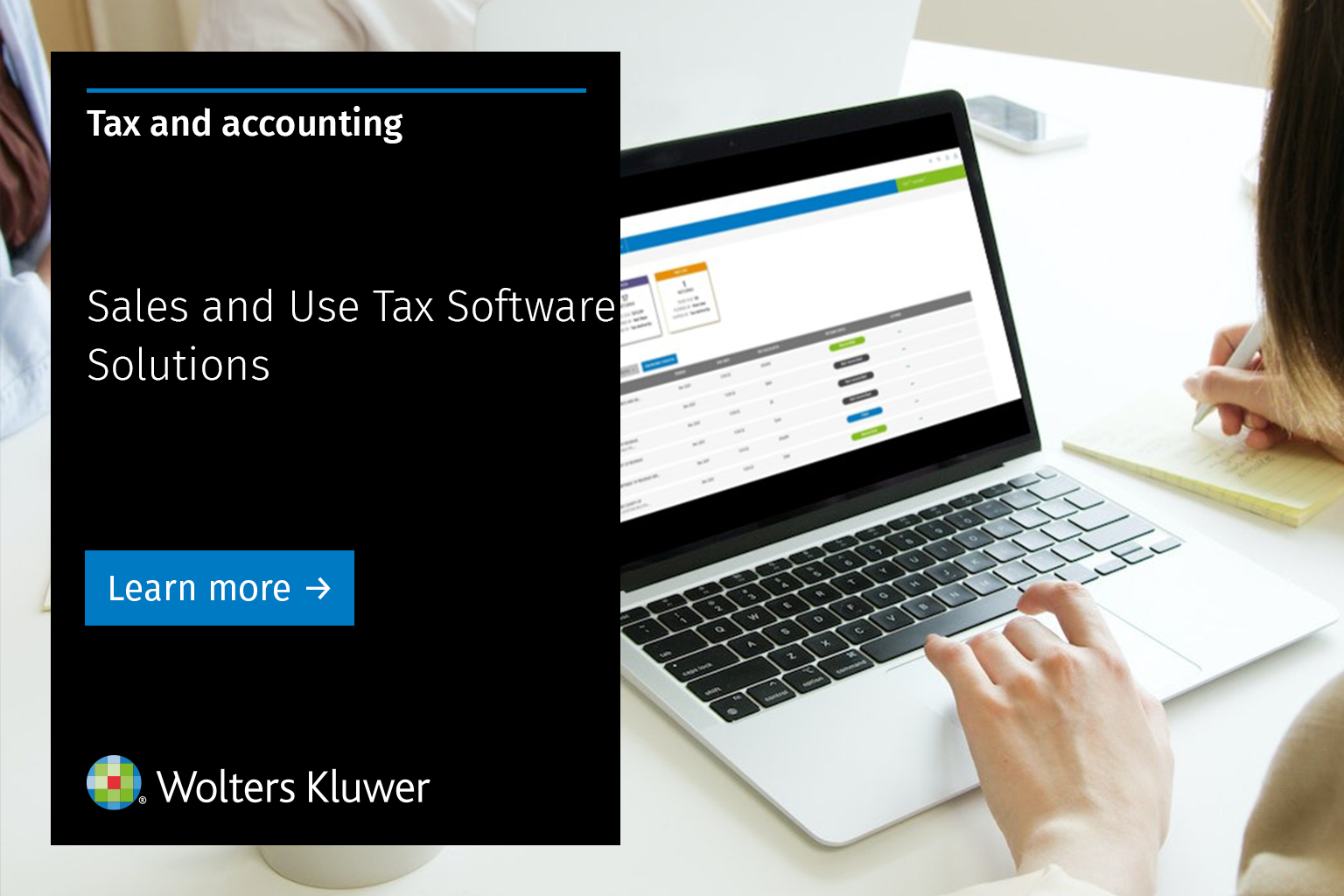
CCH offers an end-to-end SaaS solution for sales and use tax, specifically designed for multi-state sales tax compliance. It is engineered to help companies of all sizes streamline their tax operations, mitigate tax risk, and maintain compliance. The solution is particularly beneficial for businesses dealing with complex tax scenarios across multiple states.
Best for Tax Compliance Platforms for Multi-State Sales Tax
Expert Take
CCH Sales & Use Tax Solutions excels in providing comprehensive multi-state tax compliance capabilities, supported by strong integration options and automation features. It is recognized for its market credibility and usability, though its complexity and pricing may pose challenges for smaller businesses.
Pros
- IRS-trusted tax data source
- Specialized telecom & energy modules
- SAP Endorsed App certification
- SOC 1, SOC 2 & ISO 27001
- Granular address-based geocoding
Cons
- Opaque pricing with overage fees
- Steep learning curve for some
- Mixed support responsiveness reviews
- Reports of NetSuite integration errors
- Complex implementation process
Best for teams that are
- Complex industries like telecommunications, construction, and energy
- Companies with high volumes of tax-exempt transactions
- Enterprises requiring deep audit defense and granular taxability rules
Skip if
- Small ecommerce businesses with simple retail product catalogs
- Users seeking a quick, self-service setup for basic shopping carts
- Businesses with low transaction volumes or simple nexus footprints
Best for teams that are
- Complex industries like telecommunications, construction, and energy
- Companies with high volumes of tax-exempt transactions
- Enterprises requiring deep audit defense and granular taxability rules
Skip if
- Small ecommerce businesses with simple retail product catalogs
- Users seeking a quick, self-service setup for basic shopping carts
- Businesses with low transaction volumes or simple nexus footprints
Pros
- IRS-trusted tax data source
- Specialized telecom & energy modules
- SAP Endorsed App certification
- SOC 1, SOC 2 & ISO 27001
- Granular address-based geocoding
Cons
- Opaque pricing with overage fees
- Steep learning curve for some
- Mixed support responsiveness reviews
- Reports of NetSuite integration errors
- Complex implementation process
Expert Take
CCH Sales & Use Tax Solutions excels in providing comprehensive multi-state tax compliance capabilities, supported by strong integration options and automation features. It is recognized for its market credibility and usability, though its complexity and pricing may pose challenges for smaller businesses.
TaxValet Pro Sales Tax Compliance
Best for Tax Compliance Platforms for Subscription and SaaS Businesses
TaxValet Pro is purpose-built for SaaS businesses to manage their sales tax compliance requirements. It shields from audits, penalties, and lost profits by handling intricate details like tax calculations, filings, and remittances. It is particularly beneficial for SaaS businesses with multi-state tax obligations.
Best for Tax Compliance Platforms for Subscription and SaaS Businesses
Expert Take
TaxValet Pro excels in providing specialized tax compliance solutions for SaaS businesses, particularly those with multi-state obligations. Its capabilities in managing complex tax scenarios and offering expert consultation make it a top choice in its category. However, its custom pricing model may not suit smaller or single-state businesses.
Pros
- Dedicated sales tax accountant assigned
- Covers penalties and interest for errors
- Flat monthly pricing, unlimited transactions
- Handles SaaS billing upgrades/downgrades
- Full audit defense included
Cons
- Higher starting cost ($560/mo)
- Interface can be complex to navigate
- Does not handle federal taxes
- Billing communication issues reported
- Manual onboarding process required
Best for teams that are
- Mid-sized businesses wanting a completely outsourced 'done-for-you' service
- Companies needing hands-on audit defense and dedicated human support
- Businesses that prefer flat monthly fees over transaction-based pricing
Skip if
- Low-volume sellers due to high minimum monthly service fees
- Developers requiring a real-time calculation API for custom apps
- Businesses wanting a purely software-based, self-service tool
Best for teams that are
- Mid-sized businesses wanting a completely outsourced 'done-for-you' service
- Companies needing hands-on audit defense and dedicated human support
- Businesses that prefer flat monthly fees over transaction-based pricing
Skip if
- Low-volume sellers due to high minimum monthly service fees
- Developers requiring a real-time calculation API for custom apps
- Businesses wanting a purely software-based, self-service tool
Pros
- Dedicated sales tax accountant assigned
- Covers penalties and interest for errors
- Flat monthly pricing, unlimited transactions
- Handles SaaS billing upgrades/downgrades
- Full audit defense included
Cons
- Higher starting cost ($560/mo)
- Interface can be complex to navigate
- Does not handle federal taxes
- Billing communication issues reported
- Manual onboarding process required
Expert Take
TaxValet Pro excels in providing specialized tax compliance solutions for SaaS businesses, particularly those with multi-state obligations. Its capabilities in managing complex tax scenarios and offering expert consultation make it a top choice in its category. However, its custom pricing model may not suit smaller or single-state businesses.
TaxAct IRS Form 990 E-File
Best for Tax Preparation Software for Nonprofits and Associations

TaxAct's IRS Form 990 E-File solution is an industry-specific tax preparation software specifically designed for tax-exempt organizations. It efficiently addresses the unique needs of nonprofits and associations by providing easy guidance for 990 returns, simple reporting, free e-filing, and automatic data entry.
Best for Tax Preparation Software for Nonprofits and Associations
Expert Take
TaxAct IRS Form 990 E-File stands out in the nonprofit tax preparation sector due to its tailored features for tax-exempt organizations, including free e-filing and automated data entry. While it may require initial training for some users, its focus on simplifying Form 990 returns makes it a valuable tool for nonprofits.
Pros
- Supports Forms 990, 990-EZ, 990-PF, 990-N
- IRS Authorized E-file Provider
- Plain-English Q&A interview format
- $100k Accuracy Guarantee included
- Cloud-based access for multiple users
Cons
- State e-file limited to CA and TX
- No live CPA review (Xpert Assist)
- Price increased significantly since launch
- State filings cost extra
- Limited to one return per account
Best for teams that are
- Small to medium nonprofits comfortable with DIY tax preparation
- Private foundations needing to file Form 990-PF
- Organizations in California or Texas needing integrated state return filing
Skip if
- Large organizations with complex multi-state filings outside CA or TX
- Mac users preferring desktop software (some versions are Windows-only)
- Tax professionals filing more than 5 returns without a preparer license
Best for teams that are
- Small to medium nonprofits comfortable with DIY tax preparation
- Private foundations needing to file Form 990-PF
- Organizations in California or Texas needing integrated state return filing
Skip if
- Large organizations with complex multi-state filings outside CA or TX
- Mac users preferring desktop software (some versions are Windows-only)
- Tax professionals filing more than 5 returns without a preparer license
Pros
- Supports Forms 990, 990-EZ, 990-PF, 990-N
- IRS Authorized E-file Provider
- Plain-English Q&A interview format
- $100k Accuracy Guarantee included
- Cloud-based access for multiple users
Cons
- State e-file limited to CA and TX
- No live CPA review (Xpert Assist)
- Price increased significantly since launch
- State filings cost extra
- Limited to one return per account
Expert Take
TaxAct IRS Form 990 E-File stands out in the nonprofit tax preparation sector due to its tailored features for tax-exempt organizations, including free e-filing and automated data entry. While it may require initial training for some users, its focus on simplifying Form 990 returns makes it a valuable tool for nonprofits.
Recurly Subscription Management
Best for Tax Compliance Platforms for Subscription and SaaS Businesses

Recurly's Subscription Management & Billing Platform is a powerful tool specifically designed for B2B and B2C SaaS businesses. It provides robust subscription management and recurring billing features, enabling businesses to streamline their tax compliance, increase customer retention, and efficiently grow their business.
Best for Tax Compliance Platforms for Subscription and SaaS Businesses
Expert Take
Recurly Subscription Management stands out as a leading solution in the tax compliance platforms for subscription and SaaS businesses due to its comprehensive subscription management capabilities, robust tax compliance features, and flexible integration options. It is well-regarded for its ability to streamline complex billing and tax processes, making it a preferred choice for SaaS companies.
Pros
- Supports 30+ payment gateways globally
- Advanced churn management with intelligent retries
- HIPAA, SOC 2, and PCI-DSS compliant
- Flexible pricing models (Ramp, Usage, Hybrid)
- Automated revenue recognition (ASC-606)
Cons
- Reporting features can feel rigid
- Documentation inconsistent for advanced users
- Expensive for small businesses
- Limited customization for hosted pages
- Interface feels dated in some areas
Best for teams that are
- Subscription businesses already using Recurly for billing
- Companies needing automated tax compliance for recurring revenue models
- Businesses selling digital services with complex recurring billing cycles
Skip if
- Businesses not using the Recurly billing platform
- Sellers primarily focused on one-off physical goods
- Companies needing a standalone tax engine for non-subscription sales
Best for teams that are
- Subscription businesses already using Recurly for billing
- Companies needing automated tax compliance for recurring revenue models
- Businesses selling digital services with complex recurring billing cycles
Skip if
- Businesses not using the Recurly billing platform
- Sellers primarily focused on one-off physical goods
- Companies needing a standalone tax engine for non-subscription sales
Pros
- Supports 30+ payment gateways globally
- Advanced churn management with intelligent retries
- HIPAA, SOC 2, and PCI-DSS compliant
- Flexible pricing models (Ramp, Usage, Hybrid)
- Automated revenue recognition (ASC-606)
Cons
- Reporting features can feel rigid
- Documentation inconsistent for advanced users
- Expensive for small businesses
- Limited customization for hosted pages
- Interface feels dated in some areas
Expert Take
Recurly Subscription Management stands out as a leading solution in the tax compliance platforms for subscription and SaaS businesses due to its comprehensive subscription management capabilities, robust tax compliance features, and flexible integration options. It is well-regarded for its ability to streamline complex billing and tax processes, making it a preferred choice for SaaS companies.
Quaderno — Tax Compliance Software
Best for Tax Compliance Platforms with Automated Filing and Remittance

Quaderno is a robust tax compliance software specifically designed for online businesses to automate their sales tax, VAT, and GST calculations. It effectively addresses the challenge of managing complex, global tax compliance for e-commerce, digital services, and SaaS businesses.
Best for Tax Compliance Platforms with Automated Filing and Remittance
Expert Take
Quaderno excels in automating complex global tax compliance for online businesses, offering robust integrations and real-time analytics. While it lacks a free plan, its comprehensive features and international tax capabilities make it a top choice for businesses of all sizes.
Pros
- Supports 12,000+ tax jurisdictions worldwide
- Transparent, transaction-based monthly pricing
- Automatic tax-compliant invoicing and receipts
- Real-time economic nexus threshold monitoring
- Native integrations with Stripe and PayPal
Cons
- No phone support available
- Limited features for physical goods supply chains
- Transaction limits apply to each plan tier
- Reporting date ranges can be restrictive
- Markdown support missing in invoice items
Best for teams that are
- Digital creators and SaaS businesses needing automated, tax-compliant invoices (VAT receipts)
- Sellers using platforms like PayPal or Stripe who need instant tax calculation at checkout
- Businesses selling globally that need to localize receipts in multiple languages and currencies
Skip if
- US-centric businesses wanting a fully automated 'hands-off' filing service included in the base price
- High-volume physical goods sellers needing complex supply chain taxability rules
- Companies that prefer a single vendor for both software and managed filing services
Best for teams that are
- Digital creators and SaaS businesses needing automated, tax-compliant invoices (VAT receipts)
- Sellers using platforms like PayPal or Stripe who need instant tax calculation at checkout
- Businesses selling globally that need to localize receipts in multiple languages and currencies
Skip if
- US-centric businesses wanting a fully automated 'hands-off' filing service included in the base price
- High-volume physical goods sellers needing complex supply chain taxability rules
- Companies that prefer a single vendor for both software and managed filing services
Pros
- Supports 12,000+ tax jurisdictions worldwide
- Transparent, transaction-based monthly pricing
- Automatic tax-compliant invoicing and receipts
- Real-time economic nexus threshold monitoring
- Native integrations with Stripe and PayPal
Cons
- No phone support available
- Limited features for physical goods supply chains
- Transaction limits apply to each plan tier
- Reporting date ranges can be restrictive
- Markdown support missing in invoice items
Expert Take
Quaderno excels in automating complex global tax compliance for online businesses, offering robust integrations and real-time analytics. While it lacks a free plan, its comprehensive features and international tax capabilities make it a top choice for businesses of all sizes.