
Appointment Scheduling & Booking Tools
These are the specialized categories within Appointment Scheduling & Booking Tools. Looking for something broader? See all Project Management & Productivity Tools categories.

How big is your team?
What's your budget situation?
What's your team's technical comfort level?
What's the ONE thing this tool must do well?

SimplyBook.me is an online appointment booking system specifically designed for recruitment agencies. It allows recruiters to schedule interviews, send reminders and accept payments online 24/7, freeing up valuable time to focus on candidate sourcing and client management.
Best for Appointment Scheduling & Booking Tools for Recruitment Agencies
Expert Take
SimplyBook.me excels in providing a comprehensive appointment scheduling solution tailored for recruitment agencies. Its capabilities in automating reminders and integrating payments enhance productivity and client management. While the free plan has limited features, the premium offerings are robust and competitively priced, making it a top choice in its category.
Pros
- Modular system with 60+ custom features
- HIPAA compliant and ISO 27001 certified
- Native Facebook and Instagram booking integration
- Supports memberships, tickets, and POS
- 24/5 live chat support available
Cons
- Strict monthly booking volume limits
- Limited number of active custom features on lower plans
- API rate limited to 5,000 requests/day
- No customer support on Saturdays
- Setup can be complex due to modularity
Best for teams that are
- Service-based businesses like salons, clinics, and studios.
- Companies needing memberships, POS, and custom intake forms.
Skip if
- Internal corporate teams scheduling standard business meetings.
- Fast-growing businesses restricted by booking volume limits.
Best for teams that are
- Service-based businesses like salons, clinics, and studios.
- Companies needing memberships, POS, and custom intake forms.
Skip if
- Internal corporate teams scheduling standard business meetings.
- Fast-growing businesses restricted by booking volume limits.
Pros
- Modular system with 60+ custom features
- HIPAA compliant and ISO 27001 certified
- Native Facebook and Instagram booking integration
- Supports memberships, tickets, and POS
- 24/5 live chat support available
Cons
- Strict monthly booking volume limits
- Limited number of active custom features on lower plans
- API rate limited to 5,000 requests/day
- No customer support on Saturdays
- Setup can be complex due to modularity
Expert Take
SimplyBook.me excels in providing a comprehensive appointment scheduling solution tailored for recruitment agencies. Its capabilities in automating reminders and integrating payments enhance productivity and client management. While the free plan has limited features, the premium offerings are robust and competitively priced, making it a top choice in its category.

ServiceTitan is a comprehensive roofing contractor software that is specifically designed to cater to the unique needs of the roofing industry. It enables seamless management of appointments, helping companies save time, increase close rates, and ensure the right sales rep is matched to the right opportunity.
Best for Appointment Scheduling & Booking Tools for Roofing Companies
Expert Take
ServiceTitan Roofing Software excels in providing industry-specific solutions for roofing contractors, with strong capabilities in appointment scheduling and job tracking. Its market credibility is supported by industry recognition and comprehensive customer support, although it requires training for optimal use.
Pros
- Integrated EagleView & GAF measurements
- Robust offline mobile app
- Spec-based estimating templates
- Exclusive GAF Master Elite rebates
- Scalable for large enterprises
Cons
- Expensive implementation ($10k-$50k)
- Long onboarding (3-6 months)
- Opaque, quote-based pricing
- Strict contracts with termination fees
- Steep learning curve
Best for teams that are
- Large residential or commercial roofing enterprises (20+ techs)
- Companies with a dedicated admin team and high budget
Skip if
- Small roofing businesses or solo operators due to high cost
- Teams needing quick implementation (can take months)
Best for teams that are
- Large residential or commercial roofing enterprises (20+ techs)
- Companies with a dedicated admin team and high budget
Skip if
- Small roofing businesses or solo operators due to high cost
- Teams needing quick implementation (can take months)
Pros
- Integrated EagleView & GAF measurements
- Robust offline mobile app
- Spec-based estimating templates
- Exclusive GAF Master Elite rebates
- Scalable for large enterprises
Cons
- Expensive implementation ($10k-$50k)
- Long onboarding (3-6 months)
- Opaque, quote-based pricing
- Strict contracts with termination fees
- Steep learning curve
Expert Take
ServiceTitan Roofing Software excels in providing industry-specific solutions for roofing contractors, with strong capabilities in appointment scheduling and job tracking. Its market credibility is supported by industry recognition and comprehensive customer support, although it requires training for optimal use.
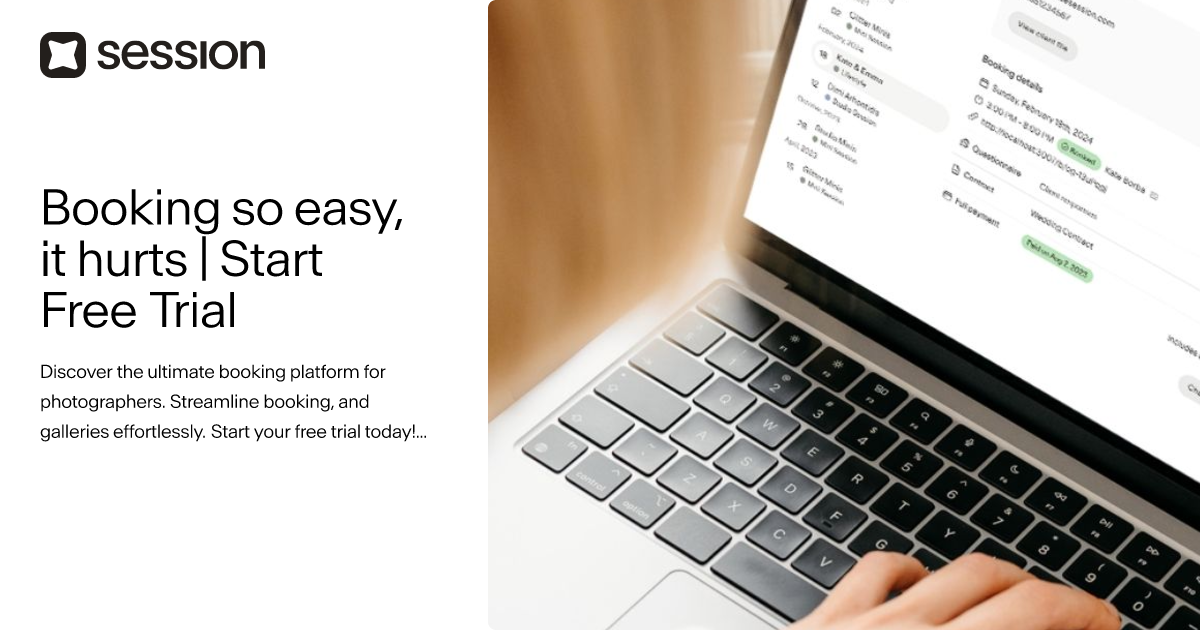
UseSession is specifically tailored for photographers, providing an ultimate booking platform to streamline appointment scheduling and gallery management. Its features cater to the unique needs of this industry, enabling photographers to focus on their craft rather than administrative tasks.
Best for Appointment Scheduling & Booking Tools for Photography Studios
Expert Take
UseSession excels in providing a tailored booking solution for photographers, with features that streamline scheduling and gallery management. Its affordable pricing and industry-specific capabilities make it a strong contender in its niche, though it may have limitations for larger studios.
Pros
- Specialized for high-volume mini sessions
- Seamless booking-to-gallery workflow
- Affordable $19/mo flat pricing
- User-friendly interface for clients
- Built-in gallery upselling features
Cons
- Not a full CRM (no lead pipeline)
- 3GB storage limit on base plan
- No in-platform refund processing
- Lacks unified email inbox integration
- Limited customization compared to Dubsado
Best for teams that are
- Photographers specializing in high-volume Mini Sessions
- Users wanting a beautiful, simple booking interface specifically for photography
- Photographers who want to sell packages and add-ons easily
Skip if
- Photographers needing a robust, full-featured CRM for complex project management
- Users who need extensive workflow automation beyond the initial booking
- Non-photographers or general service businesses
Best for teams that are
- Photographers specializing in high-volume Mini Sessions
- Users wanting a beautiful, simple booking interface specifically for photography
- Photographers who want to sell packages and add-ons easily
Skip if
- Photographers needing a robust, full-featured CRM for complex project management
- Users who need extensive workflow automation beyond the initial booking
- Non-photographers or general service businesses
Pros
- Specialized for high-volume mini sessions
- Seamless booking-to-gallery workflow
- Affordable $19/mo flat pricing
- User-friendly interface for clients
- Built-in gallery upselling features
Cons
- Not a full CRM (no lead pipeline)
- 3GB storage limit on base plan
- No in-platform refund processing
- Lacks unified email inbox integration
- Limited customization compared to Dubsado
Expert Take
UseSession excels in providing a tailored booking solution for photographers, with features that streamline scheduling and gallery management. Its affordable pricing and industry-specific capabilities make it a strong contender in its niche, though it may have limitations for larger studios.

Setmore's Plumbing Scheduling software is a comprehensive tool tailored for the plumbing industry. It enables professionals to seamlessly manage appointments, payments, and customer interactions, all in an easy-to-use online platform.
Best for Appointment Scheduling & Booking Tools for Plumbers
Expert Take
Setmore Plumbing Scheduling is tailored for the plumbing industry, offering a comprehensive suite of features for appointment management and customer interaction. It integrates with popular apps and provides automated reminders, enhancing usability and customer experience. Despite some limitations in the free plan, its industry-specific focus and integration capabilities make it a top choice.
Pros
- Generous free plan for up to 4 users
- Intuitive interface requires minimal training
- Native integration with QuickBooks and Square
- Automated text and email reminders
- Mobile app for field schedule management
Cons
- Lacks route optimization and dispatching
- No built-in inventory management
- Free plan capped at 200 appointments/month
- Reporting features are basic compared to FSMs
- Occasional Google Calendar sync glitches
Best for teams that are
- Small teams (up to 4 users) looking for a robust free plan
- Plumbers needing Square or Stripe payment integration
- Solo plumbers wanting simple online booking pages
Skip if
- Large teams needing advanced dispatching features
- Users requiring SMS reminders on a free budget
- Businesses that need to remove branding without paying
Best for teams that are
- Small teams (up to 4 users) looking for a robust free plan
- Plumbers needing Square or Stripe payment integration
- Solo plumbers wanting simple online booking pages
Skip if
- Large teams needing advanced dispatching features
- Users requiring SMS reminders on a free budget
- Businesses that need to remove branding without paying
Pros
- Generous free plan for up to 4 users
- Intuitive interface requires minimal training
- Native integration with QuickBooks and Square
- Automated text and email reminders
- Mobile app for field schedule management
Cons
- Lacks route optimization and dispatching
- No built-in inventory management
- Free plan capped at 200 appointments/month
- Reporting features are basic compared to FSMs
- Occasional Google Calendar sync glitches
Expert Take
Setmore Plumbing Scheduling is tailored for the plumbing industry, offering a comprehensive suite of features for appointment management and customer interaction. It integrates with popular apps and provides automated reminders, enhancing usability and customer experience. Despite some limitations in the free plan, its industry-specific focus and integration capabilities make it a top choice.
FlexBooker Online Booking Software
Best for Appointment Scheduling & Booking Tools for Private Equity Firms

FlexBooker is a robust online booking solution specifically honed for Private Equity Firms. It streamlines the scheduling of appointments, meetings, and calls, and the booking of facilities, making it easier to manage and coordinate a firm's diverse set of activities. Moreover, it also adheres to the fast-paced, data-driven, and client-centric nature of the industry.
Best for Appointment Scheduling & Booking Tools for Private Equity Firms
Expert Take
FlexBooker stands out in the appointment scheduling space for Private Equity Firms due to its tailored features that cater to the industry's fast-paced and client-centric environment. It offers robust scheduling capabilities, real-time availability, and data-driven insights, making it a top choice for firms needing efficient booking solutions.
Pros
- Automated SMS waitlist fills cancellations instantly
- Trusted by enterprise brands like Chipotle
- Transparent flat-rate pricing with no hidden fees
- Seamless two-way sync with Google/Outlook calendars
- Customizable booking widgets match website branding
Cons
- History of significant data breach in 2021
- Lacks built-in inventory management features
- No native POS hardware integration
- Support reported as slow by some users
Best for teams that are
- Service businesses needing automated waitlist management and recalls
- Medical and wellness centers requiring strict appointment flow control
- SMBs wanting to reduce no-shows via automated SMS and email reminders
Skip if
- Freelancers or startups seeking a free-forever scheduling tier
- Enterprise sales teams needing complex lead routing workflows
- Users needing a native mobile app for admin management
Best for teams that are
- Service businesses needing automated waitlist management and recalls
- Medical and wellness centers requiring strict appointment flow control
- SMBs wanting to reduce no-shows via automated SMS and email reminders
Skip if
- Freelancers or startups seeking a free-forever scheduling tier
- Enterprise sales teams needing complex lead routing workflows
- Users needing a native mobile app for admin management
Pros
- Automated SMS waitlist fills cancellations instantly
- Trusted by enterprise brands like Chipotle
- Transparent flat-rate pricing with no hidden fees
- Seamless two-way sync with Google/Outlook calendars
- Customizable booking widgets match website branding
Cons
- History of significant data breach in 2021
- Lacks built-in inventory management features
- No native POS hardware integration
- Support reported as slow by some users
Expert Take
FlexBooker stands out in the appointment scheduling space for Private Equity Firms due to its tailored features that cater to the industry's fast-paced and client-centric environment. It offers robust scheduling capabilities, real-time availability, and data-driven insights, making it a top choice for firms needing efficient booking solutions.

Q-Flow SaaS is a powerful cloud-based scheduling solution specifically designed for SaaS companies. Its features such as self-booking, customer flow management, and a comprehensive feedback system, cater to the dynamic scheduling needs of the industry. The software streamlines booking, check-in, service, and wait period management for optimized customer satisfaction.
Best for Appointment Scheduling & Booking Tools for SaaS Companies
Expert Take
Q-Flow SaaS excels as a scheduling solution for SaaS companies, offering robust features like self-booking and customer flow management. Its cloud-based architecture enhances accessibility and convenience, while its feedback system provides valuable insights. Despite lacking a free plan, its comprehensive capabilities make it a top choice in its category.
Pros
- Proven enterprise scalability (NHS, AT&T)
- Combined appointment and queue management
- HIPAA and GDPR compliant
- Transparent pricing on AWS Marketplace
- Integrates with Salesforce and Teams
Cons
- Limited customization options reported
- Fewer public reviews than competitors
- Occasional technical bugs reported
- Interface may feel complex to some
- Setup requires configuration for best results
Best for teams that are
- Large enterprises with high foot traffic like banks and hospitals.
- Organizations requiring combined virtual queuing and appointment scheduling.
Skip if
- Small businesses with low walk-in traffic or simple booking needs.
- Solo entrepreneurs looking for a basic online scheduling link.
Best for teams that are
- Large enterprises with high foot traffic like banks and hospitals.
- Organizations requiring combined virtual queuing and appointment scheduling.
Skip if
- Small businesses with low walk-in traffic or simple booking needs.
- Solo entrepreneurs looking for a basic online scheduling link.
Pros
- Proven enterprise scalability (NHS, AT&T)
- Combined appointment and queue management
- HIPAA and GDPR compliant
- Transparent pricing on AWS Marketplace
- Integrates with Salesforce and Teams
Cons
- Limited customization options reported
- Fewer public reviews than competitors
- Occasional technical bugs reported
- Interface may feel complex to some
- Setup requires configuration for best results
Expert Take
Q-Flow SaaS excels as a scheduling solution for SaaS companies, offering robust features like self-booking and customer flow management. Its cloud-based architecture enhances accessibility and convenience, while its feedback system provides valuable insights. Despite lacking a free plan, its comprehensive capabilities make it a top choice in its category.
ServiceTitan Scheduling Pro
Best for Appointment Scheduling & Booking Tools for Private Equity Firms

ServiceTitan Scheduling Pro is a game-changer for private equity firms with contractors on the payroll. By streamlining appointment scheduling and booking tasks, it reduces overhead costs and boosts productivity, allowing firms to focus on high-value tasks like deal sourcing and due diligence.
Best for Appointment Scheduling & Booking Tools for Private Equity Firms
Expert Take
ServiceTitan Scheduling Pro stands out in the appointment scheduling sector for private equity firms due to its robust automation capabilities and 24/7 scheduling features. It reduces operational costs and enhances productivity, making it a valuable tool for firms focused on strategic tasks.
Pros
- Real-time dispatch board integration
- Mobile-first customer booking interface
- Reserve with Google integration
- Supports complex arrival windows
- Deep marketing attribution tracking
Cons
- Expensive per-technician pricing
- Opaque pricing structure
- Steep learning curve
- Lengthy implementation process
- Overkill for small teams
Best for teams that are
- Home service trades like HVAC and plumbing using the ServiceTitan CRM
- Dispatch-heavy businesses needing real-time technician availability
- Companies wanting bookings to flow directly into dispatch boards
Skip if
- Office-based professionals such as consultants or private equity firms
- Retail or wellness businesses as the features are trade-specific
- Businesses not already using the ServiceTitan core platform
Best for teams that are
- Home service trades like HVAC and plumbing using the ServiceTitan CRM
- Dispatch-heavy businesses needing real-time technician availability
- Companies wanting bookings to flow directly into dispatch boards
Skip if
- Office-based professionals such as consultants or private equity firms
- Retail or wellness businesses as the features are trade-specific
- Businesses not already using the ServiceTitan core platform
Pros
- Real-time dispatch board integration
- Mobile-first customer booking interface
- Reserve with Google integration
- Supports complex arrival windows
- Deep marketing attribution tracking
Cons
- Expensive per-technician pricing
- Opaque pricing structure
- Steep learning curve
- Lengthy implementation process
- Overkill for small teams
Expert Take
ServiceTitan Scheduling Pro stands out in the appointment scheduling sector for private equity firms due to its robust automation capabilities and 24/7 scheduling features. It reduces operational costs and enhances productivity, making it a valuable tool for firms focused on strategic tasks.

Setmore is the perfect booking software for the photography industry, simplifying the booking process and freeing up more time for the creative process. With automated reminders, photographers can reduce no-shows and ensure a smooth workflow. The 24/7 online booking feature empowers clients to schedule shoots at their own convenience, providing flexibility that's critical in the industry.
Best for Appointment Scheduling & Booking Tools for Photography Studios
Expert Take
Setmore Photography Booking excels in providing a streamlined booking process tailored for photography studios. It offers critical features like 24/7 online booking and automated reminders, enhancing usability and customer experience. While it lacks some customization and CRM integration, its pricing transparency and integration capabilities make it a strong choice for photographers.
Pros
- Free plan supports up to 4 users
- Instagram & Facebook 'Book Now' buttons
- Streams Instagram portfolio to booking page
- Accepts Square payments on Free plan
- Affordable Pro plan ($5/mo annual)
Cons
- Free plan capped at 200 appointments/mo
- No SMS reminders on Free plan
- No 2-way calendar sync on Free plan
- Stripe & PayPal locked to Pro plan
- Occasional Google Calendar sync glitches
Best for teams that are
- Budget-conscious photographers needing a robust free plan for simple scheduling
- Users who already use Square for payments but want a different scheduling interface
- Small teams needing to manage multiple staff calendars easily
Skip if
- Studios needing advanced customization of the booking page branding
- Users requiring complex resource management or provider-specific resource linking
- Those needing a dedicated photography CRM with contracts
Best for teams that are
- Budget-conscious photographers needing a robust free plan for simple scheduling
- Users who already use Square for payments but want a different scheduling interface
- Small teams needing to manage multiple staff calendars easily
Skip if
- Studios needing advanced customization of the booking page branding
- Users requiring complex resource management or provider-specific resource linking
- Those needing a dedicated photography CRM with contracts
Pros
- Free plan supports up to 4 users
- Instagram & Facebook 'Book Now' buttons
- Streams Instagram portfolio to booking page
- Accepts Square payments on Free plan
- Affordable Pro plan ($5/mo annual)
Cons
- Free plan capped at 200 appointments/mo
- No SMS reminders on Free plan
- No 2-way calendar sync on Free plan
- Stripe & PayPal locked to Pro plan
- Occasional Google Calendar sync glitches
Expert Take
Setmore Photography Booking excels in providing a streamlined booking process tailored for photography studios. It offers critical features like 24/7 online booking and automated reminders, enhancing usability and customer experience. While it lacks some customization and CRM integration, its pricing transparency and integration capabilities make it a strong choice for photographers.

Skedulo is a comprehensive scheduling platform specifically tailored for home services and contractors. It not only facilitates seamless coordination among contractors but also enables efficient schedule creation, data sharing, and handling of diverse work types, addressing the unique needs of this industry.
Best for Appointment Scheduling & Booking Tools for Contractors
Expert Take
Skedulo Home Services Scheduler excels in providing industry-specific scheduling solutions for contractors, with strong integration capabilities and efficient coordination tools. While it offers comprehensive features, the pricing model may limit upfront transparency. Overall, it remains a top choice for its target market.
Pros
- AI-driven MasterMind scheduling optimization
- Native Salesforce integration & architecture
- Robust offline mobile app capabilities
- Backed by Microsoft M12 & SoftBank
- HIPAA & SOC 2 compliance
Cons
- Metered fees for SMS notifications
- Occasional mobile data sync errors
- Steep learning curve for admins
- High implementation & setup costs
- No transparent free trial available
Best for teams that are
- Large enterprises with complex dynamic scheduling needs.
- Businesses needing route optimization and worker tracking.
- Organizations managing large deskless or mobile workforces.
Skip if
- Small businesses with simple scheduling needs.
- Companies seeking a cheap or out-of-the-box solution.
- Beginners, due to a steep learning curve and complex setup.
Best for teams that are
- Large enterprises with complex dynamic scheduling needs.
- Businesses needing route optimization and worker tracking.
- Organizations managing large deskless or mobile workforces.
Skip if
- Small businesses with simple scheduling needs.
- Companies seeking a cheap or out-of-the-box solution.
- Beginners, due to a steep learning curve and complex setup.
Pros
- AI-driven MasterMind scheduling optimization
- Native Salesforce integration & architecture
- Robust offline mobile app capabilities
- Backed by Microsoft M12 & SoftBank
- HIPAA & SOC 2 compliance
Cons
- Metered fees for SMS notifications
- Occasional mobile data sync errors
- Steep learning curve for admins
- High implementation & setup costs
- No transparent free trial available
Expert Take
Skedulo Home Services Scheduler excels in providing industry-specific scheduling solutions for contractors, with strong integration capabilities and efficient coordination tools. While it offers comprehensive features, the pricing model may limit upfront transparency. Overall, it remains a top choice for its target market.
Thryv Appointment Scheduling
Best for Appointment Scheduling & Booking Tools for Private Equity Firms
Thryv's appointment scheduling software is a perfect match for Private Equity Firms. It simplifies the online booking process, allowing clients to schedule appointments directly, and automatically updating the firm's calendar. This results in efficient appointment management and improved customer service.
Best for Appointment Scheduling & Booking Tools for Private Equity Firms
Expert Take
Thryv Appointment Scheduling is highly regarded for its efficient management of appointments, particularly for private equity firms. Its automation features and 24/7 support contribute to its strong usability and customer experience. While it offers significant value, the lack of customization options may limit its appeal for some users.
Pros
- Comprehensive all-in-one business management dashboard
- 24/7 customer support with dedicated success manager
- Seamless 2-way sync with Google and Outlook calendars
- Integrated payment processing via ThryvPay, Stripe, and Square
- HIPAA compliance available for medical practices
Cons
- Mandatory onboarding fee increases startup costs
- 6-month contract with auto-renewal and strict cancellation
- Pricing is not transparent (requires demo)
- Initial calendar sync can take up to 24 hours
- Steep learning curve for some users
Best for teams that are
- Small service businesses needing an all-in-one CRM and marketing suite
- Home service and blue-collar industries needing mobile business management
- Companies wanting to manage social media, payments, and booking in one app
Skip if
- Large enterprises or firms needing only a standalone scheduling tool
- Businesses on a tight budget due to the higher cost of the full suite
- Users needing complex API integrations with non-standard tools
Best for teams that are
- Small service businesses needing an all-in-one CRM and marketing suite
- Home service and blue-collar industries needing mobile business management
- Companies wanting to manage social media, payments, and booking in one app
Skip if
- Large enterprises or firms needing only a standalone scheduling tool
- Businesses on a tight budget due to the higher cost of the full suite
- Users needing complex API integrations with non-standard tools
Pros
- Comprehensive all-in-one business management dashboard
- 24/7 customer support with dedicated success manager
- Seamless 2-way sync with Google and Outlook calendars
- Integrated payment processing via ThryvPay, Stripe, and Square
- HIPAA compliance available for medical practices
Cons
- Mandatory onboarding fee increases startup costs
- 6-month contract with auto-renewal and strict cancellation
- Pricing is not transparent (requires demo)
- Initial calendar sync can take up to 24 hours
- Steep learning curve for some users
Expert Take
Thryv Appointment Scheduling is highly regarded for its efficient management of appointments, particularly for private equity firms. Its automation features and 24/7 support contribute to its strong usability and customer experience. While it offers significant value, the lack of customization options may limit its appeal for some users.
Explore Categories
-
 Appointment Scheduling & Booking Tools for Contractors
-
 Appointment Scheduling & Booking Tools for Photography Studios
-
 Appointment Scheduling & Booking Tools for Plumbers
-
 Appointment Scheduling & Booking Tools for Private Equity Firms
-
 Appointment Scheduling & Booking Tools for Recruitment Agencies
-
 Appointment Scheduling & Booking Tools for Roofing Companies
-
 Appointment Scheduling & Booking Tools for SaaS Companies
Loading comparison data…
Appointment Scheduling & Booking Tools for Contractors
Appointment Scheduling & Booking Tools for Photography Studios
Appointment Scheduling & Booking Tools for Plumbers
Appointment Scheduling & Booking Tools for Private Equity Firms
Appointment Scheduling & Booking Tools for Recruitment Agencies
Appointment Scheduling & Booking Tools for Roofing Companies
Appointment Scheduling & Booking Tools for SaaS Companies