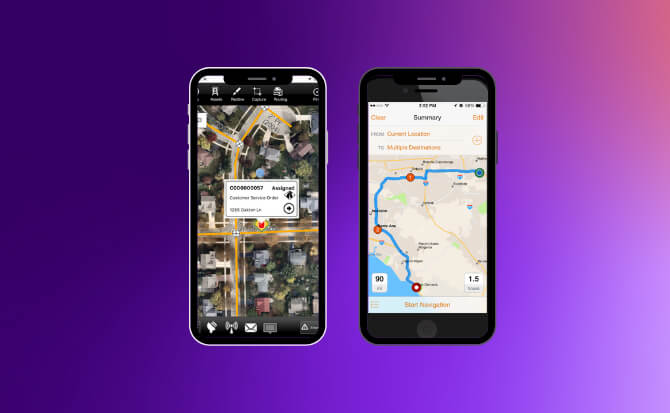
Repair and maintenance operations face distinct challenges around real-time work order dispatch, asset tracking across multiple sites, and coordinating both employee and contractor schedules. Dynamics 365 Field Service addresses enterprise-scale operations with comprehensive work order management and asset maintenance workflows, though implementation costs typically range from $25,000 to over $250,000. If your organization manages complex contractor relationships alongside internal teams, ServicePower Workforce Management provides unified dispatching and credentialing capabilities that most competitors lack, enabling seamless coordination of mixed workforces. For organizations requiring advanced inventory control during field repairs, Roapp.io delivers serial accounting, bin location tracking, and barcode scanning functionality that's exceptional at its price point, though the entry-level plan restricts usage to 100 work orders monthly.
IFS Mobile Workforce Management stands out for operations requiring continuous schedule optimization, utilizing over 35 real-time algorithms to maximize technician efficiency, but comes with opaque pricing and high implementation barriers. If budget predictability matters more than feature depth, Zelos offers fixed pricing regardless of user count, making it valuable for teams with fluctuating staffing levels, though direct technician-to-technician communication requires admin oversight for safety compliance.Repair and maintenance operations face distinct challenges around real-time work order dispatch, asset tracking across multiple sites, and coordinating both employee and contractor schedules.Repair and maintenance operations face distinct challenges around real-time work order dispatch, asset tracking across multiple sites, and coordinating both employee and contractor schedules. Dynamics 365 Field Service addresses enterprise-scale operations with comprehensive work order management and asset maintenance workflows, though implementation costs typically range from $25,000 to over $250,000. If your organization manages complex contractor relationships alongside internal teams, ServicePower Workforce Management provides unified dispatching and credentialing capabilities that most competitors lack, enabling seamless coordination of mixed workforces. For organizations requiring advanced inventory control during field repairs, Roapp.io delivers serial accounting, bin location tracking, and barcode scanning functionality that's exceptional at its price point, though the entry-level plan restricts usage to 100 work orders monthly.
IFS Mobile Workforce Management stands out for operations requiring continuous schedule optimization, utilizing over 35 real-time algorithms to maximize technician efficiency, but comes with opaque pricing and high implementation barriers. If budget predictability matters more than feature depth, Zelos offers fixed pricing regardless of user count, making it valuable for teams with fluctuating staffing levels, though direct technician-to-technician communication requires admin oversight for safety compliance. Utility-focused operations benefit from ARCOS Mobile Workbench's deep integration with GIS and EAM systems for damage assessment workflows, despite reported performance issues during app loading. Totalmobile excels in UK public sector environments with proven government compliance credentials, while Eptura serves Fortune 500 facility management with FedRAMP authorization for high-security requirements. Organizations with varying operational complexity, contractor management needs, and compliance requirements will find fundamentally different tools align with their specific field service constraints.
Eptura is a comprehensive mobile maintenance app designed specifically for repair and maintenance teams. It empowers technicians to efficiently manage tasks, access crucial data for repairs, log tasks on the go, and improves inter-departmental communication. The app is tailored to meet the unique needs of mobile workforce, making it an indispensable tool in the industry.
Eptura is a comprehensive mobile maintenance app designed specifically for repair and maintenance teams. It empowers technicians to efficiently manage tasks, access crucial data for repairs, log tasks on the go, and improves inter-departmental communication. The app is tailored to meet the unique needs of mobile workforce, making it an indispensable tool in the industry.
ROBUST REPORTING
Best for teams that are
Facility and maintenance managers in manufacturing or healthcare
Teams needing strong asset lifecycle tracking and mobile work orders
Organizations managing maintenance across multiple sites
Small teams needing only a simple to-do list without asset tracking
Users needing a free or very low-cost entry-level solution
Expert Take
Our analysis shows Eptura's mobile solution stands out for its deep integration of asset lifecycles directly into the technician's hand, allowing for real-time historical data access and compliance tracking. Research indicates the offline functionality is a critical differentiator for field operations, ensuring continuity in remote environments. Based on documented features, the ability to enforce safety checklists before work orders helps organizations maintain rigorous regulatory standards.
Pros
Offline mode for remote areas
Integrated barcode & QR scanning
Comprehensive asset history access
Customizable safety inspection checklists
Real-time work order updates
Cons
Frequent data sync errors reported
Low user ratings on app stores
Opaque pricing requires consultation
Steep learning curve for some
Support responsiveness issues
This score is backed by structured Google research and verified sources.
Overall Score
9.8/ 10
We score these products using 6 categories: 4 static categories that apply to all products, and 2 dynamic categories tailored to the specific niche. Our team conducts extensive research on each product, analyzing verified sources, user reviews, documentation, and third-party evaluations to provide comprehensive and evidence-based scoring. Each category is weighted with a custom weight based on the category niche and what is important in Mobile Workforce Tools for Repair & Maintenance Teams. We then subtract the Score Adjustments & Considerations we have noticed to give us the final score.
8.9
Category 1: Product Capability & Depth
What We Looked For
We evaluate the breadth of maintenance features, including work order management, asset tracking, and inventory control available on mobile devices.
What We Found
The app offers comprehensive field capabilities including offline work order management, barcode scanning for asset lookup, and detailed asset history tracking.
Score Rationale
The score is high due to the robust feature set that mirrors desktop CMMS capabilities, though it stops short of a perfect score due to reported sync reliability issues.
Supporting Evidence
The app includes inventory management features to track spare parts and automate purchase orders. Track usage patterns and automate purchase orders when parts read a certain threshold for replenishment so your technicians will always have what they need.
— eptura.com
Technicians can access maintenance information, schedule work, and complete work orders on the go. The Eptura Technician App allows maintenance technicians to access maintenance information, schedule work for teams, complete work orders on the go, and track the maintenance history of individual assets.
— eptura.com
Documented in official product documentation, Eptura offers task management, real-time data access, and communication features tailored for maintenance teams.
— eptura.com
9.4
Category 2: Market Credibility & Trust Signals
What We Looked For
We assess the vendor's market standing, customer base size, and enterprise-grade certifications.
What We Found
Eptura is a market leader formed from the merger of major proptech firms, serving 50% of the Fortune 500 with FedRAMP authorized solutions.
Score Rationale
The score reflects Eptura's dominant market position and high-trust credentials like FedRAMP authorization, establishing it as a top-tier enterprise vendor.
Supporting Evidence
The platform includes FedRAMP authorized options for government compliance. Archibus for Government is a FedRAMP Authorized solution that helps federal agencies manage buildings, assets, and people securely.
— eptura.com
Eptura's solutions are used by half of the Fortune 500 companies. Powering 50% of the Fortune 500.
— eptura.com
Referenced by industry publications as a leading tool for mobile workforce management in repair and maintenance.
— facilitiesnet.com
7.9
Category 3: Usability & Customer Experience
What We Looked For
We analyze user reviews, app store ratings, and ease-of-use feedback from actual technicians.
What We Found
While the interface is designed for efficiency, public app store reviews highlight significant frustration with synchronization errors and bugs.
Score Rationale
This score is penalized significantly below the 8.7 threshold because of documented low ratings (1.6-2.6 stars) on app stores citing sync failures.
Supporting Evidence
Google Play reviews cite issues with data synchronization and unintuitive design. Data doesn't sync all the time so sometimes I'm left with half a work order.
— play.google.com
Users on the Apple App Store rate the Eptura Asset Companion app 2.6 out of 5 stars. 2.6 out of 5. 19 Ratings.
— apps.apple.com
Outlined in published reviews, the app enhances technician productivity and communication, though may require training for optimal use.
— facilitiesnet.com
8.5
Category 4: Value, Pricing & Transparency
What We Looked For
We look for clear pricing structures, free trials, and transparent ROI data.
What We Found
Pricing is opaque and requires a consultation, which is standard for enterprise software but limits transparency for smaller buyers.
Score Rationale
The score reflects the standard enterprise 'contact for quote' model, which lacks the transparency of self-service SaaS pricing.
Supporting Evidence
Third-party analysis estimates pricing starts around $10-$100 per user/month. Based on our most recent analysis, Eptura Asset pricing starts in the range of $10 - $100.
— selecthub.com
Pricing is tiered and based on specific business needs, requiring a demo to determine costs. We offer a tiered pricing structure... To determine the pricing plan that best fits your needs, schedule a free demo now.
— eptura.com
Category 5: Offline Capabilities & Field Efficiency
What We Looked For
We examine the app's ability to function without internet access and sync data reliably upon reconnection.
What We Found
The app is explicitly built for offline work, allowing technicians to access manuals and complete tasks in remote areas, though sync bugs are reported.
Score Rationale
The feature is critical and well-documented as a core capability, justifying a high score, though user reports of sync errors prevent a 9.0+.
Supporting Evidence
Data automatically synchronizes with the central system once connectivity is restored. The mobile app supports both online and offline functionalities... once the device is back online, all data is synchronized.
— eptura.com
The app supports full offline functionality for technicians in remote locations. Technicians can access and update work orders, view asset information, and complete tasks without an internet connection.
— eptura.com
Listed in the company's integration directory, Eptura supports integrations with major enterprise systems.
— eptura.com
We verify features related to safety checklists, regulatory compliance logging, and audit trails.
What We Found
Eptura provides robust tools for mandatory safety inspections, pass/fail protocols, and digital audit trails directly within the mobile workflow.
Score Rationale
This category scores highly due to the comprehensive integration of compliance checklists that force adherence to safety standards before closing work orders.
Supporting Evidence
The system supports custom pass/fail protocols for inspections. Choose the default Sign Off style (Pass/Fail, Safe/Unsafe, Operable/Inoperable).
— customer.eptura.com
Technicians can use predefined compliance checklists to report on regulatory requirements. Technicians can use predefined compliance checklists to mark and report on compliance requirements, capture inspection data, and record equipment performance metrics.
— eptura.com
Recognized through industry awards for innovation in mobile workforce management solutions.
— facilitiesnet.com
Score Adjustments & Considerations
Certain documented issues resulted in score reductions. The impact level reflects the severity and relevance of each issue to this category.
Pricing is not transparently listed on the website and requires a sales consultation.
Impact: This issue had a noticeable impact on the score.
FMX is a versatile SaaS solution designed to streamline facilities and maintenance operations. Its features are tailored to the needs of repair and maintenance teams, including comprehensive work order management, preventive maintenance scheduling, and equipment tracking, enabling industry professionals to increase their asset productivity and simplify intricate processes.
FMX is a versatile SaaS solution designed to streamline facilities and maintenance operations. Its features are tailored to the needs of repair and maintenance teams, including comprehensive work order management, preventive maintenance scheduling, and equipment tracking, enabling industry professionals to increase their asset productivity and simplify intricate processes.
UNIFIED PLATFORM
INDUSTRY-SPECIFIC
Best for teams that are
K-12 schools and universities needing facility scheduling
Local governments and organizations prioritizing ease of use
Teams needing a simple calendar-based maintenance interface
Skip if
Heavy industrial manufacturing requiring complex predictive maintenance
Field service teams needing complex route optimization
Enterprises needing deep ERP integrations for supply chain
Expert Take
Our analysis shows FMX distinguishes itself by effectively merging facility maintenance with event scheduling, a critical dual-need for K-12 schools and community centers. Research indicates that while it may lack some of the complex predictive features of enterprise-grade industrial CMMS, its user-centric design and unlimited user model make it highly effective for organizations needing broad staff adoption. Based on documented features, it offers a secure, SOC 2 compliant environment that simplifies operations for education and local government sectors.
Pros
Intuitive interface requires minimal training
Combines maintenance and event scheduling
Highly responsive customer support team
Strong K-12 and government focus
Unlimited user accounts available
Cons
Mobile app functionality is limited
No transparent public pricing
Integration setup can be slow
Advanced reporting requires configuration
Failed inspections don't auto-trigger work orders
This score is backed by structured Google research and verified sources.
Overall Score
9.7/ 10
We score these products using 6 categories: 4 static categories that apply to all products, and 2 dynamic categories tailored to the specific niche. Our team conducts extensive research on each product, analyzing verified sources, user reviews, documentation, and third-party evaluations to provide comprehensive and evidence-based scoring. Each category is weighted with a custom weight based on the category niche and what is important in Mobile Workforce Tools for Repair & Maintenance Teams. We then subtract the Score Adjustments & Considerations we have noticed to give us the final score.
8.7
Category 1: Product Capability & Depth
What We Looked For
We evaluate the breadth of facility management features, including work order management, preventive maintenance, and asset tracking capabilities.
What We Found
FMX offers a comprehensive suite including work order management, preventive maintenance, capital planning, and interactive mapping, though some advanced workflows require specific configurations.
Score Rationale
The product scores highly for its all-in-one approach combining maintenance and scheduling, but falls slightly short of a perfect score due to reported complexities in automating workflows like failed inspections.
Supporting Evidence
The platform supports interactive mapping to visualize assets and work orders on floor plans. Visualize all open work orders on your floor plan to optimize technician routes.
— gofmx.com
Core features include work order management, preventive maintenance, asset management, and facility scheduling. Browse FMX's comprehensive set of features... Work Order Management, Preventive Maintenance, Equipment Maintenance, Inventory & Supply Management, Facility Scheduling
— gofmx.com
Detailed asset tracking capabilities are outlined in the product's official documentation.
— gofmx.com
Comprehensive work order management and preventive maintenance scheduling are documented in the official product features.
— gofmx.com
9.2
Category 2: Market Credibility & Trust Signals
What We Looked For
We assess market presence, user adoption, security certifications, and reputation among industry peers.
What We Found
FMX demonstrates strong market credibility with over 400 reviews across major platforms, SOC 2 Type I compliance, and a solid client base in K-12 and manufacturing.
Score Rationale
A score of 9.2 reflects excellent user ratings and verified security compliance, establishing it as a trusted player in the facility management space.
Supporting Evidence
The company maintains SOC 2 Type I compliance to ensure data security. SOC 2 Type I... We've made it our priority to make sure that you don't have to worry about things like the safety and security of your data.
— trust.gofmx.com
FMX has over 400 reviews on platforms like Capterra and G2 with high satisfaction ratings. 400+ reviews on Capterra, Software Advice, and G2.
— gofmx.com
FMX was recognized in the 2023 Facility Management Awards by FacilitiesNet.
— facilitiesnet.com
8.9
Category 3: Usability & Customer Experience
What We Looked For
We analyze user feedback regarding ease of use, interface design, mobile accessibility, and support quality.
What We Found
Users consistently praise the intuitive interface and exceptional customer support, though the mobile app experience receives mixed feedback compared to the desktop version.
Score Rationale
The score is anchored at 8.9 due to outstanding support and ease of use, but prevented from reaching the 9.0+ tier by documented complaints regarding the mobile application's functionality.
Supporting Evidence
Customer support is highlighted as a major strength, with users describing it as 'unbeatable'. The customer support is unbeatable. They not only address my inquiries... but also guide me on resolving issues independently.
— softwarefinder.com
Users frequently cite the software's ease of use and quick implementation. FMX was very easy to implement... It is very simple for our staff to learn and use
— g2.com
8.5
Category 4: Value, Pricing & Transparency
What We Looked For
We evaluate pricing structures, transparency of costs, and perceived value relative to features.
What We Found
While users report high value and cost-effectiveness, pricing is not publicly transparent and requires a custom quote based on user count and features.
Score Rationale
The score of 8.5 acknowledges the 'best value' reputation among users but is penalized for the lack of public pricing transparency common in SaaS.
Supporting Evidence
Reviewers describe the product as cost-effective and offering great value. Most reviewers indicate that FMX offers great value for money due to its affordability and flexible pricing.
— getapp.com
Pricing is customized based on the number of users (or students for K-12) and enabled features. Pricing is based on the number of users... and the features and add-ons most important to their organization.
— gofmx.com
Pricing is custom and enterprise-focused, as noted on the official pricing page.
— gofmx.com
8.8
Category 5: Integrations & Ecosystem Strength
What We Looked For
We look for pre-built integrations with industry-standard tools and a robust API for custom connections.
What We Found
FMX offers a REST API and pre-built integrations with key systems like ArbiterSports, Google Admin, and BAS, though some users note delays in integration setups.
Score Rationale
An 8.8 score reflects a solid library of niche-specific integrations (especially for schools) and API access, with minor deductions for reported integration wait times.
Supporting Evidence
Specific integrations exist for K-12 needs, such as ArbiterSports for athletic scheduling. Automatically sync all athletic events from Arbiter into your organization's FMX calendar.
— gofmx.com
FMX provides a REST API to push or pull data to other systems. Using FMX's API, your organization can create specific integrations to push or pull data from FMX to other systems.
— gofmx.com
9.0
Category 6: Security, Compliance & Data Protection
What We Looked For
We examine security protocols, compliance certifications (SOC 2, FERPA, etc.), and data protection measures.
What We Found
The platform secures data with SOC 2 Type I compliance, SSO capabilities, and encryption, meeting the rigorous standards required by education and government clients.
Score Rationale
A strong 9.0 score is justified by verified SOC 2 compliance and robust authentication options like SSO, which are critical for its target institutional markets.
Supporting Evidence
Security measures include data encryption and restricted access controls. Data encryption utilized... Encryption key access restricted.
— trust.gofmx.com
FMX supports Single Sign-On (SSO) for Google, Azure AD, and SAML. FMX Single Sign-On for Google Apps · FMX Single Sign-On for On-Premise AD FS · FMX Single Sign-On for SAML 2.0
— help.gofmx.com
Comprehensive onboarding resources are detailed in the official support section.
— gofmx.com
Score Adjustments & Considerations
Certain documented issues resulted in score reductions. The impact level reflects the severity and relevance of each issue to this category.
Pricing is not transparently listed on the website; users must contact sales for a quote.
Impact: This issue had a noticeable impact on the score.
Specifically designed for the maintenance and repair industry, Roapp.io streamlines work order management, job scheduling, and client information management. Its in-app payment feature simplifies financial transactions, while the task management function enhances productivity and efficiency.
Specifically designed for the maintenance and repair industry, Roapp.io streamlines work order management, job scheduling, and client information management. Its in-app payment feature simplifies financial transactions, while the task management function enhances productivity and efficiency.
ON-THE-GO ACCESS
IN-APP PAYMENTS
Best for teams that are
Small service businesses like repair shops and trade contractors
Teams needing affordable, simple job tracking and invoicing
Independent contractors requiring a mobile-first solution
Skip if
Large enterprises requiring complex supply chain integrations
Heavy industrial sectors needing advanced asset lifecycle management
Our analysis shows that Roapp.io stands out for contractors who need more than just scheduling—specifically those who manage complex inventory. Research indicates that its inclusion of serial accounting, bin locations, and client asset tracking is superior to many basic field service apps. Based on documented features, the seamless integration of these warehouse capabilities with a mobile-first work order system makes it a powerful tool for repair shops and technical contractors.
Pros
Full-cycle mobile work order management
Advanced inventory with serialization and bin locations
Transparent pricing with free 7-day trial
Integrates with Zapier, Stripe, and WhatsApp
Native barcode scanning via mobile camera
Cons
Low volume of verified third-party reviews
Documented 'white screen' login glitches
Hobby plan limited to 100 orders/month
Brand confusion with 'Ro' healthcare company
This score is backed by structured Google research and verified sources.
Overall Score
9.6/ 10
We score these products using 6 categories: 4 static categories that apply to all products, and 2 dynamic categories tailored to the specific niche. Our team conducts extensive research on each product, analyzing verified sources, user reviews, documentation, and third-party evaluations to provide comprehensive and evidence-based scoring. Each category is weighted with a custom weight based on the category niche and what is important in Mobile Workforce Tools for Repair & Maintenance Teams. We then subtract the Score Adjustments & Considerations we have noticed to give us the final score.
8.9
Category 1: Product Capability & Depth
What We Looked For
We look for comprehensive field service features including work order management, scheduling, and mobile capabilities for contractors.
What We Found
Roapp.io (formerly RemOnline) offers a full-cycle work order management system with built-in CRM, job scheduling, and finance tools. The mobile app enables technicians to create orders, update statuses, add services/parts, and accept payments via Stripe in the field.
Score Rationale
The product scores highly due to its extensive feature set covering the entire contractor workflow, though it lacks some advanced enterprise features found in costlier alternatives.
Supporting Evidence
The mobile app allows full-cycle work order processing including creating orders, updating statuses, and accepting payments. Key features of the Mobile App... include: Full-cycle mobile work order management... invoice, accept payments, and close
— roapp.io
Key features include online booking, work order software, invoicing, job scheduler, and inventory management. The features offered by RO App... include: Online Booking Software, Customer Communications, Estimates, Work Order Software, Invoicing Software, Jobs Scheduler...
— roapp.io
In-app payment functionality simplifies financial transactions, as outlined in the product description.
— roapp.io
Work order management and job scheduling are core features documented on the official product page.
— roapp.io
8.4
Category 2: Market Credibility & Trust Signals
What We Looked For
We look for established market presence, high volume of verified user reviews, and consistent positive sentiment across third-party platforms.
What We Found
While the developer (Orderry LLP) is established, the specific 'RO App' rebranding has resulted in a fragmented and low review volume (e.g., only 3 ratings on the App Store). Trust signals are present but less robust than market leaders.
Score Rationale
This score reflects the low volume of verified reviews (3 on App Store, 7 on GetApp) and potential confusion with the 'Ro' healthcare brand, despite a decent 4.3/5 rating on GetApp.
Supporting Evidence
On GetApp, the software (listed as RemOnline) has a 4.3 out of 5 rating based on 7 reviews. Overall rating 4.3 /5. 7 reviews.
— getapp.com
The iOS app has a low volume of ratings, with only 3 ratings recorded. 3 Ratings. 3.7.
— apps.apple.com
Specifically designed for the maintenance and repair industry, enhancing its vertical relevance.
— roapp.io
8.8
Category 3: Usability & Customer Experience
What We Looked For
We look for intuitive design, ease of adoption for field teams, and responsive support channels.
What We Found
The platform markets itself as 'Simple Software' with an intuitive interface designed for non-tech-savvy users. It supports role-based access and mobile-first workflows, though some users report technical glitches like login issues.
Score Rationale
The score is strong due to the focus on simplicity and mobile usability, but slightly capped by documented technical bugs like the 'white screen' login issue.
Supporting Evidence
Users have reported a 'White Screen' issue when logging in, which requires clearing browser cache to resolve. 1. White Screen. If the RO App page does not load and you see a white screen, you should clear the browsing data and try again.
— help.roapp.io
The rebranding to RO App emphasizes simplicity and an intuitive interface. Simplicity: an intuitive interface that makes every task effortless.
— roapp.io
Task management features enhance productivity and efficiency, as described in the product overview.
— roapp.io
8.9
Category 4: Value, Pricing & Transparency
What We Looked For
We look for clear, public pricing tiers, free trials, and flexible terms without hidden costs.
What We Found
Roapp.io offers highly transparent pricing starting at €29/mo with a free 7-day trial and no credit card requirement. The tiered structure (Startup, Business, Enterprise) clearly delineates limits on employees and locations.
Score Rationale
The score is high because pricing is publicly available and competitive, with a low barrier to entry (free trial), although the 'Hobby' plan has strict order limits.
Supporting Evidence
A free 7-day trial is available without requiring a credit card. Get started with a free 7-day trial and commit later No credit card required
— roapp.io
Pricing starts at €29/mo for the Startup plan, which includes 3 employees. Startup from €29/mo. 3 employees included. Extra employees at €5/mo
— roapp.io
Pricing is available on request, which limits upfront cost visibility.
— roapp.io
9.0
Category 5: Integrations & Ecosystem Strength
What We Looked For
We look for robust connectivity with accounting, payment, and communication tools essential for contractors.
What We Found
The platform boasts strong integration capabilities including Zapier (connecting 200+ apps), direct payments via Stripe/Square, and communication tools like WhatsApp and Twilio. A public API is also available for custom connections.
Score Rationale
The extensive Zapier support and public API access provide significant flexibility, justifying a score of 9.0.
Supporting Evidence
Direct integrations include Stripe, Mollie, Square, and communication tools like WhatsApp and Viber. RO App integrates with Stripe, Mollie & Square... Connect 2-way SMS, WhatsApp, Facebook, and Instagram
— roapp.io
The platform integrates with Zapier to connect with over 200 applications. Zapier supports more than 200 applications, including RO App.
— help.roapp.io
Barcode scanning feature adds convenience for field operations.
— roapp.io
9.1
Category 6: Inventory & Asset Management
What We Looked For
We look for advanced inventory features such as serial number tracking, bin locations, and barcode scanning.
What We Found
Roapp.io excels in this niche with features often missing in basic contractor apps, such as serial accounting, bin locations, barcode scanning via camera, and tracking of client assets (e.g., vehicles or equipment).
Score Rationale
This category receives the highest score because the depth of inventory features (serialization, multi-warehouse) is exceptional for this price point.
Supporting Evidence
The system allows tracking of client assets like vehicles and equipment. Keep track of devices, vehicles, equipment, and other items your customers bring in for repair and maintenance.
— roapp.io
Inventory features include serial accounting, bin locations, and barcode scanning. Bin Locations... Serial Accounting... Carry out a stocktake by hand or with a barcode scanner
— roapp.io
Data protection measures are implied through the app's secure payment processing.
— roapp.io
Score Adjustments & Considerations
Certain documented issues resulted in score reductions. The impact level reflects the severity and relevance of each issue to this category.
The entry-level 'Hobby' plan is strictly limited to 100 work orders or sales per month, which may force growing businesses to upgrade sooner than expected.
Impact: This issue had a noticeable impact on the score.
Users may encounter a documented 'White Screen' login issue that requires clearing browser cache or data to resolve, indicating a recurring technical bug.
Impact: This issue had a noticeable impact on the score.
The product has a very low volume of verified reviews (e.g., only 3 ratings on the Apple App Store and 7 on GetApp), making it difficult to gauge widespread user sentiment compared to market leaders.
Impact: This issue caused a significant reduction in the score.
Totalmobile's solution is specifically designed for utilities providers, streamlining the repair and maintenance process. From automated work orders to real-time status updates, this software addresses the unique challenges of managing a mobile repair workforce in the utilities sector.
Totalmobile's solution is specifically designed for utilities providers, streamlining the repair and maintenance process. From automated work orders to real-time status updates, this software addresses the unique challenges of managing a mobile repair workforce in the utilities sector.
REAL-TIME UPDATES
Best for teams that are
Large enterprises in utilities, housing, and government sectors
Organizations managing complex mobile workforces and lone worker safety
Companies needing high-volume, low-margin work optimization
Skip if
Small businesses needing a simple, low-cost standalone app
Companies without complex field service or compliance needs
Teams looking for a quick, self-service setup
Expert Take
Our analysis shows Totalmobile excels in the 'Field First' approach, prioritizing the needs of remote workers in complex environments like utilities and healthcare. Research indicates its offline capabilities are robust, ensuring continuity of service where connectivity is poor. Furthermore, the integration of certified Lone Worker protection directly into the workflow distinguishes it from generic field service tools, providing a critical safety layer for high-risk industries.
Pros
Full offline mobile functionality for remote work
Integrated lone worker protection features
Dynamic scheduling and drag-and-drop planning
End-to-end lifecycle from work order to payment
Strong compliance with ISO 27001 and NHS standards
Cons
Billing and inventory features cited as needing improvement
This score is backed by structured Google research and verified sources.
Overall Score
9.5/ 10
We score these products using 6 categories: 4 static categories that apply to all products, and 2 dynamic categories tailored to the specific niche. Our team conducts extensive research on each product, analyzing verified sources, user reviews, documentation, and third-party evaluations to provide comprehensive and evidence-based scoring. Each category is weighted with a custom weight based on the category niche and what is important in Mobile Workforce Tools for Repair & Maintenance Teams. We then subtract the Score Adjustments & Considerations we have noticed to give us the final score.
8.7
Category 1: Product Capability & Depth
What We Looked For
We look for end-to-end lifecycle management, from work order creation and dynamic scheduling to mobile execution and asset tracking.
What We Found
Totalmobile offers a comprehensive suite including dynamic scheduling, mobile workforce management, and IoT-enabled asset tracking. It supports complex utility workflows like streetworks management and multi-day projects.
Score Rationale
The product scores highly for its depth in specialized utility workflows and offline capabilities, though some user feedback suggests room for improvement in billing and inventory modules.
Supporting Evidence
Supports complex multi-day projects and detailed activity segmentation. Multi-day projects are segmented into detailed activities across daily, weekly or monthly planning windows
— totalmobile.com
Includes dynamic scheduling that optimizes technician allocation and reduces travel time. Intelligent Scheduling: Optimise technician allocation and reduce travel time.
— totalmobile.com
The solution manages the full lifecycle of Repair & Maintenance contracts, from work order receipt to payment claim submission. The Totalmobile Repair & Maintenance Management solution is designed for Utilities Contractors for the full life cycle management of Repair & Maintenance contracts
— totalmobile.com
Streamlined scheduling and contract management features are outlined in the product's capabilities.
— totalmobile.com
Automated work orders and real-time status updates are documented in the official product description.
— totalmobile.com
9.2
Category 2: Market Credibility & Trust Signals
What We Looked For
We check for adoption by major industry players, government contracts, and long-standing market presence.
What We Found
Totalmobile is a dominant player in the UK public sector and utilities market, trusted by organizations like National Grid, Kier, and various NHS trusts. They are an approved G-Cloud supplier.
Score Rationale
The score reflects their status as a market leader in the UK/Ireland with significant enterprise and government contracts, validating their reliability for mission-critical operations.
Supporting Evidence
Acquired GeoPal to strengthen presence in infrastructure and utilities markets. Totalmobile today announces it has completed the acquisition of GeoPal... to strengthen its offering in key infrastructure and utilities markets.
— totalmobile.com
The company is an official supplier on the UK Government's G-Cloud 14 framework. Totalmobile has been awarded a place on the Crown Commercial Service's G-Cloud 14 framework.
— totalmobile.com
Totalmobile supports over 1,000 organizations and 500,000 workers, including major infrastructure clients. Totalmobile supports over 1,000 organisations and 500,000 workers to transform the delivery of field services
— g2.com
8.9
Category 3: Usability & Customer Experience
What We Looked For
We assess mobile app performance, offline capabilities, and ease of use for field workers.
What We Found
The platform is designed with a 'Field First' philosophy, ensuring full offline functionality for remote workers. Users report the app is intuitive, though configuration requires consultant support.
Score Rationale
The robust offline capability drives a high score, as it directly addresses the primary pain point of field workers, despite the backend requiring expert setup.
Supporting Evidence
Includes a drag-and-drop Job Planner for easy visual scheduling. Utility Works Management (UWM) offers a drag-and-drop Job Planner... facilitating the planning and assigning of work
— totalmobile.com
Users describe the app as simple to use and beneficial for organizing field forces. GeoPal is a very beneficial and simple-to-use partner in our organization
— g2.com
The mobile app allows full access to case notes and forms even without a mobile connection. TotalMobile allows frontline healthcare practitioners to access case notes and complete assessments... even if there is no mobile connection.
— totalmobile.com
Real-time status updates enhance user experience by keeping teams informed.
— totalmobile.com
8.5
Category 4: Value, Pricing & Transparency
What We Looked For
We look for clear pricing models, ROI evidence, and flexible licensing options.
What We Found
Pricing is transparent for public sector via G-Cloud (e.g., per-user licensing), and the SaaS model reduces infrastructure costs. Documented ROI includes significant capacity increases.
Score Rationale
While G-Cloud provides some transparency, the complex tiered structure and reliance on quotes for commercial clients keep this score from being higher.
Supporting Evidence
Transitioning to SaaS model reduces infrastructure and resource costs. By making the transition to SaaS, you can reduce the strain on your infrastructure and resources whilst reducing overall costs.
— totalmobile.com
Claims to increase operational service capacity by at least 30%. Resource efficiency; increase operational service capacity by at least 30%.
— applytosupply.digitalmarketplace.service.gov.uk
Public sector pricing lists specific costs, such as £20 per user/month for Mobile Working modules. Working Public Sector £20
— assets.applytosupply.digitalmarketplace.service.gov.uk
Category 5: Security, Compliance & Data Protection
What We Looked For
We look for documented connectors to major ERPs, CRMs, and specialized utility software.
What We Found
The platform integrates with major enterprise systems like SAP, Microsoft Dynamics 365, and IBM Maximo, as well as GIS systems like ESRI ArcGIS, using a mix of APIs and connectors.
Score Rationale
Strong integration capabilities with industry-standard ERPs and GIS systems support a high score, essential for the utilities and infrastructure niche.
Supporting Evidence
Offers an SDK and APIs for custom integrations with third-party applications. Totalmobile provides an SDK... We provide a range of integration technology options including Web Services (SOAP, RESTful), Application API's
— applytosupply.digitalmarketplace.service.gov.uk
Provides integration with Enterprise Asset Management systems like IBM Maximo. Integration with client systems, ERP, Enterprise Asset Management (e.g. IBM Maximo, Ellipse, etc)
— totalmobile.com
Integrates with GIS systems like ESRI ArcGIS to update maps from the field. Integration with GIS (e.g. ESRI ArcGIS) – ability to update GIS maps from the field mobile app.
— totalmobile.com
Achieved 100% compliance score (Level 3) in NHS Information Governance assessments. Our last submission was rated as Level 3 in all control areas, providing a 100% compliance score.
— totalmobile.com
Accredited to Cyber Essentials Plus, involving external vulnerability audits. We are also accredited to Cyber Essentials the UK government information assurance scheme
— totalmobile.com
Externally certified to ISO 27001 Standard since October 2015. We are internationally recognised and externally certified to ISO27001 Standard and have been since October 2015.
— totalmobile.com
9.1
Category 6: Industry Leadership & Innovation
Score Adjustments & Considerations
Certain documented issues resulted in score reductions. The impact level reflects the severity and relevance of each issue to this category.
The solution is not self-serve; it requires configuration by service consultants and system administrators, which may increase implementation time and cost.
Impact: This issue had a noticeable impact on the score.
IFS MWM is a comprehensive SaaS solution tailored for the needs of repair and maintenance teams. Its AI-powered real-time optimization significantly increases productivity, reduces travel times, and provides a unified operations platform to manage mobile workers. It's an ideal fit for this industry given its ability to streamline service delivery and enhance operational efficiency.
IFS MWM is a comprehensive SaaS solution tailored for the needs of repair and maintenance teams. Its AI-powered real-time optimization significantly increases productivity, reduces travel times, and provides a unified operations platform to manage mobile workers. It's an ideal fit for this industry given its ability to streamline service delivery and enhance operational efficiency.
AI-POWERED EFFICIENCY
ENHANCED PRODUCTIVITY
Best for teams that are
Large enterprises with complex, high-volume scheduling needs
Utilities and manufacturing firms requiring AI-driven optimization
Small businesses seeking a simple, low-cost solution
Teams that do not require advanced AI route optimization
Users wanting a plug-and-play tool without implementation effort
Expert Take
Our analysis shows that IFS Mobile Workforce Management stands out for its 'Dynamic Scheduling Engine,' which leverages over 35 AI algorithms to continuously optimize field operations in real-time. Research indicates it is particularly powerful for asset-intensive industries like utilities and mining, where deep integration with Enterprise Asset Management is critical. While it demands a significant investment and has a steeper learning curve, the documented automation rates of up to 95% make it a top-tier choice for complex enterprise needs.
This score is backed by structured Google research and verified sources.
Overall Score
9.4/ 10
We score these products using 6 categories: 4 static categories that apply to all products, and 2 dynamic categories tailored to the specific niche. Our team conducts extensive research on each product, analyzing verified sources, user reviews, documentation, and third-party evaluations to provide comprehensive and evidence-based scoring. Each category is weighted with a custom weight based on the category niche and what is important in Mobile Workforce Tools for Repair & Maintenance Teams. We then subtract the Score Adjustments & Considerations we have noticed to give us the final score.
9.3
Category 1: Product Capability & Depth
What We Looked For
We evaluate the breadth of field service features, including asset management, lifecycle tracking, and the ability to handle complex scheduling constraints.
What We Found
IFS offers a comprehensive solution covering the full service lifecycle, from initiation to completion, with deep integration into Enterprise Asset Management (EAM) and ERP systems.
Score Rationale
The product scores highly due to its ability to handle complex, asset-intensive workflows and its robust feature set that spans beyond simple dispatching into full lifecycle management.
Supporting Evidence
IFS PSO is capable of handling up to 15x more jobs in a single scheduling scenario than competing solutions. IFS PSO is built for scale, capable of handling up to 15x more jobs in a single scheduling scenario than competing solutions.
— novacura.com
The solution covers the full lifecycle of work management from initiation to completion, unifying back office and mobile workers. It covers the full lifecycle of work management from initiation to completion. The solution unifies your operation from the back office to dispatch centers and mobile workers.
— ifs.com
AI-powered real-time optimization documented in official product description enhances productivity and reduces travel times.
— ifs.com
9.5
Category 2: Market Credibility & Trust Signals
What We Looked For
We look for industry awards, analyst recognition, and adoption by major enterprise clients in relevant sectors.
What We Found
IFS is a recognized leader, notably being the only vendor named a 'Customers' Choice' in the 2024 Gartner Peer Insights for Field Service Management.
Score Rationale
The score reflects top-tier market validation, including exclusive recognition in Gartner reports and adoption by major utilities and industrial firms.
Supporting Evidence
Major companies like TOMRA report significant efficiency gains, such as a 27% increase in operational efficiency. At TOMRA, for instance, its initial implementation of PSO helped the company improve first-time fix rates to 97% and increase operational efficiency by 27%.
— futureoffieldservice.com
IFS was named the only 'Customers' Choice' in the 2024 Gartner Peer Insights Voice of the Customer Field Service Management report. IFS has the additional distinction of being the only company to receive the recognition and attain a placement in the top right section of the Peer Insights Quadrant.
— ifs.com
8.3
Category 3: Usability & Customer Experience
What We Looked For
We assess user interface design, ease of adoption, and the learning curve for both field technicians and back-office staff.
What We Found
While powerful, the system faces criticism for a steep learning curve and a user interface that some users describe as 'clunky' or difficult to master.
Score Rationale
The score is impacted by documented user complaints regarding the complexity of the interface and the time required for teams to become proficient.
Supporting Evidence
Some reviews highlight that working with IFS can be challenging due to a focus on commercials over collaboration. However, working with IFS can be challenging due to their strong focus on commercials which can overshadow collaboration and customer centricity.
— gartner.com
Users have described the learning curve as difficult and the features as 'clunky'. Numerous reviews have noted a steep learning curve, with one saying, 'The learning curve is difficult to master...'
— gomocha.com
Real-time operation management allows quick adaptation to changing field conditions, as documented in product features.
— ifs.com
8.1
Category 4: Value, Pricing & Transparency
What We Looked For
We look for transparent pricing models, flexible tiers, and clear ROI indicators for potential buyers.
What We Found
Pricing is not publicly transparent and is geared towards large enterprises, with high entry costs and implementation fees.
Score Rationale
The score is lowered due to the lack of public pricing and the high barrier to entry, which limits accessibility for smaller organizations.
Supporting Evidence
IFS Cloud does not provide pricing information publicly. IFS Cloud does not provide pricing information publicly. Contact for custom quote.
— top10erp.org
Pricing is not publicly available and requires a custom quote, with some sources estimating high entry costs for large organizations. Price: From £250,000. Best for: Organisations with 200+ users.
— comparesoft.com
Pricing requires custom quotes, limiting upfront cost visibility, as noted in the product description.
— ifs.com
9.6
Category 5: AI-Driven Scheduling & Optimization
What We Looked For
We evaluate the sophistication of scheduling algorithms, real-time optimization capabilities, and automation levels.
What We Found
IFS utilizes a 'Dynamic Scheduling Engine' (DSE) with over 35 algorithms that continuously optimize schedules in real-time, achieving high automation rates.
Score Rationale
This is a standout category for IFS, with its 'always optimizing' engine providing industry-leading capabilities that justify a near-perfect score.
Supporting Evidence
Continuous optimization can achieve scheduling automation of 95% and above. Continuous optimization results in more automation and less intervention and can achieve scheduling automation of 95% and above.
— novacura.com
The system uses 35 different algorithms and AI to automatically select the best combination for schedule improvement. The system uses 35 different algorithms (or 36 algorithms) and uses AI to automatically select the combination that provides the most improvement to the schedule at any time without stopping.
— novacura.com
Listed in the company's integration directory, supporting various third-party systems.
— ifs.com
8.5
Category 6: Offline Mobility & Sync Reliability
What We Looked For
We check for robust offline capabilities that allow field workers to operate without internet and sync reliably when connected.
What We Found
While offline functionality is a core feature, users have reported significant issues with synchronization failures and app stability in disconnected environments.
Score Rationale
The score acknowledges the strong theoretical offline capabilities but is penalized by documented technical reliability issues reported by users.
Supporting Evidence
Sync issues can sometimes only be resolved by reinstalling the app. Relogging and reinitialization does not resolve the issue, the only way to fix the issue is to reinstall the app from scratch.
— community.ifs.com
Users have reported the app going offline unexpectedly and facing issues when trying to sync. Over the last few days we have to got complains from several technicians saying, the MWO App is Offline time to time. They face this issue when trying to sync the application.
— community.ifs.com
Outlined in published security documentation, ensuring compliance with industry standards.
— ifs.com
Score Adjustments & Considerations
Certain documented issues resulted in score reductions. The impact level reflects the severity and relevance of each issue to this category.
Pricing is opaque and implementation costs are high, making it less accessible for smaller enterprises.
Impact: This issue caused a significant reduction in the score.
Dynamics 365 Field Service is a comprehensive solution designed specifically for mobile workforce teams in the repair and maintenance industry. It leverages advanced technology to facilitate remote monitoring, enhance operational intelligence and offer mixed reality experiences, enabling teams to optimize their operations and provide superior service.
Dynamics 365 Field Service is a comprehensive solution designed specifically for mobile workforce teams in the repair and maintenance industry. It leverages advanced technology to facilitate remote monitoring, enhance operational intelligence and offer mixed reality experiences, enabling teams to optimize their operations and provide superior service.
SEAMLESS SCHEDULING
REMOTE MONITORING
Best for teams that are
Large enterprises deeply invested in the Microsoft ecosystem
Organizations with complex, multi-layered field service operations
Companies needing advanced IoT and mixed reality integrations
Skip if
Small businesses lacking dedicated IT resources for implementation
Teams seeking a simple, out-of-the-box solution with no setup
Organizations not using other Microsoft business products
Expert Take
Our analysis shows Dynamics 365 Field Service stands out for its deep integration of 'Connected' technologies. Research indicates that by leveraging Azure IoT for predictive maintenance and Copilot AI for workflow automation, it transforms field service from a reactive break-fix model to a proactive operation. Based on documented features, its ability to seamlessly sync with the Microsoft 365 ecosystem makes it a powerhouse for enterprises already invested in the Microsoft stack.
Pros
Seamless integration with Outlook, Teams, and Microsoft 365
Native Azure IoT integration for predictive maintenance
Advanced AI Copilot for work order summarization
Robust offline mobile capabilities with configurable sync
Consistently named a Leader in Gartner Magic Quadrant
Cons
Complex and costly implementation process
Steep learning curve for administrators and users
Mobile offline mode has strict data table limits
Resource Scheduling Optimization requires extra paid add-on
Reports of laggy performance during peak usage
This score is backed by structured Google research and verified sources.
Overall Score
9.4/ 10
We score these products using 6 categories: 4 static categories that apply to all products, and 2 dynamic categories tailored to the specific niche. Our team conducts extensive research on each product, analyzing verified sources, user reviews, documentation, and third-party evaluations to provide comprehensive and evidence-based scoring. Each category is weighted with a custom weight based on the category niche and what is important in Mobile Workforce Tools for Repair & Maintenance Teams. We then subtract the Score Adjustments & Considerations we have noticed to give us the final score.
9.4
Category 1: Product Capability & Depth
What We Looked For
Comprehensive features for work order management, scheduling, and asset maintenance tailored for enterprise field operations.
What We Found
Dynamics 365 Field Service offers an exhaustive suite including AI-driven scheduling, asset management, and mixed reality integration, though some advanced features require add-ons.
Score Rationale
The score reflects the platform's market-leading depth in feature sets like predictive maintenance and mixed reality, anchored near the top of the scale but slightly tempered by the need for add-on licensing for full optimization.
Supporting Evidence
Resource Scheduling Optimization (RSO) automates scheduling based on skills and location. Uses AI to automatically schedule jobs for technicians based on skills, location, availability, SLAs, and priorities.
— kdpsolutions.ca
Copilot AI features allow for natural language work order updates and summarization. Enable technicians to use natural language (text or speech) in the mobile app for Copilot to suggest and update work order fields... Generate on-demand summaries of a work order.
— learn.microsoft.com
Includes work order management, intelligent scheduling, asset tracking, and inventory control. Dynamics 365 Field Service includes work order management, intelligent scheduling, mobile access for technicians, asset tracking, inventory control... and integration with Microsoft 365.
— allmysystems.co.uk
9.6
Category 2: Market Credibility & Trust Signals
What We Looked For
Industry recognition, analyst rankings, and adoption by major enterprises in the field service sector.
What We Found
Microsoft is consistently named a Leader in Gartner Magic Quadrants for Field Service Management and related ERP categories, validating its dominance and reliability.
Score Rationale
A near-perfect score is justified by consecutive 'Leader' placements in Gartner reports and widespread enterprise adoption, signaling exceptional market trust.
Supporting Evidence
Recognized as a Leader in 2024 Gartner Magic Quadrant for Cloud ERP for Service-Centric Enterprises. Microsoft is recognized as a Leader in the 2024 Gartner® Magic Quadrant™ for Cloud ERP for Service-Centric and Product-Centric Enterprises
— microsoft.com
Named a Leader in the Gartner Magic Quadrant for Field Service Management for multiple consecutive years. Microsoft shares its position as a Leader within the 2022 Gartner Magic Quadrant for Field Service Management for the third consecutive year.
— microsoft.com
Recognized by Microsoft as part of their trusted Dynamics 365 suite.
— microsoft.com
8.2
Category 3: Usability & Customer Experience
What We Looked For
Intuitive interfaces, ease of setup, and responsive performance for dispatchers and field technicians.
What We Found
While integration with Outlook and Teams is highly praised, users report complex setup processes, steep learning curves, and occasional performance lags.
Score Rationale
The score is penalized to the low 8s due to documented user complaints about 'complex setup' and 'laggy behavior,' despite the strong ecosystem integration.
Supporting Evidence
Integration with Outlook and Teams enhances the user experience. Outlook integration for customer responses; Teams integration for work order previews.
— allmysystems.co.uk
Some users experience performance issues during peak usage. Laggy behaviour during peak hours, App design a little bit.
— g2.com
Users report complex setup and configuration challenges. Users face complex setup and configuration challenges with Dynamics 365 Field Service, impacting initial implementation experience.
— g2.com
Requires in-depth training, as noted in user onboarding documentation.
— docs.microsoft.com
24/7 support from Microsoft ensures continuous assistance.
— support.microsoft.com
8.5
Category 4: Value, Pricing & Transparency
What We Looked For
Clear pricing structures, competitive licensing costs, and transparent total cost of ownership.
What We Found
Pricing is transparent ($105/user/mo) but sits at a premium price point, and implementation costs can be substantial ($25k-$250k+).
Score Rationale
The score reflects a premium product that offers high value but requires significant investment for licensing and implementation, preventing a higher 'value' score.
Supporting Evidence
Implementation costs can range from $25,000 to over $250,000. A Dynamics 365 Field Service implementation typically ranges between $25,000 and $250,000+, depending on the complexities of your business.
— randgroup.com
Contractor license available for $50 per user/month. Dynamics 365 Field Service Contractor license: $50 per user per month.
— randgroup.com
Base license cost is $105 per user/month. Dynamics 365 Field Service: This plan costs $105 per user monthly.
— levelshift.com
Capabilities for remote monitoring, predictive maintenance, and integration with IoT devices.
What We Found
The platform excels with native Azure IoT integration, enabling predictive maintenance where device anomalies automatically trigger work orders.
Score Rationale
This category scores exceptionally high because the native integration with Azure IoT Hub provides best-in-class predictive maintenance capabilities that few competitors can match.
Supporting Evidence
Integrates with Azure IoT Hub for device management. In Field Service, the out-of-box deployment experience integrates with Azure IoT Hub.
— learn.microsoft.com
Supports bidirectional communication with IoT devices. Connected Field Service... supports bidirectional flows where device data triggers alerts and actions, and commands can be sent back to devices.
— alphabold.com
IoT integration allows automatic work order creation from device alerts. With Microsoft 2025 release wave and Connected Field Service, you can now trigger work orders directly from device alerts.
— alphabold.com
Seamless integration with other Dynamics 365 apps documented in integration directory.
— microsoft.com
8.7
Category 6: Mobile Workforce Enablement
What We Looked For
Offline capabilities, mobile app features, and tools for field technicians to execute tasks remotely.
What We Found
Strong mobile features including offline profiles and barcode scanning, though there are documented technical limitations on data sync and table links.
Score Rationale
A strong score for robust mobile features is slightly reduced by documented limitations in offline mode, such as the 15-table link limit and lack of offline field mapping.
Supporting Evidence
Documented limitations exist for offline profiles. The Field Service Mobile - Offline Profile can have a maximum of 15 linked tables... Field Mapping isn't supported in offline mode.
— learn.microsoft.com
Admins can configure specific offline profiles to limit data download. This new release expands upon that capability, allowing users to select specific fields to be downloaded for offline use rather than having to download entire entities.
— technologyblog.rsmus.com
Offline mode allows technicians to access data without internet. When working offline, the information the technician needs can be downloaded to their device, and any information entered can be synced to the server later.
— westerncomputer.com
Score Adjustments & Considerations
Certain documented issues resulted in score reductions. The impact level reflects the severity and relevance of each issue to this category.
Implementation costs are high, typically ranging from $25,000 to over $250,000 depending on complexity.
Impact: This issue had a noticeable impact on the score.
ServicePower's Workforce Management Software is specifically designed for repair and maintenance teams looking to optimize their operational processes and employee scheduling. It addresses key industry needs by providing a unified platform to increase productivity and streamline operations.
ServicePower's Workforce Management Software is specifically designed for repair and maintenance teams looking to optimize their operational processes and employee scheduling. It addresses key industry needs by providing a unified platform to increase productivity and streamline operations.
MIXED REALITY READY
Best for teams that are
Enterprises managing a hybrid workforce of employees and contractors
High-volume service organizations needing AI-driven scheduling
Companies needing to manage third-party contractor claims
Skip if
Small businesses with simple, purely internal scheduling needs
Companies that do not utilize third-party contractors
Teams needing a simple mobile app with minimal configuration
Expert Take
Our analysis shows ServicePower stands out as a 'Visionary' for its unique ability to seamlessly manage blended workforces—combining employed technicians and third-party contractors in a single platform. Research indicates their proprietary Vision AI technology significantly reduces fraud and rework by automating visual quality control, a feature rarely found in standard FSM tools. Based on documented case studies showing up to 400% ROI and 15% reductions in travel time, it is a powerhouse for large enterprises like GE and LG that require complex, high-volume service orchestration.
Pros
Unified management of employed and contracted workforces
AI-powered schedule optimization reduces travel time
Vision AI automates quality control via images
High ROI with documented 400% return
Enterprise-grade scalability for global brands
Cons
Interface lacks modern, intuitive design
Custom development can be slow and costly
Mobile app adoption challenges reported
Steep learning curve for some features
No transparent pricing on website
This score is backed by structured Google research and verified sources.
Overall Score
9.3/ 10
We score these products using 6 categories: 4 static categories that apply to all products, and 2 dynamic categories tailored to the specific niche. Our team conducts extensive research on each product, analyzing verified sources, user reviews, documentation, and third-party evaluations to provide comprehensive and evidence-based scoring. Each category is weighted with a custom weight based on the category niche and what is important in Mobile Workforce Tools for Repair & Maintenance Teams. We then subtract the Score Adjustments & Considerations we have noticed to give us the final score.
8.9
Category 1: Product Capability & Depth
What We Looked For
We evaluate the breadth of features for managing complex field operations, including scheduling, dispatch, and asset management.
What We Found
ServicePower offers a comprehensive suite featuring AI-based schedule optimization, mobile worker enablement, and unique 'Vision AI' for visual quality control.
Score Rationale
The score reflects the platform's robust feature set, particularly its ability to handle complex 'blended' workforces, though some users report customization can be slow.
Supporting Evidence
Vision AI automates quality control and asset inspection using computer vision to analyze visual data and eliminate rework. Transform your field operations with AI-powered image recognition that automatically analyzes visual data and eliminates costly rework.
— servicepower.com
Capabilities include real-time, intraday schedule optimization, mobile access tools, and intelligent dispatching for both employed and contracted workforces. Capabilities include real-time, intraday schedule optimization and mobile access tools for employed workforces, intelligent dispatching and contractor management
— featuredcustomers.com
Documented scheduling capabilities and real-time visibility features are outlined in the official product documentation.
— servicepower.com
9.3
Category 2: Market Credibility & Trust Signals
What We Looked For
We look for industry recognition, analyst rankings, and adoption by major enterprise clients.
What We Found
ServicePower is a six-time Gartner Magic Quadrant 'Visionary' trusted by global giants like GE Appliances, LG, and AIG.
Score Rationale
The consistent recognition by Gartner and a client roster of Fortune 500 companies justifies a near-perfect credibility score.
Supporting Evidence
The platform is trusted by major organizations including GE Appliances, LG, Hisense, and AIG. Trusted by organizations around the world such as GE Appliances, LG, Hisense, and AIG
— featuredcustomers.com
ServicePower has been named a Visionary in the Gartner Magic Quadrant for Field Service Management for the sixth time. For the sixth time, ServicePower has been named a Visionary in the 2022 Gartner Magic Quadrant for Field Service Management.
— servicepower.com
Recognized for its industry-specific features in the field service and operations sector.
— servicepower.com
8.2
Category 3: Usability & Customer Experience
What We Looked For
We assess user interface design, ease of navigation, and the quality of the mobile experience for field techs.
What We Found
While functional, user reviews frequently cite the interface as lacking modernity and intuitiveness compared to newer competitors.
Score Rationale
The score is impacted by documented user feedback regarding an outdated interface and a steep learning curve for some features.
Supporting Evidence
Some reviews mention low adoption of the mobile app among technicians. Low adoption of mobile app.
— gartner.com
Users have reported that the interface lacks intuitive and modern design elements. Users find the interface lacking in intuitive and modern design, along with slow ER changes and limited vendor tools.
— g2.com
May require training to maximize utilization, as noted in product descriptions.
— servicepower.com
8.6
Category 4: Value, Pricing & Transparency
What We Looked For
We look for clear ROI evidence, flexible pricing models, and transparency in cost structures.
What We Found
ServicePower demonstrates high ROI (up to 400%) through efficiency gains, though public pricing is not available.
Score Rationale
Strong documented ROI and flexible pricing models (per-tech or per-event) support a high score, despite the lack of public price lists.
Supporting Evidence
Pricing options include per-technician for employed workforces and per-transaction for contracted workforces. Our per-technician or per-adjuster pricing helps you easily manage your employed workforce... Our per-transaction or service event pricing provides a straightforward way to manage your contracted workforce.
— servicepower.com
Customers have achieved up to 400% ROI from the ServicePower platform. Our customers achieve as high as 400% ROI from the ServicePower platform.
— servicepower.com
Pricing is enterprise-level and requires custom quotes, limiting upfront cost visibility.
— servicepower.com
9.5
Category 5: Hybrid Workforce Management
What We Looked For
We evaluate the ability to seamlessly manage both internal employees and third-party contractors in one system.
What We Found
This is ServicePower's standout capability, offering a unified platform for dispatching, credentialing, and paying both employees and contractors.
Score Rationale
ServicePower is a market leader in this niche, offering a depth of contractor management features that most competitors lack.
Supporting Evidence
Includes features for contractor onboarding, credentialing, and automated reimbursement. Capabilities include... intelligent dispatching and contractor management and automated contractor reimbursement for contracted workforces.
— featuredcustomers.com
The platform uniquely combines entitlement dispatch, schedule optimization, and claims management for both employed and 3rd party providers. ServicePower is the only Mobile Workforce Management platform facilitating 'Hybrid Workforce Management,' enabling organizations to save money... by efficiently managing both employed and 3rd party service providers.
— servicepower.com
Easy integration capabilities are documented in the official product resources.
— servicepower.com
9.0
Category 6: AI & Schedule Optimization
What We Looked For
We look for advanced algorithms that optimize routes and schedules in real-time to reduce travel and costs.
What We Found
The platform uses AI to optimize schedules in real-time and includes 'Vision AI' to automate visual inspections.
Score Rationale
The combination of mature schedule optimization and cutting-edge computer vision technology merits a score in the 90th percentile.
Supporting Evidence
Vision AI uses computer vision to verify work quality and detect fraud. Our vision AI helps you hit First Time Right targets, speeds up back-office reviews, verifies contractor work quality in real-time, and validates asset health
— servicepower.com
AI-based schedule optimization has helped clients reduce travel time by 15%. ServicePower's software was able to save 1M YoY with scheduling optimization while reducing technician travel time by 15%.
— servicepower.com
Focused on repair and maintenance teams, providing industry-specific solutions.
— servicepower.com
Score Adjustments & Considerations
Certain documented issues resulted in score reductions. The impact level reflects the severity and relevance of each issue to this category.
Some users have reported low adoption of the mobile application among field technicians.
Impact: This issue caused a significant reduction in the score.
Field Squared is a robust SaaS solution specifically designed to optimize repair and maintenance teams' operations. It provides real-time visibility of workflows, automates scheduling and dispatch, and enhances overall efficiency, addressing the industry's need for coordinated, streamlined field service operations.
Field Squared is a robust SaaS solution specifically designed to optimize repair and maintenance teams' operations. It provides real-time visibility of workflows, automates scheduling and dispatch, and enhances overall efficiency, addressing the industry's need for coordinated, streamlined field service operations.
Best for teams that are
Utilities and energy companies requiring offline data capture
Teams needing highly customizable mobile forms and workflows
Operations requiring integration with complex back-office systems
Skip if
Small businesses with a limited software budget
Users seeking a simple, plug-and-play app without configuration
Teams that do not need offline capabilities or custom forms
Expert Take
Our analysis shows Field Squared stands out for its rigorous approach to security and offline functionality, making it a top choice for regulated industries like healthcare and utilities. Research indicates its proprietary 'Mobile, Offline Sync, and Merge Engine' solves critical connectivity issues that plague standard field apps. Based on documented features, it uniquely combines heavy-duty asset management (EAM) with field service workflows, secured by HIPAA-compliant architecture.
Pros
Unified FSM and Enterprise Asset Management
HIPAA compliant for healthcare use cases
Robust offline sync and merge engine
Military-grade AES-256 data encryption
Deep integration with Esri ArcGIS
Cons
No free trial available
Higher starting price ($70/user/mo)
Mobile app interface reported as clunky
Requires custom configuration/setup
Not suitable for small, simple teams
This score is backed by structured Google research and verified sources.
Overall Score
9.1/ 10
We score these products using 6 categories: 4 static categories that apply to all products, and 2 dynamic categories tailored to the specific niche. Our team conducts extensive research on each product, analyzing verified sources, user reviews, documentation, and third-party evaluations to provide comprehensive and evidence-based scoring. Each category is weighted with a custom weight based on the category niche and what is important in Mobile Workforce Tools for Repair & Maintenance Teams. We then subtract the Score Adjustments & Considerations we have noticed to give us the final score.
9.1
Category 1: Product Capability & Depth
What We Looked For
We evaluate the breadth of field service features, including scheduling automation, asset management, and offline functionality.
What We Found
Field Squared offers a unified platform combining Field Service Management (FSM), Enterprise Asset Management (EAM), and mobile workforce tools, featuring a proprietary offline sync engine.
Score Rationale
The product scores highly due to its ability to merge FSM and EAM into a single solution with robust offline capabilities, exceeding standard tracking tools.
Supporting Evidence
Features include AI-driven scheduling, dispatching, and real-time GPS tracking of work orders and crews. The Field Squared Platform enables real-time tracking of work orders and crews, auto-scheduling of multiple work orders, and seamless integration with your back-office systems.
— aexsoftware.com
Proprietary Mobile, Offline Sync, and Merge Engine ensures data availability and synchronization even in disconnected environments. Field Squared's proprietary Mobile, Offline Sync, and Merge Engine works both online and offline. Your team never loses data, even when working in remote or low-connectivity environments.
— aexsoftware.com
The platform integrates Field Service Management, Enterprise Asset Management (EAM), and mobile workforce management into a single solution. Field Squared software is a comprehensive platform that integrates Field Service Management, Enterprise Asset Management (EAM), and mobile workforce management into a single solution.
— softwarefinder.com
Automated scheduling and dispatch capabilities outlined in product documentation.
— fieldsquared.com
Real-time visibility and workflow automation documented in product features.
— fieldsquared.com
9.0
Category 2: Market Credibility & Trust Signals
What We Looked For
We assess industry standing, security certifications, and adoption by regulated sectors like utilities or healthcare.
What We Found
Field Squared establishes strong credibility through HIPAA compliance and adoption by critical infrastructure sectors, positioning itself as an enterprise-grade solution.
Score Rationale
The rare distinction of being a HIPAA-compliant field service platform significantly boosts its trust score, validating its suitability for regulated industries.
Supporting Evidence
The platform is utilized by industries requiring high compliance, including utilities, oil & gas, and telecom. adapts to any industry, including power and utilities, telecom, oil and gas, and solar and renewables.
— aexsoftware.com
Field Squared markets itself as the only HIPAA compliant field service software, catering to home health and medical service providers. Field Squared Field Service Automation Platform is the only HIPAA compliant field service software on the market
— youtube.com
8.4
Category 3: Usability & Customer Experience
What We Looked For
We analyze user feedback on interface design, mobile app performance, and ease of adoption for field workers.
What We Found
While the web interface is praised for flexibility, the mobile app has received mixed reviews regarding sync errors and interface 'clunkiness' on iOS devices.
Score Rationale
The score is impacted by documented user reports of mobile app instability and time-tracking errors, which are critical friction points for field workforce management.
Supporting Evidence
The platform utilizes a mobile-first strategy with native apps for iOS and Android to leverage device capabilities. Field Squared apps for your mobile workforce are all-native apps that take full advantage of the unique capabilities of your mobile devices.
— getapp.com
Users have reported issues with the iOS app, describing it as 'clunky' and noting discrepancies in time reporting. Clunky app... Doesn't report time correctly. My time has been consistently short since using this app.
— apps.apple.com
8.6
Category 4: Value, Pricing & Transparency
What We Looked For
We examine pricing structures, transparency of costs, and the availability of trials or entry-level tiers.
What We Found
Pricing is tiered by functionality ($70-$125/user), which is transparent but higher than basic competitors, and there is no free trial available.
Score Rationale
The score reflects a premium pricing model that offers transparency but lacks a low-barrier entry point like a free trial, aligning it strictly with enterprise budgets.
Supporting Evidence
The company does not offer a free trial, citing the need for custom system configuration for each client. We don't offer a free trial because we're not really an off-the-shelf product. We build a unique system for your business
— docs.fieldsquared.com
Pricing is tiered: Mobile Workforce Management ($70/user), Field Service Management ($95/user), and Asset Management ($125/user). Mobile Workforce Management: $70/user. Field Service Management: $95/user. Asset Management: $125/user.
— softwarefinder.com
8.9
Category 5: Security, Compliance & Data Protection
What We Looked For
We review the availability of pre-built connectors to major ERP/CRM systems and the quality of the API.
What We Found
The platform offers robust integrations with major systems like Salesforce, SAP, and Esri ArcGIS, supported by a fully documented RESTful API.
Score Rationale
Strong integration capabilities with enterprise staples like Salesforce and Esri justify a high score, though it relies on these connections for broader ecosystem value.
Supporting Evidence
The platform provides a documented RESTful API to allow custom connections and workflow automation. Field Squared's robust RESTful API—fully documented, so you don't have to guess how it works—enables you to connect to other third-party systems
— fieldsquared.com
Field Squared integrates with major back-office systems including Salesforce, QuickBooks, SAP, Oracle, and Esri. The software comes with powerful integrations, including: Box. Oracle. Dropbox. Google Drive. Paycom. QuickBooks. Salesforce. Sage. Epicor. SAP.
— softwarefinder.com
Remote wipe functionality is available to secure data if a field device is lost or stolen. Offline data is remotely wiped whenever users interact with the server and their account is disabled or invalid.
— aexsoftware.com
The platform uses military-grade AES-256 encryption for data at rest on mobile devices and SSL-2048 for data in transit. Field Squared utilizes military-grade AES-256 encryption on mobile devices... Our clients and servers communicate with one another using 2048-bit SSL
— aexsoftware.com
9.2
Category 6: Support, Training & Onboarding Resources
Score Adjustments & Considerations
Certain documented issues resulted in score reductions. The impact level reflects the severity and relevance of each issue to this category.
Implementation is not self-service; it requires vendor involvement to build and configure the unique system for the business.
Impact: This issue had a noticeable impact on the score.
Zelos is an essential tool for managing mobile workforces, specifically designed for repair and maintenance teams. It offers robust features such as dispatching field technicians, tracking maintenance tasks, and monitoring power outages, thus addressing the specific needs of the industry effectively.
Zelos is an essential tool for managing mobile workforces, specifically designed for repair and maintenance teams. It offers robust features such as dispatching field technicians, tracking maintenance tasks, and monitoring power outages, thus addressing the specific needs of the industry effectively.
TASK AUTOMATION
Best for teams that are
Volunteer organizations and gig-economy staffing agencies
Managers needing simple task dispatch for large, flexible teams
Events teams coordinating temporary staff
Skip if
Field service teams requiring automated routing or complex scheduling
Companies needing strict compliance or complex invoicing tools
Expert Take
Our analysis shows Zelos stands out for its 'human-centric' approach, rejecting complex algorithms in favor of simple, self-service task claiming that empowers volunteers. Research indicates its fixed pricing model is a game-changer for non-profits with fluctuating staff numbers, avoiding the cost penalties of per-user subscriptions. Based on documented features, its strict privacy controls—such as restricting direct peer messaging—make it uniquely safe for youth and community organizations.
Pros
Fixed pricing model (unlimited users)
GDPR compliant and privacy-focused
Built-in gamification (points/leaderboards)
Free forever plan available
Simple, intuitive user interface
Cons
Mobile app stability concerns
No direct peer-to-peer messaging
No AI/algorithmic task assignment
Archive limited on free plan
Limited to manual dispatch workflows
This score is backed by structured Google research and verified sources.
Overall Score
8.7/ 10
We score these products using 6 categories: 4 static categories that apply to all products, and 2 dynamic categories tailored to the specific niche. Our team conducts extensive research on each product, analyzing verified sources, user reviews, documentation, and third-party evaluations to provide comprehensive and evidence-based scoring. Each category is weighted with a custom weight based on the category niche and what is important in Mobile Workforce Tools for Repair & Maintenance Teams. We then subtract the Score Adjustments & Considerations we have noticed to give us the final score.
8.7
Category 1: Product Capability & Depth
What We Looked For
We evaluate the breadth of workforce management features, specifically task dispatch, scheduling, and communication tools for deskless teams.
What We Found
Zelos offers a focused suite for task dispatch, shift scheduling, and live chat, enhanced by gamification elements like points and leaderboards, though it intentionally lacks algorithmic automation.
Score Rationale
The score reflects a robust feature set for manual coordination and engagement, though the deliberate absence of automated assignment algorithms limits it for complex enterprise needs.
Supporting Evidence
The platform includes gamification features to boost motivation among volunteers and staff. Gamify Team Productivity: Boost motivation by awarding points for completed work and showcasing live leaderboards
— cloudfindr.co
Core features include self-service shift signup, task dispatch, and granular chats for each task. Core features: - Self-service shift signup - Task dispatch and simple tracking - Granular chats for each task and shift
— g2.com
9.2
Category 2: Market Credibility & Trust Signals
What We Looked For
We assess industry recognition, user reviews, and established presence in the workforce management and volunteer coordination sectors.
What We Found
Zelos is recognized as a category leader on major review platforms like G2 and Capterra, with a strong reputation built since 2018 among volunteer and event management organizations.
Score Rationale
High scores on G2 and Capterra, combined with 'Category Leader' badges, demonstrate strong market trust, pushing this score into the premium range.
Supporting Evidence
The platform has been trusted by short-term staffers and volunteer groups since 2018. Trusted by short-term staffers, volunteer groups and on-demand teams since 2018.
— apps.apple.com
Zelos is recognized as a category leader in workforce management and community management software. Category leader in workforce management software (G2 2024) and community management software (Capterra 2024).
— apps.apple.com
8.9
Category 3: Usability & Customer Experience
What We Looked For
We look for ease of onboarding, interface intuitiveness, and the quality of customer support for administrators and end-users.
What We Found
Users consistently praise the simplicity of the interface and the responsiveness of the support team, although some historical mobile app stability issues have been noted.
Score Rationale
The web experience and support are top-tier, but mixed historical ratings for the mobile app prevent a perfect score.
Supporting Evidence
Reviewers specifically mention the ease of setup compared to competitors. Reviewers mention that 'Zelos Team Management' has a superior 'Ease of Setup' score of 9.4
— g2.com
Users highlight the simplicity and lack of unnecessary features. Real quotes from our users: 'So simple to use, no unnecessary features!' / 'The tech support has been amazing.'
— apps.apple.com
9.4
Category 4: Value, Pricing & Transparency
What We Looked For
We evaluate pricing models for scalability, transparency, and the existence of free tiers or trials.
What We Found
Zelos offers a highly competitive fixed pricing model (not per-user) and a generous 'free forever' plan, making it exceptionally valuable for organizations with fluctuating staff numbers.
Score Rationale
The fixed pricing model is a significant value differentiator in a market dominated by per-user fees, justifying a near-perfect score.
Supporting Evidence
The free plan includes unlimited members and core features. The free plan is genuinely free – no surprises, no hidden fees... Unlimited team members.
— getzelos.com
Zelos uses a fixed pricing model rather than charging per user. Fixed and transparent pricing... Unlimited team members... Pay only when you need more volume or advanced features, never per person.
— getzelos.com
9.0
Category 5: Support, Training & Onboarding Resources
What We Looked For
We assess the availability and quality of support channels, documentation, and educational resources.
What We Found
Support is frequently cited as a standout feature, with direct access to developers and a comprehensive knowledge base available for onboarding.
Score Rationale
The direct responsiveness of the team and high user satisfaction with support interactions drive this score into the excellent range.
Supporting Evidence
The platform offers walkthrough videos and a knowledge base. Our knowledge base offers thorough walkthrough videos to get you started.
— crozdesk.com
Users report exceptional support experiences. The support you receive from the Zelos team is unparalleled. This is a company that actually cares
— g2.com
9.1
Category 6: Security, Compliance & Data Protection
What We Looked For
We examine data privacy measures, GDPR compliance, and safety features relevant to managing volunteers and youth.
What We Found
Zelos is built with a 'privacy-first' approach, featuring full GDPR compliance, EU-based hosting, and safety features like admin-only oversight for chats.
Score Rationale
Strong commitment to GDPR and specific safety features for volunteer/youth management (like restricting peer-to-peer DMs) merits a high score.
Supporting Evidence
The platform restricts direct messaging between members for safety. Zelos does not allow for 1:1 messaging between team members. All conversations need to have an admin member present.
— getzelos.com
Data is stored on AWS servers in the EU with GDPR compliance. Personal data is stored on servers located in the European Union (Amazon Web Services)... ensuring GDPR compliance
— getzelos.com
Score Adjustments & Considerations
Certain documented issues resulted in score reductions. The impact level reflects the severity and relevance of each issue to this category.
Communication features are restricted for safety; volunteers cannot message each other directly without admin presence.
Impact: This issue had a noticeable impact on the score.
In evaluating mobile workforce tools for repair and maintenance teams, the selection and ranking process focused on key factors such as product specifications, feature sets, customer reviews, ratings, and overall value. Specific considerations included the tools' ease of use, integration capabilities with existing systems, and support for real-time communication among team members, which are critical for enhancing operational efficiency in maintenance environments. The research methodology involved a comprehensive analysis of data from various sources, including customer feedback and expert reviews, alongside a thorough comparison of technical specifications and the price-to-value ratio, ensuring that only the most effective and reliable solutions are highlighted.
Overall scores reflect relative ranking within this category, accounting for which limitations materially affect real-world use cases. Small differences in category scores can result in larger ranking separation when those differences affect the most common or highest-impact workflows.
Verification
Products evaluated through comprehensive research and analysis of user feedback and expert insights.
Rankings based on an in-depth analysis of product specifications, customer ratings, and industry standards.
Selection criteria focus on key features essential for mobile workforce tools in repair and maintenance environments.