
Retail POS & Point of Sale Software
These are the specialized categories within Retail POS & Point of Sale Software. Looking for something broader? See all Ecommerce & Retail Software categories.

How big is your team?
What's your budget situation?
What's your team's technical comfort level?
What's the ONE thing this tool must do well?

Booqable is a dedicated POS system built specifically for rental businesses. It streamlines the rental process by managing orders, tracking equipment, and enhancing in-store customer experience, addressing unique industry needs such as inventory tracking, rental scheduling, and customer management.
Best for Retail POS Software for Rental Agencies
Expert Take
Booqable Rental POS is tailored for rental businesses, offering specialized features like inventory tracking and rental scheduling. Its industry-specific capabilities and integration options make it a standout in its category, though it requires an internet connection and some learning curve.
Pros
- Seamless Shopify & WordPress integration
- Built-in mobile barcode scanner
- Intuitive, user-friendly interface
- Transparent pricing with free trial
- Robust Zapier automation ecosystem
Cons
- Mobile app lacks full desktop features
- API access requires expensive plan
- Limited built-in accounting tools
- Support response slower on weekends
- Multi-location costs extra
Best for teams that are
- Small to medium rental businesses in events, cameras, or bikes
- Companies needing an integrated online rental website builder
- Users wanting a modern, easy-to-use interface for bookings
Skip if
- Large enterprises with complex construction fleets
- Businesses requiring advanced maintenance or repair modules
- Operations needing deep ERP or complex accounting integrations
Best for teams that are
- Small to medium rental businesses in events, cameras, or bikes
- Companies needing an integrated online rental website builder
- Users wanting a modern, easy-to-use interface for bookings
Skip if
- Large enterprises with complex construction fleets
- Businesses requiring advanced maintenance or repair modules
- Operations needing deep ERP or complex accounting integrations
Pros
- Seamless Shopify & WordPress integration
- Built-in mobile barcode scanner
- Intuitive, user-friendly interface
- Transparent pricing with free trial
- Robust Zapier automation ecosystem
Cons
- Mobile app lacks full desktop features
- API access requires expensive plan
- Limited built-in accounting tools
- Support response slower on weekends
- Multi-location costs extra
Expert Take
Booqable Rental POS is tailored for rental businesses, offering specialized features like inventory tracking and rental scheduling. Its industry-specific capabilities and integration options make it a standout in its category, though it requires an internet connection and some learning curve.
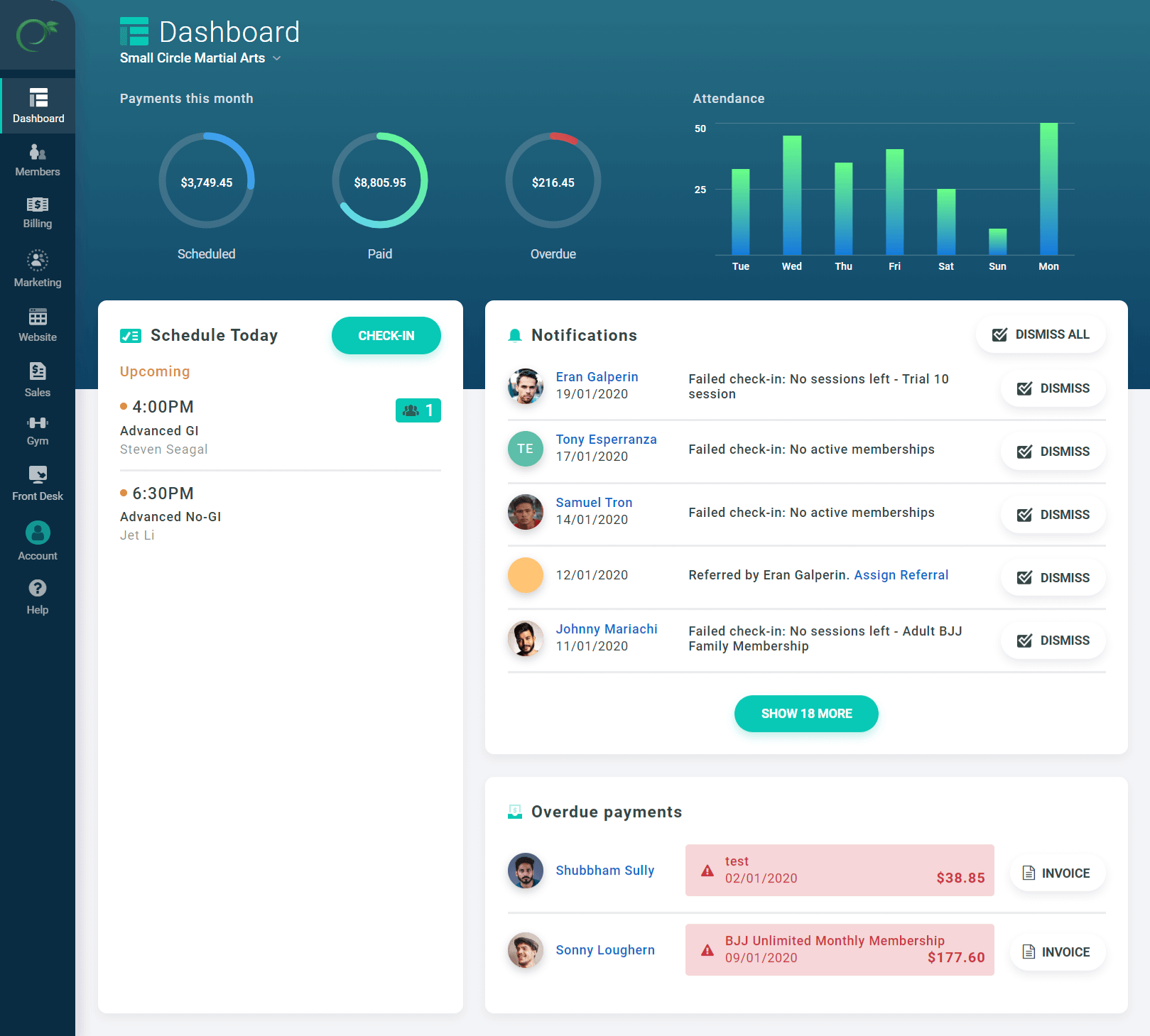
Easy Gym POS Software is a specialized point-of-sale solution designed to manage and track financial transactions for the gym industry. This SaaS solution offers feature-rich modules that streamline membership management, payment processing, and sales reporting, addressing the unique financial needs and challenges that come with running a fitness center.
Best for Retail POS Software for Gyms
Expert Take
Easy Gym POS Software excels as a specialized solution for the gym industry, offering comprehensive features tailored to fitness centers. Its integration capabilities and 24/7 support enhance usability, while flexible pricing adds value. The product's market credibility is supported by its dedicated focus on gym-specific needs.
Pros
- Transparent pricing with no contracts
- Integrates with Stripe, Square & Authorize.net
- Specialized martial arts belt tracking
- Intuitive, user-friendly interface
- No additional platform transaction fees
Cons
- No dedicated mobile app for staff
- Basic marketing automation features
- Family pricing setup can be complex
- Reporting less robust than enterprise tools
- Limited integrations vs. market leaders
Best for teams that are
- Martial arts schools needing belt and skill progression tracking
- Small to medium gyms wanting a modern, user-friendly interface
- Studios needing integrated website and marketing tools
Skip if
- Enterprise gyms requiring highly complex custom reporting
- Businesses needing extensive third-party integrations
Best for teams that are
- Martial arts schools needing belt and skill progression tracking
- Small to medium gyms wanting a modern, user-friendly interface
- Studios needing integrated website and marketing tools
Skip if
- Enterprise gyms requiring highly complex custom reporting
- Businesses needing extensive third-party integrations
Pros
- Transparent pricing with no contracts
- Integrates with Stripe, Square & Authorize.net
- Specialized martial arts belt tracking
- Intuitive, user-friendly interface
- No additional platform transaction fees
Cons
- No dedicated mobile app for staff
- Basic marketing automation features
- Family pricing setup can be complex
- Reporting less robust than enterprise tools
- Limited integrations vs. market leaders
Expert Take
Easy Gym POS Software excels as a specialized solution for the gym industry, offering comprehensive features tailored to fitness centers. Its integration capabilities and 24/7 support enhance usability, while flexible pricing adds value. The product's market credibility is supported by its dedicated focus on gym-specific needs.

Odoo PoS Shop is an intuitive, reliable SaaS solution designed to meet the multifaceted needs of ecommerce businesses. It offers a comprehensive range of features that cater to both online and offline operations, making it an ideal choice for businesses seeking seamless and efficient store management.
Best for Retail POS Software for Ecommerce Businesses
Expert Take
Odoo PoS Shop is recognized for its comprehensive feature set catering to both online and offline operations, making it a strong choice for ecommerce businesses. Its integration capabilities and reliable performance contribute to its high standing in the market.
Pros
- One App Free plan for unlimited users
- Native integration with Inventory and Accounting
- Works offline with automatic data syncing
- Hardware agnostic (runs in any browser)
- Modular architecture allows scalable growth
Cons
- Browser crashes with large catalogs (20k+ items)
- Customer support often cited as slow/unhelpful
- Implementation requires technical expertise
- Offline mode limited to core sales functions
Best for teams that are
- Businesses wanting an all-in-one suite with integrated ERP and accounting
- Tech-savvy retailers capable of managing modular software
- Companies needing unified data across sales, inventory, and HR
Skip if
- Small shops seeking a simple, standalone 'plug-and-play' POS
- Users who don't need or want a full enterprise resource planning system
- Businesses with limited technical expertise for configuration
Best for teams that are
- Businesses wanting an all-in-one suite with integrated ERP and accounting
- Tech-savvy retailers capable of managing modular software
- Companies needing unified data across sales, inventory, and HR
Skip if
- Small shops seeking a simple, standalone 'plug-and-play' POS
- Users who don't need or want a full enterprise resource planning system
- Businesses with limited technical expertise for configuration
Pros
- One App Free plan for unlimited users
- Native integration with Inventory and Accounting
- Works offline with automatic data syncing
- Hardware agnostic (runs in any browser)
- Modular architecture allows scalable growth
Cons
- Browser crashes with large catalogs (20k+ items)
- Customer support often cited as slow/unhelpful
- Implementation requires technical expertise
- Offline mode limited to core sales functions
Expert Take
Odoo PoS Shop is recognized for its comprehensive feature set catering to both online and offline operations, making it a strong choice for ecommerce businesses. Its integration capabilities and reliable performance contribute to its high standing in the market.
Point of Rental is a comprehensive rental and inventory management software specifically designed for businesses in the equipment, tools, events, and specialty rentals industry. With over 40 years of expertise, it provides robust features to manage inventory, contracts, bookings, and overall operations efficiently, addressing the unique needs of rental agencies.
Best for Retail POS Software for Rental Agencies
Expert Take
Point of Rental Software excels in providing industry-specific solutions for rental agencies, with a strong focus on inventory and contract management. Its long-standing presence and specialized features make it a leader in its niche, though it may require a learning curve and customization effort.
Pros
- Dual platforms (Essentials/Elite) for scalability
- Deep industry-specific features (Dispatch, Maintenance)
- Robust mobile apps for field operations
- Strong integrations (Salesforce, Samsara, QuickBooks)
- 40+ years of proven market stability
Cons
- Steep learning curve for new users
- No public pricing transparency
- Extra costs for training and support
- Complex menu navigation
- Premium pricing tier
Best for teams that are
- Large enterprises and multi-location rental corporations
- Heavy equipment and construction industries needing ERP features
- Businesses requiring deep accounting and telematics integrations
Skip if
- Small startups or hobbyists due to high cost and complexity
- Users seeking a simple, lightweight cloud-only tool
- Businesses with very simple inventory tracking needs
Best for teams that are
- Large enterprises and multi-location rental corporations
- Heavy equipment and construction industries needing ERP features
- Businesses requiring deep accounting and telematics integrations
Skip if
- Small startups or hobbyists due to high cost and complexity
- Users seeking a simple, lightweight cloud-only tool
- Businesses with very simple inventory tracking needs
Pros
- Dual platforms (Essentials/Elite) for scalability
- Deep industry-specific features (Dispatch, Maintenance)
- Robust mobile apps for field operations
- Strong integrations (Salesforce, Samsara, QuickBooks)
- 40+ years of proven market stability
Cons
- Steep learning curve for new users
- No public pricing transparency
- Extra costs for training and support
- Complex menu navigation
- Premium pricing tier
Expert Take
Point of Rental Software excels in providing industry-specific solutions for rental agencies, with a strong focus on inventory and contract management. Its long-standing presence and specialized features make it a leader in its niche, though it may require a learning curve and customization effort.

Quantic POS is a specialized point of sale (POS) system designed for restaurants and retailers. It streamlines operations by integrating secure payments, inventory tracking, and business insights into one robust solution, addressing the unique demands of the industry for real-time inventory management, customer data analysis, and secure transactions.
Best for Retail POS Software for Restaurants
Expert Take
Quantic POS excels in providing a comprehensive solution for restaurant and retail businesses with its integrated features for secure payments, inventory management, and data analytics. Its adaptability and robust capabilities make it a top choice in its category, despite potential learning curves and cost considerations for smaller businesses.
Pros
- Processor agnostic (freedom to choose)
- Offline mode functionality
- Comprehensive ISO & SOC security compliance
- Dual pricing/cash discount built-in
- Unified retail and restaurant capabilities
Cons
- Pricing not publicly available (quote-only)
- Low volume of third-party verified reviews
- Reports of bugs in older versions
- Steep learning curve for advanced features
Best for teams that are
- Retail and restaurant hybrids needing a highly customizable interface
- Businesses wanting advanced backend control and multi-channel sales support
- Owners seeking a cloud-based system with offline capabilities and visual menu management
Skip if
- Large enterprises requiring established, rock-solid stability without technical hiccups
- Users wanting a strictly 'out of the box' solution with zero configuration time
- Businesses that need a vast marketplace of third-party integrations
Best for teams that are
- Retail and restaurant hybrids needing a highly customizable interface
- Businesses wanting advanced backend control and multi-channel sales support
- Owners seeking a cloud-based system with offline capabilities and visual menu management
Skip if
- Large enterprises requiring established, rock-solid stability without technical hiccups
- Users wanting a strictly 'out of the box' solution with zero configuration time
- Businesses that need a vast marketplace of third-party integrations
Pros
- Processor agnostic (freedom to choose)
- Offline mode functionality
- Comprehensive ISO & SOC security compliance
- Dual pricing/cash discount built-in
- Unified retail and restaurant capabilities
Cons
- Pricing not publicly available (quote-only)
- Low volume of third-party verified reviews
- Reports of bugs in older versions
- Steep learning curve for advanced features
Expert Take
Quantic POS excels in providing a comprehensive solution for restaurant and retail businesses with its integrated features for secure payments, inventory management, and data analytics. Its adaptability and robust capabilities make it a top choice in its category, despite potential learning curves and cost considerations for smaller businesses.
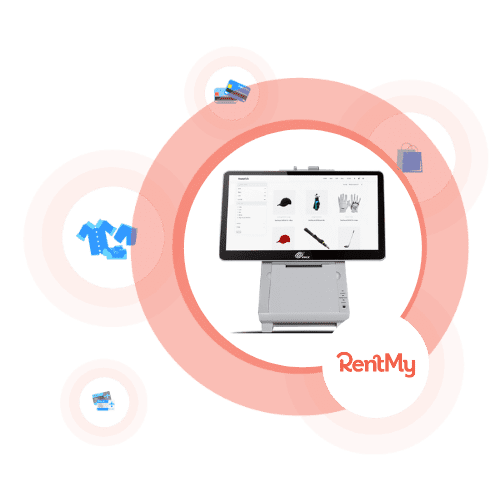
RentMy is a dynamic point-of-sale solution designed specifically for rental companies. It streamlines tasks such as placing new orders and fulfilling booked ones, allowing for efficiency and accuracy in operations. Its industry-specific features and user-friendly interface makes it a perfect solution for rental agencies looking to automate and simplify their processes.
Best for Retail POS Software for Rental Agencies
Expert Take
RentMy Rental POS is tailored specifically for rental agencies, offering specialized features that streamline operations. It provides a comprehensive solution with efficient order processing and inventory management. The product's market credibility is supported by its integration capabilities and 24/7 support, making it a top choice for rental businesses.
Pros
- Hybrid POS handles rentals and sales
- Real-time inventory tracking and availability
- Built-in digital signatures and waivers
- Live US-based phone and chat support
- Free 'Nano' plan for side-hustlers
Cons
- Mandatory one-time setup fees apply
- High 9.9% transaction fee on free plan
- Low volume of third-party verified reviews
- Delivery features cost extra on Nano plan
- Limited mobile app reviews available
Best for teams that are
- General rental shops like bikes, cameras, and party supplies
- Businesses needing a plugin to add booking to an existing site
- Users wanting unified online and in-store booking management
Skip if
- Large construction fleets requiring deep maintenance telematics
- Users looking for a free or freemium software solution
- Enterprises needing complex ERP accounting integrations
Best for teams that are
- General rental shops like bikes, cameras, and party supplies
- Businesses needing a plugin to add booking to an existing site
- Users wanting unified online and in-store booking management
Skip if
- Large construction fleets requiring deep maintenance telematics
- Users looking for a free or freemium software solution
- Enterprises needing complex ERP accounting integrations
Pros
- Hybrid POS handles rentals and sales
- Real-time inventory tracking and availability
- Built-in digital signatures and waivers
- Live US-based phone and chat support
- Free 'Nano' plan for side-hustlers
Cons
- Mandatory one-time setup fees apply
- High 9.9% transaction fee on free plan
- Low volume of third-party verified reviews
- Delivery features cost extra on Nano plan
- Limited mobile app reviews available
Expert Take
RentMy Rental POS is tailored specifically for rental agencies, offering specialized features that streamline operations. It provides a comprehensive solution with efficient order processing and inventory management. The product's market credibility is supported by its integration capabilities and 24/7 support, making it a top choice for rental businesses.
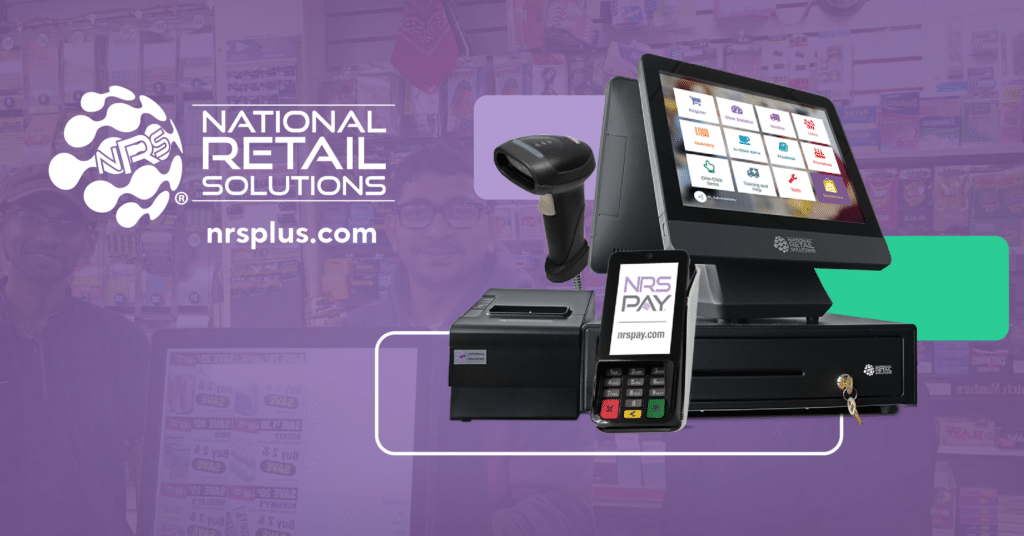
NRS's Retail POS System is tailored towards small businesses aiming to streamline their checkout process, manage inventory effectively and guarantee secure credit card transactions. It addresses the industry's need for a simplified retail process, offering an integrated solution that reduces time and increases efficiency.
Best for Retail POS Software for Retail Stores
Expert Take
NRS Retail POS System excels in providing a streamlined solution for small retail businesses, with efficient checkout and inventory management. Its focus on secure transactions and 24/7 support enhances its usability, although customization options are limited. The product's credibility is supported by its industry-specific design and reliable support structure.
Pros
- Automated tobacco scan data rebates
- Integrated EBT and eWIC processing
- Patented silent panic alarm button
- Free credit card terminal included
- Backed by publicly traded IDT Corp
Cons
- Monthly fee to remove ads
- Software price rises without NRS Pay
- Mixed reviews on support responsiveness
- Limited liquor inventory depth
- Proprietary hardware ecosystem
Best for teams that are
- Independent convenience stores, bodegas, and liquor stores
- Tobacco shops needing integrated age verification and scan data programs
- Inner-city merchants needing customer loyalty features
Skip if
- High-end boutiques or large enterprise retail chains
- Businesses not in the c-store, liquor, or tobacco niches
- Retailers needing complex e-commerce integrations
Best for teams that are
- Independent convenience stores, bodegas, and liquor stores
- Tobacco shops needing integrated age verification and scan data programs
- Inner-city merchants needing customer loyalty features
Skip if
- High-end boutiques or large enterprise retail chains
- Businesses not in the c-store, liquor, or tobacco niches
- Retailers needing complex e-commerce integrations
Pros
- Automated tobacco scan data rebates
- Integrated EBT and eWIC processing
- Patented silent panic alarm button
- Free credit card terminal included
- Backed by publicly traded IDT Corp
Cons
- Monthly fee to remove ads
- Software price rises without NRS Pay
- Mixed reviews on support responsiveness
- Limited liquor inventory depth
- Proprietary hardware ecosystem
Expert Take
NRS Retail POS System excels in providing a streamlined solution for small retail businesses, with efficient checkout and inventory management. Its focus on secure transactions and 24/7 support enhances its usability, although customization options are limited. The product's credibility is supported by its industry-specific design and reliable support structure.

POS Nation is a comprehensive SaaS solution tailored for small retail businesses. It integrates industry-specific features, hardware, software, and payment processing into one system. It caters to the unique demands of retail stores, providing an efficient, robust, and reliable POS system.
Best for Retail POS Software for Retail Stores
Expert Take
POS Nation is a comprehensive retail POS solution that integrates hardware, software, and payment processing into one system, tailored for small retail businesses. It is recognized for its industry-specific features and flexibility, making it a top choice for retail stores. Despite some setup complexity, its robust capabilities and customer trust justify its premium positioning.
Pros
- Excellent 'case break' inventory tracking
- Robust offline mode capabilities
- Dedicated Customer Success Manager included
- AI-powered product auto-ranking
- Lifetime hardware warranty on Flex plan
Cons
- Steep learning curve for new users
- Support fees apply after 30 days (Freedom plan)
- Forced migration from legacy software reported
- Scan Data integration issues for tobacco
- No free trial available
Best for teams that are
- Specialty retailers like liquor, tobacco, and convenience stores
- Businesses seeking an all-in-one hardware and software bundle
- Merchants needing 24/7 support and turnkey setup
Skip if
- Retailers wanting a free trial or a system with a low learning curve
- Businesses avoiding proprietary hardware bundles or long-term commitments
- Very small, low-volume hobby sellers
Best for teams that are
- Specialty retailers like liquor, tobacco, and convenience stores
- Businesses seeking an all-in-one hardware and software bundle
- Merchants needing 24/7 support and turnkey setup
Skip if
- Retailers wanting a free trial or a system with a low learning curve
- Businesses avoiding proprietary hardware bundles or long-term commitments
- Very small, low-volume hobby sellers
Pros
- Excellent 'case break' inventory tracking
- Robust offline mode capabilities
- Dedicated Customer Success Manager included
- AI-powered product auto-ranking
- Lifetime hardware warranty on Flex plan
Cons
- Steep learning curve for new users
- Support fees apply after 30 days (Freedom plan)
- Forced migration from legacy software reported
- Scan Data integration issues for tobacco
- No free trial available
Expert Take
POS Nation is a comprehensive retail POS solution that integrates hardware, software, and payment processing into one system, tailored for small retail businesses. It is recognized for its industry-specific features and flexibility, making it a top choice for retail stores. Despite some setup complexity, its robust capabilities and customer trust justify its premium positioning.
Shift4 Food & Beverage POS is a cloud-based, comprehensive restaurant management platform that caters to the unique needs of the restaurant industry. It combines point-of-sale (POS) functionality, contactless payments, and online ordering, making it a one-stop solution for restaurant owners seeking to modernize their operations and enhance customer experience.
Best for Retail POS Software for Restaurants
Expert Take
Shift4 Food & Beverage POS excels in providing a comprehensive, cloud-based solution tailored for the restaurant industry. Its integration of POS functionality, contactless payments, and online ordering enhances operational efficiency and customer experience. Despite pricing transparency limitations, its robust feature set and industry-specific customization justify its premium positioning.
Pros
- Lifetime warranty on all POS hardware
- No upfront hardware costs ($29.99/mo per terminal)
- Includes online ordering and loyalty in base price
- Offline mode for payments and ordering
- 24/7 support and onsite installation included
Cons
- Mandatory Shift4 payment processing contract
- High annual fees ($325+ per device)
- Liquidated damages clause for early termination
- QuickBooks integration requires third-party middleware
- Processing rates can be opaque
Best for teams that are
- Large venues like stadiums, arenas, and theme parks (via VenueNext technology)
- Operations needing mobile-first, seat-side ordering and high-volume processing
- Enterprise clients requiring a vertically integrated payment and software stack
Skip if
- Small local restaurants needing a standard countertop POS without venue features
- Businesses wanting to avoid Shift4's proprietary payment processing ecosystem
- Simple retail shops or cafes that do not need mobile concession ordering
Best for teams that are
- Large venues like stadiums, arenas, and theme parks (via VenueNext technology)
- Operations needing mobile-first, seat-side ordering and high-volume processing
- Enterprise clients requiring a vertically integrated payment and software stack
Skip if
- Small local restaurants needing a standard countertop POS without venue features
- Businesses wanting to avoid Shift4's proprietary payment processing ecosystem
- Simple retail shops or cafes that do not need mobile concession ordering
Pros
- Lifetime warranty on all POS hardware
- No upfront hardware costs ($29.99/mo per terminal)
- Includes online ordering and loyalty in base price
- Offline mode for payments and ordering
- 24/7 support and onsite installation included
Cons
- Mandatory Shift4 payment processing contract
- High annual fees ($325+ per device)
- Liquidated damages clause for early termination
- QuickBooks integration requires third-party middleware
- Processing rates can be opaque
Expert Take
Shift4 Food & Beverage POS excels in providing a comprehensive, cloud-based solution tailored for the restaurant industry. Its integration of POS functionality, contactless payments, and online ordering enhances operational efficiency and customer experience. Despite pricing transparency limitations, its robust feature set and industry-specific customization justify its premium positioning.
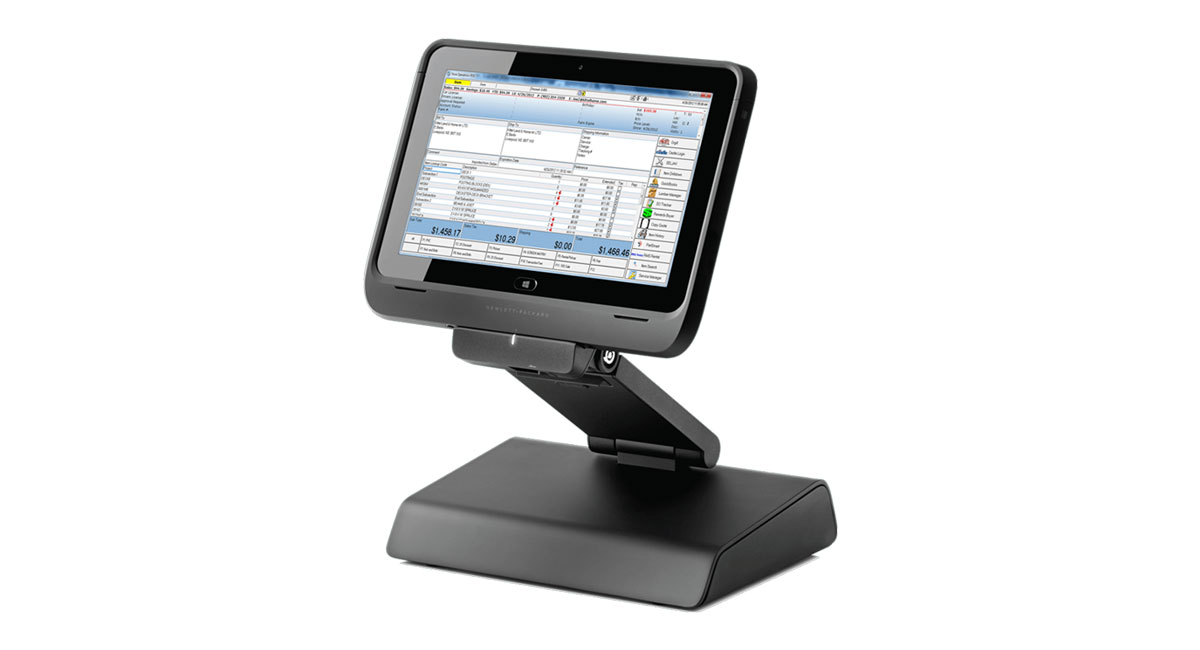
ShapeNet's POS Club Software is a specialized solution for gyms, designed to streamline membership and inventory management. It efficiently handles product selling, inventory tracking, and discount management, meeting the unique needs of the fitness industry.
Best for Retail POS Software for Gyms
Expert Take
ShapeNet POS Club Software excels in providing a specialized solution for gym management, with strong capabilities in membership and inventory management. It is recognized for its integration and specialization in the fitness industry, offering a comprehensive suite of features tailored to gym operations.
Pros
- Acquired by Daxko (Jan 2025)
- Integrated 24/7 door access control
- Outstanding customer support reputation
- Competitive $99/mo starting price
- Comprehensive all-in-one feature set
Cons
- Interface feels dated and non-modern
- Steep learning curve for new users
- Mobile app update glitches reported
- Limited email design customization
- Complex setup for advanced features
Best for teams that are
- 24-hour fitness centers requiring integrated door access control
- Health clubs needing highly customizable operational software
Skip if
- Users prioritizing a modern, sleek user interface design
- Small studios wanting a quick setup with no learning curve
Best for teams that are
- 24-hour fitness centers requiring integrated door access control
- Health clubs needing highly customizable operational software
Skip if
- Users prioritizing a modern, sleek user interface design
- Small studios wanting a quick setup with no learning curve
Pros
- Acquired by Daxko (Jan 2025)
- Integrated 24/7 door access control
- Outstanding customer support reputation
- Competitive $99/mo starting price
- Comprehensive all-in-one feature set
Cons
- Interface feels dated and non-modern
- Steep learning curve for new users
- Mobile app update glitches reported
- Limited email design customization
- Complex setup for advanced features
Expert Take
ShapeNet POS Club Software excels in providing a specialized solution for gym management, with strong capabilities in membership and inventory management. It is recognized for its integration and specialization in the fitness industry, offering a comprehensive suite of features tailored to gym operations.



Loading comparison data…