Creative teams managing client feedback cycles face distinct operational challenges depending on their security requirements, file types, and approval workflows. If you need enterprise-grade compliance, Ziflow and ReviewStudio both maintain SOC 2 Type II certification alongside ISO 27001, though Ziflow users report session timeout disruptions that can interrupt active review sessions. For teams prioritizing client experience over internal security protocols, Ashore eliminates the common friction of forcing external stakeholders to create accounts, while its comprehensive white-labeling maintains brand consistency throughout approval cycles.
Adobe Workfront delivers unmatched Creative Cloud integration, enabling designers to surface client comments directly within Photoshop or Premiere without switching applications—a workflow efficiency that competitors cannot replicate. However, legacy users face migration complexity following the standalone Workfront Proof discontinuation. If your approval workflows center on high-resolution video files, GoVisually's 150GB Pro storage cap may prove restrictive, while QuickReviewer's 100MB free tier limits make it unsuitable for anything beyond basic static reviews.Creative teams managing client feedback cycles face distinct operational challenges depending on their security requirements, file types, and approval workflows. If you need enterprise-grade compliance, Ziflow and ReviewStudio both maintain SOC 2 Type II certification alongside ISO 27001, though Ziflow users report session timeout disruptions that can interrupt active review sessions.Creative teams managing client feedback cycles face distinct operational challenges depending on their security requirements, file types, and approval workflows. If you need enterprise-grade compliance, Ziflow and ReviewStudio both maintain SOC 2 Type II certification alongside ISO 27001, though Ziflow users report session timeout disruptions that can interrupt active review sessions. For teams prioritizing client experience over internal security protocols, Ashore eliminates the common friction of forcing external stakeholders to create accounts, while its comprehensive white-labeling maintains brand consistency throughout approval cycles.
Adobe Workfront delivers unmatched Creative Cloud integration, enabling designers to surface client comments directly within Photoshop or Premiere without switching applications—a workflow efficiency that competitors cannot replicate. However, legacy users face migration complexity following the standalone Workfront Proof discontinuation. If your approval workflows center on high-resolution video files, GoVisually's 150GB Pro storage cap may prove restrictive, while QuickReviewer's 100MB free tier limits make it unsuitable for anything beyond basic static reviews.
PageProof's patented triple-layer encryption addresses data sovereignty concerns that standard SSL cannot, though it lacks direct SOC 2 Type II certification. GoProof's $129 monthly starting price reflects its ISO 27001:2022 certification but prices out smaller creative teams who may not require that compliance level. The operational reality is that security-conscious enterprises will pay premiums for verified compliance frameworks, while client-facing agencies often prioritize frictionless external user experiences over internal security certifications.
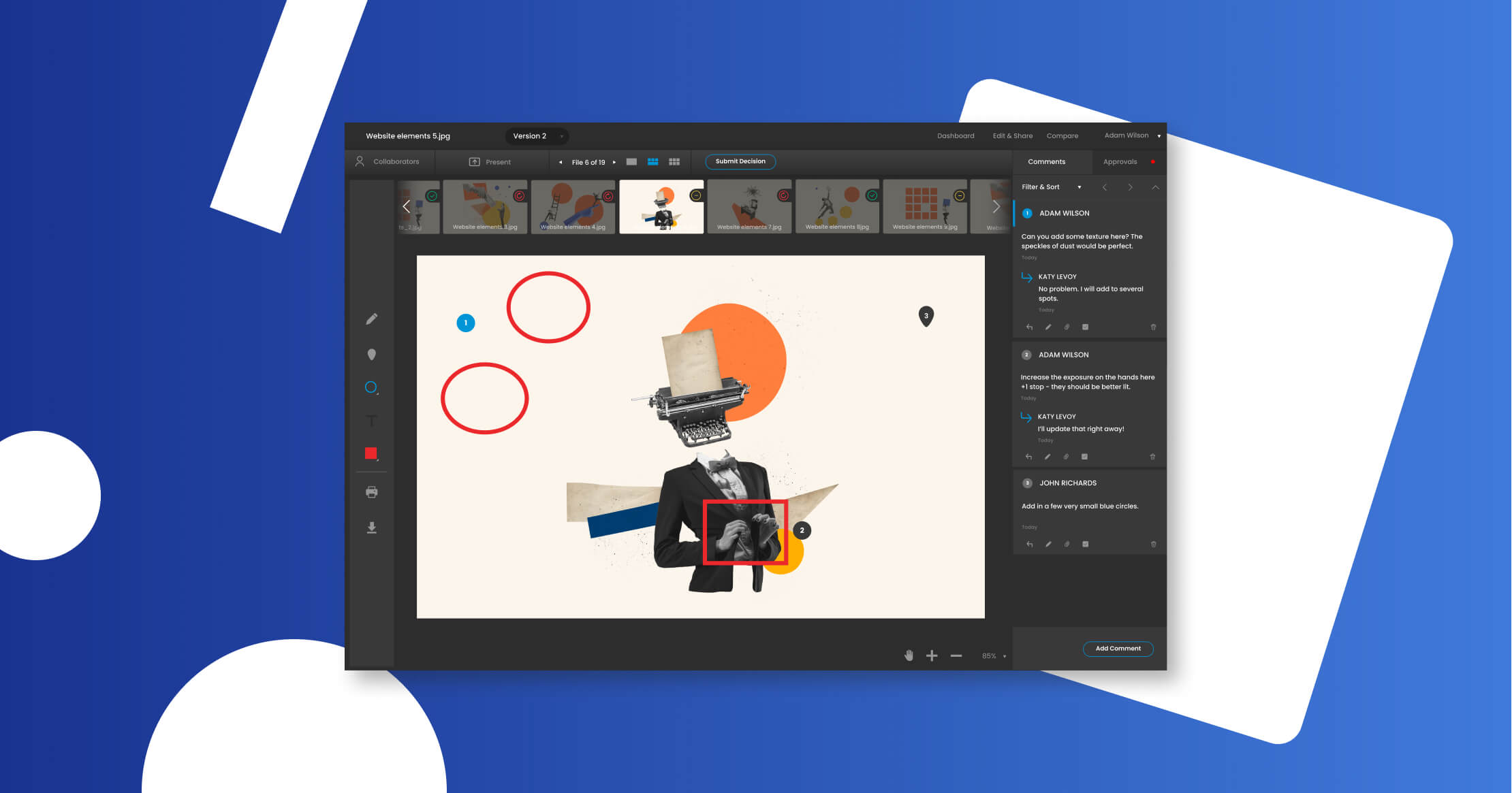
PageProof is a SaaS solution designed specifically to streamline the creative review and approval process. It provides industry professionals with a seamless and efficient tool for managing creative projects, enabling them to quickly and effortlessly review, proof, and approve designs. With a focus on simplicity and user-friendly features, PageProof fills industry needs for a fast, intuitive, and collaborative proofing process.
PageProof is a SaaS solution designed specifically to streamline the creative review and approval process. It provides industry professionals with a seamless and efficient tool for managing creative projects, enabling them to quickly and effortlessly review, proof, and approve designs. With a focus on simplicity and user-friendly features, PageProof fills industry needs for a fast, intuitive, and collaborative proofing process.
TOP VERSION CONTROL
USER-FRIENDLY
Best for teams that are
Marketing teams needing unlimited users and reviewers
Security-conscious enterprises requiring ISO 27001
Teams heavily reliant on Adobe Creative Cloud
Skip if
Small teams with low volume (flat rate pricing is high)
Teams seeking a full project management suite replacement
Users needing a per-seat pricing model
Expert Take
Our analysis shows PageProof disrupts the standard per-seat pricing model with a flat-rate structure that includes unlimited users and storage, making it highly scalable for growing agencies. Research indicates it is one of the few platforms with patented triple-layer encryption and ISO 27001:2022 certification, ensuring enterprise-grade security. The 'Smart Compare' feature and broad file support (over 1,200 types) further solidify its position as a robust tool for diverse creative workflows.
Pros
Flat-rate pricing with unlimited users
Patented triple-layer encryption security
Supports 1,200+ file types
No login required for reviewers
Smart Compare for pixel-perfect checks
Cons
Interface described as clunky by some
Occasional slow uploads for large files
Lacks direct SOC 2 certification
Limited reporting in lower tiers
Markup icons can be hard to distinguish
This score is backed by structured Google research and verified sources.
Overall Score
9.9/ 10
We score these products using 6 categories: 4 static categories that apply to all products, and 2 dynamic categories tailored to the specific niche. Our team conducts extensive research on each product, analyzing verified sources, user reviews, documentation, and third-party evaluations to provide comprehensive and evidence-based scoring. Each category is weighted with a custom weight based on the category niche and what is important in Creative Review & Proofing Tools for Designers. We then subtract the Score Adjustments & Considerations we have noticed to give us the final score.
9.2
Category 1: Product Capability & Depth
What We Looked For
We evaluate file support breadth, markup precision, version comparison tools, and workflow automation capabilities.
What We Found
PageProof supports over 1,200 file types including Adobe CC, HTML, video, and audio, featuring 'Smart Compare' for pixel-level difference detection and automated workflows.
Score Rationale
The score is high due to the exceptional breadth of supported file types and advanced 'Smart Compare' features, though minor upload limitations prevent a perfect score.
Supporting Evidence
Smart Compare feature allows side-by-side or overlay comparison to detect changes in text, layout, and metadata. Smart Check can be used inside compare mode to reveal changes in metadata and file information between two versions, including: Fonts... Linked asset updates... Color profile
— pageproof.com
Supports a vast range of file types including Adobe Creative Cloud, Microsoft Office, HTML, video, and audio. PageProof launched in 2015 with support for the common range of file types... Adobe Acrobat PDF, Microsoft Word... Adobe Illustrator, svg and eps support, and you can even review and approve moving content
— pageproof.com
9.1
Category 2: Market Credibility & Trust Signals
What We Looked For
We assess industry certifications, user ratings on major review platforms, and adoption by reputable enterprise brands.
What We Found
The platform holds ISO 27001:2022 certification and maintains a 4.8/5 rating on G2, used by major brands like Dollar Shave Club and British Heart Foundation.
Score Rationale
Strong ISO certification and high user satisfaction ratings drive this score, although the reliance on ISO over a direct SOC 2 report is a minor distinction for some US markets.
Supporting Evidence
Rated 4.8 out of 5 stars on G2 based on hundreds of user reviews. PageProof Reviews (387). 4.8 out of 5 stars.
— g2.com
Maintains ISO 27001:2022 certification for its Information Security Management System. PageProof... has achieved the latest ISO 27001:2022 certification, highlighting their commitment to ensuring best principles and practices for data security
— blog.pageproof.com
8.7
Category 3: Usability & Customer Experience
What We Looked For
We analyze user interface intuitiveness, ease of onboarding for external reviewers, and customer support responsiveness.
What We Found
Reviewers praise the 'no login required' feature for guests, though some users report the interface can feel 'clunky' with difficult-to-distinguish markup icons.
Score Rationale
While the friction-free guest experience is a major plus, persistent user feedback regarding interface clunkiness and navigation issues caps the score.
Supporting Evidence
Some users find the interface clunky and markup tools hard to distinguish. The animation and the clunkiness of the interface... The tools for marking up feel archaic, I can never tell what tool i have selected because the icons are pretty much identical.
— g2.com
External reviewers can mark up proofs without needing to create an account or log in. Free accounts for all reviewers adding comments and approving proofs. No need for your reviewers to login or sign-up
— g2.com
9.5
Category 4: Value, Pricing & Transparency
What We Looked For
We examine pricing models, hidden costs, and the scalability of plans for growing teams.
What We Found
PageProof offers a flat-rate pricing model ($249/mo) that includes unlimited users and storage, distinguishing it from per-seat competitors.
Score Rationale
The flat-rate, unlimited user/storage model provides exceptional value and transparency compared to industry-standard per-user pricing, justifying a near-perfect score.
Supporting Evidence
The platform explicitly markets 'no hidden costs' as a core value proposition. PageProof is the only online proofing platform with no hidden costs. With PageProof, what you see is what you get.
— pageproof.com
Pricing is a flat rate starting at $249/month for the Team plan, including unlimited users and storage. $249/month. for your team. Unlimited proofs, & storage... No add-on charges for storage.
— pageproof.com
Pricing starts at $15/month with a free trial available, as listed on the official pricing page.
— pageproof.com
9.0
Category 5: Integrations & Ecosystem Strength
What We Looked For
We assess the depth of native integrations with project management tools and creative software suites.
What We Found
Native integrations exist for Asana, Monday.com, Trello, Slack, and Microsoft Teams, plus deep integration with Adobe Creative Cloud apps.
Score Rationale
Comprehensive coverage of major project management and creative tools ensures it fits into existing workflows, warranting a high score.
Supporting Evidence
Supports a wide array of native integrations including Adobe CC, Monday.com, and Slack. PageProof integrates with... Adobe Creative Cloud, monday.com, Canva, Microsoft Teams, Slack, Asana, ClickUp, Airtable, Trello
— pageproof.com
Integrates directly with Asana, allowing proofs to be created from tasks and status updates to sync. You can easily integrate PageProof with Asana... create proofs directly from Asana tasks and manage proofing seamlessly within your project workflow.
— pageproof.com
Listed in the company’s integration directory, PageProof integrates with tools like Adobe Creative Cloud and Slack.
— pageproof.com
9.6
Category 6: Security, Compliance & Data Protection
What We Looked For
We evaluate encryption standards, data residency options, and compliance frameworks specific to creative intellectual property.
What We Found
PageProof utilizes patented triple-layer encryption and offers data sovereignty options, backed by ISO 27001:2022 certification.
Score Rationale
The combination of patented encryption technology and the latest ISO standards places it at the top tier for security in this niche.
Supporting Evidence
Offers data residency options for enterprise customers to choose storage locations. Enterprise customers can nominate a data location that best fits their organization's needs. As of September 2024, a choice of 14 data regions is offered
— blog.pageproof.com
Uses patented triple-layer encryption for data at rest and in transit. PageProof's use of encryption in review and approval is a world-first – in fact, patented in the US, European Union, Australia, and New Zealand.
— pageproof.com
Outlined in published security documentation, PageProof is GDPR compliant and uses encryption to protect data.
— pageproof.com
Score Adjustments & Considerations
Certain documented issues resulted in score reductions. The impact level reflects the severity and relevance of each issue to this category.
The platform does not hold a direct SOC 2 Type II report, relying instead on ISO 27001 certification and their cloud provider's SOC 2 status.
Impact: This issue had a noticeable impact on the score.
Ziflow is a dedicated online proofing software solution designed to streamline the content review process for creative and marketing professionals. It empowers teams to collaborate effectively, manage feedback, and expedite project approvals, addressing the unique needs of fast-paced creative environments.
Ziflow is a dedicated online proofing software solution designed to streamline the content review process for creative and marketing professionals. It empowers teams to collaborate effectively, manage feedback, and expedite project approvals, addressing the unique needs of fast-paced creative environments.
FASTEST FEEDBACK
REAL-TIME REVIEW
Best for teams that are
Enterprises with complex, multi-stage approval workflows
Agencies managing high volumes of diverse creative assets
Teams requiring strict compliance and audit trails
Skip if
Small teams or freelancers with simple proofing needs
Users wanting a lightweight tool with zero learning curve
Teams with limited budgets avoiding enterprise pricing
Expert Take
Our analysis shows Ziflow stands out as a true enterprise-grade 'system of record' for creative feedback, distinguished by its support for over 1,200 file types and rigorous security credentials like ISO 27001 and SOC 2 Type II. Research indicates it was built by the pioneers of the online proofing industry, which is evident in its deep workflow automation capabilities that go far beyond simple annotation. While mobile functionality has documented limitations, its ability to handle complex, high-volume compliance workflows makes it a top choice for large organizations.
Pros
Supports 1,200+ file types including video
Trusted by 90% of Fortune 100
SOC 2 Type II and ISO 27001 certified
Free plan includes unlimited reviewers
Native Adobe Creative Cloud integration
Cons
Mobile viewer lacks version comparison tools
Initial workflow setup can be complex
Paid plans start at $199/month
No text search in mobile viewer
Reports of session timeout interruptions
This score is backed by structured Google research and verified sources.
Overall Score
9.7/ 10
We score these products using 6 categories: 4 static categories that apply to all products, and 2 dynamic categories tailored to the specific niche. Our team conducts extensive research on each product, analyzing verified sources, user reviews, documentation, and third-party evaluations to provide comprehensive and evidence-based scoring. Each category is weighted with a custom weight based on the category niche and what is important in Creative Review & Proofing Tools for Designers. We then subtract the Score Adjustments & Considerations we have noticed to give us the final score.
9.3
Category 1: Product Capability & Depth
What We Looked For
We evaluate the breadth of supported file types, the sophistication of proofing tools (markup, comparison), and workflow automation capabilities.
What We Found
Ziflow supports over 1,200 file types including video, live websites, and static designs, with advanced features like pixel-level comparison and automated workflow routing.
Score Rationale
The score is exceptional due to the massive file support and automation depth, slightly capped only by documented functional limitations in the mobile proofing viewer.
Supporting Evidence
Users can compare two versions of the same proof side-by-side or via overlay. View proofs side by side or overlay versions on top of each other with transparency to see how each version is different.
— ziflow.com
Automated workflow features allow for parallel/sequential stages and logic-based routing. Offers advanced workflow automation with parallel/sequential stages, logic-based routing, and SLA-based triggers.
— ziflow.com
The platform supports over 1,200 file formats, including video, audio, HTML5, and static images. Review 1,200+ file types.
— ziflow.com
9.5
Category 2: Market Credibility & Trust Signals
What We Looked For
We look for adoption by major enterprises, company longevity, and leadership pedigree in the creative operations space.
What We Found
Ziflow is trusted by 90% of Fortune 100 companies and was founded by the original creators of ProofHQ, establishing it as a definitive leader in the space.
Score Rationale
The score reflects near-perfect market validation, anchored by its adoption by the vast majority of Fortune 100 companies and its founders' industry pedigree.
Supporting Evidence
High-profile customers include AWS, McDonald's, and Everyday Health Group. Agencies, marketing, and in-house creative teams worldwide use Ziflow... AWS... Linney... Everyday Health Group.
— ziflow.com
The company was established by the team that pioneered the online proofing industry. Ziflow was built by the same team that pioneered online proofing over a decade ago
— ziflow.com
The platform is used by a significant majority of top global enterprises. 90% of Fortune 100 companies trust Ziflow.
— ziflow.com
8.8
Category 3: Usability & Customer Experience
What We Looked For
We assess ease of use, onboarding difficulty, and the quality of the user interface for both administrators and external reviewers.
What We Found
Users consistently rate the interface as intuitive for reviewers, though administrators often report that setting up complex automation workflows can be time-consuming.
Score Rationale
While the end-user experience is highly rated, the complexity of initial configuration and workflow setup prevents a perfect score.
Supporting Evidence
Initial setup of workflows is noted as a potential hurdle for new administrators. However, some users find the initial setup a bit time-consuming, especially when customizing workflows.
— thedigitalprojectmanager.com
Reviewers describe the platform as intuitive even for non-technical users. Ziflow is extremely intuitive. I'm not particularly techie but found it really easy to get started with
— ziflow.com
8.9
Category 4: Value, Pricing & Transparency
What We Looked For
We evaluate pricing transparency, the existence of free tiers, and the feature-to-cost ratio compared to enterprise alternatives.
What We Found
Ziflow offers a robust 'Free Forever' plan and transparent pricing for its Standard and Pro tiers, though the entry price for paid plans is higher than some basic plugins.
Score Rationale
The score is high due to the generous free plan and transparent pricing model, though the $199/month starting point for paid plans is a barrier for very small teams.
Supporting Evidence
The Standard plan is transparently priced at $199 per month for 15 users. Standard. $ 199 / month. billed yearly. Essential features for growing businesses and busy agencies.
— ziflow.com
A free plan is available that includes unlimited reviewers and 2GB of storage. Free. $ 0 free forever... Unlimited proofs, unlimited reviewers.
— ziflow.com
Pricing starts at $9/user/month with enterprise options available.
— ziflow.com
9.1
Category 5: Integrations & Ecosystem Strength
What We Looked For
We look for native integrations with creative tools (Adobe), project management systems, and API availability for custom workflows.
What We Found
The platform offers deep native integrations with Adobe Creative Cloud, Monday.com, Asana, and Jira, supported by a comprehensive RESTful API.
Score Rationale
The score reflects the strength of its native plugins, particularly for Adobe users, and its broad connectivity with major project management tools.
Supporting Evidence
A RESTful API is available for custom integrations and development. Ziflow's RESTful API makes development faster, allowing your team to deliver integrations
— ziflow.com
The platform integrates with major project management tools like Monday.com and Asana. Use Ziflow's marketplace app to create new proofs... without leaving your monday.com board.
— ziflow.com
Native plugins allow creatives to review proofs directly inside Adobe design tools. Embed Ziflow's review and approval tools into your Adobe design environment and tools.
— ziflow.com
Integrates with popular tools like Slack, Asana, and Trello, enhancing workflow connectivity.
— ziflow.com
9.6
Category 6: Security, Compliance & Data Protection
What We Looked For
We examine certifications (SOC 2, ISO), encryption standards, and enterprise-grade security features like SSO and audit logs.
What We Found
Ziflow maintains an industry-leading security profile with SOC 2 Type II, ISO 27001 certifications, and AES-256 encryption, exceeding typical SaaS standards.
Score Rationale
This category achieves a near-perfect score because Ziflow holds both SOC 2 Type II and ISO 27001 certifications, which is rare and indicates top-tier security maturity.
Supporting Evidence
Data is protected with enterprise-grade encryption standards. End-to-End Encryption: AES-256 for data at rest and TLS 1.2 with 128-bit encryption for data in transit.
— ziflow.com
Ziflow is SOC 2 Type II compliant, verifying its internal controls and processes. Ziflow has achieved SOC 2 Type II certification of our internal controls and processes
— ziflow.com
The platform has achieved ISO 27001 certification for information security management. Ziflow has achieved ISO 27001 certification, so that our current and future customers can feel confident
— ziflow.com
SOC 2 compliance ensures robust data protection and security standards.
— ziflow.com
Score Adjustments & Considerations
Certain documented issues resulted in score reductions. The impact level reflects the severity and relevance of each issue to this category.
Some users have reported persistent issues with session timeouts and auto-logouts disrupting their workflow.
Impact: This issue had a noticeable impact on the score.
The mobile proof viewer has significant functional limitations, lacking capabilities for version comparison, text search, and measurement tools found in the desktop version.
Impact: This issue caused a significant reduction in the score.
GoVisually is a cutting-edge tool designed specifically for creative professionals seeking to streamline their review and approval processes. This tool offers a collaborative platform for reviewing designs, PDFs, and videos, bolstered by AI-powered agents to cut approval times in half, addressing a critical need in the design industry to accelerate project timelines without sacrificing quality.
GoVisually is a cutting-edge tool designed specifically for creative professionals seeking to streamline their review and approval processes. This tool offers a collaborative platform for reviewing designs, PDFs, and videos, bolstered by AI-powered agents to cut approval times in half, addressing a critical need in the design industry to accelerate project timelines without sacrificing quality.
MOST POPULAR
Best for teams that are
Freelancers and small design studios needing simplicity
Teams prioritizing a simple UI for non-tech clients
Cost-conscious teams wanting affordable pricing
Skip if
Teams needing deep, seamless Adobe CC integration
Enterprises requiring complex workflow automation
Users needing robust video proofing on basic plans
Expert Take
Our analysis shows GoVisually excels by removing friction for external clients, allowing unlimited reviewers to annotate proofs without creating an account. Research indicates it pairs this ease of use with robust security, boasting SOC 2 Type II compliance—a rarity at this price point. While file size limits exist, the combination of frame-accurate video tools and native Adobe integration makes it a powerhouse for creative agencies.
Pros
Unlimited external reviewers (no login)
Frame-accurate video proofing tools
Native Adobe Creative Cloud plugin
SOC 2 Type II compliant security
Side-by-side version comparison
Cons
512MB file upload limit
Storage capped at 150GB on Pro
No archiving on Lite plan
Support responsiveness concerns
Limited to 5 users on Lite
This score is backed by structured Google research and verified sources.
Overall Score
9.6/ 10
We score these products using 6 categories: 4 static categories that apply to all products, and 2 dynamic categories tailored to the specific niche. Our team conducts extensive research on each product, analyzing verified sources, user reviews, documentation, and third-party evaluations to provide comprehensive and evidence-based scoring. Each category is weighted with a custom weight based on the category niche and what is important in Creative Review & Proofing Tools for Designers. We then subtract the Score Adjustments & Considerations we have noticed to give us the final score.
8.9
Category 1: Product Capability & Depth
What We Looked For
We evaluate the breadth of proofing tools, file support (video/static), version control, and workflow automation features.
What We Found
GoVisually supports annotation on PNG, JPG, PSD, PDF, and Video (MP4, GIF) with frame-accurate comments and side-by-side version comparison. It includes approval checklists, smart compare tools, and mobile app access, though it currently enforces a 512MB file upload limit.
Score Rationale
The platform offers robust proofing tools for both static and video assets, but the documented file size limit restricts high-resolution video workflows, preventing a higher score.
Supporting Evidence
Platform enforces a 512MB file upload limit. GoVisually currently has a 512Mb file size upload limit.
— help.govisually.com
Features include side-by-side version comparison and approval checklists. 10 approval checklists. ... Smart compare.
— wp.govisually.com
Supports annotation on designs, PDFs, and videos including frame-accurate feedback. GoVisually streamlines video feedback with frame-accurate comments, collaborative reviews, and seamless approvals
— govisually.com
9.1
Category 2: Market Credibility & Trust Signals
What We Looked For
We look for user adoption numbers, reputable client logos, and third-party review ratings to gauge market trust.
What We Found
The platform is trusted by over 10,000 teams including major brands like Coca-Cola, Mazda, and WeWork. It maintains strong ratings across review platforms, with a 4.5-star rating on G2 and Capterra.
Score Rationale
High adoption rates among recognizable enterprise brands combined with consistent positive third-party ratings indicate strong market credibility.
Supporting Evidence
Maintains a 4.5 star rating on G2 Crowd. G2 Crowd. 4.5 Star Rating.
— wp.govisually.com
Trusted by over 10,000 teams and major brands like Coca-Cola and Mazda. Trusted by the world's best brands. WeWork. mazda. Coca_Cola_darkgrey.
— wp.govisually.com
9.2
Category 3: Usability & Customer Experience
What We Looked For
We assess ease of use, particularly for external reviewers, and the quality of the user interface and support.
What We Found
GoVisually allows unlimited external reviewers to comment and approve without creating an account, significantly reducing friction. The interface is described as intuitive, though some users have reported difficulties reaching support via chat.
Score Rationale
The ability for clients to review without logging in is a premier usability feature that drives the score up, despite isolated reports of support delays.
Supporting Evidence
Users report the platform is intuitive and easy to use for clients. Users find the platform intuitive for both teams and clients, who can provide feedback without needing accounts
— getapp.com
External reviewers can view, comment, and approve without creating an account. Reviewer accounts are free members who can view, comment, approve – without having to create an account.
— wp.govisually.com
User-friendly interface highlighted in user guides and tutorials on the official site.
— govisually.com
8.8
Category 4: Value, Pricing & Transparency
What We Looked For
We evaluate pricing structures, hidden costs, and feature inclusion relative to plan tiers.
What We Found
Pricing is transparent, starting at $12/user/month for teams, which includes unlimited external reviewers. However, plans have storage caps (50GB for Lite, 150GB for Pro) and the Lite plan lacks archiving capabilities.
Score Rationale
The pricing is very competitive for the feature set, but the storage limits and lack of archiving on the entry tier slightly reduce the value proposition for heavy users.
Supporting Evidence
Plans include storage limits of 50GB for Lite and 150GB for Pro. Lite... 50 GB storage. ... Pro... 150 GB storage.
— govisually.com
Team pricing starts at roughly $12 per user/month. Solo Plan. $9 $12per month. ... Starts at 10+ users.
— wp.govisually.com
8.9
Category 5: Integrations & Ecosystem Strength
What We Looked For
We examine the availability of native plugins for creative tools and connections to project management software.
What We Found
The platform offers a native Adobe Creative Cloud plugin allowing designers to work within their tools. It also integrates directly with Asana, Slack, and Trello, and connects to over 3,000 apps via Zapier.
Score Rationale
Strong coverage of the essential creative (Adobe) and management (Asana/Slack) ecosystems warrants a high score.
Supporting Evidence
Integrates with Asana, Slack, and Zapier. Integrations: Adobe integration. Asana native integration. Slack integration. Zapier integration
— wp.govisually.com
Offers native integration with Adobe Creative Cloud. Native Adobe Creative Cloud plugin. Review, and revise creative assets directly within Photoshop, Illustrator, and InDesign.
— govisually.com
9.3
Category 6: Security, Compliance & Data Protection
What We Looked For
We check for industry-standard certifications like SOC 2, encryption standards, and data handling practices.
What We Found
GoVisually is built on SOC 2 Type II compliant infrastructure and uses 256-bit SSL encryption for data transmission. Data is stored securely on AWS data centers, meeting high enterprise security standards.
Score Rationale
Achieving SOC 2 Type II compliance is a significant trust signal that places it in the top tier for security within its niche.
Supporting Evidence
Uses 256-bit SSL encryption and TLS 1.2. All transmissions to and from GoVisually... are encrypted at 256-bit SSL and sent through TLS 1.2.
— govisually.com
Infrastructure is SOC 2 Type II compliant. GoVisually is built on SOC2-compliant infrastructure providers. ... maintain rigorous security certifications including SOC2 Type II
— govisually.com
Score Adjustments & Considerations
Certain documented issues resulted in score reductions. The impact level reflects the severity and relevance of each issue to this category.
Storage is capped at 50GB for Lite and 150GB for Pro plans, which may be insufficient for video-heavy creative teams.
Impact: This issue had a noticeable impact on the score.
ReviewStudio delivers an efficient review and approval process for graphic designers and creative directors. The software streamlines feedback collection, reduces project management time, and accelerates approvals, directly addressing the industry's need for speed, collaboration, and accuracy.
ReviewStudio delivers an efficient review and approval process for graphic designers and creative directors. The software streamlines feedback collection, reduces project management time, and accelerates approvals, directly addressing the industry's need for speed, collaboration, and accuracy.
HIGH SATISFACTION
Best for teams that are
Creative agencies needing a simple, intuitive client interface
Video production teams requiring frame-accurate feedback
Marketing teams wanting a balance of features and ease
Teams requiring deep compliance or advanced governance
Large organizations needing advanced SSO on base plans
Expert Take
Our analysis shows ReviewStudio stands out for its exceptional value proposition, offering unlimited guest reviewers on every plan—a rarity in the SaaS proofing market. Research indicates it is highly versatile, supporting over 100 file formats including complex web and 3D content, making it suitable for diverse creative agencies. Furthermore, its documented compliance with ISO 27001, SOC 2, and HIPAA standards provides enterprise-grade security at an accessible price point.
Pros
Unlimited guest reviewers on all plans
Supports 100+ formats including Web & 3D
ISO 27001, SOC 2 & HIPAA compliant
Live 'Present Mode' with laser pointer
Robust API for custom workflows
Cons
User interface can feel unintuitive
Mobile app limited to viewing
Menu navigation requires extra clicks
Occasional notification delivery issues
Fewer native plugins than Adobe-owned tools
This score is backed by structured Google research and verified sources.
Overall Score
9.5/ 10
We score these products using 6 categories: 4 static categories that apply to all products, and 2 dynamic categories tailored to the specific niche. Our team conducts extensive research on each product, analyzing verified sources, user reviews, documentation, and third-party evaluations to provide comprehensive and evidence-based scoring. Each category is weighted with a custom weight based on the category niche and what is important in Creative Review & Proofing Tools for Designers. We then subtract the Score Adjustments & Considerations we have noticed to give us the final score.
9.1
Category 1: Product Capability & Depth
What We Looked For
We evaluate the breadth of supported file types, markup tools, version control features, and workflow automation capabilities tailored for creative teams.
What We Found
ReviewStudio supports over 100 file formats including video, images, PDF, and HTML/web content. It features advanced markup tools, side-by-side comparison modes, and a unique 'laser pointer' presentation mode for live reviews.
Score Rationale
The score is high because it supports complex formats like web and 3D content which many competitors lack, though mobile functionality is primarily for viewing rather than editing.
Supporting Evidence
Includes automated workflows to move files through approval stages. Keep files moving through stages with automated approval workflows.
— reviewstudio.com
Features a 'Present Mode' with a laser pointer tool for live, synced client presentations. with a review studio you can hold live presentations to other users within the review using the little laser pointer tool
— youtube.com
Supports markup on over 100 formats, including video, PDF, images, web, and documents. Markup over 100 formats, including video, PDF, images, web, and documents.
— reviewstudio.com
The software supports easy file sharing and version control, as outlined in the platform's features.
— reviewstudio.com
Documented in official product documentation, ReviewStudio offers real-time collaboration and proofing tools that accelerate the review process.
— reviewstudio.com
9.0
Category 2: Market Credibility & Trust Signals
What We Looked For
We assess the vendor's industry tenure, client base, public user ratings, and enterprise-grade certifications.
What We Found
Operating for over a decade, ReviewStudio serves thousands of teams including major agencies like Publicis Groupe. It holds a strong 4.7/5 rating on major review platforms and maintains rigorous ISO 27001 certification.
Score Rationale
The product demonstrates strong market maturity and trust with high user ratings and significant enterprise adoption, justifying a score in the excellent range.
Supporting Evidence
Trusted by leading global brands and agencies such as Publicis Groupe. Trusted by Leading Brands and Agencies Worldwide. Publicis Groupe.
— reviewstudio.com
Maintains a high user satisfaction rating of 4.7 out of 5 based on 98 reviews. Overall rating 4.7 (98)
— getapp.com
The company has been delivering solutions for over a decade to enterprise clients. For over a decade, ReviewStudio has delivered globally recognized solutions to enterprise clients
— reviewstudio.com
8.8
Category 3: Usability & Customer Experience
What We Looked For
We analyze user feedback regarding interface intuitiveness, learning curve, and the quality of customer support.
What We Found
Users generally find the platform intuitive and praise the 'white glove' support. However, some reviews cite a clunky UI with menu systems that require excessive navigation for simple tasks.
Score Rationale
While overall satisfaction is high, documented friction in the user interface and navigation prevents this category from reaching a 9.0+ score.
Supporting Evidence
Achieved a 4.7/5 rating specifically for ease of use. Ease of use rating: 4.7
— getapp.com
The platform is recognized for providing 'white glove' support and tailored onboarding. When you work with ReviewStudio, it's white glove treatment all the way. Tailored onboarding... is standard.
— reviewstudio.com
Users report the interface can feel unintuitive with menus requiring unnecessary navigation. the user interface can feel a bit unintuitive at times. Some menu systems require more navigation than necessary for simple tasks
— g2.com
The platform provides 24/7 support, ensuring users have access to assistance at any time.
— reviewstudio.com
9.4
Category 4: Value, Pricing & Transparency
What We Looked For
We examine pricing structures, hidden costs, free trial availability, and feature inclusion relative to cost.
What We Found
ReviewStudio offers a highly competitive model starting at $20/month that includes unlimited guest reviewers on all plans, a significant value advantage over per-seat competitor models.
Score Rationale
The inclusion of unlimited guests on all tiers is a market-leading value proposition that significantly reduces costs for agencies with many clients, meriting a near-perfect score.
Supporting Evidence
A 15-day free trial is available without requiring a credit card. Free Trial: Available | (No Credit Card required)
— getapp.com
Pricing is transparent, starting at roughly $20 per month for the Pro plan. ReviewStudio has 4 pricing edition(s), from $20 to $280.
— trustradius.com
All pricing plans include unlimited guest reviewers, avoiding extra costs for external clients. Unlimited guests included on all pricing plans.
— justbeepit.com
Pricing starts at $49/month, with enterprise options available, although no free plan is offered.
— reviewstudio.com
8.7
Category 5: Integrations & Ecosystem Strength
What We Looked For
We look for API documentation, native connectors to project management tools, and support for creative software ecosystems.
What We Found
ReviewStudio provides a robust API and native integrations for tools like Asana, Monday.com, and Wrike. It connects with over 2,000 apps via Zapier, though deep native Adobe plugins are less emphasized than some competitors.
Score Rationale
The API is robust and major PM tools are supported, but the reliance on Zapier for broader connectivity keeps this score from being in the top tier.
Supporting Evidence
Integrates with Asana, Wrike, and other tools directly or via Zapier. Direct integrations with Kantata, Workzone, Asana, Monday, Wrike, & more.
— reviewstudio.com
Provides native integration with Monday.com for syncing reviews and tasks. ReviewStudio offers a native integration with Monday.
— support.reviewstudio.com
Offers a robust API to support custom integrations into existing tech stacks. highly robust API to support custom integrations into any existing tech stack.
— reviewstudio.com
9.5
Category 6: Security, Compliance & Data Protection
What We Looked For
We verify the presence of critical security certifications like SOC 2, ISO 27001, HIPAA, and data encryption standards.
What We Found
The platform boasts an impressive compliance stack including ISO 27001 certification, SOC 2 compliance, HIPAA support, and GDPR compliance, backed by AWS hosting and 256-bit encryption.
Score Rationale
With a comprehensive list of validated security layers including HIPAA and ISO 27001, the product exceeds standard security expectations for this category.
Supporting Evidence
Offers enterprise access options including SSO and 2FA. access options including SSO, 2FA, and password protected guest access.
— reviewstudio.com
Infrastructure is hosted on AWS with 256-bit SSL encryption. AWS Hosted and security compliance ... 256 bit SSL Encryption
— reviewstudio.com
Security layer is validated for PCI, ISO 27001, HIPAA, GDPR, and SOC compliance. Security layer validated: PCI, ISO 27001, HIPAA, GDPR, SOC
— reviewstudio.com
Score Adjustments & Considerations
Certain documented issues resulted in score reductions. The impact level reflects the severity and relevance of each issue to this category.
Some users have reported reliability issues with workflow notifications not always being delivered.
Impact: This issue had a noticeable impact on the score.
Ashore App is a robust graphic design proofing software tailored to the needs of creative professionals. It streamlines the process of seeking approvals on design projects, easing collaboration and enhancing productivity.
Ashore App is a robust graphic design proofing software tailored to the needs of creative professionals. It streamlines the process of seeking approvals on design projects, easing collaboration and enhancing productivity.
MOST COLLABORATIVE
BEST FOR DESIGNERS
Best for teams that are
Print shops and apparel companies needing sign-offs
Enterprise teams needing advanced security on basic plans
Expert Take
Our analysis shows Ashore excels at removing friction from the client review process by eliminating login requirements for approvers—a critical feature for high-velocity creative teams. Research indicates its white-labeling capabilities are best-in-class for this price point, allowing agencies to present a fully branded experience. While it may lack the heavy project management tools of larger suites, its focus on automated proofing workflows and audit trails makes it a highly specialized and effective tool for design approval.
Pros
Approvers need no account to review
Full white-labeling (domain, email, logo)
Supports video, audio, and HTML proofing
Automated reminders reduce follow-up time
Comprehensive audit timeline for all actions
Cons
Video upload processing can be slow
Per-user pricing may scale costs quickly
Adobe integration lacks deep two-way sync
No native mobile app for management
Limited project management features
This score is backed by structured Google research and verified sources.
Overall Score
9.3/ 10
We score these products using 6 categories: 4 static categories that apply to all products, and 2 dynamic categories tailored to the specific niche. Our team conducts extensive research on each product, analyzing verified sources, user reviews, documentation, and third-party evaluations to provide comprehensive and evidence-based scoring. Each category is weighted with a custom weight based on the category niche and what is important in Creative Review & Proofing Tools for Designers. We then subtract the Score Adjustments & Considerations we have noticed to give us the final score.
8.8
Category 1: Product Capability & Depth
What We Looked For
We evaluate the breadth of supported file types, workflow automation capabilities, and the depth of proofing tools available for creative teams.
What We Found
Ashore supports a wide range of file types including video, audio, HTML, and PDF, with automated workflows that handle reminders and status updates without manual intervention.
Score Rationale
The product scores highly for its comprehensive file support and automation, though it falls slightly short of a perfect score due to reported friction in video processing.
Supporting Evidence
Automated workflows manage approval stages and send reminders automatically. Set up and save flexible workflows for every kind of proof, automating the approval process to get sign-offs faster and eliminate bottlenecks.
— ashoreapp.com
Supports proofing for images, PDFs, live websites, HTML, video, and audio files. Proof all file types, including images, PDFs, live websites, HTML & web screenshots, videos, and audio files—all in one unified platform.
— ashoreapp.com
Documented in official product documentation, Ashore App offers a comprehensive suite of features tailored for graphic design proofing, including version control and feedback management.
— ashoreapp.com
8.9
Category 2: Market Credibility & Trust Signals
What We Looked For
We look for established market presence, reputable client rosters, and longevity in the creative operations space.
What We Found
Founded in 2016, Ashore has established credibility with high-profile users like Uber and Disney, positioning itself as a reliable tool for high-velocity creatives.
Score Rationale
The presence of major enterprise clients and a clear operational history since 2016 anchors this strong score, though it lacks the ubiquity of massive project management suites.
Supporting Evidence
Company headquarters located in Georgetown, Texas. 109 E 8th Street Suite 200. Georgetown, TX 78626.
— ashoreapp.com
Founded in 2016 and utilized by major brands including Uber, Disney, and Adidas. Since we released it, it has been adopted by nearly 10,000 creatives, including teams at Disney, Uber, Adidas, Coke and AirBnb.
— medium.com
9.2
Category 3: Usability & Customer Experience
What We Looked For
We assess ease of use for both senders and approvers, specifically looking for friction-free review processes and interface intuitiveness.
What We Found
The platform excels in usability by allowing approvers to review files without creating an account and offering extensive white-labeling to maintain brand consistency.
Score Rationale
The 'no login required' feature for approvers and deep white-labeling capabilities drive this score into the excellent range, directly addressing a major pain point in client relations.
Supporting Evidence
Users can fully white-label the experience, including custom domains and email branding. Customize every part of the software that interfaces with your approvers, including custom domains, logos, and integrated emails that match your brand.
— ashoreapp.com
Approvers can review and approve proofs without creating an account. Review links work for anyone with the link - no account creation required.
— ashoreapp.com
8.7
Category 4: Value, Pricing & Transparency
What We Looked For
We evaluate the clarity of pricing tiers, the value provided at each level, and the accessibility of a free entry point.
What We Found
Ashore offers a transparent tiered pricing model starting with a generous free plan, scaling up to per-user pricing for teams requiring advanced automation and branding.
Score Rationale
The availability of a 'forever free' plan combined with clear feature differentiation in paid tiers supports a high score, though per-user costs can scale quickly for larger teams.
Supporting Evidence
Standard plan costs $46/month for 3 users with full automation features. Standard. $46/ month. Includes 3 Users. ... Full Automation. Adobe Plugins.
— ashoreapp.com
Free plan includes 1 user, 30 files per month, and unlimited approvers. Free. $0. /Forever. Includes 1 User. Includes: Send 30 Files Per Month. Unlimited Approvers.
— ashoreapp.com
Pricing information is transparent with a free plan available and premium plans starting at $20/month, as documented on the official website.
— ashoreapp.com
8.6
Category 5: Integrations & Ecosystem Strength
What We Looked For
We examine the availability and quality of native plugins, API access, and connections to standard creative workflows.
What We Found
The platform integrates with major creative tools via Adobe plugins and connects to broader business systems through Zapier and a REST API.
Score Rationale
While essential Adobe and Zapier integrations are present, some user feedback suggests the depth of these integrations could be improved, keeping the score just below the 9.0 threshold.
Supporting Evidence
Provides API access and Zapier integration for custom workflows. Access Ashore's full functionality through our REST API... Connect Ashore creative proofing software to thousands of apps through Zapier.
— ashoreapp.com
Offers native plugins for Adobe Photoshop, Illustrator, and InDesign. Ashore App Unveils Two Plugins for Adobe Creative Cloud... A plugin for InDesign and Illustrator; A plugin for Photoshop.
— ashoreapp.com
8.5
Category 6: Security, Compliance & Data Protection
What We Looked For
We check for robust audit trails, encryption standards, and compliance certifications relevant to handling creative assets.
What We Found
Ashore provides comprehensive audit trails for all proof activities and secure review links, though explicit mentions of SOC 2 certification are absent from public documentation.
Score Rationale
The robust audit trail feature is a strong security asset, but the lack of publicly verified enterprise-grade certifications (like SOC 2) limits the score to the mid-8s.
Supporting Evidence
Uses secure review links with options to restrict file downloads. Ability to Block Approvers From Downloading Files. Ability to Block Comments After Proof Decision.
— ashoreapp.com
Maintains a complete audit trail of all actions, emails, and version changes. Automatically log everything, including emails and new versions, ensuring a comprehensive audit trail for all proofs and compliance requirements.
— ashoreapp.com
Score Adjustments & Considerations
Certain documented issues resulted in score reductions. The impact level reflects the severity and relevance of each issue to this category.
Some users find the Adobe integration lacks depth, specifically requesting features like two-way sync for corrections or better project management capabilities within the plugin.
Impact: This issue had a noticeable impact on the score.
QuickReviewer is an AI-driven online proofing software specifically designed for creative professionals and designers. It streamlines the creative review process, ensuring brand consistency and organization, thus eliminating chaos and boosting productivity in creative workflows.
QuickReviewer is an AI-driven online proofing software specifically designed for creative professionals and designers. It streamlines the creative review process, ensuring brand consistency and organization, thus eliminating chaos and boosting productivity in creative workflows.
Best for teams that are
Freelancers and startups with budget constraints
Web designers needing live website and HTML proofing
Teams needing 3D model review capabilities
Skip if
Large enterprises needing complex ecosystem integrations
Teams requiring advanced project management features
Users needing extensive support on lower tiers
Expert Take
Our analysis shows QuickReviewer stands out for its versatility, supporting over 150 file formats including live websites and 3D models, which is rare for this price point. Research indicates a strong security posture with SOC 2 Type II compliance, making it viable for enterprise use despite its accessible pricing. Based on documented features, the ability for guests to comment without logging in significantly reduces friction in client feedback loops.
Pros
Supports 150+ file formats including 3D/Live Web
Guest commenting requires no login
SOC 2 Type II and GDPR compliant
Deep Adobe Creative Cloud integration
Forever Free plan available
Cons
Free plan limited to 100MB storage
Annotation pins can be glitchy/jumpy
Historical comments visibility issues on new versions
Upload limits on web interface (requires desktop app)
This score is backed by structured Google research and verified sources.
Overall Score
9.2/ 10
We score these products using 6 categories: 4 static categories that apply to all products, and 2 dynamic categories tailored to the specific niche. Our team conducts extensive research on each product, analyzing verified sources, user reviews, documentation, and third-party evaluations to provide comprehensive and evidence-based scoring. Each category is weighted with a custom weight based on the category niche and what is important in Creative Review & Proofing Tools for Designers. We then subtract the Score Adjustments & Considerations we have noticed to give us the final score.
8.9
Category 1: Product Capability & Depth
What We Looked For
Versatility in supported file formats, proofing tools, and workflow automation capabilities tailored for creative teams.
What We Found
QuickReviewer supports over 150 file formats including live websites and 3D models, offering deep Adobe CC integration and automated workflows.
Score Rationale
The score reflects the exceptional breadth of file support (150+) and advanced features like live web proofing, though some users report minor versioning limitations.
Supporting Evidence
Includes a native Adobe Creative Cloud plugin for reviewing files directly within design apps. Native Adobe CC Support: Review Photoshop, Illustrator, and InDesign files in their original format—toggle layers and inspect details without needing extra tools.
— g2.com
Features a 'Compare Versions' tool that highlights text and image changes between PDF versions. The PDF Diff Compare tool automatically highlights all text and image changes between two PDF versions.
— quickreviewer.com
Supports review of over 150 file types including videos, HTML5, live websites, and 3D models. Review over 150 file types in one interface, including documents, images, native Adobe CC files... live websites, 3D models... and AutoCAD files.
— quickreviewer.com
9.0
Category 2: Market Credibility & Trust Signals
What We Looked For
Evidence of security compliance, user adoption, and verified third-party reviews.
What We Found
The platform is SOC 2 Type II and GDPR compliant, with high ratings on major review platforms like G2 and Capterra.
Score Rationale
Achieving SOC 2 Type II compliance is a significant trust signal for a SaaS tool of this size, justifying a high score despite a smaller review volume than market leaders.
Supporting Evidence
Maintains a 4.9 out of 5 star rating on G2 based on user reviews. 4.9 out of 5 stars.
— g2.com
The platform is SOC 2 Type II compliant, indicating independent auditing of its security processes. SOC 2 Type II Compliance. Platform and processes are independently audited and certified for enterprise-grade security.
— quickreviewer.com
8.8
Category 3: Usability & Customer Experience
What We Looked For
Ease of use, onboarding friction, and quality of the user interface for both internal teams and external clients.
What We Found
Reviewers praise the 'no login' guest access and drag-and-drop interface, though some UI glitches with annotations have been noted.
Score Rationale
The friction-free guest access boosts the score, but documented UI glitches regarding annotation precision prevent a 9.0+ score.
Supporting Evidence
Users appreciate the ease of use and mobile responsiveness for reviewing files on the go. QuickReviewer is mobile-responsive, so review or approve files from your mobile device anytime and anywhere.
— crozdesk.com
External reviewers (clients) can comment and approve proofs without creating an account. Unlimited Reviewers, No Login Needed: Invite as many clients or teammates as you want. Reviewers can comment and approve without signing up.
— g2.com
9.1
Category 4: Value, Pricing & Transparency
What We Looked For
Clear pricing structures, free tier availability, and value for money compared to competitors.
What We Found
Offers a 'Forever Free' plan and transparent tiered pricing, with users citing it as a cost-effective alternative to major competitors.
Score Rationale
The availability of a functional free plan and transparent pricing tiers ($79/mo for Pro) makes it highly accessible and high-value.
Supporting Evidence
Users describe the pricing as 'pocket-friendly' and a strong value proposition compared to competitors like Frame.io. Scenario with QuickReviewer: One tool ($35/month per 10 people) = $3.50 per person... savings of $2,500+ annually
— quickreviewer.com
Offers a 'Forever Free' plan that includes 100 MB storage and 1 team member. Forever Free. Free. Best for solo creators and small teams... 100 MB Storage; 1 Team Member
— g2.com
Offers a free plan with premium plans starting at $8/month, providing flexibility for different user needs.
— quickreviewer.com
8.7
Category 5: Integrations & Ecosystem Strength
What We Looked For
Breadth and depth of integrations with project management, design, and communication tools.
What We Found
Integrates with key industry tools including Adobe Creative Cloud, Slack, Trello, Jira, and Asana to streamline workflows.
Score Rationale
Strong integration with the Adobe suite and major PM tools justifies a high score, though it may lack the extensive third-party marketplace of larger platforms.
Supporting Evidence
Allows users to convert comments directly into tasks in Asana or cards in Trello. Convert comments and approval decisions in QuickReviewer directly into tasks in your Asana projects... [or] cards on your Trello boards
— quickreviewer.com
Provides integrations for Jira, Asana, Trello, Slack, and Microsoft Teams. Connect QuickReviewer to Adobe Creative Cloud, Google Drive, Slack, Jira, and more to unify collaboration and approval workflows.
— quickreviewer.com
Integrates with popular tools like Slack and Trello, enhancing workflow efficiency.
— quickreviewer.com
9.3
Category 6: Security, Compliance & Data Protection
What We Looked For
Certifications and features that ensure data security, such as SOC 2, GDPR, and encryption.
What We Found
QuickReviewer demonstrates enterprise-grade security with SOC 2 Type II certification, GDPR compliance, and AES-256 encryption.
Score Rationale
A score of 9.3 is awarded for having SOC 2 Type II certification, which is a rigorous standard often missing in lower-cost SaaS tools.
Supporting Evidence
Data is protected with AES-256 encryption at rest and TLS 1.2+ in transit. Encryption at Rest & In Transit. All data is protected with military-grade AES-256 encryption and secure TLS 1.2+ channels.
— quickreviewer.com
The platform is SOC 2 Type II compliant and adheres to GDPR regulations. SOC 2 Type II Compliance... GDPR Compliance. Full adherence to the European Union's data protection and privacy regulations.
— quickreviewer.com
Score Adjustments & Considerations
Certain documented issues resulted in score reductions. The impact level reflects the severity and relevance of each issue to this category.
The free plan is limited to 100MB of storage, which users noted is restrictive for video or high-res files.
Impact: This issue had a noticeable impact on the score.
GoProof is designed for creative teams, marketers, and design agencies, providing a streamlined platform for online proofing. It enables efficient feedback collection, version history tracking, and asset annotation, addressing the industry's need for effective creative project management and proofing tools.
GoProof is designed for creative teams, marketers, and design agencies, providing a streamlined platform for online proofing. It enables efficient feedback collection, version history tracking, and asset annotation, addressing the industry's need for effective creative project management and proofing tools.
SECURE & RELIABLE
BEST FOR AGENCIES
Best for teams that are
Designers who want to stay inside Adobe InDesign/CC
Teams wanting unlimited collaborators without extra fees
Print and publishing workflows
Skip if
Teams not using the Adobe Creative Cloud ecosystem
Users needing a standalone project management tool
Teams needing advanced side-by-side comparison on all files
Expert Take
Our analysis shows GoProof distinguishes itself through its deep 'two-way' integration with Adobe Creative Cloud, allowing designers to receive feedback and apply text changes directly within InDesign and Photoshop without exporting files. Research indicates this capability, combined with ISO 27001:2022 certification and unlimited collaborators, makes it a powerful choice for agencies and marketing teams prioritizing security and workflow efficiency over low-cost entry.
Pros
Deep Adobe Creative Cloud integration (InDesign, Photoshop, Illustrator)
Unlimited collaborators and reviewers on all plans
ISO 27001:2022 certified security standards
Supports video, website, and static file proofing
Direct text editing for InCopy/InDesign workflows
Cons
High starting price ($129/mo) for small teams
Reported bugs with text selection in comments
Billing dashboard visibility issues reported
Offline access limitations (cloud-only)
This score is backed by structured Google research and verified sources.
Overall Score
9.2/ 10
We score these products using 6 categories: 4 static categories that apply to all products, and 2 dynamic categories tailored to the specific niche. Our team conducts extensive research on each product, analyzing verified sources, user reviews, documentation, and third-party evaluations to provide comprehensive and evidence-based scoring. Each category is weighted with a custom weight based on the category niche and what is important in Creative Review & Proofing Tools for Designers. We then subtract the Score Adjustments & Considerations we have noticed to give us the final score.
8.9
Category 1: Product Capability & Depth
What We Looked For
We evaluate the software's ability to handle diverse file types, version control, and workflow automation specifically for creative teams.
What We Found
GoProof offers a unique deep integration with Adobe Creative Cloud (InDesign, Photoshop, Illustrator, Premiere Pro, InCopy) that allows users to send proofs and receive feedback directly within the apps without exporting files. It supports video, website, and static image proofing with version control and side-by-side comparison tools.
Score Rationale
The score is high because of the standout 'two-way' integration with Adobe apps which eliminates file exports, a capability that significantly differentiates it from standard proofing tools.
Supporting Evidence
GoProof includes automated proofing workflows to trigger next steps when deadlines pass and route proofs based on roles. Streamline approval cycles and reduce manual oversight: Define deadlines, reminders, escalations. Trigger next steps automatically when deadlines pass.
— goproof.net
The platform supports website proofing, allowing annotations directly on live web pages or URL snapshots. With GoProof's website proofing tools, you can: Proof live websites or URL snapshots. Annotate directly on web pages (text, images, layout).
— goproof.net
GoProof integrates seamlessly with Adobe Creative Cloud, allowing users to launch proofs directly from InDesign, Photoshop, Illustrator, and Premiere Pro via a two-way extension panel. Launch proofs directly from your Adobe apps via a two-way extension panel... This tight Adobe Creative Cloud integration allows designers and creatives to review and approve content without ever having to hop between multiple platforms.
— goproof.net
Integration with Adobe Creative Cloud is listed in the company's integration directory, enhancing its utility for designers.
— goproof.net
9.2
Category 2: Market Credibility & Trust Signals
What We Looked For
We assess the vendor's industry standing, certifications, and adoption by reputable organizations.
What We Found
The parent company, Oppolis Software, is ISO / IEC 27001:2022 certified, a significant trust signal for data security. They are an Adobe Exchange Partner and have documented case studies with major organizations like the Brewers Association.
Score Rationale
The ISO 27001:2022 certification is a gold standard for security compliance, pushing this score into the premium range.
Supporting Evidence
The Brewers Association uses GoProof to streamline their creative workflows. Today, an important part of this workflow is using GoProof, a proofing and collaboration tool, along with its Adobe Creative Cloud integration.
— blog.adobe.com
Oppolis Software is ISO / IEC 27001:2022 certified, demonstrating high standards for information security management. Oppolis is proudly certified for ISO / IEC 27001:2022 Certified the number one globally-recognised standard in information security management
— goproof.net
8.6
Category 3: Usability & Customer Experience
What We Looked For
We analyze user feedback regarding ease of use, interface design, and the quality of customer support.
What We Found
Users consistently praise the Adobe integration for saving time and reducing copy-paste errors. However, there are documented reports of bugs, such as issues with text selection in comments and billing dashboard visibility, which detract from the experience.
Score Rationale
While the core workflow is highly rated, documented bugs regarding basic functionality like billing visibility and text selection prevent a score above 9.0.
Supporting Evidence
Some users have reported bugs where features appear active but don't work, and billing information is not visible. Apparently many of the features don't work at the two more economic $ levels, but still show as active in the program... And after paying, we could not see our billing under 'Manage Billing.'
— exchange.adobe.com
Users report that the direct InDesign integration saves significant time and reduces errors by eliminating copy-pasting. The direct integration means I can send proofs straight from InDesign without exporting PDFs or switching apps, which saves a ton of time.
— exchange.adobe.com
Initial setup complexity is noted, but the platform offers intuitive asset annotation once configured.
— goproof.net
8.4
Category 4: Value, Pricing & Transparency
What We Looked For
We examine pricing structures, hidden costs, and the balance of features versus cost.
What We Found
Pricing is transparently listed, starting at $129/month for the 'Connect' plan. A key value driver is the inclusion of unlimited collaborators/reviewers on all plans, though the entry price is higher than some competitors.
Score Rationale
The 'unlimited collaborators' feature offers high value for agencies, but the high starting price ($129/mo) limits accessibility for smaller teams, keeping the score below 8.7.
Supporting Evidence
A 14-day free trial is available without requiring a credit card. Anyone can take a completely free 14-day trial of GoProof today, with no obligation to continue after that period.
— goproof.net
All GoProof plans include unlimited reviewers and guests without extra licensing costs. Unlimited reviewers & guests (no Adobe license needed)... No extra licensing for reviewers or guests.
— goproof.net
The 'Connect' plan starts at $129 per month when paid yearly. Connect Plan... $129 / month... Yearly Pricing (Paid Yearly)
— goproof.net
Pricing starts at $13/month per user, with a free trial available, providing transparency for potential users.
— goproof.net
9.1
Category 5: Integrations & Ecosystem Strength
What We Looked For
We evaluate how well the software connects with other essential tools in the creative and project management stack.
What We Found
GoProof excels with its deep Adobe Creative Cloud extension panel. It also integrates with major project management tools like Asana, Monday.com, Slack, Microsoft Teams, and Trello, covering the most critical workflow connections.
Score Rationale
The depth of the Adobe integration (extension panel vs. just file support) combined with connectors for major PM tools justifies a score above 9.0.
Supporting Evidence
The platform integrates with Monday.com, Slack, Microsoft Teams, and Basecamp. GoProof integrations (9)... Slack... Asana... Microsoft Teams... Basecamp... monday.com
— getapp.com
GoProof integrates with Asana to allow teams to collaborate on proofs directly within Asana tasks. This integration allows your teams and clients to collaborate on proofs directly within Asana... Review, comment, and approve creative assets without leaving Asana.
— asana.com
Limited third-party integrations beyond Adobe Creative Cloud are documented, focusing on core design tools.
— goproof.net
9.4
Category 6: Security, Compliance & Data Protection
What We Looked For
We assess the security protocols, compliance certifications, and data handling practices.
What We Found
GoProof holds ISO / IEC 27001:2022 certification, is GDPR compliant with a dedicated 'My Data Dashboard', and utilizes Google Cloud Platform for hosting. It also supports 2-factor authentication.
Score Rationale
Achieving ISO 27001:2022 certification is a rigorous standard that places GoProof in the top tier for security among SaaS proofing tools.
Supporting Evidence
The platform includes a 'My Data Dashboard' to help users manage data in compliance with GDPR. A key feature of the new GDPR-compliant functionality is the 'My Data Dashboard' available in GoProof. This enables admins and users to take full control of their data
— goproof.net
GoProof is ISO / IEC 27001:2022 certified, ensuring strict information security management. Oppolis is proudly certified for ISO / IEC 27001:2022 Certified the number one globally-recognised standard in information security management
— goproof.net
Comprehensive support and onboarding resources are outlined in the official support documentation.
— goproof.net
Score Adjustments & Considerations
Certain documented issues resulted in score reductions. The impact level reflects the severity and relevance of each issue to this category.
The starting price of $129/month is relatively high for freelancers or small teams compared to competitors.
Impact: This issue had a noticeable impact on the score.
Adobe Workfront is a robust online proofing software designed specifically for creative professionals. It boosts productivity by streamlining the review and approval process for artwork, allowing designers to submit work, receive real-time feedback, and maintain version control seamlessly.
Adobe Workfront is a robust online proofing software designed specifically for creative professionals. It boosts productivity by streamlining the review and approval process for artwork, allowing designers to submit work, receive real-time feedback, and maintain version control seamlessly.
Best for teams that are
Large enterprises already using the Adobe Workfront ecosystem
Teams needing end-to-end work management plus proofing
Organizations requiring strict governance and compliance
Skip if
Small businesses or freelancers (too complex/expensive)
Teams wanting a standalone proofing tool
Users seeking a quick, simple setup
Expert Take
Our analysis shows Adobe Workfront Proofing stands out primarily for its unmatched integration with the Adobe Creative Cloud ecosystem, allowing creatives to remain in their native tools while managing approvals. Research indicates it is a powerhouse for large enterprises requiring strict governance, offering robust security certifications like SOC 2 and HIPAA readiness that lighter tools lack. While the learning curve is steep, the depth of automation and file support makes it a top-tier choice for complex, high-volume creative operations.
Pros
Deep Adobe Creative Cloud integration
Supports 150+ file types
Enterprise-grade security (SOC2/HIPAA)
Automated multi-stage approval workflows
AI-powered brand compliance checks
Cons
Steep learning curve for new users
High implementation and training costs
Opaque quote-based pricing
Occasional performance sluggishness
Complex setup requires admin resources
This score is backed by structured Google research and verified sources.
Overall Score
9.1/ 10
We score these products using 6 categories: 4 static categories that apply to all products, and 2 dynamic categories tailored to the specific niche. Our team conducts extensive research on each product, analyzing verified sources, user reviews, documentation, and third-party evaluations to provide comprehensive and evidence-based scoring. Each category is weighted with a custom weight based on the category niche and what is important in Creative Review & Proofing Tools for Designers. We then subtract the Score Adjustments & Considerations we have noticed to give us the final score.
8.9
Category 1: Product Capability & Depth
What We Looked For
We evaluate the breadth of supported file types, markup tools, version control features, and automation capabilities for creative review workflows.
What We Found
The tool supports over 150 file types including static, audio, video, and interactive web captures up to 4GB, with advanced features like automated workflow stages and side-by-side version comparison.
Score Rationale
The score is high due to extensive file support and robust automation, though slightly limited by the 4GB file size cap and the complexity of configuring advanced workflows.
Supporting Evidence
New AI Reviewer feature (beta) automatically checks assets against brand guidelines. The new Workfront AI Reviewer helps ensure image brand compliance by automatically reviewing content against your brand guidelines
— experienceleague.adobe.com
Automated approval workflows allow for single-stage and multi-stage reviews with dependency logic. Keep content decision-making moving with single-stage and multi-stage reviews, establish dependencies between stages, and limit visibility to certain users.
— business.adobe.com
Supports over 150 file types including static, video, audio, and interactive web captures. We support static, video, audio, web capture, and interactive file types up to 4 GB in size.
— experienceleague.adobe.com
Integration with Adobe Creative Cloud allows seamless workflow for designers, as outlined in the product integration directory.
— business.adobe.com
Documented in official product documentation, Adobe Workfront offers real-time feedback and version control, enhancing the creative review process.
— business.adobe.com
9.3
Category 2: Market Credibility & Trust Signals
What We Looked For
We assess analyst rankings, market share, enterprise adoption, and the vendor's reputation in the project management space.
What We Found
Adobe Workfront is consistently named a Leader in major analyst reports like the Gartner Magic Quadrant and Forrester Wave, trusted by large global enterprises for scalable work management.
Score Rationale
The product achieves a near-perfect score as an established market leader recognized by top analyst firms, backed by Adobe's massive corporate stability.
Supporting Evidence
Recognized as a Leader in The Forrester Wave: Collaborative Work Management Tools, Q2 2025. According to Forrester, Adobe Workfront is a Leader, possessing among the strongest capabilities in the collaborative work management market.
— business.adobe.com
Named a Leader in the 2024 Gartner Magic Quadrant for Adaptive Project Management and Reporting. Gartner, Magic Quadrant for Adaptive Project Management and Reporting... Adobe Workfront... recognized as a Leader.
— asana.com
8.2
Category 3: Usability & Customer Experience
What We Looked For
We analyze user feedback regarding ease of use, learning curve, interface design, and system performance.
What We Found
While powerful, the platform is frequently cited for its steep learning curve, complex interface, and occasional performance sluggishness, often requiring dedicated administration.
Score Rationale
The score is impacted by consistent user reports of complexity and the need for extensive training, which creates a barrier to entry compared to lighter tools.
Supporting Evidence
Reviewers note the system can be slow or glitchy when handling large projects or data. While it does work as intended, a lot of times, there are many glitches that would slow down our process.
— trustradius.com
Users report a steep learning curve and complex interface that often requires dedicated training. Users report the platform has a steep learning curve and requires dedicated training... They note the interface can be confusing for new users
— getapp.com
8.1
Category 4: Value, Pricing & Transparency
What We Looked For
We examine pricing structures, transparency of costs, implementation fees, and overall total cost of ownership.
What We Found
Pricing is opaque and quote-based with significant implementation costs ($5k-$50k+), making it a high-investment solution suitable primarily for large enterprises.
Score Rationale
The score reflects the high total cost of ownership and lack of public pricing, which limits accessibility for smaller teams and requires a significant upfront commitment.
Supporting Evidence
Subscription pricing is tiered (Select, Prime, Ultimate) and not publicly listed, estimated between $49-$99/user/month. The cost per user per month ranges from $49 to $99, billed annually... Adobe Workfront operates on a quote-based cost structure
— selecthub.com
Implementation fees typically range from $5,000 to over $50,000 depending on complexity. expect initial implementation costs, training fees, and a substantial annual subscription... often well over $50,000 for a large deployment
— desking.app
Pricing requires custom quotes, limiting upfront cost visibility, as documented on the official Adobe Workfront pricing page.
— business.adobe.com
9.5
Category 5: Integrations & Ecosystem Strength
What We Looked For
We evaluate the depth of connections with creative tools, DAM systems, and third-party enterprise applications.
What We Found
Workfront offers best-in-class integration with Adobe Creative Cloud, allowing designers to view comments and upload proofs directly from apps like Photoshop and Premiere.
Score Rationale
This is the product's strongest differentiator, offering native, seamless workflows for creative teams already within the Adobe ecosystem that competitors cannot match.
Supporting Evidence
Integration with Frame.io enables unified review and approval for video and other assets. The Workfront and Frame.io integration uses Workfront's unified approval functionality to manage reviews and approvals.
— experienceleague.adobe.com
Native plugins allow creatives to manage proofs and tasks directly within Adobe Creative Cloud apps. Adobe Workfront plugin for Creative Cloud Apps... Log time, Kick off review and approval processes, Upload files... directly in the creative apps
— experienceleague.adobe.com
Listed in the company's integration directory, Adobe Workfront supports integration with various Adobe Creative Cloud applications.
— business.adobe.com
9.4
Category 6: Security, Compliance & Data Protection
What We Looked For
We review security certifications, encryption standards, and compliance with regulations like HIPAA and GDPR.
What We Found
The platform maintains enterprise-grade security standards including SOC 2 Type 2, ISO 27001, and HIPAA readiness, with encryption at rest and in transit.
Score Rationale
The score is anchored by a comprehensive suite of enterprise certifications that meet the strict requirements of regulated industries like healthcare and government.
Supporting Evidence
Uses AES 256-bit encryption for data at rest and TLS 1.2 for data in transit. Workfront uses AES 256-bit encryption to protect data at rest in backend data stores and TLS 1.2
— adobe.com
Maintains SOC 2 Type 2, ISO 27001, and HIPAA readiness certifications. SOC 2–Type 2... ISO 27001:2022... HIPAA ready
— adobe.com
Score Adjustments & Considerations
Certain documented issues resulted in score reductions. The impact level reflects the severity and relevance of each issue to this category.
The discontinuation of the standalone Workfront Proof product has caused confusion and migration challenges for some legacy users.
Impact: This issue caused a significant reduction in the score.
In evaluating creative review and proofing tools for designers, the selection process focused on key factors such as specifications, essential features, customer reviews, and overall ratings. Specific considerations important to this category included the ease of collaboration, user interface design, integration capabilities with other software, and the efficiency of feedback management. The research methodology involved a comprehensive analysis of these factors by comparing product specifications, analyzing customer feedback from various platforms, reviewing ratings from industry experts, and assessing the price-to-value ratio to determine the best options available.
Overall scores reflect relative ranking within this category, accounting for which limitations materially affect real-world use cases. Small differences in category scores can result in larger ranking separation when those differences affect the most common or highest-impact workflows.
Verification
Products evaluated through comprehensive research and analysis of design-specific features and user needs.
Selection criteria focus on functionality, user experience, and integration capabilities for creative professionals.
Comparison methodology analyzes expert reviews and customer feedback to highlight top-performing tools for designers.