



Search Categories

CFML PROCESSING: {ts '2025-12-31 11:49:06'}

We review products independently. We may earn a commission if you buy through our links, at no extra cost to you. Learn more


This category is part of a larger family — see all Password Management & Secrets Vaults tools.

Password Management Tools for Remote Workforces
Albert Richer

Unlocking Security: The Most Effective Password Management Tools for Remote Workforces When analyzing customer feedback across multiple platforms, it becomes evident that simplicity and user experience are paramount in password management tools for remote teams. Market research indicates that while some users gravitate towards feature-heavy options, many prefer straightforward solutions that won’t require a PhD to operate. Unlocking Security: The Most Effective Password Management Tools for Remote Workforces When analyzing customer feedback across multiple platforms, it becomes evident that simplicity and user experience are paramount in password management tools for remote teams.

Similar Categories
1
Expert Score
9.8 / 10
394
36
STRONG PASSWORDS

LastPass Password Management

LastPass Password Management
View Website
Free plan available, Premium starts at $3/month, Families at $4/month, Teams at $4/user/month and Enterprise at $6/user/month
STRONG PASSWORDS

Why We Love It

LastPass is a favorite among remote workforces for its seamless ability to handle password management. It makes sharing sensitive information between remote teams a breeze, while maintaining a high level of security. Auto-fill features save time and reduce the risk of human error, and the ability to generate complex passwords strengthens IT security. It's an invaluable tool for remote teams seeking to maintain high security standards while working from various locations.

Pros

  • Secure password generation
  • Easy credential sharing
  • Multi-factor authentication
  • Convenient auto-fill feature
  • User-friendly interface

Cons

  • Occasional sync issues
  • Limited customer support
  • Add-on features at extra cost

Free plan available, Premium starts at $3/month, Families at $4/month, Teams at $4/user/month and Enterprise at $6/user/month

LastPass provides a robust and user-friendly password management solution, essential for remote workforces. It generates strong passwords, securely stores account information, and enables easy sharing of credentials, addressing the needs for enhanced IT security in remote working environments.

Pros

  • Secure password generation
  • Easy credential sharing
  • Multi-factor authentication
  • Convenient auto-fill feature
  • User-friendly interface

Cons

  • Occasional sync issues
  • Limited customer support
  • Add-on features at extra cost
STRONG PASSWORDS

Why We Love It

LastPass is a favorite among remote workforces for its seamless ability to handle password management. It makes sharing sensitive information between remote teams a breeze, while maintaining a high level of security. Auto-fill features save time and reduce the risk of human error, and the ability to generate complex passwords strengthens IT security. It's an invaluable tool for remote teams seeking to maintain high security standards while working from various locations.

Pros

  • Secure password generation
  • Easy credential sharing
  • Multi-factor authentication
  • Convenient auto-fill feature
  • User-friendly interface

Cons

  • Occasional sync issues
  • Limited customer support
  • Add-on features at extra cost

Why We Love It

LastPass is a favorite among remote workforces for its seamless ability to handle password management. It makes sharing sensitive information between remote teams a breeze, while maintaining a high level of security. Auto-fill features save time and reduce the risk of human error, and the ability to generate complex passwords strengthens IT security. It's an invaluable tool for remote teams seeking to maintain high security standards while working from various locations.

Free plan available, Premium starts at $3/month, Families at $4/month, Teams at $4/user/month and Enterprise at $6/user/month

LastPass provides a robust and user-friendly password management solution, essential for remote workforces. It generates strong passwords, securely stores account information, and enables easy sharing of credentials, addressing the needs for enhanced IT security in remote working environments.

2
Expert Score
9.7 / 10
399
65
STRONGEST ENCRYPTION
EASY SHARING

Bitwarden Password Manager

Bitwarden Password Manager
View Website
Free plan available, Premium starts at $10/year, Families $40/year, Teams $3/user/month, Enterprise $5/user/month
STRONGEST ENCRYPTION
EASY SHARING

Why We Love It

Bitwarden stands out for its focus on security and ease of use, specifically tailored to remote workforces. Its ability to generate and manage strong unique passwords across different platforms makes it an invaluable tool in the current digital workspace. The secure password sharing feature is particularly loved by teams, ensuring that access to shared resources remains secure, yet accessible to those who need it. Its affordable pricing is a bonus, making it a go-to choice for small to large businesses.

Pros

  • Strong encryption standards
  • Easy integration with platforms
  • Secure password sharing
  • Multi-device synchronization
  • Affordable pricing

Cons

  • Limited customer support
  • Requires tech savvy to maximize benefits
  • Mobile app experience could be improved

Free plan available, Premium starts at $10/year, Families $40/year, Teams $3/user/month, Enterprise $5/user/month

A secure, cloud-based password manager designed specifically for remote workforces. Bitwarden provides a robust solution that allows for the generation of strong and unique passwords, enhancing security for remote teams. Its seamless integration with various platforms and ability to share access safely among team members make it an ideal choice for IT security in remote environments.

Pros

  • Strong encryption standards
  • Easy integration with platforms
  • Secure password sharing
  • Multi-device synchronization
  • Affordable pricing

Cons

  • Limited customer support
  • Requires tech savvy to maximize benefits
  • Mobile app experience could be improved
STRONGEST ENCRYPTION
EASY SHARING

Why We Love It

Bitwarden stands out for its focus on security and ease of use, specifically tailored to remote workforces. Its ability to generate and manage strong unique passwords across different platforms makes it an invaluable tool in the current digital workspace. The secure password sharing feature is particularly loved by teams, ensuring that access to shared resources remains secure, yet accessible to those who need it. Its affordable pricing is a bonus, making it a go-to choice for small to large businesses.

Pros

  • Strong encryption standards
  • Easy integration with platforms
  • Secure password sharing
  • Multi-device synchronization
  • Affordable pricing

Cons

  • Limited customer support
  • Requires tech savvy to maximize benefits
  • Mobile app experience could be improved

Why We Love It

Bitwarden stands out for its focus on security and ease of use, specifically tailored to remote workforces. Its ability to generate and manage strong unique passwords across different platforms makes it an invaluable tool in the current digital workspace. The secure password sharing feature is particularly loved by teams, ensuring that access to shared resources remains secure, yet accessible to those who need it. Its affordable pricing is a bonus, making it a go-to choice for small to large businesses.

Free plan available, Premium starts at $10/year, Families $40/year, Teams $3/user/month, Enterprise $5/user/month

A secure, cloud-based password manager designed specifically for remote workforces. Bitwarden provides a robust solution that allows for the generation of strong and unique passwords, enhancing security for remote teams. Its seamless integration with various platforms and ability to share access safely among team members make it an ideal choice for IT security in remote environments.

3
Expert Score
9.5 / 10
377
124
MULTI-DEVICE SYNC
24/7 SUPPORT

1Password Extended Access Management

1Password Extended Access Management
View Website
Free trial available, Pricing starts at $2.99 per user/month
MULTI-DEVICE SYNC
24/7 SUPPORT

Why We Love It

1Password is a favorite among industry professionals due to its robust security measures, including AES-256 bit encryption, and the ability to securely share passwords within the team. In an era where remote work is becoming the norm, 1Password ensures that employees can access company resources securely from any location or device. It also provides added features like duplicate password detection, making it a comprehensive solution for password management.

Pros

  • Military-grade security
  • Easy to use
  • Multi-device synchronization
  • Customizable settings
  • 24/7 customer support

Cons

  • No free version
  • Limited sharing options in basic plan

Free trial available, Pricing starts at $2.99 per user/month

1Password is a leader in Extended Access Management, securing sign-ins across all applications from any device, making it an ideal solution for remote workforces. Its superior security features and simple UI allows a seamless transition to remote work, meeting the industry-specific needs of enhanced security, accessibility and ease of use.

Pros

  • Military-grade security
  • Easy to use
  • Multi-device synchronization
  • Customizable settings
  • 24/7 customer support

Cons

  • No free version
  • Limited sharing options in basic plan
MULTI-DEVICE SYNC
24/7 SUPPORT

Why We Love It

1Password is a favorite among industry professionals due to its robust security measures, including AES-256 bit encryption, and the ability to securely share passwords within the team. In an era where remote work is becoming the norm, 1Password ensures that employees can access company resources securely from any location or device. It also provides added features like duplicate password detection, making it a comprehensive solution for password management.

Pros

  • Military-grade security
  • Easy to use
  • Multi-device synchronization
  • Customizable settings
  • 24/7 customer support

Cons

  • No free version
  • Limited sharing options in basic plan

Why We Love It

1Password is a favorite among industry professionals due to its robust security measures, including AES-256 bit encryption, and the ability to securely share passwords within the team. In an era where remote work is becoming the norm, 1Password ensures that employees can access company resources securely from any location or device. It also provides added features like duplicate password detection, making it a comprehensive solution for password management.

Free trial available, Pricing starts at $2.99 per user/month

1Password is a leader in Extended Access Management, securing sign-ins across all applications from any device, making it an ideal solution for remote workforces. Its superior security features and simple UI allows a seamless transition to remote work, meeting the industry-specific needs of enhanced security, accessibility and ease of use.

4
Expert Score
9.4 / 10
429
45
USER-FRIENDLY DESIGN

Devolutions Password Management

Devolutions Password Management
View Website
Free plan available, Premium plans start at $5/user/month
USER-FRIENDLY DESIGN

Why We Love It

Devolutions Hub stands out in the industry due to its specialized focus on remote workforce password management. It caters to the unique needs of distributed teams, providing a secure platform for password sharing and management. Its role-based permissions control allows for a high level of customization based on team structure, which is crucial in remote working environments. Furthermore, Devolutions offers superior encryption, ensuring that sensitive information remains secure regardless of where team members are located.

Pros

  • Superior encryption standards
  • Role-based permissions control
  • Multi-factor authentication
  • Intuitive user interface
  • Secure password sharing

Cons

  • Limited free plan features
  • Requires internet for cloud-based version
  • Learning curve for complex features

Free plan available, Premium plans start at $5/user/month

Devolutions Hub is a cloud-based password management solution designed specifically for team environments, particularly remote workforces. It offers a high level of security, ease of use, and flexibility, making it a reliable tool for managing passwords across distributed teams.

Pros

  • Superior encryption standards
  • Role-based permissions control
  • Multi-factor authentication
  • Intuitive user interface
  • Secure password sharing

Cons

  • Limited free plan features
  • Requires internet for cloud-based version
  • Learning curve for complex features
USER-FRIENDLY DESIGN

Why We Love It

Devolutions Hub stands out in the industry due to its specialized focus on remote workforce password management. It caters to the unique needs of distributed teams, providing a secure platform for password sharing and management. Its role-based permissions control allows for a high level of customization based on team structure, which is crucial in remote working environments. Furthermore, Devolutions offers superior encryption, ensuring that sensitive information remains secure regardless of where team members are located.

Pros

  • Superior encryption standards
  • Role-based permissions control
  • Multi-factor authentication
  • Intuitive user interface
  • Secure password sharing

Cons

  • Limited free plan features
  • Requires internet for cloud-based version
  • Learning curve for complex features

Why We Love It

Devolutions Hub stands out in the industry due to its specialized focus on remote workforce password management. It caters to the unique needs of distributed teams, providing a secure platform for password sharing and management. Its role-based permissions control allows for a high level of customization based on team structure, which is crucial in remote working environments. Furthermore, Devolutions offers superior encryption, ensuring that sensitive information remains secure regardless of where team members are located.

Free plan available, Premium plans start at $5/user/month

Devolutions Hub is a cloud-based password management solution designed specifically for team environments, particularly remote workforces. It offers a high level of security, ease of use, and flexibility, making it a reliable tool for managing passwords across distributed teams.

5
Expert Score
9.2 / 10
626
102
ROLE-BASED ACCESS

Dashlane Password Manager

Dashlane Password Manager
View Website
Free plan available, Premium plans starting at $4.99/month
ROLE-BASED ACCESS

Why We Love It

Dashlane stands out in the industry due to its powerful encryption capabilities, easy-to-use interface, and wide platform compatibility. It's a boon for remote teams, providing an efficient way of managing and sharing credentials securely. Its ability to generate strong passwords and its robust two-factor authentication further enhance its value to professionals working in cybersecurity-sensitive industries.

Pros

  • Robust security features
  • User-friendly interface
  • Multi-platform compatibility
  • Secure sharing for teams
  • Two-factor authentication

Cons

  • Requires internet for setup
  • Limited features on free plan
  • Higher price point for premium plans

Free plan available, Premium plans starting at $4.99/month

Dashlane caters specifically to the needs of remote workforces, providing a secure and centralized platform for password management and credential security. By streamlining access controls and security protocols, it eliminates the risk of breaches, ensuring the cybersecurity health of the entire organization.

Pros

  • Robust security features
  • User-friendly interface
  • Multi-platform compatibility
  • Secure sharing for teams
  • Two-factor authentication

Cons

  • Requires internet for setup
  • Limited features on free plan
  • Higher price point for premium plans
ROLE-BASED ACCESS

Why We Love It

Dashlane stands out in the industry due to its powerful encryption capabilities, easy-to-use interface, and wide platform compatibility. It's a boon for remote teams, providing an efficient way of managing and sharing credentials securely. Its ability to generate strong passwords and its robust two-factor authentication further enhance its value to professionals working in cybersecurity-sensitive industries.

Pros

  • Robust security features
  • User-friendly interface
  • Multi-platform compatibility
  • Secure sharing for teams
  • Two-factor authentication

Cons

  • Requires internet for setup
  • Limited features on free plan
  • Higher price point for premium plans

Why We Love It

Dashlane stands out in the industry due to its powerful encryption capabilities, easy-to-use interface, and wide platform compatibility. It's a boon for remote teams, providing an efficient way of managing and sharing credentials securely. Its ability to generate strong passwords and its robust two-factor authentication further enhance its value to professionals working in cybersecurity-sensitive industries.

Free plan available, Premium plans starting at $4.99/month

Dashlane caters specifically to the needs of remote workforces, providing a secure and centralized platform for password management and credential security. By streamlining access controls and security protocols, it eliminates the risk of breaches, ensuring the cybersecurity health of the entire organization.

6
Expert Score
9.1 / 10
632
42
ENTERPRISE READY
SEAMLESS INTEGRATION
ENTERPRISE READY
SEAMLESS INTEGRATION

Why We Love It

We love Delinea's Enterprise Password Management because it's tailor-made for the needs of remote workforces. Its emphasis on privileged account control addresses a major security concern for distributed teams. Moreover, its support for non-human accounts makes it a comprehensive security solution, managing not just human interactions, but also automated processes and integrations. This attention to detail and the ability to comprehensively manage all aspects of password security make it a standout choice for remote teams.

Pros

  • Enhanced security for remote teams
  • Visibility and control of privileged accounts
  • Support for both human and non-human accounts
  • Easy integration with existing systems

Cons

  • May require technical expertise to utilize fully
  • Pricing not transparently listed
  • Possible overkill for small businesses

Custom enterprise pricing available

Delinea's enterprise password management solution is built specifically for companies with remote workforces. It provides robust visibility and control over both human and non-human privileged accounts, significantly minimizing associated risks. The software's features are tailored to address the unique security challenges of remote working, making it an ideal solution for distributed teams.

Pros

  • Enhanced security for remote teams
  • Visibility and control of privileged accounts
  • Support for both human and non-human accounts
  • Easy integration with existing systems

Cons

  • May require technical expertise to utilize fully
  • Pricing not transparently listed
  • Possible overkill for small businesses
ENTERPRISE READY
SEAMLESS INTEGRATION

Why We Love It

We love Delinea's Enterprise Password Management because it's tailor-made for the needs of remote workforces. Its emphasis on privileged account control addresses a major security concern for distributed teams. Moreover, its support for non-human accounts makes it a comprehensive security solution, managing not just human interactions, but also automated processes and integrations. This attention to detail and the ability to comprehensively manage all aspects of password security make it a standout choice for remote teams.

Pros

  • Enhanced security for remote teams
  • Visibility and control of privileged accounts
  • Support for both human and non-human accounts
  • Easy integration with existing systems

Cons

  • May require technical expertise to utilize fully
  • Pricing not transparently listed
  • Possible overkill for small businesses

Why We Love It

We love Delinea's Enterprise Password Management because it's tailor-made for the needs of remote workforces. Its emphasis on privileged account control addresses a major security concern for distributed teams. Moreover, its support for non-human accounts makes it a comprehensive security solution, managing not just human interactions, but also automated processes and integrations. This attention to detail and the ability to comprehensively manage all aspects of password security make it a standout choice for remote teams.

Custom enterprise pricing available

Delinea's enterprise password management solution is built specifically for companies with remote workforces. It provides robust visibility and control over both human and non-human privileged accounts, significantly minimizing associated risks. The software's features are tailored to address the unique security challenges of remote working, making it an ideal solution for distributed teams.

7
Expert Score
8.9 / 10
527
155
COMPREHENSIVE AUDIT
COMPREHENSIVE AUDIT

Why We Love It

Workforce Password Management is a game-changer for remote teams in any industry. It provides a secure, centralized location for all necessary passwords and data, eliminating the risk of human error and security breaches. The software supports multiple authentication methods, adding an extra layer of security. WPM also keeps comprehensive audit trails, making it easy to track and manage access history. Its cloud-based nature means team members can access data from anywhere, making it perfect for remote and distributed workforces.

Pros

  • Secure centralized storage
  • Streamlined access for remote teams
  • Cloud-based
  • Comprehensive audit trails
  • Supports multiple authentication methods

Cons

  • Could be complex for non-tech savvy users
  • Dependent on Internet connectivity

Enterprise pricing available

Workforce Password Management (WPM) is a highly secure password manager designed specifically for remote workforces. It stores and shares critical data such as passwords and URLs in a centralized vault, ensuring secure and streamlined access for all team members, regardless of their location.

Pros

  • Secure centralized storage
  • Streamlined access for remote teams
  • Cloud-based
  • Comprehensive audit trails
  • Supports multiple authentication methods

Cons

  • Could be complex for non-tech savvy users
  • Dependent on Internet connectivity
COMPREHENSIVE AUDIT

Why We Love It

Workforce Password Management is a game-changer for remote teams in any industry. It provides a secure, centralized location for all necessary passwords and data, eliminating the risk of human error and security breaches. The software supports multiple authentication methods, adding an extra layer of security. WPM also keeps comprehensive audit trails, making it easy to track and manage access history. Its cloud-based nature means team members can access data from anywhere, making it perfect for remote and distributed workforces.

Pros

  • Secure centralized storage
  • Streamlined access for remote teams
  • Cloud-based
  • Comprehensive audit trails
  • Supports multiple authentication methods

Cons

  • Could be complex for non-tech savvy users
  • Dependent on Internet connectivity

Why We Love It

Workforce Password Management is a game-changer for remote teams in any industry. It provides a secure, centralized location for all necessary passwords and data, eliminating the risk of human error and security breaches. The software supports multiple authentication methods, adding an extra layer of security. WPM also keeps comprehensive audit trails, making it easy to track and manage access history. Its cloud-based nature means team members can access data from anywhere, making it perfect for remote and distributed workforces.

Enterprise pricing available

Workforce Password Management (WPM) is a highly secure password manager designed specifically for remote workforces. It stores and shares critical data such as passwords and URLs in a centralized vault, ensuring secure and streamlined access for all team members, regardless of their location.

8
Expert Score
8.8 / 10
580
74

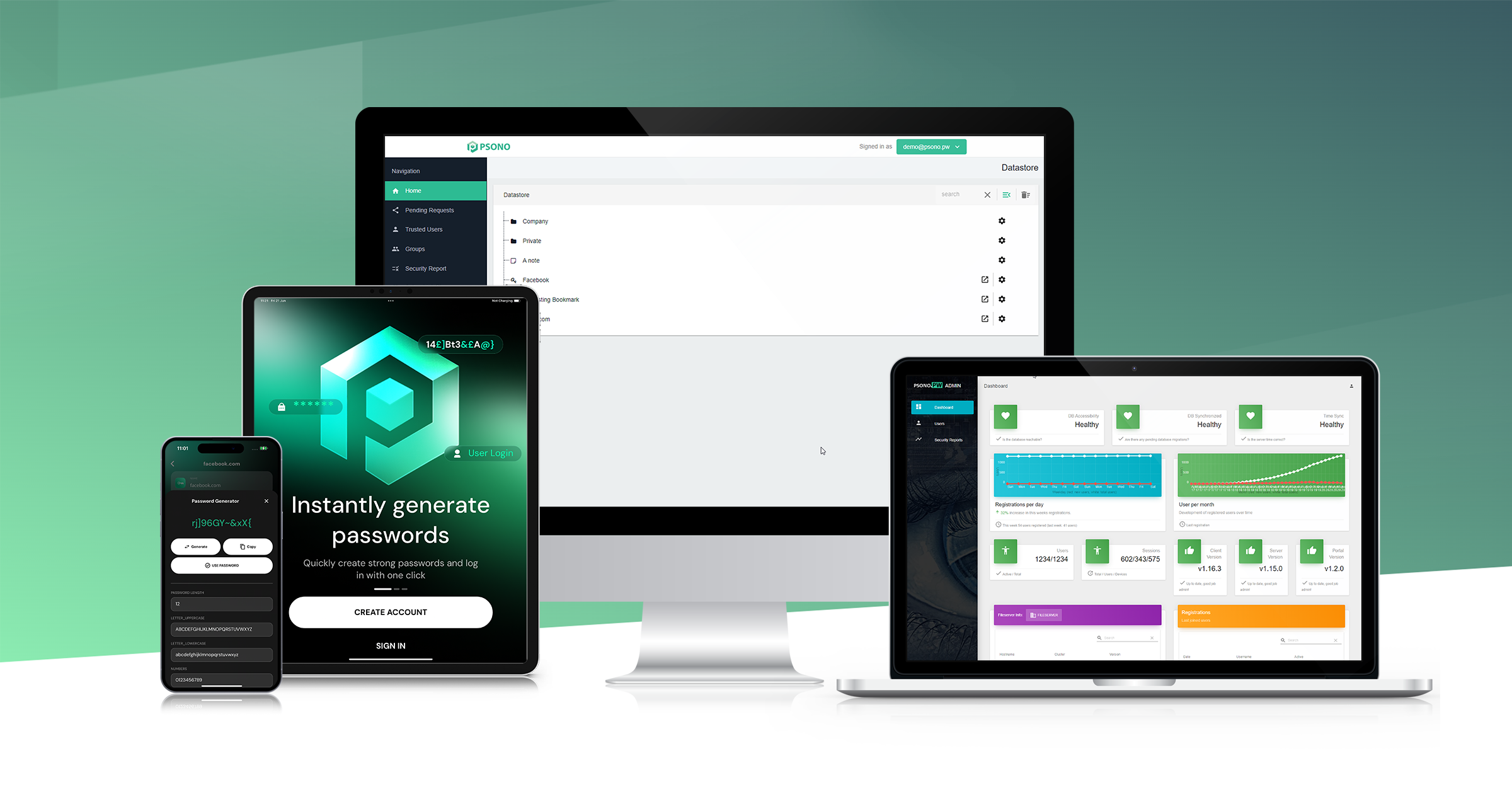
Psono Password Manager

Psono Password Manager
View Website
Free plan available, Premium starts at $2.90/month, Enterprise pricing available

Why We Love It

Psono is more than just a password manager. It has been specifically designed with remote teams in mind, offering secure sharing of not just passwords but also sensitive data like credit card details or secure notes. Its high level of cryptographic security ensures that sensitive data remains secure, even in a remote work environment. The multi-factor authentication adds an extra layer of protection, making it a perfect fit for remote teams in the IT Security & Compliance sector.

Pros

  • Secure password sharing
  • Cryptographically secure
  • Improved team productivity
  • Supports multi-factor authentication
  • Offers open source version

Cons

  • Limited third-party integrations
  • Interface may seem complex for beginners

Free plan available, Premium starts at $2.90/month, Enterprise pricing available

Psono is a comprehensive password management solution specifically designed to cater to the needs of remote teams. It provides an effective and secure way to share passwords, secrets, and other sensitive data among team members, regardless of their location.

Pros

  • Secure password sharing
  • Cryptographically secure
  • Improved team productivity
  • Supports multi-factor authentication
  • Offers open source version

Cons

  • Limited third-party integrations
  • Interface may seem complex for beginners

Why We Love It

Psono is more than just a password manager. It has been specifically designed with remote teams in mind, offering secure sharing of not just passwords but also sensitive data like credit card details or secure notes. Its high level of cryptographic security ensures that sensitive data remains secure, even in a remote work environment. The multi-factor authentication adds an extra layer of protection, making it a perfect fit for remote teams in the IT Security & Compliance sector.

Pros

  • Secure password sharing
  • Cryptographically secure
  • Improved team productivity
  • Supports multi-factor authentication
  • Offers open source version

Cons

  • Limited third-party integrations
  • Interface may seem complex for beginners

Why We Love It

Psono is more than just a password manager. It has been specifically designed with remote teams in mind, offering secure sharing of not just passwords but also sensitive data like credit card details or secure notes. Its high level of cryptographic security ensures that sensitive data remains secure, even in a remote work environment. The multi-factor authentication adds an extra layer of protection, making it a perfect fit for remote teams in the IT Security & Compliance sector.

Free plan available, Premium starts at $2.90/month, Enterprise pricing available

Psono is a comprehensive password management solution specifically designed to cater to the needs of remote teams. It provides an effective and secure way to share passwords, secrets, and other sensitive data among team members, regardless of their location.

9
Expert Score
8.6 / 10
722
80

TeamPassword

TeamPassword
View Website
Subscription-based pricing model, starting at $15/month

Why We Love It

What makes TeamPassword stand out is its focus on remote workforces. With the rise of remote work, it's more important than ever for teams to have a secure way to manage and share passwords. This software fills that need perfectly. It not only helps in managing passwords but also in controlling who has access to what information, making it a must-have for remote teams. It's easy to use and offers a level of convenience and security that professionals in this industry greatly appreciate.

Pros

  • Secured password management
  • Easy sharing of passwords
  • Streamlined access control
  • Ideal for remote teams

Cons

  • Requires internet connection
  • No free version available

Subscription-based pricing model, starting at $15/month

TeamPassword is a vital tool designed specifically for remote workforces who need to manage and secure their passwords efficiently. The software allows for safe password sharing among remote teams, thus ensuring data security, irrespective of the geographical location of the team members.

Pros

  • Secured password management
  • Easy sharing of passwords
  • Streamlined access control
  • Ideal for remote teams

Cons

  • Requires internet connection
  • No free version available

Why We Love It

What makes TeamPassword stand out is its focus on remote workforces. With the rise of remote work, it's more important than ever for teams to have a secure way to manage and share passwords. This software fills that need perfectly. It not only helps in managing passwords but also in controlling who has access to what information, making it a must-have for remote teams. It's easy to use and offers a level of convenience and security that professionals in this industry greatly appreciate.

Pros

  • Secured password management
  • Easy sharing of passwords
  • Streamlined access control
  • Ideal for remote teams

Cons

  • Requires internet connection
  • No free version available

Why We Love It

What makes TeamPassword stand out is its focus on remote workforces. With the rise of remote work, it's more important than ever for teams to have a secure way to manage and share passwords. This software fills that need perfectly. It not only helps in managing passwords but also in controlling who has access to what information, making it a must-have for remote teams. It's easy to use and offers a level of convenience and security that professionals in this industry greatly appreciate.

Subscription-based pricing model, starting at $15/month

TeamPassword is a vital tool designed specifically for remote workforces who need to manage and secure their passwords efficiently. The software allows for safe password sharing among remote teams, thus ensuring data security, irrespective of the geographical location of the team members.

10
Expert Score
8.5 / 10
361
106
REMOTE TEAM READY
BUDGET-FRIENDLY

Keeper Security Password Manager

Keeper Security Password Manager
View Website
Free plan available, subscription plans starting at $34.99/year
REMOTE TEAM READY
BUDGET-FRIENDLY

Why We Love It

Keeper Security shines in its ability to cater to the unique security challenges of remote workforces. It provides a secure and efficient solution for managing credentials and sensitive data, ensuring businesses can operate seamlessly and safely from any location. Its user-friendly interface and multi-device synchronization make it an excellent tool for the modern, mobile professional. Plus, its top-rate security measures provide peace of mind in an era where online threats are increasingly prevalent.

Pros

  • Industry-specific features
  • Robust security measures
  • User-friendly interface
  • 24/7 Support
  • Multi-device synchronization

Cons

  • Limited free version
  • No password sharing in lower-priced plans
  • Additional costs for secure file storage

Free plan available, subscription plans starting at $34.99/year

Keeper Security is a top-rated password management tool tailored specifically for remote workforces. It allows for the efficient management of credentials, protection of sensitive data, and provides robust defenses against online threats. Its privileged access management feature makes it ideal for IT professionals, ensuring secure remote access to critical systems.

Pros

  • Industry-specific features
  • Robust security measures
  • User-friendly interface
  • 24/7 Support
  • Multi-device synchronization

Cons

  • Limited free version
  • No password sharing in lower-priced plans
  • Additional costs for secure file storage
REMOTE TEAM READY
BUDGET-FRIENDLY

Why We Love It

Keeper Security shines in its ability to cater to the unique security challenges of remote workforces. It provides a secure and efficient solution for managing credentials and sensitive data, ensuring businesses can operate seamlessly and safely from any location. Its user-friendly interface and multi-device synchronization make it an excellent tool for the modern, mobile professional. Plus, its top-rate security measures provide peace of mind in an era where online threats are increasingly prevalent.

Pros

  • Industry-specific features
  • Robust security measures
  • User-friendly interface
  • 24/7 Support
  • Multi-device synchronization

Cons

  • Limited free version
  • No password sharing in lower-priced plans
  • Additional costs for secure file storage

Why We Love It

Keeper Security shines in its ability to cater to the unique security challenges of remote workforces. It provides a secure and efficient solution for managing credentials and sensitive data, ensuring businesses can operate seamlessly and safely from any location. Its user-friendly interface and multi-device synchronization make it an excellent tool for the modern, mobile professional. Plus, its top-rate security measures provide peace of mind in an era where online threats are increasingly prevalent.

Free plan available, subscription plans starting at $34.99/year

Keeper Security is a top-rated password management tool tailored specifically for remote workforces. It allows for the efficient management of credentials, protection of sensitive data, and provides robust defenses against online threats. Its privileged access management feature makes it ideal for IT professionals, ensuring secure remote access to critical systems.

Product Comparison

Product Has Mobile App Has Free Plan Has Free Trial Integrates With Zapier Has Public API Live Chat Support SOC 2 or ISO Certified Popular Integrations Supports SSO Starting Price
1Delinea Enterprise Password Management
No No Contact for trial No Enterprise API only Yes ISO 27001 Custom integrations only Yes Custom pricing
2Workforce Password Management
Web-only No Contact for trial No Enterprise API only Email/Ticket only Not specified Custom integrations only Yes Contact for pricing
3LastPass Password Management
Yes Yes Yes - 30 days Yes Yes No SOC 2 Slack, Microsoft 365, Google Workspace Yes $3/user/month
4Keeper Security Password Manager
Yes No Yes - 14 days Yes Yes Yes Both Microsoft 365, Google Workspace, Salesforce Yes $34.99/year
5Devolutions Password Management
Yes Yes Yes - 30 days No Enterprise API only Yes Not specified Microsoft 365, Google Workspace, Azure Yes $5/user/month
6Dashlane Password Manager
Yes Yes Yes - 30 days Yes No Yes SOC 2 Slack, Microsoft 365, Google Workspace Yes $4.99/month
7Bitwarden Password Manager
Yes Yes Yes - 7 days No Yes No Not specified GitHub, Slack, Microsoft 365 Enterprise plans only $3/user/month
81Password Extended Access Management
Yes No Yes - 14 days Yes Yes Yes SOC 2 Slack, Microsoft 365, Google Workspace Yes $2.99/user/month
9Psono Password Manager
No Yes Contact for trial No Yes Email/Ticket only Not specified Limited integrations Yes $2.90/month
10TeamPassword
Yes No Yes - 14 days No No No Not specified Google Workspace, Slack, Trello No $15/month
1

Delinea Enterprise Password Management

Has Mobile App
No
Has Free Plan
No
Has Free Trial
Contact for trial
Integrates With Zapier
No
Has Public API
Enterprise API only
Live Chat Support
Yes
SOC 2 or ISO Certified
ISO 27001
Popular Integrations
Custom integrations only
Supports SSO
Yes
Starting Price
Custom pricing
2

Workforce Password Management

Has Mobile App
Web-only
Has Free Plan
No
Has Free Trial
Contact for trial
Integrates With Zapier
No
Has Public API
Enterprise API only
Live Chat Support
Email/Ticket only
SOC 2 or ISO Certified
Not specified
Popular Integrations
Custom integrations only
Supports SSO
Yes
Starting Price
Contact for pricing
3

LastPass Password Management

Has Mobile App
Yes
Has Free Plan
Yes
Has Free Trial
Yes - 30 days
Integrates With Zapier
Yes
Has Public API
Yes
Live Chat Support
No
SOC 2 or ISO Certified
SOC 2
Popular Integrations
Slack, Microsoft 365, Google Workspace
Supports SSO
Yes
Starting Price
$3/user/month
4

Keeper Security Password Manager

Has Mobile App
Yes
Has Free Plan
No
Has Free Trial
Yes - 14 days
Integrates With Zapier
Yes
Has Public API
Yes
Live Chat Support
Yes
SOC 2 or ISO Certified
Both
Popular Integrations
Microsoft 365, Google Workspace, Salesforce
Supports SSO
Yes
Starting Price
$34.99/year
5

Devolutions Password Management

Has Mobile App
Yes
Has Free Plan
Yes
Has Free Trial
Yes - 30 days
Integrates With Zapier
No
Has Public API
Enterprise API only
Live Chat Support
Yes
SOC 2 or ISO Certified
Not specified
Popular Integrations
Microsoft 365, Google Workspace, Azure
Supports SSO
Yes
Starting Price
$5/user/month
6

Dashlane Password Manager

Has Mobile App
Yes
Has Free Plan
Yes
Has Free Trial
Yes - 30 days
Integrates With Zapier
Yes
Has Public API
No
Live Chat Support
Yes
SOC 2 or ISO Certified
SOC 2
Popular Integrations
Slack, Microsoft 365, Google Workspace
Supports SSO
Yes
Starting Price
$4.99/month
7

Bitwarden Password Manager

Has Mobile App
Yes
Has Free Plan
Yes
Has Free Trial
Yes - 7 days
Integrates With Zapier
No
Has Public API
Yes
Live Chat Support
No
SOC 2 or ISO Certified
Not specified
Popular Integrations
GitHub, Slack, Microsoft 365
Supports SSO
Enterprise plans only
Starting Price
$3/user/month
8

1Password Extended Access Management

Has Mobile App
Yes
Has Free Plan
No
Has Free Trial
Yes - 14 days
Integrates With Zapier
Yes
Has Public API
Yes
Live Chat Support
Yes
SOC 2 or ISO Certified
SOC 2
Popular Integrations
Slack, Microsoft 365, Google Workspace
Supports SSO
Yes
Starting Price
$2.99/user/month
9

Psono Password Manager

Has Mobile App
No
Has Free Plan
Yes
Has Free Trial
Contact for trial
Integrates With Zapier
No
Has Public API
Yes
Live Chat Support
Email/Ticket only
SOC 2 or ISO Certified
Not specified
Popular Integrations
Limited integrations
Supports SSO
Yes
Starting Price
$2.90/month
10

TeamPassword

Has Mobile App
Yes
Has Free Plan
No
Has Free Trial
Yes - 14 days
Integrates With Zapier
No
Has Public API
No
Live Chat Support
No
SOC 2 or ISO Certified
Not specified
Popular Integrations
Google Workspace, Slack, Trello
Supports SSO
No
Starting Price
$15/month

Similar Categories

How We Rank Products

How We Evaluate Products

Our Evaluation Process

The 'How We Choose' section for Password Management Tools for Remote Workforces outlines the systematic approach taken to evaluate and rank various products in this category. Key factors considered include security features, ease of use, integration capabilities, customer support, pricing structures, and overall value for businesses managing remote teams. Specific considerations, such as compliance with data protection regulations and multi-device compatibility, played a crucial role in the selection process, given the unique challenges faced by remote workforces. Rankings were determined by analyzing specifications, customer feedback from various platforms, and product ratings, ensuring a comprehensive comparison based on the most relevant and critical data available.

Verification

  • Products evaluated through comprehensive research and analysis of security features and user experience.
  • Rankings based on in-depth analysis of customer reviews and expert ratings within the password management category.
  • Selection criteria focus on key factors such as encryption standards, cross-platform compatibility, and user accessibility for remote workforces.

As an Amazon Associate, we earn from qualifying purchases. We may also earn commissions from other affiliate partners.

Frequently Asked Questions About Password Management Tools for Remote Workforces

What makes a password management tools for remote workforces the "best"?

We evaluate products based on quality, performance, value for money, user reviews, durability, and ease of use. Our rankings are updated regularly to reflect the latest market offerings and user feedback.

How often do you update your password management tools for remote workforces recommendations?

Our team continuously monitors the market for new products and updates our recommendations quarterly. We also adjust rankings based on user feedback and new testing results.

Do you test all the products you recommend?

Yes, whenever possible, we physically test products in our labs. For products we can't test directly, we rely on verified user reviews, expert opinions, and detailed specifications to make informed recommendations.

What if I'm looking for a specific type of password management tools for remote workforces?

Our top 10 list covers the most popular and highly-rated options. If you have specific requirements, check our detailed product descriptions and pros/cons to find the best match for your needs.

×

Score Breakdown

0.0 / 10
Excellent

What This Award Means