
Help Desk & Ticketing Software
These are the specialized categories within Help Desk & Ticketing Software. Looking for something broader? See all Customer Support & Success Software categories.

How big is your team?
What's your budget situation?
What's your team's technical comfort level?
What's the ONE thing this tool must do well?

Desk365 HR Helpdesk is specifically designed for HR teams within staffing agencies, offering an efficient cloud-based ticketing system. Its features are tailored to address the unique needs of HR professionals, enabling them to seamlessly create, track, manage, and resolve employee support tickets.
Best for Helpdesk Ticketing Software for Staffing Agencies
Expert Take
Desk365 HR Helpdesk is a specialized tool designed for HR teams within staffing agencies, offering robust ticket management capabilities. Its cloud-based nature ensures accessibility and real-time tracking, which are essential for dynamic environments. While customization options are limited, its targeted features and efficiency make it a strong contender in its niche.
Pros
- Deep native Microsoft Teams integration
- SOC 2 Type 2 & HIPAA compliant
- Highly affordable starting at $12/agent
- AI-powered ticket summarization & drafting
- Responsive customer support team
Cons
- Reporting features lack depth
- Interface feels slightly outdated
- Limited admin portal customization
- Occasional UI freezes reported
- No native Monday.com integration
Best for teams that are
- Organizations heavily reliant on Microsoft Teams for communication
- HR departments wanting support within the Teams interface
Skip if
- Companies not using the Microsoft 365 ecosystem
- Teams needing complex non-Microsoft integrations
Best for teams that are
- Organizations heavily reliant on Microsoft Teams for communication
- HR departments wanting support within the Teams interface
Skip if
- Companies not using the Microsoft 365 ecosystem
- Teams needing complex non-Microsoft integrations
Pros
- Deep native Microsoft Teams integration
- SOC 2 Type 2 & HIPAA compliant
- Highly affordable starting at $12/agent
- AI-powered ticket summarization & drafting
- Responsive customer support team
Cons
- Reporting features lack depth
- Interface feels slightly outdated
- Limited admin portal customization
- Occasional UI freezes reported
- No native Monday.com integration
Expert Take
Desk365 HR Helpdesk is a specialized tool designed for HR teams within staffing agencies, offering robust ticket management capabilities. Its cloud-based nature ensures accessibility and real-time tracking, which are essential for dynamic environments. While customization options are limited, its targeted features and efficiency make it a strong contender in its niche.
ConnectWise PSA Help Desk Software offers a tailored solution for contractors, specifically designed to streamline ticket management and improve service efficiency. With industry-specific features, the software enables real-time updates and efficient technician coordination, addressing the high-demand, high-pace needs of the contracting business.
Best for Helpdesk Ticketing Software for Contractors
Expert Take
ConnectWise PSA Help Desk excels in providing industry-specific features for contractors, enhancing ticket management and technician coordination. It is recognized for its adaptability and efficiency in high-demand environments. While pricing and training requirements may pose challenges, its overall capabilities position it as a leading solution in its category.
Pros
- Massive integration ecosystem (270+ apps)
- Deep ticketing and automation capabilities
- Scalable for enterprise-level MSPs
- Strong SOC 2 & ISO compliance
- Comprehensive project & agreement management
Cons
- Steep learning curve & complex UI
- Expensive implementation fees ($500-$20k)
- Opaque pricing & long contracts
- Slow interface performance reported
- Inconsistent customer support quality
Best for teams that are
- Managed Service Providers (MSPs) managing multiple client networks
- IT contractors needing integrated billing and time tracking
- Tech teams requiring deep integration with RMM tools
Skip if
- Internal corporate IT departments (non-MSP)
- Non-technical customer support teams (e.g., retail or HR)
- Small businesses needing a simple, standalone ticketing tool
Best for teams that are
- Managed Service Providers (MSPs) managing multiple client networks
- IT contractors needing integrated billing and time tracking
- Tech teams requiring deep integration with RMM tools
Skip if
- Internal corporate IT departments (non-MSP)
- Non-technical customer support teams (e.g., retail or HR)
- Small businesses needing a simple, standalone ticketing tool
Pros
- Massive integration ecosystem (270+ apps)
- Deep ticketing and automation capabilities
- Scalable for enterprise-level MSPs
- Strong SOC 2 & ISO compliance
- Comprehensive project & agreement management
Cons
- Steep learning curve & complex UI
- Expensive implementation fees ($500-$20k)
- Opaque pricing & long contracts
- Slow interface performance reported
- Inconsistent customer support quality
Expert Take
ConnectWise PSA Help Desk excels in providing industry-specific features for contractors, enhancing ticket management and technician coordination. It is recognized for its adaptability and efficiency in high-demand environments. While pricing and training requirements may pose challenges, its overall capabilities position it as a leading solution in its category.

HappyFox is a robust help desk ticketing system tailored to the needs of contractors. It offers a centralized platform for tracking and managing customer queries from various channels including website, email, social media, and phone calls, making it a perfect fit for contractors dealing with complex projects and customer interactions.
Best for Helpdesk Ticketing Software for Contractors
Expert Take
HappyFox Help Desk System is a premium helpdesk ticketing solution tailored for contractors, offering robust multi-channel support and customizable features. Its market credibility is bolstered by industry recognition and comprehensive documentation, making it a top choice in its category.
Pros
- Robust "Smart Rules" automation engine
- SOC 2 Type II & HIPAA compliant
- Unlimited agent pricing for scaling teams
- Deep Salesforce & MS Teams integrations
- Intuitive, fast-loading user interface
Cons
- Steep price hike for Pro plan
- Asset management locked to high tiers
- Separate costs for Chat & AI add-ons
- Mobile app lacks full web functionality
- Reporting interface can be complex
Best for teams that are
- Mid-to-large teams needing integrated asset management
- Operations requiring custom workflows and smart automation rules
- Organizations needing a clean, multilingual support interface
Skip if
- Small startups with low budgets (high entry cost, no free plan)
- Teams needing on-premise hosting (primarily cloud-based)
- Users wanting a marketplace with thousands of third-party apps
Best for teams that are
- Mid-to-large teams needing integrated asset management
- Operations requiring custom workflows and smart automation rules
- Organizations needing a clean, multilingual support interface
Skip if
- Small startups with low budgets (high entry cost, no free plan)
- Teams needing on-premise hosting (primarily cloud-based)
- Users wanting a marketplace with thousands of third-party apps
Pros
- Robust "Smart Rules" automation engine
- SOC 2 Type II & HIPAA compliant
- Unlimited agent pricing for scaling teams
- Deep Salesforce & MS Teams integrations
- Intuitive, fast-loading user interface
Cons
- Steep price hike for Pro plan
- Asset management locked to high tiers
- Separate costs for Chat & AI add-ons
- Mobile app lacks full web functionality
- Reporting interface can be complex
Expert Take
HappyFox Help Desk System is a premium helpdesk ticketing solution tailored for contractors, offering robust multi-channel support and customizable features. Its market credibility is bolstered by industry recognition and comprehensive documentation, making it a top choice in its category.

HappyFox is a cloud-based help desk designed specifically for SaaS companies, offering easy installation, seamless scaling, flexible features, and robust data security. It caters to the unique needs of the industry by providing a hosted solution that can effectively manage customer support tickets, streamline workflows, and improve customer service.
Best for Helpdesk Ticketing Software for SaaS Companies
Expert Take
HappyFox Cloud Help Desk is tailored for SaaS companies, offering scalable and secure help desk solutions. Its robust feature set and industry-specific capabilities make it a top choice for managing customer support efficiently. Despite the lack of a free plan, its enterprise pricing model is transparent and justified by its comprehensive offerings.
Pros
- Built-in IT asset management system
- HIPAA and SOC 2 Type II compliant
- Powerful 'Smart Rules' automation engine
- Unlimited agent pricing model available
- Fast and intuitive web interface setup
Cons
- Mobile app is buggy and unreliable
- Higher starting price than competitors
- Advanced AI features are paid add-ons
- Complex UI for advanced configurations
- No free tier (only free trial)
Best for teams that are
- Mid-to-large companies needing robust, customizable ticket workflows.
- Teams requiring support across multiple internal departments like IT and HR.
Skip if
- Small startups with tight budgets due to expensive per-agent pricing.
- Users seeking extensive social media integration beyond basic channels.
Best for teams that are
- Mid-to-large companies needing robust, customizable ticket workflows.
- Teams requiring support across multiple internal departments like IT and HR.
Skip if
- Small startups with tight budgets due to expensive per-agent pricing.
- Users seeking extensive social media integration beyond basic channels.
Pros
- Built-in IT asset management system
- HIPAA and SOC 2 Type II compliant
- Powerful 'Smart Rules' automation engine
- Unlimited agent pricing model available
- Fast and intuitive web interface setup
Cons
- Mobile app is buggy and unreliable
- Higher starting price than competitors
- Advanced AI features are paid add-ons
- Complex UI for advanced configurations
- No free tier (only free trial)
Expert Take
HappyFox Cloud Help Desk is tailored for SaaS companies, offering scalable and secure help desk solutions. Its robust feature set and industry-specific capabilities make it a top choice for managing customer support efficiently. Despite the lack of a free plan, its enterprise pricing model is transparent and justified by its comprehensive offerings.
OTRS Helpdesk Ticketing Software
Best for Helpdesk Ticketing Software for Recruitment Agencies

OTRS is a comprehensive service management solution perfect for recruitment agencies. Its customizable nature allows it to specifically address the industry's needs, including managing inquiries, requirements, tasks, and streamlining communication.
Best for Helpdesk Ticketing Software for Recruitment Agencies
Expert Take
OTRS Helpdesk Ticketing Software stands out as a comprehensive solution for recruitment agencies, offering customizable service management features and integration capabilities. Its industry-specific design and built-in reporting tools enhance operational efficiency and decision-making. While it requires technical knowledge for customization, its strengths in communication and management justify its premium positioning.
Pros
- ISO 27001 & GDPR compliant security
- Integrated CMDB for asset management
- Powerful process automation engine
- Flexible REST & SOAP API
- Granular role-based access control
Cons
- No public pricing available
- Free Community Edition discontinued
- Reports of slow interface performance
- Steep learning curve for setup
- Complex configuration for non-technical users
Best for teams that are
- Enterprises requiring high security and full customization control
- Tech-savvy teams capable of managing complex configurations
Skip if
- Small, non-technical teams needing a plug-and-play solution
- Users intimidated by complex, dated interfaces
Best for teams that are
- Enterprises requiring high security and full customization control
- Tech-savvy teams capable of managing complex configurations
Skip if
- Small, non-technical teams needing a plug-and-play solution
- Users intimidated by complex, dated interfaces
Pros
- ISO 27001 & GDPR compliant security
- Integrated CMDB for asset management
- Powerful process automation engine
- Flexible REST & SOAP API
- Granular role-based access control
Cons
- No public pricing available
- Free Community Edition discontinued
- Reports of slow interface performance
- Steep learning curve for setup
- Complex configuration for non-technical users
Expert Take
OTRS Helpdesk Ticketing Software stands out as a comprehensive solution for recruitment agencies, offering customizable service management features and integration capabilities. Its industry-specific design and built-in reporting tools enhance operational efficiency and decision-making. While it requires technical knowledge for customization, its strengths in communication and management justify its premium positioning.
Jitbit SaaS Help Desk is an AI-powered helpdesk ticketing software specifically designed to meet the needs of SaaS companies. It offers automated ticketing, a comprehensive knowledge base, and seamless integration with other tools, providing a streamlined customer support experience.
Best for Helpdesk Ticketing Software for SaaS Companies
Expert Take
Jitbit SaaS Help Desk excels in providing AI-powered support tailored for SaaS companies, with strong integration capabilities and a comprehensive knowledge base. While it may require initial training, it remains a top choice for streamlining customer support operations in SaaS environments.
Pros
- HIPAA compliant with BAA support
- Built-in asset management & knowledge base
- Deep Jira & GitHub integrations
- Unlimited storage on all plans
- Affordable tiered pricing model
Cons
- Mobile app lacks full web parity
- Interface design is dated/bland
- Strict agent limits on lower tiers
- No built-in remote desktop control
- Limited UI customization options
Best for teams that are
- Smaller teams seeking an affordable, fast, and lightweight ticketing system.
- Companies migrating from older systems like Lotus Notes.
- Users needing both cloud-hosted and on-premise deployment options.
Skip if
- Large enterprises needing complex analytics or advanced AI capabilities.
- Organizations requiring highly complex workflow and engagement tools.
Best for teams that are
- Smaller teams seeking an affordable, fast, and lightweight ticketing system.
- Companies migrating from older systems like Lotus Notes.
- Users needing both cloud-hosted and on-premise deployment options.
Skip if
- Large enterprises needing complex analytics or advanced AI capabilities.
- Organizations requiring highly complex workflow and engagement tools.
Pros
- HIPAA compliant with BAA support
- Built-in asset management & knowledge base
- Deep Jira & GitHub integrations
- Unlimited storage on all plans
- Affordable tiered pricing model
Cons
- Mobile app lacks full web parity
- Interface design is dated/bland
- Strict agent limits on lower tiers
- No built-in remote desktop control
- Limited UI customization options
Expert Take
Jitbit SaaS Help Desk excels in providing AI-powered support tailored for SaaS companies, with strong integration capabilities and a comprehensive knowledge base. While it may require initial training, it remains a top choice for streamlining customer support operations in SaaS environments.

Hesk, a PHP-based help desk software, is specifically designed to meet the needs of SaaS companies by offering a user-friendly, secure, and easy-to-use cloud-based customer support portal. Its IT help desk setup features streamline SaaS companies' support operations while effectively addressing customer queries and issues.
Best for Helpdesk Ticketing Software for SaaS Companies
Expert Take
Hesk Help Desk Software is a PHP-based solution tailored for SaaS companies, offering a user-friendly and secure platform. It excels in providing efficient ticketing and ease of use, making it a strong choice for customer support operations. While it lacks some advanced features, its affordability and core capabilities make it a top contender in its category.
Pros
- Free self-hosted version available
- Flat-fee cloud pricing (no per-agent costs)
- Built-in Knowledge Base included
- Lightweight and fast performance
- Strong GDPR and MFA security features
Cons
- No native mobile app (web only)
- No official API for integrations
- Interface is functional but dated
- Lacks advanced AI/automation features
- Reporting is relatively basic
Best for teams that are
- Small businesses and startups needing a simple, budget-friendly solution.
- Teams that want a lightweight, self-hosted option with one-time licensing.
Skip if
- Large enterprises needing advanced AI, omnichannel, or complex automation.
- IT departments requiring deep ITIL compliance and asset management.
Best for teams that are
- Small businesses and startups needing a simple, budget-friendly solution.
- Teams that want a lightweight, self-hosted option with one-time licensing.
Skip if
- Large enterprises needing advanced AI, omnichannel, or complex automation.
- IT departments requiring deep ITIL compliance and asset management.
Pros
- Free self-hosted version available
- Flat-fee cloud pricing (no per-agent costs)
- Built-in Knowledge Base included
- Lightweight and fast performance
- Strong GDPR and MFA security features
Cons
- No native mobile app (web only)
- No official API for integrations
- Interface is functional but dated
- Lacks advanced AI/automation features
- Reporting is relatively basic
Expert Take
Hesk Help Desk Software is a PHP-based solution tailored for SaaS companies, offering a user-friendly and secure platform. It excels in providing efficient ticketing and ease of use, making it a strong choice for customer support operations. While it lacks some advanced features, its affordability and core capabilities make it a top contender in its category.

Web Help Desk is a robust IT ticketing software solution, specifically designed for recruitment agencies to streamline their IT support processes. It automatically converts email requests into service tickets, enabling agencies to respond to IT issues promptly, thus minimizing downtime and improving productivity.
Best for Helpdesk Ticketing Software for Recruitment Agencies
Expert Take
Web Help Desk is a specialized IT ticketing solution tailored for recruitment agencies, offering robust automation and customization features. It excels in usability and market credibility, supported by its integration capabilities and industry-specific focus. While pricing transparency is limited due to additional costs for features, its comprehensive capabilities justify its premium positioning.
Pros
- FIPS 140-2 compliant cryptography
- Built-in WMI asset discovery
- Native SolarWinds Orion integration
- Affordable per-technician pricing
- On-premises deployment control
Cons
- Critical security vulnerabilities (CVE-2024-28987)
- Ending perpetual licensing options
- Dated user interface design
- Limited mobile app functionality
- Complex initial setup/configuration
Best for teams that are
- Internal IT teams needing combined ticketing and asset tracking
- Agencies preferring on-premise software with perpetual licensing
Skip if
- External candidate support requiring a modern, sleek interface
- Teams needing advanced AI automation or cloud-native features
Best for teams that are
- Internal IT teams needing combined ticketing and asset tracking
- Agencies preferring on-premise software with perpetual licensing
Skip if
- External candidate support requiring a modern, sleek interface
- Teams needing advanced AI automation or cloud-native features
Pros
- FIPS 140-2 compliant cryptography
- Built-in WMI asset discovery
- Native SolarWinds Orion integration
- Affordable per-technician pricing
- On-premises deployment control
Cons
- Critical security vulnerabilities (CVE-2024-28987)
- Ending perpetual licensing options
- Dated user interface design
- Limited mobile app functionality
- Complex initial setup/configuration
Expert Take
Web Help Desk is a specialized IT ticketing solution tailored for recruitment agencies, offering robust automation and customization features. It excels in usability and market credibility, supported by its integration capabilities and industry-specific focus. While pricing transparency is limited due to additional costs for features, its comprehensive capabilities justify its premium positioning.
SysAid AI ITSM Ticketing System

SysAid's AI-powered IT ticketing system is perfect for staffing agencies, offering streamlined help desk processes from initial contact to resolution. Its AI capabilities allow for efficient ticket prioritization, routing, and resolution, significantly reducing response time and enhancing customer satisfaction.
Best for Helpdesk Ticketing Software for Staffing Agencies
Expert Take
SysAid's AI ITSM Ticketing System excels in automating and streamlining help desk operations for staffing agencies. Its AI capabilities enhance ticket management efficiency, while integrated IT Asset Management provides a comprehensive solution. Despite some customization limitations, it remains a top choice for its robust features and industry relevance.
Pros
- Comprehensive generative AI Copilot features
- SOC 2 Type II and ISO 27001 certified
- Fast implementation and onboarding process
- Award-winning customer support team
- Strong asset management integration
Cons
- User interface described as dated and clunky
- Pricing is not publicly transparent
- Extra costs for onboarding and add-ons
- Email integration may have polling delays
- Steep learning curve for advanced features
Best for teams that are
- IT departments in mid-to-large enterprises needing full ITSM/ITIL
- Teams wanting AI-driven automation and asset management
Skip if
- Small teams needing a simple, quick-setup solution
- Users needing a mobile-first experience as the mobile UI is limited
Best for teams that are
- IT departments in mid-to-large enterprises needing full ITSM/ITIL
- Teams wanting AI-driven automation and asset management
Skip if
- Small teams needing a simple, quick-setup solution
- Users needing a mobile-first experience as the mobile UI is limited
Pros
- Comprehensive generative AI Copilot features
- SOC 2 Type II and ISO 27001 certified
- Fast implementation and onboarding process
- Award-winning customer support team
- Strong asset management integration
Cons
- User interface described as dated and clunky
- Pricing is not publicly transparent
- Extra costs for onboarding and add-ons
- Email integration may have polling delays
- Steep learning curve for advanced features
Expert Take
SysAid's AI ITSM Ticketing System excels in automating and streamlining help desk operations for staffing agencies. Its AI capabilities enhance ticket management efficiency, while integrated IT Asset Management provides a comprehensive solution. Despite some customization limitations, it remains a top choice for its robust features and industry relevance.
BoldDesk Help Desk Software
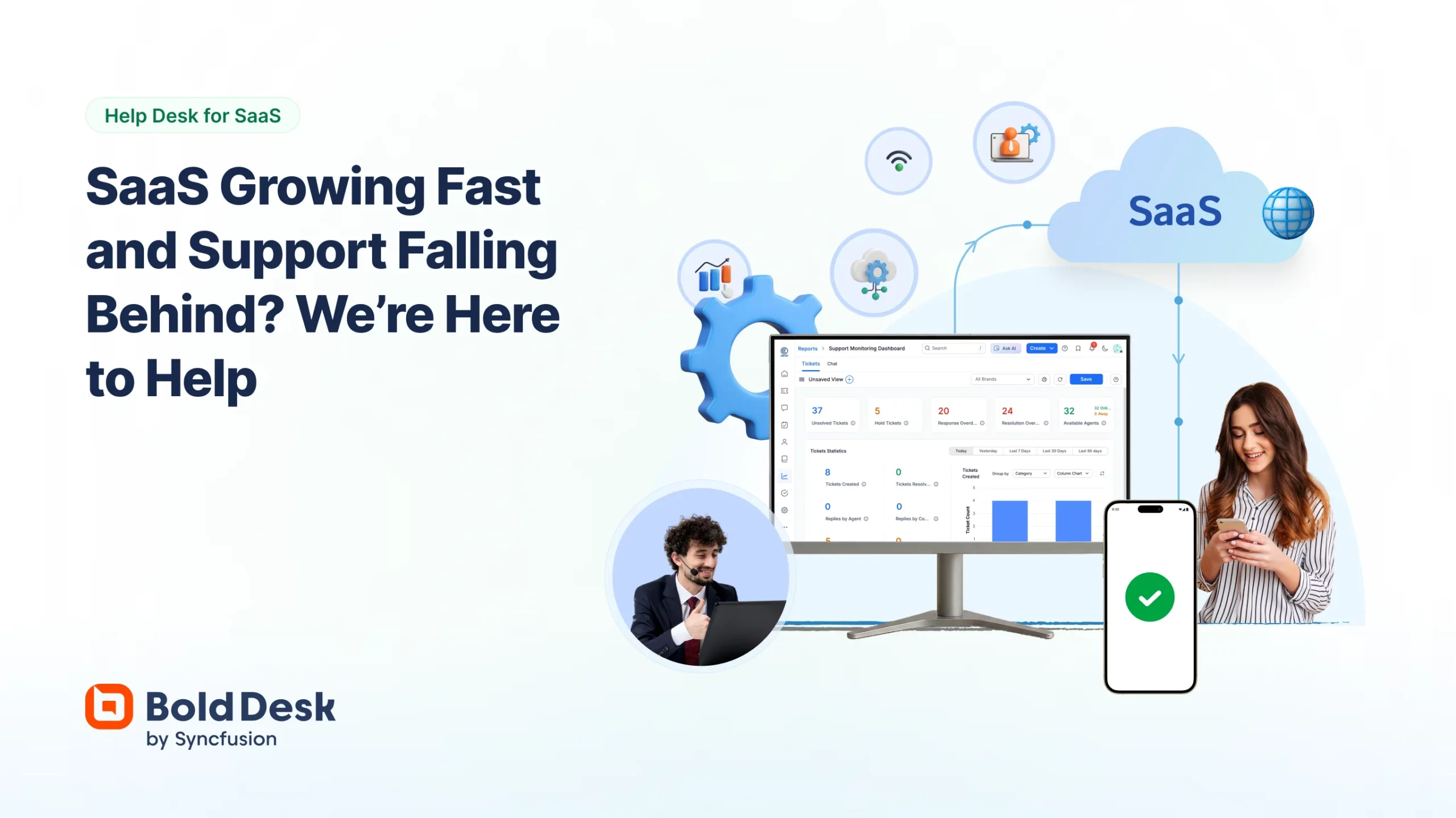
BoldDesk caters explicitly to SaaS companies' unique needs, offering scalable ticketing, automation, and AI-powered support tools. Its seamless integration with popular SaaS platforms makes it a versatile choice for businesses seeking to streamline their customer support processes.
Best for Helpdesk Ticketing Software for SaaS Companies
Expert Take
BoldDesk excels in providing a comprehensive helpdesk solution tailored for SaaS companies. Its scalable ticketing and AI-powered support tools are well-documented, offering significant automation and integration capabilities. While it lacks public pricing transparency, its feature set and integrations make it a top choice for businesses seeking efficiency in customer support.
Pros
- Unlimited agents pricing plan available
- Backed by Syncfusion (20+ years experience)
- SOC 2 Type 2 and HIPAA compliant
- Includes AI Copilot in lower tiers
- Seamless migration from Zendesk
Cons
- Mobile app stability issues reported
- Smaller integration marketplace than competitors
- Steeper learning curve for advanced reporting
- Limited custom app capabilities
- Newer player with less community content
Best for teams that are
- Small to medium businesses seeking an intuitive, cost-effective help desk.
- Teams looking for built-in AI tools to automate repetitive tasks and responses.
Skip if
- Massive enterprises with complex needs and extremely high ticket volumes.
- Teams requiring deep customization and highly complex technical workflows.
Best for teams that are
- Small to medium businesses seeking an intuitive, cost-effective help desk.
- Teams looking for built-in AI tools to automate repetitive tasks and responses.
Skip if
- Massive enterprises with complex needs and extremely high ticket volumes.
- Teams requiring deep customization and highly complex technical workflows.
Pros
- Unlimited agents pricing plan available
- Backed by Syncfusion (20+ years experience)
- SOC 2 Type 2 and HIPAA compliant
- Includes AI Copilot in lower tiers
- Seamless migration from Zendesk
Cons
- Mobile app stability issues reported
- Smaller integration marketplace than competitors
- Steeper learning curve for advanced reporting
- Limited custom app capabilities
- Newer player with less community content
Expert Take
BoldDesk excels in providing a comprehensive helpdesk solution tailored for SaaS companies. Its scalable ticketing and AI-powered support tools are well-documented, offering significant automation and integration capabilities. While it lacks public pricing transparency, its feature set and integrations make it a top choice for businesses seeking efficiency in customer support.




Loading comparison data…