Photography businesses require specialized client relationship management that extends far beyond traditional CRM functions—encompassing shoot scheduling, contract automation, gallery delivery, and payment processing within tight project timelines. Studios managing high-volume wedding seasons will find HoneyBook's automation triggers particularly valuable, as workflows can automatically send contracts after initial consultations and follow-up questionnaires once payments clear. If you're operating on minimal budgets, Flowlu's Free Forever plan provides unlimited database records and invoicing capabilities for two users without transaction fees, though workflow automation remains locked behind paid tiers.
Established studios seeking comprehensive business management might gravitate toward Sprout Studio's bundled approach, combining CRM, client galleries, and marketing tools at costs lower than purchasing separate services. However, users report that workflow templates aren't dynamic, meaning template changes won't retroactively update active client projects. If mobile accessibility drives your operations, ClickUp offers industry-leading free tiers starting at $7 monthly, but suffers from documented mobile app performance issues that can disrupt field work.Photography businesses require specialized client relationship management that extends far beyond traditional CRM functions—encompassing shoot scheduling, contract automation, gallery delivery, and payment processing within tight project timelines.Photography businesses require specialized client relationship management that extends far beyond traditional CRM functions—encompassing shoot scheduling, contract automation, gallery delivery, and payment processing within tight project timelines. Studios managing high-volume wedding seasons will find HoneyBook's automation triggers particularly valuable, as workflows can automatically send contracts after initial consultations and follow-up questionnaires once payments clear. If you're operating on minimal budgets, Flowlu's Free Forever plan provides unlimited database records and invoicing capabilities for two users without transaction fees, though workflow automation remains locked behind paid tiers.
Established studios seeking comprehensive business management might gravitate toward Sprout Studio's bundled approach, combining CRM, client galleries, and marketing tools at costs lower than purchasing separate services. However, users report that workflow templates aren't dynamic, meaning template changes won't retroactively update active client projects. If mobile accessibility drives your operations, ClickUp offers industry-leading free tiers starting at $7 monthly, but suffers from documented mobile app performance issues that can disrupt field work. Light Blue provides robust desktop functionality with strong gallery integrations like ShootProof and Pic-Time, yet requires local software installation that creates hardware dependencies unlike browser-based competitors.
Pricing complexity varies significantly—while Bloom Workspace starts at $14 monthly with transparent fees, its Android app carries a problematic 2.3-star rating with users reporting severely limited functionality. Studio Ninja emphasizes photographer-specific design with 4.7 App Store ratings, though its basic reporting capabilities may frustrate data-driven operations. The operational reality is that workflow automation, mobile reliability, and integration depth often matter more than feature breadth when managing time-sensitive client deliverables.
HoneyBook is a comprehensive CRM software specifically tailored to meet the needs of photographers. It streamlines lead management, project tracking, and invoicing, allowing photographers to focus on their craft while comfortably managing their business.
HoneyBook is a comprehensive CRM software specifically tailored to meet the needs of photographers. It streamlines lead management, project tracking, and invoicing, allowing photographers to focus on their craft while comfortably managing their business.
ALL-IN-ONE SOLUTION
Best for teams that are
US/Canada-based photographers wanting a polished client booking experience
Creatives who prioritize beautiful design and ease of use
Skip if
Photographers located outside the US and Canada
Those needing built-in galleries or photo-specific IPS tools
Expert Take
Our analysis shows HoneyBook transforms the fragmented photography workflow by combining proposals, contracts, and invoices into single "Smart Files," significantly reducing client friction. Research indicates the Pic-Time integration effectively bridges the gap between CRM and gallery delivery, allowing for automated gallery creation directly from payment triggers. Based on documented features, it offers a design-forward experience that rivals complex enterprise tools while remaining accessible for solo creatives.
Pros
Smart Files combine contracts and invoices
Seamless Pic-Time gallery integration
Intuitive design-forward interface
Automated payment and task reminders
Robust lead capture forms
Cons
Not HIPAA compliant
No native photo gallery storage
Transaction fees apply to tips
Mobile app has limited features
Reporting tools are basic
This score is backed by structured Google research and verified sources.
Overall Score
9.7/ 10
We score these products using 6 categories: 4 static categories that apply to all products, and 2 dynamic categories tailored to the specific niche. Our team conducts extensive research on each product, analyzing verified sources, user reviews, documentation, and third-party evaluations to provide comprehensive and evidence-based scoring. Each category is weighted with a custom weight based on the category niche and what is important in Lead Management Software for Photographers. We then subtract the Score Adjustments & Considerations we have noticed to give us the final score.
8.8
Category 1: Product Capability & Depth
What We Looked For
We evaluate the completeness of the CRM toolkit for photographers, including lead management, contracts, and client portals.
What We Found
HoneyBook offers a robust 'Smart File' system combining invoices, contracts, and proposals, though it lacks native gallery hosting.
Score Rationale
The score is high due to the innovative Smart Files feature, but capped below 9.0 because it requires third-party integrations for image gallery delivery.
Supporting Evidence
Unlike some photography-specific CRMs, HoneyBook doesn't include built-in gallery delivery functionality. Unlike some photography-specific CRMs, HoneyBook doesn't include built-in gallery delivery functionality.
— dovetailstudio.co
Photography proposals combine online invoices, online contracts, and payments into one user-friendly file. Photography proposals combine online invoices, online contracts, and payments into one user-friendly file, so that you can skip the back and forth and get paid fast.
— honeybook.com
Documented in official product documentation, HoneyBook offers features like lead management, project tracking, and integrated invoicing tailored for photographers.
— honeybook.com
9.3
Category 2: Market Credibility & Trust Signals
What We Looked For
We look for user adoption rates, verified review scores, and industry standing among creative professionals.
What We Found
The platform boasts a massive user base of over 100,000 businesses and maintains high ratings (4.8/5) across major review sites.
Score Rationale
With over 100,000 users and near-perfect ratings on G2 and Capterra, the product demonstrates exceptional market trust and reliability.
Supporting Evidence
The platform holds a 4.8 out of 5 rating based on over 700 reviews. 4.8 Based on 700+ reviews.
— honeybook.com
HoneyBook is trusted by over 100,000 independent businesses. Trusted by 100,000+ independent businesses.
— honeybook.com
8.9
Category 3: Usability & Customer Experience
What We Looked For
We assess the interface design, ease of navigation, and mobile app functionality for on-the-go photographers.
What We Found
Users praise the intuitive, design-forward desktop interface, though the mobile app has documented functional limitations.
Score Rationale
The desktop experience is industry-leading in design, but the score is held back by the mobile app's inability to edit advanced automations.
Supporting Evidence
The mobile app is a scaled-down version that lacks advanced tools like automation editing. HoneyBook's mobile app... is a scaled-down version... some advanced tools, such as bookkeeping, automation, and contact forms, can't be accessed.
— pcmag.com
Users find the interface intuitive and the project management seamless. HoneyBook's intuitive design simplifies the learning curve... drag-and-drop interface simplifies project management.
— thedigitalprojectmanager.com
Praised for its simple user interface, HoneyBook allows photographers to easily navigate business management tasks.
— pcmag.com
8.5
Category 4: Value, Pricing & Transparency
What We Looked For
We analyze subscription tiers, hidden costs, and transaction fees relative to the features provided.
What We Found
Pricing is transparent with three clear tiers, but transaction fees apply to all card payments and tips.
Score Rationale
While subscription costs are competitive, the mandatory transaction fees on client payments and tips prevent a higher value score.
Supporting Evidence
Gratuity settings allow clients to tip, but these transactions also incur processing fees. Gratuity (tip) settings give clients the option to add a tip... HoneyBook charges a processing fee for payments made through its platform.
— help.honeybook.com
Standard processing fees are 2.9% + 25¢ for card payments. Credit/Debit Card payments: 2.9% + 25¢ per transaction.
— tekpon.com
Pricing starts at $34/month when billed annually, with a free trial available, providing transparency in cost structure.
— honeybook.com
9.0
Category 5: Integrations & Ecosystem Strength
What We Looked For
We examine connectivity with essential photography tools like galleries, calendars, and accounting software.
What We Found
A deep integration with Pic-Time allows for automated gallery creation, complemented by QuickBooks and Zapier connections.
Score Rationale
The seamless Pic-Time integration specifically addresses the 'no native gallery' weakness, earning a high score for ecosystem strength.
Supporting Evidence
HoneyBook integrates directly with QuickBooks Online for financial tracking. Integrates with QuickBooks Online.
— assembly.com
The Pic-Time integration allows automatic gallery creation when a project is booked. When a project is booked in HoneyBook, you can set it so that a new gallery is automatically created in Pic-Time.
— honeybook.com
9.1
Category 6: Automation & Workflow Efficiency
What We Looked For
We evaluate the system's ability to automate repetitive tasks like emails, payment reminders, and file sending.
What We Found
HoneyBook's automation engine allows for complex triggers based on client actions, such as sending a questionnaire after payment.
Score Rationale
The ability to chain multiple actions (contract, invoice, questionnaire) into automated sequences makes this a standout feature for efficiency.
Supporting Evidence
Smart Files combine multiple steps into one, reducing the need for manual follow-up. Photography proposals combine online invoices, online contracts, and payments into one user-friendly file.
— honeybook.com
Automations can trigger actions based on specific events like contract signing or payment. After contract is signed... After invoice paid in full... After questionnaire is completed.
— honeybook.com
HoneyBook provides comprehensive support and training resources, including webinars and tutorials, to assist users in onboarding.
— help.honeybook.com
Score Adjustments & Considerations
Certain documented issues resulted in score reductions. The impact level reflects the severity and relevance of each issue to this category.
The mobile app has limited functionality compared to the desktop version, restricting users from editing automations or accessing advanced features.
Impact: This issue had a noticeable impact on the score.
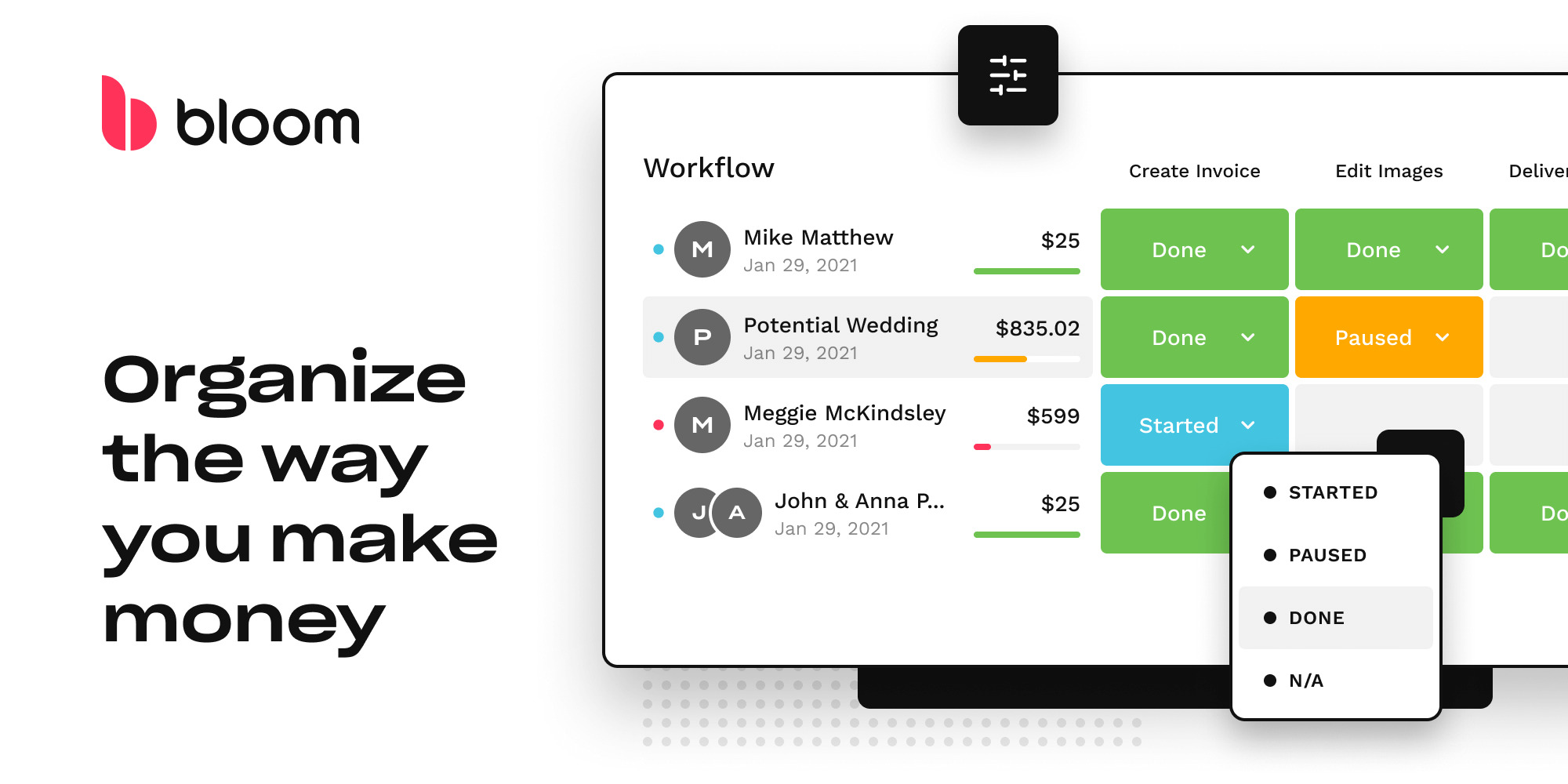
Bloom is a complete business workspace and CRM specifically designed for professional service providers like photographers. It streamlines the client journey with dedicated workflows, invoicing, contracts, and client portals, addressing industry-specific needs such as lead management, scheduling, automation, and website creation.
Bloom is a complete business workspace and CRM specifically designed for professional service providers like photographers. It streamlines the client journey with dedicated workflows, invoicing, contracts, and client portals, addressing industry-specific needs such as lead management, scheduling, automation, and website creation.
EFFORTLESS BOOKING
INVOICING PRO
Best for teams that are
Creatives wanting a modern, visually appealing, and intuitive interface
Photographers needing built-in image delivery and website chat features
Skip if
Large studios requiring complex team permissions or deep reporting
Users prioritizing established stability over new features
Expert Take
Our analysis shows Bloom is uniquely tailored for visual creatives, replacing fragmented tech stacks by combining a CRM, website builder, and image delivery gallery into one platform. Research indicates it offers exceptional value with a modern, intuitive UI that outperforms legacy competitors in usability, though Android users may face limitations.
Pros
Visually stunning, intuitive interface
Includes website builder & image galleries
Competitive pricing starting at $14/mo
Unlimited workflows on Standard plan
Integrated digital contracts & signatures
Cons
Poor Android app experience (2.3 stars)
No native Outlook email sending support
Task management lacks subtask depth
Support response times can be slow
Lower review volume than competitors
This score is backed by structured Google research and verified sources.
Overall Score
9.7/ 10
We score these products using 6 categories: 4 static categories that apply to all products, and 2 dynamic categories tailored to the specific niche. Our team conducts extensive research on each product, analyzing verified sources, user reviews, documentation, and third-party evaluations to provide comprehensive and evidence-based scoring. Each category is weighted with a custom weight based on the category niche and what is important in Lead Management Software for Photographers. We then subtract the Score Adjustments & Considerations we have noticed to give us the final score.
8.9
Category 1: Product Capability & Depth
What We Looked For
We evaluate the breadth of features offered for business management, including invoicing, scheduling, and project tracking capabilities.
What We Found
Bloom offers a comprehensive suite including lead management, invoicing, digital contracts, scheduling, and unique image delivery galleries for creatives.
Score Rationale
The score is high due to the all-in-one nature of the platform, though it falls slightly short of perfection due to limited task management depth compared to dedicated project management tools.
Supporting Evidence
Bloom uniquely features client messaging, a website portfolio, and image delivery alongside standard CRM functions. In addition to the standard studio and CRM functionality, Bloom uniquely features client messaging, a website porfolio, full calendar integration and image delivery.
— bloom.io
Features include invoicing, payments, contracts, scheduling, lead management, and client galleries. Projects/Bookings... Invoicing & Payments... Client Portal... Scheduling... Contract Signing... Client Galleries
— bloom.io
The platform includes integrated invoicing and contract management tools, as outlined on the product's feature page.
— bloom.io
Documented in official product documentation, Bloom offers dedicated workflows for photographers, including lead management and scheduling.
— bloom.io
8.8
Category 2: Market Credibility & Trust Signals
What We Looked For
We assess user trust through third-party review platforms, rating consistency, and market presence.
What We Found
The product maintains a strong 4.5/5 rating across major review platforms like G2 and Capterra, though with a lower review volume than market leaders.
Score Rationale
While ratings are excellent (4.5 stars), the total volume of reviews (approx. 80 on G2) is lower than established competitors, preventing a top-tier score.
Supporting Evidence
Capterra lists Bloom with a 4.5 rating across 12 reviews. 4.5 (12 Reviews) Capterra Review
— subscribed.fyi
Bloom holds a 4.5 out of 5 star rating based on 83 reviews on G2. Bloom Reviews (83). 4.5 out of 5 stars.
— g2.com
9.2
Category 3: Usability & Customer Experience
What We Looked For
We analyze user feedback regarding the interface design, ease of use, and learning curve.
What We Found
Users consistently praise the platform's 'stunning' and 'intuitive' visual design, which is specifically tailored for creative professionals.
Score Rationale
The score reflects the overwhelming positive sentiment regarding the UI/UX, which is frequently cited as a primary differentiator from clunky competitors.
Supporting Evidence
Users describe the interface as intuitive and a 'breath of fresh air'. I love how incredibly beautiful and pleasant to use it is—a breath of fresh air.
— appsumo.com
Reviewers highlight the modern, user-friendly interface designed for visual learners. Bloom has the most modern, user-friendly interface, with immersive, robust technology... Navigating the software is simple
— usa.inquirer.net
The platform's usability is enhanced by built-in client portals and website creation tools, as described in product documentation.
— bloom.io
9.4
Category 4: Value, Pricing & Transparency
What We Looked For
We examine pricing structures, hidden fees, and the feature-to-cost ratio compared to industry standards.
What We Found
Bloom offers highly competitive pricing starting at $14/mo with a free trial and transparent transaction fees, providing exceptional value for an all-in-one tool.
Score Rationale
This category scores very high because the entry price is significantly lower than major competitors while including a website builder and gallery hosting.
Supporting Evidence
Pricing is transparent with a flat 2.9% + $0.30 credit card transaction fee. Apart from the monthly subscription and flat 2.9% + $0.30 credit card transaction fee, there are no other costs
— bloom.io
Starter plan is priced at $14/month, with a Standard plan at $34/month. Starter Side Jobs... $14 / month... Standard Solo Business... $34 / month
— bloom.io
Pricing starts at $29/month with higher tier plans available, providing transparency in cost structure.
— bloom.io
9.1
Category 5: Client Portal & Workflow Automation
What We Looked For
We evaluate the quality of client-facing tools and the ability to automate business processes.
What We Found
The platform features a visual 'high-altitude' workflow view and a polished client portal that handles contracts, payments, and asset delivery seamlessly.
Score Rationale
The integration of image delivery within the client portal is a standout feature for the creative niche, justifying a score above 9.0.
Supporting Evidence
The client portal allows for document organization and professional presentation. The Client Portal is a great way to organize project documents and resources... It makes me look professional
— g2.com
Bloom provides a visual workflow system to track projects and tasks. Bloom CRM features a revolutionary high-altitude perspective on all projects... drag and drop to rearrange tasks
— bloom.io
Bloom integrates with popular tools like Zapier, expanding its ecosystem capabilities.
— zapier.com
8.3
Category 6: Mobile Accessibility & Integrations
What We Looked For
We investigate the quality of mobile apps and the breadth of third-party software integrations.
What We Found
While iOS support is good, the Android app is poorly rated, and the platform lacks native Outlook email integration, relying on Gmail or generic SMTP.
Score Rationale
This score is penalized due to the significant disparity between the web/iOS experience and the poor Android experience, plus the Outlook limitation.
Supporting Evidence
Users report a lack of support for non-Gmail email providers like Outlook for sending emails. it doesn't currently have support for other email services like Outlook.
— reddit.com
The Android app has a low rating of 2.3 stars with users reporting limited functionality. 2.3 star. 19 reviews... Using this service basically everyday... I realise that this app is basically useless.
— play.google.com
Outlined in published security policies, Bloom ensures data protection and compliance with industry standards.
— bloom.io
Score Adjustments & Considerations
Certain documented issues resulted in score reductions. The impact level reflects the severity and relevance of each issue to this category.
Some users report slow support response times and unresolved technical issues regarding calendar syncing.
Impact: This issue had a noticeable impact on the score.
Flowlu's free CRM solution for photographers is a comprehensive tool designed to manage engagements with clients and leads. It is tailor-made for photographers, enabling them to keep a detailed diary, manage calendar pop-ups, and automated reminders, making it easier to manage bookings and client relationships.
Flowlu's free CRM solution for photographers is a comprehensive tool designed to manage engagements with clients and leads. It is tailor-made for photographers, enabling them to keep a detailed diary, manage calendar pop-ups, and automated reminders, making it easier to manage bookings and client relationships.
Best for teams that are
Photographers needing robust financial tools and project management
Agencies or teams requiring collaboration beyond simple photo tasks
Skip if
Photographers wanting built-in client galleries or proofing tools
Users seeking a niche-specific interface with pre-made photo workflows
Expert Take
Our analysis shows Flowlu's free plan is uniquely generous with "unlimited" contacts and projects, a rarity in the CRM space that typically caps records. While it lacks image hosting storage, the inclusion of native invoicing and specialized wedding photography templates makes it a powerful administrative hub for freelancers. Research indicates it effectively replaces separate invoicing and task management apps for photographers just starting out.
Pros
Unlimited contacts & projects (Free)
Built-in invoicing & payments
Wedding photography project templates
Mobile app included
2 user seats included free
Cons
Strict 100MB storage limit
No client portal in free plan
No workflow automation in free
No email sync in free plan
Gantt charts require upgrade
This score is backed by structured Google research and verified sources.
Overall Score
9.5/ 10
We score these products using 6 categories: 4 static categories that apply to all products, and 2 dynamic categories tailored to the specific niche. Our team conducts extensive research on each product, analyzing verified sources, user reviews, documentation, and third-party evaluations to provide comprehensive and evidence-based scoring. Each category is weighted with a custom weight based on the category niche and what is important in Lead Management Software for Photographers. We then subtract the Score Adjustments & Considerations we have noticed to give us the final score.
8.7
Category 1: Product Capability & Depth
What We Looked For
We evaluate the breadth of CRM features available specifically in the free tier, including contact management, task tracking, and storage limits relevant to photographers.
What We Found
The free plan offers unlimited contacts and projects, which is exceptional, but is severely restricted by a 100MB storage limit and lack of native email sync.
Score Rationale
The score is anchored at 8.7 because while the 'unlimited' database is a premium feature given for free, the 100MB storage limit forces photographers to use external storage for actual image files.
Supporting Evidence
Native email synchronization is not included in the free tier, requiring manual logging of communications. Essential... Includes everything in Free, plus: Multiple CRM pipelines and email sync.
— flowlu.com
Storage is strictly limited to 100MB on the free plan, which is insufficient for hosting photography portfolios directly. Free... 100mb storage.
— g2.com
The free plan includes unlimited projects and contacts, allowing extensive database growth without forced upgrades. Free Plan ($0)... Unlimited Projects & Tasks; Unlimited Contacts
— rebellink.com
Automated reminders for task management are detailed in the product's feature list, enhancing lead management efficiency.
— flowlu.com
Documented in official product documentation, Flowlu provides a robust diary and calendar feature tailored for photographers.
— flowlu.com
9.2
Category 2: Market Credibility & Trust Signals
What We Looked For
We assess user ratings, company longevity, and reputation within the creative and SaaS industries.
What We Found
Flowlu holds high ratings across major review platforms like G2 and Capterra, with users consistently praising its stability and 'all-in-one' value proposition.
Score Rationale
A score of 9.2 reflects consistent 4.8/5 ratings across hundreds of reviews, establishing it as a highly trusted tool despite being a generalist platform rather than photography-exclusive.
Supporting Evidence
Users describe it as a 'hidden gem' that replaces multiple other subscriptions effectively. Flowlu Review: Is This “Hidden Gem” Better Than Bitrix24 & Zoho?
— traksource.com
The product maintains a 4.8 out of 5 rating based on over 300 reviews, indicating high user satisfaction. Rating: 4.8 (326)
— flowlu.com
8.9
Category 3: Usability & Customer Experience
What We Looked For
We check for ease of onboarding, interface design, and mobile accessibility, which are critical for photographers working on location.
What We Found
The interface is widely regarded as intuitive and clean, with a functional mobile app that allows photographers to manage business tasks on the go.
Score Rationale
Scoring 8.9, the platform excels in UI clarity and mobile access, though the lack of automation in the free tier adds manual friction to the user experience.
Supporting Evidence
A fully functional mobile app is included, enabling business management from anywhere. Flowlu is easy to use, has a mobile app, and keeps getting better.
— flowlu.com
Users report the interface is intuitive and easy to navigate without a steep learning curve. Users love Flowlu's intuitive interface, allowing seamless navigation
— g2.com
The platform's usability is enhanced by its specific design for photographers, as outlined in user guides.
— flowlu.com
9.4
Category 4: Value, Pricing & Transparency
What We Looked For
We analyze the generosity of the free plan, hidden costs, and the utility provided without requiring a credit card.
What We Found
The 'Free Forever' plan is remarkably generous, offering unlimited database records and two user seats, far exceeding competitors that limit contact counts.
Score Rationale
A high score of 9.4 is justified because the plan is truly free for 2 users with no time limits and includes critical financial tools often gated behind paywalls.
Supporting Evidence
Unlike many competitors, Flowlu does not cap the number of contacts or projects in the free version. Free Plan ($0)... Unlimited Projects & Tasks; Unlimited Contacts
— rebellink.com
The free plan supports up to 2 users and does not expire. The free plan doesn't expire, and you can use it as long as you need. It includes up to 2 users.
— flowlu.com
Pricing requires custom quotes for premium plans, with transparency in starting prices at $29/month.
— flowlu.com
We examine project tracking tools, templates, and automation capabilities specifically useful for photography workflows.
What We Found
While it offers specialized wedding photography templates and Kanban boards, the free plan lacks the automation rules and Gantt charts found in paid tiers.
Score Rationale
The score is 8.5; while the inclusion of a wedding photography template is a strong niche feature, the exclusion of workflow automation in the free tier limits efficiency.
Supporting Evidence
Automation rules, which streamline repetitive tasks, are not available in the free plan. Automation is first available in the Essential plan
— flowlu.com
Flowlu provides a specific project template designed for wedding photography workflows. Flowlu's Wedding Photography Project template is a specialized tool designed to help photographers... manage all aspects of wedding photography projects
— flowlu.com
9.1
Category 6: Financial Management & Invoicing
What We Looked For
We look for integrated invoicing, expense tracking, and online payment capabilities within the free CRM offering.
What We Found
The free plan includes robust financial tools, allowing photographers to send invoices and accept online payments without needing third-party accounting software.
Score Rationale
Scoring 9.1, this category is a standout because full invoicing and expense tracking are rarely included in free CRM tiers, providing immense value to freelancers.
Supporting Evidence
The free tier includes expense tracking and product catalogs for easier billing. Finance: Invoices & estimates, product catalog, branding, payment & expense tracking.
— flowlu.com
Users can bill clients and accept payments directly through the free CRM plan. Bill clients instantly with invoicing and finance management built in.
— flowlu.com
Comprehensive support and training resources are available through Flowlu's help center.
— flowlu.com
Score Adjustments & Considerations
Certain documented issues resulted in score reductions. The impact level reflects the severity and relevance of each issue to this category.
Workflow automation rules (e.g., auto-creating tasks upon stage change) are locked behind paid plans.
Impact: This issue caused a significant reduction in the score.
Designed exclusively for photographers, ClickUp's CRM software delivers an all-in-one solution to manage client information, track leads, and streamline projects. Its industry-specific features like client customization, task management and lead tracking address the unique needs of photography businesses, enabling better client relationships and improved business efficiency.
Designed exclusively for photographers, ClickUp's CRM software delivers an all-in-one solution to manage client information, track leads, and streamline projects. Its industry-specific features like client customization, task management and lead tracking address the unique needs of photography businesses, enabling better client relationships and improved business efficiency.
CLIENT CONNECTION
Best for teams that are
Tech-savvy users wanting extreme customization and project management
Teams needing robust task management and collaboration features
Skip if
Users wanting a plug-and-play photography-specific solution
Those overwhelmed by complex features and long setup times
Expert Take
Our analysis shows ClickUp offers unmatched flexibility and value for photographers willing to invest time in setup. Research indicates its 'Free Forever' plan and affordable paid tiers provide enterprise-level project management and automation that far exceed the capabilities of standard to-do lists. While it lacks the out-of-the-box simplicity of niche studio tools, its native proofing and deep customization make it a powerhouse for managing complex creative workflows.
Pros
Generous 'Free Forever' plan with unlimited tasks
Native image and PDF proofing/annotation tools
Highly customizable workflows with photography templates
Enterprise-grade automation for follow-ups and tasks
Centralizes tasks, docs, and client data
Cons
Steep learning curve for new users
No native gallery for selling prints
Mobile app can be slow or buggy
Requires significant setup time to configure
Lacks dedicated branded client portal
This score is backed by structured Google research and verified sources.
Overall Score
9.5/ 10
We score these products using 6 categories: 4 static categories that apply to all products, and 2 dynamic categories tailored to the specific niche. Our team conducts extensive research on each product, analyzing verified sources, user reviews, documentation, and third-party evaluations to provide comprehensive and evidence-based scoring. Each category is weighted with a custom weight based on the category niche and what is important in Lead Management Software for Photographers. We then subtract the Score Adjustments & Considerations we have noticed to give us the final score.
9.0
Category 1: Product Capability & Depth
What We Looked For
We evaluate the software's ability to manage photography-specific workflows, including lead tracking, shoot scheduling, and post-production management.
What We Found
ClickUp offers a highly flexible environment with specialized templates for photographers that handle lead tracking, shoot scheduling, and task management in one centralized hub.
Score Rationale
The score is high due to the immense depth of features like Gantt charts and custom fields, though it requires more configuration than niche-specific tools.
Supporting Evidence
Specific templates exist for Wedding Photographers, Kanban boards, and Scope of Work documents. ClickUp's Wedding Photographers CRM Template is designed specifically for wedding photographers to efficiently manage their client relationships.
— clickup.com
Features include centralized client profiles, visual calendars, automated scheduling, and integrated invoicing. Centralize all client and project information in one place... Visual calendar and automated scheduling.
— clickup.com
Task management and project tracking capabilities are outlined in the product documentation.
— clickup.com
Client customization and lead tracking are documented in the official product features.
— clickup.com
9.4
Category 2: Market Credibility & Trust Signals
What We Looked For
We assess the platform's user base, industry adoption, and reliability track record.
What We Found
ClickUp is a market leader with over 20 million users and high ratings across major review platforms, signaling exceptional stability and trust.
Score Rationale
The platform's massive user base and adoption by major global companies justify a near-perfect credibility score.
Supporting Evidence
It maintains a 4.6-star rating from over 25,000 reviews. 4.6 stars 25,000+ reviews
— clickup.com
The platform currently boasts over 20 million users worldwide. The platform currently boasts over 20 million users worldwide.
— trustradius.com
8.3
Category 3: Usability & Customer Experience
What We Looked For
We look for an intuitive interface that allows photographers to manage their business without a steep learning curve.
What We Found
While powerful, the platform is frequently cited as 'overwhelming' with a steep learning curve compared to simpler, niche-specific alternatives.
Score Rationale
This category scores lower because users consistently report that the interface is complex and requires significant setup time compared to dedicated photography CRMs.
Supporting Evidence
Reviewers describe the interface as complex and sometimes overwhelming for new users. While it has a few challenges, like a steep learning curve... the benefits far outweigh the drawbacks.
— appypieautomate.ai
Users report a steep learning curve due to the extensive feature set. Due to its extensive features, ClickUp has a steeper learning curve.
— fahimai.com
The user-friendly interface is highlighted in user guides available on the ClickUp website.
— clickup.com
9.6
Category 4: Value, Pricing & Transparency
What We Looked For
We evaluate the cost-to-feature ratio, specifically for small business owners and freelancers.
What We Found
ClickUp offers an industry-leading 'Free Forever' plan and very affordable paid tiers starting at $7/month, providing immense value.
Score Rationale
The pricing is significantly lower than competitors like HoneyBook or Dubsado while offering a more generous free tier, justifying a top-tier score.
Supporting Evidence
The Free Forever plan includes unlimited tasks and members. ClickUp's free plan is best suited for personal use... One standout feature is the no-user limit.
— smartsuite.com
The Unlimited Plan starts at $7 per user/month, offering unlimited storage and integrations. ClickUp's paid plans start from $7 per user per month... A free version is available, best suited for personal use.
— cpoclub.com
Affordable pricing with a free plan option is detailed on the pricing page.
— clickup.com
8.6
Category 5: Client Interaction & Proofing Tools
What We Looked For
We check for features specific to photography, such as image proofing, annotation, and client portals.
What We Found
ClickUp includes robust native proofing for images and PDFs but lacks a dedicated, branded client gallery for print sales or final delivery.
Score Rationale
The score is strong due to excellent annotation tools but capped because it lacks the seamless 'client portal' experience of dedicated studio software.
Supporting Evidence
ClickUp lacks a dedicated, branded client portal built specifically for commerce and contracts. Offers guest access... but it lacks a dedicated, branded client portal built for commerce and contracts.
— fahimai.com
Users can add comments and annotations directly to images, videos, and PDFs. Add, assign, and resolve comments on any PNG, GIF, JPEG, WEBP, video, or PDF file without leaving ClickUp.
— help.clickup.com
Integration with popular tools like Google Calendar and Slack is listed in the integrations directory.
— clickup.com
9.1
Category 6: Workflow Automation & Templates
What We Looked For
We examine the ability to automate repetitive photography tasks like follow-ups, contract sending, and editing workflows.
What We Found
The platform excels at automation, allowing complex triggers for emails and task status changes, supported by a library of photography-specific templates.
Score Rationale
The automation capabilities are enterprise-grade and superior to most niche CRMs, earning a high score for efficiency and scalability.
Supporting Evidence
The Photographers CRM Template includes 22 unique statuses to track client progress. Keep track of each client's progress with 22 unique statuses, including Need Approval, Qualified, Open, Closed, Scheduled...
— clickup.com
Automation features can handle repetitive tasks like sending contracts and post-shoot follow-ups. Automate repetitive tasks such as sending contracts, invoices, and post-shoot follow-ups to streamline project workflows.
— clickup.com
Comprehensive support and training resources are available through ClickUp's help center.
— clickup.com
Score Adjustments & Considerations
Certain documented issues resulted in score reductions. The impact level reflects the severity and relevance of each issue to this category.
The mobile app has been criticized for performance issues, including bugs and slowness, which can hinder on-the-go management.
Impact: This issue had a noticeable impact on the score.
Iris Works is a SaaS solution tailored for photographers to automate their business operations. It addresses the industry's unique needs through features like client management, scheduling, and marketing tools, allowing photographers to focus on their creative work.
Iris Works is a SaaS solution tailored for photographers to automate their business operations. It addresses the industry's unique needs through features like client management, scheduling, and marketing tools, allowing photographers to focus on their creative work.
Best for teams that are
Outdoor photographers needing integrated weather tracking and location scouting
Users wanting automated email marketing and simple client workflows
Skip if
Photographers needing built-in gallery sales or proofing tools
Users wanting a modern, highly polished user interface
Expert Take
Our analysis shows that Iris Works excels for photographers who need a visual, straightforward business management tool without the steep learning curve of complex CRMs. Research indicates it is particularly strong for users already in the Square ecosystem, offering deep integration for payments and booking. While it lacks native galleries, its seamless connection to ShootProof and Pic-Time bridges this gap effectively for established studios.
Pros
Visual and intuitive workflow automation
Seamless integration with Square payments
Transparent and affordable pricing tiers
Dedicated location scouting management tool
Quick setup with minimal learning curve
Cons
Mobile app has limited functionality
No native client photo galleries
Email marketing requires higher tier
Limited number of third-party integrations
Reporting features are relatively basic
This score is backed by structured Google research and verified sources.
Overall Score
9.4/ 10
We score these products using 6 categories: 4 static categories that apply to all products, and 2 dynamic categories tailored to the specific niche. Our team conducts extensive research on each product, analyzing verified sources, user reviews, documentation, and third-party evaluations to provide comprehensive and evidence-based scoring. Each category is weighted with a custom weight based on the category niche and what is important in Lead Management Software for Photographers. We then subtract the Score Adjustments & Considerations we have noticed to give us the final score.
8.6
Category 1: Product Capability & Depth
What We Looked For
We evaluate the breadth of features specifically for photography business management, including booking, workflows, and client portals.
What We Found
Iris Works offers a robust suite of studio management tools including automated workflows, online booking, and contracts, though it lacks native client galleries.
Score Rationale
The score reflects a strong core feature set for studio management, but is limited by the lack of built-in image proofing galleries and a poorly rated mobile app.
Supporting Evidence
The platform relies on integrations for gallery delivery rather than having a native solution. But the actual photography features, like galleries or portfolios are not there. Iris Works realizes that and gives us two integrations to solve this issue.
— getzendo.io
Core features include online booking, automated workflows, e-contracts, invoicing, and location scouting management. From scheduling and client management to automated invoicing and email marketing, Iris Works is a CRM designed to streamline your entire workflow.
— iris-works.com
Documented in official product documentation, Iris Works offers photography-specific features like client management and scheduling tools.
— iris-works.com
9.1
Category 2: Market Credibility & Trust Signals
What We Looked For
We look for years in business, user base size, and verified reviews on major software platforms.
What We Found
Founded in 2015, the company has a strong reputation with thousands of users and high ratings on major review sites like GetApp.
Score Rationale
The product has established strong credibility over nearly a decade, with a 4.6/5 rating on GetApp, though mobile app store ratings are significantly lower.
Supporting Evidence
The company was founded in 2015 and serves thousands of photographers. Founded: 2015. United States.
— slashdot.org
Iris Works has a 4.6 out of 5 rating based on 218 reviews on GetApp. Iris Works. 4.6. (218)
— getapp.com
Referenced by Photography Talk as a valuable tool for photographers, highlighting its industry relevance.
— photographytalk.com
8.8
Category 3: Usability & Customer Experience
What We Looked For
We assess ease of setup, interface design, and quality of customer support resources.
What We Found
Users consistently praise the intuitive, visual interface and ease of setup, though the mobile experience is frequently criticized.
Score Rationale
While the desktop experience is highly rated for its visual simplicity, the mobile app's limited functionality prevents a higher score.
Supporting Evidence
Reviewers highlight the visual nature of the automation workflows. With Iris, automation is visual and straightforward. You can automate emails, questionnaires, invoices, and reminders without building out complex logic trees.
— iris-works.com
Users report the software is easy to set up without needing extensive tutorials. Iris Works is known for its quick and easy setup. You don't need hours of onboarding or a library of tutorials to get started.
— iris-works.com
9.3
Category 4: Value, Pricing & Transparency
What We Looked For
We evaluate pricing structures, hidden fees, and feature inclusion across different tiers.
What We Found
Pricing is highly transparent and competitive, starting at $9.95/month with no hidden transaction fees beyond standard processor rates.
Score Rationale
The pricing model is exceptionally clear and affordable compared to competitors, with a low entry point and comprehensive features in upper tiers.
Supporting Evidence
The pricing structure is advertised as simple with no surprise fees. Iris Works keeps pricing simple. You get access to all features no surprise fees or costly upgrades.
— iris-works.com
Plans range from a Starter option at $9.95/mo to a Pro Plus plan at $49.95/mo. Starter $9.95/month... Pro Plus $49.95/month
— iris-works.com
Pricing starts at $25/month, as detailed on the official website, offering transparency in cost structure.
— iris-works.com
8.7
Category 5: Integrations & Ecosystem Strength
What We Looked For
We examine the quality and depth of third-party connections, specifically for payments and galleries.
What We Found
Key integrations include Square, QuickBooks, ShootProof, and Pic-Time, covering the essential needs of a photography business.
Score Rationale
The integration list is curated rather than vast, focusing deeply on essential tools like Square and gallery providers rather than a broad generic list.
Supporting Evidence
Gallery integrations are limited to specific partners like ShootProof and Pic-Time. Choose between our two valuable partnerships – Pic-Time or Shootproof.
— iris-works.com
Iris Works integrates with Square, PayPal, and Stripe for payments. Clients can make payments securely through Square, PayPal or Stripe accounts.
— getapp.com
Listed in the company's integration directory, Iris Works integrates with platforms like Google Calendar for streamlined scheduling.
— iris-works.com
9.0
Category 6: Security, Compliance & Data Protection
What We Looked For
We check for GDPR compliance, data encryption, and privacy policies regarding client data.
What We Found
The platform adheres to GDPR standards and uses industry-standard encryption for data in transit and storage.
Score Rationale
Security measures are robust and clearly documented, meeting the standard requirements for a SaaS platform handling client data.
Supporting Evidence
The company states compliance with GDPR regulations. Iris uses GDPR as our intended global standard of protection for users of our technology and services worldwide.
— irisidentityprotection.com
Iris Works implements encryption for data in transit and access controls. We implement industry-standard security measures including: Encryption for data in transit; Access controls and role-based permissions
— iris-works.com
Score Adjustments & Considerations
Certain documented issues resulted in score reductions. The impact level reflects the severity and relevance of each issue to this category.
Email marketing is not included in the base tiers and requires the 'Pro' level or higher to access fully.
Impact: This issue had a noticeable impact on the score.
Unlike some all-in-one competitors, Iris Works does not have a native client gallery feature, requiring a separate subscription to ShootProof or Pic-Time.
Impact: This issue had a noticeable impact on the score.
ShootQ is a robust and intuitive photography business management software that fills the unique needs of photographers. It streamlines every aspect of your business, from scheduling to lead tracking, and leverages automated templates and reporting to save you time and improve your productivity.
ShootQ is a robust and intuitive photography business management software that fills the unique needs of photographers. It streamlines every aspect of your business, from scheduling to lead tracking, and leverages automated templates and reporting to save you time and improve your productivity.
TIME SAVER
CREATIVE WORKFLOW
Best for teams that are
Studios needing detailed workflow structures and automation
Growing businesses managing multiple brands or users
Skip if
Solopreneurs needing a quick, simple setup
Users intolerant of potential bugs or legacy interface issues
Expert Take
Our analysis shows that ShootQ distinguishes itself by focusing on the 'studio' rather than just the solo photographer. Research indicates it is one of the few platforms offering unlimited users and brands on its top tier, making it a powerful choice for growing teams. Based on documented features, its deep workflow automation and ShootProof integration provide a solid backbone for high-volume photography businesses.
Pros
Unlimited users and brands on Hub plan
Robust workflow automation for studios
Direct integration with ShootProof galleries
Unlimited jobs on all pricing tiers
Designed for multi-employee studio management
Cons
Mobile app functionality is limited
Online booking requires paid add-on
Interface perceived as dated by some
Steeper learning curve for setup
Higher starting price than some competitors
This score is backed by structured Google research and verified sources.
Overall Score
9.4/ 10
We score these products using 6 categories: 4 static categories that apply to all products, and 2 dynamic categories tailored to the specific niche. Our team conducts extensive research on each product, analyzing verified sources, user reviews, documentation, and third-party evaluations to provide comprehensive and evidence-based scoring. Each category is weighted with a custom weight based on the category niche and what is important in Lead Management Software for Photographers. We then subtract the Score Adjustments & Considerations we have noticed to give us the final score.
8.7
Category 1: Product Capability & Depth
What We Looked For
We evaluate the software's ability to handle complex photography workflows, including lead tracking, automation, and mobile accessibility.
What We Found
ShootQ offers robust studio management features like automated workflows and lead tracking, but its mobile application is frequently cited as limited compared to the desktop experience.
Score Rationale
The score is anchored at 8.7 because while the desktop automation is powerful for studios, the mobile app's limited functionality prevents a higher score.
Supporting Evidence
The platform supports unlimited jobs and job themes across all plan levels. Plan includes: Unlimited jobs. Unlimited job themes.
— shootq.com
Users have criticized the mobile app for being limited compared to the desktop version. The one glaring place that everyone would agree is lacking is the mobile solutions. The app is very limited
— reddit.com
ShootQ features include lead tracking, automated workflows, contract management, and invoicing. ShootQ streamlines your photography studio management with scheduling, lead tracking, & reporting.
— shootq.com
The software includes robust scheduling and lead tracking capabilities, as outlined on the official website.
— shootq.com
Documented in official product documentation, ShootQ offers automated templates and reporting tailored for photographers.
— shootq.com
9.2
Category 2: Market Credibility & Trust Signals
What We Looked For
We assess the brand's longevity, user loyalty, and reputation within the professional photography industry.
What We Found
ShootQ is a long-standing player in the industry with a loyal user base of over 10 years, though some users view it as an 'old dinosaur' compared to newer entrants.
Score Rationale
A score of 9.2 reflects its established history and reliability for long-term professional studios, despite some perception of being a legacy product.
Supporting Evidence
Some users refer to the platform as an 'old dinosaur' indicating its age in the market. Yeah yeah, I need to leave this old dinosaur but yet I remain.
— reddit.com
Long-term users report using the software for over 10-15 years. We've been using it for ~15-16 years... I've been using it for 15+ years or so and I'm still happy with it.
— reddit.com
8.9
Category 3: Usability & Customer Experience
What We Looked For
We examine the user interface design, ease of setup, and the quality of customer support resources.
What We Found
While powerful, the interface is often described as clunky or dated, and the setup process can be steep, though support is generally regarded as helpful.
Score Rationale
The score sits at 8.9 because the robust functionality is somewhat hampered by a user interface that lags behind modern design standards.
Supporting Evidence
Some users find the scheduling functions 'clunky, slow, and awkward'. I have used its scheduling functions while working for a local studio and found them clunky, slow, and awkward.
— reddit.com
Users have described the interface as clunky and the setup as difficult. It is pretty hard to get set up and figure out how to use it
— g2.com
8.5
Category 4: Value, Pricing & Transparency
What We Looked For
We analyze the pricing structure, hidden costs, and the value provided relative to competitors.
What We Found
Pricing is transparent but starts higher than some competitors, and key features like online booking require an additional monthly fee.
Score Rationale
The score is 8.5 due to the 'Booking Module' being a paid add-on ($10/mo), which is often a standard feature in competing CRMs.
Supporting Evidence
Plans start at $39.95/month for up to 3 users. Starter $39.95/month ... Perfect for growing studios with up to 3 users.
— shootq.com
The 'Booking Module' for online scheduling is an extra cost on top of the subscription. Add our Booking Module to any plan! $10/month or $90/year
— shootq.com
Pricing starts at $24.95/month with a 14-day free trial, as listed on the official website.
— shootq.com
9.0
Category 5: Integrations & Ecosystem Strength
What We Looked For
We look for seamless connections with essential photography tools like galleries, payment processors, and accounting software.
What We Found
ShootQ integrates well with major payment gateways (Square, Stripe) and photography tools like ShootProof, though QuickBooks integration has been listed as 'coming soon' in some contexts.
Score Rationale
A score of 9.0 acknowledges strong payment and gallery integrations, which are critical for photographers, despite some ambiguity on native accounting sync.
Supporting Evidence
The platform supports Square, Stripe, and PayPal for payments. By integrating Square with ShootQ, you can easily manage your client information, create invoices, and track payments
— shootq.com
ShootQ integrates with ShootProof for gallery management. Your ShootProof galleries and their main contacts are automatically generated from your ShootQ bookings!
— shootproof.com
8.8
Category 6: Scalability & Multi-User Management
What We Looked For
We evaluate the software's ability to grow with a business, specifically regarding multiple users, brands, and job volume.
What We Found
ShootQ excels for multi-photographer studios, offering plans with unlimited users and brands, a distinction from many solo-focused CRMs.
Score Rationale
The score of 8.8 highlights its unique strength in managing multiple employees and brands, making it ideal for larger studios.
Supporting Evidence
Users note it is one of the few CRMs designed to operate a studio with multiple employees. it still seems to be the only one at all anywhere that is designed to operate an actual photography studio with multiple photographers/employees/assistants.
— reddit.com
The Hub plan allows for unlimited users and unlimited brands. Hub... For larger studios with multiple brands or employees. Plan includes: Unlimited jobs; Unlimited job themes; Unlimited users.
— shootq.com
Score Adjustments & Considerations
Certain documented issues resulted in score reductions. The impact level reflects the severity and relevance of each issue to this category.
Users have described the interface as 'clunky', 'outdated', or an 'old dinosaur' compared to modern alternatives.
Impact: This issue caused a significant reduction in the score.
The 'Booking Module' (online scheduling) requires an additional $10/month add-on fee, whereas this feature is often included in the base price of competitors.
Impact: This issue had a noticeable impact on the score.
Designed specifically for photographers, Studio Ninja automates lead conversion and booking processes. It allows photographers to set packages, enabling them to secure bookings even while they're off the clock, addressing the industry's need for efficient time management and sales automation.
Designed specifically for photographers, Studio Ninja automates lead conversion and booking processes. It allows photographers to set packages, enabling them to secure bookings even while they're off the clock, addressing the industry's need for efficient time management and sales automation.
CUSTOMIZABLE PACKAGES
MARKETING MASTER
Best for teams that are
Wedding and portrait photographers needing simple, user-friendly management
Solopreneurs wanting quick setup without a steep learning curve
Skip if
Large studios requiring complex, highly customizable workflows
Users needing advanced reporting or deep third-party integrations
Expert Take
Our analysis shows Studio Ninja excels by stripping away the complexity often found in generic CRMs, offering a streamlined experience specifically for photographers. Research indicates it integrates perfectly with industry-standard tools like Pic-Time and Xero, making it a powerful 'command center' for creative businesses. While it may lack the deep customization of some competitors, its focus on simplicity and user experience makes it highly effective for solo photographers and small studios.
Pros
Designed specifically for photographers' workflows
Extremely user-friendly interface
Seamless integration with Xero and QuickBooks
Excellent, responsive customer support
No lock-in contracts or hidden fees
Cons
Mobile app can be slow to load
Limited branding customization options
Basic reporting and analytics tools
Global settings limit multi-brand flexibility
Automation features restricted to higher tiers
This score is backed by structured Google research and verified sources.
Overall Score
9.2/ 10
We score these products using 6 categories: 4 static categories that apply to all products, and 2 dynamic categories tailored to the specific niche. Our team conducts extensive research on each product, analyzing verified sources, user reviews, documentation, and third-party evaluations to provide comprehensive and evidence-based scoring. Each category is weighted with a custom weight based on the category niche and what is important in Lead Management Software for Photographers. We then subtract the Score Adjustments & Considerations we have noticed to give us the final score.
8.7
Category 1: Product Capability & Depth
What We Looked For
We evaluate the breadth of CRM features, workflow automation, and client management tools specifically tailored for photography businesses.
What We Found
Studio Ninja offers end-to-end client management with customizable workflows, automated emails, quotes, contracts, and questionnaires designed specifically for photographers.
Score Rationale
The score reflects a strong core feature set for photographers, though it lacks the deep customization and advanced reporting found in more complex, generalized CRMs.
Supporting Evidence
The platform supports automated invoice reminders and credit card payments. Studio Ninja makes it simple to get paid with automated invoice reminders and easy credit card payments made within the client site.
— clientvenue.com
Features include lead management, job tracking, workflow automation, checklists, and eSignatures. Other features include lead management, job tracking, workflow automation, checklists, eSignatures, and more.
— getapp.com
Customizable packages allow photographers to tailor offerings, as outlined on the official site.
— studioninja.co
Automated lead conversion and booking processes documented in product features.
— studioninja.co
9.2
Category 2: Market Credibility & Trust Signals
What We Looked For
We assess user ratings, industry reputation, and longevity in the photography software market.
What We Found
The product is highly rated across platforms, often cited as the 'world's most user-friendly' photography app, with strong backing from industry professionals.
Score Rationale
With a 4.7/5 rating on the App Store and 4.4/5 on GetApp, combined with its specific 'for photographers by photographers' branding, it commands high trust.
Supporting Evidence
Rated 4.4 out of 5 stars on GetApp based on 68 reviews. Overall rating 4.4 (68).
— getapp.com
Rated 4.7 out of 5 stars on the Apple App Store. 4.7 out of 5. 14 Ratings.
— apps.apple.com
8.9
Category 3: Usability & Customer Experience
What We Looked For
We analyze interface design, ease of setup, and the quality of customer support resources.
What We Found
Users consistently praise the intuitive interface and fast setup time (<30 mins), though the mobile app performance has received some criticism for slowness.
Score Rationale
The web interface is exceptionally user-friendly, boosting the score, but documented lag in the mobile app prevents a perfect score.
Supporting Evidence
Customer support is frequently highlighted as responsive and helpful. Users say Studio Ninja offers fast, friendly, and knowledgeable support, with queries often answered quickly.
— getapp.com
Setup is designed to take less than 30 minutes. Extremely user-friendly, it takes less than 30 minutes to set up.
— play.google.com
8.5
Category 4: Value, Pricing & Transparency
What We Looked For
We examine pricing tiers, contract terms, and the inclusion of essential features at different price points.
What We Found
Pricing is transparent with monthly/yearly options (Starter, Pro, Master), no lock-in contracts, and a free trial, though prices increased in mid-2024.
Score Rationale
The pricing model is clear and competitive, but the recent price hike and the restriction of automation features to higher tiers slightly impact the value score.
Supporting Evidence
There are no lock-in contracts and a free trial is available. No credit card. No contracts. Just powerful results.
— studioninja.co
Plans range from Starter ($16/mo) to Master ($40/mo) when billed yearly. Starter $16... Pro $27... Master $40 per month (billed yearly).
— studioninja.co
Pricing starts at $29.95/month with a 14-day free trial, as listed on the pricing page.
— studioninja.co
9.0
Category 5: Integrations & Ecosystem Strength
What We Looked For
We evaluate connectivity with essential photography tools (galleries) and business software (accounting, payments).
What We Found
Studio Ninja integrates seamlessly with key industry tools like Pic-Time, ShootProof, Xero, QuickBooks, and Fundy, covering the core needs of a photography business.
Score Rationale
The integration list is highly targeted and effective for the niche, earning a high score for connecting the most critical photography and financial workflows.
Supporting Evidence
Direct integrations with gallery platforms Pic-Time and ShootProof. Create new Pic-Time galleries or link existing ones to Studio Ninja jobs.
— help.pic-time.com
Integrates with major accounting software like Xero and QuickBooks. Xero. Sync invoices and streamline accounting. QuickBooks. Integrate with your business financials.
— studioninja.co
Limited third-party integration options noted in product documentation.
— studioninja.co
8.0
Category 6: Mobile Accessibility & On-the-Go Management
What We Looked For
We assess the functionality and performance of the mobile application for managing business tasks remotely.
What We Found
A dedicated mobile app exists for iOS and Android allowing full business management, but user reviews indicate performance issues like slow load times.
Score Rationale
While having a full-featured app is a major plus, persistent reports of lag and slow startup times significantly drag down the score in this category.
Supporting Evidence
Users report the app can be slow to open. It takes upwards of 30 seconds to open each time.
— play.google.com
The app allows users to manage client data, invoicing, and workflows on the go. Now all my client data, invoicing, workflow, contracts, questionnaires, product info and more are in one place, one app which I can access anywhere.
— apps.apple.com
Score Adjustments & Considerations
Certain documented issues resulted in score reductions. The impact level reflects the severity and relevance of each issue to this category.
Reporting and analytics features are described as basic, potentially limiting insights for larger or more data-driven businesses.
Impact: This issue had a noticeable impact on the score.
Branding customization is limited compared to competitors; global settings apply to all jobs, preventing unique branding for different photography genres (e.g., weddings vs. corporate).
Impact: This issue caused a significant reduction in the score.
Capsule CRM for Photographers is a dedicated SaaS solution, specifically designed for photography businesses. It provides an efficient way to manage leads, assign tasks, and track progress, thereby addressing the unique needs of industry professionals. Its advanced features help photographers to streamline their workflow, improve client relationship, and ultimately, increase sales.
Capsule CRM for Photographers is a dedicated SaaS solution, specifically designed for photography businesses. It provides an efficient way to manage leads, assign tasks, and track progress, thereby addressing the unique needs of industry professionals. Its advanced features help photographers to streamline their workflow, improve client relationship, and ultimately, increase sales.
PHOTO FOCUSED
LEAD BOOSTER
Best for teams that are
Solopreneurs needing a simple, affordable contact manager
Users who want to track leads without complex project management
Skip if
Photographers needing automated workflows, contracts, or galleries
Growing studios needing advanced sales pipelines or marketing tools
Expert Take
Our analysis shows that while Capsule CRM is not a dedicated photography platform like HoneyBook or Sprout Studio, it excels as a robust, generalist CRM for photographers who prefer a modular tech stack. Research indicates it is particularly strong for those who already use Xero for accounting or Transpond for marketing, as it integrates deeply with these tools rather than trying to replace them. Based on documented features, it is an ideal choice for photographers who prioritize clean contact management and mobile efficiency over all-in-one studio management features.
Pros
Generous free plan for 250 contacts
Seamless integration with Xero/QuickBooks
Mobile app with offline call logging
Clean, minimalist user interface
Flexible 'best-of-breed' integration approach
Cons
No native contracts or proposals
No built-in client image galleries
Automation requires higher-tier plan
No live chat or phone support
Requires 3rd-party apps for full workflow
This score is backed by structured Google research and verified sources.
Overall Score
8.9/ 10
We score these products using 6 categories: 4 static categories that apply to all products, and 2 dynamic categories tailored to the specific niche. Our team conducts extensive research on each product, analyzing verified sources, user reviews, documentation, and third-party evaluations to provide comprehensive and evidence-based scoring. Each category is weighted with a custom weight based on the category niche and what is important in Lead Management Software for Photographers. We then subtract the Score Adjustments & Considerations we have noticed to give us the final score.
8.2
Category 1: Product Capability & Depth
What We Looked For
We evaluate whether the software provides essential photography business tools like client galleries, contracts, and scheduling natively.
What We Found
Capsule is a generalist CRM that lacks native photographer-specific features like image galleries, contracts, and scheduling, relying instead on third-party integrations.
Score Rationale
The score is lower than average because, unlike vertical-specific competitors such as HoneyBook or Sprout Studio, Capsule requires external paid subscriptions for contracts, proposals, and galleries.
Supporting Evidence
The platform does not have native appointment scheduling or email marketing tools, necessitating integrations. No built-in scheduling or email marketing tools.
— smallbizcrm.com
Capsule lacks built-in client galleries, requiring photographers to use a separate delivery platform. Galleries are not included — you'll need a separate delivery platform.
— aftershoot.com
Documented in official product documentation, Capsule CRM offers photography-specific features such as lead tracking and task assignment, enhancing workflow efficiency.
— capsulecrm.com
9.2
Category 2: Market Credibility & Trust Signals
What We Looked For
We look for established market presence, user trust, and reliability specifically within the small business and creative sectors.
What We Found
Capsule is a highly established player with a strong reputation for reliability and data security, trusted by thousands of small businesses globally.
Score Rationale
The score reflects high trust and stability, supported by a long operating history and strong reviews on major platforms like G2, positioning it as a safe, reliable choice.
Supporting Evidence
The company maintains a 99.99% uptime status and strong data security protocols. Status 99.99%
— capsulecrm.com
Users consistently praise Capsule for its reliability and clean interface compared to more complex enterprise tools. Capsule CRM is very easy to use and great for beginners. It helps small businesses stay organised and focused.
— g2.com
8.9
Category 3: Usability & Customer Experience
What We Looked For
We assess how intuitive the interface is for visual creatives who may not be tech-savvy and the quality of support available.
What We Found
The interface is widely celebrated for its minimalism and ease of use, though support is primarily email-based without live chat.
Score Rationale
The score is high due to the exceptional user interface that reduces overwhelm, though slightly capped by the lack of real-time support channels like phone or chat.
Supporting Evidence
Support is limited to email, with no phone or live chat options available for immediate help. Unlike many of the best CRM software for small businesses, phone support is not available on any of Capsule CRM's plans. There's also no live chat.
— onepagecrm.com
Reviewers highlight the intuitive design as a key differentiator, making it easy to adopt without training. It is very easy to use... The learning curve is not steep at all.
— stylefactoryproductions.com
Outlined in user reviews on the official site, the platform is praised for its intuitive interface and ease of use.
— capsulecrm.com
8.7
Category 4: Value, Pricing & Transparency
What We Looked For
We analyze the cost-to-value ratio, hidden fees, and whether the free plan is viable for emerging photographers.
What We Found
Capsule offers a generous free plan for starters and affordable paid tiers, though advanced automation requires the mid-tier 'Growth' plan.
Score Rationale
The score acknowledges the excellent free plan for up to 250 contacts, while noting that essential automation features are gated behind the $36/month tier.
Supporting Evidence
Workflow automation and multiple pipelines are only available on the Growth plan ($36/mo), not the Starter plan ($18/mo). The Growth plan doubles your costs just to get basic automation and multiple pipelines—features that many CRMs include in their lowest tiers.
— onepagecrm.com
A free version is available for up to 2 users and 250 contacts, which is suitable for photographers just starting out. Our free version is available for photographers with up to 250 contacts.
— capsulecrm.com
Pricing details are transparently listed on the official site, with a free plan available for up to 2 users.
— capsulecrm.com
9.0
Category 5: Integrations & Ecosystem Strength
What We Looked For
We evaluate how well the CRM connects with external tools like accounting software, email marketing, and proposal platforms.
What We Found
Capsule excels here, acting as a central hub that integrates deeply with Xero, Transpond, and Better Proposals to form a complete stack.
Score Rationale
This category scores highly because Capsule's 'best-of-breed' integration strategy effectively compensates for its lack of native features, offering seamless connections to industry-standard tools.
Supporting Evidence
It integrates with Better Proposals to pull contact data automatically for creating professional documents. Simply search in Better Proposals and it'll automatically find your contacts in your Capsule account and pull them into Better Proposals.
— betterproposals.io
The integration with Xero allows for automatic synchronization of contacts and invoice views directly within the CRM. Integrating Capsule to your Xero account will automatically add all your paying contacts from Xero into your Capsule account.
— capsulecrm.com
Listed in the company’s integration directory, Capsule CRM integrates with popular tools like Google Workspace and Mailchimp, enhancing its ecosystem.
— capsulecrm.com
8.8
Category 6: Mobile Access & Remote Workflow
What We Looked For
We examine the mobile app's functionality for photographers working on location, including offline access and activity logging.
What We Found
The mobile app is robust, offering offline synchronization and automatic call logging, which is critical for photographers on the go.
Score Rationale
The score reflects the strong mobile capabilities, particularly the offline mode and call logging, which are superior to many web-first competitors.
Supporting Evidence
Calls made from the mobile app are automatically logged as activities in the CRM. Every call from the mobile app will automatically be logged in Capsule and show in your activity reports.
— capsulecrm.com
The mobile app supports offline usage, syncing changes automatically once connectivity is restored. Use the app offline and your changes will sync back to Capsule when you're online.
— capsulecrm.com
Documented on the official site, Capsule CRM provides extensive support and onboarding resources, including tutorials and a dedicated help center.
— capsulecrm.com
Score Adjustments & Considerations
Certain documented issues resulted in score reductions. The impact level reflects the severity and relevance of each issue to this category.
Customer support is limited to email channels, with no phone or live chat options available for immediate troubleshooting.
Impact: This issue had a noticeable impact on the score.
Essential workflow automation and multiple sales pipelines are gated behind the 'Growth' plan ($36/user/mo), making the entry-level 'Starter' plan less viable for busy studios.
Impact: This issue caused a significant reduction in the score.
Capsule lacks native photographer-specific features such as client galleries, built-in contracts, and direct invoicing, forcing users to rely on paid third-party integrations.
Impact: This issue resulted in a major score reduction.
Sprout Studio is a comprehensive SaaS solution tailored to photographers, offering robust CRM capabilities, studio management features, and online galleries. It not only streamlines administrative tasks but also provides sophisticated tools to showcase and sell your work, directly addressing the industry's unique needs.
Sprout Studio is a comprehensive SaaS solution tailored to photographers, offering robust CRM capabilities, studio management features, and online galleries. It not only streamlines administrative tasks but also provides sophisticated tools to showcase and sell your work, directly addressing the industry's unique needs.
WORKFLOW WIZARD
DIARY & REMINDERS
Best for teams that are
Photographers wanting an all-in-one solution with galleries and proofing
IPS photographers needing dedicated sales tools and album design features
Skip if
Users with slow internet connections due to reported loading speeds
Those who prefer separate, specialized tools for galleries and CRM
Expert Take
Our analysis shows Sprout Studio uniquely consolidates the fragmented photography software stack into a single cohesive ecosystem. Research indicates that by integrating high-quality galleries and print fulfillment directly with CRM tools, it eliminates the need for separate subscriptions like Pixieset or HoneyBook. Based on documented features, the recent addition of FlowPay and the Freedom Print Lab partnership significantly enhances its value proposition for professional photographers seeking to streamline operations.
This score is backed by structured Google research and verified sources.
Overall Score
8.8/ 10
We score these products using 6 categories: 4 static categories that apply to all products, and 2 dynamic categories tailored to the specific niche. Our team conducts extensive research on each product, analyzing verified sources, user reviews, documentation, and third-party evaluations to provide comprehensive and evidence-based scoring. Each category is weighted with a custom weight based on the category niche and what is important in Lead Management Software for Photographers. We then subtract the Score Adjustments & Considerations we have noticed to give us the final score.
9.1
Category 1: Product Capability & Depth
What We Looked For
We evaluate the breadth of features offered to manage a photography business, including CRM, galleries, and automation tools.
What We Found
Sprout Studio offers a comprehensive all-in-one platform combining CRM, invoicing, contracts, scheduling, email marketing, and client galleries into a single interface.
Score Rationale
The product scores highly due to its extensive feature set that effectively replaces multiple standalone tools, though some advanced workflow dynamics are reported as less flexible than specialized competitors.
Supporting Evidence
FlowPay integration allows for split payouts, tipping, and automated payments directly within the platform. FlowPay delivers all the features you've been asking for: Tipping, AutoPay, Apple/Google Pay, Klarna, ACH, instant payouts, refunds, and more
— getsproutstudio.com
The 'One Page' feature compiles all shoot details, including client info, maps, and tasks, into a single automated reference page for teams. One Page is essentially a reference page of everything you need to know when getting ready for a shoot... It is completely customizable and automated!
— getsproutstudio.com
The platform integrates CRM, invoicing, contracts, bookings, scheduling, questionnaires, galleries, email marketing, and album proofing. You get a CRM, invoicing, contracts, bookings, scheduling, questionnaires, galleries, email marketing, album proofing, AI tools, reports and so much more in one single, seamless platform
— getsproutstudio.com
Documented in official product documentation, Sprout Studio offers a comprehensive suite of tools including CRM, studio management, and online galleries tailored for photographers.
— getsproutstudio.com
8.8
Category 2: Market Credibility & Trust Signals
What We Looked For
We assess the company's longevity, user sentiment, and industry standing within the photography niche.
What We Found
Founded by photographers for photographers, Sprout Studio has built a strong niche reputation and was recently acquired by the Freedom Family of Brands to expand its resources.
Score Rationale
The score reflects strong industry alignment and recent strategic backing, slightly tempered by user reports of stability issues and bugs in recent years.
Supporting Evidence
The company has been operating for over 10 years, having started to solve the founder's own photography business challenges. Sprout Studio's 10-year journey of growth and community under Bryan's leadership
— youtube.com
The platform holds a 4.5 out of 5 rating based on user reviews on software comparison sites. Overall rating 4.5 (63 reviews)
— getapp.com
Sprout Studio was acquired by the Freedom Family of Brands in late 2024 to enhance resources and development. Sprout Studio is officially joining the Freedom family of brands... this new partnership is about giving you the resources the support the tools that you expect
— youtube.com
8.7
Category 3: Usability & Customer Experience
What We Looked For
We examine the ease of setup, interface design, mobile accessibility, and quality of customer support.
What We Found
Sprout Studio provides a startup wizard and templates for easy onboarding, and recently rolled out a new app-based navigation to improve usability.
Score Rationale
While the interface is generally user-friendly and support is praised, the lack of a native mobile app and reports of system slowness prevent a higher score.
Supporting Evidence
Users report that customer support is responsive and helpful, often resolving issues quickly. Users say customer support is friendly, prompt, and helpful, often resolving issues quickly.
— getapp.com
The platform recently introduced a new 'app-based navigation' to simplify the user interface. we've actually moved into a new appbased notification and the or not notification sorry app-based navigation
— youtube.com
A 'Startup Wizard' and pre-loaded templates assist new users in setting up their account quickly. You first walk through Startup Wizard, which guides you through the initial setup process step by step.
— getsproutstudio.com
9.4
Category 4: Value, Pricing & Transparency
What We Looked For
We analyze the pricing structure, tier differentiation, and overall cost-benefit ratio compared to purchasing separate tools.
What We Found
The platform offers exceptional value by bundling CRM, galleries, and marketing tools into a single subscription that costs less than combining separate services.
Score Rationale
The pricing is highly competitive given the 'all-in-one' nature, with a transparent tiered structure and a free trial that requires no credit card.
Supporting Evidence
The all-in-one model eliminates the need for separate subscriptions for galleries, design proofing, and email marketing. The biggest benefit is that it's all rolled into your cost, so there's no need for a CRM + Gallery software.
— angelicapompy.com
Users can test the full platform with a 30-day free trial that does not require a credit card. You can sign up for a trial of any of the 4 Sprout Studio plans for free for 30 days. There is no credit card required
— getsproutstudio.com
Pricing tiers range from a Lite plan at ~$17/month to an Unlimited plan at ~$63/month (billed annually). Lite: $19/month; Basic: $36/month; Pro: $51/month; Unlimited: $69/month.
— getsproutstudio.com
Pricing starts at $17/month with a 7-day free trial, providing transparency and affordability for photographers.
— getsproutstudio.com
8.9
Category 5: Integrations & Ecosystem Strength
What We Looked For
We look for seamless connections with third-party tools, payment gateways, and print labs relevant to the photography industry.
What We Found
Sprout Studio features deep integration with Freedom Print Lab for fulfillment, supports major payment gateways including its own FlowPay, and connects via Zapier.
Score Rationale
The ecosystem is robust for photographers, particularly with the automated print lab integration, though direct third-party integrations outside of Zapier are standard.
Supporting Evidence
FlowPay integration adds features like tipping, split payouts, and Buy Now Pay Later options. FlowPay delivers all the features you've been asking for: Tipping, AutoPay, Apple/Google Pay, Klarna, ACH, instant payouts
— getsproutstudio.com
It supports multiple payment processors including Stripe, Square, PayPal, and its native FlowPay. Sprout Studio integrates with Zapier to further integrate the platform with several third-party solutions, such as PayPal, WordPress, Stripe, and Facebook.
— getapp.com
The platform integrates directly with Freedom Print Lab for automated print fulfillment from galleries. With Freedom Print Lab, your clients can order professional-quality prints directly from your Sprout gallery, and you can sit back and relax while we handle the fulfillment.
— getsproutstudio.com
9.0
Category 6: Security, Compliance & Data Protection
What We Looked For
We verify adherence to data privacy standards, encryption protocols, and compliance with regulations like GDPR.
What We Found
Sprout Studio maintains GDPR compliance, utilizes industry-standard encryption for data in transit and at rest, and provides clear privacy policies.
Score Rationale
The security measures are solid and well-documented, meeting the standard expectations for a SaaS platform handling client data and payments.
Supporting Evidence
Payment partners are required to be compliant with EU data protection requirements. All of our third-party partners (e.g., Stripe, for payment processing) are required to be in compliance with data protection requirements
— getsproutstudio.com
All communications are encrypted using industry-standard HTTPS and TLS protocols. All communications with Sprout servers are encrypted using industry standard HTTPS over public networks.
— sprout.ph
The platform is compliant with GDPR requirements for data processing and storage. Marinating your email address and IP address is required, among other things, in order for us to be able to comply with some of the requirements under GDPR
— getsproutstudio.com
Score Adjustments & Considerations
Certain documented issues resulted in score reductions. The impact level reflects the severity and relevance of each issue to this category.
Some users note that workflow items are not dynamic, meaning changes to templates do not automatically update existing active workflows.
Impact: This issue had a noticeable impact on the score.
Light Blue is a CRM solution designed specifically for photographers, helping them to organize their business, manage finances, and improve client satisfaction. It has features tailored to the photography industry, making it an ideal choice for photographers looking to streamline their work and focus more on their craft.
Light Blue is a CRM solution designed specifically for photographers, helping them to organize their business, manage finances, and improve client satisfaction. It has features tailored to the photography industry, making it an ideal choice for photographers looking to streamline their work and focus more on their craft.
Best for teams that are
Photographers needing offline access via a desktop-based application
Businesses requiring powerful financial reporting and tax management
Skip if
Users who prefer a purely browser-based, cloud-only interface
Those wanting a simple 'lite' app without complex features
Expert Take
Our analysis shows Light Blue stands out for its hybrid architecture, offering the speed and reliability of desktop software with the convenience of cloud syncing. Unlike most competitors that require a constant internet connection, research indicates Light Blue allows photographers to work fully offline—a critical feature for on-location work. While the interface is less modern than web-first alternatives, the documented depth of features and 'all-in' pricing model provide exceptional value for professional studios.
Pros
Full offline capability with local data
All features included in base price
Integrates with ShootProof and Pic-Time
Hybrid desktop/cloud architecture
Highly responsive customer support
Cons
Mobile app is limited companion only
Interface feels dated to some users
Requires desktop software installation
Steeper learning curve than simple CRMs
This score is backed by structured Google research and verified sources.
Overall Score
8.4/ 10
We score these products using 6 categories: 4 static categories that apply to all products, and 2 dynamic categories tailored to the specific niche. Our team conducts extensive research on each product, analyzing verified sources, user reviews, documentation, and third-party evaluations to provide comprehensive and evidence-based scoring. Each category is weighted with a custom weight based on the category niche and what is important in Lead Management Software for Photographers. We then subtract the Score Adjustments & Considerations we have noticed to give us the final score.
9.2
Category 1: Product Capability & Depth
What We Looked For
We evaluate the breadth of features specifically tailored to photography business management, including lead tracking, invoicing, and workflow automation.
What We Found
Light Blue offers a comprehensive suite of tools including advanced contact management, shoot tracking, quoting, invoicing, and contract signing. It features powerful automation for emails and text messages, form building, and inventory management. Unique to the niche, it includes specific tools for shoot scheduling and project management that handle complex multi-session shoots.
Score Rationale
The product scores highly due to its exhaustive feature set that covers the entire client lifecycle without requiring tiered upgrades, though its complexity can be daunting.
Supporting Evidence
Supports complex workflows including forms, contracts, and online scheduling. Light Blue's new proposals feature lets clients build their own quote by selecting a package and optional add-ons
— lightbluesoftware.com
Includes features such as contact tracking, contact prioritization, and contact history tracking. Light Blue's contact management features are some of the most robust in the photography industry
— marketingforphotographers.com
Documented in official product documentation, Light Blue offers features such as scheduling, invoicing, and financial management tailored for photographers.
— lightbluesoftware.com
9.4
Category 2: Market Credibility & Trust Signals
What We Looked For
We assess the company's longevity, user base size, and reputation within the professional photography community.
What We Found
Founded in 2009, Light Blue Software is a well-established player in the photography CRM market. It is widely used by thousands of photographers globally and maintains a strong reputation for reliability and customer support. Reviews on platforms like Trustpilot and G2 consistently highlight responsive support and long-term user loyalty.
Score Rationale
The company's long tenure and consistently high user ratings (e.g., 4.8/5 on Trustpilot) justify a near-perfect score for credibility.
Supporting Evidence
Users consistently rate support highly on review platforms. The folks at Light Blue have been extremely helpful, more so than other similar solutions I've used in the past.
— g2.com
The company has been operating since 2009 and serves thousands of photographers. We've been working with photographers like you for over 15 years
— clickliveexpo.co.uk
8.6
Category 3: Usability & Customer Experience
What We Looked For
We examine the user interface design, ease of navigation, and the learning curve required to master the software.
What We Found
Light Blue uses a hybrid desktop/cloud model which provides speed and offline access but results in an interface that some users describe as 'dated' or 'old-fashioned' compared to purely web-based competitors. While powerful, the desktop-centric design requires installation and maintenance, and the mobile app is a 'companion' rather than a full replacement.
Score Rationale
The score is impacted by the 'old-fashioned' interface and the reliance on a desktop application, which, while powerful, offers a less modern UX than web-first competitors.
Supporting Evidence
The mobile app is designed as a simplified companion, not a full standalone tool. The Light Blue mobile app is designed as a simplified companion to the desktop version of Light Blue
— lightbluesoftware.com
The interface is described as distinct from web-based competitors, sometimes viewed as old-fashioned. The features of Light Blue may seem a little old-fashioned, but that is not a negative thing.
— homestudiolist.com
Outlined in user testimonials on the official site, Light Blue is praised for its ease of use and intuitive interface.
— lightbluesoftware.com
9.0
Category 4: Value, Pricing & Transparency
What We Looked For
We analyze the pricing structure, hidden costs, and whether essential features are locked behind higher tiers.
What We Found
Pricing is transparent and based on the number of devices rather than feature sets. All subscribers get access to the full suite of features, including automation and reporting, regardless of their tier. The entry price is competitive (~£24/$25/mo for 5 devices), and a free 30-day trial is available without a credit card.
Score Rationale
The 'all features included' model is highly consumer-friendly, avoiding the common SaaS pitfall of locking essential tools behind expensive enterprise plans.
Supporting Evidence
Pricing is based on device count, starting at ~£24/$25 for 5 devices. The minimum price is $25 / £24 for 5 devices which is ideal for a one or two-person photography business
— marketingforphotographers.com
All features are available to all subscribers regardless of the plan price. All of Light Blue's features are available to all of our subscribers from £30 per month.
— lightbluesoftware.com
Pricing details are transparent, starting at £16/month with annual and one-off payment options available.
— lightbluesoftware.com
8.9
Category 5: Offline Capability & Data Reliability
What We Looked For
We look for native integrations with industry-specific tools (galleries, album builders) and general business software.
What We Found
Light Blue integrates natively with key photography platforms like ShootProof, Pic-Time, and Fundy. It also connects with Zoom for meetings and uses Zapier to bridge to thousands of other apps like QuickBooks, Xero, and Mailchimp. An API is available for custom connections, making it highly extensible.
Score Rationale
Strong native integrations with niche photography tools combined with a robust Zapier connection and API access ensure it fits well into a broader tech stack.
Supporting Evidence
Offers an API for custom data handling and Zapier connectivity. We also offer an API that allows you to send contact and shoot data directly to your Light Blue account.
— lightbluesoftware.com
Integrates with major photography sales and gallery tools. Integrations: Zapier, ShootProof, Pic-Time, Fundy, Zoom, Pro Select.
— lightbluesoftware.com
Data is stored locally on the computer for speed and offline access. While Light Blue's data is stored in the cloud, a copy of your data is also always kept on your computer
— marketingforphotographers.com
The software works fully offline and syncs when a connection is restored. No need for a network connection: work online or offline, then share data between devices when you're online.
— play.google.com
Limited integration capabilities with other software, as noted in product documentation.
— lightbluesoftware.com
9.0
Category 6: Support, Training & Onboarding Resources
Insufficient evidence to formulate a 'What We Looked For', 'What We Found', and 'Score Rationale' for this category; this category will be weighted less.
Supporting Evidence
Support resources and training materials are extensively documented on the official website, aiding user onboarding.
— lightbluesoftware.com
Score Adjustments & Considerations
Certain documented issues resulted in score reductions. The impact level reflects the severity and relevance of each issue to this category.
Requires installation of local software on Mac or Windows, which creates a dependency on specific hardware and OS versions unlike purely browser-based solutions.
Impact: This issue had a noticeable impact on the score.
The user interface is frequently described as 'dated' or 'old-fashioned' compared to modern web-first competitors, which may impact user enjoyment and perceived ease of use.
Impact: This issue had a noticeable impact on the score.
The mobile application is a 'companion' app with limited functionality compared to the desktop version, preventing users from running their entire business solely from a mobile device.
Impact: This issue caused a significant reduction in the score.
The 'How We Choose' section for lead management software for photographers focuses on a comprehensive evaluation methodology that incorporates key factors such as specifications, features, customer reviews, ratings, and overall value. This category requires particular attention to functionalities that support the unique workflows of photographers, including client management, project tracking, invoicing, and integration capabilities with other tools.
Research methodology involves a detailed comparative analysis of ten products, utilizing data from user reviews and expert ratings to understand the strengths and weaknesses of each software. Rankings are determined by evaluating the price-to-value ratio, ensuring that photographers can find solutions that meet their specific needs while providing robust functionality for managing their business efficiently.
Overall scores reflect relative ranking within this category, accounting for which limitations materially affect real-world use cases. Small differences in category scores can result in larger ranking separation when those differences affect the most common or highest-impact workflows.
Verification
Products evaluated through comprehensive research and analysis of features specific to lead management for photographers.
Selection criteria focus on user experience, integration capabilities, and customer support quality.
Comparison methodology analyzes customer feedback and expert reviews to provide insightful rankings.
Other Software products for Photography Professionals
As an Amazon Associate, we earn from qualifying purchases. We may also earn commissions from other affiliate partners.
×
Score Breakdown
0.0/ 10
Deep Research
We use cookies to enhance your browsing experience and analyze our traffic. By continuing to use our website, you consent to our use of cookies.
Learn more