
Data Visualization & Reporting Tools
These are the specialized categories within Data Visualization & Reporting Tools. Looking for something broader? See all Business Intelligence & Analytics Software categories.

How big is your team?
What's your budget situation?
What's your team's technical comfort level?
What's the ONE thing this tool must do well?

EdrawMax is a versatile diagramming tool perfect for financial professionals. It offers 280+ diagram types and 26,000+ symbols, enabling effortless creation of complex reports.
Best for Data Visualization Tools for Financial Reporting
Expert Take
EdrawMax shines as a true 'do-it-all' diagramming powerhouse, perfectly suited for professionals who need immense versatility without juggling multiple specialized tools [cite: 1]. Its staggering library of 280+ diagram types and 26,000+ symbols empowers users to effortlessly create everything from simple flowcharts to intricate technical schematics [cite: 2]. While its pricing tiers can feel complex, the availability of perpetual licenses and native support for Windows, Mac, and Linux make it a
Pros
- Massive library of 26,000+ symbols and 280+ diagram types
- Native cross-platform support (Windows, Mac, Linux, Web)
- One-time perpetual license option available
- Intuitive, MS Office-style drag-and-drop interface
Cons
- Confusing pricing structure and AI token system
- Web browser version occasionally hangs or freezes
- Customer support can be unresponsive or rigid
- Lacks deep real-time cloud collaboration tools
Best for teams that are
- Professionals needing diverse diagrams like flowcharts.
- Users wanting AI-generated diagrams and PowerPoint integration.
Skip if
- Teams needing flowcharts that auto-sync with live system data.
- Users managing massive diagrams requiring automated linkages.
Best for teams that are
- Professionals needing diverse diagrams like flowcharts.
- Users wanting AI-generated diagrams and PowerPoint integration.
Skip if
- Teams needing flowcharts that auto-sync with live system data.
- Users managing massive diagrams requiring automated linkages.
Pros
- Massive library of 26,000+ symbols and 280+ diagram types
- Native cross-platform support (Windows, Mac, Linux, Web)
- One-time perpetual license option available
- Intuitive, MS Office-style drag-and-drop interface
Cons
- Confusing pricing structure and AI token system
- Web browser version occasionally hangs or freezes
- Customer support can be unresponsive or rigid
- Lacks deep real-time cloud collaboration tools
Expert Take
EdrawMax shines as a true 'do-it-all' diagramming powerhouse, perfectly suited for professionals who need immense versatility without juggling multiple specialized tools [cite: 1]. Its staggering library of 280+ diagram types and 26,000+ symbols empowers users to effortlessly create everything from simple flowcharts to intricate technical schematics [cite: 2]. While its pricing tiers can feel complex, the availability of perpetual licenses and native support for Windows, Mac, and Linux make it a

Power BI is a unified platform for self-service and business intelligence from Microsoft, designed specifically for business users. It helps visualize data and integrate it into everyday applications, addressing the need for real-time, actionable insights in an ever-changing business landscape.
Best for Self Service Dashboard Tools for Business Users
Expert Take
Power BI stands out as a leading self-service dashboard tool due to its integration with Microsoft products, robust data visualization capabilities, and real-time analytics. Its market credibility is bolstered by Microsoft's reputation, and it offers significant value with a free plan and affordable Pro version.
Pros
- Leader in Gartner Magic Quadrant for 18 consecutive years
- Used by 97% of Fortune 500 companies
- Deep native integration with Microsoft 365 and Teams
- FedRAMP, HIPAA, and SOC certified for high security
- AI-powered features like Copilot and AutoML integration
Cons
- Steep learning curve for DAX and advanced modeling
- Performance struggles with very large datasets in Import mode
- DirectQuery limits results to 1 million rows per query
- Price increase of 40% for Pro licenses in 2025
- Complex licensing structure across Desktop, Service, and Gateway
Best for teams that are
- Companies deeply invested in the Microsoft ecosystem.
- Organizations seeking cost-effective enterprise BI.
Skip if
- Users wanting self-service without learning DAX/SQL.
- Mac users needing native desktop application support.
Best for teams that are
- Companies deeply invested in the Microsoft ecosystem.
- Organizations seeking cost-effective enterprise BI.
Skip if
- Users wanting self-service without learning DAX/SQL.
- Mac users needing native desktop application support.
Pros
- Leader in Gartner Magic Quadrant for 18 consecutive years
- Used by 97% of Fortune 500 companies
- Deep native integration with Microsoft 365 and Teams
- FedRAMP, HIPAA, and SOC certified for high security
- AI-powered features like Copilot and AutoML integration
Cons
- Steep learning curve for DAX and advanced modeling
- Performance struggles with very large datasets in Import mode
- DirectQuery limits results to 1 million rows per query
- Price increase of 40% for Pro licenses in 2025
- Complex licensing structure across Desktop, Service, and Gateway
Expert Take
Power BI stands out as a leading self-service dashboard tool due to its integration with Microsoft products, robust data visualization capabilities, and real-time analytics. Its market credibility is bolstered by Microsoft's reputation, and it offers significant value with a free plan and affordable Pro version.

Databox is a dynamic and intuitive dashboard reporting SaaS solution designed specifically for modern operations teams. It significantly reduces the time taken to generate reports, streamlines data visualization, and aids in real-time decision making—addressing the critical needs of professionals in this fast-paced industry.
Best for Real Time Dashboard Tools for Operations Teams
Expert Take
Databox Dashboard Reporting excels in providing real-time data visualization and integration capabilities, making it a top choice for operations teams. Its intuitive interface and customizable dashboards enhance usability, while its market credibility is supported by third-party integrations and recognitions. Despite some complexity for beginners, it remains a premium product in its category.
Pros
- 130+ native integrations plus SQL support
- Automated daily scorecards and alerts
- User-friendly DIY dashboard designer
- Mobile app for real-time monitoring
- Calculated metrics for cross-source data
Cons
- Additional data sources incur extra fees
- Historical data limited on lower plans
- Support response times can be slow
- Steep learning curve for advanced features
- Add-ons increase total cost significantly
Best for teams that are
- B2B marketing agencies needing to automate client reporting [cite: 26, 27].
- Marketers centralizing data from HubSpot, GA, and Facebook Ads [cite: 26].
Skip if
- Startups or small teams unable to justify enterprise pricing [cite: 26].
- Teams requiring deep, complex unstructured data cleansing [cite: 26].
Best for teams that are
- B2B marketing agencies needing to automate client reporting [cite: 26, 27].
- Marketers centralizing data from HubSpot, GA, and Facebook Ads [cite: 26].
Skip if
- Startups or small teams unable to justify enterprise pricing [cite: 26].
- Teams requiring deep, complex unstructured data cleansing [cite: 26].
Pros
- 130+ native integrations plus SQL support
- Automated daily scorecards and alerts
- User-friendly DIY dashboard designer
- Mobile app for real-time monitoring
- Calculated metrics for cross-source data
Cons
- Additional data sources incur extra fees
- Historical data limited on lower plans
- Support response times can be slow
- Steep learning curve for advanced features
- Add-ons increase total cost significantly
Expert Take
Databox Dashboard Reporting excels in providing real-time data visualization and integration capabilities, making it a top choice for operations teams. Its intuitive interface and customizable dashboards enhance usability, while its market credibility is supported by third-party integrations and recognitions. Despite some complexity for beginners, it remains a premium product in its category.

For legal and accounting professionals, 8am Dashboard offers a centralized platform that integrates practice management, billing, and secure payments. It reduces administrative tasks and ensures compliance with IOLTA and PCI Level 1 standards.
Best for Dashboard Tools for Executive and Board Reporting
Expert Take
8am provides a comprehensive, centralized platform that seamlessly integrates practice management, billing, and secure payment processing [cite: 1, 2]. Its dashboards unify complex workflows for legal and accounting professionals, reducing administrative overhead while ensuring strict industry compliance like IOLTA and PCI Level 1 [cite: 1]. The ecosystem’s depth and tailored approach to professional services make it a standout choice for modern firms.
Pros
- Comprehensive ecosystem for legal and accounting firms
- PCI Level 1 security and IOLTA trust accounting compliance
- Intuitive, centralized dashboards for daily operations
- Highly rated customer support and onboarding
Cons
- Transaction fees for payment processing can be expensive
- Integration issues with certain third-party software
- Limited automation capabilities for some invoicing workflows
Pros
- Comprehensive ecosystem for legal and accounting firms
- PCI Level 1 security and IOLTA trust accounting compliance
- Intuitive, centralized dashboards for daily operations
- Highly rated customer support and onboarding
Cons
- Transaction fees for payment processing can be expensive
- Integration issues with certain third-party software
- Limited automation capabilities for some invoicing workflows
Expert Take
8am provides a comprehensive, centralized platform that seamlessly integrates practice management, billing, and secure payment processing [cite: 1, 2]. Its dashboards unify complex workflows for legal and accounting professionals, reducing administrative overhead while ensuring strict industry compliance like IOLTA and PCI Level 1 [cite: 1]. The ecosystem’s depth and tailored approach to professional services make it a standout choice for modern firms.

Sigma is a powerful SaaS solution for business intelligence and analytics that focuses on self-service capabilities for business users. It provides live access to warehouse data, enabling users to create dynamic dashboards, drill down and explore data, and bookmark important views. Its governed access ensures data integrity and security, addressing a critical need in the industry.
Best for Self Service Dashboard Tools for Business Users
Expert Take
Sigma BI Analytics Solution excels in providing self-service capabilities for business users, offering live access to warehouse data and dynamic dashboards. Its focus on data integrity and security through governed access makes it a standout choice in the self-service dashboard tools category.
Pros
- Spreadsheet-like interface familiar to Excel users
- Direct warehouse query (no data extracts)
- Write-back capabilities via Input Tables
- Snowflake BI Partner of the Year (3x)
- Extensive security certifications (ISO/SOC2/HIPAA)
Cons
- Performance can lag with massive datasets
- No public pricing transparency
- Advanced features may require SQL skills
- Steep learning curve for complex modeling
- Dependency on cloud data warehouse speed
Best for teams that are
- Spreadsheet-savvy users on cloud data warehouses.
- Teams heavily using Snowflake, Databricks, or BigQuery.
Skip if
- Companies without a cloud-native data warehouse.
- Organizations requiring on-premise BI deployments.
Best for teams that are
- Spreadsheet-savvy users on cloud data warehouses.
- Teams heavily using Snowflake, Databricks, or BigQuery.
Skip if
- Companies without a cloud-native data warehouse.
- Organizations requiring on-premise BI deployments.
Pros
- Spreadsheet-like interface familiar to Excel users
- Direct warehouse query (no data extracts)
- Write-back capabilities via Input Tables
- Snowflake BI Partner of the Year (3x)
- Extensive security certifications (ISO/SOC2/HIPAA)
Cons
- Performance can lag with massive datasets
- No public pricing transparency
- Advanced features may require SQL skills
- Steep learning curve for complex modeling
- Dependency on cloud data warehouse speed
Expert Take
Sigma BI Analytics Solution excels in providing self-service capabilities for business users, offering live access to warehouse data and dynamic dashboards. Its focus on data integrity and security through governed access makes it a standout choice in the self-service dashboard tools category.

Tableau is a powerful data visualization and analytics software specifically designed for financial reporting. Its advanced AI/ML capabilities, along with robust governance and visual storytelling, make it an ideal tool for industry professionals who need to make data-driven decisions and present complex financial data in an easily understandable format.
Best for Data Visualization Tools for Financial Reporting
Expert Take
Tableau is recognized for its advanced data visualization capabilities and AI/ML integration, making it a leader in financial reporting tools. Its robust governance and visual storytelling features are well-documented, supporting its premium positioning in the market.
Pros
- Industry-leading visual analytics capabilities
- Deep integration with Salesforce ecosystem
- HIPAA, SOC 2, and ISO compliant
- Extensive library of native data connectors
- Supports Python and R for advanced analytics
Cons
- High cost for Creator licenses ($75/mo)
- Performance lags with massive datasets
- Steep learning curve for advanced features
- Expensive Data Management add-ons
- Complex server administration for on-prem
Best for teams that are
- Analysts needing highly interactive, customizable dashboards.
- Organizations wanting deep, flexible exploratory data analysis.
Skip if
- Teams wanting quick, out-of-the-box reporting without analysts.
- Budget-conscious users, as total cost of ownership is high.
- Teams needing to embed analytics without strict licensing fees.
Best for teams that are
- Analysts needing highly interactive, customizable dashboards.
- Organizations wanting deep, flexible exploratory data analysis.
Skip if
- Teams wanting quick, out-of-the-box reporting without analysts.
- Budget-conscious users, as total cost of ownership is high.
- Teams needing to embed analytics without strict licensing fees.
Pros
- Industry-leading visual analytics capabilities
- Deep integration with Salesforce ecosystem
- HIPAA, SOC 2, and ISO compliant
- Extensive library of native data connectors
- Supports Python and R for advanced analytics
Cons
- High cost for Creator licenses ($75/mo)
- Performance lags with massive datasets
- Steep learning curve for advanced features
- Expensive Data Management add-ons
- Complex server administration for on-prem
Expert Take
Tableau is recognized for its advanced data visualization capabilities and AI/ML integration, making it a leader in financial reporting tools. Its robust governance and visual storytelling features are well-documented, supporting its premium positioning in the market.

Workday Adaptive Planning is an exceptional SaaS solution for financial reporting and FP&A dashboards. The software was chosen for its real-time financial analytics capabilities that allow businesses to make faster, more informed decisions. The easy-to-use dashboards and clear visualizations are tailored to the specific needs of executive and board reporting, ensuring efficient and effective communication of financial data.
Best for Dashboard Tools for Executive and Board Reporting
Expert Take
Workday Adaptive Planning excels in providing real-time financial analytics and user-friendly dashboards tailored for executive and board reporting. Its market credibility is supported by third-party recognition, and it offers robust integration capabilities. While pricing transparency could be improved, the product remains a top choice for financial planning and analysis.
Pros
- Elastic Hypercube Technology scales compute power
- Leader in Gartner Magic Quadrant (4x)
- Agnostic integration with 300+ external systems
- AI-driven anomaly detection and forecasting
- Comprehensive security (SOC 1-3, ISO 27001)
Cons
- Steep learning curve for administrators
- Pricing is opaque and high-end
- Complex implementation process
- Performance lags with massive datasets
- Reporting tools can be rigid
Best for teams that are
- Large enterprise finance teams requiring complex budgeting and forecasting
- Organizations needing robust scenario planning within the Workday ecosystem
- Finance leaders needing real-time collaboration on workforce and expense planning
Skip if
- Small businesses with limited budgets and simple planning needs
- Teams seeking a quick-to-implement, lightweight dashboard solution
- Non-finance users needing simple KPI tracking without steep learning curves
Best for teams that are
- Large enterprise finance teams requiring complex budgeting and forecasting
- Organizations needing robust scenario planning within the Workday ecosystem
- Finance leaders needing real-time collaboration on workforce and expense planning
Skip if
- Small businesses with limited budgets and simple planning needs
- Teams seeking a quick-to-implement, lightweight dashboard solution
- Non-finance users needing simple KPI tracking without steep learning curves
Pros
- Elastic Hypercube Technology scales compute power
- Leader in Gartner Magic Quadrant (4x)
- Agnostic integration with 300+ external systems
- AI-driven anomaly detection and forecasting
- Comprehensive security (SOC 1-3, ISO 27001)
Cons
- Steep learning curve for administrators
- Pricing is opaque and high-end
- Complex implementation process
- Performance lags with massive datasets
- Reporting tools can be rigid
Expert Take
Workday Adaptive Planning excels in providing real-time financial analytics and user-friendly dashboards tailored for executive and board reporting. Its market credibility is supported by third-party recognition, and it offers robust integration capabilities. While pricing transparency could be improved, the product remains a top choice for financial planning and analysis.
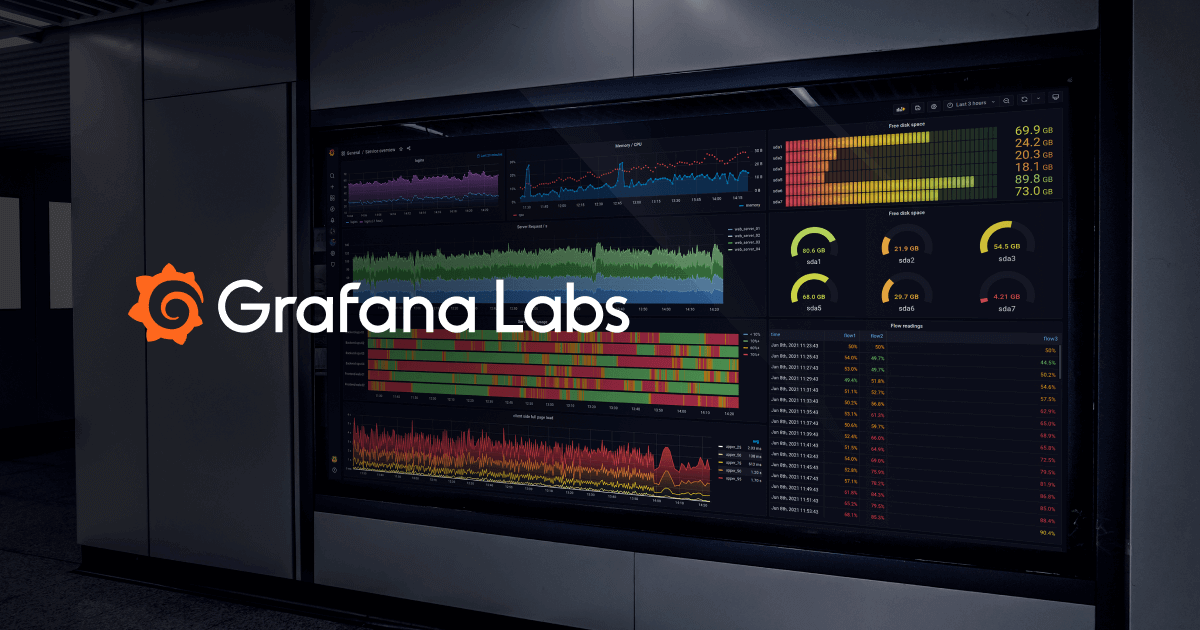
Grafana is a powerful open-source platform specifically designed for operations teams. It provides real-time dashboard tools that enable users to create alerts, manage on-call schedules, and learn from postmortems. Its flexible and composable nature allows it to address the dynamic needs of the industry, providing critical insights into business operations.
Best for Real Time Dashboard Tools for Operations Teams
Expert Take
Grafana excels as a real-time dashboard tool for operations teams, offering robust capabilities in data visualization and incident response. Its open-source nature and multi-datasource support enhance its flexibility and adaptability, making it a preferred choice for technical teams. While setup complexity and technical expertise requirements are noted, its comprehensive feature set and community-driven improvements solidify its position as a leading observability platform.
Pros
- Unified visualization for metrics, logs, and traces
- Massive ecosystem with 150+ data source plugins
- Generous 'forever free' cloud tier
- Vendor-neutral 'big tent' data philosophy
- Highly customizable and flexible dashboards
Cons
- Steep learning curve for PromQL and LogQL
- SSO and RBAC gated behind Enterprise plans
- High cardinality can cause frontend performance issues
- Enterprise pricing requires $25k minimum commitment
- Self-hosting requires significant operational effort
Best for teams that are
- DevOps and IT ops teams monitoring time-series telemetry data [cite: 21, 22].
- Organizations needing deep integration with Prometheus or k8s [cite: 23].
Skip if
- Non-technical users lacking SQL or query language skills [cite: 23].
- Teams seeking advanced automated incident remediation workflows [cite: 21].
Best for teams that are
- DevOps and IT ops teams monitoring time-series telemetry data [cite: 21, 22].
- Organizations needing deep integration with Prometheus or k8s [cite: 23].
Skip if
- Non-technical users lacking SQL or query language skills [cite: 23].
- Teams seeking advanced automated incident remediation workflows [cite: 21].
Pros
- Unified visualization for metrics, logs, and traces
- Massive ecosystem with 150+ data source plugins
- Generous 'forever free' cloud tier
- Vendor-neutral 'big tent' data philosophy
- Highly customizable and flexible dashboards
Cons
- Steep learning curve for PromQL and LogQL
- SSO and RBAC gated behind Enterprise plans
- High cardinality can cause frontend performance issues
- Enterprise pricing requires $25k minimum commitment
- Self-hosting requires significant operational effort
Expert Take
Grafana excels as a real-time dashboard tool for operations teams, offering robust capabilities in data visualization and incident response. Its open-source nature and multi-datasource support enhance its flexibility and adaptability, making it a preferred choice for technical teams. While setup complexity and technical expertise requirements are noted, its comprehensive feature set and community-driven improvements solidify its position as a leading observability platform.

Lucia is an AI-driven board reporting software by Board Intelligence tailored specifically for executives and board members. It simplifies the complex process of crafting concise, impactful board and management reports, addressing the industry's need for efficient and effective reporting tools.
Best for Dashboard Tools for Executive and Board Reporting
Expert Take
Board Intelligence Lucia stands out in the executive and board reporting space due to its AI-driven capabilities, which streamline report creation and enhance decision-making processes. Its focus on executive needs and efficient reporting makes it a top contender in its category.
Pros
- AI coaches writers on strategic depth
- Biometric login (FaceID/TouchID) supported
- ISO 27001 & UK Gov approved security
- 24/7 human support (no chatbots)
- Private AI instances ensure data privacy
Cons
- High platform and setup fees
- Limited agenda customization options
- Occasional document upload glitches
- Premium pricing excludes smaller orgs
- Learning curve for admin features
Best for teams that are
- Executives and secretaries writing qualitative board packs and reports
- Teams wanting AI assistance to write concise, impact-focused summaries
- Organizations aiming to standardize report structures across departments
Skip if
- Users seeking a primary tool for quantitative data visualization
- Teams needing flexible document formatting outside of strict templates
- Those looking for real-time operational dashboards rather than written reports
Best for teams that are
- Executives and secretaries writing qualitative board packs and reports
- Teams wanting AI assistance to write concise, impact-focused summaries
- Organizations aiming to standardize report structures across departments
Skip if
- Users seeking a primary tool for quantitative data visualization
- Teams needing flexible document formatting outside of strict templates
- Those looking for real-time operational dashboards rather than written reports
Pros
- AI coaches writers on strategic depth
- Biometric login (FaceID/TouchID) supported
- ISO 27001 & UK Gov approved security
- 24/7 human support (no chatbots)
- Private AI instances ensure data privacy
Cons
- High platform and setup fees
- Limited agenda customization options
- Occasional document upload glitches
- Premium pricing excludes smaller orgs
- Learning curve for admin features
Expert Take
Board Intelligence Lucia stands out in the executive and board reporting space due to its AI-driven capabilities, which streamline report creation and enhance decision-making processes. Its focus on executive needs and efficient reporting makes it a top contender in its category.

Plotly is a powerful data visualization tool that meets modern financial reporting needs. Its interactive data apps present complex financial data in a user-friendly manner, supporting data-driven decision making in financial organizations. With Plotly, financial professionals can easily visualize and analyze critical data patterns, trends, and insights.
Best for Data Visualization Tools for Financial Reporting
Expert Take
Plotly excels in providing sophisticated data visualization tools tailored for financial reporting. Its support for multiple programming languages and integration with popular data science libraries enhances its versatility. While it requires coding knowledge, its capabilities in handling large datasets and creating interactive dashboards justify its premium positioning.
Pros
- Builds full-stack apps in Python
- Unlimited end-user licensing model
- SOC 2 Type II compliant
- Pixel-perfect design control
- Deploys to Kubernetes/VPC
Cons
- Steep learning curve for non-coders
- Opaque enterprise pricing
- Documentation gaps for advanced features
- High entry cost for small teams
- Requires Python proficiency
Best for teams that are
- Data scientists building complex, real-time data applications.
- Projects requiring interactive dashboards or 3D data graphs.
Skip if
- Non-technical business users lacking programming expertise.
- Users needing static, publication-ready statistical plots.
Best for teams that are
- Data scientists building complex, real-time data applications.
- Projects requiring interactive dashboards or 3D data graphs.
Skip if
- Non-technical business users lacking programming expertise.
- Users needing static, publication-ready statistical plots.
Pros
- Builds full-stack apps in Python
- Unlimited end-user licensing model
- SOC 2 Type II compliant
- Pixel-perfect design control
- Deploys to Kubernetes/VPC
Cons
- Steep learning curve for non-coders
- Opaque enterprise pricing
- Documentation gaps for advanced features
- High entry cost for small teams
- Requires Python proficiency
Expert Take
Plotly excels in providing sophisticated data visualization tools tailored for financial reporting. Its support for multiple programming languages and integration with popular data science libraries enhances its versatility. While it requires coding knowledge, its capabilities in handling large datasets and creating interactive dashboards justify its premium positioning.


Loading comparison data…