Sales Pipeline Management Tools

These are the specialized categories within Sales Pipeline Management Tools. Looking for something broader? See all CRM & Sales Software categories.

1

Gem Talent Pipeline Manager

Best for Sales Pipeline Management Tools for Recruitment Agencies
Score
9.9 / 10
Gem Talent Pipeline Manager

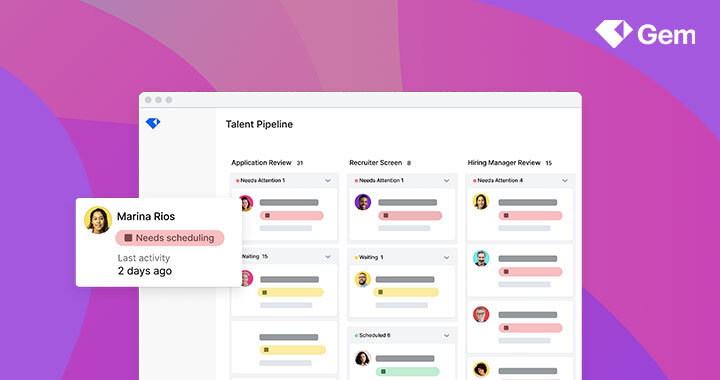
Gem is a robust recruitment tool built to streamline the talent acquisition pipeline for recruitment agencies. It simplifies the review of inbound applications, provides a clear visualization of candidate pipelines, and fosters strategic collaboration with hiring managers. It directly addresses the industry need for efficient recruitment workflow management and enhanced team collaboration.

Best for Sales Pipeline Management Tools for Recruitment Agencies

Expert Take

Gem Talent Pipeline Manager excels in providing recruitment agencies with a streamlined and collaborative approach to managing talent pipelines. Its robust features and clear visualization tools make it a top choice for agencies looking to enhance their recruitment processes. While pricing may be a consideration for smaller agencies, its capabilities justify its premium positioning.

Pros

  • Unified Kanban board for all candidates
  • Real-time bi-directional ATS sync
  • Automated SLA tracking and alerts
  • High user satisfaction (4.8/5 G2)
  • Consolidates sourcing and pipeline views

Cons

  • High estimated cost per seat
  • Steep learning curve for new users
  • Limited reporting customization options
  • Opaque pricing requires sales contact
  • Integration setup requires admin access

Best for teams that are

  • Recruiting teams using Greenhouse, Lever, or Workday needing pipeline visibility
  • Teams focused on passive talent sourcing and automated outreach sequences
  • Hiring managers needing a Kanban view of their existing ATS data

Skip if

  • Small agencies looking for a standalone all-in-one ATS/CRM solution
  • Teams not using one of the specific supported ATS platforms
  • Users seeking a free or low-cost entry-level tool

Best for teams that are

  • Recruiting teams using Greenhouse, Lever, or Workday needing pipeline visibility
  • Teams focused on passive talent sourcing and automated outreach sequences
  • Hiring managers needing a Kanban view of their existing ATS data

Skip if

  • Small agencies looking for a standalone all-in-one ATS/CRM solution
  • Teams not using one of the specific supported ATS platforms
  • Users seeking a free or low-cost entry-level tool

Pros

  • Unified Kanban board for all candidates
  • Real-time bi-directional ATS sync
  • Automated SLA tracking and alerts
  • High user satisfaction (4.8/5 G2)
  • Consolidates sourcing and pipeline views

Cons

  • High estimated cost per seat
  • Steep learning curve for new users
  • Limited reporting customization options
  • Opaque pricing requires sales contact
  • Integration setup requires admin access

Expert Take

Gem Talent Pipeline Manager excels in providing recruitment agencies with a streamlined and collaborative approach to managing talent pipelines. Its robust features and clear visualization tools make it a top choice for agencies looking to enhance their recruitment processes. While pricing may be a consideration for smaller agencies, its capabilities justify its premium positioning.

2

Salesloft Sales Pipeline Software

Best for Sales Pipeline Management Tools for Home Care Agencies

Score
9.9 / 10
Salesloft Sales Pipeline Software

Salesloft's sales pipeline software offers a customizable solution specifically suited for home care agencies. The software addresses the unique sales needs of the industry, allowing care providers to confidently build solid sales pipelines and manage client relationships effectively.

Best for Sales Pipeline Management Tools for Home Care Agencies

Expert Take

Salesloft's sales pipeline software is tailored for home care agencies, offering industry-specific features and strong integration capabilities. Its market credibility is supported by third-party recognition, while usability and support resources enhance the customer experience. However, premium pricing and potential complexity for beginners are noted tradeoffs.

Pros

  • AI-prioritized 'Rhythm' workflows
  • Deep Salesforce bi-directional sync
  • Comprehensive 'Deals' pipeline visibility
  • Enterprise-grade security (SOC 2/ISO)
  • High-quality conversation intelligence

Cons

  • No transparent public pricing
  • Expensive for small teams
  • Dialer add-on costs extra
  • Steep learning curve for reporting
  • Inconsistent support response times

Best for teams that are

  • High-velocity B2B sales teams in SaaS or technology sectors
  • Enterprise revenue teams needing advanced deal orchestration and conversation intelligence
  • Organizations with complex sales cycles requiring deep revenue engagement features

Skip if

  • Home care agencies requiring HIPAA compliance (Salesloft typically does not sign BAAs)
  • Small local agencies needing simple intake forms rather than complex sales engagement
  • Teams looking for industry-specific features like caregiver recruiting or referral tracking

Best for teams that are

  • High-velocity B2B sales teams in SaaS or technology sectors
  • Enterprise revenue teams needing advanced deal orchestration and conversation intelligence
  • Organizations with complex sales cycles requiring deep revenue engagement features

Skip if

  • Home care agencies requiring HIPAA compliance (Salesloft typically does not sign BAAs)
  • Small local agencies needing simple intake forms rather than complex sales engagement
  • Teams looking for industry-specific features like caregiver recruiting or referral tracking

Pros

  • AI-prioritized 'Rhythm' workflows
  • Deep Salesforce bi-directional sync
  • Comprehensive 'Deals' pipeline visibility
  • Enterprise-grade security (SOC 2/ISO)
  • High-quality conversation intelligence

Cons

  • No transparent public pricing
  • Expensive for small teams
  • Dialer add-on costs extra
  • Steep learning curve for reporting
  • Inconsistent support response times

Expert Take

Salesloft's sales pipeline software is tailored for home care agencies, offering industry-specific features and strong integration capabilities. Its market credibility is supported by third-party recognition, while usability and support resources enhance the customer experience. However, premium pricing and potential complexity for beginners are noted tradeoffs.

3
Score
9.8 / 10
3
9.8 / 10
ATZ Recruitment CRM

ATZ Recruitment CRM is a SaaS solution specifically designed to streamline client, sales, and pipeline management for recruitment agencies. It offers a comprehensive view of client relationships, aids in revenue forecasting, and accelerates deal closure, all critical components for the competitive recruitment industry.

Best for Sales Pipeline Management Tools for Recruitment Agencies

Expert Take

ATZ Recruitment CRM is tailored for recruitment agencies, offering specialized features for client management and sales pipeline tracking. Its focus on revenue forecasting and deal acceleration positions it as a valuable tool in the recruitment sector. Despite the lack of standard pricing, its industry-specific capabilities justify its premium standing.

Pros

  • Unified ATS and CRM dashboard
  • Transparent pricing starting at $12/user
  • AI-powered semantic candidate matching
  • Unlimited free trial available
  • 24/7 live support <2min response

Cons

  • Newer platform lacks legacy maturity
  • Reporting customization less deep than enterprise
  • Learning curve for automation setup
  • Advanced communication features under development
  • Fewer native integrations than giants

Best for teams that are

  • Small to mid-sized recruitment agencies needing a unified ATS and CRM
  • Agencies looking for AI features like call transcription and resume parsing
  • Startups wanting a flexible tool with a generous free trial

Skip if

  • Large enterprises requiring complex ERP integrations or on-premise hosting
  • Firms looking for a dedicated candidate sourcing database
  • Users needing a highly established ecosystem with thousands of native integrations

Best for teams that are

  • Small to mid-sized recruitment agencies needing a unified ATS and CRM
  • Agencies looking for AI features like call transcription and resume parsing
  • Startups wanting a flexible tool with a generous free trial

Skip if

  • Large enterprises requiring complex ERP integrations or on-premise hosting
  • Firms looking for a dedicated candidate sourcing database
  • Users needing a highly established ecosystem with thousands of native integrations

Pros

  • Unified ATS and CRM dashboard
  • Transparent pricing starting at $12/user
  • AI-powered semantic candidate matching
  • Unlimited free trial available
  • 24/7 live support <2min response

Cons

  • Newer platform lacks legacy maturity
  • Reporting customization less deep than enterprise
  • Learning curve for automation setup
  • Advanced communication features under development
  • Fewer native integrations than giants

Expert Take

ATZ Recruitment CRM is tailored for recruitment agencies, offering specialized features for client management and sales pipeline tracking. Its focus on revenue forecasting and deal acceleration positions it as a valuable tool in the recruitment sector. Despite the lack of standard pricing, its industry-specific capabilities justify its premium standing.

4

Roofr: Roofing Management Software

Best for Sales Pipeline Management Tools for Roofing Companies

Score
9.8 / 10
Roofr: Roofing Management Software

Roofr stands out in the roofing industry as a comprehensive software solution that brings together CRM, instant estimates, measurements, proposals, payments, and material ordering into one platform. This focus on industry-specific needs helps roofing companies streamline their processes and improve the efficiency of sales and project management.

Best for Sales Pipeline Management Tools for Roofing Companies

Expert Take

Roofr excels as a specialized solution for roofing companies, integrating CRM, estimation, and project management tools tailored to industry needs. Its comprehensive feature set and industry-specific focus position it as a leading choice in its category.

Pros

  • Measurement reports delivered in under 3 hours
  • Transparent pricing with free pay-as-you-go tier
  • All-in-one CRM, proposals, and measurements
  • Direct material ordering via SRS Distribution
  • User-friendly interface with minimal learning curve

Cons

  • No native mobile app (web browser only)
  • Mobile photo upload is slow (one-by-one)
  • One-way sync only for QuickBooks Online
  • Occasional pitch inaccuracies from satellite imagery
  • CRM features less robust than enterprise competitors

Best for teams that are

  • Residential roofers needing fast estimates and proposals [cite: 1]
  • Small to mid-sized teams focused on sales velocity [cite: 1]
  • Contractors wanting pay-as-you-go measurements [cite: 2]

Skip if

  • Large enterprises needing complex production management [cite: 1]
  • Teams requiring a robust native mobile app [cite: 3]
  • Companies needing advanced offline capabilities [cite: 4]

Best for teams that are

  • Residential roofers needing fast estimates and proposals [cite: 1]
  • Small to mid-sized teams focused on sales velocity [cite: 1]
  • Contractors wanting pay-as-you-go measurements [cite: 2]

Skip if

  • Large enterprises needing complex production management [cite: 1]
  • Teams requiring a robust native mobile app [cite: 3]
  • Companies needing advanced offline capabilities [cite: 4]

Pros

  • Measurement reports delivered in under 3 hours
  • Transparent pricing with free pay-as-you-go tier
  • All-in-one CRM, proposals, and measurements
  • Direct material ordering via SRS Distribution
  • User-friendly interface with minimal learning curve

Cons

  • No native mobile app (web browser only)
  • Mobile photo upload is slow (one-by-one)
  • One-way sync only for QuickBooks Online
  • Occasional pitch inaccuracies from satellite imagery
  • CRM features less robust than enterprise competitors

Expert Take

Roofr excels as a specialized solution for roofing companies, integrating CRM, estimation, and project management tools tailored to industry needs. Its comprehensive feature set and industry-specific focus position it as a leading choice in its category.

5

Allvue's Pipeline Management

Best for Sales Pipeline Management Tools for Private Equity Firms

Score
9.8 / 10
Allvue's Pipeline Management

Allvue's Pipeline Management software is specially designed for private equity firms, providing an efficient system to track opportunities, potential investors, and deal processes. It expertly manages a pipeline of investment opportunities, specifically addressing the complex and unique needs of the private equity industry.

Best for Sales Pipeline Management Tools for Private Equity Firms

Expert Take

Allvue's Pipeline Management excels in providing tailored solutions for private equity firms, offering comprehensive features for managing investment opportunities and investor relationships. Its industry-specific focus and integration capabilities make it a standout choice in its category, despite some complexity and pricing transparency limitations.

Pros

  • Native Outlook & Excel integration
  • Supports $8.5T+ in assets
  • SOC 1 & 2 Type II compliant
  • AI-powered 'Andi' data extraction
  • Unified front-to-back office platform

Cons

  • High cost (Enterprise pricing)
  • Interface described as 'heavy'
  • Complex implementation process
  • Opaque pricing structure
  • Cloud version has limitations

Best for teams that are

  • Large private capital firms needing front-to-back office integration
  • Credit and CLO managers requiring specialized asset class support

Skip if

  • Small teams or startups due to system complexity and cost
  • Firms seeking a standalone CRM without accounting features

Best for teams that are

  • Large private capital firms needing front-to-back office integration
  • Credit and CLO managers requiring specialized asset class support

Skip if

  • Small teams or startups due to system complexity and cost
  • Firms seeking a standalone CRM without accounting features

Pros

  • Native Outlook & Excel integration
  • Supports $8.5T+ in assets
  • SOC 1 & 2 Type II compliant
  • AI-powered 'Andi' data extraction
  • Unified front-to-back office platform

Cons

  • High cost (Enterprise pricing)
  • Interface described as 'heavy'
  • Complex implementation process
  • Opaque pricing structure
  • Cloud version has limitations

Expert Take

Allvue's Pipeline Management excels in providing tailored solutions for private equity firms, offering comprehensive features for managing investment opportunities and investor relationships. Its industry-specific focus and integration capabilities make it a standout choice in its category, despite some complexity and pricing transparency limitations.

6

Housecall Pro Sales Pipeline Software

Best for Sales Pipeline Management Tools for Plumbers

Score
9.8 / 10
Housecall Pro Sales Pipeline Software

Tailored specifically for service businesses like plumbers, Housecall Pro optimizes sales pipeline management with easy lead tracking, automated follow-ups, and faster job closure. It directly addresses the need for full visibility and control in the business workflow, increasingly important in the dynamic plumbing industry.

Best for Sales Pipeline Management Tools for Plumbers

Expert Take

Housecall Pro excels in providing tailored solutions for service businesses, particularly plumbers, with its specialized features like easy lead tracking and automated follow-ups. Its market credibility is supported by industry-specific design and integration capabilities, although its pricing model may limit upfront cost visibility.

Pros

  • Drag-and-drop pipeline dashboard
  • Good/Better/Best proposal options
  • Automated lead follow-up sequences
  • Seamless estimate-to-job conversion
  • Strong mobile field sales tools

Cons

  • Sales Proposal Tool costs extra ($40/mo)
  • No offline editing in mobile app
  • Reporting limited on lower tiers
  • Not a fully customizable CRM
  • Add-on costs accumulate quickly

Best for teams that are

  • Residential plumbing businesses needing an all-in-one mobile app
  • Small to medium-sized companies wanting easy scheduling and dispatching
  • Owner-operators looking for built-in marketing and payment processing

Skip if

  • Commercial contractors managing complex, multi-phase construction projects
  • Large enterprises requiring extensive API integrations or custom reporting
  • Businesses needing advanced inventory management or complex job costing

Best for teams that are

  • Residential plumbing businesses needing an all-in-one mobile app
  • Small to medium-sized companies wanting easy scheduling and dispatching
  • Owner-operators looking for built-in marketing and payment processing

Skip if

  • Commercial contractors managing complex, multi-phase construction projects
  • Large enterprises requiring extensive API integrations or custom reporting
  • Businesses needing advanced inventory management or complex job costing

Pros

  • Drag-and-drop pipeline dashboard
  • Good/Better/Best proposal options
  • Automated lead follow-up sequences
  • Seamless estimate-to-job conversion
  • Strong mobile field sales tools

Cons

  • Sales Proposal Tool costs extra ($40/mo)
  • No offline editing in mobile app
  • Reporting limited on lower tiers
  • Not a fully customizable CRM
  • Add-on costs accumulate quickly

Expert Take

Housecall Pro excels in providing tailored solutions for service businesses, particularly plumbers, with its specialized features like easy lead tracking and automated follow-ups. Its market credibility is supported by industry-specific design and integration capabilities, although its pricing model may limit upfront cost visibility.

7

Pipedrive: Sales CRM Software

Best for Sales Pipeline Management Tools for Marketing Agencies

Score
9.8 / 10
Pipedrive: Sales CRM Software

Pipedrive is specifically tailored to the needs of marketing agencies, offering a visual sales pipeline that facilitates lead optimization and deal management. Its AI-powered features assist in automating the sales process, thereby allowing marketing professionals to concentrate on selling and increasing revenue.

Best for Sales Pipeline Management Tools for Marketing Agencies

Expert Take

Pipedrive excels as a sales CRM tailored for marketing agencies, offering a visual sales pipeline and AI-powered automation. Its comprehensive integration capabilities and detailed analytics contribute to its high market credibility and usability, making it a top choice in its category.

Pros

  • Visual drag-and-drop sales pipeline
  • 400+ native marketplace integrations
  • SOC 2 and ISO 27001 certified
  • AI-powered Sales Assistant insights
  • Intuitive interface with low learning curve

Cons

  • LeadBooster add-on costs extra ($32.50/mo)
  • Strict automation limits on lower plans
  • No free tier (14-day trial only)
  • Live support gated on Lite plan
  • Marketing features require separate add-on

Best for teams that are

  • Small to mid-sized sales teams focused purely on managing deal pipelines
  • Teams prioritizing a highly visual, intuitive interface over complex features

Skip if

  • Marketing-heavy agencies needing integrated campaigns and automation
  • Large enterprises requiring complex custom objects or unique data models

Best for teams that are

  • Small to mid-sized sales teams focused purely on managing deal pipelines
  • Teams prioritizing a highly visual, intuitive interface over complex features

Skip if

  • Marketing-heavy agencies needing integrated campaigns and automation
  • Large enterprises requiring complex custom objects or unique data models

Pros

  • Visual drag-and-drop sales pipeline
  • 400+ native marketplace integrations
  • SOC 2 and ISO 27001 certified
  • AI-powered Sales Assistant insights
  • Intuitive interface with low learning curve

Cons

  • LeadBooster add-on costs extra ($32.50/mo)
  • Strict automation limits on lower plans
  • No free tier (14-day trial only)
  • Live support gated on Lite plan
  • Marketing features require separate add-on

Expert Take

Pipedrive excels as a sales CRM tailored for marketing agencies, offering a visual sales pipeline and AI-powered automation. Its comprehensive integration capabilities and detailed analytics contribute to its high market credibility and usability, making it a top choice in its category.

8
Score
9.7 / 10
AccuLynx Roofing CRM

AccuLynx is a comprehensive roofing business management platform designed to facilitate seamless operations, from the field to the office. It integrates robust CRM functionalities, sales pipeline management, and real-time communication, addressing the industry-specific needs of roofing companies for centralized and efficient workflow management.

Best for Sales Pipeline Management Tools for Roofing Companies

Expert Take

AccuLynx Roofing CRM excels in providing a specialized platform tailored for roofing companies, integrating CRM functionalities with industry-specific needs. Its market credibility is supported by industry recognition, while its usability and comprehensive features make it a valuable tool for its target audience.

Pros

  • All-in-one roofing business management
  • Direct material ordering (ABC, SRS)
  • No long-term contracts required
  • AI-powered Lead Intelligence scoring
  • Market leader with strong reputation

Cons

  • Higher cost than many competitors
  • Pricing is not transparent
  • Add-on features increase monthly bill
  • Mobile app has history of glitches
  • Closed API limits custom integrations

Best for teams that are

  • Mid-to-large roofing companies needing an all-in-one system [cite: 5]
  • Teams prioritizing production tracking and material ordering [cite: 2]
  • Companies willing to invest in training for a unified workflow [cite: 6]

Skip if

  • Small startups or solo contractors with limited budgets [cite: 5]
  • Businesses needing open API integrations [cite: 7]
  • Teams wanting a simple, low-learning-curve solution [cite: 6]

Best for teams that are

  • Mid-to-large roofing companies needing an all-in-one system [cite: 5]
  • Teams prioritizing production tracking and material ordering [cite: 2]
  • Companies willing to invest in training for a unified workflow [cite: 6]

Skip if

  • Small startups or solo contractors with limited budgets [cite: 5]
  • Businesses needing open API integrations [cite: 7]
  • Teams wanting a simple, low-learning-curve solution [cite: 6]

Pros

  • All-in-one roofing business management
  • Direct material ordering (ABC, SRS)
  • No long-term contracts required
  • AI-powered Lead Intelligence scoring
  • Market leader with strong reputation

Cons

  • Higher cost than many competitors
  • Pricing is not transparent
  • Add-on features increase monthly bill
  • Mobile app has history of glitches
  • Closed API limits custom integrations

Expert Take

AccuLynx Roofing CRM excels in providing a specialized platform tailored for roofing companies, integrating CRM functionalities with industry-specific needs. Its market credibility is supported by industry recognition, while its usability and comprehensive features make it a valuable tool for its target audience.

9
Score
9.7 / 10
9
9.7 / 10
Pipeline CRM

Pipeline CRM is an invaluable tool for marketing agencies, providing efficient management of sales deals and visualization of sales pipelines. It addresses industry-specific needs like team collaboration, lead tracking, and sales cycle analysis, enabling consistent business growth.

Best for Sales Pipeline Management Tools for Marketing Agencies
Expert Take

Pipeline CRM is a specialized tool for marketing agencies, offering strong capabilities in sales pipeline management. Its intuitive interface and customizable features support effective team collaboration. While it lacks some advanced integrations, its core functionalities are well-documented and highly valued in its niche.

Pros

  • Unlimited file storage on all plans
  • SOC 2 Type 2 security certified
  • Highly visual and intuitive pipeline view
  • Seamless 2-way email syncing (Gmail/Outlook)
  • Responsive US-based customer support

Cons

  • Start plan limited to 250 active deals
  • No permanent free subscription tier
  • Bulk email requires expensive plan upgrade
  • Reporting customization limited on lower tiers
  • Fewer native integrations than Salesforce

Best for teams that are

  • SMBs needing visual pipeline management with unlimited file storage
  • Sales teams requiring built-in document generation and contract tools

Skip if

  • Large enterprises needing extensive customization and complex integrations
  • Very small businesses finding the starting price too high compared to basic tools

Best for teams that are

  • SMBs needing visual pipeline management with unlimited file storage
  • Sales teams requiring built-in document generation and contract tools

Skip if

  • Large enterprises needing extensive customization and complex integrations
  • Very small businesses finding the starting price too high compared to basic tools

Pros

  • Unlimited file storage on all plans
  • SOC 2 Type 2 security certified
  • Highly visual and intuitive pipeline view
  • Seamless 2-way email syncing (Gmail/Outlook)
  • Responsive US-based customer support

Cons

  • Start plan limited to 250 active deals
  • No permanent free subscription tier
  • Bulk email requires expensive plan upgrade
  • Reporting customization limited on lower tiers
  • Fewer native integrations than Salesforce

Expert Take

Pipeline CRM is a specialized tool for marketing agencies, offering strong capabilities in sales pipeline management. Its intuitive interface and customizable features support effective team collaboration. While it lacks some advanced integrations, its core functionalities are well-documented and highly valued in its niche.

10

Productive Sales Pipeline

Best for Sales Pipeline Management Tools for Marketing Agencies

Score
9.7 / 10
Productive Sales Pipeline

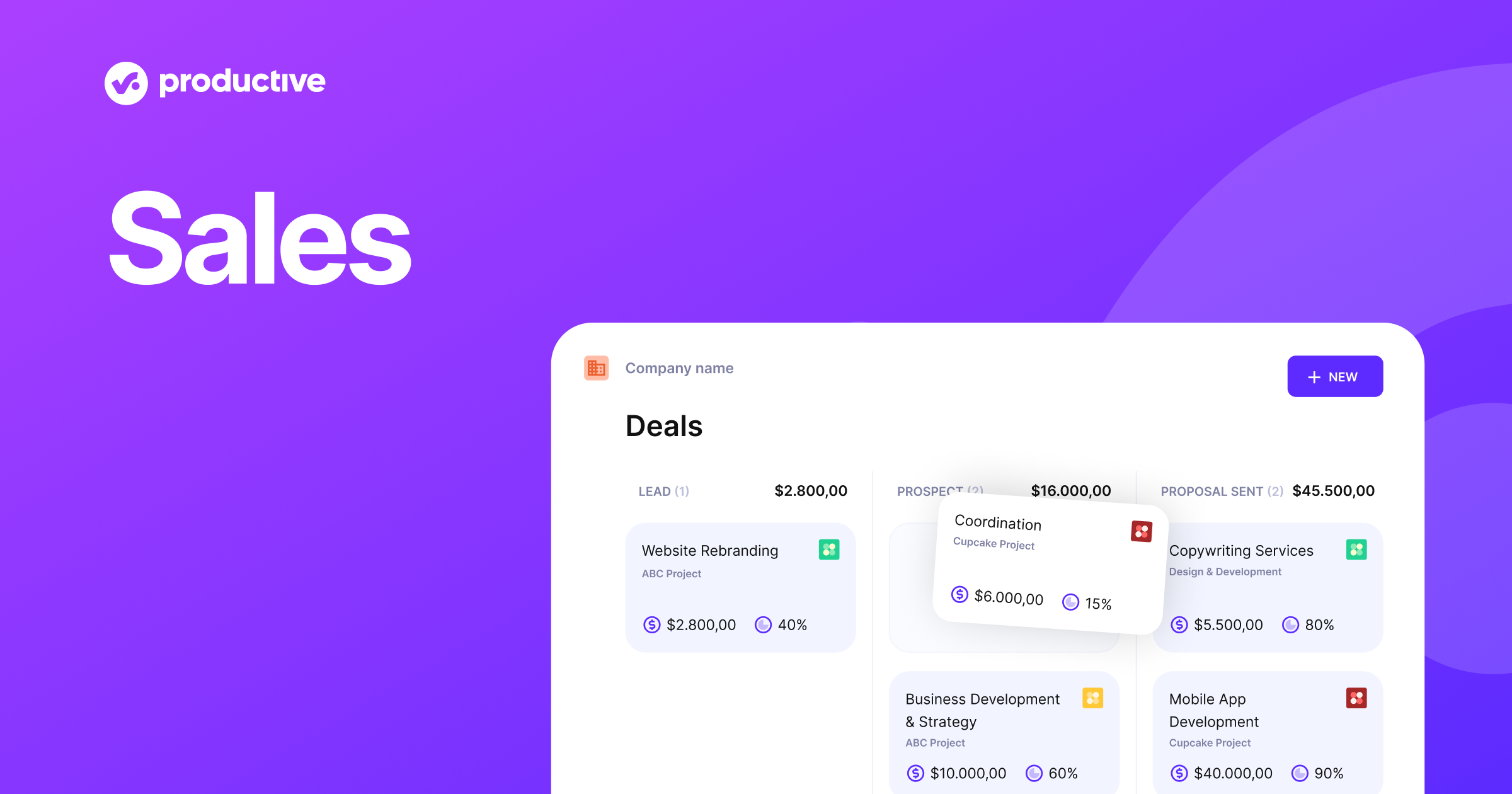
Productive is designed specifically for marketing agencies, providing a detailed, visual overview of your sales pipeline. It enables agencies to understand their sales funnels better, allowing for improved deal closures and overall sales performance.

Best for Sales Pipeline Management Tools for Marketing Agencies

Expert Take

Productive Sales Pipeline is tailored for marketing agencies, offering a visual and detailed sales pipeline management tool. It excels in usability and market credibility, supported by its industry-specific focus and third-party recognition. While it requires some learning time, it remains a top choice for agencies seeking specialized sales management solutions.

Pros

  • Converts won deals directly to projects
  • Integrated revenue forecasting and probability
  • Resource placeholders for tentative bookings
  • Transparent three-tier pricing structure
  • SOC 2 Compliance for data security

Cons

  • Advanced forecasting locked to Ultimate plan
  • HubSpot sync breaks on manual edits
  • Strict API rate limits on reports
  • Limited standalone marketing automation features
  • Only 1 pipeline on Essential plan

Best for teams that are

  • Agencies and consultancies managing the full lifecycle from deal to delivery
  • Teams wanting to convert won deals directly into billable projects

Skip if

  • Pure sales teams that do not manage projects or billable hours
  • Freelancers or startups looking for a free tier (none available)

Best for teams that are

  • Agencies and consultancies managing the full lifecycle from deal to delivery
  • Teams wanting to convert won deals directly into billable projects

Skip if

  • Pure sales teams that do not manage projects or billable hours
  • Freelancers or startups looking for a free tier (none available)

Pros

  • Converts won deals directly to projects
  • Integrated revenue forecasting and probability
  • Resource placeholders for tentative bookings
  • Transparent three-tier pricing structure
  • SOC 2 Compliance for data security

Cons

  • Advanced forecasting locked to Ultimate plan
  • HubSpot sync breaks on manual edits
  • Strict API rate limits on reports
  • Limited standalone marketing automation features
  • Only 1 pipeline on Essential plan

Expert Take

Productive Sales Pipeline is tailored for marketing agencies, offering a visual and detailed sales pipeline management tool. It excels in usability and market credibility, supported by its industry-specific focus and third-party recognition. While it requires some learning time, it remains a top choice for agencies seeking specialized sales management solutions.

How We Rank Products

Our Evaluation Process

Products in this category are evaluated using publicly documented pipeline visualization features, deal tracking capabilities, forecasting tools, CRM integrations, reporting flexibility, pricing transparency, and third-party customer feedback. Rankings emphasize how clearly each platform supports pipeline visibility, deal progression analysis, and revenue forecasting based on available documentation.

Verification

  • Products evaluated through comprehensive research and analysis of user feedback and expert insights.
  • Rankings based on an in-depth analysis of features, specifications, and customer ratings.
  • Selection criteria focus on key sales pipeline management functionalities and user satisfaction metrics.

Score Breakdown

0.0 / 10

About Sales Pipeline Management Tools

What Is Sales Pipeline Management Tools?

Sales Pipeline Management Tools are specialized software platforms designed to visualize, track, and optimize the progression of potential sales opportunities through a defined set of stages—from initial qualification to final closure. Unlike broad Customer Relationship Management (CRM) systems, which function primarily as static databases for contact information and interaction history, pipeline management tools are dynamic "systems of action" focused specifically on deal velocity, stage conversion rates, and revenue forecasting. They provide the operational framework for sales methodology, enforcing process discipline by requiring specific validation criteria before an opportunity can advance to the next stage.

This category covers software used to manage the active lifecycle of sales opportunities: tracking deal stages, forecasting revenue, monitoring sales velocity, and automating stage-to-stage progressions. It sits squarely between Lead Generation software (which focuses on the top of the funnel) and ERP/Revenue Management systems (which handle post-sale fulfillment and billing). It includes both general-purpose platforms adaptable to various B2B sales models and vertical-specific tools built with pre-configured workflows for industries like construction, venture capital, and healthcare staffing. These tools are critical for transforming a chaotic list of leads into a predictable, measurable revenue engine.

The core problem these tools solve is the "black box" of revenue generation. Without a dedicated pipeline management tool, organizations rely on lagging indicators (closed revenue) rather than leading indicators (pipeline coverage, deal age, stage conversion). This visibility gap leads to inaccurate forecasting, misallocated resources, and the inability to identify why deals are stalling. By enforcing a structured process, these tools allow sales leaders to identify bottlenecks—such as a specific stage where 40% of deals drop off—and intervene with coaching or process adjustments before the quarter ends.

History of Sales Pipeline Management Tools

The evolution of sales pipeline management tracks the broader shift in enterprise software from passive record-keeping to active intelligence. In the 1990s, the landscape was dominated by on-premise Sales Force Automation (SFA) systems. Early pioneers like Siebel Systems introduced the concept of digitizing paper-based Rolodexes and call logs. However, these early iterations were primarily "systems of record"—glorified electronic filing cabinets that required heavy manual data entry and offered little in the way of process management or predictive insight. They solved the problem of data centralization but failed to address the dynamic nature of managing a deal flow.

The paradigm shifted dramatically in the early 2000s with the advent of the cloud. The launch of cloud-based CRM made pipeline visibility accessible to mid-market companies that couldn't afford complex on-premise implementations. This era democratized the "sales funnel" concept, allowing teams to visualize opportunities as cards or list items moving through linear stages. Yet, for much of the 2000s and early 2010s, the software remained relatively static; it could tell you what happened, but not what to do next.

By the mid-2010s, a significant divergence occurred. Buyers began to realize that a "one-size-fits-all" database couldn't handle the nuanced workflows of specific industries. A venture capital firm managing deal flow has fundamentally different pipeline needs than a plumbing contractor managing dispatch-to-invoice cycles. This led to the rise of vertical SaaS—specialized pipeline tools built with industry-specific logic hardcoded into their DNA. Concurrently, generalist platforms began acquiring niche players to bolster their vertical capabilities, driving a wave of market consolidation.

Today, the category has entered the era of "actionable intelligence." Modern pipeline management is no longer about manual data entry; it is about automated data capture and AI-driven insights. The expectation has shifted from "give me a database" to "tell me which deal is at risk." Contemporary tools use signal-based selling—analyzing email sentiment, engagement frequency, and stakeholder activity—to objectively score pipeline health, reducing reliance on the subjective optimism of sales representatives [1]. The gap between generic CRM and specialized pipeline management continues to widen as organizations demand tools that mirror their specific operational reality rather than forcing them to adapt to rigid software structures.

What to Look For

Evaluating Sales Pipeline Management Tools requires looking beyond flashy dashboards to the underlying architecture that supports your specific sales process. The most critical criterion is process flexibility versus enforcement. You need a tool that can model your exact sales stages—including parallel workflows for different product lines—while also enforcing "exit criteria." Can the system prevent a rep from moving a deal to "Negotiation" if the "Legal Review" checkbox hasn't been ticked? This balance of flexibility and governance is what separates robust management tools from simple list-keeping apps.

Data entry automation is another non-negotiable factor. Historically, CRM failure rates have been driven by poor user adoption because reps resent the manual labor of logging calls and emails. Look for tools that automatically capture activity from email servers, calendars, and phone systems, associating them with the correct opportunity without human intervention. If a tool relies 100% on manual input, your data quality will degrade within months, rendering your forecasts useless. High-quality tools now offer "invisible" data capture that builds the pipeline view in the background.

Be wary of red flags in vendor demos. A major warning sign is a vendor that focuses entirely on "reporting" without showing the "input" workflow. If generating a forecast requires a rep to manually update 50 fields across 20 deals every Friday, compliance will plummet. Another red flag is the inability to handle non-linear deal progressions. In complex B2B sales, deals often loop back to previous stages (e.g., from "Proposal" back to "Discovery" when a stakeholder changes). Tools that force a strictly linear progression will distort your pipeline reality.

Key questions to ask vendors include:

  • "How does your system handle 'stalled' deals? Does it automatically degrade their probability score after a period of inactivity, or do they stay green forever?"
  • "Can we configure different pipeline stages for different types of sales (e.g., New Business vs. Renewals) within the same dashboard?"
  • "Show me exactly how a sales rep logs a meeting outcome. Count the clicks."
  • "Does your forecasting module rely solely on rep-entered probabilities, or does it use historical win rates to adjust the projection?"

Industry-Specific Use Cases

Retail & E-commerce

In the Retail and E-commerce sector, Sales Pipeline Management Tools are often less about managing long-term individual relationships and more about managing wholesale relationships and inventory integration. For B2B wholesalers, the pipeline is not just a sequence of sales stages but a logistical workflow. A key evaluation priority here is the tool's ability to integrate with Inventory Management Systems (IMS) and Enterprise Resource Planning (ERP) platforms. A pipeline tool for a fashion wholesaler, for example, must prevent a sales rep from sending a proposal for 5,000 units if the inventory data shows only 2,000 available [2].

Unlike service industries, retail pipeline stages often trigger physical actions. Moving a deal to "Closed-Won" should automatically reserve stock and trigger a shipping manifest. Therefore, "inventory awareness" is a unique consideration. General-purpose tools often fail here because they treat a "deal" as a purely financial abstraction, disconnected from the physical supply chain. Buyers in this space must look for tools that support "pre-book" orders (selling inventory that hasn't arrived yet) and complex pricing tiers based on volume, which are standard in retail wholesale but alien to generic SaaS sales tools [3].

Healthcare

For Healthcare organizations, specifically those in B2B medical device sales or provider partnerships, the pipeline is governed by regulatory compliance and multi-stakeholder consensus. The sales cycle is notoriously long and involves buying committees that include surgeons, hospital administrators, and procurement officers. A pipeline tool here must support "buying center" mapping—visualizing the hierarchy of influence within a prospect organization. You aren't just selling to one person; you are navigating a political landscape where one "No" from a compliance officer can kill a deal supported by five surgeons.

A unique consideration is the handling of Protected Health Information (PHI) and HIPAA compliance. Even if the tool is primarily for B2B sales, notes fields often inadvertently capture patient-related data during implementation discussions. Security protocols must be far stricter than in other industries. Furthermore, the "Value Analysis Committee" (VAC) is a specific stage in healthcare sales that generic tools don't account for. Healthcare-specific pipeline tools often have built-in workflows for managing the VAC submission process, ensuring that all clinical trial data and economic value analyses are attached to the deal before it enters that critical review stage [4].

Financial Services

In Financial Services (Wealth Management, Commercial Banking, Insurance), the "product" is trust, and the pipeline is often driven by referrals and relationship depth rather than transactional volume. The evaluation priority here is "Relationship Intelligence"—software that can map the strength of connections between the firm's partners and prospective clients. Tools for this sector need to track not just the deal, but the entire web of intermediaries (lawyers, accountants, family members) involved in the decision. The "pipeline" is often circular, where a closed deal immediately re-enters a cross-sell pipeline for different financial products.

Compliance is again a major driver. Pipeline tools must have audit trails that satisfy regulations like SEC Rule 17a-4 or MiFID II in Europe. Every interaction, email, and proposal must be immutable and retrievable. Unlike a tech startup that might value speed and experimentation, a financial services firm values rigorous adherence to protocol. "Know Your Customer" (KYC) checks are often a mandatory stage gate. A generic pipeline tool that allows a user to skip the KYC stage to speed up a deal is a liability in this sector. The workflow must force compliance tasks to be completed before revenue probability is increased [5].

Manufacturing

Manufacturing sales pipelines are characterized by long lead times, complex quoting, and distributor management. Manufacturers often sell through a channel of distributors rather than directly to end-users. Consequently, the pipeline tool needs to manage "Channel Conflict" and "Deal Registration." It must allow distributors to register leads to protect their margins, a workflow that generic tools rarely support out of the box. The pipeline visibility needs to extend beyond the manufacturer's own sales force to include the inventory and forecast data of their channel partners [6].

Evaluation priorities include CPQ (Configure, Price, Quote) integration. In manufacturing, a "quote" is not just a price tag; it is an engineering document. The pipeline tool must integrate with engineering systems to ensure that what is being sold can actually be built. The stages often include "Engineering Review" or "Prototype Sign-off," which are distinct from standard sales stages. "Forecasting" in manufacturing is also unique: it drives raw material procurement. If the sales pipeline over-forecasts, the company ends up with excess raw materials. Accuracy here is directly tied to working capital efficiency, making the statistical reliability of the tool's forecasting engine critical [7].

Professional Services

For Professional Services (Consulting, Legal, Architecture), the sales pipeline is inextricably linked to resource utilization and capacity planning. You cannot sell hours you do not have. Therefore, a Sales Pipeline Management Tool in this sector acts as a headlight for the delivery team. If the pipeline shows three large projects closing in November, the tool must signal the HR and delivery teams to start hiring in September. The critical feature here is the "Resource Forecast" view, which overlays the sales pipeline onto the current staff availability.

Unlike selling widgets, selling services involves estimating "Level of Effort" (LOE) early in the pipeline. The tool must allow for revenue to be forecasted not as a lump sum, but spread out over the engagement period (Revenue Recognition). A $1 million deal closing today doesn't mean $1 million in the bank next month; it might mean $100k/month for 10 months. Generic tools that treat deal value as a single point-in-time event fail to provide the cash flow visibility professional services firms need. The "Close Date" is less important than the "Project Start Date" and "Ramp Schedule" [8].

Subcategory Overview

Sales Pipeline Management Tools for Venture Capital Firms

Venture Capital firms operate in a universe where "sales" is actually "deal flow." Unlike a generic sales tool designed to push a product out, VC tools are designed to manage the intake of investment opportunities. The genuine difference lies in Relationship Intelligence and Network Effects. A generic pipeline tool tracks interactions between a salesperson and a prospect. A VC-specific tool tracks the "who knows who" graph, analyzing email traffic and calendar events to identify the strongest warm introduction path to a founder via the firm's collective network. It prioritizes the strength of the connection over the activity volume.

One workflow that ONLY this specialized tool handles well is the "Syndicate" or "Co-investor" management process. When a deal is in the due diligence stage, VCs often need to share deal rooms with external partners (legal counsel, other VC funds) while maintaining strict permission controls. Generic tools struggle with this multi-party external collaboration. The specific pain point driving buyers to this niche is the failure of standard CRMs to manage the "pass" vs. "wait and see" dynamic. In VC, a "No" is often a "Not now." VC tools maintain "zombie" deals in a semi-active state, automatically resurfacing them if the startup hits certain growth signals (e.g., employee count growth), a feature absent in traditional sales pipelines. For a deeper analysis of these specialized features, refer to our guide to Sales Pipeline Management Tools for Venture Capital Firms.

Sales Pipeline Management Tools for Recruitment Agencies

Recruitment agencies face a dual-sided pipeline: they must manage a pipeline of clients (companies hiring) and a pipeline of candidates (talent). Generic sales tools collapse when trying to link these two distinct entities. The specialized niche differentiator here is the "Float" workflow. Agencies often "float" a star candidate to multiple clients simultaneously to generate interest. Specialized tools allow recruiters to take one candidate profile and blast it into the pipelines of 50 different client companies, tracking the feedback from each as a separate potential "deal" linked to the same "product" (the candidate).

The workflow that ONLY this tool handles well is the "Placement" vs. "Opportunity" distinction. In standard sales, a closed deal is the end. In recruitment, a "Placement" triggers a new workflow: the "Fall-off" period (guarantee period). The revenue isn't fully recognized until the candidate stays for 90 days. Specialized tools track this probation period as a post-sales pipeline stage, automatically alerting the recruiter if a replacement is needed. The pain point driving buyers here is the inability of generic tools to parse resumes. Recruitment-specific tools include Resume Parsing (CV Parsing) that auto-populates candidate fields, saving hours of data entry that generic tools would require. To explore tools that handle these dual pipelines, visit our page on Sales Pipeline Management Tools for Recruitment Agencies.

Sales Pipeline Management Tools for Home Care Agencies

Home Care agencies deal with a pipeline that is heavily dependent on Referral Source Management rather than direct consumer marketing. The "customer" is the patient, but the "source" is often a hospital discharge planner or social worker. Generic tools treat every lead as a direct inquiry. Specialized Home Care tools differ by treating the Referral Source (e.g., Mercy Hospital - Cardiac Wing) as the primary account to be nurtured, while the Patients are the individual transactions flowing from that source. The system tracks "Referral Velocity" per source, telling the agency which hospital sends the most valuable patients.

A workflow unique to this niche is the "Intake-to-Staffing" handoff. Once a family says "Yes" (Closed-Won), the very next second requires an assessment of caregiver availability. Specialized tools integrate the sales pipeline directly with the scheduling (rostering) software. A salesperson cannot close a deal for "24/7 care starting Monday" if the scheduling module shows no caregivers are available. Generic tools lack this visibility, leading to sold contracts that cannot be fulfilled—a disaster in healthcare. The specific pain point is the disconnect between "Sales" and "Coordination," which these tools bridge. For more on managing this delicate balance, see our guide to Sales Pipeline Management Tools for Home Care Agencies.

Sales Pipeline Management Tools for Contractors

For general contractors, the pipeline is a "Bid Calendar." The fundamental difference from generic tools is the concept of "Bid Due Dates" vs. "Close Dates." In standard sales, you close when the client is ready. In contracting, if you miss the bid submission deadline by one minute, the opportunity is dead. Specialized tools prioritize the pipeline based on submission deadlines, not just deal value. They also manage the "Bid-Hit Ratio," a metric specific to construction that calculates how many estimates result in jobs, broken down by estimator or job type.

The workflow ONLY these tools handle is the "Estimate-to-Project" conversion. When a lead moves to "Won," the tool doesn't just record revenue; it converts the line-item estimate directly into a Project Budget and Material Order list. Generic tools can't translate a sales quote into a construction schedule and bill of materials. The pain point driving this market is the "Change Order" nightmare. Contractors need a pipeline tool that tracks not just the initial sale, but the "upsell" of change orders during the project lifecycle as distinct revenue opportunities linked to the master job. Learn more about these bid-centric platforms on our page for Sales Pipeline Management Tools for Contractors.

Sales Pipeline Management Tools for Plumbers

While similar to contractors, Plumbers require a pipeline tool that functions closer to a Field Service Dispatch engine. The uniqueness here is the speed of the pipeline. A sales cycle might be 30 minutes: Call received -> Technician Dispatched -> Quote given on-site -> Job sold -> Job done. Generic pipeline tools are built for days or weeks, not minutes. Specialized tools offer "Mobile Quoting" where the technician is the salesperson. The pipeline visibility is geolocation-based, showing opportunities on a map relative to truck locations.

The workflow unique to this niche is the "Good-Better-Best" option presentation. Plumbers often present three quote options on an iPad while standing in the client's home. The tool tracks which option was selected and automatically upsells service memberships. Generic tools struggle to present multi-option quotes that auto-calculate margins for parts and labor instantly in the field. The pain point is "Technician Sales Enablement"—turning a tradesperson into a salesperson. These tools simplify the pipeline so a plumber can manage it with two taps on a tablet without needing sales training. For details on these field-focused solutions, check out Sales Pipeline Management Tools for Plumbers.

Integration & API Ecosystem

In the modern tech stack, a standalone pipeline tool is a data silo that creates more problems than it solves. The true power of pipeline management comes from its ability to act as the central nervous system, receiving signals from marketing automation and sending commands to ERP systems. According to the MuleSoft 2024 Connectivity Benchmark Report, integration challenges are cited by 95% of IT leaders as a primary hurdle to digital transformation [9]. This statistic underscores that a tool's API is as important as its UI.

Expert consultants note that "the depth of integration determines the velocity of the pipeline." It is not enough to simply "connect" to an email provider. A robust integration must support bi-directional sync of custom fields. For example, if a "Contract Value" changes in the proposal software, it must instantly update the "Revenue Forecast" in the pipeline tool. If the sync is one-way or runs only once every 24 hours, the sales forecast is always wrong.

Scenario: Consider a mid-sized professional services firm of 50 people. They use a pipeline tool for sales, separate project management software for delivery, and QuickBooks for invoicing. They select a pipeline tool with a "light" integration that only pushes the "Client Name" to the project tool upon closing. The integration fails to map the "Scope of Work" details or "Hourly Rate" agreed upon during the sale. The result? The delivery team sets up the project with default rates, billing the client incorrectly. The client disputes the invoice, delaying payment by 60 days. The sales team, unaware of the dispute, tries to upsell the client and is blindsided by anger. A deep, field-mapped integration would have synchronized the specific rate card and scope document, preventing the billing error and preserving the client relationship.

Security & Compliance

Sales pipeline data is a goldmine of sensitive corporate intelligence: pricing strategies, customer lists, and contract terms. The security stakes are massive. The 2024 IBM Cost of a Data Breach Report reveals that the average cost of a data breach has reached $4.88 million globally [5]. For industries like healthcare and finance, the cost is even higher due to regulatory fines.

Gartner analysts emphasize that "Security in sales tools is often an afterthought until a breach occurs." Buyers must scrutinize vendor certifications like SOC 2 Type II, ISO 27001, and GDPR compliance capabilities. Beyond certifications, look for granular "Role-Based Access Control" (RBAC). Can you restrict a junior rep from exporting the entire customer list to Excel? Can you mask specific fields (like social security numbers) from users who don't need to see them?

Scenario: A healthcare staffing agency uses a general pipeline tool to manage nurse placements. A sales rep creates a custom field called "Notes" and inadvertently copies a nurse's vaccination records and ID number into it to "speed up the process." This field is not encrypted at rest because it's a standard text field. A hacker gains access to the rep's credentials via a phishing email and downloads the pipeline report. Because the tool lacked "Field-Level Security" to flag or encrypt PII (Personally Identifiable Information) in custom fields, the agency faces a massive HIPAA violation fine and reputational ruin. A compliant tool would have detected the PII pattern or restricted the field's visibility.

Pricing Models & TCO

Pricing in the sales software market is shifting from simple per-user fees to complex usage-based models. While the "per-seat" model (e.g., $100/user/month) remains common, vendors are increasingly introducing "consumption" costs for advanced features like AI credits, API calls, or data storage. Forrester predicts that by 2025, 60% of SaaS providers will offer some form of consumption-based pricing [10]. This complicates Total Cost of Ownership (TCO) calculations significantly.

Buyers often overlook the "Hidden TCO" of add-ons. Essential features like "Advanced Reporting," "Sandbox Environments," or "SSO (Single Sign-On)" are frequently gated behind the most expensive Enterprise tier. A "Professional" plan might look cheap at $50/month, but if you need SSO for security compliance, you might be forced into the $150/month tier.

Scenario: A 25-person sales team budgets $2,500/month for a new pipeline tool based on a $100/user list price. However, they fail to account for the "API Call Limit." Their marketing team connects a lead generation bot that updates 10,000 leads daily. This activity blows through the standard API limits of the CRM. The vendor forces them to upgrade to the "Unlimited API" package, which costs an additional $2,000/month. Suddenly, their TCO has nearly doubled because they calculated price based on people (seats) rather than activity (system usage). A proper TCO analysis would have modeled the API volume beforehand.

Implementation & Change Management

The graveyard of failed software projects is vast. Gartner estimates that 55% to 75% of ERP and CRM implementation projects fail to meet their original objectives [11]. The primary culprit is rarely the software itself, but rather the human element: resistance to change and poor process definition.

Industry experts agree: "You cannot automate a process that does not exist." Successful implementation requires a "Process First, Tool Second" approach. Organizations must map their sales stages on a whiteboard before configuring a single dropdown menu. Change management strategies must move beyond "training sessions" to "adoption engineering"—incentivizing use. For example, implementing a policy where "if it's not in the pipeline, you don't get paid commission on it" is a harsh but effective change management tactic.

Scenario: A manufacturing company implements a robust new pipeline tool to replace Excel. They pay for a 3-day training workshop. However, they don't migrate the historical data from Excel because "it's too messy." On day one of the launch, the sales reps open the new tool and see a blank screen. Panic sets in. They immediately go back to their spreadsheets to track their pending deals because they can't afford to lose visibility during the quarter. The new tool sits unused for three months until management cancels the contract. A successful implementation would have included a data migration / cleansing phase so that on day one, reps saw value (their current deals) waiting for them.

Vendor Evaluation Criteria

When selecting a vendor, "Feature Parity" is a trap. Most tools have the same checklist of features (email tracking, mobile app, dashboards). The differentiator is the ecosystem and support maturity. Bain & Company reports that 65% of customers feel their post-sales needs are only moderately addressed by software vendors [12]. This indicates a widespread failure in customer success.

Evaluators should score vendors heavily on their "Partner Network." Is there a local agency that can help you configure the tool? If the vendor is the only one who can fix your problems, you are trapped. A vibrant ecosystem of third-party consultants is a sign of a healthy, sustainable platform. Also, test the "Support SLA." Submit a ticket during the trial period and time the response. Sales response time is always fast; support response time reveals the truth.

Scenario: A fast-growing tech startup chooses a "trendy" new pipeline tool because it has a beautiful interface and is $10 cheaper per seat than the market leader. Six months later, they need to integrate it with a niche billing platform. They discover the tool has no open API documentation and no certified partners. The startup's internal engineers have to spend 100 hours building a custom "hack" integration. The $10/month savings is obliterated by $15,000 in engineering time. A proper evaluation would have prioritized "API Documentation Quality" and "Developer Community" over UI aesthetics.

Emerging Trends and Contrarian Take

Emerging Trends 2025-2026

  • Agentic AI: Moving beyond "Copilots" that suggest emails, we are seeing autonomous AI agents that can execute entire prospecting workflows—researching a lead, drafting a personalized message, sending it, and booking the meeting—with zero human interaction. Gartner predicts that by 2028, 15% of day-to-day work decisions will be made autonomously by AI agents [13].
  • Signal-Based Selling: The traditional linear pipeline ("Stage 1 to Stage 2") is dissolving. It is being replaced by "Signal-Based" dynamic pipelines where deals pop up or prioritize themselves based on real-time intent data (e.g., a prospect visits your pricing page or reads your API docs), regardless of whether a sales rep has touched them recently.
  • Platform Convergence: The line between Sales Engagement (outbound email tools), Pipeline Management (CRM), and Revenue Intelligence (call recording) is vanishing. Buyers in 2025 will increasingly buy "Revenue Platforms" rather than separate point solutions.

Contrarian Take

The "Single Source of Truth" is a myth that is costing you millions. Most organizations bankrupt themselves trying to force every department to work inside one monolithic CRM to achieve a "360-degree view." This is a mistake. The reality is that the best sales teams are actually decoupling their operational tools. They let the support team live in Jira, the marketing team in HubSpot, and the sales team in a specialized pipeline tool, connecting them via a data warehouse (like Snowflake) for reporting. The obsession with forcing a plumber to use the same software interface as an accountant results in mediocrity for both. Stop trying to buy one tool that does everything; buy the best tool for the specific job and invest in the "glue" (integration) instead.

Common Mistakes

Over-Engineering the Stages: The most common failure mode is creating a pipeline with 15 stages because management wants "granularity." Reps cannot distinguish between "Value Proposition Review" and "Solution Evaluation." They will inevitably park deals in the wrong stages. Best practice: Keep stages to 5-7 distinct milestones that require verifiable evidence (e.g., "Contract Sent").

Ignoring "Stalled" Deals: Many pipelines are bloated with "zombie revenue"—deals that haven't moved in 6 months but are still marked as 50% likely to close. This inflates the forecast and gives leadership a false sense of security. Failing to implement an "auto-close" automation for inactive deals is a critical error.

Confusing Activity with Progress: Managers often mistake "high activity" (calls made) for "pipeline health." A rep can make 100 calls to unqualified leads and clutter the pipeline with junk. Focusing on volume metrics rather than conversion/velocity metrics encourages spamming rather than selling.

Questions to Ask in a Demo

  1. "Can you show me the backend configuration for changing a sales stage? How much IT involvement is required to rename a stage?"
  2. "Does the mobile app function offline? Show me how a rep logs a visit when they have no signal."
  3. "How does your system handle parent-child account hierarchies? If I sell to a subsidiary, does it roll up to the headquarters view?"
  4. "Demonstrate the process for deduplicating records. Is it manual or automated?"
  5. "Can I create 'read-only' fields that are updated via API but cannot be edited by the sales rep?"
  6. "What is the exact logic your AI uses to score these deals? Is it a black box, or can we see the weighting?"

Before Signing the Contract

Decision Checklist:

  • Data Migration Plan: Who is responsible for cleaning the old data? Do not sign until the vendor confirms if they assist with this.
  • Exit Strategy: Check the contract for "Data Export" clauses. If you leave in 3 years, in what format do you get your data back? SQL dump? CSV? API access?
  • Sandbox Access: Ensure your contract includes a full Sandbox environment for testing changes before they go live.

Negotiation Points:

  • Price Protection: Ask for a cap on price increases (e.g., "Renewal price cap of 5%") to prevent the vendor from doubling your cost at renewal.
  • Shelfware Clause: Try to negotiate a "ramp" in seat count, so you don't pay for 100 seats on Day 1 if you only plan to roll it out to 20 users initially.

Deal-Breaker: Lack of API limit transparency. If the vendor cannot clearly define their API rate limits and overage costs, walk away. In an integrated world, this is a hidden tax that will explode your budget.

Closing

Mastering Sales Pipeline Management is not about buying the most expensive software; it is about aligning your digital tools with your physical reality. Whether you are a VC firm chasing unicorns or a contractor chasing bids, the right tool acts as a force multiplier for your process. If you have specific questions about which tool matches your unique workflow, or if you need a second opinion on a contract you're about to sign, feel free to reach out.

Email: albert@whatarethebest.com