Payroll & Contractor Payment Platforms

These are the specialized categories within Payroll & Contractor Payment Platforms. Looking for something broader? See all Accounting & Finance Software categories.

Not sure which one is right for you?

Answer 4 quick questions and we'll match you with your best options

Find Your Best Match

How big is your team?

Just me
2 - 10
11 - 50
51 - 200
201 - 1,000
1,000+

What's your budget situation?

Free or open-source only
Free to start, pay later
Best value for money
Price isn't the main factor

What's your team's technical comfort level?

We want it to just work
We can handle some setup
We have developers who'll customize it

What's the ONE thing this tool must do well?

Step 1 of 4
1
9.9 / 10
Payments

Airwallex streamlines international payments for agencies and studios with over 160 local payment methods and 20+ native currencies. It offers competitive FX markups and seamless integrations, making it ideal for businesses aiming for global reach without the hassle of currency conversion fees.

Best for Contractor Payment Platforms for Agencies and Studios

Expert Take

We love Airwallex for its robust 'like-for-like' settlement capability, which practically eliminates unnecessary currency conversion fees for international merchants. By supporting over 160 local payment methods and 20+ native holding currencies, it empowers businesses to operate globally as if they were local. The combination of clean REST APIs, competitive 0.5% FX markups for major currencies, and integrated expense management makes it a standout, developer-friendly alternative to traditional

Pros

  • Accepts 160+ local payment methods
  • Like-for-like settlement in 20+ currencies
  • Competitive 0.5% FX markup on major currencies
  • PCI DSS Level 1 certified
  • Seamless integrations with Xero and QuickBooks

Cons

  • Compliance holds can freeze accounts unexpectedly
  • Customer support response times can be slow
  • FX markups increase to 1.0% for exotic currencies

Pros

  • Accepts 160+ local payment methods
  • Like-for-like settlement in 20+ currencies
  • Competitive 0.5% FX markup on major currencies
  • PCI DSS Level 1 certified
  • Seamless integrations with Xero and QuickBooks

Cons

  • Compliance holds can freeze accounts unexpectedly
  • Customer support response times can be slow
  • FX markups increase to 1.0% for exotic currencies

Expert Take

We love Airwallex for its robust 'like-for-like' settlement capability, which practically eliminates unnecessary currency conversion fees for international merchants. By supporting over 160 local payment methods and 20+ native holding currencies, it empowers businesses to operate globally as if they were local. The combination of clean REST APIs, competitive 0.5% FX markups for major currencies, and integrated expense management makes it a standout, developer-friendly alternative to traditional

Service Fusion: Field Service Management

Service Fusion is purpose-built to streamline operations for field service and on-site work. This platform allows contractors to capture payments online or on-site, monitor due dates, unpaid invoices, and more from one dashboard. It's a comprehensive solution that addresses the unique financial management needs of this industry.

Best for Contractor Payment Platforms for Field Service and On-Site Work

Expert Take

Service Fusion excels in providing a comprehensive solution tailored for field service management, with strong capabilities in payment processing and financial tracking. Its market credibility is supported by industry-specific features and a user-friendly interface, although the initial setup complexity and additional feature costs are noted tradeoffs.

Pros

  • Unlimited users on all plans
  • Deep QuickBooks two-way sync
  • Drag-and-drop dispatch board
  • Real-time technician tracking
  • Integrated VoIP (ServiceCall.ai)

Cons

  • Poor Android app performance
  • Unreliable offline mode sync
  • GPS and VoIP cost extra
  • No free trial available
  • Setup fees required

Best for teams that are

  • Growing HVAC, plumbing, or electrical contractors with multiple technicians.
  • Businesses seeking flat-rate pricing with unlimited users instead of per-seat.
  • Companies needing integrated flat-rate price books and GPS fleet tracking.

Skip if

  • Solo users or small teams looking for a free plan or free trial to test first.
  • Businesses needing modern interfaces, as the UI and mobile app feel dated.
  • Companies requiring complex multi-branch commercial workflows.

Best for teams that are

  • Growing HVAC, plumbing, or electrical contractors with multiple technicians.
  • Businesses seeking flat-rate pricing with unlimited users instead of per-seat.
  • Companies needing integrated flat-rate price books and GPS fleet tracking.

Skip if

  • Solo users or small teams looking for a free plan or free trial to test first.
  • Businesses needing modern interfaces, as the UI and mobile app feel dated.
  • Companies requiring complex multi-branch commercial workflows.

Pros

  • Unlimited users on all plans
  • Deep QuickBooks two-way sync
  • Drag-and-drop dispatch board
  • Real-time technician tracking
  • Integrated VoIP (ServiceCall.ai)

Cons

  • Poor Android app performance
  • Unreliable offline mode sync
  • GPS and VoIP cost extra
  • No free trial available
  • Setup fees required

Expert Take

Service Fusion excels in providing a comprehensive solution tailored for field service management, with strong capabilities in payment processing and financial tracking. Its market credibility is supported by industry-specific features and a user-friendly interface, although the initial setup complexity and additional feature costs are noted tradeoffs.

Thunes Global Contractor Payments

Thunes Global Contractor Payments is a leading SaaS solution specifically designed for agencies and studios that need to pay contractors worldwide. The platform is built for reliability, featuring transparent FX and full international bank account support, addressing the need for efficient, secure, and global contractor payment processing in this industry.

Best for Contractor Payment Platforms for Agencies and Studios

Expert Take

Thunes Global Contractor Payments excels in providing a comprehensive solution for agencies and studios managing global contractor payments. Its strengths lie in transparent FX rates, secure processing, and global reach. While pricing transparency is limited, the platform's capabilities and market credibility position it as a top choice in its category.

Pros

  • Direct access to 7B+ wallets/accounts
  • Real-time payments in 130+ countries
  • 50+ regulatory licenses worldwide
  • Single API for global coverage
  • Supports 80+ currencies

Cons

  • Support response times vary
  • Fee structure can be unclear
  • Occasional transfer delays reported
  • Limited pre-built ERP connectors
  • Time zone support challenges

Best for teams that are

  • Gig economy platforms and EORs needing mass payout infrastructure
  • Enterprises requiring API-driven global payment networks

Skip if

  • Small businesses wanting a simple dashboard for a few payments
  • Non-technical teams unable to integrate payment APIs

Best for teams that are

  • Gig economy platforms and EORs needing mass payout infrastructure
  • Enterprises requiring API-driven global payment networks

Skip if

  • Small businesses wanting a simple dashboard for a few payments
  • Non-technical teams unable to integrate payment APIs

Pros

  • Direct access to 7B+ wallets/accounts
  • Real-time payments in 130+ countries
  • 50+ regulatory licenses worldwide
  • Single API for global coverage
  • Supports 80+ currencies

Cons

  • Support response times vary
  • Fee structure can be unclear
  • Occasional transfer delays reported
  • Limited pre-built ERP connectors
  • Time zone support challenges

Expert Take

Thunes Global Contractor Payments excels in providing a comprehensive solution for agencies and studios managing global contractor payments. Its strengths lie in transparent FX rates, secure processing, and global reach. While pricing transparency is limited, the platform's capabilities and market credibility position it as a top choice in its category.

Remote Contractor Invoicing

Remote Contractor Invoicing is a solution that meets the unique needs of businesses with remote contractors. It automates the invoicing process on a schedule, ensuring timely and accurate payments for fixed-term contracts. This solution simplifies financial management, keeping contractors happy and reducing administrative burden.

Best for Contractor Payment Platforms with Automated Invoicing

Expert Take

Remote Contractor Invoicing excels in automating the invoicing process for remote contractors, offering flexible scheduling and integration with global HR platforms. Its market credibility is supported by its alignment with Remote's established HR services. While pricing transparency is limited due to custom quotes, the product remains a top choice for businesses managing remote contractor payments.

Pros

  • Pay contractors in 70+ currencies
  • Indemnity protection up to $100k
  • Automated 1099 tax form generation
  • Free plan for management only
  • One-click invoice approvals

Cons

  • $29/month per active contractor
  • 3.5% fee for credit cards
  • Limited employer billing currencies
  • Support speed varies by region
  • FX fees if currency differs

Best for teams that are

  • Businesses managing and paying international contractors.
  • Companies needing localized contractor agreements and tax help.
  • Startups seeking global HR and compliance in one platform.

Skip if

  • Companies wanting crypto-first payroll solutions.
  • Domestic-only businesses with no international workers.
  • Traditional construction firms needing job costing.

Best for teams that are

  • Businesses managing and paying international contractors.
  • Companies needing localized contractor agreements and tax help.
  • Startups seeking global HR and compliance in one platform.

Skip if

  • Companies wanting crypto-first payroll solutions.
  • Domestic-only businesses with no international workers.
  • Traditional construction firms needing job costing.

Pros

  • Pay contractors in 70+ currencies
  • Indemnity protection up to $100k
  • Automated 1099 tax form generation
  • Free plan for management only
  • One-click invoice approvals

Cons

  • $29/month per active contractor
  • 3.5% fee for credit cards
  • Limited employer billing currencies
  • Support speed varies by region
  • FX fees if currency differs

Expert Take

Remote Contractor Invoicing excels in automating the invoicing process for remote contractors, offering flexible scheduling and integration with global HR platforms. Its market credibility is supported by its alignment with Remote's established HR services. While pricing transparency is limited due to custom quotes, the product remains a top choice for businesses managing remote contractor payments.

5
9.7 / 10
OnPay Payroll

OnPay Payroll is ideal for small to mid-sized businesses seeking a transparent, comprehensive payroll solution. It offers unlimited pay runs, multi-state tax filings, and basic HR tools at a flat monthly fee, ensuring a stress-free payroll experience with no hidden costs.

Best for Contractor Payment Platforms with 1099 Tax Reporting

Expert Take

OnPay stands out in the crowded payroll software market by offering a remarkably transparent and comprehensive single-tier plan. It bundles unlimited pay runs, multi-state tax filings, and robust basic HR tools into a flat monthly fee, avoiding the hidden upcharges common with competitors. Coupled with an ironclad tax accuracy guarantee and stellar customer support, it provides small to mid-sized businesses with a predictable, stress-free payroll experience that genuinely respects their bottom l

Pros

  • Transparent pricing with no hidden multi-state fees
  • Exceptional user reviews averaging 4.8/5 on G2 and Capterra
  • Tax accuracy guarantee covers IRS penalties for errors
  • Unlimited monthly payroll runs included in base price

Cons

  • Lacks a dedicated mobile app for employers
  • Employee mobile app has poor user ratings
  • Does not include native time-tracking capabilities
  • Fewer third-party integrations than major competitors

Best for teams that are

  • Small to mid-sized businesses wanting unlimited monthly payroll runs.
  • Non-profits and startups needing hands-on, highly responsive support.

Skip if

  • Companies requiring native time-tracking capabilities.
  • Employers who need an employer-facing mobile administration app.

Best for teams that are

  • Small to mid-sized businesses wanting unlimited monthly payroll runs.
  • Non-profits and startups needing hands-on, highly responsive support.

Skip if

  • Companies requiring native time-tracking capabilities.
  • Employers who need an employer-facing mobile administration app.

Pros

  • Transparent pricing with no hidden multi-state fees
  • Exceptional user reviews averaging 4.8/5 on G2 and Capterra
  • Tax accuracy guarantee covers IRS penalties for errors
  • Unlimited monthly payroll runs included in base price

Cons

  • Lacks a dedicated mobile app for employers
  • Employee mobile app has poor user ratings
  • Does not include native time-tracking capabilities
  • Fewer third-party integrations than major competitors

Expert Take

OnPay stands out in the crowded payroll software market by offering a remarkably transparent and comprehensive single-tier plan. It bundles unlimited pay runs, multi-state tax filings, and robust basic HR tools into a flat monthly fee, avoiding the hidden upcharges common with competitors. Coupled with an ironclad tax accuracy guarantee and stellar customer support, it provides small to mid-sized businesses with a predictable, stress-free payroll experience that genuinely respects their bottom l

Openforce Contractor Management

Openforce Contractor Management is a comprehensive independent contractor compliance, insurance, and payment solution specifically designed for contracting companies and independent contractors. This software significantly streamlines the management of contractor compliance, mitigates risk, and ensures seamless transactions.

Best for Contractor Payment Platforms for Marketplaces and Platforms

Expert Take

Openforce Contractor Management excels in contractor compliance and insurance, offering robust payment processing and dedicated support. Its focus on industry-specific needs and customizability makes it a top choice for contractor payment platforms.

Pros

  • Undefeated class-action misclassification record
  • Automated insurance deduction & verification
  • Processes $4.5B+ in annual payments
  • SOC 1 Type II security certified
  • AI-driven onboarding & document collection

Cons

  • Contractors pay ~3% settlement fees
  • Support described as inconsistent/unhelpful
  • Platform reported as slow by some
  • Integration partner list not fully public
  • Strict identity checks can delay onboarding

Best for teams that are

  • Logistics, delivery, and transportation companies managing 1099 workforces [cite: 9, 10].
  • Businesses needing strict DOL compliance to reduce worker misclassification risks [cite: 11, 12].

Skip if

  • Organizations primarily hiring traditional W-2 employees instead of contractors [cite: 11].
  • Tech startups seeking overseas engineering talent and Employer of Record services [cite: 10].

Best for teams that are

  • Logistics, delivery, and transportation companies managing 1099 workforces [cite: 9, 10].
  • Businesses needing strict DOL compliance to reduce worker misclassification risks [cite: 11, 12].

Skip if

  • Organizations primarily hiring traditional W-2 employees instead of contractors [cite: 11].
  • Tech startups seeking overseas engineering talent and Employer of Record services [cite: 10].

Pros

  • Undefeated class-action misclassification record
  • Automated insurance deduction & verification
  • Processes $4.5B+ in annual payments
  • SOC 1 Type II security certified
  • AI-driven onboarding & document collection

Cons

  • Contractors pay ~3% settlement fees
  • Support described as inconsistent/unhelpful
  • Platform reported as slow by some
  • Integration partner list not fully public
  • Strict identity checks can delay onboarding

Expert Take

Openforce Contractor Management excels in contractor compliance and insurance, offering robust payment processing and dedicated support. Its focus on industry-specific needs and customizability makes it a top choice for contractor payment platforms.

7
9.7 / 10
Payouts

Airwallex Payouts is designed for global businesses and platforms needing to automate contractor payments across borders. By leveraging local payment rails in over 120 countries, it minimizes costs and offers transparent FX markups, making it an efficient solution for handling cross-border transactions.

Best for Contractor Payment Platforms for Global and Cross-Border Payouts

Expert Take

Airwallex Payouts uniquely bridges the gap between traditional banking infrastructure and modern embedded finance. By providing direct access to local payment rails across 120+ countries, it virtually eliminates exorbitant SWIFT fees and intermediary costs. Combined with highly transparent FX markups and dynamic API schemas that auto-validate beneficiary details, it stands out as an exceptionally powerful, developer-friendly engine for platforms and global businesses needing to automate cross-bo

Pros

  • Access to 120+ local clearing systems
  • Competitive 0.4% to 0.5% FX markup
  • Robust developer APIs and components
  • Free local transfers for supported corridors

Cons

  • Strict compliance causes sudden account freezes
  • Inconsistent customer support resolution times
  • $29 monthly fee if minimums are unmet

Pros

  • Access to 120+ local clearing systems
  • Competitive 0.4% to 0.5% FX markup
  • Robust developer APIs and components
  • Free local transfers for supported corridors

Cons

  • Strict compliance causes sudden account freezes
  • Inconsistent customer support resolution times
  • $29 monthly fee if minimums are unmet

Expert Take

Airwallex Payouts uniquely bridges the gap between traditional banking infrastructure and modern embedded finance. By providing direct access to local payment rails across 120+ countries, it virtually eliminates exorbitant SWIFT fees and intermediary costs. Combined with highly transparent FX markups and dynamic API schemas that auto-validate beneficiary details, it stands out as an exceptionally powerful, developer-friendly engine for platforms and global businesses needing to automate cross-bo

8
9.7 / 10
Nium Global Payroll

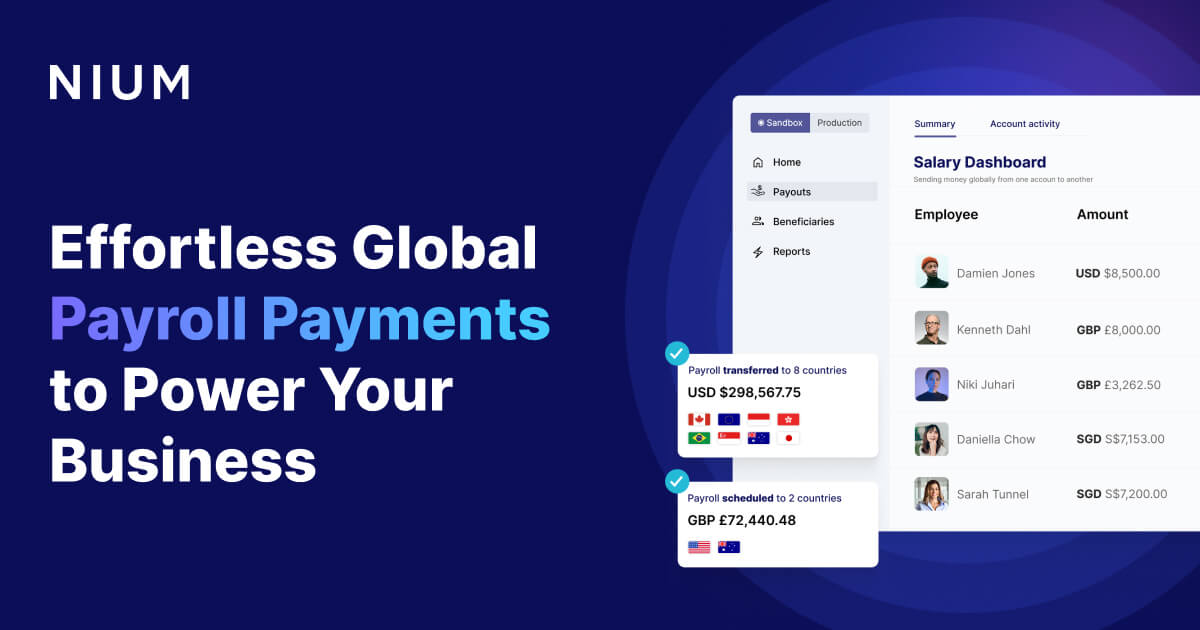
Nium offers a comprehensive and seamless solution for real-time cross-border payroll payments. It's specifically designed for businesses in need of an efficient, dependable tool for making on-time payments to over 180 markets. Nium's platform addresses the need for accuracy, speed, and compliance in global payroll operations.

Best for Contractor Payment Platforms for Global and Cross-Border Payouts

Expert Take

Nium Global Payroll excels in providing a robust platform for real-time cross-border payroll payments, supporting over 180 markets with compliance to local regulations. Its integration capabilities and market credibility are supported by external validations, making it a top choice for global enterprises.

Pros

  • Payouts to 190+ countries
  • Real-time payments in 100+ corridors
  • Licensed in 40+ jurisdictions
  • Trusted by Rippling and Gusto
  • Robust API-first architecture

Cons

  • Pricing not publicly available
  • Support response can be slow
  • Strict KYC documentation requirements
  • Exchange rates may vary
  • Complex onboarding for some regions

Best for teams that are

  • Fintechs and platforms embedding global payout features
  • Financial institutions needing cross-border infrastructure
  • Large enterprises integrating payouts into ERP systems

Skip if

  • Small non-technical businesses needing a simple UI
  • Companies looking for full-service HR compliance
  • Freelancers looking to send money personally

Best for teams that are

  • Fintechs and platforms embedding global payout features
  • Financial institutions needing cross-border infrastructure
  • Large enterprises integrating payouts into ERP systems

Skip if

  • Small non-technical businesses needing a simple UI
  • Companies looking for full-service HR compliance
  • Freelancers looking to send money personally

Pros

  • Payouts to 190+ countries
  • Real-time payments in 100+ corridors
  • Licensed in 40+ jurisdictions
  • Trusted by Rippling and Gusto
  • Robust API-first architecture

Cons

  • Pricing not publicly available
  • Support response can be slow
  • Strict KYC documentation requirements
  • Exchange rates may vary
  • Complex onboarding for some regions

Expert Take

Nium Global Payroll excels in providing a robust platform for real-time cross-border payroll payments, supporting over 180 markets with compliance to local regulations. Its integration capabilities and market credibility are supported by external validations, making it a top choice for global enterprises.

9
9.7 / 10
Sage Payroll

Sage Payroll is designed for businesses managing complex, compliance-heavy payroll, offering multi-state processing and union support. It ensures secure operations with ISO 27001 certification and AWS infrastructure, backed by 24/7 expert support.

Best for Contractor Payment Platforms with 1099 Tax Reporting

Expert Take

Sage Payroll excels at handling complex, compliance-heavy payroll scenarios, particularly for businesses that require multi-state processing, union support, or intricate deductions like cafeteria plans. We appreciate its robust security framework, including verifiable ISO 27001 certification and AWS-backed infrastructure. Coupled with 24/7 access to FPC-certified American Payroll Association experts, it offers unparalleled peace of mind and reliability for administrators managing sensitive workf

Pros

  • Comprehensive tax filing and compliance
  • ISO 27001 certified AWS security
  • 24/7 FPC-certified expert support
  • Handles complex 401(k) and union deductions

Cons

  • Outdated and clunky user interface
  • Steep learning curve for beginners
  • Mobile app login reliability issues

Best for teams that are

  • Current Sage accounting software users wanting integrated payroll.
  • Small to mid-sized businesses looking for cloud or on-premise options.

Skip if

  • Users who require a highly modern, sleek, and intuitive interface.
  • Businesses that demand immediate, highly-rated customer support.

Best for teams that are

  • Current Sage accounting software users wanting integrated payroll.
  • Small to mid-sized businesses looking for cloud or on-premise options.

Skip if

  • Users who require a highly modern, sleek, and intuitive interface.
  • Businesses that demand immediate, highly-rated customer support.

Pros

  • Comprehensive tax filing and compliance
  • ISO 27001 certified AWS security
  • 24/7 FPC-certified expert support
  • Handles complex 401(k) and union deductions

Cons

  • Outdated and clunky user interface
  • Steep learning curve for beginners
  • Mobile app login reliability issues

Expert Take

Sage Payroll excels at handling complex, compliance-heavy payroll scenarios, particularly for businesses that require multi-state processing, union support, or intricate deductions like cafeteria plans. We appreciate its robust security framework, including verifiable ISO 27001 certification and AWS-backed infrastructure. Coupled with 24/7 access to FPC-certified American Payroll Association experts, it offers unparalleled peace of mind and reliability for administrators managing sensitive workf

Sage Construction Management

Sage Construction Management is designed for contractors needing seamless integration between field operations and back-office accounting. It eliminates redundant data entry and offers real-time job cost visibility, integrating with tools like Sage Intacct and QuickBooks, while providing a clear subscription model.

Best for Contractor Payment Platforms for Field Service and On-Site Work

Expert Take

Sage Construction Management (formerly Corecon) stands out by bridging the historic gap between field operations and back-office accounting. By tightly integrating with industry-standard financial tools like Sage Intacct and QuickBooks, it eliminates redundant data entry and provides true real-time visibility into job costs. We particularly appreciate its transparent subscription model, which deliberately avoids the dreaded percentage-of-construction-volume fees that are common in competing ente

Pros

  • End-to-end functionality from estimating to accounting
  • Flawless integration with Sage Intacct and QuickBooks
  • Standard pricing model instead of volume-based fees
  • Centralized TeamLink Portal for external collaboration
  • Deep job costing and financial tracking capabilities

Cons

  • Custom reporting requires significant training to master
  • Exact software pricing requires a custom quote
  • Mobile app occasionally experiences syncing delays
  • User interface feels dated to some users

Best for teams that are

  • Mid-to-large construction firms transitioning from basic tools like QuickBooks.
  • Companies needing comprehensive accounting, AIA billing, and certified payroll.
  • Organizations heavily invested in the Sage ecosystem (e.g., Sage 50, Sage 300).

Skip if

  • Small real estate startups or businesses with tight software budgets.
  • Users seeking a highly intuitive interface right out of the box.

Best for teams that are

  • Mid-to-large construction firms transitioning from basic tools like QuickBooks.
  • Companies needing comprehensive accounting, AIA billing, and certified payroll.
  • Organizations heavily invested in the Sage ecosystem (e.g., Sage 50, Sage 300).

Skip if

  • Small real estate startups or businesses with tight software budgets.
  • Users seeking a highly intuitive interface right out of the box.

Pros

  • End-to-end functionality from estimating to accounting
  • Flawless integration with Sage Intacct and QuickBooks
  • Standard pricing model instead of volume-based fees
  • Centralized TeamLink Portal for external collaboration
  • Deep job costing and financial tracking capabilities

Cons

  • Custom reporting requires significant training to master
  • Exact software pricing requires a custom quote
  • Mobile app occasionally experiences syncing delays
  • User interface feels dated to some users

Expert Take

Sage Construction Management (formerly Corecon) stands out by bridging the historic gap between field operations and back-office accounting. By tightly integrating with industry-standard financial tools like Sage Intacct and QuickBooks, it eliminates redundant data entry and provides true real-time visibility into job costs. We particularly appreciate its transparent subscription model, which deliberately avoids the dreaded percentage-of-construction-volume fees that are common in competing ente

Loading comparison data…

How We Rank Products

Our Evaluation Process

Products in the Payroll & Contractor Payment Platforms category are evaluated based on their documented features such as automation capabilities, and compliance management tools. Pricing transparency is also a critical factor, as it affects budgeting decisions for businesses. Compatibility with existing software systems is assessed through integration capabilities. Additionally, third-party customer feedback is considered to gauge user satisfaction and real-world performance.

Verification

  • Products evaluated through comprehensive research and analysis of user feedback and industry standards.
  • Rankings based on an in-depth analysis of pricing structures, features, and customer ratings in the payroll and contractor payment sector.
  • Selection criteria focus on key factors such as compliance, user experience, and integration capabilities within payroll and contractor payment platforms.

Score Breakdown

0.0 / 10

About Payroll & Contractor Payment Platforms

What Is Payroll & Contractor Payment Platforms?

This category covers software used to manage the calculation, distribution, and compliance reporting of worker compensation across the full employment and engagement lifecycle: from collecting banking details and tax forms during onboarding, to processing gross-to-net calculations, handling time and attendance data, distributing funds via various rails (ACH, wire, crypto), and managing final tax filings and offboarding. It sits between Human Resources Information Systems (HRIS), which focus on people data and talent management, and Enterprise Resource Planning (ERP) or Accounting systems, which focus on general ledger reconciliation and broader financial reporting. It includes both general-purpose global platforms designed for distributed teams and vertical-specific tools built for complex regulatory environments like construction, healthcare, and the gig economy.

The core problem this software solves is the accurate and compliant transfer of value for labor. In a modern context, this goes far beyond simply cutting a check. It involves navigating a labyrinth of multi-jurisdictional tax laws, varying labor codes (such as California's meal break penalties or French social security contributions), and the operational friction of paying a blended workforce of full-time employees (FTEs) and independent contractors. For businesses, the platform is the shield against regulatory penalties and the engine of workforce trust; for workers, it is the primary touchpoint for their financial livelihood.

Who uses it? The user base spans the entire organizational chart but centers on Finance, HR, and Operations teams. Small business owners often use these platforms to automate what was once a manual spreadsheet nightmare. In mid-market and enterprise organizations, dedicated payroll managers and controllers rely on these tools to handle thousands of line items, manage cross-border currency exchanges, and integrate seamlessly with general ledgers. It matters because payroll errors are not just administrative nuisances; they are legal liabilities and morale destroyers. In an era of remote work and global hiring, the ability to pay anyone, anywhere, compliantly, has transitioned from a back-office function to a strategic competitive advantage.

History of Payroll & Contractor Payment Platforms

The evolution of payroll software since the 1990s is a narrative of moving from opaque service bureaus to transparent, cloud-native control centers. In the early 1990s, payroll was predominantly the domain of massive service bureaus and on-premise mainframe solutions. Companies would physically ship time cards or transmit flat files via dial-up modems to processing centers, losing visibility and control until a courier returned with physical checks and reports days later. This "black box" model created a significant gap: businesses had data, but they lacked immediacy and integration.

The late 1990s and early 2000s saw the rise of on-premise ERP modules. Vendors began bundling payroll into broader financial suites, solving the data silo problem but introducing immense complexity. These systems were powerful databases but required expensive consultants to configure and maintain. They were designed for the "system administrator," not the end-user or the employee. The focus was strictly on calculation accuracy, with little regard for user experience or workflow automation.

The true paradigm shift occurred with the rise of vertical SaaS and the cloud revolution in the late 2000s and early 2010s. Market entrants challenged the status quo by democratizing access to enterprise-grade tax engines. The gap that created the modern category was the disconnect between agile, web-based HR tools and clunky, legacy payroll engines. Buyers began demanding software that could "talk" to their time-tracking and accounting systems via APIs rather than file uploads. This era shifted expectations from "process my payroll" to "manage my workforce compliance."

As the gig economy exploded in the mid-2010s, a new divergence occurred. Traditional payroll engines, built for the rigidity of W-2 employment, struggled with the fluidity of 1099 contractor payments, mass payouts, and varying payment cadences. This birthed specialized contractor payment platforms, which eventually began to converge with traditional payroll through a wave of market consolidation. Major acquisitions shaped today's landscape, where single platforms now promise to handle both global EOR (Employer of Record) services and domestic payroll.

Today, buyer expectations have evolved from "give me a database" to "give me actionable intelligence." Modern systems are expected to forecast labor costs, flag potential compliance risks like misclassification before they happen, and offer "fintech" features like on-demand pay and digital wallets. The focus has moved from merely recording history (what people worked) to enabling agility (how people can be paid faster and more flexibly).

What to Look For

Evaluating Payroll & Contractor Payment Platforms requires looking beyond the basic ability to calculate taxes. The critical evaluation criteria today center on compliance automation, payment rail flexibility, and data portability. A robust platform must natively handle the specific tax reciprocities of the jurisdictions where you operate. For example, does the system automatically adjust withholding when an employee moves from New York to New Jersey? If it relies on manual entry for such common scenarios, it is a liability, not an asset.

Another critical factor is the speed and transparency of money movement. In the past, a 4-day lead time for direct deposit was standard. Today, leading platforms offer 2-day or even next-day turnaround. For contractor platforms, look for the ability to process payments in local currencies without exorbitant FX spreads. The "hidden cost" of exchange rates is often where platforms make their margin, so transparent pricing on cross-border payouts is essential.

Red flags and warning signs often appear during the implementation discussion. If a vendor cannot provide a clear, documented path for data migration that includes parallel pay run testing, proceed with extreme caution. A vendor that relies heavily on "aggregators" or third-party partners for core processing in major markets (rather than their own infrastructure) introduces latency and points of failure. Additionally, be wary of platforms that treat contractor payments as an afterthought—simply a "vendor payment" in the AP module—rather than a distinct workflow requiring tax document collection (W-9/W-8BEN) and 1099 filing.

Key questions to ask vendors should probe the limits of their automation. Ask: "How does your system handle mid-period pay rate changes for overtime calculations?" "Can you demonstrate the workflow for correcting a payroll error after the funds have been dispensed?" "What is your specific SLA for tax notice resolution?" Many vendors will claim to handle tax notices, but if their turnaround time is six months, your team will be the ones fielding angry letters from the IRS.

Industry-Specific Use Cases

Retail & E-commerce

For Retail and E-commerce businesses, the payroll challenge is defined by high velocity and complexity in scheduling. High turnover rates and seasonal staffing spikes mean the system must handle constant onboarding and offboarding without administrative friction. The critical evaluation priority here is the handling of blended overtime. When an employee works at two different locations or in two different roles with different pay rates in the same week, the Fair Labor Standards Act (FLSA) requires a weighted average calculation for overtime pay. Generic platforms often fail this specific calculation, forcing manual intervention.

Furthermore, retail environments often involve shift swapping and varying state mandates regarding meal breaks and "clopening" (closing one night and opening the next morning) penalties. A suitable platform for this industry must integrate deeply with Time & Attendance systems to flag these violations in real-time, effectively stopping non-compliant payroll data before it ever reaches the calculation engine. The ability to offer earned wage access (on-demand pay) is also becoming a significant retention tool in this sector.

Healthcare

Healthcare payroll is arguably the most complex due to the prevalence of shift differentials and multi-state taxation for mobile staff like travel nurses. Evaluation must focus on the system's ability to handle complex pay rules: stacking premiums (e.g., weekend night shift + charge nurse pay), retroactive pay adjustments for union contract settlements, and the "8 and 80" overtime rule specific to hospitals. A standard 40-hour workweek calculation will not suffice for many hospital settings.

Additionally, healthcare organizations often manage a mix of W-2 staff and per-diem 1099 specialists. The platform must seamlessly segregate these pools for tax purposes while providing a unified view of labor costs. For home health agencies, the system must also support mileage reimbursement and travel time calculations that vary by patient location, often requiring integration with Electronic Visit Verification (EVV) software to validate that care was delivered before payment is released.

Financial Services

In Financial Services, the priority shifts to security, audit trails, and complex compensation structures. Payroll platforms here must handle sophisticated commission clawbacks, forgivable loans, and deferred bonus structures that vest over multiple years. The system needs to support "shadow payroll" capabilities for executives moving between global offices, ensuring taxes are paid in both the home and host countries where applicable without double-paying the employee.

Security and compliance are non-negotiable. These buyers require SOC 2 Type II attestation at a minimum, and often look for ISO 27001 certification. The ability to set granular permission levels is crucial; a line manager should see salaries for their direct reports but never the bonus accruals for their peers. Audit logs must be immutable and detailed enough to satisfy internal risk committees and external regulators, tracking every change to a bank account number or pay rate with a timestamp and user ID.

Manufacturing

Manufacturing payroll is driven by job costing and union compliance. The software must allow labor costs to be allocated not just to a department, but to specific production lines, grants, or projects. This granularity is essential for determining the profitability of specific products. Union environments add layers of complexity with automatic dues deductions, tenure-based pay scales, and specific rules around layoffs and recall rights that intersect with payroll data.

Evaluation should prioritize the platform's ability to ingest data from shop floor data collection systems. If a worker clocks in at a higher-rate machine for four hours and a lower-rate assembly station for four hours, the payroll system must accurately calculate the gross pay based on those distinct activities. Furthermore, "gate-to-gate" pay rules—where workers are paid from the moment they enter the facility security gate—require precise geofencing integrations that generic office-based payroll tools rarely possess.

Professional Services

For Professional Services firms (consultancies, agencies, law firms), payroll is inextricably linked to billing. The defining need is the distinction between billable and non-billable hours. While the payroll system calculates the check, it must ingest data that differentiates client work from internal admin to ensure accurate margins. These firms also rely heavily on a contingent workforce of freelancers. A platform that can pay a contractor in London, a designer in New York, and a developer in Ukraine in a single "pay run" is highly valued.

Unique considerations include the handling of expense reimbursements, which are often high volume in this sector. The ideal platform integrates expense management directly into the payroll flow to speed up reimbursement cycles. Additionally, for partnerships and LLCs, the system must handle "guaranteed payments" for partners, which differ significantly from standard W-2 salary taxation, avoiding the common mistake of withholding income tax where it isn't required.

Subcategory Overview

Contractor Payment Platforms for Marketplaces and Platforms This niche is genuinely different because it focuses on mass payouts and programmatic funds distribution rather than the traditional "one-to-many" payroll batch. Unlike generic payroll tools designed for a stable employee list, these platforms are built to handle high-velocity, fluctuating payee lists—think of a ride-sharing app paying thousands of drivers daily or a freelance marketplace releasing funds upon project completion. One workflow that ONLY this specialized tool handles well is the automated "trigger-based" payout via API: an event in your platform (e.g., "delivery confirmed") instantly triggers a payment to a user's digital wallet, bypassing the slow weekly batch cycle. The specific pain point driving buyers here is the administrative burden of KYC (Know Your Customer) and tax collection at scale. A general tool collapses when asked to collect W-9s and verify identities for 10,000 transient users; our guide to contractor payment platforms for marketplaces and platforms details how these tools automate that compliance layer.

Contractor Payment Platforms for Global and Cross-Border Payouts The differentiator here is currency management and local entity shielding. Generic platforms often rely on expensive swift wires with poor exchange rates. This niche specializes in maintaining local banking rails in dozens of countries, allowing you to pay a contractor in Rupees or Pesos as if it were a local domestic transfer. A workflow unique to this category is the "split payment" or crypto-fiat hybrid option, where a contractor can elect to receive a portion of their pay in USDC and the rest in their local fiat currency to hedge against local inflation. The driving pain point is the "Employer of Record" (EOR) vs. "Contractor" distinction; buyers choose this niche to navigate the grey area of hiring talent in countries where they have no legal entity without triggering permanent establishment risks. For a deeper look at these FX capabilities, see contractor payment platforms for global and cross-border payouts.

Contractor Payment Platforms with 1099 Tax Reporting While many platforms claim to handle contractors, this subcategory is distinct because it treats tax filing as the core feature, not an add-on. Genuine differentiation comes from the ability to handle state-specific filing nuances (like California's specific independent contractor reporting requirements) automatically. A workflow only these tools handle well is the automated "TIN Matching" process—verifying a contractor's Taxpayer Identification Number against IRS records before a payment is issued, preventing the nightmare of backup withholding notices later. The pain point driving buyers here is the fear of penalties from the IRS's increasing scrutiny on worker classification and information reporting. General tools often leave you to export data to a separate tax filing software; these tools do it natively. Read more about these compliance engines in our guide to contractor payment platforms with 1099 tax reporting.

Contractor Payment Platforms for Field Service and On-Site Work This niche serves industries where work happens "in the field"—construction, landscaping, HVAC. The differentiator is the tight integration of geofencing and location-based verification into the payment flow. Generic platforms assume a worker is at a desk; these platforms assume they are mobile. A unique workflow is the "job site check-in" that auto-generates a payment record only when the contractor's device is verified within a specific GPS radius. The specific pain point is "buddy punching" or time theft in distributed crews. Buyers move to this niche because general tools lack the validation mechanisms to ensure that the hours billed were actually spent on the job site. For tools that bridge the physical-digital divide, check contractor payment platforms for field service and on-site work.

Contractor Payment Platforms with Automated Invoicing This subcategory blurs the line between AP automation and payroll. The key difference is the inversion of control: instead of the company determining the pay, the contractor submits an invoice that matches against a purchase order (PO) or time log. A workflow unique to this niche is the "3-way match" for services: automatically reconciling the contract rate, the approved time sheet, and the submitted invoice before releasing funds. The pain point driving buyers here is the administrative overhead of receiving PDFs, emails, and paper invoices from dozens of freelancers and manually keying them into a payment system. These tools convert that chaos into a structured approval workflow. Explore these efficiency tools in our guide to contractor payment platforms with automated invoicing.

Integration & API Ecosystem

True integration in payroll is not just about moving data; it is about data fidelity and timeliness. A robust API ecosystem allows for bi-directional sync—meaning if an employee updates their address in the HRIS, it updates in payroll, and the resulting tax jurisdiction change flows back to the benefits admin system. [1] Gartner research indicates that integration failure is a primary cause for 55-75% of ERP and payroll implementation issues, highlighting that "connectivity" does not equal "functionality."

In practice, consider a 50-person professional services firm using a separate Time & Attendance tool and a General Ledger (GL) system. A poor integration requires the controller to export a CSV of hours every pay period, manually map the columns to the payroll system's requirements, and then re-key the resulting journal entries into the GL. This "swivel chair" process is where errors happen. A well-designed integration would pull the approved hours automatically upon the "close week" trigger, calculate the pay, and then push a detailed journal entry—broken down by department and project code—directly into the GL, ready for reconciliation. When evaluating vendors, ask for their API documentation documentation. If the API is read-only or lacks endpoints for specific deduction types, you are buying a silo, not a solution.

Security & Compliance

Payroll data is the "crown jewels" of identity theft—social security numbers, bank accounts, and addresses. Security here goes beyond encryption; it involves rigorous access controls and verified manufacturing processes. The [2] 2024 IBM Cost of a Data Breach Report found the average cost of a data breach reached $4.88 million, with breaches involving employee PII being among the most expensive. Compliance is equally critical, particularly regarding "shadow payroll" for global travelers. Companies must track where employees are physically working to avoid creating accidental tax nexuses.

Consider a scenario where a sales director for a UK-based firm spends four months working remotely from New York. Without a system that flags this duration, the company fails to withhold US taxes. Three years later, the IRS audits, and the company faces penalties not just for back taxes, but for failure to file. A competent platform uses IP tracking or self-attestation workflows to flag these risks proactively. Expert commentary from [3] ADP's 2024 global survey notes that 99% of senior payroll leaders now view data security as a critical strategic pillar, up significantly from previous years, driven by the increasing sophistication of ransomware attacks targeting back-office functions.

Pricing Models & TCO

Pricing in this category is notoriously opaque. The two primary models are PEPM (Per Employee Per Month) for SaaS platforms and a percentage-of-volume model for contractor marketplaces. However, the Total Cost of Ownership (TCO) often hides in the fine print: implementation fees, year-end W-2/1099 processing fees, and "float" (the interest earned on your money while it sits in the provider's account). [4] Research suggests that hidden costs—such as indirect labor for data consolidation and error correction—can constitute over 50% of the total cost of ownership for payroll functions.

Let's walk through a TCO calculation for a hypothetical 25-person team. A vendor might quote a low base fee of $100/month + $6 PEPM. That looks like $3,000/year. However, add in the $1,500 "implementation fee," the $5 per employee year-end tax form fee ($125), the $50 per month "multi-state filing" fee for your three remote workers ($600), and the implicit cost of the 4-day float (cash flow impact). Suddenly, the real cost is nearly double the sticker price. Buyers must ask for a "fully loaded" quote that includes all filing fees, amendment costs (for when mistakes happen), and integration access charges.

Implementation & Change Management

Implementation is the most dangerous phase of the buyer's journey. It is not a software install; it is a data migration project. [5] Industry analysis confirms that insufficient time allocation and "dirty data" migration are the leading causes of implementation failure. A common benchmark for SMBs is a 6-12 week timeline, while enterprises may take 9-12 months.

A concrete scenario: A manufacturing firm with 200 employees switches payroll providers mid-year. They decide to "save time" by not migrating granular historical data, opting to just load year-to-date totals. Come January, they realize the new system cannot generate accurate W-2s because it lacks the detailed breakdown of pre-tax vs. post-tax deductions from the first half of the year. The result is a manual reconciliation nightmare costing hundreds of hours. Successful implementation requires "parallel runs"—processing payroll in both the old and new systems for at least two cycles to ensure penny-perfect matching before cutting the cord.

Vendor Evaluation Criteria

When evaluating vendors, look for "roadmap visibility" and "support tiering." Does the vendor have a published roadmap that aligns with your growth (e.g., expanding into LATAM or APAC)? Do they offer a dedicated support representative, or a generic ticketing system? [3] ADP's research highlights that "service delivery" and "reporting capabilities" are consistently top areas for improvement desired by buyers, often ranking higher than cost.

In practice, a buyer should test the vendor's support before signing. Open a ticket with a technical question about API rate limits or a specific tax reciprocity rule. If the response is a generic knowledge base link or takes 48 hours, that is a preview of your future crisis management experience. High-quality vendors will have solution engineers who can answer detailed functional questions during the sales process, not just sales reps reading from a script.

Emerging Trends and Contrarian Take

Emerging Trends 2025-2026: The immediate future of payroll is autonomous processing and crypto-native optionality. We are moving away from the "click to run payroll" model toward a "continuous calculation" model where payroll is always ready, updated in real-time as hours are logged. Additionally, as stablecoins gain regulatory clarity, we expect platforms to offer native "split pay" where employees can elect to route 10% of net pay to a digital wallet automatically. Another trend is the rise of AI Compliance Agents—software bots that monitor legislative changes globally and automatically update system rules without human intervention, reducing the lag time between a law passing and the payroll system being compliant.

Contrarian Take: The "All-in-One" HRIS is failing complex organizations. While the market marketing screams for consolidation (one platform for HR, Payroll, IT, Benefits), the reality is that generalist platforms cannot handle the edge cases of complex industries. A mid-sized construction firm is better off with a best-of-breed payroll tool that handles certified payroll and union reports perfectly, integrated with a separate specialized HR tool, rather than a mediocre "all-in-one" suite that does both poorly. The future for complex buyers is not consolidation, but tighter orchestration between specialized best-of-breed tools.

Common Mistakes

One of the most pervasive mistakes is overbuying features while underestimating service needs. Buyers often get dazzled by flashy dashboards or "financial wellness" widgets during the demo, ignoring the fact that their payroll admin really needs a responsive phone number to call when a tax filing gets rejected. Prioritizing software UI over service SLA is a rookie error in payroll.

Another critical mistake is ignoring the "Year-End" capabilities during a mid-year purchase. It is easy to verify that a system can cut a check today. It is harder, but vital, to verify how it handles W-2C (correction) forms, ACA reporting, and year-end balancing. Many newer platforms struggle with the complex, high-stakes reporting required in January. Failing to validate these capabilities upfront often leads to a "January surprise" where the team is forced to do manual work the software was supposed to handle. Finally, poor change management regarding employee self-service often leads to low adoption; if employees aren't trained to access their own pay stubs, HR remains the helpdesk.

Questions to Ask in a Demo

  • "Can you show me the exact workflow for reversing a payroll run that has already been submitted?" (Test their error correction capabilities).
  • "How does your system handle local tax jurisdictions for fully remote employees who move states without notifying us immediately?" (Test their compliance automation).
  • "Do you own your own money movement rails, or do you use a third-party aggregator?" (Test their reliability and speed).
  • "Show me how to set up a garnishment with a declining balance." (Test depth of feature set).
  • "What is your average hold time for support calls during year-end (January)?" (Test their service reality).
  • "Can we configure different general ledger mapping rules for different departments?" (Test their accounting integration depth).
  • "Is your 'global' capability native, or do you white-label local partners in those countries?" (Test the seamlessness of their global offering).

Before Signing the Contract

Before you sign, ensure you have a Final Decision Checklist. This should include a confirmation of the implementation timeline with penalties for delays, a clear definition of "support" (e.g., dedicated account manager vs. pooled support), and a transparent fee schedule for "out of scope" items like custom reports or extra pay runs. Common negotiation points include waiving the implementation fee in exchange for a longer contract term, or locking in the PEPM rate for 2-3 years to avoid annual price hikes.

Deal-breakers should include any vendor that refuses to put their service level agreements (SLAs) for tax accuracy in writing. If they won't contractually agree to pay the penalties for their own filing errors, they don't trust their own platform. Also, watch out for data ownership clauses; you must be able to export your full historical data in a usable format for free if you decide to leave. If holding your data hostage is their retention strategy, walk away.

Closing

Navigating the complex landscape of payroll and contractor payment platforms requires more than just feature comparison; it demands a deep understanding of your own compliance profile and operational workflows. If you have specific questions about your unique use case or need guidance on a complex implementation, I invite you to reach out. Email me at albert@whatarethebest.com.

Quick one question survey

Thanks for your input!
Your response has been recorded.