LMS & Employee Training Platforms

These are the specialized categories within LMS & Employee Training Platforms. Looking for something broader? See all HR & People Management Software categories.

1

Redstone LMS for Government Contractors
Best for Learning Management Systems (LMS) for Contractors

Score
9.9 / 10
Redstone LMS for Government Contractors

The Redstone Learning Management System is a specialized solution crafted for government contractors. It helps to ensure that all employee training and compliance responsibilities are met efficiently and effectively, which is vital for this industry. Its turnkey nature simplifies and streamlines the process of educating employees on recurring compliance topics.

Best for Learning Management Systems (LMS) for Contractors

Expert Take

Redstone LMS excels in providing a specialized learning management solution tailored for government contractors, ensuring compliance and continuous learning. Its industry-specific focus and turnkey nature make it a valuable tool, though pricing transparency is limited due to enterprise pricing models.

Pros

  • Created by former DCAA auditors
  • Covers specific FAR/DFARS clauses
  • Turnkey subscription model
  • Specialized CPSR and HR tracks
  • Mitigates non-compliance risk

Cons

  • No public pricing listed
  • No CPE for LMS packages
  • Limited technical feature disclosure
  • Niche focus limits general use
  • Requires separate consultation for setup

Best for teams that are

  • Government contractors specifically needing DCAA, FAR, and CAS compliance training
  • Companies wanting a turnkey subscription solution for federal compliance awareness
  • Organizations needing training content developed by government audit experts

Skip if

  • General construction companies that do not handle federal government contracts
  • Organizations looking for a general LMS to build and host their own custom safety courses
  • Teams needing a broad library of general construction skills training beyond compliance

Best for teams that are

  • Government contractors specifically needing DCAA, FAR, and CAS compliance training
  • Companies wanting a turnkey subscription solution for federal compliance awareness
  • Organizations needing training content developed by government audit experts

Skip if

  • General construction companies that do not handle federal government contracts
  • Organizations looking for a general LMS to build and host their own custom safety courses
  • Teams needing a broad library of general construction skills training beyond compliance

Pros

  • Created by former DCAA auditors
  • Covers specific FAR/DFARS clauses
  • Turnkey subscription model
  • Specialized CPSR and HR tracks
  • Mitigates non-compliance risk

Cons

  • No public pricing listed
  • No CPE for LMS packages
  • Limited technical feature disclosure
  • Niche focus limits general use
  • Requires separate consultation for setup

Expert Take

Redstone LMS excels in providing a specialized learning management solution tailored for government contractors, ensuring compliance and continuous learning. Its industry-specific focus and turnkey nature make it a valuable tool, though pricing transparency is limited due to enterprise pricing models.

2
Score
9.8 / 10
2
9.8 / 10
Moodle Online LMS

Moodle LMS is specifically designed for Recruitment Agencies keen on enhancing their training and onboarding processes. With its secure, scalable and customisable platform, it allows for the creation of engaging, industry-specific eLearning experiences, aiding in the professional development and success of new recruits.

Best for Learning Management Systems (LMS) for Recruitment Agencies
Expert Take

Moodle LMS excels in providing a customizable and scalable learning management system tailored for recruitment agencies. Its open-source nature and active community support enhance its adaptability and continuous improvement. Despite potential complexities for non-tech users, its robust capabilities and industry-specific focus make it a top choice in its category.

Pros

  • Free open-source core software
  • Massive ecosystem with 2,000+ plugins
  • Global market leader with 450M+ users
  • Highly customizable for complex needs
  • Strong GDPR and security compliance

Cons

  • Steep learning curve for beginners
  • Interface often described as clunky
  • Hidden costs for hosting and maintenance
  • Requires technical expertise to manage
  • No official support for free version

Best for teams that are

  • Educational institutions requiring deep academic features
  • Organizations with IT teams to manage open-source customization
  • Entities needing free software with unlimited user scalability

Skip if

  • Corporate teams wanting a turnkey, modern UI experience
  • Companies without dedicated technical staff for maintenance
  • Organizations needing built-in advanced corporate HR reporting

Best for teams that are

  • Educational institutions requiring deep academic features
  • Organizations with IT teams to manage open-source customization
  • Entities needing free software with unlimited user scalability

Skip if

  • Corporate teams wanting a turnkey, modern UI experience
  • Companies without dedicated technical staff for maintenance
  • Organizations needing built-in advanced corporate HR reporting

Pros

  • Free open-source core software
  • Massive ecosystem with 2,000+ plugins
  • Global market leader with 450M+ users
  • Highly customizable for complex needs
  • Strong GDPR and security compliance

Cons

  • Steep learning curve for beginners
  • Interface often described as clunky
  • Hidden costs for hosting and maintenance
  • Requires technical expertise to manage
  • No official support for free version

Expert Take

Moodle LMS excels in providing a customizable and scalable learning management system tailored for recruitment agencies. Its open-source nature and active community support enhance its adaptability and continuous improvement. Despite potential complexities for non-tech users, its robust capabilities and industry-specific focus make it a top choice in its category.

3

Litmos Construction LMS

Best for Learning Management Systems (LMS) for Contractors

Score
9.8 / 10
Litmos Construction LMS

Litmos Construction Training Software is an LMS specifically designed to cater to the training needs of the construction industry. It allows for skill development and standardization of training across locations and job functions, ensuring consistency and compliance in a highly regulated industry.

Best for Learning Management Systems (LMS) for Contractors

Expert Take

Litmos Construction LMS is tailored for the construction industry, offering specialized features that ensure compliance and training standardization. Its mobile capabilities and robust reporting make it a strong choice for contractors needing flexible learning solutions. While initial setup can be complex, its industry-specific focus and compliance tracking are significant strengths.
Pros

  • Extensive library of OSHA and safety compliance courses
  • Offline mobile app access for deskless workers
  • AI-powered content authoring and playlist generation
  • Supports over 37 languages for diverse teams
  • Proven ROI with documented six-figure savings

Cons

  • Reporting features often described as inadequate
  • No public pricing transparency (quote-based only)
  • Customer support quality can be inconsistent
  • Some users report HRIS integration glitches
  • Advanced features require higher tier plans

Best for teams that are

  • Organizations using Salesforce who need a seamless, deep integration with their LMS
  • Companies wanting a massive, ready-to-go content library for compliance and soft skills
  • Mid-to-large enterprises needing a scalable solution for both internal and external training

Skip if

  • Users requiring highly flexible, custom reporting engines without exporting data
  • Budget-conscious buyers preferring transparent pricing over quote-based sales models
  • Admins who find 'clunky' backend interfaces a dealbreaker for daily management

Best for teams that are

  • Organizations using Salesforce who need a seamless, deep integration with their LMS
  • Companies wanting a massive, ready-to-go content library for compliance and soft skills
  • Mid-to-large enterprises needing a scalable solution for both internal and external training

Skip if

  • Users requiring highly flexible, custom reporting engines without exporting data
  • Budget-conscious buyers preferring transparent pricing over quote-based sales models
  • Admins who find 'clunky' backend interfaces a dealbreaker for daily management

Pros

  • Extensive library of OSHA and safety compliance courses
  • Offline mobile app access for deskless workers
  • AI-powered content authoring and playlist generation
  • Supports over 37 languages for diverse teams
  • Proven ROI with documented six-figure savings

Cons

  • Reporting features often described as inadequate
  • No public pricing transparency (quote-based only)
  • Customer support quality can be inconsistent
  • Some users report HRIS integration glitches
  • Advanced features require higher tier plans

Expert Take

Litmos Construction LMS is tailored for the construction industry, offering specialized features that ensure compliance and training standardization. Its mobile capabilities and robust reporting make it a strong choice for contractors needing flexible learning solutions. While initial setup can be complex, its industry-specific focus and compliance tracking are significant strengths.

4
Score
9.7 / 10
4
9.7 / 10
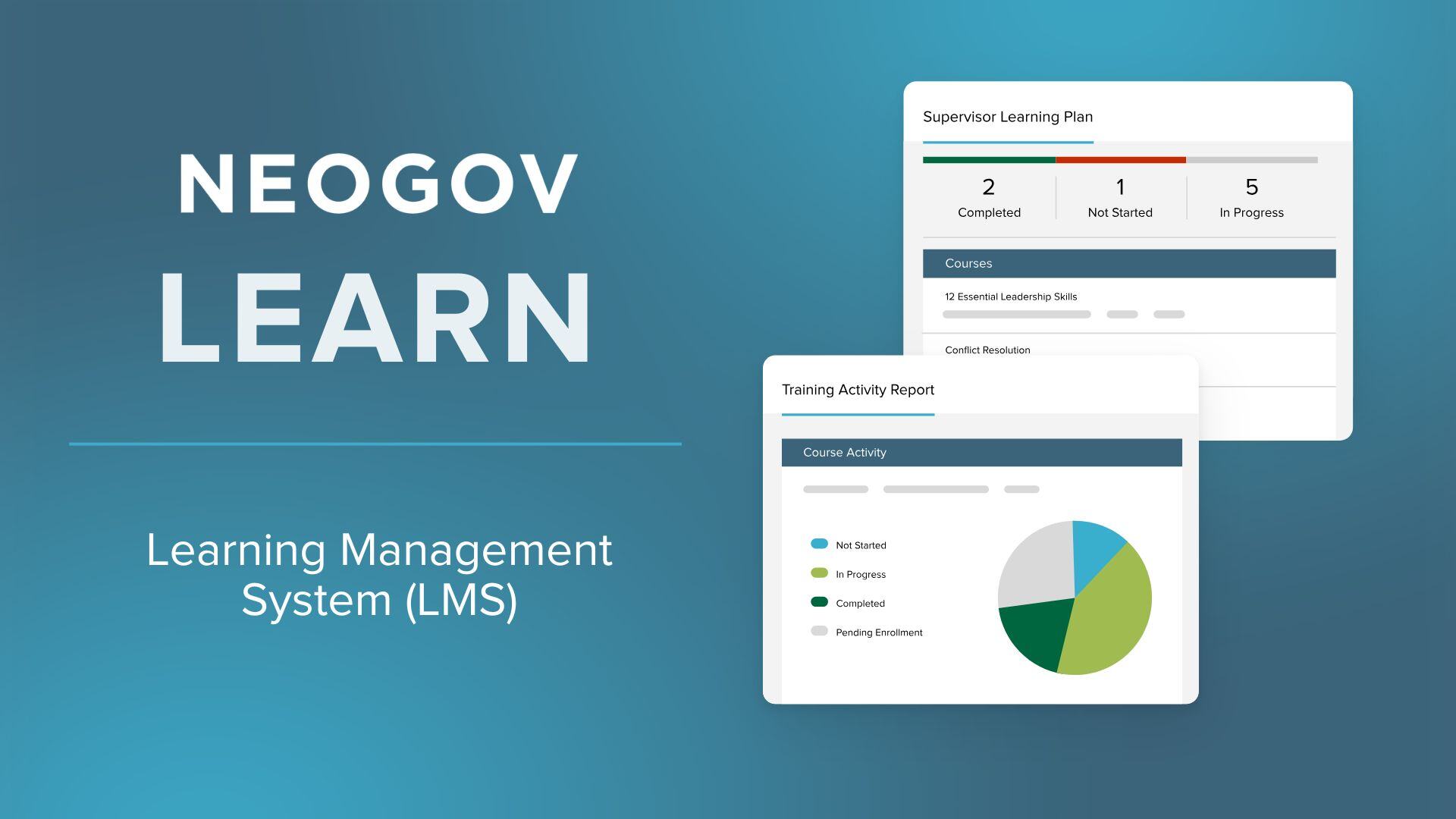
NEOGOV Learn

NEOGOV Learn is an ideal SaaS solution for public sector HR teams, specifically designed to streamline employee training, compliance, and development. With its focus on government and public sector entities, it answers the unique challenges of recruitment agencies in managing and developing their talent pool.

Best for Learning Management Systems (LMS) for Recruitment Agencies

Expert Take

NEOGOV Learn is a specialized LMS designed for public sector HR teams, offering tailored features for government entities. Its focus on compliance and employee development makes it a strong contender in its niche. The platform's usability and sector-specific capabilities contribute to its high standing in the market.

Pros

  • FedRAMP and StateRAMP authorized security
  • 1,500+ public sector-specific course library
  • Automated certification and license tracking
  • Seamless integration with NEOGOV HR suite
  • Mobile-friendly app for remote training

Cons

  • Reporting features described as outdated
  • Customization can be difficult and rigid
  • High costs for additional modules
  • Steep learning curve for administrators
  • No transparent public pricing

Best for teams that are

  • Public sector agencies and local government bodies
  • Organizations needing government-specific compliance tracking
  • HR teams already using the NEOGOV talent management suite

Skip if

  • Private sector corporations or retail businesses
  • Small businesses not needing government-specific compliance
  • Organizations looking for a standalone, general-purpose LMS

Best for teams that are

  • Public sector agencies and local government bodies
  • Organizations needing government-specific compliance tracking
  • HR teams already using the NEOGOV talent management suite

Skip if

  • Private sector corporations or retail businesses
  • Small businesses not needing government-specific compliance
  • Organizations looking for a standalone, general-purpose LMS

Pros

  • FedRAMP and StateRAMP authorized security
  • 1,500+ public sector-specific course library
  • Automated certification and license tracking
  • Seamless integration with NEOGOV HR suite
  • Mobile-friendly app for remote training

Cons

  • Reporting features described as outdated
  • Customization can be difficult and rigid
  • High costs for additional modules
  • Steep learning curve for administrators
  • No transparent public pricing

Expert Take

NEOGOV Learn is a specialized LMS designed for public sector HR teams, offering tailored features for government entities. Its focus on compliance and employee development makes it a strong contender in its niche. The platform's usability and sector-specific capabilities contribute to its high standing in the market.

5
Score
9.7 / 10
Cornerstone OnDemand LMS

Cornerstone OnDemand's LMS is a powerful tool for recruitment agencies, providing personalized, scalable training solutions. Its AI-powered platform effectively helps in upskilling, reskilling, and developing teams, addressing the rapid pace of change in the recruitment industry.

Best for Learning Management Systems (LMS) for Recruitment Agencies

Expert Take

Cornerstone OnDemand LMS is recognized for its comprehensive capabilities in the recruitment sector, offering AI-driven personalized training solutions. Its market credibility is supported by usage across 7000+ organizations and industry certifications. While it excels in scalability and integration, its complexity may pose challenges for smaller agencies.
Pros

  • FedRAMP & ISO 42001 certified
  • 140M+ users globally
  • AI-powered Skills Graph
  • Deep compliance management
  • Massive integration marketplace

Cons

  • Clunky admin interface
  • High implementation costs
  • Opaque pricing model
  • Steep learning curve
  • Slow support response

Best for teams that are

  • Large global enterprises with complex compliance needs
  • Organizations wanting a unified suite for HR and learning
  • Companies with dedicated administrators to manage complexity

Skip if

  • Small businesses or startups with limited budgets
  • Teams wanting a simple, intuitive system
  • Organizations without dedicated LMS administration staff

Best for teams that are

  • Large global enterprises with complex compliance needs
  • Organizations wanting a unified suite for HR and learning
  • Companies with dedicated administrators to manage complexity

Skip if

  • Small businesses or startups with limited budgets
  • Teams wanting a simple, intuitive system
  • Organizations without dedicated LMS administration staff

Pros

  • FedRAMP & ISO 42001 certified
  • 140M+ users globally
  • AI-powered Skills Graph
  • Deep compliance management
  • Massive integration marketplace

Cons

  • Clunky admin interface
  • High implementation costs
  • Opaque pricing model
  • Steep learning curve
  • Slow support response

Expert Take

Cornerstone OnDemand LMS is recognized for its comprehensive capabilities in the recruitment sector, offering AI-driven personalized training solutions. Its market credibility is supported by usage across 7000+ organizations and industry certifications. While it excels in scalability and integration, its complexity may pose challenges for smaller agencies.

6
Score
9.7 / 10
6
9.7 / 10
Open LMS

Open LMS is a highly customizable, open-source Learning Management System (LMS) built on Moodle™. It was chosen for staffing agencies due to its ability to adapt to the unique learning needs of staffing professionals, enabling them to effectively manage, deliver and track learning outcomes.

Best for Learning Management Systems (LMS) for Staffing Agencies

Expert Take

Open LMS is a top-tier choice for staffing agencies seeking a customizable and reliable learning management system. Built on the robust Moodle™ platform, it offers extensive customization and adaptability to meet specific learning needs. While the setup can be complex, its comprehensive features and open-source nature make it a standout in its category.

Pros

  • Powerful Personalized Learning Designer (PLD)
  • ISO 27001 and SOC 2 certified
  • Pay-per-active-user pricing model
  • Average support response under 50 mins
  • Advanced Open Reports Engine (ORE)

Cons

  • Mobile app experience can be inconsistent
  • File upload limits (100MB reported)
  • Interface can feel dated (Moodle legacy)
  • Pricing requires custom quote
  • Navigation can be complex for beginners

Best for teams that are

  • Organizations wanting Moodle flexibility with SaaS support
  • Education and corporate sectors needing scalability
  • Users needing robust open-source based technology

Skip if

  • Companies wanting a simple, non-configurable tool
  • Users avoiding open-source based architectures
  • Organizations needing a built-in HRIS suite

Best for teams that are

  • Organizations wanting Moodle flexibility with SaaS support
  • Education and corporate sectors needing scalability
  • Users needing robust open-source based technology

Skip if

  • Companies wanting a simple, non-configurable tool
  • Users avoiding open-source based architectures
  • Organizations needing a built-in HRIS suite

Pros

  • Powerful Personalized Learning Designer (PLD)
  • ISO 27001 and SOC 2 certified
  • Pay-per-active-user pricing model
  • Average support response under 50 mins
  • Advanced Open Reports Engine (ORE)

Cons

  • Mobile app experience can be inconsistent
  • File upload limits (100MB reported)
  • Interface can feel dated (Moodle legacy)
  • Pricing requires custom quote
  • Navigation can be complex for beginners

Expert Take

Open LMS is a top-tier choice for staffing agencies seeking a customizable and reliable learning management system. Built on the robust Moodle™ platform, it offers extensive customization and adaptability to meet specific learning needs. While the setup can be complex, its comprehensive features and open-source nature make it a standout in its category.

7
Score
9.7 / 10
Schoox Corporate LMS

Schoox is an award-winning, enterprise-grade Learning Management System (LMS) specifically designed for frontline teams and staffing agencies. It integrates an AI-engineered Learning Impact Suite to effectively train, upskill, and monitor the performance of your workforce, addressing the specific needs of staffing agencies looking to efficiently manage talent.

Best for Learning Management Systems (LMS) for Staffing Agencies

Expert Take

Schoox Corporate LMS stands out as a top-tier product in the LMS category for staffing agencies due to its specialized focus on frontline teams and AI-driven analytics capabilities. It offers a comprehensive suite of features designed to enhance training and performance management, supported by credible third-party recognition.

Pros

  • Unmatched support for complex hierarchies
  • Integrated performance and succession planning
  • Highly rated customer support team
  • Native mobile apps for frontline workers
  • Robust content marketplace (40k+ courses)

Cons

  • Reporting features can be inconsistent
  • User interface feels slightly outdated
  • Mobile app has occasional sync issues
  • Higher price point for small businesses
  • Steep learning curve for administrators

Best for teams that are

  • Complex organizations like franchises, retail, or hospitality chains
  • Companies managing frontline or deskless workers
  • Enterprises needing to train extended networks

Skip if

  • Small businesses with simple, flat organizational structures
  • Users seeking a highly modern, minimalist interface
  • Organizations with very limited budgets for implementation

Best for teams that are

  • Complex organizations like franchises, retail, or hospitality chains
  • Companies managing frontline or deskless workers
  • Enterprises needing to train extended networks

Skip if

  • Small businesses with simple, flat organizational structures
  • Users seeking a highly modern, minimalist interface
  • Organizations with very limited budgets for implementation

Pros

  • Unmatched support for complex hierarchies
  • Integrated performance and succession planning
  • Highly rated customer support team
  • Native mobile apps for frontline workers
  • Robust content marketplace (40k+ courses)

Cons

  • Reporting features can be inconsistent
  • User interface feels slightly outdated
  • Mobile app has occasional sync issues
  • Higher price point for small businesses
  • Steep learning curve for administrators

Expert Take

Schoox Corporate LMS stands out as a top-tier product in the LMS category for staffing agencies due to its specialized focus on frontline teams and AI-driven analytics capabilities. It offers a comprehensive suite of features designed to enhance training and performance management, supported by credible third-party recognition.

8

Bridge LMS for Construction

Best for Learning Management Systems (LMS) for Contractors

Score
9.6 / 10
Bridge LMS for Construction

Bridge is a Learning Management System designed specifically for the construction industry, making safety training simpler, maintaining team compliance, and reducing workplace risks. Its features are tailor-made to address the unique and stringent safety requirements within the construction sector.

Best for Learning Management Systems (LMS) for Contractors

Expert Take

Bridge LMS for Construction excels as a specialized learning management system tailored for the construction industry. It effectively addresses safety training and compliance needs, crucial for this sector. The platform's integration capabilities and 24/7 support further enhance its usability, making it a top choice for construction firms.

Pros

  • Offline mobile SCORM support
  • 932+ construction-specific courses
  • Automated compliance tracking
  • 93% ease of administration rating
  • SOC 2 & ISO 27001 certified

Cons

  • $12,500 minimum annual cost
  • No free trial available
  • Limited reporting customization
  • Basic native authoring tools
  • Search functionality limitations

Best for teams that are

  • Mid-market companies wanting to combine LMS with performance management and skills mapping
  • Organizations focused on employee career development and retention through structured learning paths
  • Companies needing a platform that simplifies complex compliance and skill-building into one system

Skip if

  • Small businesses with limited budgets, as annual agreements can start around $12,500
  • Teams requiring immediate, highly responsive live chat support for technical issues
  • Organizations looking for a simple, standalone compliance ticker without performance features

Best for teams that are

  • Mid-market companies wanting to combine LMS with performance management and skills mapping
  • Organizations focused on employee career development and retention through structured learning paths
  • Companies needing a platform that simplifies complex compliance and skill-building into one system

Skip if

  • Small businesses with limited budgets, as annual agreements can start around $12,500
  • Teams requiring immediate, highly responsive live chat support for technical issues
  • Organizations looking for a simple, standalone compliance ticker without performance features

Pros

  • Offline mobile SCORM support
  • 932+ construction-specific courses
  • Automated compliance tracking
  • 93% ease of administration rating
  • SOC 2 & ISO 27001 certified

Cons

  • $12,500 minimum annual cost
  • No free trial available
  • Limited reporting customization
  • Basic native authoring tools
  • Search functionality limitations

Expert Take

Bridge LMS for Construction excels as a specialized learning management system tailored for the construction industry. It effectively addresses safety training and compliance needs, crucial for this sector. The platform's integration capabilities and 24/7 support further enhance its usability, making it a top choice for construction firms.

9

Construction LMS Software - TalentLMS

Best for Learning Management Systems (LMS) for Contractors

Score
9.6 / 10
Construction LMS Software - TalentLMS

TalentLMS provides an easy-to-use learning management system specifically tailored for the construction industry. It helps standardize and regulate training processes, efficiently addressing the needs for continuous learning, safety training, and compliance in this sector.

Best for Learning Management Systems (LMS) for Contractors

Expert Take

TalentLMS is recognized for its specialization in the construction industry, offering tailored solutions for safety and compliance training. Its cloud-based accessibility and flexible pricing enhance its usability, making it a top choice for contractors. Despite some customization limitations, it remains a strong contender in its niche.

Pros

  • Offline mobile app for remote sites
  • Built-in OSHA & safety course library
  • Automated certification expiry reminders
  • Transparent pricing with free tier
  • Rapid setup and deployment

Cons

  • Basic reporting and analytics tools
  • No offline mode for YouTube/Vimeo links
  • Limited branding on lower tiers
  • Support response slower on basic plans
  • Course authoring lacks advanced interactivity

Best for teams that are

  • Small to mid-sized construction firms needing an affordable, easy-to-use platform
  • Companies with non-tech-savvy workers requiring a simple mobile learning experience
  • Businesses wanting a freemium model to test the platform before committing

Skip if

  • Large enterprises requiring complex, highly customizable reporting without upgrading plans
  • Organizations needing deep, native integrations with niche HRIS tools beyond standard options
  • Users who need advanced automation features on entry-level tiers

Best for teams that are

  • Small to mid-sized construction firms needing an affordable, easy-to-use platform
  • Companies with non-tech-savvy workers requiring a simple mobile learning experience
  • Businesses wanting a freemium model to test the platform before committing

Skip if

  • Large enterprises requiring complex, highly customizable reporting without upgrading plans
  • Organizations needing deep, native integrations with niche HRIS tools beyond standard options
  • Users who need advanced automation features on entry-level tiers

Pros

  • Offline mobile app for remote sites
  • Built-in OSHA & safety course library
  • Automated certification expiry reminders
  • Transparent pricing with free tier
  • Rapid setup and deployment

Cons

  • Basic reporting and analytics tools
  • No offline mode for YouTube/Vimeo links
  • Limited branding on lower tiers
  • Support response slower on basic plans
  • Course authoring lacks advanced interactivity

Expert Take

TalentLMS is recognized for its specialization in the construction industry, offering tailored solutions for safety and compliance training. Its cloud-based accessibility and flexible pricing enhance its usability, making it a top choice for contractors. Despite some customization limitations, it remains a strong contender in its niche.

10
Score
9.5 / 10
10
9.5 / 10
Absorb LMS

Absorb LMS is a top-rated learning management system specifically designed to meet the unique needs of recruitment agencies. With its AI-powered platform, it helps these agencies scale their training programs efficiently and effectively, while offering innovative features to enhance the learning experience.

Best for Learning Management Systems (LMS) for Recruitment Agencies

Expert Take

Absorb LMS excels as a learning management system tailored for recruitment agencies, offering AI-powered features and scalability. It is recognized for its market credibility and usability, supported by third-party validations and comprehensive documentation. While premium pricing may limit visibility, its robust capabilities justify its premium positioning.

Pros

  • AI-powered 'Intelligent Assist' automates admin tasks
  • SOC 2 Type 2 and GDPR compliant
  • Headless LMS capability via Absorb Infuse
  • Turnkey integrations for Salesforce and ADP
  • Video transcription and search via Absorb Pinpoint

Cons

  • Opaque pricing with high setup fees
  • Advanced analytics require paid add-on
  • Mobile app lacks desktop feature parity
  • Premium support tiers are expensive
  • No built-in content library (must be purchased)

Best for teams that are

  • Mid-to-large enterprises needing external partner training
  • Organizations prioritizing high-end visual customization
  • Companies needing complex smart administration features

Skip if

  • Small businesses with limited budgets due to high entry cost
  • Teams needing a simple, plug-and-play quick setup
  • Organizations wanting a lightweight, mobile-first experience

Best for teams that are

  • Mid-to-large enterprises needing external partner training
  • Organizations prioritizing high-end visual customization
  • Companies needing complex smart administration features

Skip if

  • Small businesses with limited budgets due to high entry cost
  • Teams needing a simple, plug-and-play quick setup
  • Organizations wanting a lightweight, mobile-first experience

Pros

  • AI-powered 'Intelligent Assist' automates admin tasks
  • SOC 2 Type 2 and GDPR compliant
  • Headless LMS capability via Absorb Infuse
  • Turnkey integrations for Salesforce and ADP
  • Video transcription and search via Absorb Pinpoint

Cons

  • Opaque pricing with high setup fees
  • Advanced analytics require paid add-on
  • Mobile app lacks desktop feature parity
  • Premium support tiers are expensive
  • No built-in content library (must be purchased)

Expert Take

Absorb LMS excels as a learning management system tailored for recruitment agencies, offering AI-powered features and scalability. It is recognized for its market credibility and usability, supported by third-party validations and comprehensive documentation. While premium pricing may limit visibility, its robust capabilities justify its premium positioning.

How We Rank Products

Our Evaluation Process

Products in the Learning Management Systems category are evaluated based on documented features such as user interface design, content management capabilities, and reporting tools. Pricing transparency is considered, with attention to subscription models and any additional fees. Compatibility with existing systems and integration capabilities are crucial for ensuring seamless operation within an organization's infrastructure. Third-party customer feedback provides insights into user satisfaction and real-world application of the LMS platforms.

Verification

  • Products evaluated through comprehensive research and analysis of user feedback and expert reviews.
  • Rankings based on a thorough analysis of specifications and customer satisfaction ratings.
  • Selection criteria focus on essential features, usability, and scalability specific to Learning Management Systems.

Score Breakdown

0.0 / 10

About LMS & Employee Training Platforms

What Are LMS & Employee Training Platforms?

This category covers software used to administer, document, track, report on, and deliver educational courses, training programs, and learning and development (L&D) content across an employee's tenure. Its primary operational lifecycle involves the ingestion of learning standards (like SCORM or xAPI), the management of learner enrollment paths, the delivery of asynchronous or synchronous content, and the analytical reporting of competency gaps and compliance adherence. It sits between HRIS/HCM (which manages the employee record and payroll) and Performance Management Software (which evaluates the output of the employee's skills). It includes both general-purpose enterprise platforms designed for corporate compliance and upskilling, as well as vertical-specific tools built for highly regulated industries like healthcare, aviation, and financial services.

At its core, the Learning Management System (LMS) solves the problem of knowledge distribution and verification at scale. While a manager can teach a subordinate a skill one-on-one, an organization cannot rely on ad-hoc transmission of critical knowledge regarding safety, compliance, or proprietary processes. The LMS provides the infrastructure to ensure that 1,000 employees receive the exact same training standard and that the organization has irrefutable proof of that knowledge transfer.

The user base has expanded significantly beyond the traditional Learning & Development (L&D) department. Today, compliance officers use these platforms to mitigate legal liability; sales leaders use them to shorten ramp time for new account executives; and operations directors use them to ensure standardized safety protocols on factory floors. It matters because, in a knowledge economy, the speed at which an organization can upskill its workforce is a direct competitive advantage, while the failure to document compliance is a direct existential risk.

History of the Category

The modern LMS market did not emerge from a desire to "educate" in the academic sense, but from a corporate necessity to standardize training efficiency and reduce the cost of instructor-led sessions. While computer-assisted instruction existed earlier, the category effectively crystallized in the late 1990s with the rise of the internet and the standardization of e-learning protocols.

In the late 1990s and early 2000s, the primary driver was the separation of content from the platform. The introduction of SCORM (Shareable Content Object Reference Model) in 2000 was the watershed moment. Before SCORM, digital courses were hard-coded into specific proprietary systems. SCORM allowed content created in one tool to play in any compliant LMS. This interoperability created the first massive wave of adoption, as organizations could finally buy "off-the-shelf" compliance libraries (e.g., sexual harassment training, workplace safety) and deploy them instantly [1]. At this stage, the LMS was essentially a glorified database—a "system of record" designed to track who clicked "next" and who passed a quiz.

The mid-2000s to 2010s saw the shift from on-premise installations to the Cloud (SaaS). Early market leaders who built heavy, server-based implementations were disrupted by agile, cloud-native vendors. This transition lowered the Total Cost of Ownership (TCO) and allowed mid-market companies to access enterprise-grade training tools. During this period, the "Talent Management Suite" concept rose, where vendors acquired standalone LMS tools to bundle them with performance and recruiting software. This consolidation wave often resulted in clunky integrations where the LMS felt like a bolted-on afterthought to the HR suite [2].

By 2015, a new gap emerged. Employees accustomed to consumer experiences like YouTube and Netflix found traditional LMS interfaces archaic and rigid. This dissatisfaction birthed the "Learning Experience Platform" (LXP) narrative—tools focused on user engagement, social learning, and content curation rather than just compliance tracking. However, rather than replacing the LMS, the market has largely consolidated these features. Today, the distinction is blurring; modern platforms must be both a rigid system of record for compliance (the "LMS" legacy) and an engaging system of intelligence for skills development (the "LXP" influence). Buyer expectations have shifted permanently from "give me a database to store records" to "give me actionable intelligence on my workforce's capability gaps" [3].

What to Look For

When evaluating LMS and Employee Training Platforms, buyers must look beyond the glossy interface of the learner dashboard and scrutinize the administrative backend. The most critical evaluation criterion is administrative efficiency. A platform that delights learners but requires ten clicks for an administrator to assign a course will ultimately fail because the L&D team will not have the bandwidth to maintain it. Look for "set-it-and-forget-it" automation rules—dynamic groups that automatically assign onboarding paths based on metadata from your HRIS (e.g., "If Role = Sales AND Location = UK, assign UK Sales Onboarding").

Another critical factor is the granularity of reporting. Basic completion rates are insufficient for modern organizations. You need a platform that can visualize data trends: Is the engineering team completing security training faster than the sales team? Which specific question in the compliance exam is causing a 40% failure rate? The ability to schedule these reports to automatically land in department heads' inboxes is a non-negotiable feature for enterprise scalability.

Red flags and warning signs often appear in the integration capabilities. If a vendor claims to have an "open API" but cannot provide documentation or charges a premium for standard connectors (like Salesforce or Slack), proceed with extreme caution. A closed ecosystem is a dying ecosystem. Furthermore, be wary of vendors who focus entirely on their "AI" roadmap during the demo but cannot demonstrate basic functionality like handling re-certification cycles (e.g., ensuring an employee retakes a safety course exactly 365 days after the last completion).

Key questions to ask vendors include:

  • "How does your system handle version control for compliance content—if I update a policy today, what happens to the users who are halfway through the old version?"
  • "Can you demonstrate the exact workflow for a manager to assign external training (like a conference) to their direct reports?"
  • "What is your 'active user' definition for billing? Is it a login, a course launch, or just a registered account?"
  • "Show me how the system manages multi-tenancy if I need to train external partners or customers in a separate but linked environment."

Industry-Specific Use Cases

Retail & E-commerce

In the retail sector, the LMS is primarily an operational efficiency tool designed to handle massive turnover and seasonal scaling. The specific need here is speed-to-productivity. Retailers often hire thousands of temporary staff for peak seasons (Q4), and these employees need to be proficient in Point of Sale (POS) systems and loss prevention protocols within days, not weeks. A study by McKinsey noted that frontline retail workers are 1.2 times more likely to leave their jobs than the average US employee, making rapid, automated onboarding crucial [4].

Evaluation priorities for retail must focus on mobile-first capability and offline access. Floor staff rarely have access to desktop computers; they learn on tablets in the breakroom or on their own devices (BYOD). The LMS must support "bite-sized" or microlearning modules that can be consumed in 3-5 minute bursts during slow store hours. Unique considerations include the ability to push price-change or promotion updates instantly to thousands of locations and track read-receipts to ensure store managers are aligned with corporate merchandising strategies.

Healthcare

Healthcare organizations utilize LMS platforms as a critical shield against liability and patient safety risks. The specific need is competency-based compliance. Unlike other sectors where "watching a video" might suffice, healthcare requires proof that a nurse or technician has mastered a specific clinical skill. This often involves "blended learning," where the LMS tracks online theory completion and then triggers a checklist for a physical observer to verify the skill in a clinical setting.

Evaluation priorities differ sharply here: audit trails are paramount. The system must produce immutable records of who was trained, on what version of a policy, and at what specific timestamp, to satisfy bodies like The Joint Commission or OSHA. Unique considerations include integration with Electronic Health Records (EHR) systems and the ability to manage complex continuing education (CME/CEU) credits, where the LMS must calculate disparate credit types for doctors versus nurses within the same course [5].

Financial Services

For financial services, the LMS is the backbone of regulatory adherence in a highly scrutinized environment. The specific need is regulatory agility. Regulations (such as MiFID II, GDPR, or SEC compliance) change frequently, and firms must demonstrate that their workforce has been re-trained by a specific deadline. A key pain point is the "attestation" workflow, where an employee must not only complete training but digitally sign a legally binding document confirming they understand a policy.

Evaluation priorities focus heavily on data security and information barriers. Financial institutions often have "Chinese wall" requirements where certain departments cannot see the training data or content of others. The LMS must support robust role-based access controls (RBAC). A unique consideration is the requirement for "continuing professional development" (CPD) tracking, where the system must log hours of external learning (e.g., seminars) alongside internal e-learning to maintain professional licenses [6].

Manufacturing

Manufacturing relies on the LMS to maintain physical safety and standardize complex operational procedures. The specific need is standardization of technical processes (e.g., Lockout/Tagout procedures). Training failure here results in physical injury or expensive production downtime. The audience often includes unionized workforces where training hours must be meticulously tracked against contract requirements.

Evaluation priorities include kiosk mode and bandwidth optimization. Manufacturing floors often have poor Wi-Fi and shared computer terminals. The LMS must function flawlessly on low-bandwidth connections and allow multiple users to log in and out of a shared terminal quickly. A unique consideration is the management of certifications with hard expiration dates (e.g., forklift certification). The system must trigger automated alerts to supervisors weeks before a certification lapses to prevent an employee from being legally barred from working their shift [7].

Professional Services

In professional services (law, consulting, accounting), the product is the expertise of the people. The LMS functions as a knowledge monetization engine. The specific need is creating T-shaped professionals who have deep expertise but broad context. Unlike other industries where training is a cost center, here, training increases the "billable rate" of the consultant. Faster upskilling means a junior associate can be billed out as a senior associate sooner.

Evaluation priorities shift toward knowledge sharing and collaborative learning. These firms value tools that allow subject matter experts to quickly author content (e.g., a Partner recording a quick video on a new tax law) and share it. A unique consideration is the high cost of non-billable time. If a system is clunky, high-earning consultants will simply not use it. The User Experience (UX) must be consumer-grade to compete with the billable work demanding their attention [8].

Subcategory Overview

While the core technology of an LMS remains consistent, specific niches require specialized workflows that general-purpose platforms simply cannot support without expensive customization. Understanding these distinctions prevents buyers from purchasing a "Swiss Army Knife" when they need a scalpel.

Recruitment Agency LMS This niche serves a dual audience: the internal recruiters who need sales and compliance training, and the candidates who are being pre-screened or upskilled to become placeable. What makes this genuinely different is the candidate-facing workflow. Generic LMS platforms assume every user is an employee with a corporate email address and a long-term tenure. In recruitment, the "learner" might be a candidate who interacts with the agency for only two weeks. A workflow that only this specialized tool handles well is the "pre-hire assessment to placement" pipeline. The system can assign a skills test (e.g., Java coding assessment) to a candidate, and upon passing, automatically tag their profile in the agency's CRM as "Qualified," triggering a notification to the recruiter to book an interview. The specific pain point driving buyers to Learning Management Systems (LMS) for Recruitment Agencies is the need to monetize training—agencies often want to upsell training packages to candidates or use free training as a lead magnet, which requires external-facing e-commerce and marketing features rarely found in internal corporate tools.

Staffing Agency LMS Staffing agencies face a unique liability challenge: they are the legal employer of a workforce that sits on someone else's site. This creates a "compliance gap." What makes this niche different is the requirement for multi-client partitioning. A staffing agency might have 500 workers at a hospital and 500 at a warehouse. The LMS must ensure the hospital workers see HIPAA training while the warehouse workers see Forklift Safety, without any cross-pollination. A workflow unique to this tool is the "deployment-contingent access." The LMS integrates with the staffing scheduling software so that a worker cannot be scheduled for a shift until the LMS confirms they have completed the specific site-induction safety module required by that specific client. The pain point driving buyers to Learning Management Systems (LMS) for Staffing Agencies is the speed of onboarding; generic tools take too long to provision accounts, whereas staffing-specific tools often support bulk-SMS registration to get 50 temporary workers compliant in an hour.

Contractor LMS Contractor LMS platforms focus on the "extended enterprise"—individuals who are not employees but require access to company IP or physical sites. The differentiator here is credential portability. In industries like construction or energy, a contractor might work for three different companies in a month. They need a "safety passport" that travels with them. A workflow that only this tool handles well is the self-service credential verification via QR code. A site foreman can scan a contractor's badge, and the LMS instantly validates on a mobile device whether that contractor's safety training is current, without the contractor needing to log in. The specific pain point driving buyers to Learning Management Systems (LMS) for Contractors is data security. General LMS platforms often require adding users to the corporate Active Directory, creating a massive security risk. Contractor-specific LMSs keep external users completely ring-fenced from internal employee data.

Deep Dive: Integration & API Ecosystem

The days of the LMS acting as a standalone island are over. Today, the effectiveness of a training platform is measured by its invisibility—how well it sits in the background and exchanges data with other business systems. According to a 2024 Gartner report on HR technology, 70% of digital transformation projects fail or face delays due to integration complexities and poor planning [9]. The ecosystem must facilitate a bi-directional flow: user data flowing in from the HRIS, and performance data flowing out to BI tools or CRMs.

Example Scenario: Consider a 200-person professional services firm using Salesforce for client management and BambooHR for employee records. They purchase an LMS that claims "seamless integration" but relies on daily batch CSV uploads rather than a real-time API. The break point: A consultant is fired on Tuesday morning for a compliance violation. In a real-time integrated system, the BambooHR status change would instantly trigger the LMS to revoke access. In the batch-upload system, the consultant retains access to the LMS for another 24 hours. During this window, they download proprietary training methodologies and client lists stored in the "Social Learning" module. The integration failure here isn't just an inconvenience; it's a security breach. Buyers must demand "real-time webhooks" for user provisioning and de-provisioning, not just scheduled syncs.

Deep Dive: Security & Compliance

LMS platforms are increasingly becoming targets for cyberattacks because they house sensitive data: employee home addresses, social security numbers (in some payroll integrations), and proprietary intellectual property. The cost of failure is astronomical; IBM’s Cost of a Data Breach Report indicates the average cost of a data breach reached $4.4 million globally [10]. Beyond external hacks, the system must ensure internal compliance with regulations like GDPR, CCPA, and SOC2.

Example Scenario: A healthcare provider uses an LMS to train staff on patient privacy. They hire a third-party vendor to create custom content. The vendor requests "Admin" access to upload the course. Without granular role-based access control (RBAC), the vendor is granted full "Super Admin" rights. The break point: The vendor's account is compromised. Because the LMS lacked a "Content Uploader" role (which permits uploading files but restricts viewing user data), the attacker uses the Super Admin privileges to export the entire user database, including the PII of doctors and nurses. A robust LMS security architecture must support the principle of least privilege, allowing you to define roles that can only see what they absolutely need to see, and enforce Multi-Factor Authentication (MFA) on all admin accounts.

Deep Dive: Pricing Models & TCO

LMS pricing is notoriously opaque, often filled with hidden implementation fees and accelerators. Understanding the Total Cost of Ownership (TCO) requires looking past the "per-user" sticker price. Common models include Pay-Per-Learner (paying for every employee in the database), Pay-Per-Active-User (paying only for those who log in during a cycle), and Perpetual License (rare, but exists in self-hosted open-source options). According to EdisonOS analysis, Pay-Per-Learner models often lead to overpaying for inactive users, whereas Pay-Per-Active-User models (ranging from $2-$5/user/month) offer efficiency for fluctuating workforces but can spike unpredictably [11].

Example Scenario: A seasonal retail business with 50 full-time staff and 200 holiday temp workers evaluates two vendors. Vendor A offers $4/user/month (Registered User model). Vendor B offers $6/active-user/month. The TCO Calculation: With Vendor A, the retailer pays for 250 seats year-round (250 * $4 * 12 = $12,000), even though the temps are only there for 3 months. With Vendor B, they pay for 50 users for 9 months (50 * $6 * 9 = $2,700) and 250 users for 3 months (250 * $6 * 3 = $4,500). Total: $7,200. Despite Vendor B having a higher "unit price," the TCO is 40% lower because the model aligns with the usage reality. Buyers must calculate TCO based on their peak vs. average utilization, not just headcount.

Deep Dive: Implementation & Change Management

Implementation is where the ROI of an LMS is either realized or destroyed. It is not merely a technical installation; it is a cultural migration. Industry data suggests that over 50% of LMS rollouts face delays or adoption issues in their first year due to complexity and poor change management [12]. The primary failure mode is "lifting and shifting" broken manual processes into the new digital tool.

Example Scenario: A manufacturing firm implements a new high-tech LMS to replace paper sign-in sheets for safety training. The L&D team sets it up perfectly but fails to involve the floor supervisors in the change process. On launch day, the workers are told to "log in," but the LMS requires an email address. 40% of the floor workers don't have corporate email addresses. The break point: Productivity halts as workers cannot enter the factory floor without the safety certification. Supervisors revert to paper sheets to keep the line moving. The LMS data becomes incomplete immediately, and trust in the system evaporates. A successful implementation requires a "pilot phase" with actual end-users to identify these friction points (e.g., setting up Single Sign-On via employee ID badges instead of email) before the full rollout.

Deep Dive: Vendor Evaluation Criteria

Evaluating a vendor requires moving beyond the "happy path" demo. Vendors will always show the system working perfectly with dummy data. The expert buyer must force the vendor into "edge cases." Forrester analysts highlight that organizations often are on their second or third LMS implementation because they initially prioritized features over usability and vendor partnership viability [2].

Example Scenario: A company needs an LMS to handle multi-language training for a global expansion. In the demo, the vendor shows a beautifully translated Spanish interface. The buyer is impressed. The reality check: The buyer should ask, "Show me how an admin updates a specific paragraph in the German version of the compliance policy without breaking the English version's completion tracking." In many systems, this is a nightmare workflow that requires creating two separate courses, splintering the reporting data. The "edge case" reveals that while the learner interface is localized, the admin interface is not, doubling the administrative workload. Effective evaluation requires testing the maintenance workflows, not just the consumption workflows.

Emerging Trends and Contrarian Take

Emerging Trends 2025-2026 The most significant shift is the move toward "Learning in the Flow of Work," a concept championed by analysts like Josh Bersin and supported by data showing that employees have less than 24 minutes a week for formal learning. We will see the LMS becoming "headless"—existing as a backend engine that pushes content directly into Slack, Microsoft Teams, or Salesforce [13]. Additionally, AI Agents will replace static search bars. Instead of searching for "Excel Pivot Table Course," a user will ask an LMS bot, "How do I group dates in a pivot table?" and the AI will serve the specific 2-minute video clip from within a 60-minute course (video indexing).

Contrarian Take The "Content Library" is a liability, not an asset. For years, vendors have competed on who has the largest library—"We have 50,000 courses!" This is a trap. In 2025, a massive generic library is dead weight. It creates "choice paralysis" for learners and makes search functionality useless. The contrarian insight is that curation beats creation. Organizations would get higher ROI from an LMS that integrates seamlessly with YouTube and filters out 99% of the noise, rather than buying a bloated library where 90% of the content is outdated or irrelevant to the specific company culture. The future winners will be platforms that aggressively restrict content to highly relevant, context-specific micro-learning, rather than those offering an "all-you-can-eat" buffet of mediocrity.

Common Mistakes

Buying for the "Power Admin" instead of the "Casual Learner" L&D professionals often fall in love with complex feature sets—intricate grading rubrics, complex gamification engines, and granular permission trees. They forget that the end-user (the employee) wants to get in, learn the skill, and get out. If the interface requires a tutorial to navigate, adoption will fail. Always prioritize the "Time to Content" metric: how many seconds does it take for a user to find and launch the training they need?

Ignoring the "Data Cleanliness" Requirement Many companies sign an LMS contract assuming the software will fix their reporting issues. They fail to realize their underlying HR data is messy (e.g., inconsistent job titles like "Snr Mgr" vs "Senior Manager"). The LMS relies on this metadata to assign training rules. If the data is dirty, the automation breaks. A common mistake is not performing a data hygiene audit before starting the implementation.

Over-Customization of the Interface Organizations often spend months and thousands of dollars customizing the LMS to look exactly like their intranet. This creates "technical debt." When the vendor releases a major update or a new cool feature, the highly customized environment often breaks or cannot support the upgrade. It is smarter to stick to the vendor's standard configuration to ensure you always have access to the latest security patches and features without expensive rework.

Questions to Ask in a Demo

  • "Can you show me the exact error message a user sees when a SCORM package fails to load, and where that error is logged for the admin?" (Tests troubleshooting depth)
  • "If I have to update a compliance video next year, will the system force users who completed the old version to retake the new one, or can I choose?" (Tests version control flexibility)
  • "Show me how to batch-enroll 500 users into a curriculum without using a CSV upload." (Tests automation maturity)
  • "What is your API rate limit? If we trigger a sync for 10,000 users at 9 AM, will it throttle our other systems?" (Tests technical scalability)
  • "Can I see the roadmap for the next 12 months, and which of those features are contractually guaranteed vs. aspirational?" (Tests vendor honesty)

Before Signing the Contract

The "Data Exit" Clause The most dangerous time in a software relationship is the end. Ensure the contract explicitly states how you get your data back if you leave. You need the raw data (SQL dumps), not just PDF certificates. If you migrate to a new LMS in 5 years, you will need the historic completion records in a machine-readable format to import them. If the vendor charges a "professional services fee" for this, negotiate it now.

Service Level Agreement (SLA) Specifics Don't accept "standard support." Define what "Critical Severity" means. If the system goes down on the day of a mandatory compliance deadline, a "24-hour response time" is unacceptable. Negotiate for < 4 hour response times for system-wide outages, and ensure there are financial penalties (service credits) if the vendor fails to meet uptime guarantees.

Sandbox Access Never sign without guaranteed access to a "Sandbox" or "Staging" environment that mirrors your production site. You need a safe place to test new courses, integrations, and updates before pushing them live to your workforce. Some vendors charge extra for this; it should be a deal-breaker if it's not included.

Closing

Selecting the right LMS & Employee Training Platform is not just about features; it's about finding a partner that understands the specific regulatory, operational, and cultural nuance of your industry. Whether you are a nimble staffing agency needing rapid deployment or a global bank needing ironclad security, the perfect tool exists—if you know how to look beneath the surface. For deeper guidance on navigating this complex landscape or for a personalized consultation on your specific requirements, please reach out to me directly at albert@whatarethebest.com.