
Inventory & Order Management Systems

These are the specialized categories within Inventory & Order Management Systems. Looking for something broader? See all Ecommerce & Retail Software categories.

1

SAMPro Construction Inventory Software

Best for Inventory & Order Management Systems for Contractors

Score
9.9 / 10
SAMPro Construction Inventory Software

SAMPro by Data-Basics is a construction-specific inventory management software that offers real-time inventory tracking, automated alerts, and re-stocking PO generation. Its unlimited data storage and scalability make it an ideal solution for contractors dealing with large volumes of equipment, materials, and tools.

Best for Inventory & Order Management Systems for Contractors

Expert Take

SAMPro Construction Inventory Software excels in providing specialized inventory management solutions tailored for contractors. Its real-time tracking and automated features are well-documented, and its scalability and unlimited data storage are significant advantages. While pricing transparency is limited, the product's capabilities and industry focus justify its premium positioning.

Pros

  • Advanced serialized lot control
  • Integrated BOM and sub-assemblies
  • Offline 'store and forward' mobile sync
  • 50+ years of industry experience
  • Seamless job costing integration

Cons

  • Dated user interface design
  • Steep learning curve for new users
  • High initial implementation cost
  • Mobile app receives mixed reviews
  • Complex setup for small teams

Best for teams that are

  • Large specialty contractors (MEP) with service depts
  • Enterprises needing a unified construction ERP
  • Firms managing complex service vehicle inventory

Skip if

  • Small contractors with simple project workflows
  • Firms not requiring full field service automation
  • Businesses with limited implementation budgets

Best for teams that are

  • Large specialty contractors (MEP) with service depts
  • Enterprises needing a unified construction ERP
  • Firms managing complex service vehicle inventory

Skip if

  • Small contractors with simple project workflows
  • Firms not requiring full field service automation
  • Businesses with limited implementation budgets

Pros

  • Advanced serialized lot control
  • Integrated BOM and sub-assemblies
  • Offline 'store and forward' mobile sync
  • 50+ years of industry experience
  • Seamless job costing integration

Cons

  • Dated user interface design
  • Steep learning curve for new users
  • High initial implementation cost
  • Mobile app receives mixed reviews
  • Complex setup for small teams

Expert Take

SAMPro Construction Inventory Software excels in providing specialized inventory management solutions tailored for contractors. Its real-time tracking and automated features are well-documented, and its scalability and unlimited data storage are significant advantages. While pricing transparency is limited, the product's capabilities and industry focus justify its premium positioning.

2
9.8 / 10
Kibo OMS

Designed specifically for marketing agencies, Kibo's OMS provides real-time data and enhanced visibility into inventory and order management. Its composable, modular nature allows for tailored scaling to fit the needs of any sized agency, addressing the industry's need for a flexible, comprehensive solution.

Best for Inventory & Order Management Systems for Marketing Agencies

Expert Take

Kibo OMS is designed for marketing agencies, offering real-time data and enhanced visibility into inventory and order management. Its modular and composable nature allows for tailored scaling, making it a flexible solution. Despite the lack of public pricing, its capabilities and integration options position it as a premium product in its category.

Pros

  • Leader in Forrester Wave OMS 2025
  • Pricing based on order lines (not GMV)
  • Intelligent order routing engine
  • Real-time inventory visibility across channels
  • Composable API-first MACH architecture

Cons

  • Releases may cause regression issues
  • Support response times can be slow
  • Strict API batch limits (12k items)
  • High entry cost (~$117k avg contract)
  • Requires developer resources for full potential

Best for teams that are

  • Mid-to-large retailers with complex omnichannel needs like BOPIS and ship-from-store
  • Brands seeking a headless, composable commerce architecture for flexibility
  • Enterprises requiring unified inventory visibility across multiple fulfillment nodes

Skip if

  • Small businesses with simple fulfillment workflows and limited IT budgets
  • Companies needing out-of-the-box reporting without manual configuration
  • Startups looking for a quick, plug-and-play inventory solution

Best for teams that are

  • Mid-to-large retailers with complex omnichannel needs like BOPIS and ship-from-store
  • Brands seeking a headless, composable commerce architecture for flexibility
  • Enterprises requiring unified inventory visibility across multiple fulfillment nodes

Skip if

  • Small businesses with simple fulfillment workflows and limited IT budgets
  • Companies needing out-of-the-box reporting without manual configuration
  • Startups looking for a quick, plug-and-play inventory solution

Pros

  • Leader in Forrester Wave OMS 2025
  • Pricing based on order lines (not GMV)
  • Intelligent order routing engine
  • Real-time inventory visibility across channels
  • Composable API-first MACH architecture

Cons

  • Releases may cause regression issues
  • Support response times can be slow
  • Strict API batch limits (12k items)
  • High entry cost (~$117k avg contract)
  • Requires developer resources for full potential

Expert Take

Kibo OMS is designed for marketing agencies, offering real-time data and enhanced visibility into inventory and order management. Its modular and composable nature allows for tailored scaling, making it a flexible solution. Despite the lack of public pricing, its capabilities and integration options position it as a premium product in its category.

3

Unleashed Inventory Management

Best for Inventory & Order Management Systems for Contractors

Score
9.8 / 10
Unleashed Inventory Management

Unleashed Software is designed specifically for contractors who need to manage inventory and orders efficiently. It automates stock control, integrates seamlessly with other systems, and provides detailed reporting, helping contractors to streamline their operations and reduce manual workload.

Best for Inventory & Order Management Systems for Contractors

Expert Take

Unleashed Inventory Management excels in providing comprehensive inventory and order management solutions tailored for contractors. Its automation capabilities, seamless integrations, and detailed reporting are well-documented, making it a top choice in its category. Despite some pricing and support limitations, its overall value and functionality justify its premium positioning.

Pros

  • Real-time Xero & Shopify sync
  • Advanced batch & serial tracking
  • Comprehensive BOM & assembly
  • Powerful BI Vision analytics
  • B2B eCommerce store included

Cons

  • Interface can feel rigid
  • BI Vision costs extra
  • Steep pricing tier jumps
  • Mobile app limited to sales
  • Complex setup for beginners

Best for teams that are

  • Construction material suppliers and manufacturers
  • Businesses managing stock across multiple warehouses
  • Firms needing batch and serial number tracking

Skip if

  • Project-based contractors needing job site management
  • Service contractors needing dispatch integration
  • Retailers needing complex POS workflows

Best for teams that are

  • Construction material suppliers and manufacturers
  • Businesses managing stock across multiple warehouses
  • Firms needing batch and serial number tracking

Skip if

  • Project-based contractors needing job site management
  • Service contractors needing dispatch integration
  • Retailers needing complex POS workflows

Pros

  • Real-time Xero & Shopify sync
  • Advanced batch & serial tracking
  • Comprehensive BOM & assembly
  • Powerful BI Vision analytics
  • B2B eCommerce store included

Cons

  • Interface can feel rigid
  • BI Vision costs extra
  • Steep pricing tier jumps
  • Mobile app limited to sales
  • Complex setup for beginners

Expert Take

Unleashed Inventory Management excels in providing comprehensive inventory and order management solutions tailored for contractors. Its automation capabilities, seamless integrations, and detailed reporting are well-documented, making it a top choice in its category. Despite some pricing and support limitations, its overall value and functionality justify its premium positioning.

4
Score
9.7 / 10
SOS Inventory Management

SOS Inventory is an industry-specific SaaS solution designed to streamline inventory management for marketing agencies. It integrates seamlessly with QuickBooks, providing comprehensive order management and manufacturing capabilities, which are crucial in the fast-paced marketing industry.

Best for Inventory & Order Management Systems for Marketing Agencies

Expert Take

SOS Inventory Management excels in providing comprehensive inventory and order management solutions tailored for marketing agencies. Its integration with QuickBooks and support for multiple locations and currencies enhance its utility in a fast-paced environment. Despite a steep learning curve, its robust features and reporting capabilities make it a top choice for agencies.

Pros

  • Deep QuickBooks Online integration
  • Advanced manufacturing (BOM/WIP)
  • Affordable pricing for SMBs
  • Serial and lot tracking
  • Supports multiple locations

Cons

  • Phone support limited to higher tiers
  • Interface can be glitchy/slow
  • Steep learning curve for some
  • Reporting customization is limited
  • Mobile app has limited functionality

Best for teams that are

  • QuickBooks Online users needing advanced manufacturing and assembly features
  • SMBs in food and beverage requiring lot tracking and traceability
  • Businesses that have outgrown QuickBooks' native inventory but don't need an ERP

Skip if

  • Large enterprises requiring a full-fledged, standalone ERP system
  • Businesses that do not use QuickBooks Online for accounting
  • Companies needing complex supply chain management beyond inventory control

Best for teams that are

  • QuickBooks Online users needing advanced manufacturing and assembly features
  • SMBs in food and beverage requiring lot tracking and traceability
  • Businesses that have outgrown QuickBooks' native inventory but don't need an ERP

Skip if

  • Large enterprises requiring a full-fledged, standalone ERP system
  • Businesses that do not use QuickBooks Online for accounting
  • Companies needing complex supply chain management beyond inventory control

Pros

  • Deep QuickBooks Online integration
  • Advanced manufacturing (BOM/WIP)
  • Affordable pricing for SMBs
  • Serial and lot tracking
  • Supports multiple locations

Cons

  • Phone support limited to higher tiers
  • Interface can be glitchy/slow
  • Steep learning curve for some
  • Reporting customization is limited
  • Mobile app has limited functionality

Expert Take

SOS Inventory Management excels in providing comprehensive inventory and order management solutions tailored for marketing agencies. Its integration with QuickBooks and support for multiple locations and currencies enhance its utility in a fast-paced environment. Despite a steep learning curve, its robust features and reporting capabilities make it a top choice for agencies.

5

Priority's Retail Order Management

Best for Inventory & Order Management Systems for Retail Stores

Score
9.7 / 10
Priority's Retail Order Management

Priority's Retail Order Management is a comprehensive solution for retail businesses seeking to centralize and streamline their order processes across different channels. With robust features that cater specifically to the retail industry, it improves operational efficiency, reduces order fulfillment errors, and enhances customer satisfaction.

Best for Inventory & Order Management Systems for Retail Stores

Expert Take

Priority's Retail Order Management excels as a comprehensive solution for retail businesses, offering centralized order management and real-time inventory visibility. Its industry-specific features and integration capabilities make it a top choice for retail order management systems.

Pros

  • Headless commerce engine
  • Native BOPIS & BORIS support
  • Centralized inventory visibility
  • Built-in shipping engine
  • Gartner recognized Niche Player

Cons

  • Steep learning curve
  • Complex report customization
  • Support stability concerns
  • Implementation can be complex
  • Basic accounting features weak

Best for teams that are

  • Mid-market retail chains scaling up their operations
  • Businesses needing a unified ERP and retail management platform
  • Retailers requiring centralized control over distributed orders

Skip if

  • Single-location stores with very simple inventory needs
  • Micro-businesses unable to manage ERP complexity
  • Businesses looking for a standalone tool rather than a suite

Best for teams that are

  • Mid-market retail chains scaling up their operations
  • Businesses needing a unified ERP and retail management platform
  • Retailers requiring centralized control over distributed orders

Skip if

  • Single-location stores with very simple inventory needs
  • Micro-businesses unable to manage ERP complexity
  • Businesses looking for a standalone tool rather than a suite

Pros

  • Headless commerce engine
  • Native BOPIS & BORIS support
  • Centralized inventory visibility
  • Built-in shipping engine
  • Gartner recognized Niche Player

Cons

  • Steep learning curve
  • Complex report customization
  • Support stability concerns
  • Implementation can be complex
  • Basic accounting features weak

Expert Take

Priority's Retail Order Management excels as a comprehensive solution for retail businesses, offering centralized order management and real-time inventory visibility. Its industry-specific features and integration capabilities make it a top choice for retail order management systems.

6
Score
9.7 / 10
6
9.7 / 10
Pulse Commerce OMS

Pulse Commerce is designed specifically for retail leaders, offering a robust order management system and inventory software. It provides unparalleled visibility and control over inventory, orders and customers, directly addressing the needs of retail store operations with its industry-specific features.

Best for Inventory & Order Management Systems for Retail Stores

Expert Take

Pulse Commerce OMS is recognized for its comprehensive capabilities in inventory and order management tailored for retail stores. It excels in providing real-time visibility and control, which is crucial for retail operations. Despite its higher price point and complexity, it remains a top choice for retail leaders due to its robust feature set and integration capabilities.

Pros

  • Unprecedented inventory control
  • Comprehensive order management
  • Detailed customer insights
  • Seamless integration with existing systems
  • 24/7 support

Cons

  • Limited free trial
  • Potential over-complexity for small businesses
  • Higher price point

Best for teams that are

  • Mid-sized retailers with complex omnichannel order routing
  • Merchants managing high-volume split shipments and drop-shipping
  • Businesses needing a 360-degree view of inventory across channels

Skip if

  • Small businesses with low order volumes
  • Retailers looking for a simple, standalone POS inventory tool
  • Startups with limited budgets for implementation

Best for teams that are

  • Mid-sized retailers with complex omnichannel order routing
  • Merchants managing high-volume split shipments and drop-shipping
  • Businesses needing a 360-degree view of inventory across channels

Skip if

  • Small businesses with low order volumes
  • Retailers looking for a simple, standalone POS inventory tool
  • Startups with limited budgets for implementation

Pros

  • Unprecedented inventory control
  • Comprehensive order management
  • Detailed customer insights
  • Seamless integration with existing systems
  • 24/7 support

Cons

  • Limited free trial
  • Potential over-complexity for small businesses
  • Higher price point

Expert Take

Pulse Commerce OMS is recognized for its comprehensive capabilities in inventory and order management tailored for retail stores. It excels in providing real-time visibility and control, which is crucial for retail operations. Despite its higher price point and complexity, it remains a top choice for retail leaders due to its robust feature set and integration capabilities.

7

ServiceTitan HVAC Inventory Software

Best for Inventory & Order Management Systems for HVAC Companies

Score
9.7 / 10
ServiceTitan HVAC Inventory Software

ServiceTitan HVAC Inventory Software is a tailored solution for HVAC companies that need real-time and mobile-accessible inventory management. It streamlines tracking of inventory, requisitions, and purchase orders to reduce costs and improve efficiency in the HVAC industry.

Best for Inventory & Order Management Systems for HVAC Companies

Expert Take

ServiceTitan HVAC Inventory Software excels in providing tailored inventory management solutions for HVAC companies, with strong capabilities in real-time tracking and mobile access. While pricing transparency is limited, the product's specialized focus and efficiency enhancements justify its premium positioning.

Pros

  • Serialized inventory tracking for high-value items
  • Exclusive Lennox real-time purchasing integration
  • Mobile barcode scanning for field technicians
  • Automated replenishment and purchase order workflows
  • Deep synchronization with QuickBooks and Sage

Cons

  • High implementation costs ($10k-$50k+)
  • Long onboarding timeline (3-6 months)
  • Steep learning curve for new users
  • Mobile app stability and crash issues
  • Opaque pricing requiring sales consultation

Best for teams that are

  • Mid-to-large residential and commercial HVAC companies
  • Scaling businesses seeking an all-in-one FSM solution
  • Teams needing robust marketing and pricebook features

Skip if

  • Small, solo, or budget-conscious operators
  • Companies wanting a quick, simple software implementation
  • Businesses that do not need comprehensive enterprise tools

Best for teams that are

  • Mid-to-large residential and commercial HVAC companies
  • Scaling businesses seeking an all-in-one FSM solution
  • Teams needing robust marketing and pricebook features

Skip if

  • Small, solo, or budget-conscious operators
  • Companies wanting a quick, simple software implementation
  • Businesses that do not need comprehensive enterprise tools

Pros

  • Serialized inventory tracking for high-value items
  • Exclusive Lennox real-time purchasing integration
  • Mobile barcode scanning for field technicians
  • Automated replenishment and purchase order workflows
  • Deep synchronization with QuickBooks and Sage

Cons

  • High implementation costs ($10k-$50k+)
  • Long onboarding timeline (3-6 months)
  • Steep learning curve for new users
  • Mobile app stability and crash issues
  • Opaque pricing requiring sales consultation

Expert Take

ServiceTitan HVAC Inventory Software excels in providing tailored inventory management solutions for HVAC companies, with strong capabilities in real-time tracking and mobile access. While pricing transparency is limited, the product's specialized focus and efficiency enhancements justify its premium positioning.

8

Sortly HVAC Inventory Management

Best for Inventory & Order Management Systems for HVAC Companies

Score
9.7 / 10
Sortly HVAC Inventory Management

Sortly's HVAC Inventory Management Software is a tailored solution designed specifically for HVAC companies to streamline their inventory processes. It aids in avoiding misplaced parts, sends alerts on low stock, offers visual inventory management, and tracks the location and quantity of parts efficiently.

Best for Inventory & Order Management Systems for HVAC Companies

Expert Take

Sortly HVAC Inventory Management excels in providing tailored inventory solutions for HVAC companies, with features like visual management and low stock alerts. While it lacks advanced analytics, its pricing transparency and usability make it a strong contender in its niche.

Pros

  • Offline mobile mode for field work
  • Intuitive 'no training required' interface
  • Built-in barcode & QR code scanner
  • Tracks inventory across multiple trucks
  • Low stock & warranty expiration alerts

Cons

  • QuickBooks sync requires expensive plan
  • Item count limits on lower tiers
  • No native dispatch or scheduling
  • Lacks specialized refrigerant compliance features
  • Reporting features limited on basic plans

Best for teams that are

  • Small to mid-sized HVAC businesses needing visual tracking
  • Teams wanting simple tool and asset management on mobile
  • Companies replacing spreadsheets with a digital solution

Skip if

  • Large enterprises with complex supply chain needs
  • Businesses requiring deep ERP or accounting integrations
  • Operations needing advanced field service dispatch features

Best for teams that are

  • Small to mid-sized HVAC businesses needing visual tracking
  • Teams wanting simple tool and asset management on mobile
  • Companies replacing spreadsheets with a digital solution

Skip if

  • Large enterprises with complex supply chain needs
  • Businesses requiring deep ERP or accounting integrations
  • Operations needing advanced field service dispatch features

Pros

  • Offline mobile mode for field work
  • Intuitive 'no training required' interface
  • Built-in barcode & QR code scanner
  • Tracks inventory across multiple trucks
  • Low stock & warranty expiration alerts

Cons

  • QuickBooks sync requires expensive plan
  • Item count limits on lower tiers
  • No native dispatch or scheduling
  • Lacks specialized refrigerant compliance features
  • Reporting features limited on basic plans

Expert Take

Sortly HVAC Inventory Management excels in providing tailored inventory solutions for HVAC companies, with features like visual management and low stock alerts. While it lacks advanced analytics, its pricing transparency and usability make it a strong contender in its niche.

9
Score
9.6 / 10
Thrive by Shopventory

Thrive by Shopventory is a powerful retail inventory management system that is specifically designed to automate manual processes and drive informed merchandising decisions. It's tailored to the needs of retail stores, helping them manage their inventory efficiently, whether it's in-store or online.

Best for Inventory & Order Management Systems for Retail Stores

Expert Take

Thrive by Shopventory excels in providing a comprehensive inventory management solution tailored for retail stores. Its strengths lie in automation, multi-channel support, and advanced analytics, making it a top choice for retail professionals. While pricing may be a consideration for smaller businesses, its feature set justifies its premium positioning.

Pros

  • Real-time sync across Shopify, Square, Clover
  • Advanced bundling and modifier management
  • Exceptional, highly-rated customer support
  • AI-driven stock forecasting features
  • Thrive University training resources

Cons

  • Reporting interface can be clumsy
  • Steep price jump between tiers
  • Limited customization in lower tiers
  • Occasional sync glitches reported
  • Mobile app has fewer features

Best for teams that are

  • SMBs using Square, Clover, or Shopify who need advanced reporting
  • Merchants selling bundles, kits, or modifiers across channels
  • Retailers needing to sync inventory between a POS and online store

Skip if

  • Large enterprises with complex warehouse management needs
  • Businesses without a supported POS integration like Square or Clover
  • Operations requiring a standalone ERP system

Best for teams that are

  • SMBs using Square, Clover, or Shopify who need advanced reporting
  • Merchants selling bundles, kits, or modifiers across channels
  • Retailers needing to sync inventory between a POS and online store

Skip if

  • Large enterprises with complex warehouse management needs
  • Businesses without a supported POS integration like Square or Clover
  • Operations requiring a standalone ERP system

Pros

  • Real-time sync across Shopify, Square, Clover
  • Advanced bundling and modifier management
  • Exceptional, highly-rated customer support
  • AI-driven stock forecasting features
  • Thrive University training resources

Cons

  • Reporting interface can be clumsy
  • Steep price jump between tiers
  • Limited customization in lower tiers
  • Occasional sync glitches reported
  • Mobile app has fewer features

Expert Take

Thrive by Shopventory excels in providing a comprehensive inventory management solution tailored for retail stores. Its strengths lie in automation, multi-channel support, and advanced analytics, making it a top choice for retail professionals. While pricing may be a consideration for smaller businesses, its feature set justifies its premium positioning.

10

Finale Inventory - Ecommerce Inventory Management

Best for Inventory & Order Management Systems for Ecommerce Businesses
Score
9.6 / 10
Finale Inventory - Ecommerce Inventory Management

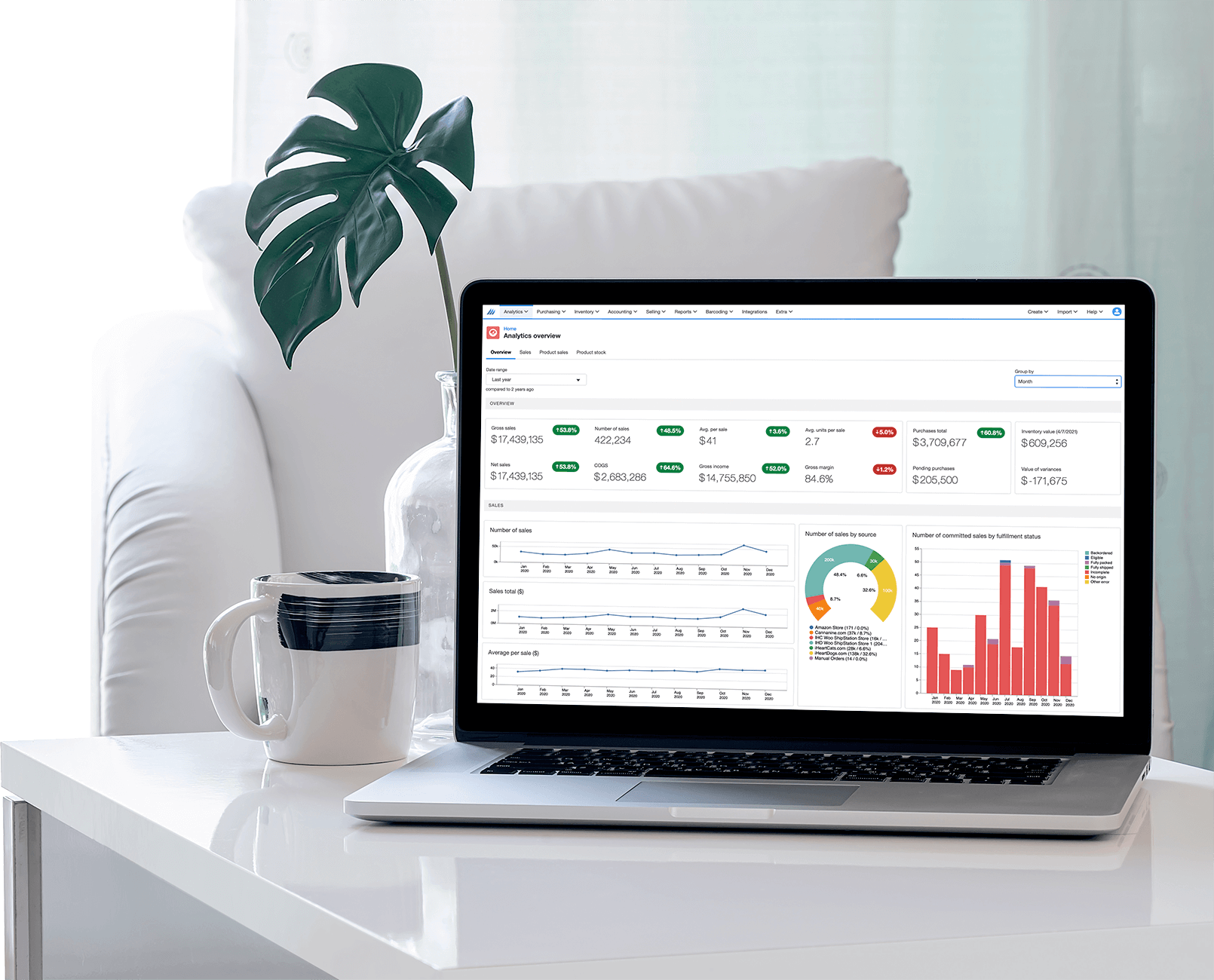
Finale Inventory is a comprehensive multichannel ecommerce inventory solution that enables seamless inventory management for Amazon FBA, Shopify, Walmart, and other platforms. It addresses the industry's need for easy-to-use, adaptable software that supports dynamic workflows, making it ideal for ecommerce businesses of all sizes.

Best for Inventory & Order Management Systems for Ecommerce Businesses

Expert Take

Finale Inventory excels in supporting multichannel ecommerce businesses with its adaptable and comprehensive inventory management features. It integrates seamlessly with major platforms like Amazon FBA and Shopify, offering robust reporting and efficient tracking. Despite some complexity for beginners, its capabilities position it as a top choice for ecommerce inventory management.

Pros

  • Supports up to 2 million products
  • Free onboarding and consulting included
  • Month-to-month contracts with no lock-in
  • Deep ShipStation and Shopify integrations
  • Advanced Android barcode scanning app

Cons

  • No iOS mobile app available
  • No native FIFO/FEFO picking logic
  • QuickBooks integration requires expensive plan
  • User interface described as outdated
  • No automatic order routing features

Best for teams that are

  • High-volume multichannel sellers needing barcode-based warehouse management.
  • Businesses requiring light manufacturing, kitting, and assembly features.
  • Sellers on Amazon/Walmart needing accurate FBA inventory tracking.

Skip if

  • Manufacturers needing complex production scheduling or full ERP capabilities.
  • Small businesses with low inventory complexity or no need for barcode scanning.

Best for teams that are

  • High-volume multichannel sellers needing barcode-based warehouse management.
  • Businesses requiring light manufacturing, kitting, and assembly features.
  • Sellers on Amazon/Walmart needing accurate FBA inventory tracking.

Skip if

  • Manufacturers needing complex production scheduling or full ERP capabilities.
  • Small businesses with low inventory complexity or no need for barcode scanning.

Pros

  • Supports up to 2 million products
  • Free onboarding and consulting included
  • Month-to-month contracts with no lock-in
  • Deep ShipStation and Shopify integrations
  • Advanced Android barcode scanning app

Cons

  • No iOS mobile app available
  • No native FIFO/FEFO picking logic
  • QuickBooks integration requires expensive plan
  • User interface described as outdated
  • No automatic order routing features

Expert Take

Finale Inventory excels in supporting multichannel ecommerce businesses with its adaptable and comprehensive inventory management features. It integrates seamlessly with major platforms like Amazon FBA and Shopify, offering robust reporting and efficient tracking. Despite some complexity for beginners, its capabilities position it as a top choice for ecommerce inventory management.

How We Rank Products

Our Evaluation Process

Evaluation of Inventory & Order Management Systems on the site focuses on assessing documented features such as integration capabilities with existing platforms, scalability for business growth, and automation tools for efficiency. Pricing transparency is considered to understand cost implications. Compatibility with third-party applications is also evaluated, ensuring seamless operation within existing infrastructure. Customer feedback from third-party sources is analyzed to gauge user satisfaction and identify common challenges faced by businesses.

Verification

  • Products evaluated through comprehensive research and analysis of industry standards and user feedback.
  • Selection criteria focus on key features such as inventory tracking, order processing efficiency, and integration capabilities.
  • Comparison methodology analyzes expert reviews and customer ratings to ensure informed decision-making for buyers.

Score Breakdown

0.0 / 10

About Inventory & Order Management Systems

What Is Inventory & Order Management Systems?

Inventory & Order Management Systems (IOMS) constitute the operational nervous system of commerce-centric organizations. This software category covers the orchestration of physical goods and service-related assets across their entire internal lifecycle: from procurement and receiving to allocation, fulfillment, and final delivery or consumption. It sits precisely between Customer Relationship Management (CRM), which manages the promise of a sale, and Enterprise Resource Planning (ERP), which manages the financial record of that sale. Unlike a Warehouse Management System (WMS), which focuses strictly on the "four walls" of a storage facility, IOMS spans the entire supply network, providing a unified view of stock across warehouses, retail stores, transit lines, and remote field locations.

The scope includes general-purpose platforms capable of handling multi-channel retail operations, as well as vertical-specific tools designed for industries with unique compliance or workflow requirements, such as lot tracking in healthcare or job costing in construction. For modern enterprises, this software is not merely a database of counts; it is the logic engine that determines if a promise can be kept, where to source the item to maximize margin, and when to reorder to prevent capital from sitting stagnant on a shelf.

This category matters because the tolerance for operational friction has evaporated. In an era of "endless aisle" expectations and instant fulfillment, the IOMS effectively dictates the customer experience. For the CFO, it is a tool for working capital optimization; for the COO, it is the control tower for supply chain resilience. It is used by procurement teams to forecast demand, warehouse managers to execute fulfillment, and sales teams to verify available-to-promise (ATP) inventory in real-time.

History of Inventory & Order Management Systems

The evolution of inventory management software from the 1990s to the present is a narrative of moving from static records to dynamic orchestration. In the early 1990s, inventory management was largely a module trapped within monolithic, on-premise ERP systems like SAP R/3 or Oracle Applications. These systems were "systems of record"—digital filing cabinets designed to satisfy accounting requirements rather than optimize operational flow. They were notoriously rigid, requiring expensive customization to handle anything beyond standard manufacturing or wholesale distribution workflows. Smaller businesses were left behind, relying on spreadsheets or rudimentary desktop accounting tools.

The late 1990s and early 2000s saw the "Post-ERP" gap emerge. As e-commerce began to take root (Amazon launched in 1995), the static nature of ERP inventory modules could not keep pace with the high-velocity, single-item picking requirements of online retail. This gap birthed the "Best-of-Breed" era, where specialized Warehouse Management Systems (WMS) and early Order Management Systems (OMS) began to decouple from the financial core. Vendors like Manhattan Associates grew in prominence by offering depth that generalist ERPs lacked. However, integration remained a nightmare; data was often batched overnight, meaning "real-time" inventory was effectively a myth.

The paradigm shifted radically in the 2010s with the rise of Cloud and Vertical SaaS. Netsuite (founded in 1998 but hitting its stride later) proved that complex inventory logic could live in the browser. This democratization allowed niche players to emerge, building software specifically for industries like HVAC, medical devices, or consignment retail. The market consolidated around the idea of the "single source of truth" accessible via API. By the 2020s, the buyer's expectation had evolved from "give me a database" to "give me actionable intelligence." Today, the modern IOMS is expected to predict stockouts before they happen, route orders automatically based on margin logic, and integrate seamlessly with a fragmented ecosystem of marketplaces and 3PLs.

What to Look For

Evaluating an Inventory & Order Management System requires looking past the feature checklist and interrogating the system's underlying logic and scalability. The most critical evaluation criterion is the system's ability to handle multi-location logic. Many inferior systems treat multiple warehouses as separate silos rather than a unified network. A robust system must allow for complex routing rules—for example, automatically splitting an order to ship from two different locations based on proximity to the customer, or prioritizing shipping from a retail store to clear out slow-moving stock (ship-from-store).

Red flags during evaluation often appear in the API documentation. If a vendor's API has low rate limits (e.g., only allowing inventory syncs once per hour) or lacks webhooks for real-time order status updates, it is a warning sign that the architecture is dated. Another red flag is a lack of audit trails for inventory adjustments. If a user can change stock levels without the system recording who, when, and why, the software is a liability for theft and compliance. Additionally, be wary of systems that claim to handle "manufacturing" but lack support for Bills of Materials (BOM) or work-in-progress (WIP) tracking; these are often just retail systems masquerading as industrial tools.

When speaking with vendors, ask specific, stress-test questions. Do not ask "Does it integrate with Shopify?"—the answer is always yes. Instead, ask: "How does the system handle a 'race condition' where the last unit is sold on Amazon and Shopify simultaneously?" or "Can we configure different safety stock levels for different SKUs based on their sales velocity?" or "What is the specific process for handling partial returns on a bundled kit?" The depth of the answers will reveal whether the vendor understands the nuance of inventory operations or is simply selling a generic database.

Industry-Specific Use Cases

Retail & E-commerce

For Retail and E-commerce, the IOMS is the engine of the "endless aisle." The primary need here is Distributed Order Management (DOM)—the ability to view inventory across all channels (online, physical stores, pop-ups) as a single pool. Retailers need a system that supports "Buy Online, Pick Up In-Store" (BOPIS) and "Ship-from-Store," workflows that turn retail outlets into fulfillment centers. Evaluation priorities must focus on synchronization speed; a delay of even five minutes in syncing inventory to Amazon can result in overselling and account suspension. Unique considerations include the handling of matrix inventory (items with variants like size/color) and returns management (reverse logistics), which must quickly grade returned items and return them to sellable stock to prevent inventory shrinkage.

Healthcare

In Healthcare, inventory management is literally a matter of life and death, as well as strict regulatory compliance. The dominant requirement is traceability. Systems must support lot tracking and serialization to comply with the Drug Supply Chain Security Act (DSCSA), ensuring that every unit of medication can be traced back to the manufacturer in the event of a recall. Healthcare providers also manage consignment inventory—high-value implants or devices stored at the hospital but owned by the vendor until used. The IOMS must handle this "bill-on-consumption" workflow effortlessly. Evaluation should prioritize expiration date tracking (FEFO – First Expired, First Out logic) to minimize waste of expensive perishables.

Financial Services

While Financial Services firms do not manage "stock" in the retail sense, they have massive requirements for IT Asset Management (ITAM) and collateral tracking. The "inventory" here consists of laptops, servers, security tokens, and sometimes physical files or high-value collateral stored in vaults. The specific need is chain of custody. Banks and fintechs need to know exactly which employee possesses a specific device and its compliance status. Evaluation priorities focus heavily on security and auditability—integrating with HR systems to automatically trigger asset retrieval workflows during employee offboarding. The system must act as a governance tool to prevent data breaches associated with lost hardware.

Manufacturing

For Manufacturing, inventory is dynamic, changing form from raw materials to Work-in-Progress (WIP) to finished goods. The system must support Bill of Materials (BOM) management and backflushing—the automatic deduction of raw materials from inventory as finished goods are produced. Manufacturers need visibility into "allocated" stock (raw materials reserved for a scheduled job but not yet used) versus "available" stock. Unique considerations include tracking vendor lead times to optimize reorder points for Just-in-Time (JIT) production. A standard retail IOMS will fail here; manufacturers require a system that understands assembly, disassembly, and yield loss.

Professional Services

Professional Services firms (IT consultancies, marketing agencies, field services) manage project-based inventory. This includes "trunk stock" (parts carried in a technician's vehicle) or equipment deployed to a client site for a specific engagement. The workflow requires checking items out to a project or client rather than simply selling them. The evaluation priority is job costing—the system must allocate the cost of the inventory used directly to the project's P&L to ensure accurate billing and margin analysis. Unlike retail, where turnover is king, professional services focus on availability and utilization rates of billable assets.

Subcategory Overview

Inventory & Order Management Systems for Marketing Agencies Marketing agencies face a unique inventory challenge that generic tools fail to address: managing promotional "swag," event kits, and printed collateral on behalf of multiple clients. Unlike a retailer selling their own stock, agencies often act as custodians for their clients' assets. The critical differentiator is the need for a client portal that allows end-clients to view only their specific inventory levels and place orders for their own materials (e.g., a regional sales manager ordering brochures for a trade show). Our guide to inventory tools for marketing agencies highlights how specialized platforms handle this "segmented visibility," preventing Client A from seeing Client B's stock. A workflow only these tools handle well is the "event kit" return logic—tracking which items from a booth setup were returned damaged versus reusable. The pain point driving buyers here is the administrative burden of manually updating clients on their swag levels via spreadsheets.

Inventory & Order Management Systems for HVAC Companies For HVAC businesses, inventory is mobile and distributed. The "warehouse" is often a fleet of 20 different vans, each needing a specific mix of parts. Generic systems struggle with this "multi-mobile-location" structure and the specific compliance needs regarding refrigerants. Specialized HVAC inventory software integrates EPA 608 compliance tracking, logging exactly how much refrigerant was used on a specific job for environmental reporting. Inventory tools for HVAC companies excel at the "truck replenishment" workflow, where technicians can request parts directly from the field, triggering a transfer from the main warehouse or a purchase order to a local supply house. The driving pain point is "truck stock leakage"—parts disappearing from vans without being billed to a job.

Inventory & Order Management Systems for Contractors Contractors (electrical, plumbing, general construction) need inventory management that speaks the language of job costing. A general retail tool treats a consumed item as a "sale," but a contractor tool treats it as a "cost allocation" to a specific project phase. Contractor-focused inventory systems handle the "staging" workflow: reserving materials for a project weeks in advance so they are not accidentally used elsewhere. These tools differentiate themselves by integrating deeply with construction accounting software (like Sage or Foundation) rather than e-commerce channels. The specific pain point driving this choice is the inability of generic tools to handle "retainage" and complex project billing where materials are just one component of a larger progress bill.

Inventory & Order Management Systems for Ecommerce Businesses High-volume e-commerce merchants require speed and connection above all else. This niche is defined by pre-built integrations to marketplaces (Amazon, Etsy, eBay) and shopping carts (Shopify, Magento, BigCommerce). Inventory systems for ecommerce businesses specialize in "virtual bundling" (or kitting). This workflow allows a merchant to sell a "Beach Day Kit" (towel + sunscreen + sunglasses) as a single SKU online, while the system automatically decrements the individual component SKUs in the background without requiring the physical items to be pre-packed. General tools often require physical assembly to track kits, which is inefficient for fast-moving consumer goods. The driving pain point is the risk of "overselling" during peak traffic (like Black Friday) due to slow API sync speeds in generic systems.

Inventory & Order Management Systems for Retail Stores Brick-and-mortar retail inventory systems focus on the intersection of the physical shelf and the digital record. The defining feature is the Point of Sale (POS) synchronization. Inventory management tools for retail stores handle the "stock count" workflow via mobile barcode scanners better than any other category, often supporting simultaneous cycle counts while the store is open. They facilitate the transfer of stock between store locations to balance inventory levels (e.g., moving excess winter coats from a southern store to a northern one). The specific pain point driving retailers to these tools is "phantom inventory"—system data saying an item is in stock when it isn't, leading to frustrated walk-in customers and failed online pickup orders.

Integration & API Ecosystem

In the modern software landscape, an IOMS is only as good as its connections. The API (Application Programming Interface) is the lifeline that connects inventory data to sales channels, 3PLs, and financial systems. A robust API ecosystem allows for bi-directional sync: orders flow in, and inventory updates flow out. However, the hidden cost often lies in the maintenance of these integrations. According to industry data, the cost of maintaining a single complex API integration can range from $15,000 to $50,000 annually when factoring in engineering time and partnership fees [1].

Expert Insight: As noted by analysts at Gartner, "Technology-centric approaches to ERP that ignore stakeholder engagement cause ERP initiatives to fail to meet business expectations," highlighting that integration is not just code, but workflow alignment [2].

Real-World Scenario: Consider a mid-sized fashion retailer with 50 employees using Shopify for e-commerce and a legacy ERP for accounting. They implement a new IOMS but overlook the API rate limits. On Black Friday, order volume spikes to 500 orders per minute. The IOMS API, capped at 100 calls per minute, bottlenecks. Orders queue up, inventory doesn't decrement in real-time, and the brand oversells its limited-edition jacket by 300 units. The aftermath involves manual cancellations, angry customers, and reputational damage—all because the integration architecture wasn't stress-tested for peak loads.

Security & Compliance

Inventory systems house sensitive data: proprietary pricing, supplier lists, customer addresses, and financial valuation. Security is no longer optional; it is a critical defense line against supply chain attacks. The 2025 Verizon Data Breach Investigations Report (DBIR) revealed a shocking 100% year-over-year increase in breaches involving third-party software supply chains, jumping from 15% to 30% of all breaches [3]. Compliance adds another layer, particularly for public companies (SOX compliance for inventory valuation) or healthcare (DSCSA).

Expert Insight: Cybersecurity experts at ReversingLabs note that "The report makes clear that the current controls in place that are meant to deal with this attack surface are falling short," emphasizing that trusting vendor security blindly is a strategic error [4].

Real-World Scenario: A high-tech electronics distributor uses an IOMS that lacks robust Role-Based Access Control (RBAC). A warehouse temp worker, given full admin access because "it was easier than setting up a custom role," downloads the entire supplier pricing list and sells it to a competitor. Furthermore, the worker alters the stock count of high-value GPUs to hide theft. Without a granular audit log (which compliance standards would require), the company cannot prove who made the change or when, leading to a write-off of $50,000 in missing stock and a compromised vendor negotiation strategy.

Pricing Models & TCO

Pricing in the IOMS market is notoriously opaque. Models generally fall into three buckets: per-user (seat-based), order-volume (transaction-based), or SKU-count tiers. While the sticker price might look attractive, the Total Cost of Ownership (TCO) tells a different story. Research indicates the average cost for a mid-market inventory management system hovers around $150 per user per month, but this excludes implementation and hidden fees [5].

Expert Insight: Kenny Peavy of Concentrus notes that for mid-market companies, "Costs typically range from $30 to $150 per user monthly... but it becomes expensive quickly if you need seasonal workers," highlighting the trap of seat-based pricing for fluctuating workforces [6].

Real-World Scenario: A 25-person e-commerce brand evaluates two systems. Vendor A charges $100/user/month. Vendor B charges a flat $1,000/month up to 5,000 orders. Initially, Vendor A seems cheaper ($2,500/mo vs $1,000/mo? No, wait—Vendor A is $2,500). Let's flip it: Vendor A is $50/user (total $1,250). Vendor B is transaction-based. The company chooses Vendor A. However, as they grow to 40 employees and hire 20 seasonal temp packers for Q4, their bill skyrockets to $3,000/month right when cash flow is tightest for inventory purchases. Furthermore, Vendor A charges $5,000 for "premium support" during implementation and $200/hour for custom API mapping. The transaction-based model of Vendor B, which doesn't penalize headcount growth, would have resulted in a 30% lower TCO over three years.

Implementation & Change Management

Implementing an IOMS is open-heart surgery for a business. It requires migrating clean data, mapping operational workflows, and training staff who may be resistant to change. The failure rate is sobering: Gartner predicts that through 2027, more than 70% of ERP and inventory initiatives will fail to fully meet their original business goals [7].

Expert Insight: Analysts at Pemeco Consulting highlight that "Companies have wasted millions of dollars... on ERP systems that just don't work," often due to a failure to redefine business processes before applying technology [8].

Real-World Scenario: A wholesale distributor with 10,000 SKUs decides to switch systems. They opt for a "Big Bang" implementation, going live on a Monday morning without a parallel run. They migrate their data without cleaning it first, importing thousands of obsolete SKUs and incorrect units of measure (e.g., selling a "case" as a "unit"). On Day 1, the warehouse scanners reject the barcodes because the new system expects a 12-digit UPC, not the legacy 10-digit code. Shipping grinds to a halt for three days. The sales team reverts to spreadsheets to take orders, creating a data reconciliation nightmare that takes six months and $100,000 in overtime to fix.

Vendor Evaluation Criteria

Selecting a vendor is selecting a long-term business partner. Evaluation must go beyond the sales demo. Critical criteria include the vendor's financial stability, the frequency of their product updates (roadmap velocity), and the quality of their support ecosystem. Poor data quality alone costs organizations an average of $12.9 million annually, often exacerbated by vendors who provide weak data validation tools during migration [9].

Expert Insight: Forrester's research emphasizes that "The majority of digital leaders with an OMS are happy enough to keep it... But many also aren't just blindly relying on their vendor to keep them ahead of the innovation curve," suggesting buyers must actively evaluate a vendor's ability to innovate via composable modules [10].

Real-World Scenario: A growing 3PL evaluates Vendor X. The demo is slick, showing AI forecasting and 3D warehouse mapping. However, during reference calls, the buyer learns that Vendor X was recently acquired by a private equity firm and has cut their support team by 40%. The "AI features" are in beta and require a separate paid module. By prioritizing the "flashy" features over the "boring" criteria of support SLAs and ownership stability, the 3PL signs a contract only to find that critical bug fixes take weeks to resolve, causing them to lose two major clients due to SLA breaches.

Emerging Trends and Contrarian Take

Emerging Trends 2025-2026 The immediate future of IOMS is defined by Agentic AI. Unlike passive analytics that suggest "reorder now," AI agents will have the autonomy to execute tasks: negotiating with suppliers for better rates on standard restocking orders, re-routing shipments based on real-time weather data, or automatically balancing inventory between warehouses without human intervention. SAP predicts that by 2026, AI in the supply chain will move from proof-of-concept to embedded, agentic capabilities that sit inside core business processes [11]. Another shift is the convergence of planning and execution, where the lines between "planning software" (demand forecasting) and "execution software" (ordering/shipping) blur into a single continuous loop.

Contrarian Take: The "Best-of-Breed" Era is Ending. For the last decade, the advice has been to buy the "best" inventory tool and connect it to the "best" accounting tool. However, the hidden tax of integration maintenance is becoming unsustainable for the mid-market. The contrarian insight is that platform consolidation is the smarter play for 90% of businesses. The friction of maintaining five different API connections often outweighs the feature benefits of a specialized tool. In 5 years, standalone inventory management systems will likely cease to exist as a distinct category for the mid-market, having been fully absorbed into broader "Commerce Operating Systems" or vertically specialized ERPs. If you are a $50M business stitching together Shopify, a standalone IOMS, a separate WMS, and QuickBooks, you are building a fragile Frankenstein monster when you should be accepting the "good enough" inventory module of a unified platform.

Common Mistakes

The most expensive mistake buyers make is overbuying functionality. Businesses often purchase an enterprise-grade system with complex features like "wave picking" or "cross-docking" when their actual volume only justifies simple batch picking. This complexity confuses staff, lengthens onboarding, and results in a system that is only 20% utilized. Conversely, growing brands often make the mistake of ignoring historical data migration. They start "fresh" in the new system, losing years of sales velocity data that is crucial for accurate demand forecasting.

Another common failure is underestimating change management. Leaders assume that because the new software is "user-friendly," the warehouse team will adopt it instantly. They neglect to budget for hardware upgrades (e.g., new tablets or scanners compatible with the system) and fail to identify "power users" in the warehouse who can champion the new process. This leads to process workarounds where staff continue to use paper notes and only update the system at the end of the day, destroying real-time accuracy.

Questions to Ask in a Demo

  • "Show me exactly how to handle a partial return where the customer wants a refund for one item and an exchange for another. I want to see the clicks, not a slide."
  • "If our internet connection goes down in the warehouse, does the system have an offline mode that syncs later, or does operation stop?"
  • "How does your system calculate 'Landed Cost'? Does it include freight, insurance, and customs duties in the item's valuation, or is it just the purchase price?"
  • "Can you demonstrate the process of creating a kit/bundle on the fly? How does that affect the available stock of the component items?"
  • "What are the hard limits on your API? How many requests per second can we make during peak season before we get throttled?"
  • "Walk me through the 'cycle count' process. Can we count inventory while the store/warehouse is open and selling, or do we have to freeze operations?"

Before Signing the Contract

Before committing, conduct a final decision checklist. Verify that the Service Level Agreement (SLA) guarantees at least 99.9% uptime, with financial penalties for the vendor if they fail. Ensure there is a clearly defined "Data Exit Strategy"—if you leave in two years, in what format will you get your data back, and is there a cost? Watch out for "auto-renewal" clauses with steep price hikes; negotiate a cap on annual price increases (e.g., max 3-5%).

A major deal-breaker should be proprietary hardware lock-in. If the software only works with the vendor's expensive, proprietary barcode scanners and not standard iOS/Android devices or Zebra scanners, walk away. Finally, scrutinize the "Implementation Support" fee. Ensure it defines specific deliverables (e.g., "migration of 5 years of data," "3 live training sessions") rather than just a generic bucket of hours that will be used up quickly.

Closing

Choosing the right Inventory & Order Management System is a defining moment for your operational maturity. It is the difference between reacting to chaos and orchestrating growth. If you have specific questions about your unique use case or need a sounding board for your evaluation strategy, I invite you to reach out.

Email: albert@whatarethebest.com