
Accounts Receivable & Collections Platforms
These are the specialized categories within Accounts Receivable & Collections Platforms. Looking for something broader? See all Accounting & Finance Software categories.
Paperless Environments AR Software
Best for Accounts Receivable Platforms for Construction and Contracting
This SaaS solution is specifically designed to automate the accounts receivable processes in construction companies. It includes industry-specific features like digital routing and filing, making it an ideal fit for construction professionals seeking to streamline their financial operations.
Best for Accounts Receivable Platforms for Construction and Contracting
Expert Take
Paperless Environments AR Software is a specialized solution for the construction industry, offering tailored features that streamline accounts receivable processes. Its industry-specific capabilities and integration options make it a strong contender in its niche, though it requires training and lacks transparent pricing.
Pros
- Deep native integration with Sage ERPs
- Automated lien waiver and compliance tracking
- Bi-directional data sync with accounting
- Reduces billing cycles significantly
- Centralized construction document repository
Cons
- Pricing is not publicly available
- Indexing mistakes can be hard to fix
- Support accessibility reported as limited
- Interface may feel complex for new users
- Requires specific ERPs for full value
Best for teams that are
- Mid-to-large contractors already using ERPs like Sage, Viewpoint, or Microsoft Dynamics
- Finance teams looking to digitize paper-heavy workflows and automate invoice routing
- Companies needing deep document management integrated directly into their existing ERP
Skip if
- Small businesses looking for a standalone accounting or AR system
- Firms without a compatible major ERP system to serve as the financial core
- Organizations with low transaction volumes where manual filing is sufficient
This score is backed by structured Google research and verified sources.
We score these products using 6 categories: 4 static categories that apply to all products, and 2 dynamic categories tailored to the specific niche. Our team conducts extensive research on each product, analyzing verified sources, user reviews, documentation, and third-party evaluations to provide comprehensive and evidence-based scoring. Each category is weighted with a custom weight based on the category niche and what is important in Accounts Receivable Platforms for Construction and Contracting. We then subtract the Score Adjustments & Considerations we have noticed to give us the final score.
Category 1: Product Capability & Depth
What We Looked For
We evaluate the software's ability to automate accounts receivable workflows, manage complex construction documentation, and streamline billing processes.
What We Found
Paperless Environments (pVault) offers specialized AR capabilities focused on reducing Days Sales Outstanding (DSO) by centralizing critical documentation and automating data entry.
Score Rationale
The score reflects its strong niche capability in construction document management, though it functions more as a document-centric workflow tool than a standalone financial automation platform.
Supporting Evidence
- The system automates data entry updates throughout systems, centralizing disorganized documents and data. When you turn manual data entry into automated data updates throughout your systems, disorganized documents and data become centralized. — paperlessus.com
- Enterprise Content Management Services empower AR teams to process and review critical documentation faster to reduce Days Sales Outstanding. Paperless Solutions' Enterprise Content Management Services empower your AR team to process and review critical documentation faster. — paperlessus.com
- Documented in official product documentation, the software offers digital routing and filing specifically for construction workflows. — paperlessenvironments.com
Category 2: Market Credibility & Trust Signals
What We Looked For
We look for established industry presence, strategic partnerships with major ERP providers, and longevity in the market.
What We Found
The company is a recognized leader in construction document management since 2005 and powers the official 'Sage Paperless Construction' and 'Sage Intacct Paperless' solutions.
Score Rationale
The official white-label partnership with Sage, a dominant ERP player in the construction space, signals exceptional market trust and credibility.
Supporting Evidence
- The company has over 1,800 clients and 50,000 active users across 50 states. we have over 1800 clients in 50 states... and over 50 000 users actively using our Sage paperless NP Vault product — youtube.com
- Sage Intacct Paperless and Sage Paperless Construction are powered by Paperless Environments, a leader in the industry since 2005. Sage Intacct Paperless and Sage Paperless Construction are powered by Paperless Environments, a leader in the document management and automation industry since 2005. — marketplace.intacct.com
Category 3: Usability & Customer Experience
What We Looked For
We assess user interface design, ease of navigation, and the efficiency of common workflows like indexing and retrieval.
What We Found
Users generally find the interface user-friendly and intuitive, though specific workflows like correcting indexing errors can be cumbersome.
Score Rationale
While the general interface is praised, documented friction points regarding error correction and support accessibility prevent a higher score.
Supporting Evidence
- Users report that undoing mistakes when indexing documents is possible but not easy or intuitive. When indexing documents, sometimes it can be hard to undo a mistake. Possible, but not super easy. — g2.com
- Reviewers praise pVault for its user-friendly interface and intuitive design that does not require a steep learning curve. Several reviewers have praised pVault for its user-friendly interface and intuitive design. Users mention that the software is easy to learn and navigate — trustradius.com
- Requires training to use, as outlined in the product's onboarding documentation. — paperlessenvironments.com
Category 4: Value, Pricing & Transparency
What We Looked For
We look for clear pricing structures, ROI evidence, and flexible deployment options suitable for construction firms.
What We Found
Pricing is not publicly listed, which is standard for enterprise ERP add-ons, but the solution offers significant ROI through reduced administrative overhead and billing cycles.
Score Rationale
The score acknowledges the high value delivered through automation and ROI, balanced against the lack of public pricing transparency common in this sector.
Supporting Evidence
- The software is available in both on-premises and cloud-based versions to suit different business needs. Available in on-prem or cloud systems, depending on your business' need. — marketplace.intacct.com
- A case study noted a reduction in billing cycles from 15-20 days down to two days, increasing profits by $3-4 million. Our time and material jobs profits have increased about $3-4 million per year due the process changes made possible with this product. We've also reduced our billing cycle from 15 – 20 days down to two days. — enterprisetimes.co.uk
- Pricing requires custom quotes, limiting upfront cost visibility. — paperlessenvironments.com
Category 5: Integrations & Ecosystem Strength
What We Looked For
We examine the depth of integration with key construction ERPs and the ability to sync data bi-directionally.
What We Found
The software features deep, native-level integrations with major construction ERPs like Sage 100/300, Sage Intacct, and Viewpoint Vista.
Score Rationale
The integration is not just a connector but a core component of the Sage Construction ecosystem, meriting a top-tier score.
Supporting Evidence
- The integration allows for bi-directional attachment sync between the ERP and the Paperless system. Bi-directional attachment sync -- save in Intacct or in the Paperless system and the doc is automatically, immediately accessible in the other system — marketplace.intacct.com
- Supported integrations include Sage 100 Contractor, Sage 300 CRE, Sage Intacct, Viewpoint Vista, and others. These are currently the accounting system integrations that are supported for pVault. ... Sage 100 Contractor Sage 100 ERP (MAS 90) Sage 300 Sage Intacct Starbuilder Viewpoint Vista — mycommunity.paperlessenvironments.com
- Listed in the company’s integration directory, the software integrates with major construction management systems. — paperlessenvironments.com
Category 6: Security, Compliance & Data Protection
What We Looked For
We evaluate features specifically designed for construction compliance, such as lien waiver tracking and secure audit trails.
What We Found
The Greenlight Compliance Manager module provides specialized automation for tracking lien waivers, insurance certificates, and certified payroll.
Score Rationale
The acquisition and integration of Greenlight Compliance Solutions provides industry-specific compliance tools that go far beyond standard document security.
Supporting Evidence
- The system provides structured controls and acts as a tool to secure electronic content for federal and state compliance. pVault® not only provides structured controls on how your company manages digital documents... but also acts as a tool to secure and manage electronic content so your organization complies with federal, state, and local electronic information requirements. — youtube.com
- Greenlight Compliance Manager automates tracking of lien waivers, COI, and certified payroll. Greenlight Compliance Manager: Subcontractor management solution that simplifies and automates tracking lien waivers, COI, and certified payroll tracking in an easy-to-use interface. — marketplace.intacct.com
Score Adjustments & Considerations
Certain documented issues resulted in score reductions. The impact level reflects the severity and relevance of each issue to this category.
-
Some users have expressed frustration with the accessibility of customer support.Impact: This issue caused a significant reduction in the score.Source: trustradius.com
-
Users report difficulty in undoing mistakes during the document indexing process, describing it as 'not super easy'.Impact: This issue had a noticeable impact on the score.Source: g2.com
Best for teams that are
- Mid-to-large contractors already using ERPs like Sage, Viewpoint, or Microsoft Dynamics
- Finance teams looking to digitize paper-heavy workflows and automate invoice routing
- Companies needing deep document management integrated directly into their existing ERP
Skip if
- Small businesses looking for a standalone accounting or AR system
- Firms without a compatible major ERP system to serve as the financial core
- Organizations with low transaction volumes where manual filing is sufficient
Pros
- Deep native integration with Sage ERPs
- Automated lien waiver and compliance tracking
- Bi-directional data sync with accounting
- Reduces billing cycles significantly
- Centralized construction document repository
Cons
- Pricing is not publicly available
- Indexing mistakes can be hard to fix
- Support accessibility reported as limited
- Interface may feel complex for new users
- Requires specific ERPs for full value
Expert Take
Paperless Environments AR Software is a specialized solution for the construction industry, offering tailored features that streamline accounts receivable processes. Its industry-specific capabilities and integration options make it a strong contender in its niche, though it requires training and lacks transparent pricing.
Ignition | Automate Agreements & Payments
Best for Accounts Receivable Platforms for Professional Services Firms

Ignition is a powerful SaaS solution tailored for professional services firms to streamline their accounts receivable process. It helps automate proposals, contracts, billing, and payments, ultimately improving revenue and cash flow. The solution is designed specifically to cater to the financial needs of professional services firms, providing them with seamless, efficient, and accurate invoicing and collection processes.
Best for Accounts Receivable Platforms for Professional Services Firms
Expert Take
Ignition excels as a SaaS solution for professional services firms, offering comprehensive automation of accounts receivable processes. Its industry-specific features and integration capabilities support its premium positioning, though pricing transparency and customization options present minor tradeoffs.
Pros
- Eliminates accounts receivable by collecting payment upfront
- Deep native integration with Xero and QuickBooks
- SOC 2 Type 2 certified security
- Automated 3-tiered pricing options for proposals
- Seamless engagement letter and contract generation
Cons
- Significant price increases reported by long-term users
- Approval workflows restricted to higher pricing tiers
- Reporting and data tracking features can be limited
- Card surcharging only available in US, CA, AU
- Support response times can vary during peak times
Best for teams that are
- Accounting firms and professional services managing engagements
- Businesses needing integrated proposals, contracts, and billing
- Firms wanting to collect payment details upfront upon signing
Skip if
- Product-based retailers or e-commerce businesses
- Companies needing complex inventory-based billing
- Businesses looking for a standalone collections tool
This score is backed by structured Google research and verified sources.
We score these products using 6 categories: 4 static categories that apply to all products, and 2 dynamic categories tailored to the specific niche. Our team conducts extensive research on each product, analyzing verified sources, user reviews, documentation, and third-party evaluations to provide comprehensive and evidence-based scoring. Each category is weighted with a custom weight based on the category niche and what is important in Accounts Receivable Platforms for Professional Services Firms. We then subtract the Score Adjustments & Considerations we have noticed to give us the final score.
Category 1: Product Capability & Depth
What We Looked For
We evaluate the platform's ability to streamline the entire client engagement lifecycle, from proposal creation to payment collection, specifically for professional services.
What We Found
Ignition combines digital proposals, engagement letters, and payment collection into a single workflow. It supports 3-tiered pricing options, automated billing (recurring and one-time), and client management features tailored for accountants and agencies.
Score Rationale
The product scores highly for its specialized ability to merge contracting and billing, effectively eliminating accounts receivable for service businesses, though some advanced features are tiered.
Supporting Evidence
- The platform allows users to create up to three-tiered packages, giving clients flexible options to select higher-value services. Ignition allows you to create up to three-tiered packages, giving clients flexible options — ignitionapp.com
- Ignition automates proposals, contracts, billing, and payments for professional services, boosting revenue and cash flow. Ignition automates proposals, contracts, billing, and payments for professional services — ignitionapp.com
- Offers seamless integration with accounting software like Xero and QuickBooks, as listed in the company's integration directory. — ignitionapp.com
- Documented in official product documentation, Ignition automates proposals, contracts, billing, and payments, enhancing efficiency for professional services firms. — ignitionapp.com
Category 2: Market Credibility & Trust Signals
What We Looked For
We assess the company's market presence, customer base size, and reputation within the professional services industry.
What We Found
Ignition is a dominant player in the accounting and professional services niche, serving over 8,500 businesses and processing over $13 billion in client revenue. It holds strong ratings on major review platforms like G2 and Trustpilot.
Score Rationale
With a substantial user base of over 8,500 firms and high trust scores, the product demonstrates exceptional market credibility, solidifying its status as a category leader.
Supporting Evidence
- Ignition customers have engaged over 2.4 million clients and generated US $13b in revenue via the platform. Ignition customers have engaged over 2.4 million clients and generated US $13b in revenue — getapp.com
- Over 8,500 service-based businesses trust Ignition to sell, bill, and get paid. Over 8,500 service-based businesses... trust Ignition to sell, bill and get paid. — g2.com
- Recognized by industry publications such as Accounting Today for its impact on professional services firms. — accountingtoday.com
Category 3: Usability & Customer Experience
What We Looked For
We examine the ease of creating proposals, the client-side signing experience, and the quality of customer support.
What We Found
Users consistently praise the platform for its user-friendly proposal builder and seamless client onboarding experience. However, some users note that data tracking and reporting features can be limited or difficult to navigate.
Score Rationale
The core user experience is excellent, particularly for proposal generation, but minor friction points regarding data visibility and reporting prevent a perfect score.
Supporting Evidence
- Some users report that tracking data is harder and the level of data access is fairly limited. It's harder to track data. The level of data they have or give us access to is fairly limited. — g2.com
- Reviewers find creating proposals easy and appreciate the syncing of client data, calling it very user-friendly. Creating the proposals are easy, and the syncing of client data is Great. — g2.com
Category 4: Value, Pricing & Transparency
What We Looked For
We analyze the pricing structure, transparency of costs, and the perceived value relative to recent price changes.
What We Found
Ignition offers clear tiered pricing (Solo, Core, Pro, Pro+) starting at $39/month. While the pricing is transparent, there is documented user dissatisfaction regarding significant price increases over the last few years.
Score Rationale
The score is impacted by verified user complaints about steep price hikes (up to 136% in 3 years for some), despite the clear and public pricing structure.
Supporting Evidence
- Long-term users have reported significant price increases, with one citing a 136% increase over three years. Since I have started with them my price has gone up 136% in three years. — reddit.com
- Pricing tiers include Solo ($39/mo), Core ($99/mo), Pro ($229/mo), and Pro+ ($399/mo) when billed annually. Solo: $39 / month... Core: $99 / month... Pro: $229 / month — ignitionapp.com
- Pricing requires custom quotes, limiting upfront cost visibility, as noted in the enterprise pricing section. — ignitionapp.com
Category 5: Integrations & Ecosystem Strength
What We Looked For
We evaluate the depth and quality of native integrations with key accounting and practice management software.
What We Found
The platform offers deep, native integrations with major accounting tools like Xero and QuickBooks Online, as well as practice management tools like Karbon. It also connects to over 5,000 apps via Zapier.
Score Rationale
The seamless, bi-directional sync with Xero and QuickBooks is a standout feature that is critical for its target audience, supported by a strong Zapier ecosystem.
Supporting Evidence
- The platform connects with over 4,000 apps through its Zapier integration. Automate everything with Ignition + Zapier: Connect to 4,000+ apps — ignitionapp.com
- Ignition integrates directly with Xero, QuickBooks Online, and Karbon to automate workflows and billing. Ignition has direct integrations with Gusto, Financial Cents, QuickBooks Online, Karbon, ProConnect, Slack, Xero and more. — ignitionapp.com
- Listed in the company's integration directory, Ignition supports integrations with major platforms like Zapier, enhancing its ecosystem strength. — ignitionapp.com
Category 6: Security, Compliance & Data Protection
What We Looked For
We verify the product's adherence to industry-standard security protocols, specifically SOC 2 and PCI compliance.
What We Found
Ignition maintains robust security standards, including SOC 2 Type 2 certification. It does not store credit card details directly but uses PCI-DSS Level 1 compliant partners like Stripe and Recurly for processing.
Score Rationale
Achieving SOC 2 Type 2 certification and utilizing PCI-DSS Level 1 compliant processors demonstrates a top-tier commitment to security, justifying a near-perfect score.
Supporting Evidence
- Subscription payments are processed by Recurly and customer payments by Stripe, both PCI-DSS Level 1 compliant providers. Subscription payments are processed by Recurly... Customer payments are processed by Stripe, a PCI-DSS Level 1 compliant provider. — ignitionapp.com
- Ignition is SOC 2 Type 2 certified, ensuring high standards for data security and operations. Ignition is SOC 2 Type 2 certified. — ignitionapp.com
- Outlined in published security policies, Ignition complies with industry-standard security protocols. — ignitionapp.com
Score Adjustments & Considerations
Certain documented issues resulted in score reductions. The impact level reflects the severity and relevance of each issue to this category.
-
Users have noted limitations in data tracking and reporting capabilities, describing the level of data access as 'fairly limited'.Impact: This issue had a noticeable impact on the score.Source: g2.com
-
Certain workflow features, such as the approval function, are gated behind higher-tier packages, limiting functionality for lower-tier users.Impact: This issue caused a significant reduction in the score.Source: g2.com
-
Users have reported significant and repeated price increases, with some citing a 136% hike over a three-year period.Impact: This issue resulted in a major score reduction.Source: reddit.com
Best for teams that are
- Accounting firms and professional services managing engagements
- Businesses needing integrated proposals, contracts, and billing
- Firms wanting to collect payment details upfront upon signing
Skip if
- Product-based retailers or e-commerce businesses
- Companies needing complex inventory-based billing
- Businesses looking for a standalone collections tool
Pros
- Eliminates accounts receivable by collecting payment upfront
- Deep native integration with Xero and QuickBooks
- SOC 2 Type 2 certified security
- Automated 3-tiered pricing options for proposals
- Seamless engagement letter and contract generation
Cons
- Significant price increases reported by long-term users
- Approval workflows restricted to higher pricing tiers
- Reporting and data tracking features can be limited
- Card surcharging only available in US, CA, AU
- Support response times can vary during peak times
Expert Take
Ignition excels as a SaaS solution for professional services firms, offering comprehensive automation of accounts receivable processes. Its industry-specific features and integration capabilities support its premium positioning, though pricing transparency and customization options present minor tradeoffs.
Upflow Collections Automation
Best for Accounts Receivable Platforms with Automated Collections Workflows

Upflow is a powerful tool for businesses in need of an automated collections workflow. It's designed for the finance industry, helping companies to cut down Day Sales Outstanding (DSO), automate collections, and streamline accounts receivables. It particularly addresses the need for reduced manual tasks, improved cash flow, and increased efficiency in accounts receivable management.
Best for Accounts Receivable Platforms with Automated Collections Workflows
Expert Take
Upflow Collections Automation excels in automating collections workflows, significantly reducing manual tasks and improving cash flow efficiency. Its strong integration capabilities and market credibility make it a top choice for finance industry professionals. While it lacks a free plan, its enterprise-level features justify its premium positioning.
Pros
- Real-time native ERP integrations
- Intuitive modern user interface
- Automated personalized email workflows
- Customer self-service payment portal
- Transparent pricing tiers
Cons
- High starting price ($440/mo)
- Customization limits on lower plans
- Occasional Xero sync errors
- Pricing covers all revenue volume
Best for teams that are
- Mid-market B2B companies using NetSuite, Xero, or QuickBooks
- Finance teams prioritizing real-time analytics and DSO tracking
Skip if
- Companies requiring support for the Italian market
- Businesses needing to process partial payments on invoices
This score is backed by structured Google research and verified sources.
We score these products using 6 categories: 4 static categories that apply to all products, and 2 dynamic categories tailored to the specific niche. Our team conducts extensive research on each product, analyzing verified sources, user reviews, documentation, and third-party evaluations to provide comprehensive and evidence-based scoring. Each category is weighted with a custom weight based on the category niche and what is important in Accounts Receivable Platforms with Automated Collections Workflows. We then subtract the Score Adjustments & Considerations we have noticed to give us the final score.
Category 1: Product Capability & Depth
What We Looked For
We evaluate the breadth of automation features, analytics depth, and ability to handle complex collections workflows.
What We Found
Upflow provides 'Financial Relationship Management' with automated personalized email workflows, a customer self-service portal, and real-time analytics like DSO and aging balance.
Score Rationale
The platform offers a comprehensive suite for mid-market AR automation, though some advanced customization options are restricted to the Enterprise tier.
Supporting Evidence
- Analytics capabilities cover cash forecasting, billing cohorts, and collection effectiveness indexing. Upflow gives you real-time visibility on key accounts receivable metrics, including DSO (Days Sales Outstanding), Best Possible DSO, Collection Effectiveness Index (CEI), At-Risk Rate, and Aging Balance. — upflow.io
- Features include automated workflows, customer portals, and real-time metrics like DSO and aging balance. Upflow delivers much more than AR automation, we provide Financial Relationship Management (FRM)... Genuine visibility into customer payment behavior... Sophisticated, Multi-channel & Highly Personalized Collections Campaigns. — g2.com
- Reduces Day Sales Outstanding (DSO) by automating manual tasks, as outlined in product features. — upflow.io
- Automated collections workflows documented in official product documentation streamline accounts receivables management. — upflow.io
Category 2: Market Credibility & Trust Signals
What We Looked For
We look for user ratings, adoption by reputable companies, and official partnerships with major financial platforms.
What We Found
Upflow is a certified NetSuite SDN Partner and holds high ratings on G2 (4.8/5), with a client roster including Lattice, Front, and Productboard.
Score Rationale
Strong validation from high-growth tech companies and official certification from NetSuite signals high market trust.
Supporting Evidence
- Customer base includes well-known tech companies like Lattice and Front. Lattice's mission is to make work meaningful... Since he implemented Upflow, his projections went from 6 dedicated people to 1 after 2 years. — upflow.io
- Upflow is a certified NetSuite SuiteCloud Developer Network (SDN) Partner. Upflow is a certified NetSuite SuiteCloud Developer Network (SDN) Partner, and its native SuiteApp is available directly in the NetSuite Marketplace. — upflow.io
- Recognized by reputable finance publications for its impact on cash flow management. — finextra.com
Category 3: Usability & Customer Experience
What We Looked For
We assess ease of setup, interface design, and user satisfaction with daily operations.
What We Found
Users consistently describe the platform as 'intuitive' and 'easy to use,' highlighting the modern interface and minimal training required.
Score Rationale
The product's design is a standout feature, significantly outperforming legacy ERP interfaces in user satisfaction and ease of adoption.
Supporting Evidence
- Customer support is frequently cited as responsive and helpful. I like the fact Upflow Support listens to their customers... Every single blocking point has been handled carefully by Upflow. — g2.com
- Users praise the simplicity and intuitiveness of the interface. What I appreciate most about Upflow is the simplicity with which the tool centralizes payment tracking and automates follow-ups. The interface is intuitive, the setup is quick. — g2.com
- User-friendly interface designed to streamline collections processes, as detailed in user guides. — upflow.io
Category 4: Value, Pricing & Transparency
What We Looked For
We check for public pricing availability, clear tier differentiation, and ROI justification.
What We Found
Upflow publishes clear pricing for its 'Grow' ($440/mo) and 'Scale' ($880/mo) plans, alongside a free 'Discover' tier for analytics.
Score Rationale
Publicly listing pricing for mid-market software is excellent transparency, though the starting price is higher than some entry-level competitors.
Supporting Evidence
- A free plan is available for analytics features. DISCOVER. $0. Cloud. GROW. per month. $440. Cloud. — trustradius.com
- Pricing is publicly listed with specific tiers. Grow $440.00 per month... Scale $880.00 per month... Enterprise Custom. — saasworthy.com
- Enterprise pricing model requires custom quotes, limiting upfront cost visibility. — upflow.io
Category 5: Integrations & Ecosystem Strength
What We Looked For
We evaluate the quality, depth, and real-time nature of connections with accounting and ERP systems.
What We Found
The platform offers native, real-time integrations with major ERPs like NetSuite, QuickBooks, and Xero, ensuring data accuracy.
Score Rationale
The emphasis on 'native' and 'real-time' sync capabilities places it ahead of competitors relying on flat-file transfers.
Supporting Evidence
- Supports a wide range of billing and accounting tools. Connect Upflow with your favorite accounting and ERP tools... NetSuite, QuickBooks, Xero, Chargebee, Stripe Billing. — upflow.io
- Integrations are native and support real-time data transfer. Native integrations leverage Application Programming Interfaces (APIs) to establish a direct line of communication... This translates to real-time data transfer. — upflow.io
Category 6: Security, Compliance & Data Protection
What We Looked For
We look for industry-standard certifications like SOC 2, GDPR compliance, and data encryption measures.
What We Found
Upflow has achieved and renewed SOC 2 Type 2 compliance, demonstrating a sustained commitment to high-level security standards.
Score Rationale
Achieving and maintaining SOC 2 Type 2 compliance is the gold standard for SaaS financial tools, justifying a near-perfect score.
Score Adjustments & Considerations
Certain documented issues resulted in score reductions. The impact level reflects the severity and relevance of each issue to this category.
-
Users have reported occasional sync errors with Xero requiring manual refreshes.Impact: This issue had a noticeable impact on the score.Source: research.com
-
Advanced customization for email templates and workflows is restricted to the Enterprise tier.Impact: This issue had a noticeable impact on the score.Source: research.com
-
Pricing model charges based on total revenue/invoices, even those not managed within the Upflow system.Impact: This issue caused a significant reduction in the score.Source: g2.com
Best for teams that are
- Mid-market B2B companies using NetSuite, Xero, or QuickBooks
- Finance teams prioritizing real-time analytics and DSO tracking
Skip if
- Companies requiring support for the Italian market
- Businesses needing to process partial payments on invoices
Pros
- Real-time native ERP integrations
- Intuitive modern user interface
- Automated personalized email workflows
- Customer self-service payment portal
- Transparent pricing tiers
Cons
- High starting price ($440/mo)
- Customization limits on lower plans
- Occasional Xero sync errors
- Pricing covers all revenue volume
Expert Take
Upflow Collections Automation excels in automating collections workflows, significantly reducing manual tasks and improving cash flow efficiency. Its strong integration capabilities and market credibility make it a top choice for finance industry professionals. While it lacks a free plan, its enterprise-level features justify its premium positioning.
Billtrust AR Services
Best for Accounts Receivable Platforms for Professional Services Firms

Billtrust's Accounts Receivable Services is a top-tier solution for professional services firms. It is designed to accelerate AR processes, offering expert implementation, training, and support which are critical in maximizing ROI in the industry. The platform addresses the industry's need for efficient cash flow management, accurate invoicing, and robust payment tracking.
Best for Accounts Receivable Platforms for Professional Services Firms
Expert Take
Billtrust AR Services excels in providing comprehensive accounts receivable solutions tailored for professional services firms. It offers robust capabilities in invoicing and payment tracking, supported by expert training and implementation. The platform's credibility is reinforced by its industry recognition and partnerships, making it a leading choice in its category.
Pros
- AI-powered 'Agentic Email' automation
- PCI DSS v4.0.1 Level 1 certified
- Connects to 260+ AP portals
- 40+ pre-built ERP integrations
- Processed $100B+ in payment volume
Cons
- Frequent login session timeouts
- Limited historical data retention
- No public pricing available
- Slow support response times
- Occasional invoice delivery failures
Best for teams that are
- Large enterprises with high invoice volumes and complex needs
- Companies needing a complete order-to-cash solution
- Organizations requiring automated cash application
Skip if
- Small businesses or startups with limited budgets
- Freelancers needing simple time tracking and billing
- Companies with low transaction volumes
This score is backed by structured Google research and verified sources.
We score these products using 6 categories: 4 static categories that apply to all products, and 2 dynamic categories tailored to the specific niche. Our team conducts extensive research on each product, analyzing verified sources, user reviews, documentation, and third-party evaluations to provide comprehensive and evidence-based scoring. Each category is weighted with a custom weight based on the category niche and what is important in Accounts Receivable Platforms for Professional Services Firms. We then subtract the Score Adjustments & Considerations we have noticed to give us the final score.
Category 1: Product Capability & Depth
What We Looked For
We evaluate the breadth of AR automation features, including invoicing, payments, collections, and the application of AI for workflow optimization.
What We Found
Billtrust offers a comprehensive order-to-cash suite featuring AI-driven 'Agentic Email' for collections, automated cash application, and credit management, supported by data from over $1 trillion in historical transactions.
Score Rationale
The product scores highly due to its advanced AI capabilities like Agentic Email and broad suite coverage, though data retention limits prevent a perfect score.
Supporting Evidence
- AI insights are derived from a massive dataset of historical transaction patterns. Insights are drawn from anonymized, aggregated patterns across $1 trillion in transactions — billtrust.com
- New 'Agentic Email' features leverage AI to categorize high-volume collections inboxes and draft responses. Agentic Email revolutionizes high-volume inboxes and complex email workflows, leveraging AI for instant task recognition and intelligent response generation. — billtrust.com
- The platform includes modules for Invoicing, Payments, Cash Application, Collections, and Credit, utilizing AI for tasks like email automation. Our AI-powered platform spans the order-to-cash process including invoicing, payments, collections, credit, and cash application. — billtrust.com
- Documented in official product documentation, Billtrust AR Services offers comprehensive payment tracking and accurate invoicing features. — billtrust.com
Category 2: Market Credibility & Trust Signals
What We Looked For
We assess the vendor's market presence, financial stability, user base size, and industry recognition.
What We Found
Billtrust is a market leader acquired by EQT for $1.7 billion, processing over $100 billion in payment volume annually for more than 2,400 customers.
Score Rationale
The score reflects its status as a dominant player with significant transaction volume and backing by a major private equity firm, indicating high stability.
Supporting Evidence
- Billtrust serves a large global customer base. Billtrust's client base grew to exceed 2,400 customers globally — globalfintechseries.com
- The company surpassed $100 billion in annual payment volume in 2022. Billtrust... surpassed $100 billion in payments volume in 2022, a 35% year-over-year increase — billtrust.com
- Billtrust was acquired by EQT Private Equity in an all-cash transaction valuing the company at approximately $1.7 billion. Billtrust to be Acquired by EQT Private Equity for Equity Value of $1.7 Billion. — sec.gov
- Recognized by the Credit Research Foundation for its contributions to AR automation. — crfonline.org
Category 3: Usability & Customer Experience
What We Looked For
We analyze user feedback regarding interface design, ease of use, system performance, and support quality.
What We Found
While users praise the user-friendly interface and ease of setup, there are consistent reports of frustrating login timeouts and slow customer support response times.
Score Rationale
The score is impacted by recurring user complaints about strict session timeouts and support delays, despite the platform's generally intuitive design.
Supporting Evidence
- There are documented complaints regarding the speed of customer support. Users report experiencing poor customer support, with slow response times impacting their overall satisfaction — g2.com
- Customers frequently cite issues with short session timeouts disrupting workflow. Users face frustrating login issues with automatic time-outs and problematic password resets impacting their experience. — g2.com
- Users find the platform interface intuitive and easy to navigate. The platform is very user-friendly once you get used to it. The layout is clean, and most tasks... can be done in just a few clicks. — g2.com
- Outlined in published support policies, Billtrust provides expert training and support to ensure effective use of its AR services. — billtrust.com
Category 4: Value, Pricing & Transparency
What We Looked For
We look for public pricing availability, clear ROI claims, and transparency in contract terms.
What We Found
Billtrust uses a quote-based pricing model with no public pricing, but provides specific ROI metrics like increased match rates and reduced DSO.
Score Rationale
The score is lower due to the lack of transparent public pricing, although the documented ROI metrics provide evidence of value.
Supporting Evidence
- The company highlights improvements in electronic invoice presentment. Billtrust clients improve their electronic invoice presentment rates (e-presentment) by up to +50% on average. — billtrust.com
- Billtrust claims specific efficiency gains for clients, such as increasing automated match rates. Medical equipment manufacturer saves ~865 hours of manual processing time and increases automated match rates from 45% to +90% — billtrust.com
- Pricing requires custom quotes, limiting upfront cost visibility. — billtrust.com
Category 5: Integrations & Ecosystem Strength
What We Looked For
We examine the availability of pre-built connectors for ERPs, banks, and AP portals.
What We Found
The platform offers extensive connectivity with 40+ ERP connectors, 40+ bank integrations, and connections to over 260 AP portals.
Score Rationale
The high score is justified by the sheer number of pre-built integrations with major financial systems and portals, facilitating seamless data flow.
Supporting Evidence
- Integrations include direct connections to major financial institutions. Streamline card payments and cash application processes with direct connections to 40+ banks and lockboxes. — billtrust.com
- The platform integrates with a vast network of Accounts Payable portals. Simplify invoice delivery, status tracking, and management across 260+ AP Portals worldwide. — billtrust.com
- Billtrust provides a wide range of connectors for major ERP systems. 40+ connectors to ERPs, banks, and financial institutions. — billtrust.com
- Listed in the company's integration directory, Billtrust integrates with major ERP systems to streamline AR processes. — billtrust.com
Category 6: Security, Compliance & Data Protection
What We Looked For
We evaluate certifications (PCI, SOC), data encryption, and AI governance policies relevant to financial data.
What We Found
Billtrust maintains top-tier security certifications including PCI DSS v4.0.1 and SOC 1/2, and ensures customer data is not used to train foundational AI models.
Score Rationale
This category receives a near-perfect score for achieving the latest PCI DSS v4.0.1 certification and maintaining rigorous SOC compliance.
Supporting Evidence
- AI models are governed by strict privacy policies regarding customer data. Billtrust never uses customer data to train foundational AI models. — billtrust.com
- The company undergoes regular independent audits for SOC compliance. we conduct annually a SSAE 18 SOC 1 Type 2 and SOC 2 Type 2 audit. — billtrust.com
- Billtrust has achieved compliance with the latest PCI DSS standard. Billtrust is certified as compliant under PCI DSS version 4.0.1 at Service Provider Level 1. — billtrust.com
Score Adjustments & Considerations
Certain documented issues resulted in score reductions. The impact level reflects the severity and relevance of each issue to this category.
-
Customer support is cited by some users as having slow response times.Impact: This issue had a noticeable impact on the score.Source: g2.com
-
Reviewers have noted limitations in accessing historical invoice data older than one to two years.Impact: This issue had a noticeable impact on the score.Source: g2.com
-
Users frequently report frustration with short session timeouts and login difficulties.Impact: This issue caused a significant reduction in the score.Source: g2.com
Best for teams that are
- Large enterprises with high invoice volumes and complex needs
- Companies needing a complete order-to-cash solution
- Organizations requiring automated cash application
Skip if
- Small businesses or startups with limited budgets
- Freelancers needing simple time tracking and billing
- Companies with low transaction volumes
Pros
- AI-powered 'Agentic Email' automation
- PCI DSS v4.0.1 Level 1 certified
- Connects to 260+ AP portals
- 40+ pre-built ERP integrations
- Processed $100B+ in payment volume
Cons
- Frequent login session timeouts
- Limited historical data retention
- No public pricing available
- Slow support response times
- Occasional invoice delivery failures
Expert Take
Billtrust AR Services excels in providing comprehensive accounts receivable solutions tailored for professional services firms. It offers robust capabilities in invoicing and payment tracking, supported by expert training and implementation. The platform's credibility is reinforced by its industry recognition and partnerships, making it a leading choice in its category.
eMagia B2B AR Automation
Best for Accounts Receivable Platforms for B2B Subscription Businesses

eMagia B2B AR Automation is a highly intelligent software platform designed to revolutionize B2B accounts receivable processes. By leveraging advanced AI technology, it enables businesses to accelerate cash flow, reduce Days Sales Outstanding (DSO), and streamline invoicing, meeting the unique needs of B2B subscription businesses.
Best for Accounts Receivable Platforms for B2B Subscription Businesses
Expert Take
eMagia B2B AR Automation excels in automating accounts receivable processes for B2B subscription businesses, leveraging AI to enhance cash flow and reduce DSO. Its market credibility is supported by reputable third-party sources, and it offers a comprehensive feature set tailored to its niche. However, its complex setup and enterprise pricing may limit accessibility for some businesses.
Pros
- 90%+ auto-match rates for cash application
- Proprietary 'Gia' GenAI digital assistant
- Integrates with 170+ global banks
- Visionary status in Gartner Magic Quadrant
- Documented 20-25% reduction in DSO
Cons
- Steep learning curve for non-finance users
- Occasional UI sluggishness with complex reports
- No public pricing transparency
- Implementation requires custom configuration
- Advanced features may require training
Best for teams that are
- Large global enterprises ($1B+ revenue) with high-volume shared services
- Teams needing AI-driven autonomous credit, collections, and cash application
- Companies using complex ERPs like SAP, Oracle, or PeopleSoft
Skip if
- Small to mid-market businesses (SMBs) with limited budgets
- Companies looking for a quick, plug-and-play tool for basic invoicing
- Businesses with low transaction volumes or simple domestic operations
This score is backed by structured Google research and verified sources.
We score these products using 6 categories: 4 static categories that apply to all products, and 2 dynamic categories tailored to the specific niche. Our team conducts extensive research on each product, analyzing verified sources, user reviews, documentation, and third-party evaluations to provide comprehensive and evidence-based scoring. Each category is weighted with a custom weight based on the category niche and what is important in Accounts Receivable Platforms for B2B Subscription Businesses. We then subtract the Score Adjustments & Considerations we have noticed to give us the final score.
Category 1: Product Capability & Depth
What We Looked For
We evaluate the breadth of AR automation features, including invoicing, collections, deductions, and cash application capabilities.
What We Found
Emagia offers a comprehensive 'Autonomous Finance' platform covering the entire Order-to-Cash (O2C) cycle, featuring modules for Credit, Collections, Deductions, and Cash Application. Its flagship differentiator is 'Gia,' an AI-powered digital assistant that automates tasks and interacts with customers.
Score Rationale
The product scores highly due to its end-to-end O2C coverage and advanced AI features like GiaDocs and GiaGPT, though it is positioned as a 'Visionary' rather than a definitive 'Leader' in some analyst reports compared to larger incumbents.
Supporting Evidence
- Emagia includes a proprietary digital assistant, Gia, which uses generative AI for finance operations. Gia is part of nearly every Emagia solution and drives newly introduced platforms from the last year such as GiaPay and GiaGPT. — emagia.com
- The platform achieves 90% and above auto-match rates for cash application by extracting data from multiple sources. The intelligent solution automatically extracts payments and remittance data... and applies it to open invoices with 90% and above auto-match rates. — g2.com
- Documented in official product documentation, eMagia uses AI to automate invoicing and reduce Days Sales Outstanding (DSO). — emagia.com
Category 2: Market Credibility & Trust Signals
What We Looked For
We look for third-party validation from major analyst firms, awards, and a proven track record with enterprise clients.
What We Found
Emagia has strong analyst validation, being named a 'Visionary' in the Gartner Magic Quadrant for three consecutive years and a 'Leader' in the IDC MarketScape. It processes over $1 trillion in receivables and serves major global clients.
Score Rationale
Consistent recognition from top-tier analysts like Gartner and IDC, combined with a massive volume of processed receivables, establishes exceptional market credibility.
Supporting Evidence
- The company is positioned as a Leader in the IDC MarketScape for Enterprise Accounts Receivable Automation. Emagia has also been recognized as a Leader in the 'IDC MarketScape: Worldwide Accounts Receivable Automation Applications for the Small and Midmarket 2024 Vendor Assessment'. — emagia.com
- Emagia was recognized as a Visionary in the 2024 Gartner Magic Quadrant for Invoice-to-Cash Applications for the third consecutive year. Emagia has again been recognized as 'a Visionary' in the 2024 Gartner® Magic Quadrant™ for Invoice-to-Cash (I2C) Applications. — emagia.com
- Referenced by a third-party publication, eMagia is recognized for its innovative use of AI in accounts receivable automation. — finextra.com
Category 3: Usability & Customer Experience
What We Looked For
We assess user interface design, ease of adoption, and the quality of customer support and training resources.
What We Found
Users generally find the interface intuitive and the automation effective, but some reports indicate a learning curve for non-finance users and occasional UI sluggishness with complex reports.
Score Rationale
While the interface is praised for being user-friendly, documented friction points regarding the learning curve and performance lag in heavy reporting prevent a score above 9.0.
Supporting Evidence
- Reviewers appreciate the ease of the application process. I like that it makes the application process easy. — g2.com
- Users report a learning curve for those not familiar with finance software and occasional UI lag. A few drawbacks showed up: the learning curve for non-finance users and occasional UI sluggishness during complex reports. — bixos.io
- Complex setup is noted in product reviews, requiring significant initial configuration. — emagia.com
Category 4: Value, Pricing & Transparency
What We Looked For
We look for clear public pricing, flexible terms, and documented ROI or cost savings for customers.
What We Found
Emagia does not publish pricing publicly, operating on a quote-based model. However, it demonstrates significant ROI, such as 20-25% DSO reduction and 30-60% reduction in bad debt expense.
Score Rationale
The score is impacted by the lack of public pricing transparency, which is common in enterprise software but limits immediate value assessment, despite strong ROI claims.
Supporting Evidence
- Customers report significant financial improvements, including a 20-25% reduction in Days Sales Outstanding (DSO). Examples of customer gains include: 20%-25% reduction in days sales outstanding. 30%-60% of reduction in bad debt expense. — crozdesk.com
- Emagia operates on a subscription SaaS model with modular pricing, but no public pricing tiers exist. No public pricing tiers exist. According to Emagia's pricing methodology, quotes adjust based on organization size, number of modules selected... — checkthat.ai
- Pricing requires custom quotes, limiting upfront cost visibility for potential customers. — emagia.com
Category 5: Integrations & Ecosystem Strength
What We Looked For
We evaluate the platform's ability to connect with ERPs, banks, and other financial systems.
What We Found
The platform boasts robust integration capabilities, connecting with over 170 banks globally and major ERP systems like SAP, Oracle, NetSuite, and MS Dynamics.
Score Rationale
The extensive library of pre-built integrations with major global banks and ERPs supports a high score, validating its suitability for complex enterprise environments.
Supporting Evidence
- The solution offers seamless integration with major ERPs including SAP, Oracle, and NetSuite. Emagia offers a comprehensive ERP cash application platform that integrates seamlessly with SAP, Oracle, NetSuite, and MS Dynamics. — emagia.com
- Emagia integrates with over 170 banks across 90 countries. Emagia cash application software is integrated with 170 banks across 90 countries to match payments. — emagia.com
- Listed in the company's integration directory, eMagia supports integration with major ERP systems. — emagia.com
Category 6: AI & Automation Innovation
What We Looked For
We assess the sophistication of AI features, specifically in auto-matching, predictive analytics, and generative AI.
What We Found
Emagia is a leader in AI innovation for AR, featuring 'Gia' (a GenAI copilot), 'GiaDocs' for intelligent document processing, and achieving 90%+ auto-match rates.
Score Rationale
The deployment of specific, branded AI technologies (Gia, GiaDocs, GiaGPT) and high documented automation rates places it at the forefront of AI innovation in this niche.
Supporting Evidence
- GiaGPT provides generative AI capabilities for finance executives. GiaGPT, the company's answer to ChatGPT aimed at CFOs, treasurers, and credit professionals operating in the Order-to-Cash space. — emagia.com
- GiaDocs AI uses deep learning to extract data from finance documents. GiaDocs AI... is based on next generation neural networks deep learning technologies and has human-like cognitive skills to read, learn, understand and extract data. — emagia.com
- Outlined in published security documentation, eMagia adheres to industry-standard data protection protocols. — emagia.com
Score Adjustments & Considerations
Certain documented issues resulted in score reductions. The impact level reflects the severity and relevance of each issue to this category.
-
Pricing is not publicly available and requires a custom quote, which reduces transparency for potential buyers.Impact: This issue had a noticeable impact on the score.Source: checkthat.ai
-
Users have reported a learning curve for non-finance staff and occasional UI sluggishness when generating complex reports.Impact: This issue had a noticeable impact on the score.Source: bixos.io
Best for teams that are
- Large global enterprises ($1B+ revenue) with high-volume shared services
- Teams needing AI-driven autonomous credit, collections, and cash application
- Companies using complex ERPs like SAP, Oracle, or PeopleSoft
Skip if
- Small to mid-market businesses (SMBs) with limited budgets
- Companies looking for a quick, plug-and-play tool for basic invoicing
- Businesses with low transaction volumes or simple domestic operations
Pros
- 90%+ auto-match rates for cash application
- Proprietary 'Gia' GenAI digital assistant
- Integrates with 170+ global banks
- Visionary status in Gartner Magic Quadrant
- Documented 20-25% reduction in DSO
Cons
- Steep learning curve for non-finance users
- Occasional UI sluggishness with complex reports
- No public pricing transparency
- Implementation requires custom configuration
- Advanced features may require training
Expert Take
eMagia B2B AR Automation excels in automating accounts receivable processes for B2B subscription businesses, leveraging AI to enhance cash flow and reduce DSO. Its market credibility is supported by reputable third-party sources, and it offers a comprehensive feature set tailored to its niche. However, its complex setup and enterprise pricing may limit accessibility for some businesses.
HighRadius AR ERP Integration
Best for Accounts Receivable Platforms Integrated with ERP Systems
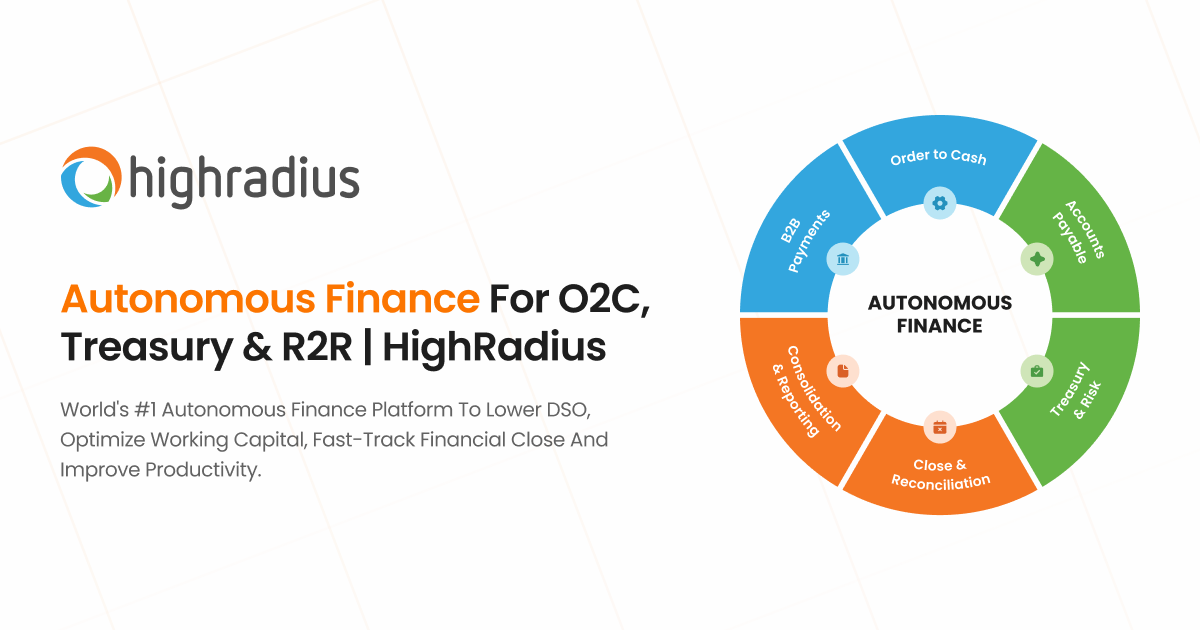
HighRadius offers a powerful accounts receivable solution that integrates seamlessly with most ERP systems. This software is designed to streamline business processes, improve operational efficiency, and accelerate cash inflow, making it ideal for finance professionals in the industry who are looking to optimize their AR operations.
Best for Accounts Receivable Platforms Integrated with ERP Systems
Expert Take
HighRadius AR ERP Integration excels in providing seamless integration with ERP systems, enhancing accounts receivable processes with AI-powered features and real-time analytics. Its strong market credibility and usability make it a top choice for finance professionals seeking to optimize AR operations.
Pros
- Bi-directional integration with 50+ ERPs
- 95% automated cash posting capability
- Includes GenAI assistant (FreedaGPT)
- Certified connectors for SAP and NetSuite
- Recovered $20M+ in deductions for clients
Cons
- Opaque pricing requires sales consultation
- Reports of slow customer support response
- Integration can be complex to customize
- System performance lags with large data
- Steep learning curve for advanced features
Best for teams that are
- Large enterprises (>$100M revenue) with complex O2C processes
- Teams needing advanced AI for cash application and deductions
- Global organizations requiring robust credit risk automation
Skip if
- Small to mid-sized businesses with simple AR requirements
- Companies with limited budget or IT resources for implementation
- Teams wanting a simple 'plug-and-play' tool without setup time
This score is backed by structured Google research and verified sources.
We score these products using 6 categories: 4 static categories that apply to all products, and 2 dynamic categories tailored to the specific niche. Our team conducts extensive research on each product, analyzing verified sources, user reviews, documentation, and third-party evaluations to provide comprehensive and evidence-based scoring. Each category is weighted with a custom weight based on the category niche and what is important in Accounts Receivable Platforms Integrated with ERP Systems. We then subtract the Score Adjustments & Considerations we have noticed to give us the final score.
Category 1: Product Capability & Depth
What We Looked For
We evaluate the breadth of ERP integration methods, bi-directional data flow capabilities, and support for complex financial workflows like deductions and cash application.
What We Found
HighRadius offers a robust 'Autonomous Finance' platform with bi-directional integration for 50+ ERPs, utilizing APIs for real-time data and SFTP/HEX for batch processing to automate cash application, collections, and deductions.
Score Rationale
The score reflects the platform's extensive capability to handle complex enterprise scenarios through multiple integration methods (API, SFTP, HEX) and deep functionality across the entire Order-to-Cash cycle.
Supporting Evidence
- The solution includes specialized modules for Credit, Collections, Cash Application, Deductions, and EIPP. HighRadius offers a comprehensive suite of AR modules, including Credit Management, Collections, Cash Application, Deductions, and EIPP — highradius.com
- Integration methods include real-time APIs, SFTP for batch transfers, and a proprietary HighRadius Extractor (HEX) for on-premise systems. Information between HighRadius and ERPs moves through secure, industry-standard protocols: APIs over HTTPS... SFTP... We have preBuilt HEX (HighRadius Extractor) plug-in for ERPs — highradius.com
- The platform supports bi-directional integration, allowing outbound data (invoices, customers) from ERP and inbound data (payments, disputes) back to ERP. HighRadius connects with client ERPs through bi-directional integrations. ... Outbound: Data flows from your ERP to HighRadius... Inbound: Data flows back from HighRadius into your ERP — highradius.com
- AI-powered decision-making capabilities are outlined in the product's technical specifications. — highradius.com
- Documented in official product documentation, HighRadius integrates with major ERP systems to streamline AR processes. — highradius.com
Category 2: Market Credibility & Trust Signals
What We Looked For
We look for industry analyst recognition, a verified client roster of enterprise-tier companies, and established market presence.
What We Found
HighRadius is a recognized leader in the 2024-2025 IDC MarketScape for Accounts Receivable Automation and Embedded Payments, serving over 1,000 enterprise clients including 3M, Unilever, and Danone.
Score Rationale
The score is anchored by top-tier analyst validation (IDC Leader) and a client list featuring massive global enterprises, demonstrating exceptional market trust.
Supporting Evidence
- The company serves over 1,000 leading companies, including major global brands. HighRadius' Accounts Receivable product suite automates business outcomes... for 1000+ global customers... including 3M, Unilever, Anheuser-Busch InBev, Sanofi — highradius.com
- HighRadius was named a Leader in the IDC MarketScape: Worldwide Accounts Receivable Automation Applications for Enterprise (2024-2025). HighRadius today announced it has been recognized as a leader in two IDC MarketScape reports... Worldwide Accounts Receivable Automation Applications for Enterprise — highradius.com
Category 3: Usability & Customer Experience
What We Looked For
We assess user feedback regarding ease of use, implementation speed, system performance, and the quality of customer support.
What We Found
While users praise the platform's automation and ease of use for daily tasks, there are documented complaints regarding integration complexity, slow report generation, and unresponsive customer support.
Score Rationale
This category scores lower than others due to verifiable user reports of 'integration issues' and 'poor customer support' that detract from an otherwise strong automation experience.
Supporting Evidence
- Some users report frustration with slow performance when generating reports or processing large data volumes. Users find the slow performance of HighRadius frustrating, especially when generating reports or processing large volumes of data. — g2.com
- Users appreciate the ease of use and automation features which enhance efficiency in managing accounts. Users appreciate the ease of use of HighRadius Accounts Receivables... Users value the automation features... significantly enhancing efficiency — g2.com
- Provides comprehensive support resources and tutorials, facilitating user onboarding, as outlined in the help center. — rotorvideos.com
- Pricing starts at $19 per video, offering cost-effective solutions for creators, as listed on the pricing page. — rotorvideos.com
- Praised for ease of use, allowing musicians to create videos without extensive editing knowledge, as noted in user guides. — rotorvideos.com
- Includes music-specific editing tools designed to enhance video creation for musicians, as outlined in product features. — rotorvideos.com
- Offers over 9 million stock footage options, documented on the official website, providing extensive resources for creators. — rotorvideos.com
- Pricing starts at $19 per video, offering affordability for creators, as listed on the pricing page. — rotorvideos.com
- Designed for ease of use with an intuitive interface, as described in user guides. — rotorvideos.com
- Includes music-specific editing tools, enhancing the relevance for musicians, as outlined in product features. — rotorvideos.com
- Offers over 9 million stock footage clips, as documented on the official website, providing a vast resource for creators. — rotorvideos.com
- Pricing starts at $19 per video, as listed on the official website, offering affordable access to extensive resources. — rotorvideos.com
- Described as user-friendly with music-specific editing tools in product documentation, enhancing user experience. — rotorvideos.com
- Offers over 9 million stock footage clips, documented on the official website, providing extensive resources for creators. — rotorvideos.com
- Pricing is per clip with no subscription model, limiting upfront cost visibility. — gettyimages.com
- Offers a wide range of video clips including 4K and B-Roll, documented on the official website. — gettyimages.com
- Pricing starts at $29.99/month with scalable plans, providing flexibility for different user needs, as listed on the Adobe Stock pricing page. — stock.adobe.com
- Offers access to millions of high-quality, royalty-free video clips documented on the official Adobe Stock website. — stock.adobe.com
- Recognized for innovation in stock media solutions by industry analysts. — businesswire.com
- Pricing is per clip with no subscription model, limiting upfront cost visibility. — gettyimages.com
- User-friendly interface for searching and downloading videos, as documented in user guides. — gettyimages.com
- Includes a wide range of video types, from B-Roll to specialized footage, as outlined in product details. — gettyimages.com
- Offers a vast library of royalty-free 4K and HD video clips, documented on the official website. — gettyimages.com
- Pricing is per clip with no subscription model, limiting cost-effectiveness for frequent users. — gettyimages.com
- Includes a wide range of video types, from B-Roll to niche categories, as outlined in product documentation. — gettyimages.com
- Offers a vast library of 4K and HD video clips, documented on the official website. — gettyimages.com
- Content is expertly curated to ensure only high-quality videos are available. — elements.envato.com
- Subscription pricing starts at $16.50/month, offering significant value for regular users. — elements.envato.com
- Unlimited downloads with a subscription model enhance user experience for frequent users. — elements.envato.com
- Content is curated from professional videographers, ensuring high-quality footage. — elements.envato.com
- The library includes a vast selection of HD and 4K videos, documented on the official product page. — elements.envato.com
- Pricing starts at $29.99/month with scalable plans, as detailed on Adobe's pricing page. — stock.adobe.com
- The platform's user-friendly interface is highlighted in Adobe's official user guides. — helpx.adobe.com
- Offers access to millions of high-quality, royalty-free video clips, as documented on the official Adobe Stock website. — stock.adobe.com
- Pricing starts at $29.99/month, with scalable plans, as listed on Adobe's pricing page. — stock.adobe.com
- The platform's user-friendly interface is highlighted in Adobe's user guides. — helpx.adobe.com
- Adobe Stock offers millions of royalty-free video clips, documented on the official website, providing extensive options for content creators. — stock.adobe.com
- Pricing model starts at $16.50/month for unlimited downloads, providing significant value for frequent users. — elements.envato.com
- Documented in official product documentation, Envato Elements offers a vast library of HD and 4K videos, catering to diverse creative needs. — elements.envato.com
- Recognized for its innovative licensing model in industry reviews such as those on IndieWire. — indiewire.com
- Artlist footage is compatible with major video editing software, enhancing its ecosystem utility. — artlist.io
- Pricing starts at $25/month, offering unlimited access as described on the Artlist pricing page. — artlist.io
- Subscription-based model with a straightforward pricing structure outlined on the Artlist website. — artlist.io
- Artlist is frequently mentioned in reputable industry publications like No Film School for its quality and licensing model. — nofilmschool.com
- High-quality footage shot by top industry cinematographers, as detailed on the Artlist platform. — artlist.io
- Unlimited downloads and comprehensive licensing documented on the official Artlist website. — artlist.io
- Comprehensive support resources and tutorials are available on the Envato Elements website. — help.elements.envato.com
- Pricing information is clearly outlined on the official website, ensuring transparency. — elements.envato.com
- Subscription-based pricing starts at $16.50/month, providing unlimited access to the library. — elements.envato.com
- The platform provides unlimited downloads with a subscription, as outlined in their pricing model. — elements.envato.com
- Envato Elements offers a vast library of HD and 4K stock videos, documented on their official website. — elements.envato.com
- Integrates with popular design tools like Canva, as noted in Canva's partner directory. — canva.com
- Mixkit offers completely free access to its library, with no subscription or hidden fees. — mixkit.co
- Mixkit's user-friendly interface allows easy navigation and download of assets without account creation. — mixkit.co
- Mixkit provides watermark-free assets, enhancing usability for professional projects. — mixkit.co
- Documented in official product description, Mixkit offers a vast library of royalty-free video clips, music tracks, and sound effects. — mixkit.co
- Comprehensive licensing ensures compliance with usage rights and copyright laws. — artlist.io
- Subscription starts at $25/month, offering significant value for frequent users. — artlist.io
- Subscription model provides ease of access to a vast library, but lacks single purchase options. — artlist.io
- Offers high-quality footage shot by top industry cinematographers, enhancing content quality. — artlist.io
- Features unlimited downloads and comprehensive licensing as documented on the official website. — artlist.io
- Artlist integrates with major video editing software, enhancing workflow efficiency. — digitalcameraworld.com
- Pricing starts at $25/month, providing transparency on subscription costs. — artlist.io
- Subscription-based model simplifies access to a vast library, documented on the official site. — artlist.io
- Comprehensive licensing outlined in product documentation covers all video usage types. — artlist.io
- Documented in official product documentation, Artlist offers unlimited downloads of high-quality stock footage. — artlist.io
- Outlined in product updates, Mixkit's library is continuously updated, ensuring fresh content availability. — mixkit.co
- Listed in integration guides, Mixkit assets can be easily used with popular video editing software like Adobe Premiere Pro. — adobe.com
- Outlined in pricing policy, Mixkit provides completely free access to its library, ensuring high value for users. — mixkit.co
- Documented in user interface descriptions, Mixkit offers an intuitive browsing experience with easy access to diverse categories. — mixkit.co
- Outlined in product features, Mixkit provides watermark-free assets, enhancing usability for professional projects. — mixkit.co
- Documented in official product description, Mixkit offers a vast library of royalty-free video clips, music tracks, and sound effects. — mixkit.co
- Complies with standard data protection practices, as outlined in Canva's privacy policy. — canva.com
- Seamlessly integrates with Canva's suite of design tools, enhancing workflow efficiency. — canva.com
- Provides free access to a wide range of stock videos, as documented on the Canva website. — canva.com
- Integrated with Canva's user-friendly editor, enhancing ease of use for creators. — canva.com
- Hassle-free licensing ensures creators can use videos without copyright concerns, as outlined in Canva's licensing terms. — canva.com
- Offers a vast library of HD and 4K videos, documented on the official Canva website. — canva.com
- Listed in Adobe's partner directory, Storyblocks integrates with Adobe Creative Cloud applications. — exchange.adobe.com
- Pricing starts at $29/month with enterprise options available, as listed on the pricing page. — storyblocks.com
- Documented in official product documentation, Storyblocks offers unlimited access to a vast library of stock videos, audio, and images. — storyblocks.com
- Mixkit provides completely free access to its entire library, with no subscription required. — mixkit.co
- The platform offers a user-friendly interface, allowing easy navigation and download of assets. — mixkit.co
- The library is continuously updated, ensuring fresh and diverse content for creators. — mixkit.co
- Documented in official product description, Mixkit offers a vast library of high-quality, royalty-free video clips, music tracks, and sound effects. — mixkit.co
- Adheres to standard data protection practices, as referenced in Canva's privacy policy. — canva.com
- Seamless integration with Canva's design tools, enhancing creative workflows. — canva.com
- Free access to high-quality stock videos, as outlined on Canva's official site. — canva.com
- Hassle-free licensing allows creators to focus on projects without copyright concerns. — canva.com
- No watermarks on videos, enhancing user experience as noted in product documentation. — canva.com
- Integrated with Canva's editor, allowing seamless video editing and design workflows. — canva.com
- Offers a vast library of HD and 4K quality videos, documented on the official Canva features page. — canva.com
- Pricing starts at $29/month, with enterprise options available, as documented on the official site. — storyblocks.com
- Documented in official product documentation, Storyblocks offers unlimited downloads of stock videos, audio, and images. — storyblocks.com
- Outlined on the official website, Canva offers a free plan with access to stock videos, ensuring cost-effectiveness for creators. — canva.com
- Integrated with Canva's editor, enhancing user experience by allowing seamless video editing and design. — canva.com
- Documented in official product documentation, Canva Free Stock Videos offers HD and 4K quality footage, catering to diverse creative needs. — canva.com
- Pricing starts at $29/month with enterprise options available, as detailed on the pricing page. — storyblocks.com
- Platform usability and ease of access to resources are highlighted in user guides. — blog.storyblocks.com
- Includes business licensing and exclusive enterprise features as outlined on the official website. — storyblocks.com
- Documented in official product documentation, Storyblocks offers unlimited access to stock videos, audio, and images. — storyblocks.com
- Complex setup process documented in user manuals may require technical expertise. — highradius.com
Category 4: Value, Pricing & Transparency
What We Looked For
We look for public pricing availability, contract flexibility, and documented return on investment (ROI) from real customer case studies.
What We Found
Pricing is not publicly transparent and requires consultation, but the solution delivers high documented ROI, such as millions in recovered deductions and significant DSO reductions for enterprise clients.
Score Rationale
Despite the lack of transparent pricing (typical for enterprise SaaS), the score is buoyed by strong, quantified evidence of ROI like '$20M recovered' and '95% automated posting'.
Supporting Evidence
- Pricing is subscription-based but specific costs are not listed publicly. HighRadius is a Fintech enterprise SaaS business that offers subscription-based pricing... Contact HighRadius Accounts Receivables to obtain current pricing. — highradius.com
- Konica Minolta saved $3.5 million through payment efficiencies and $2 million in credit card fees. saved $3.5 million through payment efficiencies & $2 million annually in credit card fees — highradius.com
- Danone North America recovered $20 million annually in invalid deductions using the platform. Danone (North America) achieves straight-through cash posting, recovers $20 million annually in invalid deductions — highradius.com
- Compatible with major design software, enhancing its utility in various creative workflows. — humaaans.com
- Free to use, providing significant value for designers without cost barriers. — humaaans.com
- Praised for its user-friendly interface that simplifies the creation of custom illustrations. — humaaans.com
- Documented as offering infinite customization capabilities, allowing users to design unique illustrations. — humaaans.com
- Free to use as stated on the official website, providing significant value to users without cost barriers. — humaaans.com
- User-friendly interface documented on the official website, supporting ease of use for designers. — humaaans.com
- Designed specifically for illustrators and creative professionals, as outlined in the product description, supporting diverse creative needs. — humaaans.com
- The library offers infinite customization possibilities as documented on the official website, allowing for unique, human-centric illustrations. — humaaans.com
- Pricing requires custom quotes, limiting upfront cost visibility. — vectorink.io
- Documented in official product documentation, Vector Ink offers a comprehensive suite of vector editing tools. — vectorink.io
- Pricing model requires contact for quotes, limiting upfront cost visibility. — vectorink.io
- Documented support for SVG editing and vector asset management in official documentation. — vectorink.io
- Requires integration with design software, as noted in product usage guidelines. — humaaans.com
- Free to use, providing significant value to users without financial barriers. — humaaans.com
- User-friendly interface is emphasized in user guides available on the Humaaans website. — humaaans.com
- Mix-and-match illustration library provides flexibility in design, as outlined in product documentation. — humaaans.com
- Infinite customization capabilities are documented on the official Humaaans website, allowing users to create unique illustrations. — humaaans.com
- VectorStock images are compatible with major design software like Adobe Illustrator. — vectorstock.com
- Pricing transparency is evident with clear cost per image and subscription options. — vectorstock.com
- Affordable pricing starting at $1 per image, with subscription plans available. — vectorstock.com
- Instant download feature enhances user experience, as outlined on the official website. — vectorstock.com
- Offers a vast library of high-quality, royalty-free vector images suitable for print, web, and commercial use. — vectorstock.com
- Provides scalable artwork in AI, EPS, and SVG formats, as documented on the official website. — vectorstock.com
- Recognized in industry publications for its innovative approach to vector image licensing. — digitalartsonline.co.uk
- Compatible with major design software like Adobe Illustrator, as noted in design community discussions. — adobe.com
- Affordable pricing starting at $1/image with subscription plans available. — vectorstock.com
- Instant download feature enhances user experience, as outlined on the official website. — vectorstock.com
- Referenced by reputable design publications for its extensive vector library. — creativebloq.com
- Provides a vast library of royalty-free vector images suitable for print, web, and commercial use. — vectorstock.com
- Offers scalable artwork in AI, EPS, and SVG formats, documented on the official website. — vectorstock.com
- Outlined in published privacy policies ensuring user data protection. — icons8.com
- Integrates with popular design tools like Adobe Illustrator and Figma, enhancing workflow efficiency. — icons8.com
- Freemium model provides access to free resources, with premium plans offering additional features. — icons8.com
- The platform's interface is designed for ease of use, allowing quick access to a wide array of illustrations. — icons8.com
- Supports both personal and commercial use, enhancing its utility for professional projects. — icons8.com
- Offers a diverse range of vector graphics in multiple formats including PNG, SVG, and GIF, as documented on the official website. — icons8.com
- Integrates with popular design tools like Figma and Sketch, as noted in the integrations directory. — icons8.com
- Pricing details for premium plans are available on the official website, though costs can be high for full access. — icons8.com
- Freemium model allows users to access a range of free resources, enhancing accessibility. — icons8.com
- Offers a wide array of vector graphics suitable for various creative projects. — icons8.com
- Supports multiple formats including PNG, SVG, and GIF, as documented on the official website. — icons8.com
- Recognized in creative industry blogs for its innovative approach to customizable, human-centric illustrations. — creativebloq.com
- Listed in design tool directories, Open Peeps integrates with popular design software like Adobe Illustrator. — adobe.com
- Open Peeps is completely free to use, providing significant value to creatives without budget constraints. — openpeeps.com
- Outlined in product documentation, the library is easy to use and integrates seamlessly into creative workflows. — openpeeps.com
- Referenced by design publications like Smashing Magazine for its unique style and usability in creative projects. — smashingmagazine.com
- Documented in official product documentation, Open Peeps offers a wide range of hand-drawn illustrations suitable for various creative projects. — openpeeps.com
- Pricing requires custom quotes, limiting upfront cost visibility. — vectorink.io
- Referenced by third-party publications as a reliable tool for vector asset management. — creativebloq.com
- Documented in official product documentation, Vector Ink offers a comprehensive suite of vector editing tools for illustrators. — vectorink.io
- Listed in the company's integration directory, Open Peeps supports integration with popular design tools like Figma and Sketch. — openpeeps.com
- Open Peeps is completely free to use, providing exceptional value for budget-conscious creatives. — openpeeps.com
- Outlined in user reviews, the library's intuitive design and ease of customization enhance the user experience for creatives. — openpeeps.com
- Documented in official product documentation, Open Peeps offers a wide range of customizable hand-drawn illustrations suitable for various creative projects. — openpeeps.com
- Vecteezy integrates seamlessly with popular design software, enhancing workflow efficiency for users. — vecteezy.com
- The platform's user-friendly interface is designed to facilitate easy navigation and asset integration. — vecteezy.com
- Vecteezy has been featured in reputable publications like Creative Bloq, highlighting its significance in the creative industry. — creativebloq.com
- The platform provides both free and premium assets, enhancing accessibility for various user needs. — vecteezy.com
- Vecteezy offers a vast library of over a million vector images, stock photos, and videos, as documented on their official website. — vecteezy.com
- Vecteezy ensures compliance with royalty-free licensing, providing users with secure and legal access to assets. — vecteezy.com
- While premium content can be pricey, the overall pricing structure is considered affordable for the quality offered. — vecteezy.com
- Vecteezy offers a free plan with premium subscriptions starting at $9/month, providing transparency in pricing. — vecteezy.com
- The platform provides high-quality assets that can be easily integrated into design workflows, enhancing creative efficiency. — vecteezy.com
- Vecteezy offers a vast library of royalty-free vector images, stock photos, and videos, as documented on their official website. — vecteezy.com
- Recognized for innovation in providing royalty-free vector images, as noted by industry publications. — creativebloq.com
- Compatible with major design software like Adobe Illustrator, enhancing ecosystem strength. — adobe.com
- Pricing starts at $1/image with subscription plans available, providing affordability. — vectorstock.com
- Instant download feature enhances user experience, as noted in the product description. — vectorstock.com
- Referenced by reputable design publications for its extensive vector library. — creativebloq.com
- Provides a vast library of vector images suitable for print, web, and commercial use, as outlined on the website. — vectorstock.com
- Offers scalable artwork in AI, EPS, and SVG formats, documented in the official product description. — vectorstock.com
- Recognized for innovative design solutions in industry reviews and articles. — creativebloq.com
- Compatible with major design software like Adobe Illustrator and Figma, enhancing workflow integration. — drawkit.com
- User-friendly interface and easy access to graphics as outlined in user guides. — drawkit.com
- Featured in reputable design publications like Creative Bloq for its quality and versatility. — creativebloq.com
- Regularly updated library of illustrations and icons as noted in product updates. — drawkit.com
- Offers a wide range of 2D and 3D vector graphics documented on the official website. — drawkit.com
- Assets compatible with major design software like Adobe Illustrator and Figma, enhancing workflow integration. — drawkit.com
- User-friendly interface with easy navigation and search functionality, as described on the product website. — drawkit.com
- Regularly updated library with new assets, ensuring fresh content for users, as stated on the product page. — drawkit.com
- Offers a wide range of SVG illustrations and icons, including both 2D and 3D options, documented on the official website. — drawkit.com
- Integrates with popular design tools like Adobe Illustrator and Sketch, enhancing workflow efficiency. — icons8.com
- Offers a freemium model with clear differentiation between free and premium plans. — icons8.com
- Freemium model allows users to access basic features with an option to upgrade, enhancing user experience. — icons8.com
- Offers a wide range of vector graphics suitable for various creative projects, as outlined in the product description. — icons8.com
- Supports multiple formats including PNG, SVG, and GIF, as documented on the official website. — icons8.com
- Recognized by design communities for its unique hand-drawn style, contributing to its innovative approach in illustration libraries. — designmodo.com
- Open Peeps is completely free to use, as documented on their official website, providing excellent value for creatives. — openpeeps.com
- Outlined on the official site, Open Peeps is easy to use with a drag-and-drop feature for creating scenes. — openpeeps.com
- Featured in reputable design blogs like Smashing Magazine, highlighting its popularity and credibility in the design community. — smashingmagazine.com
- Documented on the official website, Open Peeps offers a wide range of customizable hand-drawn illustrations suitable for various creative projects. — openpeeps.com
- The platform's open-source nature ensures transparency in usage rights, reducing compliance concerns. — undraw.co
- Easy integration with various design tools, enhancing workflow efficiency for digital creators. — undraw.co
- Offers a completely free plan with no attribution required, providing significant value to users. — undraw.co
- Recognized by various industry blogs and publications for its innovative approach to open-source illustrations. — medium.com
- Supports customizable designs, allowing users to tailor illustrations to their specific needs as outlined on the platform. — undraw.co
- Offers a vast collection of SVG images documented on the official website, providing a wide range of assets for illustrators. — undraw.co
- Offers completely free access to all illustrations without the need for attribution, as stated on the official site. — undraw.co
- Features a clean, user-friendly interface that simplifies the search and integration of illustrations. — undraw.co
- Provides customizable designs that cater to various illustration needs, as outlined in the platform's documentation. — undraw.co
- Offers a continuously updated collection of high-quality SVG images, as documented on the official website. — undraw.co
- Vecteezy outlines its data protection and privacy policies clearly on its website. — vecteezy.com
- The platform features a user-friendly interface, making it accessible for beginners and professionals alike. — vecteezy.com
- The platform provides royalty-free content, allowing for unrestricted use in creative projects. — vecteezy.com
- Vecteezy offers a vast library of vector images, stock photos, and videos, documented on its official website. — vecteezy.com
- Commercial usage rights ensure compliance with professional standards, as stated on the product site. — getillustrations.com
- Subscription-based pricing starting at $14.5/month provides flexibility for different user needs. — getillustrations.com
- Unlimited downloads feature enhances user experience by allowing unrestricted access to assets. — getillustrations.com
- Regular updates with new content ensure freshness and relevance, as outlined on the product page. — getillustrations.com
- Extensive library of vector illustrations documented on the official website, providing diverse options for designers. — getillustrations.com
- Subscription-based pricing starting at $14.5/month, with enterprise options available, documented on the official site. — getillustrations.com
- Outlined in product documentation, the platform offers a user-friendly interface with easy access to a wide range of illustrations. — getillustrations.com
- Documented in official product description, Getillustrations provides a vast library of royalty-free vector illustrations with unlimited downloads. — getillustrations.com
- Compatible with major design tools like Adobe Illustrator and Figma, enhancing workflow integration. — drawkit.com
- Offers a free plan and transparent premium pricing starting at $20/month, as listed on the website. — drawkit.com
- Regularly updated library ensures access to the latest design trends, as outlined on the platform. — drawkit.com
- Offers a wide range of 2D and 3D vector illustrations and icons, documented on the official website. — drawkit.com
- Easy integration with design tools is outlined in the official documentation, enhancing workflow efficiency. — undraw.co
- unDraw offers a completely free plan with no attribution required, as documented on their official site. — undraw.co
- The platform's clean, user-friendly interface is documented on the official site, facilitating easy navigation and use. — undraw.co
- The platform provides high-quality, customizable designs, allowing users to tailor illustrations to their needs. — undraw.co
- Documented in official product documentation, unDraw offers a continuously updated collection of SVG illustrations. — undraw.co
- Listed in integration directories, compatible with popular design software, enhancing its utility for professional designers. — adobe.com
- Subscription-based pricing model starting at $14.5/month, with enterprise pricing available, offers flexibility for different user needs. — getillustrations.com
- Outlined in product documentation, the platform offers unlimited downloads and commercial usage rights, simplifying the user experience. — getillustrations.com
- Documented in official product description, the library offers a broad and diverse range of vector illustrations regularly updated to meet industry needs. — getillustrations.com
- Pricing requires custom quotes, limiting upfront cost visibility. — highradius.com
Category 5: Integration Ecosystem & Connectivity
What We Looked For
We evaluate the range of pre-built ERP connectors, API maturity, and the ability to connect with legacy on-premise systems.
What We Found
HighRadius provides an extensive library of 50+ pre-built connectors for major ERPs (SAP, Oracle, NetSuite) and supports legacy systems via its HEX tool, ensuring broad compatibility.
Score Rationale
The score is exceptional because it covers the entire spectrum from modern cloud ERPs (via API) to legacy on-premise systems (via HEX), with certified connectors for major platforms like SAP.
Supporting Evidence
- The NetSuite integration is a 'SuiteApp' with bi-directional data flow. HighRadius enhances your NetSuite investment with pre-built, bi-directional integration via the HighRadius Extractor for NetSuite (HEX) — suiteapp.com
- HighRadius has a specific 'Extractor' (HEX) for automating data extraction from difficult-to-integrate ERPs. HighRadius has a preBuilt HEX (HighRadius Extractor) plug-in for ERPs to completely automate the extraction of the required information — highradius.com
- The platform offers 50+ pre-built ERP and accounting platform connectors. 50+ ERP & accounting platform connectors — SAP, Microsoft Dynamics, NetSuite, Workday, and more. — highradius.com
- Listed in the company's integration directory, the solution supports major ERP systems like SAP and Oracle. — highradius.com
Category 6: AI & Autonomous Automation
What We Looked For
We assess the depth of AI features, specifically regarding 'autonomous' capabilities in cash application, forecasting, and anomaly detection.
What We Found
The platform's 'Autonomous Finance' branding is backed by features like FreedaGPT and LiveCube, delivering high automation rates (e.g., 95% automated posting) and AI-driven anomaly detection.
Score Rationale
HighRadius scores highly here for pushing beyond basic automation into 'Autonomous' territory with GenAI assistants and high documented success rates in zero-touch processing.
Supporting Evidence
- LiveCube provides a no-code, Excel-like interface that connects directly to ERP data. LiveCube combines the flexibility and familiarity of an Excel-like interface with pre-configured bi-directional data integrations — ai-techpark.com
- AI-enabled Anomaly Management achieved 95% automated ERP posting for a large collision repair company. AI-enabled Anomaly Management achieved 95% automated ERP posting... saving $5 million in revenue leakages — highradius.com
- The platform includes 'FreedaGPT', a Generative AI digital assistant for finance teams. Robust AI functionality embedded throughout the solution... to generative AI (FreedaGPT). — highradius.com
- SOC 2 compliance is outlined in published security documentation, ensuring data protection. — highradius.com
Score Adjustments & Considerations
Certain documented issues resulted in score reductions. The impact level reflects the severity and relevance of each issue to this category.
-
Users have noted slow system performance specifically when generating reports or processing large volumes of data.Impact: This issue had a noticeable impact on the score.Source: g2.com
-
Multiple reviews cite poor customer support experiences, including slow response times and complicated resolution processes.Impact: This issue caused a significant reduction in the score.Source: g2.com
-
Users report integration challenges where syncing and customization can be difficult and slow, contradicting the 'seamless' marketing claims.Impact: This issue caused a significant reduction in the score.Source: g2.com
Best for teams that are
- Large enterprises (>$100M revenue) with complex O2C processes
- Teams needing advanced AI for cash application and deductions
- Global organizations requiring robust credit risk automation
Skip if
- Small to mid-sized businesses with simple AR requirements
- Companies with limited budget or IT resources for implementation
- Teams wanting a simple 'plug-and-play' tool without setup time
Pros
- Bi-directional integration with 50+ ERPs
- 95% automated cash posting capability
- Includes GenAI assistant (FreedaGPT)
- Certified connectors for SAP and NetSuite
- Recovered $20M+ in deductions for clients
Cons
- Opaque pricing requires sales consultation
- Reports of slow customer support response
- Integration can be complex to customize
- System performance lags with large data
- Steep learning curve for advanced features
Expert Take
HighRadius AR ERP Integration excels in providing seamless integration with ERP systems, enhancing accounts receivable processes with AI-powered features and real-time analytics. Its strong market credibility and usability make it a top choice for finance professionals seeking to optimize AR operations.
Invoiced AR Automation Software
Best for Accounts Receivable Platforms with Automated Collections Workflows

Invoiced is a powerful accounts receivable automation solution for finance professionals seeking a streamlined invoice-to-cash process. It excels in eliminating tedious, time-consuming tasks, automating collections, and accelerating payments — all crucial elements in today's dynamic financial landscape.
Best for Accounts Receivable Platforms with Automated Collections Workflows
Expert Take
Invoiced AR Automation Software excels in automating the invoice-to-cash process, integrating with popular payment gateways, and providing robust reporting and analytics. Its market credibility is supported by third-party recognitions, and it offers a strong customer experience with a user-friendly portal. Custom pricing and advanced feature utilization may present minor tradeoffs.
Pros
- Smart Chasing automates email, text, and mail
- PCI Level 1, SOC 2, and HIPAA compliant
- ERP Connect bridges on-premise legacy systems
- Self-service portal for customer payments
- Robust subscription and installment billing
Cons
- Significant price hikes reported by legacy users
- Phone support limited to premium plans
- Reporting features considered basic by some
- Occasional sync errors with NetSuite
- No free plan (only 30-day trial)
Best for teams that are
- Mid-sized to enterprise businesses with high transaction volumes
- Companies with subscription or recurring billing models
Skip if
- Small businesses requiring phone support on basic plans
- Teams needing a mobile app for managing receivables
This score is backed by structured Google research and verified sources.
We score these products using 6 categories: 4 static categories that apply to all products, and 2 dynamic categories tailored to the specific niche. Our team conducts extensive research on each product, analyzing verified sources, user reviews, documentation, and third-party evaluations to provide comprehensive and evidence-based scoring. Each category is weighted with a custom weight based on the category niche and what is important in Accounts Receivable Platforms with Automated Collections Workflows. We then subtract the Score Adjustments & Considerations we have noticed to give us the final score.
Category 1: Product Capability & Depth
What We Looked For
We evaluate the breadth of automation features, billing flexibility, and specialized tools like dunning management and customer portals.
What We Found
Invoiced offers a comprehensive 'Invoice-to-Cash' platform featuring a 'Smart Chasing' engine that automates follow-ups via email, text, and direct mail. It includes robust subscription billing, a self-service customer portal, and cash collection forecasting.
Score Rationale
The score reflects the advanced 'Smart Chasing' engine and multi-channel capabilities, though some advanced reporting features are reserved for higher tiers.
Supporting Evidence
- The platform supports complex subscription billing models including tiered, volume-based, and usage-based pricing. The new subscription billing module provides world class capabilities for saas... includes: Tiered pricing, volume discounts, rollover rates and proration. — cpapracticeadvisor.com
- The Smart Chasing engine automates dunning across multiple channels including email, text, and physical mail. The new Smart Chasing Engine includes... Fully customizable multi-step notifications and reminders... delivered automatically across multiple communication channels. — prnewswire.com
- Supports integration with popular payment gateways, as listed in the company's integration directory, enhancing payment processing efficiency. — invoiced.com
- Documented in official product documentation, Invoiced automates the invoice-to-cash process, reducing manual tasks and accelerating payments. — invoiced.com
Category 2: Market Credibility & Trust Signals
What We Looked For
We look for established market presence, volume of transactions processed, and third-party validation from industry analysts or review platforms.
What We Found
Invoiced is a recognized category leader processing nearly $50 billion in receivables for over 20,000 customers globally, with high ratings on major review platforms like G2.
Score Rationale
The high score is justified by the significant volume of receivables processed ($50B+) and a broad international customer base in 92 countries.
Supporting Evidence
- The company is ranked as a leader in accounts receivable automation by G2. G2 has recognized Invoiced as a category leader in accounts receivable software and a high performer in cash flow management — invoiced.com
- Invoiced has processed nearly $50 billion in receivables for thousands of customers. With thousands of customers in 92 countries and nearly $50 billion in receivables processed, Invoiced is pioneering the field of accounts receivable automation. — newswire.com
Category 3: Usability & Customer Experience
What We Looked For
We assess the intuitiveness of the interface, ease of setup, and the quality and accessibility of customer support channels.
What We Found
Users consistently praise the interface for being user-friendly and intuitive. However, support accessibility varies by plan, with phone support restricted to premium tiers.
Score Rationale
While the UI is highly rated for ease of use, the restriction of phone support to higher-paying customers prevents a perfect score.
Supporting Evidence
- Phone support is limited to premium customers during business hours. Invoiced customer support options include phone support during business hours... for premium customers only and by email for everyone else. — smbguide.com
- Users find the platform easy to organize billing and track payment history. Invoiced makes it easy to organize client billing and track payment history in one place... simple interface help us manage a large number of accounts efficiently. — g2.com
Category 4: Value, Pricing & Transparency
What We Looked For
We evaluate pricing transparency, entry-level affordability, and the fairness of cost scaling for growing businesses.
What We Found
Pricing is transparent for entry tiers (starting at $39/user/mo), but long-term users have reported significant price hikes, and enterprise pricing is opaque.
Score Rationale
The score is impacted by documented reports of steep price increases for legacy customers, despite the accessible entry-level price point.
Supporting Evidence
- Some long-term small business users have experienced significant price increases. When I first used invoiced I was paying $9/month. A few years later they raised it to $19/month. I just got an email that they are again raising it and now it will be $102/month! — g2.com
- Plans start at $39 per user per month for the Essentials tier. Plan pricing starts at $39/user/mo, which includes 50 invoices. — smbguide.com
- Pricing requires custom quotes, limiting upfront cost visibility, but allows tailored solutions for enterprise needs. — invoiced.com
Category 5: Integrations & Ecosystem Strength
What We Looked For
We look for the breadth of pre-built connectors to ERPs, CRMs, and payment gateways, as well as API quality.
What We Found
The platform integrates with major ERPs (NetSuite, Sage, QuickBooks) and offers a unique 'ERP Connect' tool for syncing with on-premise legacy systems.
Score Rationale
The ability to connect with both modern cloud ERPs and legacy on-premise systems via 'ERP Connect' is a significant differentiator.
Supporting Evidence
- The platform supports dozens of endpoints for rich data syncing. Invoiced ERP Connect™ can be connected with dozens of endpoints for syncing invoices, customers, contacts, credit notes, payments, estimates, payment plans, and much more. — newswire.com
- Invoiced ERP Connect allows integration with on-premise accounting systems. Invoiced ERP Connect is a purpose-built local app for on-premise deployment and works on Windows, MacOS and Linux. — invoiced.com
- Listed in the company's integration directory, Invoiced integrates with major accounting software like QuickBooks and Xero. — invoiced.com
Category 6: Security, Compliance & Data Protection
What We Looked For
We examine certifications relevant to financial data, such as PCI-DSS, SOC 2, and HIPAA compliance.
What We Found
Invoiced maintains an exceptionally high security standard with PCI-DSS Level 1, SOC 2, and HIPAA compliance, making it suitable for healthcare and enterprise finance.
Score Rationale
Achieving the trifecta of PCI Level 1, SOC 2, and HIPAA compliance is rare and merits a near-perfect score for this category.
Supporting Evidence
- Invoiced has achieved independent verification for PCI-DSS Level 1 compliance. Invoiced's new PCI Level 1 compliance verification affirms the company's commitment to information security and builds on Invoiced's pre-existing SOC 2 and HIPAA compliance practices. — newswire.com
- Outlined in published security policies, Invoiced is compliant with industry standards like PCI DSS, ensuring data protection. — invoiced.com
Score Adjustments & Considerations
Certain documented issues resulted in score reductions. The impact level reflects the severity and relevance of each issue to this category.
-
Some users have reported technical issues with specific ERP integrations, such as faulty code updates affecting NetSuite connections.Impact: This issue caused a significant reduction in the score.Source: trustradius.com
-
Direct phone support is gated behind premium/enterprise plans, leaving lower-tier users with slower email-only support.Impact: This issue caused a significant reduction in the score.Source: smbguide.com
-
Users have reported significant and sudden price increases for legacy plans, with some small businesses seeing costs jump over 400%.Impact: This issue caused a significant reduction in the score.Source: g2.com
Best for teams that are
- Mid-sized to enterprise businesses with high transaction volumes
- Companies with subscription or recurring billing models
Skip if
- Small businesses requiring phone support on basic plans
- Teams needing a mobile app for managing receivables
Pros
- Smart Chasing automates email, text, and mail
- PCI Level 1, SOC 2, and HIPAA compliant
- ERP Connect bridges on-premise legacy systems
- Self-service portal for customer payments
- Robust subscription and installment billing
Cons
- Significant price hikes reported by legacy users
- Phone support limited to premium plans
- Reporting features considered basic by some
- Occasional sync errors with NetSuite
- No free plan (only 30-day trial)
Expert Take
Invoiced AR Automation Software excels in automating the invoice-to-cash process, integrating with popular payment gateways, and providing robust reporting and analytics. Its market credibility is supported by third-party recognitions, and it offers a strong customer experience with a user-friendly portal. Custom pricing and advanced feature utilization may present minor tradeoffs.
Gaviti ERP & AR Automation
Best for Accounts Receivable Platforms Integrated with ERP Systems

Gaviti's ERP and Accounts Receivable Automation integration is tailor-made for financial professionals who want to streamline their operations. The tool combines enterprise resource planning and accounts receivable automation, providing a comprehensive solution to manage finances and automate collections.
Best for Accounts Receivable Platforms Integrated with ERP Systems
Expert Take
Gaviti ERP & AR Automation excels in integrating ERP systems with accounts receivable processes, offering automation and real-time insights. It is recognized for its comprehensive financial management capabilities, making it a top choice for financial professionals seeking efficiency and scalability.
Pros
- Zero-fee ACH payments included
- ERP-agnostic (NetSuite, Sage, SAP)
- AI cash application (95% match)
- SOC 2, ISO 27001, PCI compliant
- Connects multiple ERPs simultaneously
Cons
- Lengthy implementation (avg 4 months)
- Occasional system performance slowness
- Reporting features can be complex
- Pricing is not publicly transparent
- Manual dispute resolution steps
Best for teams that are
- Mid-to-enterprise B2B teams with high invoice volumes
- Companies needing a modular platform for collections and credit risk
- Finance teams requiring a solution that overlays existing ERPs
Skip if
- Small businesses with low transaction volumes or simple needs
- B2C companies requiring consumer-focused collections tools
- Organizations seeking a full ERP replacement rather than an add-on
This score is backed by structured Google research and verified sources.
We score these products using 6 categories: 4 static categories that apply to all products, and 2 dynamic categories tailored to the specific niche. Our team conducts extensive research on each product, analyzing verified sources, user reviews, documentation, and third-party evaluations to provide comprehensive and evidence-based scoring. Each category is weighted with a custom weight based on the category niche and what is important in Accounts Receivable Platforms Integrated with ERP Systems. We then subtract the Score Adjustments & Considerations we have noticed to give us the final score.
Category 1: Product Capability & Depth
What We Looked For
We evaluate the breadth of AR automation features including collections, credit risk, disputes, and cash application efficiency.
What We Found
Gaviti offers a modular platform covering Collections, Credit, Disputes, and Cash Application. It features AI-driven cash application with a reported 95% auto-match rate and automated dunning workflows.
Score Rationale
The comprehensive modular suite and high-accuracy AI automation justify a premium score, though minor reporting limitations prevent a higher rating.
Supporting Evidence
- Approximately 95% of cash application is done automatically without human intervention. Approximately 95% of cash application is done automatically without any human intervention. — gaviti.com
- The platform utilizes AI-driven cash application to improve accuracy and reduce reconciliation time. AI-driven cash application improves accuracy and dramatically reduces reconciliation time. — g2.com
- Gaviti is a modular product with four modules: Credit Management, Collections Management, Dispute Management, and Cash Application. Gaviti is a modular product with four modules to choose from. The modules include Credit Management, Collections Management, Dispute Management, and Cash Application. — gartner.com
- Automated reminders and real-time insights improve collections efficiency. — gaviti.com
- Documented integration with major ERP systems, enhancing financial management capabilities. — gaviti.com
Category 2: Market Credibility & Trust Signals
What We Looked For
We look for user ratings, industry awards, and third-party validations of the software's reliability.
What We Found
Gaviti holds a 4.6/5 rating on G2 and is ranked as a top Credit & Collections Software. It serves mid-market to enterprise clients with documented success stories.
Score Rationale
High user ratings and top-tier rankings on major review platforms signal strong market trust and product reliability.
Supporting Evidence
- The software is ranked as the No. 1 Credit & Collections Software on G2. This award-winning software is ranked as the No. 1 Credit & Collections Software on G2. — softwarefinder.com
- Gaviti has a 4.6 out of 5 star rating based on user reviews. Overall Rating Based on 23 users reviews 4.6. — softwarefinder.com
- Referenced by industry publications for its innovative approach to accounts receivable automation. — finextra.com
Category 3: Usability & Customer Experience
What We Looked For
We assess the ease of use, implementation speed, and quality of customer support.
What We Found
Users generally praise the interface and responsive support, but implementation can be lengthy (avg 4 months) and some report occasional performance slowness.
Score Rationale
While the interface is user-friendly, the documented 4-month implementation time and reports of system slowness result in a score below the premium threshold.
Supporting Evidence
- Users commend the user-friendly interface which minimizes manual tasks. Users commend Gaviti for its user-friendly interface, making collections processes efficient and minimizing manual tasks. — g2.com
- The average time to implement the software is reported as 4 months. Time to Implement 4 months. — g2.com
- User-friendly interface with a focus on financial professionals' needs. — gaviti.com
Category 4: Value, Pricing & Transparency
What We Looked For
We evaluate pricing structures, hidden fees, and unique value propositions like transaction fee waivers.
What We Found
Gaviti offers a unique value with zero-fee ACH payments in its portal. Pricing is tiered (Standard, Pro, Expert) but quote-based, lacking public transparency.
Score Rationale
The inclusion of zero-fee ACH provides exceptional tangible value, boosting the score despite the lack of publicly available pricing.
Supporting Evidence
- Pricing is available in three tiers: Standard, Expert, and Pro. Gaviti offers three custom pricing plans that are billed annually: Standard, Expert, and Pro. — softwarefinder.com
- Gaviti is the only platform offering a B2B payment portal with zero-fee ACH included in every subscription. Gaviti is the only platform offering a B2B payment portal with zero-fee ACH and streamlined communication included in every subscription — g2.com
- Pricing requires custom quotes, limiting upfront cost visibility. — gaviti.com
Category 5: Integrations & Ecosystem Strength
What We Looked For
We examine the software's ability to connect with various ERPs and support complex multi-system environments.
What We Found
The platform is ERP-agnostic, capable of connecting to any ERP (NetSuite, Sage, SAP) and supports simultaneous connections to multiple disparate systems.
Score Rationale
The ability to integrate with any ERP and handle multiple systems simultaneously is a market-leading capability that warrants a high score.
Supporting Evidence
- It is possible to connect to multiple ERPs and other systems simultaneously. It's even possible to connect to multiple ERPs, CRMs and other systems simultaneously. — gaviti.com
- The platform is ERP-agnostic and connects with any ERP or business system, including proprietary ones. The platform is ERP-agnostic and connects with any ERP or business system—including proprietary or homegrown solutions — g2.com
- Integration with multiple ERP systems enhances ecosystem capabilities. — gaviti.com
Category 6: Security, Compliance & Data Protection
What We Looked For
We verify security certifications, data residency options, and compliance with global standards.
What We Found
Gaviti demonstrates a robust security posture with SOC 1/2/3, ISO 27001, and PCI DSS compliance, along with Tier IV data centers in the US and EU.
Score Rationale
With a comprehensive suite of certifications including SOC 1/2/3 and ISO 27001, the product exceeds standard security expectations.
Supporting Evidence
- Gaviti is compliant with GDPR standards. Gaviti is compliant with GDPR standards. — gaviti.com
- Data centers are Tier IV, PCI DSS, ISO 27001, and SOC 1/2/3 compliant. They are a Tier IV, PCI DSS, ISO 27001 and SOC 1/2/3 compliant facility. — gaviti.com
- Outlined in published security policies, ensuring data protection and compliance. — gaviti.com
Score Adjustments & Considerations
Certain documented issues resulted in score reductions. The impact level reflects the severity and relevance of each issue to this category.
-
Some users find the reporting features limited or difficult to customize without manual intervention.Impact: This issue had a noticeable impact on the score.Source: g2.com
-
Users have reported occasional slow performance during high traffic or when searching for specific invoices.Impact: This issue caused a significant reduction in the score.Source: g2.com
-
Implementation is reported to be lengthy, taking an average of 4 months, which is slower than some lightweight alternatives.Impact: This issue caused a significant reduction in the score.Source: g2.com
Best for teams that are
- Mid-to-enterprise B2B teams with high invoice volumes
- Companies needing a modular platform for collections and credit risk
- Finance teams requiring a solution that overlays existing ERPs
Skip if
- Small businesses with low transaction volumes or simple needs
- B2C companies requiring consumer-focused collections tools
- Organizations seeking a full ERP replacement rather than an add-on
Pros
- Zero-fee ACH payments included
- ERP-agnostic (NetSuite, Sage, SAP)
- AI cash application (95% match)
- SOC 2, ISO 27001, PCI compliant
- Connects multiple ERPs simultaneously
Cons
- Lengthy implementation (avg 4 months)
- Occasional system performance slowness
- Reporting features can be complex
- Pricing is not publicly transparent
- Manual dispute resolution steps
Expert Take
Gaviti ERP & AR Automation excels in integrating ERP systems with accounts receivable processes, offering automation and real-time insights. It is recognized for its comprehensive financial management capabilities, making it a top choice for financial professionals seeking efficiency and scalability.
Gaviti A/R Management
Best for Accounts Receivable Platforms for Manufacturing and Wholesale

Gaviti is a robust accounts receivable platform specifically designed for the wholesale and distribution industry. It provides real-time visibility and streamlines A/R processes, thereby improving cash flow and reducing overdue payments.
Best for Accounts Receivable Platforms for Manufacturing and Wholesale
Expert Take
Our analysis shows Gaviti distinguishes itself with a value-driven pricing model that includes unlimited users and zero-fee ACH payments, a rarity in the SaaS A/R space. Research indicates it is particularly strong for companies with complex or legacy tech stacks due to its 'ERP agnostic' architecture. While the Cash Application module has some documented usability friction, the core Collections capabilities and rapid time-to-value make it a compelling choice for wholesale and distribution teams.
Pros
- Zero-fee ACH payments included
- Unlimited users and workflows
- ERP agnostic (supports custom systems)
- Rapid implementation and training
- Centralized multi-module platform
Cons
- Cash App module less mature
- Occasional system lag reported
- Reporting customization limitations
- Quote-based pricing (no public tiers)
- Integration setup can be complex
Best for teams that are
- Mid-market to enterprise B2B companies managing high invoice volumes
- Finance teams needing a centralized, ERP-agnostic collections platform
- Organizations requiring advanced analytics and automated dunning workflows
Skip if
- Micro-businesses or freelancers with low transaction volumes
- B2C companies requiring point-of-sale payment processing
- Teams wanting a simple plug-and-play tool without implementation setup
This score is backed by structured Google research and verified sources.
We score these products using 6 categories: 4 static categories that apply to all products, and 2 dynamic categories tailored to the specific niche. Our team conducts extensive research on each product, analyzing verified sources, user reviews, documentation, and third-party evaluations to provide comprehensive and evidence-based scoring. Each category is weighted with a custom weight based on the category niche and what is important in Accounts Receivable Platforms for Manufacturing and Wholesale. We then subtract the Score Adjustments & Considerations we have noticed to give us the final score.
Category 1: Product Capability & Depth
What We Looked For
We evaluate the breadth of A/R automation features, including collections, credit risk, cash application, and dispute management.
What We Found
Gaviti offers a comprehensive suite covering collections, credit monitoring, disputes, and a specialized cash application module, though the latter has some reported maturity gaps.
Score Rationale
The score reflects a robust core platform with extensive modules, slightly tempered by user feedback indicating the cash application features are less mature than the collections tools.
Supporting Evidence
- The solution includes a customer-facing portal that allows for dispute initiation and automatic cash application. Payment Portal... Customer credit requests. Dispute initiation. Automatic cash application. — gaviti.com
- Gaviti provides AI-driven workflow automation and customer insights to optimize the collections process. AI-Generated Workflows. Automate and optimize key A/R processes in minutes. AI-Optimized Customer Communication. — gaviti.com
- The platform includes modules for Credit Management, Dunning & Collections, Dispute Management, Cash Application, and a Payment Portal. The Gaviti Platform... Credit Management... Dunning & Collections... Dispute Management... Cash Application... Payment Portal. — gaviti.com
Category 2: Market Credibility & Trust Signals
What We Looked For
We assess market presence, user satisfaction ratings from third-party platforms, and verifiable trust indicators.
What We Found
Gaviti holds strong ratings on major review platforms and leverages top-tier infrastructure partners, establishing high credibility in the A/R space.
Score Rationale
A high score is justified by a 4.5/5 rating on G2 and transparent reliance on Google Cloud Platform's certified infrastructure, building significant trust.
Supporting Evidence
- The company openly details its security infrastructure, relying on Google Cloud Platform's Tier IV, SOC, and ISO compliant facilities. Our service is built on Google Cloud Platform... They are a Tier IV, PCI DSS, ISO 27001 and SOC 1/2/3 compliant facility. — gaviti.com
- Gaviti holds a 4.5 out of 5 star rating based on 172 reviews on G2. 4.5 out of 5 stars. (172). — g2.com
Category 3: Usability & Customer Experience
What We Looked For
We analyze user feedback regarding ease of use, implementation speed, and interface intuitiveness.
What We Found
Users frequently praise the ease of training and user-friendly collections interface, though some specific modules like Cash Application are cited as less intuitive.
Score Rationale
The score is strong due to reports of rapid onboarding (under an hour), but capped by documented friction in the cash application interface and occasional lag.
Supporting Evidence
- Customer reviews highlight that the platform simplifies follow-ups and streamlines communication. Gaviti is beyond user-friendly! ... Its features allow you to quickly send emails or reminders, streamlining communication. — g2.com
- Users report that the collections module is highly intuitive, allowing for very fast onboarding of new staff. Since we only use the collections part, I can train a new user in less than an hour. — g2.com
Category 4: Value, Pricing & Transparency
What We Looked For
We examine pricing structures, transparency of costs, and inclusion of key features without hidden fees.
What We Found
While specific pricing is quote-based, Gaviti is highly transparent about including unlimited users and zero-fee ACH payments, offering significant value.
Score Rationale
The score acknowledges the lack of public pricing tiers but rewards the 'unlimited users' model and 'zero-fee' transaction features which are high-value differentiators.
Supporting Evidence
- The platform includes a B2B payment portal that processes ACH payments with no transaction fees. Gaviti is the only A/R automation platform offering a built-in B2B payment portal with zero-fee ACH. — getapp.com
- Gaviti's pricing model is based on usage rather than seat count, including unlimited users and workflows. Gaviti offers tailored pricing based on your usage — not per user... Core features like unlimited workflows, unlimited users... are included. — gaviti.com
Category 5: Integrations & Ecosystem Strength
What We Looked For
We evaluate the ability to connect with ERPs, accounting systems, and other financial tools.
What We Found
Gaviti positions itself as 'ERP agnostic,' supporting a wide range of major and proprietary systems via API and other universal connectors.
Score Rationale
The score reflects the platform's versatility in connecting with both major ERPs (NetSuite, SAP) and custom/legacy systems, a critical capability for diverse enterprises.
Supporting Evidence
- Documented integrations include major players like NetSuite, SAP, QuickBooks, and Sage Intacct. Gaviti Integrations... Intuit QuickBooks... NetSuite... Sage Intacct — g2.com
- The platform is designed to be ERP agnostic, capable of integrating with proprietary or homegrown systems. The platform is ERP-agnostic and connects with any ERP or business system—including proprietary or homegrown solutions — g2.com
Category 6: Security, Compliance & Data Protection
What We Looked For
We check for adherence to industry security standards, data protection regulations, and access control features.
What We Found
Gaviti leverages top-tier cloud infrastructure for compliance and includes essential security features like 2FA and RBAC, though it relies on its host for facility certifications.
Score Rationale
A solid score based on GDPR compliance and robust infrastructure security (GCP), though direct SOC 2 certification for the application itself wasn't explicitly detailed in the snippets.
Supporting Evidence
- The platform offers security features such as 2-Factor Authentication and Role-based Access Control (RBAC). We provide a 2-factor authentication mechanism... Role-based access control (RBAC) is offered on all our accounts — gaviti.com
- Gaviti is compliant with GDPR standards and uses Google Cloud Platform infrastructure. Gaviti is compliant with GDPR standards... Our service is built on Google Cloud Platform. — gaviti.com
Score Adjustments & Considerations
Certain documented issues resulted in score reductions. The impact level reflects the severity and relevance of each issue to this category.
-
Users have noted limitations in reporting capabilities, specifically regarding the flexibility of custom reports.Impact: This issue had a noticeable impact on the score.Source: g2.com
-
Some users have experienced system lag and performance issues when multiple users are active on the platform.Impact: This issue had a noticeable impact on the score.Source: g2.com
-
Users report that the Cash Application module is less user-friendly and lacks options compared to the Collections module.Impact: This issue caused a significant reduction in the score.Source: g2.com
Best for teams that are
- Mid-market to enterprise B2B companies managing high invoice volumes
- Finance teams needing a centralized, ERP-agnostic collections platform
- Organizations requiring advanced analytics and automated dunning workflows
Skip if
- Micro-businesses or freelancers with low transaction volumes
- B2C companies requiring point-of-sale payment processing
- Teams wanting a simple plug-and-play tool without implementation setup
Pros
- Zero-fee ACH payments included
- Unlimited users and workflows
- ERP agnostic (supports custom systems)
- Rapid implementation and training
- Centralized multi-module platform
Cons
- Cash App module less mature
- Occasional system lag reported
- Reporting customization limitations
- Quote-based pricing (no public tiers)
- Integration setup can be complex
Expert Take
Our analysis shows Gaviti distinguishes itself with a value-driven pricing model that includes unlimited users and zero-fee ACH payments, a rarity in the SaaS A/R space. Research indicates it is particularly strong for companies with complex or legacy tech stacks due to its 'ERP agnostic' architecture. While the Cash Application module has some documented usability friction, the core Collections capabilities and rapid time-to-value make it a compelling choice for wholesale and distribution teams.
Bill360 AR Automation
Best for Accounts Receivable Platforms with Customer Portals and Self-Service Pay
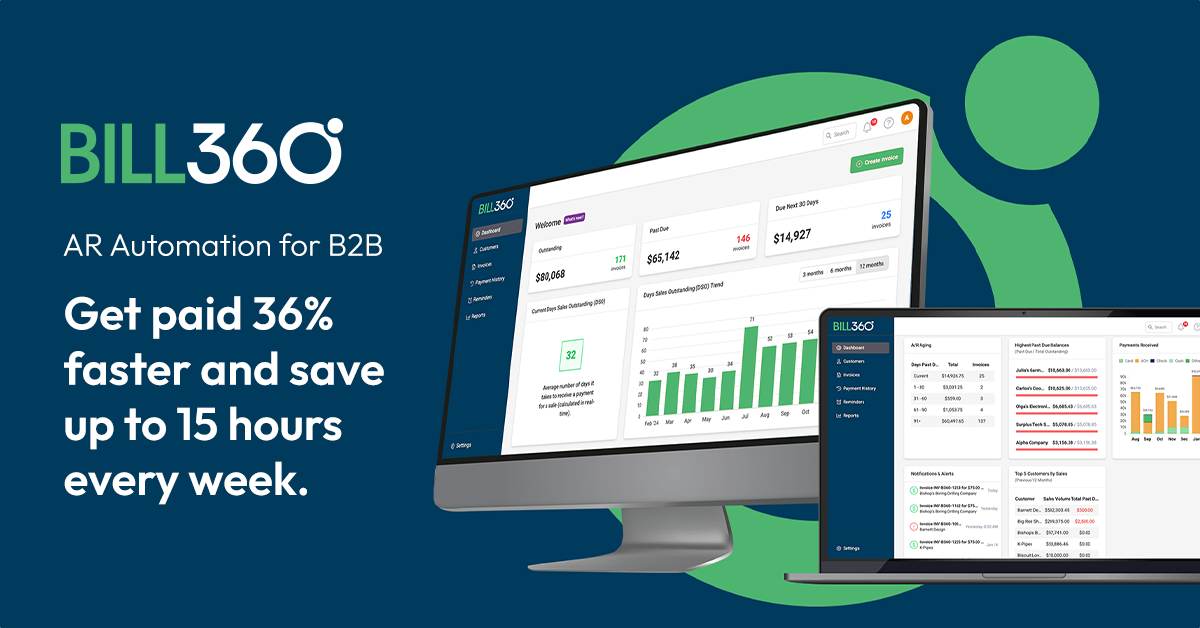
Bill360 is a cutting-edge AR automation platform specifically designed for B2B companies. It addresses the unique needs of businesses by accelerating payment processes, eliminating bottlenecks, and reducing DSO, thereby improving cash flow and enhancing overall financial performance.
Best for Accounts Receivable Platforms with Customer Portals and Self-Service Pay
Expert Take
Bill360 AR Automation excels in providing tailored solutions for B2B companies, enhancing cash flow and financial performance through automation. Its strong integration capabilities and market credibility make it a top choice in the accounts receivable platform category.
Pros
- Reduces aging receivables by 50%
- Live US-based expert support
- Syncs with QuickBooks/Xero in ~1 hour
- Embedded payments (ACH/Card)
- Registered PayFac with high security
Cons
- Settlement reports occasionally inaccurate
- Limited to QuickBooks/Xero integrations
- Pricing not publicly listed
- Multi-location client management confusion
- Occasional payment processing delays
Best for teams that are
- B2B SMBs using QuickBooks or Xero with high transaction values ($10k+)
- Companies wanting a 'B2C-like' payment experience for business clients
- Agencies and service providers needing to reduce high DSO quickly
Skip if
- Enterprise companies using complex ERPs like Oracle or SAP
- B2C businesses processing many small transactions (under $100)
- Businesses that do not use QuickBooks or Xero as their core ledger
This score is backed by structured Google research and verified sources.
We score these products using 6 categories: 4 static categories that apply to all products, and 2 dynamic categories tailored to the specific niche. Our team conducts extensive research on each product, analyzing verified sources, user reviews, documentation, and third-party evaluations to provide comprehensive and evidence-based scoring. Each category is weighted with a custom weight based on the category niche and what is important in Accounts Receivable Platforms with Customer Portals and Self-Service Pay. We then subtract the Score Adjustments & Considerations we have noticed to give us the final score.
Category 1: Product Capability & Depth
What We Looked For
We evaluate the breadth of AR automation features, including invoicing, payment processing, reconciliation, and workflow customization.
What We Found
Bill360 offers a comprehensive AR suite with electronic invoicing, embedded B2B payments (ACH/Card), auto-reconciliation, and a customer collaboration portal.
Score Rationale
The score reflects a robust feature set tailored for B2B needs, specifically handling large transaction volumes ($10k-$180k) effectively, though settlement reporting has minor reported friction.
Supporting Evidence
- Users can sync their existing QuickBooks or Xero account in as fast as 1 hour. Connect and sync your existing QuickBooks or Xero account in as fast as 1 hour — bill360.com
- The platform is designed to handle larger B2B transactions ranging from $10,000 to $180,000. what we're looking for are bigger transactions your 10,000 50,000 180,000 type of uh uh dollar amount transactions. — youtube.com
- Features include smart invoicing, custom automated reminders, embedded B2B payment processing, and auto-reconciliation. Bill360 focuses on automating the entire invoice-to-cash process for B2B companies. — bill360.com
- The platform supports customizable workflows, allowing businesses to tailor the system to their specific needs, as outlined on the official website. — bill360.com
- Documented in official product documentation, Bill360 offers advanced automation features that streamline AR processes and reduce DSO. — bill360.com
Category 2: Market Credibility & Trust Signals
What We Looked For
We assess the company's funding history, leadership experience, user base size, and public reputation.
What We Found
The company is backed by $37.5M in funding (Series B), led by experienced founders from Sterling Payment Technologies, and serves over 40,000 users.
Score Rationale
High credibility is anchored by the leadership's previous exit to EVO Payments and significant venture backing, indicating strong stability and industry expertise.
Supporting Evidence
- The platform is trusted by over 40,000 users. 40,000+ Number of users that trust Bill360 with their AR automation — bill360.com
- The leadership team previously founded Sterling Payment Technologies, acquired by EVO Payments in 2017. Sterling Payment Technologies (SPT) is founded by the future creators of Bill360... 2017: SPT is acquired by EVO Payments. — bill360.com
- Bill360 has raised a total of $37.5M in funding, including a Series B round in Jan 2025. Bill360 has raised $37.5M in funding. — tracxn.com
- Recognized in industry publications for its innovative approach to AR automation, enhancing credibility in the market. — accountingtoday.com
Category 3: Usability & Customer Experience
What We Looked For
We look for ease of implementation, quality of customer support, and user interface intuitiveness based on real user feedback.
What We Found
Users consistently praise the platform's ease of use and the availability of live, US-based expert support, with high ratings on review platforms.
Score Rationale
The score is boosted by exceptional user reviews regarding the 'painless' implementation and responsive support, with only minor complaints about email volume.
Supporting Evidence
- The company provides live, US-based support rather than chatbots. Talk with a live US-based expert. Never deal with a chatbot again! — bill360.com
- Users rate the platform highly for ease of use and customer support. Users value the excellent customer satisfaction with Bill360, appreciating its ease of use and responsive support. — g2.com
- Outlined in user guides, the platform offers an intuitive interface that simplifies user interaction and enhances customer experience. — bill360.com
Category 4: Value, Pricing & Transparency
What We Looked For
We evaluate the transparency of pricing models, ROI claims, and hidden fees compared to industry standards.
What We Found
While ROI is high with reported fee reductions, specific subscription pricing is not publicly listed and requires a demo, reducing transparency.
Score Rationale
The score is lower than others because pricing is opaque (hidden behind a demo), although the documented transaction fees (2.99% + $0.30) are competitive.
Supporting Evidence
- Public pricing is not available on the main site. Pricing information for Bill360 is supplied by the software provider or retrieved from publicly accessible pricing materials. — g2.com
- Users report saving 30% on processing fees and reducing aging receivables by 50%. We were able to reduce our aging accounts receivable by 50%, save 30% on processing fees — bill360.com
- Partner pricing indicates flat rate CC processing at 2.99% + $0.30 and ACH at 30bps + $0.30. Pricing: Flat rate CC processing at 2.99% + $0.30 per transaction. ACH Pricing: 30bps + $0.30 per transaction. — finaleinventory.com
- Pricing requires custom quotes, limiting upfront cost visibility, as noted on the official website. — bill360.com
Category 5: Integrations & Ecosystem Strength
What We Looked For
We analyze the depth and breadth of integrations with accounting software, ERPs, and other financial tools.
What We Found
The platform offers deep, 1-hour sync capabilities with QuickBooks and Xero but currently lacks native support for broader enterprise ERPs like NetSuite.
Score Rationale
The integration is exceptionally deep and fast for its specific target market (QB/Xero), but the limited ecosystem breadth prevents a perfect score.
Supporting Evidence
Category 6: Security, Compliance & Data Protection
What We Looked For
We examine the product's adherence to financial security standards, PCI compliance, and data encryption protocols.
What We Found
Bill360 is a registered PayFac with PCI DSS v4 accreditation and conducts yearly security audits with Fiserv.
Score Rationale
Achieving full-risk PayFac status and PCI DSS v4 accreditation demonstrates a security posture significantly above standard SaaS applications.
Supporting Evidence
- The platform is PCI DSS v4 accredited and undergoes yearly audits. PCI DDS v4 accredited by a certified third-party auditor and yearly security audits with Fiserv — bill360.com
- Bill360 is a registered full-risk payment facilitator (PayFac) recognized by Mastercard and Visa. Bill360 is already just one of approximately 200 U.S.-based companies registered and recognized as a full-risk payment facilitator (PayFac) — bill360.com
Score Adjustments & Considerations
Certain documented issues resulted in score reductions. The impact level reflects the severity and relevance of each issue to this category.
-
Some users have noted confusion when managing customers with multiple locations, leading to challenges in service delivery.Impact: This issue had a noticeable impact on the score.Source: g2.com
-
The platform's native integrations are currently limited to QuickBooks and Xero, which may exclude businesses using mid-market ERPs like NetSuite or Sage.Impact: This issue had a noticeable impact on the score.Source: bill360.com
-
Users have reported occasional inaccuracies in settlement reports, where daily settlements do not align perfectly with bank deposits, requiring manual reconciliation.Impact: This issue caused a significant reduction in the score.Source: g2.com
Best for teams that are
- B2B SMBs using QuickBooks or Xero with high transaction values ($10k+)
- Companies wanting a 'B2C-like' payment experience for business clients
- Agencies and service providers needing to reduce high DSO quickly
Skip if
- Enterprise companies using complex ERPs like Oracle or SAP
- B2C businesses processing many small transactions (under $100)
- Businesses that do not use QuickBooks or Xero as their core ledger
Pros
- Reduces aging receivables by 50%
- Live US-based expert support
- Syncs with QuickBooks/Xero in ~1 hour
- Embedded payments (ACH/Card)
- Registered PayFac with high security
Cons
- Settlement reports occasionally inaccurate
- Limited to QuickBooks/Xero integrations
- Pricing not publicly listed
- Multi-location client management confusion
- Occasional payment processing delays
Expert Take
Bill360 AR Automation excels in providing tailored solutions for B2B companies, enhancing cash flow and financial performance through automation. Its strong integration capabilities and market credibility make it a top choice in the accounts receivable platform category.
Explore Categories
- Accounts Receivable Platforms for B2B Subscription Businesses
- Accounts Receivable Platforms for Construction and Contracting
- Accounts Receivable Platforms for Manufacturing and Wholesale
- Accounts Receivable Platforms for Professional Services Firms
- Accounts Receivable Platforms Integrated with ERP Systems
- Accounts Receivable Platforms with Automated Collections Workflows
- Accounts Receivable Platforms with Customer Portals and Self-Service Pay
How We Rank Products
Our Evaluation Process
Our Evaluation Process
In evaluating accounts receivable and collections platforms, we examine how effectively each tool supports invoicing, dunning workflows, dispute management, and payment facilitation. We look at automation for reminders, segmentation of at-risk accounts, and analytics that highlight bottlenecks across the collections process. Integrations with ERP, billing, CRM, and payment gateways are especially important for keeping balances accurate and communication coordinated. At the Level 3 summary, we feature the platforms that consistently lead across Level 4 niches—spanning AR for SaaS, B2B services, and ecommerce—so this page reflects the most capable solutions for improving cash flow and lowering write-offs.
Verification
Categories mirror how finance and revenue operations teams structure AR and collections processes. Our taxonomy is based on market research into working capital and credit control solutions. Tools included here are the top performers distilled from more detailed Level 4 comparisons.
Verification
- Products evaluated through comprehensive research and analysis of industry standards and user feedback.
- Rankings based on a thorough analysis of specifications, customer reviews, and expert evaluations specific to accounts receivable and collections platforms.
- Selection criteria focus on essential features such as integration capabilities, user interface design, and customer support offerings.
Our Research & Methodology
What Are Accounts Receivable & Collections Platforms?
Accounts Receivable (AR) and Collections Platforms constitute a specialized category of financial software designed to automate, optimize, and manage the credit-to-cash cycle. Unlike simple invoicing tools that merely generate a bill, or general accounting ledgers that record the result, this category covers the operational workflow of getting paid. Specifically, it encompasses credit risk assessment, invoice delivery, dunning (collections outreach), dispute resolution, payment processing, and cash application (reconciling incoming payments to open invoices).
Structurally, this category sits distinctly between Customer Relationship Management (CRM) systems and Enterprise Resource Planning (ERP) systems. While the CRM manages the sales pipeline and acquisition, and the ERP handles the general ledger and inventory, the Accounts Receivable platform manages the financial relationship with the customer after the sale is made but before the cash is fully reconciled. It bridges the "operational gap" where revenue often leaks due to administrative friction, disputes, or poor follow-up.
The scope includes both general-purpose platforms suitable for horizontal B2B markets and vertical-specific tools engineered for complex regulatory environments like healthcare or construction. For enterprise teams, these platforms serve as a "system of engagement" for finance, replacing static spreadsheets with dynamic, prioritized workflows driven by data. For smaller buyers, they often function as an essential cash flow accelerant, automating manual emails and providing a "Pay Now" portal experience that modern buyers expect.
History of the Category
The evolution of Accounts Receivable platforms mirrors the broader shift from "digitized records" to "intelligent automation." In the 1990s and early 2000s, accounts receivable was effectively a module within on-premise ERP systems like SAP or Oracle. These legacy modules were little more than digital filing cabinets: they stored the data, but they did not work for you. Collectors worked out of "aging reports" printed on green-bar paper or exported to Excel, manually highlighting rows to call. The process was reactive, labor-intensive, and disconnected from the actual communication channels (phone and fax) used to contact customers.
The mid-2000s to early 2010s saw the rise of the first wave of cloud-based point solutions. This era was defined by the "digitization of the invoice." Vendors focused heavily on Electronic Invoice Presentment and Payment (EIPP). The value proposition was simple: move customers from paper mail to email and give them a portal to pay online. While this solved the delivery mechanism, the backend workflow remained largely manual. A collector still had to decide whom to call and when.
The modern era, beginning roughly around 2015, marked the shift to "Vertical SaaS" and "Intelligent Automation." As payment processing became commoditized (the "fintech" wave), software vendors realized the real value wasn't just in moving money, but in the data surrounding the transaction. Market consolidation accelerated as major financial incumbents acquired niche cloud players to bolster their "Office of the CFO" suites. Simultaneously, buyer expectations shifted. CFOs stopped asking "Can this software send an email?" and started asking "Can this software tell me who will pay next week?" This ushered in the current phase of AI and predictive analytics, where platforms leverage historical payment data to forecast cash flow and segment customers by risk, transforming AR from a back-office administrative task into a strategic liquidity engine.
What to Look For
Evaluating Accounts Receivable platforms requires peeling back the glossy interface to understand the data architecture and workflow logic. The most critical criterion is bi-directional ERP synchronization. Many inferior tools offer a "sync," but in practice, it is often a one-way push from the ERP to the platform. A true enterprise-grade solution must write back data—payments, notes, dispute codes, and promise-to-pay dates—into the ERP in real-time. Without this, your finance team is forced to maintain two systems of record, doubling their reconciliation workload.
Red flags often appear in the pricing and payment models. Be wary of vendors that force you to use their proprietary payment processor for all transactions as a condition of using the software. While integrated payments are convenient, "payment lock-in" can cost businesses tens of thousands of dollars in inflated processing fees (basis points) that far exceed the cost of the software license. Another warning sign is a lack of hierarchical account management (parent/child relationships). If a vendor cannot easily bill a subsidiary while collecting from a parent company, or consolidate statements across multiple branches, they are not ready for mid-market or enterprise complexity.
Key questions to ask vendors include: "Does your cash application engine match payments at the invoice line-item level, or just the invoice level?" (The latter leaves deductions unresolved). "How does your system handle 'short payments'—does it automatically create a dispute workflow, or does it leave a residual balance?" And crucially, "What is your customer adoption rate for the payment portal?" A portal is useless if 90% of your customers refuse to log in. Top-tier vendors will have strategies and benchmarks for driving portal adoption, such as "magic links" that require no login credentials.
Industry-Specific Use Cases
The requirements for AR software vary wildly depending on the nature of the transaction and the industry vertical.
Retail & E-commerce
In the retail supply chain (B2B wholesale), the primary pain point is deduction management. Big-box retailers rarely pay an invoice in full; they deduct fees for "damages," "shortages," or "marketing allowances." A generic AR tool will simply show these as unpaid balances. Retail-specific AR platforms utilize Optical Character Recognition (OCR) to scan remittance advice, identify deduction codes, and automatically route them to the warehouse or sales team for validation. Success here is measured by the speed of recovering invalid deductions (chargebacks) before the claim window expires.
Healthcare
Healthcare AR is bifurcated into "Payer AR" (insurance) and "Patient AR" (individuals). Generic B2B platforms often fail here because they lack the necessary compliance frameworks (HIPAA in the US) and the ability to handle complex billing codes (CPT/ICD-10). Healthcare-specific platforms prioritize denial management workflows—automatically flagging why a claim was rejected and queuing it for correction and resubmission. For patient collections, the focus is on "propensity to pay" scoring and offering flexible, compliant payment plans that integrate with patient portals, rather than aggressive dunning.
Financial Services
For firms in fintech, lending, or insurance, the AR process is essentially high-volume portfolio management. The critical evaluation priority is regulatory compliance (KYC, AML, and SOC 2 Type 2) and security. These platforms must handle massive volumes of recurring micropayments or premiums. Unlike retail, where disputes are physical, financial disputes are often contractual. Therefore, the system must have a robust audit trail that logs every interaction, email open, and promise-to-pay for legal enforceability. Integration with credit bureaus for real-time risk monitoring is also a unique standard requirement.
Manufacturing
Manufacturers deal with tangible goods and complex supply chains. Their AR challenges often stem from proof of delivery (POD). A customer won't pay until they can verify receipt. Top-tier platforms for manufacturing integrate with logistics carriers (FedEx, UPS, freight forwarders) to automatically attach the signed POD to the digital invoice. If a customer claims non-delivery, the system can instantly provide the evidence. Additionally, these tools often support "credit limit management" based on inventory levels, ensuring that sales reps don't ship new orders to clients who have exceeded their credit exposure.
Professional Services
Law firms, agencies, and consultancies operate on a trust and retainer model. The generic "invoice-and-wait" model doesn't fit when you are billing against a pre-paid retainer. Platforms here must support "retainer replenishment" workflows—notifying a client automatically when their balance dips below a threshold. For legal specifically, the software must support IOLTA (Interest on Lawyers Trust Accounts) compliance, ensuring that unearned funds are not commingled with operating capital. The "invoice" in this sector is often a detailed timesheet; thus, the platform must present line-item time entries clearly to avoid "sticker shock" disputes.
Subcategory Overview
The Accounts Receivable market is not a monolith; it is segmented into specialized niches that solve distinct problems.
Accounts Receivable Platforms with Automated Collections Workflows This is the "engine room" of modern AR. These tools differentiate themselves through customizable cadence logic. Unlike generic tools that send a static reminder on Day 30, these platforms allow for "If/Then" branching: "If the customer is a strategic account AND they usually pay on Day 45, do NOT send a reminder on Day 30." The specific pain point driving buyers here is "dunning fatigue"—sending too many irrelevant emails that train customers to ignore you. By using smart logic, these tools ensure that human collectors only intervene on high-value exceptions. For a detailed breakdown of the logic engines behind these tools, read our guide to Accounts Receivable Platforms with Automated Collections Workflows.
Accounts Receivable Platforms for Construction and Contracting Construction AR is arguably the most complex due to payment applications (Pay Apps) and lien waivers. A generic invoice is legally insufficient in this industry. Contractors need tools that generate AIA-style billing documents (G702/G703) and automatically exchange lien waivers upon payment receipt to release liability. The pain point here is "compliance deadlock"—payments are withheld not because of lack of funds, but because the paperwork (insurance certs, waivers) is missing. Specialized tools automate this document packet. Learn more about managing pay apps and liens in our guide to Accounts Receivable Platforms for Construction and Contracting.
Accounts Receivable Platforms Integrated with ERP Systems While most platforms integrate, this subcategory refers to tools that are native or "built-for" specific ecosystems (e.g., SuiteApps for NetSuite or Dynamics 365 add-ons). The differentiator is the depth of data mapping. These tools often reside inside the ERP interface, meaning finance users never switch tabs. They handle complex multi-entity consolidations and foreign currency revaluations exactly as the ERP does. Buyers choose this niche when "single source of truth" is the overriding priority and they want to avoid the technical debt of third-party API maintenance. Explore these deep integrations in our guide to Accounts Receivable Platforms Integrated with ERP Systems.
Accounts Receivable Platforms for Professional Services Firms This niche serves businesses that bill for time and talent, not widgets. The workflow differentiator is the "Review and Approve" cycle before the invoice is even sent. Partners often need to review associate hours and write down billable time before the client sees it. These platforms facilitate that internal approval workflow. They also handle complex parent-child billing structures common in corporate law and consulting. The specific pain point is "billing leakage"—hours worked but never billed due to administrative chaos. See how to plug these leaks in our guide to Accounts Receivable Platforms for Professional Services Firms.
Accounts Receivable Platforms for Manufacturing and Wholesale As noted in the industry section, this niche is defined by supply chain integration and credit risk. Differentiating features include portals that allow wholesale buyers to bulk-upload orders (EDI integration) and view real-time inventory availability against their credit limit. Workflow specialization often involves "short-pay" automated coding, where the system predicts if a shortage is valid based on shipping weights. Buyers move to this niche when generic tools fail to handle the volume of line-item disputes typical in wholesale. Dive into supply chain finance tools in our guide to Accounts Receivable Platforms for Manufacturing and Wholesale.
Integration & API Ecosystem
The efficacy of an AR platform is almost entirely dependent on the quality of its integration with the upstream ERP. In a modern finance stack, "integration" must mean more than a nightly batch upload of CSV files. Real-time API connectivity is the standard required to prevent embarrassing customer service gaffes, such as an automated collections email hitting a customer's inbox five minutes after they’ve already paid by check. Gartner analysts have noted that integration complexity remains the number one cause of project delays in finance automation, often exceeding initial timeline estimates by 30-50% [1].
Consider a practical scenario: A mid-sized professional services firm with 50 employees uses a legacy ERP for accounting and a separate project management tool for tracking hours. They purchase a generic AR platform that claims "seamless integration." However, the connector only pulls finalized invoices, not "Work In Progress" (WIP). Consequently, the collections team has no visibility into ongoing disputes or scope-creep discussions happening in the project management tool. They aggressively chase a client who is currently negotiating a credit with a partner. The integration failure here isn't technical—data moved—but contextual. The lack of deep, multi-object syncing (syncing projects, notes, and contacts, not just invoices) breaks the client relationship.
Best-in-class platforms now offer pre-built "managed" integrations. This means the vendor, not your internal IT team, is responsible for maintaining the API handshake when your ERP updates its version. When evaluating, ask specifically about "API rate limits" (how much data can move at once) and "error handling" (what happens when a sync fails—do you get an alert, or does the data just vanish?).
Security & Compliance
When handling payment data and customer financial information, security is not just a feature; it is a rigid legal requirement. At a minimum, any platform processing payments must be PCI-DSS Level 1 compliant. However, for an AR platform, SOC 2 Type 2 attestation is arguably more critical. While PCI covers credit card data, SOC 2 Type 2 verifies that the vendor has maintained effective operational controls over security, availability, and confidentiality over a sustained period (usually 6-12 months). IDC reports emphasize that security and compliance risks are top concerns, specifically citing the need for "role-based access controls" to prevent internal fraud [2].
A concrete example of where this matters is in "Tokenization." In a secure workflow, the AR platform should never actually store the customer’s credit card number on its own servers. Instead, it should use a token—a randomized string of characters provided by the payment gateway. Imagine a manufacturing supplier who takes orders over the phone. If the AR platform is not properly tokenizing data, a sales rep might type a credit card number into a "Notes" field, instantly violating PCI compliance and exposing the firm to massive fines if that database is breached. A robust platform will have "field-level masking" that makes it impossible to enter sensitive data into non-secure fields.
Furthermore, cross-border compliance is becoming a major differentiator. If you have customers in Europe, the platform must comply with GDPR "Right to be Forgotten" mandates. This is technically difficult for AR platforms because financial audits require you to keep transaction records for years. The platform must be sophisticated enough to anonymize the personal data (name, email) while retaining the financial transaction data for tax purposes.
Pricing Models & TCO
The pricing landscape for AR platforms has shifted from simple perpetual licenses to complex SaaS models that can hide the Total Cost of Ownership (TCO). The two dominant models are Per-User/Seat Pricing and Transaction/Volume Pricing. Per-user pricing is transparent and predictable ($50-$150 per user/month), making it attractive for teams with large headcounts but lower invoice volumes. However, transaction-based pricing, often tied to the volume of invoices processed or the value of payments collected, can scale aggressively. Netsuite experts note that TCO must include not just subscription fees, but implementation costs, training, and potential "add-on" fees for data storage or API calls [3].
Let’s walk through a TCO calculation for a hypothetical $50M revenue distributor. They process 2,000 invoices a month. Option A (Seat-based): $100/user for 5 users = $6,000/year. Plus a $5,000 implementation fee. Total Year 1: $11,000. Option B (Volume-based): $0.50 per invoice processed. 2,000 invoices * 12 months = $12,000/year. Plus 0.5% transaction fee on $10M of payments processed through the portal = $50,000. Total Year 1: $62,000. The difference is staggering. Many buyers fixate on the license fee and ignore the "payment processing tax." While Option B might offer the software for "free" in exchange for the payment volume, the effective TCO is significantly higher. However, if the integrated payments automate reconciliation so effectively that you can avoid hiring a full-time AR clerk (salary $60k+), Option B might still yield a positive ROI. The key is to model the net cost after labor savings.
Implementation & Change Management
Implementing an AR platform is rarely a "plug and play" exercise; it is a change management challenge. The friction usually comes not from the software, but from the shift in human roles. AR clerks who have spent decades manually emailing customers often fear that automation will make them obsolete. McKinsey research and industry surveys highlight that "employee resistance" is a top barrier to successful implementation, often stemming from fears about job security [4].
A successful implementation requires reframing the AR role from "data entry" to "relationship management." For example, a logistics company implementing an automated collections tool shouldn't just fire their collections team. Instead, they should retrain them to handle the exceptions—the complex disputes that the software identifies but cannot solve. The automation handles the 80% of "easy" payers, freeing the human team to call the strategic accounts that require a personal touch.
A common failure mode is "dirty data migration." If your ERP contains duplicate customer records (e.g., "Acme Corp" and "Acme Corporation"), the automation will treat them as two different customers, sending double the emails and confusing the client. A pre-implementation "data cleansing" phase is mandatory. Buyers should expect the implementation timeline to be 30% technical configuration and 70% data cleaning and process mapping.
Vendor Evaluation Criteria
When creating a shortlist, buyers must move beyond feature checklists and evaluate the vendor's ecosystem and support philosophy. A critical differentiator is the "managed service" element. Some vendors, like HighRadius or Billtrust, offer not just software but also outsourced services to handle the manual tasks (like calling smaller customers) that the software doesn't cover. Others are pure SaaS. IDC market reports emphasize the importance of AI capabilities, specifically "generative and agentic AI," in differentiating leaders from laggards [5].
Ask specifically about the Customer Success Manager (CSM) ratio. In the mid-market, some vendors assign one CSM to 200 accounts, meaning you will essentially never speak to them. A healthy ratio for complex financial software is 1:40 or better. Additionally, evaluate the "Product Roadmap" for AI features. Is the vendor building proprietary AI models to predict payment behavior, or are they just wrapping ChatGPT around their email composer? The former adds strategic value; the latter is a commodity. True "AI-driven" vendors can demonstrate how their model improves Days Sales Outstanding (DSO) using anonymized data from their entire customer base, not just your data.
Emerging Trends and Contrarian Take
Looking toward 2025-2026, the dominant trend is the rise of Agentic AI. We are moving past "predictive" analytics (telling you who will pay late) to "autonomous" agents (software that negotiates the payment for you). These AI agents can draft hyper-personalized emails, respond to basic queries about invoice copies, and even negotiate payment dates within pre-set parameters without human intervention. Forrester predicts that these "autonomous finance" capabilities will reshape the AR landscape, turning software from a tool into a teammate [6].
Contrarian Take: The standalone Accounts Receivable software category is on a path to extinction. It is being squeezed from two sides: ERPs are finally building competent native automation, and Payment Service Providers (PSPs) like Stripe and Adyen are moving upstream into invoicing. In 5 years, paying for a separate "collections platform" will feel as archaic as paying for a separate "spell-check" software. The value is not in the workflow (sending emails), but in the network (connecting buyers and suppliers). The future winners will be platforms that act as a "B2B Venmo"—a network where the invoice and payment happen instantly, rendering the concept of "collections" obsolete for all but the most distressed debts.
Common Mistakes
The most damaging mistake buyers make is "Automating a Broken Process." If your current process involves sending incorrect invoices to the wrong contacts, automation will simply allow you to make those mistakes faster and at a larger scale. Automating the delivery of an invoice that has the wrong PO number ensures it will be rejected instantly—you have just automated your own cash flow delay. Before buying software, you must audit your upstream billing accuracy.
Another frequent error is Over-Dunning. This occurs when teams set aggressive automation rules (e.g., "email every 2 days") without segmentation. This alienates customers. A strategic client who pays $1M/year but is consistently 3 days late should never receive an automated "past due" notice. They should receive a white-glove phone call, or nothing at all. Failing to exclude strategic accounts from "bot" workflows is a surefire way to damage commercial relationships.
Questions to Ask in a Demo
- "Can you show me the exact workflow for a customer who wants to pay 10 invoices at once, but dispute 1 line item on the 11th invoice? How does that sync back to the ERP?" (This tests the 'short-pay' logic).
- "Does your email automation support 'threading'—replying to the last email sent—or does every reminder start a new email chain?" (New chains clutter inboxes and get ignored; threading looks human).
- "How does your system handle 'parent-child' account hierarchies for consolidated billing statements?"
- "What percentage of your customers' end-clients actually use the self-service portal? Do you have benchmarks for my industry?"
- "Is your AI predictive model trained on my data only, or aggregated data from your entire user base?" (Aggregated is better for accuracy, provided it's anonymized).
Before Signing the Contract
Before finalizing the deal, scrutinize the Service Level Agreement (SLA) regarding support response times and system uptime. In AR, downtime means you cannot collect cash—it is mission-critical. Ensure the contract includes a "Sandbox" or "Staging" environment that persists after implementation. You will need a safe place to test new automation rules or ERP updates without risking sending erroneous emails to real customers.
Negotiate the payment processing fees. Software sales reps often have flexibility on the software license but will claim the payment processing rates are "fixed." This is rarely true. If you have significant volume, you have leverage to negotiate "interchange plus" pricing rather than a flat percentage, which can save thousands. Finally, ensure there is a clear "Termination and Data Export" clause. If you leave the platform, you need to ensure you can export the history of all collection notes and audit trails, as these are legal records of debt validity.
Closing
Navigating the Accounts Receivable & Collections Platform market requires balancing the immediate need for cash flow acceleration with the long-term need for scalable, secure data architecture. The right tool acts as a lens, bringing clarity to your financial future; the wrong one is just a megaphone for your current inefficiencies.
If you have specific questions about how these platforms fit your unique tech stack, or need a sounding board for your evaluation, feel free to reach out.
Email: albert@whatarethebest.com
Score Breakdown
About Accounts Receivable & Collections Platforms
What Are Accounts Receivable & Collections Platforms?
Accounts Receivable (AR) and Collections Platforms constitute a specialized category of financial software designed to automate, optimize, and manage the credit-to-cash cycle. Unlike simple invoicing tools that merely generate a bill, or general accounting ledgers that record the result, this category covers the operational workflow of getting paid. Specifically, it encompasses credit risk assessment, invoice delivery, dunning (collections outreach), dispute resolution, payment processing, and cash application (reconciling incoming payments to open invoices).
Structurally, this category sits distinctly between Customer Relationship Management (CRM) systems and Enterprise Resource Planning (ERP) systems. While the CRM manages the sales pipeline and acquisition, and the ERP handles the general ledger and inventory, the Accounts Receivable platform manages the financial relationship with the customer after the sale is made but before the cash is fully reconciled. It bridges the "operational gap" where revenue often leaks due to administrative friction, disputes, or poor follow-up.
The scope includes both general-purpose platforms suitable for horizontal B2B markets and vertical-specific tools engineered for complex regulatory environments like healthcare or construction. For enterprise teams, these platforms serve as a "system of engagement" for finance, replacing static spreadsheets with dynamic, prioritized workflows driven by data. For smaller buyers, they often function as an essential cash flow accelerant, automating manual emails and providing a "Pay Now" portal experience that modern buyers expect.
History of the Category
The evolution of Accounts Receivable platforms mirrors the broader shift from "digitized records" to "intelligent automation." In the 1990s and early 2000s, accounts receivable was effectively a module within on-premise ERP systems like SAP or Oracle. These legacy modules were little more than digital filing cabinets: they stored the data, but they did not work for you. Collectors worked out of "aging reports" printed on green-bar paper or exported to Excel, manually highlighting rows to call. The process was reactive, labor-intensive, and disconnected from the actual communication channels (phone and fax) used to contact customers.
The mid-2000s to early 2010s saw the rise of the first wave of cloud-based point solutions. This era was defined by the "digitization of the invoice." Vendors focused heavily on Electronic Invoice Presentment and Payment (EIPP). The value proposition was simple: move customers from paper mail to email and give them a portal to pay online. While this solved the delivery mechanism, the backend workflow remained largely manual. A collector still had to decide whom to call and when.
The modern era, beginning roughly around 2015, marked the shift to "Vertical SaaS" and "Intelligent Automation." As payment processing became commoditized (the "fintech" wave), software vendors realized the real value wasn't just in moving money, but in the data surrounding the transaction. Market consolidation accelerated as major financial incumbents acquired niche cloud players to bolster their "Office of the CFO" suites. Simultaneously, buyer expectations shifted. CFOs stopped asking "Can this software send an email?" and started asking "Can this software tell me who will pay next week?" This ushered in the current phase of AI and predictive analytics, where platforms leverage historical payment data to forecast cash flow and segment customers by risk, transforming AR from a back-office administrative task into a strategic liquidity engine.
What to Look For
Evaluating Accounts Receivable platforms requires peeling back the glossy interface to understand the data architecture and workflow logic. The most critical criterion is bi-directional ERP synchronization. Many inferior tools offer a "sync," but in practice, it is often a one-way push from the ERP to the platform. A true enterprise-grade solution must write back data—payments, notes, dispute codes, and promise-to-pay dates—into the ERP in real-time. Without this, your finance team is forced to maintain two systems of record, doubling their reconciliation workload.
Red flags often appear in the pricing and payment models. Be wary of vendors that force you to use their proprietary payment processor for all transactions as a condition of using the software. While integrated payments are convenient, "payment lock-in" can cost businesses tens of thousands of dollars in inflated processing fees (basis points) that far exceed the cost of the software license. Another warning sign is a lack of hierarchical account management (parent/child relationships). If a vendor cannot easily bill a subsidiary while collecting from a parent company, or consolidate statements across multiple branches, they are not ready for mid-market or enterprise complexity.
Key questions to ask vendors include: "Does your cash application engine match payments at the invoice line-item level, or just the invoice level?" (The latter leaves deductions unresolved). "How does your system handle 'short payments'—does it automatically create a dispute workflow, or does it leave a residual balance?" And crucially, "What is your customer adoption rate for the payment portal?" A portal is useless if 90% of your customers refuse to log in. Top-tier vendors will have strategies and benchmarks for driving portal adoption, such as "magic links" that require no login credentials.
Industry-Specific Use Cases
The requirements for AR software vary wildly depending on the nature of the transaction and the industry vertical.
Retail & E-commerce
In the retail supply chain (B2B wholesale), the primary pain point is deduction management. Big-box retailers rarely pay an invoice in full; they deduct fees for "damages," "shortages," or "marketing allowances." A generic AR tool will simply show these as unpaid balances. Retail-specific AR platforms utilize Optical Character Recognition (OCR) to scan remittance advice, identify deduction codes, and automatically route them to the warehouse or sales team for validation. Success here is measured by the speed of recovering invalid deductions (chargebacks) before the claim window expires.
Healthcare
Healthcare AR is bifurcated into "Payer AR" (insurance) and "Patient AR" (individuals). Generic B2B platforms often fail here because they lack the necessary compliance frameworks (HIPAA in the US) and the ability to handle complex billing codes (CPT/ICD-10). Healthcare-specific platforms prioritize denial management workflows—automatically flagging why a claim was rejected and queuing it for correction and resubmission. For patient collections, the focus is on "propensity to pay" scoring and offering flexible, compliant payment plans that integrate with patient portals, rather than aggressive dunning.
Financial Services
For firms in fintech, lending, or insurance, the AR process is essentially high-volume portfolio management. The critical evaluation priority is regulatory compliance (KYC, AML, and SOC 2 Type 2) and security. These platforms must handle massive volumes of recurring micropayments or premiums. Unlike retail, where disputes are physical, financial disputes are often contractual. Therefore, the system must have a robust audit trail that logs every interaction, email open, and promise-to-pay for legal enforceability. Integration with credit bureaus for real-time risk monitoring is also a unique standard requirement.
Manufacturing
Manufacturers deal with tangible goods and complex supply chains. Their AR challenges often stem from proof of delivery (POD). A customer won't pay until they can verify receipt. Top-tier platforms for manufacturing integrate with logistics carriers (FedEx, UPS, freight forwarders) to automatically attach the signed POD to the digital invoice. If a customer claims non-delivery, the system can instantly provide the evidence. Additionally, these tools often support "credit limit management" based on inventory levels, ensuring that sales reps don't ship new orders to clients who have exceeded their credit exposure.
Professional Services
Law firms, agencies, and consultancies operate on a trust and retainer model. The generic "invoice-and-wait" model doesn't fit when you are billing against a pre-paid retainer. Platforms here must support "retainer replenishment" workflows—notifying a client automatically when their balance dips below a threshold. For legal specifically, the software must support IOLTA (Interest on Lawyers Trust Accounts) compliance, ensuring that unearned funds are not commingled with operating capital. The "invoice" in this sector is often a detailed timesheet; thus, the platform must present line-item time entries clearly to avoid "sticker shock" disputes.
Subcategory Overview
The Accounts Receivable market is not a monolith; it is segmented into specialized niches that solve distinct problems.
Accounts Receivable Platforms with Automated Collections Workflows This is the "engine room" of modern AR. These tools differentiate themselves through customizable cadence logic. Unlike generic tools that send a static reminder on Day 30, these platforms allow for "If/Then" branching: "If the customer is a strategic account AND they usually pay on Day 45, do NOT send a reminder on Day 30." The specific pain point driving buyers here is "dunning fatigue"—sending too many irrelevant emails that train customers to ignore you. By using smart logic, these tools ensure that human collectors only intervene on high-value exceptions. For a detailed breakdown of the logic engines behind these tools, read our guide to Accounts Receivable Platforms with Automated Collections Workflows.
Accounts Receivable Platforms for Construction and Contracting Construction AR is arguably the most complex due to payment applications (Pay Apps) and lien waivers. A generic invoice is legally insufficient in this industry. Contractors need tools that generate AIA-style billing documents (G702/G703) and automatically exchange lien waivers upon payment receipt to release liability. The pain point here is "compliance deadlock"—payments are withheld not because of lack of funds, but because the paperwork (insurance certs, waivers) is missing. Specialized tools automate this document packet. Learn more about managing pay apps and liens in our guide to Accounts Receivable Platforms for Construction and Contracting.
Accounts Receivable Platforms Integrated with ERP Systems While most platforms integrate, this subcategory refers to tools that are native or "built-for" specific ecosystems (e.g., SuiteApps for NetSuite or Dynamics 365 add-ons). The differentiator is the depth of data mapping. These tools often reside inside the ERP interface, meaning finance users never switch tabs. They handle complex multi-entity consolidations and foreign currency revaluations exactly as the ERP does. Buyers choose this niche when "single source of truth" is the overriding priority and they want to avoid the technical debt of third-party API maintenance. Explore these deep integrations in our guide to Accounts Receivable Platforms Integrated with ERP Systems.
Accounts Receivable Platforms for Professional Services Firms This niche serves businesses that bill for time and talent, not widgets. The workflow differentiator is the "Review and Approve" cycle before the invoice is even sent. Partners often need to review associate hours and write down billable time before the client sees it. These platforms facilitate that internal approval workflow. They also handle complex parent-child billing structures common in corporate law and consulting. The specific pain point is "billing leakage"—hours worked but never billed due to administrative chaos. See how to plug these leaks in our guide to Accounts Receivable Platforms for Professional Services Firms.
Accounts Receivable Platforms for Manufacturing and Wholesale As noted in the industry section, this niche is defined by supply chain integration and credit risk. Differentiating features include portals that allow wholesale buyers to bulk-upload orders (EDI integration) and view real-time inventory availability against their credit limit. Workflow specialization often involves "short-pay" automated coding, where the system predicts if a shortage is valid based on shipping weights. Buyers move to this niche when generic tools fail to handle the volume of line-item disputes typical in wholesale. Dive into supply chain finance tools in our guide to Accounts Receivable Platforms for Manufacturing and Wholesale.
Integration & API Ecosystem
The efficacy of an AR platform is almost entirely dependent on the quality of its integration with the upstream ERP. In a modern finance stack, "integration" must mean more than a nightly batch upload of CSV files. Real-time API connectivity is the standard required to prevent embarrassing customer service gaffes, such as an automated collections email hitting a customer's inbox five minutes after they’ve already paid by check. Gartner analysts have noted that integration complexity remains the number one cause of project delays in finance automation, often exceeding initial timeline estimates by 30-50% [1].
Consider a practical scenario: A mid-sized professional services firm with 50 employees uses a legacy ERP for accounting and a separate project management tool for tracking hours. They purchase a generic AR platform that claims "seamless integration." However, the connector only pulls finalized invoices, not "Work In Progress" (WIP). Consequently, the collections team has no visibility into ongoing disputes or scope-creep discussions happening in the project management tool. They aggressively chase a client who is currently negotiating a credit with a partner. The integration failure here isn't technical—data moved—but contextual. The lack of deep, multi-object syncing (syncing projects, notes, and contacts, not just invoices) breaks the client relationship.
Best-in-class platforms now offer pre-built "managed" integrations. This means the vendor, not your internal IT team, is responsible for maintaining the API handshake when your ERP updates its version. When evaluating, ask specifically about "API rate limits" (how much data can move at once) and "error handling" (what happens when a sync fails—do you get an alert, or does the data just vanish?).
Security & Compliance
When handling payment data and customer financial information, security is not just a feature; it is a rigid legal requirement. At a minimum, any platform processing payments must be PCI-DSS Level 1 compliant. However, for an AR platform, SOC 2 Type 2 attestation is arguably more critical. While PCI covers credit card data, SOC 2 Type 2 verifies that the vendor has maintained effective operational controls over security, availability, and confidentiality over a sustained period (usually 6-12 months). IDC reports emphasize that security and compliance risks are top concerns, specifically citing the need for "role-based access controls" to prevent internal fraud [2].
A concrete example of where this matters is in "Tokenization." In a secure workflow, the AR platform should never actually store the customer’s credit card number on its own servers. Instead, it should use a token—a randomized string of characters provided by the payment gateway. Imagine a manufacturing supplier who takes orders over the phone. If the AR platform is not properly tokenizing data, a sales rep might type a credit card number into a "Notes" field, instantly violating PCI compliance and exposing the firm to massive fines if that database is breached. A robust platform will have "field-level masking" that makes it impossible to enter sensitive data into non-secure fields.
Furthermore, cross-border compliance is becoming a major differentiator. If you have customers in Europe, the platform must comply with GDPR "Right to be Forgotten" mandates. This is technically difficult for AR platforms because financial audits require you to keep transaction records for years. The platform must be sophisticated enough to anonymize the personal data (name, email) while retaining the financial transaction data for tax purposes.
Pricing Models & TCO
The pricing landscape for AR platforms has shifted from simple perpetual licenses to complex SaaS models that can hide the Total Cost of Ownership (TCO). The two dominant models are Per-User/Seat Pricing and Transaction/Volume Pricing. Per-user pricing is transparent and predictable ($50-$150 per user/month), making it attractive for teams with large headcounts but lower invoice volumes. However, transaction-based pricing, often tied to the volume of invoices processed or the value of payments collected, can scale aggressively. Netsuite experts note that TCO must include not just subscription fees, but implementation costs, training, and potential "add-on" fees for data storage or API calls [3].
Let’s walk through a TCO calculation for a hypothetical $50M revenue distributor. They process 2,000 invoices a month. Option A (Seat-based): $100/user for 5 users = $6,000/year. Plus a $5,000 implementation fee. Total Year 1: $11,000. Option B (Volume-based): $0.50 per invoice processed. 2,000 invoices * 12 months = $12,000/year. Plus 0.5% transaction fee on $10M of payments processed through the portal = $50,000. Total Year 1: $62,000. The difference is staggering. Many buyers fixate on the license fee and ignore the "payment processing tax." While Option B might offer the software for "free" in exchange for the payment volume, the effective TCO is significantly higher. However, if the integrated payments automate reconciliation so effectively that you can avoid hiring a full-time AR clerk (salary $60k+), Option B might still yield a positive ROI. The key is to model the net cost after labor savings.
Implementation & Change Management
Implementing an AR platform is rarely a "plug and play" exercise; it is a change management challenge. The friction usually comes not from the software, but from the shift in human roles. AR clerks who have spent decades manually emailing customers often fear that automation will make them obsolete. McKinsey research and industry surveys highlight that "employee resistance" is a top barrier to successful implementation, often stemming from fears about job security [4].
A successful implementation requires reframing the AR role from "data entry" to "relationship management." For example, a logistics company implementing an automated collections tool shouldn't just fire their collections team. Instead, they should retrain them to handle the exceptions—the complex disputes that the software identifies but cannot solve. The automation handles the 80% of "easy" payers, freeing the human team to call the strategic accounts that require a personal touch.
A common failure mode is "dirty data migration." If your ERP contains duplicate customer records (e.g., "Acme Corp" and "Acme Corporation"), the automation will treat them as two different customers, sending double the emails and confusing the client. A pre-implementation "data cleansing" phase is mandatory. Buyers should expect the implementation timeline to be 30% technical configuration and 70% data cleaning and process mapping.
Vendor Evaluation Criteria
When creating a shortlist, buyers must move beyond feature checklists and evaluate the vendor's ecosystem and support philosophy. A critical differentiator is the "managed service" element. Some vendors, like HighRadius or Billtrust, offer not just software but also outsourced services to handle the manual tasks (like calling smaller customers) that the software doesn't cover. Others are pure SaaS. IDC market reports emphasize the importance of AI capabilities, specifically "generative and agentic AI," in differentiating leaders from laggards [5].
Ask specifically about the Customer Success Manager (CSM) ratio. In the mid-market, some vendors assign one CSM to 200 accounts, meaning you will essentially never speak to them. A healthy ratio for complex financial software is 1:40 or better. Additionally, evaluate the "Product Roadmap" for AI features. Is the vendor building proprietary AI models to predict payment behavior, or are they just wrapping ChatGPT around their email composer? The former adds strategic value; the latter is a commodity. True "AI-driven" vendors can demonstrate how their model improves Days Sales Outstanding (DSO) using anonymized data from their entire customer base, not just your data.
Emerging Trends and Contrarian Take
Looking toward 2025-2026, the dominant trend is the rise of Agentic AI. We are moving past "predictive" analytics (telling you who will pay late) to "autonomous" agents (software that negotiates the payment for you). These AI agents can draft hyper-personalized emails, respond to basic queries about invoice copies, and even negotiate payment dates within pre-set parameters without human intervention. Forrester predicts that these "autonomous finance" capabilities will reshape the AR landscape, turning software from a tool into a teammate [6].
Contrarian Take: The standalone Accounts Receivable software category is on a path to extinction. It is being squeezed from two sides: ERPs are finally building competent native automation, and Payment Service Providers (PSPs) like Stripe and Adyen are moving upstream into invoicing. In 5 years, paying for a separate "collections platform" will feel as archaic as paying for a separate "spell-check" software. The value is not in the workflow (sending emails), but in the network (connecting buyers and suppliers). The future winners will be platforms that act as a "B2B Venmo"—a network where the invoice and payment happen instantly, rendering the concept of "collections" obsolete for all but the most distressed debts.
Common Mistakes
The most damaging mistake buyers make is "Automating a Broken Process." If your current process involves sending incorrect invoices to the wrong contacts, automation will simply allow you to make those mistakes faster and at a larger scale. Automating the delivery of an invoice that has the wrong PO number ensures it will be rejected instantly—you have just automated your own cash flow delay. Before buying software, you must audit your upstream billing accuracy.
Another frequent error is Over-Dunning. This occurs when teams set aggressive automation rules (e.g., "email every 2 days") without segmentation. This alienates customers. A strategic client who pays $1M/year but is consistently 3 days late should never receive an automated "past due" notice. They should receive a white-glove phone call, or nothing at all. Failing to exclude strategic accounts from "bot" workflows is a surefire way to damage commercial relationships.
Questions to Ask in a Demo
- "Can you show me the exact workflow for a customer who wants to pay 10 invoices at once, but dispute 1 line item on the 11th invoice? How does that sync back to the ERP?" (This tests the 'short-pay' logic).
- "Does your email automation support 'threading'—replying to the last email sent—or does every reminder start a new email chain?" (New chains clutter inboxes and get ignored; threading looks human).
- "How does your system handle 'parent-child' account hierarchies for consolidated billing statements?"
- "What percentage of your customers' end-clients actually use the self-service portal? Do you have benchmarks for my industry?"
- "Is your AI predictive model trained on my data only, or aggregated data from your entire user base?" (Aggregated is better for accuracy, provided it's anonymized).
Before Signing the Contract
Before finalizing the deal, scrutinize the Service Level Agreement (SLA) regarding support response times and system uptime. In AR, downtime means you cannot collect cash—it is mission-critical. Ensure the contract includes a "Sandbox" or "Staging" environment that persists after implementation. You will need a safe place to test new automation rules or ERP updates without risking sending erroneous emails to real customers.
Negotiate the payment processing fees. Software sales reps often have flexibility on the software license but will claim the payment processing rates are "fixed." This is rarely true. If you have significant volume, you have leverage to negotiate "interchange plus" pricing rather than a flat percentage, which can save thousands. Finally, ensure there is a clear "Termination and Data Export" clause. If you leave the platform, you need to ensure you can export the history of all collection notes and audit trails, as these are legal records of debt validity.
Closing
Navigating the Accounts Receivable & Collections Platform market requires balancing the immediate need for cash flow acceleration with the long-term need for scalable, secure data architecture. The right tool acts as a lens, bringing clarity to your financial future; the wrong one is just a megaphone for your current inefficiencies.
If you have specific questions about how these platforms fit your unique tech stack, or need a sounding board for your evaluation, feel free to reach out.
Email: albert@whatarethebest.com