
Virtual Event & Webinar Platforms
These are the specialized categories within Virtual Event & Webinar Platforms. Looking for something broader? See all Project Management & Productivity Tools categories.
Cvent is an all-in-one event planning solution that caters specifically to the needs of contractors. It streamlines the planning process, offering tools for hosting webinars and managing virtual, in-person, and hybrid events. Its automation features reduce the administrative burden, while its robust analytics provide insights that drive results.
Best for Virtual Event & Webinar Platforms for Contractors
Expert Take
Cvent Event Platform is a comprehensive solution for contractors, offering versatile event hosting options and robust analytics. Its automation features streamline event management, making it a top choice in its category. Despite some complexity for new users, its capabilities and insights justify its premium positioning.
Pros
- End-to-end event lifecycle management
- Access to 300,000+ venue supplier network
- Enterprise-grade security (ISO 27001, SOC 2)
- Leader in Gartner Magic Quadrant 2024
- Robust Salesforce and Marketo integrations
Cons
- Steep learning curve for new users
- Opaque pricing with potential hidden fees
- Backend interface can feel complex
- Integration setup requires technical expertise
- Expensive for smaller organizations
Best for teams that are
- Large enterprises managing complex, multi-day hybrid or in-person conferences
- Event planners needing deep registration logic, badging, and venue sourcing
- Organizations requiring detailed ROI tracking and integration with marketing stacks
Skip if
- Small businesses or individuals hosting simple, one-off webinars
- Users with limited technical skills due to a steep learning curve
- Teams with low budgets, as it is a premium, expensive solution
Best for teams that are
- Large enterprises managing complex, multi-day hybrid or in-person conferences
- Event planners needing deep registration logic, badging, and venue sourcing
- Organizations requiring detailed ROI tracking and integration with marketing stacks
Skip if
- Small businesses or individuals hosting simple, one-off webinars
- Users with limited technical skills due to a steep learning curve
- Teams with low budgets, as it is a premium, expensive solution
Pros
- End-to-end event lifecycle management
- Access to 300,000+ venue supplier network
- Enterprise-grade security (ISO 27001, SOC 2)
- Leader in Gartner Magic Quadrant 2024
- Robust Salesforce and Marketo integrations
Cons
- Steep learning curve for new users
- Opaque pricing with potential hidden fees
- Backend interface can feel complex
- Integration setup requires technical expertise
- Expensive for smaller organizations
Expert Take
Cvent Event Platform is a comprehensive solution for contractors, offering versatile event hosting options and robust analytics. Its automation features streamline event management, making it a top choice in its category. Despite some complexity for new users, its capabilities and insights justify its premium positioning.
ClickMeeting Webinar Platform
Best for Virtual Event & Webinar Platforms for Recruitment Agencies

ClickMeeting is designed specifically for recruitment agencies to streamline their virtual events and webinars. It offers a comprehensive solution for hosting, managing, and collaborating on online meetings and conferences, enhancing engagement with potential recruits and clients. The platform requires no installation, ensuring seamless access and participation for users globally.
Best for Virtual Event & Webinar Platforms for Recruitment Agencies
Expert Take
ClickMeeting is a robust platform tailored for recruitment agencies, offering features like custom branding, real-time analytics, and interactive tools that enhance virtual events. Its ease of use and flexibility make it a top choice in its category, despite some pricing limitations for larger webinars.
Pros
- Browser-based with no downloads required
- ISO 27001 certified and GDPR compliant
- Supports live, automated, and paid webinars
- Servers located in the EEA
- Native integrations with Stripe and PayPal
Cons
- Support hours limited to CET timezone
- Breakout rooms capped at 40 users
- Mobile app cannot manage breakout rooms
- Storage limits on lower-tier plans
- Occasional latency reported in user reviews
Best for teams that are
- Small to mid-sized businesses needing an affordable, browser-based webinar tool
- Recruiters conducting training sessions, workshops, or small group interviews
- Users who value 'Edu Mode' for maintaining eye contact during presentations
Skip if
- Large enterprises requiring complex event management or 3D environments
- Users needing advanced marketing automation or deep enterprise CRM integrations
- Organizers hosting massive multi-track conferences with thousands of attendees
Best for teams that are
- Small to mid-sized businesses needing an affordable, browser-based webinar tool
- Recruiters conducting training sessions, workshops, or small group interviews
- Users who value 'Edu Mode' for maintaining eye contact during presentations
Skip if
- Large enterprises requiring complex event management or 3D environments
- Users needing advanced marketing automation or deep enterprise CRM integrations
- Organizers hosting massive multi-track conferences with thousands of attendees
Pros
- Browser-based with no downloads required
- ISO 27001 certified and GDPR compliant
- Supports live, automated, and paid webinars
- Servers located in the EEA
- Native integrations with Stripe and PayPal
Cons
- Support hours limited to CET timezone
- Breakout rooms capped at 40 users
- Mobile app cannot manage breakout rooms
- Storage limits on lower-tier plans
- Occasional latency reported in user reviews
Expert Take
ClickMeeting is a robust platform tailored for recruitment agencies, offering features like custom branding, real-time analytics, and interactive tools that enhance virtual events. Its ease of use and flexibility make it a top choice in its category, despite some pricing limitations for larger webinars.

GoTo Webinar is an invaluable tool for staffing agencies looking to simplify their recruitment process. It provides an easy-to-use platform for conducting virtual interviews, webinars, and conferences, enabling agencies to engage candidates globally, streamline workflow, and deliver impactful virtual events, thus addressing the unique needs of the staffing industry.
Best for Virtual Event & Webinar Platforms for Staffing Agencies
Expert Take
GoTo Webinar excels as a virtual event platform tailored for staffing agencies, offering robust capabilities for global candidate engagement. Its market credibility is reinforced by industry recognition and a comprehensive feature set. While pricing may be a consideration for smaller agencies, its usability and integration options make it a top choice in its category.
Pros
- HIPAA compliant with BAA available
- No-download browser join for attendees
- Scales up to 3,000 attendees
- Automated 'Simulive' pre-recorded events
- Strong Salesforce & HubSpot integrations
Cons
- No public attendee-to-attendee chat
- Host interface feels outdated
- Mobile app limits for organizers
- Lite plan lacks recording features
- No dial-in audio for breakouts
Best for teams that are
- Corporate trainers needing a stable, familiar platform
- Large organizations requiring detailed attendance tracking
- Users hosting standard presentation-style webinars
Skip if
- Small businesses with limited budgets
- Modern marketers wanting high branding customization
- Users who refuse to download desktop software
Best for teams that are
- Corporate trainers needing a stable, familiar platform
- Large organizations requiring detailed attendance tracking
- Users hosting standard presentation-style webinars
Skip if
- Small businesses with limited budgets
- Modern marketers wanting high branding customization
- Users who refuse to download desktop software
Pros
- HIPAA compliant with BAA available
- No-download browser join for attendees
- Scales up to 3,000 attendees
- Automated 'Simulive' pre-recorded events
- Strong Salesforce & HubSpot integrations
Cons
- No public attendee-to-attendee chat
- Host interface feels outdated
- Mobile app limits for organizers
- Lite plan lacks recording features
- No dial-in audio for breakouts
Expert Take
GoTo Webinar excels as a virtual event platform tailored for staffing agencies, offering robust capabilities for global candidate engagement. Its market credibility is reinforced by industry recognition and a comprehensive feature set. While pricing may be a consideration for smaller agencies, its usability and integration options make it a top choice in its category.
Livestorm Virtual Recruitment
Best for Virtual Event & Webinar Platforms for Recruitment Agencies

Livestorm's Virtual Recruitment Platform caters specifically to the needs of recruitment agencies by providing a platform to efficiently host virtual job fairs and hiring events. It streamlines the recruitment process by reaching out to a wider audience, allowing interactive sessions with candidates and providing insightful event analytics.
Best for Virtual Event & Webinar Platforms for Recruitment Agencies
Expert Take
Livestorm Virtual Recruitment excels in providing a comprehensive platform for hosting virtual job fairs and recruitment events. It offers strong capabilities in interactive sessions and analytics, making it a top choice for recruitment agencies. While it has some limitations in branding customization and requires high-speed internet, its overall offering is robust and well-suited for its target market.
Pros
- Browser-based access (no downloads)
- ISO 27001 certified security
- Automated email cadences
- Breakout rooms for group interviews
- Detailed engagement analytics
Cons
- Breakout sessions are not recorded
- Native ATS integrations are limited
- Landing page customization is basic
- Mobile features are reduced
- Active contact pricing can scale costs
Best for teams that are
- Marketing and HR teams wanting a browser-based, no-download webinar experience
- Companies needing a user-friendly tool for webinars, hiring sessions, and internal training
- Organizations prioritizing a modern UI and ease of use for candidates
Skip if
- Organizers requiring complex 3D virtual fair environments
- Users needing deep, industry-specific workflows like legal OCI management
- Teams looking for a platform primarily focused on one-on-one technical assessments
Best for teams that are
- Marketing and HR teams wanting a browser-based, no-download webinar experience
- Companies needing a user-friendly tool for webinars, hiring sessions, and internal training
- Organizations prioritizing a modern UI and ease of use for candidates
Skip if
- Organizers requiring complex 3D virtual fair environments
- Users needing deep, industry-specific workflows like legal OCI management
- Teams looking for a platform primarily focused on one-on-one technical assessments
Pros
- Browser-based access (no downloads)
- ISO 27001 certified security
- Automated email cadences
- Breakout rooms for group interviews
- Detailed engagement analytics
Cons
- Breakout sessions are not recorded
- Native ATS integrations are limited
- Landing page customization is basic
- Mobile features are reduced
- Active contact pricing can scale costs
Expert Take
Livestorm Virtual Recruitment excels in providing a comprehensive platform for hosting virtual job fairs and recruitment events. It offers strong capabilities in interactive sessions and analytics, making it a top choice for recruitment agencies. While it has some limitations in branding customization and requires high-speed internet, its overall offering is robust and well-suited for its target market.
Livestorm Video Conferencing
Best for Virtual Event & Webinar Platforms for Staffing Agencies

Livestorm is an ideal SaaS solution for staffing agencies looking to organize virtual meetings and webinars. The tool provides an all-in-one platform for video engagement, making the management of virtual events and screen sharing seamless. Its features align perfectly with the needs of staffing agencies, from conducting remote interviews to hosting online training and onboarding sessions.
Best for Virtual Event & Webinar Platforms for Staffing Agencies
Expert Take
Livestorm excels as a virtual event and webinar platform tailored for staffing agencies. Its integration capabilities, advanced analytics, and automated webinar sequences make it a top choice for enhancing recruitment processes. While it faces some limitations in customization and support, its overall feature set and usability position it as a leading solution in its category.
Pros
- 100% browser-based (no downloads required)
- ISO 27001 certified and GDPR compliant
- Native HubSpot and Salesforce integrations
- HD 1080p video via WebRTC
- Automated and on-demand webinar workflows
Cons
- 15-second delay on mobile browsers
- Support limited to Mon-Fri business hours
- Active Contact pricing can be expensive
- Limited native virtual background features
- Steep learning curve for advanced integrations
Best for teams that are
- Marketing teams running product demos and webinars
- Companies wanting a browser-based, no-download experience
- Teams needing automated or on-demand webinar funnels
Skip if
- Users with poor internet connections (high bandwidth needs)
- Large enterprises needing complex 3D event spaces
- Hosts wanting native mobile apps over browser access
Best for teams that are
- Marketing teams running product demos and webinars
- Companies wanting a browser-based, no-download experience
- Teams needing automated or on-demand webinar funnels
Skip if
- Users with poor internet connections (high bandwidth needs)
- Large enterprises needing complex 3D event spaces
- Hosts wanting native mobile apps over browser access
Pros
- 100% browser-based (no downloads required)
- ISO 27001 certified and GDPR compliant
- Native HubSpot and Salesforce integrations
- HD 1080p video via WebRTC
- Automated and on-demand webinar workflows
Cons
- 15-second delay on mobile browsers
- Support limited to Mon-Fri business hours
- Active Contact pricing can be expensive
- Limited native virtual background features
- Steep learning curve for advanced integrations
Expert Take
Livestorm excels as a virtual event and webinar platform tailored for staffing agencies. Its integration capabilities, advanced analytics, and automated webinar sequences make it a top choice for enhancing recruitment processes. While it faces some limitations in customization and support, its overall feature set and usability position it as a leading solution in its category.

Goldcast is an AI-based video platform tailored for B2B SaaS companies to create engaging content, ranging from webinars to video podcasts. It simplifies content creation and offers insightful analytics, making it an excellent tool for customer engagement and lead generation in the tech industry.
Best for Virtual Event & Webinar Platforms for SaaS Companies
Expert Take
Goldcast excels in providing AI-driven video content creation and robust analytics tailored for B2B SaaS companies. Its integration capabilities and versatile content formats make it a valuable tool for customer engagement and lead generation. While its custom pricing and potential learning curve may be considerations, the platform's strengths in analytics and CRM integration underscore its premium positioning.
Pros
- Deep native integrations with HubSpot/Marketo/Salesforce
- AI-powered 'Content Lab' for video repurposing
- SOC 2 Type 2 and GDPR compliance
- Highly customizable branding for all event assets
- Fast support response times (avg 34 seconds)
Cons
- Opaque pricing with reported renewal uplifts
- Strict limits on AI video editing features
- Reporting features can be slow/complex
- No free tier for main event platform
- Learning curve for advanced features
Best for teams that are
- B2B Demand Gen teams focused on driving pipeline and tracking ROI
- Marketers needing deep, native integrations with HubSpot, Marketo, or Salesforce
Skip if
- Small businesses or individuals due to high annual costs (often $10k+)
- Simple, one-off webinars where detailed data tracking is not a priority
Best for teams that are
- B2B Demand Gen teams focused on driving pipeline and tracking ROI
- Marketers needing deep, native integrations with HubSpot, Marketo, or Salesforce
Skip if
- Small businesses or individuals due to high annual costs (often $10k+)
- Simple, one-off webinars where detailed data tracking is not a priority
Pros
- Deep native integrations with HubSpot/Marketo/Salesforce
- AI-powered 'Content Lab' for video repurposing
- SOC 2 Type 2 and GDPR compliance
- Highly customizable branding for all event assets
- Fast support response times (avg 34 seconds)
Cons
- Opaque pricing with reported renewal uplifts
- Strict limits on AI video editing features
- Reporting features can be slow/complex
- No free tier for main event platform
- Learning curve for advanced features
Expert Take
Goldcast excels in providing AI-driven video content creation and robust analytics tailored for B2B SaaS companies. Its integration capabilities and versatile content formats make it a valuable tool for customer engagement and lead generation. While its custom pricing and potential learning curve may be considerations, the platform's strengths in analytics and CRM integration underscore its premium positioning.
Cvent Webinar Platform
Best for Virtual Event & Webinar Platforms for SaaS Companies
Cvent's webinar platform is specifically tailored for SaaS companies, providing an easy-to-use, robust solution for creating and hosting interactive webinars. With its in-built engagement tools like chat, Q&A, and polls, it addresses the industry's need for interactive, virtual events that foster client relationships and drive product understanding.
Best for Virtual Event & Webinar Platforms for SaaS Companies
Expert Take
Cvent's webinar platform is highly regarded for its robust engagement tools and versatility in hosting various event types, making it a top choice for SaaS companies. Its market credibility is supported by reputable third-party sources, although pricing transparency is limited due to its custom quote model.
Pros
- Broadcast-quality 'Studio' production tools
- Deep Salesforce & Marketo integrations
- ISO 27001 & SOC 2 certified
- Scalable from webinars to hybrid events
- Robust engagement features (Q&A, polls)
Cons
- Expensive with opaque pricing
- Steep learning curve for beginners
- Interface can feel dated/cluttered
- Hidden costs for add-ons
- Support response times vary
Best for teams that are
- Event planners already using the Cvent ecosystem for hybrid or in-person events
- Large enterprises managing complex, high-volume webinar programs
Skip if
- Small businesses or individuals hosting simple, standalone webinars
- Users on a tight budget, as it is a complex enterprise-grade solution
Best for teams that are
- Event planners already using the Cvent ecosystem for hybrid or in-person events
- Large enterprises managing complex, high-volume webinar programs
Skip if
- Small businesses or individuals hosting simple, standalone webinars
- Users on a tight budget, as it is a complex enterprise-grade solution
Pros
- Broadcast-quality 'Studio' production tools
- Deep Salesforce & Marketo integrations
- ISO 27001 & SOC 2 certified
- Scalable from webinars to hybrid events
- Robust engagement features (Q&A, polls)
Cons
- Expensive with opaque pricing
- Steep learning curve for beginners
- Interface can feel dated/cluttered
- Hidden costs for add-ons
- Support response times vary
Expert Take
Cvent's webinar platform is highly regarded for its robust engagement tools and versatility in hosting various event types, making it a top choice for SaaS companies. Its market credibility is supported by reputable third-party sources, although pricing transparency is limited due to its custom quote model.
LiveWebinar Virtual Events Platform
Best for Virtual Event & Webinar Platforms for Staffing Agencies
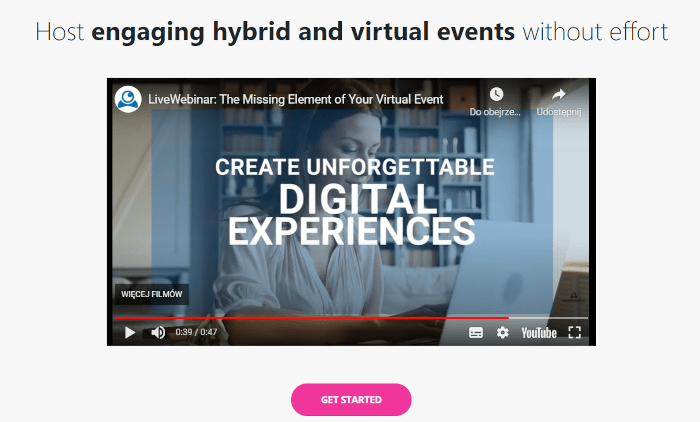
LiveWebinar is a robust, industry-focused SaaS solution for staffing agencies that host virtual events. Its high-quality audio and video broadcasting capabilities, combined with interactive features, cater specifically to the unique needs of this industry, providing an efficient platform for virtual job fairs, remote interviews, and training sessions.
Best for Virtual Event & Webinar Platforms for Staffing Agencies
Expert Take
LiveWebinar excels in delivering a tailored virtual event solution for staffing agencies, with strong capabilities in audio/video quality and interactive features. Its integration options and 24/7 support enhance usability, while competitive pricing offers value. Despite some customization limits, it remains a top choice in its niche.
Pros
- Browser-based with no downloads required
- Highly customizable white-label options
- Includes evergreen and paid webinar features
- Strong security with AES-256 encryption
- Competitive pricing with a free tier
Cons
- Steep learning curve for new users
- Interface can be complex and cluttered
- Occasional audio and stability glitches
- Mobile screen sharing limitations
- Support resolution can be slow for bugs
Best for teams that are
- Consultants and coaches needing affordable solutions
- Users wanting highly customizable layouts and features
- Tech-savvy users who can navigate complex UIs
Skip if
- Users wanting a polished, modern 'out of the box' UI
- Non-technical users due to a steep learning curve
- Enterprises needing white-glove support
Best for teams that are
- Consultants and coaches needing affordable solutions
- Users wanting highly customizable layouts and features
- Tech-savvy users who can navigate complex UIs
Skip if
- Users wanting a polished, modern 'out of the box' UI
- Non-technical users due to a steep learning curve
- Enterprises needing white-glove support
Pros
- Browser-based with no downloads required
- Highly customizable white-label options
- Includes evergreen and paid webinar features
- Strong security with AES-256 encryption
- Competitive pricing with a free tier
Cons
- Steep learning curve for new users
- Interface can be complex and cluttered
- Occasional audio and stability glitches
- Mobile screen sharing limitations
- Support resolution can be slow for bugs
Expert Take
LiveWebinar excels in delivering a tailored virtual event solution for staffing agencies, with strong capabilities in audio/video quality and interactive features. Its integration options and 24/7 support enhance usability, while competitive pricing offers value. Despite some customization limits, it remains a top choice in its niche.
VirtualDays Digital Event Platform
Best for Virtual Event & Webinar Platforms for Recruitment Agencies
VirtualDays offers a robust platform for recruitment agencies to host digital events, enabling them to reach global audiences without geographical constraints. Its features are tailored specifically to meet the needs of the industry, from candidate engagement to seamless communication tools.
Best for Virtual Event & Webinar Platforms for Recruitment Agencies
Expert Take
VirtualDays excels in providing a specialized platform for recruitment agencies to host digital events, with strong capabilities in candidate engagement and communication. Its market credibility is supported by industry-specific features and a user-friendly interface, though custom pricing and a learning curve for non-tech users are noted tradeoffs.
Pros
- Immersive 3D virtual environments
- Specialized candidate matchmaking tools
- No-download browser accessibility
- Strong GDPR compliance focus
- 24/7 customer support availability
Cons
- Limited CRM integrations (e.g., Zoho)
- 40 MB file upload limit
- No public pricing on website
- Niche focus mainly on recruitment
- Mobile app capabilities are developing
Best for teams that are
- Organizers of large-scale virtual career fairs requiring immersive 3D environments
- Companies wanting a 'digital twin' of their physical office or venue for branding
- Enterprises hosting global events that need avatars and interactive exhibition halls
Skip if
- Users seeking a simple, standard 2D video webinar tool
- Small teams needing a quick, low-setup video meeting solution
- Organizers who prefer text-based or minimalist interfaces over 3D graphics
Best for teams that are
- Organizers of large-scale virtual career fairs requiring immersive 3D environments
- Companies wanting a 'digital twin' of their physical office or venue for branding
- Enterprises hosting global events that need avatars and interactive exhibition halls
Skip if
- Users seeking a simple, standard 2D video webinar tool
- Small teams needing a quick, low-setup video meeting solution
- Organizers who prefer text-based or minimalist interfaces over 3D graphics
Pros
- Immersive 3D virtual environments
- Specialized candidate matchmaking tools
- No-download browser accessibility
- Strong GDPR compliance focus
- 24/7 customer support availability
Cons
- Limited CRM integrations (e.g., Zoho)
- 40 MB file upload limit
- No public pricing on website
- Niche focus mainly on recruitment
- Mobile app capabilities are developing
Expert Take
VirtualDays excels in providing a specialized platform for recruitment agencies to host digital events, with strong capabilities in candidate engagement and communication. Its market credibility is supported by industry-specific features and a user-friendly interface, though custom pricing and a learning curve for non-tech users are noted tradeoffs.
EventBuilder Virtual & Webinar Suite

EventBuilder is a top-tier platform specifically designed for contractors seeking a comprehensive virtual event and webinar solution. It integrates seamlessly with Microsoft Teams, providing robust event management features, live support, and expert planning services. This software addresses industry needs by facilitating effective online collaboration, enhancing client engagement, and streamlining project management processes.
Best for Virtual Event & Webinar Platforms for Contractors
Expert Take
EventBuilder Virtual & Webinar Suite excels in providing a comprehensive virtual event platform tailored for contractors. Its seamless integration with Microsoft Teams and robust event management features make it a top choice in its category. While it requires a learning curve, its specialized tools and live support enhance usability and customer experience.
Pros
- Microsoft Preferred Supplier status
- ISO 27001 & 27701 certified
- Native Microsoft Teams integration
- WCAG 2.1 AA accessibility compliant
- 24/5 live human support
Cons
- Overage fees for >3k registrants
- Requires paid Microsoft 365 license
- No public software pricing
- Dependent on Teams infrastructure
- Extra cost for live captioning
Best for teams that are
- Microsoft Teams users needing advanced registration and analytics layers
- Enterprises requiring ISO-certified security and compliance for events
- Organizations wanting to manage large-scale webinar programs within the Microsoft ecosystem
Skip if
- Companies that do not use or have licenses for Microsoft Teams
- Small businesses looking for a standalone, all-in-one webinar tool outside Microsoft
- Users seeking a simple, plug-and-play tool without implementation requirements
Best for teams that are
- Microsoft Teams users needing advanced registration and analytics layers
- Enterprises requiring ISO-certified security and compliance for events
- Organizations wanting to manage large-scale webinar programs within the Microsoft ecosystem
Skip if
- Companies that do not use or have licenses for Microsoft Teams
- Small businesses looking for a standalone, all-in-one webinar tool outside Microsoft
- Users seeking a simple, plug-and-play tool without implementation requirements
Pros
- Microsoft Preferred Supplier status
- ISO 27001 & 27701 certified
- Native Microsoft Teams integration
- WCAG 2.1 AA accessibility compliant
- 24/5 live human support
Cons
- Overage fees for >3k registrants
- Requires paid Microsoft 365 license
- No public software pricing
- Dependent on Teams infrastructure
- Extra cost for live captioning
Expert Take
EventBuilder Virtual & Webinar Suite excels in providing a comprehensive virtual event platform tailored for contractors. Its seamless integration with Microsoft Teams and robust event management features make it a top choice in its category. While it requires a learning curve, its specialized tools and live support enhance usability and customer experience.