
Transcription & Meeting Notes Tools
These are the specialized categories within Transcription & Meeting Notes Tools. Looking for something broader? See all Project Management & Productivity Tools categories.
Quil AI Recruiting Tool
Best for Transcription & Meeting Notes Tools for Staffing Agencies

Quil is an AI-powered tool designed to help staffing agencies streamline their recruitment processes. It eliminates hours of busywork by automating interview notes, ATS updates, and candidate submittals, addressing the specific needs of recruitment professionals who require efficiency and accuracy in their operations.
Best for Transcription & Meeting Notes Tools for Staffing Agencies
Expert Take
Quil AI stands out in the transcription and meeting notes tools category for staffing agencies due to its AI-driven automation, which enhances efficiency in recruitment processes. Despite limited customization options and non-transparent pricing, its capabilities in automating interview notes and ATS updates make it a valuable asset for tech-savvy staffing agencies.
Pros
- Automates ATS field updates
- Generates branded candidate submittals
- Saves 8+ hours per week
- SOC 2 Type II compliant
- Transparent pricing structure
Cons
- Inbound mobile call limitations
- Initial setup can be time-consuming
- Transcription sometimes needs cleanup
- Occasional connectivity issues reported
- Premium pricing for small teams
Best for teams that are
- Staffing agencies and high-volume recruiters
- Users needing to automate candidate submittals and reports
- Recruiters wanting to write client-ready profiles instantly
Skip if
- Internal team meetings or general project management
- Product or engineering teams needing technical documentation
- Small teams not using complex ATS workflows
Best for teams that are
- Staffing agencies and high-volume recruiters
- Users needing to automate candidate submittals and reports
- Recruiters wanting to write client-ready profiles instantly
Skip if
- Internal team meetings or general project management
- Product or engineering teams needing technical documentation
- Small teams not using complex ATS workflows
Pros
- Automates ATS field updates
- Generates branded candidate submittals
- Saves 8+ hours per week
- SOC 2 Type II compliant
- Transparent pricing structure
Cons
- Inbound mobile call limitations
- Initial setup can be time-consuming
- Transcription sometimes needs cleanup
- Occasional connectivity issues reported
- Premium pricing for small teams
Expert Take
Quil AI stands out in the transcription and meeting notes tools category for staffing agencies due to its AI-driven automation, which enhances efficiency in recruitment processes. Despite limited customization options and non-transparent pricing, its capabilities in automating interview notes and ATS updates make it a valuable asset for tech-savvy staffing agencies.

Smart Meeting Notes is an ideal solution for contractors who require comprehensive documentation of their meetings. The software integrates flawlessly with popular communication tools, transcribes conversations, and provides audio files for future references, ensuring every detail discussed in the meeting is recorded and accessible.
Best for Transcription & Meeting Notes Tools for Contractors
Expert Take
Smart Meeting Notes excels in providing comprehensive meeting documentation for contractors, with strong integration capabilities and automated transcription services. Its usability and market credibility are supported by its seamless integration with major communication platforms and a free plan offering. However, potential compatibility issues with less popular tools and transcription accuracy variability are noted.
Pros
- Strict GDPR compliance with German hosting
- On-premise deployment option available
- Customizable meeting summary templates
- High accuracy with dialect support
- Integrates with Teams, Zoom, Webex, Meet
Cons
- No public pricing for enterprise plans
- Fewer native CRM integrations listed
- Editor interface less modern than rivals
- Fewer supported languages than global leaders
- Setup may require sales interaction
Best for teams that are
- European enterprises and legal teams requiring strict GDPR compliance.
- Organizations needing on-premise hosting options for sensitive data.
- Public administration and research sectors needing custom vocabulary support.
Skip if
- Individual freelancers or small teams looking for a low-cost, instant-access tool.
- Users indifferent to data sovereignty or GDPR regulations.
- Those needing a simple mobile app for casual recording.
Best for teams that are
- European enterprises and legal teams requiring strict GDPR compliance.
- Organizations needing on-premise hosting options for sensitive data.
- Public administration and research sectors needing custom vocabulary support.
Skip if
- Individual freelancers or small teams looking for a low-cost, instant-access tool.
- Users indifferent to data sovereignty or GDPR regulations.
- Those needing a simple mobile app for casual recording.
Pros
- Strict GDPR compliance with German hosting
- On-premise deployment option available
- Customizable meeting summary templates
- High accuracy with dialect support
- Integrates with Teams, Zoom, Webex, Meet
Cons
- No public pricing for enterprise plans
- Fewer native CRM integrations listed
- Editor interface less modern than rivals
- Fewer supported languages than global leaders
- Setup may require sales interaction
Expert Take
Smart Meeting Notes excels in providing comprehensive meeting documentation for contractors, with strong integration capabilities and automated transcription services. Its usability and market credibility are supported by its seamless integration with major communication platforms and a free plan offering. However, potential compatibility issues with less popular tools and transcription accuracy variability are noted.
MeetGeek AI Meeting Assistant
Best for Transcription & Meeting Notes Tools for SaaS Companies
MeetGeek is a powerful AI-driven tool that automates the process of joining, recording, and transcribing meetings for SaaS companies. This SaaS solution is highly applicable to the industry due to the vast number of remote and virtual meetings conducted. MeetGeek ensures precise record-keeping and allows professionals to focus on discussion rather than note-taking.
Best for Transcription & Meeting Notes Tools for SaaS Companies
Expert Take
MeetGeek AI Meeting Assistant excels in automating meeting transcription and note-taking, crucial for SaaS companies with frequent virtual meetings. Its integration capabilities and AI-driven features enhance productivity, though pricing transparency is limited. The product is well-regarded in its niche for improving meeting efficiency.
Pros
- 95% transcription accuracy in 60+ languages
- SOC 2 Type II & HIPAA compliant
- Generous free plan (3 hours/month)
- Integrates with 7,000+ apps via Zapier
- Granular meeting analytics & insights
Cons
- Bot times out in waiting room
- Free plan deletes data after 3 months
- Manual invite needed for ad-hoc calls
- Mobile transcription less accurate than desktop
- Enterprise SSO features still developing
Best for teams that are
- Agile teams needing automated workflows and summaries
- Companies integrating deeply with tools like Slack and Trello
- Developers wanting to automate meeting documentation
Skip if
- Users requiring real-time transcription display
- Individuals wanting a simple manual recorder
- Users who need PDF exports on the free plan
Best for teams that are
- Agile teams needing automated workflows and summaries
- Companies integrating deeply with tools like Slack and Trello
- Developers wanting to automate meeting documentation
Skip if
- Users requiring real-time transcription display
- Individuals wanting a simple manual recorder
- Users who need PDF exports on the free plan
Pros
- 95% transcription accuracy in 60+ languages
- SOC 2 Type II & HIPAA compliant
- Generous free plan (3 hours/month)
- Integrates with 7,000+ apps via Zapier
- Granular meeting analytics & insights
Cons
- Bot times out in waiting room
- Free plan deletes data after 3 months
- Manual invite needed for ad-hoc calls
- Mobile transcription less accurate than desktop
- Enterprise SSO features still developing
Expert Take
MeetGeek AI Meeting Assistant excels in automating meeting transcription and note-taking, crucial for SaaS companies with frequent virtual meetings. Its integration capabilities and AI-driven features enhance productivity, though pricing transparency is limited. The product is well-regarded in its niche for improving meeting efficiency.
Grain AI Notetaker
Best for Transcription & Meeting Notes Tools for Marketing Agencies

Grain is an AI-powered notetaker designed for growing teams in marketing agencies. It provides accurate meeting summaries, account insights, and coaching suggestions, ensuring no critical information is missed during meetings. Its AI capabilities make it ideal for capturing and transcribing meeting notes accurately and quickly, allowing marketing professionals to focus on strategizing and implementing ideas.
Best for Transcription & Meeting Notes Tools for Marketing Agencies
Expert Take
Grain AI Notetaker excels in providing accurate transcription and meeting summaries, essential for marketing agencies. It offers strong AI-powered insights and collaboration tools, enhancing productivity and strategic planning. While it requires an internet connection, its capabilities make it a top choice for marketing professionals.
Pros
- Automated summaries with custom templates (SPICED/MEDDIC)
- Deep HubSpot integration with deal object syncing
- Affordable pricing compared to enterprise tools like Gong
- SOC 2 Type II certified and GDPR compliant
- User-friendly interface with 'Ask' AI query feature
Cons
- Free plan limited for non-business email domains
- Lacks deep revenue intelligence analytics found in Gong
- Occasional integration sync issues reported by users
- Recording limit of 45 minutes on free plan
Best for teams that are
- Customer success and product teams focused on sharing video clips and user insights.
- Agencies needing to share polished meeting highlight reels with clients.
- HubSpot users wanting deep integration for deal tracking.
Skip if
- Sales leaders looking for deep revenue intelligence and deal forecasting.
- Users on the free plan who need to upload pre-recorded files.
- Teams needing a tool that works for in-person meetings via mobile.
Best for teams that are
- Customer success and product teams focused on sharing video clips and user insights.
- Agencies needing to share polished meeting highlight reels with clients.
- HubSpot users wanting deep integration for deal tracking.
Skip if
- Sales leaders looking for deep revenue intelligence and deal forecasting.
- Users on the free plan who need to upload pre-recorded files.
- Teams needing a tool that works for in-person meetings via mobile.
Pros
- Automated summaries with custom templates (SPICED/MEDDIC)
- Deep HubSpot integration with deal object syncing
- Affordable pricing compared to enterprise tools like Gong
- SOC 2 Type II certified and GDPR compliant
- User-friendly interface with 'Ask' AI query feature
Cons
- Free plan limited for non-business email domains
- Lacks deep revenue intelligence analytics found in Gong
- Occasional integration sync issues reported by users
- Recording limit of 45 minutes on free plan
Expert Take
Grain AI Notetaker excels in providing accurate transcription and meeting summaries, essential for marketing agencies. It offers strong AI-powered insights and collaboration tools, enhancing productivity and strategic planning. While it requires an internet connection, its capabilities make it a top choice for marketing professionals.
Tactiq.io - AI Meeting Assistant
Best for Transcription & Meeting Notes Tools for Marketing Agencies
Tactiq.io is an AI-powered transcription and meeting notes tool specifically designed to enhance productivity in marketing agencies. It caters to the industry's needs by providing live transcription, AI summaries, actionable items and custom AI prompts, ensuring no important details are missed during meetings.
Best for Transcription & Meeting Notes Tools for Marketing Agencies
Expert Take
Tactiq.io excels in providing real-time transcription and AI-driven meeting notes, enhancing productivity for marketing agencies. Its integration with popular platforms like Google Meet and Zoom, along with features like AI summaries and action item identification, positions it as a leading tool in its category.
Pros
- No-bot transcription ensures privacy
- SOC 2 Type II & ISO 27001 compliant
- Affordable Pro plan ($8-12/mo)
- Supports 60+ languages
- Integrates with HubSpot, Slack, Notion
Cons
- No audio/video recording playback
- Browser-only (no desktop apps)
- Manual language switching required
- Limited AI credits on lower plans
- Transcription accuracy varies by accent
Best for teams that are
- Freelancers and individuals who prefer a non-intrusive browser extension.
- Google Meet power users wanting real-time transcription and immediate actions.
- Users who want to keep their meeting data private and bot-free.
Skip if
- Teams requiring video recording or audio playback of the meeting.
- Mobile-heavy users as it primarily functions via a desktop browser extension.
- Sales managers needing coaching dashboards and team analytics.
Best for teams that are
- Freelancers and individuals who prefer a non-intrusive browser extension.
- Google Meet power users wanting real-time transcription and immediate actions.
- Users who want to keep their meeting data private and bot-free.
Skip if
- Teams requiring video recording or audio playback of the meeting.
- Mobile-heavy users as it primarily functions via a desktop browser extension.
- Sales managers needing coaching dashboards and team analytics.
Pros
- No-bot transcription ensures privacy
- SOC 2 Type II & ISO 27001 compliant
- Affordable Pro plan ($8-12/mo)
- Supports 60+ languages
- Integrates with HubSpot, Slack, Notion
Cons
- No audio/video recording playback
- Browser-only (no desktop apps)
- Manual language switching required
- Limited AI credits on lower plans
- Transcription accuracy varies by accent
Expert Take
Tactiq.io excels in providing real-time transcription and AI-driven meeting notes, enhancing productivity for marketing agencies. Its integration with popular platforms like Google Meet and Zoom, along with features like AI summaries and action item identification, positions it as a leading tool in its category.
Tactiq AI Transcription for Recruiters
Best for Transcription & Meeting Notes Tools for Recruitment Agencies
Tactiq is a cutting-edge tool designed to streamline recruitment processes. By leveraging AI, it transcribes meetings and interviews, freeing up recruiters from the hassle of note-taking. It also generates comprehensive summaries that help recruiters make informed decisions.
Best for Transcription & Meeting Notes Tools for Recruitment Agencies
Expert Take
Tactiq AI Transcription for Recruiters excels in providing AI-driven transcription and summary generation tailored for recruitment agencies. Its integration with video conferencing tools enhances usability, while its pricing model offers transparency. However, limitations such as language support and reliance on audio quality slightly impact its overall score.
Pros
- Bot-free real-time transcription
- SOC 2 Type II & GDPR compliant
- Specialized 'Interview Recap' AI prompts
- Generous free plan (10 meetings/mo)
- Integrates with HubSpot & Salesforce
Cons
- No audio/video playback (text only)
- Accuracy struggles with strong accents
- Manual language switching required
- Lacks native Greenhouse/Lever integration
- Browser-based only (Chrome extension)
Best for teams that are
- Recruiters primarily using Google Meet who want a non-intrusive extension
- Individual recruiters or small teams on a tight budget
- Users who dislike bots joining their client calls
Skip if
- Enterprise teams requiring advanced ATS integrations and workflows
- Teams needing deep analysis, coaching insights, or video playback
- Users who need a standalone app rather than a browser extension
Best for teams that are
- Recruiters primarily using Google Meet who want a non-intrusive extension
- Individual recruiters or small teams on a tight budget
- Users who dislike bots joining their client calls
Skip if
- Enterprise teams requiring advanced ATS integrations and workflows
- Teams needing deep analysis, coaching insights, or video playback
- Users who need a standalone app rather than a browser extension
Pros
- Bot-free real-time transcription
- SOC 2 Type II & GDPR compliant
- Specialized 'Interview Recap' AI prompts
- Generous free plan (10 meetings/mo)
- Integrates with HubSpot & Salesforce
Cons
- No audio/video playback (text only)
- Accuracy struggles with strong accents
- Manual language switching required
- Lacks native Greenhouse/Lever integration
- Browser-based only (Chrome extension)
Expert Take
Tactiq AI Transcription for Recruiters excels in providing AI-driven transcription and summary generation tailored for recruitment agencies. Its integration with video conferencing tools enhances usability, while its pricing model offers transparency. However, limitations such as language support and reliance on audio quality slightly impact its overall score.
tl;dv.io | AI Notetaker
Best for Transcription & Meeting Notes Tools for Private Equity Firms
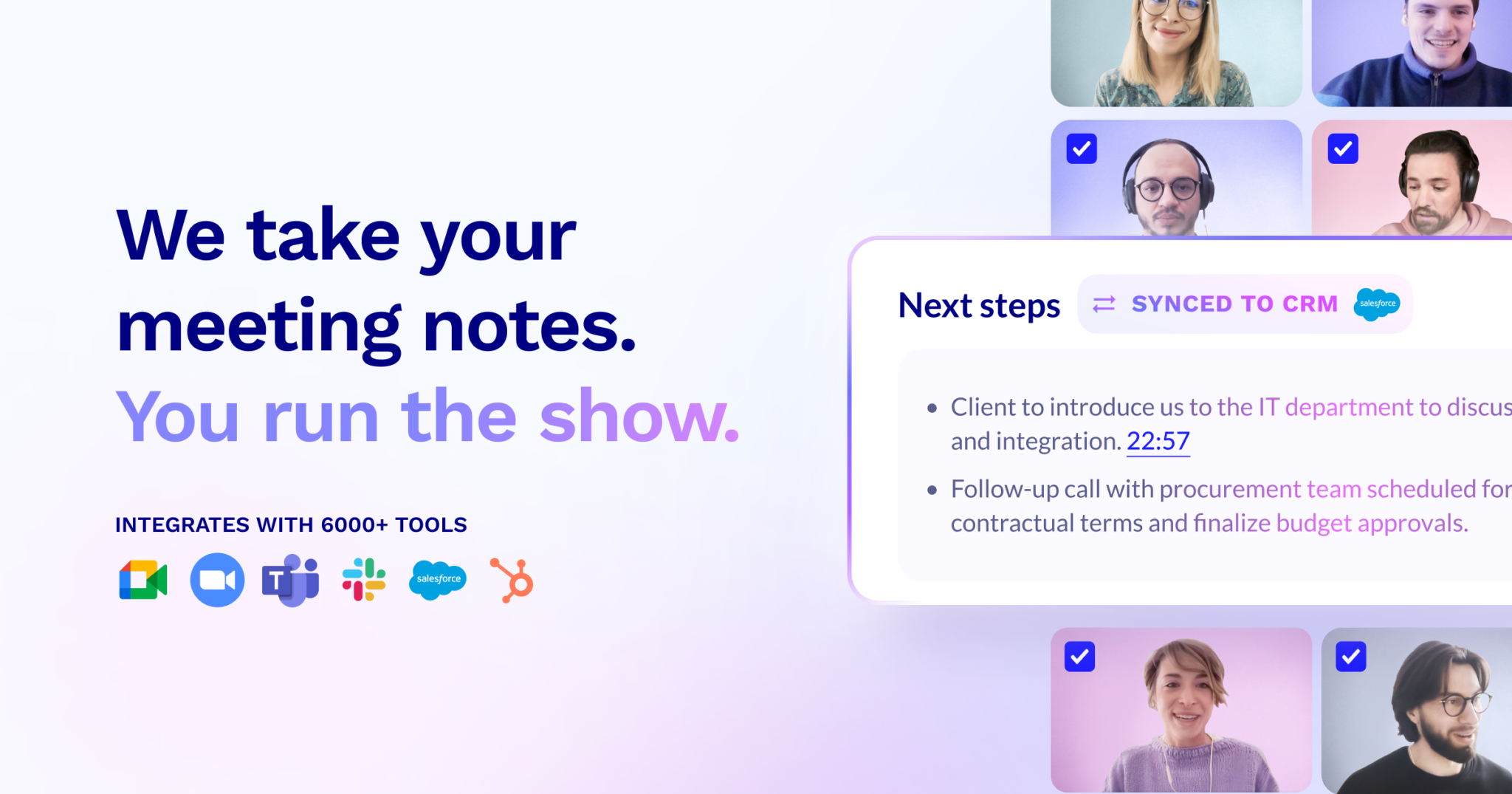
tl;dv.io is an AI-powered notetaking platform custom-tailored for private equity firms. It generates meeting notes in 30 languages, auto-updates your CRM, drafts follow-up emails, and sends AI-generated summaries, allowing for streamlined communication and simplified decision-making processes.
Best for Transcription & Meeting Notes Tools for Private Equity Firms
Expert Take
tl;dv.io excels in providing AI-driven notetaking solutions tailored for private equity firms, offering multilingual support and CRM integration. Its capabilities streamline communication and decision-making processes, making it a valuable tool for global firms. However, its reliance on internet connectivity and limited customization options are notable tradeoffs.
Pros
- Unlimited recording on free plan (with retention limits)
- Transcribes and summarizes in 30+ languages
- SOC 2 Type 1 and GDPR compliant
- Native Salesforce & HubSpot integrations (Business plan)
- Advanced sales coaching and playbook features
Cons
- No custom vocabulary for jargon accuracy
- Free recordings deleted after 3 months
- Visible bot required to record calls
- Native CRM integrations gated to expensive plan
- No offline recording capability
Best for teams that are
- Product teams and researchers needing unlimited free video recording and transcripts.
- Remote teams using Google Meet, Zoom, or Teams seeking a generous free tier.
Skip if
- Enterprise sales teams requiring deep deal intelligence or objection handling libraries.
- Users who need a native mobile app for recording in-person meetings.
Best for teams that are
- Product teams and researchers needing unlimited free video recording and transcripts.
- Remote teams using Google Meet, Zoom, or Teams seeking a generous free tier.
Skip if
- Enterprise sales teams requiring deep deal intelligence or objection handling libraries.
- Users who need a native mobile app for recording in-person meetings.
Pros
- Unlimited recording on free plan (with retention limits)
- Transcribes and summarizes in 30+ languages
- SOC 2 Type 1 and GDPR compliant
- Native Salesforce & HubSpot integrations (Business plan)
- Advanced sales coaching and playbook features
Cons
- No custom vocabulary for jargon accuracy
- Free recordings deleted after 3 months
- Visible bot required to record calls
- Native CRM integrations gated to expensive plan
- No offline recording capability
Expert Take
tl;dv.io excels in providing AI-driven notetaking solutions tailored for private equity firms, offering multilingual support and CRM integration. Its capabilities streamline communication and decision-making processes, making it a valuable tool for global firms. However, its reliance on internet connectivity and limited customization options are notable tradeoffs.
Bubbles - AI Meeting Assistant
Best for Transcription & Meeting Notes Tools for Contractors

Bubbles is tailored for contractors who need an efficient way to record meetings and transcribe notes. Its AI-driven technology auto-generates action items and summaries, while the screen recording feature ensures no detail is missed. This tool addresses the industry's need for accurate, timely, and detailed meeting records, crucial for project management and team collaboration.
Best for Transcription & Meeting Notes Tools for Contractors
Expert Take
Bubbles excels in providing AI-driven meeting transcription and note-taking solutions tailored for contractors. Its capabilities in generating action items and summaries, along with screen recording, make it a valuable tool for project management. However, its reliance on internet connectivity and limited customization options are notable tradeoffs.
Pros
- Combines meeting AI with async video
- SOC 2 Type II compliant security
- Generous unlimited screen recording on free plan
- Intuitive interface with <1 min setup
- Automated action item extraction
Cons
- Free recordings lock after 2 weeks
- Only supports English transcription
- No deep CRM integrations (Salesforce/HubSpot)
- Lacks advanced sales coaching analytics
- Transcripts are not editable in some views
Best for teams that are
- Remote teams looking to replace live meetings with asynchronous video feedback.
- Designers and marketers needing to provide visual context alongside voice comments.
- Project managers who want to track action items from async conversations.
Skip if
- Users seeking a traditional live meeting transcription tool for real-time text notes.
- Teams that require a simple text-only logger without screen recording features.
- Professionals who need to document in-person meetings.
Best for teams that are
- Remote teams looking to replace live meetings with asynchronous video feedback.
- Designers and marketers needing to provide visual context alongside voice comments.
- Project managers who want to track action items from async conversations.
Skip if
- Users seeking a traditional live meeting transcription tool for real-time text notes.
- Teams that require a simple text-only logger without screen recording features.
- Professionals who need to document in-person meetings.
Pros
- Combines meeting AI with async video
- SOC 2 Type II compliant security
- Generous unlimited screen recording on free plan
- Intuitive interface with <1 min setup
- Automated action item extraction
Cons
- Free recordings lock after 2 weeks
- Only supports English transcription
- No deep CRM integrations (Salesforce/HubSpot)
- Lacks advanced sales coaching analytics
- Transcripts are not editable in some views
Expert Take
Bubbles excels in providing AI-driven meeting transcription and note-taking solutions tailored for contractors. Its capabilities in generating action items and summaries, along with screen recording, make it a valuable tool for project management. However, its reliance on internet connectivity and limited customization options are notable tradeoffs.
Zocks AI for Financial Advisors
Best for Transcription & Meeting Notes Tools for Venture Capital Firms
Zocks is an AI-driven tool designed to help financial advisors streamline their workflow. It offers automations for meeting notes, intake forms, and client emails, helping professionals in the Venture Capital industry reclaim their time and focus more on client relationship management.
Best for Transcription & Meeting Notes Tools for Venture Capital Firms
Expert Take
Zocks AI excels in providing tailored automation solutions for financial advisors, particularly in the Venture Capital sector. Its focus on workflow efficiency and client communication enhancement positions it as a top-tier tool. However, the lack of transparent pricing and potential learning curve are noted tradeoffs.
Pros
- No-recording architecture ensures strict compliance
- Deep bi-directional CRM field syncing
- SOC 2 Type 2 and HIPAA certified
- Integrates with RightCapital and eMoney
- Automated meeting prep and email drafts
Cons
- Monthly meeting limits (50-100 caps)
- Premium pricing ($67-$184/month)
- Steep learning curve for customization
- No audio backup for transcript verification
- Mobile app reported as slow by some
Best for teams that are
- Financial Advisors using Wealthbox or Redtail CRMs
- Firms with strict 'no recording' compliance policies
- Advisors needing automated client meeting prep and follow-up
Skip if
- General industries outside of financial services
- Users who need to retain audio or video recordings
- Teams not using specific financial planning software
Best for teams that are
- Financial Advisors using Wealthbox or Redtail CRMs
- Firms with strict 'no recording' compliance policies
- Advisors needing automated client meeting prep and follow-up
Skip if
- General industries outside of financial services
- Users who need to retain audio or video recordings
- Teams not using specific financial planning software
Pros
- No-recording architecture ensures strict compliance
- Deep bi-directional CRM field syncing
- SOC 2 Type 2 and HIPAA certified
- Integrates with RightCapital and eMoney
- Automated meeting prep and email drafts
Cons
- Monthly meeting limits (50-100 caps)
- Premium pricing ($67-$184/month)
- Steep learning curve for customization
- No audio backup for transcript verification
- Mobile app reported as slow by some
Expert Take
Zocks AI excels in providing tailored automation solutions for financial advisors, particularly in the Venture Capital sector. Its focus on workflow efficiency and client communication enhancement positions it as a top-tier tool. However, the lack of transparent pricing and potential learning curve are noted tradeoffs.
Fellow.ai Meeting Assistant
Best for Transcription & Meeting Notes Tools for Private Equity Firms

Fellow.ai is an intelligent meeting assistant specifically useful for private equity firms, where detailed and accurate record-keeping is crucial. The AI not only transcribes meetings but also provides summaries and insights with impressive accuracy, making it an essential tool for busy professionals in the industry.
Best for Transcription & Meeting Notes Tools for Private Equity Firms
Expert Take
Fellow.ai excels in providing accurate transcription and insightful summarization, crucial for private equity firms. It offers a user-friendly interface and cloud-based storage, enhancing usability and accessibility. The product's market credibility is supported by its innovative features and industry-specific relevance.
Pros
- Zero AI training on customer data
- 2-way sync with Jira & Asana
- SOC 2 Type II & HIPAA compliant
- Collaborative agendas & notes combined
- Transcription in over 90 languages
Cons
- Free plan has strict lifetime limits
- Mobile app less powerful than desktop
- Enterprise plan requires annual billing
- Action items may need manual edits
- No monthly reset for free AI credits
Best for teams that are
- Managers and teams focused on structured meeting agendas, 1-on-1s, and accountability.
- Organizations needing a comprehensive meeting management system, not just transcription.
Skip if
- Users seeking a simple, standalone transcription tool without workflow management features.
- Those needing robust offline mobile recording capabilities.
Best for teams that are
- Managers and teams focused on structured meeting agendas, 1-on-1s, and accountability.
- Organizations needing a comprehensive meeting management system, not just transcription.
Skip if
- Users seeking a simple, standalone transcription tool without workflow management features.
- Those needing robust offline mobile recording capabilities.
Pros
- Zero AI training on customer data
- 2-way sync with Jira & Asana
- SOC 2 Type II & HIPAA compliant
- Collaborative agendas & notes combined
- Transcription in over 90 languages
Cons
- Free plan has strict lifetime limits
- Mobile app less powerful than desktop
- Enterprise plan requires annual billing
- Action items may need manual edits
- No monthly reset for free AI credits
Expert Take
Fellow.ai excels in providing accurate transcription and insightful summarization, crucial for private equity firms. It offers a user-friendly interface and cloud-based storage, enhancing usability and accessibility. The product's market credibility is supported by its innovative features and industry-specific relevance.
Explore Categories
- Transcription & Meeting Notes Tools for Contractors
- Transcription & Meeting Notes Tools for Marketing Agencies
- Transcription & Meeting Notes Tools for Private Equity Firms
- Transcription & Meeting Notes Tools for Recruitment Agencies
- Transcription & Meeting Notes Tools for SaaS Companies
- Transcription & Meeting Notes Tools for Staffing Agencies
- Transcription & Meeting Notes Tools for Venture Capital Firms