
Resource & Capacity Planning Software
These are the specialized categories within Resource & Capacity Planning Software. Looking for something broader? See all Project Management & Productivity Tools categories.
Runn: Resource Planning SaaS
Best for Resource & Capacity Planning Software for Contractors

Runn is a real-time resource planning SaaS solution designed specifically for contractors. It provides comprehensive visibility into resource management and forecasting, allowing contractors to optimally assign the right resources to the right projects. Its features target the unique needs of this industry, such as allocation, capacity planning, and profit forecasting.
Best for Resource & Capacity Planning Software for Contractors
Expert Take
Runn excels as a resource planning solution for contractors, offering real-time visibility and specialized forecasting tools. It integrates well with other project management tools, enhancing its utility. While the free plan is limited, its comprehensive features and competitive pricing make it a top choice in its category.
Pros
- Free plan for teams up to 5 users
- Placeholder resources for tentative project planning
- SOC 2 Type II certified security
- Native two-way Jira and Harvest integrations
- Visual capacity heatmaps and forecasting
Cons
- No bulk update functionality for resources
- Limited export options for custom fields
- Fewer native integrations than legacy competitors
- Granular permission controls can be limited
- Mobile app capabilities are limited
Best for teams that are
- IT services, consulting firms, and agencies needing strategic capacity planning
- Senior leaders requiring high-level visibility into profitability and forecasting
- Mid-to-large organizations managing complex resource pools across multiple projects
Skip if
- Teams looking for a granular daily task manager or to-do list tool
- Small teams with very simple scheduling needs who might find the features overwhelming
- Users requiring hard limits on resource utilization rates without workarounds
Best for teams that are
- IT services, consulting firms, and agencies needing strategic capacity planning
- Senior leaders requiring high-level visibility into profitability and forecasting
- Mid-to-large organizations managing complex resource pools across multiple projects
Skip if
- Teams looking for a granular daily task manager or to-do list tool
- Small teams with very simple scheduling needs who might find the features overwhelming
- Users requiring hard limits on resource utilization rates without workarounds
Pros
- Free plan for teams up to 5 users
- Placeholder resources for tentative project planning
- SOC 2 Type II certified security
- Native two-way Jira and Harvest integrations
- Visual capacity heatmaps and forecasting
Cons
- No bulk update functionality for resources
- Limited export options for custom fields
- Fewer native integrations than legacy competitors
- Granular permission controls can be limited
- Mobile app capabilities are limited
Expert Take
Runn excels as a resource planning solution for contractors, offering real-time visibility and specialized forecasting tools. It integrates well with other project management tools, enhancing its utility. While the free plan is limited, its comprehensive features and competitive pricing make it a top choice in its category.
Celoxis Resource Management Software
Best for Resource & Capacity Planning Software for Contractors

Celoxis is a comprehensive resource management and capacity planning software tailored for contractors. It effectively optimizes workflows, enhances resource allocation, and facilitates sophisticated scheduling. Its industry-specific features address the pressing needs of contractors, such as managing multiple resources, balancing workload, and forecasting resource availability.
Best for Resource & Capacity Planning Software for Contractors
Expert Take
Celoxis is recognized for its comprehensive features tailored to contractors, offering advanced scheduling and resource allocation capabilities. It stands out in the resource management space with its industry-specific solutions and real-time visibility features. Despite potential complexity for beginners, it remains a top choice for contractors due to its depth and flexibility.
Pros
- Rare on-premise and cloud deployment options
- SOC 2 Type 2 and ISO 27001 certified
- Comprehensive financial and resource tracking
- Transparent pricing with no hidden costs
- 24x5 human support included
Cons
- Steep learning curve for new users
- Interface described as dated by some users
- Reporting limited to 15,000 rows per query
- Minimum requirement of 5 users
- No native mobile app (web-optimized only)
Best for teams that are
- Mid-to-large enterprises in IT, engineering, and consulting sectors
- Teams needing a comprehensive Project Portfolio Management (PPM) solution
- Organizations requiring customizable workflows and advanced reporting capabilities
Skip if
- Freelancers or small teams needing a simple, lightweight task manager
- Users who find steep learning curves and complex setup processes intimidating
- Those seeking a dedicated resource scheduler without full project management features
Best for teams that are
- Mid-to-large enterprises in IT, engineering, and consulting sectors
- Teams needing a comprehensive Project Portfolio Management (PPM) solution
- Organizations requiring customizable workflows and advanced reporting capabilities
Skip if
- Freelancers or small teams needing a simple, lightweight task manager
- Users who find steep learning curves and complex setup processes intimidating
- Those seeking a dedicated resource scheduler without full project management features
Pros
- Rare on-premise and cloud deployment options
- SOC 2 Type 2 and ISO 27001 certified
- Comprehensive financial and resource tracking
- Transparent pricing with no hidden costs
- 24x5 human support included
Cons
- Steep learning curve for new users
- Interface described as dated by some users
- Reporting limited to 15,000 rows per query
- Minimum requirement of 5 users
- No native mobile app (web-optimized only)
Expert Take
Celoxis is recognized for its comprehensive features tailored to contractors, offering advanced scheduling and resource allocation capabilities. It stands out in the resource management space with its industry-specific solutions and real-time visibility features. Despite potential complexity for beginners, it remains a top choice for contractors due to its depth and flexibility.
Karbon Private Equity Management
Best for Resource & Capacity Planning Software for Private Equity Firms
Karbon is a top-tier practice management platform specifically tailored for private equity firms. It focuses on addressing the needs of growth-oriented firms by increasing their efficiency and productivity through its cloud-based service. It offers robust capacity planning features that help these firms streamline operations, manage resources, and drive growth.
Best for Resource & Capacity Planning Software for Private Equity Firms
Expert Take
Karbon excels as a specialized practice management platform for private equity firms, offering robust capacity planning and cloud-based services. Its industry-specific features and strategic resource management capabilities position it as a leading solution in its niche.
Pros
- SOC 2 Type 2 certified security
- Unique Practice Marketplace for M&A
- Centralized email triage system
- Deep API for portfolio integration
- Strong backing from PE investors
Cons
- Steep learning curve for new users
- Premium pricing compared to competitors
- No permanent free plan available
- Limited task hierarchy features
- Setup can be time-consuming
Best for teams that are
- PE firms managing portfolios of accounting and tax practices
- M&A teams streamlining financial due diligence workflows
- Firms needing to standardize operations across multiple accounting entities
Skip if
- PE firms managing non-financial (e.g., manufacturing) portfolios
- Small businesses needing generic project management tools
- Organizations not focused on accounting or tax workflows
Best for teams that are
- PE firms managing portfolios of accounting and tax practices
- M&A teams streamlining financial due diligence workflows
- Firms needing to standardize operations across multiple accounting entities
Skip if
- PE firms managing non-financial (e.g., manufacturing) portfolios
- Small businesses needing generic project management tools
- Organizations not focused on accounting or tax workflows
Pros
- SOC 2 Type 2 certified security
- Unique Practice Marketplace for M&A
- Centralized email triage system
- Deep API for portfolio integration
- Strong backing from PE investors
Cons
- Steep learning curve for new users
- Premium pricing compared to competitors
- No permanent free plan available
- Limited task hierarchy features
- Setup can be time-consuming
Expert Take
Karbon excels as a specialized practice management platform for private equity firms, offering robust capacity planning and cloud-based services. Its industry-specific features and strategic resource management capabilities position it as a leading solution in its niche.
Triskell Resource Planning Software
Best for Resource & Capacity Planning Software for Private Equity Firms
Triskell's Resource and Capacity Planning Software is specifically tailored to address the needs of Private Equity Firms. It provides a comprehensive view of resource allocation and project progress, enabling effective decision-making and ensuring optimal use of resources and time.
Best for Resource & Capacity Planning Software for Private Equity Firms
Expert Take
Triskell Resource Planning Software is tailored for Private Equity Firms, providing industry-specific features that enhance resource allocation and project management. Its comprehensive capabilities and decision-making support position it as a premium solution in its category, despite some limitations in pricing transparency and customization.
Pros
- Advanced 'what-if' scenario simulation
- Hybrid Agile and Waterfall support
- Bidirectional Jira integration
- ISO 27001 and ISO 9001 certified
- Highly configurable data models
Cons
- Steep learning curve for new users
- Interface described as dated by some
- No public pricing transparency
- Complex setup requires implementation support
- Mobile app lacks full desktop features
Best for teams that are
- Enterprise PE firms needing strategic portfolio oversight and governance
- Organizations managing hybrid Agile and Waterfall initiatives
- PMOs requiring flexible, configurable strategy execution tools
Skip if
- Small teams seeking a simple, plug-and-play task manager
- Users wanting a tool that requires zero configuration or setup
- Startups with basic resource tracking needs
Best for teams that are
- Enterprise PE firms needing strategic portfolio oversight and governance
- Organizations managing hybrid Agile and Waterfall initiatives
- PMOs requiring flexible, configurable strategy execution tools
Skip if
- Small teams seeking a simple, plug-and-play task manager
- Users wanting a tool that requires zero configuration or setup
- Startups with basic resource tracking needs
Pros
- Advanced 'what-if' scenario simulation
- Hybrid Agile and Waterfall support
- Bidirectional Jira integration
- ISO 27001 and ISO 9001 certified
- Highly configurable data models
Cons
- Steep learning curve for new users
- Interface described as dated by some
- No public pricing transparency
- Complex setup requires implementation support
- Mobile app lacks full desktop features
Expert Take
Triskell Resource Planning Software is tailored for Private Equity Firms, providing industry-specific features that enhance resource allocation and project management. Its comprehensive capabilities and decision-making support position it as a premium solution in its category, despite some limitations in pricing transparency and customization.
Galorath's Capacity Planning Software
Best for Resource & Capacity Planning Software for Staffing Agencies

Specifically designed for staffing agencies, Galorath's Capacity Planning Software offers accurate forecasting and optimized resource allocation. It mitigates overruns and bottlenecks by enabling agencies to build precise schedules, thereby addressing the industry's need for efficient resource and capacity management.
Best for Resource & Capacity Planning Software for Staffing Agencies
Expert Take
Galorath's Capacity Planning Software excels in providing precise forecasting and resource optimization tailored for staffing agencies. It is recognized for its industry-specific functionalities, although its bespoke pricing model limits upfront cost visibility. The software's capabilities and market credibility are supported by its detailed documentation and industry relevance.
Pros
- Trusted by NASA & Boeing
- Integrated capacity & cost modeling
- AI-driven natural language inputs
- Deployable in air-gapped environments
- Glass-box transparency for audits
Cons
- No public pricing available
- Requires domain expertise to master
- Complex parameter calibration needed
- Not for general business use
- Enterprise-focused sales cycle
Best for teams that are
- Manufacturing, aerospace, and defense sectors needing cost and risk modeling
- IT teams planning large-scale infrastructure or software development projects
Skip if
- Creative agencies or small businesses needing simple staff scheduling
- Teams looking for a lightweight, visual calendar for daily task management
Best for teams that are
- Manufacturing, aerospace, and defense sectors needing cost and risk modeling
- IT teams planning large-scale infrastructure or software development projects
Skip if
- Creative agencies or small businesses needing simple staff scheduling
- Teams looking for a lightweight, visual calendar for daily task management
Pros
- Trusted by NASA & Boeing
- Integrated capacity & cost modeling
- AI-driven natural language inputs
- Deployable in air-gapped environments
- Glass-box transparency for audits
Cons
- No public pricing available
- Requires domain expertise to master
- Complex parameter calibration needed
- Not for general business use
- Enterprise-focused sales cycle
Expert Take
Galorath's Capacity Planning Software excels in providing precise forecasting and resource optimization tailored for staffing agencies. It is recognized for its industry-specific functionalities, although its bespoke pricing model limits upfront cost visibility. The software's capabilities and market credibility are supported by its detailed documentation and industry relevance.
Saviom Capacity Planning Software
Best for Resource & Capacity Planning Software for Contractors
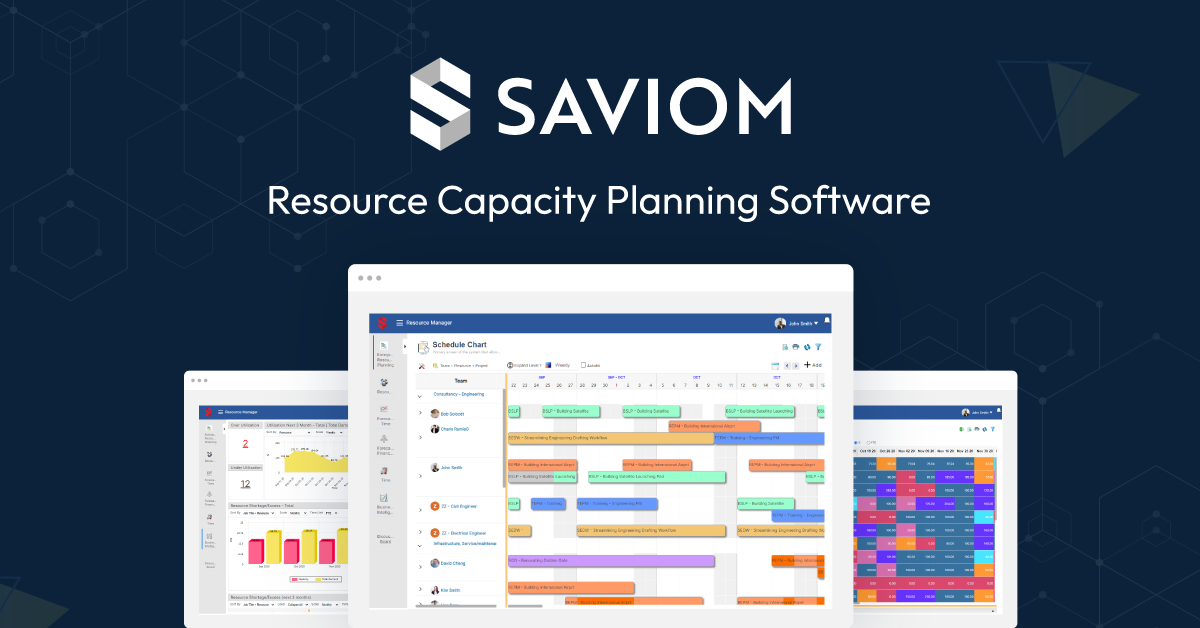
Saviom's advanced resource capacity planning software is a vital tool for contractors needing to optimize resources in real-time. Its powerful forecasting capability, combined with a user-friendly interface, makes it possible to plan and allocate resources efficiently, meeting the specific demands of the contracting industry.
Best for Resource & Capacity Planning Software for Contractors
Expert Take
Saviom Capacity Planning Software is recognized for its advanced resource optimization and forecasting capabilities, making it highly suitable for contractors. Its global reach and trust by Fortune 500 companies underscore its credibility and effectiveness in the industry.
Pros
- Multidimensional resource scheduling
- Early warning system for capacity
- Unlimited non-user licenses
- On-premise and cloud options
- Enterprise-grade scalability
Cons
- Steep learning curve
- Dated user interface
- No public pricing
- Integrations require setup
- Implementation takes 2-6 weeks
Best for teams that are
- Large enterprises and Fortune 500 companies with complex matrix structures
- Organizations needing advanced forecasting, business intelligence, and analytics
- Engineering and construction firms requiring multidimensional resource scheduling
Skip if
- Small businesses and startups with limited budgets and simpler needs
- Teams wanting a plug-and-play tool with a short learning curve
- Users who do not need enterprise-grade customization or detailed capacity modeling
Best for teams that are
- Large enterprises and Fortune 500 companies with complex matrix structures
- Organizations needing advanced forecasting, business intelligence, and analytics
- Engineering and construction firms requiring multidimensional resource scheduling
Skip if
- Small businesses and startups with limited budgets and simpler needs
- Teams wanting a plug-and-play tool with a short learning curve
- Users who do not need enterprise-grade customization or detailed capacity modeling
Pros
- Multidimensional resource scheduling
- Early warning system for capacity
- Unlimited non-user licenses
- On-premise and cloud options
- Enterprise-grade scalability
Cons
- Steep learning curve
- Dated user interface
- No public pricing
- Integrations require setup
- Implementation takes 2-6 weeks
Expert Take
Saviom Capacity Planning Software is recognized for its advanced resource optimization and forecasting capabilities, making it highly suitable for contractors. Its global reach and trust by Fortune 500 companies underscore its credibility and effectiveness in the industry.
TransparentChoice Capacity Planning
Best for Resource & Capacity Planning Software for Private Equity Firms

TransparentChoice Capacity Planning Software is tailor-made for private equity firms. It provides real-time resource availability, helping firms to strategically plan around bottlenecks, avoid delays, and swiftly adapt to changes. Its robust features offer increased productivity and project management efficiency specifically designed to meet the dynamic needs of private equity firms.
Best for Resource & Capacity Planning Software for Private Equity Firms
Expert Take
TransparentChoice Capacity Planning is a specialized tool for private equity firms, offering real-time resource management and strategic planning capabilities. Its focus on industry-specific needs and ability to adapt quickly to changes make it a top choice in its niche.
Pros
- Uses scientific AHP methodology for prioritization
- Eliminates bias and 'pet projects'
- No per-user pricing (portfolio-based)
- GDPR and UK DPA compliant
- Integrates with Jira and Azure DevOps
Cons
- No free version available
- Conflicting pricing info on third-party sites
- May require separate execution tool
- No dedicated mobile app found
- Focuses on planning over daily execution
Best for teams that are
- PE leaders prioritizing strategic capital allocation initiatives
- PMOs needing to reduce project overload using decision science
- Organizations focused on aligning projects with high-level strategy
Skip if
- Teams needing detailed daily task scheduling and timesheets
- Users looking for purely operational resource rostering
- Small businesses needing basic project tracking
Best for teams that are
- PE leaders prioritizing strategic capital allocation initiatives
- PMOs needing to reduce project overload using decision science
- Organizations focused on aligning projects with high-level strategy
Skip if
- Teams needing detailed daily task scheduling and timesheets
- Users looking for purely operational resource rostering
- Small businesses needing basic project tracking
Pros
- Uses scientific AHP methodology for prioritization
- Eliminates bias and 'pet projects'
- No per-user pricing (portfolio-based)
- GDPR and UK DPA compliant
- Integrates with Jira and Azure DevOps
Cons
- No free version available
- Conflicting pricing info on third-party sites
- May require separate execution tool
- No dedicated mobile app found
- Focuses on planning over daily execution
Expert Take
TransparentChoice Capacity Planning is a specialized tool for private equity firms, offering real-time resource management and strategic planning capabilities. Its focus on industry-specific needs and ability to adapt quickly to changes make it a top choice in its niche.
Ganttic Construction Resource Management
Best for Resource & Capacity Planning Software for Contractors

This SaaS solution is tailor-made for the construction industry, addressing the specific need for effective resource and capacity planning. It optimizes the management of various resources involved in construction projects, ensuring optimal utilization and efficient scheduling.
Best for Resource & Capacity Planning Software for Contractors
Expert Take
Ganttic Construction Resource Management excels in providing industry-specific solutions for the construction sector, with strong capabilities in resource tracking and scheduling. While it offers significant depth and usability, its complexity for beginners and lack of offline mode are minor tradeoffs. Overall, it stands out as a premium tool in its category.
Pros
- Unlimited users on all plans
- Pricing based only on resources
- Visual drag-and-drop interface
- Free plan for under 10 resources
- Strong construction case studies
Cons
- Steep learning curve for new users
- Only Finish-to-Start dependencies
- Occasional UI glitches reported
- Limited native ERP integrations
- Reporting lacks deep analytics
Best for teams that are
- Construction and engineering firms managing both people and heavy equipment
- Managers needing a highly customizable, flexible planning environment
- Mid-to-large teams requiring a high-level view of resources across multiple sites
Skip if
- Users who prefer a rigid, pre-structured workflow over a blank-slate approach
- Teams needing built-in invoicing or complex financial accounting features
- Those who find steep learning curves for setup and search functionality difficult
Best for teams that are
- Construction and engineering firms managing both people and heavy equipment
- Managers needing a highly customizable, flexible planning environment
- Mid-to-large teams requiring a high-level view of resources across multiple sites
Skip if
- Users who prefer a rigid, pre-structured workflow over a blank-slate approach
- Teams needing built-in invoicing or complex financial accounting features
- Those who find steep learning curves for setup and search functionality difficult
Pros
- Unlimited users on all plans
- Pricing based only on resources
- Visual drag-and-drop interface
- Free plan for under 10 resources
- Strong construction case studies
Cons
- Steep learning curve for new users
- Only Finish-to-Start dependencies
- Occasional UI glitches reported
- Limited native ERP integrations
- Reporting lacks deep analytics
Expert Take
Ganttic Construction Resource Management excels in providing industry-specific solutions for the construction sector, with strong capabilities in resource tracking and scheduling. While it offers significant depth and usability, its complexity for beginners and lack of offline mode are minor tradeoffs. Overall, it stands out as a premium tool in its category.
Operating: Resource Management SaaS
Best for Resource & Capacity Planning Software for SaaS Companies
Operating is a resource management SaaS platform specifically designed for consulting companies and professional services. It combines resource management, skills-based project staffing and time tracking into a single solution, thereby addressing the industry's need for efficient project management, team utilization and profitability tracking.
Best for Resource & Capacity Planning Software for SaaS Companies
Expert Take
Operating excels as a resource management platform tailored for consulting and professional services. It integrates key functionalities like project staffing and time tracking, crucial for maximizing team utilization and profitability. Despite requiring training, its industry-specific features make it a top choice in its category.
Pros
- Predictive burnup charts for budgets
- Transparent per-user pricing tiers
- Native HubSpot & Pipedrive integrations
- Planned vs. actuals financial tracking
- Clean, consultant-friendly interface
Cons
- No native task management features
- SOC 2 certification currently pending
- HubSpot metadata mapping limitations
- Not for daily creative scheduling
- Lacks complex enterprise ERP features
Best for teams that are
- Consulting firms and professional services teams using HubSpot
- Operations leaders needing skills-based staffing and forecasting
Skip if
- Non-service businesses or those not using a CRM-centric workflow
- Teams needing complex ERP-level financial compliance tools
Best for teams that are
- Consulting firms and professional services teams using HubSpot
- Operations leaders needing skills-based staffing and forecasting
Skip if
- Non-service businesses or those not using a CRM-centric workflow
- Teams needing complex ERP-level financial compliance tools
Pros
- Predictive burnup charts for budgets
- Transparent per-user pricing tiers
- Native HubSpot & Pipedrive integrations
- Planned vs. actuals financial tracking
- Clean, consultant-friendly interface
Cons
- No native task management features
- SOC 2 certification currently pending
- HubSpot metadata mapping limitations
- Not for daily creative scheduling
- Lacks complex enterprise ERP features
Expert Take
Operating excels as a resource management platform tailored for consulting and professional services. It integrates key functionalities like project staffing and time tracking, crucial for maximizing team utilization and profitability. Despite requiring training, its industry-specific features make it a top choice in its category.
Acumatica Cloud ERP
Best for Resource & Capacity Planning Software for Private Equity Firms

Acumatica is a modern, cloud-based ERP solution specifically designed for private equity firms. It enables these firms to optimize their portfolio companies, drive growth, and improve efficiency through its comprehensive suite of business management applications.
Best for Resource & Capacity Planning Software for Private Equity Firms
Expert Take
Acumatica Cloud ERP is a robust solution tailored for private equity firms, offering a comprehensive suite of business management applications. Its cloud-based architecture provides scalability and adaptability, essential for growing firms. The product's market credibility is supported by third-party recognition, and its usability is enhanced by real-time data access.
Pros
- Unlimited user licensing model encourages company-wide adoption
- Deep industry-specific editions for Construction and Manufacturing
- Native cloud platform accessible from any device
- Strong analyst recognition as a market leader
- Robust API and marketplace with 260+ integrations
Cons
- Performance can lag with very large datasets
- Customization requires technical expertise or partners
- Implementation costs can be significant
- No public pricing list available
- Storage costs can increase with data volume
Best for teams that are
- PE firms standardizing ops across manufacturing or distribution portfolios
- Mid-market companies benefiting from unlimited user licensing
- Growth-stage firms needing a flexible, modular ERP solution
Skip if
- Massive global enterprises needing Tier 1 ERP complexity (e.g., SAP)
- Small businesses needing simple, standalone accounting software
- Firms looking for a dedicated, standalone resource planning tool
Best for teams that are
- PE firms standardizing ops across manufacturing or distribution portfolios
- Mid-market companies benefiting from unlimited user licensing
- Growth-stage firms needing a flexible, modular ERP solution
Skip if
- Massive global enterprises needing Tier 1 ERP complexity (e.g., SAP)
- Small businesses needing simple, standalone accounting software
- Firms looking for a dedicated, standalone resource planning tool
Pros
- Unlimited user licensing model encourages company-wide adoption
- Deep industry-specific editions for Construction and Manufacturing
- Native cloud platform accessible from any device
- Strong analyst recognition as a market leader
- Robust API and marketplace with 260+ integrations
Cons
- Performance can lag with very large datasets
- Customization requires technical expertise or partners
- Implementation costs can be significant
- No public pricing list available
- Storage costs can increase with data volume
Expert Take
Acumatica Cloud ERP is a robust solution tailored for private equity firms, offering a comprehensive suite of business management applications. Its cloud-based architecture provides scalability and adaptability, essential for growing firms. The product's market credibility is supported by third-party recognition, and its usability is enhanced by real-time data access.


Loading comparison data…