
LMS & Employee Training Platforms
These are the specialized categories within LMS & Employee Training Platforms. Looking for something broader? See all HR & People Management Software categories.

How big is your team?
What's your budget situation?
What's your team's technical comfort level?
What's the ONE thing this tool must do well?

GoTo Training is an LMS designed for contractors, offering seamless management of the training lifecycle. It features custom registration, integrated payments, and real-time testing, making it ideal for instructors and corporate L&D teams.
Best for Learning Management Systems (LMS) for Contractors
Expert Take
GoTo Training stands out by transforming standard web conferencing into a dedicated educational environment. We love how it handles the entire training lifecycle, from custom registration forms and PayPal-integrated payments to live breakout sessions and automated certificates of completion. Its focus on specialized features like real-time testing and detailed engagement reporting makes it a highly effective tool for professional instructors and corporate L&D teams.
Pros
- Built-in breakout rooms for small groups
- No software download required for attendees
- Integrated PayPal processing via RevStream
- Automated post-session completion certificates
- Integrates with popular LMS platforms
Cons
- Expensive tiers with strict attendee limits
- Poor support for sharing external video
- Occasional connection lag during sessions
Pros
- Built-in breakout rooms for small groups
- No software download required for attendees
- Integrated PayPal processing via RevStream
- Automated post-session completion certificates
- Integrates with popular LMS platforms
Cons
- Expensive tiers with strict attendee limits
- Poor support for sharing external video
- Occasional connection lag during sessions
Expert Take
GoTo Training stands out by transforming standard web conferencing into a dedicated educational environment. We love how it handles the entire training lifecycle, from custom registration forms and PayPal-integrated payments to live breakout sessions and automated certificates of completion. Its focus on specialized features like real-time testing and detailed engagement reporting makes it a highly effective tool for professional instructors and corporate L&D teams.
The Redstone Learning Management System is a specialized solution crafted for government contractors. It helps to ensure that all employee training and compliance responsibilities are met efficiently and effectively, which is vital for this industry. Its turnkey nature simplifies and streamlines the process of educating employees on recurring compliance topics.
Best for Learning Management Systems (LMS) for Contractors
Expert Take
Redstone LMS excels in providing a specialized learning management solution tailored for government contractors, ensuring compliance and continuous learning. Its industry-specific focus and turnkey nature make it a valuable tool, though pricing transparency is limited due to enterprise pricing models.
Pros
- Created by former DCAA auditors
- Covers specific FAR/DFARS clauses
- Turnkey subscription model
- Specialized CPSR and HR tracks
- Mitigates non-compliance risk
Cons
- No public pricing listed
- No CPE for LMS packages
- Limited technical feature disclosure
- Niche focus limits general use
- Requires separate consultation for setup
Best for teams that are
- Companies doing business with the US Government needing compliance training.
- Contractors dealing with Cost Accounting Standards (CAS) for the first time.
- Export compliance professionals seeking onboarding and annual training.
Skip if
- Individuals who specifically require CPE credits for professional certifications.
- Non-government contractors avoiding CAS or DCAA compliance training.
Best for teams that are
- Companies doing business with the US Government needing compliance training.
- Contractors dealing with Cost Accounting Standards (CAS) for the first time.
- Export compliance professionals seeking onboarding and annual training.
Skip if
- Individuals who specifically require CPE credits for professional certifications.
- Non-government contractors avoiding CAS or DCAA compliance training.
Pros
- Created by former DCAA auditors
- Covers specific FAR/DFARS clauses
- Turnkey subscription model
- Specialized CPSR and HR tracks
- Mitigates non-compliance risk
Cons
- No public pricing listed
- No CPE for LMS packages
- Limited technical feature disclosure
- Niche focus limits general use
- Requires separate consultation for setup
Expert Take
Redstone LMS excels in providing a specialized learning management solution tailored for government contractors, ensuring compliance and continuous learning. Its industry-specific focus and turnkey nature make it a valuable tool, though pricing transparency is limited due to enterprise pricing models.
Moodle LMS is specifically designed for Recruitment Agencies keen on enhancing their training and onboarding processes. With its secure, scalable and customisable platform, it allows for the creation of engaging, industry-specific eLearning experiences, aiding in the professional development and success of new recruits.
Best for Learning Management Systems (LMS) for Recruitment Agencies
Expert Take
Moodle LMS excels in providing a customizable and scalable learning management system tailored for recruitment agencies. Its open-source nature and active community support enhance its adaptability and continuous improvement. Despite potential complexities for non-tech users, its robust capabilities and industry-specific focus make it a top choice in its category.
Pros
- Free open-source core software
- Massive ecosystem with 2,000+ plugins
- Global market leader with 450M+ users
- Highly customizable for complex needs
- Strong GDPR and security compliance
Cons
- Steep learning curve for beginners
- Interface often described as clunky
- Hidden costs for hosting and maintenance
- Requires technical expertise to manage
- No official support for free version
Best for teams that are
- K-12 schools and higher education institutions.
- Non-profits needing a highly customizable open-source LMS.
Skip if
- Companies needing full native SCORM 2004 support.
- Organizations without IT resources for setup and hosting.
Best for teams that are
- K-12 schools and higher education institutions.
- Non-profits needing a highly customizable open-source LMS.
Skip if
- Companies needing full native SCORM 2004 support.
- Organizations without IT resources for setup and hosting.
Pros
- Free open-source core software
- Massive ecosystem with 2,000+ plugins
- Global market leader with 450M+ users
- Highly customizable for complex needs
- Strong GDPR and security compliance
Cons
- Steep learning curve for beginners
- Interface often described as clunky
- Hidden costs for hosting and maintenance
- Requires technical expertise to manage
- No official support for free version
Expert Take
Moodle LMS excels in providing a customizable and scalable learning management system tailored for recruitment agencies. Its open-source nature and active community support enhance its adaptability and continuous improvement. Despite potential complexities for non-tech users, its robust capabilities and industry-specific focus make it a top choice in its category.

Litmos Construction Training Software is an LMS specifically designed to cater to the training needs of the construction industry. It allows for skill development and standardization of training across locations and job functions, ensuring consistency and compliance in a highly regulated industry.
Best for Learning Management Systems (LMS) for Contractors
Expert Take
Litmos Construction LMS is tailored for the construction industry, offering specialized features that ensure compliance and training standardization. Its mobile capabilities and robust reporting make it a strong choice for contractors needing flexible learning solutions. While initial setup can be complex, its industry-specific focus and compliance tracking are significant strengths.
Pros
- Extensive library of OSHA and safety compliance courses
- Offline mobile app access for deskless workers
- AI-powered content authoring and playlist generation
- Supports over 37 languages for diverse teams
- Proven ROI with documented six-figure savings
Cons
- Reporting features often described as inadequate
- No public pricing transparency (quote-based only)
- Customer support quality can be inconsistent
- Some users report HRIS integration glitches
- Advanced features require higher tier plans
Best for teams that are
- Construction firms needing mobile, on-the-go safety and compliance training.
- Organizations wanting to train site supervisors and skilled tradespeople.
- Companies looking for multi-lingual support and Salesforce integration.
Skip if
- Organizations that require the ability to pre-schedule automated trainings.
- Admins who need to easily manipulate massive datasets in bulk.
Best for teams that are
- Construction firms needing mobile, on-the-go safety and compliance training.
- Organizations wanting to train site supervisors and skilled tradespeople.
- Companies looking for multi-lingual support and Salesforce integration.
Skip if
- Organizations that require the ability to pre-schedule automated trainings.
- Admins who need to easily manipulate massive datasets in bulk.
Pros
- Extensive library of OSHA and safety compliance courses
- Offline mobile app access for deskless workers
- AI-powered content authoring and playlist generation
- Supports over 37 languages for diverse teams
- Proven ROI with documented six-figure savings
Cons
- Reporting features often described as inadequate
- No public pricing transparency (quote-based only)
- Customer support quality can be inconsistent
- Some users report HRIS integration glitches
- Advanced features require higher tier plans
Expert Take
Litmos Construction LMS is tailored for the construction industry, offering specialized features that ensure compliance and training standardization. Its mobile capabilities and robust reporting make it a strong choice for contractors needing flexible learning solutions. While initial setup can be complex, its industry-specific focus and compliance tracking are significant strengths.
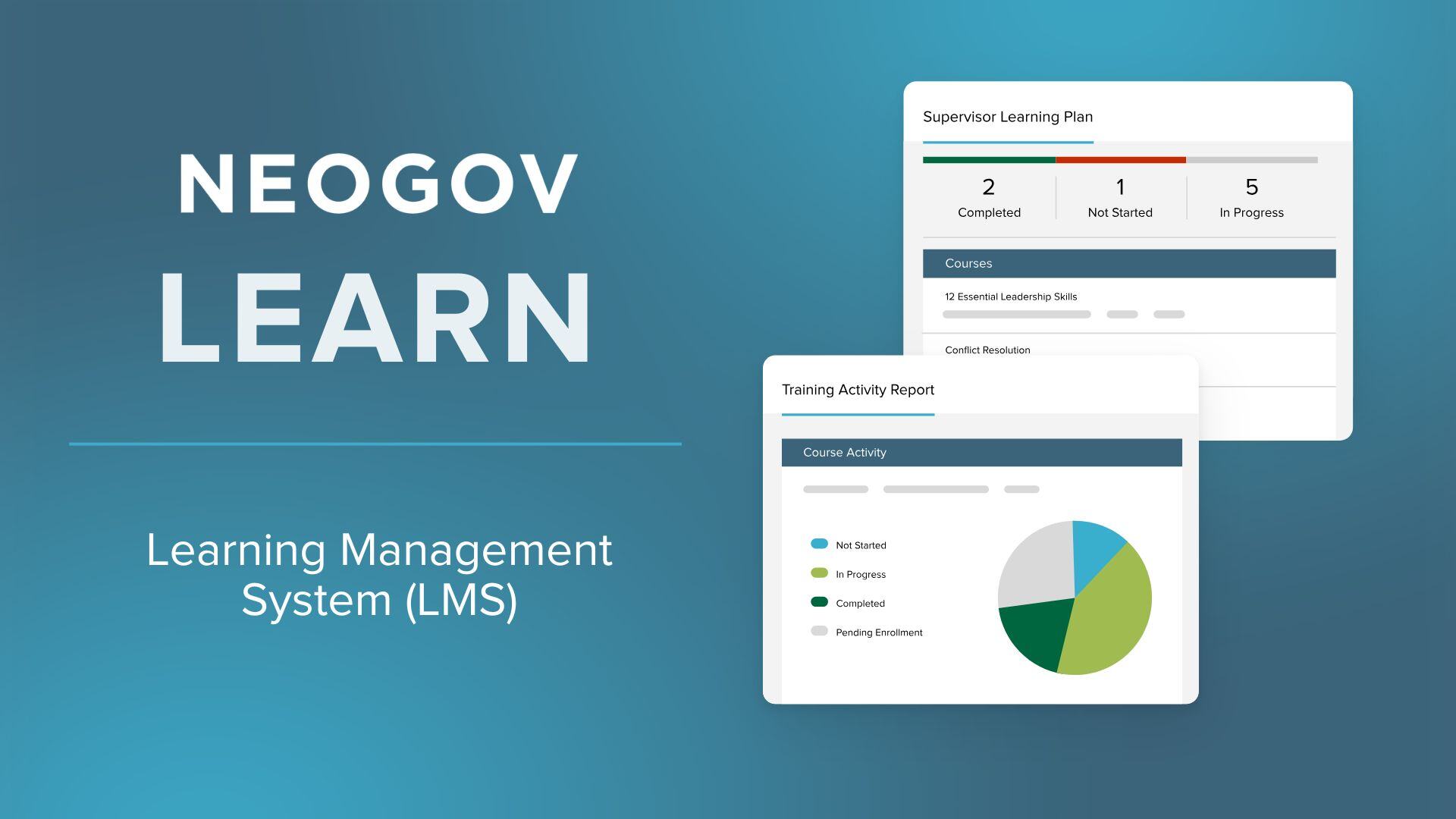
NEOGOV Learn is an ideal SaaS solution for public sector HR teams, specifically designed to streamline employee training, compliance, and development. With its focus on government and public sector entities, it answers the unique challenges of recruitment agencies in managing and developing their talent pool.
Best for Learning Management Systems (LMS) for Recruitment Agencies
Expert Take
NEOGOV Learn is a specialized LMS designed for public sector HR teams, offering tailored features for government entities. Its focus on compliance and employee development makes it a strong contender in its niche. The platform's usability and sector-specific capabilities contribute to its high standing in the market.
Pros
- FedRAMP and StateRAMP authorized security
- 1,500+ public sector-specific course library
- Automated certification and license tracking
- Seamless integration with NEOGOV HR suite
- Mobile-friendly app for remote training
Cons
- Reporting features described as outdated
- Customization can be difficult and rigid
- High costs for additional modules
- Steep learning curve for administrators
- No transparent public pricing
Best for teams that are
- State, local governments, and public safety agencies.
- Organizations needing specific public sector compliance courses.
Skip if
- Private sector corporate enterprises.
- Organizations needing extensive non-government customizations.
Best for teams that are
- State, local governments, and public safety agencies.
- Organizations needing specific public sector compliance courses.
Skip if
- Private sector corporate enterprises.
- Organizations needing extensive non-government customizations.
Pros
- FedRAMP and StateRAMP authorized security
- 1,500+ public sector-specific course library
- Automated certification and license tracking
- Seamless integration with NEOGOV HR suite
- Mobile-friendly app for remote training
Cons
- Reporting features described as outdated
- Customization can be difficult and rigid
- High costs for additional modules
- Steep learning curve for administrators
- No transparent public pricing
Expert Take
NEOGOV Learn is a specialized LMS designed for public sector HR teams, offering tailored features for government entities. Its focus on compliance and employee development makes it a strong contender in its niche. The platform's usability and sector-specific capabilities contribute to its high standing in the market.

365 Data Science for Business offers a cohesive, in-house produced curriculum tailored for recruitment agencies, ensuring consistent quality and pedagogical style. It aligns with real-world career tracks and provides NASBA-approved CPE credits, adding value to upskilling initiatives.
Best for Learning Management Systems (LMS) for Recruitment Agencies
Expert Take
365 Data Science for Business stands out by abandoning the chaotic, decentralized marketplace model in favor of a cohesive, in-house produced curriculum. This ensures that employees experience consistent production value and pedagogical style across all courses. We love its direct alignment with real-world career tracks—like Data Engineering and AI Engineering—and the inclusion of NASBA-approved CPE credits, which adds tangible corporate value to employee upskilling initiatives.
Pros
- In-house production ensures high, consistent course quality.
- Accredited curriculum offering official CPE credits.
- Features a rare 30-day refund policy.
- Dedicated admin dashboard with learner adoption reporting.
Cons
- Lacks an integrated browser-based coding IDE.
- Smaller library lacks highly specialized niche courses.
- Requires minimum of two seats for business accounts.
Best for teams that are
- Businesses needing to upskill teams in data science.
- Companies wanting to hire from a data science talent pool.
Skip if
- Organizations needing general or non-data training.
- Learners requiring a mobile application for training.
Best for teams that are
- Businesses needing to upskill teams in data science.
- Companies wanting to hire from a data science talent pool.
Skip if
- Organizations needing general or non-data training.
- Learners requiring a mobile application for training.
Pros
- In-house production ensures high, consistent course quality.
- Accredited curriculum offering official CPE credits.
- Features a rare 30-day refund policy.
- Dedicated admin dashboard with learner adoption reporting.
Cons
- Lacks an integrated browser-based coding IDE.
- Smaller library lacks highly specialized niche courses.
- Requires minimum of two seats for business accounts.
Expert Take
365 Data Science for Business stands out by abandoning the chaotic, decentralized marketplace model in favor of a cohesive, in-house produced curriculum. This ensures that employees experience consistent production value and pedagogical style across all courses. We love its direct alignment with real-world career tracks—like Data Engineering and AI Engineering—and the inclusion of NASBA-approved CPE credits, which adds tangible corporate value to employee upskilling initiatives.

Cornerstone OnDemand's LMS is a powerful tool for recruitment agencies, providing personalized, scalable training solutions. Its AI-powered platform effectively helps in upskilling, reskilling, and developing teams, addressing the rapid pace of change in the recruitment industry.
Best for Learning Management Systems (LMS) for Recruitment Agencies
Expert Take
Cornerstone OnDemand LMS is recognized for its comprehensive capabilities in the recruitment sector, offering AI-driven personalized training solutions. Its market credibility is supported by usage across 7000+ organizations and industry certifications. While it excels in scalability and integration, its complexity may pose challenges for smaller agencies.
Pros
- FedRAMP & ISO 42001 certified
- 140M+ users globally
- AI-powered Skills Graph
- Deep compliance management
- Massive integration marketplace
Cons
- Clunky admin interface
- High implementation costs
- Opaque pricing model
- Steep learning curve
- Slow support response
Best for teams that are
- Large enterprises with complex compliance and global needs.
- Organizations wanting AI-driven, personalized learning paths.
Skip if
- Small businesses with limited budgets or simple needs.
- Teams seeking a fast, out-of-the-box setup without training.
Best for teams that are
- Large enterprises with complex compliance and global needs.
- Organizations wanting AI-driven, personalized learning paths.
Skip if
- Small businesses with limited budgets or simple needs.
- Teams seeking a fast, out-of-the-box setup without training.
Pros
- FedRAMP & ISO 42001 certified
- 140M+ users globally
- AI-powered Skills Graph
- Deep compliance management
- Massive integration marketplace
Cons
- Clunky admin interface
- High implementation costs
- Opaque pricing model
- Steep learning curve
- Slow support response
Expert Take
Cornerstone OnDemand LMS is recognized for its comprehensive capabilities in the recruitment sector, offering AI-driven personalized training solutions. Its market credibility is supported by usage across 7000+ organizations and industry certifications. While it excels in scalability and integration, its complexity may pose challenges for smaller agencies.
Open LMS is a highly customizable, open-source Learning Management System (LMS) built on Moodle™. It was chosen for staffing agencies due to its ability to adapt to the unique learning needs of staffing professionals, enabling them to effectively manage, deliver and track learning outcomes.
Best for Learning Management Systems (LMS) for Staffing Agencies
Expert Take
Open LMS is a top-tier choice for staffing agencies seeking a customizable and reliable learning management system. Built on the robust Moodle™ platform, it offers extensive customization and adaptability to meet specific learning needs. While the setup can be complex, its comprehensive features and open-source nature make it a standout in its category.
Pros
- Powerful Personalized Learning Designer (PLD)
- ISO 27001 and SOC 2 certified
- Pay-per-active-user pricing model
- Average support response under 50 mins
- Advanced Open Reports Engine (ORE)
Cons
- Mobile app experience can be inconsistent
- File upload limits (100MB reported)
- Interface can feel dated (Moodle legacy)
- Pricing requires custom quote
- Navigation can be complex for beginners
Best for teams that are
- Higher education institutions and large universities.
- Enterprises wanting supported open-source flexibility.
Skip if
- Small businesses needing a basic, lightweight tool.
- Teams wanting simple, out-of-the-box course builders.
Best for teams that are
- Higher education institutions and large universities.
- Enterprises wanting supported open-source flexibility.
Skip if
- Small businesses needing a basic, lightweight tool.
- Teams wanting simple, out-of-the-box course builders.
Pros
- Powerful Personalized Learning Designer (PLD)
- ISO 27001 and SOC 2 certified
- Pay-per-active-user pricing model
- Average support response under 50 mins
- Advanced Open Reports Engine (ORE)
Cons
- Mobile app experience can be inconsistent
- File upload limits (100MB reported)
- Interface can feel dated (Moodle legacy)
- Pricing requires custom quote
- Navigation can be complex for beginners
Expert Take
Open LMS is a top-tier choice for staffing agencies seeking a customizable and reliable learning management system. Built on the robust Moodle™ platform, it offers extensive customization and adaptability to meet specific learning needs. While the setup can be complex, its comprehensive features and open-source nature make it a standout in its category.
Schoox is an award-winning, enterprise-grade Learning Management System (LMS) specifically designed for frontline teams and staffing agencies. It integrates an AI-engineered Learning Impact Suite to effectively train, upskill, and monitor the performance of your workforce, addressing the specific needs of staffing agencies looking to efficiently manage talent.
Best for Learning Management Systems (LMS) for Staffing Agencies
Expert Take
Schoox Corporate LMS stands out as a top-tier product in the LMS category for staffing agencies due to its specialized focus on frontline teams and AI-driven analytics capabilities. It offers a comprehensive suite of features designed to enhance training and performance management, supported by credible third-party recognition.
Pros
- Unmatched support for complex hierarchies
- Integrated performance and succession planning
- Highly rated customer support team
- Native mobile apps for frontline workers
- Robust content marketplace (40k+ courses)
Cons
- Reporting features can be inconsistent
- User interface feels slightly outdated
- Mobile app has occasional sync issues
- Higher price point for small businesses
- Steep learning curve for administrators
Best for teams that are
- Midmarket to enterprise businesses with frontline workers.
- Companies in retail, hospitality, or manufacturing.
Skip if
- Very small businesses lacking complex training needs.
- K-12 educational institutions with student learners.
- Government organizations requiring FedRAMP compliance.
Best for teams that are
- Midmarket to enterprise businesses with frontline workers.
- Companies in retail, hospitality, or manufacturing.
Skip if
- Very small businesses lacking complex training needs.
- K-12 educational institutions with student learners.
- Government organizations requiring FedRAMP compliance.
Pros
- Unmatched support for complex hierarchies
- Integrated performance and succession planning
- Highly rated customer support team
- Native mobile apps for frontline workers
- Robust content marketplace (40k+ courses)
Cons
- Reporting features can be inconsistent
- User interface feels slightly outdated
- Mobile app has occasional sync issues
- Higher price point for small businesses
- Steep learning curve for administrators
Expert Take
Schoox Corporate LMS stands out as a top-tier product in the LMS category for staffing agencies due to its specialized focus on frontline teams and AI-driven analytics capabilities. It offers a comprehensive suite of features designed to enhance training and performance management, supported by credible third-party recognition.

TalentLMS provides an easy-to-use learning management system specifically tailored for the construction industry. It helps standardize and regulate training processes, efficiently addressing the needs for continuous learning, safety training, and compliance in this sector.
Best for Learning Management Systems (LMS) for Contractors
Expert Take
TalentLMS is recognized for its specialization in the construction industry, offering tailored solutions for safety and compliance training. Its cloud-based accessibility and flexible pricing enhance its usability, making it a top choice for contractors. Despite some customization limitations, it remains a strong contender in its niche.
Pros
- Offline mobile app for remote sites
- Built-in OSHA & safety course library
- Automated certification expiry reminders
- Transparent pricing with free tier
- Rapid setup and deployment
Cons
- Basic reporting and analytics tools
- No offline mode for YouTube/Vimeo links
- Limited branding on lower tiers
- Support response slower on basic plans
- Course authoring lacks advanced interactivity
Best for teams that are
- Small to midsize construction businesses seeking an intuitive, easy-to-use LMS.
- Companies wanting simple course creation with built-in AI and gamification.
- Organizations prioritizing quick setup and responsive customer support.
Skip if
- Large enterprises needing highly advanced or deeply complex learning paths.
- Companies with few learners where per-user pricing becomes too expensive.
Best for teams that are
- Small to midsize construction businesses seeking an intuitive, easy-to-use LMS.
- Companies wanting simple course creation with built-in AI and gamification.
- Organizations prioritizing quick setup and responsive customer support.
Skip if
- Large enterprises needing highly advanced or deeply complex learning paths.
- Companies with few learners where per-user pricing becomes too expensive.
Pros
- Offline mobile app for remote sites
- Built-in OSHA & safety course library
- Automated certification expiry reminders
- Transparent pricing with free tier
- Rapid setup and deployment
Cons
- Basic reporting and analytics tools
- No offline mode for YouTube/Vimeo links
- Limited branding on lower tiers
- Support response slower on basic plans
- Course authoring lacks advanced interactivity
Expert Take
TalentLMS is recognized for its specialization in the construction industry, offering tailored solutions for safety and compliance training. Its cloud-based accessibility and flexible pricing enhance its usability, making it a top choice for contractors. Despite some customization limitations, it remains a strong contender in its niche.



Loading comparison data…