Search Categories

CFML PROCESSING: {ts '2025-12-31 11:52:25'}

We review products independently. We may earn a commission if you buy through our links, at no extra cost to you. Learn more


You can see every related software category through our Screen Recording & Tutorial Creation Tools page.

Screen Recording Tools for Customer Support
Albert Richer

Finding the Right Screen Recording Tools for Customer Support: A Data-Driven Approach In the evolving landscape of customer support, the right screen recording tools can significantly enhance user experience and troubleshooting efficiency. Market research shows that tools like Loom and Camtasia consistently earn high marks in customer reviews for their intuitive interfaces and robust editing features. Finding the Right Screen Recording Tools for Customer Support: A Data-Driven Approach In the evolving landscape of customer support, the right screen recording tools can significantly enhance user experience and troubleshooting efficiency.

Similar Categories
1
Expert Score
9.8 / 10
633
126
REAL-TIME MONITORING
HIGH-QUALITY OUTPUT

ScreenRec

ScreenRec
View Website
Free plan available, Enterprise pricing available
REAL-TIME MONITORING
HIGH-QUALITY OUTPUT

Why We Love It

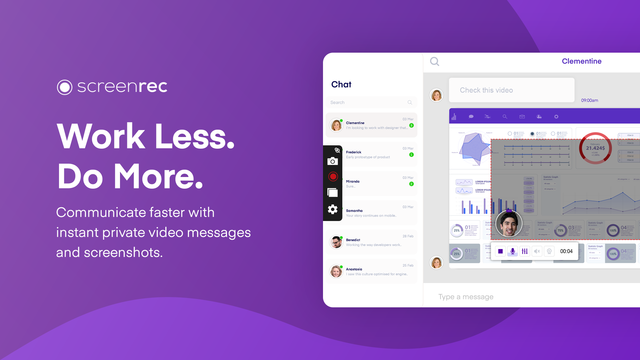
ScreenRec stands out in the customer support industry due to its instant video messaging and annotated screenshot sharing features, which allow customer support teams to address client queries or issues more effectively. By providing a visual demonstration, support teams can eliminate any misunderstandings or ambiguities, leading to increased customer satisfaction. Moreover, it's a free tool with unlimited recording time, making it cost-effective for businesses.

Pros

  • Instant video messaging
  • Annotated screenshot sharing
  • Easy-to-use interface
  • No watermarks
  • Unlimited recording time

Cons

  • Limited editing tools
  • Dependent on internet connection for sharing files
  • No mobile app

Free plan available, Enterprise pricing available

ScreenRec is a versatile screen recording tool, particularly suited for customer support teams. Its key features such as instant video messaging and annotated screenshot sharing expedite the communication process, making it easier for support teams to provide detailed, visual instructions or demonstrations to clients, thereby enhancing support quality and efficiency.

Pros

  • Instant video messaging
  • Annotated screenshot sharing
  • Easy-to-use interface
  • No watermarks
  • Unlimited recording time

Cons

  • Limited editing tools
  • Dependent on internet connection for sharing files
  • No mobile app
REAL-TIME MONITORING
HIGH-QUALITY OUTPUT

Why We Love It

ScreenRec stands out in the customer support industry due to its instant video messaging and annotated screenshot sharing features, which allow customer support teams to address client queries or issues more effectively. By providing a visual demonstration, support teams can eliminate any misunderstandings or ambiguities, leading to increased customer satisfaction. Moreover, it's a free tool with unlimited recording time, making it cost-effective for businesses.

Pros

  • Instant video messaging
  • Annotated screenshot sharing
  • Easy-to-use interface
  • No watermarks
  • Unlimited recording time

Cons

  • Limited editing tools
  • Dependent on internet connection for sharing files
  • No mobile app

Why We Love It

ScreenRec stands out in the customer support industry due to its instant video messaging and annotated screenshot sharing features, which allow customer support teams to address client queries or issues more effectively. By providing a visual demonstration, support teams can eliminate any misunderstandings or ambiguities, leading to increased customer satisfaction. Moreover, it's a free tool with unlimited recording time, making it cost-effective for businesses.

Free plan available, Enterprise pricing available

ScreenRec is a versatile screen recording tool, particularly suited for customer support teams. Its key features such as instant video messaging and annotated screenshot sharing expedite the communication process, making it easier for support teams to provide detailed, visual instructions or demonstrations to clients, thereby enhancing support quality and efficiency.

2
Expert Score
9.7 / 10
739
65
CLOUD STORAGE

Tella Screen Recorder

Tella Screen Recorder
View Website
Free plan available, Pro plan starts at $12/month
CLOUD STORAGE

Why We Love It

Tella Screen Recorder bridges the communication gap in customer support services. Its efficiency in recording and sharing screen interactions helps in explaining complex procedures and solutions to customers. This not only enhances the quality of support but also promotes customer satisfaction and loyalty. Plus, its cloud-based storage feature ensures that all recordings are easily accessible for future reference or training purposes.

Pros

  • Ease of use
  • Instant sharing
  • High-quality recordings
  • Cloud-based storage
  • Enhances customer interactions

Cons

  • Requires stable internet connection
  • Limited features in free plan
  • No phone support

Free plan available, Pro plan starts at $12/month

Tella Screen Recorder is a standout SaaS solution for customer support professionals. It simplifies recording, annotating, and sharing of screen interactions while providing assistance to customers, thus enhancing service quality and promoting effective communication.

Pros

  • Ease of use
  • Instant sharing
  • High-quality recordings
  • Cloud-based storage
  • Enhances customer interactions

Cons

  • Requires stable internet connection
  • Limited features in free plan
  • No phone support
CLOUD STORAGE

Why We Love It

Tella Screen Recorder bridges the communication gap in customer support services. Its efficiency in recording and sharing screen interactions helps in explaining complex procedures and solutions to customers. This not only enhances the quality of support but also promotes customer satisfaction and loyalty. Plus, its cloud-based storage feature ensures that all recordings are easily accessible for future reference or training purposes.

Pros

  • Ease of use
  • Instant sharing
  • High-quality recordings
  • Cloud-based storage
  • Enhances customer interactions

Cons

  • Requires stable internet connection
  • Limited features in free plan
  • No phone support

Why We Love It

Tella Screen Recorder bridges the communication gap in customer support services. Its efficiency in recording and sharing screen interactions helps in explaining complex procedures and solutions to customers. This not only enhances the quality of support but also promotes customer satisfaction and loyalty. Plus, its cloud-based storage feature ensures that all recordings are easily accessible for future reference or training purposes.

Free plan available, Pro plan starts at $12/month

Tella Screen Recorder is a standout SaaS solution for customer support professionals. It simplifies recording, annotating, and sharing of screen interactions while providing assistance to customers, thus enhancing service quality and promoting effective communication.

3
Expert Score
9.5 / 10
558
115

Why We Love It

We love Teramind's Call Center Screen Recording software because it directly addresses the complexities of managing a call center. By offering real-time screen monitoring, it provides an immediate insight into agent performance, helping to identify training needs and improve productivity. The added data loss prevention feature secures sensitive customer data, a critical requirement in the call center industry. Overall, it’s a comprehensive tool that steps up customer support quality while ensuring data security.

Pros

  • Real-time monitoring
  • Data loss prevention
  • Efficiency and productivity enhancements
  • Detailed reporting
  • Flexible deployment options

Cons

  • May require initial technical setup
  • Potential privacy concerns
  • Pricing may be high for small businesses

Enterprise pricing available

Teramind's screen recording software is designed to dramatically improve call center performance by enabling real-time monitoring of agent screens. This crucial feature helps to ensure quality control, boost efficiency and protect sensitive data, making it a must-have tool for call centers aiming to deliver top-notch customer support.

Pros

  • Real-time monitoring
  • Data loss prevention
  • Efficiency and productivity enhancements
  • Detailed reporting
  • Flexible deployment options

Cons

  • May require initial technical setup
  • Potential privacy concerns
  • Pricing may be high for small businesses

Why We Love It

We love Teramind's Call Center Screen Recording software because it directly addresses the complexities of managing a call center. By offering real-time screen monitoring, it provides an immediate insight into agent performance, helping to identify training needs and improve productivity. The added data loss prevention feature secures sensitive customer data, a critical requirement in the call center industry. Overall, it’s a comprehensive tool that steps up customer support quality while ensuring data security.

Pros

  • Real-time monitoring
  • Data loss prevention
  • Efficiency and productivity enhancements
  • Detailed reporting
  • Flexible deployment options

Cons

  • May require initial technical setup
  • Potential privacy concerns
  • Pricing may be high for small businesses

Why We Love It

We love Teramind's Call Center Screen Recording software because it directly addresses the complexities of managing a call center. By offering real-time screen monitoring, it provides an immediate insight into agent performance, helping to identify training needs and improve productivity. The added data loss prevention feature secures sensitive customer data, a critical requirement in the call center industry. Overall, it’s a comprehensive tool that steps up customer support quality while ensuring data security.

Enterprise pricing available

Teramind's screen recording software is designed to dramatically improve call center performance by enabling real-time monitoring of agent screens. This crucial feature helps to ensure quality control, boost efficiency and protect sensitive data, making it a must-have tool for call centers aiming to deliver top-notch customer support.

4
Expert Score
9.4 / 10
577
78
NO WATERMARKS
ENHANCED INTERACTION

Screendesk - Video Support Platform

Screendesk - Video Support Platform
View Website
Free plan available, Enterprise pricing available
NO WATERMARKS
ENHANCED INTERACTION

Why We Love It

Screendesk stands out as a powerful tool for customer support. Its easy-to-use interface allows teams to quickly share screens or send video recordings, enabling faster problem resolution. The ability to start live screen sharing sessions is a game-changer, as it allows for real-time, interactive assistance. This not only enhances the customer service experience but also reduces resolution time, which is essential in this industry. Plus, the fact that no downloads are required makes it a hassle-free option for both the support team and customers.

Pros

  • Real-time screen sharing
  • Easy to use
  • No downloads required
  • Speeds up problem resolution
  • Improves customer support

Cons

  • Reliance on a stable internet connection
  • May not be suitable for all customer demographics
  • Limited customization options

Free plan available, Enterprise pricing available

Screendesk is a versatile SaaS solution designed specifically for customer support teams looking to enhance their problem-solving capabilities. The software enables users to send and ask for screen recordings, initiate real-time screen sharing sessions, and solve issues faster using video. No downloads are required, making it a seamless tool for remote support.

Pros

  • Real-time screen sharing
  • Easy to use
  • No downloads required
  • Speeds up problem resolution
  • Improves customer support

Cons

  • Reliance on a stable internet connection
  • May not be suitable for all customer demographics
  • Limited customization options
NO WATERMARKS
ENHANCED INTERACTION

Why We Love It

Screendesk stands out as a powerful tool for customer support. Its easy-to-use interface allows teams to quickly share screens or send video recordings, enabling faster problem resolution. The ability to start live screen sharing sessions is a game-changer, as it allows for real-time, interactive assistance. This not only enhances the customer service experience but also reduces resolution time, which is essential in this industry. Plus, the fact that no downloads are required makes it a hassle-free option for both the support team and customers.

Pros

  • Real-time screen sharing
  • Easy to use
  • No downloads required
  • Speeds up problem resolution
  • Improves customer support

Cons

  • Reliance on a stable internet connection
  • May not be suitable for all customer demographics
  • Limited customization options

Why We Love It

Screendesk stands out as a powerful tool for customer support. Its easy-to-use interface allows teams to quickly share screens or send video recordings, enabling faster problem resolution. The ability to start live screen sharing sessions is a game-changer, as it allows for real-time, interactive assistance. This not only enhances the customer service experience but also reduces resolution time, which is essential in this industry. Plus, the fact that no downloads are required makes it a hassle-free option for both the support team and customers.

Free plan available, Enterprise pricing available

Screendesk is a versatile SaaS solution designed specifically for customer support teams looking to enhance their problem-solving capabilities. The software enables users to send and ask for screen recordings, initiate real-time screen sharing sessions, and solve issues faster using video. No downloads are required, making it a seamless tool for remote support.

5
Expert Score
9.2 / 10
515
77
AGENT PERFORMANCE

MaestroQA Screen Capture

MaestroQA Screen Capture
View Website
Enterprise pricing available
AGENT PERFORMANCE

Why We Love It

The MaestroQA Screen Capture tool is a game-changer for customer support industry professionals. It offers a brilliant solution to visualize and analyze customer-agent interactions in real-time. This helps in identifying pain points, improving agent performance, and enhancing overall customer service quality. It's not just a tool, it's a strategic partner for quality analysts and team leaders in driving customer satisfaction.

Pros

  • Agent performance visualization
  • Detailed analytics
  • Real-time monitoring
  • Efficient customer-agent interaction analysis

Cons

  • May require training to use
  • Additional costs for premium features
  • May not suit small businesses

Enterprise pricing available

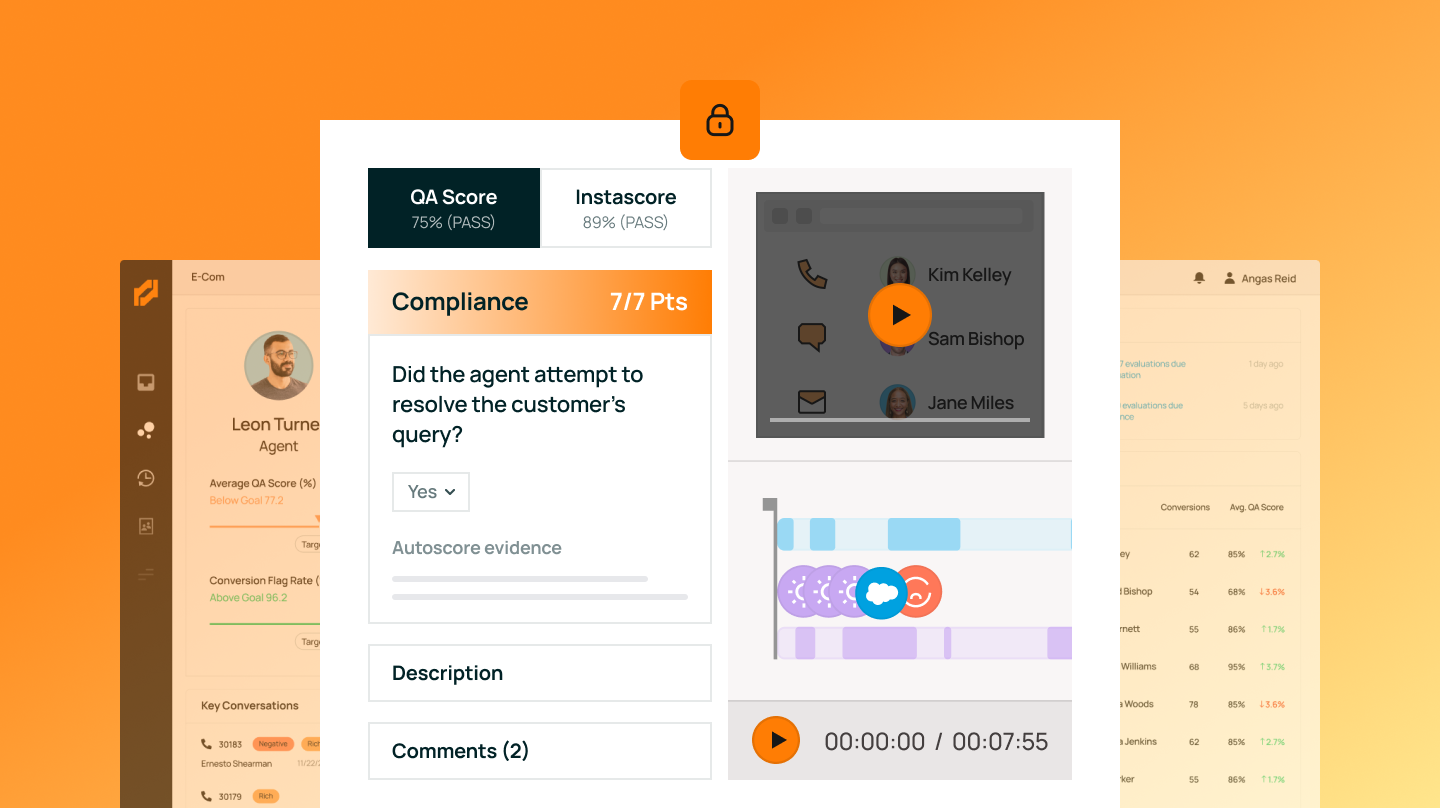
MaestroQA is a perfect fit for the customer support industry, particularly for supervisors and quality analysts. It provides a screen capture feature that visualizes and analyzes key customer interactions, enabling graders to spot and analyze vital moments in customer-agent interactions swiftly and efficiently.

Pros

  • Agent performance visualization
  • Detailed analytics
  • Real-time monitoring
  • Efficient customer-agent interaction analysis

Cons

  • May require training to use
  • Additional costs for premium features
  • May not suit small businesses
AGENT PERFORMANCE

Why We Love It

The MaestroQA Screen Capture tool is a game-changer for customer support industry professionals. It offers a brilliant solution to visualize and analyze customer-agent interactions in real-time. This helps in identifying pain points, improving agent performance, and enhancing overall customer service quality. It's not just a tool, it's a strategic partner for quality analysts and team leaders in driving customer satisfaction.

Pros

  • Agent performance visualization
  • Detailed analytics
  • Real-time monitoring
  • Efficient customer-agent interaction analysis

Cons

  • May require training to use
  • Additional costs for premium features
  • May not suit small businesses

Why We Love It

The MaestroQA Screen Capture tool is a game-changer for customer support industry professionals. It offers a brilliant solution to visualize and analyze customer-agent interactions in real-time. This helps in identifying pain points, improving agent performance, and enhancing overall customer service quality. It's not just a tool, it's a strategic partner for quality analysts and team leaders in driving customer satisfaction.

Enterprise pricing available

MaestroQA is a perfect fit for the customer support industry, particularly for supervisors and quality analysts. It provides a screen capture feature that visualizes and analyzes key customer interactions, enabling graders to spot and analyze vital moments in customer-agent interactions swiftly and efficiently.

6
Expert Score
9.1 / 10
650
95

Level AI Screen Recording

Level AI Screen Recording
View Website
Enterprise pricing available

Why We Love It

We love Level AI's Screen Recording Software because it doesn't just record the screens; it also analyzes the data and provides insights that are crucial for customer support professionals. It's like having an extra set of eyes that helps in identifying the weaknesses and areas of improvement in your customer service process. Plus, it's user-friendly and easy to integrate, making it a go-to tool for many in the industry.

Pros

  • Specific to customer support industry
  • AI-powered analysis
  • Easy to use interface
  • Helps identify training gaps
  • Assists in improving service quality

Cons

  • Requires integration with existing systems
  • May require training to fully understand the analytics

Enterprise pricing available

Level AI's Contact Center Screen Recording and Monitoring Software is a powerful tool specifically designed for customer support professionals. It helps in identifying process inefficiencies, non-adherence, and training gaps, making it an invaluable asset in improving customer service quality and efficiency.

Pros

  • Specific to customer support industry
  • AI-powered analysis
  • Easy to use interface
  • Helps identify training gaps
  • Assists in improving service quality

Cons

  • Requires integration with existing systems
  • May require training to fully understand the analytics

Why We Love It

We love Level AI's Screen Recording Software because it doesn't just record the screens; it also analyzes the data and provides insights that are crucial for customer support professionals. It's like having an extra set of eyes that helps in identifying the weaknesses and areas of improvement in your customer service process. Plus, it's user-friendly and easy to integrate, making it a go-to tool for many in the industry.

Pros

  • Specific to customer support industry
  • AI-powered analysis
  • Easy to use interface
  • Helps identify training gaps
  • Assists in improving service quality

Cons

  • Requires integration with existing systems
  • May require training to fully understand the analytics

Why We Love It

We love Level AI's Screen Recording Software because it doesn't just record the screens; it also analyzes the data and provides insights that are crucial for customer support professionals. It's like having an extra set of eyes that helps in identifying the weaknesses and areas of improvement in your customer service process. Plus, it's user-friendly and easy to integrate, making it a go-to tool for many in the industry.

Enterprise pricing available

Level AI's Contact Center Screen Recording and Monitoring Software is a powerful tool specifically designed for customer support professionals. It helps in identifying process inefficiencies, non-adherence, and training gaps, making it an invaluable asset in improving customer service quality and efficiency.

7
Expert Score
8.9 / 10
363
96
EFFICIENT RESOLUTION

Why We Love It

SnapCall's AI-Powered Video Recording is a game-changer for the customer support industry. Its precise AI technology allows for quicker resolution times and increased ticket handling, two critical aspects in improving customer satisfaction and team efficiency. The easy integration process also ensures that the system can be seamlessly incorporated into existing workflows. And with minimized wait times, customers are less likely to become frustrated and more likely to have positive interactions with support teams.

Pros

  • AI-powered efficiency
  • Drastic reduction in resolution time
  • Ability to handle more tickets
  • Minimized wait times
  • Easy integration

Cons

  • May require training for best use
  • Potential compatibility issues with some systems

Enterprise pricing available

SnapCall's AI-powered video recording software is specifically designed for the customer support industry. It utilizes artificial intelligence to streamline the video and photo recording process, thus reducing resolution time by 46%, handling more tickets, and minimizing wait times. It's an effective tool for customer support teams seeking to improve efficiency and customer satisfaction.

Pros

  • AI-powered efficiency
  • Drastic reduction in resolution time
  • Ability to handle more tickets
  • Minimized wait times
  • Easy integration

Cons

  • May require training for best use
  • Potential compatibility issues with some systems
EFFICIENT RESOLUTION

Why We Love It

SnapCall's AI-Powered Video Recording is a game-changer for the customer support industry. Its precise AI technology allows for quicker resolution times and increased ticket handling, two critical aspects in improving customer satisfaction and team efficiency. The easy integration process also ensures that the system can be seamlessly incorporated into existing workflows. And with minimized wait times, customers are less likely to become frustrated and more likely to have positive interactions with support teams.

Pros

  • AI-powered efficiency
  • Drastic reduction in resolution time
  • Ability to handle more tickets
  • Minimized wait times
  • Easy integration

Cons

  • May require training for best use
  • Potential compatibility issues with some systems

Why We Love It

SnapCall's AI-Powered Video Recording is a game-changer for the customer support industry. Its precise AI technology allows for quicker resolution times and increased ticket handling, two critical aspects in improving customer satisfaction and team efficiency. The easy integration process also ensures that the system can be seamlessly incorporated into existing workflows. And with minimized wait times, customers are less likely to become frustrated and more likely to have positive interactions with support teams.

Enterprise pricing available

SnapCall's AI-powered video recording software is specifically designed for the customer support industry. It utilizes artificial intelligence to streamline the video and photo recording process, thus reducing resolution time by 46%, handling more tickets, and minimizing wait times. It's an effective tool for customer support teams seeking to improve efficiency and customer satisfaction.

8
Expert Score
8.8 / 10
741
109
INSTANT VIDEO MESSAGING
SEAMLESS SHARING

Loom Free Screen Recorder

Loom Free Screen Recorder
View Website
Free plan available, with Pro and Enterprise plans offered
INSTANT VIDEO MESSAGING
SEAMLESS SHARING

Why We Love It

Loom’s Free Screen Recorder is a game-changer for customer support professionals. Its multi-platform compatibility ensures that no matter what device a customer or agent uses, screen recording and sharing is possible. This drastically reduces the time taken to resolve issues, as support teams can quickly create and share video tutorials or step-by-step guides. The easy-to-use interface and editing features also mean that even less tech-savvy customers can benefit from clear, concise support materials. Plus, all videos are stored in the cloud for easy access and sharing.

Pros

  • Multi-platform support
  • Easy-to-use interface
  • Editing features
  • Cloud storage
  • Instant sharing

Cons

  • Limited features in free version
  • No offline mode
  • Requires strong internet connection

Free plan available, with Pro and Enterprise plans offered

Loom’s Free Screen Recorder is a vital tool in the customer support industry, allowing representatives to easily record, edit, and share video tutorials for customers. With support for MacOS, Windows, Chrome, iOS, and Android, it ensures universal access and usability, making it easier for support teams to address customer issues efficiently.

Pros

  • Multi-platform support
  • Easy-to-use interface
  • Editing features
  • Cloud storage
  • Instant sharing

Cons

  • Limited features in free version
  • No offline mode
  • Requires strong internet connection
INSTANT VIDEO MESSAGING
SEAMLESS SHARING

Why We Love It

Loom’s Free Screen Recorder is a game-changer for customer support professionals. Its multi-platform compatibility ensures that no matter what device a customer or agent uses, screen recording and sharing is possible. This drastically reduces the time taken to resolve issues, as support teams can quickly create and share video tutorials or step-by-step guides. The easy-to-use interface and editing features also mean that even less tech-savvy customers can benefit from clear, concise support materials. Plus, all videos are stored in the cloud for easy access and sharing.

Pros

  • Multi-platform support
  • Easy-to-use interface
  • Editing features
  • Cloud storage
  • Instant sharing

Cons

  • Limited features in free version
  • No offline mode
  • Requires strong internet connection

Why We Love It

Loom’s Free Screen Recorder is a game-changer for customer support professionals. Its multi-platform compatibility ensures that no matter what device a customer or agent uses, screen recording and sharing is possible. This drastically reduces the time taken to resolve issues, as support teams can quickly create and share video tutorials or step-by-step guides. The easy-to-use interface and editing features also mean that even less tech-savvy customers can benefit from clear, concise support materials. Plus, all videos are stored in the cloud for easy access and sharing.

Free plan available, with Pro and Enterprise plans offered

Loom’s Free Screen Recorder is a vital tool in the customer support industry, allowing representatives to easily record, edit, and share video tutorials for customers. With support for MacOS, Windows, Chrome, iOS, and Android, it ensures universal access and usability, making it easier for support teams to address customer issues efficiently.

9
Expert Score
8.6 / 10
435
29
AI ASSISTANCE
EASE OF USE

ScreenPal Screen Recorder

ScreenPal Screen Recorder
View Website
Free plan available, Premium plan at $8/month
AI ASSISTANCE
EASE OF USE

Why We Love It

ScreenPal is a game changer for customer support professionals. Its easy-to-use interface, combined with its powerful recording and editing tools, makes creating clear, concise, and engaging support materials a breeze. The ability to quickly share videos and images directly from the platform enhances efficiency and streamlines communication. Plus, its affordable pricing makes it accessible for businesses of all sizes.

Pros

  • Intuitive user interface
  • Comprehensive editing tools
  • Efficient screen recording
  • High-quality video output
  • Robust sharing options

Cons

  • Limited features in free plan
  • No live support
  • Dependent on internet connection

Free plan available, Premium plan at $8/month

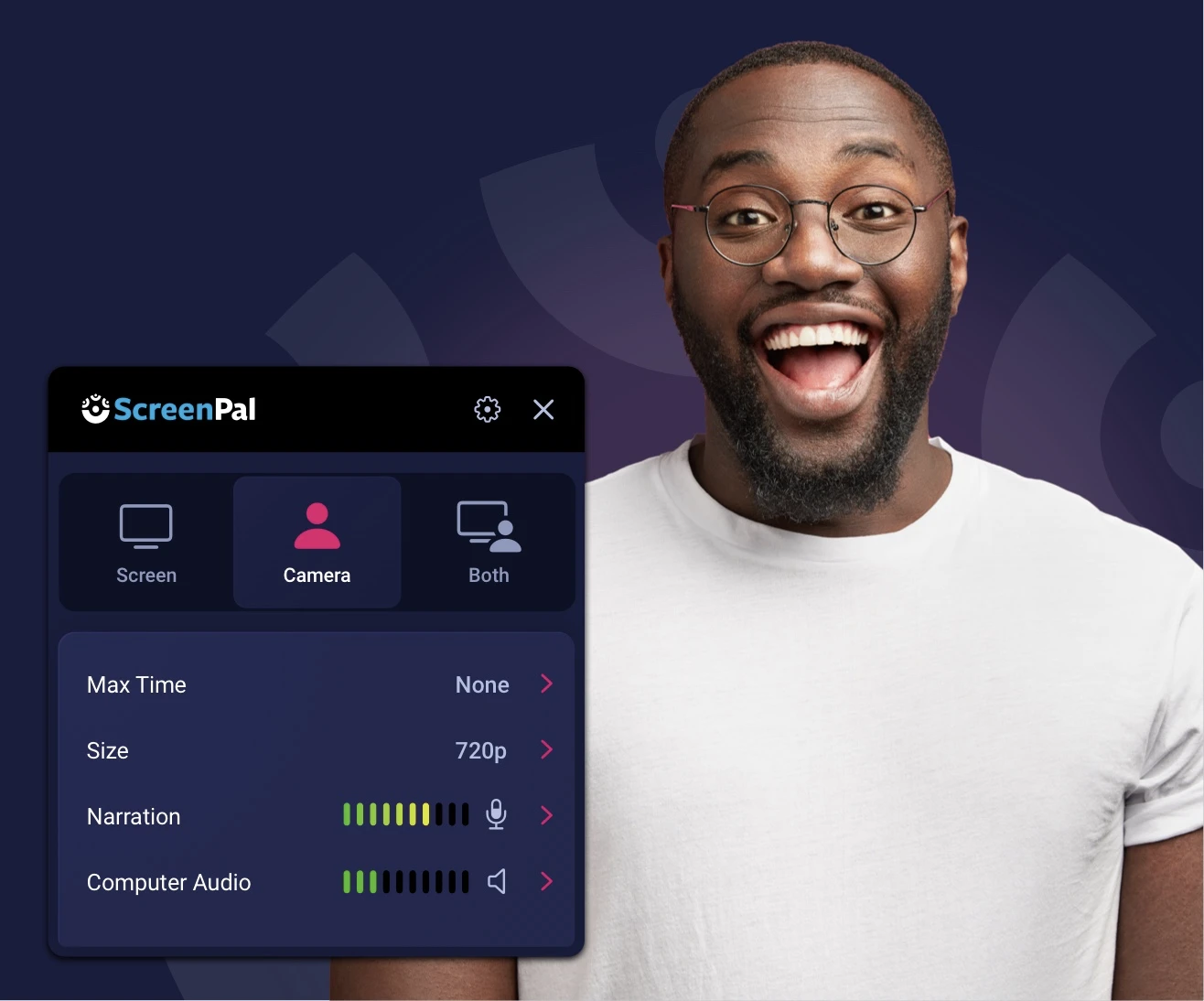
ScreenPal is a highly intuitive SaaS tool designed specifically for customer support in various industries. It allows professionals to effortlessly capture, create, and share videos and images, enabling authentic and effective visual communication. Its incredible ease of use and comprehensive editing features make it perfect for creating customer support resources, tutorials, and demonstrations.

Pros

  • Intuitive user interface
  • Comprehensive editing tools
  • Efficient screen recording
  • High-quality video output
  • Robust sharing options

Cons

  • Limited features in free plan
  • No live support
  • Dependent on internet connection
AI ASSISTANCE
EASE OF USE

Why We Love It

ScreenPal is a game changer for customer support professionals. Its easy-to-use interface, combined with its powerful recording and editing tools, makes creating clear, concise, and engaging support materials a breeze. The ability to quickly share videos and images directly from the platform enhances efficiency and streamlines communication. Plus, its affordable pricing makes it accessible for businesses of all sizes.

Pros

  • Intuitive user interface
  • Comprehensive editing tools
  • Efficient screen recording
  • High-quality video output
  • Robust sharing options

Cons

  • Limited features in free plan
  • No live support
  • Dependent on internet connection

Why We Love It

ScreenPal is a game changer for customer support professionals. Its easy-to-use interface, combined with its powerful recording and editing tools, makes creating clear, concise, and engaging support materials a breeze. The ability to quickly share videos and images directly from the platform enhances efficiency and streamlines communication. Plus, its affordable pricing makes it accessible for businesses of all sizes.

Free plan available, Premium plan at $8/month

ScreenPal is a highly intuitive SaaS tool designed specifically for customer support in various industries. It allows professionals to effortlessly capture, create, and share videos and images, enabling authentic and effective visual communication. Its incredible ease of use and comprehensive editing features make it perfect for creating customer support resources, tutorials, and demonstrations.

10
Expert Score
8.5 / 10
652
138
CROSS-PLATFORM SUPPORT

Berrycast Screen Recording Tool

Berrycast Screen Recording Tool
View Website
Free plan available, Pro version at $12/month
CROSS-PLATFORM SUPPORT

Why We Love It

Berrycast stands out in the industry due to its simplicity and effectiveness. Its ability to securely record screens on both Windows and Mac platforms is a big plus for customer support professionals. It is also great for training purposes, as it provides a visual guide that can be used to demonstrate complex processes or software features. Plus, with the availability of both a desktop app and a Chrome plugin, Berrycast proves to be a versatile tool for any customer support team.

Pros

  • Cross-platform compatibility
  • Easy-to-use interface
  • Secure recording
  • Desktop app and Chrome plugin available
  • Ideal for customer support

Cons

  • No free trials for Pro version
  • May require stable internet connection for smooth operation

Free plan available, Pro version at $12/month

Berrycast is a screen recording tool specifically designed for customer support professionals across various industries. It allows for secure recording of screens on both Windows and Mac platforms, making it easy to provide clear, visual assistance to customers, troubleshoot issue, and train new staff.

Pros

  • Cross-platform compatibility
  • Easy-to-use interface
  • Secure recording
  • Desktop app and Chrome plugin available
  • Ideal for customer support

Cons

  • No free trials for Pro version
  • May require stable internet connection for smooth operation
CROSS-PLATFORM SUPPORT

Why We Love It

Berrycast stands out in the industry due to its simplicity and effectiveness. Its ability to securely record screens on both Windows and Mac platforms is a big plus for customer support professionals. It is also great for training purposes, as it provides a visual guide that can be used to demonstrate complex processes or software features. Plus, with the availability of both a desktop app and a Chrome plugin, Berrycast proves to be a versatile tool for any customer support team.

Pros

  • Cross-platform compatibility
  • Easy-to-use interface
  • Secure recording
  • Desktop app and Chrome plugin available
  • Ideal for customer support

Cons

  • No free trials for Pro version
  • May require stable internet connection for smooth operation

Why We Love It

Berrycast stands out in the industry due to its simplicity and effectiveness. Its ability to securely record screens on both Windows and Mac platforms is a big plus for customer support professionals. It is also great for training purposes, as it provides a visual guide that can be used to demonstrate complex processes or software features. Plus, with the availability of both a desktop app and a Chrome plugin, Berrycast proves to be a versatile tool for any customer support team.

Free plan available, Pro version at $12/month

Berrycast is a screen recording tool specifically designed for customer support professionals across various industries. It allows for secure recording of screens on both Windows and Mac platforms, making it easy to provide clear, visual assistance to customers, troubleshoot issue, and train new staff.

Product Comparison

Product Has Mobile App Has Free Plan Has Free Trial Integrates With Zapier Has Public API Live Chat Support SOC 2 or ISO Certified Popular Integrations Supports SSO Starting Price
1Loom Free Screen Recorder
Yes Yes Yes - 14 days Yes Yes Email/Ticket only ISO 27001 Slack, Google Workspace, Microsoft 365 Yes Free
2Level AI Screen Recording
No No Contact for trial No Enterprise API only Email/Ticket only Not specified Custom integrations only Enterprise plans only Contact for pricing
3Tella Screen Recorder
No Yes Yes - 7 days No No Email/Ticket only Not specified Limited integrations No $12/month
4Berrycast Screen Recording Tool
No Yes No No No Email/Ticket only Not specified Limited integrations No $12/month
5Screendesk - Video Support Platform
No Yes No No No Email/Ticket only Not specified Limited integrations No Free
6Teramind Call Center Screen Recording
No No Contact for trial No Enterprise API only Yes SOC 2 Salesforce, Microsoft 365, Google Workspace Yes Contact for pricing
7ScreenRec
No Yes No No No No Not specified Limited integrations No Free
8SnapCall AI Video Recording
No No Contact for trial No No Email/Ticket only Not specified Custom integrations only Enterprise plans only Contact for pricing
9MaestroQA Screen Capture
No No Contact for trial No Enterprise API only Email/Ticket only Not specified Salesforce, Zendesk, Slack Enterprise plans only Contact for pricing
10ScreenPal Screen Recorder
No Yes Yes - 14 days No No Email/Ticket only Not specified Limited integrations No $8/month
1

Loom Free Screen Recorder

Has Mobile App
Yes
Has Free Plan
Yes
Has Free Trial
Yes - 14 days
Integrates With Zapier
Yes
Has Public API
Yes
Live Chat Support
Email/Ticket only
SOC 2 or ISO Certified
ISO 27001
Popular Integrations
Slack, Google Workspace, Microsoft 365
Supports SSO
Yes
Starting Price
Free
2

Level AI Screen Recording

Has Mobile App
No
Has Free Plan
No
Has Free Trial
Contact for trial
Integrates With Zapier
No
Has Public API
Enterprise API only
Live Chat Support
Email/Ticket only
SOC 2 or ISO Certified
Not specified
Popular Integrations
Custom integrations only
Supports SSO
Enterprise plans only
Starting Price
Contact for pricing
3

Tella Screen Recorder

Has Mobile App
No
Has Free Plan
Yes
Has Free Trial
Yes - 7 days
Integrates With Zapier
No
Has Public API
No
Live Chat Support
Email/Ticket only
SOC 2 or ISO Certified
Not specified
Popular Integrations
Limited integrations
Supports SSO
No
Starting Price
$12/month
4

Berrycast Screen Recording Tool

Has Mobile App
No
Has Free Plan
Yes
Has Free Trial
No
Integrates With Zapier
No
Has Public API
No
Live Chat Support
Email/Ticket only
SOC 2 or ISO Certified
Not specified
Popular Integrations
Limited integrations
Supports SSO
No
Starting Price
$12/month
5

Screendesk - Video Support Platform

Has Mobile App
No
Has Free Plan
Yes
Has Free Trial
No
Integrates With Zapier
No
Has Public API
No
Live Chat Support
Email/Ticket only
SOC 2 or ISO Certified
Not specified
Popular Integrations
Limited integrations
Supports SSO
No
Starting Price
Free
6

Teramind Call Center Screen Recording

Has Mobile App
No
Has Free Plan
No
Has Free Trial
Contact for trial
Integrates With Zapier
No
Has Public API
Enterprise API only
Live Chat Support
Yes
SOC 2 or ISO Certified
SOC 2
Popular Integrations
Salesforce, Microsoft 365, Google Workspace
Supports SSO
Yes
Starting Price
Contact for pricing
7

ScreenRec

Has Mobile App
No
Has Free Plan
Yes
Has Free Trial
No
Integrates With Zapier
No
Has Public API
No
Live Chat Support
No
SOC 2 or ISO Certified
Not specified
Popular Integrations
Limited integrations
Supports SSO
No
Starting Price
Free
8

SnapCall AI Video Recording

Has Mobile App
No
Has Free Plan
No
Has Free Trial
Contact for trial
Integrates With Zapier
No
Has Public API
No
Live Chat Support
Email/Ticket only
SOC 2 or ISO Certified
Not specified
Popular Integrations
Custom integrations only
Supports SSO
Enterprise plans only
Starting Price
Contact for pricing
9

MaestroQA Screen Capture

Has Mobile App
No
Has Free Plan
No
Has Free Trial
Contact for trial
Integrates With Zapier
No
Has Public API
Enterprise API only
Live Chat Support
Email/Ticket only
SOC 2 or ISO Certified
Not specified
Popular Integrations
Salesforce, Zendesk, Slack
Supports SSO
Enterprise plans only
Starting Price
Contact for pricing
10

ScreenPal Screen Recorder

Has Mobile App
No
Has Free Plan
Yes
Has Free Trial
Yes - 14 days
Integrates With Zapier
No
Has Public API
No
Live Chat Support
Email/Ticket only
SOC 2 or ISO Certified
Not specified
Popular Integrations
Limited integrations
Supports SSO
No
Starting Price
$8/month

Similar Categories

How We Rank Products

How We Evaluate Products

Our Evaluation Process

The 'How We Choose' section for screen recording tools for customer support evaluates products based on several key factors, including specifications, features, customer reviews, ratings, and overall value. In this category, considerations such as ease of use, integration capabilities with existing customer support software, quality of recording, and customer support responsiveness significantly influence the selection process. The research methodology focuses on a comprehensive analysis of available data, comparing specifications across products, analyzing customer feedback from various platforms, and reviewing ratings to determine the price-to-value ratio. This thorough approach ensures that the rankings reflect the most relevant and credible information available for screen recording tools tailored for customer support.

Verification

  • Products evaluated through comprehensive research and analysis of user feedback and expert insights.
  • Rankings based on a detailed analysis of features, specifications, and customer ratings specific to screen recording tools for customer support.
  • Selection criteria focus on key functionalities such as ease of use, integration capabilities, and customer support effectiveness in the context of screen recording tools.

As an Amazon Associate, we earn from qualifying purchases. We may also earn commissions from other affiliate partners.

Frequently Asked Questions About Screen Recording Tools for Customer Support

What makes a screen recording tools for customer support the "best"?

We evaluate products based on quality, performance, value for money, user reviews, durability, and ease of use. Our rankings are updated regularly to reflect the latest market offerings and user feedback.

How often do you update your screen recording tools for customer support recommendations?

Our team continuously monitors the market for new products and updates our recommendations quarterly. We also adjust rankings based on user feedback and new testing results.

Do you test all the products you recommend?

Yes, whenever possible, we physically test products in our labs. For products we can't test directly, we rely on verified user reviews, expert opinions, and detailed specifications to make informed recommendations.

What if I'm looking for a specific type of screen recording tools for customer support?

Our top 10 list covers the most popular and highly-rated options. If you have specific requirements, check our detailed product descriptions and pros/cons to find the best match for your needs.

×

Score Breakdown

0.0 / 10
Excellent

What This Award Means