We review products independently. We may earn a commission if you buy through our links, at no extra cost to you. Learn more


This topic stems from a broader list — explore all Client Onboarding & Implementation Software software.

Client Onboarding Software for Photographers
Albert Richer

Finding the Right Client Onboarding Software for Photographers: Insights from Customer Reviews and Expert Analysis When it comes to selecting client onboarding software, research suggests that features like automated workflows and customizable templates are essential for photographers aiming to streamline their business. In fact, many users report that tools like HoneyBook and Studio Ninja stand out for their intuitive interfaces and robust automation capabilities. Customer reviews often highlight how these platforms can save hours of administrative work, allowing creatives to focus on what they do best—capturing stunning images. Market research indicates that around 60% of photographers prioritize ease of use when evaluating software options. This is where brands like 17hats consistently shine, as they combine user-friendly design with powerful features. However, it’s worth noting that while some software touts endless integrations, many consumers find that a few well-chosen tools work better than a sprawling ecosystem. Finding the Right Client Onboarding Software for Photographers: Insights from Customer Reviews and Expert Analysis When it comes to selecting client onboarding software, research suggests that features like automated workflows and customizable templates are essential for photographers aiming to streamline their business.

Similar Categories
1
Expert Score
9.8 / 10
456
46
CLIENT COMMUNICATION

HoneyBook Photography CRM

HoneyBook Photography CRM
View Website
HoneyBook's Photography CRM Software is a robust solution designed to streamline client onboarding and management for photographers. It empowers professionals in the industry to efficiently handle client inquiries, bookings, payments, and communication, all in one platform, thereby addressing the unique operational demands of this creative industry.
CLIENT COMMUNICATION

Best for teams that are

  • Wedding and portrait photographers needing polished client pipelines
  • Creatives who value a strong mobile app for managing business anywhere
  • Users looking for extensive community support and template libraries

Skip if

  • Photographers who need built-in gallery hosting and print sales
  • Large studios requiring complex multi-user permission settings
  • Users who prefer desktop-based software over cloud-only solutions

Expert Take

Our analysis shows HoneyBook excels at transforming the administrative side of photography into a branded, visual experience. Research indicates that its 'Smart Files' feature significantly reduces friction by combining brochures, contracts, and payments into a single flow. While it lacks the native gallery hosting of some competitors, its deep integration with Pic-Time effectively bridges this gap. Based on documented user feedback, the platform's intuitive design helps photographers look more professional while automating tedious back-end tasks.

Pros

  • All-in-one clientflow with contracts, invoices, and scheduling
  • Visually stunning 'Smart Files' for branded proposals
  • Seamless integration with Pic-Time for gallery management
  • User-friendly interface that clients find easy to navigate
  • Automated payment reminders and recurring billing

Cons

  • No native photo gallery hosting or proofing
  • Significant price increase in early 2025
  • Transaction fees apply to online payments
  • Mobile app has fewer features than desktop
  • Email marketing features are basic compared to dedicated tools

2
Expert Score
9.7 / 10
661
72
AI-ASSISTED ONBOARDING

Setuply Client Onboarding

Setuply Client Onboarding
View Website
Setuply is a game changer for photographers who need an efficient, AI-powered client onboarding and lifecycle management system. It not only streamlines the onboarding process but also optimizes service delivery and provides enhanced financial visibility, addressing the critical needs of the photography business.
AI-ASSISTED ONBOARDING

Best for teams that are

  • B2B SaaS companies managing complex software implementations
  • Enterprise providers needing robust data migration and staging tools
  • Teams requiring AI-powered insights for long client lifecycles

Skip if

  • Freelance photographers or creative studios (wrong industry)
  • Small businesses needing simple session booking and invoicing
  • Users looking for visual gallery management or creative portfolios

Expert Take

Our analysis shows Setuply distinguishes itself by integrating a 'Secure Data Repository' directly into the onboarding workflow, addressing the critical pain point of data migration that generic project management tools miss. Research indicates strong security credentials (SOC 2 Type II, HIPAA) make it particularly suitable for regulated industries like HCM and Fintech. Based on documented features, the combination of PSA, project management, and client transparency tools offers a cohesive lifecycle solution.

Pros

  • Integrated Secure Data Repository
  • SOC 2 Type II & HIPAA Compliant
  • Automated Project Creation from CRM
  • Client Impact Control Panel
  • Built-in Financial Invoicing

Cons

  • No public pricing available
  • Few third-party reviews (G2/Capterra)
  • Mobile app availability unclear
  • Niche focus (B2B Solution Providers)
3
Expert Score
9.6 / 10
450
94

Photographers Onboarding Template

Photographers Onboarding Template
View Website
Photographers Onboarding Template is a specialized SaaS solution designed to streamline the onboarding process for photography businesses. It sets clear expectations and ensures a smooth transition for new hires or contractors, addressing the specific needs of the industry such as creative briefs, client management, project timelines, and equipment tracking.

Best for teams that are

  • Studio managers hiring multiple associate photographers or freelancers
  • Teams needing to standardize internal SOPs and staff training
  • ClickUp users wanting to organize HR and recruiting pipelines

Skip if

  • Solo photographers looking for a CRM to onboard clients
  • Users needing built-in invoicing, contracts, or payment processing
  • Those not already using or willing to learn the ClickUp ecosystem

Expert Take

Our analysis shows this template stands out by providing an unusually high level of detail with 25 pre-configured custom fields and 7 distinct views, effectively turning a generic project management tool into a specialized HR solution for studios. Research indicates that while the underlying platform has a learning curve, the template's 'Getting Started Guide' and structured 'To Do, In Progress, Complete' workflow significantly reduce the administrative burden of hiring. It is particularly strong for studios needing to track specific equipment and role details immediately.

Pros

  • Includes 25 pre-built custom fields
  • 7 specialized views for different needs
  • Centralizes docs, tasks, and forms
  • Highly customizable for studio workflows
  • Free to access with ClickUp account

Cons

  • Free plan limits custom field usage
  • Steep learning curve for platform
  • Mobile app can be complex
  • Requires manual setup of automations
  • Paywall hits quickly with template usage
4
Expert Score
9.6 / 10
398
157
SNAP-READY SETUP
EFFORTLESS BOOKING

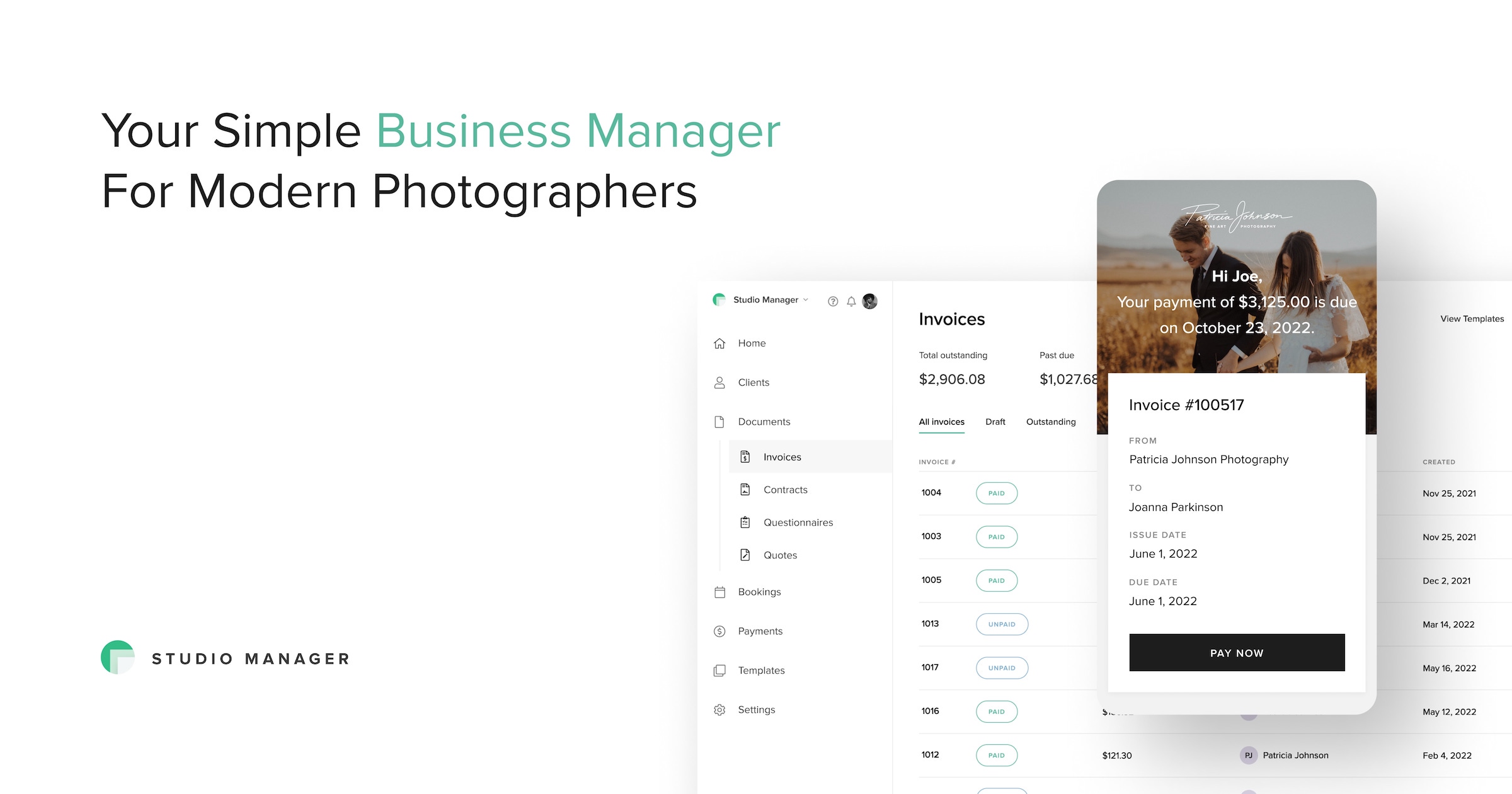
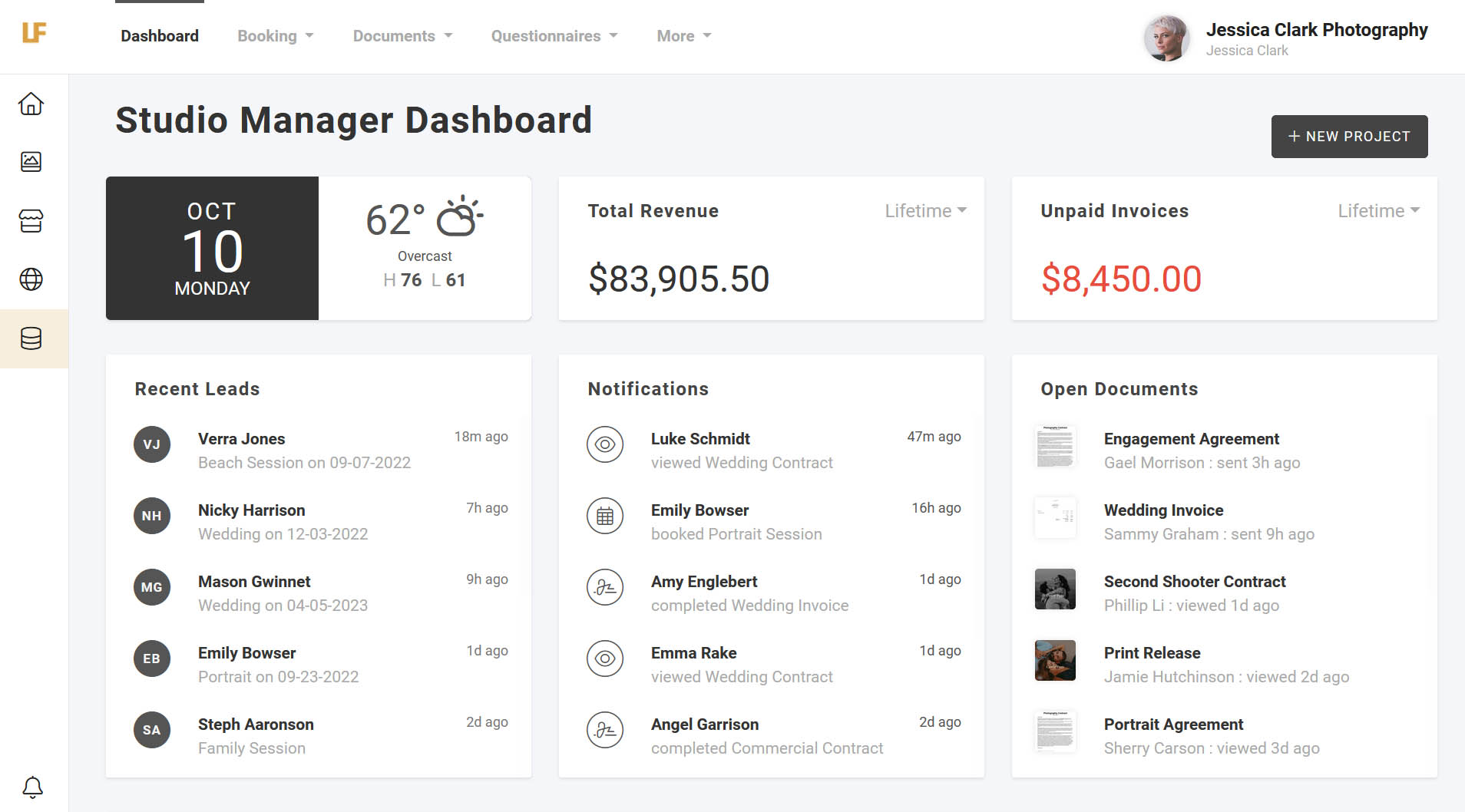
Pixieset Studio Manager

Pixieset Studio Manager
View Website
Pixieset Studio Manager is an all-in-one CRM specifically tailored to the needs of photographers. It helps manage bookings, process payments, and grow photographers' businesses by providing streamlined client communication and onboarding features. It is specially designed to alleviate common pain points in the photography industry.
SNAP-READY SETUP
EFFORTLESS BOOKING

Best for teams that are

  • Photographers who already use Pixieset for client galleries and websites
  • Users who want a mobile-first experience to manage bookings on the go
  • Beginners or low-volume photographers looking for a free starter plan

Skip if

  • Studios requiring complex, multi-step automated workflows
  • Users who need a comprehensive client portal for file management
  • Photographers who prefer self-hosted or desktop-based software

Expert Take

Our analysis shows Pixieset Studio Manager excels by simplifying the business side of photography. Unlike complex CRMs that require steep learning curves, Pixieset offers a streamlined, design-forward experience that integrates perfectly with its industry-leading gallery product. Research indicates the 'Tap to Pay' mobile feature is a significant advantage for on-location photographers, allowing for seamless in-person transactions without extra hardware.

Pros

  • Tap to Pay on mobile for in-person sales
  • Generous free plan with unlimited invoices
  • Seamless integration with Pixieset Client Galleries
  • Extremely intuitive and clean user interface
  • All-in-one suite for website, gallery, and CRM

Cons

  • Lacks advanced 'if-this-then-that' workflow automation
  • No unified client portal for client login
  • Limited third-party integrations outside Pixieset ecosystem
  • Store commission fees apply on the free plan
5
Expert Score
9.2 / 10
620
141
GALLERY INTEGRATION
SMART FINANCE TOOLS

Light Blue: CRM for Photographers

Light Blue: CRM for Photographers
View Website
Light Blue is a CRM software specifically designed for photographers, offering comprehensive client management and business operations tools. It addresses the industry's needs by streamlining client onboarding, managing finances, and organizing business workflows, allowing photographers to focus more on their craft.
GALLERY INTEGRATION
SMART FINANCE TOOLS

Best for teams that are

  • Photographers who need offline access via a desktop application
  • Businesses requiring advanced financial reporting and tax handling
  • Users who prefer a hybrid desktop-cloud system over pure browser apps

Skip if

  • Users who want a modern, purely web-based interface
  • Photographers who prioritize a mobile-first or app-based workflow
  • Those looking for a simple, plug-and-play solution with zero setup

Expert Take

Research indicates Light Blue excels for established photography businesses requiring robust financial tracking and complex job management (e.g., multi-day shoots). Unlike many web-only competitors, its hybrid desktop-cloud model ensures offline access and deep data handling, while its support is consistently rated as exceptional by long-term users.

Pros

  • Robust financial reporting and tax handling
  • Excellent support with screen-sharing options
  • Handles complex multi-day shoot structures
  • Deep integration with online galleries
  • Offline access via desktop application

Cons

  • Strict daily email sending limits
  • Mobile app is a limited companion
  • Requires desktop installation (Mac/PC)
  • Interface less modern than web CRMs
  • Device-based pricing model
6
Expert Score
9.2 / 10
406
164
MOBILE MASTERY
SECURE PAYMENTS

Sprout Studio CRM

Sprout Studio CRM
View Website
Sprout Studio is a comprehensive CRM solution designed with photographers in mind. It’s unique because it not only provides typical CRM features like client management, but it also integrates online gallery functionality, giving photographers an all-in-one tool to manage their business.
MOBILE MASTERY
SECURE PAYMENTS

Best for teams that are

  • Photographers wanting to consolidate CRM, galleries, and email marketing
  • Multi-photographer studios needing granular user permissions
  • Users who want specific features like album proofing and design

Skip if

  • Hobbyists or low-volume shooters who find the suite too expensive
  • Photographers who prefer using best-in-class standalone gallery tools
  • Users seeking a simple, lightweight tool for basic booking only

Expert Take

Our analysis shows Sprout Studio stands out by solving the 'subscription fatigue' problem unique to photographers. Research indicates it effectively consolidates CRM, gallery hosting, and album proofing into a single ecosystem, offering significant value over piecing together separate tools like HoneyBook and Pixieset. Based on documented features, its ability to link client galleries directly to booking data creates a seamless client experience that generalist CRMs cannot match.

Pros

  • Combines CRM, galleries, and marketing
  • Built-in album proofing tools
  • Replaces multiple expensive subscriptions
  • Designed specifically for photographers
  • Includes email marketing automation

Cons

  • Reports of slow loading speeds
  • Occasional bugs and glitches
  • No native mobile application
  • Less workflow customization than Dubsado
  • Steeper learning curve for some
7
Expert Score
9.1 / 10
361
120
TIME SAVER

Agiled CRM for Photographers

Agiled CRM for Photographers
View Website
Agiled CRM is tailored to photographers, simplifying client management by centralizing client data, deals, and communications. It tackles industry-specific challenges, freeing photographers to focus on capturing moments rather than administrative tasks.
TIME SAVER

Best for teams that are

  • Budget-conscious businesses needing a suite with HRM, finance, and CRM
  • Photographers with employees who need to manage payroll and team schedules
  • Tech-savvy users willing to configure a generalist tool for photography

Skip if

  • Users who demand a highly polished, bug-free user interface
  • Photographers expecting top-tier, responsive customer support
  • Those wanting a CRM built exclusively for photography workflows

Expert Take

Our analysis shows Agiled is a powerhouse for the 'business' side of photography, offering an unbeatable value proposition by consolidating CRM, HRM, and Finance tools into one affordable platform. Research indicates it is ideal for photographers who need to manage teams, payroll, and complex projects, rather than just simple bookings. However, based on documented features, it requires a separate solution for image delivery, as it lacks the native gallery and proofing tools found in niche-specific competitors.

Pros

  • All-in-one management (CRM, HRM, Finance)
  • Very affordable with generous free plan
  • Unlimited contacts and projects on Pro plan
  • White-labeling capabilities for professional branding
  • Integrated appointment scheduling and contracts

Cons

  • No native photo gallery or proofing
  • Steep learning curve due to many features
  • No phone support available
  • Some features reported as buggy
  • Lacks deep photography lab integrations
8
Expert Score
8.8 / 10
726
59

Lightfolio Studio Manager

Lightfolio Studio Manager
View Website
Designed specifically for photographers, Lightfolio Studio Manager is a CRM that facilitates seamless client onboarding and booking. It presents a customized platform that enables photographers to attract, manage, and retain clients more efficiently.

Best for teams that are

  • Photographers who specialize in high-volume mini sessions
  • Budget-conscious users wanting combined CRM and gallery hosting
  • Users looking for an affordable all-in-one alternative to big names

Skip if

  • High-volume studios needing guaranteed enterprise-level support
  • Users who need advanced, complex automation workflows
  • Photographers concerned by lack of company transparency in reviews

Expert Take

Our analysis shows Lightfolio offers a compelling all-in-one value proposition for photographers, combining client galleries with essential CRM tools like contracts and invoicing at a highly competitive price point. Research indicates the platform is particularly strong for beginners due to its user-friendly interface and generous free plan options. Based on documented features, the zero-commission sales on paid plans and unlimited storage capabilities make it a cost-effective alternative to major competitors.

Pros

  • Zero commission on paid plans
  • Unlimited storage on top tiers
  • All-in-one CRM and gallery
  • Free plan available
  • Dedicated Lightroom plugin

Cons

  • Reports of account termination
  • Lack of verified business info
  • Minor interface glitches
  • No phone support
  • Limited third-party integrations
9
Expert Score
8.7 / 10
450
38
CREATIVE WORKFLOW
CUSTOMIZABLE TEMPLATES

HoneyBook Client Management Software

HoneyBook Client Management Software
View Website
HoneyBook is specifically tailored for photographers who want to streamline their client management process. It offers a range of services including project tracking, invoicing, and contract management, enabling photographers to efficiently manage their businesses by reducing paperwork, improving client communication, and ensuring timely payments.
CREATIVE WORKFLOW
CUSTOMIZABLE TEMPLATES

Best for teams that are

  • Small business owners wanting to automate invoicing and contracts
  • Freelancers who need to consolidate multiple tools into one platform
  • Service providers who prioritize a seamless, branded client experience

Skip if

  • Businesses needing advanced project management or inventory tracking
  • Users looking for a free forever plan beyond a trial period
  • Enterprises requiring heavy data migration or custom API integrations

Expert Take

HoneyBook is an industry-specific SaaS solution that understands the unique needs of photographers. It simplifies the administrative side of the business, allowing photographers to focus on their craft. With its customizable templates, photographers can create professional-looking invoices and contracts. Plus, its secure online payment system ensures timely payments from clients. It's a comprehensive tool that fulfills the specific needs of the photography industry.

Pros

  • Photography-focused features
  • Automates administrative tasks
  • Integrates with popular apps
  • Secure online payment system
  • Customizable templates

Cons

  • Limited features on basic plan
  • No free trial
  • UI might be confusing for new users

Product Comparison

Product Has Mobile App Has Free Plan Has Free Trial Starting Price
1 HoneyBook Photography CRM
Yes No Not specified $9/month
2 Setuply Client Onboarding
Not specified No Not specified Custom pricing
3 Photographers Onboarding Template
Not specified Yes Not specified $5/month
4 Pixieset Studio Manager
Yes Yes Not specified $8/month
5 Light Blue: CRM for Photographers
Yes No Yes - 30 days £24/month
6 Sprout Studio CRM
Yes No Yes - 7 days $34/month
7 Agiled CRM for Photographers
Yes Yes Not specified $9.95/month
8 Lightfolio Studio Manager
Not specified No Yes $19/month
9 HoneyBook Client Management Software
Yes No No $34/month
1

HoneyBook Photography CRM

Has Mobile App
Yes
Has Free Plan
No
Has Free Trial
Not specified
Starting Price
$9/month
2

Setuply Client Onboarding

Has Mobile App
Not specified
Has Free Plan
No
Has Free Trial
Not specified
Starting Price
Custom pricing
3

Photographers Onboarding Template

Has Mobile App
Not specified
Has Free Plan
Yes
Has Free Trial
Not specified
Starting Price
$5/month
4

Pixieset Studio Manager

Has Mobile App
Yes
Has Free Plan
Yes
Has Free Trial
Not specified
Starting Price
$8/month
5

Light Blue: CRM for Photographers

Has Mobile App
Yes
Has Free Plan
No
Has Free Trial
Yes - 30 days
Starting Price
£24/month
6

Sprout Studio CRM

Has Mobile App
Yes
Has Free Plan
No
Has Free Trial
Yes - 7 days
Starting Price
$34/month
7

Agiled CRM for Photographers

Has Mobile App
Yes
Has Free Plan
Yes
Has Free Trial
Not specified
Starting Price
$9.95/month
8

Lightfolio Studio Manager

Has Mobile App
Not specified
Has Free Plan
No
Has Free Trial
Yes
Starting Price
$19/month
9

HoneyBook Client Management Software

Has Mobile App
Yes
Has Free Plan
No
Has Free Trial
No
Starting Price
$34/month

Similar Categories

How We Rank Products

Our Evaluation Process

The "How We Choose" section for client onboarding software for photographers outlines the methodology employed to evaluate and rank the products within this category. Key factors considered include specifications such as user interface, integration capabilities, and automation features, alongside customer reviews and ratings that reflect user satisfaction and functionality. Specific considerations for photographers, such as the ability to streamline workflows, manage client communications, and organize project timelines, significantly influenced the selection process. The research methodology focused on comparative analysis of product specifications, comprehensive reviews, and ratings from various sources, ensuring a thorough evaluation of the price-to-value ratio for each software option.

Overall scores reflect relative ranking within this category, accounting for which limitations materially affect real-world use cases. Small differences in category scores can result in larger ranking separation when those differences affect the most common or highest-impact workflows.

Verification

  • Products evaluated through comprehensive research and analysis of industry standards for client onboarding.
  • Selection criteria focus on user satisfaction, integration capabilities, and unique features tailored for photographers.
  • Comparison methodology analyzes expert reviews and user feedback to identify top-performing client onboarding software.

As an Amazon Associate, we earn from qualifying purchases. We may also earn commissions from other affiliate partners.

×

Score Breakdown

0.0 / 10

What This Award Means