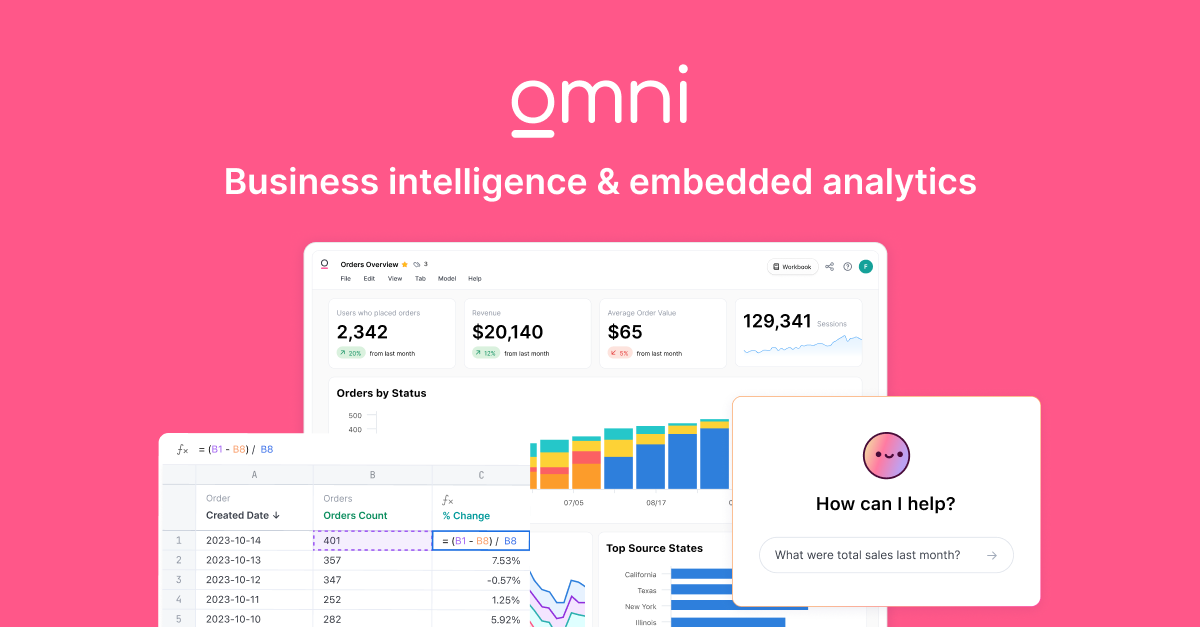
Business Intelligence (BI) & Dashboard Tools: The Definitive Expert Guide
Business Intelligence (BI) & Dashboard Tools facilitate the translation of raw data into actionable strategic insights through visualization, analysis, and reporting technologies. This category covers software used to manage the full lifecycle of data consumption: connecting to disparate data sources, modeling data relationships, creating visual representations (dashboards), and distributing insights to decision-makers. It sits above the data infrastructure layer (data warehouses and ETL pipelines) and below the decision automation layer (AI agents and robotic process automation). It includes both general-purpose enterprise analytics platforms and vertical-specific reporting tools built for industries like retail, healthcare, and finance. The core function is to reduce the latency between a business event occurring and a stakeholder understanding its impact.
What Is Business Intelligence (BI) & Dashboard Tools?
At its core, Business Intelligence software solves the "data rich, information poor" paradox. Organizations generate terabytes of operational exhaust—transaction logs, customer interactions, sensor readings—yet often lack the ability to synthesize this noise into a coherent signal. BI tools bridge this gap by providing a semantic layer that translates technical database schemas into business-friendly metrics.
These tools are primarily used by two distinct groups: data analysts who build the infrastructure and data models, and business users (executives, managers, and frontline staff) who consume the output to make decisions. The value proposition has shifted from simply "reporting on what happened" to "diagnosing why it happened" and, increasingly, "predicting what will happen next." In a mature deployment, BI eliminates reliance on gut feeling, replacing it with evidence-based management that can track profitability, efficiency, and risk in near real-time.
History of the Category
The trajectory of Business Intelligence since the 1990s is a story of the tension between IT control and business agility. In the "BI 1.0" era of the 1990s, the landscape was dominated by heavy, IT-centric platforms. These systems relied on complex semantic layers and OLAP (Online Analytical Processing) cubes. While they offered a "single source of truth," they were notoriously rigid. A marketing manager needing a new column in a report might wait weeks for IT to restructure the data model. This era established the foundational concepts of data warehousing but failed to deliver speed.
The 2000s and early 2010s saw a reactionary wave—often termed "BI 2.0" or the era of Data Discovery. This period was defined by the rise of desktop-based visual analytics tools that decoupled analysis from the central data warehouse. Business users could finally ingest spreadsheets and create visualizations without IT intervention. While this democratized data access, it introduced a new problem: "spreadmarts" and data chaos, where different departments arrived at meetings with conflicting numbers for the same metric.
From 2015 to the present, the market has consolidated around the cloud and "Modern BI." This current wave attempts to reconcile the governance of the 1990s with the agility of the 2000s. Key consolidation events saw major cloud infrastructure providers acquiring independent visualization leaders to integrate analytics directly into the application stack. Today, buyer expectations have evolved beyond static dashboards. The focus is now on "augmented analytics"—using machine learning to automatically surface anomalies—and "composable analytics," where BI capabilities are embedded directly into operational workflows rather than existing as a separate destination.
What to Look For
Evaluating BI platforms requires looking beyond the aesthetics of the charts. A beautiful dashboard based on broken logic is a liability, not an asset. When assessing vendors, prioritize the underlying data engine over the visualization layer.
The Semantic Layer and Governance: The most critical component is the tool's ability to define metrics centrally. Look for platforms that offer a reusable semantic layer. This ensures that "Gross Margin" is calculated identically whether it is accessed via a dashboard, an API, or an ad-hoc query. If the tool requires users to redefine the calculation in every single report, you are building technical debt that will eventually cripple your reporting reliability.
Query Performance and Direct Query Capabilities: Assess how the tool handles large datasets. Does it require you to import data into its proprietary in-memory engine (which creates data latency and size limits), or can it query your data warehouse directly (DirectQuery)? As data volumes grow, the ability to push the compute down to the cloud data warehouse becomes essential to avoid performance bottlenecks.
Red Flags: Be wary of vendors who emphasize "AI-generated insights" but cannot demonstrate robust data modeling capabilities. AI applied to poorly modeled data merely hallucinates confidence. Another warning sign is a pricing model that penalizes adoption; avoid contracts where view-only licenses are priced similarly to creator licenses, as this disincentivizes rolling out data to the wider organization.
Industry-Specific Use Cases
Retail & E-commerce
In retail, the speed of insight must match the speed of transaction. General-purpose tools often struggle with the specific nuances of inventory attribution and omnichannel analysis. Retail BI dashboards must track Contribution Margin by SKU—factoring in returns, shipping, and ad spend—rather than just Gross Revenue. Advanced use cases involve "Basket Analysis" to understand product affinities (e.g., customers who buy item X are 40% more likely to buy item Y). Retailers also prioritize Customer Lifetime Value (CLV) modeling to segment high-value cohorts from one-time discount seekers. The critical evaluation priority here is the ability to ingest data from disparate sources (Shopify, Amazon, 3PLs, Meta Ads) and normalize it into a unified P&L view [1].
Healthcare
Healthcare BI is high-stakes, focusing on patient outcomes and operational efficiency. Hospitals utilize dashboards to monitor readmission rates, a key metric that impacts reimbursement and penalties. A critical use case is analyzing patient flow to optimize staffing ratios in Emergency Departments, predicting surges based on historical patterns to prevent bottlenecks. Unlike other industries, healthcare BI requires stringent compliance features (HIPAA) and the ability to handle unstructured data, such as physician notes or imaging meta-data. Dashboard reliability is paramount here; a metric latency of even a few hours can render operational dashboards useless for floor managers [2].
Financial Services
For banks and insurers, BI is a tool for risk mitigation and fraud detection. Financial institutions use real-time dashboards to monitor transaction volumes and flag anomalies that suggest fraudulent activity or cyber threats. Risk exposure reporting is another pillar, aggregating data across portfolios to ensure compliance with liquidity regulations (like Basel III). The evaluation priority for financial services is "lineage" and "auditability"—the ability to trace a number on a dashboard back to the specific transaction row that generated it, ensuring data integrity for regulatory audits [3].
Manufacturing
Manufacturing BI focuses on the shop floor, translating sensor data into efficiency metrics. The gold standard metric is Overall Equipment Effectiveness (OEE), which combines availability, performance, and quality into a single score. Dashboards track "scrap rates" and "cycle times" to identify production bottlenecks. A unique requirement for manufacturing is the integration of IT (Information Technology) data with OT (Operational Technology) data—blending ERP financial data with SCADA machine data to calculate the true cost of production downtime. Predictive maintenance dashboards, which alert operators before a machine fails, are a key driver for adoption in this sector [4].
Professional Services
Agencies and consultancies use BI to manage human capital and project profitability. The lifeblood metrics are Billable Utilization (percentage of time spent on revenue-generating work) and Project Margin. Unlike manufacturing, inventory here is time. BI tools must integrate with time-tracking and billing systems to visualize "WIP" (Work in Progress) revenue—revenue that has been earned but not yet billed. This visibility prevents revenue leakage and helps firms forecast hiring needs based on the sales pipeline. A common red flag in this sector is relying on lagging indicators (invoiced revenue) rather than leading indicators (resource scheduling) [5].
Subcategory Overview
Business Intelligence & Dashboard Tools for Marketing Agencies
Marketing agencies face a unique challenge: they must report data to external clients who demand transparency but lack technical context. Specialized tools in this niche differ from generic BI by offering "White Label" capabilities, allowing the agency to brand the portal fully as their own. They handle the "Client Reporting" workflow, automating the ingestion of data from 50+ ad platforms (Meta, LinkedIn, Google Ads) into a unified presentation layer. A generic BI tool often requires custom connectors for each ad network, whereas these niche tools come with pre-built, maintained connectors. The pain point driving buyers here is the "monthly reporting hell"—the manual hours spent taking screenshots from ad platforms to paste into PowerPoint. For a deeper analysis of these solutions, read our guide to Business Intelligence & Dashboard Tools for Marketing Agencies.
Business Intelligence & Dashboard Tools for Insurance Agents
Insurance distribution is characterized by complex commission structures and renewal cycles. Tools in this subcategory focus on "Commission Tracking" and "Book of Business" analytics. Unlike generic BI, these tools understand the hierarchy of carriers, agencies, and producers, handling split-commission calculations out of the box. A workflow only these tools handle well is the "Commission Reconciliation" process—matching expected carrier payouts against actual deposits to identify leakage. Buyers move to this niche because generic tools struggle to model the many-to-many relationships between policies, carriers, and downstream agents without massive customization. Learn more about optimizing agency performance in our guide to Business Intelligence & Dashboard Tools for Insurance Agents.
Business Intelligence & Dashboard Tools for Property Managers
Property management relies on "Unit-Level Profitability." Generic financial tools often stop at the property level, but specialized BI in this space drills down to the square foot. These tools integrate with property management systems (PMS) to visualize occupancy rates, lease expirations, and maintenance ticket trends. A specific workflow they excel at is "Rent Roll Analysis," flagging under-market leases and forecasting vacancy losses based on lease expiration schedules. The driver for this niche is the need to aggregate data across disparate PMS instances when managing mixed portfolios (e.g., commercial and residential assets). Explore these specialized capabilities in our guide to Business Intelligence & Dashboard Tools for Property Managers.
Business Intelligence & Dashboard Tools for Contractors
Construction and contracting businesses operate on "Job Costing" and "WIP Reporting." The critical differentiator for this niche is the ability to track "Estimated vs. Actual" costs in real-time as a project progresses. Generic BI tools often lack the specific logic to handle "Over/Under Billing" calculations required for construction accounting (percentage of completion method). These tools visualize the "Fade" (profit erosion) on jobs, alerting project managers before a job goes into the red. Contractors choose this niche to avoid the lag time of waiting for monthly accounting close to know if a project is profitable. For details on construction-specific analytics, see our guide to Business Intelligence & Dashboard Tools for Contractors.
Business Intelligence & Dashboard Tools for Ecommerce Brands
Ecommerce BI focuses on "Unit Economics" and "Attribution." While Google Analytics provides traffic data, it fails to account for COGS, returns, and shipping, often overstating profitability. Specialized tools here calculate the "Contribution Margin" per order and per SKU. They handle the "Attribution Modeling" workflow, triangulating data from post-purchase surveys and ad platforms to determine where to allocate spend. The specific pain point is the "Blended ROAS" (Return on Ad Spend) calculation—brands need a single source of truth that combines Shopify sales data with ad spend from TikTok, Snap, and Meta. Discover how to track true profitability in our guide to Business Intelligence & Dashboard Tools for Ecommerce Brands.
Deep Dive: Integration & API Ecosystem
The number one failure point for BI implementations is not the visualization capabilities, but the integration fragility. According to Forrester, up to 65% of integration project failures stem from incompatible data formats and integration complexity [6]. A robust BI tool must do more than "connect" to data; it must be able to handle schema changes resiliently.
Expert Insight: Gartner analysts emphasize that "integration complexity is a barrier in 60% of implementations," urging buyers to prioritize pre-built connectors over generic API access [7]. The nuance lies in how the tool handles "API limits" and "incremental refreshes."
Scenario: Consider a 50-person professional services firm attempting to connect their CRM (Salesforce), Project Management (Asana), and Invoicing (QuickBooks) systems. They choose a BI tool with a generic API connector. Initially, it works. However, as they grow, they hit the API rate limits of their CRM because the BI tool attempts to reload the entire historical dataset every hour. The dashboards crash during a Monday morning partner meeting. A specialized tool would use "incremental refresh," pulling only the records changed in the last hour, and would handle the "rate limiting" logic automatically. Furthermore, when the CRM administrator adds a new custom field for "Lead Source," a poor integration breaks the data pipeline, while a robust one dynamically adapts the schema.
Deep Dive: Security & Compliance
As BI tools increasingly become the repository for an organization's most sensitive data, they become prime targets. The global average cost of a data breach reached $4.88 million in 2024, highlighting the financial risk of unsecured analytics [8]. Evaluation must go beyond "Is it encrypted?" to "How is access governed?"
Expert Insight: Security researchers note that "Shadow IT"—where employees export data from secure BI tools into unmanaged Excel sheets—is a leading vector for data loss. Modern BI tools combat this with "Row-Level Security" (RLS). RLS ensures that when a Regional Manager logs in, they see only *their* region's data, even though the underlying report is the same for everyone.
Scenario: A healthcare provider uses a dashboard to track patient outcomes. Without RLS, they would need to create 50 separate dashboards for 50 different department heads to ensure no one sees unauthorized patient data—a maintenance nightmare. With RLS, they build one master dashboard. The system filters the data query at the server level based on the user's login credentials. If a user attempts to export the data, the governance policy restricts the export to only the allowed rows, or blocks the export entirely, preventing a massive HIPAA violation.
Deep Dive: Pricing Models & Total Cost of Ownership (TCO)
BI pricing is notoriously opaque. Buyers often conflate "License Cost" with "Total Cost of Ownership." Gartner research indicates that license fees often make up only a small portion of the 3-year TCO, with labor and operational costs accounting for up to 80% [9].
Expert Insight: "The most expensive part of a cheap BI tool is the full-time engineer required to keep it running," notes an industry analyst. The hidden costs lie in data storage, compute credits (for cloud-native tools), and the engineering hours required for data modeling.
Scenario: Let's calculate the TCO for a 25-person team.
- Vendor A (Per-User Pricing): Charges $75/user/month. Annual license: $22,500. It includes a built-in semantic layer, meaning a business analyst (salary $90k) spends 20% of their time maintaining it. Total Year 1 Cost: ~$40,500.
- Vendor B (Consumption Pricing): Charges $10/user/month ($3,000/year) but requires a separate SQL data warehouse and heavy data transformation coding. This requires hiring a dedicated Data Engineer ($140k/year). Total Year 1 Cost: ~$143,000.
Vendor B looks cheaper on the pricing page but is 3.5x more expensive in practice. Buyers must model the cost of the
talent required to operate the tool, not just the software subscription.
Deep Dive: Implementation & Change Management
The "Empty Dashboard Syndrome" is the failure mode of most BI projects. Organizations buy the tool, connect the data, and then... nobody logs in. Research from DigitalDefynd suggests that user adoption rates for BI tools hover around a dismal 29% [10]. Implementation is a behavioral challenge, not a technical one.
Expert Insight: Gartner estimates that poor data quality costs organizations an average of $12.9 million annually, largely because it erodes trust [11]. If users find one error in a dashboard, they revert to their spreadsheets permanently.
Scenario: A logistics company rolls out a new fleet tracking dashboard. The technical team spends 3 months building complex charts. On day one, a fleet manager notices that "Fuel Costs" are missing data from the Southern region due to a tagging error. Instead of reporting the bug, the manager goes back to his manual Excel report. To prevent this, successful implementations use a "Certified Content" badge system. They launch with only 5 "Certified" metrics that are guaranteed to be accurate. They appoint "Data Stewards" in every department—not IT staff, but power users within operations—who serve as the first line of support and trust-building.
Deep Dive: Vendor Evaluation Criteria
The demo is a performance; the proof of concept (POC) is the reality check. A common trap is falling for "Art of the Possible" demos where vendors show hard-coded, perfect datasets. Evaluation must focus on how the tool handles messy data.
Expert Insight: "Don't ask if the tool *can* do X; ask *how* it does X," advises a VP of Research at a major analyst firm. The difference is between a one-click native feature and a 40-hour custom coding workaround.
Scenario: A retail buyer asks, "Can this tool handle fiscal year reporting?" Every vendor says "Yes."
- Vendor A requires you to write a 50-line custom SQL script to offset dates for a 4-4-5 retail calendar.
- Vendor B has a built-in "Fiscal Calendar" toggle in the settings.
In a slide deck, both are a "Yes." In a live POC using the buyer's actual sales data, the difference becomes immediately obvious. Buyers should mandate a "Live Data POC"—give the vendor a sample of *your* dirty data and give them 48 hours to build a dashboard. The result will tell you more than 10 sales meetings.
Emerging Trends and Contrarian Take
Emerging Trends 2025-2026: The market is shifting toward Composable Analytics. Instead of users logging into a separate BI portal, analytics are being deconstructed and embedded directly into CRM, slack, and operational apps. Gartner highlights "composable data and analytics" as a key driver for agility, predicting heavily integrated AI workflows [12]. Another major trend is the rise of AI Agents that don't just visualize data but act on it—monitoring margins and automatically flagging risks to procurement teams without human queries.
Contrarian Take: Dashboards are dying. The era of the "executive dashboard"—a static wall of charts that a CEO checks with coffee—is ending. The volume of data is too high for visual scanning to be effective. The future is "Headless BI" or "Push Intelligence," where the system runs quietly in the background and only alerts a human when a metric deviates significantly from its forecast. We are moving from a "Pull" model (logging in to check status) to a "Push" model (being notified of anomalies). Organizations spending millions to build "perfect" dashboards are optimizing a dying form factor; they should be investing in data alerts and automated root-cause analysis.
Common Mistakes
Over-Engineering the First Release: Teams often try to build the "God Dashboard" that answers every possible question. This delays launch by months. By the time it launches, business questions have changed. Start with a "Minimum Viable Dashboard" tracking 3-5 core KPIs.
Ignoring Data Hygiene: Implementing a modern BI tool on top of messy data is just "expensive chaos." Investing in a $50k BI tool without investing in data cleaning is the most common path to failure.
Confusing "Data-Driven" with "Chart-Obsessed": Just because you can visualize a metric doesn't mean you should. A dashboard with 20 charts is not better than one with 2. The mistake is optimizing for "information density" rather than "decision clarity."
Questions to Ask in a Demo
- "Show me how to update a metric definition globally." (Tests the semantic layer).
- "How does your pricing scale if we add 50 'viewer-only' users?" (Exposes adoption penalties).
- "Can I embed this specific chart into our Salesforce homepage without a separate login?" (Tests composability).
- "What happens to the dashboard if the database schema changes (e.g., a column is renamed)?" (Tests resilience).
- "Show me the mobile view of this dashboard right now." (Most tools break on mobile; force them to show it live).
Before Signing the Contract
Final Decision Checklist: Ensure you have defined "Data Stewards" for the rollout. Verify that the "Connector" for your specific ERP/CRM is native and not a paid third-party add-on. Check the "Data Export" limits—ensure you aren't locked in.
Negotiation Points: Push for "Viewer" licenses to be significantly cheaper (or free) compared to "Creator" licenses. Ask for a "Price Lock" cap on renewal increases, as successful BI deployments tend to expand users rapidly. Negotiate for "Sandbox" environments to be included for testing before pushing to production.
Deal-Breaker: Lack of Version Control. If a user breaks a dashboard, can you "undo" to the version from yesterday? If the tool lacks Git integration or native version history, do not sign. You cannot run enterprise analytics on a platform where mistakes are irreversible.
Closing
Selecting the right BI platform is less about features and more about matching the tool's philosophy to your organization's data maturity. The right tool fades into the background, making insights feel instantaneous. The wrong tool becomes a second job. If you need help navigating the nuances of your specific industry or stack, reach out.
Email: albert@whatarethebest.com