Social Media Content Creation Tools

These are the specialized categories within Social Media Content Creation Tools. Looking for something broader? See all Design, Creative & Media Production Software categories.

1

Captions AI Creative Studio

Best for Caption and Copywriting Tools for Social Media

Score
9.9 / 10
Captions AI Creative Studio

Captions is an AI-powered creative studio that caters specifically to the needs of social media professionals. It allows users to create studio-grade videos with minimal effort, thus addressing the industry's need for efficient, high-quality content creation. The software's AI capabilities simplify the process of captioning and copywriting, making it ideal for social media content creation.

Best for Caption and Copywriting Tools for Social Media

Expert Take

Captions AI Creative Studio excels in providing AI-driven tools for efficient social media content creation, with strong usability and value propositions. Its market credibility is supported by its innovative approach, though customization limitations are noted. Overall, it is a premium tool for social media professionals.

Pros

  • AI Lipdub visually syncs lips to translations
  • AI Eye Contact corrects gaze automatically
  • Supports captions in over 100 languages
  • Backed by top investors like Sequoia
  • Entry-level Pro plan is affordable ($9.99/mo)

Cons

  • Desktop version reported as buggy/slow
  • Generative features limited by monthly credits
  • Export errors and audio sync issues reported
  • Free plan includes watermarks and limitations
  • Android version lags behind iOS features

Best for teams that are

  • Video creators focusing on TikTok, Reels, and Shorts
  • Influencers needing AI dubbing and eye contact correction

Skip if

  • Copywriters looking for text-only blog or article generation
  • Users needing static graphic design or image editing tools

Best for teams that are

  • Video creators focusing on TikTok, Reels, and Shorts
  • Influencers needing AI dubbing and eye contact correction

Skip if

  • Copywriters looking for text-only blog or article generation
  • Users needing static graphic design or image editing tools

Pros

  • AI Lipdub visually syncs lips to translations
  • AI Eye Contact corrects gaze automatically
  • Supports captions in over 100 languages
  • Backed by top investors like Sequoia
  • Entry-level Pro plan is affordable ($9.99/mo)

Cons

  • Desktop version reported as buggy/slow
  • Generative features limited by monthly credits
  • Export errors and audio sync issues reported
  • Free plan includes watermarks and limitations
  • Android version lags behind iOS features

Expert Take

Captions AI Creative Studio excels in providing AI-driven tools for efficient social media content creation, with strong usability and value propositions. Its market credibility is supported by its innovative approach, though customization limitations are noted. Overall, it is a premium tool for social media professionals.

2

Descript AI Video & Podcast Editor

Best for Social Media Video Editing Tools

Score
9.9 / 10
Descript AI Video & Podcast Editor

Descript is a unique SaaS solution designed to simplify the video and audio editing process for social media professionals. It allows recording, transcription, editing, and publishing in one seamless tool, making it ideal for content creators who need to quickly produce and edit video and podcast content for various platforms.

Best for Social Media Video Editing Tools

Expert Take

Descript AI Video & Podcast Editor stands out as a 'best-of-the-best' product due to its innovative approach to multimedia editing, integrating AI-driven tools for seamless content creation. Its market credibility is bolstered by positive third-party recognition and a strong user base. While there are minor limitations in advanced editing tools, the product excels in usability and value.

Pros

  • Edit video and audio by editing text
  • Studio Sound AI removes background noise
  • Overdub creates realistic AI voice clones
  • SOC 2 Type II security compliance
  • Direct export to YouTube and podcast hosts

Cons

  • Performance lags on large or long projects
  • Transcription requires manual proofreading
  • Steep learning curve for traditional editors
  • Free plan exports have watermarks
  • Complex credit-based limits on AI features

Best for teams that are

  • Podcasters and creators editing "talking head" videos via text
  • Users needing fast AI transcription and filler word removal
  • Teams collaborating on script-based video content

Skip if

  • Editors focusing on visual storytelling or complex B-roll sequences
  • Users needing precise manual control over every frame and transition
  • Projects requiring advanced color grading or visual effects

Best for teams that are

  • Podcasters and creators editing "talking head" videos via text
  • Users needing fast AI transcription and filler word removal
  • Teams collaborating on script-based video content

Skip if

  • Editors focusing on visual storytelling or complex B-roll sequences
  • Users needing precise manual control over every frame and transition
  • Projects requiring advanced color grading or visual effects

Pros

  • Edit video and audio by editing text
  • Studio Sound AI removes background noise
  • Overdub creates realistic AI voice clones
  • SOC 2 Type II security compliance
  • Direct export to YouTube and podcast hosts

Cons

  • Performance lags on large or long projects
  • Transcription requires manual proofreading
  • Steep learning curve for traditional editors
  • Free plan exports have watermarks
  • Complex credit-based limits on AI features

Expert Take

Descript AI Video & Podcast Editor stands out as a 'best-of-the-best' product due to its innovative approach to multimedia editing, integrating AI-driven tools for seamless content creation. Its market credibility is bolstered by positive third-party recognition and a strong user base. While there are minor limitations in advanced editing tools, the product excels in usability and value.

3

Memingo Meme Creation

Best for Social Media Meme & Trend Creation Tools

Score
9.9 / 10
Memingo Meme Creation

Memingo is a SaaS solution designed specifically for the creation and distribution of memes. It addresses the needs of social media content creators, marketers, and influencers by streamlining the meme generation process, thus saving time and increasing productivity.

Best for Social Media Meme & Trend Creation Tools

Expert Take

Memingo excels in providing a user-friendly platform for meme creation with a vast template library and multimedia support. Its real-time sharing capabilities enhance productivity for content creators. However, the lack of public pricing for premium plans limits transparency.

Pros

  • Exports memes without watermarks
  • Privacy-first local storage
  • AI-generated smart captions
  • Over 2,000 trending templates
  • No account registration required

Cons

  • Contains in-app advertisements
  • AI humor can be inconsistent
  • Mobile-only focus limits desktop use
  • Lacks advanced layer editing
  • Smaller user base than competitors

Best for teams that are

  • Mobile-first users on iOS or Android wanting to create memes on the go
  • Privacy-conscious users who prefer local storage over cloud uploads
  • Casual creators wanting instant AI-generated captions for their photos

Skip if

  • Desktop-only users who prefer a web browser workflow over a mobile app
  • Teams needing shared workspaces or cloud-based collaboration features
  • Designers needing advanced layering or complex photo editing capabilities

Best for teams that are

  • Mobile-first users on iOS or Android wanting to create memes on the go
  • Privacy-conscious users who prefer local storage over cloud uploads
  • Casual creators wanting instant AI-generated captions for their photos

Skip if

  • Desktop-only users who prefer a web browser workflow over a mobile app
  • Teams needing shared workspaces or cloud-based collaboration features
  • Designers needing advanced layering or complex photo editing capabilities

Pros

  • Exports memes without watermarks
  • Privacy-first local storage
  • AI-generated smart captions
  • Over 2,000 trending templates
  • No account registration required

Cons

  • Contains in-app advertisements
  • AI humor can be inconsistent
  • Mobile-only focus limits desktop use
  • Lacks advanced layer editing
  • Smaller user base than competitors

Expert Take

Memingo excels in providing a user-friendly platform for meme creation with a vast template library and multimedia support. Its real-time sharing capabilities enhance productivity for content creators. However, the lack of public pricing for premium plans limits transparency.

4

Gamma AI Social Media Generator

Best for AI Social Media Content Generators

Score
9.8 / 10
Gamma AI Social Media Generator

Gamma's AI-driven solution is perfect for social media professionals looking to enhance efficiency and productivity in content creation. The software optimizes for various platforms, repurposes existing work, and offers customization - addressing the need for diverse, reusable, and platform-specific content in the social media industry.

Best for AI Social Media Content Generators

Expert Take

Gamma AI Social Media Generator excels in providing AI-driven content creation tailored for social media platforms. Its capabilities in content repurposing and customization make it a top choice for professionals seeking efficiency and diversity. The product's market credibility is supported by its innovative approach and competitive pricing.
Pros

  • Instantly generates social carousels from text/URLs
  • Direct publishing to LinkedIn and PNG export
  • Massive user base of 50 million+
  • Intuitive interface requires no design skills
  • Profitable company with strong financial stability

Cons

  • Free plan credits do not refill monthly
  • Templates can feel repetitive over time
  • Customer support reported as slow/automated
  • Limited deep design customization options
  • PowerPoint exports may have formatting issues

Best for teams that are

  • Creators making visual carousels, documents, or presentations
  • Consultants converting decks into engaging social content
  • Educators and professionals needing fast, structured visual docs

Skip if

  • Users needing standard single-image posts or short captions
  • Brands with strict design guidelines requiring granular control
  • Users needing offline editing capabilities

Best for teams that are

  • Creators making visual carousels, documents, or presentations
  • Consultants converting decks into engaging social content
  • Educators and professionals needing fast, structured visual docs

Skip if

  • Users needing standard single-image posts or short captions
  • Brands with strict design guidelines requiring granular control
  • Users needing offline editing capabilities

Pros

  • Instantly generates social carousels from text/URLs
  • Direct publishing to LinkedIn and PNG export
  • Massive user base of 50 million+
  • Intuitive interface requires no design skills
  • Profitable company with strong financial stability

Cons

  • Free plan credits do not refill monthly
  • Templates can feel repetitive over time
  • Customer support reported as slow/automated
  • Limited deep design customization options
  • PowerPoint exports may have formatting issues

Expert Take

Gamma AI Social Media Generator excels in providing AI-driven content creation tailored for social media platforms. Its capabilities in content repurposing and customization make it a top choice for professionals seeking efficiency and diversity. The product's market credibility is supported by its innovative approach and competitive pricing.

5
Score
9.8 / 10
5
9.8 / 10
PostNitro

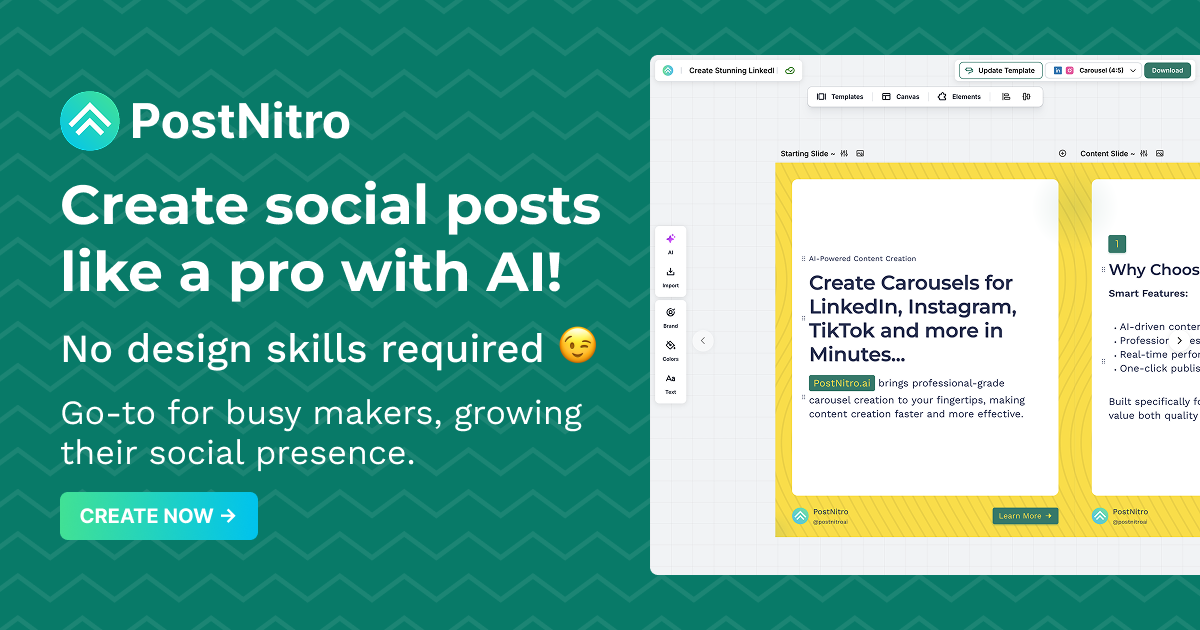
PostNitro is a powerful AI-driven carousel builder tailored for social media professionals. Its intuitive features and design capabilities streamline the creation of engaging carousels for Instagram, LinkedIn, and more. It addresses the industry's needs for visually captivating content to drive social engagement and reach.

Best for Social Media Story & Carousel Builders

Expert Take

PostNitro stands out as a leading tool in the social media content creation space, particularly for its AI-driven capabilities and user-friendly interface. Its focus on creating engaging carousels for platforms like Instagram and LinkedIn meets the industry's demand for high-quality visual content. While the free plan has limitations, the premium offerings provide significant value for professionals.
Pros

  • Access to GPT-4o and Claude Sonnet
  • Unlimited downloads on Creator plan
  • Automated brand kit application
  • Integrates with Publer and Zapier
  • Supports 13+ languages

Cons

  • No native auto-posting feature
  • Free plan limited to 5 downloads
  • Limited to carousel formats only
  • No built-in analytics dashboard
  • Watermarks on free exports

Best for teams that are

  • Agencies managing high-volume cross-platform content
  • Creators repurposing Twitter threads or articles
  • Marketers needing multi-language support

Skip if

  • Users seeking a full social media scheduling suite
  • Designers wanting to build templates from scratch
  • Those needing offline editing capabilities

Best for teams that are

  • Agencies managing high-volume cross-platform content
  • Creators repurposing Twitter threads or articles
  • Marketers needing multi-language support

Skip if

  • Users seeking a full social media scheduling suite
  • Designers wanting to build templates from scratch
  • Those needing offline editing capabilities

Pros

  • Access to GPT-4o and Claude Sonnet
  • Unlimited downloads on Creator plan
  • Automated brand kit application
  • Integrates with Publer and Zapier
  • Supports 13+ languages

Cons

  • No native auto-posting feature
  • Free plan limited to 5 downloads
  • Limited to carousel formats only
  • No built-in analytics dashboard
  • Watermarks on free exports

Expert Take

PostNitro stands out as a leading tool in the social media content creation space, particularly for its AI-driven capabilities and user-friendly interface. Its focus on creating engaging carousels for platforms like Instagram and LinkedIn meets the industry's demand for high-quality visual content. While the free plan has limitations, the premium offerings provide significant value for professionals.

6

Free Meme Generator by Viggle.ai

Best for Social Media Meme & Trend Creation Tools

Score
9.8 / 10
Free Meme Generator by Viggle.ai

Free Meme Generator by Viggle.ai is a cutting-edge tool designed specifically for social media professionals and digital marketers who need to create engaging, viral content. Leveraging AI technology, this tool offers a vast library of meme templates and automates the meme creation process, thus saving time and enhancing creativity.

Best for Social Media Meme & Trend Creation Tools

Expert Take

Free Meme Generator by Viggle.ai excels in providing a user-friendly, AI-driven platform for creating engaging social media content. Its extensive template library and free access make it a valuable tool for social media professionals. While it is limited to meme creation, it effectively meets its niche purpose.

Pros

  • Proprietary JST-1 physics-aware AI model
  • Backed by a16z with $19M funding
  • Massive library of 1,000+ motion templates
  • Huge community with 4M+ Discord members
  • Free tier available for casual testing

Cons

  • Free videos have mandatory watermarks
  • Privacy concerns regarding asset deletion
  • Slow processing in free 'relaxed' mode
  • Discord workflow may confuse non-gamers
  • Copyright liability shifts entirely to user

Best for teams that are

  • Video content creators for TikTok/Reels wanting to animate static characters
  • Users looking to replace characters in existing viral videos using motion transfer
  • Discord community members comfortable with command-based generation tools

Skip if

  • Users looking to create traditional static image macro memes (top/bottom text)
  • Professionals requiring high-resolution 4K video output for broadcast
  • Those uncomfortable using Discord or beta-stage software interfaces

Best for teams that are

  • Video content creators for TikTok/Reels wanting to animate static characters
  • Users looking to replace characters in existing viral videos using motion transfer
  • Discord community members comfortable with command-based generation tools

Skip if

  • Users looking to create traditional static image macro memes (top/bottom text)
  • Professionals requiring high-resolution 4K video output for broadcast
  • Those uncomfortable using Discord or beta-stage software interfaces

Pros

  • Proprietary JST-1 physics-aware AI model
  • Backed by a16z with $19M funding
  • Massive library of 1,000+ motion templates
  • Huge community with 4M+ Discord members
  • Free tier available for casual testing

Cons

  • Free videos have mandatory watermarks
  • Privacy concerns regarding asset deletion
  • Slow processing in free 'relaxed' mode
  • Discord workflow may confuse non-gamers
  • Copyright liability shifts entirely to user

Expert Take

Free Meme Generator by Viggle.ai excels in providing a user-friendly, AI-driven platform for creating engaging social media content. Its extensive template library and free access make it a valuable tool for social media professionals. While it is limited to meme creation, it effectively meets its niche purpose.

7

ViralContent Social Media Templates

Best for Template Libraries for Social Media Content

Score
9.8 / 10
ViralContent Social Media Templates

ViralContent offers a comprehensive library of 800 fully editable templates, specifically designed to help industry professionals create engaging and informative social media content. It addresses the industry's need for ready-to-use, high-quality content that can drive engagement and increase brand visibility on various social media platforms.

Best for Template Libraries for Social Media Content

Expert Take

ViralContent Social Media Templates excel in providing a wide range of fully editable templates tailored for social media platforms, enhancing content creation efficiency. While the lack of a subscription model and limited support are noted, the product's depth and usability in template variety and customization justify its premium positioning.

Pros

  • One-time payment with lifetime access
  • Fully editable in free Canva version
  • Includes Resell Rights (PLR) options
  • Highly specialized niche bundles available
  • Free future updates included

Cons

  • Repetitive designs reported in bundles
  • Some template colors may be unchangeable
  • Posts described as 'too wordy' by users
  • Domain owner identity is hidden
  • Moderate trust score on safety scanners

Best for teams that are

  • Coaches and consultants in health, business, or wellness niches
  • Solopreneurs needing high volumes of ready-made content
  • Users wanting 'done-for-you' bundles to save design time

Skip if

  • Brands seeking a unique, custom visual identity
  • Designers who prefer creating original assets from scratch
  • Users avoiding the 'cookie-cutter' aesthetic of bulk templates

Best for teams that are

  • Coaches and consultants in health, business, or wellness niches
  • Solopreneurs needing high volumes of ready-made content
  • Users wanting 'done-for-you' bundles to save design time

Skip if

  • Brands seeking a unique, custom visual identity
  • Designers who prefer creating original assets from scratch
  • Users avoiding the 'cookie-cutter' aesthetic of bulk templates

Pros

  • One-time payment with lifetime access
  • Fully editable in free Canva version
  • Includes Resell Rights (PLR) options
  • Highly specialized niche bundles available
  • Free future updates included

Cons

  • Repetitive designs reported in bundles
  • Some template colors may be unchangeable
  • Posts described as 'too wordy' by users
  • Domain owner identity is hidden
  • Moderate trust score on safety scanners

Expert Take

ViralContent Social Media Templates excel in providing a wide range of fully editable templates tailored for social media platforms, enhancing content creation efficiency. While the lack of a subscription model and limited support are noted, the product's depth and usability in template variety and customization justify its premium positioning.

8

Loomly Social Media Management

Best for Content Creation Tools for Social Media Managers

Score
9.8 / 10
Loomly Social Media Management

Designed for marketing teams, Loomly is a comprehensive social media management platform that enhances online presence. It streamlines collaboration, enables efficient publishing, and provides insightful analytics, addressing the fundamental needs of social media managers in various industries.

Best for Content Creation Tools for Social Media Managers

Expert Take

Loomly stands out in the social media management space due to its comprehensive feature set that supports team collaboration, efficient publishing, and insightful analytics. Its recognition in the industry and strong integration capabilities further solidify its position as a leading tool for social media managers.

Pros

  • Unique 'Post Ideas' generator for inspiration
  • Intuitive and easy-to-use interface
  • Unlimited calendars on all plans
  • Built-in approval workflows for teams
  • Collaborative 'Post Mockups' feature

Cons

  • Steep price gap between plans
  • Limited social listening features
  • Instagram auto-publish restrictions
  • Recent significant price increases
  • No direct phone support

Best for teams that are

  • SMBs and agencies needing an intuitive interface with approval workflows
  • Teams wanting affordable, plan-based pricing rather than per-user fees
  • Social media managers who need client collaboration features

Skip if

  • Large enterprises requiring advanced social listening or deep analytics
  • Solo creators looking for a permanently free plan
  • Users needing advanced AI content generation features

Best for teams that are

  • SMBs and agencies needing an intuitive interface with approval workflows
  • Teams wanting affordable, plan-based pricing rather than per-user fees
  • Social media managers who need client collaboration features

Skip if

  • Large enterprises requiring advanced social listening or deep analytics
  • Solo creators looking for a permanently free plan
  • Users needing advanced AI content generation features

Pros

  • Unique 'Post Ideas' generator for inspiration
  • Intuitive and easy-to-use interface
  • Unlimited calendars on all plans
  • Built-in approval workflows for teams
  • Collaborative 'Post Mockups' feature

Cons

  • Steep price gap between plans
  • Limited social listening features
  • Instagram auto-publish restrictions
  • Recent significant price increases
  • No direct phone support

Expert Take

Loomly stands out in the social media management space due to its comprehensive feature set that supports team collaboration, efficient publishing, and insightful analytics. Its recognition in the industry and strong integration capabilities further solidify its position as a leading tool for social media managers.

9

CrowdRiff Social Media Templates

Best for Template Libraries for Social Media Content

Score
9.7 / 10
CrowdRiff Social Media Templates

CrowdRiff Social Media Templates is a creative tool specifically designed for social media professionals, offering a vast library of ready-to-use Canva video templates. It addresses the industry's need for quick, efficient, and visually appealing content creation, making it an ideal solution for busy social media managers.

Best for Template Libraries for Social Media Content

Expert Take

CrowdRiff Social Media Templates excels in providing a comprehensive library of Canva-integrated templates, which significantly enhances the efficiency of social media content creation. Its integration with Canva and ease of use make it a valuable tool for social media professionals, despite some limitations in customization and direct posting features.

Pros

  • Free plug-and-play Canva video templates
  • Designed specifically for vertical short-form video
  • Seamless integration with CrowdRiff DAM via Canva app
  • Backed by industry-leading travel marketing expertise
  • Simplifies creation of Reels and TikTok content

Cons

  • Limited library size (approx. 12+ templates)
  • Requires business email for access
  • Relies on external platform (Canva)
  • Generic designs require customization to stand out
  • Acts primarily as lead generation for paid tools

Best for teams that are

  • Destination Marketing Organizations (DMOs) and tourism boards
  • Travel brands focusing on short-form video and UGC
  • Marketers promoting specific travel destinations or attractions

Skip if

  • Retail, SaaS, or non-travel businesses
  • Marketers looking primarily for static image templates

Best for teams that are

  • Destination Marketing Organizations (DMOs) and tourism boards
  • Travel brands focusing on short-form video and UGC
  • Marketers promoting specific travel destinations or attractions

Skip if

  • Retail, SaaS, or non-travel businesses
  • Marketers looking primarily for static image templates

Pros

  • Free plug-and-play Canva video templates
  • Designed specifically for vertical short-form video
  • Seamless integration with CrowdRiff DAM via Canva app
  • Backed by industry-leading travel marketing expertise
  • Simplifies creation of Reels and TikTok content

Cons

  • Limited library size (approx. 12+ templates)
  • Requires business email for access
  • Relies on external platform (Canva)
  • Generic designs require customization to stand out
  • Acts primarily as lead generation for paid tools

Expert Take

CrowdRiff Social Media Templates excels in providing a comprehensive library of Canva-integrated templates, which significantly enhances the efficiency of social media content creation. Its integration with Canva and ease of use make it a valuable tool for social media professionals, despite some limitations in customization and direct posting features.

10

Animoto Video Maker

Best for Social Media Video Editing Tools

Score
9.7 / 10
10
9.7 / 10
Animoto Video Maker

Animoto is a user-friendly SaaS solution for social media professionals seeking to create and edit high-quality video content. Its intuitive interface and versatility allow for the seamless combination of photos, video clips, and music, making it a go-to tool for those looking to enhance their social media content and engagement.

Best for Social Media Video Editing Tools

Expert Take

Animoto Video Maker stands out in the social media video editing tools category due to its user-friendly interface and versatile editing capabilities. It offers a range of features that cater to both novice and experienced users, making it a popular choice for creating engaging social media content. While the free plan has limited features, the premium options provide significant value.

Pros

  • Access to 100M+ Getty Images assets
  • Intuitive drag-and-drop interface
  • Unlimited video creation on all plans
  • Over 3,000 licensed music tracks
  • Cloud-based with no software installation

Cons

  • Strict no-refund policy on renewals
  • Maximum video resolution limited to 1080p
  • Free plan includes permanent watermark
  • No phone support available
  • Limited advanced editing features

Best for teams that are

  • Real estate agents and photographers creating slideshow-style videos
  • Small businesses needing professional marketing videos from photos
  • Users wanting to turn static images into engaging video content

Skip if

  • Users needing granular control over transitions and timing
  • Creators looking for a budget-friendly option for simple edits
  • Advanced editors requiring timeline-based video manipulation

Best for teams that are

  • Real estate agents and photographers creating slideshow-style videos
  • Small businesses needing professional marketing videos from photos
  • Users wanting to turn static images into engaging video content

Skip if

  • Users needing granular control over transitions and timing
  • Creators looking for a budget-friendly option for simple edits
  • Advanced editors requiring timeline-based video manipulation

Pros

  • Access to 100M+ Getty Images assets
  • Intuitive drag-and-drop interface
  • Unlimited video creation on all plans
  • Over 3,000 licensed music tracks
  • Cloud-based with no software installation

Cons

  • Strict no-refund policy on renewals
  • Maximum video resolution limited to 1080p
  • Free plan includes permanent watermark
  • No phone support available
  • Limited advanced editing features

Expert Take

Animoto Video Maker stands out in the social media video editing tools category due to its user-friendly interface and versatile editing capabilities. It offers a range of features that cater to both novice and experienced users, making it a popular choice for creating engaging social media content. While the free plan has limited features, the premium options provide significant value.

How We Rank Products

Our Evaluation Process

Products in the Social Media Content Creation Tools category are evaluated based on a range of documented features such as platform compatibility, user interface design, and content customization options. Pricing transparency is examined to ensure clarity in cost structures. Integration capabilities with popular social media platforms and marketing tools are key considerations. Additionally, third-party customer feedback is analyzed to gauge user satisfaction and performance reliability, providing insights into the tools' efficiency and effectiveness in real-world applications.

Verification

  • Products evaluated through comprehensive research and analysis of user feedback and industry standards.
  • Rankings based on an extensive review of features, customer ratings, and expert recommendations.
  • Selection criteria focus on usability, integration capabilities, and overall effectiveness in content creation.

Score Breakdown

0.0 / 10

About Social Media Content Creation Tools

WHAT IS SOCIAL MEDIA CONTENT CREATION TOOLS?

This category covers software designed to conceptualize, design, edit, and format digital assets specifically for distribution across social media networks. It spans the production lifecycle from ideation and template management to asset customization and final export, enabling the creation of visual, video, and text-based content optimized for platform-specific algorithms and user behaviors. It sits narrower than the broader Digital Content Creation market (which includes general-purpose tools for broadcast, print, and cinema) but is distinct from Social Media Management (which focuses on scheduling, publishing, and listening). It includes both general-purpose design suites adapted for social formats and vertical-specific tools built for rapid video editing, meme generation, and AI-driven copywriting.

The core problem this category solves is the "velocity-variety gap." Modern social algorithms demand a high volume of content across varied formats (Stories, Reels, carousels, text posts) at a speed that traditional creative workflows cannot sustain. Where legacy design software prioritizes pixel-perfect precision for static assets, Social Media Content Creation Tools prioritize speed, remixability, and platform-native optimization. They bridge the divide between professional designers who need advanced capabilities and social media managers who need to produce on-brand assets in minutes, not hours.

For enterprises, these tools act as the engine room of the "Content Supply Chain," ensuring brand consistency while decentralized teams produce assets at scale. For small businesses and niche creators, they serve as an accessible production studio, democratizing access to high-quality visual communication without the overhead of agency retainers. The category matters because in an attention economy, the ability to produce relevant, high-fidelity content at the speed of culture is no longer a competitive advantage—it is a baseline requirement for visibility.

HISTORY

The evolution of Social Media Content Creation Tools tracks the shift of the internet from a text-based repository to a visual-first ecosystem. In the late 1990s and early 2000s, content creation was the domain of heavy, on-premise desktop publishing software. These tools were expensive, hardware-intensive, and designed for print or broadcast professionals. The gap that birthed this new category emerged with the rise of Web 2.0 social networks. As platforms like Facebook (2004) and Twitter (2006) gained traction, businesses needed to populate feeds with digital-first assets, yet the existing toolset—built for brochures and TV spots—was woefully over-engineered for the task.

The first major shift occurred around 2010 with the democratization of design via cloud-based SaaS. Early market entrants realized that social media managers did not need the full power of a vector illustration engine; they needed drag-and-drop simplicity, pre-sized templates, and cloud accessibility. This era marked the decoupling of "design" from "professional designers," allowing non-technical marketers to create visual assets. This transition from on-premise to cloud was not just about delivery models; it was a fundamental change in user experience, prioritizing speed and accessibility over granular control.

By the mid-2010s, the visual web exploded with the dominance of Instagram and the emergence of Snapchat. The market responded with a wave of vertical SaaS solutions focused specifically on mobile-first editing and filter-based aesthetics. This period saw the "unbundling" of creative suites into specialized apps for photo editing, typography, and later, video. However, this fragmentation created workflow silos. Users found themselves toggling between five different apps to create a single post. This friction led to the current wave of market consolidation, where large platforms began acquiring niche tools to build all-in-one "creative operating systems."

The most recent evolution, beginning around 2020 and accelerating through 2024, is the shift from "database" to "intelligence." Early tools were essentially databases of templates and stock assets. Today, the expectation has shifted toward generative intelligence. The integration of AI has fundamentally altered the value proposition from "helping you design" to "designing for you." As noted by [1], the market is now driven by AI adoption and cloud computing, with software tools comprising nearly three-quarters of the revenue share. The modern buyer no longer looks for a tool that simply holds assets; they demand a platform that understands brand guidelines, predicts performance, and automates the tedious adaptation of content across an ever-expanding array of social channels.

WHAT TO LOOK FOR

When evaluating Social Media Content Creation Tools, buyers must look beyond the dazzle of generative features and assess the structural integrity of the platform for business use. The most critical evaluation criterion is brand governance capability. A tool may have excellent video templates, but if it cannot lock specific hex codes, fonts, and logo placements for junior staff, it introduces significant reputational risk. You need a system that enforces brand guidelines programmatically, ensuring that speed does not come at the cost of consistency. Look for "brand kits" that are not just asset libraries but active constraints on the editor.

Another vital factor is asset liquidity and interoperability. Content rarely lives on one platform. The ability to "create once, publish everywhere" (COPE) depends on intelligent resizing and reformatting features. Does the tool use "smart" reframing to convert a 16:9 YouTube video into a 9:16 TikTok, keeping the subject centered automatically? Or does it require manual keyframing? In high-volume environments, this feature alone can save dozens of hours per week. Furthermore, look for integrations with your Digital Asset Management (DAM) system. As content libraries grow, the ability to pull approved assets directly into the creation interface without downloading and re-uploading is essential for workflow hygiene.

Red flags in this category often masquerade as features. Be wary of tools that rely too heavily on "trendy" templates without robust customization. Trends fade in weeks; your tool needs to be flexible enough to adapt to the next trend, not just the current one. A major warning sign is a lack of clear data ownership and export rights. Some lower-tier platforms retain rights to the content created or restrict commercial use of their stock assets. Always verify that the license covers commercial distribution on social platforms, particularly for paid ad placements, which often have stricter copyright requirements than organic posts.

Key questions to ask vendors should probe the depth of their infrastructure:

  • "How does your platform handle version history and rollback for collaborative projects?" (Critical for teams to avoid overwriting work).
  • "Can we define role-based access controls (RBAC) to restrict who can approve and export final assets?" (Essential for compliance in regulated industries).
  • "What is your SLA for rendering and export times during peak usage hours?" (Cloud-based video editors often throttle speeds when demand is high).
  • "Does your AI model train on user data, and can we opt-out of our proprietary assets being used to train your public models?" (Crucial for IP protection).

INDUSTRY-SPECIFIC USE CASES

Retail & E-commerce

For retail and e-commerce, the primary driver is conversion velocity. Social media content creation tools in this sector must bridge the gap between inspiration and transaction. The critical evaluation priority is the ability to integrate product feeds directly into creative assets. Retailers require tools that can dynamically pull pricing, product imagery, and inventory status into social templates, allowing for the creation of "shoppable" media at scale. Unlike a service business, an e-commerce brand might need to generate hundreds of variations of a single campaign asset to test different product SKUs against different audience segments.

Unique considerations include the heavy reliance on video commerce. With platforms like TikTok Shop and Instagram Shopping driving direct sales, retailers need tools that excel in short-form video production. This includes features for auto-captioning (crucial for sound-off browsing) and the ability to overlay "sticker" style CTAs that mimic platform-native engagement drivers. As noted in recent trends, the shift toward "social commerce" means these tools are effectively becoming part of the merchandising stack [2]. Speed to market is paramount here; the tool must allow a merchandiser to shoot a product on a smartphone, apply a brand-approved template, and export for a flash sale within minutes.

Healthcare

In healthcare, the absolute priority is risk mitigation and compliance. The creative freedom that benefits a fashion brand is a liability for a hospital system. Tools used here must have robust approval workflows that mandate review by legal or compliance teams before an asset can be finalized. The content itself often focuses on patient education and community trust rather than direct conversion. Therefore, healthcare organizations prioritize tools with extensive libraries of culturally diverse, medically accurate stock imagery and the ability to simplify complex medical data into digestible infographics.

A specific nuance for healthcare is the strict regulation around patient privacy (HIPAA in the US). Social media content creation tools must ensure that no Protected Health Information (PHI) is inadvertently stored or shared. For example, if a tool creates "user-generated content" compilations, it needs mechanisms to blur faces or redact sensitive information automatically. Furthermore, with trust in AI-generated content varying significantly by generation [3], healthcare providers must be cautious with generative features, ensuring that AI does not hallucinate medical advice or create realistic but fake patient testimonials, which could lead to severe reputational and legal consequences.

Financial Services

Financial services firms operate under a microscope of regulation, specifically FINRA Rule 2210 in the US, which governs communications with the public. Consequently, the most critical feature for this industry is immutable recordkeeping and audit trails. A social media content tool for a bank must do more than design; it must log who created the asset, who approved it, and exactly when it was modified. This "digital paper trail" is essential for surviving regulatory audits. Unlike other industries where "delete" means gone, in finance, every draft and final version often needs to be archived.

Content strategies here revolve around "fair and balanced" communication. Tools need features that enforce the inclusion of mandatory disclosures and risk warnings. For instance, a tool might offer "smart layouts" that automatically adjust the font size of a disclosure to ensure it remains legible on a mobile screen, preventing a compliance violation. The workflow is heavily centralized; while local advisors might want to post, they often use "locked" templates where they can only modify a headshot or a greeting, while the core financial product messaging remains unchangeable to ensure it stays within the "business as such" definitions of regulatory guidance [4].

Manufacturing

The manufacturing sector uses social media content tools primarily for B2B brand authority and employer branding. The sales cycle is long, and the audience consists of engineers, procurement officers, and partners. Therefore, the content needs to demonstrate technical competence and reliability. Tools that excel in visualizing data, creating technical diagrams, or editing "behind-the-scenes" factory floor videos are highly valued. The aesthetic is often less "trendy" and more "industrial professional," requiring a toolset that supports high-fidelity imports of CAD renderings or high-resolution product shots.

A unique consideration for manufacturers is the need to humanize a mechanical process. Video tools are increasingly used to showcase safety protocols, sustainability initiatives, and employee stories to attract talent [5]. Unlike retail, where the product is the star, in manufacturing, the process is often the star. Tools that offer time-lapse processing, stabilization for handheld factory footage, and clear text overlays for explaining complex machinery without audio are particularly effective. The goal is to build long-term trust, so consistency in visual identity across LinkedIn corporate pages and technical blogs is a key evaluation metric.

Professional Services

For law firms, consultancies, and agencies, social media content is the primary vehicle for thought leadership. The "product" is expertise, and the tool must facilitate the packaging of that expertise into consumable formats. This industry heavily favors tools that can repurpose long-form content—such as white papers or webinar recordings—into "snackable" social assets like quote cards, audiograms, or carousel summaries. The workflow often involves a subject matter expert (e.g., a partner) providing raw text or audio, which a marketing team then packages using the software.

Evaluation priorities focus on text handling and professional typography. Since much of the value is conveyed through words, the tool must offer sophisticated typesetting controls to ensure readability and gravitas. Professional services firms also rely heavily on LinkedIn, so tools that offer native previews for LinkedIn document formats (PDF carousels) and newsletter headers are essential [6]. The ability to create polished, chart-heavy visuals that distill complex market trends into a single slide is a specific workflow that generic "fun" social tools often fail to support adequately.

SUBCATEGORY OVERVIEW

Social Media Meme & Trend Creation Tools

This niche is distinct from general design software because it prioritizes cultural latency over design precision. While a standard editor focuses on alignment and resolution, meme tools focus on rapid remixing of existing cultural artifacts. They provide direct access to libraries of trending templates (e.g., "Distracted Boyfriend," viral movie clips) and allow for the instant overlay of text in recognized meme formats. The specific workflow only this tool handles well is the "newsjacking" cycle: monitoring a trending topic, finding the relevant meme format, and customizing it with brand-specific humor in under 10 minutes. Buyers turn to this niche because general tools are often too rigid and lack the library of "low-fidelity" assets that signal authenticity to internet-native audiences. To explore the tools that master this cultural speed, read our guide to Social Media Meme & Trend Creation Tools.

Social Media Video Editing Tools

Unlike professional non-linear editors (NLEs) used for cinema, these tools are built for verticality and retention. They differ from generic video software by offering features specifically for social algorithms, such as auto-captions (which increase watch time), sticker overlays, and "safe zone" indicators that ensure text isn't hidden by TikTok's interface buttons. The workflow that only these tools handle well is the conversion of raw "talking head" footage into a dynamic, jump-cut heavy social clip with b-roll and transitions applied automatically. The pain point driving buyers here is the complexity of professional software; social managers need to edit video on their phones or browsers without needing a degree in film editing. For a detailed breakdown of these agile editors, visit our page on Social Media Video Editing Tools.

Caption and Copywriting Tools for Social Media

This subcategory differentiates itself by focusing on the psychology of the scroll. General writing assistants check for grammar, but these tools check for engagement. They are trained specifically on high-performing social posts, understanding nuances like emoji usage, hashtag density, and the "hook-value" of the first sentence. A unique workflow they support is "tone-shifting"—taking a single product announcement and rewriting it instantly as a professional LinkedIn update, a casual Tweet, and an energetic Instagram caption. Buyers leave general writing tools for this niche because they need help overcoming "blank page syndrome" specifically for social contexts where brevity and punchiness are the only metrics that matter. Learn more about optimizing your text with our guide to Caption and Copywriting Tools for Social Media.

Content Creation Tools for Social Media Managers

These platforms are the integrated workbenches of the industry. They differ from standalone design or video tools by combining creation with workflow management. They are not just about making the asset; they are about approvals, versioning, and often, scheduling. The specific workflow they master is the "calendar-view creation" process, where a manager can see a gap in next Tuesday's schedule and create a post directly within that slot, utilizing stored brand assets. The pain point driving adoption here is "tab fatigue"—the inefficiency of switching between a design app, a storage drive, and a scheduling tool. These suites unify the stack. For a comprehensive look at these all-in-one solutions, check out Content Creation Tools for Social Media Managers.

AI Social Media Content Generators

This is the frontier of the category, where the software moves from being a tool to a co-pilot. Unlike standard design tools where the user manipulates elements, here the user manipulates prompts. The genuine difference lies in the "text-to-post" capability—generating a full visual and textual asset from a single command. The unique workflow is rapid iteration: generating 50 variations of an ad concept in seconds to test which visual style resonates, a task that would take a human designer days. Buyers flock here to solve the "resource bottleneck," using AI to scale output without scaling headcount. To understand how automation is reshaping production, read our analysis of AI Social Media Content Generators.

Integration & API Ecosystem

In the enterprise stack, a social media content creation tool cannot exist as an island; it must function as a connected node in the broader marketing ecosystem. The "Content Supply Chain" concept relies heavily on robust integrations. According to Gartner’s 2025 Marketing Technology Survey, high-performing organizations are those that prioritize composable stacks where tools communicate seamlessly, yet utilization of these stacks has dropped to 49% due to integration complexities [7]. The most critical integration is with the Digital Asset Management (DAM) system. A robust API should allow for bi-directional syncing: metadata-tagged assets flow from the DAM to the creative tool, and finished social assets flow back to the DAM for archival.

Scenario: Consider a 50-person professional services firm. They buy a trendy content creation tool that lacks a native API for their project management system (e.g., Asana or Monday.com) and their invoicing software. The marketing team creates assets, but the hours spent are not tracked against client accounts, and the final assets are saved locally on desktops. When a client disputes a bill for "social media management," the firm cannot correlate the creative output with the billed hours because the systems don't talk. The firm ends up writing off revenue because they cannot prove the work was done, simply because the creation tool created a data silo.

Security & Compliance

As AI becomes central to content creation, security concerns have shifted from simple password protection to complex data governance and intellectual property rights. A major concern for buyers is whether their proprietary data is being used to train the vendor's public AI models. Adobe’s 2024 AI Creative Frontier Study highlights that 56% of creators feel existing laws are insufficient to protect their work from AI exploitation [8]. Security in this context means "Enterprise Shielding"—ensuring that generated images do not infringe on copyrights and that company brand kits are not accessible to unauthorized users.

Scenario: A healthcare provider uses a general-purpose AI content generator to create a social post about a patient success story. The marketing intern inputs raw patient notes into the public AI prompt to generate the caption. Because the tool lacks enterprise-grade "data masking" or private tenant architecture, that patient data is now part of the public model's learning set, constituting a massive HIPAA violation. A compliant tool would have detected the PII (Personally Identifiable Information) and blocked the prompt or used a localized, private instance of the AI model to ensure data never left the hospital's secure environment.

Pricing Models & TCO

The pricing landscape for social media tools is undergoing a tectonic shift from simple per-seat subscriptions to hybrid models that incorporate usage-based billing, particularly for AI features. Metronome's 2025 State of Usage-Based Pricing report indicates that 77% of large software companies have adopted some form of usage-based pricing to align revenue with customer value [9]. Buyers must now calculate Total Cost of Ownership (TCO) not just by headcount, but by "consumption units"—such as AI credits, storage gigabytes, or export minutes.

Scenario: A hypothetical marketing agency with a 25-person team evaluates two vendors. Vendor A offers a flat rate of $30/user/month ($750/month total). Vendor B offers a lower seat price of $15/user/month ($375/month) but charges for "AI credits" and premium stock exports. The agency initially chooses Vendor B to save money. However, their team heavily utilizes the AI background remover and premium video stock. By month three, they are racking up $600 in overage charges, bringing their total to $975/month—significantly higher than the flat-rate option. A proper TCO analysis would have modeled the team's consumption habits (e.g., number of assets generated per week) to reveal the hidden cost of the usage-based model.

Implementation & Change Management

The failure of new software is rarely due to the code; it is due to the culture. Implementation is where the "velocity" promised by these tools collides with the friction of human habit. Deloitte’s State of AI in the Enterprise report notes that the biggest barrier to scaling new tech is not the workers, who are often ready, but the lack of strategic steering from leadership to integrate these tools into workflows [10]. Successful implementation requires a phased approach: distinct "sandbox" periods for power users to build templates, followed by a wider rollout with strict governance settings enabled.

Scenario: A global retail brand rolls out a new centralized creative automation platform to its regional teams in 30 countries to replace local agencies. They do a single "lunch and learn" training session. The result is chaos: regional teams find the global templates too rigid for local cultural nuances (e.g., different holiday color palettes). Instead of using the tool, they go rogue, using free Canva accounts to make off-brand assets. The implementation fails not because the software was bad, but because the change management plan ignored the "localization" requirement. A better approach would have been to involve regional leads in the template design phase to ensure the "locked" elements still allowed for necessary cultural adaptation.

Vendor Evaluation Criteria

When selecting a vendor, buyers must look past the "demo dazzle" of cool features and interrogate the vendor's roadmap and support structure. A critical but often overlooked criterion is the vendor's ecosystem strategy. Is the vendor trying to be a "walled garden" (everything must be done inside their app) or an "open platform" (integrates easily with others)? According to Forrester, platform interoperability is now a top technology priority for 82% of enterprise marketers [11].

Scenario: A mid-sized manufacturing firm evaluates a video editing platform. The vendor shows impressive AI text-to-video capabilities. However, during the evaluation, the buyer asks, "How do we export the project file to Adobe Premiere if our senior editor needs to do fine-tuning?" The vendor admits it's a closed system; you can only export a flat MP4 video file, not an editable project file. This is a deal-breaker. It means the tool cannot fit into a professional workflow where assets move between junior creators (cutting clips) and senior editors (color grading). The firm realizes the tool is a dead-end for high-value assets and correctly disqualifies the vendor.

EMERGING TRENDS AND CONTRARIAN TAKE

Emerging Trends 2025-2026

The immediate future of this category is defined by Agentic AI. We are moving past "generative" tools that require prompts to "agentic" systems that can autonomously execute complex tasks. Imagine an AI agent that not only generates an image but autonomously monitors your brand's DAM for new product photos, places them into pre-approved seasonal templates, generates captions for three different platforms, and queues them for approval—all without human intervention. Gartner identifies "Agentic AI" as a top technology trend, creating a virtual workforce that enhances scalability [12]. Additionally, we will see the rise of "remixable" interoperability, where content is not just exported but synced live across platforms, allowing updates to a source file to propagate to social channels instantly.

Contrarian Take

The cost of content creation is approaching zero, which means the value of "efficiency" tools is about to collapse.

For a decade, the selling point of these tools has been "make more content, faster." But as AI makes high-volume production trivial, the bottleneck is no longer creation—it is curation and retention. In a world flooded with AI-generated sludge, the tools that will actually drive ROI are not the ones that help you post 50 times a day, but the ones that help you post less but with higher impact. The market is overvaluing "scale" features when it should be valuing "quality assurance" and "uniqueness" constraints. Buying a tool to "10x your output" in 2025 is likely a negative-ROI strategy because it simply accelerates your brand's contribution to the noise that algorithms are increasingly penalizing.

COMMON MISTAKES

One of the most frequent errors buyers make is overbuying for "future" needs. Teams often purchase the "Enterprise" tier for features like advanced analytics or multi-team partitioning that they realistically won't have the staffing to manage for another two years. This bloats the TCO and complicates the user interface for the actual daily users. Start with the tier that solves today's pain points; SaaS scales up easily, but rarely scales down without penalty.

Another critical mistake is ignoring the "approver" license count. Buyers often calculate the number of creators (designers/social managers) but forget that in a regulated or corporate environment, legal, compliance, and VP-level stakeholders need access to approve content. If the pricing model charges full seat price for a user who only logs in once a week to click "Approve," costs will explode. Failing to negotiate "reviewer" or "light user" licenses is a budget killer.

Finally, there is the mistake of workflow isolation. Teams implement a content creation tool without defining how it connects to the social scheduling tool. This results in the "download-upload shuffle," where assets are downloaded to a desktop folder and then re-uploaded to the scheduler. This breaks the metadata chain and creates version control nightmares. A tool must be bought as part of a workflow, not just for its canvas.

QUESTIONS TO ASK IN A DEMO

  • On Brand Control: "Show me exactly how a 'locked' template appears to a junior user. What elements can they not touch?" (If they can unlock it easily, the feature is useless).
  • On Interoperability: "Does your integration with [Our Scheduler/DAM] support two-way sync, or is it just a one-time push?"
  • On AI Ethics: "Can we upload our brand voice guidelines so the AI rewriting tool doesn't sound generic? Show me the setup process for that."
  • On Support: "What is the average response time for a rendering failure ticket? Do we get a dedicated success manager at our seat count?"
  • On Future-Proofing: "How does your platform handle the export of new, emerging formats like 3D or AR assets for social commerce?"

BEFORE SIGNING THE CONTRACT

Before committing, execute a final "Pilot Test" with the actual end-users, not just the managers. The interface that looks clean to a CMO might be frustratingly slow for a social manager trying to edit a video on a deadline. Verify the exit strategy: if you leave this vendor in two years, in what format do you get your data back? If they only return flattened PNGs/MP4s and not the editable project layers, you are effectively locked in for life. Negotiate "true-up" clauses for usage-based billing, ensuring that a spike in AI usage during a single campaign month doesn't permanently bump you to a higher pricing tier.

Deal-breakers to watch for:

  • Lack of Single Sign-On (SSO) for teams larger than 10 (security risk).
  • No "Undo" or "Version History" on collaborative projects.
  • Terms of Service that grant the vendor a perpetual, royalty-free license to use your content for their own marketing or model training.

CLOSING

Navigating the fragmented landscape of social media tools requires more than a feature checklist; it demands a strategic view of your content supply chain. If you have specific questions about how these tools fit your industry's compliance needs or technical stack, I'm here to help.

Reach out at albert@whatarethebest.com.