
Self-Service Knowledge Base Software

These are the specialized categories within Self-Service Knowledge Base Software. Looking for something broader? See all Customer Support & Success Software categories.

1

Capacity Knowledge Base App

Best for Customer Service Knowledge Base Software for Contractors

Score
9.9 / 10
Capacity Knowledge Base App

Capacity's Knowledge Base App is an essential tool for contractors looking to streamline customer service and support. It efficiently organizes resources, provides clear answers to common queries, and reduces support costs by automating support channels. In an industry where time is money, this software is a game changer.

Best for Customer Service Knowledge Base Software for Contractors

Expert Take

Capacity Knowledge Base App excels in providing efficient resource organization and automation for contractors, enhancing customer service and reducing costs. Its market credibility is supported by industry recognition, and its usability is tailored for contractor-specific needs, making it a top choice in its category.

Pros

  • Mines documents/apps for instant answers
  • SOC 2, HIPAA & GDPR compliant
  • 250+ pre-built enterprise integrations
  • Detects duplicate knowledge entries
  • Easy setup and user-friendly interface

Cons

  • High starting price ($25k/year reported)
  • Lacks asset management features
  • Minimum user count requirements
  • Limited customization options
  • UI described as basic/boring

Best for teams that are

  • Large enterprises seeking to automate support and deflect tickets using AI
  • Firms wanting to centralize knowledge from apps, docs, and employees in one platform
  • Organizations looking to automate internal workflows like HR or safety inquiries

Skip if

  • Small businesses or contractors with limited budgets due to high entry costs
  • Users seeking a simple, static FAQ page without complex AI automation features
  • Teams that do not need an AI-driven chatbot or deflection engine

Best for teams that are

  • Large enterprises seeking to automate support and deflect tickets using AI
  • Firms wanting to centralize knowledge from apps, docs, and employees in one platform
  • Organizations looking to automate internal workflows like HR or safety inquiries

Skip if

  • Small businesses or contractors with limited budgets due to high entry costs
  • Users seeking a simple, static FAQ page without complex AI automation features
  • Teams that do not need an AI-driven chatbot or deflection engine

Pros

  • Mines documents/apps for instant answers
  • SOC 2, HIPAA & GDPR compliant
  • 250+ pre-built enterprise integrations
  • Detects duplicate knowledge entries
  • Easy setup and user-friendly interface

Cons

  • High starting price ($25k/year reported)
  • Lacks asset management features
  • Minimum user count requirements
  • Limited customization options
  • UI described as basic/boring

Expert Take

Capacity Knowledge Base App excels in providing efficient resource organization and automation for contractors, enhancing customer service and reducing costs. Its market credibility is supported by industry recognition, and its usability is tailored for contractor-specific needs, making it a top choice in its category.

2
Score
9.7 / 10
Glide Knowledge Base Software

Glide is a comprehensive knowledge base software tool designed with agencies in mind, particularly staffing agencies. It excels at simplifying client management and information retrieval, making it an indispensable tool for managing, organizing, and sharing knowledge internally and with clients.

Best for Customer Service Knowledge Base Software for Staffing Agencies

Expert Take

Glide Knowledge Base Software is tailored for staffing agencies, offering specialized features that enhance client management and information retrieval. Its intuitive interface and fully managed service support efficient operations, although initial setup and customization limitations are noted. The product's strong market position is supported by its agency-specific capabilities.

Pros

  • Syncs directly with Google Sheets/SQL
  • Intuitive no-code drag-and-drop builder
  • Built-in AI for text/image extraction
  • Mobile-responsive PWA by default
  • Extensive library of pre-built templates

Cons

  • Limited offline functionality (PWA)
  • Expensive per-user pricing for scaling
  • No source code export available
  • Not a native app store app
  • Limited design flexibility vs custom code

Best for teams that are

  • Staffing agencies wanting custom internal portals or mobile apps created without coding
  • Recruitment teams needing mobile-first access to candidate data and resources in the field

Skip if

  • Healthcare staffing agencies handling Protected Health Information (not HIPAA compliant)
  • Enterprises requiring a high-volume, public-facing ticketing system rather than a custom app

Best for teams that are

  • Staffing agencies wanting custom internal portals or mobile apps created without coding
  • Recruitment teams needing mobile-first access to candidate data and resources in the field

Skip if

  • Healthcare staffing agencies handling Protected Health Information (not HIPAA compliant)
  • Enterprises requiring a high-volume, public-facing ticketing system rather than a custom app

Pros

  • Syncs directly with Google Sheets/SQL
  • Intuitive no-code drag-and-drop builder
  • Built-in AI for text/image extraction
  • Mobile-responsive PWA by default
  • Extensive library of pre-built templates

Cons

  • Limited offline functionality (PWA)
  • Expensive per-user pricing for scaling
  • No source code export available
  • Not a native app store app
  • Limited design flexibility vs custom code

Expert Take

Glide Knowledge Base Software is tailored for staffing agencies, offering specialized features that enhance client management and information retrieval. Its intuitive interface and fully managed service support efficient operations, although initial setup and customization limitations are noted. The product's strong market position is supported by its agency-specific capabilities.

3

Giva Customer Service Knowledge Base

Best for Customer Service Knowledge Base Software for Staffing Agencies
Score
9.7 / 10
Giva Customer Service Knowledge Base

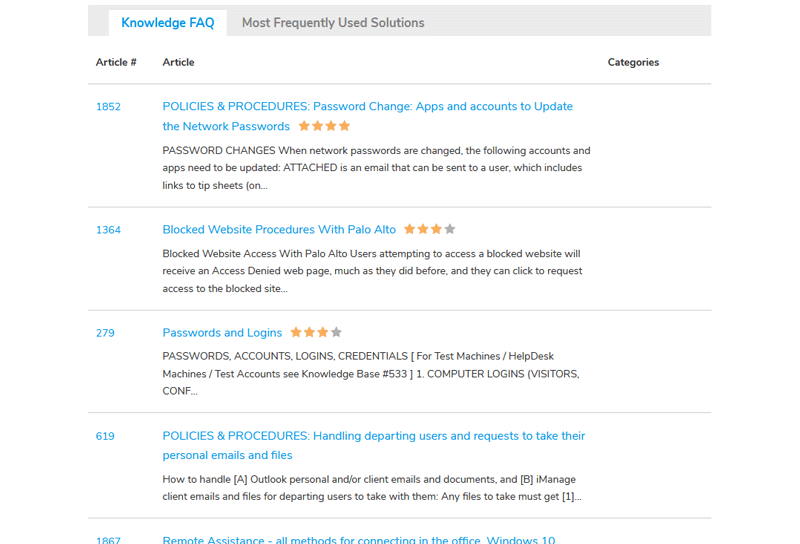
Giva's Customer Service Knowledge Base is a SaaS solution specifically tailored for staffing agencies. It helps these agencies manage their customer service processes by providing a centralized, accessible knowledge base. This tool directly addresses the industry's need for quick, reliable information retrieval, and effective, efficient customer service.

Best for Customer Service Knowledge Base Software for Staffing Agencies

Expert Take

Giva's Customer Service Knowledge Base excels in providing industry-specific solutions for staffing agencies, offering a centralized platform for efficient information retrieval. Its usability and 24/7 support enhance customer service capabilities, while its market credibility is supported by industry-specific features and scalability.

Pros

  • HIPAA compliance included in all plans
  • Median customer retention of 12.8 years
  • RAG-based AI grounds answers in data
  • Intuitive 'Apple-like' interface design
  • Free setup and US-based support

Cons

  • Lacks native Slack/Teams integrations
  • No round-robin ticket assignment
  • Mobile app is web-only (HTML5)
  • Limited offline capabilities
  • Higher starting price for small teams

Best for teams that are

  • Healthcare staffing agencies requiring strict HIPAA compliance for sensitive data
  • Agencies needing a full ITSM suite with integrated ticketing and knowledge base

Skip if

  • Teams seeking a no-code builder to design custom mobile apps from scratch
  • Small agencies wanting a simple document library without complex help desk features

Best for teams that are

  • Healthcare staffing agencies requiring strict HIPAA compliance for sensitive data
  • Agencies needing a full ITSM suite with integrated ticketing and knowledge base

Skip if

  • Teams seeking a no-code builder to design custom mobile apps from scratch
  • Small agencies wanting a simple document library without complex help desk features

Pros

  • HIPAA compliance included in all plans
  • Median customer retention of 12.8 years
  • RAG-based AI grounds answers in data
  • Intuitive 'Apple-like' interface design
  • Free setup and US-based support

Cons

  • Lacks native Slack/Teams integrations
  • No round-robin ticket assignment
  • Mobile app is web-only (HTML5)
  • Limited offline capabilities
  • Higher starting price for small teams

Expert Take

Giva's Customer Service Knowledge Base excels in providing industry-specific solutions for staffing agencies, offering a centralized platform for efficient information retrieval. Its usability and 24/7 support enhance customer service capabilities, while its market credibility is supported by industry-specific features and scalability.

4

Glide Knowledge Base Software

Best for Customer Service Knowledge Base Software for Contractors

Score
9.6 / 10
Glide Knowledge Base Software

Glide Knowledge Base Software is specifically engineered for construction industries, providing a simplified approach to document management, compliance tracking, and team collaboration. It empowers construction projects by ensuring all vital information is readily accessible, boosting productivity, and mitigating project risks.

Best for Customer Service Knowledge Base Software for Contractors

Expert Take

Glide Knowledge Base Software excels in providing industry-specific solutions for construction contractors, with strong capabilities in document management and compliance tracking. Its usability and market credibility are supported by its intuitive interface and integration within the construction sector. However, the limited free version and initial learning curve slightly impact its overall score.

Pros

  • Turns Google Sheets/Excel into apps instantly
  • Works on any device without installation
  • AI text extraction and search capabilities
  • Real-time two-way data synchronization
  • Intuitive no-code drag-and-drop builder

Cons

  • Limited offline editing capabilities
  • No native Apple/Google Store publishing
  • Business plan limited to 30 users
  • Update limits can increase costs
  • No native push notifications

Best for teams that are

  • Contractors building custom internal apps directly from Google Sheets or Excel data
  • Field teams needing mobile-friendly access to project specs or safety manuals
  • Non-technical users wanting to create internal tools without writing code

Skip if

  • Companies needing a public, SEO-indexed help center for external customers
  • Users requiring a native mobile app downloadable from the Apple App Store
  • Enterprises requiring complex database relationships beyond spreadsheet capabilities

Best for teams that are

  • Contractors building custom internal apps directly from Google Sheets or Excel data
  • Field teams needing mobile-friendly access to project specs or safety manuals
  • Non-technical users wanting to create internal tools without writing code

Skip if

  • Companies needing a public, SEO-indexed help center for external customers
  • Users requiring a native mobile app downloadable from the Apple App Store
  • Enterprises requiring complex database relationships beyond spreadsheet capabilities

Pros

  • Turns Google Sheets/Excel into apps instantly
  • Works on any device without installation
  • AI text extraction and search capabilities
  • Real-time two-way data synchronization
  • Intuitive no-code drag-and-drop builder

Cons

  • Limited offline editing capabilities
  • No native Apple/Google Store publishing
  • Business plan limited to 30 users
  • Update limits can increase costs
  • No native push notifications

Expert Take

Glide Knowledge Base Software excels in providing industry-specific solutions for construction contractors, with strong capabilities in document management and compliance tracking. Its usability and market credibility are supported by its intuitive interface and integration within the construction sector. However, the limited free version and initial learning curve slightly impact its overall score.

5
Score
9.6 / 10
Deskpro Knowledge Base

Deskpro's Knowledge Base software is specifically designed to cater to the needs of contractors in the customer service industry. The SaaS solution streamlines the creation of self-service support content, promotes information sharing across teams, and significantly reduces the number of tickets.

Best for Customer Service Knowledge Base Software for Contractors
Expert Take

Deskpro Knowledge Base is tailored for contractors in customer service, offering efficient tools for knowledge base construction and self-service support. It promotes team collaboration and reduces ticket counts, making it a strong contender in its niche. Despite requiring some training, its capabilities justify its premium positioning.

Pros

  • Air-gapped and on-premise deployment options
  • HIPAA and SOC 2 Type II compliant
  • Multilingual knowledge base with ticket deflection
  • Granular usergroup permissions for content access
  • Integrated AI for private environments

Cons

  • Steep learning curve for initial setup
  • Branding removal requires expensive plan
  • Occasional interface slowness and locking
  • Search and filing can be confusing

Best for teams that are

  • Construction firms requiring on-premise hosting for strict data control and security
  • Organizations needing a fully integrated help desk with ticketing and self-service
  • Teams managing multi-brand support portals from a single interface

Skip if

  • Small businesses looking for a free or very low-cost standalone knowledge base
  • Teams that do not need a full ticketing system alongside their knowledge base
  • Users wanting a purely cloud-based tool without any infrastructure management options

Best for teams that are

  • Construction firms requiring on-premise hosting for strict data control and security
  • Organizations needing a fully integrated help desk with ticketing and self-service
  • Teams managing multi-brand support portals from a single interface

Skip if

  • Small businesses looking for a free or very low-cost standalone knowledge base
  • Teams that do not need a full ticketing system alongside their knowledge base
  • Users wanting a purely cloud-based tool without any infrastructure management options

Pros

  • Air-gapped and on-premise deployment options
  • HIPAA and SOC 2 Type II compliant
  • Multilingual knowledge base with ticket deflection
  • Granular usergroup permissions for content access
  • Integrated AI for private environments

Cons

  • Steep learning curve for initial setup
  • Branding removal requires expensive plan
  • Occasional interface slowness and locking
  • Search and filing can be confusing

Expert Take

Deskpro Knowledge Base is tailored for contractors in customer service, offering efficient tools for knowledge base construction and self-service support. It promotes team collaboration and reduces ticket counts, making it a strong contender in its niche. Despite requiring some training, its capabilities justify its premium positioning.

6

KnowledgeBase for Contractors

Best for Customer Service Knowledge Base Software for Contractors

Score
9.4 / 10
KnowledgeBase for Contractors

KnowledgeBase is a SaaS solution tailored to contractors seeking an efficient way to manage internal knowledge and customer support. Its industry-specific design facilitates the organization of work manuals, customer inquiries, and project templates, boosting productivity and customer satisfaction.

Best for Customer Service Knowledge Base Software for Contractors

Expert Take

KnowledgeBase for Contractors excels in providing a tailored knowledge management solution for the construction industry. Its contractor-specific features, combined with easy integration and robust customer support, position it as a leading choice in its niche. Despite some limitations in offline functionality, its overall offering remains strong and well-suited for its target market.

Pros

  • Unlimited users included in base price
  • Seamless integration with LiveChat software
  • AI-powered content and title generation
  • No-code setup with intuitive UI
  • 24/7 customer support availability

Cons

  • Search function less advanced than competitors
  • Large file uploads can be slow
  • Fewer native integrations outside Text ecosystem
  • Base price may be high for solos
  • Limited advanced customization options

Best for teams that are

  • Contractors using LiveChat who need a quick, integrated public help center
  • Service businesses wanting a mobile-friendly self-service portal for clients
  • Teams needing to spin up a fast, SEO-friendly FAQ page without coding

Skip if

  • Large firms needing on-premise hosting or complex project management integrations
  • Teams requiring advanced document management beyond simple articles
  • Businesses not interested in the LiveChat ecosystem integration

Best for teams that are

  • Contractors using LiveChat who need a quick, integrated public help center
  • Service businesses wanting a mobile-friendly self-service portal for clients
  • Teams needing to spin up a fast, SEO-friendly FAQ page without coding

Skip if

  • Large firms needing on-premise hosting or complex project management integrations
  • Teams requiring advanced document management beyond simple articles
  • Businesses not interested in the LiveChat ecosystem integration

Pros

  • Unlimited users included in base price
  • Seamless integration with LiveChat software
  • AI-powered content and title generation
  • No-code setup with intuitive UI
  • 24/7 customer support availability

Cons

  • Search function less advanced than competitors
  • Large file uploads can be slow
  • Fewer native integrations outside Text ecosystem
  • Base price may be high for solos
  • Limited advanced customization options

Expert Take

KnowledgeBase for Contractors excels in providing a tailored knowledge management solution for the construction industry. Its contractor-specific features, combined with easy integration and robust customer support, position it as a leading choice in its niche. Despite some limitations in offline functionality, its overall offering remains strong and well-suited for its target market.

7

Zendesk Knowledge Base Software

Best for Customer Service Knowledge Base Software for Contractors

Score
9.3 / 10
Zendesk Knowledge Base Software

Zendesk’s AI-powered knowledge base software is tailored for contractors seeking to improve their customer service quality and resolution times. It enables you to systematically organize your technical knowledge, FAQs, and self-service resources, making it a perfect fit for the customer-centric nature of the contracting industry.

Best for Customer Service Knowledge Base Software for Contractors

Expert Take

Zendesk's Knowledge Base Software is highly regarded for its AI-powered capabilities, making it a strong choice for contractors seeking to enhance customer service. Its integration capabilities and real-time analytics further solidify its position as a leading solution in its category.

Pros

  • Market leader with 1,900+ marketplace apps
  • Advanced AI Content Cues for gaps
  • Content Blocks allow reusable text snippets
  • Enterprise-grade security (SOC2, FedRAMP)
  • Seamless integration with Zendesk Support ticketing

Cons

  • Advanced AI costs extra $50/agent/month
  • HIPAA compliance requires Enterprise plan
  • Theme customization requires coding skills
  • Article size limited to 1MB
  • Steep learning curve for admins

Best for teams that are

  • Large construction firms requiring enterprise-grade support and omnichannel ticketing
  • Teams needing a scalable knowledge base with multi-brand and multi-language support
  • Organizations that need deep analytics to track content performance and gaps

Skip if

  • Small contractors with limited budgets due to high costs and complex pricing
  • Teams wanting a simple, out-of-the-box solution without a steep learning curve
  • Users who only need a standalone knowledge base without a full support suite

Best for teams that are

  • Large construction firms requiring enterprise-grade support and omnichannel ticketing
  • Teams needing a scalable knowledge base with multi-brand and multi-language support
  • Organizations that need deep analytics to track content performance and gaps

Skip if

  • Small contractors with limited budgets due to high costs and complex pricing
  • Teams wanting a simple, out-of-the-box solution without a steep learning curve
  • Users who only need a standalone knowledge base without a full support suite

Pros

  • Market leader with 1,900+ marketplace apps
  • Advanced AI Content Cues for gaps
  • Content Blocks allow reusable text snippets
  • Enterprise-grade security (SOC2, FedRAMP)
  • Seamless integration with Zendesk Support ticketing

Cons

  • Advanced AI costs extra $50/agent/month
  • HIPAA compliance requires Enterprise plan
  • Theme customization requires coding skills
  • Article size limited to 1MB
  • Steep learning curve for admins

Expert Take

Zendesk's Knowledge Base Software is highly regarded for its AI-powered capabilities, making it a strong choice for contractors seeking to enhance customer service. Its integration capabilities and real-time analytics further solidify its position as a leading solution in its category.

How We Rank Products

Our Evaluation Process

Products in the Customer Service Knowledge Base Software category are evaluated based on their documented features, such as search functionality and content management capabilities. Pricing transparency is also considered, allowing buyers to understand the cost implications clearly. Compatibility with existing systems and third-party integrations are crucial factors, as they influence the software's ability to seamlessly integrate into current workflows. Additionally, third-party customer feedback provides insights into user satisfaction and potential challenges.

Verification

  • Products evaluated through comprehensive research and analysis of customer service features and support capabilities.
  • Rankings based on extensive analysis of user reviews, expert insights, and software specifications.
  • Selection criteria focus on key factors such as ease of use, integration options, and customer satisfaction ratings.

Score Breakdown

0.0 / 10

About Self-Service Knowledge Base Software

What Is Self-Service Knowledge Base Software?

Self-Service Knowledge Base Software is a specialized category of content management technology designed to capture, organize, and deliver institutional knowledge directly to end-users—typically customers or employees—without requiring human intervention. Unlike a general-purpose Content Management System (CMS) which focuses on broadcasting marketing material, or a Customer Relationship Management (CRM) system which tracks transactional relationship data, this software is engineered specifically to resolve queries. It serves as the "brain" of a service organization, sitting operationally between the CRM (which holds the user's identity and history) and the help desk ticketing system (which manages human workflows). Its primary function is to intercept and resolve inquiries before they become support tickets, acting as a sophisticated, always-on tier-zero support agent.

This category covers the full lifecycle of support content: from creation and verification by subject matter experts (SMEs) to taxonomy management, search indexing, and front-end delivery via public portals, chatbots, or in-app widgets. It includes both general-purpose platforms suitable for broad market use and vertical-specific tools tailored for highly regulated industries like healthcare or complex technical sectors like manufacturing. Crucially, true Self-Service Knowledge Base Software is distinct from simple internal wikis; it must possess external-facing capabilities, robust search logic (often involving semantic understanding rather than just keyword matching), and analytics designed to measure "deflection" (the rate at which users find answers without calling support) rather than just "views."

Who uses it? While it was traditionally the domain of customer support departments seeking to reduce call volume, usage has expanded to IT teams (for employee self-service), HR departments (for policy distribution), and Customer Success teams (for user onboarding). It matters because modern buyer psychology has shifted: customers now view calling a support line as a failure of the vendor. They prefer the autonomy of finding their own answers. Consequently, this software has graduated from a cost-saving operational tool to a critical component of Customer Experience (CX) strategy, directly influencing retention rates and brand perception.

History of the Category

The trajectory of Self-Service Knowledge Base Software is a story of moving from static repositories to dynamic, intelligent engagement layers. In the late 1990s and early 2000s, "knowledge management" was largely an internal IT concern, dominated by on-premise solutions that were essentially glorified file directories. These systems were designed for agents, not customers. The gap that created the modern self-service category emerged when businesses realized that their CRM systems were excellent at counting customers but terrible at answering their questions. Support costs were ballooning in parallel with the internet boom, and the primitive FAQ pages of the dot-com era were insufficient for complex product suites.

A pivotal moment in the market's maturation occurred in the late 2000s and early 2010s, characterized by a wave of aggressive consolidation that validated the category. In August 2008, Salesforce acquired InStranet for approximately $31.5 million [1]. This acquisition was foundational, as InStranet's technology became the bedrock of the Salesforce Service Cloud knowledge base, signaling to the market that knowledge was inextricably linked to customer relationships. Ideally, knowledge could no longer sit in a silo; it had to live where the customer data lived.

This trend accelerated in October 2011, when Oracle announced its acquisition of RightNow Technologies for approximately $1.5 billion [2]. RightNow had pioneered the concept of the "Customer Experience" suite before the term was ubiquitous, offering a cloud-based (then called "on-demand") platform that blended email, chat, and a robust self-learning knowledge base. This acquisition marked the definitive shift from on-premise legacy systems to the cloud. It also highlighted a shift in buyer expectation: enterprise buyers stopped asking for a "database of articles" and started demanding "actionable intelligence"—systems that could predict what a customer needed based on their navigation behavior before they even asked.

Throughout the 2010s, the rise of Vertical SaaS further fragmented and specialized the market. While giants like Salesforce and Oracle catered to the enterprise, nimble competitors emerged to serve specific niches—like IT service management (ITSM) or developer-focused documentation—forcing the incumbents to innovate. Today, we are in the midst of another seismic shift, moving from "search-based" retrieval to "generative" resolution, where the software doesn't just find an article but synthesizes a direct answer. However, the core value proposition remains unchanged from the gap identified two decades ago: empowering the user to solve their own problem is always faster and cheaper than involving a human.

What to Look For

Evaluating Self-Service Knowledge Base Software requires a discerning eye, as many vendors package basic text editors as "enterprise knowledge solutions." The critical evaluation criteria should focus on **findability, maintainability, and analytics**.

Findability and Search Architecture: The heart of the system is its search engine. Look for platforms that support semantic search and natural language processing (NLP), rather than simple keyword matching. A user searching for "bill is wrong" might not use the word "invoice" or "dispute," yet the system must surface the "Invoice Dispute Policy." Test this specifically during demos with jargon-free queries.

Governance and Maintenance workflows: A knowledge base rots quickly if maintenance is difficult. Critical features include automated review cycles (e.g., "flag this article for review every 6 months"), version control that allows you to roll back changes, and granular permissions. You need to know who changed an answer and when. A major red flag is a system that lacks a "draft-review-publish" workflow, allowing agents to publish directly to the live site without oversight. This "wild west" approach invariably leads to liability issues and conflicting information.

Red Flags and Warning Signs:

  • No "ticket deflection" analytics: If the vendor cannot show you how they measure the *avoidance* of a ticket (e.g., tracking a user reading an article and then *not* submitting a contact form), they are selling a CMS, not a support tool.
  • Proprietary export formats: Ask about data portability. If the vendor exports your data in a proprietary format that strips the hierarchy or metadata, you are facing severe vendor lock-in. You should be able to export to standard HTML, XML, or JSON.
  • Lack of multi-brand support: For growing companies, the ability to host multiple help centers (e.g., Brand A and Brand B) from a single backend is essential. If you have to buy separate instances for each brand, your Total Cost of Ownership (TCO) will skyrocket.

Key Questions to Ask Vendors:

  • "How does your search ranking algorithm handle synonyms and typos, and can we manually override rankings for specific keywords?"
  • "Demonstrate the workflow for a 'broken link' report. How does the system alert us when external links in our articles die?"
  • "Can we segment content visibility so that 'VIP Clients' see different troubleshooting steps than 'Free Tier' users, without duplicating the article?"

Industry-Specific Use Cases

Retail & E-commerce

In the retail sector, Self-Service Knowledge Base Software is the first line of defense against margin-eroding operational costs. The specific need here revolves around high-velocity, low-complexity queries—primarily "Where Is My Order?" (WISMO) and returns processing. Unlike B2B sectors where accuracy is paramount, speed and visual clarity are the priorities here. Retailers require software that integrates deeply with order management systems (OMS) to serve dynamic content. For example, an article about returns should dynamically display the user's recent eligible orders, rather than just listing a static policy.

A critical evaluation priority is mobile responsiveness and visual capability. Retail queries are often solved better with images or short videos (e.g., "how to assemble this crib") than with text. A knowledge base that handles rich media poorly is a deal-breaker. Furthermore, the "returns" use case is dominant; research indicates that self-service return portals are becoming a standard expectation. Retailers must look for tools that can trigger workflows (like generating a return label) directly from a knowledge article, blurring the line between "reading" and "doing."

Unique considerations include seasonality handling. Retailers face massive traffic spikes during holidays. The software must be robust enough to handle 10x traffic loads without latency. Additionally, "announcement bars" or "alert" features are vital to proactively deflect tickets about known shipping delays during peak periods.

Healthcare

For healthcare providers and payers, the stakes for knowledge base software are regulatory and existential. The specific need is HIPAA compliance (in the US) and strict data governance. Unlike retail, "fast" answers are less important than "auditable" answers. The software serves as a patient portal extension, offering 24/7 access to general health information, billing explanations, and appointment logistics. A key workflow is the "symptom checker" logic—decision trees that guide patients to the right level of care (e.g., "Call 911" vs. "Schedule an Appointment").

Evaluation priorities focus on security certifications (HITRUST, SOC 2 Type II) and audit trails. Administrators need to prove exactly which version of a policy a patient viewed on a specific date. A major red flag is any platform that caches data in non-compliant regions or lacks field-level encryption. Furthermore, accessibility (WCAG 2.1 AA compliance) is not optional; it is a legal requirement for many healthcare entities receiving federal funding.

A unique consideration is the bifurcation of audiences. Healthcare knowledge bases often need to present the same core medical fact differently to a clinician (technical language) versus a patient (layman terms). Platforms that support "conditional text" or "audience-based rendering" within a single article are highly preferred to maintain a single source of truth.

Financial Services

In financial services, the knowledge base is a tool for risk mitigation and compliance management. Banks, insurers, and fintechs use this software to navigate a labyrinth of regulations (SEC, FINRA, GDPR). The specific need is to ensure that every answer provided—whether to a customer asking about interest rates or an employee asking about trading rules—is legally vetted and current. The "cost of compliance" is a massive driver; inefficient knowledge sharing can lead to regulatory fines.

Deep searchability of PDF and legacy document formats is a critical evaluation criteria. Financial institutions often have thousands of legacy policy documents in PDF format. A self-service tool that cannot index the contents of these attachments is useless. Additionally, "versioning" must be absolute; the system must act as a system of record for what information was public at any given time to defend against liability claims (e.g., "The website said this fee was waived on the date I applied").

Unique considerations include secure messaging integration. Often, a self-service session about a transaction will need to escalate to a secure, authenticated environment. The knowledge base must pass context seamlessly to these secure portals without forcing the user to re-authenticate or re-explain their issue. High-value clients also expect "concierge" style self-service, meaning the portal should recognize their tier and offer differentiated, premium content or contact options.

Manufacturing

Manufacturing faces a "Silver Tsunami"—a massive wave of retiring workforce carrying decades of tribal knowledge out the door. Here, the knowledge base is less about customer support and more about operational continuity and field service. The specific need is to capture unstructured "tribal knowledge" and convert it into structured troubleshooting guides for younger, less experienced technicians. Downtime costs in manufacturing are astronomical, so the speed of retrieval for a machine repair guide directly impacts the bottom line.

Evaluation priorities include offline access and mobile capability. Field technicians often work in basements, oil fields, or shielded factory floors with no internet connectivity. A self-service app that requires an active connection to function is a non-starter. The software must support "offline sync" capabilities. Furthermore, the ability to digest and render complex CAD drawings or 3D schematics within articles is a significant differentiator.

A unique consideration is the "Internet of Things" (IoT) integration. Advanced manufacturers are looking for knowledge bases that can receive error codes directly from connected machinery and automatically surface the correct repair article on the operator's tablet, bypassing the search bar entirely. This "zero-click" delivery is the frontier of manufacturing self-service.

Professional Services

For law firms, consultancies, and agencies, the knowledge base is a client retention and transparency tool. The core problem it solves is "perceived value." Clients paying high retainers want visibility into work and immediate answers without being billed for a 15-minute call. Self-service portals here function as "Client Extranets," hosting project status updates, deliverables, and standard operating procedures (SOPs).

Evaluation priorities center on permissions and branding. The portal must look exactly like the firm's brand to justify premium pricing. Granular permissioning is vital—Client A must never, under any circumstances, see Client B's documents. This requires a robust "groups and roles" architecture in the software backend.

A unique consideration is the collaborative aspect. Unlike retail where communication is one-way (company to customer), professional services clients often need to comment on, approve, or co-edit documents within the knowledge base. Software that offers "collaborative spaces" or "shared drafts" serves this industry far better than static publishing tools.

Subcategory Overview

Customer Service Knowledge Base Software for Contractors

This niche is distinct from general knowledge tools because it must serve a highly mobile, non-desk workforce that operates in environments with poor connectivity and high physical risk. Generic tools assume a user is sitting at a desk with a reliable internet connection; software for contractors assumes the user is on a roof, in a crawlspace, or at a construction site. The specific differentiator is offline-first architecture combined with field-centric media capture. A generic tool lets you type text; a contractor-specific tool lets a foreman snap a photo of a broken pipe, annotate it with a stylus, and link it to a specific "Code Compliance Article" while entirely offline.

One workflow that ONLY this specialized tool handles well is the "Job-Site Safety & Compliance Audit." Before starting a job, a contractor can pull up a location-specific safety checklist from the knowledge base. The software will auto-populate local municipal codes based on GPS location—something a generic tool like Confluence or Zendesk Guide simply cannot do. This workflow ensures that the contractor is compliant with local laws without needing to manually search for them.

The specific pain point driving buyers to this niche is liability and rework costs. If a contractor installs a fixture incorrectly because they couldn't access the latest spec sheet on-site, the cost to tear it out and redo it destroys the project margin. Generic tools are too slow and text-heavy for rapid, on-site consultation. Buyers flock to this niche to ensure that the "correct way to build" is accessible instantly, anywhere, protecting their margins. For a deeper look into tools specialized for this sector, refer to our guide to Customer Service Knowledge Base Software for Contractors.

Customer Service Knowledge Base Software for Staffing Agencies

Staffing agencies face a unique challenge: their "product" is people, and their workforce is transient. They need to onboard thousands of temporary workers quickly, each of whom may be working for different end-clients with different rules. Generic software fails here because it typically charges "per seat," making it cost-prohibitive to give licenses to 500 temps who will only work for three weeks. This niche is differentiated by flexible licensing models and multi-tenant partitioning. The software is built to segment content so that a temp worker only sees the knowledge base for "Client A" while on that assignment, and then "Client B" next week, without administrative nightmares.

A workflow that ONLY this specialized tool handles well is "Rapid Deployment Onboarding." When a staffing agency lands a contract to supply 50 workers to a warehouse, they can use this software to instantly push a "Warehouse Safety and Protocol" module to those 50 specific mobile devices. The software tracks who read it and who passed the comprehension quiz, automatically updating the agency's compliance records. A generic tool would require manual group assignments and likely wouldn't track "read receipts" with the necessary legal granularity.

The pain point driving buyers here is speed-to-competency and compliance risk. Staffing agencies are legally liable if they send an untrained worker to a site. They move away from general tools because they need a system that proves, with an audit trail, that "Worker X reviewed Policy Y on Date Z," ensuring they are indemnified against negligence claims. To explore solutions built for these high-velocity workforce needs, see our analysis of Customer Service Knowledge Base Software for Staffing Agencies.

Integration & API Ecosystem

In the modern enterprise stack, a standalone knowledge base is a dead knowledge base. The value of this software is realized only when it acts as the connective tissue between disparate systems. The "Integration & API Ecosystem" is not just a feature set; it is a measure of the platform's ability to survive in a complex IT environment.

The stakes for integration are quantified by the high failure rates of disconnected data projects. According to the MuleSoft Connectivity Benchmark Report 2025, 95% of IT leaders report that integration is a hurdle to implementing AI effectively, and the average enterprise manages approximately 897 applications, only 29% of which are integrated [3] [4]. This statistic underscores that without robust API capabilities, a knowledge base cannot feed the AI agents and automation tools that organizations are desperate to deploy.

Integration works via RESTful APIs, webhooks, and pre-built connectors. A robust ecosystem allows the knowledge base to "ingest" content from engineering tools (like Jira) and "publish" answers to support tools (like Salesforce) without manual copy-pasting. "Gartner's VP of Research, Saul Judah, notes that data governance programs that fail to enable prioritized business outcomes—often due to poor integration and siloed data—are destined to fail, predicting an 80% failure rate for such initiatives by 2027" [5].

Real-World Scenario: Consider a mid-sized logistics company with 500 employees. They use an ERP for inventory tracking and a separate Self-Service Knowledge Base for customer FAQs. They attempt to build a custom integration where the FAQ for "Out of Stock Items" automatically updates based on real-time ERP data. Because they chose a knowledge base vendor with a rate-limited, poorly documented API, the sync fails intermittently. During a holiday rush, the API times out. The knowledge base continues to tell customers that "Item X is in stock" while the ERP shows zero inventory. This data disconnect leads to 200 invalid orders, a flood of angry WISMO calls, and a manual reconciliation nightmare that costs the support team 50 overtime hours. A well-designed API ecosystem would have supported "webhooks" to push updates instantly only when inventory changed, rather than a fragile scheduled fetch, preventing the entire disaster.

Security & Compliance

Security in Self-Service Knowledge Base Software is no longer just about passwords; it is about data sovereignty and the risks introduced by Generative AI. As organizations rush to index their content for AI retrieval, they inadvertently expose sensitive internal data to the world.

A startling statistic from LayerX reveals the magnitude of this new risk: 6% of employees have pasted sensitive data into GenAI tools, and 4% do so on a weekly basis [6]. This behavior creates a massive "shadow knowledge base" where proprietary data exists outside the organization's control. A secure Knowledge Base platform must prevent this by offering "walled garden" AI features—ensuring that data fed into the system's AI is not used to train public models.

Compliance requirements vary by sector but typically center on SOC 2 Type II, ISO 27001, and GDPR/CCPA. For healthcare and finance, HIPAA and FINRA compliance are non-negotiable. Expert analysis from Forrester emphasizes that security features such as role-based access control (RBAC) and encryption at rest are foundational criteria for leadership in this category [7].

Real-World Scenario: A financial services firm implements a new "AI-powered" knowledge base to help junior financial advisors find answers quickly. They upload all their PDF policy documents, including some that contain non-public examples of high-net-worth client portfolios. They fail to configure the "Retrieval Augmented Generation" (RAG) partition correctly. A junior advisor asks the chatbot, "Show me an example of a trust structure for a high-net-worth individual." The AI, having indexed the confidential examples, regurgitates the exact trust details of a real client, including names and asset values. This breach violates SEC privacy rules and destroys client trust. A secure system would have flagged the PII during ingestion and redacted it, or enforced strict Access Control Lists (ACLs) so the AI could only retrieve generic templates, not specific client records.

Pricing Models & TCO

Pricing for Self-Service Knowledge Base Software is notoriously opaque and can spiral if not carefully modeled. The two dominant models are **per-seat** (paying for every author/agent) and **usage-based** (paying for API calls, page views, or AI tokens). Understanding the Total Cost of Ownership (TCO) requires looking beyond the license fee to implementation, storage, and the newly surging costs of AI.

The inflation of AI costs is a critical factor for 2025 budgets. A report by CloudZero indicates that the average monthly AI spend for organizations is projected to rise from roughly $63,000 in 2024 to over $85,000 in 2025—a 36% increase [8] [9]. This suggests that "AI add-ons" for knowledge bases are becoming a significant line item, often charged separately from the base user license.

Experts warn that buyers often underestimate the "viewer" costs. Some vendors charge for "light users" (internal employees who just read content). Gartner suggests that cost optimization in SaaS requires strict monitoring of these passive licenses, which often account for 30% of wasted spend.

Real-World Scenario: A growing software startup with 20 support agents and 5 content writers evaluates two vendors. Vendor A charges $50/agent/month flat. Vendor B charges $20/agent/month but $0.05 per "AI Answer" generated for customers. Calculation for Vendor A: 25 users * $50 * 12 months = $15,000/year. Fixed and predictable. Calculation for Vendor B: 25 users * $20 * 12 months = $6,000 base. However, they have 10,000 monthly active users on their help center. If 20% of users ask a question (2,000 questions/month) and the AI answers, that is 2,000 * $0.05 = $100/month. But if traffic spikes to 50,000 users during a launch, AI costs jump to $2,500/month. The startup fails to cap the AI usage. At the end of the year, their bill is $36,000—more than double Vendor A. The "cheaper" per-seat option became a trap because they failed to model usage volume volatility.

Implementation & Change Management

The dirty secret of the software industry is that most projects fail not because of code, but because of culture. Implementation is the phase where value is either created or destroyed. In the context of Knowledge Management (KM), this is doubly true because KM requires active participation from users to remain relevant.

Gartner predicts a grim reality for complex implementations: by 2027, more than 70% of ERP and major strategic initiatives will fail to fully meet their original business goals due to a lack of alignment and stakeholder engagement [10]. While this stat targets ERP, KM projects suffer the exact same fate—they become "shelfware" when employees refuse to adopt the new workflow.

Change management experts emphasize "Knowledge Centered Service" (KCS) as a methodology to drive adoption. It flips the model from "writing articles when we have time" to "writing articles as we solve problems." Without this behavioral shift, the software is just an empty container.

Real-World Scenario: A 200-person telecommunications firm buys a top-tier Knowledge Base tool. The IT Director leads the implementation in a silo, migrating 5,000 old PDFs into the new system over 3 months. They launch on a Monday with a generic email: "New Knowledge Base is Live!" The result? Nobody uses it. Support agents continue to use their personal "cheat sheets" saved on their desktops because the migrated PDFs are outdated and hard to read. The search engine returns irrelevant results because no metadata was tagged. Six months later, the CIO cancels the contract, blaming the vendor. The failure was not the software; it was the lack of a "content audit" before migration and the failure to involve a "pilot group" of agents to champion the tool. They digitized their chaos instead of fixing their process.

Vendor Evaluation Criteria

Selecting a vendor is a high-stakes bet on a partner, not just a product. The evaluation must go beyond the feature list to the vendor's roadmap, financial stability, and support ecosystem. In a market crowded with startups wrapping ChatGPT in a UI, distinguishing between deep tech and "thin wrappers" is vital.

Forrester's recent evaluation of the market highlights that "AI that increases ease and speed of decision making" is now a primary differentiator for leaders in this space [11]. Buyers should prioritize vendors who can demonstrate legitimate R&D in AI grounding and hallucination control, rather than those simply using public APIs.

Real-World Scenario: An insurance company evaluates Vendor X and Vendor Y. Both have "AI Search." Vendor X acts as a "black box"—you upload documents, and it gives answers. You cannot see why it chose an answer. Vendor Y offers "Explainable AI"—it highlights the specific paragraph in the source PDF that generated the answer and allows the admin to "downvote" or ban specific source documents from the AI's index. During the Proof of Concept (POC), the insurance company tests a query about "Flood Coverage in Florida." Vendor X's AI hallucinates an answer based on a generic training set. Vendor Y's AI cites the specific 2024 Policy Rider. The buyer chooses Vendor Y. The evaluation criterion that mattered was not "Does it have AI?" but "Do we have governance over the AI?"

Emerging Trends and Contrarian Take

Emerging Trends 2025-2026: The dominant trend is the shift from "Self-Service" to "Agentic AI". Gartner predicts that by 2029, agentic AI (autonomous agents that can perform actions, not just chat) will resolve 80% of common customer service issues without human intervention [12]. This means knowledge bases will evolve from "reading rooms" into "operating systems" where the software reads the article and executes the refund simultaneously.

Contrarian Take: Most mid-sized support teams would achieve higher ROI by hiring a dedicated Knowledge Centered Service (KCS) manager to curate existing content than by purchasing a new AI-powered platform to index their current mess. The market is obsessed with "buying" intelligence through software. But AI is a multiplier, not a magician. If you feed a state-of-the-art AI model with conflicting, outdated, and poorly structured legacy data, you just get bad answers faster. The "boring" work of human curation, taxonomy design, and content governance generates more actual deflection value than the most expensive AI license on the market. Companies are over-spending on tools to avoid the hard labor of fixing their knowledge culture.

Common Mistakes

Overbuying "Enterprise" Features: Many mid-market buyers purchase expensive platforms like Salesforce Service Cloud or ServiceNow when a nimble, specialized tool like Help Scout or Document360 would suffice. They end up paying for 80% functionality they never configure.

Ignoring the "Zero Results" Report: The most valuable analytic in a knowledge base is the list of terms users searched for that produced no results. This is a direct roadmap of what content needs to be written. Failing to review this weekly is a cardinal sin of knowledge management.

Treating Launch as the Finish Line: A knowledge base is a garden, not a building. It requires constant weeding (archiving old articles) and watering (updating stats). The mistake is disbanding the project team post-launch, leaving the content to rot until it becomes untrustworthy.

Questions to Ask in a Demo

  1. "Show me exactly how your AI handles a 'hallucination.' If it gives a wrong answer, what is the specific workflow for me to correct it and ensure it never repeats that specific error?"
  2. "Can you demonstrate your 'version history' capability? If I need to see exactly what the Return Policy looked like on February 14th, 2023, for a legal dispute, can I retrieve that snapshot instantly?"
  3. "How does your licensing model handle 'seasonal' spikes? If I hire 50 temp agents for December, do I have to buy annual seats for them, or do you offer monthly 'true-up' billing?"
  4. "Show me the 'Draft to Publish' workflow. Can I restrict a specific author so they can only draft but never publish without a manager's approval?"
  5. "Does your search engine index the content of attachments (PDFs, Word docs, PPTs), or just the titles? Demonstrate this by searching for a unique phrase buried inside an uploaded PDF."

Before Signing the Contract

Final Decision Checklist:

  • Data Export Clause: Ensure the contract explicitly states you own your data and defines the format in which it will be returned if you leave. Avoid "we will give you a SQL dump" (which is unusable for non-technical teams); demand HTML/JSON.
  • SLA for Uptime AND Support: Don't just check the uptime SLA (e.g., 99.9%). Check the Support Response Time SLA. If your knowledge base goes down on Black Friday, a "48-hour email response" guarantee is worthless. Negotiate for "1-hour critical response."
  • Sandbox/Staging Environment: Ensure the contract includes a Sandbox environment. You need a safe place to test design changes or new integrations without breaking the live customer portal. Some vendors hide this behind an "Enterprise Plus" paywall—negotiate it into the base deal.
  • AI Token Caps: If the pricing includes AI components, ensure there is a "hard cap" or alert system for usage. You do not want an unlimited variable bill if a bot attacks your search bar and consumes millions of AI tokens.

Closing

Choosing the right Self-Service Knowledge Base Software is an exercise in balancing technical capability with organizational maturity. The best software in the world cannot fix a team that refuses to write things down, but the right software can make that writing process frictionless and impactful. If you have specific questions about your shortlist or need a sounding board for your requirements, feel free to reach out.

Email: albert@whatarethebest.com