1. Home
  2. Cloud Storage, Backup & File Management
  3. eSignature & Digital Document Signing Platforms
  4. eSignature & Document Approval Platforms for Contractors

Ranking · eSignature & Digital Document Signing Platforms

Best eSignature & Document Approval Platforms for Contractors

14 products scored on six criteria. Box Sign leads at 9.4, with scores running from 8.7 to 9.4. Every product opens to the evidence behind its number.

14 products scored6 criteria142 sources citedUpdated Sep 8, 2026
1 Box Signbox.com

Box Sign bundles unlimited signatures, skips a native mobile app.

Read the reviewVisit ↗
2 DocHubdochub.com

DocHub signs PDFs from Gmail, large files can lag

Read the reviewVisit ↗
3 signNowsignnow.com

signNow caps signatures at 100 a year on every plan

Read the reviewVisit ↗
14Products
8.7 to 9.4Score spread
4Free plan or tier
01

The ranking

Order follows the score. Six little boxes show each product's criterion scores: green or red is above or below the category average, grey means too few products share that criterion to compare. The full review sits right under each one.

Nothing matches that filter here. Tap All to see every product.

1

Box Sign

box.com · Box Sign eSignature · scored Dec 2025

Box Sign bundles unlimited signatures, skips a native mobile app.

Best forExisting Box customers and regulated enterprises needing unlimited e-signatures.

From $15 per user/mo FedRAMP Highunlimited signaturesSalesforce integration
Top score

An e-signature tool built into Box, with unlimited signing for Business plans and FedRAMP High security.

Standout factBusiness and Enterprise plans include unlimited e-signatures at no extra cost.boxinvestorrelations.com
Biggest catchMobile signing works only through a browser, with no offline app.support.box.com
$15/user/moStarting pricesaasworthy.com
40+File formats supportedappexchange.salesforce.com

Compliance

✓ FedRAMP High✓ HIPAA✓ SOC✓ ISO

Source: box.com

Starting price

$15/user/moBusiness plan includes unlimited e-signatures

Upside

  • Unlimited e-signatures on Business plans
  • FedRAMP High authorization for security
  • Native Salesforce field auto-fill

Catch

  • No native offline mobile signing app
  • Phone support limited to top tiers
  • Strict auto-renewal and refund policies
Pick it ifExisting Box customers and regulated enterprises needing unlimited e-signatures.
Skip it ifSmall businesses that do not already use Box for storage.
PricingIncluded with Box Business plans, from about $15/user/mo

Editor's takeBox Sign folds unlimited e-signatures into existing Business and Enterprise plans, avoiding a separate subscription. It holds FedRAMP High authorization, a tier reserved mostly for sensitive government data. Mobile signing relies on a responsive browser rather than a dedicated app, per Box's own support pages.

Does Box Sign cost extra?

No. Business and Enterprise Box plans, starting around $15 per user per month, include unlimited e-signatures at no additional cost, according to Box's 2021 launch announcement.

Can I sign documents offline on mobile with Box Sign?

No. Box Sign uses a responsive browser experience on mobile rather than a dedicated app, so offline signing is not supported, per Box support documentation.

The evidence: 6 criteria, 3 penalties (−0.16 points)
9.4
Product Capability & DepthLooked for: We evaluate the breadth of e-signature features, including document limits, file support, and workflow automation capabilities.Box Sign offers unlimited signatures for business plans, supports 40+ file formats, and includes features like serial routing and bulk sending, though mobile signing relies on a responsive browser rather than a native offline app.box.combox.comboxinvestorrelations.com
9.6
Market Credibility & Trust SignalsLooked for: We assess the vendor's security certifications, market standing, and compliance with major regulatory standards.Box is a publicly traded company (NYSE: BOX) with exceptional credentials, including FedRAMP High authorization and compliance with HIPAA, SOC, and ISO standards.boxinvestorrelations.combox.com
9.5
Usability & Customer ExperienceLooked for: We examine user feedback regarding ease of use, interface design, and the quality of customer support.Users find the native integration intuitive and easy to use, but some report frustration with gated phone support and strict billing/renewal policies.box.comg2.comsupport.box.com
9.1
Value, Pricing & TransparencyLooked for: We analyze the pricing structure, hidden costs, and the value proposition relative to standalone competitors.Box Sign provides immense value by bundling unlimited e-signatures into existing Business plans (starting ~$15/user/mo) at no extra cost, eliminating the need for separate e-sign subscriptions.box.comboxinvestorrelations.comsaasworthy.com
9.8
Security, Compliance & Data ProtectionLooked for: We evaluate the product's adherence to strict industry standards and its ability to handle sensitive or regulated data.Box Sign leverages Box's enterprise-grade security, featuring FedRAMP High authorization, 21 CFR Part 11 support for life sciences, and AES 256-bit encryption.box.combox.combox.com
9.7
Integrations & Ecosystem StrengthLooked for: We look for the depth of integration with major business platforms and the availability of developer tools.Box Sign offers deep native integration with Salesforce (including auto-populating fields) and connects with over 1,500 apps, supported by robust APIs and SDKs.box.combox.commedium.com

Score adjustments−0.16 points in total

−0.04Some users have reported negative experiences with strict auto-renewal policies and difficulties obtaining refunds.g2.com · severity 60/100
−0.07Mobile signing relies on a responsive web browser experience rather than a native app, limiting offline functionality compared to competitors.support.box.com · severity 50/100
−0.05Direct phone support is not available for all plans, being restricted to Premier and Platinum customers.support.box.com · severity 45/100
2

DocHub

dochub.com · scored Apr 2026

DocHub signs PDFs from Gmail, large files can lag

Best forGoogle Workspace users wanting simple PDF editing and signing.

Free tier From $8 per month Google Workspacefree planHIPAA-ready

Affordable PDF editor and e-signature tool built into Google Workspace, Gmail, and Drive.

Standout factDocHub has processed more than 500 million documents for over 100 million users worldwide.dochub.com
Biggest catchAnnotating large PDF files occasionally causes noticeable lag, and templating tools can feel clunky.g2.com
$8/moBasic planfeisworld.com
100M+Users worldwidedochub.com
500M+Documents processeddochub.com

Free vs paid

Free

$0
  • Basic editing
  • Occasional signing

Pro, $12/mo

  • Unlimited eSignatures
  • Unlimited documents
  • AI assistant

Source: feisworld.com

Standout number

100M+users worldwide

Source: dochub.com

Upside

  • Native Google Workspace integration
  • Free tier for occasional users
  • SOC 2 Type II and HIPAA-ready

Catch

  • Templating tools can feel clunky
  • Lag reported on large PDF files
  • Lacks advanced layout design tools
Pick it ifGoogle Workspace users wanting simple PDF editing and signing.
Skip it ifEnterprises needing complex document manipulation or advanced markup tools.
PricingFree plan available, Basic $8/mo, Pro $12/mo

Editor's takeDocHub ranks second among eSignature platforms for contractors with a 9.4 score. Its 9.7 security mark reflects SOC 2 Type II, HIPAA, and GDPR compliance, rare at this price point. Reviewers rate it 4.6 to 4.7 out of 5 on G2 and Capterra, though large PDFs can lag.

How much does DocHub cost?

A free plan exists for occasional use. The Basic plan costs $8 per month, and the Pro plan costs $12 per month with unlimited eSignatures and documents.

Does DocHub work inside Gmail?

Yes. DocHub integrates natively with Google Workspace, letting users edit, sign, and reply to documents directly from Gmail and Google Drive without downloading files.

The evidence: 6 criteria, 1 penalty (−0.05 points)
9.3
Product Capability & DepthLooked for: We evaluate the breadth of document editing capabilities, e-signature features, and form creation tools available to users.DocHub offers comprehensive PDF editing, fillable form creation, bulk sending, and e-signatures, alongside an AI assistant capable of summarizing or rewriting text.dochub.comfeisworld.com
9.6
Market Credibility & Trust SignalsLooked for: We look for verifiable user adoption metrics, enterprise client rosters, and aggregate ratings across major software review platforms.DocHub boasts over 100 million users and 500 million processed documents globally, maintaining high ratings and serving major Fortune 500 enterprises.dochub.compandadoc.com
9.1
Usability & Customer ExperienceLooked for: We assess interface intuitiveness, ease of onboarding, and user feedback regarding workflow friction or platform stability.Users highly praise DocHub for its intuitive design and simplicity, though several report that templating features feel clunky and large files can cause performance lag.g2.comcapterra.com
9.5
Value, Pricing & TransparencyLooked for: We analyze affordability, feature availability across tiers, and clarity of the pricing structure compared to industry standards.DocHub offers highly transparent, affordable pricing with a generous Free plan, an $8/mo Basic tier, and a $12/mo Pro tier providing unlimited eSignatures and editing.feisworld.comgetapp.com
9.7
Security, Compliance & Data ProtectionLooked for: We verify the presence of enterprise-grade security protocols, encryption standards, and regulatory compliance certifications.DocHub provides robust security including SOC 2 Type II, GDPR, CCPA, and PCI DSS compliance, along with a HIPAA-ready solution backed by 2FA and 256-bit SSL encryption.dochub.comdochub.com
9.4
Integrations & Ecosystem StrengthLooked for: We examine the depth, reliability, and utility of third-party platform integrations, particularly within major digital workspaces.DocHub features an exceptional, native integration with Google Workspace, allowing users to import, edit, sign, and reply to documents directly within Gmail and Google Drive.dochub.comchromewebstore.google.com

Score adjustments−0.05 points in total

−0.05Users report that annotating large PDF files can cause noticeable lag and that templating tools feel clunky.g2.com · severity 45/100
3

signNow

signnow.com · scored Apr 2026

signNow caps signatures at 100 a year on every plan

Best forMid-market teams wanting compliant eSignatures with deep Microsoft ties

From $8 per user/mo HIPAASOC 2GDPR

eSignature platform trusted by Fortune 500 companies, with HIPAA, SOC 2, and GDPR compliance built in.

Standout factEvery subscription plan caps signature invites at 100 per year.docupilot.com
Biggest catchExtra signatures beyond the cap cost $1.50 each.docupilot.com
$8/user/moStarting pricesnseats.signnow.com
100/yearFree signature capdocupilot.com
4.6/5 (4,500+ reviews)Aggregate ratingsnseats.signnow.com

Standout number

100/yearsignature invite cap on every plan

Source: docupilot.com

Compliance

✓ SOC 2 Type II✓ HIPAA✓ GDPR✓ 21 CFR Part 11? ISO 27001

Source: saasworthy.com

Upside

  • Trusted by Fortune 500 companies
  • HIPAA, SOC 2, and GDPR compliant
  • Deep Salesforce and Microsoft integrations

Catch

  • 100 signature/year cap on all plans
  • $1.50 overage fee per extra signature
  • API access needs higher tiers
Pick it ifMid-market teams wanting compliant eSignatures with deep Microsoft ties
Skip it ifHigh-volume senders who will blow past the annual signature cap
PricingFrom $8/month, 100 signatures/year cap, $1.50 per extra

Editor's takesignNow starts at $8 a user monthly, cheap next to most enterprise eSignature tools. It carries AES-256 encryption plus SOC 2 Type II, HIPAA, GDPR, and 21 CFR Part 11 compliance, and companies like Apple and FedEx use it. The catch sits in the fine print, since every plan caps signature invites at 100 a year, and each additional signature costs $1.50.

Is there a limit on signatures with signNow?

Yes. Every subscription plan limits users to 100 signature invites per year, according to a pricing breakdown from Docupilot. Signatures beyond that cap cost $1.50 each, which can add up fast for high-volume senders.

Is signNow HIPAA compliant?

Yes. signNow complies with HIPAA hosting standards for protected health information, according to a legality overview document, alongside SOC 2 Type II, GDPR, CCPA, and 21 CFR Part 11 certifications.

The evidence: 6 criteria, 1 penalty (−0.06 points)
9.2
Product Capability & DepthLooked for: We evaluate the breadth of core eSignature functionalities, document management tools, and advanced workflow automation capabilities suitable for diverse business sizes.signNow provides robust eSignature capabilities, including reusable templates, fillable forms, and multi-party signing. Higher tiers unlock advanced routing, document groups, and payment requests, though enterprise-level lifecycle management may require additional add-ons.gartner.comsnseats.signnow.com
9.8
Market Credibility & Trust SignalsLooked for: We look for market adoption by prominent enterprises, strong user review scores, and sustained industry recognition.signNow demonstrates exceptional market credibility, boasting adoption by Fortune 500 giants like Apple, FedEx, and Facebook. It consistently maintains high user ratings across major review platforms like G2 and Capterra.youtube.comsnseats.signnow.com
9.4
Usability & Customer ExperienceLooked for: We assess the intuitiveness of the user interface, mobile experience, and the speed of implementation for both internal teams and external signers.Users frequently highlight signNow's intuitive interface and straightforward mobile signing experience. Implementation is notably rapid, allowing teams to deploy workflows in minutes, though some users report minor syncing issues between desktop and mobile versions.youtube.comg2.com
9.3
Value, Pricing & TransparencyLooked for: We analyze the affordability, pricing model transparency, and true cost of ownership as usage scales.While starting at an affordable $8/user/month, signNow enforces a strict 100 signature invite limit per user annually across all its subscription plans. Exceeding this limit incurs high overage fees of $1.50 per signature, leading to unpredictable costs.docupilot.comcertinal.com
9.6
Security, Compliance & Data ProtectionLooked for: We evaluate the platform's adherence to global security frameworks, data encryption standards, and industry-specific compliance certifications.signNow excels in security, offering AES-256 encryption and comprehensive compliance certifications including SOC 2 Type II, HIPAA, GDPR, CCPA, and 21 CFR Part 11. These features make it highly suitable for strictly regulated industries.saasworthy.comalsosoftware.no
9.7
Integrations & Ecosystem StrengthLooked for: We examine the availability and depth of native integrations with popular business applications, CRMs, and developer APIs.The platform integrates seamlessly with major business ecosystems like Salesforce, Microsoft 365, Google Workspace, and Autodesk. It also provides comprehensive API access for custom integrations, facilitating automated workflows.technologyadvice.comsnseats.signnow.com

Score adjustments−0.06 points in total

−0.06Hidden costs due to a hard limit of 100 signature invites per user per year across subscription plans, with high overage charges ($1.50 per invite) that severely impact high-volume users.docupilot.com · severity 80/100
4

pdfFiller

pdffiller.com · scored Apr 2026

pdfFiller users report tough auto-renewal cancellations

Best forMid-sized businesses needing an all-in-one PDF editor

From $8 per month cloud PDF editorHIPAA compliant35M+ form library
−0.1 vs #1

Cloud-based PDF editor and e-signature tool with 35+ million forms and SOC 2, HIPAA compliance.

Standout factpdfFiller serves over 64 million users worldwide with a 4.6/5 G2 rating.blog.pdffiller.com
Biggest catchA high volume of BBB complaints cite unauthorized auto-renewal charges and hard cancellations.bbb.org
64M+Users worldwideblog.pdffiller.com
4.6/5G2/Capterra ratingblog.pdffiller.com
$8/moBasic planblog.pdffiller.com

By the numbers

64M+users worldwide
4.6/5G2 & Capterra rating
35M+form templates

Source: blog.pdffiller.com

The thing people get wrong

Canceling a pdfFiller subscription is quick and simple

BBB complaints report auto-renewal charges and a difficult cancellation process

Source: bbb.org

Upside

  • 35+ million form templates
  • SOC 2 Type II and HIPAA
  • No-download cloud PDF editor

Catch

  • Auto-renewal complaints are common
  • Cancellation process called difficult
  • Occasional platform lag reported
Pick it ifMid-sized businesses needing an all-in-one PDF editor
Skip it ifPeople needing to sign one document a few times a year
PricingFrom $8/mo (Basic, annual billing)

Editor's takepdfFiller fits mid-sized businesses that want one tool for editing, signing, and storing PDFs. Cloud-based editing means no downloads, and the 35 million form library covers most common needs. Buyers should read the cancellation terms carefully, given the volume of billing complaints on file with the BBB.

Is pdfFiller easy to cancel?

Reviews and BBB complaints indicate the cancellation process can be difficult, with many users reporting unexpected auto-renewal charges. Read the terms before subscribing.

Is pdfFiller HIPAA compliant?

Yes. It complies with HIPAA hosting standards for protected health information and maintains SOC 2 Type II certification with annual third-party audits.

The evidence: 6 criteria, 1 penalty (−0.06 points)
9.4
Product Capability & DepthLooked for: Comprehensive PDF editing, form creation, and e-signature tools tailored for seamless document workflows.pdfFiller provides an extensive suite of tools including text editing, form building, e-signatures, and AI-powered document generation, effectively replacing fragmented desktop software.play.google.comhackernoon.com
9.5
Market Credibility & Trust SignalsLooked for: Strong user reviews, broad adoption, and industry recognition indicating reliability.With over 64 million users worldwide and high ratings on major B2B platforms like G2 and Capterra, pdfFiller is a widely trusted solution for both SMBs and enterprises.blog.pdffiller.comblog.pdffiller.com
9.2
Usability & Customer ExperienceLooked for: An intuitive, accessible interface that minimizes the learning curve across web and mobile devices.Users consistently praise the simple, cloud-based interface that allows for immediate editing without downloads, though some note occasional platform lag.tekpon.comg2.com
9.1
Value, Pricing & TransparencyLooked for: Clear, competitive pricing structures without hidden fees or overly restrictive cancellation policies.While the base monthly costs are competitive, numerous customers report aggressive auto-renewal practices and convoluted cancellation procedures.blog.pdffiller.combbb.org
9.6
Security, Compliance & Data ProtectionLooked for: Enterprise-grade security measures and verifiable adherence to strict data privacy frameworks.The platform excels in security, offering 256-bit encryption alongside verified SOC 2 Type II, HIPAA, GDPR, and PCI DSS compliance.pdffiller.compdffiller.com
9.3
Integrations & Ecosystem StrengthLooked for: Seamless connectivity with popular CRM, cloud storage, and productivity ecosystems.pdfFiller integrates effectively with major platforms like Salesforce, Google Workspace, and Zapier, enabling automated data routing.blog.pdffiller.compdffiller.com

Score adjustments−0.06 points in total

−0.06A high volume of BBB and Trustpilot complaints highlight issues with unexpected auto-renewal charges and difficult cancellation processes.bbb.org · severity 80/100
5

Docusign

docusign.com · Docusign Electronic Signature · scored Dec 2025

FedRAMP-certified eSignature, but envelope overages cost extra

Best forMid-market and large enterprises with complex signing workflows

From $10 per month FedRAMPDoD IL4350+ integrations
−0.2 vs #1

The market-leading eSignature platform with FedRAMP and DoD IL4 certification plus 350+ integrations.

Standout factUsed by nearly 1.7 million customers and over a billion people in 180 countriesinvestor.docusign.com
Biggest catchStandard plans cap at 100 envelopes per user a year, with overage fees up to $7 per envelope.support.docusign.com
1.7M+Global customersinvestor.docusign.com
350+Prebuilt integrationssalesforce.com

Adoption

1.7M+customers using Docusign worldwide

Source: investor.docusign.com

Compliance

✓ FedRAMP✓ DoD IL4✓ ISO 27001:2022✓ SOC 2 Type II

Source: docusign.com

Upside

  • FedRAMP and DoD IL4 certified
  • 350+ prebuilt integrations
  • Supports 44 signing languages

Catch

  • 100 envelope/user annual cap
  • Overage fees up to $7 each
  • SMS authentication costs extra
Pick it ifMid-market and large enterprises with complex signing workflows
Skip it ifFreelancers wanting the most budget-friendly, simple tool
PricingFrom $10/mo, 100 envelopes/user/yr cap, overage fees apply

Editor's takeDocusign holds security certifications few competitors match, including FedRAMP Agency authorization and DoD Impact Level 4, which is why it dominates regulated sectors like healthcare and finance. Its Salesforce integration alone carries more than 3,000 five-star AppExchange reviews. The pricing model needs a closer look before signing up, since Standard and Business Pro plans cap out at 100 envelopes per user a year, and going over triggers per-envelope fees as high as $7.

What happens if I exceed Docusign's envelope limit?

You pay an overage fee. Standard and Business Pro plans cap at 100 envelopes per user a year, and exceeding that triggers per-envelope charges from $3 to over $7, according to Docusign's own support page.

Is Docusign FedRAMP authorized?

Yes. Docusign holds FedRAMP Agency authorization and DoD Impact Level 4 provisional authorization, according to its own compliance certifications page.

The evidence: 6 criteria, 3 penalties (−0.13 points)
9.5
Product Capability & DepthLooked for: We evaluate the breadth of signing features, language support, and workflow automation capabilities available to users.Docusign offers an extensive feature set including support for 44 languages, AI-assisted agreement summaries, and advanced routing logic.docusign.comdocusign.comecom.docusign.com
9.8
Market Credibility & Trust SignalsLooked for: We assess market share, adoption by major enterprises, and the total number of active users and customers.Docusign dominates the market with over 1.7 million customers and adoption by nearly all top Fortune 500 healthcare and financial companies.investor.docusign.comsimplus.com
8.8
Usability & Customer ExperienceLooked for: We examine user interface design, ease of use for signers and senders, and the quality of customer support resources.While the signing interface is highly intuitive and widely accepted, users frequently report frustration with customer support responsiveness.docusign.comg2.comdocusign.com
8.2
Value, Pricing & TransparencyLooked for: We analyze pricing structures, hidden fees, contract terms, and the clarity of usage limits like envelope caps.Pricing is premium with strict envelope limits on standard plans and additional costs for essential features like SMS authentication.docusign.comecom.docusign.comsupport.docusign.com
9.6
Integrations & Ecosystem StrengthLooked for: We look for the depth and quality of pre-built integrations with major enterprise software like Salesforce, Microsoft, and Google.The ecosystem is massive, featuring over 350 integrations and a top-rated Salesforce app that supports complex automation.docusign.comsalesforce.comdocusign.com
9.9
Security, Compliance & Data ProtectionLooked for: We evaluate the product's adherence to rigorous security standards, government certifications, and industry-specific compliance protocols.Docusign sets the industry standard with FedRAMP, DoD IL4, and ISO 27001:2022 certifications, making it suitable for highly regulated sectors.trust.docusign.comdocusign.comdocusign.com

Score adjustments−0.13 points in total

−0.04Standard and Business Pro plans impose a strict cap of 100 envelopes per user per year, with significant overage fees applied to excess usage.ecom.docusign.com · severity 60/100
−0.04SMS authentication and advanced identity verification features are not included in base plans and incur additional per-usage fees.esignglobal.com · severity 55/100
−0.05Users consistently report frustration with customer support responsiveness, citing difficulty in reaching human agents for billing or technical issues.g2.com · severity 50/100
6

BoldSign

boldsign.com · BoldSign e-Signatures · scored Dec 2025

BoldSign underprices DocuSign, emails land in spam

Best forSoftware developers wanting a fast, well-documented e-signature API

Free tier From $15 per month SOC 2HIPAAdeveloper API
−0.3 vs #1

Developer-friendly e-signature platform with unlimited documents and SOC 2, HIPAA compliance.

Standout factAPI response time runs around 400 millisecondsg2.com
Biggest catchSignature request emails frequently land in recipients' spam folders.g2.com
25/moFree plan envelopesboldsign.com
~400msAPI response timeg2.com
$15/moStarting paid priceboldsign.com

Free vs paid

Free plan

$0
  • 25 envelopes/mo

Paid from

$15/mo
  • Unlimited documents
  • SOC 2, HIPAA, GDPR compliance

Source: boldsign.com

In their words

“The API Response time is also fast (around 400 ms).”

g2.com

Upside

  • Free plan includes 25 envelopes/mo
  • Unlimited documents on paid plans
  • SOC 2, HIPAA, GDPR compliant

Catch

  • Emails often marked as spam
  • Google integration needs Business plan
  • Limited advanced customization
Pick it ifSoftware developers wanting a fast, well-documented e-signature API
Skip it ifMassive enterprises wanting decades of market presence
PricingFrom $15/mo, free plan includes 25 envelopes/month

Editor's takeBoldSign, built by Syncfusion, undercuts DocuSign on price while still offering unlimited documents on paid plans and SOC 2, HIPAA, and GDPR compliance. Its API follows the OpenAPI specification with an explorer and Postman collection, and G2 reviewers clock response times around 400 milliseconds, a solid mark for developers building signing into their own workflows. The recurring complaint is deliverability. Users report signature request emails frequently landing in spam, and Google integration is locked to the Business plan.

Does BoldSign have a free plan?

Yes. The free plan includes 25 envelopes per month, and paid plans starting at $15/mo include unlimited documents, according to BoldSign's pricing information.

Do BoldSign signature emails reliably reach recipients?

Not always. Users frequently report that signature request emails land in spam folders, according to G2 reviews of the platform.

The evidence: 6 criteria
9.2
Product Capability & Depthboldsign.com
9.0
Market Credibility & Trust Signals
9.1
Usability & Customer Experience
8.8
Value, Pricing & Transparencyboldsign.com
9.3
Security, Compliance & Data Protectionboldsign.com
8.9
Integrations & Ecosystem Strengthboldsign.com
7

PDFelement

pdf.wondershare.com · scored Apr 2026

PDFelement adds DeepSeek and Gemini AI at $80 a year

Best forSmall businesses wanting an affordable Adobe Acrobat alternative

From $80 per year multi-model AIOCRISO 27001
−0.3 vs #1

AI-powered PDF editor with OCR in 25+ languages and access to DeepSeek, Gemini, and ChatGPT.

Standout factPDFelement is used by over 150 million people worldwidepdf.wondershare.com
Biggest catchThe perpetual license does not include future major version upgrades.support.wondershare.com
150M+Global userspdf.wondershare.com
$79.99/yrStarting pricepdf.wondershare.com
25+Languages OCR supportsfarinotech.com

Standout number

150M+users worldwide

Source: pdf.wondershare.com

The thing people get wrong

A perpetual PDFelement license covers all future versions

It excludes major version upgrades, which require a new purchase

Source: support.wondershare.com

Upside

  • Switch between DeepSeek, Gemini, and ChatGPT
  • OCR supports 25+ languages
  • ISO 27001 certified

Catch

  • Perpetual license excludes major upgrades
  • Lacks deep enterprise compliance tools
  • Can slow down on very large files
Pick it ifSmall businesses wanting an affordable Adobe Acrobat alternative
Skip it ifEnterprises requiring deep CRM integrations for proposals
PricingFrom $79.99/yr, perpetual license from $129.99

Editor's takePDFelement ranks 7th of 14 in this category at 9.1. Its multi-model AI access undercuts pricier enterprise PDF tools. Buying a perpetual license still means paying again for the next major version.

Which AI models does PDFelement support?

Version 12 lets users switch between ChatGPT, DeepSeek, and Gemini, with 1,000 free AI uses included.

Does a perpetual PDFelement license include future updates?

No. It covers minor updates only. A new purchase is required to access the next major version.

The evidence: 6 criteria, 2 penalties (−0.09 points)
9.3
Product Capability & DepthLooked for: Comprehensive tools for editing, converting, OCR, batch processing, and form management tailored to modern document workflows.PDFelement delivers a robust suite of tools including seamless text and image editing, batch processing, and form creation. It features high-quality Optical Character Recognition (OCR) supporting over 25 languages, enabling the conversion of scanned documents into editable formats across desktop, mobile, and web platforms.farinotech.com
9.6
Market Credibility & Trust SignalsLooked for: Verified user reviews, industry awards, compliance certifications, and recognized market presence.The software is highly trusted, boasting over 150 million users globally and strong ratings across major review platforms (4.5-4.6/5). It holds prestigious industry recognitions, including G2 Spring 2025 Grid Leader, Top 50 Office Product for 2024, and ISO 27001 certification.pdf.wondershare.com
9.1
Usability & Customer ExperienceLooked for: An intuitive interface, manageable learning curve, and reliable software performance for daily use.Users consistently praise PDFelement for its clean, Word-style ribbon interface that makes navigation simple for beginners. However, some users have reported occasional performance slowdowns or crashes when processing exceptionally large or complex PDF files.gartner.com
9.1
Value, Pricing & TransparencyLooked for: Clear pricing tiers, reasonable feature-to-cost ratios, and flexible licensing options.PDFelement is highly transparent and competitive, offering annual subscriptions starting around $79.99 and a perpetual license for $129.99. However, the perpetual license only covers minor updates; users must pay upgrade fees to access new major versions.support.wondershare.com
8.7
Security & ComplianceLooked for: Robust document protection, encryption standards, redaction tools, and regulatory compliance.It provides solid security for SMBs, including 256-bit AES encryption, password protection, digital signatures, and an AI-powered Smart Redact tool. While ISO 27001 certified, it lacks the deeper enterprise-grade compliance tools (like HIPAA or SOC 2) found in enterprise-focused competitors.lynxpdf.com
9.5
AI & Innovation CapabilitiesLooked for: Integration of modern AI models to automate and enhance document translation, summarization, and content generation.PDFelement V12 is highly innovative, offering flexible access to multiple leading AI models including DeepSeek, Gemini, and ChatGPT. It provides generous AI allowances (1,000 free uses), 75-language translation, automated PPT generation, and AI-driven document chat features.prnewswire.com

Score adjustments−0.09 points in total

−0.04The Perpetual License does not include major version updates, requiring users to pay an additional fee to upgrade to the next major release.support.wondershare.com · severity 60/100
−0.05Multiple user reviews note that the software can crash or experience significant slowdowns when handling very large or complex files.softwareadvice.com · severity 45/100
8

ReadySign

readysign.com · ReadySign eSignature Software · scored Dec 2025

ReadySign drops envelope limits, can't swap a document mid-setup

Best forMid-sized organizations wanting unlimited signatures at a fixed price

From $20 per month SOC 2 Type 2HIPAA readyunlimited documents
−0.4 vs #1

Onit-backed eSignature platform offering unlimited documents and signers at a fixed price with 24/7 live support included.

Standout factAll plans include unlimited documents sent to unlimited signers for a fixed price.readysign.com
Biggest catchYou cannot replace the underlying document once fields are added; the setup must be restarted.getapp.com
4.8/5G2/Capterra ratinggetapp.com
$6/user/mo (100-user plan)Volume pricingg2.com

In every 100

96 of 100 reviewers rate ReadySign 4 stars or higher

Source: getapp.com

Support

Email
💬Chat
Phone
👥Community

24/7 live support included on every plan, no upcharge

Upside

  • Unlimited documents and signers
  • 24/7 live support included free
  • SOC 2 Type 2 and HIPAA ready

Catch

  • Can't swap document after setup
  • Relies on Zapier for many integrations
  • Signature blocks can shift on placement
Pick it ifMid-sized organizations wanting unlimited signatures at a fixed price
Skip it ifSolo users wanting a quick, lightweight self-serve setup
PricingFrom $20/mo, volume plans as low as $6/user/mo

Editor's takeReadySign breaks from DocuSign-style envelope limits, offering unlimited documents and signers at a fixed price starting at $20 a month. Every plan includes 24/7 live support and free implementation, which most competitors gate behind premium tiers. The tradeoff shows up in setup: once you add fillable fields to a document, you cannot swap the underlying file without starting over.

Does ReadySign limit how many documents I can send?

No. Every plan includes unlimited documents and unlimited signers for a fixed price, unlike DocuSign's envelope caps.

Is support included in ReadySign's price?

Yes. All customers get 24/7 live support and free implementation services at no extra cost.

The evidence: 6 criteria, 3 penalties (−0.17 points)
8.7
Product Capability & DepthLooked for: We evaluate core e-signature functionalities, workflow automation capabilities, and the breadth of features available without requiring expensive upgrades.ReadySign offers a robust feature set including unlimited documents, bulk sending, and reusable templates, though it lacks some advanced document editing flexibility found in competitors.readysign.comg2.comgetapp.com
9.2
Market Credibility & Trust SignalsLooked for: We look for parent company stability, compliance certifications, and verified user sentiment across major review platforms.Backed by Onit, a significant player in legal technology, ReadySign maintains high user ratings and critical certifications like SOC 2 Type 2.g2.comgetapp.comonit.com
8.9
Usability & Customer ExperienceLooked for: We assess the intuitiveness of the interface, ease of setup for new users, and the smoothness of the signing experience for recipients.Users consistently praise the intuitive interface and ease of use, though specific UI frictions regarding field placement and editing exist.getapp.comgetapp.comgetapp.com
9.5
Value, Pricing & TransparencyLooked for: We analyze pricing structures for hidden fees, contract lock-ins, and the value provided relative to the cost per user.ReadySign offers a highly transparent, fixed-price model with unlimited documents, significantly outperforming competitors that charge overage fees.readysign.comreadysign.comg2.com
9.6
Support, Training & Onboarding ResourcesLooked for: We evaluate the availability and cost of customer support, implementation assistance, and training materials.ReadySign distinguishes itself by including 24/7 live support and free implementation services in all plans, a rarity in the SaaS space.readysign.comcrozdesk.comg2.com
9.4
Security, Compliance & Data ProtectionLooked for: We examine the product's adherence to industry standards like SOC 2, HIPAA, and encryption protocols to ensure data safety.The platform provides enterprise-grade security including SOC 2 Type 2 compliance, HIPAA readiness with BAA, and MFA.onit.comonit.comonit.com

Score adjustments−0.17 points in total

−0.07Users cannot replace an underlying document once form fields have been added; the entire setup process must be restarted if the base file needs changing.getapp.com · severity 50/100
−0.06While API access is available, the platform relies heavily on Zapier for third-party integrations rather than offering a wide library of native, direct integrations.crozdesk.com · severity 45/100
−0.04The interface has documented glitches where signature blocks may 'jump' or not align smoothly, and editing misspelled signer names is difficult.getapp.com · severity 40/100
9

Softdocs

softdocs.com · Softdocs eSignatures · scored Dec 2025

Softdocs signs unlimited documents, caps at 40 concurrent users

Best forEducation and government agencies wanting unlimited e-signatures

Quote only Unlimited signaturesTX-RAMPSOC 2
−0.4 vs #1

E-signature and forms platform for education and government with unlimited signing and deep ERP sync.

Standout factZero data breaches recorded since the company's founding in 1998.softdocs.com
Biggest catchThe Etrieve platform caps out at 40 concurrent users, and new permissions can take 24 hours to propagate.support.ti.davidson.edu
~1,000Organizations servedsoftdocs.com
1998Company foundedsoftdocs.com
40Concurrent user limitsupport.ti.davidson.edu

Standout number

0data breaches since founding in 1998

Source: softdocs.com

Compliance

✓ SOC 2 Type II✓ TX-RAMP Level 2✓ FedRAMP (via Azure Gov)

Source: softdocs.com

Upside

  • Unlimited e-signatures, no per-envelope fees
  • Deep Ellucian and Jenzabar integrations
  • TX-RAMP Level 2 and SOC 2 certified

Catch

  • 40 concurrent user limit
  • Permissions can take 24 hours
  • Pricing requires custom quote
Pick it ifEducation and government agencies wanting unlimited e-signatures
Skip it ifFreelancers or small businesses wanting basic e-signature tools
PricingCustom quotes; unlimited signatures included in subscription

Editor's takeSoftdocs charges a flat subscription for unlimited e-signatures, sidestepping the per-envelope fees that make DocuSign and similar tools unpredictable at scale. It backs that with TX-RAMP Level 2 certification and SOC 2 Type II compliance, plus a zero-breach track record since 1998. The tradeoffs are technical: the platform caps at 40 concurrent users, and new user permissions can take up to 24 hours to fully propagate.

Does Softdocs charge per signature?

No. It uses a flat subscription that includes unlimited electronic signatures, unlike vendors such as DocuSign or Adobe that charge per transaction.

What is the concurrent user limit?

The Etrieve platform supports unlimited total users but caps concurrent (simultaneous) sessions at 40, which could affect access during peak usage at large institutions.

The evidence: 6 criteria, 3 penalties (−0.16 points)
9.0
Product Capability & DepthLooked for: We evaluate the feature set's completeness, specifically looking for workflow automation, mobile capabilities, and specialized tools for the education/government sector.Softdocs offers a cloud-native platform with unlimited e-signatures, mobile-friendly forms, and robust workflow automation designed to replace paper processes in registrar and HR offices.softdocs.comsoftdocs.comsoftdocs.com
9.3
Market Credibility & Trust SignalsLooked for: We look for evidence of long-term stability, a significant customer base in the target niche, and partnerships with major industry players.Founded in 1998, Softdocs serves over 1,000 organizations and maintains strategic partnerships with major education technology providers like Ellucian and Microsoft.softdocs.comsoftdocs.comsoftdocs.com
8.7
Usability & Customer ExperienceLooked for: We assess user feedback regarding ease of use, interface design, and the quality of customer support resources.Users consistently praise the 'awesome' after-sales support and ease of retrieval, though some technical documentation points to delays in permission propagation.softdocs.comg2.comg2.com
9.1
Value, Pricing & TransparencyLooked for: We analyze the pricing model for predictability and value, specifically looking for hidden costs or per-transaction fees.Softdocs employs an 'unlimited signatures' subscription model, eliminating the unpredictable per-envelope costs associated with competitors like DocuSign.softdocs.comsoftdocs.comsoftdocs.com
9.6
Security, Compliance & Data ProtectionLooked for: We examine the product for industry-standard certifications relevant to education and government, such as SOC 2, FERPA, and FedRAMP.Softdocs holds top-tier certifications including TX-RAMP Level 2, SOC 2 Type II, and is hosted on FedRAMP-certified Microsoft Azure Government Cloud.softdocs.comsoftdocs.comsoftdocs.com
9.2
Integrations & Ecosystem StrengthLooked for: We investigate the depth of integration with core business systems, particularly Student Information Systems (SIS) and ERPs.The platform features deep, pre-built integrations with major education ERPs like Ellucian (Banner/Colleague) and Jenzabar, supporting real-time data sync.softdocs.comellucian.comsoftdocs.com

Score adjustments−0.16 points in total

−0.07Documentation indicates a limit of 40 concurrent users for the Etrieve platform, which may restrict access during peak usage times for large institutions.support.ti.davidson.edu · severity 50/100
−0.05User permissions and access rights can take up to 24 hours to propagate after a user is added to security groups, potentially delaying onboarding.support.gmhec.org · severity 45/100
−0.04The platform has strict limitations on supported file types for attachments (e.g., .jpg, .pdf), rejecting unsupported formats with an error message.help.lanecc.edu · severity 30/100
10

Xodo Sign

eversign.com · Xodo Sign (eversign) · scored Dec 2025

Xodo Sign's unlimited seats end at cancellation

Best forSmall businesses and teams wanting affordable, compliant e-signatures without complexity.

Free tier From $10 per month SOC 2HIPAAfree plan
−0.5 vs #1

Affordable e-signature tool for teams, SOC 2 and HIPAA compliant, with a lightweight REST API.

Standout factProfessional Plus plan covers 15 team members for about $99 a month.pandadoc.com
Biggest catchSupport is limited to email and ticketing, with users reporting delays.trustpilot.com
15Team seats in Pro Plus planpandadoc.com
4.8/5G2/Capterra ratingeversign.com
4.5/5Trustpilot scoretrustpilot.com

Plans

Free$0

3 docs/month

Professional Plus$99/mo

15 team members included

Source: eversign.com

What reviewers say

G2
4.8/5
Trustpilot
4.5/5

Source: eversign.com

Upside

  • 15 team seats in Professional Plus plan
  • SOC 2 Type 1 and HIPAA compliant
  • Rated 4.8/5 on G2 and Capterra

Catch

  • No phone or live chat support
  • Cannot rotate pages after upload
  • Free plan limited to 3 docs/month
Pick it ifSmall businesses and teams wanting affordable, compliant e-signatures without complexity.
Skip it ifLarge enterprises needing deep CRM integrations and advanced contract analytics.
PricingFrom $9.99/month, free plan capped at 3 documents.

Editor's takeXodo Sign, formerly eversign, packs 15 user seats into one flat-rate plan, undercutting per-seat pricing used by rivals like DocuSign. SOC 2 Type 1 and HIPAA compliance make it viable for regulated document workflows. Editing limitations, like the inability to rotate pages after upload, mean documents need prep work before signing.

How much does Xodo Sign cost for a team?

The Professional Plus plan costs about $99 a month and includes 15 team members, working out to roughly $6.60 per user. A free plan exists but allows only 3 documents a month and 1 template.

Is Xodo Sign HIPAA and SOC 2 compliant?

Yes. Xodo Sign holds SOC 2 Type 1 certification and supports HIPAA-compliant signing workflows for healthcare organizations. Data is stored in two separate secure locations for redundancy.

The evidence: 6 criteria, 3 penalties (−0.15 points)
8.8
Product Capability & DepthLooked for: We evaluate the breadth of signing features, document manipulation tools, and workflow automation capabilities available without external software.Xodo Sign offers robust core e-signature features including bulk sending, in-person signing, and templates, but lacks advanced in-app document manipulation like page rotation or direct text editing.eversign.comeversign.comeversign.com
9.3
Market Credibility & Trust SignalsLooked for: We assess the vendor's reputation, parent company stability, user review sentiment, and industry standing.Formerly eversign, the product was acquired by Apryse (a document processing leader) and maintains exceptional ratings across major review platforms.eversign.comeversign.comtrustpilot.com
8.9
Usability & Customer ExperienceLooked for: We examine the intuitiveness of the interface, ease of onboarding, and the quality and availability of customer support channels.Users praise the intuitive, no-frills interface and mobile app integration, though support is primarily email-based with no live chat for standard plans.eversign.comsignwell.comsignwell.com
9.1
Value, Pricing & TransparencyLooked for: We analyze pricing structures, hidden costs, free tier utility, and comparative value against major competitors.Xodo Sign offers exceptional value for teams, with the Professional Plus plan including 15 users for a flat rate, significantly undercutting per-user pricing models.eversign.compandadoc.comcertinal.com
9.4
Security, Compliance & Data ProtectionLooked for: We verify adherence to industry standards like SOC 2, HIPAA, and GDPR, as well as encryption and data residency practices.The platform demonstrates enterprise-grade security with SOC 2 Type 1 certification, HIPAA compliance, and dual-location data storage.eversign.comhelp.eversign.comhelp.eversign.com
8.7
Integrations & Ecosystem StrengthLooked for: We evaluate the quality of the API, availability of pre-built connectors (Zapier, CRM), and developer resources.Xodo Sign provides a robust REST API and standard cloud storage integrations (Google, Dropbox), though it has fewer native CRM integrations than market leaders.eversign.comeversign.comeversign.com

Score adjustments−0.15 points in total

−0.06Customer support is limited to email and ticketing systems for most plans, with users reporting delays and a lack of real-time assistance like phone or live chat.trustpilot.com · severity 60/100
−0.06The platform does not allow users to rotate pages or edit the underlying text of a PDF once uploaded; these actions must be completed in external software before upload.help.eversign.com · severity 45/100
−0.03The free plan is highly restrictive, allowing only 3 documents per month and 1 template, which is lower than some competitors' free offerings.certinal.com · severity 40/100
11

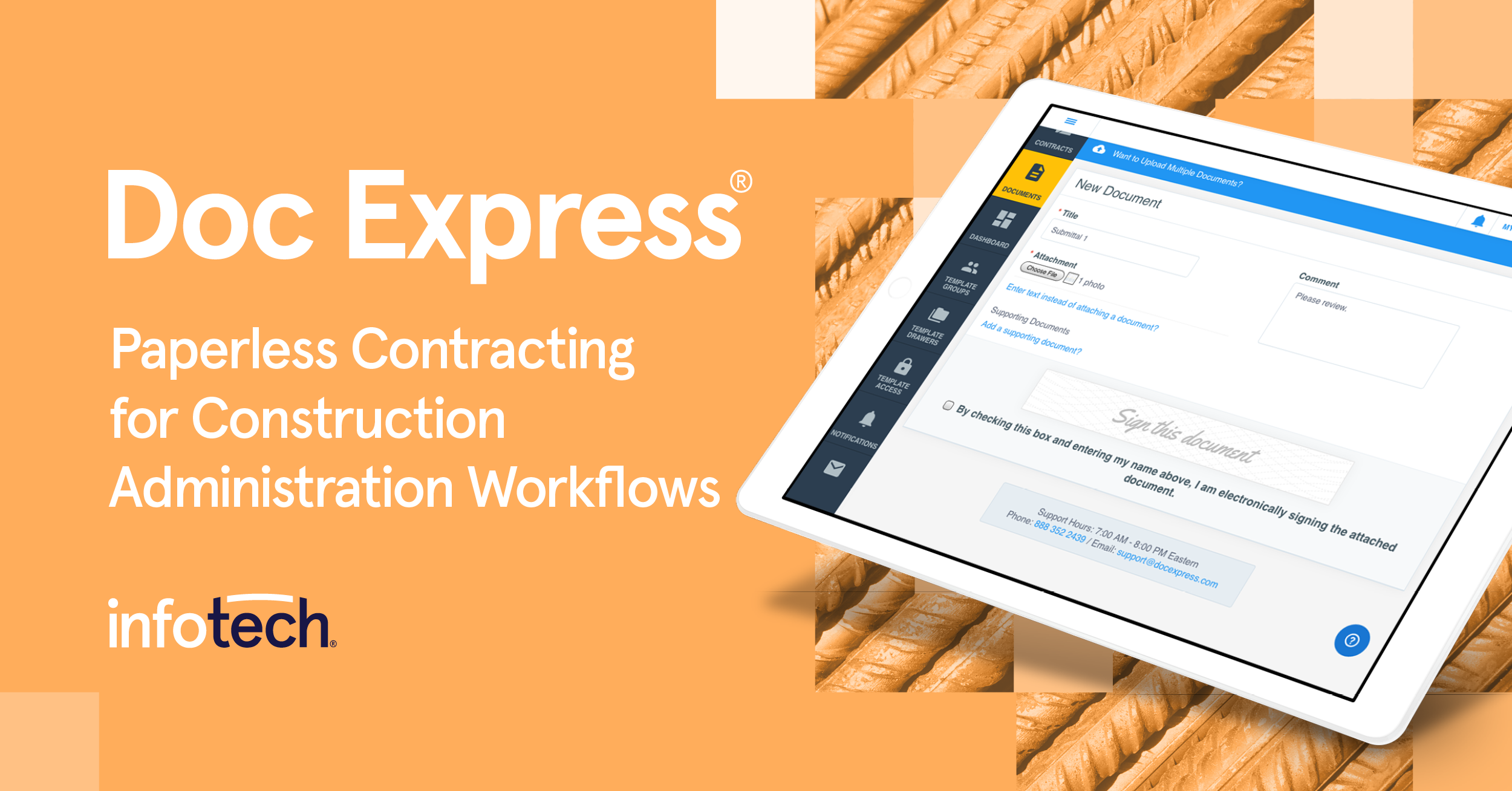
Doc Express

infotechinc.com · Doc Express® Paperless Contracting · scored Dec 2025

Doc Express has processed over 1 million documents

Best forState DOTs and highway contractors needing a secure document repository.

Quote only SOC 2government adoptionconstruction
−0.6 vs #1

SOC 2-certified document platform built for state DOTs and infrastructure contractors.

Standout factDoc Express has processed over 1 million construction documents.infotechinc.com
Biggest catchSaved comments and supporting documents cannot be changed or deleted once submitted.infotechinc.zendesk.com
1M+Documents processedinfotechinc.com
~$125,000/yrArkansas DOT site licensefhwa.dot.gov

Standout number

1M+documents processed

Source: infotechinc.com

True monthly cost

Arkansas DOT site license

Up to 500 active contracts$125,000/yr
Total$125,000/yr

Negotiated state DOT example

Upside

  • Free when bundled with Appia
  • No VPN or FTP needed
  • SOC 2 Type 2 certified

Catch

  • Comments can't be deleted once saved
  • Markup limited to primary documents
  • Standalone pricing isn't published
Pick it ifState DOTs and highway contractors needing a secure document repository.
Skip it ifGeneral commercial businesses outside civil infrastructure work.
PricingFree with an Appia license, standalone pricing is quote-based

Editor's takeDoc Express works as a digital filing cabinet for infrastructure contracts, adopted by state DOTs including Iowa, Oregon, and Arkansas. Iowa's training officer reported users needed no organized training to get started. Its permanence is a double-edged sword: saved comments and documents cannot be edited or deleted, which supports audit trails but limits correcting mistakes.

Does Doc Express cost extra for Appia users?

No. It's included at no additional cost for anyone licensing the Appia platform. Standalone pricing is quote-based, often billed per contract.

Can users edit documents after they're saved in Doc Express?

No. Once saved, comments and supporting documents cannot be changed or deleted, preserving an audit trail but limiting corrections.

The evidence: 6 criteria, 3 penalties (−0.18 points)
8.9
Product Capability & DepthLooked for: We evaluate the platform's ability to handle complex construction document workflows, e-signatures, and digital storage specifically for infrastructure projects.Doc Express functions as a secure "digital filing cabinet" with configurable workflows, verified e-signatures, and mobile accessibility, processing over 1 million construction documents.infotechinc.cominfotechinc.cominfotechinc.com
9.4
Market Credibility & Trust SignalsLooked for: We look for adoption by major government agencies, departments of transportation (DOTs), and industry certifications.The product is widely adopted by state DOTs (Iowa, Oregon, Vermont, Missouri, Arkansas) and holds SOC 2 Type 2 certification, demonstrating high trust in the public sector.infotechinc.cominfotechinc.comoregon.gov
9.0
Usability & Customer ExperienceLooked for: We assess ease of use, training requirements, and accessibility for diverse stakeholders including contractors and agency staff.Users describe the platform as highly intuitive, often requiring no organized training, and it is accessible via web without VPNs or FTPs.infotechinc.cominfotechinc.cominfotechinc.com
8.7
Value, Pricing & TransparencyLooked for: We evaluate pricing models, cost-effectiveness for agencies and contractors, and bundled value.Pricing is flexible (per contract or site license) and notably included for free with an Appia subscription, offering significant value for integrated users.infotechinc.cominfotechinc.cominfotechinc.com
8.8
Integrations & Ecosystem StrengthLooked for: We look for connectivity with other construction management tools, APIs, and third-party software integrations.Strong integration with Infotech's own ecosystem (Appia, Bid Express) and external tools like EarthCam, plus a public API for custom connections.infotechinc.comearthcam.cominfotechinc.com
9.3
Security, Compliance & Data ProtectionLooked for: We examine security standards, encryption methods, and compliance certifications critical for government infrastructure projects.The platform is SOC 2 Type 2 certified, uses AES 256 encryption for data at rest and in transit, and is hosted on AWS, meeting strict government standards.infotechinc.cominfotechinc.cominfotechinc.com

Score adjustments−0.18 points in total

−0.07The system functions primarily as a 'digital filing cabinet' and has documented limitations regarding data mining capabilities compared to database-driven systems.fhwa.dot.gov · severity 50/100
−0.06Users cannot markup supporting documents; markup features are limited to primary documents.infotechinc.zendesk.com · severity 45/100
−0.05Once saved, comments and supporting documents cannot be changed or deleted, which ensures audit trails but limits flexibility for user errors.infotechinc.zendesk.com · severity 40/100
12

Signeasy

signeasy.com · Signeasy Contract Management · scored Dec 2025

Signeasy's Salesforce add-on nearly triples the base price

Best forRemote teams wanting fast mobile signing and Google/Microsoft sync

From $10 per month SOC 2HIPAAmobile app
−0.6 vs #1

Mobile-first eSignature platform with unlimited envelopes on Business plans and SOC 2 and HIPAA compliance.

Standout factSigneasy holds a 4.9-star rating on the Apple App Store from over 34,000 ratings.apps.apple.com
Biggest catchSalesforce integration starts around $50 per user per month, on top of the Business plan.appexchange.salesforce.com
4.9/5 (34K ratings)App Store ratingapps.apple.com
10M+Users worldwideappexchange.salesforce.com

What reviewers say

Apple App Store
4.9/5 · 34,000

Source: apps.apple.com

True monthly cost

Business plan + Salesforce add-on

Business plan$20/user/mo
Salesforce integration~$30/user/mo extra
Total~$50/user/mo

Vendor and AppExchange pricing

Upside

  • Unlimited envelopes on Business plan
  • 4.9-star mobile app rating
  • SOC 2 Type 2 and HIPAA compliant

Catch

  • Expensive Salesforce and HubSpot add-ons
  • No native bulk export for backups
  • Phone support needs higher tier
Pick it ifRemote teams wanting fast mobile signing and Google/Microsoft sync
Skip it ifEnterprises needing complex custom compliance and governance
PricingFrom $10/mo individual, Business at $20/user/mo

Editor's takeSigneasy pairs a 4.9-star mobile app with SOC 2 Type 2 and HIPAA compliance, a combination few eSignature tools offer at this price. The Business plan runs $20 per user a month with unlimited envelopes. CRM add-ons cost extra. HubSpot adds $20 per user, and Salesforce integration starts near $50 per user a month.

Does Signeasy work with Salesforce?

Yes, but it costs extra. Salesforce integration is priced around $50 per user per month, which includes the Signeasy Business plan plus the add-on.

Is Signeasy HIPAA compliant?

Yes. Signeasy is SOC 2 Type 2 certified and complies with HIPAA standards to protect health information, according to its security documentation.

The evidence: 6 criteria, 3 penalties (−0.14 points)
8.7
Product Capability & DepthLooked for: We evaluate the breadth of signing features, workflow automation, and document handling capabilities available to users.Signeasy offers robust eSignature features including unlimited envelopes on business plans, bulk sending via CSV, in-person signing, and self-signing capabilities. It supports advanced fields (signature, initials, date), templates, and audit trails. While strong on core signing, it lacks some enterprise-grade CLM features found in costlier competitors.signeasy.comsigneasy.comsigneasy.com
9.2
Market Credibility & Trust SignalsLooked for: We assess the product's reputation, user base size, and recognition from major industry platforms.Signeasy boasts over 10 million users and 48,000 companies worldwide. It is a recommended Google Workspace app and has been featured in Apple's global TV commercials, signaling high market trust and platform stability.appexchange.salesforce.commarketplace.microsoft.com
9.0
Usability & Customer ExperienceLooked for: We analyze user interface design, mobile accessibility, and ease of adoption for new users.The product excels in usability, particularly on mobile devices, with a 4.9-star rating on the Apple App Store. Users consistently cite its 'easy to use' interface and seamless onboarding as key differentiators compared to more complex legacy tools.signeasy.comapps.apple.comg2.com
8.5
Value, Pricing & TransparencyLooked for: We examine pricing structures, hidden costs, and the balance of features versus cost for SMBs.Base plans are highly competitive, starting at $10/month for individuals and $20/user/month for businesses with unlimited envelopes. However, premium integrations like Salesforce and HubSpot incur significant additional costs, which can double the per-user price.signeasy.comsigneasy.comsigneasy.com
9.1
Security, Compliance & Data ProtectionLooked for: We verify the presence of critical security certifications and compliance with global data standards.Signeasy demonstrates strong security posture with SOC 2 Type 2 certification, HIPAA compliance, and adherence to GDPR and eIDAS standards. It also offers 21 CFR Part 11 compliance for life sciences as an advanced feature.signeasy.comsigneasy.comsigneasy.com
8.8
Integrations & Ecosystem StrengthLooked for: We evaluate the depth and breadth of third-party integrations with common business software.The platform integrates deeply with Google Workspace, Microsoft 365 (Teams, Outlook, SharePoint), and major CRMs. While the breadth is excellent, the cost barrier for Salesforce and HubSpot integrations limits accessibility for smaller teams.signeasy.comsigneasy.comappexchange.salesforce.com

Score adjustments−0.14 points in total

−0.05Significant additional costs for CRM integrations. The HubSpot integration costs an extra $20/user/month on top of the Business Pro plan, and Salesforce integration starts at $50/user/month.signeasy.com · severity 65/100
−0.05Users report an inability to bulk export or back up all saved contracts at once, requiring manual individual downloads or API usage for backups.g2.com · severity 45/100
−0.04Phone support is not available on lower-tier plans; it is reserved for Business plan users and above.appexchange.salesforce.com · severity 40/100
13

ConstructionOnline

us.constructiononline.com · DocuSign for ConstructionOnline · scored Dec 2025

ConstructionOnline's DocuSign integration needs a $740/mo Team plan

Best forConstruction firms already using ConstructionOnline for project management.

From $740 per month ESIGN compliantbrowser-onlyrequires DocuSign account
−0.7 vs #1

Embeds DocuSign inside project management, auto-filing signed construction contracts to the job record.

Standout factConstructionOnline manages jobs worth over $85 billion for 950,000-plus professionals.us.constructiononline.com
Biggest catchThe integration works only on Team plans starting near $740 a month, plus a separate DocuSign account.saasworthy.com
950,000+Construction professionals using platformus.constructiononline.com
$85B+Jobs managedus.constructiononline.com
~$740/moTeam plan starting pricesaasworthy.com

Standout number

$85B+in jobs managed on ConstructionOnline

Source: us.constructiononline.com

True monthly cost

Minimum monthly cost for this integration

ConstructionOnline Team plan~$740
Separate DocuSign accountAdditional cost
Total$740+/mo

Residential Team plan starting price

Upside

  • Auto-stores signed docs in project file
  • Real-time sent/viewed/signed tracking
  • ESIGN and UETA compliant

Catch

  • Needs a Team plan, ~$740/mo
  • Requires separate DocuSign account
  • No mobile app access
Pick it ifConstruction firms already using ConstructionOnline for project management.
Skip it ifSmall residential contractors wanting a standalone, lightweight tool.
PricingRequires Team plan from ~$740/mo, plus a separate DocuSign account

Editor's takeThis integration solves fragmented paperwork by embedding DocuSign directly into ConstructionOnline's project hub, syncing signed contracts back to the job file with no manual upload. ConstructionOnline itself manages over $85 billion in jobs for 950,000-plus professionals. The cost is real though: it only works on Team plans starting around $740 a month, requires a separate DocuSign account, and can only be managed from a browser, not the mobile app.

What plan do I need for the DocuSign integration?

A ConstructionOnline Team, Business, or Enterprise subscription, which starts around $740 a month for residential builders, plus a separate DocuSign account.

Can I manage DocuSign signing from the ConstructionOnline mobile app?

No. The integration is browser-only; it cannot be initiated or completed through the native mobile app.

The evidence: 6 criteria, 3 penalties (−0.17 points)
8.8
Product Capability & DepthLooked for: Functionality for sending, signing, and tracking construction documents directly within the project management interface.The integration embeds DocuSign into the ConstructionOnline hub, allowing users to send contracts and change orders for signature, track status (Sent, Viewed, Signed) in real-time, and automatically store executed documents in the project file without manual uploads.us.constructiononline.comus.constructiononline.comus.constructiononline.com
9.2
Market Credibility & Trust SignalsLooked for: Evidence of industry adoption, user trust, and established reputation in the construction software market.ConstructionOnline is a widely adopted platform managing over $85 billion in jobs, and this integration leverages DocuSign, the global standard for e-signatures, reinforcing trust in the legality and security of the documentation.docusign.comus.constructiononline.comus.constructiononline.com
8.7
Usability & Customer ExperienceLooked for: Ease of setup, intuitiveness of the signing workflow, and quality of support resources.Users report the software is user-friendly 'out of the box' with helpful support, though the integration setup requires specific browser-based configuration and cannot be managed through the mobile app.us.constructiononline.comg2.comhelp.constructiononline.com
8.3
Value, Pricing & TransparencyLooked for: Clear pricing structures and value relative to the cost of subscriptions required.The integration is gated behind mid-tier 'Team' or 'Business' plans (starting ~$700+/mo) and requires a separate DocuSign account, making it a significant investment for smaller firms.us.constructiononline.comhelp.constructiononline.comhelp.constructiononline.com
9.0
Workflow Automation & EfficiencyLooked for: Ability to streamline manual processes like document transfer, status checking, and filing.The integration eliminates the need to download, print, scan, or manually upload signed documents, automatically syncing executed files back to the project repository.us.constructiononline.comus.constructiononline.comhelp.constructiononline.com
9.4
Security, Compliance & Data ProtectionLooked for: Adherence to legal standards for e-signatures and secure data handling within the construction context.The solution provides legally binding signatures compliant with ESIGN and UETA acts, backed by DocuSign's robust audit trails and enterprise-grade encryption.docusign.comseacoastconstruction.netus.constructiononline.com

Score adjustments−0.17 points in total

−0.09The DocuSign integration is not available via the ConstructionOnline mobile app; it is exclusively accessible through the browser interface.help.constructiononline.com · severity 65/100
−0.04Users must maintain a paid subscription to ConstructionOnline (Team tier or higher) AND a separate DocuSign account; the integration is not included in the base 'Pro' plan.help.constructiononline.com · severity 50/100
−0.04Some users report occasional connection errors that can disrupt work and cause progress loss.g2.com · severity 40/100
14

PandaDoc

pandadoc.com · PandaDoc Document Management · scored Dec 2025

PandaDoc charges extra for Salesforce and bulk send

Best forSales teams wanting quote-to-cash in one document tool.

Free tier From $19 per user/mo SOC 2HIPAAfreemium
−0.7 vs #1

Document automation platform with e-signatures, CPQ, and payment collection for sales teams.

Standout factPandaDoc reached unicorn status with a valuation over $1 billion.sacra.com
Biggest catchSalesforce integration and bulk send are both paid add-ons, even on the Business plan.g2.com
$1B+Valuationsacra.com
56,000+Customers worldwidehyperstart.com
4.7 of 5G2 ratinghyperstart.com

Standout number

56,000+customers worldwide

Source: hyperstart.com

The thing people get wrong

CRM integration is usually bundled with document plans

Salesforce integration is a separate paid add-on, even on PandaDoc's Business plan

Source: g2.com

Upside

  • Drag-and-drop document editor
  • SOC 2 Type II, HIPAA compliant
  • Built-in CPQ and payments

Catch

  • Salesforce integration costs extra
  • Bulk send is a paid add-on
  • Editor lags on large documents
Pick it ifSales teams wanting quote-to-cash in one document tool.
Skip it ifTeams only needing a basic, signature-only tool.
PricingFrom $19/user/mo (Starter), Business at $49/user/mo, Salesforce and bulk send extra

Editor's takePandaDoc combines e-signatures with CPQ and in-document payment collection, backing a $1 billion-plus valuation and over 56,000 customers with SOC 2 Type II and HIPAA compliance. It rates 4.7 of 5 on G2. Two features many teams assume are included aren't: Salesforce integration and bulk sending both carry extra fees on top of the Business plan.

Is Salesforce integration included with PandaDoc?

No. Salesforce integration is a paid add-on, even on the $49/user/mo Business plan.

How much does PandaDoc cost?

The Starter plan is $19 per user monthly. Business, which adds more automation, is $49 per user monthly when billed annually.

The evidence: 6 criteria, 3 penalties (−0.16 points)
8.9
Product Capability & DepthLooked for: We evaluate the breadth of document automation features, including e-signatures, templates, CPQ functionality, and workflow customization capabilities.PandaDoc offers a robust suite including e-signatures, a drag-and-drop editor, over 750 templates, and built-in CPQ (Configure, Price, Quote) capabilities, though mobile functionality has reported limitations.pandadoc.compandadoc.compandadoc.com
9.4
Market Credibility & Trust SignalsLooked for: We assess the company's market standing, valuation, user base size, and reputation across third-party review platforms.PandaDoc is a market leader with 'unicorn' status (valued over $1 billion), serving over 56,000 customers and maintaining high ratings across major review platforms.sacra.comhyperstart.comhyperstart.com
8.8
Usability & Customer ExperienceLooked for: We analyze user feedback regarding ease of use, interface design, setup speed, and the quality of customer support interactions.Users consistently praise the intuitive interface and ease of use, though some report UI lag with complex documents and frustration with support speed for non-premium plans.support.pandadoc.compandadoc.comg2.com
8.3
Value, Pricing & TransparencyLooked for: We examine pricing structures, hidden costs, feature gating, and the overall value proposition relative to competitors.While entry-level pricing is competitive, key features like Salesforce integration and bulk sending are often treated as paid add-ons even on mid-tier plans, affecting transparency.pandadoc.comg2.compandadoc.com
8.7
Integrations & Ecosystem StrengthLooked for: We assess the quality, depth, and availability of integrations with CRMs, payment gateways, and other business tools.The ecosystem is strong with deep integrations for Salesforce, HubSpot, and payment gateways, but access to these is often gated by price or plan level.pandadoc.compandadoc.compandadoc.com
9.2
Security, Compliance & Data ProtectionLooked for: We evaluate the product's adherence to industry standards like SOC 2, HIPAA, and GDPR, as well as e-signature legality.PandaDoc demonstrates enterprise-grade security with SOC 2 Type II certification, HIPAA compliance, and support for Qualified Electronic Signatures (QES).pandadoc.compandadoc.compandadoc.com

Score adjustments−0.16 points in total

−0.05Critical integrations like Salesforce and features like Bulk Send are often treated as paid add-ons ($) on top of the Business plan subscription, rather than being included.g2.com · severity 65/100
−0.05Users report that the document editor can become laggy and unresponsive when working with large documents or complex layouts.g2.com · severity 50/100
−0.06The mobile application is reported to have limited functionality compared to the desktop version, specifically regarding signature setup and editing capabilities.g2.com · severity 45/100
02

Side by side

10 features across 14 products. Green is yes, red is no, grey is not published.

FeatureBox SignDocHubsignNowpdfFillerDocusignBoldSignPDFelementReadySignSoftdocsXodo SignDoc ExpressSigneasyConstructionOnlinePandaDoc
Has Mobile App Web-only Web-only Web-only Web-only Web-only Web-only
Has Free Plan
Has Free Trial Contact for trial Contact for trial Contact for trial Contact for trial
Integrates With Zapier
Has Public API Enterprise API only Enterprise API only Enterprise API only
Live Chat Support Email/Ticket only Email/Ticket only Email/Ticket only Email/Ticket only Email/Ticket only Email/Ticket only Email/Ticket only Email/Ticket only
SOC 2 or ISO Certified Both Both Both
Popular Integrations Box, Salesforce, Microsoft 365 Google Workspace, Dropbox, OneDrive Salesforce, Google Workspace, Microsoft 365 Google Workspace, Salesforce, Slack Salesforce, Google Workspace, Microsoft 365 Google Workspace, Microsoft 365, Salesforce Google Workspace, Dropbox, OneDrive Google Workspace, Microsoft 365, Salesforce Ellucian, Jenzabar, Workday Google Workspace, Dropbox, Salesforce Appia, EarthCam, Microsoft 365 Google Workspace, Microsoft 365, Slack ConstructionOnline, Salesforce, Microsoft 365 Salesforce, HubSpot, Google Workspace
Supports SSO Enterprise plans only Enterprise plans only Enterprise plans only Enterprise plans only
Starting Price $15 per user/mo $8 per month $8 per user/mo $8 per month $10 per month $15 per month $80 per year $20 per month Contact for pricing $10 per month Contact for pricing $10 per month $740 per month $19 per user/mo
03

How we chose

Four fixed criteria for every product, plus two chosen for eSignature & Document Approval Platforms for Contractors, weighted and reduced by documented penalties.

Full methodology
Criteria set for this categoryProduct Capability & Depth, Market Credibility & Trust Signals, Usability & Customer Experience, Value, Pricing & Transparency, Security, Compliance & Data Protection, Integrations & Ecosystem Strength
Evidence, then a scoreDocumentation, pricing pages, security pages and third-party reviews. Each criterion records what was found and links its sources.
Penalties, then a rankDocumented problems pull the score down with their evidence attached. Rank follows the score. Sponsored rows, where present, are labelled.
iVendors cannot buy a position. Every score rests on published evidence, documented problems pull it down, and a 9.1 here is not a 9.1 in another category.
Albert Richer
Albert RicherFounder · Memphis, TN

Sets the criteria and reviews the evidence before a ranking publishes. Email him if something here looks wrong.

04

Questions people ask

Does Box Sign cost extra?

No. Business and Enterprise Box plans, starting around $15 per user per month, include unlimited e-signatures at no additional cost, according to Box's 2021 launch announcement.

Can I sign documents offline on mobile with Box Sign?

No. Box Sign uses a responsive browser experience on mobile rather than a dedicated app, so offline signing is not supported, per Box support documentation.

How much does DocHub cost?

A free plan exists for occasional use. The Basic plan costs $8 per month, and the Pro plan costs $12 per month with unlimited eSignatures and documents.

Does DocHub work inside Gmail?

Yes. DocHub integrates natively with Google Workspace, letting users edit, sign, and reply to documents directly from Gmail and Google Drive without downloading files.

Is there a limit on signatures with signNow?

Yes. Every subscription plan limits users to 100 signature invites per year, according to a pricing breakdown from Docupilot. Signatures beyond that cap cost $1.50 each, which can add up fast for high-volume senders.

Is signNow HIPAA compliant?

Yes. signNow complies with HIPAA hosting standards for protected health information, according to a legality overview document, alongside SOC 2 Type II, GDPR, CCPA, and 21 CFR Part 11 certifications.

Is pdfFiller easy to cancel?

Reviews and BBB complaints indicate the cancellation process can be difficult, with many users reporting unexpected auto-renewal charges. Read the terms before subscribing.

Is pdfFiller HIPAA compliant?

Yes. It complies with HIPAA hosting standards for protected health information and maintains SOC 2 Type II certification with annual third-party audits.

How is the best eSignature & Document Approval Platforms for Contractors decided?

Every product is scored on six criteria for this category, with cited evidence and documented penalties. Rank follows the overall score. Vendors cannot pay for a position.

How often is this ranking updated?

Products are re-scored when pricing, features or evidence change. This ranking was last updated September 8, 2026.

05

More in eSignature & Digital Document Signing Platforms

4 related rankings.

All of eSignature & Digital Document Signing
Research

Digital document forgeries surged 244% year-over-year and now account for 57% of all fraud

Feb 3, 2026

Amazon correctly maps 82% of invoice rows while Google processes only 40% accurately

Apr 1, 2026

Arctic Wolf reported an elevenfold increase in data-only extortion attacks in 2025

Feb 22, 2026