Embedded Analytics Platforms

These are the specialized categories within Embedded Analytics Platforms. Looking for something broader? See all Business Intelligence & Analytics Software categories.

1

Sigma Self-Service Analytics

Best for Self Service Embedded Analytics for End Customers

Score
9.9 / 10
Sigma Self-Service Analytics

Sigma Computing's Self-Service Embedded Analytics solution is specifically designed for end customers in industries seeking to derive more value from their data. It offers highly performant and customizable analytics, enabling businesses to launch new product SKUs and enhance customer experience.

Best for Self Service Embedded Analytics for End Customers

Expert Take

Sigma Self-Service Analytics stands out in the self-service embedded analytics space due to its high performance and customizability. It is recognized for empowering end-users with data-driven insights and seamlessly integrating with existing systems. While it requires technical proficiency and is priced at an enterprise level, its capabilities make it a top choice for data-driven businesses.

Pros

  • Spreadsheet interface familiar to Excel users
  • Direct warehouse query without data extraction
  • Unique write-back 'Input Tables' capability
  • Unlimited viewer licenses on some plans
  • SOC 2 Type II and HIPAA compliant

Cons

  • Performance lags with massive datasets
  • Limited visualization customization options
  • Pricing not publicly transparent
  • Steep learning curve for advanced features
  • Requires cloud data warehouse (no on-prem)

Best for teams that are

  • Business users comfortable with spreadsheet-like interfaces
  • Companies fully invested in cloud warehouses like Snowflake
  • Teams needing real-time analysis on massive datasets

Skip if

  • Teams needing on-premise deployment or non-cloud data sources
  • Developers requiring deep SDK integration beyond iframes
  • Organizations needing strict, traditional static reporting

Best for teams that are

  • Business users comfortable with spreadsheet-like interfaces
  • Companies fully invested in cloud warehouses like Snowflake
  • Teams needing real-time analysis on massive datasets

Skip if

  • Teams needing on-premise deployment or non-cloud data sources
  • Developers requiring deep SDK integration beyond iframes
  • Organizations needing strict, traditional static reporting

Pros

  • Spreadsheet interface familiar to Excel users
  • Direct warehouse query without data extraction
  • Unique write-back 'Input Tables' capability
  • Unlimited viewer licenses on some plans
  • SOC 2 Type II and HIPAA compliant

Cons

  • Performance lags with massive datasets
  • Limited visualization customization options
  • Pricing not publicly transparent
  • Steep learning curve for advanced features
  • Requires cloud data warehouse (no on-prem)

Expert Take

Sigma Self-Service Analytics stands out in the self-service embedded analytics space due to its high performance and customizability. It is recognized for empowering end-users with data-driven insights and seamlessly integrating with existing systems. While it requires technical proficiency and is priced at an enterprise level, its capabilities make it a top choice for data-driven businesses.

2

icCube Embedded Analytics

Best for Embedded Reporting Tools for B2B Applications

Score
9.8 / 10
icCube Embedded Analytics

icCube's Embedded Analytics for SaaS offers a customizable solution for SaaS providers to seamlessly integrate user-friendly analytics dashboards into their applications. It addresses the industry's need for real-time, interactive, and insightful data presentation that can be tailored to suit specific business models and user preferences.

Best for Embedded Reporting Tools for B2B Applications

Expert Take

icCube Embedded Analytics excels in providing customizable and real-time analytics dashboards, making it a strong choice for SaaS providers looking to enhance their data presentation capabilities. Despite some limitations in pricing transparency and integration, its support for OLAP data sources and multi-lingual capabilities ensure adaptability across various business scenarios.

Pros

  • Transparent public pricing with flat-rate options
  • High-performance in-memory analytics engine
  • Advanced Semantic Layer and ETL capabilities
  • Strong developer focus with 2-way JS API
  • Pixel-perfect dashboard customization

Cons

  • Steep learning curve for MDX language
  • Requires self-hosting or management (not fully SaaS)
  • Occasional UI glitches reported by users
  • Smaller user community compared to Power BI
  • Data volume limited by hardware memory

Best for teams that are

  • B2B SaaS developers needing seamless, white-labeled embedded analytics
  • Applications requiring complex data models, OLAP features, or many-to-many relationships
  • Teams wanting a developer-first tool with strong multi-tenancy support

Skip if

  • Non-technical business users looking for a standalone drag-and-drop BI tool
  • Simple use cases where a basic charting library would suffice
  • Organizations without a development team to handle the integration

Best for teams that are

  • B2B SaaS developers needing seamless, white-labeled embedded analytics
  • Applications requiring complex data models, OLAP features, or many-to-many relationships
  • Teams wanting a developer-first tool with strong multi-tenancy support

Skip if

  • Non-technical business users looking for a standalone drag-and-drop BI tool
  • Simple use cases where a basic charting library would suffice
  • Organizations without a development team to handle the integration

Pros

  • Transparent public pricing with flat-rate options
  • High-performance in-memory analytics engine
  • Advanced Semantic Layer and ETL capabilities
  • Strong developer focus with 2-way JS API
  • Pixel-perfect dashboard customization

Cons

  • Steep learning curve for MDX language
  • Requires self-hosting or management (not fully SaaS)
  • Occasional UI glitches reported by users
  • Smaller user community compared to Power BI
  • Data volume limited by hardware memory

Expert Take

icCube Embedded Analytics excels in providing customizable and real-time analytics dashboards, making it a strong choice for SaaS providers looking to enhance their data presentation capabilities. Despite some limitations in pricing transparency and integration, its support for OLAP data sources and multi-lingual capabilities ensure adaptability across various business scenarios.

3

Databricks AI/BI Dashboards

Best for Embedded Dashboards for Customer Facing Portals

Score
9.7 / 10
Databricks AI/BI Dashboards

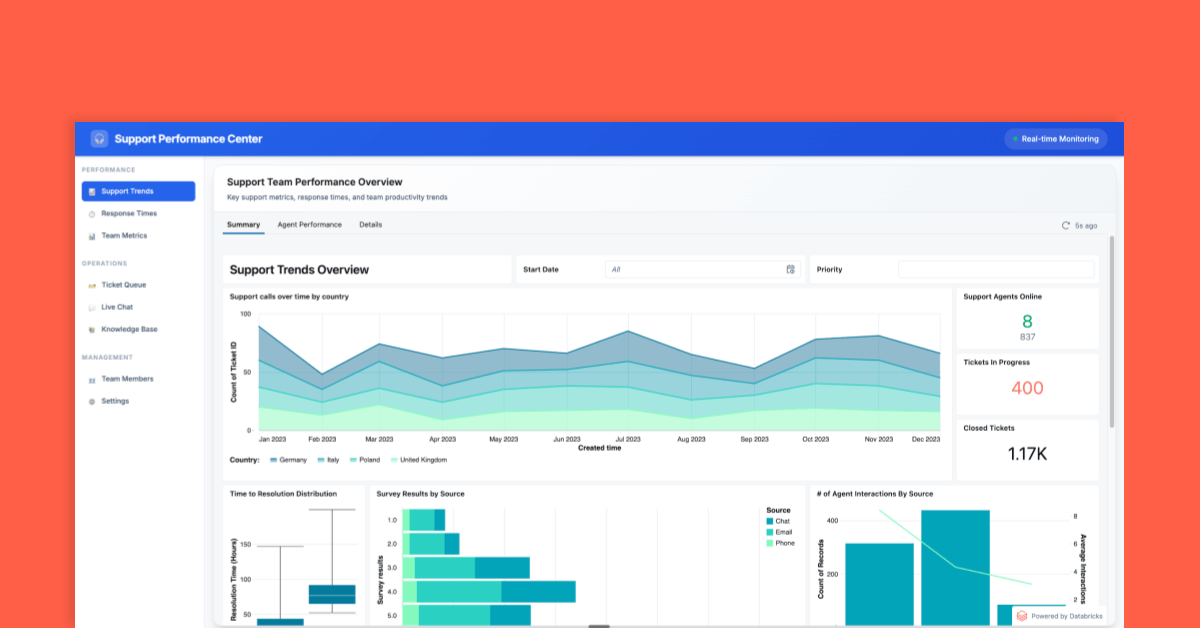
Databricks AI/BI Dashboards is a powerful SaaS solution designed for embedding interactive dashboards into customer-facing applications. It addresses the specific needs of this industry by offering secure, cost-effective, and seamless integration of analytics and business intelligence data into external apps.

Best for Embedded Dashboards for Customer Facing Portals

Expert Take

Databricks AI/BI Dashboards excels in embedding analytics into customer-facing applications with a focus on security, scalability, and integration. Its comprehensive documentation and industry recognition solidify its position as a leading solution in the embedded analytics space.

Pros

  • No per-seat licensing fees
  • AI-assisted natural language authoring
  • Unified governance via Unity Catalog
  • Native Databricks platform integration
  • Embeddable in third-party applications

Cons

  • Visualizations limited to 10,000 rows
  • Limited chart formatting options
  • Requires data in Unity Catalog
  • Lacks advanced BI visualization features
  • Compute-based pricing can be complex

Best for teams that are

  • Existing Databricks customers wanting insights without moving data externally
  • Teams preferring consumption-based pricing over per-user licensing
  • Internal or partner apps where iframe embedding is acceptable

Skip if

  • SaaS applications requiring native, non-iframe embedding
  • Complex data modeling requiring multi-fact relationships without upstream prep
  • Teams needing deep white-labeling beyond basic branding

Best for teams that are

  • Existing Databricks customers wanting insights without moving data externally
  • Teams preferring consumption-based pricing over per-user licensing
  • Internal or partner apps where iframe embedding is acceptable

Skip if

  • SaaS applications requiring native, non-iframe embedding
  • Complex data modeling requiring multi-fact relationships without upstream prep
  • Teams needing deep white-labeling beyond basic branding

Pros

  • No per-seat licensing fees
  • AI-assisted natural language authoring
  • Unified governance via Unity Catalog
  • Native Databricks platform integration
  • Embeddable in third-party applications

Cons

  • Visualizations limited to 10,000 rows
  • Limited chart formatting options
  • Requires data in Unity Catalog
  • Lacks advanced BI visualization features
  • Compute-based pricing can be complex

Expert Take

Databricks AI/BI Dashboards excels in embedding analytics into customer-facing applications with a focus on security, scalability, and integration. Its comprehensive documentation and industry recognition solidify its position as a leading solution in the embedded analytics space.

4

Astrato Embedded Analytics

Best for Embedded Dashboards for Customer Facing Portals

Score
9.7 / 10
Astrato Embedded Analytics

Astrato's Embedded Analytics platform is a perfect choice for businesses wanting to integrate interactive dashboards into their SaaS products, portals, or internal tools. It's especially effective for customer-facing portals, as it offers complete branding options and self-service analytics with live cloud data, addressing the need of businesses to provide insightful analytics in a user-friendly manner.

Best for Embedded Dashboards for Customer Facing Portals

Expert Take

Astrato Embedded Analytics excels in providing customizable and interactive dashboards for customer-facing portals. Its ability to integrate live cloud data and offer self-service analytics makes it a top choice for businesses seeking to enhance their SaaS products. The platform's scalability and branding options further solidify its position as a premium product in the embedded analytics space.
Pros

  • Live-query architecture eliminates data extracts
  • Native writeback to Snowflake and Databricks
  • Zero-copy architecture ensures high security
  • Transparent pricing starting at $12/month
  • No-code embedded analytics customization

Cons

  • No support for legacy on-prem databases
  • Limited offline capabilities
  • Smaller user community than market leaders
  • Performance may lag on massive datasets
  • Learning curve for advanced features

Best for teams that are

  • Snowflake and Databricks users wanting live-query analytics without data movement
  • Applications requiring writeback capabilities to trigger workflows or update records
  • Teams wanting a low-code builder with custom Javascript control

Skip if

  • Teams without a supported cloud data warehouse (requires live connection)
  • Developers seeking a code-only SDK without a low-code builder
  • Legacy reporting needs requiring pixel-perfect print formatting

Best for teams that are

  • Snowflake and Databricks users wanting live-query analytics without data movement
  • Applications requiring writeback capabilities to trigger workflows or update records
  • Teams wanting a low-code builder with custom Javascript control

Skip if

  • Teams without a supported cloud data warehouse (requires live connection)
  • Developers seeking a code-only SDK without a low-code builder
  • Legacy reporting needs requiring pixel-perfect print formatting

Pros

  • Live-query architecture eliminates data extracts
  • Native writeback to Snowflake and Databricks
  • Zero-copy architecture ensures high security
  • Transparent pricing starting at $12/month
  • No-code embedded analytics customization

Cons

  • No support for legacy on-prem databases
  • Limited offline capabilities
  • Smaller user community than market leaders
  • Performance may lag on massive datasets
  • Learning curve for advanced features

Expert Take

Astrato Embedded Analytics excels in providing customizable and interactive dashboards for customer-facing portals. Its ability to integrate live cloud data and offer self-service analytics makes it a top choice for businesses seeking to enhance their SaaS products. The platform's scalability and branding options further solidify its position as a premium product in the embedded analytics space.

5

Helical Insight for SaaS

Best for Embedded Analytics Platforms for SaaS Products

Score
9.7 / 10
Helical Insight for SaaS

Helical Insight is a powerful embedded analytics tool designed for SaaS. It offers advanced integration of reporting, dashboards, and interactive data visualizations directly into an application. Its features are customized to address the complex data analysis needs of SaaS businesses, providing real-time insights to enhance decision-making processes.

Best for Embedded Analytics Platforms for SaaS Products

Expert Take

Helical Insight for SaaS excels in providing embedded analytics tailored for SaaS products, offering customizable dashboards and real-time insights. Its integration capabilities and user-friendly interface make it a top choice for SaaS businesses seeking advanced analytics solutions.

Pros

  • Flat pricing model with no per-user fees
  • Open-source framework prevents vendor lock-in
  • Over 300 APIs for deep customization
  • Pixel-perfect canned reporting for formal documents
  • Full white-labeling and multi-tenancy support

Cons

  • Performance can lag with very heavy datasets
  • Smaller community compared to Power BI/Tableau
  • Direct database querying may require optimization
  • Permissions management can be complex
  • Fewer pre-built native integrations than giants

Best for teams that are

  • Cost-conscious SaaS companies preferring flat pricing over per-user fees.
  • Developers seeking an open-source, API-driven extensible framework.
  • Teams needing pixel-perfect, print-ready canned reporting.

Skip if

  • Teams wanting a fully managed, zero-setup cloud service.
  • Non-technical users requiring a completely code-free environment.
  • Simple internal dashboards without custom workflow needs.

Best for teams that are

  • Cost-conscious SaaS companies preferring flat pricing over per-user fees.
  • Developers seeking an open-source, API-driven extensible framework.
  • Teams needing pixel-perfect, print-ready canned reporting.

Skip if

  • Teams wanting a fully managed, zero-setup cloud service.
  • Non-technical users requiring a completely code-free environment.
  • Simple internal dashboards without custom workflow needs.

Pros

  • Flat pricing model with no per-user fees
  • Open-source framework prevents vendor lock-in
  • Over 300 APIs for deep customization
  • Pixel-perfect canned reporting for formal documents
  • Full white-labeling and multi-tenancy support

Cons

  • Performance can lag with very heavy datasets
  • Smaller community compared to Power BI/Tableau
  • Direct database querying may require optimization
  • Permissions management can be complex
  • Fewer pre-built native integrations than giants

Expert Take

Helical Insight for SaaS excels in providing embedded analytics tailored for SaaS products, offering customizable dashboards and real-time insights. Its integration capabilities and user-friendly interface make it a top choice for SaaS businesses seeking advanced analytics solutions.

6

m-Power Embedded BI

Best for Embedded Reporting Tools for B2B Applications

Score
9.7 / 10
6
9.7 / 10
m-Power Embedded BI

m-Power Embedded BI is a powerful solution for businesses that seek to incorporate Business Intelligence (BI) into their existing software. It offers the ability to embed BI applications, dashboards, and reports, and also provides white-labeling capabilities to ensure seamless integration with your brand. This is particularly suited for B2B applications where detailed analytics are key to driving decision-making processes.

Best for Embedded Reporting Tools for B2B Applications

Expert Take

m-Power Embedded BI stands out as a premium solution in the embedded analytics space due to its seamless integration capabilities and white-labeling features. It offers robust analytics tools without user limits, making it ideal for B2B applications. However, the lack of readily available pricing information and potential learning curve are minor limitations.

Pros

  • No user or distribution fees
  • Perpetual licensing option available
  • Generates standard Java code (no lock-in)
  • Unlimited users and applications
  • Full white-labeling capabilities

Cons

  • Steeper learning curve than no-code tools
  • Visuals less polished than Tableau
  • Requires HTML knowledge for deep customization
  • Interface can be complex for beginners
  • Smaller community than Power BI

Best for teams that are

  • Organizations wanting unlimited users and apps without per-seat fees
  • IT teams needing to build custom web apps or modernize legacy systems
  • Businesses preferring perpetual licensing over subscription models

Skip if

  • Teams looking for a free, open-source visualization tool
  • Users wanting a purely visual BI tool without application-building features
  • Small projects where a simple plugin would suffice

Best for teams that are

  • Organizations wanting unlimited users and apps without per-seat fees
  • IT teams needing to build custom web apps or modernize legacy systems
  • Businesses preferring perpetual licensing over subscription models

Skip if

  • Teams looking for a free, open-source visualization tool
  • Users wanting a purely visual BI tool without application-building features
  • Small projects where a simple plugin would suffice

Pros

  • No user or distribution fees
  • Perpetual licensing option available
  • Generates standard Java code (no lock-in)
  • Unlimited users and applications
  • Full white-labeling capabilities

Cons

  • Steeper learning curve than no-code tools
  • Visuals less polished than Tableau
  • Requires HTML knowledge for deep customization
  • Interface can be complex for beginners
  • Smaller community than Power BI

Expert Take

m-Power Embedded BI stands out as a premium solution in the embedded analytics space due to its seamless integration capabilities and white-labeling features. It offers robust analytics tools without user limits, making it ideal for B2B applications. However, the lack of readily available pricing information and potential learning curve are minor limitations.

7

Databrain Embedded Analytics

Best for Embedded Analytics Platforms for SaaS Products

Score
9.7 / 10
Databrain Embedded Analytics

Databrain's Embedded Analytics software is a specialized SaaS solution that offers seamless data insights integration into SaaS product workflows. It significantly reduces development overhead, accelerating decision-making processes, meeting the unique needs of SaaS businesses seeking efficient, real-time data analysis.

Best for Embedded Analytics Platforms for SaaS Products

Expert Take

Databrain Embedded Analytics excels as a specialized solution for SaaS products, offering seamless integration and real-time data insights. Its capabilities are well-documented, and it has received recognition for its innovation in the embedded analytics space. While pricing transparency is limited, the product's depth and usability make it a top choice for SaaS businesses.

Pros

  • Flat-rate pricing with unlimited external users
  • Native React, Vue, and Angular SDKs
  • AI-powered natural language querying
  • SOC 2 Type II and HIPAA compliant
  • Fast implementation (weeks vs months)

Cons

  • Learning curve for advanced configurations
  • Fewer pre-built templates than legacy BI
  • Newer platform (founded ~2022)
  • Occasional 'bleeding edge' stability issues
  • Smaller community ecosystem than Tableau

Best for teams that are

  • SaaS engineering teams using modern data warehouses like Snowflake.
  • Developers wanting native embedding via React or Vue components.
  • Product teams wanting to avoid iframe-based embedding.

Skip if

  • Non-technical teams looking for a purely no-code dashboard builder.
  • Companies relying on legacy on-premise databases.
  • Internal BI reporting use cases.

Best for teams that are

  • SaaS engineering teams using modern data warehouses like Snowflake.
  • Developers wanting native embedding via React or Vue components.
  • Product teams wanting to avoid iframe-based embedding.

Skip if

  • Non-technical teams looking for a purely no-code dashboard builder.
  • Companies relying on legacy on-premise databases.
  • Internal BI reporting use cases.

Pros

  • Flat-rate pricing with unlimited external users
  • Native React, Vue, and Angular SDKs
  • AI-powered natural language querying
  • SOC 2 Type II and HIPAA compliant
  • Fast implementation (weeks vs months)

Cons

  • Learning curve for advanced configurations
  • Fewer pre-built templates than legacy BI
  • Newer platform (founded ~2022)
  • Occasional 'bleeding edge' stability issues
  • Smaller community ecosystem than Tableau

Expert Take

Databrain Embedded Analytics excels as a specialized solution for SaaS products, offering seamless integration and real-time data insights. Its capabilities are well-documented, and it has received recognition for its innovation in the embedded analytics space. While pricing transparency is limited, the product's depth and usability make it a top choice for SaaS businesses.

8

InetSoft B2B Dashboard Reporting

Best for Embedded Reporting Tools for B2B Applications

Score
9.6 / 10
InetSoft B2B Dashboard Reporting

InetSoft's B2B Dashboard Reporting Solution is a robust analytics tool tailored for business-to-business marketers. It leverages self-service dashboarding to offer valuable insights, thus empowering businesses to make data-driven decisions. With its industry-specific features, it addresses the unique needs of B2B applications by turning raw data into user-friendly visualizations.

Best for Embedded Reporting Tools for B2B Applications

Expert Take

InetSoft B2B Dashboard Reporting excels as a premium embedded reporting tool, offering robust self-service dashboarding and real-time insights tailored for B2B applications. Its industry-specific features and user-friendly visualizations support its position as a top-tier solution, despite requiring technical understanding and lacking a free plan.

Pros

  • Unique 'Data Block' mashup technology
  • Offers perpetual and subscription licensing
  • High-rated customer support (9.3/10)
  • Strong embedding and white-labeling
  • Transparent entry-level pricing

Cons

  • Interface less modern than Tableau
  • Steep learning curve for desktop designer
  • Smaller user community/ecosystem
  • Limited chart styling options
  • Complex setup for advanced mashups

Best for teams that are

  • ISVs and OEMs needing both interactive dashboards and pixel-perfect reporting
  • B2B platforms requiring data mashup from disparate sources without a warehouse
  • Organizations needing a flexible, web-based designer for self-service reporting

Skip if

  • Marketing agencies needing automated, design-heavy client reports
  • Teams deeply invested in the Microsoft ecosystem preferring Power BI
  • Users wanting a massive community ecosystem like Tableau's

Best for teams that are

  • ISVs and OEMs needing both interactive dashboards and pixel-perfect reporting
  • B2B platforms requiring data mashup from disparate sources without a warehouse
  • Organizations needing a flexible, web-based designer for self-service reporting

Skip if

  • Marketing agencies needing automated, design-heavy client reports
  • Teams deeply invested in the Microsoft ecosystem preferring Power BI
  • Users wanting a massive community ecosystem like Tableau's

Pros

  • Unique 'Data Block' mashup technology
  • Offers perpetual and subscription licensing
  • High-rated customer support (9.3/10)
  • Strong embedding and white-labeling
  • Transparent entry-level pricing

Cons

  • Interface less modern than Tableau
  • Steep learning curve for desktop designer
  • Smaller user community/ecosystem
  • Limited chart styling options
  • Complex setup for advanced mashups

Expert Take

InetSoft B2B Dashboard Reporting excels as a premium embedded reporting tool, offering robust self-service dashboarding and real-time insights tailored for B2B applications. Its industry-specific features and user-friendly visualizations support its position as a top-tier solution, despite requiring technical understanding and lacking a free plan.

9

Tableau Embedded Analytics

Best for Self Service Embedded Analytics for End Customers

Score
9.6 / 10
Tableau Embedded Analytics

Tableau Embedded Analytics is a prime choice for businesses aiming to integrate self-service analytics into their applications. It allows end users to interact, customize and explore their own data insights, making it perfect for industries where data-driven decision making is key.

Best for Self Service Embedded Analytics for End Customers

Expert Take

Tableau Embedded Analytics stands out as a leading solution in the self-service embedded analytics space due to its strong integration capabilities, intuitive user interface, and scalability. It is recognized for empowering end users with data-driven insights while maintaining flexibility and depth in its offerings.

Pros

  • Industry-leading visualization capabilities
  • Modern Embedding API v3
  • Enterprise-grade security (PCI-DSS)
  • Massive user & developer community
  • AI-powered insights via Tableau Pulse

Cons

  • Expensive at scale
  • Steep learning curve
  • Opaque pricing structure
  • Performance lag with large data
  • Complex integration for deep customization

Best for teams that are

  • Organizations with deep existing Tableau expertise and assets
  • Use cases requiring highly complex, visually stunning data stories
  • Enterprises needing robust, established community support

Skip if

  • SaaS products needing a seamless, white-labeled native UX
  • Cost-sensitive projects due to expensive, scaling licensing
  • Teams wanting a lightweight, developer-first integration

Best for teams that are

  • Organizations with deep existing Tableau expertise and assets
  • Use cases requiring highly complex, visually stunning data stories
  • Enterprises needing robust, established community support

Skip if

  • SaaS products needing a seamless, white-labeled native UX
  • Cost-sensitive projects due to expensive, scaling licensing
  • Teams wanting a lightweight, developer-first integration

Pros

  • Industry-leading visualization capabilities
  • Modern Embedding API v3
  • Enterprise-grade security (PCI-DSS)
  • Massive user & developer community
  • AI-powered insights via Tableau Pulse

Cons

  • Expensive at scale
  • Steep learning curve
  • Opaque pricing structure
  • Performance lag with large data
  • Complex integration for deep customization

Expert Take

Tableau Embedded Analytics stands out as a leading solution in the self-service embedded analytics space due to its strong integration capabilities, intuitive user interface, and scalability. It is recognized for empowering end users with data-driven insights while maintaining flexibility and depth in its offerings.

10

ThoughtSpot Embedded Analytics

Best for Embedded Dashboards for Customer Facing Portals

Score
9.6 / 10
ThoughtSpot Embedded Analytics

ThoughtSpot Embedded is a SaaS solution for businesses seeking to integrate AI-driven analytics into their web applications without burdening their development team. Specifically adapted for businesses in need of embedded dashboards for customer-facing portals, it enables real-time data analysis, making it an ideal choice for professionals in the business intelligence and analytics industry.

Best for Embedded Dashboards for Customer Facing Portals

Expert Take

ThoughtSpot Embedded Analytics excels in providing AI-driven analytics for customer-facing portals, offering seamless integration and real-time data analysis. The product is recognized for its capability and market credibility, though pricing transparency is limited due to a quote-based model.

Pros

  • Intuitive natural language search interface
  • Robust Visual Embed SDK for developers
  • Enterprise-grade security (SOC 2, HIPAA)
  • Gartner Magic Quadrant Leader 2024
  • AI-powered insights via SpotIQ

Cons

  • High starting price ($1,250/mo)
  • Strict data modeling requirements
  • Limited visualization customization options
  • Opaque enterprise pricing structure
  • Steep learning curve for admins

Best for teams that are

  • Enterprises wanting to offer AI-driven natural language search to end-users
  • Large datasets requiring direct query performance without pre-aggregation

Skip if

  • Early-stage startups with limited budgets (high entry cost for standard plans)
  • Applications needing pixel-perfect, highly customized static reporting
  • Teams wanting to avoid consumption-based pricing models

Best for teams that are

  • Enterprises wanting to offer AI-driven natural language search to end-users
  • Large datasets requiring direct query performance without pre-aggregation

Skip if

  • Early-stage startups with limited budgets (high entry cost for standard plans)
  • Applications needing pixel-perfect, highly customized static reporting
  • Teams wanting to avoid consumption-based pricing models

Pros

  • Intuitive natural language search interface
  • Robust Visual Embed SDK for developers
  • Enterprise-grade security (SOC 2, HIPAA)
  • Gartner Magic Quadrant Leader 2024
  • AI-powered insights via SpotIQ

Cons

  • High starting price ($1,250/mo)
  • Strict data modeling requirements
  • Limited visualization customization options
  • Opaque enterprise pricing structure
  • Steep learning curve for admins

Expert Take

ThoughtSpot Embedded Analytics excels in providing AI-driven analytics for customer-facing portals, offering seamless integration and real-time data analysis. The product is recognized for its capability and market credibility, though pricing transparency is limited due to a quote-based model.

How We Rank Products

Our Evaluation Process

Products in the Embedded Analytics Platforms category are evaluated based on their documented features such as integration capabilities, scalability, and compliance with industry standards. Pricing transparency is also considered to ensure buyers understand the cost implications. Compatibility with existing systems and third-party applications is crucial, as is the examination of third-party customer feedback to gauge user satisfaction and reliability. These factors collectively help in assessing the suitability of a platform for specific business needs.

Verification

  • Products evaluated through comprehensive research and analysis of user feedback and expert insights.
  • Rankings based on a thorough examination of feature sets, performance metrics, and customer satisfaction ratings.
  • Selection criteria focus on key attributes such as integration capabilities, ease of use, and scalability within embedded analytics platforms.

Score Breakdown

0.0 / 10

About Embedded Analytics Platforms

What Are Embedded Analytics Platforms?

This category covers software designed to integrate analytical capabilities—such as interactive dashboards, data visualizations, and reporting tools—directly within the user interface of business applications, products, and portals. Unlike standalone Business Intelligence (BI) tools where users must leave their workflow to analyze data in a separate environment, Embedded Analytics Platforms inject intelligence directly into the operational context. The functional scope includes the complete data lifecycle for the end-user application: data connection and modeling, security and multi-tenancy management, front-end visualization design, and the programmatic embedding of these assets via APIs and SDKs.

It sits between Traditional Business Intelligence (which focuses on internal, centralized data exploration for analysts) and Custom Development (where developers build charts from scratch using libraries). While Traditional BI is broad and destination-centric, Embedded Analytics is narrower and context-centric, designed specifically to be consumed by end-users—often customers or partners—within another piece of software.

It includes both general-purpose platforms capable of embedding into any web application and vertical-specific solutions tailored for industries like SaaS, healthcare, and finance. These platforms serve two distinct buyer types: product teams building analytics features for their software (OEM use cases) and enterprise IT teams building internal portals for employees (operational reporting).

The Core Problem and Strategic Value

The fundamental problem Embedded Analytics Platforms solve is the "context gap." In a traditional workflow, a user creates data in a transactional system (like a CRM or ERP) but must switch to a separate BI tool to analyze it. This context switching breaks focus, reduces adoption, and delays decision-making. By the time a user exports a CSV or logs into a separate portal, the moment of need has often passed. Embedded Analytics closes this gap by placing insights immediately next to the action—showing a salesperson their pipeline health while they are writing an email, or showing a logistics manager a delivery delay map while they are processing an order.

For software vendors (ISVs) and SaaS companies, these platforms are a critical accelerator for product value. Instead of dedicating engineering resources to build and maintain proprietary charting engines—a non-core competency that creates massive technical debt—they leverage these platforms to deploy sophisticated, white-labeled analytics in a fraction of the time. This capability is no longer just a "nice-to-have" visualization feature; it is a primary driver of user retention and a key monetization lever.

History of Embedded Analytics

The trajectory of embedded analytics has tracked closely with the evolution of the web itself, moving from static artifacts to dynamic, intelligent agents. In the 1990s, "embedded analytics" largely meant static reporting. Enterprise software applications like ERPs would generate PDF or CSV reports using server-side reporting engines. These were rigid, historical snapshots that offered no interactivity. The gap here was obvious: users could see what happened yesterday, but they couldn't ask "why" or drill down into the data without requesting a new report from IT.

The 2000s brought the first wave of consolidation and the rise of interactive dashboards. As BI giants like Business Objects and Cognos grew (and were eventually acquired by SAP and IBM, respectively), the market saw the introduction of "portals." Users could now view dashboards inside a web frame, but the integration was often clunky—typically an iFrame that didn't share data or security context with the host application. This era was defined by the "give me a database" mentality, where the goal was simply access to data, regardless of the user experience friction.

The 2010s marked the shift to the cloud and the API economy. The rise of vertical SaaS created a desperate need for better in-app reporting. New vendors emerged with an "API-first" architecture, designed specifically to be embedded. This decoupled the frontend visualization from the backend data processing, allowing for tighter integration where analytics looked and felt like the host application. The buyer expectation shifted from "show me a chart" to "help me analyze." Self-service became the buzzword, as product teams wanted to empower end-users to build their own reports without engineering help.

By the 2020s, the market began a new wave of consolidation and evolution driven by "Actionable Intelligence" and AI. The boundaries between the application and the analytics started to dissolve completely. Modern platforms began offering "headless" BI capabilities, where the analytics engine provides data via API to be rendered by the application's own UI components. Today, with the influx of Generative AI, the expectation has evolved again: from "give me a dashboard" to "give me an answer." Users now expect to query data using natural language directly within their workflow, a shift that is forcing legacy vendors to rapidly re-architect their platforms.

What to Look For in an Embedded Analytics Platform

Evaluating embedded analytics is fundamentally different from buying a standard BI tool. You are not just buying a tool for a few analysts; you are buying a product component that will be exposed to thousands of your users. The stakes for performance, security, and design are infinitely higher.

Critical Evaluation Criteria:

  • White-Labeling & Customization Depth: Can you remove 100% of the vendor's branding? Beyond just changing colors, can you customize the CSS, modify the DOM elements, and control the behavior of charts to match your application's design system exactly? If the analytics look like a foreign object inside your app, user trust will plummet.
  • Multi-Tenant Security Architecture: This is non-negotiable. The platform must support robust multi-tenancy where data segregation is enforced at the lowest level. Look for support for Row-Level Security (RLS) that can be passed dynamically via security tokens (like JWT) from your host application. You should never have to replicate your user database into the analytics platform.
  • API Granularity & Developer Experience: A "robust API" is a vague claim. You need to verify if the API supports bi-directional communication. Can your app trigger a filter change in the dashboard? Can a click in the dashboard trigger an action in your app (e.g., clicking a "low stock" bar triggers a "reorder" workflow)? The best platforms offer SDKs for modern frameworks like React, Angular, and Vue.
  • Performance at Scale: Internal BI tools handle concurrent users in the dozens; embedded analytics must handle them in the thousands. Ask for benchmarks on query latency under high concurrency. Does the vendor offer caching mechanisms or query acceleration layers?

Red Flags and Warning Signs:

  • The "IFrame Only" Solution: If a vendor pushes iFrames as the only integration method, tread carefully. While easier to deploy, iFrames often struggle with responsive design, accessibility, and deep bi-directional communication with the host app.
  • Proprietary Scripting Languages: Be wary of platforms that require your team to learn a proprietary coding language to customize reports. This creates a hiring bottleneck and vendor lock-in. Standard SQL, JavaScript, and CSS are the gold standards.
  • Opaque Pricing Models: If the vendor cannot give you a clear answer on how costs scale with user growth, run. Embedded use cases can scale virally; you need a pricing model (often server-based or flat-fee) that doesn't punish you for success.

Key Questions to Ask Vendors:

  • "How do you handle schema changes in the source database without breaking existing customer reports?"
  • "Can we deploy your calculation engine within our own VPC (Virtual Private Cloud) to satisfy data residency requirements?"
  • "Show me exactly how a 'write-back' workflow is implemented in your platform."

Industry-Specific Use Cases

Retail & E-commerce

In the high-volume world of retail, embedded analytics serves as the nerve center for both suppliers and internal merchandising teams. The priority here is speed and supplier visibility. Major retailers use these platforms to build "Supplier Portals" where vendors can see real-time sell-through data, inventory levels, and return rates. This is rarely about deep statistical analysis; it's about operational transparency. A critical evaluation priority for retail is the ability to handle massive data volumes (millions of transactions per day) with sub-second latency, as users are often viewing data while on the phone with suppliers.

Unique considerations include the need for mobile-responsive designs, as store managers often access these dashboards on tablets while walking the floor. Furthermore, "monetization" is a key driver here; many retailers use embedded analytics to create premium data tiers, charging suppliers for access to granular shopper insights and basket analysis.

Healthcare

Healthcare demands a rigorous focus on data privacy and outcomes tracking. Embedded analytics in this sector are often found inside Electronic Health Record (EHR) systems, practice management software, and patient portals. The primary use cases include tracking patient health outcomes, monitoring hospital operational efficiency (bed utilization, staffing ratios), and managing revenue cycles. Unlike retail, speed is secondary to accuracy and security.

The absolute critical evaluation priority is HIPAA compliance and the ability to handle strict governance rules. An embedded platform in healthcare must support detailed audit logging—recording exactly who viewed what data and when. Additionally, "write-back" capabilities are vital; for example, a clinician viewing a patient's risk score on a dashboard needs to be able to annotate that record or trigger a care protocol directly from the visualization interface.

Financial Services

For banks, wealth management firms, and fintechs, embedded analytics is a tool for trust and advisory. These platforms are embedded into client-facing portals to show investment performance, risk exposure, and spending trends. The aesthetic bar here is exceptionally high; the charts must look "pixel-perfect" and align with the institution's brand to maintain credibility. A generic-looking chart can subconsciously signal "cheap" to a high-net-worth client.

Specific needs revolve around complex calculations and financial formatting (e.g., handling multiple currencies, fiscal calendars, and precise rounding rules). Evaluation priorities include the ability to embed complex financial models that run in real-time. Security is also paramount, specifically the capability to integrate with complex enterprise identity providers (IdPs) and enforce granular permissions down to the cell level in a report.

Manufacturing

Manufacturing utilizes embedded analytics for predictive maintenance and supply chain visibility. These tools are embedded into shop floor control systems (MES) and ERPs to visualize Overall Equipment Effectiveness (OEE) and supply chain bottlenecks. The users here are often plant managers or shift supervisors who need "at-a-glance" red/green indicators rather than complex pivot tables.

A unique consideration is the integration with IoT data streams. The platform must be able to ingest and visualize streaming data from sensors in near real-time. Offline capability is also a frequent requirement, as some tablets on the factory floor may have intermittent connectivity. The evaluation often favors platforms that offer strong geospatial visualization capabilities to track logistics and inventory movement across physical locations.

Professional Services

In professional services (agencies, consultancies, legal firms), embedded analytics automates the client reporting lifecycle. Historically, account managers spent hours each month taking screenshots of data to paste into PowerPoint decks. Embedded analytics platforms automate this by providing live, interactive client portals where clients can log in to view project status, billable hours, and campaign performance.

The specific pain point here is "customizability per client." A marketing agency might serve fifty clients, each wanting to see different metrics in their monthly report. The embedded platform must allow for "template-based" reporting where a single dashboard structure can be dynamically populated with different metrics and branding for different tenants. Export-to-PDF and scheduled email bursting features are also heavily weighted in this sector.

Subcategory Overview

Self Service Embedded Analytics for End Customers This subcategory focuses on empowering non-technical end-users to create their own reports within a host application. Unlike generic platforms that provide static dashboards, these tools offer a simplified "drag-and-drop" interface that is safe for external users. The genuine differentiator is the "governed sandbox" environment—users can build content, but only within strict data guardrails defined by the host. A workflow unique to this niche is the "ad-hoc query," where a user can answer a novel question (e.g., "Show me sales by region for last Tuesday") without waiting for a developer. The pain point driving buyers here is the "support ticket backlog," where product teams are overwhelmed by endless requests for custom reports. For a deeper dive into tools that enable this autonomy, read our guide to Self Service Embedded Analytics for End Customers.

Embedded Analytics Platforms for SaaS Products These platforms are architected specifically for software vendors (ISVs) who want to monetize data. The key difference is the commercial focus: features like "tier-based feature gating" (e.g., Basic users get 3 dashboards; Pro users get unlimited) are built-in. One workflow only this tool handles well is the "multi-tenant deployment pipeline," allowing developers to push dashboard updates to thousands of distinct customer tenants simultaneously while preserving tenant-specific customizations. The driving pain point is "time-to-market"; SaaS companies need to launch analytics to stay competitive but cannot afford the 12-18 month roadmap to build it in-house. Explore the top solutions in this space in our review of Embedded Analytics Platforms for SaaS Products.

Embedded Reporting Tools for B2B Applications This niche is distinct because it prioritizes "pixel-perfect" reporting and distribution over interactive data exploration. Think of invoices, regulatory compliance documents, and bank statements. The differentiator is the layout engine, which ensures that a report looks exactly the same on a screen as it does on a printed piece of paper. A unique workflow is "high-volume bursting," where the system generates and emails thousands of personalized PDFs to a distribution list at a scheduled time. Buyers flock to this category when general-purpose BI tools fail to meet strict formatting requirements for official documents. Learn more about these precision tools in our guide to Embedded Reporting Tools for B2B Applications.

Embedded Dashboards for Customer Facing Portals These tools focus heavily on the "extranet" use case—secure portals for partners, dealers, or investors. The differentiator here is the "portal framework" itself; often, these tools provide not just the charts but the surrounding portal infrastructure (login, navigation, user management) if the client doesn't have an existing app. A specific workflow handled well here is "collaborative context," where external users can comment on data points and share secure views with their own teams. The pain point driving this purchase is the need to share data with external stakeholders securely without giving them access to internal network resources. For details on building these external views, see our analysis of Embedded Dashboards for Customer Facing Portals.

Deep Dive: Integration & API Ecosystem

Integration is the backbone of any embedded analytics project. It determines not just the feasibility of the implementation, but the quality of the final user experience. The gold standard today is a "headless" or "API-first" approach, where the analytics engine is decoupled from the presentation layer.

Expert Insight: According to [1] Forrester's research on digital analytics architectures, the most successful implementations in 2025 leverage APIs to "weave insights into the user's natural workflow," rather than simply pasting charts onto a page. This distinction is critical. A "tight" integration means the analytics platform can listen to events in the host app (like a user changing a dropdown menu) and react instantly without a page reload.

Real-World Scenario: Consider a 50-person professional services firm using a custom-built project management tool. They want to embed profitability metrics. If they choose a tool with poor API support (relying on basic iFrames), the integration breaks down quickly. A user might log into the project tool, then see a "Sign In" button inside the analytics chart because the Single Sign-On (SSO) handshake failed. Or worse, they filter the project list to "Q3 Projects," but the charts remain static because the iFrame has no way to receive that filter context. A proper API-led integration would effortlessly pass the "Q3" parameter to the analytics engine, updating the visuals instantly and maintaining a seamless experience.

Deep Dive: Security & Compliance

Security in embedded analytics is exponentially more complex than internal BI because it involves multi-tenancy. You are essentially poking a hole in your application to let users see data, and you must ensure they only see their data.

Statistic: In the [2] State of Data Security 2025 report, Forrester highlights that nearly 56% of organizations struggle specifically with securing data across multi-cloud and multi-tenant environments. This underscores the risk: a single misconfiguration in an embedded environment can lead to a data breach where Customer A sees Customer B's revenue.

Real-World Scenario: Imagine a SaaS provider serving the healthcare industry (HealthTech). They manage patient records for 500 different clinics. They embed a dashboard showing "Patient Outcomes." Without robust Row-Level Security (RLS), a query from a doctor at Clinic X might inadvertently pull data from the entire database. A secure embedded platform handles this by accepting a security token (like a JWT) from the host app upon load. This token contains the "Tenant ID" (e.g., Clinic X). The analytics platform then automatically appends `WHERE Clinic_ID = 'Clinic X'` to every single SQL query it generates, ensuring absolute data isolation without the developer needing to write custom code for each report.

Deep Dive: Pricing Models & TCO

Pricing is the most common source of friction and "sticker shock" in embedded analytics. Vendors typically use one of three models: User-Based (per seat), Server-Based (per core/node), or Usage-Based (per query/render).

Expert Insight: As noted by [3] Gartner in their 2025 predictions, cost predictability is becoming a primary selection driver, with organizations moving away from models that penalize adoption. They warn that "unpredictable consumption costs" are a leading cause of project cancellation.

Real-World Scenario: Let's calculate the Total Cost of Ownership (TCO) for a hypothetical mid-sized SaaS company with 100 customers, each having 5 users (500 users total). User-Based Model: If a vendor charges $30/user/month, the cost is $15,000/month. As the company grows to 5,000 users, this balloons to $150,000/month—likely exceeding the revenue generated by the feature. Server-Based Model: The vendor charges $3,000/month per core. The company might need 2 cores to handle the load. Total cost: $6,000/month. Even if users double, the server might still handle the load, or they add just one more core. For high-growth SaaS, the Server-Based or "Unlimited User" model almost always offers a superior TCO, preventing the "success penalty" where growing your user base bankrupts your margins.

Deep Dive: Implementation & Change Management

Implementation is rarely a "plug and play" affair. It involves data modeling, security configuration, frontend embedding, and deployment automation. The "Buy vs. Build" debate is central here, but the implementation phase is where the decision is validated or regretted.

Statistic: According to [4] McKinsey, top-performing organizations that treat data products (like embedded analytics) as core software products rather than IT projects attribute 11% of their revenue to data monetization—five times more than their peers. This highlights that implementation is a product discipline, not just an engineering task.

Real-World Scenario: A logistics company decides to buy an embedded analytics platform. The engineering team installs the software (Implementation), but the Product Manager fails to plan for Change Management. They roll out a complex "Supply Chain Explorer" dashboard to warehouse managers who are used to static Excel sheets. Result: Zero adoption. The managers find the filters confusing and revert to exporting CSVs. A successful implementation requires a "staged rollout": starting with simple, static KPIs to build trust, then introducing interactivity, and providing in-app tooltips or guided tours (using tools like Pendo or WalkMe) to teach users how to interpret the new visualizations.

Deep Dive: Vendor Evaluation Criteria

Selecting a vendor is a high-stakes bet. You are embedding their code into your product; if their platform goes down, your product looks broken.

Expert Insight: [5] Gartner defines the embedded analytics market by its ability to include analytics in "business workflows via APIs." They emphasize that evaluating the API documentation is as important as evaluating the visualization engine. A pretty chart is useless if you can't programmatically control it.

Real-World Scenario: A HR software startup evaluates Vendor A and Vendor B. Vendor A has beautiful 3D charts but weak documentation. Vendor B has standard charts but a comprehensive SDK and a "developer playground" to test code. The startup chooses Vendor A. Six months later, they try to implement a feature where clicking a "High Risk Employee" bar chart sends an alert to Slack. Vendor A's API doesn't support event listeners on chart clicks. The feature is dead. The startup has to rip out Vendor A and start over. The lesson: Evaluate the extensibility of the platform for use cases you haven't even thought of yet.

Emerging Trends and Contrarian Take

Emerging Trends 2025-2026: The dominant trend is the shift from "Dashboards" to "Agentic Analytics." Users are fatigued by dashboards. By 2026, [6] Gartner predicts that over 80% of software vendors will have embedded Generative AI capabilities. This means instead of filtering a grid, a user will ask, "Which suppliers are late?" and the embedded agent will return a text summary and a specific mini-chart. Another trend is Headless BI, where the semantic layer is decoupled entirely, allowing product teams to build completely custom UIs (using D3.js or Recharts) while the embedded platform handles the query logic and security.

Contrarian Take: The "Self-Service" dream is a lie for 90% of end-users. The industry has spent a decade marketing "self-service" capabilities—drag-and-drop builders for everyone. The reality? Most end-users (nurses, sales reps, store managers) do not want to be data analysts. They don't want to build reports; they want answers. Giving them a blank canvas often leads to paralysis or incorrect data interpretation. The most successful embedded analytics implementations in the coming years will likely restrict freedom, offering highly curated, "opinionated" workflows that guide users to specific insights rather than offering them a confusing sandbox of infinite possibilities.

Common Mistakes

Overbuying Features: Many buyers get seduced by advanced features like "Forecasting" or "Neural Network Clustering" during the demo. In reality, 95% of user activity will be filtering a simple bar chart or grid. Don't pay a premium for data science capabilities your end-users aren't sophisticated enough to use.

Ignoring the Data Layer: A common failure mode is embedding a high-performance analytics tool on top of a slow, transactional database. The analytics tool is only as fast as the query it sends. If your SQL query takes 30 seconds to run on your legacy database, the embedded dashboard will hang for 30 seconds. Successful projects often require spinning up a dedicated analytical data store (like a data warehouse or mart) to feed the embedded engine.

Poor Tenant Isolation Strategy: Treating security as an afterthought. Teams often try to "hack" multi-tenancy by creating separate dashboard files for each customer. This becomes a maintenance nightmare when you need to update a chart across 500 customers. Always use a single dashboard template with data-driven security filters.

Questions to Ask in a Demo

  • "Can you show me the code required to embed this dashboard with a row-level security token?" (If they hesitate, it's likely complex).
  • "How do you handle version control for dashboards? Can we treat dashboard assets like code (Git integration)?"
  • "What happens to the embedded view if our backend API has a 500 millisecond delay? Does the entire UI freeze, or does it load asynchronously?"
  • "Can I define a custom color palette in a central CSS file and have it apply to all charts automatically?"
  • "Show me the mobile view of this complex grid. Does it reflow, or does it just shrink?"

Before Signing the Contract

Final Decision Checklist:

  • Proof of Concept (POC): Have you actually embedded a chart into your staging environment? Do not sign until you see "Hello World" in your own app.
  • Support SLA: Embedded analytics is mission-critical. If the reporting engine goes down, your customers might think your app is down. Ensure the SLA matches your own commitments to customers.
  • Exit Strategy: If you leave this vendor, can you export your semantic models and dashboard definitions? Or are they locked in a proprietary binary format?

Deal-Breakers to Watch For: Avoid vendors that charge based on "Data Volume" or "Row Count." In the era of Big Data, your data volume will grow exponentially. A contract that scales linearly with data volume becomes a financial time bomb. Also, be wary of "branding lock-in"—if the lower tiers force you to display "Powered by Vendor X," it dilutes your brand value. Negotiate for full white-labeling upfront.

Closing

Embedded analytics is no longer just about charts; it's about competitive advantage. Done right, it transforms your application from a tool for data entry into a tool for decision-making. If you have specific questions about your architecture or need help shortlisting vendors for your unique stack, feel free to reach out.

Email: albert@whatarethebest.com