
Cloud Storage Services
These are the specialized categories within Cloud Storage Services. Looking for something broader? See all Cloud Storage, Backup & File Management categories.
FileCloud is a SaaS solution designed specifically for Architecture, Engineering, and Construction (AEC) professionals. It offers secure, anytime access to files, real-time collaboration, and workflow automation - all crucial to managing large-scale projects efficiently. Its hybrid cloud access further allows seamless integration of on-premise and cloud storage, catering to the unique needs of the AEC industry.
Best for Cloud Storage Services for Contractors
Expert Take
FileCloud excels in providing tailored solutions for the AEC industry with its secure file sharing, real-time collaboration, and hybrid cloud capabilities. Its focus on industry-specific needs and robust feature set positions it as a leading choice for contractors in cloud storage services.
Pros
- Hybrid cloud (ServerSync) reduces latency
- CMMC and ITAR compliance support
- Native AutoCAD 2D/3D file preview
- Unlimited file size support
- Granular folder-level permissions
Cons
- AutoCAD previews cost extra (Flex tokens)
- Windows path length limits (256 chars)
- Minimum 10-20 user purchase requirement
- Interface less modern than some rivals
- No native Revit file locking mentioned
Best for teams that are
- AEC firms requiring strict data sovereignty or on-premise control
- Government contractors needing high-level compliance (ITAR, GDPR)
Skip if
- Small teams wanting a simple, fully managed public cloud solution
- Users who find self-hosting or advanced configuration too technical
Best for teams that are
- AEC firms requiring strict data sovereignty or on-premise control
- Government contractors needing high-level compliance (ITAR, GDPR)
Skip if
- Small teams wanting a simple, fully managed public cloud solution
- Users who find self-hosting or advanced configuration too technical
Pros
- Hybrid cloud (ServerSync) reduces latency
- CMMC and ITAR compliance support
- Native AutoCAD 2D/3D file preview
- Unlimited file size support
- Granular folder-level permissions
Cons
- AutoCAD previews cost extra (Flex tokens)
- Windows path length limits (256 chars)
- Minimum 10-20 user purchase requirement
- Interface less modern than some rivals
- No native Revit file locking mentioned
Expert Take
FileCloud excels in providing tailored solutions for the AEC industry with its secure file sharing, real-time collaboration, and hybrid cloud capabilities. Its focus on industry-specific needs and robust feature set positions it as a leading choice for contractors in cloud storage services.
Cloud PM: Construction Project Management

Cloud PM is a SaaS solution specifically designed for general contractors and subcontractors. It provides a cost-effective, cloud-based platform for managing documents, billing, and scheduling. It addresses the industry’s need for a centralized, easily accessible system that simplifies project management and promotes efficiency.
Best for Cloud Storage Services for Contractors
Expert Take
Cloud PM excels as a specialized SaaS solution for contractors, offering cloud-based document, billing, and schedule management. Its industry-specific focus and accessibility make it a strong choice for construction professionals. While it may require some training, its cost-effectiveness and centralized platform position it as a best-of-the-best product in its category.
Pros
- Unlimited users and projects included
- Transparent flat-rate pricing model
- Includes AIA G702/G703 billing forms
- Seamless QuickBooks Online integration
- No training required for onboarding
Cons
- Occasional slow load times reported
- Limited customization for complex workflows
- Fewer integrations than enterprise tools
- Advanced features locked to Premium
- Mobile app less robust than competitors
Best for teams that are
- Small to mid-sized contractors wanting unlimited users for a flat fee
- Teams needing standardized forms for RFIs and submittals
Skip if
- Large enterprises needing custom workflows or ERP integrations
- Infrastructure projects requiring GIS mapping or linear project tools
Best for teams that are
- Small to mid-sized contractors wanting unlimited users for a flat fee
- Teams needing standardized forms for RFIs and submittals
Skip if
- Large enterprises needing custom workflows or ERP integrations
- Infrastructure projects requiring GIS mapping or linear project tools
Pros
- Unlimited users and projects included
- Transparent flat-rate pricing model
- Includes AIA G702/G703 billing forms
- Seamless QuickBooks Online integration
- No training required for onboarding
Cons
- Occasional slow load times reported
- Limited customization for complex workflows
- Fewer integrations than enterprise tools
- Advanced features locked to Premium
- Mobile app less robust than competitors
Expert Take
Cloud PM excels as a specialized SaaS solution for contractors, offering cloud-based document, billing, and schedule management. Its industry-specific focus and accessibility make it a strong choice for construction professionals. While it may require some training, its cost-effectiveness and centralized platform position it as a best-of-the-best product in its category.
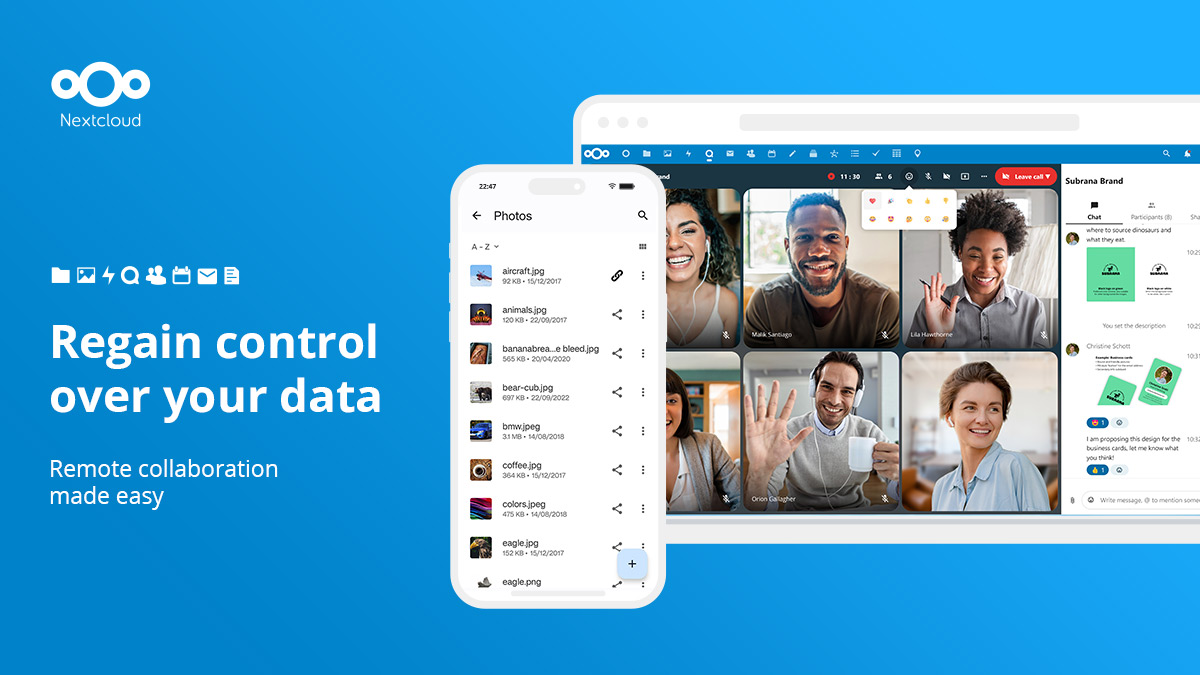
Nextcloud is a powerful open-source content collaboration platform and cloud storage service designed for SaaS companies. It allows businesses to leverage their infrastructure, maintain customer loyalty, and expand their services while keeping their data secure and private.
Best for Cloud Storage Services for SaaS Companies
Expert Take
Nextcloud stands out as a top-tier cloud storage service for SaaS companies due to its open-source nature, which allows for extensive customization and scalability. Its strong emphasis on security and privacy, combined with robust collaboration tools, makes it a preferred choice for businesses seeking control over their data. While the requirement for technical skills and self-hosting may pose challenges, its flexibility and independence from specific hosting providers are significant advantages
Pros
- Full digital sovereignty and data control
- Comprehensive Hub 9 productivity suite
- GDPR and HIPAA compliant architecture
- Open source with free self-hosting
- Extensive ecosystem with 400+ apps
Cons
- Complex setup for optimal performance
- Requires technical maintenance for self-hosting
- Large file sync can be slow
- Update process can be fragile
- Mobile apps occasionally have sync lag
Best for teams that are
- Teams wanting a self-hosted, open-source Google Workspace alternative
- Privacy enthusiasts needing full control over data and applications
- Users needing extensive features like Chat, Calendar, and Office
Skip if
- Users wanting a maintenance-free public cloud experience
- Enterprises preferring a stable core over fast-paced feature updates
- Environments with very limited server hardware resources
Best for teams that are
- Teams wanting a self-hosted, open-source Google Workspace alternative
- Privacy enthusiasts needing full control over data and applications
- Users needing extensive features like Chat, Calendar, and Office
Skip if
- Users wanting a maintenance-free public cloud experience
- Enterprises preferring a stable core over fast-paced feature updates
- Environments with very limited server hardware resources
Pros
- Full digital sovereignty and data control
- Comprehensive Hub 9 productivity suite
- GDPR and HIPAA compliant architecture
- Open source with free self-hosting
- Extensive ecosystem with 400+ apps
Cons
- Complex setup for optimal performance
- Requires technical maintenance for self-hosting
- Large file sync can be slow
- Update process can be fragile
- Mobile apps occasionally have sync lag
Expert Take
Nextcloud stands out as a top-tier cloud storage service for SaaS companies due to its open-source nature, which allows for extensive customization and scalability. Its strong emphasis on security and privacy, combined with robust collaboration tools, makes it a preferred choice for businesses seeking control over their data. While the requirement for technical skills and self-hosting may pose challenges, its flexibility and independence from specific hosting providers are significant advantages

IDrive is a comprehensive online cloud backup solution designed to cater to the needs of both individual users and businesses. It offers robust data protection across various devices such as PCs, Macs, iPhones, Android, and other mobile devices all packed into one account. This makes it an ideal choice for SaaS companies seeking a reliable, one-stop solution for data backup and storage.
Best for Cloud Storage Services for SaaS Companies
Expert Take
IDrive Cloud Backup Solution is a robust and versatile backup service that excels in multi-device compatibility and secure data encryption. It is recognized for its cost-effective plans and user-friendly interface, making it a top choice for SaaS companies seeking comprehensive data protection. Despite some limitations in storage options and support hours, its overall capabilities position it as a best-of-the-best product in its category.
Pros
- Unlimited devices per account
- Free physical courier service (Express)
- Extremely low first-year pricing
- Private key encryption option
- Backs up Mobile, NAS, and Servers
Cons
- Slow upload and restore speeds
- Interface is dated and clunky
- Significant renewal price hikes
- Limited Linux support (scripts only)
- No monthly personal plans
Best for teams that are
- SMBs and individuals needing to back up unlimited devices on one account
- Users requiring physical drive shipping for fast data restoration
- Budget-conscious users wanting comprehensive features like snapshots
Skip if
- Users requiring unlimited storage capacity (plans have hard caps)
- Linux users needing a full graphical user interface client
- Users with extremely slow internet upload speeds
Best for teams that are
- SMBs and individuals needing to back up unlimited devices on one account
- Users requiring physical drive shipping for fast data restoration
- Budget-conscious users wanting comprehensive features like snapshots
Skip if
- Users requiring unlimited storage capacity (plans have hard caps)
- Linux users needing a full graphical user interface client
- Users with extremely slow internet upload speeds
Pros
- Unlimited devices per account
- Free physical courier service (Express)
- Extremely low first-year pricing
- Private key encryption option
- Backs up Mobile, NAS, and Servers
Cons
- Slow upload and restore speeds
- Interface is dated and clunky
- Significant renewal price hikes
- Limited Linux support (scripts only)
- No monthly personal plans
Expert Take
IDrive Cloud Backup Solution is a robust and versatile backup service that excels in multi-device compatibility and secure data encryption. It is recognized for its cost-effective plans and user-friendly interface, making it a top choice for SaaS companies seeking comprehensive data protection. Despite some limitations in storage options and support hours, its overall capabilities position it as a best-of-the-best product in its category.

Designed specifically for the construction industry, Autodesk Construction Cloud facilitates seamless and secure collaboration between project teams. This solution enables on-time and within-budget project delivery by offering efficient cloud storage, thus addressing the unique needs of contractors.
Best for Cloud Storage Services for Contractors
Expert Take
Autodesk Construction Cloud excels in providing industry-specific solutions for contractors, with strong capabilities in secure collaboration and efficient project management. It is recognized for its integration within the construction ecosystem and offers a robust platform for data management and workflow optimization.
Pros
- Unified platform from design to operations
- Massive ecosystem with 400+ integrations
- Industry-standard BIM coordination tools
- Top-tier security (SOC 2, ISO 27001)
- Seamless integration with Revit and AutoCAD
Cons
- Steep learning curve for new users
- Complex pricing (sheets vs. users)
- Mandatory 30-day online check-in
- Performance lags with massive datasets
- Syncing delays between mobile and desktop
Best for teams that are
- Large firms managing complex, multi-phase projects (BIM/Design-Build)
- Teams needing deep integration between design models and field execution
Skip if
- Small residential contractors with simple document storage needs
- Firms with limited budgets unable to afford per-user licensing
Best for teams that are
- Large firms managing complex, multi-phase projects (BIM/Design-Build)
- Teams needing deep integration between design models and field execution
Skip if
- Small residential contractors with simple document storage needs
- Firms with limited budgets unable to afford per-user licensing
Pros
- Unified platform from design to operations
- Massive ecosystem with 400+ integrations
- Industry-standard BIM coordination tools
- Top-tier security (SOC 2, ISO 27001)
- Seamless integration with Revit and AutoCAD
Cons
- Steep learning curve for new users
- Complex pricing (sheets vs. users)
- Mandatory 30-day online check-in
- Performance lags with massive datasets
- Syncing delays between mobile and desktop
Expert Take
Autodesk Construction Cloud excels in providing industry-specific solutions for contractors, with strong capabilities in secure collaboration and efficient project management. It is recognized for its integration within the construction ecosystem and offers a robust platform for data management and workflow optimization.

Wasabi is a disruptive cloud storage solution that allows marketing agencies to store more data at a much lower cost, enabling them to maximize their data-driven insights without breaking the bank. The software's cost-effectiveness, coupled with its robust security features, allows agencies to manage large volumes of data securely, a critical need in an era of data privacy regulations.
Best for Cloud Storage Services for Marketing Agencies
Expert Take
Wasabi Cloud Storage excels in providing cost-effective and secure cloud storage solutions for marketing agencies. Its competitive pricing model and unlimited data egress are significant advantages. While it lacks built-in file sharing, its strong security features and easy integration make it a top choice for data-driven marketing environments.
Pros
- No egress fees or API request charges
- Flat-rate pricing (~$6.99/TB/mo)
- 11 nines (99.999999999%) data durability
- S3 Object Lock for ransomware protection
- 100% S3 bit-compatible API
Cons
- 90-day minimum retention policy (Pay-Go)
- Minimum monthly charge of 1 TB
- No native compute or AI services
- Support response times can vary
- 4 KB minimum billable object size
Best for teams that are
- Agencies with massive video archives requiring low-cost, high-speed access
- IT-capable teams using NAS or S3-compatible tools for file management
- Businesses wanting predictable pricing with no egress (download) fees
Skip if
- Non-technical teams needing a built-in file management interface (requires 3rd party)
- Workflows involving frequent file deletions (due to 90-day minimum retention policy)
- Teams needing native document editing or collaboration tools
Best for teams that are
- Agencies with massive video archives requiring low-cost, high-speed access
- IT-capable teams using NAS or S3-compatible tools for file management
- Businesses wanting predictable pricing with no egress (download) fees
Skip if
- Non-technical teams needing a built-in file management interface (requires 3rd party)
- Workflows involving frequent file deletions (due to 90-day minimum retention policy)
- Teams needing native document editing or collaboration tools
Pros
- No egress fees or API request charges
- Flat-rate pricing (~$6.99/TB/mo)
- 11 nines (99.999999999%) data durability
- S3 Object Lock for ransomware protection
- 100% S3 bit-compatible API
Cons
- 90-day minimum retention policy (Pay-Go)
- Minimum monthly charge of 1 TB
- No native compute or AI services
- Support response times can vary
- 4 KB minimum billable object size
Expert Take
Wasabi Cloud Storage excels in providing cost-effective and secure cloud storage solutions for marketing agencies. Its competitive pricing model and unlimited data egress are significant advantages. While it lacks built-in file sharing, its strong security features and easy integration make it a top choice for data-driven marketing environments.

Dataforma's cloud storage is an ideal solution for field service businesses, particularly contractors. It provides a central, organized location for all files, photos, and documents, such as contracts, with an easy drag-and-drop upload feature. Its direct cataloging function allows for efficient file management, crucial for contractors managing multiple projects.
Best for Cloud Storage Services for Contractors
Expert Take
Dataforma Cloud Storage excels in providing tailored solutions for contractors, with features like organized file management and drag-and-drop uploads. Its market credibility is supported by industry-specific functionality, although pricing transparency is limited. Overall, it offers a strong user experience and integration capabilities.
Pros
- Centralized storage linked to jobs
- Hourly data backups
- Real-time mobile photo uploads
- Client Portal for file sharing
- Industry-specific for contractors
Cons
- Mobile sync errors reported
- Time-consuming template setup
- Per-user pricing can be high
- Occasional system update glitches
Best for teams that are
- Specialty trades (Roofing, HVAC, Plumbing) needing field service tools
- Companies wanting an all-in-one CRM, work order, and storage system
Skip if
- General Contractors looking for pure project management tools
- Businesses only looking for simple file storage without CRM features
Best for teams that are
- Specialty trades (Roofing, HVAC, Plumbing) needing field service tools
- Companies wanting an all-in-one CRM, work order, and storage system
Skip if
- General Contractors looking for pure project management tools
- Businesses only looking for simple file storage without CRM features
Pros
- Centralized storage linked to jobs
- Hourly data backups
- Real-time mobile photo uploads
- Client Portal for file sharing
- Industry-specific for contractors
Cons
- Mobile sync errors reported
- Time-consuming template setup
- Per-user pricing can be high
- Occasional system update glitches
Expert Take
Dataforma Cloud Storage excels in providing tailored solutions for contractors, with features like organized file management and drag-and-drop uploads. Its market credibility is supported by industry-specific functionality, although pricing transparency is limited. Overall, it offers a strong user experience and integration capabilities.
NetApp: Enterprise Storage Solution

NetApp is a unique enterprise-level storage solution embedded directly into major public cloud providers. This makes it an excellent choice for SaaS companies looking for robust, scalable, and secure cloud storage services. Its advanced data management capabilities help address common industry challenges, such as data security, compliance, and scalability.
Best for Cloud Storage Services for SaaS Companies
Expert Take
NetApp's enterprise storage solution is embedded within major cloud providers, offering advanced data management capabilities that address key industry challenges such as security, compliance, and scalability. Its integration with leading cloud platforms and robust security features make it a top choice for SaaS companies seeking reliable cloud storage solutions.
Pros
- Native first-party AWS/Azure/GCP services
- 99% accurate AI ransomware detection
- Unified hybrid cloud control plane
- Industry-leading storage efficiency (dedupe)
- Non-disruptive operations and scalability
Cons
- High cost for non-enterprise users
- Steep learning curve for beginners
- Frequent GUI changes cause friction
- Complex licensing across hybrid environments
- Requires specialized storage knowledge
Best for teams that are
- Enterprises with hybrid cloud architectures needing consistent management
- Organizations requiring high-performance storage for AI/ML workloads
- Storage admins comfortable with CLI and complex infrastructure
Skip if
- Small businesses or individuals needing simple cloud file sharing
- Users without dedicated IT or storage administration expertise
- Those seeking the absolute lowest cost commodity storage
Best for teams that are
- Enterprises with hybrid cloud architectures needing consistent management
- Organizations requiring high-performance storage for AI/ML workloads
- Storage admins comfortable with CLI and complex infrastructure
Skip if
- Small businesses or individuals needing simple cloud file sharing
- Users without dedicated IT or storage administration expertise
- Those seeking the absolute lowest cost commodity storage
Pros
- Native first-party AWS/Azure/GCP services
- 99% accurate AI ransomware detection
- Unified hybrid cloud control plane
- Industry-leading storage efficiency (dedupe)
- Non-disruptive operations and scalability
Cons
- High cost for non-enterprise users
- Steep learning curve for beginners
- Frequent GUI changes cause friction
- Complex licensing across hybrid environments
- Requires specialized storage knowledge
Expert Take
NetApp's enterprise storage solution is embedded within major cloud providers, offering advanced data management capabilities that address key industry challenges such as security, compliance, and scalability. Its integration with leading cloud platforms and robust security features make it a top choice for SaaS companies seeking reliable cloud storage solutions.
Backblaze is a cloud storage solution specifically designed for SaaS companies who require robust, scalable, and low-cost backup and storage services. It provides enterprise-level hot storage, cost-effective backup and archive capabilities, meeting the unique needs of the SaaS industry.
Best for Cloud Storage Services for SaaS Companies
Expert Take
Backblaze Cloud Storage excels in providing scalable and cost-effective storage solutions tailored for SaaS companies. Its robust security measures and ease of use make it a reliable choice. While it lacks some advanced features, its core offerings are well-documented and highly regarded.
Pros
- Approx. 80% cheaper than AWS S3 ($6/TB/mo)
- Free egress up to 3x monthly storage
- S3 Compatible API for easy migration
- SOC 2 Type 2 and HIPAA compliant
- 11 nines annual data durability
Cons
- Web interface can be slow/dated
- Fewer data center regions than AWS
- Transaction fees for high API usage
- No native AI/ML compute services
- Occasional DNS/domain reliability hiccups
Best for teams that are
- Developers needing low-cost, scalable S3-compatible object storage
- Users wanting simple, unlimited backup for a single computer
- Organizations wanting predictable pricing with free egress up to 3x
Skip if
- Teams requiring granular file permission management or collaboration
- Users needing a built-in productivity suite (docs, chat, etc.)
- Enterprises requiring strictly cold archive pricing tiers
Best for teams that are
- Developers needing low-cost, scalable S3-compatible object storage
- Users wanting simple, unlimited backup for a single computer
- Organizations wanting predictable pricing with free egress up to 3x
Skip if
- Teams requiring granular file permission management or collaboration
- Users needing a built-in productivity suite (docs, chat, etc.)
- Enterprises requiring strictly cold archive pricing tiers
Pros
- Approx. 80% cheaper than AWS S3 ($6/TB/mo)
- Free egress up to 3x monthly storage
- S3 Compatible API for easy migration
- SOC 2 Type 2 and HIPAA compliant
- 11 nines annual data durability
Cons
- Web interface can be slow/dated
- Fewer data center regions than AWS
- Transaction fees for high API usage
- No native AI/ML compute services
- Occasional DNS/domain reliability hiccups
Expert Take
Backblaze Cloud Storage excels in providing scalable and cost-effective storage solutions tailored for SaaS companies. Its robust security measures and ease of use make it a reliable choice. While it lacks some advanced features, its core offerings are well-documented and highly regarded.
FileCloud for Digital Marketing
FileCloud is a highly secure file sharing and sync solution designed specifically for digital marketing, ad, and design agencies. It addresses the industry's needs for secure data transfer, easy file management, and collaboration, while ensuring compliance with industry-specific regulations.
Best for Cloud Storage Services for Marketing Agencies
Expert Take
FileCloud for Digital Marketing stands out as a specialized solution for marketing agencies, offering secure file sharing and compliance with industry regulations. Its capabilities in collaboration and file management are well-documented, making it a premium choice for agencies handling sensitive data.
Pros
- Unlimited free external client accounts
- Full white-label custom branding
- Built-in AutoCAD and DICOM previews
- Advanced compliance (ITAR, HIPAA, GDPR)
- Drag-and-drop workflow automation
Cons
- Minimum 10-user license requirement
- Mobile app sync performance issues
- Complex setup for self-hosted version
- Live support costs extra
- No monthly billing for some plans
Best for teams that are
- Agencies requiring a fully branded (white-label) client portal for file sharing
- Organizations needing strict data sovereignty or on-premise hosting options
- Teams needing granular access controls and detailed audit logs for compliance
Skip if
- Small teams wanting a simple, instant setup without configuration
- Users with no need for custom branding or self-hosting capabilities
- Freelancers looking for the absolute cheapest storage option
Best for teams that are
- Agencies requiring a fully branded (white-label) client portal for file sharing
- Organizations needing strict data sovereignty or on-premise hosting options
- Teams needing granular access controls and detailed audit logs for compliance
Skip if
- Small teams wanting a simple, instant setup without configuration
- Users with no need for custom branding or self-hosting capabilities
- Freelancers looking for the absolute cheapest storage option
Pros
- Unlimited free external client accounts
- Full white-label custom branding
- Built-in AutoCAD and DICOM previews
- Advanced compliance (ITAR, HIPAA, GDPR)
- Drag-and-drop workflow automation
Cons
- Minimum 10-user license requirement
- Mobile app sync performance issues
- Complex setup for self-hosted version
- Live support costs extra
- No monthly billing for some plans
Expert Take
FileCloud for Digital Marketing stands out as a specialized solution for marketing agencies, offering secure file sharing and compliance with industry regulations. Its capabilities in collaboration and file management are well-documented, making it a premium choice for agencies handling sensitive data.