
AI Image & Video Creation Tools
These are the specialized categories within AI Image & Video Creation Tools. Looking for something broader? See all AI, Automation & Machine Learning Tools categories.
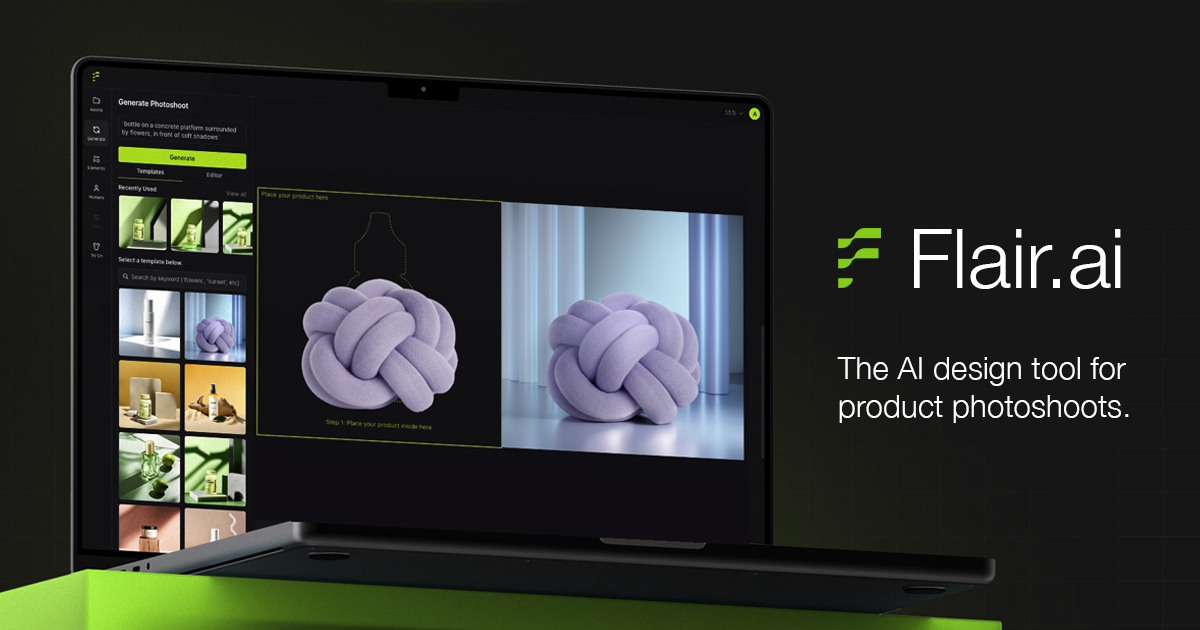
Flair.ai is a state-of-the-art AI-powered image and video generation tool designed specifically for Shopify sellers. It allows users to rapidly generate and manipulate product images, including background regeneration, without the need for extensive training. This addresses the industry-specific need for high-quality, customizable product imagery and video content to engage customers and drive sales.
Best for AI Image & Video Generation Tools for Shopify Sellers
Expert Take
Flair.ai stands out as a specialized tool for Shopify sellers, offering AI-powered image and video generation capabilities that streamline the creation of professional product listings. Its integration with Shopify and ease of use make it a valuable asset for e-commerce businesses, despite its subscription-based pricing model.
Pros
- Drag-and-drop virtual studio interface
- Affordable entry price ($10/month)
- Comprehensive API for enterprise automation
- On-model fashion photography generation
- Strong funding and market presence
Cons
- Difficult subscription cancellation process
- AI distorts text and fine details
- Free tier assets owned by platform
- No mobile app available
- Support relies heavily on email
Best for teams that are
- CPG and Beauty brands needing high-quality product photography
- Designers wanting creative control via a drag-and-drop canvas
- Merchants needing consistent brand assets with custom models
Skip if
- Users wanting instant one-click video generation from a URL
- Those needing complex video narratives beyond short loops
- Low-budget users wanting unlimited free generations
Best for teams that are
- CPG and Beauty brands needing high-quality product photography
- Designers wanting creative control via a drag-and-drop canvas
- Merchants needing consistent brand assets with custom models
Skip if
- Users wanting instant one-click video generation from a URL
- Those needing complex video narratives beyond short loops
- Low-budget users wanting unlimited free generations
Pros
- Drag-and-drop virtual studio interface
- Affordable entry price ($10/month)
- Comprehensive API for enterprise automation
- On-model fashion photography generation
- Strong funding and market presence
Cons
- Difficult subscription cancellation process
- AI distorts text and fine details
- Free tier assets owned by platform
- No mobile app available
- Support relies heavily on email
Expert Take
Flair.ai stands out as a specialized tool for Shopify sellers, offering AI-powered image and video generation capabilities that streamline the creation of professional product listings. Its integration with Shopify and ease of use make it a valuable asset for e-commerce businesses, despite its subscription-based pricing model.
HeyGen AI HVAC Video Maker
Best for AI Image & Video Generation Tools for HVAC Companies
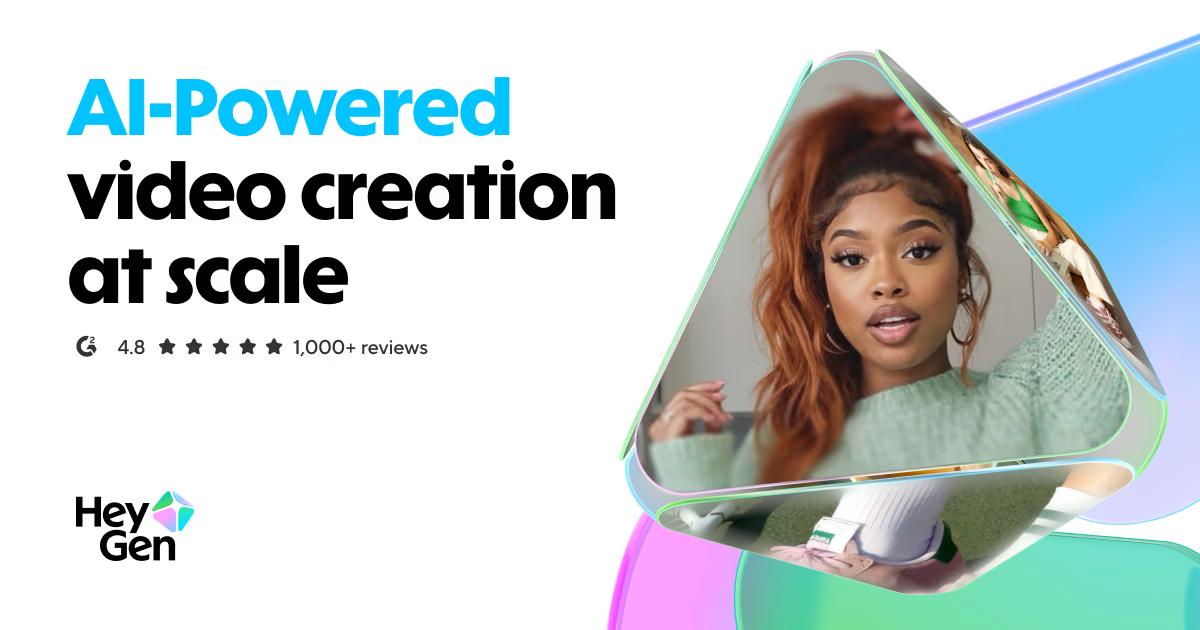
HeyGen’s AI HVAC training video maker is a game-changer for HVAC companies who want to create engaging, professional training materials. By leveraging AI-driven avatars and voiceover generation, companies can easily transform text scripts into captivating, informative videos, enhancing the learning experience for their staff.
Best for AI Image & Video Generation Tools for HVAC Companies
Expert Take
HeyGen AI HVAC Video Maker excels in providing AI-driven solutions for creating training videos specifically for the HVAC industry. Its capabilities in generating customizable AI avatars and voiceovers enhance the learning experience, making it a valuable tool for companies looking to modernize their training processes. While the product requires some initial adaptation, its benefits in terms of efficiency and engagement are significant.
Pros
- Native SCORM export for LMS
- SOC 2 Type II compliant
- 175+ languages with lip-sync
- Specific HVAC safety templates
- Converts PPT/PDF to video
Cons
- Hidden limits on unlimited plans
- Support relies on chatbots
- Credits may expire monthly
- High cost for large volumes
- No real-time filming capability
Best for teams that are
- Training managers needing scalable, multilingual safety or instructional videos
- Marketing teams wanting professional explainer videos without hiring film crews
Skip if
- Creators seeking authentic, emotional "vlog-style" content or human connection
- Users needing complex, cinematic video editing or high-end custom animations
Best for teams that are
- Training managers needing scalable, multilingual safety or instructional videos
- Marketing teams wanting professional explainer videos without hiring film crews
Skip if
- Creators seeking authentic, emotional "vlog-style" content or human connection
- Users needing complex, cinematic video editing or high-end custom animations
Pros
- Native SCORM export for LMS
- SOC 2 Type II compliant
- 175+ languages with lip-sync
- Specific HVAC safety templates
- Converts PPT/PDF to video
Cons
- Hidden limits on unlimited plans
- Support relies on chatbots
- Credits may expire monthly
- High cost for large volumes
- No real-time filming capability
Expert Take
HeyGen AI HVAC Video Maker excels in providing AI-driven solutions for creating training videos specifically for the HVAC industry. Its capabilities in generating customizable AI avatars and voiceovers enhance the learning experience, making it a valuable tool for companies looking to modernize their training processes. While the product requires some initial adaptation, its benefits in terms of efficiency and engagement are significant.
Hippo Video - AI Video Creation
Best for AI Image & Video Generation Tools for Insurance Agents

Hippo Video uses Agentic AI to automate the creation of personalized sales, marketing, and support videos. It is particularly suitable for insurance agents as it allows them to create lifelike avatars to explain complex insurance policies in over 170 languages, making it easier to reach and engage a diverse client base.
Best for AI Image & Video Generation Tools for Insurance Agents
Expert Take
Hippo Video excels in providing AI-driven video creation tailored for insurance agents, offering multilingual support and personalized content. Its market credibility is bolstered by its innovative use of AI, though some advanced features may require technical knowledge. Overall, it stands out in its niche for simplifying complex insurance topics.
Pros
- SOC 2 & HIPAA compliant security
- Deep Salesforce & HubSpot integrations
- AI 'Humanize' voice personalization
- Automated video flows & templates
- Generous free plan available
Cons
- Video editor can be laggy
- Testimonials feature costs extra
- Steep learning curve for advanced tools
- Mobile app stability issues
- Clunky UI reported by some users
Best for teams that are
- Sales teams integrating video directly into CRMs like Salesforce
- Agents sending personalized video emails to prospects at scale
- Customer support teams needing interactive video solutions
Skip if
- Users looking for high-end cinematic AI ad generation
- Solo users who do not use complex CRM software
- Creators wanting a pure "UGC" style ad generator
Best for teams that are
- Sales teams integrating video directly into CRMs like Salesforce
- Agents sending personalized video emails to prospects at scale
- Customer support teams needing interactive video solutions
Skip if
- Users looking for high-end cinematic AI ad generation
- Solo users who do not use complex CRM software
- Creators wanting a pure "UGC" style ad generator
Pros
- SOC 2 & HIPAA compliant security
- Deep Salesforce & HubSpot integrations
- AI 'Humanize' voice personalization
- Automated video flows & templates
- Generous free plan available
Cons
- Video editor can be laggy
- Testimonials feature costs extra
- Steep learning curve for advanced tools
- Mobile app stability issues
- Clunky UI reported by some users
Expert Take
Hippo Video excels in providing AI-driven video creation tailored for insurance agents, offering multilingual support and personalized content. Its market credibility is bolstered by its innovative use of AI, though some advanced features may require technical knowledge. Overall, it stands out in its niche for simplifying complex insurance topics.
Creatify - AI Ad Generator
Best for AI Image & Video Generation Tools for Shopify Sellers

Creatify is a powerful AI-driven tool that empowers Shopify sellers to effortlessly design and customize image and video advertisements. Its unique features allow users to create unlimited variations of ads in minutes, making it a game-changer for anyone looking to leverage AI for effective digital advertising.
Best for AI Image & Video Generation Tools for Shopify Sellers
Expert Take
Creatify excels as a specialized tool for Shopify sellers, offering AI-driven ad creation with significant customization and variation capabilities. Its market credibility is supported by its tailored focus and integration with Shopify, though it faces some limitations in pricing transparency and usability due to learning requirements.
Pros
- Automated URL-to-video generation
- 1,000+ diverse AI avatars
- Batch mode for A/B testing
- Direct export to Meta/TikTok
- Backed by $23M in funding
Cons
- Strict no-refund policy reported
- Credits expire without rollover
- Lip-sync issues reported by users
- Free plan exports have watermarks
- Interface occasional crash reports
Best for teams that are
- Advertisers needing high-volume UGC-style video ads
- Dropshippers wanting quick URL-to-video conversion for ads
- Marketers testing multiple ad variations using batch mode
Skip if
- Brands seeking cinematic or high-production value brand videos
- Users wanting free unlimited use as the free plan has watermarks
- Those avoiding AI avatars in their marketing materials
Best for teams that are
- Advertisers needing high-volume UGC-style video ads
- Dropshippers wanting quick URL-to-video conversion for ads
- Marketers testing multiple ad variations using batch mode
Skip if
- Brands seeking cinematic or high-production value brand videos
- Users wanting free unlimited use as the free plan has watermarks
- Those avoiding AI avatars in their marketing materials
Pros
- Automated URL-to-video generation
- 1,000+ diverse AI avatars
- Batch mode for A/B testing
- Direct export to Meta/TikTok
- Backed by $23M in funding
Cons
- Strict no-refund policy reported
- Credits expire without rollover
- Lip-sync issues reported by users
- Free plan exports have watermarks
- Interface occasional crash reports
Expert Take
Creatify excels as a specialized tool for Shopify sellers, offering AI-driven ad creation with significant customization and variation capabilities. Its market credibility is supported by its tailored focus and integration with Shopify, though it faces some limitations in pricing transparency and usability due to learning requirements.
OpenSpace: The Builder's Visual Platform

OpenSpace is an AI-powered SaaS solution specifically designed for construction professionals. Its visual intelligence capabilities allow builders to capture and analyze jobsite images in real-time, making it a powerful tool for project management, quality control, and on-site decision making.
Best for AI Image & Video Generation Tools for Contractors
Expert Take
OpenSpace excels in providing AI-powered visual intelligence for construction professionals, offering real-time jobsite image analysis and integration with popular construction software. Its market credibility is supported by third-party recognition, and it offers a user-friendly interface tailored for the construction industry.
Pros
- FedRAMP Authorized and SOC 2 Type 2 compliant
- Automated passive capture via 360° video walk
- Deep embedded integration with Procore
- Fast processing time (typically ~15 minutes)
- Split-view 'Time Machine' for progress comparison
Cons
- High minimum annual cost ($10k+)
- No public pricing transparency
- Image quality suffers in low light
- Occasional mapping drift in open areas
- Zoom capabilities limited by camera hardware
Best for teams that are
- Commercial construction teams needing automated 360° jobsite documentation
- Project managers requiring remote progress tracking and BIM comparison
Skip if
- Small residential contractors or DIYers due to high annual minimum costs (~$10k)
- Teams needing only simple photo storage without 360° or AI analytics
Best for teams that are
- Commercial construction teams needing automated 360° jobsite documentation
- Project managers requiring remote progress tracking and BIM comparison
Skip if
- Small residential contractors or DIYers due to high annual minimum costs (~$10k)
- Teams needing only simple photo storage without 360° or AI analytics
Pros
- FedRAMP Authorized and SOC 2 Type 2 compliant
- Automated passive capture via 360° video walk
- Deep embedded integration with Procore
- Fast processing time (typically ~15 minutes)
- Split-view 'Time Machine' for progress comparison
Cons
- High minimum annual cost ($10k+)
- No public pricing transparency
- Image quality suffers in low light
- Occasional mapping drift in open areas
- Zoom capabilities limited by camera hardware
Expert Take
OpenSpace excels in providing AI-powered visual intelligence for construction professionals, offering real-time jobsite image analysis and integration with popular construction software. Its market credibility is supported by third-party recognition, and it offers a user-friendly interface tailored for the construction industry.
WeShop AI eCommerce Studio
Best for AI Image & Video Generation Tools for Ecommerce Businesses

WeShop AI is a one-stop solution tailored specifically for e-commerce businesses. It leverages AI technology to edit, enhance, and transform images and videos for online stores. This tool increases efficiency and productivity by accelerating the creation process up to 10 times compared to traditional methods.
Best for AI Image & Video Generation Tools for Ecommerce Businesses
Expert Take
Our analysis shows WeShop AI effectively democratizes high-end product photography by allowing merchants to convert simple mannequin shots into diverse lifestyle images without physical models. Research indicates the platform's specialized tools, such as 'Mannequin to Model' and 'Hand & Foot Refinement,' directly address common e-commerce pain points better than generic AI generators. Based on documented features, the ability to maintain brand consistency across 200+ diverse AI models offers significant value for global sellers.
Pros
- Diverse library of 200+ AI models
- Specialized 'Mannequin to Model' conversion
- High-quality 4K image upscaling
- Official Shopify app integration
- Tools for hand and face refinement
Cons
- High credit cost for video generation
- No direct WooCommerce/WordPress integration
- Occasional finger/toe rendering artifacts
- Mobile app lacks full desktop features
- Strict no-refund policy on subscriptions
Best for teams that are
- Fashion brands needing diverse AI models for apparel
- Dropshippers converting mannequin photos to realistic models
Skip if
- Non-fashion businesses like electronics or furniture
- Users looking for general-purpose video generation
Best for teams that are
- Fashion brands needing diverse AI models for apparel
- Dropshippers converting mannequin photos to realistic models
Skip if
- Non-fashion businesses like electronics or furniture
- Users looking for general-purpose video generation
Pros
- Diverse library of 200+ AI models
- Specialized 'Mannequin to Model' conversion
- High-quality 4K image upscaling
- Official Shopify app integration
- Tools for hand and face refinement
Cons
- High credit cost for video generation
- No direct WooCommerce/WordPress integration
- Occasional finger/toe rendering artifacts
- Mobile app lacks full desktop features
- Strict no-refund policy on subscriptions
Expert Take
Our analysis shows WeShop AI effectively democratizes high-end product photography by allowing merchants to convert simple mannequin shots into diverse lifestyle images without physical models. Research indicates the platform's specialized tools, such as 'Mannequin to Model' and 'Hand & Foot Refinement,' directly address common e-commerce pain points better than generic AI generators. Based on documented features, the ability to maintain brand consistency across 200+ diverse AI models offers significant value for global sellers.

CompanyCam's AI Tools is a tailored solution for contractors who need AI features for image and video generation. The platform offers AI-powered photo reports, progress updates, and daily logs without the need for manual data entry, effectively streamlining workflow and enhancing team cooperation.
Best for AI Image & Video Generation Tools for Contractors
Expert Take
CompanyCam AI Tools excels in providing AI-driven solutions tailored for contractors, enhancing workflow efficiency with automated image and video documentation. The product's integration capabilities and user-friendly design further solidify its position as a top choice in its category.
Pros
- Voice-to-text AI report generation
- Unlimited cloud storage for photos/video
- Deep integrations with Jobber/ServiceTitan
- Real-time translation for crews
- Automated daily site logs
Cons
- Mandatory 3-user minimum pricing
- AI features require Premium plan
- Occasional mobile sync glitches
- Expensive for solo operators
- Limited video length on Pro
Best for teams that are
- Field contractors (roofers, plumbers) needing organized photo documentation
- Teams wanting AI-generated job site reports, summaries, and checklists
Skip if
- Solo operators wanting a single-user plan (often requires 3-user minimum)
- Businesses seeking an all-in-one CRM with invoicing and scheduling built-in
Best for teams that are
- Field contractors (roofers, plumbers) needing organized photo documentation
- Teams wanting AI-generated job site reports, summaries, and checklists
Skip if
- Solo operators wanting a single-user plan (often requires 3-user minimum)
- Businesses seeking an all-in-one CRM with invoicing and scheduling built-in
Pros
- Voice-to-text AI report generation
- Unlimited cloud storage for photos/video
- Deep integrations with Jobber/ServiceTitan
- Real-time translation for crews
- Automated daily site logs
Cons
- Mandatory 3-user minimum pricing
- AI features require Premium plan
- Occasional mobile sync glitches
- Expensive for solo operators
- Limited video length on Pro
Expert Take
CompanyCam AI Tools excels in providing AI-driven solutions tailored for contractors, enhancing workflow efficiency with automated image and video documentation. The product's integration capabilities and user-friendly design further solidify its position as a top choice in its category.
Claid.ai AI Photography Suite
Best for AI Image & Video Generation Tools for Ecommerce Businesses

Claid.ai is a game-changing tool for Ecommerce businesses, leveraging AI to generate, enhance, and edit product photos in mere seconds. It addresses the industry's need for high-quality, scalable imagery for product catalogs, ads, and social media, reducing the time, cost and expertise required for traditional product photography.
Best for AI Image & Video Generation Tools for Ecommerce Businesses
Expert Take
Our analysis shows Claid.ai stands out by focusing strictly on the 'boring' but critical problems of e-commerce: standardization and scale. Unlike generalist AI art tools, research indicates its algorithms are tuned specifically to preserve product brand logos and textures while upscaling. Based on documented features, the 'Smart Frame' and bulk API capabilities make it a uniquely powerful solution for marketplaces needing to process thousands of user-generated images automatically.
Pros
- Specialized for e-commerce product photography
- API Playground for easy testing
- High-res upscaling up to 4K
- Bulk processing for large catalogs
- Backed by Let's Enhance technology
Cons
- Background blur can affect product edges
- Custom AI locked to Pro plan
- No long-term image history storage
- API integration requires technical skill
- Credits expire monthly (use it or lose it)
Best for teams that are
- Marketplaces processing large volumes of user content
- E-commerce teams needing bulk image upscaling
Skip if
- Users wanting creative text-to-video generation
- Individuals needing only single, artistic image creation
Best for teams that are
- Marketplaces processing large volumes of user content
- E-commerce teams needing bulk image upscaling
Skip if
- Users wanting creative text-to-video generation
- Individuals needing only single, artistic image creation
Pros
- Specialized for e-commerce product photography
- API Playground for easy testing
- High-res upscaling up to 4K
- Bulk processing for large catalogs
- Backed by Let's Enhance technology
Cons
- Background blur can affect product edges
- Custom AI locked to Pro plan
- No long-term image history storage
- API integration requires technical skill
- Credits expire monthly (use it or lose it)
Expert Take
Our analysis shows Claid.ai stands out by focusing strictly on the 'boring' but critical problems of e-commerce: standardization and scale. Unlike generalist AI art tools, research indicates its algorithms are tuned specifically to preserve product brand logos and textures while upscaling. Based on documented features, the 'Smart Frame' and bulk API capabilities make it a uniquely powerful solution for marketplaces needing to process thousands of user-generated images automatically.
Bluon's Generative AI Tool
Best for AI Image & Video Generation Tools for HVAC Companies

Bluon's new generative AI tool has been specifically designed for HVAC technicians. It uses advanced machine learning algorithms to generate detailed predictions and actionable insights, allowing technicians to make informed decisions and improve their operational efficiency. Additionally, its generative capabilities offer a new level of understanding for complex HVAC systems, which is critical in this industry.
Best for AI Image & Video Generation Tools for HVAC Companies
Expert Take
Bluon's Generative AI Tool is a specialized solution for HVAC technicians, leveraging advanced machine learning to provide actionable insights and improve operational efficiency. Its industry-specific focus and current free beta availability position it as a valuable tool in a niche market.
Pros
- Industry-specific tool
- Advanced AI capabilities
- Generates valuable insights
- Improves operational efficiency
- Free beta version available
Cons
- Still in beta stage
- Requires technical knowledge to fully utilize
- Reliant on user feedback for improvements
Best for teams that are
- Field technicians needing instant, step-by-step diagnostic support for complex units
- Junior mechanics requiring guidance on specific HVAC models and troubleshooting
Skip if
- Marketing or creative teams looking for image or video generation tools
- Users looking for generic content generation rather than technical HVAC support
Best for teams that are
- Field technicians needing instant, step-by-step diagnostic support for complex units
- Junior mechanics requiring guidance on specific HVAC models and troubleshooting
Skip if
- Marketing or creative teams looking for image or video generation tools
- Users looking for generic content generation rather than technical HVAC support
Pros
- Industry-specific tool
- Advanced AI capabilities
- Generates valuable insights
- Improves operational efficiency
- Free beta version available
Cons
- Still in beta stage
- Requires technical knowledge to fully utilize
- Reliant on user feedback for improvements
Expert Take
Bluon's Generative AI Tool is a specialized solution for HVAC technicians, leveraging advanced machine learning to provide actionable insights and improve operational efficiency. Its industry-specific focus and current free beta availability position it as a valuable tool in a niche market.
Scenario AI Content Platform
Best for AI Image & Video Generation Tools for Insurance Agents
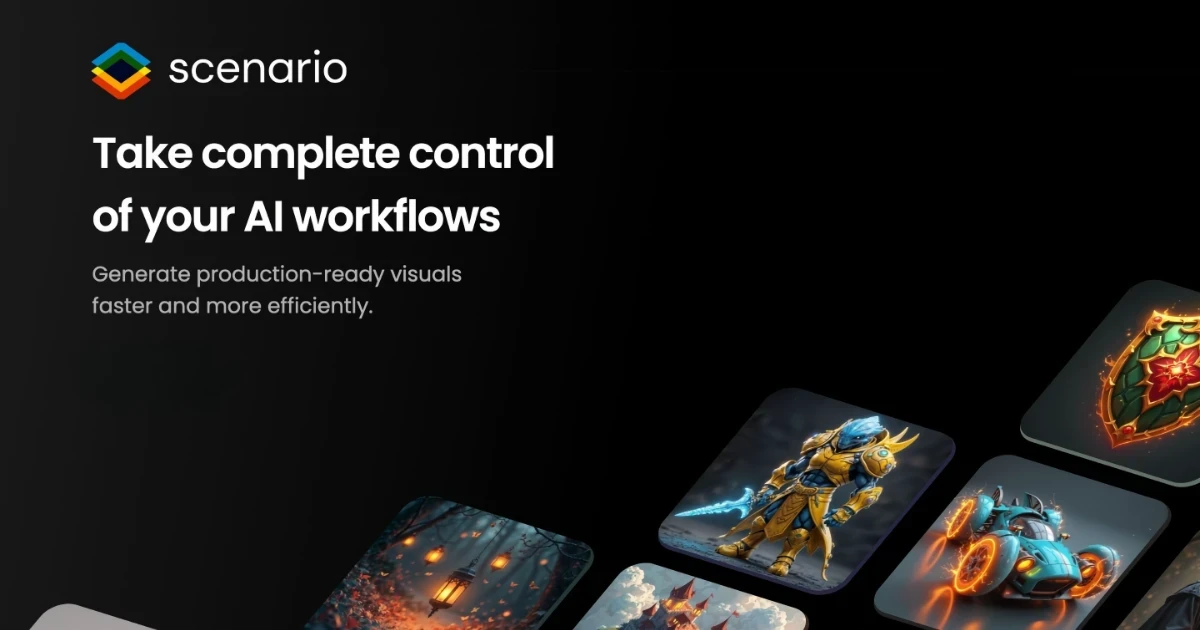
Scenario is a revolutionary AI-powered content generation platform specifically beneficial for insurance agents. It allows the creation of on-brand visual assets including images, videos, and 3D models. Scenario's custom AI models help in automating and scaling up content creation, reducing manual efforts and helping insurance agents focus more on their core tasks.
Best for AI Image & Video Generation Tools for Insurance Agents
Expert Take
Scenario AI Content Platform excels in providing tailored AI-powered content generation for insurance agents, offering significant automation and customization capabilities. Its market credibility is supported by strong documentation and industry-specific features, though the need for initial training and premium pricing may limit its accessibility for some users.
Pros
- Trains custom models for consistent style
- Seamless Unity game engine integration
- Generous free plan (50 daily credits)
- Enterprise-grade security (SOC 2, SSO)
- API for automated asset pipelines
Cons
- Unused credits do not roll over
- Unity plugin has reported stability issues
- Steep learning curve for advanced features
- Legal gray area for Steam distribution
- Resource intensive for high-quality renders
Best for teams that are
- Creative teams designing custom brand mascots or visual assets
- Agencies building gamified insurance marketing experiences
- Designers needing consistent, custom-trained visual models
Skip if
- Agents wanting standard "talking head" sales videos
- Users looking for text-to-speech video generation tools
- Those needing realistic human video avatars for outreach
Best for teams that are
- Creative teams designing custom brand mascots or visual assets
- Agencies building gamified insurance marketing experiences
- Designers needing consistent, custom-trained visual models
Skip if
- Agents wanting standard "talking head" sales videos
- Users looking for text-to-speech video generation tools
- Those needing realistic human video avatars for outreach
Pros
- Trains custom models for consistent style
- Seamless Unity game engine integration
- Generous free plan (50 daily credits)
- Enterprise-grade security (SOC 2, SSO)
- API for automated asset pipelines
Cons
- Unused credits do not roll over
- Unity plugin has reported stability issues
- Steep learning curve for advanced features
- Legal gray area for Steam distribution
- Resource intensive for high-quality renders
Expert Take
Scenario AI Content Platform excels in providing tailored AI-powered content generation for insurance agents, offering significant automation and customization capabilities. Its market credibility is supported by strong documentation and industry-specific features, though the need for initial training and premium pricing may limit its accessibility for some users.