Team Chat & Messaging Apps

These are the specialized categories within Team Chat & Messaging Apps. Looking for something broader? See all Project Management & Productivity Tools categories.

1

Bolster Construction Messaging Software

Best for Team Chat & Messaging Apps for Contractors

Score
9.9 / 10
Bolster Construction Messaging Software

Designed specifically with contractors in mind, the Bolster Construction Messaging Software streamlines project communication between teams, subcontractors, and clients. It eases the flow of information in real-time, making it a vital tool for project management and collaboration in the construction industry.

Best for Team Chat & Messaging Apps for Contractors

Expert Take

Bolster Construction Messaging Software excels in providing industry-specific communication solutions for contractors, enhancing project management through real-time messaging. Its market credibility is supported by its tailored features and usability, though pricing transparency is limited due to custom quotes.

Pros

  • Centralized project-based chat channels
  • Interactive quotes with client upsells
  • Automated change order approvals
  • Integrates with QuickBooks and Hover
  • Client portal for payments/updates

Cons

  • Strict no-refund policy
  • Steep learning curve for setup
  • High starting price ($299/mo)
  • Web-based only (no desktop apps)
  • Template creation is time-consuming

Best for teams that are

  • Residential general contractors and remodelers seeking an all-in-one management suite
  • Builders who want to provide clients with a transparent portal for updates

Skip if

  • Commercial contractors, as the platform is specifically tuned for residential workflows
  • Teams seeking a standalone messaging app without a full project management suite

Best for teams that are

  • Residential general contractors and remodelers seeking an all-in-one management suite
  • Builders who want to provide clients with a transparent portal for updates

Skip if

  • Commercial contractors, as the platform is specifically tuned for residential workflows
  • Teams seeking a standalone messaging app without a full project management suite

Pros

  • Centralized project-based chat channels
  • Interactive quotes with client upsells
  • Automated change order approvals
  • Integrates with QuickBooks and Hover
  • Client portal for payments/updates

Cons

  • Strict no-refund policy
  • Steep learning curve for setup
  • High starting price ($299/mo)
  • Web-based only (no desktop apps)
  • Template creation is time-consuming

Expert Take

Bolster Construction Messaging Software excels in providing industry-specific communication solutions for contractors, enhancing project management through real-time messaging. Its market credibility is supported by its tailored features and usability, though pricing transparency is limited due to custom quotes.

2
Score
9.8 / 10
2
9.8 / 10
Weave Team Chat

Weave's Team Chat Software is an essential tool for private equity firms seeking a secure and efficient means of internal communication. This HIPAA-compliant messaging system allows seamless cross-departmental collaboration while ensuring sensitive information remains protected, a crucial aspect for firms dealing with confidential financial data.

Best for Team Chat & Messaging Apps for Private Equity Firms
Expert Take

Weave Team Chat is recognized for its strong security features, including HIPAA compliance, making it ideal for private equity firms handling sensitive data. Its usability is enhanced by an intuitive interface and 24/7 support, although it lacks a free plan. The product's integration capabilities and market credibility are supported by third-party validations.

Pros

  • Fully HIPAA compliant with BAA
  • Deep integration with Practice Management Software
  • Unified mobile app for remote access
  • Intuitive and user-friendly interface
  • Secure file and image sharing

Cons

  • High setup fees (approx. $750)
  • Bundled pricing requires full suite
  • Customer support response delays
  • Occasional connectivity and outage issues
  • No standalone chat pricing option

Best for teams that are

  • Dental, medical, and veterinary practices requiring HIPAA compliance
  • Front-office teams needing to coordinate patient arrivals and scheduling

Skip if

  • General corporate businesses or private equity firms outside healthcare
  • Teams not using Weave's broader practice management and phone system

Best for teams that are

  • Dental, medical, and veterinary practices requiring HIPAA compliance
  • Front-office teams needing to coordinate patient arrivals and scheduling

Skip if

  • General corporate businesses or private equity firms outside healthcare
  • Teams not using Weave's broader practice management and phone system

Pros

  • Fully HIPAA compliant with BAA
  • Deep integration with Practice Management Software
  • Unified mobile app for remote access
  • Intuitive and user-friendly interface
  • Secure file and image sharing

Cons

  • High setup fees (approx. $750)
  • Bundled pricing requires full suite
  • Customer support response delays
  • Occasional connectivity and outage issues
  • No standalone chat pricing option

Expert Take

Weave Team Chat is recognized for its strong security features, including HIPAA compliance, making it ideal for private equity firms handling sensitive data. Its usability is enhanced by an intuitive interface and 24/7 support, although it lacks a free plan. The product's integration capabilities and market credibility are supported by third-party validations.

3

Flock: Team Communication Solution

Best for Team Chat & Messaging Apps for Private Equity Firms

Score
9.7 / 10
Flock: Team Communication Solution

Flock is a powerful tool for private equity firms, facilitating seamless team communication and project management. It enhances collaboration, allowing teams to work across multiple projects with streamlined messaging and file sharing. Its data security measures are also crucial for firms dealing with sensitive information.

Best for Team Chat & Messaging Apps for Private Equity Firms

Expert Take

Flock stands out as a premier communication tool for private equity firms due to its robust collaboration features and strong data security measures. While it excels in usability and pricing transparency, its limited third-party integrations and learning curve for non-tech-savvy users are notable tradeoffs.
Pros

  • Cost-effective Pro plan at ~$4.50/user/mo
  • Built-in polling and to-do lists
  • SOC 2 and GDPR compliant
  • Unlimited message history on paid plans
  • Guest access included in plans

Cons

  • No threaded messaging feature
  • Video calls capped at 20 users
  • Limited native integration ecosystem
  • Free plan limited to 10k messages
  • Interface can feel cluttered

Best for teams that are

  • Cost-conscious SMBs and startups wanting a cheaper alternative to Slack
  • Teams needing built-in productivity tools like polls and shared to-do lists

Skip if

  • Large enterprises requiring advanced compliance and security controls
  • Teams heavily reliant on a wide ecosystem of third-party integrations

Best for teams that are

  • Cost-conscious SMBs and startups wanting a cheaper alternative to Slack
  • Teams needing built-in productivity tools like polls and shared to-do lists

Skip if

  • Large enterprises requiring advanced compliance and security controls
  • Teams heavily reliant on a wide ecosystem of third-party integrations

Pros

  • Cost-effective Pro plan at ~$4.50/user/mo
  • Built-in polling and to-do lists
  • SOC 2 and GDPR compliant
  • Unlimited message history on paid plans
  • Guest access included in plans

Cons

  • No threaded messaging feature
  • Video calls capped at 20 users
  • Limited native integration ecosystem
  • Free plan limited to 10k messages
  • Interface can feel cluttered

Expert Take

Flock stands out as a premier communication tool for private equity firms due to its robust collaboration features and strong data security measures. While it excels in usability and pricing transparency, its limited third-party integrations and learning curve for non-tech-savvy users are notable tradeoffs.

4

Remato Team Chat App

Best for Team Chat & Messaging Apps for Contractors

Score
9.7 / 10
Remato Team Chat App

Remato's team chat app is a robust communication solution specifically designed for construction industry professionals. It facilitates seamless interaction between jobsite and office teams, allowing for real-time coordination and collaboration, thus enhancing productivity and efficiency.

Best for Team Chat & Messaging Apps for Contractors

Expert Take

Remato Team Chat App excels in providing industry-specific communication solutions for the construction sector, enhancing coordination between jobsite and office teams. While it lacks public pricing information, its targeted features and usability make it a top choice for construction professionals.

Pros

  • Auto-translation for 20+ languages
  • Offline mode with auto-sync
  • Familiar WhatsApp-like interface
  • Transparent modular pricing
  • Fast customer support (<2 min)

Cons

  • No heavy machinery hour tracking
  • Manual data entry error correction
  • Minimum monthly spend of $50
  • Initial crew adoption friction
  • No time rounding option

Best for teams that are

  • Multilingual crews needing real-time auto-translation to bridge language barriers
  • Contractors who want to combine team chat with tool and asset tracking

Skip if

  • Teams needing specific tracking for heavy machinery hours
  • Very small businesses looking for a free communication tool

Best for teams that are

  • Multilingual crews needing real-time auto-translation to bridge language barriers
  • Contractors who want to combine team chat with tool and asset tracking

Skip if

  • Teams needing specific tracking for heavy machinery hours
  • Very small businesses looking for a free communication tool

Pros

  • Auto-translation for 20+ languages
  • Offline mode with auto-sync
  • Familiar WhatsApp-like interface
  • Transparent modular pricing
  • Fast customer support (<2 min)

Cons

  • No heavy machinery hour tracking
  • Manual data entry error correction
  • Minimum monthly spend of $50
  • Initial crew adoption friction
  • No time rounding option

Expert Take

Remato Team Chat App excels in providing industry-specific communication solutions for the construction sector, enhancing coordination between jobsite and office teams. While it lacks public pricing information, its targeted features and usability make it a top choice for construction professionals.

5

Homebase Team Communication App

Best for Team Chat & Messaging Apps for Recruitment Agencies

Score
9.7 / 10
Homebase Team Communication App

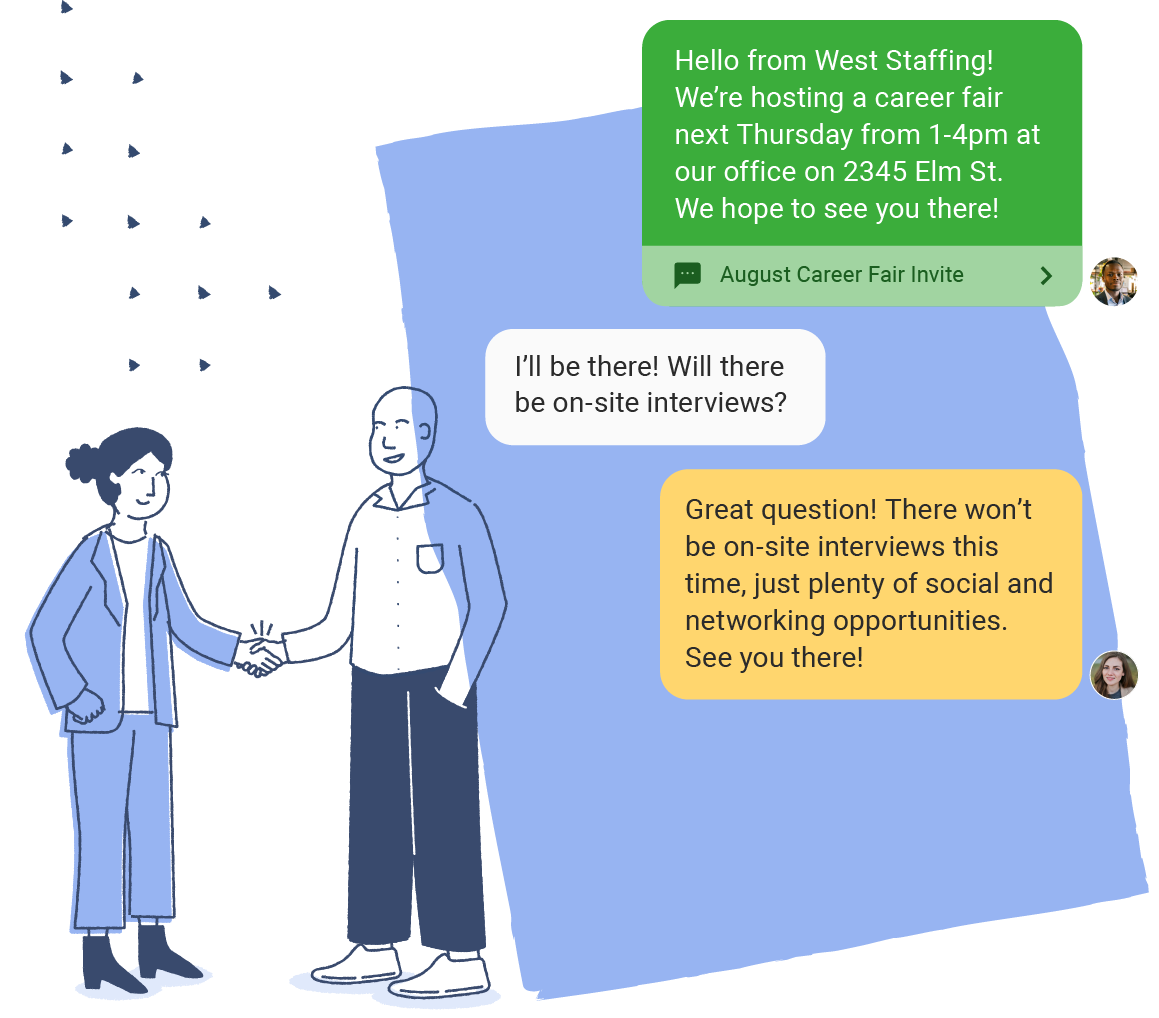
The Homebase team communication software is designed to address the specific needs of recruitment agencies. It streamlines communication by allowing team members to send alerts, reminders, and direct messages. The app is integrated with other Homebase features, making the transition between tasks seamless.

Best for Team Chat & Messaging Apps for Recruitment Agencies
Expert Take

Homebase Team Communication App stands out in the recruitment agency niche by offering seamless integration with other Homebase features and real-time communication capabilities. While the free version is limited, the premium plans provide significant value for small to medium-sized teams. Its market credibility is bolstered by integration capabilities and usability tailored for recruitment agencies.

Pros

  • Free plan for up to 20 employees
  • Seamless POS and Payroll integrations
  • Built-in manager logbook and shift notes
  • Read receipts for team accountability
  • Automated labor law compliance alerts

Cons

  • Message history limited to 90 days in-app
  • No weekend customer support availability
  • Cannot share documents/PDFs in chat
  • Per-location pricing can add up
  • Recent UI updates caused navigation issues

Best for teams that are

  • Small businesses like retail or restaurants managing hourly shift workers
  • Managers needing to combine team chat with time clocks and scheduling
  • Employers wanting to handle hiring and onboarding for a single location

Skip if

  • Professional recruitment agencies looking for candidate outreach tools
  • Large enterprises requiring advanced HRIS or complex payroll integrations
  • Office-based corporate teams needing project-focused collaboration tools

Best for teams that are

  • Small businesses like retail or restaurants managing hourly shift workers
  • Managers needing to combine team chat with time clocks and scheduling
  • Employers wanting to handle hiring and onboarding for a single location

Skip if

  • Professional recruitment agencies looking for candidate outreach tools
  • Large enterprises requiring advanced HRIS or complex payroll integrations
  • Office-based corporate teams needing project-focused collaboration tools

Pros

  • Free plan for up to 20 employees
  • Seamless POS and Payroll integrations
  • Built-in manager logbook and shift notes
  • Read receipts for team accountability
  • Automated labor law compliance alerts

Cons

  • Message history limited to 90 days in-app
  • No weekend customer support availability
  • Cannot share documents/PDFs in chat
  • Per-location pricing can add up
  • Recent UI updates caused navigation issues

Expert Take

Homebase Team Communication App stands out in the recruitment agency niche by offering seamless integration with other Homebase features and real-time communication capabilities. While the free version is limited, the premium plans provide significant value for small to medium-sized teams. Its market credibility is bolstered by integration capabilities and usability tailored for recruitment agencies.

6

Text-Em-All Recruiting Software

Best for Team Chat & Messaging Apps for Recruitment Agencies

Score
9.7 / 10
Text-Em-All Recruiting Software

Text-Em-All's recruiting software is a potent tool specifically designed for staffing agencies, enabling them to conduct automated calling and text recruitment. The software addresses the agencies' need for swift, efficient, and streamlined communication, making the recruitment process faster and more effective.

Best for Team Chat & Messaging Apps for Recruitment Agencies

Expert Take

Text-Em-All Recruiting Software excels in providing automated communication solutions tailored for recruitment agencies, enhancing efficiency and streamlining processes. Its market credibility is supported by industry recognition, and it offers a user-friendly experience despite requiring some technical knowledge. The software's value proposition is strong, though pricing transparency is limited due to enterprise models.

Pros

  • 100% employee-owned company structure
  • Transparent pay-as-you-go or monthly pricing
  • Unlimited batch sizes in Bullhorn integration
  • SOC 2 Type 2 certified security
  • Highly rated US-based customer support

Cons

  • Surcharge for images/long texts on monthly plans
  • Mobile app lacks full web functionality
  • Video and audio MMS not yet supported
  • Strict anti-promotional policy for voice calls
  • Monthly plans default to lower character limits

Best for teams that are

  • High-volume staffing agencies needing to send mass shift broadcasts
  • Recruiters in the US/Canada requiring automated voice and text blasts
  • Teams needing to quickly fill rosters with bulk messaging

Skip if

  • Recruiters targeting international candidates outside US/Canada
  • Executive search firms requiring high-touch, personalized low-volume outreach
  • Users needing complex conversational AI beyond basic auto-replies

Best for teams that are

  • High-volume staffing agencies needing to send mass shift broadcasts
  • Recruiters in the US/Canada requiring automated voice and text blasts
  • Teams needing to quickly fill rosters with bulk messaging

Skip if

  • Recruiters targeting international candidates outside US/Canada
  • Executive search firms requiring high-touch, personalized low-volume outreach
  • Users needing complex conversational AI beyond basic auto-replies

Pros

  • 100% employee-owned company structure
  • Transparent pay-as-you-go or monthly pricing
  • Unlimited batch sizes in Bullhorn integration
  • SOC 2 Type 2 certified security
  • Highly rated US-based customer support

Cons

  • Surcharge for images/long texts on monthly plans
  • Mobile app lacks full web functionality
  • Video and audio MMS not yet supported
  • Strict anti-promotional policy for voice calls
  • Monthly plans default to lower character limits

Expert Take

Text-Em-All Recruiting Software excels in providing automated communication solutions tailored for recruitment agencies, enhancing efficiency and streamlining processes. Its market credibility is supported by industry recognition, and it offers a user-friendly experience despite requiring some technical knowledge. The software's value proposition is strong, though pricing transparency is limited due to enterprise models.

7

Voxer: Team Communication App

Best for Team Chat & Messaging Apps for Staffing Agencies

Score
9.7 / 10
Voxer: Team Communication App

Voxer is an innovative walkie talkie app designed for staffing agencies to streamline communication. It offers real-time voice messaging, text, photo and location sharing, making it ideal for coordinating teams, especially those working remotely. Its instant voice message feature is crucial for staffing agencies, enabling immediate communication and faster decision-making.

Best for Team Chat & Messaging Apps for Staffing Agencies

Expert Take

Voxer excels in providing real-time voice messaging tailored for staffing agencies, enhancing team coordination and decision-making. Its integration of voice, text, and location sharing offers comprehensive communication capabilities. While lacking video calls, its usability and pricing transparency make it a strong contender in its category.

Pros

  • Patented Live & Recorded Audio
  • Signal Protocol End-to-End Encryption
  • Hands-free Walkie Talkie Mode
  • Zapier Automation with 1000+ Apps
  • Works on iOS, Android & Web

Cons

  • Encryption is Opt-in (Not Default)
  • No Explicit HIPAA BAA Listed
  • Notification Badges Can Be Buggy
  • Desktop App Has Limited Features
  • Video Conferencing Not Native

Best for teams that are

  • Field service workers, logistics, and transportation teams on the go
  • Deskless workforces needing instant push-to-talk voice communication
  • Teams working in environments where typing text is difficult or unsafe

Skip if

  • Office-based teams primarily collaborating on documents and spreadsheets
  • Users who prefer text-based threads over voice messaging
  • Organizations needing detailed project tracking and task assignment features

Best for teams that are

  • Field service workers, logistics, and transportation teams on the go
  • Deskless workforces needing instant push-to-talk voice communication
  • Teams working in environments where typing text is difficult or unsafe

Skip if

  • Office-based teams primarily collaborating on documents and spreadsheets
  • Users who prefer text-based threads over voice messaging
  • Organizations needing detailed project tracking and task assignment features

Pros

  • Patented Live & Recorded Audio
  • Signal Protocol End-to-End Encryption
  • Hands-free Walkie Talkie Mode
  • Zapier Automation with 1000+ Apps
  • Works on iOS, Android & Web

Cons

  • Encryption is Opt-in (Not Default)
  • No Explicit HIPAA BAA Listed
  • Notification Badges Can Be Buggy
  • Desktop App Has Limited Features
  • Video Conferencing Not Native

Expert Take

Voxer excels in providing real-time voice messaging tailored for staffing agencies, enhancing team coordination and decision-making. Its integration of voice, text, and location sharing offers comprehensive communication capabilities. While lacking video calls, its usability and pricing transparency make it a strong contender in its category.

8

Construction Chat

Best for Team Chat & Messaging Apps for Contractors

Score
9.6 / 10
8
9.6 / 10
Construction Chat

Construction Chat is a tailored solution for the construction industry, providing real-time communication between teams on-site and off-site. Its compliance with DSGVO and hosting on German servers ensures stringent data protection, meeting the industry's specific need for secure and efficient communication.

Best for Team Chat & Messaging Apps for Contractors

Expert Take

Construction Chat excels in providing industry-specific communication tools for contractors, with strong data protection measures and real-time capabilities. Its compliance with DSGVO and hosting on secure German servers enhances its credibility and trustworthiness in the construction sector.

Pros

  • Free tier for up to 3 users
  • Legally compliant WhatsApp alternative
  • Works offline with auto-sync
  • Award-winning 'Product of the Year 2024'
  • Modular pricing structure

Cons

  • Reports of app synchronization glitches
  • Initial setup can be complex
  • Interface described as unintuitive by some
  • Limited to specific regional integrations

Best for teams that are

  • European contractors requiring strict GDPR compliance and secure data hosting
  • Teams seeking a legally secure, documented alternative to WhatsApp

Skip if

  • Non-European companies where German legal compliance and hosting are not required
  • Teams looking for a standalone chat tool independent of the 123onsite ecosystem

Best for teams that are

  • European contractors requiring strict GDPR compliance and secure data hosting
  • Teams seeking a legally secure, documented alternative to WhatsApp

Skip if

  • Non-European companies where German legal compliance and hosting are not required
  • Teams looking for a standalone chat tool independent of the 123onsite ecosystem

Pros

  • Free tier for up to 3 users
  • Legally compliant WhatsApp alternative
  • Works offline with auto-sync
  • Award-winning 'Product of the Year 2024'
  • Modular pricing structure

Cons

  • Reports of app synchronization glitches
  • Initial setup can be complex
  • Interface described as unintuitive by some
  • Limited to specific regional integrations

Expert Take

Construction Chat excels in providing industry-specific communication tools for contractors, with strong data protection measures and real-time capabilities. Its compliance with DSGVO and hosting on secure German servers enhances its credibility and trustworthiness in the construction sector.

9

Blink - Employee Experience Platform

Best for Team Chat & Messaging Apps for Recruitment Agencies

Score
9.6 / 10
Blink - Employee Experience Platform

Blink is a mobile-first employee experience platform designed specifically for recruitment agencies. It offers efficient team chat and messaging solutions, enabling employees to make direct 1:1 or group calls seamlessly. It caters to the unique communication needs of recruiters, providing instant conversations and messaging for improved collaboration and productivity.

Best for Team Chat & Messaging Apps for Recruitment Agencies

Expert Take

Blink excels as a mobile-first communication platform tailored for recruitment agencies, offering seamless chat and call functionalities. Its focus on instant communication enhances team collaboration and productivity, though it faces limitations in customization and market presence.

Pros

  • Mobile-first design optimized for deskless/frontline workers
  • Offline mode allows access to content without internet
  • High adoption rates (90%+) due to intuitive interface
  • Strong security with ISO 27001 and SOC 2 Type 2
  • Seamless integrations with major HRIS like Workday

Cons

  • Native employee recognition features are basic
  • Advanced analytics require Enterprise plan or add-ons
  • Integration setup often requires support team assistance
  • Limited native project management tools compared to peers

Best for teams that are

  • Organizations with large frontline or deskless workforces like transit
  • Companies needing an all-in-one employee app for internal news and chat
  • Enterprises wanting to improve retention among non-desk employees

Skip if

  • Recruitment agencies seeking tools for external candidate communication
  • Small, office-based teams that already use Slack or Teams for collaboration
  • Businesses looking for a dedicated applicant tracking system

Best for teams that are

  • Organizations with large frontline or deskless workforces like transit
  • Companies needing an all-in-one employee app for internal news and chat
  • Enterprises wanting to improve retention among non-desk employees

Skip if

  • Recruitment agencies seeking tools for external candidate communication
  • Small, office-based teams that already use Slack or Teams for collaboration
  • Businesses looking for a dedicated applicant tracking system

Pros

  • Mobile-first design optimized for deskless/frontline workers
  • Offline mode allows access to content without internet
  • High adoption rates (90%+) due to intuitive interface
  • Strong security with ISO 27001 and SOC 2 Type 2
  • Seamless integrations with major HRIS like Workday

Cons

  • Native employee recognition features are basic
  • Advanced analytics require Enterprise plan or add-ons
  • Integration setup often requires support team assistance
  • Limited native project management tools compared to peers

Expert Take

Blink excels as a mobile-first communication platform tailored for recruitment agencies, offering seamless chat and call functionalities. Its focus on instant communication enhances team collaboration and productivity, though it faces limitations in customization and market presence.

10

Raken Construction Communication App

Best for Team Chat & Messaging Apps for Contractors

Score
9.6 / 10
Raken Construction Communication App

Raken is an industry-specific communication software designed for the construction sector. It addresses the critical need for seamless communication between teams in the field, office, general contractors and subcontractors, significantly improving project coordination and efficiency.

Best for Team Chat & Messaging Apps for Contractors

Expert Take

Raken excels as a communication tool tailored for the construction industry, offering features that enhance project coordination and efficiency. It integrates well with other tools and provides a user-friendly interface, although its basic plan has limited features. The app's industry-specific design and real-time messaging capabilities make it a top choice for construction professionals.

Pros

  • Field-first design ensures high adoption
  • Robust offline mode caches projects
  • Automated daily reports from field data
  • Integrates with Procore and Sage
  • Voice-to-text for easy data entry

Cons

  • Pricing is not publicly transparent
  • Android app stability issues reported
  • Lacks advanced shift scheduling features
  • Mobile app has fewer features than web
  • Photo loading can be slow

Best for teams that are

  • Medium-to-large firms prioritizing safety compliance and daily field reporting
  • Field teams working in remote areas requiring offline data entry capabilities

Skip if

  • Companies needing advanced project management features like budgeting or complex scheduling
  • Android-heavy field teams due to reported app stability issues

Best for teams that are

  • Medium-to-large firms prioritizing safety compliance and daily field reporting
  • Field teams working in remote areas requiring offline data entry capabilities

Skip if

  • Companies needing advanced project management features like budgeting or complex scheduling
  • Android-heavy field teams due to reported app stability issues

Pros

  • Field-first design ensures high adoption
  • Robust offline mode caches projects
  • Automated daily reports from field data
  • Integrates with Procore and Sage
  • Voice-to-text for easy data entry

Cons

  • Pricing is not publicly transparent
  • Android app stability issues reported
  • Lacks advanced shift scheduling features
  • Mobile app has fewer features than web
  • Photo loading can be slow

Expert Take

Raken excels as a communication tool tailored for the construction industry, offering features that enhance project coordination and efficiency. It integrates well with other tools and provides a user-friendly interface, although its basic plan has limited features. The app's industry-specific design and real-time messaging capabilities make it a top choice for construction professionals.

How We Rank Products

Our Evaluation Process

Products in the Team Chat & Messaging Apps category are evaluated based on key features such as integration with third-party tools, user capacity, and security compliance. Pricing transparency is assessed to understand subscription models and tiered offerings. Compatibility with existing systems and user feedback from third-party sources are considered to gauge usability and performance. These criteria help in comparing the effectiveness of each app within professional settings.

Verification

  • Products evaluated through comprehensive research and analysis of user feedback and expert insights.
  • Rankings based on a thorough evaluation of features, performance metrics, and customer satisfaction ratings.
  • Selection criteria focus on key aspects such as security, ease of use, and integration capabilities within team environments.

Score Breakdown

0.0 / 10

About Team Chat & Messaging Apps

What Is Team Chat & Messaging Apps?

Team Chat & Messaging Apps cover the synchronous and asynchronous exchange of unstructured communication (text, voice, video) and structured system notifications within an organization. This category sits distinctly between Email (which handles formal, external, and long-form correspondence) and Project Management Software (which focuses on task assignment and progress tracking). It encompasses both general-purpose collaboration hubs used for company-wide alignment and vertical-specific secure messaging tools designed for regulated industries like healthcare and finance. The functional scope includes real-time direct messaging, topic-based channel organization, file sharing, and the automation of workflows through integrations with the broader tech stack. Crucially, modern solutions in this category have evolved from simple communication utilities into "work operating systems" that centralize alerts and actions from CRM, ERP, and engineering tools.

The core problem this software solves is the fragmentation of internal knowledge and the latency of decision-making. By moving internal conversations out of siloed, invisible email threads and into persistent, searchable spaces, these platforms create a living archive of organizational context. Who uses it? It is the primary digital headquarters for knowledge workers, the command center for DevOps teams, and increasingly, the lifeline for frontline workers in retail and field services who require mobile-first connectivity. It matters because it reduces the "switching tax" paid when employees toggle between disparate apps, acting as the connective tissue that binds an organization's operational lifecycle.

History of Team Collaboration Software

The trajectory of team chat is a story of moving from ephemeral chatter to persistent intelligence. In the 1990s and early 2000s, instant messaging was largely bifurcated. On one side were consumer-grade tools that employees illicitly installed on work computers—the original "Shadow IT"—to bypass sluggish email chains. On the other side were on-premise Enterprise Instant Messaging (EIM) systems. These early enterprise tools were secure but rigid, designed primarily for one-to-one presence and status checks ("available" vs. "away") rather than persistent group collaboration. They functioned as digital tap-on-the-shoulder utilities, lacking the ability to retain context or integrate with other business workflows.

The late 2000s and early 2010s marked the critical turning point: the shift from on-premise servers to the cloud. This era saw the rise of the "channel-based" communication model. Instead of transient chat windows that disappeared when closed, conversations were organized by topic, project, or team, and persisted indefinitely. This shift fundamentally changed buyer expectations from "give me a communication line" to "give me a searchable knowledge base." The market realized that the value wasn't just in the transmission of the message, but in the retention of the context surrounding it.

By the mid-2010s, the "API Economy" forced another evolution. The category stopped being a destination solely for human-to-human conversation and became a hub for machine-to-human interaction. "ChatOps" emerged, where software development and operations teams could deploy code, manage incidents, and acknowledge alerts directly within the chat interface. This forced legacy providers to scramble, leading to a massive wave of market consolidation. Large operating system vendors and CRM giants acquired independent platforms to prevent losing the "interface layer" of the worker's day. Today, the landscape is defined by this platform war: generalist giants bundling chat with productivity suites versus specialized, vertical-specific SaaS solutions offering deep compliance and workflow capabilities for niche industries.

What to Look For

Evaluating Team Chat & Messaging Apps requires looking beyond the basic ability to send text and emojis. The differentiator between a productivity booster and a distraction engine lies in governance and noise control. High-quality platforms offer granular notification settings that allow users to mute specific threads or keywords while alerting them to urgent mentions. Look for "threaded messaging" capabilities—the ability to branch a conversation off the main feed. Without robust threading, high-volume channels quickly become unreadable, burying critical information under a landslide of casual chatter.

Search capability is the second critical criterion. As teams dump gigabytes of data into these platforms, the tool effectively becomes your company's secondary brain. A robust evaluation must test the search function: Does it index files (PDFs, docs) content, or just message text? Can you filter by date, sender, and reaction? If the search is weak, you are not building a knowledge base; you are building a data graveyard.

Red Flags and Warning Signs: Be wary of vendors that use proprietary file formats or make data export difficult. Vendor lock-in is high in this category because migrating message history is notoriously complex. A major red flag is the lack of a "Compliance Export" feature in mid-tier plans, which can leave growing companies unable to meet legal discovery requests without upgrading to expensive enterprise tiers. Additionally, avoid tools that lack "Guest Access" controls. If you cannot securely invite a contractor into a single channel without giving them access to your entire public directory, the tool is not enterprise-ready.

Key Questions to Ask Vendors:

  • "What is your Service Level Agreement (SLA) for uptime, and does it financially penalize you for outages?" (Chat is now mission-critical; 99.9% uptime allows for nearly 9 hours of downtime a year).
  • "How does your platform handle data residency if we have employees in the EU or California?"
  • "Do you support Granular Retention Policies (e.g., deleting legal channel messages after 1 year, but keeping engineering logs for 5 years)?"

Industry-Specific Use Cases

Retail & E-commerce

In the retail sector, the user base is predominantly "deskless," meaning the mobile experience is paramount. Unlike corporate users who sit in front of large monitors, retail associates rely on shared devices or Bring Your Own Device (BYOD) policies. Consequently, the evaluation priority here is Lightweight Mobile Architecture and Shift Management Integration. Retailers utilize these apps not just for communication, but for operational continuity—announcing flash sales, coordinating floor coverage during breaks, and swapping shifts.

A critical need for retail is the separation of work and personal life. Consumer-grade apps (like WhatsApp or SMS) are often used illicitly by staff, creating significant security and labor law liabilities (e.g., hourly workers receiving notifications off the clock). Enterprise retail chat apps must feature "Do Not Disturb" hard stops that align with shift data, ensuring compliance with labor regulations. Furthermore, integration with inventory management systems allows a floor associate to query stock levels via a chat bot without leaving the customer's side, significantly improving the shopper experience.

Healthcare

The healthcare industry demands a specialized class of "Clinical Communication and Collaboration" (CC&C) tools. The overriding evaluation metric here is HIPAA Compliance and the ability to securely transmit Protected Health Information (PHI). Generic team chat apps are often non-starters unless they sign a Business Associate Agreement (BAA) and offer specific encryption standards. A unique workflow in healthcare is the "Pager Replacement" scenario. Hospitals are actively moving away from legacy paging systems to secure chat apps that offer reliable alerting protocols (e.g., overriding a phone's silent mode for Code Blue alerts).

Healthcare teams also require role-based messaging rather than person-based messaging. For example, a nurse needs to message the "On-Call Cardiologist," not necessarily "Dr. Smith," because Dr. Smith might be off shift. Specialized apps handle this dynamic directory routing automatically. According to the Journal of the American Medical Informatics Association, secure messaging applications can significantly improve clinical workflows by reducing the time required for discharge coordination and patient transfers [1].

Financial Services

For financial services, specifically banking, wealth management, and trading, the paramount concern is Regulatory Archiving and Surveillance. These firms are governed by strict rules, such as SEC Rule 17a-4 and FINRA requirements, which mandate that all business communications must be captured, indexed, and preserved in a WORM (Write Once, Read Many) format. A standard "delete" button in a chat app can be a compliance violation in this sector. Therefore, financial institutions evaluate vendors based on their ability to integrate with archival systems (like Smarsh or Global Relay) and their "Ethical Wall" capabilities.

Ethical Walls (or Information Barriers) prevent specific groups from communicating with others—for instance, preventing investment bankers from chatting with equity research analysts to avoid insider trading risks. Financial firms also require "preventative DLP" (Data Loss Prevention) within the chat, which can block a message containing a credit card number or social security number before it is even sent. The cost of failure here is immense; regulators have levied hundreds of millions in fines against firms for failing to monitor "off-channel" communications like WhatsApp [2].

Manufacturing

Manufacturing environments present a physical challenge: noise, dust, and safety gear. Team chat apps in this sector often need to support Push-to-Talk (PTT) functionality, effectively turning smartphones into walkie-talkies for shop floor coordination. The critical workflow here is Incident Reporting and Downtime Reduction. When a production line halts, every second counts. Operators use chat apps to snap a photo of a broken part, annotate it, and blast it to the maintenance channel immediately, bypassing the slow ticketing process found in traditional ERPs.

Evaluation priorities include "ruggedized" software design—large buttons that can be pressed while wearing gloves—and offline capabilities for areas of the factory with poor Wi-Fi coverage. Furthermore, integration with IoT (Internet of Things) sensors is a rising trend; machines can auto-post alerts to a chat channel when temperature thresholds are breached, allowing human supervisors to triage issues before catastrophic failure. This "machine-as-a-teammate" dynamic is unique to the industrial sector [3].

Professional Services

Law firms, consultancies, and marketing agencies live and die by Client Collaboration. The unique requirement here is the ability to spin up secure, temporary workspaces for external clients that are completely firewalled from the firm's internal chatter. This "Guest" or "Connect" functionality must be frictionless—if a client has to download a new app or struggle with complex logins, they will revert to email. Security is also a marketable asset here; firms must prove to their clients that data shared in chat is encrypted and sovereign.

Another specific need is the indirect tracking of billable hours. While chat apps don't typically generate invoices, the timestamped history of a project channel provides an indisputable audit trail of work performed and decisions made. This effectively protects the firm against "scope creep" disputes. Agencies often look for integrations with project management tools to turn a client's chat request into a billable task with a single click, ensuring no work goes unbilled [4].

Subcategory Overview

Team Chat & Messaging Apps for Staffing Agencies The staffing and recruiting industry operates on speed and volume. What makes this niche genuinely different from generic team chat is the necessity to bridge the gap between internal recruiter coordination and external candidate outreach via SMS. General tools keep these worlds separate—recruiters chat with colleagues in one app and text candidates from a personal phone or separate VOIP tool. Specialized tools for staffing agencies integrate SMS and text recruiting directly into the team workflow. A workflow only this niche handles well is the "Broadcast-to-Chat" loop. A recruiter can send a bulk SMS blast to 50 candidates about a new job opening directly from the team chat interface. When candidates reply via text, those responses are routed back into a shared channel or the recruiter's inbox, allowing the internal team to collaborate on the response or hand off the candidate to a colleague if the primary recruiter is busy. The specific pain point driving buyers here is "Candidate Ghosting" and slow response times. Generic apps don't support high-volume external SMS, forcing agencies to use disjointed systems that slow down placements. For a deeper analysis of these tools, refer to our guide to Team Chat & Messaging Apps for Staffing Agencies.

Team Chat & Messaging Apps for Contractors Construction and general contracting require communication tools that bridge the "Field-to-Office" divide. Unlike generic office chat tools, software in this category centers on visual communication anchored to project plans. A generic tool treats an image as a simple attachment; contractor-specific tools treat an image as a data point linked to a specific location on a blueprint or GPS coordinate. The workflow that only this specialized tool handles well is Blueprint Annotation and Issue Tracking. A site superintendent can snap a photo of a wiring error, markup the photo with a stylus, pin it to the digital blueprint, and tag the electrical subcontractor—all within the chat interface. This creates a permanent, location-based record of the issue. The pain point driving buyers away from general tools is the "Litigation Risk" of lost context. In generic apps, photos of job site issues get buried in the feed, detached from the project plans, making it impossible to prove who was responsible for a defect months later. For more on field-specific communication, see our review of Team Chat & Messaging Apps for Contractors.

Team Chat & Messaging Apps for Private Equity Firms Private Equity (PE) firms deal with high-stakes, highly sensitive deal flows where a single data leak can destroy a merger. This niche is distinguished by Relationship Intelligence and Deal Privacy. Generic chat apps emphasize openness and transparency; PE-specific tools emphasize "Need-to-Know" compartmentalization and the enrichment of contact data. A workflow unique to this niche is Deal-Centric Chat Rooms with Automatic CRM Enrichment. When a deal team discusses a target company, the chat tool automatically pulls in the latest interaction data from the firm's CRM and external data sources, displaying relationship scores and recent meeting notes alongside the chat. This prevents the "Who knows who?" chaos that plagues generic tools. The specific pain point driving this market is "Information Asymmetry" and security paranoia. General tools lack the strict "Ethical Walls" required to ensure that a team working on Deal A cannot see the existence of a channel for Deal B, protecting the firm from conflicts of interest. To explore these secure platforms, read our guide to Team Chat & Messaging Apps for Private Equity Firms.

Team Chat & Messaging Apps for Recruitment Agencies While similar to staffing, recruitment agencies often focus on high-touch, permanent placements and executive search. This niche differentiates itself through Applicant Tracking System (ATS) Deep Linking. Generic chat apps are disconnected from the candidate database, forcing headhunters to copy-paste names and URLs. Specialized recruitment chat apps render candidate profiles as "rich cards" directly in the message stream. The unique workflow here is the "Hiring Huddle" Approval Chain. When a recruiter submits a candidate for internal review, the hiring manager can click "Approve" or "Reject" directly within the chat message, which then updates the candidate's status in the ATS in real-time. This eliminates the "black hole" of email approvals. The pain point driving buyers toward this niche is Process Latency. In a competitive talent market, the delay caused by switching between a chat app and an ATS to update a status can cost the agency a commission. General tools simply cannot trigger these database actions from the chat interface. Learn more about these integrated solutions in our review of Team Chat & Messaging Apps for Recruitment Agencies.

Integration & API Ecosystem

In the modern enterprise, a team chat app that stands alone is a failure. The true power of these platforms lies in their ability to act as the "connective tissue" for the rest of your software stack. Gartner predicts that by 2025, 65% of enterprise software will include some form of embedded collaboration functionality [5]. However, buyers must look beyond the sheer number of integrations and evaluate the depth of those connections. A "shallow" integration merely posts a notification (e.g., "New Ticket Created"), which adds to the noise. A "deep" integration allows for bi-directional action (e.g., "Close Ticket" or "Change Priority") directly from the chat interface, turning the conversation into a command line.

Example Scenario: Consider a mid-sized professional services firm of 50 employees using a generic chat tool alongside a separate project management (PM) and invoicing system. If the integration is poor, the project manager receives a "Project Complete" notification in the chat but must log into the PM tool to verify details, then log into the invoicing software to generate the bill. In a well-integrated ecosystem, the "Project Complete" alert includes a "Generate Invoice" button. Clicking it triggers an API call that drafts the invoice and posts it back to the chat for final approval. Without this deep integration, the firm suffers from "swivel-chair integration"—manually moving data between screens—which introduces data entry errors and billable leakage.

Security & Compliance

Security in messaging apps is no longer just about encryption; it is about governance and data sovereignty. As remote work normalizes, the attack surface expands. Forrester notes that organizations must now adopt a holistic approach to securing the "human element," ensuring collaboration tools receive the same protection levels as email [6]. Key features to evaluate include End-to-End Encryption (E2EE), Enterprise Mobility Management (EMM) support to wipe data from lost devices, and Granular Retention Policies. For regulated industries, the ability to hold "Legal Holds" on specific users or channels is non-negotiable.

Example Scenario: A financial advisory firm allows employees to use a consumer-grade chat app for "quick updates." An employee leaves the firm and takes their device, which contains months of sensitive client discussions and trade instructions. Because the app lacks Enterprise Mobility Management (EMM) integration, the firm cannot remotely wipe the corporate data without wiping the employee’s personal photos (which they cannot legally do). The firm is now in violation of SEC Rule 17a-4 for failing to archive these messages and faces potential fines and reputational damage. A compliant enterprise tool would have captured every message in a central archive and allowed a "containerized" wipe of only business data.

Pricing Models & TCO

Pricing for team chat apps often appears deceptively simple—usually a per-user/per-month fee—but the Total Cost of Ownership (TCO) is laden with hidden variables. These include add-on costs for increased file storage, longer message history retention (often capped in free or lower tiers), and "SSO Tax"—the practice of charging significantly more for Single Sign-On (SAML) capabilities. Additionally, many vendors differentiate based on "Guest" seats; some charge for every external collaborator, while others offer free guest access. Gartner emphasizes that organizations consistently underestimate operational expenses because they lack visibility into how costs scale, especially with new AI features [7].

Example Scenario: A fast-growing tech startup with 100 employees selects a vendor based on a $8/user/month "Pro" plan. The annual license cost is ostensibly $9,600. However, they soon realize they need Single Sign-On (SSO) for security compliance, which is only available in the "Enterprise" tier at $20/user/month. They also need to retain legal logs for 3 years, requiring a "Discovery" add-on for another $3/user. Finally, they work with 50 freelancers. The vendor counts these as full seats. The revised calculation is not $9,600, but nearly $36,000 annually—a 275% increase over the initial budget. A proper TCO analysis would have modeled the "fully loaded" seat cost, including compliance and external collaboration needs.

Implementation & Change Management

The technical deployment of a chat app is easy; the cultural implementation is where failure occurs. "Channel Sprawl"—the creation of too many redundant or dead channels—is a primary cause of adoption failure. Without governance, users become overwhelmed by noise and retreat to email. Successful implementation requires a clear "Rules of Engagement" document defining what requires a ping, what belongs in a thread, and what warrants an email. IDC highlights that companies leveraging an intelligent collaborative stack drive the next generation of productivity, but this requires aligning the tool with human workflows [8].

Example Scenario: A manufacturing company deploys a new chat app to connect the shop floor with the back office. Management assumes adoption will be organic. However, they fail to configure the mobile app for the specific tablets used on the factory floor, and notifications are set to "default," buzzing supervisors every time a sales rep closes a deal. Overwhelmed by irrelevant noise and frustrated by a clunky interface, the shop floor workers mute the app and return to using handheld radios. The implementation fails not due to software bugs, but due to a lack of role-based notification tuning and user experience testing.

Vendor Evaluation Criteria

When selecting a vendor, buyers must look beyond the feature matrix and assess the vendor's ecosystem viability and support structure. Is the vendor a standalone player likely to be acquired (introducing roadmap risk), or a platform giant where your voice is a drop in the ocean? Support tiers are critical: Does "24/7 Support" mean a chatbot, or a human engineer? Buyers should also scrutinize the vendor's AI roadmap. According to Gartner, 80% of enterprise software will be multimodal (text, video, audio) by 2030 [9]. Vendors failing to articulate a clear AI strategy for summarizing threads and automating tasks are already behind.

Example Scenario: An enterprise evaluates two vendors. Vendor A has slightly better features today but a shrinking market share and recent layoffs. Vendor B is a larger ecosystem player with a robust third-party developer community and a clear roadmap for Generative AI integration. Although Vendor A fits the current need slightly better, the buyer chooses Vendor B. Two years later, Vendor A is acquired and the product is sunsetted, forcing a costly migration. The evaluation criteria here prioritized ecosystem longevity over immediate feature parity, saving the company from a forced platform switch.

Emerging Trends and Contrarian Take

Emerging Trends 2025-2026: The market is shifting rapidly toward Multimodal Generative AI. We are moving beyond simple chatbots to "Agentic AI" that lives within the chat team. These agents don't just answer questions; they observe channel context and proactively draft responses, summarize missed meetings, and even execute multi-step workflows across integrated apps without human prompting [10]. Furthermore, Platform Convergence is accelerating. The distinction between "Video Conferencing," "Project Management," and "Team Chat" is collapsing. The dominant players are merging these into single "Employee Experience" platforms to reduce app switching.

Contrarian Take: The mid-market is massively overserved and overpaying for "Enterprise" collaboration features they never use. Most businesses would see a higher ROI from hiring a dedicated "Internal Communications Manager" to enforce basic email/chat etiquette than from buying an expensive AI-powered platform that digitizes their existing chaotic processes. The obsession with "Real-Time Collaboration" has created a productivity crisis where immediate responsiveness is valued over deep work. The most successful teams of the next decade will be those that configure their chat tools to be less intrusive, not more.

Common Mistakes

1. Over-Notification and Notification Fatigue: The most frequent implementation failure is leaving notification settings on default. When every emoji reaction and channel join triggers an alert, users develop "alert blindness" and miss critical messages. This creates a culture of anxiety rather than collaboration.

2. The "Email Replacement" Fallacy: Companies often try to force all communication into chat. This is a mistake. Chat is terrible for long-form, evergreen content (like policies or complex strategies) because it scrolls away instantly. Using chat for documentation guarantees that knowledge will be lost. It must be paired with a wiki or intranet.

3. Ignoring the "Shadow Directory": Failing to archive and manage guest accounts leads to security holes. It is common to find contractors who left the project six months ago still lurking in sensitive channels because no one manually removed them. Automated de-provisioning connected to the HR system is essential, yet often overlooked.

Questions to Ask in a Demo

  • "Can you show me the exact workflow for exporting our entire message history in a format that is readable by a non-technical legal team?"
  • "Show me how a user can mute 'noisy' channels while still receiving alerts for specific keywords or mentions."
  • "What happens to our data if we cancel our subscription? Do we have a grace period to export, or is it deleted immediately?"
  • "Demonstrate the mobile experience for a user with poor internet connectivity. How does the app handle offline queuing?"
  • "Does your search functionality index the contents of attached files (PDFs, Excel sheets), or just the file names?"

Before Signing the Contract

Final Decision Checklist: Ensure your IT security team has vetted the vendor's SOC 2 Type II report. Verify that the "per user" pricing definition matches your understanding (e.g., are inactive users billable?). Confirm that the data residency options meet your legal requirements (GDPR, CCPA). Test the migration tools if you are moving from a legacy platform—this is often the biggest technical hurdle.

Common Negotiation Points: You can often negotiate the definition of a "Billable User" to exclude external guests or seasonal workers. Ask for a "ramp" period where you pay for fewer seats during the rollout phase. Request a cap on annual price increases to protect against the volatile SaaS market. Finally, demand that "Single Sign-On" (SSO) be included without forcing an upgrade to the most expensive enterprise tier—this is a common and often successful leverage point.

Deal-Breakers: Lack of an uptime SLA with financial credits is a deal-breaker for mission-critical operations. If the vendor cannot guarantee data export in a standard format (JSON/CSV), walk away; you are locking your data into a proprietary jail. Finally, if they cannot provide a Business Associate Agreement (BAA) for healthcare or specific encryption keys for finance, they are not enterprise-ready.

Closing

Selecting the right Team Chat & Messaging App is a foundational decision that dictates the pulse of your organization. It is not just about features; it is about defining how your company listens, remembers, and acts. If you have specific questions about your industry's needs or need help navigating the complex vendor landscape, I invite you to reach out.

Email: albert@whatarethebest.com