WHAT IS UX RESEARCH & USER TESTING PLATFORMS?
This category covers software designed to facilitate the systematic study of target users—their requirements, behaviors, pain points, and motivations—to inform product design and development. Unlike simple survey tools or passive product analytics, UX Research & User Testing Platforms focus on capturing the qualitative "why" behind user actions. These platforms support the full research lifecycle: recruiting participants (panel management), conducting studies (moderated interviews, unmoderated usability tests, card sorting, tree testing), analyzing qualitative data (transcription, sentiment analysis, clip creation), and sharing insights with stakeholders.
It sits between Product Analytics (which tells you what users are doing via quantitative event tracking) and Voice of the Customer (VoC) / Experience Management (which focuses on broader sentiment and Net Promoter Scores). While VoC tools measure satisfaction after the fact, UX Research platforms are primarily used during the design and development phases to validate hypotheses and optimize interfaces before code is shipped. It encompasses both general-purpose platforms—which offer a suite of testing methods for web and mobile—and vertical-specific tools tailored for complex environments like medical devices or automotive interfaces.
The core problem these platforms solve is the "empathy gap" between product teams and their end-users. In an era where digital competition is fierce, relying on internal assumptions leads to costly rework and failed launches. These platforms provide a scalable mechanism to bring the user's voice directly into the decision-making process, moving teams from opinion-based design to evidence-based development. They are utilized by User Researchers, UX Designers, Product Managers, and increasingly, Marketers, who need to validate concepts, prototype usability, and information architecture before committing engineering resources.
HISTORY: FROM LABS TO THE CLOUD
The evolution of UX Research platforms mirrors the broader shift in software development from waterfall to agile, and from on-premise to the cloud. In the 1990s and early 2000s, usability testing was almost exclusively a physical activity. It took place in dedicated "usability labs"—soundproof rooms with two-way mirrors where researchers observed participants interacting with software on heavy desktop machines. The tools of this era were hardware-centric, often involving scan converters and VCRs to record sessions. This model was high-fidelity but prohibitively expensive and slow, limiting user research to large enterprises and late-stage validation [1].
The gap that created the modern category emerged in the mid-2000s as the internet became ubiquitous and agile methodologies demanded faster feedback loops. The "lab" model could not keep pace with two-week sprints. This pressure created a market for remote, asynchronous testing. The first wave of innovation allowed researchers to send tasks to participants remotely, capturing screen activity and voiceover without a moderator present. This shifted the value proposition from "controlled observation" to "speed and scale," enabling teams to test with users across the globe in hours rather than weeks [2].
By the 2010s, the market began to mature into comprehensive SaaS platforms. The rise of vertical SaaS and mobile adoption forced vendors to expand beyond simple desktop website testing to include mobile apps, prototypes, and cross-channel experiences. A key pivot occurred as buyer expectations evolved from needing "a tool to record screens" to demanding "actionable intelligence." Vendors responded by adding panel management, automated transcription, and eventually machine learning to highlight key moments of friction. This era also saw the beginning of significant market consolidation, as large private equity firms recognized the category's strategic importance, leading to high-profile acquisitions that merged major competitors to form end-to-end "experience insight" behemoths [3].
Today, the landscape is defined by this consolidation and the integration of AI. The market has bifurcated into massive, all-in-one suites that promise to democratize research for non-experts, and specialized best-of-breed tools focusing on specific niches like recruitment or repository management. The historical trajectory has been a relentless march toward reducing the friction of gathering insight, transforming user research from a sporadic luxury into a continuous, always-on operational requirement.
WHAT TO LOOK FOR
Evaluating UX research platforms requires navigating a crowded market where feature parity is common but execution quality varies wildly. The most critical evaluation criterion is Participant Quality and Reach. A platform is only as good as the users it allows you to test with. Look for vendors that offer robust quality assurance on their panels—checking for "professional testers" who speed through tasks just for the incentive. Ask specifically about their fraud detection methods and how they handle niche demographic targeting (e.g., "cardiologists in France" vs. "general consumers in Ohio").
Another pivotal factor is Time-to-Insight. In an agile environment, raw video files are a bottleneck. Superior platforms offer automated synthesis: transcription, keyword spotting, sentiment analysis, and the ability to easily create highlight reels. Evaluate the editing workflow—can a Product Manager watch a 2-minute highlight reel and understand the issue, or do they need to sift through an hour of footage? The "shareability" of these insights is often the difference between research that sits in a drawer and research that changes a product roadmap.
Red Flags and Warning Signs:
Be wary of vendors who obscure their panel sources. If a vendor claims access to millions of participants but cannot explain their recruitment methodology or partnership networks, they are likely aggregating low-quality traffic from "click farms." Another red flag is a lack of governance features. As research democratizes (i.e., non-researchers running tests), the risk of bad data increases. Platforms without templates, approval workflows, or "guardrails" for study design often lead to biased results that misguide product decisions.
Key Questions to Ask Vendors:
- How do you refresh your participant panel to prevent "tester fatigue" and professionalization?
- Can we bring our own users (customers) into the platform for free, or is there a per-seat/per-test fee for internal panels?
- What is your policy and replacement rate for low-quality responses (e.g., no audio, rushing)?
- Does the platform support mixed-method research (e.g., combining a card sort with a follow-up interview) in a single workflow?
- How does the platform handle PII (Personally Identifiable Information) redaction in video recordings?
INDUSTRY-SPECIFIC USE CASES
Retail & E-commerce
In retail and e-commerce, the margin for error is razor-thin. A single point of friction in the checkout process can result in millions of dollars in lost revenue. Consequently, UX research in this sector is maniacally focused on conversion rate optimization (CRO) and minimizing cart abandonment. Retailers use these platforms to conduct high-volume, unmoderated usability testing on checkout flows, navigation structures, and search functionality. Speed is the priority; teams often run "micro-tests" on new promotional banners or pricing displays hours before a launch.
A unique consideration for e-commerce is the need for omnichannel testing. Buyers do not just shop on desktops; they switch between mobile apps, mobile web, and in-store pick-up. Evaluation priorities should focus on platforms that support mobile screen recording (including gestures) and "shop-along" capabilities where users can document their physical in-store experiences alongside their digital browsing. According to Baymard Institute, nearly 1 in 5 shoppers abandon a cart due to a "too long/complicated checkout process" [4], making the ability to granulary test form field interactions a critical requirement.
Healthcare
The healthcare sector faces a unique dual challenge: high regulatory barriers and the need to access highly specialized, hard-to-reach populations. Unlike retail, where almost anyone is a potential participant, healthcare research often requires testing with specific patient profiles (e.g., "Type 2 diabetics using insulin pumps") or busy medical professionals. Therefore, the primary evaluation priority is HIPAA compliance and advanced security certifications. The platform must ensure that any Protected Health Information (PHI) captured during a session—such as a patient discussing their medical history—is encrypted and, crucially, can be redacted or masked automatically.
Furthermore, healthcare use cases often involve longitudinal studies (diary studies) to understand how a patient manages a condition over weeks or months, rather than a single transactional test. Platforms that excel here offer robust diary study tools that allow participants to upload video updates via mobile securely. The cost of a data breach in healthcare reached $9.77 million in 2024 [5], meaning that any platform lacking enterprise-grade security controls (SOC 2 Type II, HIPAA BAA) is effectively a non-starter, regardless of its feature set.
Financial Services
Financial institutions operate in an environment where trust is the currency. UX research here focuses heavily on comprehension and security perception. Banks and fintechs use these platforms to test whether users understand complex terminology (e.g., APR, compound interest) and whether they feel secure linking their bank accounts. A unique consideration is the absolute prohibition of recording real financial data (PII) during tests. Platforms serving this industry must have "PII masking" features that automatically blur screens when users enter credit card numbers or social security details.
Use cases also extend to legacy modernization. Many financial institutions are migrating from archaic mainframe-based interfaces to modern web apps. Research platforms are used to benchmark the "old way" vs. the "new way" to ensure that efficiency isn't lost during the transition. Evaluation priorities include on-premise deployment options or "private cloud" instances to satisfy aggressive internal risk & compliance teams. The 2024 IBM report notes that financial firms face breach costs of $6.08 million, 22% higher than the global average [6], necessitating platforms that offer granular role-based access control (RBAC) to limit who sees sensitive research data.
Manufacturing
Manufacturing has shifted from pure hardware to complex software-driven ecosystems (Industry 4.0). Here, UX research platforms are used to test Human-Machine Interfaces (HMI) and "Digital Twins"—virtual replicas of physical systems. The user is often a factory floor operator or a field service technician wearing gloves and using a ruggedized tablet. Testing needs to simulate these harsh environments. General-purpose web testing tools often fail here; manufacturers look for platforms that support offline testing (for factories with poor Wi-Fi) and integration with hardware prototypes.
A critical use case is reducing operator error. Manufacturers use eye-tracking and time-on-task studies to ensure that critical alerts on a dashboard are noticed immediately. If an operator misses a "pressure warning" icon, the consequences are physical and expensive. Research platforms in this space are often evaluated on their ability to handle complex, technical prototypes that may not be fully functional websites but rather interactive wireframes or code running on local machines. As digital twin adoption grows—projected to reach 70% of industrial enterprises by 2025 [7]—the ability to test virtual interfaces before physical production becomes a massive cost-saver.
Professional Services
For agencies and consultancies, the UX research platform is a revenue generator. They use these tools to pitch new business (by showing a prospect a video of users struggling with their current site) and to deliver ongoing value to clients. The unique need here is multi-tenancy and client management. An agency might manage research for 15 different clients, each requiring separate data silos, branding, and billing codes. Standard enterprise licenses that assume a single "company" often break down in this model.
Evaluation priorities focus on speed of output and presentation features. Agencies need to produce "sizzle reels"—compelling highlight videos that justify their design recommendations to skepticism clients. Features that allow for custom branding on reports and "guest access" portals for clients to view raw data without a full seat license are essential. The workflow is often episodic rather than continuous; thus, flexible pricing models (pay-per-project) are often preferred over expensive annual subscriptions that sit idle between major client engagements [8].
SUBCATEGORY OVERVIEW
User Research Tools with Panel Recruiting
This niche is defined by its solution to the single hardest part of research: finding the right people. Unlike generic platforms that provide a "bring your own users" toolset, User Research Tools with Panel Recruiting differentiate themselves through extensive, vetted, and often segmented proprietary databases of participants. The genuine difference lies in the quality assurance of the respondent pool. While general tools focus on the testing interface, these platforms focus on the logistics of recruitment, incentive payouts, and scheduling.
A workflow that only this specialized tool handles well is the "niche B2B recruit." Imagine a workflow where you need to schedule 1-hour interviews with five "IT Security Managers who use AWS and have a budget over $1M." A general tool would fail or require you to use an external agency. These specialized tools allow you to filter a database, screen candidates, schedule the session, and pay the $150 incentive all within one dashboard. The specific pain point driving buyers here is recruitment administrative burden—researchers spending 80% of their time emailing candidates and managing spreadsheets instead of conducting research.
User Research Tools with Transcription & AI Insights
As video-based research scales, the volume of data becomes unmanageable. This subcategory distinguishes itself by treating the media file as the core unit of value. Unlike general testing platforms that might offer basic playback, User Research Tools with Transcription & AI Insights leverage advanced Natural Language Processing (NLP) to turn hours of video into searchable text and thematic maps. They are effectively "knowledge repositories" for research data.
The workflow that shines here is "cross-study synthesis." A general tool allows you to analyze one test. These specialized tools allow a researcher to search for the word "login frustration" and instantly retrieve every mention of that phrase across 50 different studies conducted over the last two years. The pain point driving buyers to this niche is data silos and memory loss—the realization that valuable insights are trapped in forgotten video files, causing teams to repeat the same research year after year because they cannot easily access previous findings.
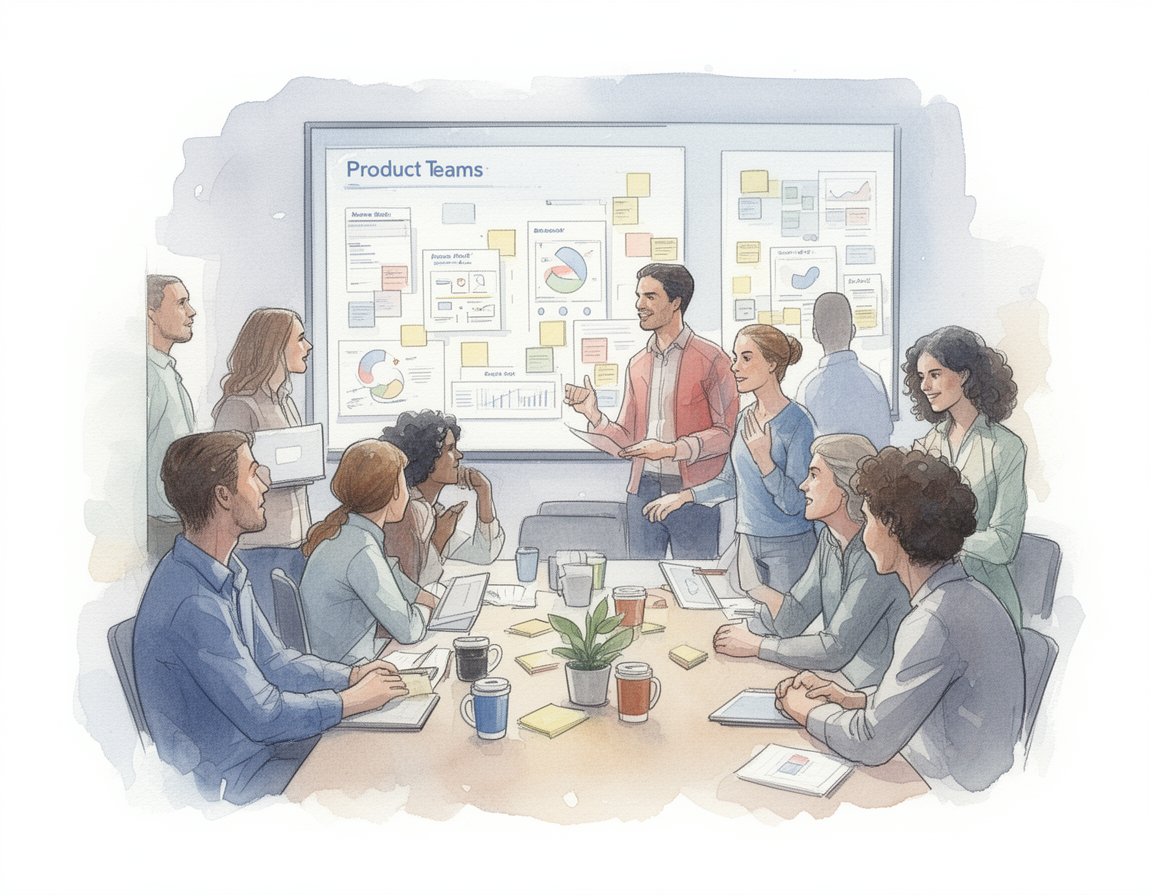
User Research Platforms for Product Teams
This subcategory targets a different user: the Product Manager or Designer, not the full-time Researcher. These tools are streamlined, integrated directly into product management workflows, and emphasize "continuous discovery" over deep, academic rigor. User Research Platforms for Product Teams differentiate by lowering the barrier to entry with templates and "guardrails" that prevent non-researchers from asking leading questions.
A workflow unique to this group is the "micro-test inside the sprint." A Product Manager can take a Figma prototype, push it to the platform, get feedback from 5 users overnight, and iterate the design before the morning stand-up. General platforms are often too heavy or expensive for this high-frequency, low-fidelity usage. The driving pain point here is bottlenecks. Product teams cannot wait weeks for a central research team to run a study; they need "good enough" insights immediately to keep the agile delivery train moving.
DEEP DIVE: INTEGRATION & API ECOSYSTEM
In the modern software stack, a UX research platform cannot be an island. The depth of its integration into the broader product development lifecycle is often the deciding factor for enterprise buyers. The goal is to close the feedback loop: taking insights from the research platform and injecting them directly into the tools where developers and product managers live, such as Jira, Slack, Trello, or Figma. Effective integration prevents the "report graveyard" phenomenon, where insights die in a PDF that nobody reads.
According to a study on agile workflows, integrating continuous user feedback into development cycles can lead to a 35% increase in customer satisfaction scores [9]. This statistic underscores that integration is not just a convenience feature—it is a performance multiplier. An industry analyst from Forrester notes that "organizations that fail to integrate their experience insights into their system of record risk creating a 'empathy gap' where data exists but action is never taken."
Scenario: Consider a 50-person professional services firm that uses a standalone research tool. A researcher identifies a critical usability bug in a client's checkout flow. Without integration, they email a video link to the Product Manager. The PM forgets the email. Two weeks later, the bug goes to production. In contrast, with a robust API integration, the researcher tags the video clip in the platform, which automatically creates a Jira ticket populated with the video link, the severity score, and the transcript. The engineering lead sees the ticket in their sprint backlog immediately. The integration ensures the insight becomes a unit of work, not just a unit of information. When these integrations are poorly designed—for example, one-way syncs that don't update the research status when the Jira ticket is closed—teams lose trust in the data, leading to the "what breaks" scenario: the research repository becomes out of sync with reality, and developers stop checking it.
DEEP DIVE: SECURITY & COMPLIANCE
Security is the silent deal-killer in the UX research category. Because these platforms capture audio, video, and screen recordings, they inherently collect massive amounts of Personally Identifiable Information (PII). For industries like finance and healthcare, a standard GDPR policy is insufficient. Buyers must look for SOC 2 Type II certification, ISO 27001 compliance, and specific features like automatic PII redaction (blurring faces or credit card fields). The risk is not theoretical; it is financial and reputational.
The 2024 IBM Cost of a Data Breach Report reveals that the average cost of a data breach in the healthcare sector has reached $9.77 million [5]. This astronomical figure illustrates why security cannot be an afterthought. Gartner's Vice President of Research emphasizes this, stating, "In the evaluation of experience platforms, security capabilities are no longer a checkbox; they are the primary gatekeeper. If a vendor cannot demonstrate chain-of-custody for user data, they do not make the shortlist."
Scenario: Imagine a fintech startup testing a new mobile banking app. They use a research platform to record users onboarding. During the session, a participant inadvertently displays their real driver's license on camera for identity verification. If the platform lacks automated PII detection, that video file—containing unencrypted, high-resolution PII—sits on a cloud server accessible to the entire design team. A breach of that server would trigger notification requirements under CCPA and GDPR, leading to fines and loss of customer trust. A secure platform would intercept this video stream, detect the ID card using computer vision, and automatically blur the document before the file is ever saved to the repository, effectively neutralizing the risk before it materializes.
DEEP DIVE: PRICING MODELS & TCO
Pricing in this category is notoriously opaque and varies significantly between the "democratized" self-serve tools and the "enterprise" suites. The two dominant models are Seat-Based (paying per researcher license) and Usage-Based (paying per test or per video minute). Understanding the Total Cost of Ownership (TCO) requires mapping out not just who runs the tests, but how many participants you intend to recruit. Hidden costs often lurk in "panel fees"—where the platform fee is low, but the cost to recruit a specialized B2B participant is marked up by 300%.
Research from OpenView Partners indicates that usage-based pricing is becoming the standard for high-growth SaaS, with 61% of companies adopting some form of it by 2025 [10]. This shift aligns costs with value but can make budgeting unpredictable. An industry expert from G2 notes, "Buyers often underestimate the 'success tax' of usage-based models; if your team embraces research and utilization spikes, your bill can double overnight. Negotiating caps or 'true-up' clauses is essential."
Scenario: Let's calculate the TCO for a hypothetical 25-person product team consisting of 2 full-time researchers and 23 PMs/Designers who do "light" testing.
Model A (Seat-Based): The vendor charges $15,000/year per "Creator" seat. The 2 researchers need this. The 23 PMs need "Viewer" seats (free). Total platform cost: $30,000. However, recruiting 500 participants/year costs $150 each. Total TCO: $30k + $75k = $105k.
Model B (Usage-Based): The vendor charges $0 per seat but $200 per test session. The team gets excited and runs 1,000 sessions. Total TCO: $200k.
In practice, the 25-person team might find Model A cheaper initially, but if they want to "democratize" research and let PMs create their own tests, Model A forces them to buy 23 more $15k licenses ($345k total), making Model B the better choice for scaling access. The failure to forecast this "democratization scaling" is the most common pricing mistake buyers make.
DEEP DIVE: IMPLEMENTATION & CHANGE MANAGEMENT
Buying the software is easy; getting 50 product managers to actually use it is the challenge. Implementation in the UX research space is less about technical setup and more about cultural transformation. The goal is to move the organization from "guessing" to "testing." This requires a structured change management program that includes templates, training, and internal "champions." Without this, the platform becomes shelfware—expensive software that nobody logs into.
According to McKinsey, 70% of digital transformations (including the adoption of new research stacks) fail to meet their goals, largely due to resistance to change [11]. A Principal Analyst at Forrester advises, "The most successful deployments we see are those that treat the research platform not as a tool for researchers, but as a service for the product organization. They build internal 'Research Ops' teams to facilitate usage."
Scenario: A large healthcare enterprise buys a top-tier research platform. They roll it out to 100 designers with a single email: "Here is your login." Six months later, usage is near zero. Why? Because the designers were intimidated by the complexity of setting up a study and terrified of "doing it wrong" and getting bad data. A successful implementation strategy would have involved the Core Research Team creating 5 "Certified Templates" (e.g., "Standard Usability Test," "A/B Preference Test") pre-loaded in the system. The rollout would include a mandatory workshop where designers run a practice test using these templates. By reducing the cognitive load and fear of failure, adoption increases. The "shelfware" scenario happens when the tool is deployed without the process to support it.
DEEP DIVE: VENDOR EVALUATION CRITERIA
When creating a shortlist, buyers must look beyond the glossy marketing of "AI features" and inspect the foundational infrastructure. The criteria should be weighted based on the team's maturity. Early-stage teams should prioritize Ease of Use and Panel Access. Mature enterprise teams should prioritize Governance, Repository Capabilities, and API Flexibility. A common pitfall is over-indexing on "cool" features like eye-tracking, which are rarely used in day-to-day agile research, while ignoring "boring" features like Single Sign-On (SSO) or user role management.
Gartner defines the category as tools that help professionals "recruit participants, conduct evaluations, and generate findings," but emphasizes that "building the wrong thing is just as risky as building the thing wrong" [12]. This highlights that the ultimate evaluation metric is risk reduction. An expert from Nielsen Norman Group suggests, "Evaluate vendors not on how much data they give you, but on how little time it takes to extract an answer. The metric is 'Time to Confidence'."
Scenario: A buyer evaluates Vendor X and Vendor Y. Vendor X has a dazzling AI that claims to write the research report for you. Vendor Y has a clunkier interface but a proprietary panel of 10 million verified B2B professionals. The buyer chooses Vendor X. Three months later, they realize the AI summarizes bad data perfectly because they can't find the specialized IT administrators they need to test their product. The "garbage in, garbage out" principle applies. The correct evaluation scenario prioritizes the source of the data (the panel) over the processing of the data (the tool). If you can't reach your users, the best features in the world are useless.
EMERGING TRENDS AND CONTRARIAN TAKE
Emerging Trends 2025-2026:
The most significant shift on the horizon is the rise of Synthetic Users. Leveraging Generative AI, platforms are beginning to offer "AI participants"—models trained on specific personas that can provide instant feedback on designs without a human in the loop. While currently in the early stages, nearly 48% of researchers see this as an impactful trend for 2026 [13]. Additionally, we are seeing a convergence of Qualitative and Quantitative data, where platforms capture not just what users say (video), but pair it with clickstream telemetry from tools like Pendo or Amplitude to provide a holistic view of behavior.
Contrarian Take:
The "Democratization" of Research is creating a data quality crisis.
The industry narrative is that "everyone should do research." Vendors sell this dream to justify large seat licenses. However, the contrarian insight is that giving powerful research tools to untrained Product Managers often results in biased, misleading data that validates bad decisions rather than challenging them. Most businesses would get significantly higher ROI from hiring one dedicated Research Operations specialist to gatekeep and professionally administer studies than from buying 50 "viewer" seats for PMs who ask leading questions. The tool doesn't make you a researcher any more than a scalpel makes you a surgeon. Companies are overpaying for software to solve a competency problem.
COMMON MISTAKES
One of the most frequent buying errors is overbuying for "What If" scenarios. Teams often purchase the highest tier enterprise plan because it includes advanced methods like card sorting, tree testing, or biometric analysis, thinking "we might need this." In reality, 90% of agile research is simple usability testing and interviews. Buyers waste budget on features that remain untouched. Start with the core needs and upgrade later.
Another critical mistake is ignoring the "Recruitment Tax." Buyers budget for the software license but fail to budget for the incentives required to pay participants. If you plan to test with doctors or executives, the incentive cost (often $150-$300 per hour) can easily exceed the cost of the software license itself. Failing to secure this budget upfront leads to a stalled implementation where the team has the tool but no money to "fuel" it with people.
Finally, a common implementation mistake is poor taxonomy management in the repository. Teams upload videos without tagging them properly. Two years later, the platform is a digital dump of thousands of untitled video files, making the "repository" feature useless. Successful teams establish a strict tagging taxonomy (e.g., [Product Area] - [Feature] - [Date]) before the first study is ever uploaded.
QUESTIONS TO ASK IN A DEMO
When viewing a demo, look past the "happy path" the sales engineer shows you. Ask these questions to reveal the platform's true limitations:
- "Show me the exact workflow for recruiting a specific, hard-to-find demographic (e.g., Nurses in California). Don't just tell me you have them—show me the filter counts in real-time."
- "If I bring my own list of customers to test, how do you prevent them from being added to your public panel and tested by my competitors?"
- "Demonstrate the 'search' function for a keyword like 'checkout.' Does it find the word in the transcript, or just in the manual tags I have to add myself?"
- "What happens to my data if I cancel my subscription? Can I export all my videos and transcripts in a non-proprietary format (like MP4 and CSV) in bulk?"
- "Show me the admin view for managing 50 users. How can I restrict a junior designer from accidentally spending my entire recruitment budget in one weekend?"
BEFORE SIGNING THE CONTRACT
Final Decision Checklist:
- Panel Quality Check: Have you run a pilot test with your actual target demographic to verify they exist in the vendor's pool?
- Security Sign-off: Has your InfoSec team reviewed the vendor's SOC 2 Type II report and PII retention policies?
- Data Portability: Does the contract specify that you own the data and can export it without punitive fees?
- Support SLAs: Is there a dedicated Customer Success Manager (CSM) included, or are you relegated to chat support?
Common Negotiation Points:
Vendors are often flexible on "viewer" seats. If the per-seat cost is high, negotiate for unlimited "read-only" access so stakeholders can watch videos without consuming a paid license. Also, negotiate the "panel credit" expiry. Many contracts state that unused recruiting credits expire at the end of the year; push for a rollover clause or a quarterly "true-up" instead of a use-it-or-lose-it model.
Deal-Breakers:
Walk away if the vendor cannot provide a Business Associate Agreement (BAA) if you are in healthcare, or if they refuse to be transparent about their panel sourcing partners. A "black box" panel is a liability you cannot afford.
CLOSING
Selecting the right UX Research & User Testing Platform is a strategic decision that impacts how effectively your organization listens to its customers. The market is full of noise, but by focusing on participant quality, security, and integration, you can find a tool that transforms your product culture. If you have specific questions about your unique use case or need help navigating the contract negotiation phase, feel free to reach out.
Email: albert@whatarethebest.com