
No-Code & Low-Code App Builders
These are the specialized categories within No-Code & Low-Code App Builders. Looking for something broader? See all AI, Automation & Machine Learning Tools categories.
Relevance AI
Best for No-Code & Low-Code AI Builders for Digital Marketing Agencies

Relevance AI is a no-code platform specifically designed for digital marketing agencies, allowing users to build an AI workforce to automate processes and gain insights. Its unlimited use cases and high customization abilities make it a powerful tool for agencies to drive campaigns, analyze data, and optimize results.
Best for No-Code & Low-Code AI Builders for Digital Marketing Agencies
Expert Take
Relevance AI stands out as a top-tier no-code AI platform tailored for digital marketing agencies. Its capability to automate complex processes without coding expertise, coupled with its extensive customization options, positions it as a versatile tool in the marketing domain. Despite the lack of transparent pricing, its feature set and industry relevance justify its premium status.
Pros
- Visual 'Workforce' builder for multi-agent teams
- Built-in vector database for agent memory
- SOC 2 Type II and GDPR compliant
- LLM agnostic (GPT-4, Claude, etc.)
- Text-to-agent 'Invent' creation feature
Cons
- Strict no-refund policy on subscriptions
- Complex credit vs. action pricing model
- Support response delays reported by users
- Steep learning curve for complex workflows
- Limited features on lower-tier plans
Best for teams that are
- Sales and Ops teams automating outbound outreach and lead qualification
- Companies building multi-agent workforces for repetitive tasks
- B2B marketers needing autonomous research and content agents
Skip if
- Users looking for a simple, single-purpose chatbot
- Designers needing AI for image generation or visual decks
- Small teams with no budget for mid-range monthly subscriptions
Best for teams that are
- Sales and Ops teams automating outbound outreach and lead qualification
- Companies building multi-agent workforces for repetitive tasks
- B2B marketers needing autonomous research and content agents
Skip if
- Users looking for a simple, single-purpose chatbot
- Designers needing AI for image generation or visual decks
- Small teams with no budget for mid-range monthly subscriptions
Pros
- Visual 'Workforce' builder for multi-agent teams
- Built-in vector database for agent memory
- SOC 2 Type II and GDPR compliant
- LLM agnostic (GPT-4, Claude, etc.)
- Text-to-agent 'Invent' creation feature
Cons
- Strict no-refund policy on subscriptions
- Complex credit vs. action pricing model
- Support response delays reported by users
- Steep learning curve for complex workflows
- Limited features on lower-tier plans
Expert Take
Relevance AI stands out as a top-tier no-code AI platform tailored for digital marketing agencies. Its capability to automate complex processes without coding expertise, coupled with its extensive customization options, positions it as a versatile tool in the marketing domain. Despite the lack of transparent pricing, its feature set and industry relevance justify its premium status.
WeWeb: AI-Powered No-Code Platform
Best for No-Code & Low-Code AI Builders for Marketing Agencies

WeWeb is a no-code platform specifically designed for marketing agencies who need to rapidly create and deploy web apps. The AI-driven technology allows for fast, flexible, and vendor-independent production, addressing the industry need for efficient and independent web app creation.
Best for No-Code & Low-Code AI Builders for Marketing Agencies
Expert Take
WeWeb stands out as a leading no-code platform for marketing agencies, offering rapid app development with AI assistance. Its flexibility and lack of vendor lock-in are significant advantages. While it relies on third-party integrations, its overall capabilities and market positioning make it a top choice in its category.
Pros
- Exports standard Vue.js code
- Backend agnostic (Supabase, Xano, SQL)
- SOC 2 Type II & ISO 27001
- No vendor lock-in via self-hosting
- Pixel-perfect visual editor
Cons
- Steep learning curve for beginners
- Requires separate backend subscription
- Dual pricing (Seat + Hosting)
- AI UI generation needs cleanup
- No native mobile app export
Best for teams that are
- Building pixel-perfect, responsive frontends for web applications
- Users connecting to external backends like Xano or Supabase
- Teams that value code export and the ability to self-host
Skip if
- Users wanting an all-in-one platform with a built-in database
- Beginners intimidated by developer-centric concepts (APIs/States)
- Simple internal tools where design aesthetics are secondary
Best for teams that are
- Building pixel-perfect, responsive frontends for web applications
- Users connecting to external backends like Xano or Supabase
- Teams that value code export and the ability to self-host
Skip if
- Users wanting an all-in-one platform with a built-in database
- Beginners intimidated by developer-centric concepts (APIs/States)
- Simple internal tools where design aesthetics are secondary
Pros
- Exports standard Vue.js code
- Backend agnostic (Supabase, Xano, SQL)
- SOC 2 Type II & ISO 27001
- No vendor lock-in via self-hosting
- Pixel-perfect visual editor
Cons
- Steep learning curve for beginners
- Requires separate backend subscription
- Dual pricing (Seat + Hosting)
- AI UI generation needs cleanup
- No native mobile app export
Expert Take
WeWeb stands out as a leading no-code platform for marketing agencies, offering rapid app development with AI assistance. Its flexibility and lack of vendor lock-in are significant advantages. While it relies on third-party integrations, its overall capabilities and market positioning make it a top choice in its category.

Retool is a powerful no-code and low-code AI builder, specifically designed for contractors looking to develop and manage internal tools effectively. It offers seamless connection to any database, API, or LLM, and the ability to leverage AI across business operations, addressing the industry's needs for efficiency, scalability, and automation.
Best for No-Code & Low-Code AI Builders for Contractors
Expert Take
Retool excels as a no-code and low-code AI builder tailored for contractors, offering robust capabilities for connecting to databases, APIs, and LLMs. Its market credibility is supported by industry recognition, and it provides a strong user experience with customizable modules. While it may require some technical knowledge, its value proposition remains strong for its target audience.
Pros
- Native integrations for any API/DB
- Builds mobile iOS/Android apps
- Extensive SQL and JavaScript support
- Self-hosting option available
- Granular permission controls
Cons
- SSO locked to Enterprise plan
- Performance lags with large data
- No HIPAA BAA for cloud
- Steep learning curve for non-devs
- Expensive for large external user bases
Best for teams that are
- Developers building complex internal tools with SQL/JS integration
- Large enterprises needing robust security and governance
- Teams wanting to quickly build dashboards with pre-built components
Skip if
- Non-technical users; it has a steep learning curve
- Small teams or startups with limited budgets (per-user pricing)
- Building consumer-facing public apps; optimized for internal tools
Best for teams that are
- Developers building complex internal tools with SQL/JS integration
- Large enterprises needing robust security and governance
- Teams wanting to quickly build dashboards with pre-built components
Skip if
- Non-technical users; it has a steep learning curve
- Small teams or startups with limited budgets (per-user pricing)
- Building consumer-facing public apps; optimized for internal tools
Pros
- Native integrations for any API/DB
- Builds mobile iOS/Android apps
- Extensive SQL and JavaScript support
- Self-hosting option available
- Granular permission controls
Cons
- SSO locked to Enterprise plan
- Performance lags with large data
- No HIPAA BAA for cloud
- Steep learning curve for non-devs
- Expensive for large external user bases
Expert Take
Retool excels as a no-code and low-code AI builder tailored for contractors, offering robust capabilities for connecting to databases, APIs, and LLMs. Its market credibility is supported by industry recognition, and it provides a strong user experience with customizable modules. While it may require some technical knowledge, its value proposition remains strong for its target audience.
Knack: No-Code App Development
Best for No-Code & Low-Code AI Builders for Marketing Agencies

Knack is a no-code application development platform designed for marketing agencies. It allows agencies to build sophisticated, AI-powered apps to solve complex business problems without writing a single line of code. Its simplicity and agility meet the fast-paced demands of the industry and helps in effective campaign management.
Best for No-Code & Low-Code AI Builders for Marketing Agencies
Expert Take
Knack excels as a no-code platform for marketing agencies, offering robust AI-powered app development without requiring coding skills. It is recognized for its extensive customization and integration capabilities, though it requires some learning time. Its market credibility is supported by its innovative approach to campaign management.
Pros
- Unlimited users on all pricing plans
- SOC 2 Type 2 and HIPAA compliant
- Strong relational database capabilities
- Developer-friendly (JS/CSS customization)
- Native e-commerce and payment features
Cons
- No native staging/sandbox environment
- Pricing scales with record count/storage
- Limited front-end design flexibility
- Reporting features lack deep BI tools
- Steeper learning curve for complex logic
Best for teams that are
- Operations teams building internal database apps like portals and CRMs
- Managing complex data relationships with enterprise security (HIPAA)
- Non-technical users needing a simple interface for database management
Skip if
- Building highly custom, pixel-perfect consumer-facing interfaces
- Users wanting to export code or self-host their application
- Creating gaming apps or tools requiring high interactivity
Best for teams that are
- Operations teams building internal database apps like portals and CRMs
- Managing complex data relationships with enterprise security (HIPAA)
- Non-technical users needing a simple interface for database management
Skip if
- Building highly custom, pixel-perfect consumer-facing interfaces
- Users wanting to export code or self-host their application
- Creating gaming apps or tools requiring high interactivity
Pros
- Unlimited users on all pricing plans
- SOC 2 Type 2 and HIPAA compliant
- Strong relational database capabilities
- Developer-friendly (JS/CSS customization)
- Native e-commerce and payment features
Cons
- No native staging/sandbox environment
- Pricing scales with record count/storage
- Limited front-end design flexibility
- Reporting features lack deep BI tools
- Steeper learning curve for complex logic
Expert Take
Knack excels as a no-code platform for marketing agencies, offering robust AI-powered app development without requiring coding skills. It is recognized for its extensive customization and integration capabilities, though it requires some learning time. Its market credibility is supported by its innovative approach to campaign management.
Bubble: AI No-Code App Builder
Best for No-Code & Low-Code AI Builders for Digital Marketing Agencies

Bubble is designed to empower digital marketing agencies by enabling them to launch full-featured apps without writing any code. It offers a blend of AI prompting and visual editing that provides a seamless development process. It's ideal for agencies that want to rapidly prototype or roll out apps for marketing campaigns without the need for dedicated developers.
Best for No-Code & Low-Code AI Builders for Digital Marketing Agencies
Expert Take
Bubble stands out as a leading no-code platform for digital marketing agencies, offering a robust blend of AI and visual editing tools. It excels in usability and market credibility, supported by external validations and a strong ecosystem. While pricing transparency is limited, its capabilities justify its premium positioning.
Pros
- Full-stack visual development including database and backend
- SOC 2 Type II and GDPR enterprise compliance
- API Connector integrates with any REST/JSON service
- Native mobile app builder now in public beta
- Massive ecosystem of plugins, templates, and experts
Cons
- Steep learning curve compared to simpler builders
- Workload Unit pricing can be unpredictable and expensive
- High vendor lock-in with no runnable code export
- Performance can degrade with complex, heavy data loads
- Fragility in large apps where small changes break workflows
Best for teams that are
- Non-technical founders building complex SaaS MVPs
- Startups creating two-sided marketplaces or social networks
- Users needing full-stack logic and database capabilities
Skip if
- Teams building simple internal tools (overkill and complex)
- Users who refuse platform lock-in (cannot export code)
- Projects requiring high-performance native mobile gaming
Best for teams that are
- Non-technical founders building complex SaaS MVPs
- Startups creating two-sided marketplaces or social networks
- Users needing full-stack logic and database capabilities
Skip if
- Teams building simple internal tools (overkill and complex)
- Users who refuse platform lock-in (cannot export code)
- Projects requiring high-performance native mobile gaming
Pros
- Full-stack visual development including database and backend
- SOC 2 Type II and GDPR enterprise compliance
- API Connector integrates with any REST/JSON service
- Native mobile app builder now in public beta
- Massive ecosystem of plugins, templates, and experts
Cons
- Steep learning curve compared to simpler builders
- Workload Unit pricing can be unpredictable and expensive
- High vendor lock-in with no runnable code export
- Performance can degrade with complex, heavy data loads
- Fragility in large apps where small changes break workflows
Expert Take
Bubble stands out as a leading no-code platform for digital marketing agencies, offering a robust blend of AI and visual editing tools. It excels in usability and market credibility, supported by external validations and a strong ecosystem. While pricing transparency is limited, its capabilities justify its premium positioning.
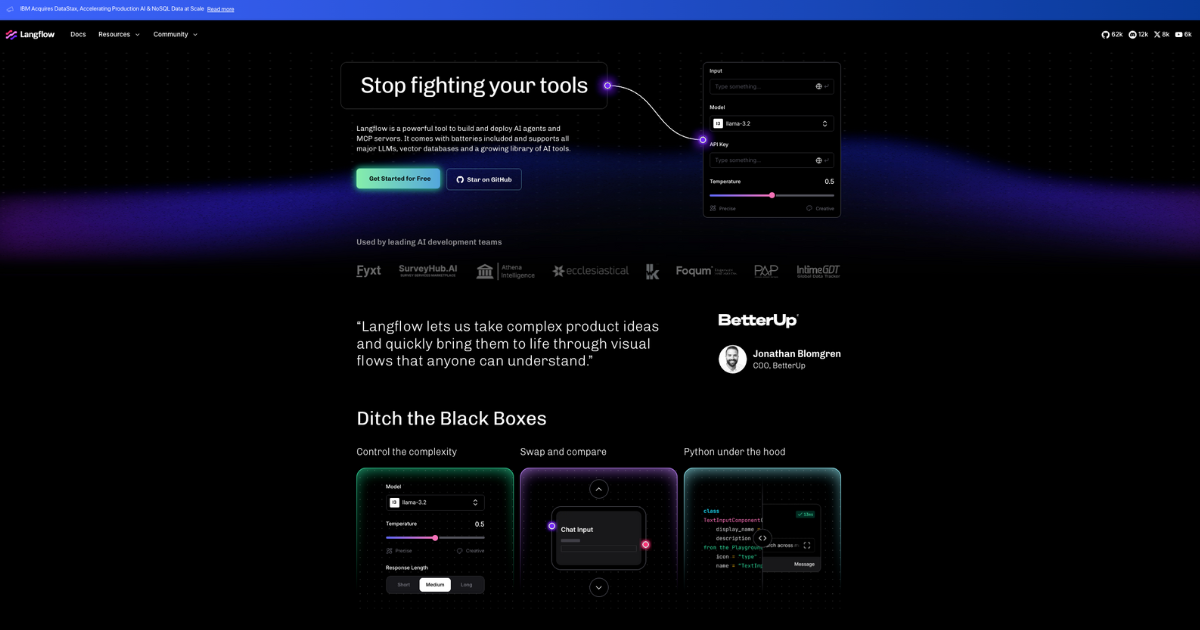
Langflow is an exceptional low-code AI builder specifically designed for contractors. It empowers users to construct and deploy AI agents and MCP servers swiftly and efficiently. Its visual state flows and reusable components make it an ideal choice for industry professionals seeking an adaptable and easy-to-use AI tool for their projects.
Best for No-Code & Low-Code AI Builders for Contractors
Expert Take
Langflow AI Builder stands out as a premium no-code AI tool designed for contractors, offering visual state flows and reusable components for efficient AI deployment. Its market credibility is supported by its innovative approach within the contractor industry, and it provides a user-friendly experience despite requiring some AI knowledge.
Pros
- Visual drag-and-drop interface with full Python code control
- Open-source (MIT License) and free to use
- Backed by IBM/DataStax for enterprise credibility
- Agnostic integration with major LLMs and vector DBs
- Rapid prototyping for RAG and multi-agent systems
Cons
- Frequent breaking changes in updates disrupt workflows
- No built-in tenant isolation in open-source version
- Steep learning curve for complex custom components
- Performance issues reported with large datasets
- Documentation can lag behind rapid release cycle
Best for teams that are
- Developers prototyping RAG pipelines and AI agents visually
- Teams wanting an open-source, Python-based framework
- Technical users who want to export flows as code for production
Skip if
- Complete non-technical beginners; it requires understanding logic
- Users needing a full-stack app builder with frontend UI
- Those wanting a "magic" AI generator without configuring flows
Best for teams that are
- Developers prototyping RAG pipelines and AI agents visually
- Teams wanting an open-source, Python-based framework
- Technical users who want to export flows as code for production
Skip if
- Complete non-technical beginners; it requires understanding logic
- Users needing a full-stack app builder with frontend UI
- Those wanting a "magic" AI generator without configuring flows
Pros
- Visual drag-and-drop interface with full Python code control
- Open-source (MIT License) and free to use
- Backed by IBM/DataStax for enterprise credibility
- Agnostic integration with major LLMs and vector DBs
- Rapid prototyping for RAG and multi-agent systems
Cons
- Frequent breaking changes in updates disrupt workflows
- No built-in tenant isolation in open-source version
- Steep learning curve for complex custom components
- Performance issues reported with large datasets
- Documentation can lag behind rapid release cycle
Expert Take
Langflow AI Builder stands out as a premium no-code AI tool designed for contractors, offering visual state flows and reusable components for efficient AI deployment. Its market credibility is supported by its innovative approach within the contractor industry, and it provides a user-friendly experience despite requiring some AI knowledge.
Glide No-Code AI App Builder
Best for No-Code & Low-Code AI Builders for Digital Marketing Agencies

Glide is specifically designed for digital marketing agencies, offering a no-code platform for creating AI-powered apps. Its user-friendly interface enables professionals to build custom apps that automate processes, streamline tasks, and enhance customer engagement, without needing coding expertise.
Best for No-Code & Low-Code AI Builders for Digital Marketing Agencies
Expert Take
Glide No-Code AI App Builder stands out as a top-tier solution for digital marketing agencies due to its user-friendly interface and AI capabilities. It allows non-technical users to create custom apps, enhancing operational efficiency and client engagement. While the platform excels in usability and integration with Google Sheets, its limited native integrations and feature restrictions on the free plan are notable trade-offs.
Pros
- SOC 2 Type 2 certified security
- Intuitive visual builder for non-coders
- Supports up to 10 million rows
- Built-in AI for content generation
- Seamless Google Sheets & Excel sync
Cons
- No native App Store publishing
- Expensive per-user pricing at scale
- US-only data hosting (no EU)
- Complex logic can be limited
- PWA limitations on mobile features
Best for teams that are
- Operations teams building internal tools from Google Sheets/Excel
- Field workers needing simple mobile interfaces for data entry
- Non-technical users creating employee portals or directories
Skip if
- Startups building consumer-facing native apps for App Stores
- Projects requiring complex backend logic or high scalability
- Developers needing full design control over UI pixels
Best for teams that are
- Operations teams building internal tools from Google Sheets/Excel
- Field workers needing simple mobile interfaces for data entry
- Non-technical users creating employee portals or directories
Skip if
- Startups building consumer-facing native apps for App Stores
- Projects requiring complex backend logic or high scalability
- Developers needing full design control over UI pixels
Pros
- SOC 2 Type 2 certified security
- Intuitive visual builder for non-coders
- Supports up to 10 million rows
- Built-in AI for content generation
- Seamless Google Sheets & Excel sync
Cons
- No native App Store publishing
- Expensive per-user pricing at scale
- US-only data hosting (no EU)
- Complex logic can be limited
- PWA limitations on mobile features
Expert Take
Glide No-Code AI App Builder stands out as a top-tier solution for digital marketing agencies due to its user-friendly interface and AI capabilities. It allows non-technical users to create custom apps, enhancing operational efficiency and client engagement. While the platform excels in usability and integration with Google Sheets, its limited native integrations and feature restrictions on the free plan are notable trade-offs.

Softr is the ideal No-Code & Low-Code AI Builder specifically designed for contractors. It enables the creation of custom business apps with built-in AI, digitizing workflows and consolidating data, all without the need for advanced coding skills. It's designed to adapt to the unique needs of contractors, making project management, client communication, and data analysis more streamlined and efficient.
Best for No-Code & Low-Code AI Builders for Contractors
Expert Take
Softr AI Business Apps excels in providing a no-code platform tailored for contractors, with strong capabilities in AI integration and workflow digitization. Its market credibility is supported by its unique positioning within the contractor space, although some limitations exist in advanced customization options.
Pros
- Generates full apps from prompts instantly
- SOC 2 Type II & GDPR compliant
- Real-time two-way sync with Airtable
- Native database option available (2025)
- Granular permissions for internal tools
Cons
- Rigid UI customization (padding/alignment)
- Expensive per-user pricing for scaling
- No server-side secrets for custom code
- Performance degrades >10k records
- Not suitable for complex logic apps
Best for teams that are
- Non-technical users building portals on Airtable or Google Sheets
- Agencies needing to spin up simple web apps or sites quickly
- Users wanting a simple, design-friendly interface
Skip if
- Apps needing complex logic or large-scale databases (>100k records)
- Users needing native mobile apps (builds PWAs/web apps only)
- Complex SaaS products requiring deep API access or custom code
Best for teams that are
- Non-technical users building portals on Airtable or Google Sheets
- Agencies needing to spin up simple web apps or sites quickly
- Users wanting a simple, design-friendly interface
Skip if
- Apps needing complex logic or large-scale databases (>100k records)
- Users needing native mobile apps (builds PWAs/web apps only)
- Complex SaaS products requiring deep API access or custom code
Pros
- Generates full apps from prompts instantly
- SOC 2 Type II & GDPR compliant
- Real-time two-way sync with Airtable
- Native database option available (2025)
- Granular permissions for internal tools
Cons
- Rigid UI customization (padding/alignment)
- Expensive per-user pricing for scaling
- No server-side secrets for custom code
- Performance degrades >10k records
- Not suitable for complex logic apps
Expert Take
Softr AI Business Apps excels in providing a no-code platform tailored for contractors, with strong capabilities in AI integration and workflow digitization. Its market credibility is supported by its unique positioning within the contractor space, although some limitations exist in advanced customization options.

Thunkable offers a powerful no-code platform specifically tailored to the needs of retail stores, allowing for the creation of bespoke mobile apps without any coding knowledge. Its unique AI capabilities enable automation, enhancing efficiency and customer interaction within the retail sector.
Best for No-Code & Low-Code AI Builders for Retail Stores
Expert Take
Thunkable stands out as a leading no-code platform tailored for retail stores, offering robust AI capabilities and extensive customization options. Its multi-platform compatibility and intuitive interface make it highly valuable for retailers looking to enhance customer interaction and streamline operations. Despite some limitations in the free plan, Thunkable's premium offerings justify its position as a best-of-the-best tool in its category.
Pros
- Native iOS and Android publishing
- Drag-and-drop interface for beginners
- Native integrations with Airtable/Firebase
- Access to device features (Camera/Bluetooth)
- Backed by Y Combinator alumni
Cons
- Free plan limited to 5 screens
- Editor lag with complex logic
- Reports of iOS white screen crashes
- No source code export available
- Steep learning curve for advanced logic
Best for teams that are
- Building native mobile apps for retail staff or customers
- Prototyping mobile features like camera and barcode scanning
- Education and students learning mobile app logic
Skip if
- High-performance apps requiring complex animations or gaming logic
- Users needing to export clean, editable source code
- Web-first applications or complex admin dashboards
Best for teams that are
- Building native mobile apps for retail staff or customers
- Prototyping mobile features like camera and barcode scanning
- Education and students learning mobile app logic
Skip if
- High-performance apps requiring complex animations or gaming logic
- Users needing to export clean, editable source code
- Web-first applications or complex admin dashboards
Pros
- Native iOS and Android publishing
- Drag-and-drop interface for beginners
- Native integrations with Airtable/Firebase
- Access to device features (Camera/Bluetooth)
- Backed by Y Combinator alumni
Cons
- Free plan limited to 5 screens
- Editor lag with complex logic
- Reports of iOS white screen crashes
- No source code export available
- Steep learning curve for advanced logic
Expert Take
Thunkable stands out as a leading no-code platform tailored for retail stores, offering robust AI capabilities and extensive customization options. Its multi-platform compatibility and intuitive interface make it highly valuable for retailers looking to enhance customer interaction and streamline operations. Despite some limitations in the free plan, Thunkable's premium offerings justify its position as a best-of-the-best tool in its category.
Horizons No-Code AI Builder
Best for No-Code & Low-Code AI Builders for Digital Marketing Agencies
Horizons by Hostinger is a unique no-code AI builder that empowers digital marketing agencies to create fully functional websites and web apps with ease. It addresses the industry's need for fast, efficient, and cost-effective web development while eliminating the need for advanced coding skills.
Best for No-Code & Low-Code AI Builders for Digital Marketing Agencies
Expert Take
Horizons No-Code AI Builder is a premium tool designed for digital marketing agencies, offering an efficient way to create websites and web apps without coding. Its AI-driven design and one-click launch feature streamline the development process, making it a strong contender in the no-code AI builder space.
Pros
- Builds full-stack web apps via chat
- Includes secure hosting and domain integration
- Supports Stripe and Supabase integrations
- Code export available on paid plans
- Supports 80+ languages and voice prompts
Cons
- Renewal prices increase significantly after first term
- Strict monthly AI message/credit limits
- No native mobile app generation (Web/PWA only)
- Credits consumed even on AI errors
- No free forever plan (only limited trial)
Best for teams that are
- Solopreneurs and beginners with zero coding or design skills
- Users wanting to generate simple web apps via chat prompts
- Small business owners needing an all-in-one hosting and domain solution
Skip if
- Enterprises requiring complex business logic or security compliance
- Developers needing to edit source code or manage databases directly
- Users wanting to publish native mobile apps to app stores
Best for teams that are
- Solopreneurs and beginners with zero coding or design skills
- Users wanting to generate simple web apps via chat prompts
- Small business owners needing an all-in-one hosting and domain solution
Skip if
- Enterprises requiring complex business logic or security compliance
- Developers needing to edit source code or manage databases directly
- Users wanting to publish native mobile apps to app stores
Pros
- Builds full-stack web apps via chat
- Includes secure hosting and domain integration
- Supports Stripe and Supabase integrations
- Code export available on paid plans
- Supports 80+ languages and voice prompts
Cons
- Renewal prices increase significantly after first term
- Strict monthly AI message/credit limits
- No native mobile app generation (Web/PWA only)
- Credits consumed even on AI errors
- No free forever plan (only limited trial)
Expert Take
Horizons No-Code AI Builder is a premium tool designed for digital marketing agencies, offering an efficient way to create websites and web apps without coding. Its AI-driven design and one-click launch feature streamline the development process, making it a strong contender in the no-code AI builder space.





Loading comparison data…