
Graphic Design & Digital Illustration Tools
These are the specialized categories within Graphic Design & Digital Illustration Tools. Looking for something broader? See all Design, Creative & Media Production Software categories.
BeFunky Graphic Designer
Best for Graphic Design & Illustration Tools for Photography Studios
BeFunky's Graphic Designer is a highly intuitive and easy-to-use design tool that's perfect for photography studios. With a wealth of templates and features tailored for creating stunning visuals for brochures, flyers, and social media, it addresses the industry's need for visually compelling content.
Best for Graphic Design & Illustration Tools for Photography Studios
Expert Take
BeFunky Graphic Designer excels in providing intuitive design tools tailored for photography studios, with a strong focus on usability and a wide range of templates. Its market credibility is supported by its extensive feature set and pricing transparency, making it a top choice in its category.
Pros
- All-in-one editor, collage maker, and designer
- Powerful AI tools like Sky Replacer
- Batch processing for multiple images
- Over 1 million free stock photos
- Affordable annual plan at $6.99/month
Cons
- No RAW image format support
- Cancellation process reported as difficult
- Free version has intrusive ads
- Requires constant internet connection
- Less granular control than Photoshop
Best for teams that are
- Hobbyists wanting fun photo effects and simple collages
- Users needing quick batch processing for social media
- Beginners looking for an intuitive drag-and-drop interface
Skip if
- Professional designers needing vector tools or CMYK support
- Users requiring offline access or advanced retouching
- Creators needing high-resolution print outputs
Best for teams that are
- Hobbyists wanting fun photo effects and simple collages
- Users needing quick batch processing for social media
- Beginners looking for an intuitive drag-and-drop interface
Skip if
- Professional designers needing vector tools or CMYK support
- Users requiring offline access or advanced retouching
- Creators needing high-resolution print outputs
Pros
- All-in-one editor, collage maker, and designer
- Powerful AI tools like Sky Replacer
- Batch processing for multiple images
- Over 1 million free stock photos
- Affordable annual plan at $6.99/month
Cons
- No RAW image format support
- Cancellation process reported as difficult
- Free version has intrusive ads
- Requires constant internet connection
- Less granular control than Photoshop
Expert Take
BeFunky Graphic Designer excels in providing intuitive design tools tailored for photography studios, with a strong focus on usability and a wide range of templates. Its market credibility is supported by its extensive feature set and pricing transparency, making it a top choice in its category.
Linearity: Design. Illustrate. Animate.
Best for Graphic Design & Illustration Tools for SaaS Companies

Linearity is an intuitive and comprehensive SaaS solution designed specifically for SaaS companies to create, iterate, and export graphic design and illustration projects. With its integrated platform, it simplifies the design process and maximizes efficiency, providing an array of tools to create graphics, illustrations, and even motion designs.
Best for Graphic Design & Illustration Tools for SaaS Companies
Expert Take
Linearity stands out as a comprehensive design tool for SaaS companies, offering a unified platform for graphic design, illustration, and animation. Its intuitive interface and collaborative features enhance usability, while the freemium pricing model provides accessible entry. However, its macOS limitation and internet dependency are notable considerations.
Pros
- Seamless static-to-motion workflow
- Optimized for Apple Pencil & iPad
- AI-powered Auto Trace & Background Removal
- Supports Lottie & standard video exports
- Intuitive interface for non-experts
Cons
- Exclusively for Apple devices (No Windows)
- Free plan limited to 3 files
- Advanced exports locked behind subscription
- Lacks deep engineering vector tools
- Recent rebrand caused user friction
Best for teams that are
- Marketing teams needing integrated vector design and motion tools
- Mac and iPad users seeking a cost-effective Illustrator alternative
- Illustrators wanting to easily animate static vector assets
Skip if
- Windows or Android users as the software is Apple ecosystem exclusive
- Professionals requiring advanced raster editing or complex 3D tools
- Users needing extensive third-party plugin ecosystems
Best for teams that are
- Marketing teams needing integrated vector design and motion tools
- Mac and iPad users seeking a cost-effective Illustrator alternative
- Illustrators wanting to easily animate static vector assets
Skip if
- Windows or Android users as the software is Apple ecosystem exclusive
- Professionals requiring advanced raster editing or complex 3D tools
- Users needing extensive third-party plugin ecosystems
Pros
- Seamless static-to-motion workflow
- Optimized for Apple Pencil & iPad
- AI-powered Auto Trace & Background Removal
- Supports Lottie & standard video exports
- Intuitive interface for non-experts
Cons
- Exclusively for Apple devices (No Windows)
- Free plan limited to 3 files
- Advanced exports locked behind subscription
- Lacks deep engineering vector tools
- Recent rebrand caused user friction
Expert Take
Linearity stands out as a comprehensive design tool for SaaS companies, offering a unified platform for graphic design, illustration, and animation. Its intuitive interface and collaborative features enhance usability, while the freemium pricing model provides accessible entry. However, its macOS limitation and internet dependency are notable considerations.
Affinity Graphic & Vector Design
Best for Graphic Design & Illustration Tools for Photography Studios
Affinity's design software caters to the specific needs of photography studios, offering features that enable the creation of crisp vector art and bold graphics with precision, speed, and freedom. Its professional-grade tools allow for designing without limits, making it an ideal solution for studios requiring high-quality graphics.
Best for Graphic Design & Illustration Tools for Photography Studios
Expert Take
Affinity Graphic & Vector Design stands out as a top-tier choice for photography studios due to its high-precision tools, fast performance, and cost-effective pricing model. Its professional-grade capabilities and one-time purchase offer significant value, making it a preferred solution in its category.
Pros
- Core app is completely free
- Seamless vector and raster personas
- StudioLink integrates all suite apps
- Lightweight and fast performance
- No subscription for core features
Cons
- No native RTL text support
- Auto-trace feature is limited
- Lacks advanced vector pattern tools
- Steep learning curve for switchers
- AI features require Canva subscription
Best for teams that are
- Designers wanting professional tools with a one-time purchase
- Creatives needing seamless vector and raster switching
- Users looking for a lightweight alternative to Adobe
Skip if
- Photographers requiring a Digital Asset Manager (DAM)
- Teams heavily reliant on Adobe Creative Cloud ecosystem
- Users needing extensive AI generative fill features
Best for teams that are
- Designers wanting professional tools with a one-time purchase
- Creatives needing seamless vector and raster switching
- Users looking for a lightweight alternative to Adobe
Skip if
- Photographers requiring a Digital Asset Manager (DAM)
- Teams heavily reliant on Adobe Creative Cloud ecosystem
- Users needing extensive AI generative fill features
Pros
- Core app is completely free
- Seamless vector and raster personas
- StudioLink integrates all suite apps
- Lightweight and fast performance
- No subscription for core features
Cons
- No native RTL text support
- Auto-trace feature is limited
- Lacks advanced vector pattern tools
- Steep learning curve for switchers
- AI features require Canva subscription
Expert Take
Affinity Graphic & Vector Design stands out as a top-tier choice for photography studios due to its high-precision tools, fast performance, and cost-effective pricing model. Its professional-grade capabilities and one-time purchase offer significant value, making it a preferred solution in its category.
Artboard Studio
Best for Graphic Design & Illustration Tools for Photography Studios

Artboard Studio is a robust visual content creation tool tailored for professionals in the photography industry. It delivers a unique combination of graphic design and motion design tools with automation features, enabling users to create dynamic mockups and animations for compelling case studies.
Best for Graphic Design & Illustration Tools for Photography Studios
Expert Take
Artboard Studio excels in providing a comprehensive suite of design and automation tools tailored for photography studios. Its cloud-based platform facilitates collaboration and enhances productivity, making it a top choice in its category.
Pros
- Creative automation for bulk generation
- Extensive library of 10,000+ mockups
- Browser-based infinite canvas interface
- Supports video and keyframe animation
- Direct Figma and Adobe integrations
Cons
- Slow customer support response times
- Steeper learning curve than Canva
- Recent restrictions on free plans
- No offline work capability
- Occasional UI glitches reported
Best for teams that are
- Studios creating high-quality product mockups and visuals
- Marketers needing browser-based motion design tools
- Teams requiring real-time collaboration on brand assets
Skip if
- Photographers needing detailed image retouching or RAW editing
- Print designers requiring extensive CMYK control
- Users needing offline access to their design tools
Best for teams that are
- Studios creating high-quality product mockups and visuals
- Marketers needing browser-based motion design tools
- Teams requiring real-time collaboration on brand assets
Skip if
- Photographers needing detailed image retouching or RAW editing
- Print designers requiring extensive CMYK control
- Users needing offline access to their design tools
Pros
- Creative automation for bulk generation
- Extensive library of 10,000+ mockups
- Browser-based infinite canvas interface
- Supports video and keyframe animation
- Direct Figma and Adobe integrations
Cons
- Slow customer support response times
- Steeper learning curve than Canva
- Recent restrictions on free plans
- No offline work capability
- Occasional UI glitches reported
Expert Take
Artboard Studio excels in providing a comprehensive suite of design and automation tools tailored for photography studios. Its cloud-based platform facilitates collaboration and enhances productivity, making it a top choice in its category.
Rive - Design, Build, and Ship UI
Best for Graphic Design & Illustration Tools for SaaS Companies
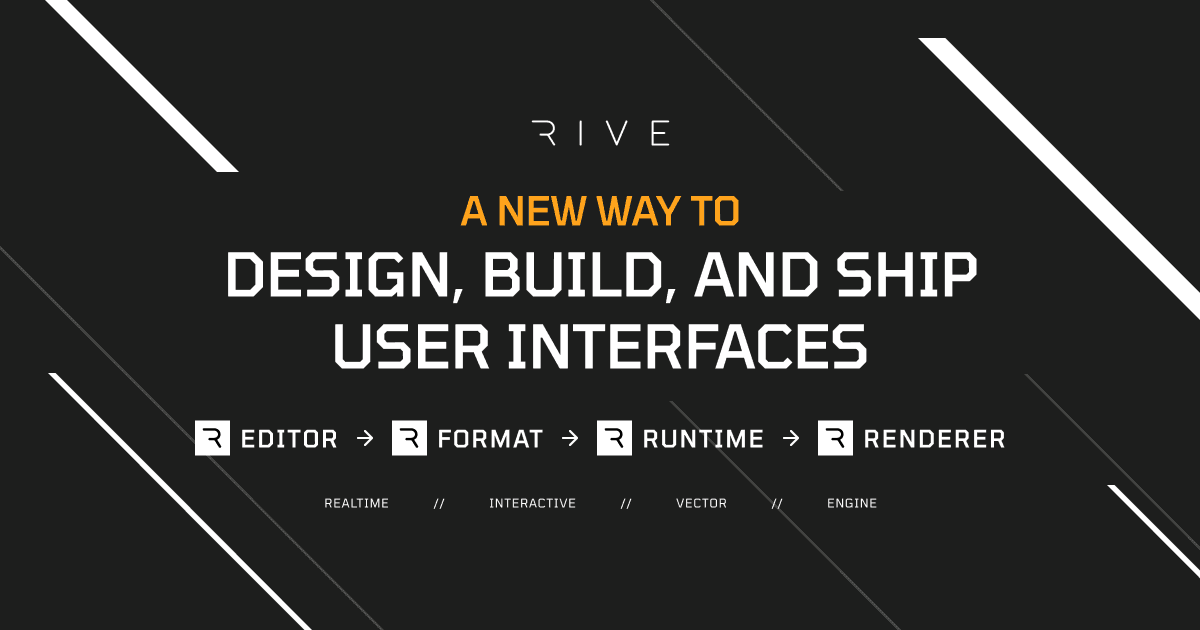
Rive is a comprehensive SaaS solution specifically designed for SaaS companies, enabling them to craft, build, and deploy user interfaces with relative ease. With its stateful graphics format and speedy vector renderer, Rive addresses the unique needs of SaaS businesses for a flexible, efficient, and powerful graphic design tool.
Best for Graphic Design & Illustration Tools for SaaS Companies
Expert Take
Rive excels in providing a specialized design tool for SaaS companies with its stateful graphics and fast vector rendering. While it offers a freemium model, its Pro version remains affordable. The product's market credibility is supported by its innovative features, though it lacks extensive collaboration capabilities.
Pros
- Files are 10-15x smaller than Lottie
- State Machines embed logic in assets
- Runs at 60fps on most platforms
- Native runtimes for Flutter, React, iOS
- Used by Duolingo and Figma
Cons
- Paid plan required to export files
- Unreal Engine plugin not production-ready
- Steeper learning curve than timeline tools
- Smaller plugin ecosystem than Adobe
- Occasional editor stability issues reported
Best for teams that are
- Motion designers creating interactive, runtime animations for apps
- Developers and designers building gamified UIs that react to input
- Teams needing lightweight, scalable animations for web and mobile
Skip if
- Video editors looking for traditional linear video production tools
- Designers needing static print assets or simple photo editing
- Users unfamiliar with state machines or logic-based animation concepts
Best for teams that are
- Motion designers creating interactive, runtime animations for apps
- Developers and designers building gamified UIs that react to input
- Teams needing lightweight, scalable animations for web and mobile
Skip if
- Video editors looking for traditional linear video production tools
- Designers needing static print assets or simple photo editing
- Users unfamiliar with state machines or logic-based animation concepts
Pros
- Files are 10-15x smaller than Lottie
- State Machines embed logic in assets
- Runs at 60fps on most platforms
- Native runtimes for Flutter, React, iOS
- Used by Duolingo and Figma
Cons
- Paid plan required to export files
- Unreal Engine plugin not production-ready
- Steeper learning curve than timeline tools
- Smaller plugin ecosystem than Adobe
- Occasional editor stability issues reported
Expert Take
Rive excels in providing a specialized design tool for SaaS companies with its stateful graphics and fast vector rendering. While it offers a freemium model, its Pro version remains affordable. The product's market credibility is supported by its innovative features, though it lacks extensive collaboration capabilities.
PicMonkey Photo Editor
Best for Graphic Design & Illustration Tools for Photography Studios

PicMonkey Photo Editor is a top-tier software solution specifically tailored for photography studios. It offers an intuitive interface and rich feature set for photo editing and graphic design, including creating logos, social media graphics, and facebook covers. Its unique tools allow industry professionals to produce beautiful, professional-grade images with ease.
Best for Graphic Design & Illustration Tools for Photography Studios
Expert Take
PicMonkey Photo Editor stands out as a top-tier solution for photography studios due to its user-friendly interface and comprehensive feature set. It offers robust tools for creating professional-grade images and integrates seamlessly with social media platforms, enhancing its utility for industry professionals.
Pros
- Powerful photo touch-up tools
- Integrated Shutterstock stock library
- One-click background remover
- Seamless mobile-desktop sync
- Intuitive for non-designers
Cons
- No free export option
- Requires card for free trial
- Fewer templates than Canva
- Recurring billing complaints
- Web-only (no desktop offline app)
Best for teams that are
- Social media creators needing quick templates and touch-ups
- Beginners wanting easy photo text and branding tools
- Small business owners creating DIY marketing assets
Skip if
- Users looking for a free editor (subscription required)
- Professionals needing RAW editing or CMYK print support
- Designers requiring advanced vector drawing tools
Best for teams that are
- Social media creators needing quick templates and touch-ups
- Beginners wanting easy photo text and branding tools
- Small business owners creating DIY marketing assets
Skip if
- Users looking for a free editor (subscription required)
- Professionals needing RAW editing or CMYK print support
- Designers requiring advanced vector drawing tools
Pros
- Powerful photo touch-up tools
- Integrated Shutterstock stock library
- One-click background remover
- Seamless mobile-desktop sync
- Intuitive for non-designers
Cons
- No free export option
- Requires card for free trial
- Fewer templates than Canva
- Recurring billing complaints
- Web-only (no desktop offline app)
Expert Take
PicMonkey Photo Editor stands out as a top-tier solution for photography studios due to its user-friendly interface and comprehensive feature set. It offers robust tools for creating professional-grade images and integrates seamlessly with social media platforms, enhancing its utility for industry professionals.
Snappa - Graphic Design Tool
Best for Graphic Design & Illustration Tools for SaaS Companies

Snappa is a quick and easy graphic design tool perfectly suited for SaaS companies. It allows you to effortlessly create online graphics for social media, blogs, ads, and more, which is crucial in the SaaS industry for marketing and communication purposes.
Best for Graphic Design & Illustration Tools for SaaS Companies
Expert Take
Snappa excels as a graphic design tool for SaaS companies due to its user-friendly interface, extensive template library, and integration capabilities. While it lacks some advanced design tools, its features are well-suited for SaaS professionals needing quick and effective graphic solutions.
Pros
- 5,000,000+ royalty-free HD assets included
- One-click image resizing for social media
- Direct integration with Buffer for scheduling
- Extremely easy-to-use drag-and-drop editor
- Background remover included in Pro plan
Cons
- No mobile application available
- Free plan limited to 3 downloads/month
- No vector (SVG) export capabilities
- Fewer templates than larger competitors
- Limited advanced drawing tools
Best for teams that are
- Solopreneurs needing fast, simple social media graphics
- Non-designers seeking a zero-learning-curve tool for ads and banners
- Bloggers requiring quick, royalty-free images and templates
Skip if
- Users needing a mobile app for on-the-go design creation
- Designers requiring advanced vector tools or extensive asset libraries
- Teams needing complex collaboration features or brand kits
Best for teams that are
- Solopreneurs needing fast, simple social media graphics
- Non-designers seeking a zero-learning-curve tool for ads and banners
- Bloggers requiring quick, royalty-free images and templates
Skip if
- Users needing a mobile app for on-the-go design creation
- Designers requiring advanced vector tools or extensive asset libraries
- Teams needing complex collaboration features or brand kits
Pros
- 5,000,000+ royalty-free HD assets included
- One-click image resizing for social media
- Direct integration with Buffer for scheduling
- Extremely easy-to-use drag-and-drop editor
- Background remover included in Pro plan
Cons
- No mobile application available
- Free plan limited to 3 downloads/month
- No vector (SVG) export capabilities
- Fewer templates than larger competitors
- Limited advanced drawing tools
Expert Take
Snappa excels as a graphic design tool for SaaS companies due to its user-friendly interface, extensive template library, and integration capabilities. While it lacks some advanced design tools, its features are well-suited for SaaS professionals needing quick and effective graphic solutions.

Figma is a collaborative design platform designed to meet the unique needs of SaaS companies. It enables teams to design, prototype, and build products faster while gathering real-time feedback. The tool streamlines the design process and facilitates seamless collaboration, essential for SaaS companies in the fast-paced digital world.
Best for Graphic Design & Illustration Tools for SaaS Companies
Expert Take
Figma stands out as a leading design tool for SaaS companies due to its robust real-time collaboration features, extensive integration capabilities, and strong market credibility. It excels in usability and offers transparent pricing, making it a top choice for design teams seeking efficiency and innovation.
Pros
- Industry-standard real-time multiplayer collaboration
- New 'Figma Sites' allows direct website publishing
- Dev Mode bridges design and engineering workflows
- Browser-based with no software installation required
- Massive ecosystem of community plugins and widgets
Cons
- 2GB memory limit per tab causes crashes
- Complex billing triggers unexpected seat charges
- No full offline mode for working disconnected
- Dev Mode is now a paid add-on
- Performance lag on large, complex files
Best for teams that are
- Product teams requiring real-time collaboration and prototyping
- UI/UX designers building complex design systems and web interfaces
- Distributed teams needing a browser-based, OS-agnostic platform
Skip if
- Print designers needing native CMYK support and print output controls
- Users working primarily offline or in low-bandwidth environments
- Designers requiring advanced photo manipulation or raster editing
Best for teams that are
- Product teams requiring real-time collaboration and prototyping
- UI/UX designers building complex design systems and web interfaces
- Distributed teams needing a browser-based, OS-agnostic platform
Skip if
- Print designers needing native CMYK support and print output controls
- Users working primarily offline or in low-bandwidth environments
- Designers requiring advanced photo manipulation or raster editing
Pros
- Industry-standard real-time multiplayer collaboration
- New 'Figma Sites' allows direct website publishing
- Dev Mode bridges design and engineering workflows
- Browser-based with no software installation required
- Massive ecosystem of community plugins and widgets
Cons
- 2GB memory limit per tab causes crashes
- Complex billing triggers unexpected seat charges
- No full offline mode for working disconnected
- Dev Mode is now a paid add-on
- Performance lag on large, complex files
Expert Take
Figma stands out as a leading design tool for SaaS companies due to its robust real-time collaboration features, extensive integration capabilities, and strong market credibility. It excels in usability and offers transparent pricing, making it a top choice for design teams seeking efficiency and innovation.
CorelDRAW Graphic Design Software
Best for Graphic Design & Illustration Tools for Photography Studios

CorelDRAW's graphic design software, designed specifically with photographers in mind, offers comprehensive vector, technical illustration, and CAD software options. Its tools are ideal for designing logos, posters, and drafting, catering to the needs of professionals in photography studios.
Best for Graphic Design & Illustration Tools for Photography Studios
Expert Take
CorelDRAW stands out as a leading graphic design tool for photography studios due to its comprehensive suite of professional design tools, including advanced vector and CAD capabilities. It is recognized for its industry relevance and robust feature set, making it a top choice for professionals.
Pros
- Flexible purchasing: Subscription or Perpetual
- Industry standard for sign making
- Supports 100+ file formats (DXF/DWG)
- Integrated vector and pixel editing
- Browser-based app for collaboration
Cons
- Instability/crashes with large files
- Perpetual license excludes cloud features
- Smaller ecosystem than Adobe
- Advanced features lag behind Illustrator
- Steep learning curve for beginners
Best for teams that are
- Print shops and sign makers requiring precise vector control
- Users preferring a perpetual license over subscriptions
- Designers needing strong typography and layout tools
Skip if
- Photographers needing advanced photo manipulation tools
- Mac-centric agencies relying on Adobe industry standards
- Casual users looking for a low learning curve
Best for teams that are
- Print shops and sign makers requiring precise vector control
- Users preferring a perpetual license over subscriptions
- Designers needing strong typography and layout tools
Skip if
- Photographers needing advanced photo manipulation tools
- Mac-centric agencies relying on Adobe industry standards
- Casual users looking for a low learning curve
Pros
- Flexible purchasing: Subscription or Perpetual
- Industry standard for sign making
- Supports 100+ file formats (DXF/DWG)
- Integrated vector and pixel editing
- Browser-based app for collaboration
Cons
- Instability/crashes with large files
- Perpetual license excludes cloud features
- Smaller ecosystem than Adobe
- Advanced features lag behind Illustrator
- Steep learning curve for beginners
Expert Take
CorelDRAW stands out as a leading graphic design tool for photography studios due to its comprehensive suite of professional design tools, including advanced vector and CAD capabilities. It is recognized for its industry relevance and robust feature set, making it a top choice for professionals.
Sketch Design Toolkit
Best for Graphic Design & Illustration Tools for SaaS Companies

Sketch is purposefully built for SaaS companies seeking a design toolkit that streamlines collaboration, prototyping, and handoff. It's particularly suited to this industry due to its focus on interactive, digital design, allowing for seamless integration with other SaaS tools.
Best for Graphic Design & Illustration Tools for SaaS Companies
Expert Take
Sketch Design Toolkit excels in providing a comprehensive design solution tailored for SaaS companies, with strong capabilities in collaboration and prototyping. Its integration with other SaaS tools and focus on digital design make it a top choice in its category. However, its macOS exclusivity and complexity for beginners are notable limitations.
Pros
- Full offline functionality
- Native macOS performance
- One-time license option available
- Robust plugin ecosystem
- Unlimited free viewers
Cons
- Mac-only editing (no Windows)
- No browser-based design editing
- Real-time collab requires Mac app
- Smaller community than Figma
- Slower update cycle than web apps
Best for teams that are
- Mac-based UI/UX designers preferring a native desktop experience
- Design teams deeply integrated into the Apple ecosystem
- Designers who value local file management over cloud-first workflows
Skip if
- Windows or Linux users requiring native editing capabilities
- Teams prioritizing browser-based, real-time multiplayer collaboration
- Designers needing built-in advanced prototyping without plugins
Best for teams that are
- Mac-based UI/UX designers preferring a native desktop experience
- Design teams deeply integrated into the Apple ecosystem
- Designers who value local file management over cloud-first workflows
Skip if
- Windows or Linux users requiring native editing capabilities
- Teams prioritizing browser-based, real-time multiplayer collaboration
- Designers needing built-in advanced prototyping without plugins
Pros
- Full offline functionality
- Native macOS performance
- One-time license option available
- Robust plugin ecosystem
- Unlimited free viewers
Cons
- Mac-only editing (no Windows)
- No browser-based design editing
- Real-time collab requires Mac app
- Smaller community than Figma
- Slower update cycle than web apps
Expert Take
Sketch Design Toolkit excels in providing a comprehensive design solution tailored for SaaS companies, with strong capabilities in collaboration and prototyping. Its integration with other SaaS tools and focus on digital design make it a top choice in its category. However, its macOS exclusivity and complexity for beginners are notable limitations.