
Brand Asset & Digital Asset Management Platforms
These are the specialized categories within Brand Asset & Digital Asset Management Platforms. Looking for something broader? See all Design, Creative & Media Production Software categories.

Canto's DAM and PIM solution is a unified system specifically designed for Product & Ecommerce Teams. It fulfills the industry's need for a centralized, organized and seamless workflow, facilitating better product experience management. The software provides a single source of truth for all digital assets, making it easier to manage, repurpose, and distribute them efficiently.
Best for DAM Tools for Product & Ecommerce Teams
Expert Take
Canto's DAM & PIM System excels in providing a unified platform for managing digital assets and product information, crucial for ecommerce teams. The product demonstrates strong capabilities and market credibility, supported by external validations and a comprehensive feature set, making it a top choice in its category.
Pros
- Unified DAM and PIM capabilities
- AI Visual Search (no tagging needed)
- SOC 2, ISO 27001, HIPAA compliant
- Facial recognition for auto-tagging
- Portals for secure external sharing
Cons
- No public pricing available
- Expensive for smaller teams
- Interface described as outdated by some
- Occasional large file upload issues
- Extra costs for advanced features
Best for teams that are
- Mid-market marketing teams needing visual, intuitive asset management
- Retailers requiring integrated PIM features for ecommerce syndication
- Teams needing to sync product data and assets for Shopify or Amazon
Skip if
- Large enterprises with highly complex custom metadata needs
- Developers seeking open-source or headless-first architecture
- Teams on a tight budget wanting to avoid per-user licensing costs
Best for teams that are
- Mid-market marketing teams needing visual, intuitive asset management
- Retailers requiring integrated PIM features for ecommerce syndication
- Teams needing to sync product data and assets for Shopify or Amazon
Skip if
- Large enterprises with highly complex custom metadata needs
- Developers seeking open-source or headless-first architecture
- Teams on a tight budget wanting to avoid per-user licensing costs
Pros
- Unified DAM and PIM capabilities
- AI Visual Search (no tagging needed)
- SOC 2, ISO 27001, HIPAA compliant
- Facial recognition for auto-tagging
- Portals for secure external sharing
Cons
- No public pricing available
- Expensive for smaller teams
- Interface described as outdated by some
- Occasional large file upload issues
- Extra costs for advanced features
Expert Take
Canto's DAM & PIM System excels in providing a unified platform for managing digital assets and product information, crucial for ecommerce teams. The product demonstrates strong capabilities and market credibility, supported by external validations and a comprehensive feature set, making it a top choice in its category.
Filecamp Brand Asset Management
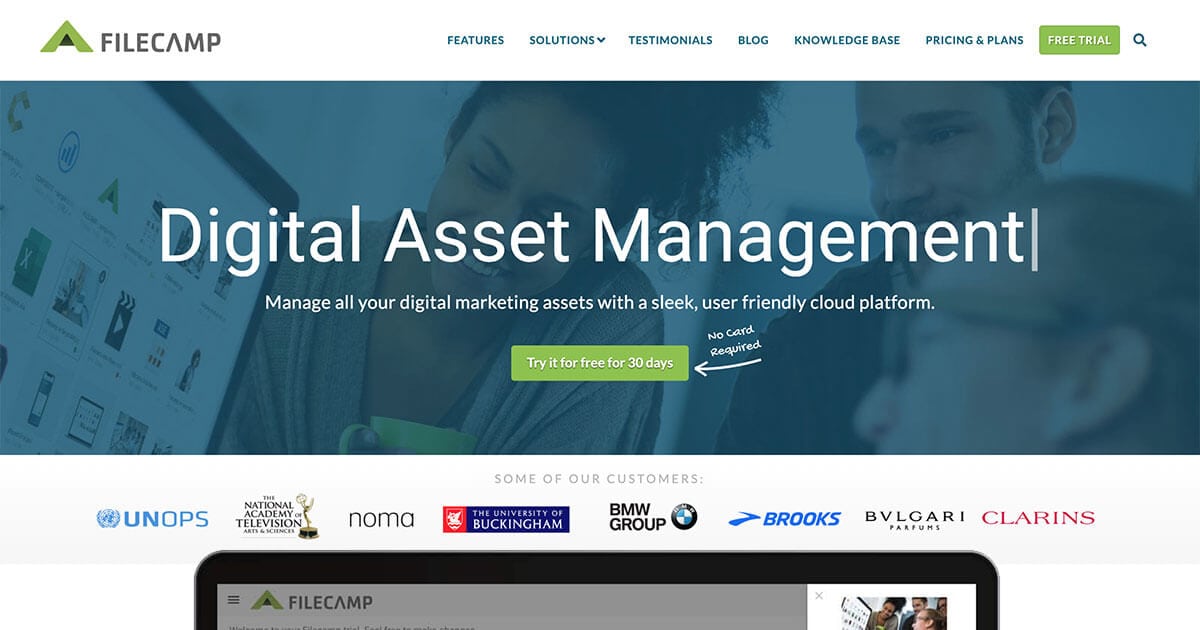
Filecamp is a cloud-based solution specifically designed for managing brand assets. It addresses the needs of creative and digital media professionals by providing an easy and centralized platform to store, manage, and share company brand assets such as photos, logos, videos, and more. The solution also features rights management, ensuring secure access and control over your assets.
Best for Brand Asset Platforms with Rights Management
Expert Take
Filecamp excels in providing a cloud-based platform for brand asset management with a focus on rights management and ease of use. Its competitive pricing and intuitive interface make it a strong choice for digital media professionals, despite some limitations in customization and offline capabilities.
Pros
- Unlimited users included in all plans
- Transparent flat-rate monthly pricing
- Granular folder and file access permissions
- Extensive white-label and custom branding options
- Built-in online proofing and approval tools
Cons
- No public API available for integrations
- Lacks Single Sign-On (SSO) support
- Limited third-party integration ecosystem
- Basic search compared to enterprise tools
- No AI-driven auto-tagging features
Best for teams that are
- Small to mid-sized businesses and agencies needing affordable, unlimited user access.
- Teams requiring a user-friendly platform with custom branding and quick setup.
- Organizations that collaborate frequently with external clients and partners.
Skip if
- Large enterprises with complex integration or heavy automation requirements.
- Teams needing advanced AI tagging or deep metadata customization.
- Users requiring on-premise hosting or highly complex permission structures.
Best for teams that are
- Small to mid-sized businesses and agencies needing affordable, unlimited user access.
- Teams requiring a user-friendly platform with custom branding and quick setup.
- Organizations that collaborate frequently with external clients and partners.
Skip if
- Large enterprises with complex integration or heavy automation requirements.
- Teams needing advanced AI tagging or deep metadata customization.
- Users requiring on-premise hosting or highly complex permission structures.
Pros
- Unlimited users included in all plans
- Transparent flat-rate monthly pricing
- Granular folder and file access permissions
- Extensive white-label and custom branding options
- Built-in online proofing and approval tools
Cons
- No public API available for integrations
- Lacks Single Sign-On (SSO) support
- Limited third-party integration ecosystem
- Basic search compared to enterprise tools
- No AI-driven auto-tagging features
Expert Take
Filecamp excels in providing a cloud-based platform for brand asset management with a focus on rights management and ease of use. Its competitive pricing and intuitive interface make it a strong choice for digital media professionals, despite some limitations in customization and offline capabilities.
Bynder AI Digital Asset Management

This SaaS solution is specifically designed for creative and digital media professionals requiring efficient asset management. Bynder leverages AI technology for advanced tagging and searching, allowing easy and quick identification of specific images or assets. It's an industry-specific solution that addresses the need for centralized, smart, and fast asset handling.
Best for Digital Asset Management Tools with AI Tagging
Expert Take
Bynder AI Digital Asset Management excels in AI-driven tagging and search capabilities, making it a top choice for creative and digital media professionals. Its centralized asset management and customizable features enhance workflow efficiency, though pricing may be a consideration for smaller businesses.
Pros
- Advanced AI search including text-in-image and similarity detection
- Comprehensive security certifications (ISO 27001, SOC 2, HIPAA)
- Extensive integration ecosystem with Salesforce, Adobe, and Sitecore
- Generative AI tools for content drafting and translation
- High user satisfaction and market leadership recognition
Cons
- Pricing is opaque and requires custom quoting
- Studio video editor reported as complex and buggy
- Initial setup and metadata classification can be arduous
- Audio editing capabilities are limited
- Advanced AI features may require contract upgrades
Best for teams that are
- Marketing teams prioritizing ease of use and rapid adoption
- Brands needing strong brand consistency and portal features
- Mid-market to enterprise companies wanting a SaaS-first solution
Skip if
- Highly regulated industries needing rigid compliance workflows
- Small businesses with very limited software budgets
- Teams needing complex, custom on-premise hosting
Best for teams that are
- Marketing teams prioritizing ease of use and rapid adoption
- Brands needing strong brand consistency and portal features
- Mid-market to enterprise companies wanting a SaaS-first solution
Skip if
- Highly regulated industries needing rigid compliance workflows
- Small businesses with very limited software budgets
- Teams needing complex, custom on-premise hosting
Pros
- Advanced AI search including text-in-image and similarity detection
- Comprehensive security certifications (ISO 27001, SOC 2, HIPAA)
- Extensive integration ecosystem with Salesforce, Adobe, and Sitecore
- Generative AI tools for content drafting and translation
- High user satisfaction and market leadership recognition
Cons
- Pricing is opaque and requires custom quoting
- Studio video editor reported as complex and buggy
- Initial setup and metadata classification can be arduous
- Audio editing capabilities are limited
- Advanced AI features may require contract upgrades
Expert Take
Bynder AI Digital Asset Management excels in AI-driven tagging and search capabilities, making it a top choice for creative and digital media professionals. Its centralized asset management and customizable features enhance workflow efficiency, though pricing may be a consideration for smaller businesses.
Canto Brand Management
Best for Brand Asset Management for Multi-Brand Organizations

Canto's Brand Management Software offers a centralized platform for multi-brand organizations to manage and distribute digital assets. It houses all the brand guidelines, including logos, color schemes, and fonts, streamlining the process of maintaining brand consistency across all channels.
Best for Brand Asset Management for Multi-Brand Organizations
Expert Take
Canto Brand Management excels in providing a comprehensive platform for managing digital assets across multiple brands, with strong usability and integration capabilities. Its market credibility is supported by third-party recognition, and it offers valuable features for enterprise users, although its complexity may pose a challenge for smaller businesses.
Pros
- AI Visual Search (Natural Language)
- Unlimited Consumer/Guest Users
- SOC 2 & HIPAA Compliant
- Facial Recognition & Smart Tags
- Branded Portals & Style Guides
Cons
- No Public Pricing (Quote-based)
- Browser Upload Limit (200GB)
- Search Granularity Issues
- PIM is Paid Add-on
- Adobe Connector File Limit (5GB)
Best for teams that are
- Mid-market marketing teams needing an intuitive, visual asset library
- Teams requiring AI visual search and facial recognition for media
- Organizations wanting quick deployment without complex IT implementation
Skip if
- Large enterprises needing highly complex custom data modeling
- Small businesses or freelancers with very limited budgets
- Users needing a 'headless' architecture for custom app development
Best for teams that are
- Mid-market marketing teams needing an intuitive, visual asset library
- Teams requiring AI visual search and facial recognition for media
- Organizations wanting quick deployment without complex IT implementation
Skip if
- Large enterprises needing highly complex custom data modeling
- Small businesses or freelancers with very limited budgets
- Users needing a 'headless' architecture for custom app development
Pros
- AI Visual Search (Natural Language)
- Unlimited Consumer/Guest Users
- SOC 2 & HIPAA Compliant
- Facial Recognition & Smart Tags
- Branded Portals & Style Guides
Cons
- No Public Pricing (Quote-based)
- Browser Upload Limit (200GB)
- Search Granularity Issues
- PIM is Paid Add-on
- Adobe Connector File Limit (5GB)
Expert Take
Canto Brand Management excels in providing a comprehensive platform for managing digital assets across multiple brands, with strong usability and integration capabilities. Its market credibility is supported by third-party recognition, and it offers valuable features for enterprise users, although its complexity may pose a challenge for smaller businesses.

Smint.io Portals is a SaaS solution that greatly simplifies multi-brand management by maintaining brand integrity, and simplifying operational aspects of multi-brand management. It's ideal for businesses in the Creative & Digital Media industry who manage multiple brands and require a seamless, efficient way to maintain and distribute digital assets.
Best for Brand Asset Management for Multi-Brand Organizations
Expert Take
Smint.io Portals excels in providing a comprehensive solution for multi-brand management, particularly in the Creative & Digital Media industry. Its capabilities in maintaining brand integrity and efficient asset distribution are well-documented, making it a top choice for organizations managing multiple brands.
Pros
- Live connection to DAM/SharePoint (no duplication)
- No-code platform for fast portal creation
- SOC 2 Type II and GDPR compliant
- Extensive integrations with major DAMs
- Highly responsive customer support
Cons
- Steep initial learning curve for admins
- No public fixed pricing model
- Specific adaptations may require extra implementation
- Dependent on source system performance
- Concept requires mindset shift
Best for teams that are
- Organizations wanting brand portals on top of existing storage (SharePoint/Drive)
- Marketing teams needing to share assets externally without data migration
- Companies requiring no-code, customizable portals for press or partners
Skip if
- Companies looking for a primary storage repository to replace fileservers
- Users needing advanced asset manipulation or heavy metadata editing
- Small teams who just need a simple file transfer tool
Best for teams that are
- Organizations wanting brand portals on top of existing storage (SharePoint/Drive)
- Marketing teams needing to share assets externally without data migration
- Companies requiring no-code, customizable portals for press or partners
Skip if
- Companies looking for a primary storage repository to replace fileservers
- Users needing advanced asset manipulation or heavy metadata editing
- Small teams who just need a simple file transfer tool
Pros
- Live connection to DAM/SharePoint (no duplication)
- No-code platform for fast portal creation
- SOC 2 Type II and GDPR compliant
- Extensive integrations with major DAMs
- Highly responsive customer support
Cons
- Steep initial learning curve for admins
- No public fixed pricing model
- Specific adaptations may require extra implementation
- Dependent on source system performance
- Concept requires mindset shift
Expert Take
Smint.io Portals excels in providing a comprehensive solution for multi-brand management, particularly in the Creative & Digital Media industry. Its capabilities in maintaining brand integrity and efficient asset distribution are well-documented, making it a top choice for organizations managing multiple brands.

Pimcore's Headless DAM for Omnichannel Commerce is a solution specifically designed for product and ecommerce teams. It enables seamless integration with existing tools, allowing notifications for task completion, as well as revising asset listings and adding new images. It addresses the industry's need for efficient digital asset management across multiple channels.
Best for DAM Tools for Product & Ecommerce Teams
Expert Take
Pimcore's Headless DAM excels in providing a comprehensive digital asset management solution tailored for product and ecommerce teams. Its strong integration capabilities, omnichannel support, and efficient task management make it a top choice in its category. The product's market credibility is supported by its recognition in the industry and its robust feature set.
Pros
- Unified PIM and DAM platform
- Native GraphQL API via Datahub
- Open-source Community Edition available
- No vendor lock-in architecture
- Highly scalable for enterprise data
Cons
- Steep learning curve for beginners
- Requires developer resources to implement
- Complex user interface (Legacy UI)
- Free version restricted by revenue cap
- Limited out-of-the-box 3rd party connectors
Best for teams that are
- Developers needing a highly customizable, API-first platform
- Enterprises wanting unified PIM, DAM, and MDM in one solution
- Tech-savvy teams capable of managing on-premise or cloud hosting
Skip if
- Non-technical marketing teams wanting a simple, ready-to-use interface
- Small businesses without IT resources for implementation and hosting
- Teams needing a dedicated DAM without full DXP/MDM complexity
Best for teams that are
- Developers needing a highly customizable, API-first platform
- Enterprises wanting unified PIM, DAM, and MDM in one solution
- Tech-savvy teams capable of managing on-premise or cloud hosting
Skip if
- Non-technical marketing teams wanting a simple, ready-to-use interface
- Small businesses without IT resources for implementation and hosting
- Teams needing a dedicated DAM without full DXP/MDM complexity
Pros
- Unified PIM and DAM platform
- Native GraphQL API via Datahub
- Open-source Community Edition available
- No vendor lock-in architecture
- Highly scalable for enterprise data
Cons
- Steep learning curve for beginners
- Requires developer resources to implement
- Complex user interface (Legacy UI)
- Free version restricted by revenue cap
- Limited out-of-the-box 3rd party connectors
Expert Take
Pimcore's Headless DAM excels in providing a comprehensive digital asset management solution tailored for product and ecommerce teams. Its strong integration capabilities, omnichannel support, and efficient task management make it a top choice in its category. The product's market credibility is supported by its recognition in the industry and its robust feature set.
Bynder's DAM for Creative Services

Bynder's DAM is specifically designed for creative agencies aiming to optimize content creation and collaboration. This SaaS solution simplifies requests, streamlines workflows, and serves as a central hub, effectively addressing the ever-present industry needs for efficiency, collaboration, and scalability.
Best for Digital Asset Management for Creative Agencies
Expert Take
Bynder's DAM for Creative Services excels as a premium digital asset management solution tailored for creative agencies. It offers robust capabilities in streamlining workflows and enhancing collaboration, supported by credible third-party validations and industry recognition. Despite some limitations in customization and pricing transparency, its overall performance and market credibility justify its 'best-of-the-best' status.
Pros
- Leader in Forrester Wave Q1 2024
- Robust AI search (OCR, similarity)
- Deep Adobe CC & Figma integrations
- SOC 2 Type II & ISO 27001 certified
- Studio module for template-based creation
Cons
- Pricing is opaque and expensive
- Steep learning curve for admins
- Add-on modules increase total cost
- Limited bulk editing capabilities
- Implementation can be complex
Best for teams that are
- Global enterprises requiring strict brand consistency and governance.
- Marketing teams needing integrated digital and print templating tools.
- Large organizations managing assets across multiple regions/languages.
Skip if
- Small businesses unable to afford high implementation and subscription costs.
- Teams needing a quick, self-service setup without mandatory training.
- Users looking for simple file storage without complex brand controls.
Best for teams that are
- Global enterprises requiring strict brand consistency and governance.
- Marketing teams needing integrated digital and print templating tools.
- Large organizations managing assets across multiple regions/languages.
Skip if
- Small businesses unable to afford high implementation and subscription costs.
- Teams needing a quick, self-service setup without mandatory training.
- Users looking for simple file storage without complex brand controls.
Pros
- Leader in Forrester Wave Q1 2024
- Robust AI search (OCR, similarity)
- Deep Adobe CC & Figma integrations
- SOC 2 Type II & ISO 27001 certified
- Studio module for template-based creation
Cons
- Pricing is opaque and expensive
- Steep learning curve for admins
- Add-on modules increase total cost
- Limited bulk editing capabilities
- Implementation can be complex
Expert Take
Bynder's DAM for Creative Services excels as a premium digital asset management solution tailored for creative agencies. It offers robust capabilities in streamlining workflows and enhancing collaboration, supported by credible third-party validations and industry recognition. Despite some limitations in customization and pricing transparency, its overall performance and market credibility justify its 'best-of-the-best' status.
Orangelogic Automated Tagging
Orangelogic Automated Tagging is a digital asset management solution that leverages AI capabilities to recognize and tag content in multiple languages, catering specifically to global asset management demands. It also allows seamless integration with existing DAM systems, making it a great fit for organizations operating on a global scale in the creative and digital media sphere.
Best for Digital Asset Management Tools with AI Tagging
Expert Take
Orangelogic Automated Tagging excels in AI-driven digital asset management with multi-language support and seamless integration capabilities. Its global asset management focus and AI-powered efficiency make it a top choice for enterprises, despite limited pricing transparency.
Pros
- 99.6% customer retention rate
- Advanced AI 'Agent Studio' workflows
- SOC 2 Type 2 & ISO 27001
- Infinitely scalable enterprise architecture
- Granular permission controls
Cons
- Steep learning curve for admins
- High cost (~$200k/year range)
- Complex implementation process
- Requires training to master
- Opaque pricing model
Best for teams that are
- Large enterprises needing deep customization and security
- Teams requiring granular permission controls for complex workflows
- Organizations managing diverse assets across many departments
Skip if
- Small teams with limited technical resources or budget
- Users seeking a simple, plug-and-play tool without setup
- Organizations with simple, linear approval workflows
Best for teams that are
- Large enterprises needing deep customization and security
- Teams requiring granular permission controls for complex workflows
- Organizations managing diverse assets across many departments
Skip if
- Small teams with limited technical resources or budget
- Users seeking a simple, plug-and-play tool without setup
- Organizations with simple, linear approval workflows
Pros
- 99.6% customer retention rate
- Advanced AI 'Agent Studio' workflows
- SOC 2 Type 2 & ISO 27001
- Infinitely scalable enterprise architecture
- Granular permission controls
Cons
- Steep learning curve for admins
- High cost (~$200k/year range)
- Complex implementation process
- Requires training to master
- Opaque pricing model
Expert Take
Orangelogic Automated Tagging excels in AI-driven digital asset management with multi-language support and seamless integration capabilities. Its global asset management focus and AI-powered efficiency make it a top choice for enterprises, despite limited pricing transparency.

Sitecore's Digital Asset Management (DAM) solution is designed specifically for creative agencies seeking a centralized system for managing digital media files. The software effectively addresses the industry's need for efficient organization, search, and distribution of digital assets.
Best for Digital Asset Management for Creative Agencies
Expert Take
Sitecore DAM is a leading solution in the digital asset management space, particularly for creative agencies. It offers robust capabilities for organizing and distributing digital assets, backed by a strong reputation and integration within the Sitecore ecosystem. While pricing transparency is limited, the product's tailored features and industry recognition support its premium positioning.
Pros
- Enterprise-grade scalability
- Strong AI auto-tagging
- Robust DRM controls
- Deep Sitecore ecosystem integration
- ISO 27001 & SOC 2 certified
Cons
- Steep learning curve
- Complex implementation process
- Opaque pricing model
- Requires partner for setup
- Lower usability scores
Best for teams that are
- Large enterprises already utilizing the Sitecore DXP ecosystem.
- Complex organizations needing integrated Content Marketing Platforms (CMP).
- Teams requiring granular control over the entire content lifecycle.
Skip if
- Small to mid-sized agencies with limited IT or developer resources.
- Teams seeking a standalone, plug-and-play DAM solution.
- Users wanting a simple interface without a steep learning curve.
Best for teams that are
- Large enterprises already utilizing the Sitecore DXP ecosystem.
- Complex organizations needing integrated Content Marketing Platforms (CMP).
- Teams requiring granular control over the entire content lifecycle.
Skip if
- Small to mid-sized agencies with limited IT or developer resources.
- Teams seeking a standalone, plug-and-play DAM solution.
- Users wanting a simple interface without a steep learning curve.
Pros
- Enterprise-grade scalability
- Strong AI auto-tagging
- Robust DRM controls
- Deep Sitecore ecosystem integration
- ISO 27001 & SOC 2 certified
Cons
- Steep learning curve
- Complex implementation process
- Opaque pricing model
- Requires partner for setup
- Lower usability scores
Expert Take
Sitecore DAM is a leading solution in the digital asset management space, particularly for creative agencies. It offers robust capabilities for organizing and distributing digital assets, backed by a strong reputation and integration within the Sitecore ecosystem. While pricing transparency is limited, the product's tailored features and industry recognition support its premium positioning.

Daminion is a dedicated digital asset management software designed specifically for designers and creative agencies. Its capabilities include storing, securing, and managing digital assets, enabling designers to easily find and collaborate on their creative works. The software streamlines workflows, reducing time spent on searching for assets and increasing productivity.
Best for Digital Asset Management for Creative Agencies
Expert Take
Daminion excels as a digital asset management tool for creative agencies, offering robust search capabilities and secure asset storage. Its focus on workflow efficiency and collaboration makes it a valuable asset in the creative industry. However, limited customization and potential complexity for beginners are noted trade-offs.
Pros
- Secure on-premise deployment option
- Deep Adobe Creative Cloud integration
- Supports 100+ media formats
- Active Directory user/group mapping
- Centralized version control system
Cons
- No public pricing transparency
- Face recognition reliability issues
- Occasional software stability/freezing
- Discontinued standalone version
- Mac Photoshop plugin needs Rosetta
Best for teams that are
- Teams requiring secure on-premise or LAN-based asset management.
- Industries like architecture or construction using CAD and 3D formats.
- Organizations preferring perpetual licensing over subscription models.
Skip if
- Mac-heavy agencies, as the server architecture is Windows-centric.
- Remote-first teams preferring a cloud-native, SaaS-only experience.
- Users needing advanced AI features found in cloud-first competitors.
Best for teams that are
- Teams requiring secure on-premise or LAN-based asset management.
- Industries like architecture or construction using CAD and 3D formats.
- Organizations preferring perpetual licensing over subscription models.
Skip if
- Mac-heavy agencies, as the server architecture is Windows-centric.
- Remote-first teams preferring a cloud-native, SaaS-only experience.
- Users needing advanced AI features found in cloud-first competitors.
Pros
- Secure on-premise deployment option
- Deep Adobe Creative Cloud integration
- Supports 100+ media formats
- Active Directory user/group mapping
- Centralized version control system
Cons
- No public pricing transparency
- Face recognition reliability issues
- Occasional software stability/freezing
- Discontinued standalone version
- Mac Photoshop plugin needs Rosetta
Expert Take
Daminion excels as a digital asset management tool for creative agencies, offering robust search capabilities and secure asset storage. Its focus on workflow efficiency and collaboration makes it a valuable asset in the creative industry. However, limited customization and potential complexity for beginners are noted trade-offs.