
Presentation & Slide Design Software
These are the specialized categories within Presentation & Slide Design Software. Looking for something broader? See all Design, Creative & Media Production Software categories.
Pitch: Team-Oriented Presentation Software
Best for Presentation & Slide Design Software for Private Equity Firms

Pitch is a presentation software designed for fast-paced teams like those in private equity firms. The AI-powered platform enables professionals to collaborate on, create, and deliver high-quality slide decks while maintaining brand consistency. Its advanced features cater to the dynamic nature of private equity transactions by providing easy-to-use design tools, interactive presentation components, and seamless team collaboration.
Best for Presentation & Slide Design Software for Private Equity Firms
Expert Take
Pitch excels as a presentation software tailored for private equity firms, offering robust collaboration tools and AI-powered features. Its focus on brand consistency and team-oriented design makes it a top choice in its niche, despite some limitations in offline capabilities and pricing for larger teams.
Pros
- Real-time 'multiplayer' collaboration features
- Generous free plan for 5 users
- High-quality, modern template library
- Deep integrations with Notion and Slack
- Intuitive interface for non-designers
Cons
- No custom slide sizes or portrait mode
- Significant recent staff layoffs (Jan 2024)
- Extra seats on paid plans are costly
- Limited font options without upload
- Export branding on free plan
Best for teams that are
- Teams requiring real-time collaboration and slide analytics
- Startups wanting sleek, modern presentations without a professional designer
- Remote teams needing integrated video and workflow features
Skip if
- Power users needing complex diagrams or extensive shape options
- Users requiring robust offline reliability or traditional PowerPoint features
- Enterprises needing strict legacy file compatibility
Best for teams that are
- Teams requiring real-time collaboration and slide analytics
- Startups wanting sleek, modern presentations without a professional designer
- Remote teams needing integrated video and workflow features
Skip if
- Power users needing complex diagrams or extensive shape options
- Users requiring robust offline reliability or traditional PowerPoint features
- Enterprises needing strict legacy file compatibility
Pros
- Real-time 'multiplayer' collaboration features
- Generous free plan for 5 users
- High-quality, modern template library
- Deep integrations with Notion and Slack
- Intuitive interface for non-designers
Cons
- No custom slide sizes or portrait mode
- Significant recent staff layoffs (Jan 2024)
- Extra seats on paid plans are costly
- Limited font options without upload
- Export branding on free plan
Expert Take
Pitch excels as a presentation software tailored for private equity firms, offering robust collaboration tools and AI-powered features. Its focus on brand consistency and team-oriented design makes it a top choice in its niche, despite some limitations in offline capabilities and pricing for larger teams.
Genially Interactive Presentations
Best for Presentation & Slide Design Software for Photography Studios
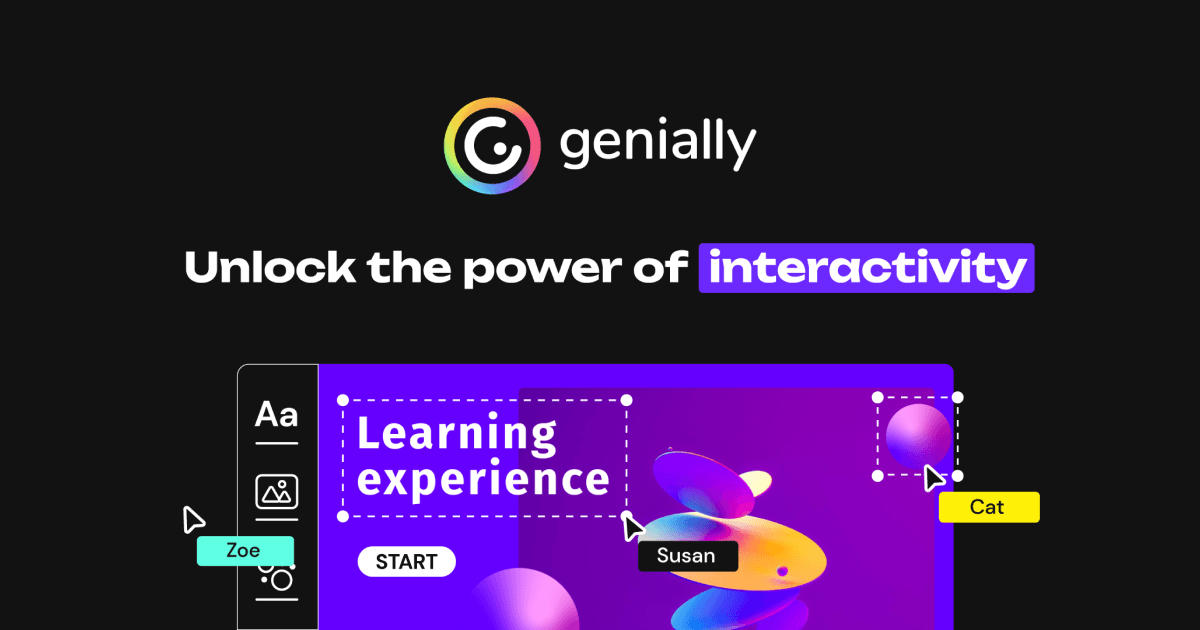
Genially provides an intuitive platform for creating interactive presentations, perfect for photography studios. It offers a vast library of over 1000 templates, enabling professionals to showcase their photographic works with animation, infographics, and multimedia, taking their presentations to the next level.
Best for Presentation & Slide Design Software for Photography Studios
Expert Take
Genially Interactive Presentations stands out in the presentation software category for photography studios due to its extensive template library and multimedia integration capabilities. It offers a user-friendly interface and affordable pricing, making it accessible for professionals looking to enhance their presentations with interactive elements.
Pros
- Dynamic SCORM updates without re-uploading
- 1,500+ interactive templates available
- Unlimited creations on free plan
- SOC 2 Type 2 security certified
- Built-in gamification and escape rooms
Cons
- Offline HTML incompatible with mobile
- Privacy controls require paid subscription
- Keyboard accessibility gaps in drag/paint
- No monthly billing for some plans
- Interface can be complex for beginners
Best for teams that are
- Photographers creating interactive client guides or pricing brochures
- Educators or studios creating gamified learning materials or quizzes
- Users wanting to embed web-based content directly into slides
Skip if
- Users needing standard static PDFs for print distribution
- Those wanting a simple, linear slide deck without web-based interactivity
- Professionals needing robust offline presentation modes
Best for teams that are
- Photographers creating interactive client guides or pricing brochures
- Educators or studios creating gamified learning materials or quizzes
- Users wanting to embed web-based content directly into slides
Skip if
- Users needing standard static PDFs for print distribution
- Those wanting a simple, linear slide deck without web-based interactivity
- Professionals needing robust offline presentation modes
Pros
- Dynamic SCORM updates without re-uploading
- 1,500+ interactive templates available
- Unlimited creations on free plan
- SOC 2 Type 2 security certified
- Built-in gamification and escape rooms
Cons
- Offline HTML incompatible with mobile
- Privacy controls require paid subscription
- Keyboard accessibility gaps in drag/paint
- No monthly billing for some plans
- Interface can be complex for beginners
Expert Take
Genially Interactive Presentations stands out in the presentation software category for photography studios due to its extensive template library and multimedia integration capabilities. It offers a user-friendly interface and affordable pricing, making it accessible for professionals looking to enhance their presentations with interactive elements.
think-cell: PowerPoint Enhancer

think-cell is specifically designed to meet the needs of startups requiring professional-level presentations. It simplifies the creation of stunning charts and slides, saving startups valuable time and effort. Its unique set of features enables users to create impactful presentations, enhancing their ability to communicate effectively with investors, clients, and team members.
Best for Presentation & Slide Design Software for Startups
Expert Take
think-cell stands out in the Presentation & Slide Design Software category for startups due to its ability to streamline the creation of professional presentations. Its integration with PowerPoint and Excel, along with a wide variety of chart options, makes it a valuable tool for startups. However, its high price point and requirement for Microsoft Office may pose challenges for smaller startups.
Pros
- 40+ specialized chart types (Waterfall, Mekko)
- Automates 70% of chart creation time
- Seamless Excel and Tableau data linking
- Used by top 10 consulting firms
- Free licenses for academic use
Cons
- Steep initial learning curve
- Expensive (~$328/user/year)
- Rigid layouts limit customization
- Formatting issues for non-users
- No monthly billing option
Best for teams that are
- Consultants and financial analysts
- Users needing complex charts like Waterfalls
- High-volume PowerPoint users in enterprise
Skip if
- Creative storytellers wanting free-form design
- Budget-conscious users or freelancers
Best for teams that are
- Consultants and financial analysts
- Users needing complex charts like Waterfalls
- High-volume PowerPoint users in enterprise
Skip if
- Creative storytellers wanting free-form design
- Budget-conscious users or freelancers
Pros
- 40+ specialized chart types (Waterfall, Mekko)
- Automates 70% of chart creation time
- Seamless Excel and Tableau data linking
- Used by top 10 consulting firms
- Free licenses for academic use
Cons
- Steep initial learning curve
- Expensive (~$328/user/year)
- Rigid layouts limit customization
- Formatting issues for non-users
- No monthly billing option
Expert Take
think-cell stands out in the Presentation & Slide Design Software category for startups due to its ability to streamline the creation of professional presentations. Its integration with PowerPoint and Excel, along with a wide variety of chart options, makes it a valuable tool for startups. However, its high price point and requirement for Microsoft Office may pose challenges for smaller startups.
24Slides: AI-Driven Presentation Design
Best for Presentation & Slide Design Software for Staffing Agencies
24Slides is uniquely tailored to staffing agencies. Its AI-powered platform creates professional presentations, freeing up time for recruiters to focus on candidate sourcing and placement. The tool supports multiple formats, including PowerPoint and Google Slides, making it versatile for different presentation needs within the staffing industry.
Best for Presentation & Slide Design Software for Staffing Agencies
Expert Take
24Slides excels in providing AI-driven presentation design tailored for staffing agencies, offering multiformat support and quick turnaround times. Its customizability and in-house design team ensure high-quality outputs, making it a valuable asset in the fast-paced staffing industry.
Pros
- SOC 2 Type II & B Corp Certified
- 24-hour standard turnaround time
- Dedicated in-house design teams (no freelancers)
- Transparent per-slide pricing model
- Unlimited revisions until satisfaction
Cons
- 10-hour delivery subject to availability
- AI features limited to new creations
- Per-slide costs scale for large decks
- No real-time AI editing for existing files
- Express delivery requires subscription
Best for teams that are
- Executives and teams wanting professional human design services
- Enterprises needing high-volume overnight slide formatting
- Consultants requiring bespoke, on-brand visual storytelling
Skip if
- DIY users seeking a software tool for instant slide creation
- Users with very low budgets or single-slide needs
- Those needing real-time, immediate edits to their slides
Best for teams that are
- Executives and teams wanting professional human design services
- Enterprises needing high-volume overnight slide formatting
- Consultants requiring bespoke, on-brand visual storytelling
Skip if
- DIY users seeking a software tool for instant slide creation
- Users with very low budgets or single-slide needs
- Those needing real-time, immediate edits to their slides
Pros
- SOC 2 Type II & B Corp Certified
- 24-hour standard turnaround time
- Dedicated in-house design teams (no freelancers)
- Transparent per-slide pricing model
- Unlimited revisions until satisfaction
Cons
- 10-hour delivery subject to availability
- AI features limited to new creations
- Per-slide costs scale for large decks
- No real-time AI editing for existing files
- Express delivery requires subscription
Expert Take
24Slides excels in providing AI-driven presentation design tailored for staffing agencies, offering multiformat support and quick turnaround times. Its customizability and in-house design team ensure high-quality outputs, making it a valuable asset in the fast-paced staffing industry.
Slidebean: AI Pitch Deck Creator
Best for Presentation & Slide Design Software for Private Equity Firms

Slidebean is an ideal solution for private equity firms needing to create persuasive pitch decks. It streamlines the design process with AI technology, ensuring high-quality, professional presentations that cater to investors' needs. The software's focus on startups also aligns well with the industry's investment objectives.
Best for Presentation & Slide Design Software for Private Equity Firms
Expert Take
Slidebean excels in providing AI-driven pitch deck creation tailored for private equity firms, offering industry-specific templates and collaboration features. Its focus on startups aligns with investment objectives, making it a valuable tool for professionals. Despite a learning curve for customization, its capabilities justify its premium positioning.
Pros
- AI automates slide layout and design
- Built-in Investor Finder database
- Pre-built financial modeling templates
- Analytics track investor viewing behavior
- Extensive startup educational resources
Cons
- Limited manual design customization
- Editable PPT exports break fonts/charts
- Strict no-refund policy on renewals
- Free plan does not allow exports
- Occasional interface glitches reported
Best for teams that are
- Early-stage founders actively fundraising and needing investor-ready structures
- Users seeking AI assistance for financial modeling and deck formatting
- Non-designers wanting automated design based on content input
Skip if
- Designers requiring full control over branding and customization
- Users needing immediate, high-touch support for technical glitches
- Those looking for a completely free tool without paid add-ons
Best for teams that are
- Early-stage founders actively fundraising and needing investor-ready structures
- Users seeking AI assistance for financial modeling and deck formatting
- Non-designers wanting automated design based on content input
Skip if
- Designers requiring full control over branding and customization
- Users needing immediate, high-touch support for technical glitches
- Those looking for a completely free tool without paid add-ons
Pros
- AI automates slide layout and design
- Built-in Investor Finder database
- Pre-built financial modeling templates
- Analytics track investor viewing behavior
- Extensive startup educational resources
Cons
- Limited manual design customization
- Editable PPT exports break fonts/charts
- Strict no-refund policy on renewals
- Free plan does not allow exports
- Occasional interface glitches reported
Expert Take
Slidebean excels in providing AI-driven pitch deck creation tailored for private equity firms, offering industry-specific templates and collaboration features. Its focus on startups aligns with investment objectives, making it a valuable tool for professionals. Despite a learning curve for customization, its capabilities justify its premium positioning.

Storydoc is a groundbreaking solution designed specifically to meet the presentation and documentation needs of SaaS companies. It harnesses AI technology to create interactive presentations and business documents, providing a versatile and scalable platform for businesses of all sizes.
Best for Presentation & Slide Design Software for SaaS Companies
Expert Take
Storydoc excels in providing AI-powered interactive presentation capabilities tailored for SaaS companies. It offers significant value through its versatile platform and scalable solutions, making it suitable for businesses of all sizes. While it may require some technical proficiency, its innovative features and market credibility position it as a leading product in its category.
Pros
- Interactive "scrollytelling" web format
- Real-time analytics on viewer engagement
- Native HubSpot & Salesforce integrations
- ISO 27001 certified security
- AI-powered content & design generation
Cons
- No free-forever plan available
- Branding removal locked to higher tiers
- Static PDF export loses interactivity
- Strict 14-day refund policy
- Occasional slow load times
Best for teams that are
- Sales teams sending asynchronous, trackable pitch decks
- Marketers wanting interactive, scrollable web presentations
Skip if
- Live presenters needing traditional slide control
- Users needing to print presentations for handouts
Best for teams that are
- Sales teams sending asynchronous, trackable pitch decks
- Marketers wanting interactive, scrollable web presentations
Skip if
- Live presenters needing traditional slide control
- Users needing to print presentations for handouts
Pros
- Interactive "scrollytelling" web format
- Real-time analytics on viewer engagement
- Native HubSpot & Salesforce integrations
- ISO 27001 certified security
- AI-powered content & design generation
Cons
- No free-forever plan available
- Branding removal locked to higher tiers
- Static PDF export loses interactivity
- Strict 14-day refund policy
- Occasional slow load times
Expert Take
Storydoc excels in providing AI-powered interactive presentation capabilities tailored for SaaS companies. It offers significant value through its versatile platform and scalable solutions, making it suitable for businesses of all sizes. While it may require some technical proficiency, its innovative features and market credibility position it as a leading product in its category.
Gamma AI Presentation Maker

Gamma is a revolutionary AI-powered design platform specifically curated for startups looking to create visually compelling presentations and websites without the need for coding or design skills. Its intuitive interface and AI-enabled features address the need for rapid, efficient, and high-quality design outputs in a fast-paced startup environment.
Best for Presentation & Slide Design Software for Startups
Expert Take
Gamma AI Presentation Maker excels as a tool for startups by offering AI-powered design capabilities that simplify the creation of presentations without requiring design skills. Its free plan and intuitive interface make it highly accessible, though customization limitations and reliance on internet connectivity are notable tradeoffs.
Pros
- Generates full decks from one-line prompts
- SOC 2 Type II security compliant
- Imports PDF/Word docs into slides
- Intuitive drag-and-drop card editor
- Flexible export to PDF and PPTX
Cons
- PPTX exports often have formatting issues
- No offline editing capability
- Credit limits apply even to paid plans
- Support reported as slow or automated
- Limited template variety compared to Canva
Best for teams that are
- Users needing to generate decks from text fast
- Creating visual docs/memos instead of slides
- Non-designers wanting polished layouts instantly
Skip if
- Brand-critical decks requiring strict control
- Users needing perfect PowerPoint export fidelity
Best for teams that are
- Users needing to generate decks from text fast
- Creating visual docs/memos instead of slides
- Non-designers wanting polished layouts instantly
Skip if
- Brand-critical decks requiring strict control
- Users needing perfect PowerPoint export fidelity
Pros
- Generates full decks from one-line prompts
- SOC 2 Type II security compliant
- Imports PDF/Word docs into slides
- Intuitive drag-and-drop card editor
- Flexible export to PDF and PPTX
Cons
- PPTX exports often have formatting issues
- No offline editing capability
- Credit limits apply even to paid plans
- Support reported as slow or automated
- Limited template variety compared to Canva
Expert Take
Gamma AI Presentation Maker excels as a tool for startups by offering AI-powered design capabilities that simplify the creation of presentations without requiring design skills. Its free plan and intuitive interface make it highly accessible, though customization limitations and reliance on internet connectivity are notable tradeoffs.
Beautiful.ai Professional Deck Creator
Best for Presentation & Slide Design Software for Staffing Agencies

Beautiful.ai is specifically geared towards staffing agencies that need to create professional, engaging presentations in a quick and efficient manner. Its AI-powered design assistant helps to create visually appealing decks, and it's collaborative features allow multiple team members to work on a presentation simultaneously, enhancing productivity within the agency.
Best for Presentation & Slide Design Software for Staffing Agencies
Expert Take
Beautiful.ai excels in providing staffing agencies with a user-friendly, AI-powered presentation tool that enhances productivity through real-time collaboration and a vast template library. While it requires an internet connection, its capabilities in design automation and team collaboration make it a standout product in its category.
Pros
- Smart Slide technology automates layout formatting
- SOC2 Type II enterprise-grade security
- Integrates with Slack, Monday.com, and Dropbox
- Ensures brand consistency across teams
- Rapid creation speed for non-designers
Cons
- No permanent free plan available
- Exports to PowerPoint lose animations
- Rigid design controls limit customization
- Billing and cancellation process complaints
- AI text generation can be generic
Best for teams that are
- Startups and teams wanting automated design guardrails
- Users needing rapid, consistent, and polished slide decks
- Non-designers who want slides to auto-format as they type
Skip if
- Designers requiring total pixel-perfect manual control
- Users needing complex custom animations or transitions
- Those unwilling to pay a monthly subscription for essential features
Best for teams that are
- Startups and teams wanting automated design guardrails
- Users needing rapid, consistent, and polished slide decks
- Non-designers who want slides to auto-format as they type
Skip if
- Designers requiring total pixel-perfect manual control
- Users needing complex custom animations or transitions
- Those unwilling to pay a monthly subscription for essential features
Pros
- Smart Slide technology automates layout formatting
- SOC2 Type II enterprise-grade security
- Integrates with Slack, Monday.com, and Dropbox
- Ensures brand consistency across teams
- Rapid creation speed for non-designers
Cons
- No permanent free plan available
- Exports to PowerPoint lose animations
- Rigid design controls limit customization
- Billing and cancellation process complaints
- AI text generation can be generic
Expert Take
Beautiful.ai excels in providing staffing agencies with a user-friendly, AI-powered presentation tool that enhances productivity through real-time collaboration and a vast template library. While it requires an internet connection, its capabilities in design automation and team collaboration make it a standout product in its category.
Rogo Secure AI
Best for Presentation & Slide Design Software for Private Equity Firms
Rogo Secure AI is a generative AI platform designed specifically for top financial institutions, such as private equity firms. It aids in automating workflows, saving valuable time and unlocking hidden insights within data. Its security features and AI-driven analysis make it an ideal solution in the sensitive and data-intensive world of private equity.
Best for Presentation & Slide Design Software for Private Equity Firms
Expert Take
Rogo Secure AI excels in providing tailored AI-driven solutions for private equity firms, with strong security features and workflow automation. Its focus on data confidentiality and advanced analytics positions it as a leading choice in its niche, despite requiring technical expertise and having limited customization options.
Pros
- 2.42x more accurate than ChatGPT on FinanceBench
- ISO 42001 & SOC 2 Type II certified
- Automates PowerPoint decks and Excel modeling
- Indexes 65M+ documents including SEC filings
- Backed by J.P. Morgan and Thrive Capital
Cons
- Steep learning curve for new users
- Reports of AI hallucinations in research
- Lacks proprietary expert call/sell-side data
- High cost barrier for smaller firms
- Interface described as cluttered by some
Best for teams that are
- Investment banks and PE firms needing secure, data-driven AI analysis
- Analysts automating research, diligence, and slide generation from financial data
- Enterprises requiring strict data security and audit trails
Skip if
- General creative designers seeking purely visual layout tools
- Non-financial businesses not requiring deep market data integration
- Users wanting a simple drag-and-drop builder without data analysis
Best for teams that are
- Investment banks and PE firms needing secure, data-driven AI analysis
- Analysts automating research, diligence, and slide generation from financial data
- Enterprises requiring strict data security and audit trails
Skip if
- General creative designers seeking purely visual layout tools
- Non-financial businesses not requiring deep market data integration
- Users wanting a simple drag-and-drop builder without data analysis
Pros
- 2.42x more accurate than ChatGPT on FinanceBench
- ISO 42001 & SOC 2 Type II certified
- Automates PowerPoint decks and Excel modeling
- Indexes 65M+ documents including SEC filings
- Backed by J.P. Morgan and Thrive Capital
Cons
- Steep learning curve for new users
- Reports of AI hallucinations in research
- Lacks proprietary expert call/sell-side data
- High cost barrier for smaller firms
- Interface described as cluttered by some
Expert Take
Rogo Secure AI excels in providing tailored AI-driven solutions for private equity firms, with strong security features and workflow automation. Its focus on data confidentiality and advanced analytics positions it as a leading choice in its niche, despite requiring technical expertise and having limited customization options.
Prezi AI Presentations
Best for Presentation & Slide Design Software for Staffing Agencies

Prezi is a revolutionary presentation software designed specifically for staffing agencies, providing an easy-to-use platform for creating engaging, interactive presentations. With AI capabilities, it caters directly to the needs of staffing professionals by helping them stand out and bring their ideas to life in minutes, making candidate presentations more compelling than ever.
Best for Presentation & Slide Design Software for Staffing Agencies
Expert Take
Prezi AI Presentations stands out in the presentation software category with its AI-driven design capabilities tailored for staffing agencies. It offers a unique combination of interactive features and ease of use, making it a top choice for creating compelling presentations. Its market credibility is supported by its established presence and innovative approach.
Pros
- Non-linear zooming canvas creates cinematic, engaging presentations
- Prezi Video overlays content on live camera feed
- AI generates full presentations and custom images from text
- Deep integration with Zoom, Teams, and Google Meet
- SOC 2 Type 2 compliant for enterprise security
Cons
- Zooming effects can cause motion sickness for viewers
- Steeper learning curve than traditional slide software
- Strict no-refund policy for auto-renewals
- Offline access requires paid 'Plus' subscription
- Limited export options compared to PowerPoint
Best for teams that are
- Presenters wanting non-linear, conversational storytelling
- Educators and virtual presenters using video overlays
- Users wanting to reveal details via dynamic zooming
Skip if
- Corporate users needing standard linear data reporting
- Audiences or contexts where motion sickness is a concern
- Users needing to print their slides as handouts
Best for teams that are
- Presenters wanting non-linear, conversational storytelling
- Educators and virtual presenters using video overlays
- Users wanting to reveal details via dynamic zooming
Skip if
- Corporate users needing standard linear data reporting
- Audiences or contexts where motion sickness is a concern
- Users needing to print their slides as handouts
Pros
- Non-linear zooming canvas creates cinematic, engaging presentations
- Prezi Video overlays content on live camera feed
- AI generates full presentations and custom images from text
- Deep integration with Zoom, Teams, and Google Meet
- SOC 2 Type 2 compliant for enterprise security
Cons
- Zooming effects can cause motion sickness for viewers
- Steeper learning curve than traditional slide software
- Strict no-refund policy for auto-renewals
- Offline access requires paid 'Plus' subscription
- Limited export options compared to PowerPoint
Expert Take
Prezi AI Presentations stands out in the presentation software category with its AI-driven design capabilities tailored for staffing agencies. It offers a unique combination of interactive features and ease of use, making it a top choice for creating compelling presentations. Its market credibility is supported by its established presence and innovative approach.
Explore Categories





Loading comparison data…