
Graphic Design & Digital Illustration Tools
These are the specialized categories within Graphic Design & Digital Illustration Tools. Looking for something broader? See all Design, Creative & Media Production Software categories.

How big is your team?
What's your budget situation?
What's your team's technical comfort level?
What's the ONE thing this tool must do well?
Canva Business provides a robust set of design and collaboration tools specifically tailored for SaaS companies. Its capabilities include creating and editing graphics, team collaboration, brand control, and easy content sharing, addressing the unique needs of SaaS businesses in promoting their software and communicating with their user base effectively.
Best for Graphic Design & Illustration Tools for SaaS Companies
Expert Take
Canva Business Solutions excels as a graphic design tool tailored for SaaS companies, offering robust collaboration and brand control features. Its extensive template library and SaaS-specific elements enhance usability, though it has limitations in advanced design capabilities and offline use. Overall, it stands out as a leading choice for SaaS-focused design needs.
Pros
- Intuitive drag-and-drop interface requires no training
- ISO 27001 and SOC 2 Type II certified
- Massive library of 100M+ stock assets
- Real-time collaboration with approval workflows
- Used by 95% of Fortune 500 companies
Cons
- Cannot trademark logos containing stock elements
- Lacks true vector tools for professional print
- Native RGB environment causes CMYK color shifts
- Generic templates may dilute brand uniqueness
- Support response times slow for lower tiers
Best for teams that are
- Marketing teams needing quick, on-brand social media assets
- Enterprises requiring brand consistency across non-design staff
- Non-designers seeking easy-to-use templates for presentations
Skip if
- Professional illustrators needing precise vector pen tools
- Designers requiring advanced photo retouching or complex print features
- Users needing to create original, high-fidelity vector artwork from scratch
Best for teams that are
- Marketing teams needing quick, on-brand social media assets
- Enterprises requiring brand consistency across non-design staff
- Non-designers seeking easy-to-use templates for presentations
Skip if
- Professional illustrators needing precise vector pen tools
- Designers requiring advanced photo retouching or complex print features
- Users needing to create original, high-fidelity vector artwork from scratch
Pros
- Intuitive drag-and-drop interface requires no training
- ISO 27001 and SOC 2 Type II certified
- Massive library of 100M+ stock assets
- Real-time collaboration with approval workflows
- Used by 95% of Fortune 500 companies
Cons
- Cannot trademark logos containing stock elements
- Lacks true vector tools for professional print
- Native RGB environment causes CMYK color shifts
- Generic templates may dilute brand uniqueness
- Support response times slow for lower tiers
Expert Take
Canva Business Solutions excels as a graphic design tool tailored for SaaS companies, offering robust collaboration and brand control features. Its extensive template library and SaaS-specific elements enhance usability, though it has limitations in advanced design capabilities and offline use. Overall, it stands out as a leading choice for SaaS-focused design needs.
Adobe Creative Cloud Photography
Best for Graphic Design & Illustration Tools for Photography Studios
Adobe Creative Cloud Photography is a comprehensive solution specifically designed for photography studios. It includes Adobe Photoshop and Lightroom, two of the most powerful and versatile photography editing tools in the industry, allowing professionals to edit, organize, store, and share photos from anywhere.
Best for Graphic Design & Illustration Tools for Photography Studios
Expert Take
Adobe Creative Cloud Photography is a leading solution for photography studios, offering powerful tools like Photoshop and Lightroom. It excels in capability, usability, and integration, making it a top choice for professionals. Its market credibility is supported by Adobe's strong reputation and industry recognition.
Pros
- Includes industry-standard Photoshop and Lightroom
- Seamless cloud syncing across all devices
- Advanced Firefly AI tools like Generative Fill
- Massive ecosystem of tutorials and plugins
- Enterprise-grade security and compliance
Cons
- 50% fee for early contract cancellation
- Entry-level 20GB plan discontinued for new users
- Lightroom Classic performance can be laggy
- Generative AI features limited by monthly credits
- Subscription-only model with no perpetual license
Best for teams that are
- Advanced photographers needing professional editing.
- Users requiring seamless cloud storage across devices.
- Professionals needing advanced retouching tools.
Skip if
- Amateurs seeking simple, quick photo edits.
- Users averse to recurring subscription fees.
Best for teams that are
- Advanced photographers needing professional editing.
- Users requiring seamless cloud storage across devices.
- Professionals needing advanced retouching tools.
Skip if
- Amateurs seeking simple, quick photo edits.
- Users averse to recurring subscription fees.
Pros
- Includes industry-standard Photoshop and Lightroom
- Seamless cloud syncing across all devices
- Advanced Firefly AI tools like Generative Fill
- Massive ecosystem of tutorials and plugins
- Enterprise-grade security and compliance
Cons
- 50% fee for early contract cancellation
- Entry-level 20GB plan discontinued for new users
- Lightroom Classic performance can be laggy
- Generative AI features limited by monthly credits
- Subscription-only model with no perpetual license
Expert Take
Adobe Creative Cloud Photography is a leading solution for photography studios, offering powerful tools like Photoshop and Lightroom. It excels in capability, usability, and integration, making it a top choice for professionals. Its market credibility is supported by Adobe's strong reputation and industry recognition.
Pixpic revolutionizes graphic design for photography studios by combining Midjourney and Stable Diffusion technologies into one accessible app, offering over 38 visual styles for diverse needs. Backed by Wondershare, it ensures user data privacy with a strict 30-day deletion policy.
Best for Graphic Design & Illustration Tools for Photography Studios
Expert Take
Pixpic stands out by transparently merging the power of both Midjourney and Stable Diffusion into a single, accessible application. Rather than hiding its underlying technology, it leverages these dual models to offer over 38 distinct visual styles, ranging from corporate headshots to creative avatars. With the backing of creative software giant Wondershare, it provides a highly structured platform with strict 30-day data deletion policies, making it a capable tool for generating specialized AI
Pros
- Powered by Midjourney and Stable Diffusion
- Backed by established software giant Wondershare
- Available on Web, iOS, and Android
- Clear 30-day facial data deletion policy
Cons
- Confusing subscription and AI credit system
- User complaints of poor facial resemblance
- Reports of slow image generation times
Best for teams that are
- Professionals needing affordable business headshots.
- Job seekers wanting polished LinkedIn profiles.
- Social media users wanting diverse AI portraits.
Skip if
- Photographers wanting manual, detailed retouching.
- Users seeking complex, multi-layered graphic design.
Best for teams that are
- Professionals needing affordable business headshots.
- Job seekers wanting polished LinkedIn profiles.
- Social media users wanting diverse AI portraits.
Skip if
- Photographers wanting manual, detailed retouching.
- Users seeking complex, multi-layered graphic design.
Pros
- Powered by Midjourney and Stable Diffusion
- Backed by established software giant Wondershare
- Available on Web, iOS, and Android
- Clear 30-day facial data deletion policy
Cons
- Confusing subscription and AI credit system
- User complaints of poor facial resemblance
- Reports of slow image generation times
Expert Take
Pixpic stands out by transparently merging the power of both Midjourney and Stable Diffusion into a single, accessible application. Rather than hiding its underlying technology, it leverages these dual models to offer over 38 distinct visual styles, ranging from corporate headshots to creative avatars. With the backing of creative software giant Wondershare, it provides a highly structured platform with strict 30-day data deletion policies, making it a capable tool for generating specialized AI

Figma is a collaborative design platform designed to meet the unique needs of SaaS companies. It enables teams to design, prototype, and build products faster while gathering real-time feedback. The tool streamlines the design process and facilitates seamless collaboration, essential for SaaS companies in the fast-paced digital world.
Best for Graphic Design & Illustration Tools for SaaS Companies
Expert Take
Figma stands out as a leading design tool for SaaS companies due to its robust real-time collaboration features, extensive integration capabilities, and strong market credibility. It excels in usability and offers transparent pricing, making it a top choice for design teams seeking efficiency and innovation.
Pros
- Industry-standard real-time multiplayer collaboration
- New 'Figma Sites' allows direct website publishing
- Dev Mode bridges design and engineering workflows
- Browser-based with no software installation required
- Massive ecosystem of community plugins and widgets
Cons
- 2GB memory limit per tab causes crashes
- Complex billing triggers unexpected seat charges
- No full offline mode for working disconnected
- Dev Mode is now a paid add-on
- Performance lag on large, complex files
Best for teams that are
- Product teams requiring real-time collaboration and prototyping
- UI/UX designers building complex design systems and web interfaces
- Distributed teams needing a browser-based, OS-agnostic platform
Skip if
- Print designers needing native CMYK support and print output controls
- Users working primarily offline or in low-bandwidth environments
- Designers requiring advanced photo manipulation or raster editing
Best for teams that are
- Product teams requiring real-time collaboration and prototyping
- UI/UX designers building complex design systems and web interfaces
- Distributed teams needing a browser-based, OS-agnostic platform
Skip if
- Print designers needing native CMYK support and print output controls
- Users working primarily offline or in low-bandwidth environments
- Designers requiring advanced photo manipulation or raster editing
Pros
- Industry-standard real-time multiplayer collaboration
- New 'Figma Sites' allows direct website publishing
- Dev Mode bridges design and engineering workflows
- Browser-based with no software installation required
- Massive ecosystem of community plugins and widgets
Cons
- 2GB memory limit per tab causes crashes
- Complex billing triggers unexpected seat charges
- No full offline mode for working disconnected
- Dev Mode is now a paid add-on
- Performance lag on large, complex files
Expert Take
Figma stands out as a leading design tool for SaaS companies due to its robust real-time collaboration features, extensive integration capabilities, and strong market credibility. It excels in usability and offers transparent pricing, making it a top choice for design teams seeking efficiency and innovation.

Sketch is purposefully built for SaaS companies seeking a design toolkit that streamlines collaboration, prototyping, and handoff. It's particularly suited to this industry due to its focus on interactive, digital design, allowing for seamless integration with other SaaS tools.
Best for Graphic Design & Illustration Tools for SaaS Companies
Expert Take
Sketch Design Toolkit excels in providing a comprehensive design solution tailored for SaaS companies, with strong capabilities in collaboration and prototyping. Its integration with other SaaS tools and focus on digital design make it a top choice in its category. However, its macOS exclusivity and complexity for beginners are notable limitations.
Pros
- Full offline functionality
- Native macOS performance
- One-time license option available
- Robust plugin ecosystem
- Unlimited free viewers
Cons
- Mac-only editing (no Windows)
- No browser-based design editing
- Real-time collab requires Mac app
- Smaller community than Figma
- Slower update cycle than web apps
Best for teams that are
- Mac-based UI/UX designers preferring a native desktop experience
- Design teams deeply integrated into the Apple ecosystem
- Designers who value local file management over cloud-first workflows
Skip if
- Windows or Linux users requiring native editing capabilities
- Teams prioritizing browser-based, real-time multiplayer collaboration
- Designers needing built-in advanced prototyping without plugins
Best for teams that are
- Mac-based UI/UX designers preferring a native desktop experience
- Design teams deeply integrated into the Apple ecosystem
- Designers who value local file management over cloud-first workflows
Skip if
- Windows or Linux users requiring native editing capabilities
- Teams prioritizing browser-based, real-time multiplayer collaboration
- Designers needing built-in advanced prototyping without plugins
Pros
- Full offline functionality
- Native macOS performance
- One-time license option available
- Robust plugin ecosystem
- Unlimited free viewers
Cons
- Mac-only editing (no Windows)
- No browser-based design editing
- Real-time collab requires Mac app
- Smaller community than Figma
- Slower update cycle than web apps
Expert Take
Sketch Design Toolkit excels in providing a comprehensive design solution tailored for SaaS companies, with strong capabilities in collaboration and prototyping. Its integration with other SaaS tools and focus on digital design make it a top choice in its category. However, its macOS exclusivity and complexity for beginners are notable limitations.
Affinity Graphic & Vector Design
Best for Graphic Design & Illustration Tools for Photography Studios
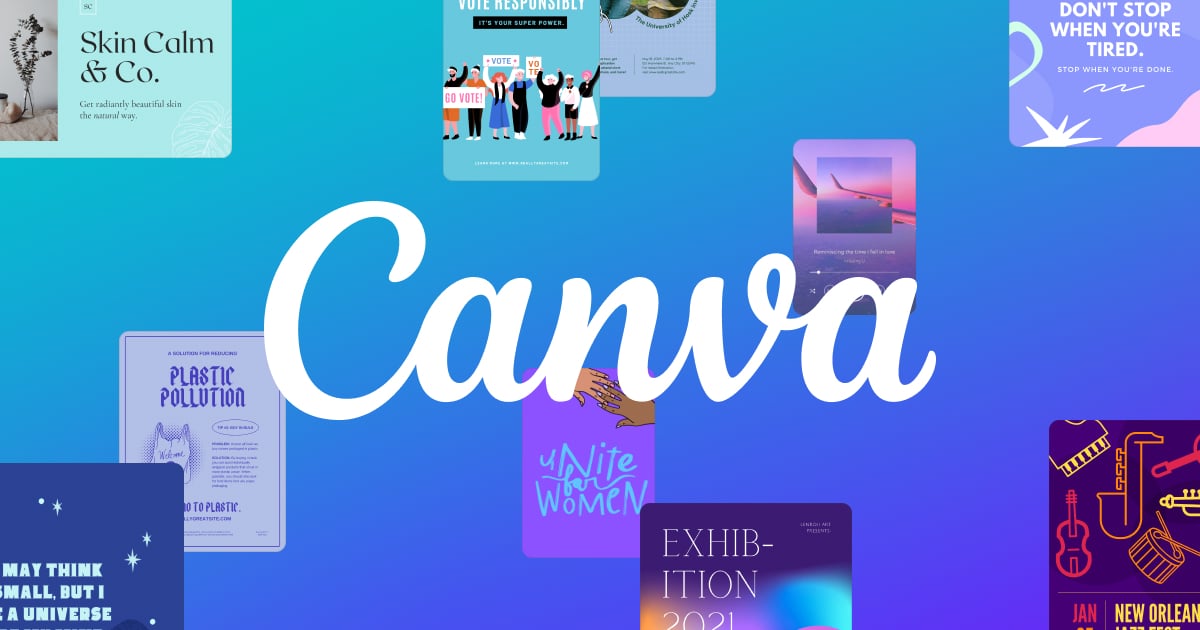
Affinity's design software caters to the specific needs of photography studios, offering features that enable the creation of crisp vector art and bold graphics with precision, speed, and freedom. Its professional-grade tools allow for designing without limits, making it an ideal solution for studios requiring high-quality graphics.
Best for Graphic Design & Illustration Tools for Photography Studios
Expert Take
Affinity Graphic & Vector Design stands out as a top-tier choice for photography studios due to its high-precision tools, fast performance, and cost-effective pricing model. Its professional-grade capabilities and one-time purchase offer significant value, making it a preferred solution in its category.
Pros
- Core app is completely free
- Seamless vector and raster personas
- StudioLink integrates all suite apps
- Lightweight and fast performance
- No subscription for core features
Cons
- No native RTL text support
- Auto-trace feature is limited
- Lacks advanced vector pattern tools
- Steep learning curve for switchers
- AI features require Canva subscription
Best for teams that are
- Freelancers wanting a one-time purchase model.
- Professional studios replacing Adobe workflows.
- Designers needing both vector and raster tools.
Skip if
- Teams heavily entrenched in Adobe Creative Cloud.
- Beginners seeking simple, template-based designs.
Best for teams that are
- Freelancers wanting a one-time purchase model.
- Professional studios replacing Adobe workflows.
- Designers needing both vector and raster tools.
Skip if
- Teams heavily entrenched in Adobe Creative Cloud.
- Beginners seeking simple, template-based designs.
Pros
- Core app is completely free
- Seamless vector and raster personas
- StudioLink integrates all suite apps
- Lightweight and fast performance
- No subscription for core features
Cons
- No native RTL text support
- Auto-trace feature is limited
- Lacks advanced vector pattern tools
- Steep learning curve for switchers
- AI features require Canva subscription
Expert Take
Affinity Graphic & Vector Design stands out as a top-tier choice for photography studios due to its high-precision tools, fast performance, and cost-effective pricing model. Its professional-grade capabilities and one-time purchase offer significant value, making it a preferred solution in its category.
Linearity: Design. Illustrate. Animate.
Best for Graphic Design & Illustration Tools for SaaS Companies

Linearity is an intuitive and comprehensive SaaS solution designed specifically for SaaS companies to create, iterate, and export graphic design and illustration projects. With its integrated platform, it simplifies the design process and maximizes efficiency, providing an array of tools to create graphics, illustrations, and even motion designs.
Best for Graphic Design & Illustration Tools for SaaS Companies
Expert Take
Linearity stands out as a comprehensive design tool for SaaS companies, offering a unified platform for graphic design, illustration, and animation. Its intuitive interface and collaborative features enhance usability, while the freemium pricing model provides accessible entry. However, its macOS limitation and internet dependency are notable considerations.
Pros
- Seamless static-to-motion workflow
- Optimized for Apple Pencil & iPad
- AI-powered Auto Trace & Background Removal
- Supports Lottie & standard video exports
- Intuitive interface for non-experts
Cons
- Exclusively for Apple devices (No Windows)
- Free plan limited to 3 files
- Advanced exports locked behind subscription
- Lacks deep engineering vector tools
- Recent rebrand caused user friction
Best for teams that are
- Marketing teams needing integrated vector design and motion tools
- Mac and iPad users seeking a cost-effective Illustrator alternative
- Illustrators wanting to easily animate static vector assets
Skip if
- Windows or Android users as the software is Apple ecosystem exclusive
- Professionals requiring advanced raster editing or complex 3D tools
- Users needing extensive third-party plugin ecosystems
Best for teams that are
- Marketing teams needing integrated vector design and motion tools
- Mac and iPad users seeking a cost-effective Illustrator alternative
- Illustrators wanting to easily animate static vector assets
Skip if
- Windows or Android users as the software is Apple ecosystem exclusive
- Professionals requiring advanced raster editing or complex 3D tools
- Users needing extensive third-party plugin ecosystems
Pros
- Seamless static-to-motion workflow
- Optimized for Apple Pencil & iPad
- AI-powered Auto Trace & Background Removal
- Supports Lottie & standard video exports
- Intuitive interface for non-experts
Cons
- Exclusively for Apple devices (No Windows)
- Free plan limited to 3 files
- Advanced exports locked behind subscription
- Lacks deep engineering vector tools
- Recent rebrand caused user friction
Expert Take
Linearity stands out as a comprehensive design tool for SaaS companies, offering a unified platform for graphic design, illustration, and animation. Its intuitive interface and collaborative features enhance usability, while the freemium pricing model provides accessible entry. However, its macOS limitation and internet dependency are notable considerations.
Canva: Creative Suite for Photographers
Best for Graphic Design & Illustration Tools for Photography Studios
Canva is a versatile online graphic design tool tailored for photography studios. Its wide array of design elements and easy-to-use interface make it a perfect choice for creating engaging social media posts, stunning presentations, posters, logos, and promotional videos. With Canva, photographers can showcase their work in the most creative and professional way.
Best for Graphic Design & Illustration Tools for Photography Studios
Expert Take
Canva excels as a graphic design tool for photography studios due to its extensive design library, user-friendly interface, and photography-specific templates. Its integration with social media platforms enhances usability, while the availability of a free version adds value for smaller studios. Despite some limitations in advanced features, Canva remains a top choice in its category.
Pros
- Intuitive drag-and-drop interface
- Massive library of 100M+ assets
- Powerful AI tools like Magic Eraser
- Affinity suite included for free
- Seamless cloud-based collaboration
Cons
- Limited CMYK color accuracy
- No true non-destructive RAW editing
- 4K video downscaled to 1080p
- Teams pricing increased significantly
Best for teams that are
- Non-designers needing quick, professional graphics.
- Marketing teams relying on templatized workflows.
- Small business owners lacking formal design budgets.
Skip if
- Professional graphic designers needing custom tools.
- Users requiring highly complex vector illustrations.
Best for teams that are
- Non-designers needing quick, professional graphics.
- Marketing teams relying on templatized workflows.
- Small business owners lacking formal design budgets.
Skip if
- Professional graphic designers needing custom tools.
- Users requiring highly complex vector illustrations.
Pros
- Intuitive drag-and-drop interface
- Massive library of 100M+ assets
- Powerful AI tools like Magic Eraser
- Affinity suite included for free
- Seamless cloud-based collaboration
Cons
- Limited CMYK color accuracy
- No true non-destructive RAW editing
- 4K video downscaled to 1080p
- Teams pricing increased significantly
Expert Take
Canva excels as a graphic design tool for photography studios due to its extensive design library, user-friendly interface, and photography-specific templates. Its integration with social media platforms enhances usability, while the availability of a free version adds value for smaller studios. Despite some limitations in advanced features, Canva remains a top choice in its category.
BeFunky's Graphic Designer is a highly intuitive and easy-to-use design tool that's perfect for photography studios. With a wealth of templates and features tailored for creating stunning visuals for brochures, flyers, and social media, it addresses the industry's need for visually compelling content.
Best for Graphic Design & Illustration Tools for Photography Studios
Expert Take
BeFunky Graphic Designer excels in providing intuitive design tools tailored for photography studios, with a strong focus on usability and a wide range of templates. Its market credibility is supported by its extensive feature set and pricing transparency, making it a top choice in its category.
Pros
- All-in-one editor, collage maker, and designer
- Powerful AI tools like Sky Replacer
- Batch processing for multiple images
- Over 1 million free stock photos
- Affordable annual plan at $6.99/month
Cons
- No RAW image format support
- Cancellation process reported as difficult
- Free version has intrusive ads
- Requires constant internet connection
- Less granular control than Photoshop
Best for teams that are
- Marketers needing efficient batch image processing.
- Beginners wanting easy, browser-based photo edits.
- Social media managers needing quick templates.
Skip if
- Professionals needing advanced photo manipulation.
- Users averse to aggressive premium feature upsells.
Best for teams that are
- Marketers needing efficient batch image processing.
- Beginners wanting easy, browser-based photo edits.
- Social media managers needing quick templates.
Skip if
- Professionals needing advanced photo manipulation.
- Users averse to aggressive premium feature upsells.
Pros
- All-in-one editor, collage maker, and designer
- Powerful AI tools like Sky Replacer
- Batch processing for multiple images
- Over 1 million free stock photos
- Affordable annual plan at $6.99/month
Cons
- No RAW image format support
- Cancellation process reported as difficult
- Free version has intrusive ads
- Requires constant internet connection
- Less granular control than Photoshop
Expert Take
BeFunky Graphic Designer excels in providing intuitive design tools tailored for photography studios, with a strong focus on usability and a wide range of templates. Its market credibility is supported by its extensive feature set and pricing transparency, making it a top choice in its category.
CorelDRAW Graphic Design Software
Best for Graphic Design & Illustration Tools for Photography Studios

CorelDRAW's graphic design software, designed specifically with photographers in mind, offers comprehensive vector, technical illustration, and CAD software options. Its tools are ideal for designing logos, posters, and drafting, catering to the needs of professionals in photography studios.
Best for Graphic Design & Illustration Tools for Photography Studios
Expert Take
CorelDRAW stands out as a leading graphic design tool for photography studios due to its comprehensive suite of professional design tools, including advanced vector and CAD capabilities. It is recognized for its industry relevance and robust feature set, making it a top choice for professionals.
Pros
- Flexible purchasing: Subscription or Perpetual
- Industry standard for sign making
- Supports 100+ file formats (DXF/DWG)
- Integrated vector and pixel editing
- Browser-based app for collaboration
Cons
- Instability/crashes with large files
- Perpetual license excludes cloud features
- Smaller ecosystem than Adobe
- Advanced features lag behind Illustrator
- Steep learning curve for beginners
Best for teams that are
- Apparel decorators and screen printers.
- Sign makers needing large-format printing tools.
- SMBs needing print-focused vector graphics.
Skip if
- Hobbyists with modest needs and low budgets.
- Designers focused purely on UI/UX digital design.
Best for teams that are
- Apparel decorators and screen printers.
- Sign makers needing large-format printing tools.
- SMBs needing print-focused vector graphics.
Skip if
- Hobbyists with modest needs and low budgets.
- Designers focused purely on UI/UX digital design.
Pros
- Flexible purchasing: Subscription or Perpetual
- Industry standard for sign making
- Supports 100+ file formats (DXF/DWG)
- Integrated vector and pixel editing
- Browser-based app for collaboration
Cons
- Instability/crashes with large files
- Perpetual license excludes cloud features
- Smaller ecosystem than Adobe
- Advanced features lag behind Illustrator
- Steep learning curve for beginners
Expert Take
CorelDRAW stands out as a leading graphic design tool for photography studios due to its comprehensive suite of professional design tools, including advanced vector and CAD capabilities. It is recognized for its industry relevance and robust feature set, making it a top choice for professionals.


Loading comparison data…