
Creative Collaboration & Review Tools
These are the specialized categories within Creative Collaboration & Review Tools. Looking for something broader? See all Design, Creative & Media Production Software categories.
Capture One Pro Photo Editing
Best for Creative Collaboration & Review Tools for Photography Studios
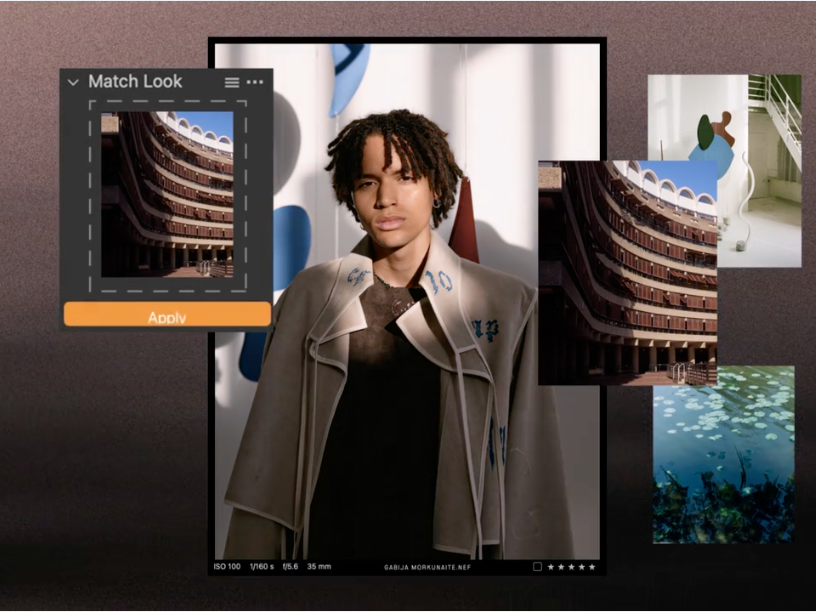
Capture One Pro is a top-tier photo editing software designed for professional photographers and photo studios. It offers advanced tools for collaboration, automation, and precision, streamlining high-volume workflows and enabling faster, more efficient editing processes.
Best for Creative Collaboration & Review Tools for Photography Studios
Expert Take
Capture One Pro excels in providing advanced photo editing capabilities tailored for professional photographers and studios. Its robust feature set, including high-volume processing and collaboration tools, justifies its premium positioning. While the learning curve is steep, the software's customization and efficiency enhancements make it a top choice for professionals.
Pros
- Industry-leading tethered shooting reliability
- Superior RAW rendering and color science
- Advanced Skin Tone uniformity tools
- Highly customizable professional workspace
- Session-based workflow for project management
Cons
- Significantly more expensive than competitors
- Steep learning curve for beginners
- Perpetual license excludes feature updates
- Lacks generative AI noise reduction
- Mobile app requires separate subscription
Best for teams that are
- Professional studio photographers requiring reliable tethered shooting
- Editors needing high-volume RAW processing and advanced color grading
Skip if
- Casual photographers or beginners who may find the steep learning curve overwhelming
- Teams seeking a purely cloud-native ecosystem for asset management
Best for teams that are
- Professional studio photographers requiring reliable tethered shooting
- Editors needing high-volume RAW processing and advanced color grading
Skip if
- Casual photographers or beginners who may find the steep learning curve overwhelming
- Teams seeking a purely cloud-native ecosystem for asset management
Pros
- Industry-leading tethered shooting reliability
- Superior RAW rendering and color science
- Advanced Skin Tone uniformity tools
- Highly customizable professional workspace
- Session-based workflow for project management
Cons
- Significantly more expensive than competitors
- Steep learning curve for beginners
- Perpetual license excludes feature updates
- Lacks generative AI noise reduction
- Mobile app requires separate subscription
Expert Take
Capture One Pro excels in providing advanced photo editing capabilities tailored for professional photographers and studios. Its robust feature set, including high-volume processing and collaboration tools, justifies its premium positioning. While the learning curve is steep, the software's customization and efficiency enhancements make it a top choice for professionals.
Creative Force Photo Studio Management
Best for Creative Collaboration & Review Tools for Photography Studios
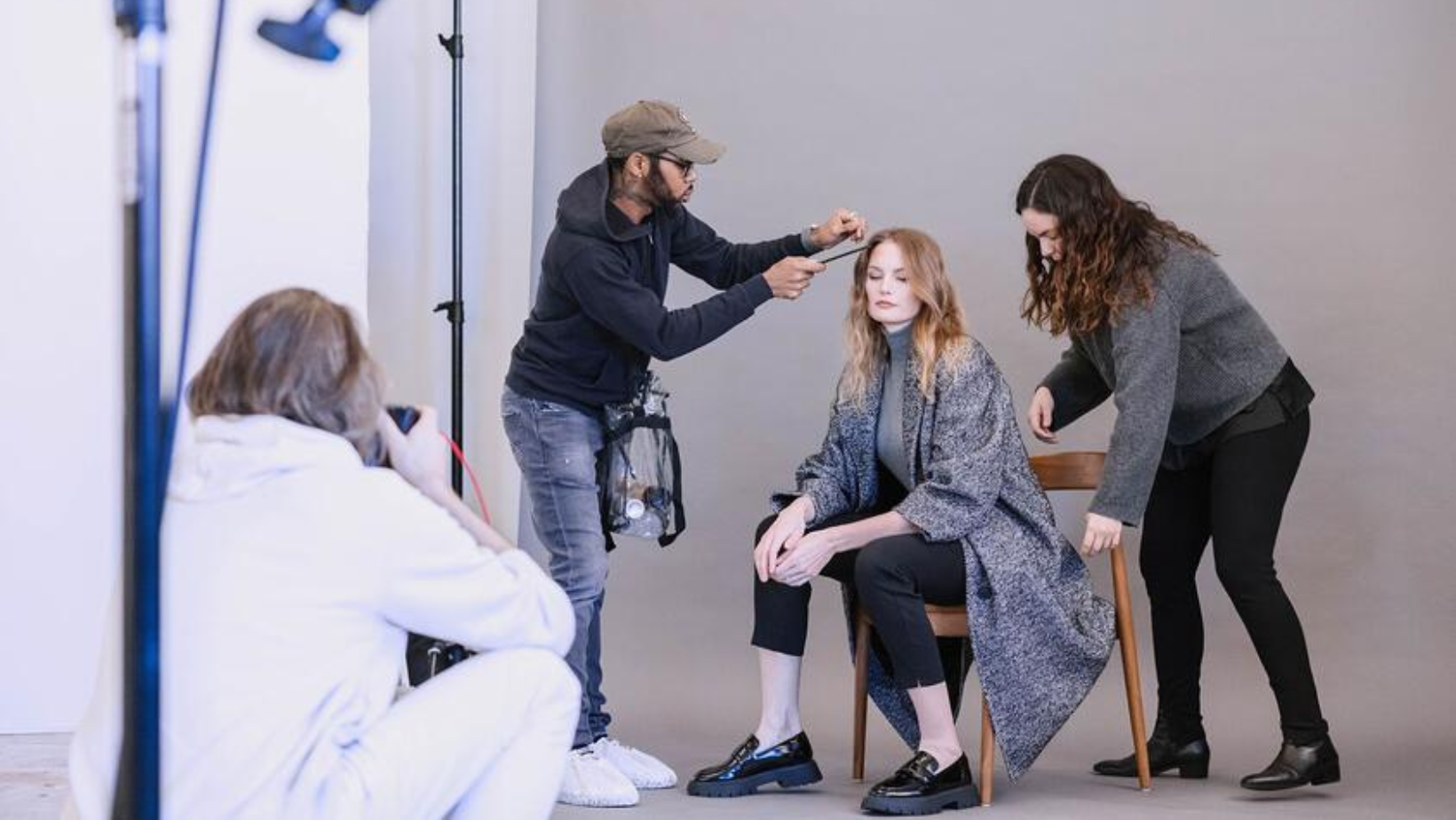
Creative Force is an ideal tool for e-commerce businesses that require high-volume photography workflows. It streamlines the entire project lifecycle, from planning to post-production, and offers customized workflows, flexible review, and approval processes to meet the unique needs of the industry.
Best for Creative Collaboration & Review Tools for Photography Studios
Expert Take
Creative Force Photo Studio Management is a leading solution in the photography studio management space, offering comprehensive workflow automation and real-time collaboration tailored for high-volume e-commerce operations. Its integration capabilities and robust analytics further enhance its value proposition, although the lack of upfront pricing and potential training requirements are notable considerations.
Pros
- End-to-end flow production automation
- Deep Capture One & Adobe integration
- Real-time production visibility
- Used by top enterprise retailers
- Excellent 24/5 customer support
Cons
- High starting price (~$2,900/mo)
- Steep learning curve for new users
- No contract downgrades allowed
- Occasional performance lag reported
- Onboarding can be time-consuming
Best for teams that are
- High-volume e-commerce studios managing mass product photography and video
- Retailers needing end-to-end sample tracking and automated workflows
Skip if
- Low-volume boutique photographers or freelancers without complex operations
- Wedding or event photographers not dealing with standardized product assets
Best for teams that are
- High-volume e-commerce studios managing mass product photography and video
- Retailers needing end-to-end sample tracking and automated workflows
Skip if
- Low-volume boutique photographers or freelancers without complex operations
- Wedding or event photographers not dealing with standardized product assets
Pros
- End-to-end flow production automation
- Deep Capture One & Adobe integration
- Real-time production visibility
- Used by top enterprise retailers
- Excellent 24/5 customer support
Cons
- High starting price (~$2,900/mo)
- Steep learning curve for new users
- No contract downgrades allowed
- Occasional performance lag reported
- Onboarding can be time-consuming
Expert Take
Creative Force Photo Studio Management is a leading solution in the photography studio management space, offering comprehensive workflow automation and real-time collaboration tailored for high-volume e-commerce operations. Its integration capabilities and robust analytics further enhance its value proposition, although the lack of upfront pricing and potential training requirements are notable considerations.
Iconik Collaboration & Review
Best for Creative Collaboration & Review Tools for Photography Studios

Iconik Collaboration & Review is specifically designed for photography studios. It provides a platform for seamless media sharing, editing, reviewing, and approval, making collaboration easy from anywhere. Its industry-specific features address the unique need of photography studios for efficient project management and seamless remote collaboration.
Best for Creative Collaboration & Review Tools for Photography Studios
Expert Take
Iconik Collaboration & Review excels in providing a tailored solution for photography studios, with strong capabilities in media collaboration and remote access. It is recognized for its usability and industry-specific features, although its subscription model may be less accessible for smaller studios.
Pros
- Hybrid cloud 'Bring Your Own Storage'
- Deep Adobe Premiere Pro panel integration
- Synchronized real-time review (CineSync tech)
- SOC 2 Type II enterprise security
- Unlimited free external collaborator users
Cons
- Steep learning curve for admins
- Complex pricing when scaling up
- Integration setup can be technical
- Occasional slow performance with large files
Best for teams that are
- Organizations with hybrid storage needs (cloud + on-premise) requiring a unified view
- Media-heavy teams needing AI auto-tagging and scalable asset management
Skip if
- Small teams looking for a simple tool without configuration requirements
- Users who do not need complex metadata management or hybrid infrastructure
Best for teams that are
- Organizations with hybrid storage needs (cloud + on-premise) requiring a unified view
- Media-heavy teams needing AI auto-tagging and scalable asset management
Skip if
- Small teams looking for a simple tool without configuration requirements
- Users who do not need complex metadata management or hybrid infrastructure
Pros
- Hybrid cloud 'Bring Your Own Storage'
- Deep Adobe Premiere Pro panel integration
- Synchronized real-time review (CineSync tech)
- SOC 2 Type II enterprise security
- Unlimited free external collaborator users
Cons
- Steep learning curve for admins
- Complex pricing when scaling up
- Integration setup can be technical
- Occasional slow performance with large files
Expert Take
Iconik Collaboration & Review excels in providing a tailored solution for photography studios, with strong capabilities in media collaboration and remote access. It is recognized for its usability and industry-specific features, although its subscription model may be less accessible for smaller studios.
Hightail Creative Collaboration
Best for Creative Collaboration & Review Tools for Photography Studios

Hightail is a SaaS solution designed specifically for creative and marketing teams in the photography industry. It enables seamless file sharing, efficient feedback collection, and streamlined approval processes, addressing the unique needs of creative project management within a photography studio.
Best for Creative Collaboration & Review Tools for Photography Studios
Expert Take
Hightail Creative Collaboration excels in providing tailored solutions for photography studios, with strong capabilities in file sharing and feedback collection. It is recognized for its usability and industry-specific features, though some limitations exist in its free plan. Overall, it stands out as a top choice in its category.
Pros
- Unlimited storage on all paid plans
- Upload individual files up to 500GB
- Enterprise-grade AES-256 encryption
- Visual version control and approval routing
- Backed by OpenText security infrastructure
Cons
- Adobe and Outlook plugins paused (2025)
- Free plan limited to 100MB uploads
- No Camera-to-Cloud video integration
- Support limited to paid subscribers
- Reports of slow upload speeds
Best for teams that are
- Creative teams needing to securely send and track very large files
- Agencies requiring simple feedback on visual assets without complex NLE sync
Skip if
- Video editors needing deep integration with software like Premiere Pro
- Teams requiring advanced project management or complex metadata tagging
Best for teams that are
- Creative teams needing to securely send and track very large files
- Agencies requiring simple feedback on visual assets without complex NLE sync
Skip if
- Video editors needing deep integration with software like Premiere Pro
- Teams requiring advanced project management or complex metadata tagging
Pros
- Unlimited storage on all paid plans
- Upload individual files up to 500GB
- Enterprise-grade AES-256 encryption
- Visual version control and approval routing
- Backed by OpenText security infrastructure
Cons
- Adobe and Outlook plugins paused (2025)
- Free plan limited to 100MB uploads
- No Camera-to-Cloud video integration
- Support limited to paid subscribers
- Reports of slow upload speeds
Expert Take
Hightail Creative Collaboration excels in providing tailored solutions for photography studios, with strong capabilities in file sharing and feedback collection. It is recognized for its usability and industry-specific features, though some limitations exist in its free plan. Overall, it stands out as a top choice in its category.
Adobe's Next-Gen Frame.io
Best for Creative Collaboration & Review Tools for Photography Studios
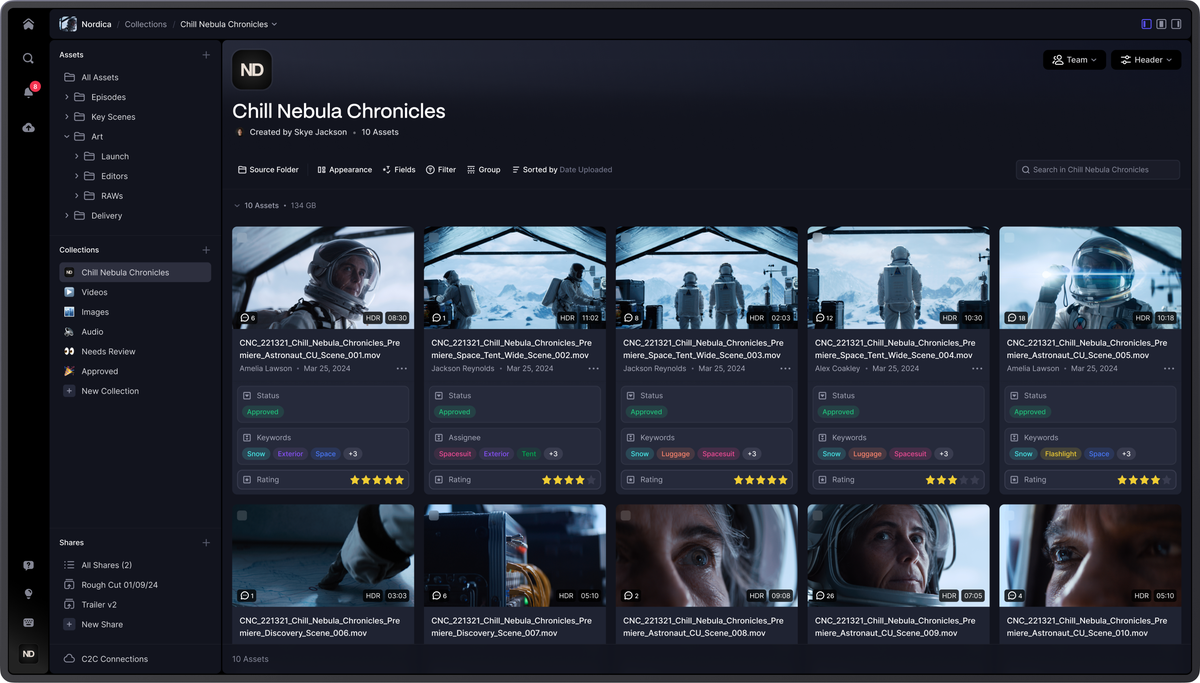
Frame.io is an innovative solution designed specifically for photography studios. It empowers teams by offering a centralized platform for organizing, navigating, and reviewing media assets. Its custom workflows and a tight feedback system directly address the complex needs of creative collaboration in this industry.
Best for Creative Collaboration & Review Tools for Photography Studios
Expert Take
Adobe's Next-Gen Frame.io excels in providing a comprehensive solution for photography studios, with strong integration capabilities and a focus on creative collaboration. Its market credibility is supported by Adobe's reputation, and it offers robust usability and value for enterprise users. However, its complexity and pricing may pose challenges for smaller teams.
Pros
- TPN Gold Shield security
- Custom metadata & Collections
- Camera to Cloud integration
- Generous free tier
- Forensic watermarking (Enterprise)
Cons
- V4 performance complaints
- Broken version stacking
- Removed Dropbox/Vimeo integrations
- Steep V4 learning curve
- Premiere panel bugs
Best for teams that are
- Multi-disciplinary teams managing video, photo, and design assets in one place
- Teams needing custom metadata workflows rather than rigid folder structures
Skip if
- Users who prefer simple, rigid folder hierarchies over dynamic organization
- Teams strictly focused on document management rather than creative media
Best for teams that are
- Multi-disciplinary teams managing video, photo, and design assets in one place
- Teams needing custom metadata workflows rather than rigid folder structures
Skip if
- Users who prefer simple, rigid folder hierarchies over dynamic organization
- Teams strictly focused on document management rather than creative media
Pros
- TPN Gold Shield security
- Custom metadata & Collections
- Camera to Cloud integration
- Generous free tier
- Forensic watermarking (Enterprise)
Cons
- V4 performance complaints
- Broken version stacking
- Removed Dropbox/Vimeo integrations
- Steep V4 learning curve
- Premiere panel bugs
Expert Take
Adobe's Next-Gen Frame.io excels in providing a comprehensive solution for photography studios, with strong integration capabilities and a focus on creative collaboration. Its market credibility is supported by Adobe's reputation, and it offers robust usability and value for enterprise users. However, its complexity and pricing may pose challenges for smaller teams.
Explore Categories

Loading comparison data…