WHAT IS BRAND ASSET & STYLE GUIDE PLATFORMS?
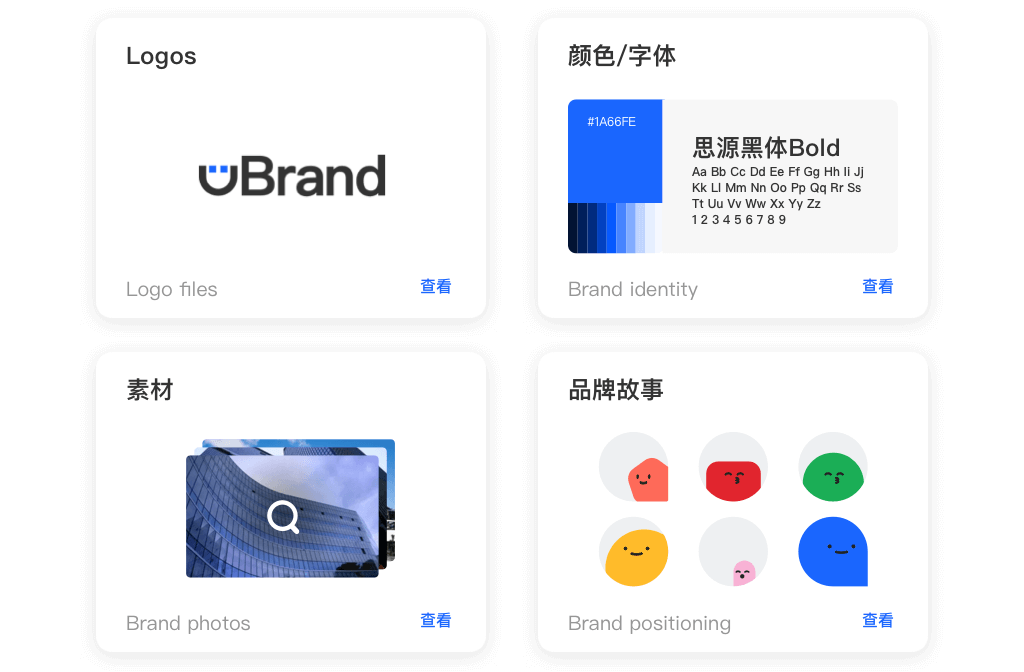
Brand Asset & Style Guide Platforms serve as the central nervous system for an organization's visual and verbal identity. Unlike simple cloud storage solutions that merely house files, these platforms are engineered to enforce brand consistency, educate stakeholders on proper usage, and streamline the distribution of approved assets across complex ecosystems. This category covers software used to centralize, govern, and distribute proprietary brand materials—logos, fonts, color palettes, tone-of-voice guidelines, and campaign assets—throughout their active lifecycle. It sits distinctly between Digital Asset Management (DAM) (which is broader, handling high-volume raw media storage and archival) and Content Management Systems (CMS) (which focus on publishing). It includes both dynamic "living" brand books and asset repositories designed for decentralized teams, ensuring that every touchpoint—from a sales deck in Tokyo to a social post in New York—aligns perfectly with the core brand identity.
The core problem this software solves is "brand entropy"—the natural tendency for brand integrity to degrade as an organization grows. Without a centralized source of truth, employees and partners inevitably save files to local desktops, use outdated logos, stretch images, or apply incorrect colors, diluting brand equity. By digitizing the style guide and linking it directly to the assets themselves, these platforms ensure that the "rules" of the brand are not just a static PDF document but an active, enforceable part of the workflow. Who uses it? Marketing teams are the primary administrators, but the end-users span the entire enterprise: sales teams generating proposals, HR departments creating recruitment materials, product teams designing interfaces, and external agencies requiring compliant assets. In a market where customer trust is directly correlated with consistent experience, these platforms act as the operational guardrails for brand reputation.
HISTORY: FROM STATIC PDFS TO BRAND ORCHESTRATION
The evolution of Brand Asset & Style Guide Platforms mirrors the broader shift in business technology from on-premise containment to cloud-based collaboration. In the 1990s, brand management was a manual, high-friction discipline. "Brand Guidelines" were physical books or static digital files (often PDFs) distributed on CD-ROMs or local servers. Access was restricted, and version control was nonexistent; once a disc was distributed, the marketing team lost all control over how assets were used. The gap that created this category was the functional chasm between the creative studio and the rest of the business. Creative professionals used complex desktop publishing software, while the rest of the organization struggled to open or utilize proprietary file formats, leading to the "logo request" bottleneck that plagued marketing departments for decades.
The mid-2000s and the rise of Web 2.0 marked the first major pivot. As internet speeds increased, early SaaS pioneers began moving asset libraries to the cloud. However, these early iterations were often little more than "FTP in a browser"—clunky repositories that lacked context. You could download a logo, but the system wouldn't tell you how to use it. The market began to consolidate and mature in the 2010s as the "MarTech" explosion occurred. Buyers stopped asking for simple storage (which commodities like Dropbox solved) and started demanding "actionable intelligence." They needed platforms that could transform files on the fly, integrate with CMS tools, and provide analytics on asset usage.
Today, we are witnessing the era of "Brand Operations." The modern platform is no longer just a library; it is an active orchestration layer. The rise of vertical SaaS has led to specialized tools for industries like retail and manufacturing, where the metadata needs are complex and specific. The shift is now toward atomic content and dynamic guidelines, where the brand book is not a separate document but an integrated interface that guides the user at the moment of download. Consolidation continues as larger customer experience suites acquire standalone brand tools, aiming to close the loop between asset creation, management, and performance analysis.
WHAT TO LOOK FOR
Evaluating Brand Asset & Style Guide Platforms requires a shift in mindset from "storage capacity" to "adoption velocity." The most critical evaluation criterion is usability for non-creatives. If the interface is too complex, your sales and HR teams will revert to using the outdated files on their desktops, rendering the investment useless. Look for dynamic guideline capabilities—the ability to embed usage rules (e.g., "do not use this logo on a red background") directly into the download workflow. The platform should support format flexibility, allowing a user to download a high-resolution Photoshop file as a low-res PNG for a PowerPoint presentation without needing design software.
Red flags during the selection process often appear in the metadata and search functionality. Be wary of vendors that rely solely on folder structures (the "nested folder nightmare") rather than robust tagging and metadata filters. A system that requires users to know exactly where a file is stored is a failed system; they should be able to find assets based on intent (e.g., "summer campaign," "Instagram square"). Another warning sign is a lack of granular permission controls. In enterprise environments, you must be able to hide unapproved or expired assets from general view while keeping them accessible to administrators. Failure to handle digital rights management (DRM), such as expiration dates for stock photography licenses, can expose your company to significant legal liability.
When interviewing vendors, ask specific, probing questions. "How does your platform handle version control when a master asset is updated—do share links update automatically?" "Can we create public-facing brand portals for press and partners that are distinct from our internal library?" Crucially, ask about adoption analytics: "Will I be able to see who is downloading what, and more importantly, what assets are not being used?" This data is vital for proving ROI and optimizing your creative production spend.
INDUSTRY-SPECIFIC USE CASES
Retail & E-commerce
For retail and e-commerce, the Brand Asset & Style Guide Platform is mission-critical for omnichannel consistency and speed to market. Unlike B2B sectors, retailers manage massive volumes of product imagery that change seasonally. Their primary evaluation priority is metadata inheritance and SKU-based organization. They need platforms that can automatically associate a single product shot with multiple SKUs, sizes, and regional variations. A unique consideration here is the integration with Product Information Management (PIM) systems. The brand platform must serve as the visual counterpart to the PIM's data, ensuring that when a product specification changes, the associated visual assets are flagged for review. Furthermore, retailers require robust portal capabilities to serve varied distributor networks, ensuring that third-party retailers (like Amazon or Walmart) receive assets that meet their specific, strict upload requirements without manual resizing by the creative team.
Healthcare
In the healthcare sector, brand platforms are less about marketing speed and more about regulatory compliance and patient trust. Hospitals and pharmaceutical companies operate under strict regulations (such as HIPAA in the US) regarding what can be shown in patient testimonials or clinical imagery. A critical feature for this industry is digital rights management (DRM) with strict expiration enforcement. If a model release form for a patient expires, the platform must automatically unpublish that asset from all connected portals to prevent legal exposure [1]. Healthcare buyers prioritize approval workflows and audit trails above all else. They need to prove exactly who approved a piece of content and when. Additionally, "brand" in healthcare is synonymous with clinical excellence; therefore, style guides often include complex rules regarding medical terminology and visual tone that must be accessible to non-marketing administrative staff across distributed hospital networks [2].
Financial Services
Financial services institutions (banks, insurance, wealth management) use these platforms to manage risk and localized marketing. With heavy regulation from bodies like the SEC or FINRA, every brand asset—from a social post to a wealth management brochure—must contain the correct, up-to-date disclaimers. Evaluation priorities focus heavily on templating engines that allow local advisors to customize materials (e.g., adding their name and photo) while locking down the compliant legal copy and brand elements [3]. Unique considerations include security certifications (SOC 2, ISO 27001) which are non-negotiable. These organizations often require "distributed marketing" features where a central brand team creates a master asset, and the platform allows for controlled localization by hundreds of branches, ensuring that a rogue branch manager doesn't create non-compliant collateral that could result in hefty fines [4].
Manufacturing
Manufacturers face the unique challenge of a disconnected dealer and distributor network. They use Brand Asset platforms primarily as a self-service dealer portal. The goal is to reduce the administrative burden on the HQ marketing team by allowing dealers to access spec sheets, CAD drawings, and product photos independently. A specific need is format conversion for CAD and technical files, allowing a sales rep to view a 3D model on a tablet without needing engineering software. Evaluation priorities include global access performance (CDN speed) as manufacturing supply chains are often global, and assets must be accessible in low-bandwidth factory environments. They also heavily utilize version control to ensure that no dealer is selling a product using outdated technical specifications, which could lead to liability issues [5].
Professional Services
For law firms, consultancies, and accounting firms, the "product" is their people and their intellectual property. Consequently, their brand platform usage centers on proposal automation and presentation management. The number one pain point is the "rogue PowerPoint"—consultants creating off-brand slides that dilute the firm's perceived expertise. These buyers look for deep integration with Microsoft Office and Google Workspace, allowing staff to pull on-brand slides, bios, and case studies directly into their working documents. CV/Resume management is a unique workflow here; the platform must house up-to-date headshots and bio-sketches for thousands of employees, often tagged by expertise area, to rapidly build pitch decks. The style guide here is less about visual whimsy and more about formatting rigor and tone of voice [6].
SUBCATEGORY OVERVIEW
Brand Asset & Style Guide Platforms for Recruitment Agencies
Recruitment agencies operate in a high-velocity sales environment where the "product" is a job opening. This niche is genuinely different because the end-users are recruiters, not marketers, who need to generate social media assets instantly to capitalize on candidate attention. Generic platforms often fail here because they lack the specific templating engines required to turn a job description into a visually branded "Hiring Now" social card in seconds. A workflow that ONLY this specialized tool handles well is the automated generation of candidate packets—bundling a firm’s brand assets with job specs into a cohesive, branded digital experience for the applicant. The specific pain point driving buyers here is speed-to-market; if a recruiter has to wait 24 hours for a designer to create a social post, the candidate is already gone. For a deeper look at these tools, read our guide to Brand Asset & Style Guide Platforms for Recruitment Agencies.
Brand Asset & Style Guide Platforms for Staffing Agencies
While similar to recruitment, staffing agencies focus heavily on B2B client acquisition and high-volume temporary placement. The differentiator here is the need for co-branding capabilities. Staffing firms often need to present their brand alongside their client's brand in pitch decks and onboardings. Specialized tools in this space handle "white-label" portals where a staffing agency can create a branded experience for a specific client account. A workflow unique to this niche is the management of "onboarding kits" that must comply with both the staffing agency’s brand and the employment laws of the deployment region. The pain point driving this niche is the complexity of managing dual identities (the agency's and the client's) without diluting the agency's own brand authority. To explore solutions for this sector, visit Brand Asset & Style Guide Platforms for Staffing Agencies.
Brand Asset & Style Guide Platforms for SaaS Companies
SaaS companies face a unique challenge: their product interface is their primary brand asset, and it changes constantly. Generic tools struggle with the rapid obsolescence of product screenshots. This niche specializes in versioning and screenshot automation. A workflow only these tools handle well is the programmatic updating of assets: when a UI element changes, the platform can flag or even auto-update associated screenshots in the help center and sales decks. The driving pain point is "screenshot rot"—sales teams using decks with outdated UIs that confuse prospects and promise retired features. These platforms often integrate directly with design tools like Figma to sync product changes to the brand library instantly. Learn more about these specific tools at Brand Asset & Style Guide Platforms for SaaS Companies.
Brand Asset & Style Guide Platforms for Startups
Startups require lean, agile platforms that prioritize investor relations security and pitch deck management over heavy-duty archival. Unlike enterprise tools, these platforms focus on sharing highly sensitive assets (like financial slides or unreleased product roadmaps) with external stakeholders (VCs) using secure, trackable links. A workflow unique to this group is the "Data Room" functionality combined with brand assets, allowing founders to present a polished, branded experience during due diligence. The specific pain point is the need for professional polish on a bootstrap budget; startups cannot afford enterprise DAMs but cannot look amateurish. They need "brand-in-a-box" features that provide immediate structure to chaotic asset creation. For tools tailored to early-stage growth, check out Brand Asset & Style Guide Platforms for Startups.
Brand Asset & Style Guide Platforms for Photography Studios
This subcategory is distinct because the assets are the revenue product, not just marketing support. These platforms must handle massive RAW files, support color profiling, and provide client proofing workflows. A generic brand tool is insufficient because it lacks the "selects" workflow where a client reviews 500 images to choose 10 for retouching. The unique workflow here is the seamless transition from "gallery viewing" to "download delivery" with automated watermarking and tiered resolution access. The pain point driving buyers away from general tools is the inability to monetize the asset directly within the platform—photography-specific tools often integrate shopping carts or print-on-demand services. For professionals in this field, see our review of Brand Asset & Style Guide Platforms for Photography Studios.
Integration & API Ecosystem
In the modern MarTech stack, a Brand Asset & Style Guide Platform cannot exist as an island. Integration is the primary driver of operational efficiency. Forrester reports that integrated marketing technologies can drive a 1.5x increase in speed-to-market for campaigns [7]. Buyers must evaluate the API ecosystem not just for existence, but for depth. A "check-the-box" integration might only allow you to view assets, whereas a deep integration allows for bi-directional metadata syncing and drag-and-drop functionality within third-party apps.
Consider a practical scenario: A 50-person professional services firm connects their brand platform to their proposal software (like PandaDoc) and their CRM (Salesforce). If the integration is poorly designed, a marketing manager might update a case study PDF in the brand platform, but the sales team continues to send the old version attached to Salesforce records because the connector doesn't support "version push." The result is a client receiving outdated pricing or service descriptions, potentially costing the firm the deal. A robust API ensures that when the "master" file is updated, every linked instance across the ecosystem reflects that change instantly. Expert analysis from Gartner emphasizes that by 2027, 80% of data governance initiatives will fail due to a lack of integration with business-centric workflows [8].
Security & Compliance
Security in brand management extends beyond password protection; it encompasses Digital Rights Management (DRM), sovereignty, and auditability. With the average cost of a data breach reaching millions, the security of proprietary brand assets—which often include unreleased product designs or sensitive internal comms—is paramount. Forrester highlights that sophisticated rights management is now a "critical capability" for enterprise DAM solutions [9].
Imagine a global retail brand preparing for a holiday launch. They license a celebrity image for use in North America only, for a period of six months. Without automated compliance features, a junior social media manager in the UK might download that image and use it on Instagram after the license expires. This simple error can lead to a copyright infringement lawsuit costing hundreds of thousands of dollars. A robust platform prevents this by auto-expiring the asset and strictly enforcing geo-fencing on downloads. Buyers must verify certifications like SOC 2 Type II and ISO 27001, but also look for "granular permissions" that allow you to restrict assets not just by user role, but by region, department, and intended use case.
Pricing Models & TCO
Pricing in this category is notoriously complex, often split between storage-based models and user-based (seat) models. Understanding the Total Cost of Ownership (TCO) requires forecasting your growth. User-centric pricing (e.g., $50/user/month) works well for small teams but becomes punitive for scaling organizations. Conversely, storage-based pricing allows unlimited users but charges steep premiums for terabytes of data. Gartner analysts note that hidden costs in implementation and training often inflate the year-one TCO by 50% or more above the license fee [10], [11].
Let’s walk through a TCO calculation for a hypothetical 25-person creative agency. If they choose a "per-seat" model at $40/user/month, their annual software cost is $12,000. However, if they need to give "view-only" access to 50 freelance contractors and 20 clients, a strict per-seat model could skyrocket costs to over $40,000/year. A usage-based or "unlimited light user" model would maintain the cost closer to the base $12,000, even with external sharing. Furthermore, buyers often overlook "module creep"—where essential features like "Brand Portals" or "Video Transcoding" are sold as add-ons. A transparent pricing model should account for unlimited "consumer" users (read-only) to encourage broad adoption without financial penalty.
Implementation & Change Management
The most common cause of failure for Brand Asset Platforms is not technical bugs, but cultural rejection. McKinsey research indicates that 70% of digital transformations fail due to employee resistance [12]. Implementation is not just "uploading files"; it is the construction of a taxonomy (the naming and tagging strategy) that aligns with how your team actually thinks. A platform is useless if users search for "sedan" but the assets are tagged "vehicle."
Consider a mid-sized manufacturing firm rolling out a new brand center. The marketing team spends months organizing assets by internal product codes (e.g., "Prod-X99"). However, the sales team searches by customer application (e.g., "heavy duty lifting"). If the implementation team fails to map these "synonyms" during the metadata setup, the sales team will declare the system "broken" within week one and return to using Google Drive. Successful implementation requires a "Librarian" mindset—conducting user interviews before a single file is uploaded to ensure the folder structure and search logic mirror the mental models of the end-users.
Vendor Evaluation Criteria
When selecting a partner, look beyond the feature list to the vendor's viability and roadmap. The market is crowding, and consolidation is rampant. You need a vendor that is investing in "next-generation" features like AI-tagging and content analytics, not just maintenance. Forrester advises buyers to prioritize vendors that offer "predictive performance analytics"—telling you not just who downloaded an asset, but how that asset performed in the market [13], [14].
A concrete evaluation scenario involves testing their customer support SLAs. Ask for a reference call with a customer of similar size and specifically ask about "downtime during peak periods." For a retailer, if the brand portal goes down during Black Friday preparation, the financial impact is immediate. Ensure the contract stipulates "uptime guarantees" and provides for a dedicated Customer Success Manager (CSM), not just a generic helpdesk email. The "red flag" here is a vendor that refuses to share a roadmap or has had zero significant feature releases in the last 12 months, signaling stagnation.
EMERGING TRENDS AND CONTRARIAN TAKE
Emerging Trends 2025-2026: The dominant trend is the governance of Generative AI. As teams begin using AI tools to create on-brand imagery, Brand Platforms are evolving to become the "compliance engine" for AI. They will not just store assets but will "read" AI-generated content to ensure it adheres to visual guidelines before it can be downloaded. Another shift is Content Authenticity (C2PA standards), where platforms embed cryptographic metadata to prove an asset's origin and verify it hasn't been maliciously altered—a crucial feature in an era of deepfakes [15].
Contrarian Take: The standalone "Brand Portal" is dying; the future is "headless" brand management. Most organizations overpay for a destination portal that employees rarely visit. The future isn't a beautiful website where you go to find logos; it's a background service that pushes the right logo directly into PowerPoint, Slack, or Word as you work. If your brand platform requires a user to open a new tab and log in, it has already failed. The most effective tool is one that is invisible, surfacing assets contextually within the tools employees are already using. Businesses would get more ROI from a "headless" API-first asset engine integrated into their workflow than from a flashy, expensive standalone brand destination.
COMMON MISTAKES
The most pervasive mistake buyers make is over-indexing on features and under-indexing on taxonomy. Companies often buy the "Ferrari" of brand platforms but fuel it with "sludge"—poorly named files, duplicate assets, and messy metadata. Without a clean-up strategy before migration, the new system simply digitizes the chaos of the old one. Another common error is ignoring the "Casual User." Power users (designers) will navigate any interface, but the casual user (sales, HR) has zero tolerance for friction. If the platform requires a manual or training session to download a logo, adoption will fail. Finally, many buyers fail to plan for asset lifecycle management. They focus entirely on ingesting content but have no plan for archiving it. Two years later, the search results are clogged with outdated assets, confusing users and degrading trust in the system.
QUESTIONS TO ASK IN A DEMO
- Adoption & Usage: "Show me exactly how a non-technical sales rep would find and insert a case study into a presentation. Count the clicks."
- Metadata & Search: "Does your auto-tagging AI recognize our specific product names, or does it just tag generic terms like 'office' or 'meeting'? Can we train it?"
- Integration: "Demonstrate a live integration with our CMS/Project Management tool. I want to see data flow back and forth, not just a screenshot of a 'connected' icon."
- Scalability: "What happens to performance if we upload 50,000 assets and have 500 concurrent users searching? Do you have stress-test data?"
- Compliance: "If a stock photo license expires today, does the system automatically unpublish it from our public web portal, or is that a manual process?"
- Roadmap: "What is the one major feature you delayed last year, and why?" (This reveals their prioritization logic).
BEFORE SIGNING THE CONTRACT
Before committing, execute a final decision checklist. Verify the data exit strategy: if you leave this vendor in three years, will they charge you a "ransom" to export your data, and will that export include the valuable metadata you've spent years building? Many contracts hide exorbitant "professional services" fees for data extraction. Check the storage overage costs. "Unlimited users" often hides a low storage cap with high penalties for exceeding it. Negotiate a "grace period" or a flat-rate tier upgrade rather than per-GB overage charges. Finally, ensure the SLA (Service Level Agreement) matches your business hours. If you are a global brand, "9-5 EST support" is insufficient. Demand 24/7 critical support and clearly defined penalties for downtime.
CLOSING
Implementing the right Brand Asset & Style Guide Platform is more than a software purchase; it is a commitment to the integrity and longevity of your brand. If you have questions about specific vendors or need help navigating the complexities of your use case, I invite you to reach out.
Email: albert@whatarethebest.com